RSS
 

Posts Tagged ‘Camera’

All That You Need in Your Camera Bag for a Successful Wedding Photography Shoot

16 Dec

There are many challenges to successful wedding photography, and it can be a hectic day, even for skilled photographers.It includes the photography of activities involving the wedding and photographs of the family members, friends and couple before the marriage, as well as coverage of the wedding day and post wedding. It’s a viable endeavor that supports the efforts of many Continue Reading

The post All That You Need in Your Camera Bag for a Successful Wedding Photography Shoot appeared first on Photodoto.


Photodoto

 
Comments Off on All That You Need in Your Camera Bag for a Successful Wedding Photography Shoot

Posted in Photography


Review Canon Powershot S120 Digital Camera
16 Dec

Review Canon Powershot S120 Digital Camera

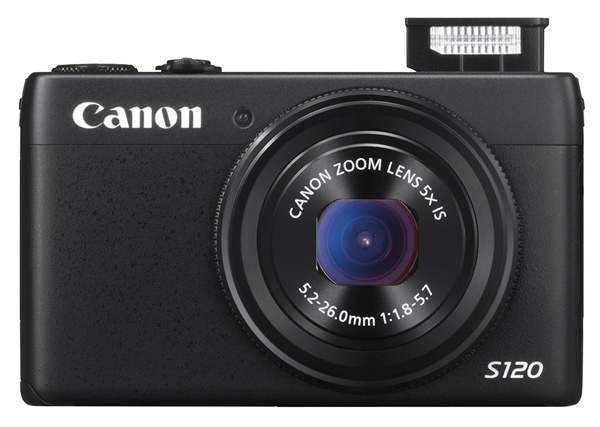
Canon S120 review Blk front 2

You could wonder at my bravado in reviewing this tiddler when all it seems to offer is a digicam with moderate specs and little else. Aah! But look further!

Features and Specs

Its story begins with Canon’s well-tried DIGIC 6 processor, along with a relatively large CMOS sensor. The maximum aperture is a generous, optically stabilized f/1.8, which does, quickly fall to f4 once you start zooming. However, it is the first S-series model to feature an f/1.8 lens and the 24mm wide end is extremely useful for tight interiors.

But the S120′s specs are well worth comparing to the highly regarded SX50 HS, which I reviewed a year ago, equipped with a powerful 50x optical zoom.
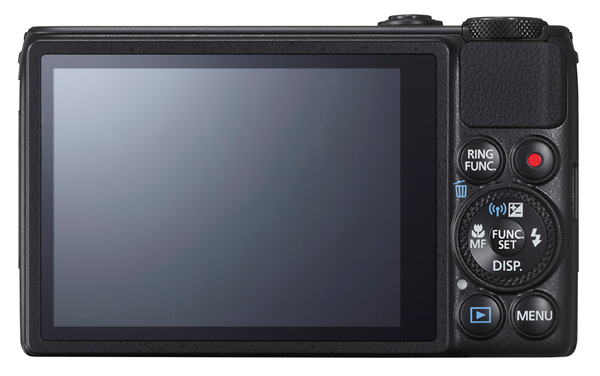
Canon S120 review Black Back

This one is a much less powerful beast optically, with a moderate 5x optical zoom, but it also has a larger CMOS sensor and a continuous shooting speed of up to 12fps. It’s also considerably smaller, more easily pocketable and easier to use.

Much like almost every camera offered in 2013, the S120 has inbuilt WiFi connectivity, so it can hook up directly to smart devices and social networks. Settings can be adjusted in a number of ways: through the dedicated control buttons, via the 7.5 cm touch screen or with the lens control ring. The camera also supports GPS tagging via a mobile, allowing location data to be added to shots using Canon’s dedicated app for smart phones/tablets.

Maximum image size is 4000×3000 pixels, leading to a final print size of 34x25cm print (13.4×9.8″) at 300 dpi.

Video can be shot in 1920×1080 Full HD quality MPEG4. If you shoot stills during a video record the latter stops.

A look around – physical features and controls

The camera is, as I have said, very pocketable and viewable, thanks to the 7.5cm LCD screen which does not, unfortunately, tilt. Oh well!

Top deck, at left is the tiny pop up flash; to the right is the power button and the shutter button that encircles the zoom lever; at the extreme right is the mode dial with positions for auto and hybrid auto shooting, P,A,S,M, custom settings, movie, camera effects (high dynamic range, fish eye, background defocus, mono etc) and scene effects (portraits, snow, starry skies, fireworks, time lapse etc).

You can adjust shutter speed or aperture — and manual — value by rolling the control dial to that setting (Tv, Av or M), then twirl a ring at the base of the lens. Simple! Just like a real camera!

There are plenty of people out there who will enjoy the easy access to the camera and scene effects offered by the camera and I wouldn’t mind betting there are plenty of newbie DSLR owners who still have no idea how to set the camera to handle these off-beat beat subjects.

The only flaw I found in the top deck layout was the difficulty of tapping the recessed power button. For the life of me, I can’t suggest an alternative arrangement!
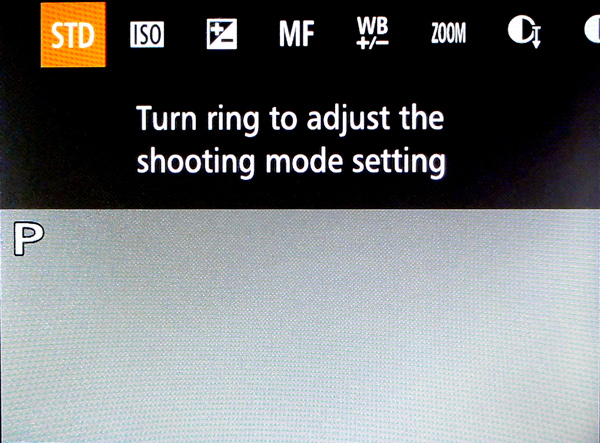
Canon s120 review Ring Function

Rear: at top right is the familiar red video record button and, to its left, is a button titled Ring Function which gives direct access to such things as ISO, exposure compensation, manual focus, white balance correction, dynamic range and shadow correction. The latter takes the S120 into a totally different area, with access to high control of your picture making. Worth some study. Lower, we find the control dial with settings for exposure correction, macro shooting, flash and display options.
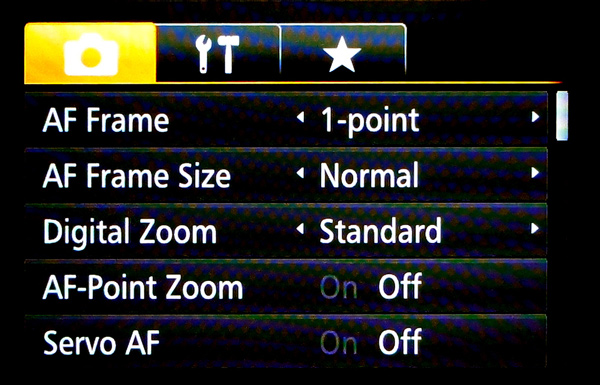
Canon S120 reiew Menu

Beneath the dial are found the replay and menu buttons, with the latter offering a fairly extensive extensive list of options. Noteworthy also is the on screen level indicator, and that’s about it.

Sample images from the Canon S120

Canon s120 review Centre screen 1

Canon S120 review Decorations 2

Canon S120 review Flowers 2

Canon S120 review Parking 2

Startup time

It took two seconds from power on the first shot, then about a second between shots.

Distortion

There was a small amount of barrel distortion at the wide end of the zoom but no problems at the telephoto end.

ISO Tests

Canon PowerShot S120 ISO 100

Canon PowerShot S120 ISO 400

Canon PowerShot S120 ISO 800

Canon PowerShot S120 ISO 1600

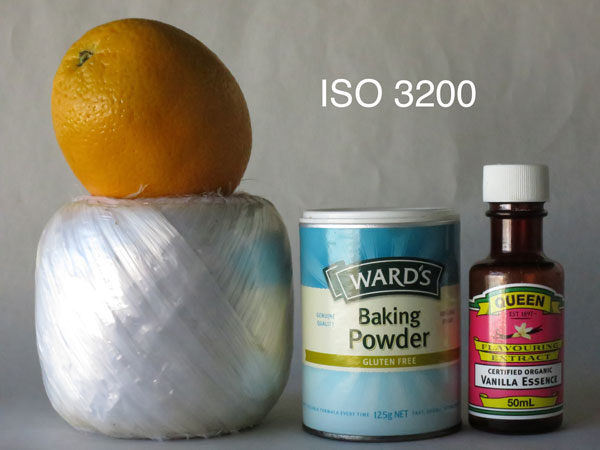
Canon PowerShot S120 ISO 3200

Canon PowerShot S120 ISO 6400

Canon PowerShot S120 ISO 12800

Noise begins to creep in at ISO 3200. By ISO 6400 noise is up a little more but what is really noticeable is the fall off in definition, both of which factors make shooting at ISO 12,800 a none event, compounded by some ugly pixel clumping at that setting.

Overall comments

  • Quality: average
  • Why you’d buy the camera: small; a surprisingly generous list of picture control options; nice wide 24mm wide end of the zoom
  • Why you wouldn’t: zoom is not long enough for sports photography
  • It’s not a big deal, but the S120 is one of the few digicams that let you replay your images by tapping that button — and not needing to fire up the power button first

If you’re still using a simple digicam but have higher ambitions, shoot-wise, this would make an ideal bridge camera to sharpen your camera skills before you leap into the fast running waters that encircle a DSLR!

Good gear!

Specs

  • Image Sensor: 12.1 million effective pixels
  • Sensor: 15mm CMOS
  • Metering: Evaluative, centre-weighted, spot
  • Lens: f1.8-5.7/5.2-26mm (24-120mm as 35 SLR equivalent)
  • Exposure Modes: Auto, Program AE, shutter and aperture priority, manual
  • Shutter Speed: 15″-1/2000 second
  • Memory: SD/SDHC/SDXC (UHS Speed Class 1 compatible)
  • Image Sizes (pixels): Stills: 4000×3000 to 640×480
  • Movies: 1920×1080, 1280×720, 640×480
  • Continuous Shooting: 9fps
  • Viewfinder: 7.5cm LCD screen (922,000)
  • File Formats: RAW, JPEG, MPEG4
  • Colour Space: sRGB
  • ISO Sensitivity: Auto, 80 to 12,800
  • Interface: USB 2.0, HDMI mini, AV, WiFi, DC input
  • Power: Rechargeable lithium ion battery
  • Dimensions: 100x59x29 WHDmm
  • Weight: 217 g (inc. battery, card)
  • Price: Approximately $ 400 see Amazon
  • Web: Canon.com

DPS Rating: 3

The post Review Canon Powershot S120 Digital Camera by Barrie Smith appeared first on Digital Photography School.


Digital Photography School
 
Comments Off on Review Canon Powershot S120 Digital Camera

Posted in Photography


The Top 13 Camera Bags Among Our Readers

13 Dec

Over the past few weeks we’ve shared with you the best selling DSLRs and most popular DSLR lenses among our readers. Today it is time to turn our attention to camera bags.

Following are the best selling* camera bags among our readers based upon what you’re buying at Amazon in the last quarter.

Here’s the top 13!

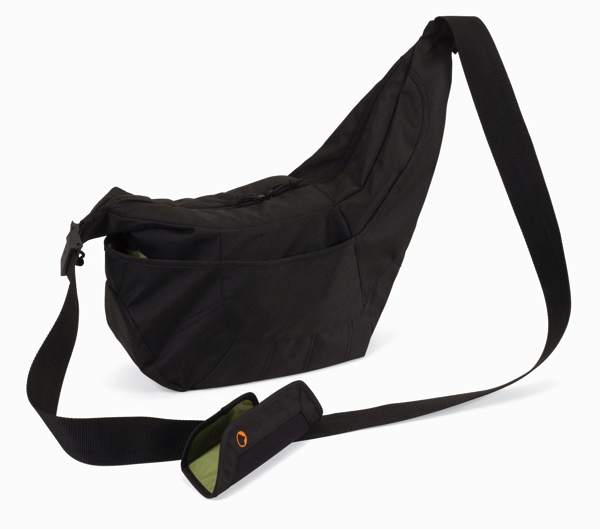
1. Lowepro Passport Sling

NewImage

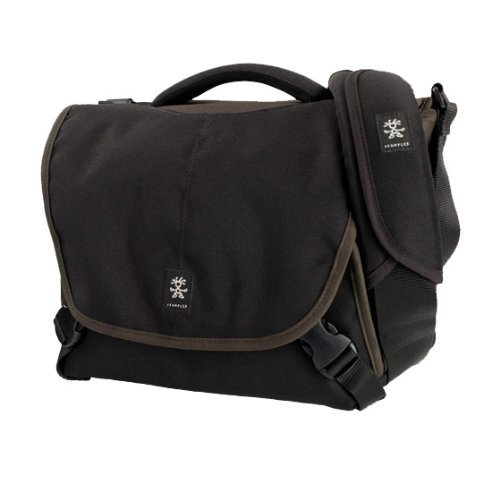
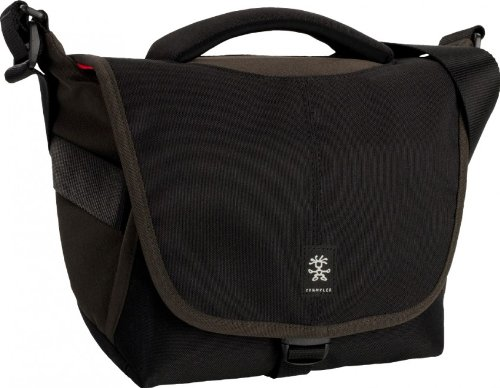
2. Crumpler *NEW* 5 Million Dollar Home Camera Bag

NewImage

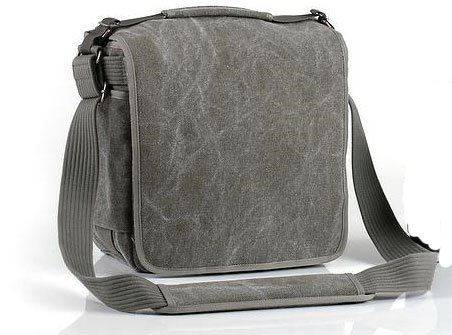
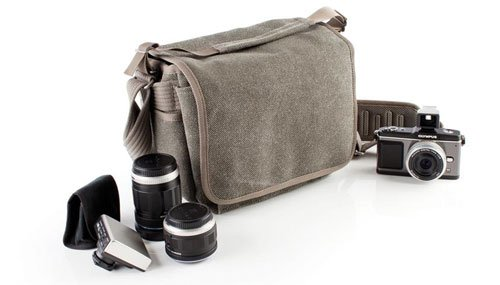
3. Think Tank Retrospective 5 Shoulder Bag

NewImage

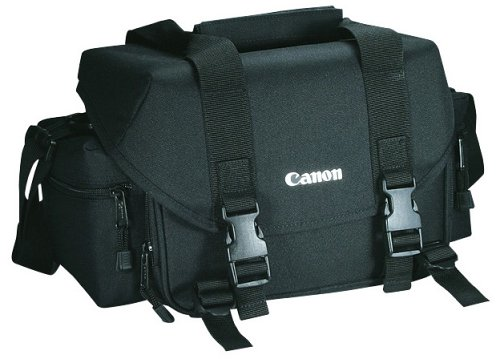
4. Canon 2400 SLR Gadget Bag for EOS SLR Cameras

NewImage

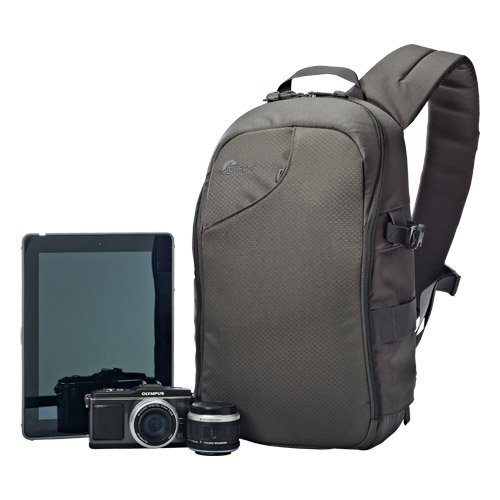
5. Lowepro LP36576-PWW 250 AW Transit Sling Bag

NewImage

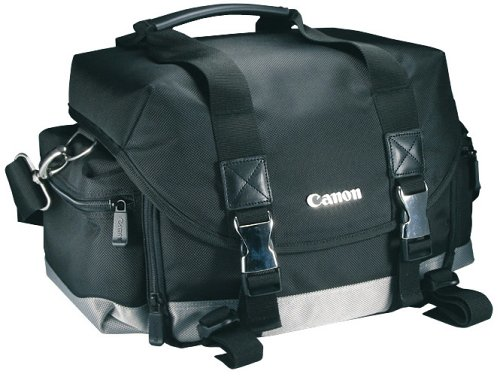
6. Canon 200DG Digital Camera Gadget Bag

NewImage

7. Crumpler *NEW* 6 Million Dollar Home Camera Bag

NewImage

8. Lowepro Passport Sling ll

NewImage

9. Think Tank Retrospective 20

NewImage

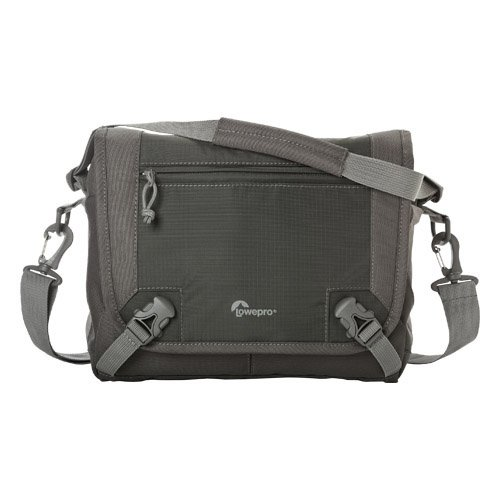
10. Lowepro LP36610-PWW Nova Sport 17L AW Camera Bag

NewImage

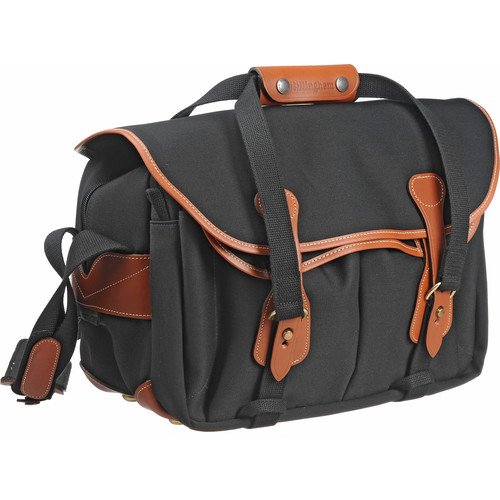
11. Billingham 335 Camera Bag

51GhGrK8o7L

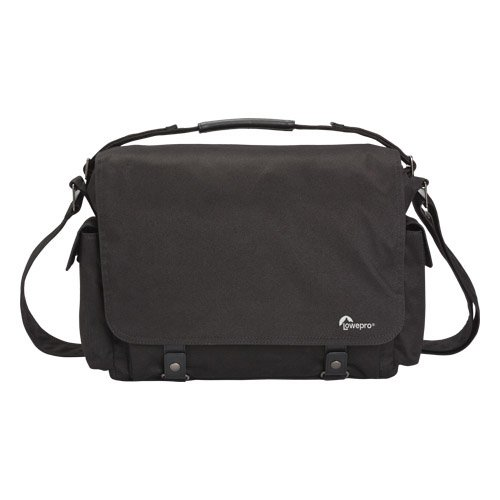
12. Lowepro LP36615-PWW Urban Reporter 250

NewImage

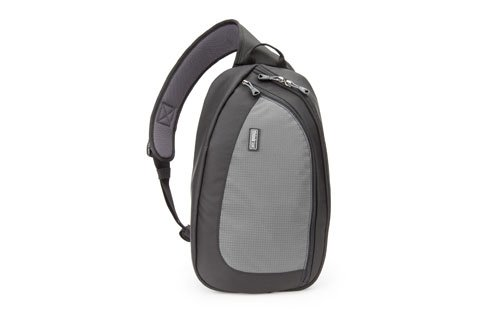
13. Think Tank TurnStyle 20 Convertible Sling Bag & Belt Pack

NewImage

* Note: these lists were compiled from reports supplied to us from Amazon.com where we are affiliates. One of the ways dPS is able to cover its costs and be a sustainable business is that we earn a small commission when readers make a purchase from Amazon after clicking on our links (including those above). While no personal details are passed on we do get an overall report from Amazon about what was bought and are able to create this list.

The post The Top 13 Camera Bags Among Our Readers by Darren Rowse appeared first on Digital Photography School.


Digital Photography School
 
Comments Off on The Top 13 Camera Bags Among Our Readers

Posted in Photography


Adobe releases final versions of Camera Raw 8.3 and Lightroom 5.3

12 Dec

shared:AdobeLogo.png

Adobe has announced the final versions of Camera Raw and DNG Converter 8.3, along with Lightroom 5.3. Different versions for ACR 8.3 are available for Photoshop CC and Photoshop CS6 – both from Adobe.com and through the update mechanisms in the software. DNG Converter is available for free for users of older versions of Photoshop. The latest versions brings support for 20 cameras, including the Nikon Df and Nokia Lumia 1020 that weren’t in the release candidate versions.

News: Digital Photography Review (dpreview.com)

 
Comments Off on Adobe releases final versions of Camera Raw 8.3 and Lightroom 5.3

Posted in Uncategorized


Free Coupons for All!Plus, Gift Ideas For Your Camera

10 Dec

We’re giving away $ 2, $ 5, $ 7 and $ 10 coupons all day long!

Simply follow us on Twitter (we’re @Photojojo), give us a RT and visit the Shop to collect your coupon.

Not sure what to spend your free Photojojo bux on? We’ve talked to your camera and have its wishlist right here.

Check out our gifts for DSLRs, Androids, iPads and more …

Snack Cap Lens Caps

Your camera looks hungry. Give it a tasty (protective) treat. → More

Gorillapod for SLRs

This bendable tripod will hold your DSLR to any surface. → More

The Triggertrap

Turn your phone or tablet into a remote for your DSLR. → More

Give ANY DSLR Wi-FI!

Send photos from your DSLR to phone or laptop as you shoot! → More

iPad Telephoto Lens

See 10 to 12 times farther, with adjustable focus. → More

Sony Wireless Lens

Give your iPad a massive sensor and professional optics. → More

A charger + built-in battery

The Bolt Charger doesn’t need an outlet to charge you up! → More

Wireless Shutter Remote

Take photos from 30 feet away. Perfect for photobooths! → More

The Instax 90 Instant Cam

The newest from Instax w/ double exposure and bulb modes. → More

Print straight from your cam!

The Polaroid 2300 takes digital photos and prints on the go. → More

Rare Film Pack

Three rolls of rare, imported, or discontinued 35mm film. → More

Mini Instagram Projector

Project a slide wheel of your IG photos anywhere. → More

Polarizing Smartphone Lens

Cut down on glare to up contrast and color saturation. → More

Instagram #Necklaces

Sport your very own #nofilter, #selfie or IG Like symbol. → More

Instant Camera iPhone Decal

A tribute to an old fave, for your phone. → More

Olloclip 4-in-1 iPhone Lens

A fisheye, telephoto, wide angle and macro lens, all in one. → More

Super Fisheye Phone Lens

The widest angle lens in the shop! For fishey phone photos. → More

Phoneography Starter Kit

Everything a new phoneographer needs in a giftable case. → More

Smartphone Spy Lens

See the world from a whole new angle (on the sly). → More

The USB Chargecard

A charging cable that fits in your wallet. → More


Glif+ Phone Stand

$ 20

$ 25 BUY!


Egg Carton Film Case

$ 20

$ 15 BUY!


Memory Card Speed Reader

$ 45

$ 35 BUY!


Instax Mini 50s Camera

$ 125

$ 110 BUY!


Handy Dandy Hand Strap

$ 40

$ 35 BUY!


The iPhone SLR Mount

$ 249

$ 180 BUY!


© laurel for Photojojo, 2013. |
Permalink |
No comment |
Add to
Plus, Gift Ideas For Your Camera”>del.icio.us

Post tags:


Photojojo

 
Comments Off on Free Coupons for All!Plus, Gift Ideas For Your Camera

Posted in Equipment


There can be only 1: Polaroid licensee withdraws Nikon-like camera

07 Dec

im1836.png

Sakar International, which makes cameras under the Polaroid brand name, has agreed to stop selling the model at the center of a patent and trade dress dispute with Nikon. A New York court issued an injunction stopping Sakar from making, selling or advertising the Android-powered iM1836, based on an agreement reached by the two companies. Nikon claims the interchangeable lens iM1836 infringed design patents and ‘trade dress’ (appearance) of its 1 System.

News: Digital Photography Review (dpreview.com)

 
Comments Off on There can be only 1: Polaroid licensee withdraws Nikon-like camera

Posted in Uncategorized


Metabones now available for Blackmagic Pocket Cinema Camera

03 Dec

20131127_pr_06_copy-thumbnail.png

Metabones has introduced two new versions of its Nikon-F to Micro Four Thirds mount Speed Booster adapters. This time they are designed specifically for the Blackmagic Cinema and Pocket Cinema cameras. The new 0.64x Speed Booster reduces the full-frame crop factor of the Blackmagic Cinema Camera from 2.39x to 1.53x. The 0.58x Speed Booster reduces the crop factor of the Blackmagic Pocket Cinema Camera from 2.88x to 1.75x. Learn more

News: Digital Photography Review (dpreview.com)

 
Comments Off on Metabones now available for Blackmagic Pocket Cinema Camera

Posted in Uncategorized


Capture PRO Camera Clip Review

02 Dec

A Better Way to Carry Your Camera?

The updated Capture PRO from Peak Design offers a secure, hands-free alternative to traditional camera straps.

The updated Capture PRO from Peak Design offers a secure, hands-free alternative to traditional camera straps.

About a year and a half ago I posted a short review on Facebook of the original version of the Capture Camera Clip from Peak Design Ltd. Since getting my hands on it, Capture has become an integral tool for my location, event, and street photography, as well as a perfect solution for quick camera access while I’m teaching, either in the classroom or on location. That’s why I was so excited last August, when the San Francisco-based company launched two updated versions of Capture in what would end up being a wildly successful Kickstarter campaign. Going back to the community that helped make the original Capture such a popular accessory, the crowd-funded project raised $ 819,108 in just 54 days– crushing its goal of $ 100,00. With numbers like that, I had to find out how Capture Pro measured up to the original. You may have read Sime’s preview of the new versions before their release back in August, but now that I’ve had a chance to put Capture PRO through its paces for a few months, I figured it was time for an update.

What is Capture?

So, what is Capture? Imagine taking the quick-release assembly off your tripod and attaching it to your belt. Or your backpack strap. Or the shoulder strap from your camera bag. Or a climbing harness. Getting the idea? Simply put, the Capture Camera Clip allows you to use virtually any strap of almost any thickness to keep your camera close at hand and ready to go. I’ve never been a fan of traditional camera straps. Regardless of whether it is around my neck or over my shoulder, the weight is a strain and at least one hand is always on the camera, making sure it’s not bumping into anything or anyone. Sling straps are a great solution, but still get in the way when you are carrying a camera bag.  Capture not only allows me to “go strapless,” but also frees up my hands.

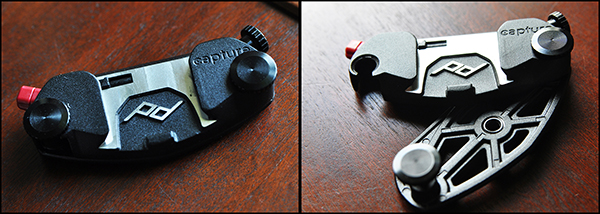
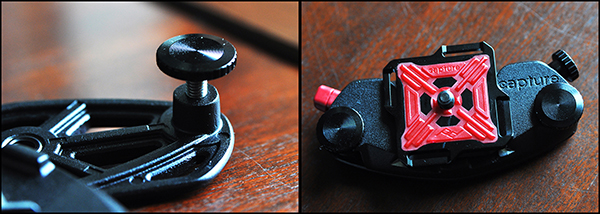
On the left, closed and locked. Sturdy-but-lightweight design makes sure Capture stays in place.

On the left, closed and locked. Sturdy-but-lightweight design makes sure Capture stays in place.

What’s New

As great as the original was, Version 1 was not without a few minor drawbacks, most notably its hard corners and uncomfortable screws. It’s always refreshing when companies take the time to not only listen to feedback from their customers, but to implement those suggestions into newer, better products. Constructed from die-cast aluminum, the clip is tightened into place with zinc-alloy clamping bolts. These bolts are what allows the clip to adjust to belts and straps of different thicknesses.  The new streamlined design is stronger and lighter, with a more narrow profile and smoother mechanics, while retaining all of the convenience and functionality of the original.

Zinc-alloy clamping bolts adjust to the thickness of the strap, and the standard ARCA Plate makes the unit compatible with a wide range of tripods.

Zinc-alloy clamping bolts adjust to the thickness of the strap, and the standard ARCA Plate makes the unit compatible with a wide range of tripods.

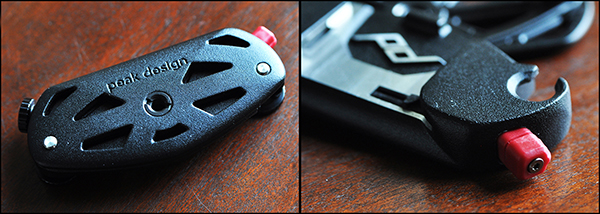
Perhaps the best added features however, are the mounting hole on the bottom for monopods and tripods (Pro version only), and the twisting safety lock on the quick release buttons for both Pro and V2.  The standard ARCA Plate is already compatible with ARCA-style tripod heads, but making the entire clip tripod-mountable adds a new facet of convenience that did not exist in the original.  While the original version had a twist lock for added security, both Capture PRO and Capture V2 have added an additional  safety lock to the quick release button, making sure that once latched, your camera isn’t going anywhere.  This comes in particularly handy for event photographers who have to navigate through large crowds. In one test, I had a group of friends try to strip my camera from the clip at my waist as I worked a crowd. All were unsuccessful.

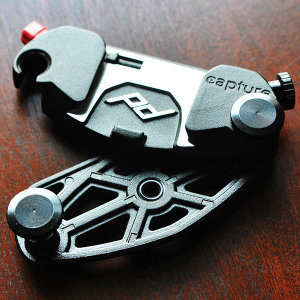
The new tripod socket on the bottom and additional locking mechanism on the quick release button add functionality and security to the original design.

The new tripod socket on the bottom and additional locking mechanism on the quick release button add new levels of functionality and security to the original design.

Room for Improvement?

There is always room for improvement. No product is perfect, but any of the negative things I have to say about Capture are pretty minor– merely a matter of personal preference, and have no bearing on the quality of the product itself. For instance, I would have preferred for the quick-release button on the opposite side of the clip, but that doesn’t affect the quality of the build or the functionality of the device.

New Accessories

I prefer using Capture with lenses like the 24-70mm, the 35mm, or the 50mm. I wasn’t crazy about how Version 1 handled the extra weight and awkward movement of a larger lens, like the 70-200mm. With the new Capture PROpad, however, the developers and designers have gone a long way to solving this comfort and stability issue. The firm, compression-molded padding eases part of the load, redistributing some of the added weight of longer lenses.

Another new accessory– the POV Kit– turns the Capture Clip into a mount for any GoPro or small point-and-shoot camera. Getting POV photos or video from your backpack straps or similar vantage points has never been easier.

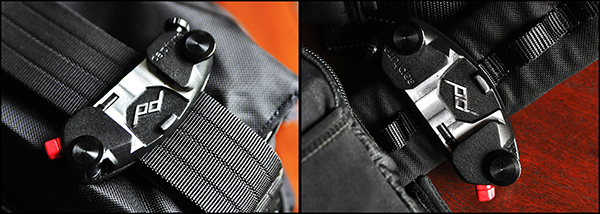
On the left, Capture attached to the shoulder strap of a Think Tank City Walker 30 camera bag. On the right, attached to a Think Tank Pro Speed Belt.

On the left, Capture attached to the shoulder strap of a Think Tank City Walker 30 camera bag. On the right, attached to a Think Tank Pro Speed Belt.

The Bottom Line

The Capture Camera Clip offers a great solution for photographers who don’t like traditional straps, but still want a well-made, safe, secure, hands-free way of carrying their camera.  One of the best things you can say about Capture– or any product for that matter– is that it does what it’s supposed to do and it does it well.  One of the great things about Capture is that you can expand its functionality by incorporating the Leash and Cuff camera straps, also from Peak Design.

The last two sentences of that Facebook review I wrote a year and a half ago are even more true now than they were when I first wrote them about the original Capture. “Every once in a while someone comes out with a piece of gear that leaves you scratching your head, wondering why you didn’t come up with the idea yourself.  This is one of them.”

Capture Pro and Capture V2, as well as the PROPad, POV Kit, Leash, and Cuff are all available on the Peak Design Wesbite.


Post originally from: Digital Photography Tips.

Check out our more Photography Tips at Photography Tips for Beginners, Portrait Photography Tips and Wedding Photography Tips.

Capture PRO Camera Clip Review

The post Capture PRO Camera Clip Review by Jeff Guyer appeared first on Digital Photography School.


Digital Photography School
 
Comments Off on Capture PRO Camera Clip Review

Posted in Photography


Camera review: Google turns its attention to imaging on new Nexus 5

29 Nov

nexus5.jpg

The Nexus 5 is Google’s latest showcase smartphone, bringing with it Android 4.4 (aka KitKat) and some new imaging features. This time around, Google is talking up the Nexus 5’s camera, highlighting its optical image stabilization and revamped HDR mode. We put the phone through its photographic paces to see how it holds up in the real world on connect.dpreview.com.

News: Digital Photography Review (dpreview.com)

 
Comments Off on Camera review: Google turns its attention to imaging on new Nexus 5

Posted in Uncategorized


The Pencil vs Camera Photo Project That Will Make Your Eyes Pop Out of Their Sockets

29 Nov

I’m going full steam ahead to continue our series of articles about awesome photography projects from all over the world. I hope you enjoyed the Cars Adventures and Oh, My Head photo projects we’ve previously posted! Today, I’m going to share with you the Pencil vs Camera project pictures by Ben Heine. His works are bursting full of surrealistic poetry, Continue Reading

The post The Pencil vs Camera Photo Project That Will Make Your Eyes Pop Out of Their Sockets appeared first on Photodoto.


Photodoto

 
Comments Off on The Pencil vs Camera Photo Project That Will Make Your Eyes Pop Out of Their Sockets

Posted in Photography