RSS
 

Posts Tagged ‘Camera’

How to be a Better Photographer: Camera User Manual University

11 Jan

dPSmanual

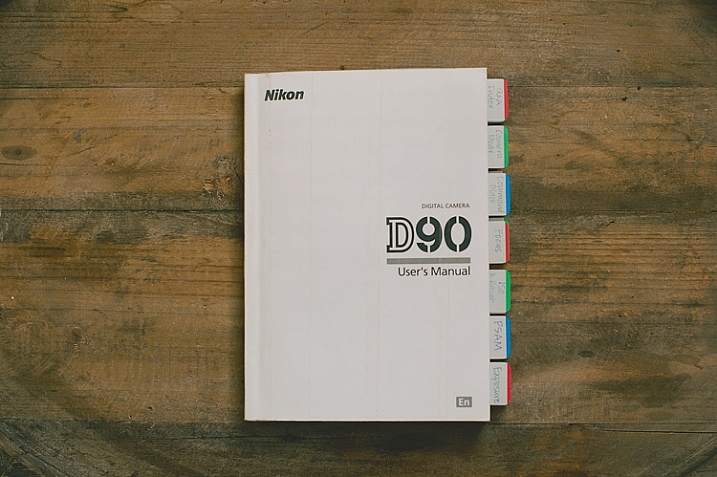
Let me guess; you got a brand new camera, you don’t know how to use it, and you have no idea where to start – about right? Let me introduce you to one of the best ways to get to know your camera inside and out, backward and forward. It’s included with your camera, so there is no extra cost! It’s at your fingertips 24 hours a day. It’s patient, and never gets frustrated if you ask it the same questions over and over again. Welcome to:

Camera User Manual University!
dPScamera

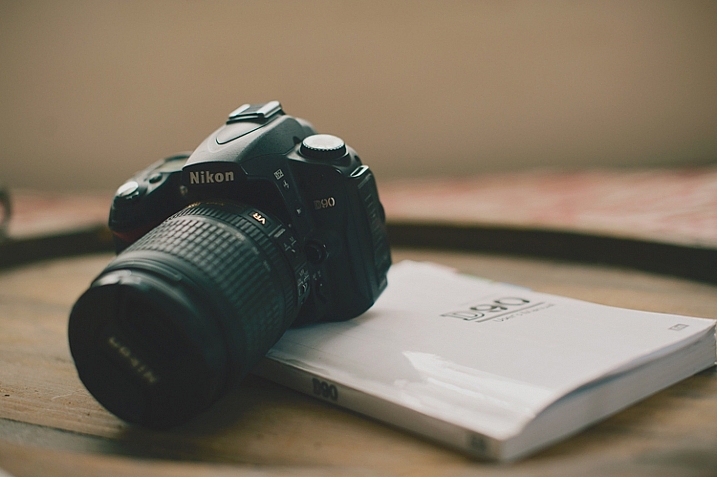
For many of us, getting a brand new camera is beyond exciting. We start trying to use it right away, throwing the manual back in the box, forgotten forever. The problem is, we soon run into frustrations and questions, and end up just putting the camera aside, or searching and asking for the answers one at a time, learning slowly and with difficulty. Or maybe we have even had our camera for ages, and just barely discovered something amazing that it can do.

If I can convince you to actually USE that camera manual, you will start out with much more knowledge than the average camera owner, and you will discover lots of cool stuff that your camera can do, that your seasoned photographer friends may not even know!

I am going to share my first camera manual and how I made it useful for me. These tips might help you transform your boring manual, into something that can actually help you become a better photographer.

Protect Your Manual
dPSprotect

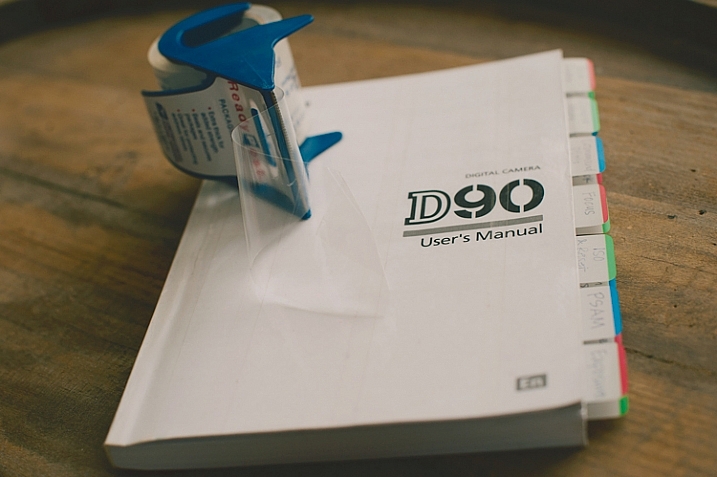
The covers on camera manuals are usually very flimsy, and easily torn or bent. The first thing to do is laminate your cover, so it’s more durable and stays nicer. I did this by simply covering the front and back covers with packaging tape. I made the pieces of tape slightly bigger than the book, and folded them under so the edges were protected also. Take your time with this, and make sure you use a clean surface to avoid bubbles and dirt stuck underneath the tape.

Add Divider Tabs
dPStabs

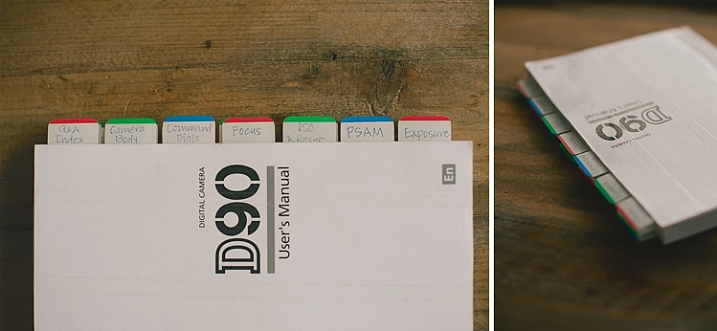
I went through the book and labeled and divided each section, so I could find them at a glance. Not only does this make finding things easier later on, but labelling the tabs and sticking them in each section, gets you familiar with the manual even before you start digging in deeper. You will know what your manual has to offer, and what kind of things you are going to be learning very soon.

I used removable tabs that I bought from an office supply store. They have a slight plastic feel to them, and are very sturdy. I like using removable ones, because you can move them later if you don’t need one of the labels in there.

Start at the Beginning
dPSpages

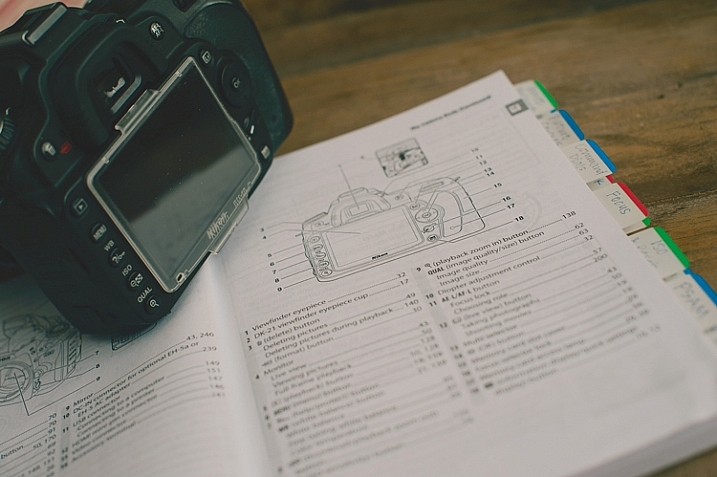
With your camera in your hands, go through the manual from the very beginning. Look at the diagrams, and find each item on your camera body. Even if you don’t understand what something is yet, find it on your camera. Later, as you read more detail, everything will start to come together. Read every page, even if it doesn’t make sense at first. Getting a nice camera is a big investment, so wouldn’t you want to know what it can do?

Camera manuals usually have very basic instructions near the beginning of the manual to get you shooting, almost right out of the box. Feel free to read that part, and begin using your camera right away, but don’t stop there! As you work your way through the manual, you will discover the reason you wanted a DSLR in the first place.

Try Everything
dPSdial

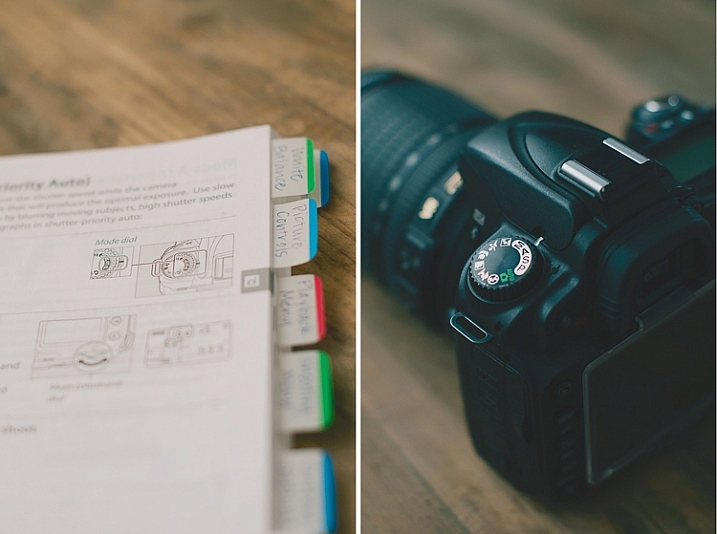
As you read and find each dial, button, and menu item on your own camera, give everything a try. If the manual is talking about different shooting modes, dial your camera in to each one, follow the instructions, and try a few test shots. Reading about things is good, but reading and then getting hands-on experience is infinitely better. You will understand what the manual is talking about with more clarity if you try things out for yourself.

Keep in mind that not everything will make sense the first time through, that’s okay. After you’ve practiced awhile, try going back through the manual page by page again. You’ll find that much of what confused you initially, has now become clear.

Once you’ve tried something, you may realize that it isn’t a feature that you will ever use. If that’s the case, just move on, and know that you at least tried it. You may end up wanting to use that feature in the future, and now you know that it exists.

Underline the Key Words
dPSmark

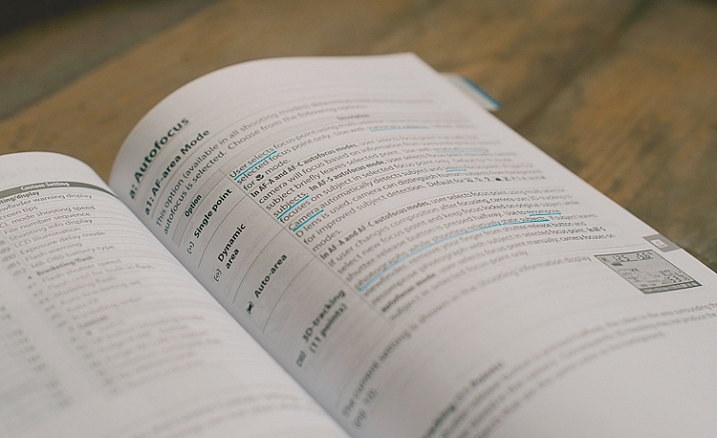
As you are reading through and learning, have a pen handy. Underline (or highlight if that’s your thing) key words that will help you focus on what is most important. Sometimes manuals can be wordy, and hard to understand. If you can zone in on the most important words, it will become more clear. Later, when you are trying to find something, those underlined words will pop out and make it easier to find.

Take notes in the margins if you try something, love it, and know that you will want to remember that in the future. Add an extra tab or sticky note there, or put a star next to it. It’s hard to remember everything you read after one read-through, but if you can quickly go back to your starred items and practice those often, you’ll be well on your way to mastering your camera.

dPSmanual

All of this might seem a little obsessive, and maybe it is for some. However, I have taught many photography classes, and had many one-on-one mentoring sessions with new photographers, and almost every question they ask me about their camera can be found in the manual. Some people learn better from a live teacher, but the great thing about the manual is that you can refer back to it as many times as you need to, and you don’t have to pay anything extra to learn.

Have you attended Camera Manual University? Do you have any tips for making your camera user manual easier to use? I’d love to hear them in the comments.

googletag.cmd.push(function() {
tablet_slots.push( googletag.defineSlot( “/1005424/_dPSv4_tab-all-article-bottom_(300×250)”, [300, 250], “pb-ad-78623” ).addService( googletag.pubads() ) ); } );

googletag.cmd.push(function() {
mobile_slots.push( googletag.defineSlot( “/1005424/_dPSv4_mob-all-article-bottom_(300×250)”, [300, 250], “pb-ad-78158” ).addService( googletag.pubads() ) ); } );

The post How to be a Better Photographer: Camera User Manual University by Melinda Smith appeared first on Digital Photography School.


Digital Photography School

 
Comments Off on How to be a Better Photographer: Camera User Manual University

Posted in Photography


How to Make Sure You Use Your New Camera

10 Jan

Raise your hand if this scenario sounds familiar: you get a new camera, possibly as a gift, and immediately your mind leaps with excitement at all the photographic possibilities that await. You quickly start taking photos of everything around you; houseplants, food, pets, your kids, the trees in your yard, even mundane objects like cookware, or office trinkets. You just can’t wait to get your new camera and kit lens off the shelf and shoot photos of everything.

But after a week or two the lustre wears off, and your camera starts spending more time in your closet than in your hands. You find yourself too distracted, too uninspired, or worst of all, too busy to take photos. Every now and then you pick up your camera, put it in Auto mode, and take a few interesting pictures – but sooner or later your camera, which initially held such wonderful photographic possibilities, spends most of its time tucked away, only to be pulled out on special occasions when you really need some good photos.

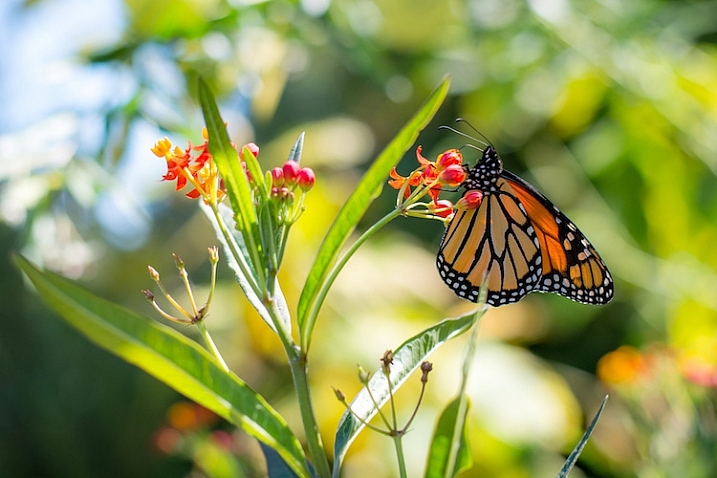
use-your-new-camera-butterfly

If that rings a bell it’s because almost everyone interested in photography goes through a similar phase at some point. Thankfully there’s hope! I’ve been in this same situation, as have many other people I know. So, here are some tips that will help you get your camera out more often, so you can start learning and growing as a photographer.

Take your camera with you

This may seem obvious, but it’s an important step that many new camera owners overlook. Your fancy DSLR or mirrorless camera doesn’t have to be just for special occasions, it can be for anything you want. The important thing is that you have it with you to take pictures.

Basically, if you don’t want your camera to end up collecting dust on a shelf, don’t let it sit and collect dust on a shelf. Going to work? Grab your camera. Heading to a friend’s house? Take your camera. Taking a walk? By all means, bring your camera. Of course you’re going to bring your camera to events like your kid’s baseball game or your friend’s graduation, but using it only in those circumstances often leads to camera atrophy.

use-your-new-camera-student-fountain

This shot was a complete accident. It was not planned at all, and I only got it because I had my camera with me when I was out for a walk.

The famous hockey player Wayne Gretzky once quipped, “You miss 100% of the shots you don’t take”, and the same holds true for photographers. The only way you’ll ever start taking more pictures, and thus growing as a photographer, is if you start taking more pictures. And you can’t do that if you don’t have your camera.

I take mine with me to work every day, and even though I have a similar daily commute and work routine, I constantly find myself looking for new shots to take, and new ideas for photography. If you are worried about breaking your camera, buy a cheap bag or a better carrying strap. If you’re a bit self-conscious of what people may think if they always see you with your camera, just tell them you’re trying to learn more, and get better as a photographer. It might seem kind of weird at first to take your camera with you wherever you go, but that will likely pass (it has for me, and for others I know) as you start to discover the joyful serendipity that’s inherent in documenting the world around you with a camera that’s leaps and bounds better than the one in your mobile phone.

Join a photography community

In the movie Office Space, the protagonist, a twenty-something chump named Peter Gibbons, tells a pair of consultants why he has so much trouble doing his job. “It’s a problem of motivation,” he casually explains, as the three of them discuss his low work performance, and what can be done about it. Photographers, especially new ones with recently-acquired gear from the holidays, often suffer from the same problem. They are highly motivated to take pictures and use their cameras, but when the rigours of their daily life set in, they lose the motivation they once had. One solution is to join a group, whether online or face to face, of fellow photographers and enthusiasts.

use-your-new-camera-construction

Photography communities have been invaluable to me as a source of knowledge and inspiration.

Being a part of a photography community offers all sorts of benefits. You can get answers to questions, get help with your camera, share your own experiences with others, go on photo walks, engage in photo critiques, and get to hang out with a lot of really fun people. If you live in a small town like I do, you may not have a group that you can join in person, but there are many online forums that offer similar experiences. DPS has an extensive set of online forums where people engage in all sorts of photography discussions, and there are hundreds more like this on the internet. Facebook is rife with thousands of photography groups that cater to interests as varied as people who like sharing photos, to those who own specific models of cameras, or live in certain locations. Reddit’s r/photography forum is a fantastic source of news, information, discussion, and education.

I could go on and on, but the point is that joining some type of photography community will not only help motivate you to take more photos and grow as a photographer, it will also help you meet a lot of new and interesting people who share a similar passion for taking pictures.

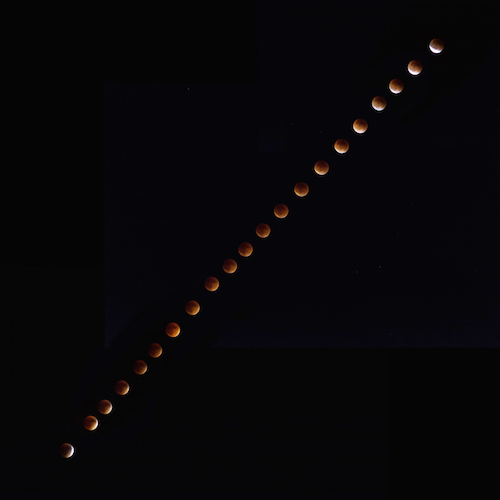
use-your-new-camera-eclipse

I don’t know anything about astrophotography, but asking about it in photography communities taught me enough to get this composite shot of a recent lunar eclipse.

Do a Weekly Photo Assignment

Many churches, businesses, and support groups use the concept of accountability partners; people with whom you develop a personal relationship in order to keep each other on the straight and narrow path. Photographers can benefit from this type of accountability as well by taking part in weekly photo assignments, essentially ensuring that you always have a reason to go out and take pictures. DPS has a weekly photography challenge, but there are lots of other weekly challenges you can find online as well.

While the goal is not to create a one-on-one relationship of support and trust, just knowing that you have an assignment to take pictures each week can go a long way towards helping you use your camera more often. In doing so, you will learn more about your equipment, but also grow as a photographer as you try new things, and get exposed to ideas for pictures you would have never otherwise considered.

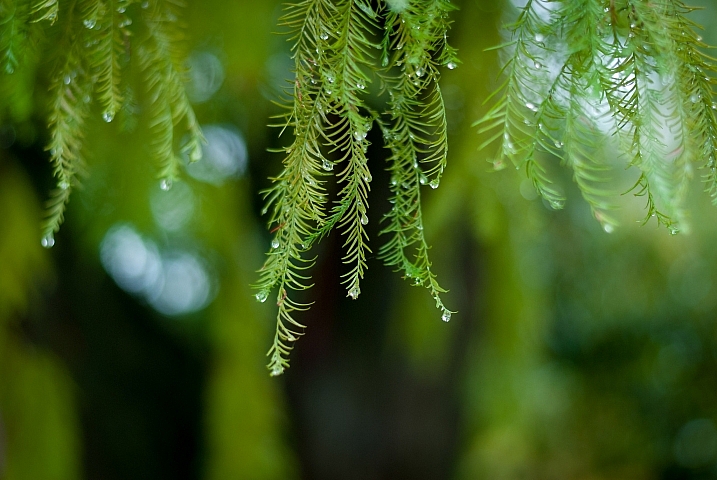
use-your-new-camera-leaves-rain

Doing weekly photo assignments has forced me to look for picture opportunities where I would have never otherwise seen them.

Notice that I said weekly and not daily, and there’s a reason for this. Photography burnout is a very real problem especially for new photographers, and doing a daily challenge or assignment can be fun at first, but often gets more than a bit overwhelming. I know several people who have actually stopped taking photos because of a daily challenge. They felt like they were failures because they could not meet the requirements of taking pictures every single day, and that in turn led them to stop taking pictures altogether.

Monthly challenges are nice, and will not usually overwhelm you, but they are (in my opinion) a bit too infrequent to be sufficiently challenging or motivating. Weekly photo assignments seem to hit the sweet spot, and can be a fantastic way to help ensure you get a lot more use out of your camera.

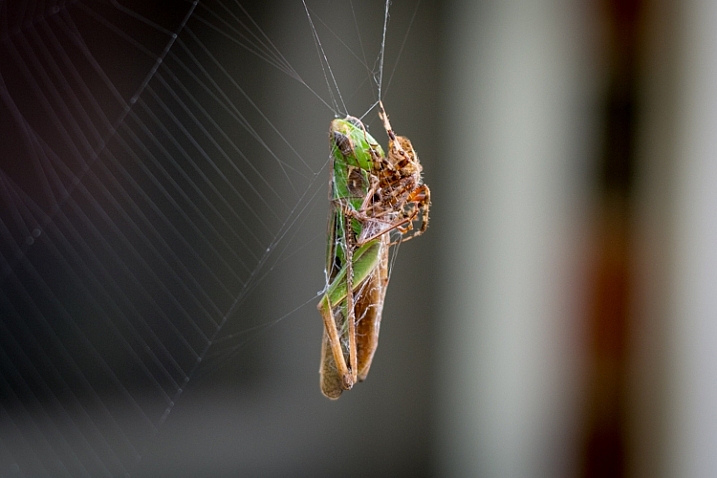
use-your-new-camera-spider-grasshopper

If you do a weekly assignment for a while and don’t feel as though it offers enough of a challenge, then by all means start doing daily photo projects. Alternatively, if you find that you can’t meet the demands of a weekly photo, then go down to one a month. The point of these is to hold yourself accountable for using your camera more often, to improve your skills over time, and a weekly assignment is a fantastic place to start.

Never let the value of your photos be determined by others

This final rule is more of a word of caution to new photographers – do not fall into the trap that likes or shares on social media equates to quality images. Use your camera to take photos that are interesting for you, not for others. Find ways of expressing yourself, capturing emotions, telling a story, or presenting a scene through photography, not with the purpose of getting likes on Instagram or Facebook, but simply because it’s something you personally enjoy.

The problem with chasing after likes and shares is that there’s simply never enough. Initially you might be thrilled to have a dozen, but soon you’ll want more. After a little while you’ll be thrilled to have 100 likes, but then you might wonder why your friend got 200 on a picture that you think is clearly subpar. One of your photos gets shared a hundred times, or you post an image that gets lots of shares, but another one is virtually ignored. Or a beautiful shot you took gets no retweets, while a selfie you took with your iPhone gets retweeted dozens of times. Or an image you spent hours trying to capture gets no comments at all.

If your enjoyment of photography can only be quantified by social media metrics, you’ll probably never be satisfied.

use-your-new-camera-squirrel

This is one of my favorite animal pictures I’ve taken. I know it’s not perfect and the squirrel blends in a bit too much with the leaves, but I like it and that’s what gives it value to me.

The problem with these scenarios is they all rely on external validation of your work, and if it fails to materialize, then it can lead to feelings of worthlessness on your part. Taking pictures should be fun, interesting, experimental, captivating, and enjoyable for you. If you like your photos, then it doesn’t matter if you don’t get hearts, thumbs-up, plus-ones, or shares online. Of course you can, and should, seek opinions and advice from others so you can learn to grow your skill, and improve as a photographer. But, don’t let the worth or value of your images be determined by the numbers below them on social media. That’s a trap into which many budding photographers have fallen, and while it can be fun to see one of your images get a lot of attention, the truth is that attention is so fleeting that people will move on to something else within a few hours.

Summary

If you just got a new camera, congratulations! If you have one that’s been sitting around waiting to be used, go pick it up! I’m excited for you, and I am thrilled for the journey that awaits. If you have been in these situations before, what are some of your favorite tips and tricks that have helped you use your camera more over the years? I’d love to hear your thoughts in the comments below.

googletag.cmd.push(function() {
tablet_slots.push( googletag.defineSlot( “/1005424/_dPSv4_tab-all-article-bottom_(300×250)”, [300, 250], “pb-ad-78623” ).addService( googletag.pubads() ) ); } );

googletag.cmd.push(function() {
mobile_slots.push( googletag.defineSlot( “/1005424/_dPSv4_mob-all-article-bottom_(300×250)”, [300, 250], “pb-ad-78158” ).addService( googletag.pubads() ) ); } );

The post How to Make Sure You Use Your New Camera by Simon Ringsmuth appeared first on Digital Photography School.

Digital Photography School

 
Comments Off on How to Make Sure You Use Your New Camera

Posted in Photography


Activeon launches Solar X action camera that’s powered by the sun

09 Jan

A solar-powered action camera that can take 70% of its charge from the sun in just 30 minutes has been announced by Activeon. The Solar X uses a 16MP CMOS sensor to shoot a combination of stills and video footage, and can supplement its two-hour internal battery with four hours of additional charge from a pair of solar panels mounted on its detachable charging case. In Burst Speed Charging mode the case takes half an hour to get the battery from flat to 70%, and then it takes a further half an hour to get it to 100%. 

The Solar X uses a 2″ touch screen for its menu system, as a viewfinder and for viewing footage recorded. Video can be recorded in what the company calls 2160p 4K resolution, but at a rate of 15 frames per second. The camera can manage six frames per second in stills mode, and users will have control of white balance, ISO and exposure values. The camera can also detect when it is mounted upside down. Built-in Wi-Fi allows the Solar X to be controlled via a smartphone app, and the company will launch an automatic cloud service for its users. 

The Activeon Solar X will be available from March at around $ 430. 

For more information see the Activeon website. 

Articles: Digital Photography Review (dpreview.com)

 
Comments Off on Activeon launches Solar X action camera that’s powered by the sun

Posted in Uncategorized


How 10 Minutes a Day with Your Camera Will Help Make You a Better Photographer

08 Jan

How to make sure that the camera is your tool, so taking photos can be your passion.

9990207

Spend 10 minutes with your camera every day

Have you ever found yourself standing in front of an awesome moment trying to decide which camera setting to choose?
Try the following tips for just 10 minutes a day with your camera, and soon enough you will forget it’s even there. The camera will become a natural extension of your eye and hand, and will not be an issue when you see a photo you want to take.

This self-tutoring plan is based on natural human curiosity, and on the fact that muscle memory can do a better job than brain memory in performing manual tasks, such as setting the desired shutter speed. Once you have created a link between your vision, and the finger that turns a dial, or presses a button on your camera, it will stay in that finger’s muscle memory for good. Then, next time you think about that function, it will happen magically by itself.
Here are some examples for 10 minute exercises to do with your camera. Take them as inspiration for making some of your own.

9720526

Explore your camera like a toddler

A toddler is crawling and exploring, seeing new bits and pieces of the world, then stands up and making a new step every day, walking while seeing things from a higher vantage point. You can do the same with your camera if you allow yourself to touch and turn dials, push buttons, or change menu settings without a specific goal. Do that on a daily basis, not in a moment before you need to capture an exciting event. Practice this until you feel safe to take a wrong turn on your camera’s menu, and remember there is always a way back in, by using “Reset Menu”.

DSF9376

One Day, One Button

The secret for fast learning is in keeping it simple. The human brain is really good at learning and performing one process at a time. So if you choose one variable, and focus your attention on it for the whole 10 minutes, it will burn into your brain and stay there.

The place to start is the shutter release button. For 10 minutes, work on different ways to half press it, then fully depress it, and then retrieve your finger tip back to half press. This is better done in front of a mirror, so you can look at your index finger while it’s working. Start at a fast shutter speed and adjust it slower after each shot. When your photos become blurry, try again until the movement of your finger tip is unnoticeable. You’ll start to see that you can shoot hand-held using slower shutter speeds with every minute of practice do you. This will help you discover your lower limit for shooting hand-held.

20100413OT0864 copy

Repeat

Even an experienced professional musician plays repeating scales for few hours a day, before the real work begins. If you repeat your camera’s operation in a simple, yet systematic way, you will feel the difference from day one. Unlike the musician, it will only take you 10 minutes a day to create a change.

For example try standing on a busy street corner following passing cars with your camera (panning), taking some shots with a slow shutter speed. Try to blur the surroundings and keep the car as sharp as possible. For 10 minutes do just that, and explore different ways to hold and move your camera along with the passing car. Shoot at different shutter speeds every time, building your eye-arm-finger connection to work together for the simple task over and over again. Do only that, and nothing else on those 10 minutes.

DSC 5930

Belz Mazzos20120328002

Take your camera everywhere with you

Your body language tell everyone around you about your feelings. The moment you feel uncomfortable, others around you can tell, and then they will feel the same.

SofiaOT4115

The way you are perceived by others, reflects your confidence with your camera. Try taking the camera on your shoulder while going to the supermarket or post office for errands. After about 10 minutes of being out doing daily chores with your camera, you will forget it’s even there, and will project that to others around you. Then you can start taking photos everywhere.

Summary

If you let yourself play with your camera for just 10 minutes a day, you’ll feel different and see the results right from day one. Remember that you learn your camera in order to forget it’s there, so you can focus on your photos.

Do you have any other ideas or tips for using your 10 minutes a day? Please put them in the comments section below.

googletag.cmd.push(function() {
tablet_slots.push( googletag.defineSlot( “/1005424/_dPSv4_tab-all-article-bottom_(300×250)”, [300, 250], “pb-ad-78623” ).addService( googletag.pubads() ) ); } );

googletag.cmd.push(function() {
mobile_slots.push( googletag.defineSlot( “/1005424/_dPSv4_mob-all-article-bottom_(300×250)”, [300, 250], “pb-ad-78158” ).addService( googletag.pubads() ) ); } );

The post How 10 Minutes a Day with Your Camera Will Help Make You a Better Photographer by Ouria Tadmor appeared first on Digital Photography School.

Digital Photography School

 
Comments Off on How 10 Minutes a Day with Your Camera Will Help Make You a Better Photographer

Posted in Photography


Your Next Purchases After You Get a New Camera

07 Jan

Buying camera gear can be a daunting task, especially if you’re just starting out with photography basics. If you recently got your hands on a new camera, chances are you’ll need a few extra accessories before you’re ready to start shooting like a pro. So, before you start snapping away, go through this checklist and make sure you consider adding a few extra accessories to your photography kit, before taking it out for a spin. As a heads up, this article is written assuming you have a new digital (not film) camera.

new camera accessories

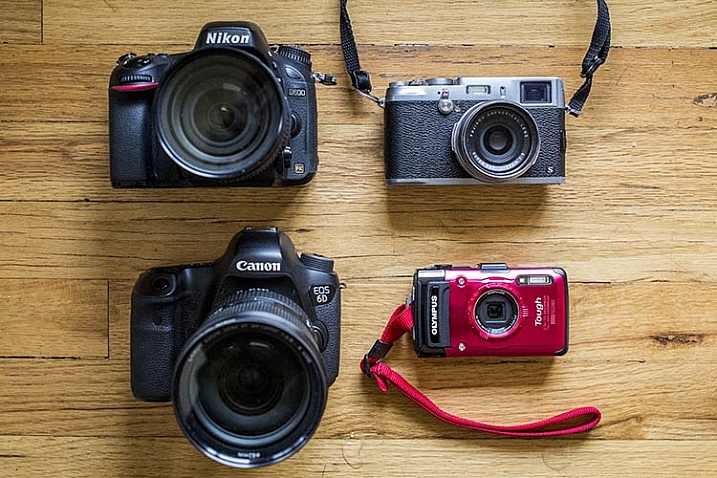
The two cameras on the right are interchangeable lens cameras; the two on the right are not.

1. Extra Lenses

The very first thing you’ll want to do is take a close look at your camera and determine whether or not it is an interchangeable lens camera. If your camera can change lenses, it is considered one, and you will definitely want to think about adding a lens or two to your kit. However, if your camera’s lens cannot be removed, skip this section and move on.

When evaluating which camera lenses to get first, it’s generally not a bad idea to start out with the kit lens that is usually sold with a new interchangeable lens camera (SLR or Mirrorless). These kit lenses are considered starters, and they are inexpensively priced and versatile. Most kit lenses are zooms, meaning you can take a close-up, or wide-angle shot, by simply twisting the zoom ring on the lens.

new camera accessories

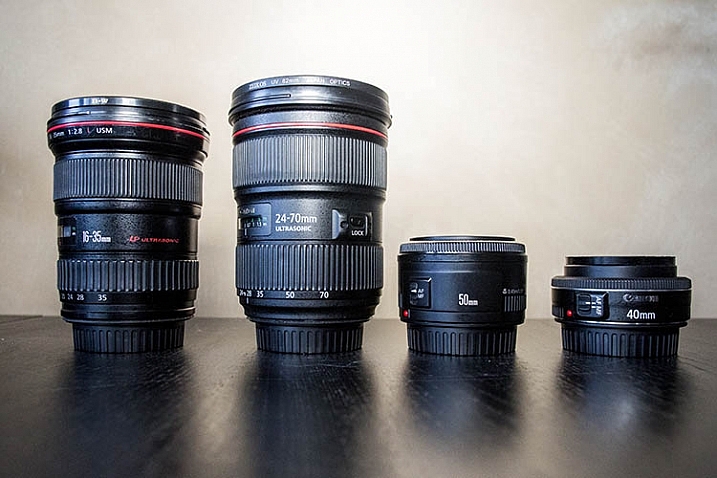
The two lenses on the left are zooms; the two lenses on the right are primes.

Another lens alternative, that most beginning photographers don’t usually know about off the bat, are prime lenses. They only have one focal length, meaning you have to physically move yourself to zoom in, or out, of a photo. The benefits of shooting with prime lenses are numerous including:

  • Quality: Most primes are slightly higher quality, and have crisper images than those taken with zoom lenses.
  • Size: Prime lenses are smaller, more compact, and weigh less than zooms.
  • Price: Prime lenses are usually pretty reasonably priced, compared to zooms of the same quality (maximum aperture).

If you’re considering purchasing a prime lens to accompany your kit lens, start out with a 35mm or 50mm lens. In terms of composition, 35mm (on an APS-C or cropped sensor) is the closest focal composition of the human eye, meaning it will allow you to capture more or less the same amount of a scene that your eye sees. The only downside to 35mm lenses is that they tend to be a bit bulky and expensive, which is why the 50mm is often a preferred alternative at a fraction of the size and price.

As a beginner shopping for prime lenses, ignore the different f-stops (i.e. f/1.4, f/1.8, f/2) specified for each lens and simply purchase the cheapest prime lens that fits your budget. Lenses hold their values well over time, so you can always sell it later when you’re ready to upgrade.

2. Memory Cards

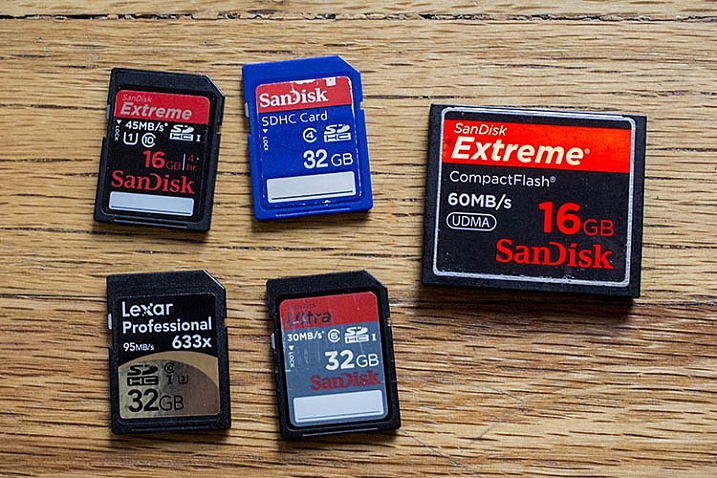
Before you can shoot anything with your new camera, you need memory cards to store all of your photos on your camera. There are a number of different memory cards available, with the most common being the SD (Secure Digital card) and the CF card (Compact Flash card). Be sure to check your camera’s manual, and make sure you buy the right type of memory card. As a beginner, start out with 16GB or 32GB memory cards, and have at least two on you just in case. Also, keep an eye out for sales on memory cards, and stock up when prices are low. You can never have too many!

new camera accessories

SD memory cards are on the left. The large card on the right is a CF (compact flash) card.

3. Memory Card Case and Reader

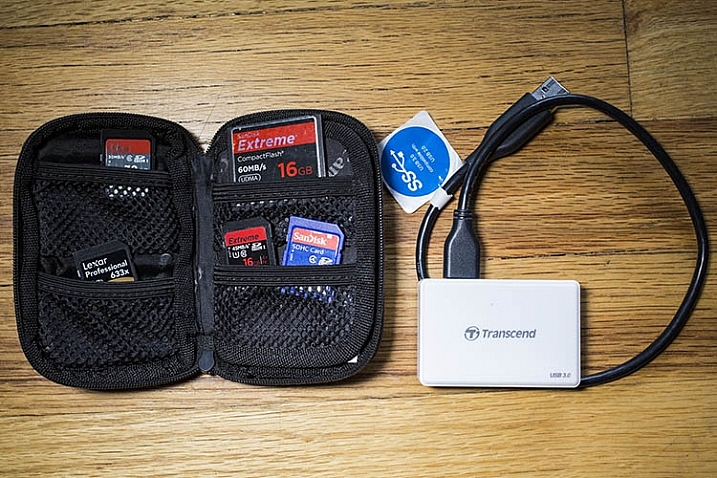
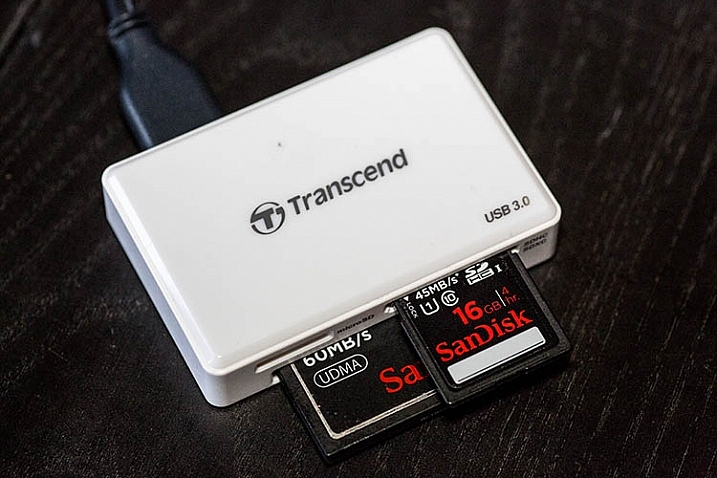
After you purchase memory cards, consider also adding a case or wallet, dedicated to storing and organizing your extra memory cards, as well as a card reader to transfer images from your camera to your computer. Many laptops have built-in memory card readers, but these will generally only accept SD cards. Also, I’ve destroyed many of a memory card by incorrectly inserting SD cards into my laptop, so I always use a card reader. They’re inexpensive, compact, and can even transfer over several memory cards at a time.

new camera accessories

new camera accessories

A memory card reader in action.

4. Ergonomic Camera Strap

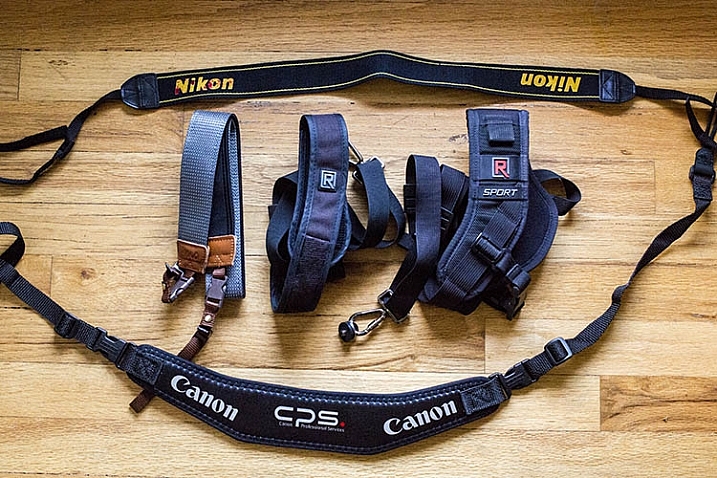
While every brand new camera will come with its own default camera strap, there is also a variety of others available that can help you carry your camera in a flexible, stylish manner. One of the most popular alternative straps is the camera sling, which rests comfortably on your shoulder and keeps your camera hanging closer to your hip, rather than dangling around your neck in front of your chest. There are also rugged, sturdy camera wrist straps if you prefer keeping your camera at arm’s length.

new camera accessories

5. Adobe Creative Cloud Lightroom subscription

Just like all of the items previously mentioned in this article, there’s certainly no shortage of photo editing software choices. But if you’re just starting out, you may as well start with the industry standard for photo editing: Adobe Lightroom.

Considerably more user-friendly than Photoshop, Lightroom doesn’t let you do a ton of photo manipulations like putting your dog’s head on your cat’s body, but it does give you a plethora of tools to process your images. While Lightroom used to cost an arm and a leg, the new Creative Cloud subscription gives you unlimited access to the latest and greatest version, for a low monthly fee. Lightroom is used by pros and hobbyists alike, so if you plan to get serious about photography, take the time to learn how to edit photos in Lightroom.

Over to you

There are certainly plenty more recommended accessories for beginning photographers. You can see a list of the favorite photography gadgets of our dPS writers here.

Would you add any others to the list? Let me know in the comments below.

googletag.cmd.push(function() {
tablet_slots.push( googletag.defineSlot( “/1005424/_dPSv4_tab-all-article-bottom_(300×250)”, [300, 250], “pb-ad-78623” ).addService( googletag.pubads() ) ); } );

googletag.cmd.push(function() {
mobile_slots.push( googletag.defineSlot( “/1005424/_dPSv4_mob-all-article-bottom_(300×250)”, [300, 250], “pb-ad-78158” ).addService( googletag.pubads() ) ); } );

The post Your Next Purchases After You Get a New Camera by Suzi Pratt appeared first on Digital Photography School.

Digital Photography School

 
Comments Off on Your Next Purchases After You Get a New Camera

Posted in Photography


Kodak revives Super 8 with part-digital cine camera

07 Jan

$ (document).ready(function() { SampleGalleryV2({“targetContainerClass”:”sampleGalleryImageViewerContainer”,”galleryId”:”1172023458″,”isEmbeddedWidget”:true,”selectedImageIndex”:0,”startInCommentsView”:false,”isMobile”:false}) });

For the first time in over thirty years, Kodak has announced plans to launch a Super 8 cine camera, introducing a model that mixes analogue and digital technology. The new camera, which doesn’t appear to have a name other than Kodak Super 8 Camera, will record its movies on normal Super 8 film cartridges but will offer a digital LCD flip-out panel as viewfinder. In keep with the old slogan ‘You Press The Button, We Do The Rest’, Kodak says that cartridges will be sold with processing included and that customers will receive the film back as well as access to a scan of the film that they can download for more convenient editing. 

The camera comes with an integrated microphone for audio recording, and while the company hasn’t said specifically, it appears that sound is stored using SD memory cards via a slot on the camera’s rear. Super 8 film no longer comes with an audio track, so this seems the most likely solution. The camera is also equipped with three communication ports that may be used for streaming content out during recording, as well as for charging the battery. 

The camera will be capable of shooting at 9, 12, 18, 24 and 25 frames per second. It will come with either a Ricoh 6mm or 6-48mm lens, but its use of a C-Mount means it will be compatible with an enormous range of existing lenses. There appears to be two designs of the camera, one with retro squared edges, and one rounder and more modern-looking. 

Kodak currently offers three color negative Super 8 films under the Vision3 series: a 50 ISO daylight film and two tungsten emulsions rated at ISO 500 and 200. A black and white TRI-X reversal is also available. The films come in lengths of 50 feet and the cameras fit 72 frames of footage on to each foot, giving 3600 frames per cartridge. At 24 fps users will get two and half minutes of movie, and the cartridges take just a couple of seconds to exchange. 

The Super 8 system first went on sale in 1965 with the intention of making home movies easier to produce. The cartridge made loading the film much more convenient and less prone to jamming the camera than previous hand-threaded systems, and the cartridge could inform the camera what type of film was loaded, so amateurs made fewer mistakes. Sound recording came in 1973 when a magnetic strip was introduced, but it was phased out again in 1997 as the substance used to bond the strip to the film was hazardous. 

With its recording strips and automated cartridges the APS film system borrowed much from the ideals of Super 8, and this half digital, half film camera might remind us of Kodak’s Advantix Preview APS camera that recorded images on film but showed a digital preview on the rear screen.

Kodak hasn’t announced officially how much the new camera will be, but the company’s chief executive, Jeff Clarke, is quoted in the Wall Street Journal Digits blog as saying that it will arrive in fall 2016 and will cost between $ 400 and $ 750. The film should cost between $ 50 to $ 75 per cartridge, including processing. He also says a lower-cost model will emerge in 2017. 

For more information visit the Kodak website. 

Articles: Digital Photography Review (dpreview.com)

 
Comments Off on Kodak revives Super 8 with part-digital cine camera

Posted in Uncategorized


Nikon unveils KeyMission 360, a rugged 4K-capable action camera

06 Jan

$ (document).ready(function() { SampleGalleryV2({“targetContainerClass”:”sampleGalleryImageViewerContainer”,”galleryId”:”1153437218″,”isEmbeddedWidget”:true,”selectedImageIndex”:0,”startInCommentsView”:false,”isMobile”:false}) });

Nikon has announced a shockproof and waterproof spherical 360-degree action camera. Called KeyMission 360, it promises to ‘put 360 virtual reality in the hands of any enthusiast’ and offers 4K UHD recording. Shockproof to 2m / 6.6 ft and waterproof to 30m / 100 ft, the camera includes electronic VR stabilization and houses an image sensor and lens on opposite sides of the device to create immersive stills and video. No other firm specifications are available at this time; Nikon expects to officially release KeyMission 360 in Spring 2016.


Press release:

NIKON CHARGES INTO THE ACTION CAMERA MARKET WITH THE 360-DEGREE KEYMISSION 360

With the New KeyMission 360, Consumers Can Capture and Share an Exciting, Uniquely Immersive Perspective of Their Life and Passions

LAS VEGAS, NV (January 5, 2016) – Today, Nikon Inc. announced its entry into the action camera market with the development of an exciting lineup of products that build on Nikon’s legendary excellence in optical technology and imaging innovation. The first in the lineup will be the Nikon KeyMission 360 a rugged camera capable of recording true 360-degree video in 4K UHD allowing users to share new perspectives and explore imagery like never before. 

The Nikon KeyMission 360 features an image sensor and lens on opposite sides of the device, with images from each combining to create a single immersive, ultra-high-definition 360-degree video and still image. A terrific companion for a wide range of travel, sports or when an adventure takes a turn off the beaten path, the camera is designed to be easy to use and withstand the elements. Waterproof (approx. 100 ft./30m), and ready to stand up to dust, shock and low temperatures, the KeyMission 360 also features electronic Vibration Reduction (VR), enabled through applications during playback, that reduces the effects of camera shake to help produce sharp and crisp video quality.

Nikon will exhibit reference models of the KeyMission 360 at the Nikon booth at the 2016 Consumer Electronics Show (CES) from Wednesday, January 6 to Saturday, January 9, 2016 in Las Vegas, Nevada. The KeyMission 360, the first of Nikon’s lineup of action cameras, along with a variety of dedicated accessories, will officially be released in Spring 2016. For more information about the KeyMission 360 and other Nikon products, please visit www.nikonusa.com.

Articles: Digital Photography Review (dpreview.com)

 
Comments Off on Nikon unveils KeyMission 360, a rugged 4K-capable action camera

Posted in Uncategorized


Behind the Camera: A conversation with Peter Hurley

31 Dec

Peter Hurley wasn’t always a noted portrait photographer with a great head of hair – before he ever picked up a camera he was a bartender, actor and model. With encouragement from Bruce Weber he purchased a camera and lens and the rest is history. Ever the engaging storyteller, Hurley takes us through the beginnings of his career and how he learned to stand out in a crowded field.

Articles: Digital Photography Review (dpreview.com)

 
Comments Off on Behind the Camera: A conversation with Peter Hurley

Posted in Uncategorized


75% OFF: Get Out of Auto Mode & Gain Creative Control Of Your Camera

23 Dec

It’s day 10 of our 12 deals of Christmas and todays deal is one we’ve been getting requests for – it’s deals on our brand new Photography Courses by Neil Creek.

These two courses were both released in 2015 and both have helped many of our readers to get out of Auto mode and gain creative control over their cameras.

Today you can pick up either course for $ 20 (they are each normally $ 59) or you can bundle them together for just $ 30.

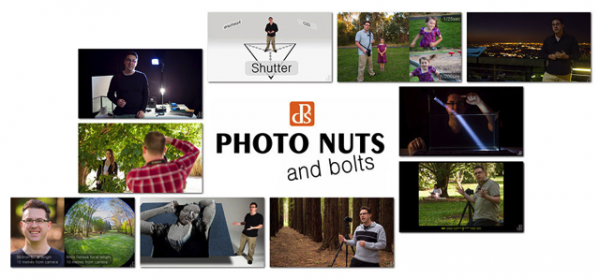
Course 1: Photo Nuts and Bolts

NewImage.png
This course is all about getting out of Auto mode and getting to know your camera and how to get control over it to take fantastic images.

In 10 practical video lessons, you’ll discover the key photography concepts that will put you in creative control of your camera and increase your technical confidence, to take more amazing photos than you ever thought possible!

  • Shutter speed
  • Aperture
  • F-stops
  • ISO
  • Metering
  • Depth of field
  • Lenses
  • Focus
  • Magnification

Photo Nuts and Bolts is perfect for new camera owners or those who are yet to venture out of Auto Mode.

Take the course today for just $ 20

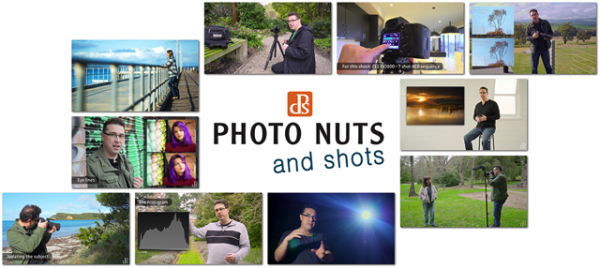
Course 2: Photo Nuts and Shots

NewImage.png
This second course is for those who understand the basics (it builds perfectly upon the first course above) and helps you to discover tools, techniques and thought processes for creative photography.

In 10 video lessons you’ll:

  • Learn to harness light to convey emotion
  • Understand the impact of great composition and how to achieve it
  • Tips for the sharpest possible photos
  • How to adapt your camera’s exposure for the shot you want
  • Master the concepts of shot perception, planning and execution – in any setting
  • When to break the rules for creative effect

Today only you can grab it for just $ 20 (66% off).

Take Both Courses for $ 30 (75% Off)

These courses are designed to be taken stand alone but are beautiful companion courses when you bundle them.

You can start though courses immediately and go through them all at once or pace it over time. You’ve got lifetime access so it’s completely up to you!

If you’re sick of looking at the dials and settings on your camera and knowing it can do so much more than what you do with it they’re the perfect gift to yourself to help you take beautiful images in 2016 and beyond.

This is one deal you don’t want to miss.

googletag.cmd.push(function() {
tablet_slots.push( googletag.defineSlot( “/1005424/_dPSv4_tab-all-article-bottom_(300×250)”, [300, 250], “pb-ad-78623” ).addService( googletag.pubads() ) ); } );

googletag.cmd.push(function() {
mobile_slots.push( googletag.defineSlot( “/1005424/_dPSv4_mob-all-article-bottom_(300×250)”, [300, 250], “pb-ad-78158” ).addService( googletag.pubads() ) ); } );

The post 75% OFF: Get Out of Auto Mode & Gain Creative Control Of Your Camera by Darren Rowse appeared first on Digital Photography School.


Digital Photography School

 
Comments Off on 75% OFF: Get Out of Auto Mode & Gain Creative Control Of Your Camera

Posted in Photography


How to Use the Canon Camera Connect App

22 Dec

Cameras with built-in Wi-Fi connectivity are all the rage today, but not necessarily the most intuitive feature to unlock. Luckily, Canon seems to have listened to 6D owners, and increased the ease of use of their Wi-Fi platform by switching up the free mobile phone app that comes with the 6D. Previous versions of the app where called EOS Remote and Canon CameraWindow, but earlier this year, a new improved app called Canon Camera Connect, became the main app endorsed by Canon.

This is a visual tutorial on how the new app works. Please note that the tutorial is written assuming you already know how to enable Wi-Fi shooting on your particular device.

Canon Wi-Fi App

Step 1: Check for compatibility and download the app

Currently, Canon Camera Connect is a free app available for download on Android and iOS devices. The app is compatible with a limited range of Canon digital cameras, including select PowerShot point and shoot cameras, the EOS M2, and the EOS 70D and 6D. You can check full compatibility specs here. This tutorial was created using the Canon 6D camera, and a Moto X Android phone.

Step 2: Enable the Wi-Fi function on your camera

This step will likely vary depending on your model of camera. For the Canon 6D, this is a somewhat complicated process that merits its own tutorial, but the methodology can be summarized as such: you are effectively turning your Canon 6D into a Wi-Fi hotspot, that your phone must connect to as a means of communicating with your camera, for either remote shooting or downloading images. Thus, you must first activate the Wi-Fi hotspot on the 6D (or one of the compatible models), then connect to it via your phone’s Wi-Fi networks. Be aware that this WILL temporarily disable your phone’s functionality until you disable the connection with your camera.

Step 3: Explore the interface of the Canon Camera Connect App

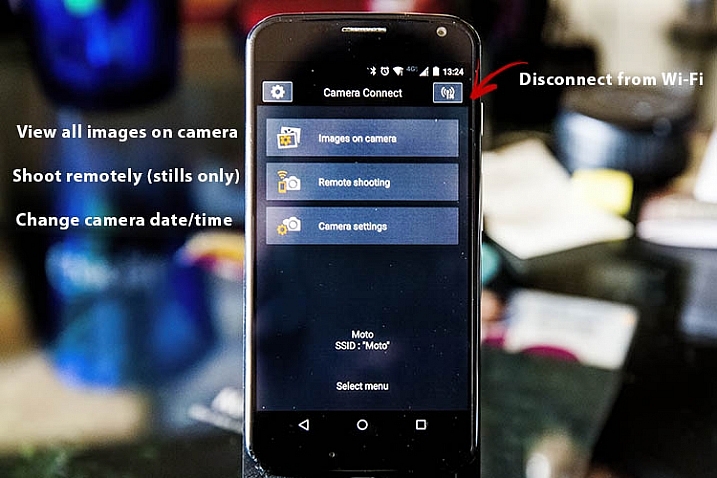
After you have successfully connected your phone to your camera, the app should launch, and show you the opening screen, as seen below. The app’s menu is minimal, and pretty straightforward. You will most likely stick to the top two options, which are described in more detail below.

Canon Wi-Fi App

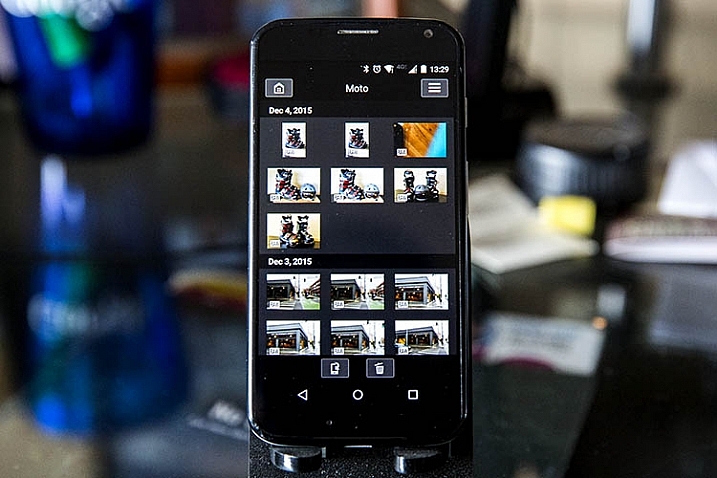
Images on camera

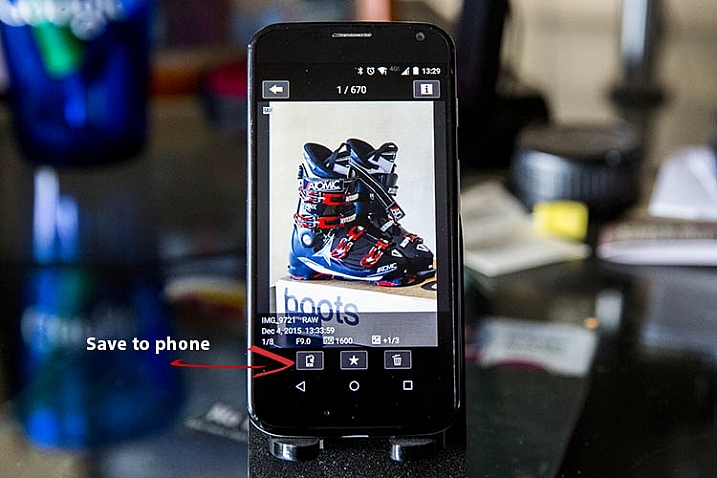
Pressing this will show you a gallery of all of the images on your connected camera, sorted by the date they were taken. To zoom in to any image, simply tap it with your finger. Three options will then appear at the bottom of the image: Save to phone, favorite (star), or trash. If you wish to share an image via email or social media, remember that you can’t do so without first disconnecting your phone from your camera. To work around this, choose the Save to camera option to store the photo on your phone, and then upload it when your phone has internet connectivity again.

Canon Wi-Fi App

Canon Wi-Fi App

Remote shooting

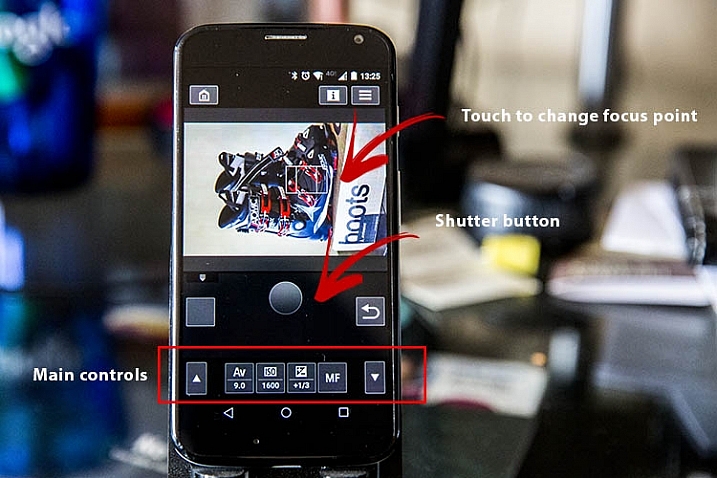
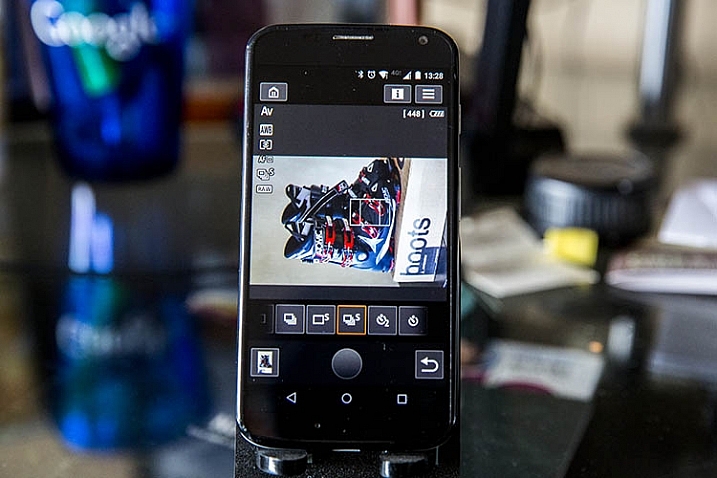
Selecting this option enables live view on your connected camera, and lets you control most of the settings from your phone. Controllable settings include: changing the shutter speed, aperture, ISO, exposure compensation, drive mode, focus mode, and of course the activating the shutter button to take a photo. All the controls can be adjusted and activated using touch screen control. There are a few shortcomings to the remote control settings as listed below, but off the bat the app provides quite a few options for remote shooting.

Canon Wi-Fi App

Canon Wi-Fi App

Camera settings

The third and final main menu option in Canon Camera Connect app is probably the most useless: it allows you to set the date, time, and time zone of your camera. This is a feature you probably won’t use often unless you take your camera traveling a lot.

Canon Wi-Fi App

What the app does

Shoots in JPG or RAW

The app is very quick and responsive, even when shooting in large RAW files. Also, it easily resizes RAW files to JPGs when you save images to your phone.

Will read JPG files taken from any camera

If you have JPG files taken from any other devices, the Canon Camera Connect will likely be able to read, and transfer them to your phone or tablet. I’ve done this using photos shot from an Olympus Tough TG-2 point and shoot, Fujifilm x100s mirrorless camera, and Canon 5D Mark III, so I would assume it would also hold true for other camera models.

What the app does not do

These are shortcomings, specific to using the app with the Canon 6D; some of these issues may not be points of contention when using the app with other compatible camera models.

Adjust to portrait mode while remote shooting

If the app does allow this, the user interface needs to be adjusted to make this feature more obvious. As is probably obvious from some demo shots above, I haven’t figured out how to enable it.

Remote shoot video

Whenever the Wi-Fi function on your Canon 6D is enabled, you cannot simultaneously activate video recording, so unfortunately remote video shooting cannot be achieved.

Time lapse

While you can set your camera to shoot in continuous or self timer mode with the app, there is not the option to shoot time lapses. This is a feature that Canon will hopefully implement in future iterations of the app.

Hopefully this overview will help you see if this app is useful for you. If you have one of the compatible cameras listed, give it a try and let me know what you think. Do you have any other uses for remote apps I haven’t thought of or mentioned?

googletag.cmd.push(function() {
tablet_slots.push( googletag.defineSlot( “/1005424/_dPSv4_tab-all-article-bottom_(300×250)”, [300, 250], “pb-ad-78623” ).addService( googletag.pubads() ) ); } );

googletag.cmd.push(function() {
mobile_slots.push( googletag.defineSlot( “/1005424/_dPSv4_mob-all-article-bottom_(300×250)”, [300, 250], “pb-ad-78158” ).addService( googletag.pubads() ) ); } );

The post How to Use the Canon Camera Connect App by Suzi Pratt appeared first on Digital Photography School.


Digital Photography School

 
Comments Off on How to Use the Canon Camera Connect App

Posted in Photography