RSS
 

Posts Tagged ‘Camera’

Hands-on with the Fujifilm X-S10: Small camera, great grip

16 Oct

Hands-on with the Fujifilm X-S10

Meet the Fujifilm X-S10 – a camera the company is calling a cross between an X-T30 and its older X-H1. That basically means that here we have a compact camera with the best APS-C size sensor Fujifilm has to offer (from the X-T30 / X-T4) but with a really nice, sizable grip and in-body stabilization inspired by the X-H1.

In the time we’ve had the X-S10, we have to admit we’re impressed. We think it offers a lot of bang for the buck, and its simplified control scheme will appeal to a lot of users, including those upgrading from older DSLR cameras in particular.

Sensor, performance, and look at that grip

The X-S10 comes with the same 26MP X-Trans sensor we’ve seen in a handful of Fujifilm’s other cameras, and that’s a good thing. It offers excellent noise performance and very fast readout speeds, which help boost autofocus performance and video capability. Based on our preliminary testing, we’d expect autofocus performance to be essentially on par with the X-T30 / X-T3 / X-T4 cameras, which is to say, darn good.

Video specs are solid too: You can record up to 4K/30p, 8-bit files internally. If you use an external recorder, you can boost that to 10-bit 4:2:2 files, which is handy for people who want to do some post-production work on their clips.

Burst speeds are great for a camera of this class. You can shoot at up to 8 fps with the mechanical shutter, and up to 20 fps with the electronic shutter (and a further 30 fps with a 1.25x crop). Unfortunately, we don’t yet know the buffer depth of the X-S10 (how long you can shoot bursts before the camera slows down), but we’ll be testing this when we get a final review sample.

And lastly, check out that grip! It’s generous and comfortable, and makes handling the X-S10 a breeze with lenses big and small. But although the X-S10 feels incredibly solid in your hand, it doesn’t come with any claims of weather-sealing.

New stabilizer

The X-S10 is equipped with an all-new, compact stabilizer unit built specifically to fit inside the camera’s smaller body. It tops out at 6 stops of shake reduction with stabilized lenses, and varies from 5 to 5.5 stops with unstabilized lenses.

Those figures mean that with a 50mm-equivalent lens, you should be able to handhold images with a reasonable degree of success at shutter speeds of 0.6 seconds or even slower.

Control scheme

But where the X-S10 really stands out – among Fujifilm cameras, at least – is right here. Most Fujifilm cameras are covered in ISO, shutter speed and exposure compensation dials, but not this one. This one uses a mode dial, customizable control dials under your forefinger and thumb, and a third customizable dial on the left shoulder of the camera.

While manipulating those manual dials on other cameras could get you into a ‘program auto’ mode, on the X-S10, that’s made much easier by just rotating the mode dial to ‘P’. Fujifilm is banking on appealing to a different subset of users with the X-S10; a group that either sees no need for dedicated dials for exposure parameters, or those coming from other cameras with this style of control scheme, which is basically ubiquitous among entry-level and mid-level DSLRs.

Fujifilm has also said that the full Auto mode has been tweaked to give users a bit more control over autofocus and image quality parameters while also automatically choosing a film simulation mode depending on the scene. Lastly, it’s worth noting that the X-S10 has a built-in pop-up flash which you trigger with the small switch on the far left, and the top plate is also where you’ll find customizable ISO and movie record buttons. The ‘Q’ button brings up the camera’s customizable Quick Menu on the rear screen or in the viewfinder.

Control scheme

The rear of the camera is fairly spartan. You get a customizable drive-mode button on the top left, a customizable button just to the right of the EVF, the requisite Playback, Display / Back, Menu / OK and AEL and AF-ON buttons as well as an AF joystick. We actually find that, overall, we prefer the control scheme on the X-S10 to, say, the X-T30; we collectively thought the X-T30 was a bit cramped, and we’d knock the joystick by accident all the time. On the X-S10, there’s plenty of room for your grip hand and the joystick is perfectly placed.

The rear screen is touch sensitive, and as you can see, is a side-hinged design, which may appeal to video shooters more than a simple tilting design. At the top of the camera is a fairly middle-of-the-road 2.36M-dot EVF, which does at least offer a great refresh rate and good contrast.

Ports

Along the side of the X-S10, we see a 3.5mm microphone port as well as USB-C and micro-HDMI ports. The USB-C port can be used for data transfer, it can charge the battery or you can also attach an included dongle adapter to plug in a pair of headphones for audio monitoring while shooting video. However, based on your usage, it’s worth being aware of the fact that the positioning of the ports may get in the way of the fully articulating screen.

Battery and storage

Power for the X-S10 comes from the standard Fujifilm NP-W126S battery pack, found in a number of its other cameras. Battery life is rated by CIPA for 325 shots if you’re primarily using the rear LCD, but we’d expect far more than that in normal use, especially if you watch your Wi-Fi use and keep the pop-up flash popped down.

One small disappointment is that the single SD card slot is only UHS-I compatible, so you won’t gain any speed benefit from UHS-II cards. It’s not a huge deal on a camera at this level, but considering how fast the X-S10 can shoot burst images, it would have been nice to see the faster slot included.

Hands-on with the Fujifilm X-S10

And that concludes our short tour of the Fujifilm X-S10. While it may not be a revolutionary camera, it looks like a really well-rounded model at a good price, and one that may tempt new users into the Fujifilm ecosystem.

What do you make of the Fujifilm X-S10? Let us know in the comments.

Articles: Digital Photography Review (dpreview.com)

 
Comments Off on Hands-on with the Fujifilm X-S10: Small camera, great grip

Posted in Uncategorized


Vivo shows off award-winning concept smartphone with removable pop-up camera

15 Oct

As the comments under yesterday’s iPhone 12 articles can attest to, there are still consumers who don’t appreciate seeing a notch at the top of their mobile devices. To rid the world of large notches, some companies have shrunk the front-facing to the size of a ‘hole punch’ design; others have managed to hide it almost entirely beneath the display. But electronics manufacturer Vivo is determined to take an entirely different approach, if its new Red Dot Award-winning IFEA concept smartphone is anything to go by.

Based on the renderings provided by Vivo, this concept smartphone would feature not only a pop-up camera — something other manufacturers have already done — but one that can be removed and used independently of the phone. Again, this is a concept phone, so it’s very possible we’ll never see a real-world device with this camera setup, but even at the concept stage, it doesn’t take much to see how poorly such a design could turn out, despite the obvious benefits.

Such a design would not only clear the main screen from any notches or holes, but also make it possible to hold or mount the camera array in any direction. This would mean you could always use the higher-res camera modules within the array and also open up the possibility of using your phone’s screen as a live view display when taking photos. There’s also the possibility you could attach the camera array to additional accessories, such as flash modules, battery packs or even wearable accessories, not unlike the dozens of GoPro mounts you can purchase.

Of course, all of that becomes irrelevant and incredibly expensive if you manage to lose the detachable camera array — something that seems all too likely given the size of of the array shown in the mockups.

The renderings also show off a triple-camera array on the back of the smartphone, with specs suggesting there could be a 64MP camera module with a 15mm-26mm focal length range.

Only time will tell whether or not we see an actual device from Vivo that uses this technology, but for now it’s a concept and little more.

Articles: Digital Photography Review (dpreview.com)

 
Comments Off on Vivo shows off award-winning concept smartphone with removable pop-up camera

Posted in Uncategorized


21 Settings, Techniques and Rules All New Camera Owners Should Know

13 Oct

The post 21 Settings, Techniques and Rules All New Camera Owners Should Know appeared first on Digital Photography School. It was authored by Darren Rowse.

In this article, we’re going to share 21 photography settings, techniques, and rules you should know as a beginner photographer.

Some are very basic while others go a little deeper, but all have been selected from our archives specifically for beginners and new camera owners.

Enjoy!

Introduction to useful modes and settings on your digital camera

Photography settings, techniques, and rules

1. Digital Camera Modes Explained – I spoke with a family friend recently who had just bought a new point and shoot camera. She came up to me with her camera when no one was watching and embarrassedly asked me if I could tell her what all the little icons on the dial on top of her camera meant. This article explains what each of the most common digital camera modes means and does. Knowing these photography modes can take your shots to the next level.

2. Aperture and Shutter Priority Modes – This introduction takes you through these two very useful settings that can be found on many digital cameras. Aperture and Shutter Priority mode take you off of Auto mode, giving you more control over your images without thrusting you fully into Manual mode. They are great settings to explore and master.

3. Introduction to White Balance – One of the most common problems that I see in beginner photography is shots with incorrect colors. We’ve all seen them: portraits where your subject’s teeth and eyeballs (and everything else) have a yellowish tinge. Learn what causes this and how to combat it with this tutorial on white balance.
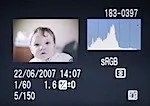
Photography settings, techniques, and rules histogram 4. Understanding Histograms – “Histograms are scary.” This is what one reader said to me recently when they discovered that they could view these little graphs on their camera. While histograms might seem a little technical, it is amazing how simple a histogram is to interpret. Know what to look for, and with just a glance you can tell if your image is under- or over-exposed. It’s a useful tool to master.

5. Automatic Exposure Bracketing (AEB) – This feature is another of those often-unexplored settings that many cameras have built into them. It will allow you to get well-exposed shots in even the trickiest of lighting situations.

Other basic camera techniques

Photography settings, techniques, and rules: how to hold a camera

6. How to Hold a Digital Camera – This beginner tutorial covers a topic that most camera owners skip over without realizing that it is a foundational lesson in photography. Get this wrong and it can dramatically impact the quality of your shots.

7. Shutter Release Technique – Another basic tip that many do intuitively, but which can drastically improve your photography if you don’t do it.

8. How to Use Focal Lock – Yet another beginner technique that many of us take for granted, yet is at the core of how all digital cameras focus automatically. Get this wrong and you’ll take a lot of shots of out-of-focus subjects and in-focus backgrounds!

9. How to Take Sharp Digital Images – “My shots are fuzzy.” It’s a problem we’re frequently asked about, so we wrote this tutorial to help you get the sharpest images your camera can take.

10. Shooting with an In-Camera Flash – Flash photography with a built-in flash can lead to some terribly blown-out images. This article offers a few tips on how to avoid this. And here are 7 Strategies for Avoiding Flash Blow Out.

11. How to Get Shallow Depth of Field in Your Digital Photos – A great technique to learn if you’re into many types of photography (portraits, macro, etc.) is how to control the depth of field in your shots. That way, you can make your main subject pop by making your background nicely blurred. This tutorial walks you through how to do it.

12. Understanding Exposure – This post takes new camera owners through the three main elements of exposure. Once you’ve read it, also check out our introductions to ISO, aperture, and shutter speed.

Camera care and maintenance

camera care broken camera

13. How to Avoid a Dirty DSLR Sensor – One of the fastest ways to ruin every single shot you take with your new DSLR is to end up with a dirty image sensor. This tutorial gives some basic tips on how to ensure it stays as clean as possible.

14. How to Clean a DSLR Lens – As much as you try to protect them, lenses tend to get grimy over time. This tutorial shares some basic tips on how to clean lenses so that your shots will be as clear as possible.

15. 7 Digital Camera Predators and How to Keep them at Bay – This tutorial takes you through 7 of the most common ways that digital cameras get damaged, what to look out for, and what preventative actions you can take.

Composition tips

rule of thirds composition tips

16. The Rule of Thirds – Whether you follow it or break it, the rule of thirds is a topic you should at least know about.

17. Points of Interest – An image without some visual point of interest is unlikely to hold the eye of anyone viewing it.

18. Getting Horizons Horizontal – The perfect way to ruin that lovely sunset or landscape shot is to make it lean to one side. Get your horizon horizontal!

19. Fill Your Frame – This is not applicable to every shot you take, but many photographers could drastically improve their photography by getting in close to their subject and filling the frame.

20. Getting Backgrounds Right – The background can make or break an image. This tutorial walks you through a number of things to look out for and techniques to use to get the background just right.

21. Adding Randomness to Your Photos – Learn how to set your images apart from everyone else’s by injecting creativity, variety, and a little randomness into your shots.

Of course, these 21 photography settings, techniques, and rules for beginner camera owners just scratch the surface of all there is to learn about the art of photography. Subscribe to our blog here to get more free daily tips to help you keep learning and improving.

Our guide to getting creative control over your camera

If you’re looking for a complete guide to taking control of your camera, then you might like to check out our course, Photo Nuts and Bolts, which walks you through everything you need to know to start taking beautiful photos.

Here’s the intro:


Grab this great dPS course here.

The post 21 Settings, Techniques and Rules All New Camera Owners Should Know appeared first on Digital Photography School. It was authored by Darren Rowse.


Digital Photography School

 
Comments Off on 21 Settings, Techniques and Rules All New Camera Owners Should Know

Posted in Photography


Opinion: Camera names are getting ridiculous

11 Oct
Canon’s EOS 5D Mark II changed the camera industry forever. In more ways than one.

Looking back, I can’t honestly say I recognized the long-term impact of Canon’s big announcement at Photokina 2008. It’s only with hindsight I can see the significance of the unveiling of the EOS 5D Mark II.

It ushered in the era of Full HD video in DSLRs: that was obviously a big deal. But it was also the herald of an insidious trend in consumer cameras whose enormity is only now becoming clear.

At the time it seemed innocent enough. After all, the ‘Mark II’ was an iteration on an existing design. Sure the whole video thing meant that the second-gen model was arguably even more significant than the original ‘first-sub-$ 4000 full frame digital’ EOS 5D, but that ‘Mark II’ branding seemed logical, given how much it appeared to have been developed from its forebear.

The Canon EOS 5D Mark II was the herald of an insidious trend whose enormity is only now becoming clear

Hemmed-in by the 30D, 40D, 50D APS-C series on one side and the flagship 1D series on the other, it made sense that Canon wouldn’t want to squander the remaining seven single-digit options available to it on a like-for-like replacement (a decision justified with the arrival of the 6D, five years later). So Mark II it was. And, without any fanfare, an uncontrollable naming phenomenon had begun.

In isolation, it might have been fine, Canon had already had Mark II models in its professional EOS-1D range, so where was the harm in releasing it into the consumer market? Meanwhile, though, another insidious trend in nomenclature was developing: the quasi-algebraic insistence on adding ‘X’ to everything.

Again, it started harmlessly enough: Nikon used it to signify its high-resolution pro DSLRs and later-on, Sony would use it to denote the presence of a CMOS sensor its compacts. But it rapidly expanded, to the point of near ubiquity. Panasonic dubbed its rangefinder-ish enthusiast G-series mirrorless cameras ‘GX’ and Canon decided ‘G X’ was a good way to style the large-sensor successors to its own G-series of compacts. To add to the fun, Fujifilm decided to use ‘X-series’ as the branding both for its mirrorless cameras, which use the ‘X’ mount and a diverse range of fixed lens cameras, which don’t.

But the perniciousness of both of these creeping trends came when they started to cross-breed.

It’s not just a circle, but it’s interesting to see that every brand has used the letter ‘x’ in its model names at one time or another.

Canon, having already produced models called G1 X, G3 X, G5 X, G7 X and G9 X, decided to adopt ‘Mark’ designations for its compacts, giving us three G1 Xs, two iterations of the G5 X and three of the G7 X. Thankfully Panasonic thankfully kept the GX7 Mark II and Mark III nomenclature to the Japanese market, instead confusing the rest of the world with a GX8 that wasn’t considered part of the GX7 series, before following on with the GX9, which was.

The Canon G7 X Mark II, not to be confused with the Panasonic GX7 Mark II (GX85). Likewise the G7 X III and GX7 III (GX9).

But, as ever, it’s Sony that’s really exhausted all possible permutations. Probably not helped by a period where it seemed determined to address every possible industry niche and replace each model before the previous generation had arrived in the shops, its naming system has got properly out-of-hand. So, we now have multiple ‘Marks’ of the very, very different RX0, RX1, RX10 and RX100 ranges. This system has become so unwieldy that the RX100 series has apparently divided into parallel short- (Mark 1-5) and long-zoom variants (Marks 6 and 7) necessitating the creation of the RX100 Mark 5A. Surely that’s a sign that this all needs to stop?

It just causes problems. As well as me not being able to remember any camera’s names anymore, it also means that some once-useful terminology has been squandered: I feel Olympus’s latest E-M1 model, for example, might have been better received if its had been pitched as ‘Mark II’ version of its predecessor. But I’ll acknowledge that calling it the E-M1 Mark II – Mark II was probably wasn’t an option.

Loath as I am to draw automotive parallels, it’s worth nothing that, with a few exceptions such as Toyota’s defunct US-only Scion brand, most motor manufacturers manage to avoid the obsession with the letter ‘x’ or calling things Mark II. This allows simple names that can’t be confused, such as Solara, Nova, Alpine or Bonneville.

Between pitching this article and finding the time to write it, Nikon has announced it’s joining the far-from exclusive club with its Z6 and Z7 replacements. Hoo – and I can’t emphasize this enough – ray.

I’m sorry: I know none of this matters. Camera naming schemes make not the blindest bit of difference to the pictures any of these models take, or how enjoyable the photographic experience they give is. But, possibly because I have to remember and write about them all, and perhaps because my brain is becoming less agile with age, I’m finding it all too much. Is it really too much to ask that camera companies stop calling all their cameras the same bloody thing?

Articles: Digital Photography Review (dpreview.com)

 
Comments Off on Opinion: Camera names are getting ridiculous

Posted in Uncategorized


Camera Bits releases Photo Mechanic Plus, a new DAM with an emphasis on speed, efficiency

08 Oct

Camera Bits, the company behind the popular photo ingestion program Photo Mechanic, has released its newest product, Photo Mechanic Plus. This new program features all of the ingestion, code replacement and other features within the standard Photo Mechanic program, but takes it a step further by adding a full-fledged digital asset manager (DAM) for organizing and sorting through your photographs with ease, not unlike Adobe Photoshop Bridge or the ‘Catalog’ module in Lightroom.

The new program includes all of the features of Photo Mechanic 6, but also adds a powerful database option for managing all of your photos on macOS and Windows computers. This includes the ability to create individual catalogs that can be accessed independently or together based on the filters and parameters you’ve applied.

Camera Bits claims you can scroll through a million photos ‘without a pause’ in its new DAM. While this might seem implausible, anyone who’s used Photo Mechanic knows how quickly the program is capable of displaying and sorting through thousands of images without bringing your computer to a halt.

Other features include a powerful search box for finding exactly the images you need as well as saved searches for keywords and parameters you frequently need to access. Filters and Collections can further be used to sub-categorize your images. Below is a fantastic video rundown from Camera Bits showing off the new features inside Photo Mechanic Plus:

Photo Mechanic Plus includes all functionality of Photo Mechanic 6, but is a separate purchase. A perpetual single-user license will set you back $ 229 (as an introductory price, with $ 399 being the eventual retail price), while an upgrade from Photo Mechanic 5 and Photo Mechanic 6 will set you back $ 179 and $ 90, respectively. A 30-day free trial is available as well if you want to take Photo Mechanic Plus for a spin before purchasing a license.

You can find out more information on Camera Bits’ website and view the pricing details on the Photo Mechanic product page.

Articles: Digital Photography Review (dpreview.com)

 
Comments Off on Camera Bits releases Photo Mechanic Plus, a new DAM with an emphasis on speed, efficiency

Posted in Uncategorized


Camera Color Guide – Why Cameras Are Black

08 Oct

What color is your camera? Have you ever paid attention to the color of DSLR cameras? Peek in a wedding photographer’s bag, or check out the sea of photographers at a press conference or sporting event and you’ll notice that most (or all of) their cameras are one color — black. Keep looking and you’ll notice that most of their Continue Reading

The post Camera Color Guide – Why Cameras Are Black appeared first on Photodoto.


Photodoto

 
Comments Off on Camera Color Guide – Why Cameras Are Black

Posted in Photography


Freefly Systems announces Astro quadcopter, hints at new 4K camera

07 Oct

Freefly Systems recently introduced the Astro, a quadcopter capable of carrying a two-pound payload on a 3-axis gimbal for up to 30 minutes. While the company is following in the footsteps of fellow American manufacturer, Skydio, by primarily marketing its latest offering to the public sector and enterprise, it’s worth noting that the Astro allows you to capture 61MP aerial photos with the Sony a7R IV camera.

‘My priority with my drones is being able to shoot good landscapes and cityscapes. Being able to fly my a7R IV and a7S III will be huge,’ says Drew Armstrong, a professional remote pilot and realtor. ‘I had a (DJI) M600 I was using with my Sony a 7R II. It worked but being able to adjust exposure while in the air was very difficult. I have also flown the M600 with the aerial specific package for the Phase One camera. That is a sweet ($ 50,000+ USD) setup,’ he adds.

The Astro starts at $ 7,995 for the standalone frame. The Base Kit includes a hard case, battery pair, charger, and remote for $ 9,995. The High Res Mapping configuration which includes everything in the Base Kit plus the Sony a7R IV payload retails for $ 14,995. For comparison’s sake, the DJI Inspire 2 kit equipped with a Zenmuse X7 camera starts at $ 10,995 – but you’ll only get 24MP photos. Freefly’s Alta series of drones, built for high-end cinematography and industrial work, start at $ 17,495.

The Astro is foldable and is being touted as ‘4K in your backpack.’ This is a bit curious. Sony’s a7R IV can record 4K video in full-frame but it’s not the best camera for obtaining crisp, clear footage. ‘Yes, for sure we want to support a7S III. We can mount and fly it, just uncertain as to whether Sony will allow us to have access to full camera controls just yet,’ Freefly’s CEO, Tabb Firchau, tells DPReview.

When asked if there were plans to make other cameras compatible with the system, Firchau revealed ‘yes, we will be supporting a variety of other cameras over time. [It] is set up to be modular and easy to incorporate new cameras…including our first camera [for the Astro] ‘Wave’ that we are launching on Wednesday.’

The launch event for Wave will be taking place via livestream on Wednesday, October 7th, at 10:00 am PST. The Astro is currently available for pre-order and they plan on shipping out units in Q4.

Articles: Digital Photography Review (dpreview.com)

 
Comments Off on Freefly Systems announces Astro quadcopter, hints at new 4K camera

Posted in Uncategorized


It’s alive: Zeiss’ Android-powered ZX1 camera is available to pre-order on B&H for $6K

05 Oct

Surprises in 2020 have proven less than ideal more often than not, but a new bit of information might make one surprise in the photography world an anomaly from the rest. B&H has sent out an email notifying consumers the long-awaited Zeiss ZX1 camera is now available for pre-order for $ 6,000 and is ‘Coming Soon.’

The fabled ZX1 was announced all the way back in September 2018. At the time, Zeiss detailed the specifications of the Android-powered full-frame camera that features a 37.4MP sensor behind a fixed 35mm Distagon F2 lens. And while it isn’t the first Android-powered camera to come to fruition, it did set itself apart from the onset due to Zeiss partnering with Adobe to ensure Lightroom CC would run directly on the camera’s 4.3” 1280×720 pixel display. In Zeiss’ own words, the camera was designed to enable you to shoot, edit and share on the fly.

$ (document).ready(function() { SampleGalleryV2({“containerId”:”embeddedSampleGallery_1668235310″,”galleryId”:”1668235310″,”isEmbeddedWidget”:true,”selectedImageIndex”:0,”isMobile”:false}) });

Zeiss said in its announcement the camera would be available in ‘early 2019.’ As we all know by now though, that wasn’t the case. In February 2019 we had our first hands-on with the ZX1 and in March 2019 we had an interview with Elliot Shih, Senior Product Manager of Zeiss, talking about the camera, but since then it’s been radio silence, despite multiple attempts to contact Zeiss for more information.

We have contacted B&H for more information regarding the listing and potential availability dates of the ZX1, but the shop is closed and its employees are on break through October 11, so it’s unlikely we’ll receive a response any earlier than October 12. We will update this article with more information as it becomes available.

Articles: Digital Photography Review (dpreview.com)

 
Comments Off on It’s alive: Zeiss’ Android-powered ZX1 camera is available to pre-order on B&H for $6K

Posted in Uncategorized


Earth from 100,000 feet: Sigma sent the fp mirrorless camera into near space

03 Oct

Sigma UK recently collaborated with the company Sent Into Space to send a pair of Sigma fp full frame mirrorless cameras into the upper atmosphere. Sigma 14mm F1.8 lenses were used on each camera. It’s a notable kit because it combines the world’s smallest and lightest full frame mirrorless camera with the brightest full frame 14mm prime lens available.

The Sigma fp cameras and 14mm F1.8 lenses were attached to weather balloons and sent up to an altitude of roughly 19 mi. (about 30.5km). At altitude, the cameras captured high-resolution photos and 4K RAW video of Earth.

No good marketing operation is complete without stunning media to share with prospective customers. Sigma UK published a video to document the process of sending Sigma fp cameras into near space and show off the amazing results of the project.

The launches took place in Sheffield and the first Sigma fp to gain altitude was dedicated to recording 12-bit 4K UHD Raw video and the second camera was dedicated to capturing 24.6MP still images. Each camera was part of a kit that includes on-board equipment to provide data and telemetry back to the Sent Into Space team back on the ground.

The balloons, filled with hydrogen, expand considerably during the ascent. As the atmosphere gets thinner, the gas inside the balloon tries to escape to fill the vacuum. At a certain altitude, the balloon will fail and burst, and the equipment will return to the surface aided by onboard parachutes. As Chris Rose of Sent Into Space points out in the video above, the payload will actually descend at up to 250 mph before the atmosphere gets thick enough to act against the parachute.

Each camera was sent into space with an attached 2TB SSD drive. Even with that much storage capacity, the fp couldn’t record 4K UHD RAW video for the entire flight. The stills camera was set up with an interval timer to capture a still image every five seconds for the entire journey.

To learn more about the Sigma fp, head to our First Impressions. For more on the Sigma 14mm F1.8 DG HSM Art lens and its applications for space photography, check out Jose Francisco Salgado’s ‘Astrophotography with the Sigma 14mm F1.8 Art lens’ article.

(DIY Photography)

Articles: Digital Photography Review (dpreview.com)

 
Comments Off on Earth from 100,000 feet: Sigma sent the fp mirrorless camera into near space

Posted in Uncategorized


Photographer Brendan Barry creates a giant camera obscura using a customs house

02 Oct

Photographer Brendan Barry was commissioned by the Exeter Canal and Quay Trust to turn a room in the Custom House in Exeter, U.K. into a large camera obscura.

Barry had a residency at the Custom House in Exeter and during his time, he used a variety of analog cameras to capture images of Exeter Quay. Of his work, Barry says, ‘My work aims to challenge our understanding of what a camera is, what it can do and how one can be constructed, taking the whole notion of what a camera might be, unpicking these preconceptions and creating new ways of inviting an audience into having a transformative experience in a space.’

Image credit: Brendan Barry

Brendan continues, ‘During my residency at the Custom House I will be transforming a number of rooms in the building into giant cameras and using them to capture images of Exeter Quay using a range of analog photographic processes and techniques.’ Barry created a very informative video of the experience, which can be seen below. In his video, Brendan shows the entire process, from his approach to building a camera obscura and the equipment he uses to create large prints.

As you can see, Brendan required a lot of equipment for his project. After getting his equipment into the upstairs room, he must create a large frame with a backboard to hold the photographic paper. Next is setting up the lens holder in the room’s window, blacking out the rest of the window and setting up a holder for a graduated neutral density filter to ensure a balanced exposure.

Image credit: Brendan Barry

This is not Brendan Barry’s first foray with making a large analog camera. You can check out Barry’s previous projects in which Barry turned his shed into a camera, as well as an older project wherein he turned a skyscraper into a camera obscura.

If you’d like to see more videos from Brendan Barry, be sure to check out his YouTube channel. To see more of his work, visit his website and follow him on Instagram.

Articles: Digital Photography Review (dpreview.com)

 
Comments Off on Photographer Brendan Barry creates a giant camera obscura using a customs house

Posted in Uncategorized