RSS
 

Posts Tagged ‘Camera’

AirSelfie, a pocket-sized camera drone, launches on Kickstarter

18 Nov

An London-based startup is looking to fund production of a tiny, flying selfie camera called AirSelfie. AirSelfie features four propellers surrounded by safety guards and is compact enough to slot inside of a smartphone case. It features a 5MP camera that can take photos and record videos from up to 20m/66ft. 

AirSelfie produces its own 2.4GHz WiFi network to which smartphones can connect. Users control the drone using a mobile app available for iOS and Android, both of which include a ‘selfie delay timer’ with a range up to 10 seconds. A maximum of eight consecutive photos can be taken. Content is saved to an included 4GB microSD card. Unfortunately, flight duration is very low at only 3 minutes per charge.

A Kickstarter campaign seeking funding for AirSelfie went live today with a funding goal of nearly $ 50,000. Assuming that goal is met, the company plans to offer the AirSelfie at a reduced price of $ 249, with two units costing $ 478. The team behind AirSelfie anticipates shipping the first 3,000 pre-ordered units in March 2017, with everything else shipping starting in April 2017.

Press release

AirSelfie Launches Best Pocket-Sized Flying Camera for Smartphones

Armed with a $ 3M investment, AirSelfie will debut on Kickstarter November 17 to give fans early access to the first pocket-sized flying camera; pre-orders will be delivered March 2017

London, November 17, 2016 – AirSelfie has today announced the launch of the first pocket-sized flying camera, the only portable flying camera that integrates with smartphones. Comprised of four powerful propellers and a 5-megapixel video camera, AirSelfie is smaller than a smartphone and can fly vertically up to 66 feet, allowing users to take aerial selfies of themselves and their friends. The device connects to the most popular smartphones, including iPhone (6, 6s, 7 and 7 Plus), Huawei P9, Google Pixel and Samsung Galaxy S7 Edge. The device includes self-generated WiFi and comes equipped with a rechargeable battery through a cell phone case, as well as the option to purchase an external power bank. Additionally, a vibration-absorber system and in-flight stability systems guarantee stable, clear, flowing images.

AirSelfie is available for pre-order via Kickstarter beginning November 17, 2016, for delivery in March 2017.

“Our team of 60 seasoned technology professionals and enthusiasts researched, designed and created a flying camera that exceeds all current standards,” said Edoardo Stroppiana, co-founder of AirSelfie. “We saw an increasing need for a device that goes beyond a selfie stick, allowing users to take pictures from all angles, and we’re excited to introduce AirSelfie to Millennials and consumers around the world. It sets a completely new bar for the market.”

With AirSelfie, users can:

  • Take group selfies and family photos from up to 66 feet away, capturing both people and panoramas
  • Take indoor and outdoor aerial photos of subjects and locations that would otherwise be unreachable (e.g. monuments and stadiums during sporting events)
  • Take videos from perspectives that were formerly impossible
  • Use the device as a monitoring camera (when the device is not flying and is connected to a power source)
  • Use the video as a work tool (for example, time-lapse shots of company event setups)

AirSelfie’s 5-megapixel video camera and four powerful propellers are enclosed in an Italian-designed, stylish and lightweight (52g) aluminum case that measures 3.72 x 2.65 x 0.42 inches – smaller than a smartphone. The device attaches to users’ smartphones using a special cover available for iPhone and Samsung which contains a battery that can recharge AirSelfie in just 30 minutes. Backers can also purchase an external power bank which guarantees up to 20 full charges and allows those without a compatible phone to use and charge AirSelfie. 

How it works

One of the key differentiating—and appealing—features of AirSelfie is its ease of use. To activate AirSelfie, the user simply removes it from its case and turns it on. The device connects automatically to smartphones via WiFi—the flying camera creates the WiFi (2.4GHz) network itself and it is immediately ready for take-off.

AirSelfie users must simply download the free iOS and Android app in order to control the device’s movements through three different flight modes. AirSelfie can be returned to its departure point either manually or automatically. When users are finished using the device, it’s easy to return it to its landing spot—simply press the button labelled “slide to land” and AirSelfie descends and turns off. Users can also directly reposition the device by hand with no risk whatsoever of damaging it or themselves.

Using the “selfie delay timer” function, users can take timed photos, giving them up to 10 seconds to get into position and hide their smartphone so that it doesn’t appear in photos. Users can also take up to eight consecutive shots. AirSelfie’s technology integrates directly with social media, making it easy to post photos and videos directly to users’ accounts.

AirSelfie comes equipped with a 4 GB micro SD memory card and a 260mAh 7.4v battery that enables three minutes of flight time.

AirSelfie on Kickstarter

To give consumers a special first look at AirSelfie, the company is launching a Kickstarter campaign that will go live on November 17, 2016. Consumers can purchase AirSelfie via the Kickstarter website or Kickstarter app. As an added incentive, the first 1,000 supporters have the option of becoming AirSelfie Ambassadors by pre-ordering the first version of the flying camera at the discounted price of $ 199; the regular retail price will be $ 300. Additionally, the power bank will be available as a standalone product for $ 69 or as part of the AirSelfie package for $ 246. The power bank will be delivered in April.

Production of the gadget will begin once the threshold of $ 50,000 is reached. After the first 1,000 AirSelfies have sold, the company will produce another 2,000 models, which will be available for the reduced price of $ 249. Consumers will also be able to purchase two AirSelfies for the price of $ 478. The first 3,000 pre-orders will be delivered in March of 2017, with the rest, including the power bank packages, being delivered in April of 2017.

“People have the impression that camera drones are costly, difficult to operate and unwieldy,” added Stroppiana. “AirSelfie redefines the space with a device that’s small, light and easy to use. This Kickstarter campaign will enable the launch of a large-scale AirSelfie production in a matter of months. We have succeeded in developing a great product, and we can’t wait to share it with our growing base of AirSelfie enthusiasts.” 

In 2017, AirSelfie will hit the market for $ 300. It will be available in other colors and will be compatible with additional smartphone models.

For additional information and other opportunities to support the project, visit the AirSelfie Kickstarter page.

Articles: Digital Photography Review (dpreview.com)

 
Comments Off on AirSelfie, a pocket-sized camera drone, launches on Kickstarter

Posted in Uncategorized


Vimble S is an intelligent smartphone gimbal with physical camera controls

16 Nov

A Kickstarter project that just launched is aiming to raise funding for production and distribution of the Vimble S smartphone gimbal. The Vimble S is a three-axis motorized image stabilizer that is compatible with a large range of smartphones, including Apple’s iPhone models, the Huawei P9, Google Pixel, Samsung Galaxy and other devices with similar dimensions. The gimbal communicates with the phone via a Bluetooth connection and folds down to about 11.2 inches when not in use.

A range of physical controls on the handle allow you to adjust the smartphone camera’s exposure, zoom, focus, and white balance and trigger the shutter. The gimbal’s motor keeps the camera steady, allowing for the recording of smooth video and still image shooting at slow shutter speeds. However, it also gives the Vimble S a number of intelligent functions, which are controlled via a dedicated app. Those include the ability to track faces, allowing for video-selfies, shoot panorama images with automated panning and record time-lapses.

The engineers behind the project say the Vimble S has a battery life of 8 hours and a very quiet motor. The handle is designed to also function as a monopod. With 29 days to go currently, the campaign is a good way to reaching its funding goal. If the feature set sounds like what you have been waiting for, you can secure a Vimble S by pledging $ 179 or more on the Vimble S Kickstarter page. Shipping is planned for January 2017.

Press Release:

Vimble S, the gimbal stabilizer for smartphones, allows everyone to capture professional-quality video

Never capture shaky video again, available on Kickstarter from US$ 179

November 15, 2016 (Hong Kong) – Today Vimble S, a 3-axis gimbal stabilizer specifically engineered for smartphones, launches on Kickstarter. The intelligent monopod ensures, no matter what, that your smartphone stays stable while filming, producing silky smooth video and sharp photos. It’s also accompanied by a feature-packed app, ViCam, allowing users to create stunning time-lapses, track selected faces for perfect selfies and snap effortless 180° panoramic vistas. 

https://www.kickstarter.com/projects/368303780/653404756?token=44cc14d5

Aiming to provide everyone with a professional yet affordable way to shoot high-quality video and images, Vimble S has been expertly designed to produce fantastic content in every situation.

Vimble S perfectly balances smartphones to cancel out unwanted movement in a 3-axis space, counteracting any jarring wobbles or shakes. Its motors are silent too, so not to disturb the footage audio. The handle embraces ergonomic design, with the integrated control panel easily accessible with just one hand, allowing users to easily operate every aspect of the gimbal’s movement and camera settings. 

Vimble S also comes with a companion app, ViCam, specifically developed to control each of the smart shooting features available. Create beautiful montages of passing time with a few simple clicks. Automatically centre on your subject with ViCam’s face tracking tool, recording their every movement even if they move out of the camera’s range. Capture the entire scene with the spectacular 180° panoramic mode, smoothly rotating while staying completely level. Users can edit and share photos directly from the app, while keen developers can tinker with the provided SDK to customise features and unlock hidden capabilities. ViCam will be available for iOS and Android. 

Rian Cheng, Founder and CEO at DelTron Technology, comments: “Our dream is to bring professional videography into everybody’s daily lives. Sharing our experiences of the world through pictures and video is now second nature, with over 1.8 billion digital images uploaded everyday. Whether posting on Instagram, Facebook or another social channel, we love to share what we see. Vimble S puts the power in your hand to create beautiful visual memories with complete ease.” 

Manufactured using high-grade materials, Vimble S is a sturdy and reliable travel companion. The premium device is prepared for rigorous use that any practical camera stabilizer has to go through. Small enough to be tucked away in your bag, it also has a long-lasting battery life of up to 8 hours, besting their closest competitors. Whether filming a trekking tour through a national park, catching that awesome skateboard trick, or gaining self-shooting experience as a videographer, Vimble S allows you to take on the director role with everything you create. The gimbal also opens up a wide range of angles including landscape, portrait and underslung to add variety to your shooting style.

“This isn’t just some fancy selfie stick, the technology we’ve implemented into the Vimble S sets your photo and video content apart from the mundane. Vloggers, extreme sports enthusiasts, travellers or anybody else can use features such as our intelligent face tracking to breathe new life to their videos. It does, of course, take incredible selfies too.” adds Peter Zeng, Co-Founder and CTO at DelTron Technology. 

Vimble S is available to back on Kickstarter now from US$ 179 and will ship to backers worldwide in January 2017 – https://www.kickstarter.com/projects/368303780/653404756?token=44cc14d5 

Vimble S Tech Specs: 

Gimbal

  • Angular vibration range : ±0.03°
  • Max Controllable speed: 200°/s
  • Axis freedom:
    • Tilt: 320°, Roll: 320°, Pan: 360° – Slip ring design for limitless rotation

Mount

  • Supports phones of various sizes – the iPhone series, Huawei P9 and P9 plus, Samsung Galaxy S7/edge, and other smartphones with similar dimensions
  • Standard quarter inch nut on bottom, thus Vimble can be mounted on tripod

Battery

  • Battery life: 8 hour maximum; 6 hour under heavy usage condition. also varies by temperature
  • Battery capacity: 3000mAh
  • Charging: Micro USB port

Wireless

  • Model: Bluetooth 4.0

Weight & dimensions

  • 486g, including built-in battery
  • 285mm x 113mm x 60mm 

ViCam app

  • Automatic panorama
  • Face tracking
  • Night photo enhancement
  • Exposure/ Focus/ White Balance and Zoom can be easily adjusted by the control panel
  • Shooting parameter adjustable. Up to 4k/ 30fps or 720p/ 240fps
  • Upgrade firmware wirelessly
  • Motion time-lapse
  • Remote control of rotation of Vimble S

Articles: Digital Photography Review (dpreview.com)

 
Comments Off on Vimble S is an intelligent smartphone gimbal with physical camera controls

Posted in Uncategorized


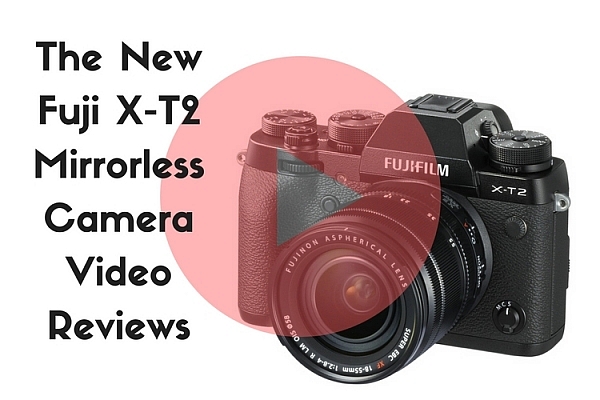
Overview and Hands-On Reviews of the New Fuji X-T2 Mirrorless Camera

15 Nov

The newest Fuji camera on the market is the Fuji X-T2 mirrorless camera. It’s been available for a couple months now so there are a few reviews and tests out there already. I personally own and use the X-T1, so I am very interested to hear about its successor. Let’s see what a few sources have to say about the X-T2.

the-new-fuji-x-t2-mirrorless-camera

Check prices on the Fuji X-T2 on Amazon.com or B&H Photo. 

Tony and Chelsea Northrup thoughts

Tony and Chelsea tested out the X-T1 so they have a good comparison between it and the new Fuji X-T2 and talk about what’s new and improved in this video. They also mention a few things they would have liked to see added that weren’t.

Photography Concentrate – Lauren’s thoughts

Fuji loaned them an X-T2 to try out for a couple weeks. This is what Lauren thought of it overall. Some of the things she mentions as being “issues” I personally don’t have any problem with such as:

  • The aperture ring on the lens (I like it!)
  • That the camera gets quite warm on hot days. I have noticed that with the X-T1 also.
  • Play button in an odd place (no biggie you can program custom buttons)
  • Using the Smartphone app that you can’t see the RAW images. How I get around this with my X-T1 is that I process a few select images into JPG on the camera then pull them to my phone or iPad to play with in Snapseed. I haven’t found it an issue.

But overall she gives it a pretty good thumbs up and says she’s considering switching from Canon to use this camera for all her profession work. So that’s a pretty good endorsement.

The Camera Store guys

In this next video, the guys from the Camera Store give the Fuji X-T2 a good field test in New York City. They test both still and video which some of the other reviews don’t cover. Also mentioned in this video is the new Fuji speedlight which can handle high-speed sync.

The highly improve autofocus on the Fuji X-T2 is mentioned and that it’s a bit tricky to set up. There’s a link to the Fuji Guys channel where they’ll help you configure it if you decide to pick up this camera or already have.

Things I’m excited about:

Since I have the predecessor the X-T1, these are a few of the features that I’ve seen (and I’ve had a chance to handle the camera give it a really quick go) which I’m really excited about as improvements over the old design. They include:

  • YAY, you can open the battery compartment now without having to remove the tripod insert!! This is my biggest pet peeve of the X-T1.
  • The dial on top lock and unlock and they move a lot smoother now. Mine on the X-T1 stick and something both the top and bottom ones move together. I know I can send it back to get those fixed but I don’t want to be without the camera for several weeks so I put up with it.
  • Improved autofocus options and faster autofocus. From what I’ve seen the X-T2 is WAY better than the first generation X-T1. According to The Camera Store guys it actually rivals the Sony a6300 for fastest focus on the market currently. Impressive!!
  • Two memory card slots. I like the idea of shooting RAW on one and JPGS using the nice Fuji film profiles on the other.

Check prices on the Fuji X-T2 on Amazon.com or B&H Photo. 

Have you already ordered yours? Are you considering it? Have you had a chance to test drive one? I want to know. Tell me your thoughts in the comments below.

googletag.cmd.push(function() {
tablet_slots.push( googletag.defineSlot( “/1005424/_dPSv4_tab-all-article-bottom_(300×250)”, [300, 250], “pb-ad-78623” ).addService( googletag.pubads() ) ); } );

googletag.cmd.push(function() {
mobile_slots.push( googletag.defineSlot( “/1005424/_dPSv4_mob-all-article-bottom_(300×250)”, [300, 250], “pb-ad-78158” ).addService( googletag.pubads() ) ); } );

The post Overview and Hands-On Reviews of the New Fuji X-T2 Mirrorless Camera by Darlene Hildebrandt appeared first on Digital Photography School.


Digital Photography School

 
Comments Off on Overview and Hands-On Reviews of the New Fuji X-T2 Mirrorless Camera

Posted in Photography


Mountainsmith debuts Chris Burkard T.A.N Camera Series bags for adventurers

15 Nov

$ (document).ready(function() { SampleGalleryV2({“containerId”:”embeddedSampleGallery_0234113324″,”galleryId”:”0234113324″,”isEmbeddedWidget”:true,”standalone”:false,”selectedImageIndex”:0,”startInCommentsView”:false,”isMobile”:false}) });

Mountainsmith has launched a new camera bag series called T.A.N. (Tough as Nails) in collaboration with photographer Chris Burkard, whose name is featured on the bags. Burkard helped design the five new bags, according to Mountainsmith; the series is comprised of the Tanuck 40L backpack, Tanack 10L lumbar pack, and the TAN Kit Cube in small, medium and large sizes.

The Tanuck 40L backpack ($ 230) is the largest and most expensive of the bunch, offering a ‘tough and versatile’ design with space for a 17-inch laptop, camera, lenses, batteries, tripod, hydration bladder, and other accessories. The backpack is compatible with the smaller Tanack 10L lumbar pack ($ 100), which offers additional space for more gear. The TAN Kit Cube bags ($ 50, $ 60, and $ 70), meanwhile, are designed to carry a camera, lenses and accessories like SD cards.

All five bags are made from 610d Cordura HP fabric with a 210d nylon liner and EVA high-density PE foam. The backpack also features 630d nylon carbonate, while the backpack and lumbar pack both include YKK zippers. All five bags are water-resistant and described as durable.

Via: ThePhoblographer

Articles: Digital Photography Review (dpreview.com)
 
Comments Off on Mountainsmith debuts Chris Burkard T.A.N Camera Series bags for adventurers

Posted in Uncategorized


Sphericam Beast studio camera lives up to its name with 6K 10-bit Raw 360-degree video

12 Nov

Sphericam has introduced ‘Beast,’ its new pro-grade 360-degree VR camera. This beastly model features four 1″ 4096 × 2160 image sensors, four 190º fisheye lenses, and four M.2 SSD drives with a 2.8 GBs bit rate. This combination of hardware enables the camera to record ‘more than’ 6K resolution footage, according to Sphericam, at 60 fps in a 10-bit Raw format (30fps for stitched content). Beast is designed for use by studios and other companies in need of pro-grade VR hardware.

Beast spent ‘several months’ in development, says Sperhicam, and was recently launched at NAB in NYC on November 9. In addition to recording ultra-high-resolution 360-degree videos, Beast can livestream content to headsets or the web, making it suitable for broadcasters as well as filmmakers. The company hasn’t yet revealed how much Beast will cost, nor when it plans to commercially launch the camera.

Via: Digital Trends

Articles: Digital Photography Review (dpreview.com)

 
Comments Off on Sphericam Beast studio camera lives up to its name with 6K 10-bit Raw 360-degree video

Posted in Uncategorized


Stark contrast: how your camera copes with dynamic range capture

09 Nov

Managing dynamic range is challenging. There are few things more disappointing than looking through the viewfinder of a DSLR at a colorful, vibrant scene, hitting the shutter then glancing at the rear screen only to see a JPEG image with clipped highlights, crushed blacks, or both.

Dynamic range limitations can catch you out at the most unexpected moments. In this instance, the yellow leaf is catching the light, clipping the green channel and meaning that its color is misrepresented.

There are two challenges that the camera faces: picking a tone curve that can include a wide range of the tones in the final image and choosing an exposure that captures this wide range of tones. As you might expect, all in-camera DR modes aim to address one or both of these issues.

The first challenge comes because cameras tend to use a single, fixed JPEG tone curve designed to make most images look attractively punchy when they’re viewed on the relatively low dynamic range of most monitors or prints. High contrast scenes can extend beyond the range of tones squeezed into these images, which results in the darker tones in your image crushed to black and your highlights being clipped, if you try to expose the mid tones of your image correctly.

Much of the problem is caused by the camera’s tone curve: a system that maps the brightness of tones captured in the Raw file to the brightness levels used in the final image.*1

Why don’t camera makers just use a lower-contrast tone curves? Because, although a flatter tone curve would make it easier to include the extra tones in high-contrast scenes, they’d leave the rest of your images looking drab and flat.

The second challenge comes from from the tension between choosing a short/dark exposure to retain highlight information and a long/bright exposure to capture the most light to keep noise levels low.

With time, patience and a relatively modern camera it’s possible to bracket a few shots to ensure you capture a Raw file with the highlights you want preserved, which you can then carefully process to pull the detail out of the shadows – effectively creating a tone curve customized to that specific image.

DR compression modes

But not every photographer has the time, knowledge or the inclination to do this. So most manufacturers include some sort of mode to capture and compress the wide dynamic range of high contrast scenes into attractive images.

There are two main methods of doing this. One is to use a different tone curve to brighten up dark tones in the scene, and prevent blacks clipping so readily in high contrast scenes. The other is to capture or retain more highlight information and use a tone curve that incorporates these additional highlight tones.

The best solutions do a bit of both.

Method 1: Adaptive tone curves

Canon Auto Lighting Optimizer Nikon Active D-Lighting
Olympus Auto Gradation Pentax Shadow Adjustment
Sony Dynamic Range Optimizer Panasonic iDynamic

Adaptive tone curves are used to expand the range of tones in an image beyond the ones that a standard tone curve would include. They do this by selectively brightening up what would otherwise be the shadow and deep shadow regions of the image.

Many of these are based on the work of a company called Apical, whose algorithm increases the breadth of tones in the image (lowering overall contrast) by analysing each part of the image and brightening the shadows while working to preserve local contrast, so the overall image doesn’t look flat.

To demonstrate how this works, we’re going to use the tone flow diagrams we used in our articles about noise sources. These show the effect of changes in exposure, amplification and tone curve between the scene and the final image. Each element that changes is highlighted in red on the right-hand side of the diagram as you roll your mouse over the different states.

Default Exposure


Default Exposure with adaptive tone curve


Because the darker tones in an image are made up from less light, their signal-to-noise ratios are worse: they look noisier. Brightening them up makes it easier to see this noise, so DR compression modes of this type generally work best on larger sensor cameras and exposures that capture enough light to keep the quality high.

Other than revealing a little more noise in the shadows, adaptive tone curves themselves only affect the JPEG, not the Raw – they are just selectively applying a different tone curve (or, better still, a localized, context-specific tone response) to incorporate or emphasize more of the tones your camera captured.

Method 2: Capturing or retaining more highlight information

Canon Highlight Tone Priority Fujifilm Dynamic Range
Pentax Highlight Adjustment Ricoh Dynamic Range Correction

The other type of DR Compression method involves trying to capture a different set of tones, which usually means changing the exposure. Or, at least, changing which tones are captured and which are retained in the Raw file. This does change the Raw file.

The most basic of these systems change the exposure/amplification relationship of the camera. To understand what this means, it’s important to understand that final image brightness is made up of four components:

  • Illumination level of the scene
  • Exposure (Shutter speed and aperture)
  • Hardware amplification
  • Image tone curve (either in the camera or when processing the Raw file)

The ISO standard allows any combination hardware and software (tone curve) amplification, so long as the scene illumination and exposure give you the expected JPEG brightness*2. This means that there’s no fixed relationship between exposure, hardware amplification and final image brightness.

So, for instance, the camera can intentionally use a lower-than-usual level of amplification with your exposure so that highlight detail isn’t amplified beyond clipping, then use a different tone curve that retains these highlights. Such a tone curve would also pull its mid tones from deeper down the Raw file than in standard mode.*3

Default Exposure


DR Mode (Default Exposure –1EV with flatter tone curve to retain highlights)


The dead give away that your camera is doing this is a jump in the minimum available ISO when you engage DR mode. Because the base ISO setting is already using the lowest level of amplification, you can’t have a lowered amplification/exposure relationship until you use a shorter exposure (higher ISO).

This pattern becomes more obvious if you look at the Fujifilm ‘Dynamic Range’ system, which, with its three DR settings (DR100, DR200 and DR400) offers three*4 distinct balances of exposure and amplification. This table shows a simplification of the amplification level being applied in the different DRng modes at each available ISO setting:

  DR100 DR200 DR400

ISO 200
exposure

1X

ISO 400
exposure

2X 1X
ISO 800
exposure
4X 2X 1X
ISO 1600
exposure
8X 4X 2X
This table shows a simplification of the amplification level being applied at each DR mode and ISO setting.

Using this method the DR modes do result in different Raw files. In the example above, the two files have different exposures, so the Raw data is different. In the example below, where both shots have the same exposure, the DR200 shot has been amplified less than the DR100 shot, so contains more highlight information.*5

ISO 400  DR100 (Note the extra highlights captured with the reduced exposure are clipped by the 2X amplification)


ISO 400 DR200 (Same exposure but less amplification. A revised tone curve incorporates the extra highlight detail)


With modern sensors that add very little read noise to their images, there’s little or no noise cost to using lower amplification levels and then using a tone curve to make up for it. The only noise differences occur if you’re shooting in bright light and you choose to switch from using DR100 mode at base ISO to DR200 mode and have to use an ISO 400 exposure. In this instance it’s the shorter exposure that’s adding the noise, not the different way of using the sensor.

Adaptive exposure and tone curve

The final method is essentially a combination of the two techniques: reduced exposure/amplification and an adaptive tone curve.

Panasonic’s iDynamic and Olympus’ Auto Gradation modes will both reduce exposure by a 1/3EV or so to capture some additional highlights, then use an adaptive tone curve to brighten the shadows and as well as adding highlights. But it’s probably Nikon’s Active D-Lighting system that does the best job of this. It combines up to a 1EV exposure reduction with an adaptive tone curve to give well balanced JPEGs even in high contrast situations.

Short of providing the tools that would allow photographers to reliably expose to the right, these DR compression modes provide a really useful means of accessing the impressive capabilities of modern sensors, whether you know how they work or not.


Footnotes

*1 Technically it’s actually a combination of a gamma curve that converts the Raw file’s linear brightness response into sometime more closely matching the human eye’s response, to make better use of the file’s bit depth plus the effect of the tone curve added to make the image look more punchy.

*2 Strictly speaking it no longer even guarantees this: the REI section of the standard only requires that the camera gives what the manufacturer believes to be an appropriate image brightness.

*3 To an extent, this is what many manufacturers already do in their standard JPEGs: use lower amplification and a more highlight-weighted tone curve than historically required, to capture and retain more highlight information. This creates a discrepancy between the ISO rating and the result of Raw saturation testing – as conducted by DxOMark.

*4 You could argue that Fujifilm actually offers four levels of exposure/amplification: their camera’s extended ‘ISO 100’ mode is based on the same amplification as DR100’s ISO 200 mode, but with less highlight capture. In many respects it’s a DR50 mode.

*5 Even though the DR200 and DR100 images have received different amounts of amplification, and hence have different Raw files, the use of different tone curves for each DR mode means that the JPEGs appear with the same parts of the scene rendered as middle gray. As such they’re both considered to have been shot at the same ISO.

Articles: Digital Photography Review (dpreview.com)

 
Comments Off on Stark contrast: how your camera copes with dynamic range capture

Posted in Uncategorized


Next level: iPhone 7 Plus camera review

09 Nov

$ (document).ready(function() { SampleGalleryV2({“containerId”:”embeddedSampleGallery_3203287185″,”galleryId”:”3203287185″,”isEmbeddedWidget”:true,”standalone”:false,”selectedImageIndex”:0,”startInCommentsView”:false,”isMobile”:false}) });

Judging by design, screen size and resolution, the new iPhone 7 Plus is nothing new. While its major specs are nearly identical to the iPhone 6s Plus, it’s in the camera department where a lot of innovation has happened. Next to the standard 28mm equivalent lens there is a second 56mm module to enable optical zooming. Combined with digital zoom, you can drag the zoom slider in the camera app up to a 10x magnification. 

At F1.8 the six-element lens in the wide-angle camera comes with a faster aperture than the 6s Plus and optical image stabilization is on board as well. The 56mm ‘tele’-lens has to make do without stabilization though, and uses a slower F2.8 aperture. A bokeh-simulation mode, similar to what we’ve seen on the HTC One M8 and Huawei P9 before is also made possible by the dual-camera setup. Other new camera features include a quad-LED true-tone flash and flicker-sensor. With iOS 10 and certain third-party camera apps the new iPhone can now finally save Raw files as well.

As you can see, there are a lot of new camera features to explore on the new iPhone 7 Plus and we have done exactly that. Read our full review to see how we got on. 

Key Photographic / Video Specifications

  • Dual 12MP sensors
  • 28/56 mm equivalent focal length
  • F1.8/2.8 aperture
  • On-sensor phase detection
  • Quad-LED flash
  • DNG Raw capture and manual control with 3rd party apps
  • 4K video at 30 fps
  • 720p/240 and 1080p/120fps slow-motion video
  • 7MP front camera with F2.2 aperture and 32mm equivalent focal length

Other Specifications

  • 5.5-inch 1080p IPS screen with taptic feedback
  • Apple A10 Fusion chipset
  • 3GB RAM
  • 32/128/256GB storage
  • 2,900mAh battery
  • Fingerprint reader
  • Stereo speakers

DPReview smartphone reviews are written with the needs of photographers in mind. We focus on camera features, performance, and image quality.

Articles: Digital Photography Review (dpreview.com)

 
Comments Off on Next level: iPhone 7 Plus camera review

Posted in Uncategorized


The Leica TL is an upgraded Leica T mirrorless camera

09 Nov

Leica has today unveiled the Leica TL, which is an updated version of the Leica T that was launched in 2014. The new model’s design has pretty much remained untouched but there is now a new Titanium color option with anodized finish that also comes with chamfered edges.

Images are still captured on a 16MP APS-C sensor but Leica says it has improved autofocus performance, especially when shooting in continuous AF-C mode. The camera also features a 3.7″ touchscreen, 5 fps continuous shooting, an ISO range of 100 to 12500, DNG Raw file format and 1080p video. There is also a built-in pop-up flash and the TL has the ability to connect to a mobile Android or iOS app via Wi-Fi. This allows for viewing of the live view image on the mobile device and remote control of some camera functions.

In addition the internal memory has been increased form 16 to 32GB, of course the TL also takes SD memory cards. The Leica TL system currently offers 6 lenses, 3 primes and 3 zoom lenses, and TL users can now also make use of legacy Leica R-lenses via the R-Adapter L. The Leica TL will be available in November for $ 1,695. 

Official Leica sample images

$ (document).ready(function() { SampleGalleryV2({“containerId”:”embeddedSampleGallery_8370596342″,”galleryId”:”8370596342″,”isEmbeddedWidget”:true,”standalone”:false,”selectedImageIndex”:0,”startInCommentsView”:false,”isMobile”:false}) });

Leica presents the TL-System:

The new camera system impresses with perfected features, unique design, precise, high-performance lenses and a range of functional accessories and technical equipment.

Wetzlar, 8 November 2016. Building on the Leica T camera system, which has been continually advanced in terms speed, ease of handling and flexibility since its launch in 2014, the Leica TL embraces all the perfected features and leads the innovative camera concept into a new generation with even more innovations and new aspects of its design. One of these innovations is the doubling of the size of its internal buffer memory to 32 GB. Other new features are improved autofocus, especially in AF-C mode, and optimised compatibility with lenses from other Leica camera systems. For instance, the Leica TL now supports SL-Lenses with OIS and allows the use of Leica R-System lenses in combination with the R-Adapter L. A new Leica TL app with revised functions offers additional options for sharing pictures by email or on social networks and is now available for the first time for Android as well as iOS devices.

The Leica TL will in available in three colour options from the date of launch: the silver and black versions are identical in design and construction, while the titanium-coloured option is distinguished by a bevelled edge (chamfer) to the top and bottom plates. Functional camera accessories, such as the new high-quality protectors in Nappa leather, which can stay on the camera when changing the battery, and colour-coordinated carrying straps in stone-grey, black, red and cemento, round off the TL system portfolio.

In combination with its high-performance image processor, the large, APS-C-format, CMOS image sensor of the Leica TL guarantees exceptional imaging quality and delivers brilliant pictures with outstanding contrast, finest detail resolution and natural colour rendition – even in unfavourable lighting conditions.

The comprehensive portfolio of lenses for the Leica TL offers an ideal range of focal lengths for all situations and types of photography. The TL-System currently comprises six lenses – three prime lenses and three zooms – that meet the needs of every photographic situation. The two fast prime lenses, the Leica Summicron-TL 23 mm f/2 ASPH. and the Summilux-TL 35 mm f/1.4 ASPH., are classic focal lengths for reportage photography, and the APOMacro-Elmarit-TL 60 mm f/2.8 ASPH. complements them ideally as a lens for finely detailed close-up photography. The three compact zoom lenses, the Leica Super-VarioElmar-TL 11–23 mm f/3.5–4.5 ASPH., Vario-Elmar-TL 18–56 mm f/3.5–5.6 ASPH. and APO-Vario-Elmar-TL 55–135 mm f/3.5–4.5 ASPH., cover an entire range of focal lengths equivalent to 17 to 200 mm in 35 mm format and deliver outstanding images with rich contrast from corner to corner of the frame.

All Leica TL-Lenses impress with exceptional imaging performance at all distances from their close focusing limits to infinity and deliver pictures with the inimitable ‘Leica look’ and unique bokeh. Developed by optical design specialists in Wetzlar, they offer the exceptional imaging performance for which Leica lenses are famed. The combination of optical and precision engineering expertise and the use of finest materials in their construction ensures their constant quality and reliability in use.

Thanks to the L-Bayonet mount shared by the Leica TL and SL cameras, SL-Lenses can also be used without an adapter on the Leica TL. With this, Leica once again carries forward its fundamental principles of cross-system compatibility and sustainability, which is now also reflected in a uniform product designation. Appropriate adapters are also available for using Leica M and R lenses on the camera.

The particular trademark of the Leica TL is the unusual design of its extremely compact body. Each camera body is precisely machined from a single block of aluminium in the Leica factory. The use of premium materials and their processing in an elaborate manufacturing process are unique in the history of camera construction and lend the Leica TL-Camera an unmistakeable look, feel and solidity.

The handling concept of the Leica TL is clearly structured, intuitive to use and concentrates only on relevant functions. The ‘control centre’ of this concept is its clearly laid out, 3.7- inch touchscreen display. It is generously dimensioned and generates a bright and clear image that allows precise and reliable assessment during subject composition and in playback mode. Numerous functions in capture and playback mode can be controlled simply by touching the screen. The only other controls are four ergonomically positioned haptic control elements that are intuitive in their operation. This ensures that camera users can concentrate fully on composing their pictures – without any unnecessary distractions. The freely configurable MyCamera menu of the Leica TL offers even greater flexibility, even in spontaneous snapshot situations. This means that the photographer always has fast access to the most frequently used features and personalised presets.

Thanks to its integrated WiFi module and the function for setting up its own mobile hotspot, the Leica TL can conveniently transfer stills and videos by WLAN to smartphones, tablets, laptops or desktop PCs from almost anywhere and allows users to share their pictures and films by email, on Facebook or in other social networks. A free Leica TL app for iOS and Android devices is available with the release of the camera. A particularly practical feature of the app is the remote function. This lets users connect a smartphone or tablet to the camera by WLAN as an electronic viewfinder for the Leica TL and offers remote control of shutter speed and aperture settings – for example for shots with the self-timer or from unusual angles.

Articles: Digital Photography Review (dpreview.com)

 
Comments Off on The Leica TL is an upgraded Leica T mirrorless camera

Posted in Uncategorized


How to Travel Safely with Your Camera Gear

08 Nov

One of our favorite things about becoming photographers is the way the entire world seemed to open up once we picked up a camera. We currently live wherever we’re shooting. Over the past year, we’ve visited 10 countries on three continents, and countless cities in between. While we love the freedom of travel, our biggest concern is always how to travel safely with our gear. Whether you’re hopping on flights every other week or want to keep your camera with you to document your kiddos around town, there are some simple hacks to keep your gear in good shape and out of thieving hands.

travel-safely-with-gear-10

Make a list and check it twice

Before you leave the house, make a detailed list of every piece of equipment you’re taking with you, along with all the serial numbers. It’s helpful to be able to tally the list up whenever you’re in transit. There isn’t a worse feeling than hopping on a train and realizing you thought your 50mm lens was in your backpack when it is actually waiting for you on the kitchen table. Make a list, run through it, and save yourself the effort of keeping every piece of gear in your own head. Having the serial numbers recorded will help you report and track them should they ever go missing.

travel-safely-with-gear-1

Our travel gear checklist changes depending on how long and far we’re traveling. When we took a six-month honeymoon in Asia last autumn, our list looked very different from when we fly to say, New York to shoot a wedding. Our two checklists look something like this:

Personal Travel Checklist

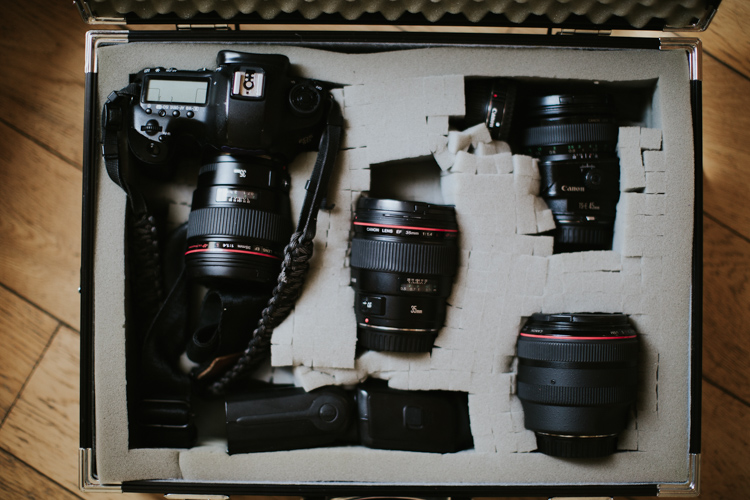
  • 2 Canon Mark IIIs – one for each of us, though sometimes we get crazy and only bring one body.
  • 50mm f/1.2 lens – ALWAYS. We never leave home without this lens as it affords us the greatest flexibility to shoot any scene.
  • 45mm f/2.8 tilt-shift lens – When we travel through cities, having a tilt-shift is ideal for us, and since we also love shooting portraits with it, it somehow became one of our most versatile lenses.

Professional Travel Checklist

  • 2 Canon Mark IIIs
  • 50mm f/1.2 – If pressed, we could probably shoot an entire wedding with it!
  • 45mm f/2.8 tilt-shift – Again, awesome for setting scenes and for individual portraits.
  • 35mm f/1.4 – Shooting couple’s portraits with this one sets a slightly more interesting scene than the 50mm and allows you to get better environmental details. It’s also our go-to for dance floor shots.
  • 85mm f/1.2 – Though we wish this one had a faster focus, it is just nuts how gorgeous this lens is. It takes portraits to an entirely new level. But it also weighs roughly one million pounds, so we use it less often than we’d like because it’s just too heavy for casual personal travel.

travel-safely-with-gear-4

Depending on the size and scope of the project, we may also bring:

  • 70-200mm f/2.8 – This is a battle because we definitely prefer to not carry it. But it’s a great catch-all lens for shooting from the very back of large ceremonies or capturing wedding guests from a distance and staying out of a scene.
  • 17-40mm f/4 (we use this wide-angle lens less and less, but occasionally it provides a good way to grab an entire wedding ceremony or a building from closer up. We’re increasingly turning to our 35mm for the work we used to put on the wide angle.)

Our lighting setups are the most difficult part of travel, and inevitably earn us a long date with security. If we’re bringing our bare minimum, it includes the following:

  • Canon Speedlite 600EX-RTs – We have two matching Speedlites and the ST-E3-RT Transmitter. These serve us well for most weddings, but if we have to bring something a little heftier, we’ll also add . . .
  • Profoto B1 setup – This light is amazing. But it adds one more whole bag to carry on with us and we try to leave it for home studio work as much as possible to reduce our carry-ons. with the Profoto 36″ RFI Octa Softbox. The B1 also requires a . . .
  • C-stand –These are heavy as heck and a huge hassle to fly with, so we normally end up leaving it at home and just renting it wherever we land. For some equipment that is just too bulky, heavy, or awkward, consider the relative costs and benefits of renting it at your shoot location. For us, the $ 20 or so to rent a C-stand far outweighs the hassle of traveling with it.

travel-safely-with-gear-9

Before you leave for any trip, whether personal or professional, it’s imperative to know your ideal outcome for photos. We don’t bring a zoom lens or flashes on personal trips because we don’t shoot wildlife or anything that would require long lenses. We use only ambient light whenever possible and prefer our night photography to only incorporate the light that already sets the scene.

Even for professional projects, we pack very carefully and keep our projects in mind as we put our gear together. Some large weddings or events might require a wide angle lens or a longer zoom, but if we can avoid bringing a lens we will. This requires more work on the planning end, working closely with our clients, and knowing our equipment really well. But it’s worth it when we can pack all of our gear into a little bag and be very confident that we can produce great work with it!

Downsize

On that note, pre-travel is a great time to downsize your gear. Take only what is most important to you, and consider the images you’ll be aiming for while you travel. We never leave home without our 50mm f/1.2, but depending on the kind of trip we may also bring along our tilt-shift lens or our 1950s Yashica film camera as well. You want to have options, but bringing along your entire catalog of gear without a specific plan for it will only add stress to your life. Keep it light, and use what you’ve got.

travel-safely-2

We got this case used for $ 20 at a camera shop and it has the best repackable/removeable foam pads in it.

travel-safely-1


If you’re flying, this is especially true. Keep your gear minimal enough to fit in your carry-on luggage. We would rather crawl to a destination than check a bag containing our most precious gear and let it out of our sight. Yes, it’s a super hassle to run your gear through security (they always seem to be blown away by light sets, old film cameras, and unusual lenses), but it also leads to some good conversations, and the extra time is worth the peace of mind.

Going through customs

A thought on customs forms: If you enter a country that may have an iffy relationship with journalists, lay low and don’t mark “photographer” or “journalist” on their customs forms. Drawing attention to your camera gear and your ability to use it will often create more hassle at the airport when you land. While we don’t encourage anyone to lie on their entry forms, the more you can stay under the radar the better.

travel-safely-with-gear-11

Protect your data

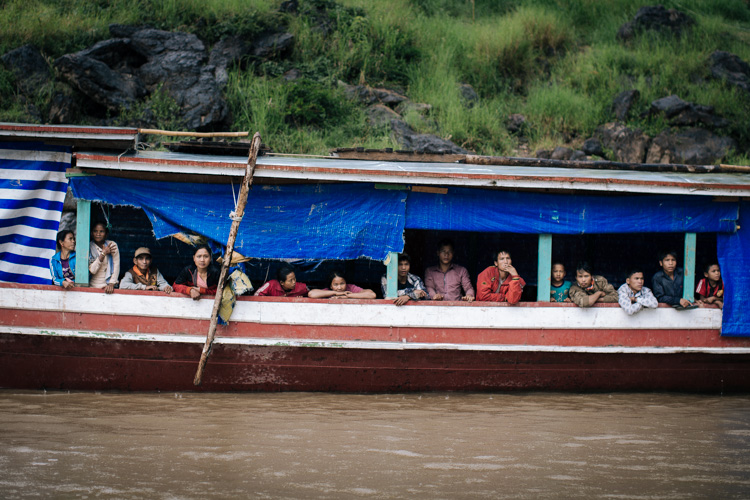
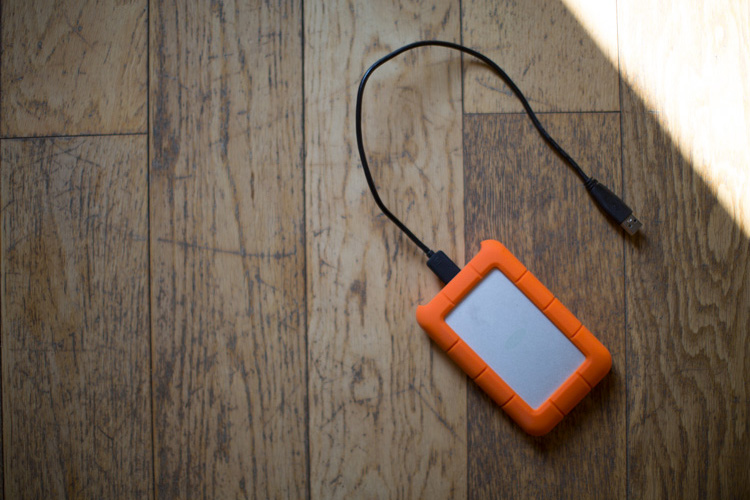
We carry LaCie Rugged hard drives with us everywhere and back up whenever we can. We use online storage when we can find fast internet, but good luck finding wifi strong enough to upload a thousand raw files when you’re high up in the Burmese mountains. I keep track of this thing just as closely as I keep track of my passport. Why LaCie Rugged? The last thing we need is a hard drive failing because the dirt road was too bumpy when it was sitting in the back of some mud covered jeep.

Note: Price LaCie Rugged drives on Amazon.com and B&H Photo’s websites. 

lacie-drive-travel-photography

We also use large memory cards that we back up every night. We always have a backup card in our briefcase, but as long as our cameras are with us, the memory card is as well. 

Make your gear look cheap

Avoid fancy, overdone camera cases and accessories. Anything with brand logos or obviously expensive features will draw attention to you. While you move your gear into your new low-key camera bag (there are lots of solid options out there that look like a regular bag, or you can buy protective inserts to slip into the old backpack that’s already sitting in the back of your closet), make a couple of tweaks to your gear that will instantly make it look less conspicuous:

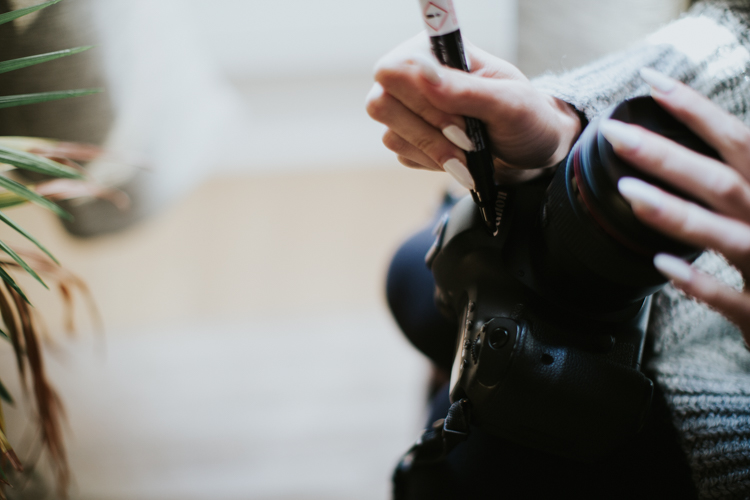
  • Remove your logo-covered camera strap (I mean, unless Canon is paying you to advertise for them, you don’t need their logo on your strap) and replace it with something more personal.Cover up your camera brand on the body with black gaffer’s tape (or even duck tape if you’re super committed). Not having that white print will make your camera look more average and take the attention away from how much you might have paid for it.

travel-safely-with-gear-14

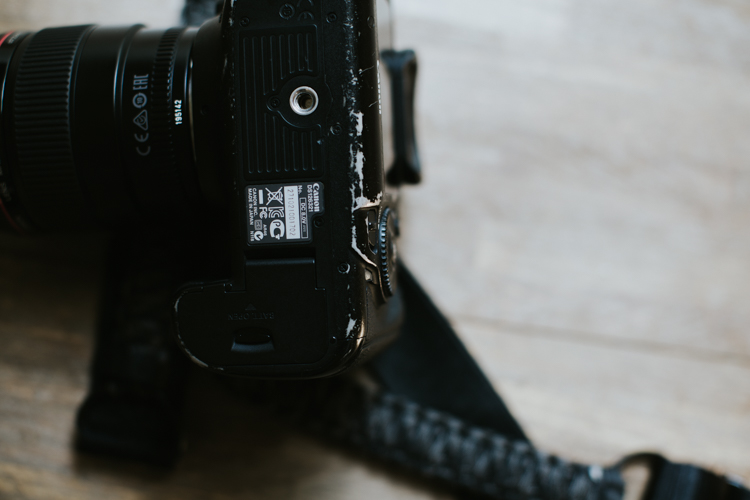
  • Scuff it up, baby! We’ve been shooting on our Canon 5D Mark IIIs for over three years now, and they are certainly showing the wear and tear of being dragged all over the world—and I love it! It’s like that well-worn sweater that everyone else thinks is a bit too beat-up, but you love it more every time you wear it. Those scuffs and marks mean you’re using your gear and that it’s serving you. Don’t rush to polish it up or replace it when it looks old. That charm is hard-earned and will cause anybody eyeing your gear to think it’s worth less than it probably is. Double win.

travel-safely-with-gear-12

Safety at your location

Of course, getting to a place in one piece is only half the battle. Once you’ve landed, you have to keep your wits about you and work wisely. A few brief thoughts on shooting safely once you arrive:

  • Just like at home, don’t display your camera gear in a way that invites attention. Keep it close to your body, on a strap, or zipped into a bag that’s close to you. It’s amazing to me how many people will wander around with their cameras on full display, which doesn’t just make you look like a tourist, it’s inviting thieves to follow you.
  • Don’t talk to strangers about your stuff! We sat next to some drunk and friendly travelers in a bar once who wanted to show us their big zoom lenses they just bought. They made fun of our tiny 50mm, but we couldn’t help but feel like we’d get the last laugh as our camera setup was (though more expensive than theirs) tiny, inconspicuous, and less appealing to thieves who don’t know the difference.travel-safely-with-gear-8
  • A thought on tripods: we never, ever travel with them. They are awkward to set up in public areas, invite unwanted attention, and in 99% of cases aren’t actually necessary. We use makeshift tripods – things like banisters, tables, rocks, bar tops, etc., to get a steady shot when needed. We too often see other photographers making a big deal out of setting up a tripod Hi, thieves! We’re over here!) when they could have gotten just as excellent a shot with a slightly faster shutter speed. Strongly consider whether or not you need a tripod and make the best decision for yourself, and if you do bring one, keep your camera strap around your neck while you shoot
  • While you should always be careful in unsafe neighborhoods, we also recommend that you do not limit yourself to only visiting “safe” areas while you travel. Not only can theft happen anywhere, but you’ll miss some of the best parts of travel if you restrict yourself too much. When shooting in neighborhoods with a higher likelihood of crime, be alert. Walk confidently with your head up and avoid hunching around your gear as if you have something to hide. Keep your bags zipped and always be aware of pick-pockets, no matter where you are. Shoot confidently without inviting too much attention to yourself. 

Conclusion

travel-safely-with-gear-7

Capturing all the beauty and hidden corners of this world is one of the most satisfying things about becoming more proficient with our gear. Though there are risks anytime you leave the house with pricey items strapped to your shoulder, this gear is made to be used, to show some wear and tear, and not to be thought of as so precious that it’s left at home.

How do you protect your gear when you travel? Please share your comments and tips below.

googletag.cmd.push(function() {
tablet_slots.push( googletag.defineSlot( “/1005424/_dPSv4_tab-all-article-bottom_(300×250)”, [300, 250], “pb-ad-78623” ).addService( googletag.pubads() ) ); } );

googletag.cmd.push(function() {
mobile_slots.push( googletag.defineSlot( “/1005424/_dPSv4_mob-all-article-bottom_(300×250)”, [300, 250], “pb-ad-78158” ).addService( googletag.pubads() ) ); } );

The post How to Travel Safely with Your Camera Gear by Tim Sullivan appeared first on Digital Photography School.


Digital Photography School

 
Comments Off on How to Travel Safely with Your Camera Gear

Posted in Photography


Some Tips to Help You Figure Which Camera is Best for You

07 Nov

As far as absolute requirements go, there aren’t many which are needed in order to make a photograph. There is, however, one certain necessity that cannot be dispensed with if you set yourself onto the maddening path of a photographer. You need a camera. Now, it doesn’t really matter which camera you have. A camera is after all just a box with an opening that allows light to pass onto some kind of receptor.

This simplistic technology is the facilitator of every photograph that has ever been made. A camera is indeed just a tool. That being said, there are virtually limitless cameras to choose from in this world. If there’s one question I receive more than any other it is this . . .

Which camera should I buy?

Cameras sony canon which camera is best for you

On its own that is an unanswerable question. You see, as it relates to cameras and photography, the camera you use is utterly dependent on you. This is not a guide for how to choose the right camera from a technical standpoint, nor is it a commentary on what gear is better than any other. This is an article to help you to understand yourself and to that end, the type of camera that will allow you to fulfill whatever needs you have right now, and maybe even beyond.

which camera is best for you - destination journey

There are so many cameras to choose from (remember we’ve said this) that it can quite literally become overwhelming to make a choice. There are point and shoot cameras, cropped sensor digital SLRs, mirrorless cameras, full-frame mirrorless, and so on.

Of those cameras, there are also countless models and variations which muddy the waters even more. Each one essentially performs the same function, which is to make a photograph. Still, each type of camera offers many variables that work for a wide variety of different situations and for different people. But you have to decide which camera fits YOU best.

The biggest hurdle to conquer when choosing a camera is to understand exactly what you want and need. That is not always as easy as it sounds. However, here are some tips to assist in making your decision.

Where do you shoot?

The location where you will be doing most of your shooting takes up a big chunk of the pie when it comes to deciding on a camera.

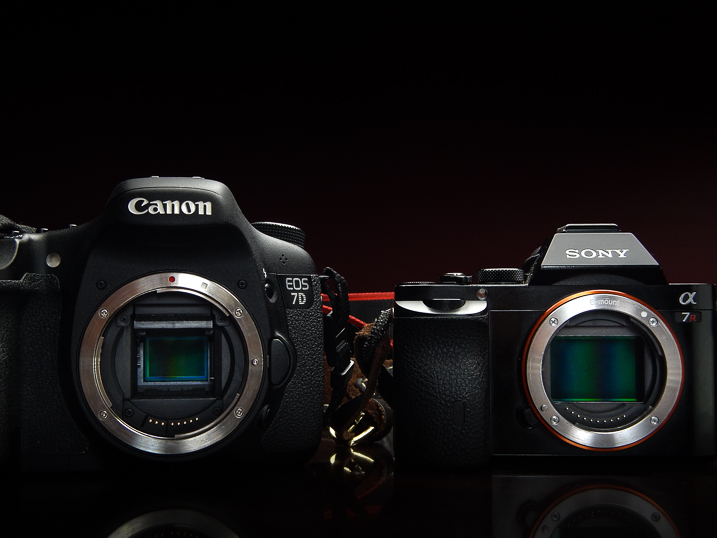
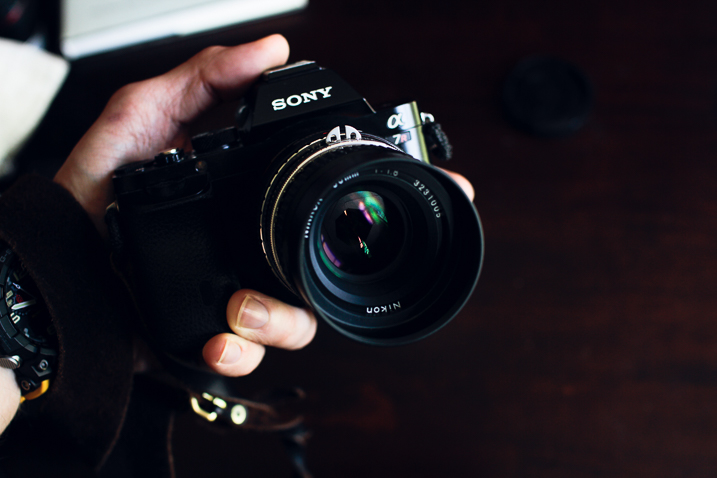
which camera is best for you - Sony a7r camera

Will you be outdoors most of the time or will you be inside in more of a studio-type setting? Do you need weather sealing? How about wireless flash capability? Having an idea of the environment in which you will most often find yourself will help you to better understand the features you may or may not need in a camera.

What will you shoot?

The “what” you will be shooting goes hand-in-hand with the “where.” While it’s not possible to completely predict every subject you will ever photograph it’s still very possible to know what kind of photography you enjoy.

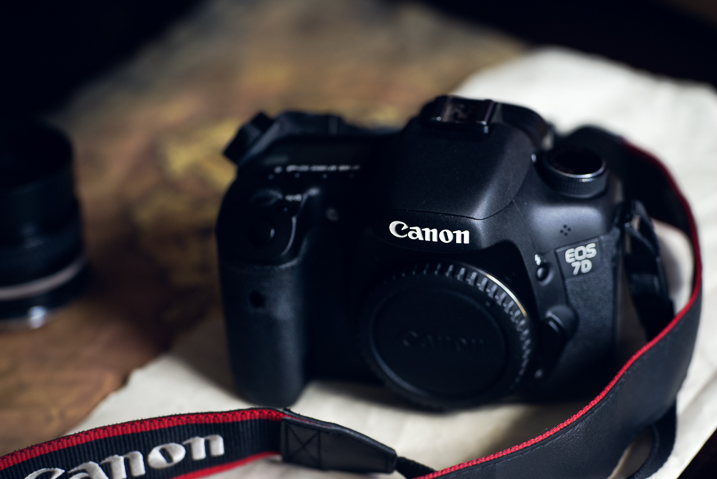
which camera is best for you - Canon 7d camera

If you understand what you like to shoot, then you can move forward in a more educated and deliberate fashion when deciding what camera to buy. If you love street photography then a smaller, more compact system, may be better to carry around for hours on end. Need a lot of resolution for landscapes? Ask yourself what you will use the camera for the most and the choice will become much clearer.

Where are you now in your photographic journey?

It’s a good idea to be constantly self-aware of where you stand in your journey as a photographer. The benefits of constant self-evaluation helps you to grow your skills and refine your craft. It also allows you to know when and if you have surpassed the capabilities of your equipment and need to upgrade. When it comes to finding a camera that fits your current position within the photography world, you must look at the realities of your situation and proceed accordingly.

which camera is best for you

Are you just starting out and need a learning tool? Are you a hobbyist who only shoots occasionally, or have you pushed yourself everyday and now feel like you need a more advanced camera body to facilitate your growing ability? Take stock of yourself and be honest (even brutally) so that you can find the best camera to fit your needs.

Where do you want to take your photography?

Perhaps even more important than learning where you stand in terms of your photography is knowing where you want to take your work. It goes without saying but I’ll say it anyway, that your camera is the link between you and whatever vision you want to express with your images.

which camera is best for you Canon 7d camera

This expression can be personal, commercial, or something in between. Realizing where you want to go and setting goals is paramount in your development as a photographer. Naturally, your choice of camera should reflect this.

I remember when I was starting out on my own journey making photos. I realized that this was something I wanted to pursue seriously. So I invested in a camera that not only fit my needs at the time, but would also grow with me as I moved towards making photography a career. I still have that camera (Canon 7D Mk1) and it still sees a fair amount of use today. It was quite an investment for a lowly college student at the time but it has paid for itself time and time again, not just from a monetary standpoint.

Conclusion

which camera is best for you - Journey photography

The internet is chock full of more reviews and tech write-ups than I can count. So I hope you didn’t come here looking for advice on the latest and greatest advancements in the camera industry. Instead, hopefully you got something much more meaningful from this article; the understanding of how important it is to truly know yourself and what you intend to do with your photography.

Are you a beginner? Are you a hobbyist set on taking your passion to the next level? Or are you still trying to decide if that shiny new dSLR is worth the money just to take pictures of your pet?

Whatever your current situation may be, before you buy a camera be sure you know why, how, and to what end you intend to use it. Take it from me, you can save yourself a lot of regret by simply understanding your own intentions on the front end before making the jump.

googletag.cmd.push(function() {
tablet_slots.push( googletag.defineSlot( “/1005424/_dPSv4_tab-all-article-bottom_(300×250)”, [300, 250], “pb-ad-78623” ).addService( googletag.pubads() ) ); } );

googletag.cmd.push(function() {
mobile_slots.push( googletag.defineSlot( “/1005424/_dPSv4_mob-all-article-bottom_(300×250)”, [300, 250], “pb-ad-78158” ).addService( googletag.pubads() ) ); } );

The post Some Tips to Help You Figure Which Camera is Best for You by Adam Welch appeared first on Digital Photography School.


Digital Photography School

 
Comments Off on Some Tips to Help You Figure Which Camera is Best for You

Posted in Photography