RSS
 

Posts Tagged ‘Camera’

PogoCam is the world’s smallest wearable camera

30 Nov

The PogoCam is tiny personal camera that attaches magnetically to eyewear with a proprietary track called PogoTrack. At 10.9 x 12.5 x 42.8 millimeters, according to its makers it is the currently smallest wearable camera. A proprietary electronic architecture allows for high levels of miniaturization and low power requirements while maintaining comparable image quality, storage capacity and performance to competing products.

The camera comes with a 5 MP sensor and can capture and store 100 still images or up to two minutes of 720p HD video at 30 frames per second before you have to download data to a mobile device, using a cable or Bluetooth connection, and charge the battery. The makers of the device claim that image quality is comparable to a smartphone. However, looking at the PogoCam’s specification this would most likely be a low-end smartphone.  

The camera is water-resistant and recharges in approximately 30 minutes. While attached to the spectacle frames it can be moved backwards towards the wearer’s ears when not in use. It can also be removed quickly to store in a pocket. The PogoCam will retail from $ 129 after its official launch on March 30, 2017 and come with a free pair of non-prescription sunglasses with PogoTrack for initial buyers on the PogoTec website. It seems the PogoCam’s main advantage over the recently announced Snapchat Spectacles is its ability to work with a variety of eyewear frames. That said, we’ll have to wait and see how many frames with the PogoTrack feature consumers will be able to choose from.  

Press Release: 

Personal Photography Redefined With Introduction Of PogoCam

Combining Fashionable Eyewear with World’s Smallest Attachable Camera

ROANOKE, Va., Nov. 29, 2016 /PRNewswire/ — PogoTec today announced the invention of PogoCam™, the world’s smallest wearable camera that attaches to fashionable eyewear. Unlike that of Snap Spectacles which has its camera integrated into one style of eyewear, PogoCam, is easily attachable and detachable to a wide variety of frame styles.

“We are experiencing a turning point that will make hand-held photography cumbersome and obsolete,” said Ron Blum, Founder, President and CEO of PogoTec. “Our eyewear solution goes beyond the capabilities of Snap’s Spectacle product with a more advanced camera that takes still images as well as HD video, attaches easily to many frame styles with or without prescription lenses and matches the fashion style of the user. It’s a tiny, easy-to-use camera designed for everyone. It removes the user from the confines of a viewfinder, allowing people to enjoy and pay attention to the event while capturing it. The user can easily share their images or video with friends and family.”

PogoCam utilizes a proprietary new electronic architecture that allows the highest level of miniaturization with lower power requirements than competitive cameras for the same level of high image resolution, memory capacity and performance. Multiple patent applications have been filed. PogoCam was designed for the mass market at large – those who require prescription eyeglasses and those who do not require prescription eyeglasses. PogoCam’s extremely small size allows it to be worn without distracting from the fashion look of eyewear. Weighing less than two dimes and measuring only 10.9 x 12.5 x 42.8 millimeters, PogoCam attaches magnetically to eyewear having a proprietary track called PogoTrack™. PogoCam allows a user to capture a number of images taken by a typical user during the course of a day. PogoCam allows people to “look and shoot” up to 100 photographs or two minutes of continuous HD video with audio (or 12 ten second clips). When in use, the camera displays a visible courtesy light that blinks allowing those being photographed to know. When not in use or if in an environment where photography is discouraged, it can be slid back on the track or easily removed. PogoCam’s accompanying patent pending mobile app includes auto centering, auto alignment and image rotation – eliminating the need for a camera viewfinder by automating certain post processing adjustments normally required for manual cameras. The image quality is comparable to that of one’s smartphone.

Eyewear with PogoTrack is designed to serve as a universal platform for a wide range of future electronic wearable devices over and beyond the PogoCam camera. Additional potential compatible wearables would, by example only, include an alertness monitor to prevent drivers from falling asleep and a UV meter to prevent sunburn by alerting users when exposed to damaging rays.

PogoTec will be demonstrating and showcasing PogoCam, along with its eyewear partners and a large number of compatible frame styles for prescription eyewear and non-prescription sunglasses, at the ShowStoppers media event in Las Vegas during the 2017 Consumer Electronics Show on Thursday, January 5.

“This is the first practical, high-quality wearable camera for the mass market capable of being worn socially that allows people to experience the moment and at the same time take photos or video with audio,” added Blum. “This is all accomplished while wearing eyewear in the fashion style of their choosing. Just “look and shoot”, the camera and app do the rest of the work for you. Further, our proprietary architecture ensures that PogoCam will remain the smallest wearable camera when comparing image quality, memory, power requirements and performance.”

“Eyeglasses are arguably the world’s oldest, most successful wearable technology,” added Richard Clompus, OD, FAAO, who is VP of Communication and Consumer Interaction for PogoTec. “PogoCam upgrades this wearable platform with the ability to capture visual memories without the intrusion of holding a camera or looking through a view screen. We look forward to introducing additional capabilities and enhancing the value of PogoTrack as a platform for wearable technology.”

In addition to the current offering, PogoTec is exploring options to adapt PogoCam for use in such industries as construction, public safety, industrial, security and medical applications.

About PogoCam
PogoCam was designed for the mass market and is easy to use. It comes equipped with a five megapixel sensor providing quality photos or video comparable to a smartphone. PogoCam is capable of capturing in excess of what a typical user would take per day. PogoCam can capture and store 100 still photographs or up to two minutes of 720p HD video at 30 frames/second with full audio (12 10-second clips) before having to be downloaded and charged. The camera is activated by pressing a single button and images are uploaded to a mobile device. PogoCam’s camera function is focus free with auto- white balance making it easy for the user to capture high quality images and video. Depending upon the accessory case, the images can be downloaded with a wired connection or with Bluetooth to a smartphone. The camera is resistant to water and perspiration and recharges in approximately 30 minutes. PogoCam is designed to attach magnetically to frames having PogoTrack technology. While attached, PogoCam can be moved along the length of the track – allowing the user to bring it forward only when in use. The camera can be attached and removed easily with one hand without removing the frames, allowing it to be stored in a pocket or purse when not recording images.

Distribution
PogoCam and PogoTrack plans to be available at thousands of consumer locations in 2017, including eye care offices and optical shops in the U.S. PogoCam and well-known branded non-prescription sunglasses with PogoTrack will be bundled for sale on the PogoCam ecommerce site, www.PogoCam.com and www.Amazon.com. Prescription eyewear with PogoTrack also plans to be available from optical shops and eye care offices in 2017. PogoTec’s channel partners for optical shops, eye care offices, mass market and specialty retail will be announced at the upcoming Consumer Electronics Show in January 2017. Additional channel partners are being added for 2018 and beyond.

Pricing and Availability
PogoCam will retail for $ 129.00 and up depending upon the model purchased. PogoCam will be officially launched on March 30, 2017at the International Vision Expo East Conference in NYC. When purchasing a PogoCam on PogoTec’s ecommerce site, PogoCam.com, initial customers purchasing PogoCam will receive a free pair of branded non-prescription sunglasses with PogoTrack.

About PogoTec
PogoTec™, Inc is a privately owned company incorporated in Delaware. Its core initiative is to enable electronic wearable devices with a special focus on eyewear. PogoTec’s product offerings consist of; PogoTrack: a proprietary attachment means for attaching electronic wearable devices to eyewear while maintaining the fashion look of eyewear and PogoCam: the world’s smallest look and shoot camera attachable to eyewear. PogoTec’s management team and Board of Directors have extensive experience in creating and commercializing innovation. PogoTec has been extremely diligent in protecting its intellectual property and has numerous patent applications filed around the world. For more information about PogoTec, please visit www.PogoTec.com.

Articles: Digital Photography Review (dpreview.com)
 
Comments Off on PogoCam is the world’s smallest wearable camera

Posted in Uncategorized


4 Tips to Leverage Natural Light Using Just your Camera and One Lens

29 Nov

In photography light is everything. Without light, whether that be artificial or natural, there is no photography. The problem is that sometimes there is just too much or too little, and in both cases, artificial light may need to be added. But what if you don’t have any artificial light available to you? And what if all you have is literally a camera with a lens and nothing else? This article focuses on how you can leverage natural light using just one lens and working without a reflector or a speedlight.

#1 Position your subject in relation to the light

Let’s take a look at these photos below. It was a very sunny day and I wanted to capture the blueness of the sky and the sea as well as the people in the shots. I had a D700 which has a base ISO of 200 and the 50mm 1.4 lens. I have provided the settings below for each photo.

creative-ways-available-light-with-the-50mm_0000

f/5.6 ISO 200, 1/2000th

creative-ways-available-light-with-the-50mm_0000

f/5.6 ISO 200, 1/1250th

creative-ways-available-light-with-the-50mm_0000

f/6.3 ISO 200, 1/2000th

These settings are okay on a very sunny day if you shoot with the sun positioned behind you shining towards your subject. In this case the sea and sky, which also illuminated the people that I wanted to be in the photo.

Lighting position

While these photos are fine, there are a few issues. First, put simply, when this is the lighting position, anyone, and any camera can take these types of photos. You can shoot in automatic mode and the photos would look the same. Mobile phones nowadays can take even more amazing photos in this situation where there is a huge amount of light hitting the subject and the background directly.

I love these types of photos for travel photography, high contrast shots and snapshots that would make me remember such scenes. But if I am after portraits, would I hire a professional photographer who would give me photos that anyone can take? Definitely not! Sure, the occasional lifestyle snapshot in this lighting is acceptable such as this one directly below shot at f/2.5 ISO 200, 1/2500th. But I would not want proper portraits of my family to be taken in this lighting situation.

creative-ways-available-light-with-the-50mm_0000

creative-ways-available-light-with-the-50mm_0000

creative-ways-available-light-with-the-50mm_0000

Harsh shadows

The second issue is the harsh shadows. As a professional photographer, this would never be my lighting position for people or portraits. Even if the sun was coming in at a side-angle, undiffused sunlight directly hitting the subject still produces harsh shadows and hotspots. I would prefer for the sun to be behind the subjects, also known as backlighting, rather than directly in front of them.

If your intention is to take nicely lit portraits with a background that is not blown out, for backlighting to work, you would need to have a big enough flash or reflector to illuminate your subject to avoid silhouettes. Conversely, you can simply expose for your subject but you will have to blow out (overexpose) the background. Therefore, you end up with a white sky rather than a blue sky.

An example of backlighting is this sunset photo below. The houses and the boats were not illuminated. I was too far away for my pop-up flash to be of any help, and I didn’t have a tripod for a long exposure and smaller aperture. But I still wanted to capture some of the soft sky color along with the sunset. Balancing the exposure was tricky and I ended up shooting this image with the following settings; f/5, ISO 200, 1/320th. While the ambient light of the sunset was captured, the other elements in the photo were too dark and ended up almost like silhouettes.

creative-ways-available-light-with-the-50mm_0000

What if you have nothing else but a camera and lens with you? You do not want all your photos to be silhouettes when shooting backlit, or too dark when shooting in the shade. So what you can do is leverage your surroundings by positioning your subject carefully in relation to the light. If you have to shoot backlit portraits in a situation similar to above, shoot an intentional silhouette or use your flash for fill light (more on this below).

If you’re doing portraits where you want to focus on well-exposed faces, avoid positioning your subject where they are facing the sun which results in harsh light and shadows. On a very sunny day, you may want to wait for the golden hour – the time shortly after sunrise or before sunset –  when the sun is much lower on the horizon and the light is much softer. This yields a light that is much more flattering for portraits. If it is a bright but overcast day, the clouds act as a huge diffuser and the shadows are not as harsh so it is easier to photograph portraits in those conditions.

#2 Look for ideal light

Ideal light is often indirect, reflected, or subtractive light. This can take various forms:

  • Indirect lighting can be the soft diffused light coming from a window.
  • Reflected light can be that bouncing off a white floor, wall, bright sand, or from white or light-colored clothing you are wearing.
  • Subtractive light can be achieved by blocking the light with a diffuser, umbrella or a flag (any flat black object large enough to block any direct light hitting your subject).

Get out of the sun

As this article does not involve any equipment other than your camera and lens, instead of blocking the light, I positioned my subject in the shade. So that instead of subtracting light from my subject, I subtracted my subject from the light and put her in the shade.

In this example below, it was a very bright day and I did not want any direct light falling on my daughter’s face. I put her completely in the shade but deliberately next to the caravan wall which was light beige. There is some reflected light from the side that helps illuminate her face and the generally shadowed area we were in.

creative-ways-available-light-with-the-50mm_0000

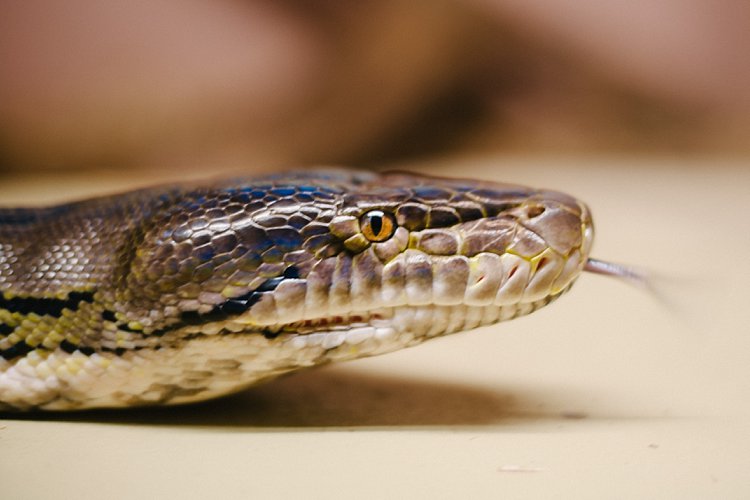
In this photo below taken in the zoo, there was no natural light at all. A fluorescent light illuminated the box where the snake was. You can see this white light reflected on the top part of the snake’s eye (catchlight). I waited for the snake to get into this position and used the light which was bouncing from the ceiling onto him to get this shot.

creative-ways-available-light-with-the-50mm_0000

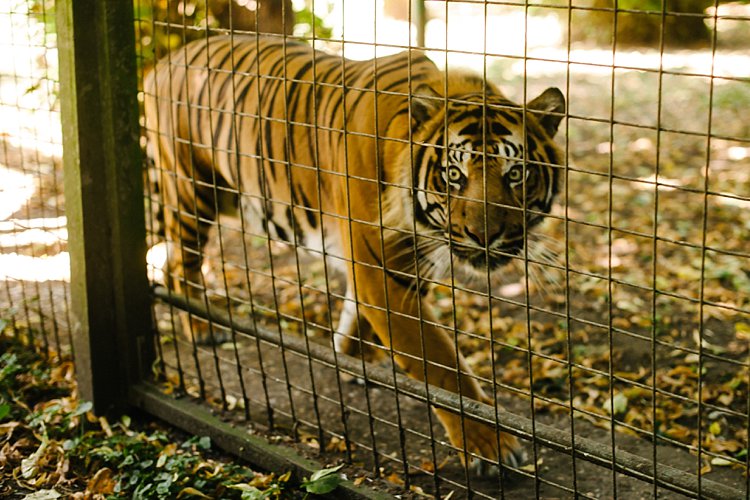
In this photo below, there was no ideal light! We were in a pretty darkly shaded area and the enclosure was mottled with spots of sun and shade. I positioned myself where I knew I could catch a good close up of the tiger in complete shade and waited for it to pass by.  The contrast between the light and shade was so strong that had I taken the photo of the tiger with his body in half sun and half shade, it would not have come out well at all.

creative-ways-available-light-with-the-50mm_0000

#3 Use your pop-up flash as fill light

Now I know that photographers are sometimes funny (and snobby) about using the camera’s built-in pop-up flash. I am one of those photographers, with good reasons. The camera’s pop-up flash blasts light directly onto your subject. It gives you a rather flat and unflattering light with a harsh shadow around the jaw and head to boot. Unless your intention is to shoot like this such as some fashion houses do (and they do it so professionally by the way), then this is a no-no in portrait photography. Ideally, you want the light bounced and angled – anything but aimed directly from the camera toward the subject.

However, I do use my pop-up flash quite a bit! In fact, I use it when I don’t have a flash gun (speedlight) and I’m shooting backlit, especially when the sun is strong. And I have no qualms using it as a direct light in this situation because the camera’s flash is not strong enough to overpower the sun anyway. So the most you get out of it is a little bit of fill light.

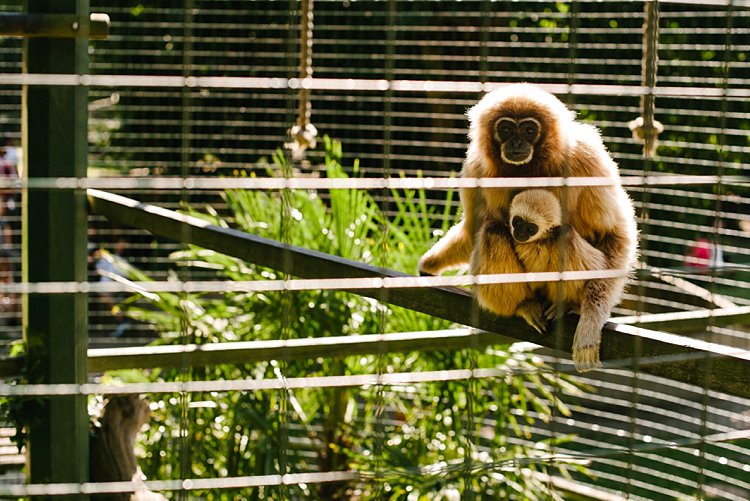
Take this photo of the monkeys below. Had I not used my pop-up flash, there would have been no detail captured on the monkey’s face at all. The sun was too powerful that the pop-up flash could never have flattened the face and created harsh shadows anyway, and I was also too far away from the monkeys for that to happen.

creative-ways-available-light-with-the-50mm_0000

Using the pop-up flash is a fast and easy way to add light. Just be mindful of the caveats and be circumspect when using it.

#4 Try long exposures to capture natural light

Shutter speed has everything to do with ambient light regardless of whether you are doing long exposures or using on-camera, off-camera, or pop-up flash. In fact, with regards to the latter three, flash exposure is completely unaffected by shutter speed.

With long exposures, you can take photos even when very little light is available. You need a tripod, or something steady and flat to rest your camera on like a table or chair, and you’re good to go. So why would you want to slow down your shutter speed and when must you do it? Do it when you want to capture the ambient light.

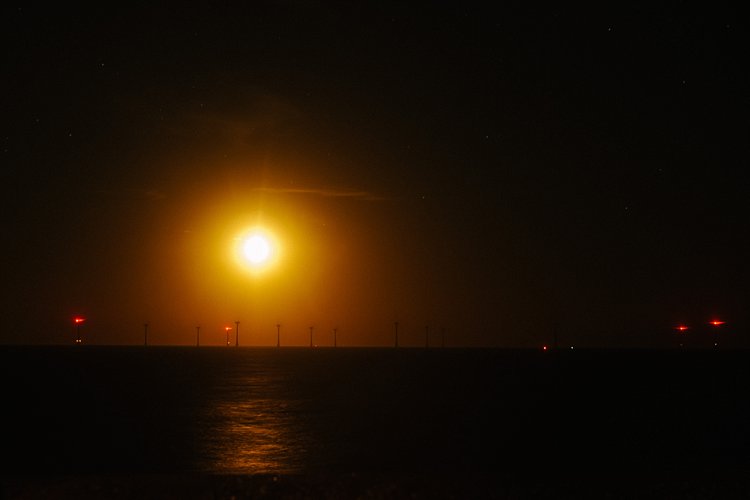
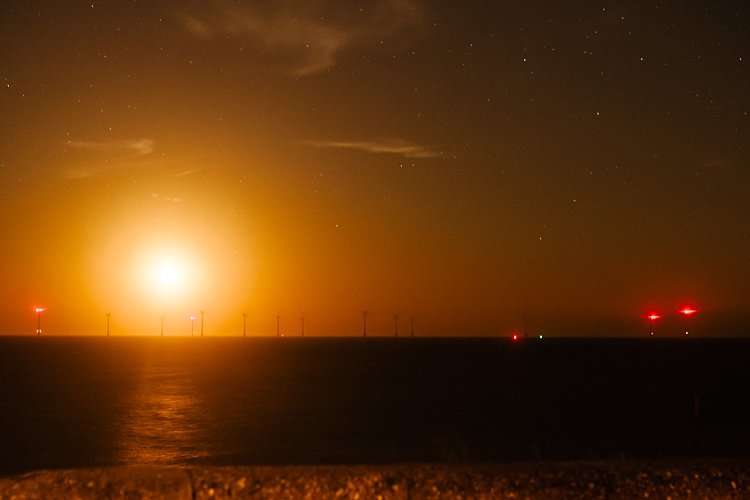
Armed with just a 50mm and the camera placed on a steady surface, I slowed my shutter speed right down to a few seconds using the bulb setting. I may have captured the moon rising but the sky is pitch black and not enough ambient light was captured. My shutter speed might have been slow but not slow enough. Ambient light was very crucial here because there were stars in the sky.

creative-ways-available-light-with-the-50mm_0000

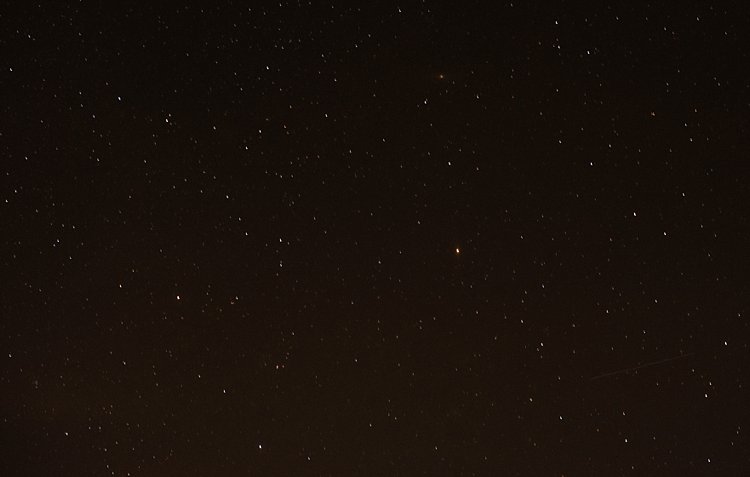
In contrast to the above, the photo below is the same scene photographed with a much slower shutter speed so that the stars are visible.

creative-ways-available-light-with-the-50mm_0000

Even with just the 50mm you can photograph the starry sky such as below. However, don’t go over 10 seconds as you would then start capturing the star trails.

creative-ways-available-light-with-the-50mm_0000

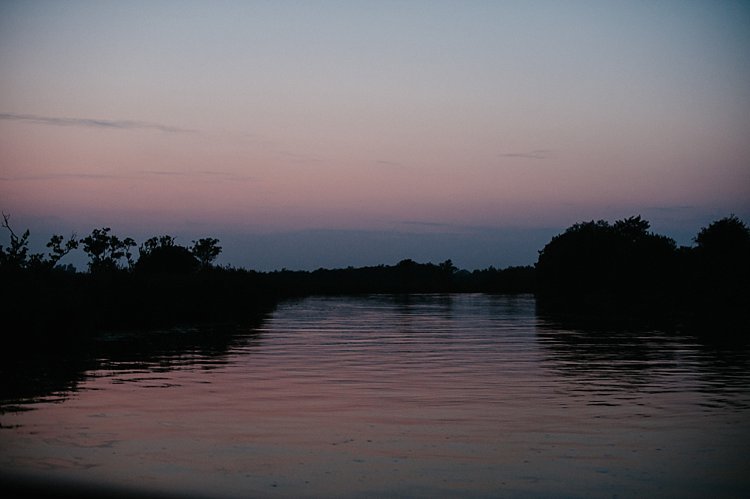
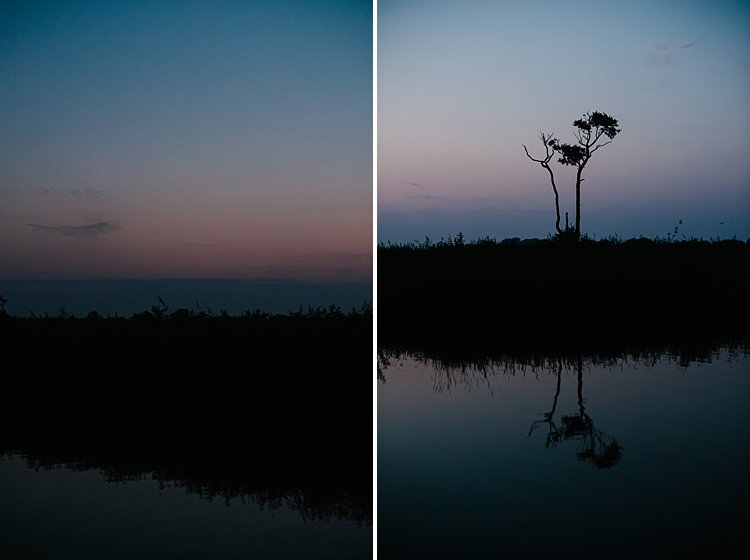
Using shutter speed wisely and skillfully is a great tool for capturing mood, color, and ambient light, even when there is very little of it. There is some light you don’t ever want to kill such as the soft evening light just after sunset. These photos were taken simply with a camera with a 50mm lens at a slow shutter speed, a wide aperture, and a fairly high ISO (as I was on a slow moving boat). These images were shot at;  f/2.5, ISO 2500, 1/100th. A faster shutter speed would have killed this light and rendered the sky pitch black. Too slow I would have run the risk of blurry photos due to the moving boat.

creative-ways-available-light-with-the-50mm_0000

creative-ways-available-light-with-the-50mm_0000

creative-ways-available-light-with-the-50mm_0000

creative-ways-available-light-with-the-50mm_0000

googletag.cmd.push(function() {
tablet_slots.push( googletag.defineSlot( “/1005424/_dPSv4_tab-all-article-bottom_(300×250)”, [300, 250], “pb-ad-78623” ).addService( googletag.pubads() ) ); } );

googletag.cmd.push(function() {
mobile_slots.push( googletag.defineSlot( “/1005424/_dPSv4_mob-all-article-bottom_(300×250)”, [300, 250], “pb-ad-78158” ).addService( googletag.pubads() ) ); } );

The post 4 Tips to Leverage Natural Light Using Just your Camera and One Lens by Lily Sawyer appeared first on Digital Photography School.


Digital Photography School

 
Comments Off on 4 Tips to Leverage Natural Light Using Just your Camera and One Lens

Posted in Photography


Chronos high-speed camera hits crowdfunding goal in record time

26 Nov

The Chronos 1.4 affordable high-speed camera that created some buzz on the internet about a month ago has now made it onto Kickstarter and reached its funding goal of approximately $ 48,000 in only 5 hours. The Chronos 1.4 can shoot high-speed video with 1,957 fps at its full resolution of 1280 × 1024 pixels, and up to 21,600 fps at lower resolutions. 

The Chronos captures its footage on a 8.45 x 6.76mm sensor with a 6.6um pixel pitch. A global shutter means that leaning verticals won’t be an issue and the electronic shutter achieves a fastest speed of 1/500,000 sec. The sensitivity can be adjusted between ISO 320-5120 when shooting in color and 740-11840 in monochrome mode. The camera takes C and CS-mount video lenses and comes with a 5″ 800×480 touchscreen, an SD-card slot, audio IO connector, built-in microphone and HDMI out. Power is supplied by a standard Nikon camera battery. 

If you want to support the project and reserve a Chronos 1.4, you can do so by pledging approximately $ 3,000, a fraction of the cost of other pro-level high-speed cameras, on the Chronos Kickstarter page. Shipping of the first units is planned for March 2017. You can find more information on the Chronos website, some sample footage can be seen in the video below.

Articles: Digital Photography Review (dpreview.com)

 
Comments Off on Chronos high-speed camera hits crowdfunding goal in record time

Posted in Uncategorized


Sony Xperia XZ camera review

25 Nov

$ (document).ready(function() { SampleGalleryV2({“containerId”:”embeddedSampleGallery_3336540306″,”galleryId”:”3336540306″,”isEmbeddedWidget”:true,”standalone”:false,”selectedImageIndex”:0,”startInCommentsView”:false,”isMobile”:false}) });

The Xperia XZ is the top-of-the-line model in Sony’s Xperia X series and comes with some of the latest technologies implemented in its camera module. A Sony IMX300 1/2.3” 23MP image sensor with on-sensor phase detection is accompanied by a laser that measures distance to its subject to improve AF speed and accuracy in low light. Also on board is an RGBC-IR sensor that measures the color values of a scene in order to fine-tune the white balance system. The hybrid AF-system is also predictive and can track subjects in motion.

The Sony G lens comes with a 24mm equivalent focal length and an F2.0 aperture. In video mode, the camera can record footage in 4K resolution and the Xperia XZ is also the first device on which Sony has implemented 5-axis electronic video stabilization. At the front there is a 13MP 1/3″ sensor with F2.0 aperture and 1080p video – specifications that would have been worthy of a main camera not too long ago.

Processor and other components match the high-end characteristics of the camera and all the technology is wrapped up in an 8.1mm thin metal body that is water and dust tight (IP65/68). The Sony is also one of only a few smartphones to come with a dedicated camera button, making it an interesting option for any photography-oriented user.

Key Photographic / Video Specifications

  • Sony IMX300 1/2.3” 23MP BSI CMOS sensor
  • 24mm equivalent focal length
  • F2.0 aperture
  • AF with on-sensor phase detection and laser-assistance
  • Subject tracking
  • RGBC-IR sensor
  • Manual control over shooting parameters
  • 4K video at 30 fps
  • 5-axis electronic video stabilization
  • 13MP front camera, F2.0, 22mm equivalent focal length

Other Specifications

  • 5.2-inch 1080p IPS screen 
  • Qualcomm Snapdragon 820 chipset
  • 3GB RAM
  • 32/64GB storage
  • MicroSD support
  • 2,900mAh battery
  • Environmental protection  (IP65/68)
  • Fingerprint reader

DPReview smartphone reviews are written with the needs of photographers in mind. We focus on camera features, performance, and image quality.

Articles: Digital Photography Review (dpreview.com)
 
Comments Off on Sony Xperia XZ camera review

Posted in Uncategorized


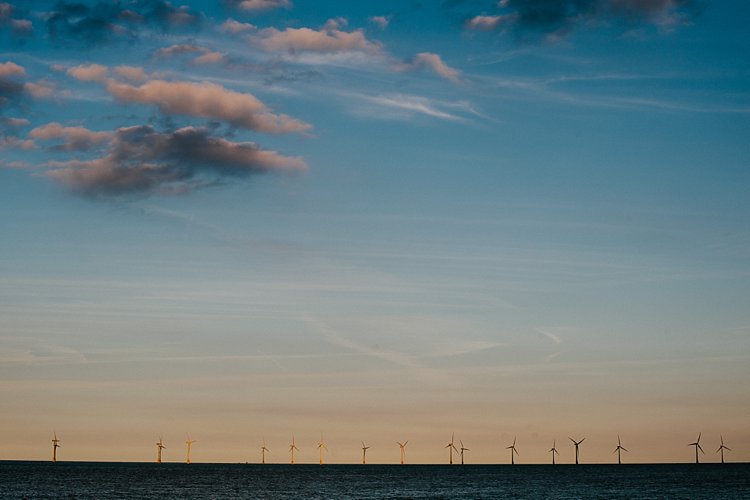
Which instant camera should I buy? 2016 Instax mini roundup

24 Nov

Instax Roundup 2016

Let’s face it, it seems a little odd that a site called Digital Photography Review would dare take a step backward in to the world of analog photography. But truth be told, we all were delighted by handling physical prints from these cameras. Some of our editors began their careers in a darkroom, and with Instax mini images there’s just a little zest of the ‘magic’ of development as an image first appears. After that’s over, you’re left with a business-card sized talisman, artwork, souvenir, memory, or whatever else a photograph can become.

It’s not just us who are hooked on the smiles and joy instant photography can bring; sales of Fujifilm Instax cameras are expected to reach 5 million units this year, and they’re not even the sole manufacturer of cameras that use the format. 

Plus, the affordable options make great gifts, and are some of the cheapest ways to give the gift of photography over the holiday season. So we wondered: which one is best? 

We decided to step into the world of instant for a few days to find out which camera is best for gifting to newcomers, and which is best for a photographer to gift to themselves. We selected eight cameras that all use the Instax mini format – which is now available in color and black and white (purists rejoice!) – and spent a little time with each to find out which is most fun, and which one is most rewarding. 

The contenders are:

Fujifilm Instax mini 8
Fujifilm Instax mini 70
Fujifilm Instax mini 90
Lomography L’instant
Lomography L’instant Automat
Lomography LC-A+ Instant Back
Leica Sofort
MiNT InstantFlex TL70

Articles: Digital Photography Review (dpreview.com)
 
Comments Off on Which instant camera should I buy? 2016 Instax mini roundup

Posted in Uncategorized


Camera Roundups updated for the holidays

24 Nov

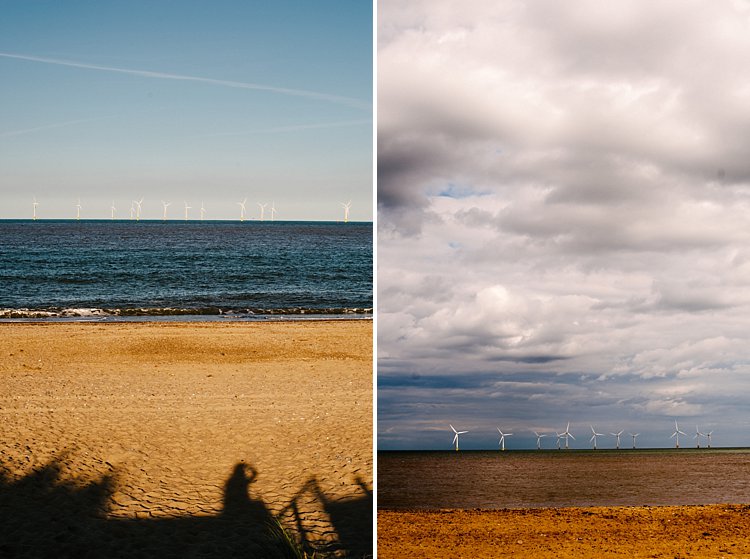
Just in time for the holiday shopping rush, we’ve updated our camera roundups. We’ve distilled everything we know about just about every camera on the market and recommended the models that stood out for us.

Never before has the market offered such a broad range of capable cameras, whether that’s in terms of video shooting, autofocus performance or pocketable image quality. So, no matter what your budget, there should be something that suits your needs, whether you’re looking to explore new creative avenues, grab some better snaps than your phone can offer or just reinvigorate your love of photography.

Whether you’re shopping for yourself or someone else, our roundups are written to tell you what you need to know, to help you make the most informed choice possible. We hope you find them useful:


Compact and fixed-lens cameras:

  • Consumer long-zoom camera roundup
  • Compact enthusiast camera roundup
  • Enthusiast long-zoom camera roundup
  • Fixed, prime lens camera roundup
  • 4K action camera roundup

Interchangeable lens cameras:

  • Interchangeable lens cameras around $ 500
  • Interchangeable lens cameras $ 500-900
  • Interchangeable lens cameras $ 900-1200
  • Crop-sensor ILCs, $ 1200-2000
  • Full frame ILCs $ 1200-2000
  • Semi-pro ILCs, $ 2000+

Articles: Digital Photography Review (dpreview.com)
 
Comments Off on Camera Roundups updated for the holidays

Posted in Uncategorized


SeaLife’s DC2000 underwater camera sports a 1″ sensor and dives 60m deep

24 Nov

Underwater camera maker SeaLife has launched the DC2000, a 1″ 20MP compact with a waterproof housing rated to 60m / 200ft. The DC2000 is available for pre-order and comes alone or as part of three different sets with lighting equipment bundled.

The DC2000 uses a 1″-type backside-illuminated 20MP Sony CMOS sensor and supports video recording at up to 1080/60p. This is joined by a 31mm equiv. F1.8 7-element aspheric lens that can be paired with an optional wide-angle 110-degree fisheye lens or compact wide-angle 90-degree lens. 

The DC2000 camera is paired with an underwater housing made specifically for the model; it supports water depths as deep as 60m / 200ft. Four underwater camera modes are available with integrated color corrections: external flash, external light, dive, and snorkel. These are joined by 25 ‘Land Scene’ modes for shooting on land. Pre-shooting, time lapse, GIF, and continuous burst mode are also available.

According to SeaLife, the DC2000 features sensor-shift image stabilization, support for shooting in both DNG Raw and JPEG, and a dial for manually selecting one of eight shooting modes. Features can also be accessed via the 3″ 920k-dot rear LCD. Finally, content is stored to an SD card.

SeaLife is offering the DC2000 camera as part of three sets:

  • DC2000 Pro Light with a Sea Dragon 2500 COB LED Light ($ 1100)
  • DC2000 Pro Flash with a Sea Dragon Flash ($ 1000)
  • DC2000 Pro Duo with a Sea Dragon Flash and 2300 Auto LED Light ($ 1400)

The DC2000 camera without lighting accessories is priced at $ 700. All four products are available for pre-order now through select retailers including B&H Photo. 

Articles: Digital Photography Review (dpreview.com)

 
Comments Off on SeaLife’s DC2000 underwater camera sports a 1″ sensor and dives 60m deep

Posted in Uncategorized


How to Make a Pinhole Camera with a DSLR Body Cap

23 Nov

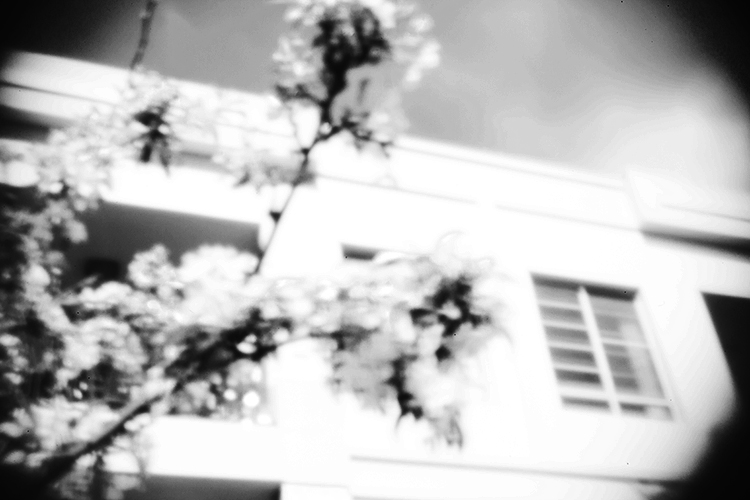
Pinhole photography is a lensless form of photography. Essentially, the pinhole camera is a lightproof box with a tiny aperture and a photosensitive material positioned inside. Light passes through the aperture and projects an inverted image onto the interior of the box where the photosensitive material is fixed. You can make a pinhole camera out of practically anything, and the results are unique and often surprising.

digital-pinhole-13

Analog ideas in a digital world

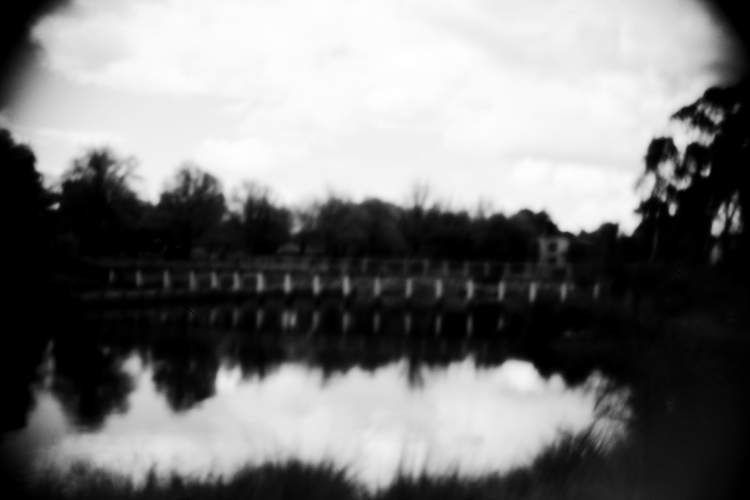
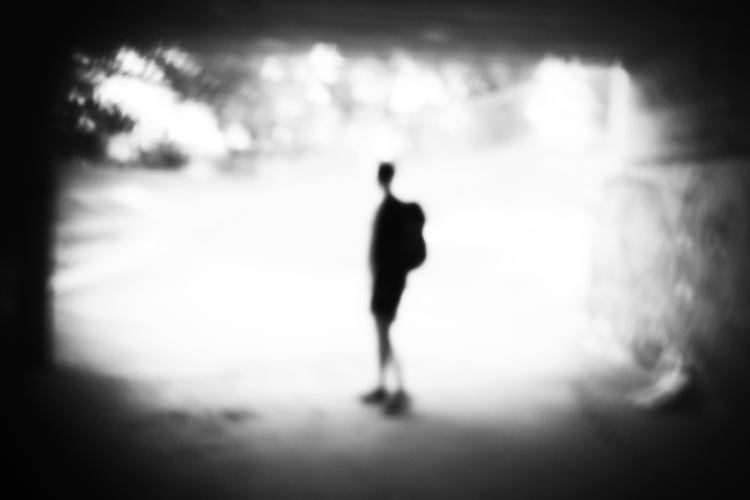
Modifying your DSLR camera’s body cap to create a pinhole effect is a simple project that allows for real-time adjustments that the analog process doesn’t. As long as you can spare a body cap you can do this. The lens emulates the distinctive vignette and softness of a pinhole photograph in a fraction of the time and is great for adding an abstract or surreal quality to an image. While the digital technique isn’t the same as a classic biscuit-tin camera, your home-made lens makes for a dynamic approach to a nostalgic analog process. Plus, the unpredictability of the results adds an interesting twist to your digital practice.

digital-pinhole-15

You will need:

  • A DSLR camera
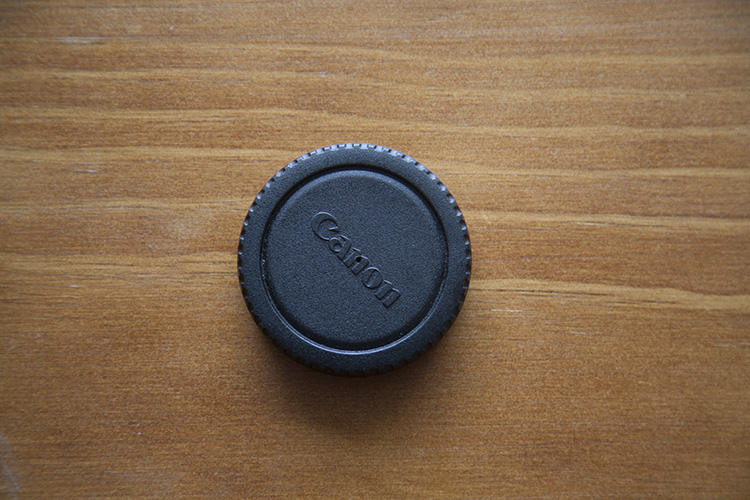
  • One body cap that fits the body of the camera you are going to use
  • One drill and a drill bit
  • A needle
  • Aluminum foil
  • Sticky tape
  • Blu-Tack

Method

Mark out the center of the body cap and make an indent by pressing the tip of the drill bit into the center mark. It’s important to make a hole in the center of the body cap or you won’t get the full effect. Drill a 1/4″ or 6.35mm hole in the center of the cap. Make sure the hole is clear of any swarf (chips) or sharp ridges left behind by the drill.

digital-pinhole-06

digital-pinhole-07

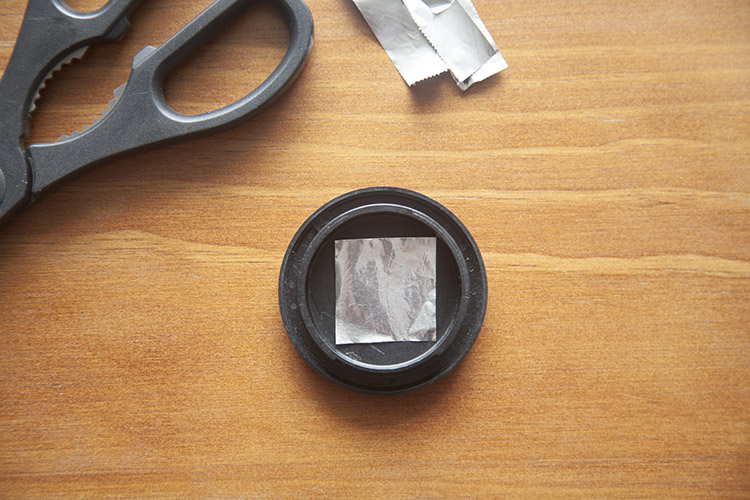
Cut a small piece of aluminum foil to fit inside the edges of the cap.

digital-pinhole-08

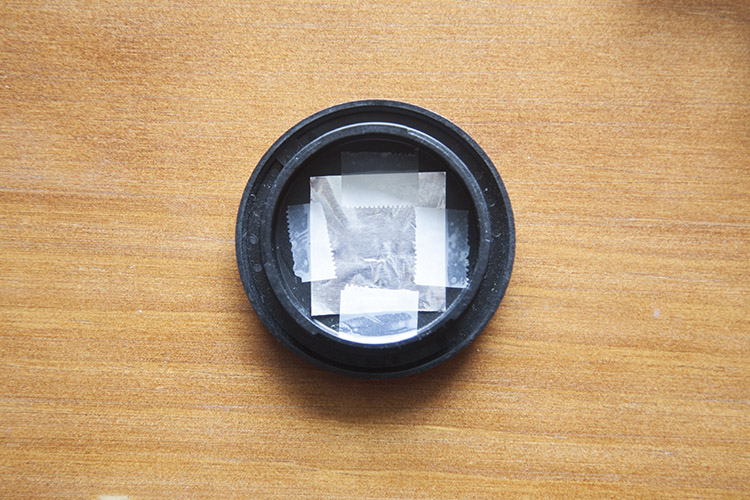
Tape the foil onto the inside of the cap, keeping the sheet taut.

digital-pinhole-10

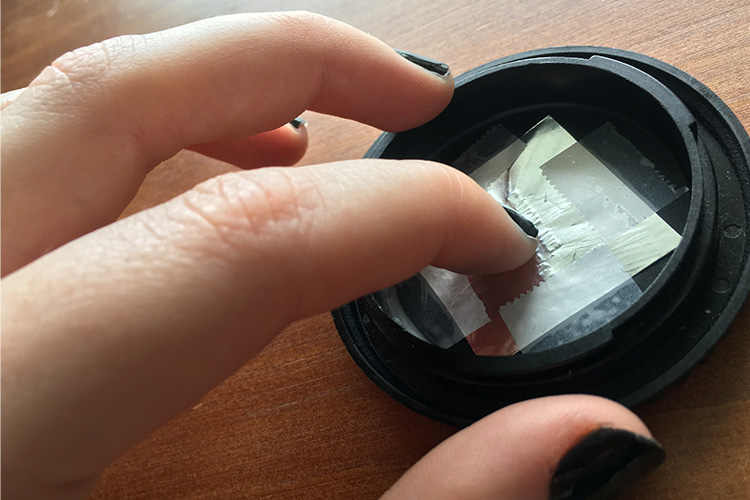
To create an outline of the drilled hole, gently press the foil into the body cap with your finger,

digital-pinhole-11

digital-pinhole-09

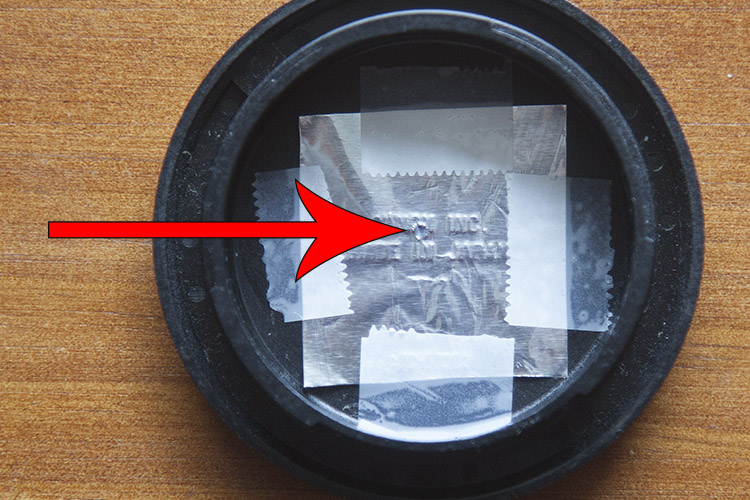
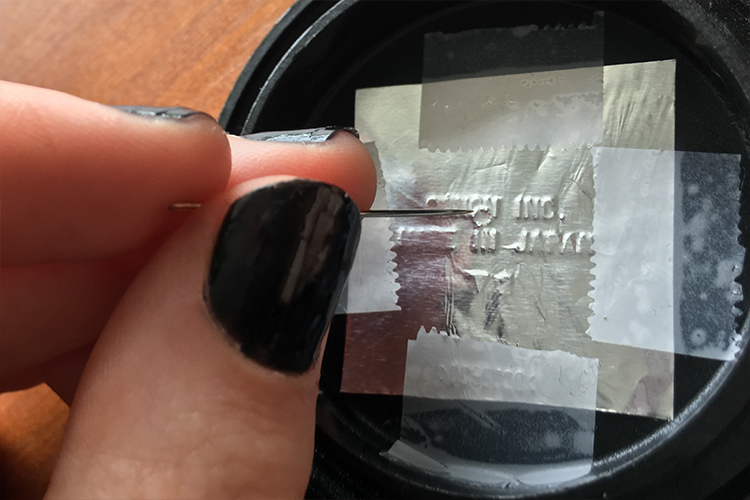
Now, have a look at the outline of the drilled hole. With a small sewing needle, prick a tiny hole in the center of the outline.

digital-pinhole-12

The smaller the aperture, the sharper the photograph, so use the very tip of the needle to make a hole. Make sure no foil hangs over the newly pricked hole as this could compromise image quality.

Shooting with your pinhole camera

Before attaching the cap onto the camera body, be sure to thoroughly clean the body cap of dust and residue. Keep a bit of Blu-Tack with you to cover the hole when the camera isn’t in use.

The tiny aperture in our pinhole lens allows significantly less light to hit the sensor than a conventional lens, so exposures must be longer to compensate. When I’m out in the field, I set my ISO to 500 so the sensor will be more sensitive to the light that does reach it, without too much digital noise in the image. I also set my camera to aperture priority (A on Nikon and Sony, and Av for Canon and Pentax) so that I can adjust the exposure easily, and the shutter speed will adjust automatically.

In dark, indoor conditions, my shutter speed settings can go as low as 8 seconds. On bright days outdoors I photograph at 1/30 of a second but shutter speeds of up to 1/8000th of a second can be used to photograph bright subjects like the sun. At first, it will feel a bit trial-and-error, but half the fun is in the experimentation and you will quickly get a feel for it. Tripods are handy, but in-camera movement can have some neat results too, so don’t be afraid to experiment.

digital-pinhole-01

digital-pinhole-02

Also due to the small aperture of the pinhole lens, dust specks are more visible than images taken with a conventional lens. Don’t panic, it’s not the sign of a dirty sensor! Use Photoshop or a similar program to remove spots via the Spot Healing Tool. While you’re at it, give the colors in your image a bit of a boost with the Curves tool to make your images really pop, or convert an image to black and white for a traditional analog feel.

Conclusion

This project is quick, easy and fun, but it also yields fascinating and unexpected results. Much like its analog counterpart, I found that this method requires the user to relax and enjoy the experimental process and hone in on their photographic senses, rather than pouring over the details.

I found that my best images were the ones I took spontaneously, often having to quickly guess the appropriate exposure and shoot from the hip. Also, I was compelled by the new perspective that the combination of camera movement, long exposure, the limited field of view, and minimal technical adjustment delivered. 

Have fun and share your results in the comments below.

digital-pinhole-04

This photograph of leafy branches was taken with a 2 second exposure on an overcast day. The soft focus of our modified lens and the moment of the branches lends a painterly quality to the image.

digital-pinhole-14


digital-pinhole-16

digital-pinhole-03

digital-pinhole-05

googletag.cmd.push(function() {
tablet_slots.push( googletag.defineSlot( “/1005424/_dPSv4_tab-all-article-bottom_(300×250)”, [300, 250], “pb-ad-78623” ).addService( googletag.pubads() ) ); } );

googletag.cmd.push(function() {
mobile_slots.push( googletag.defineSlot( “/1005424/_dPSv4_mob-all-article-bottom_(300×250)”, [300, 250], “pb-ad-78158” ).addService( googletag.pubads() ) ); } );

The post How to Make a Pinhole Camera with a DSLR Body Cap by Megan Kennedy appeared first on Digital Photography School.


Digital Photography School

 
Comments Off on How to Make a Pinhole Camera with a DSLR Body Cap

Posted in Photography


2016 Roundup: Best Camera Drones Under $1500

23 Nov

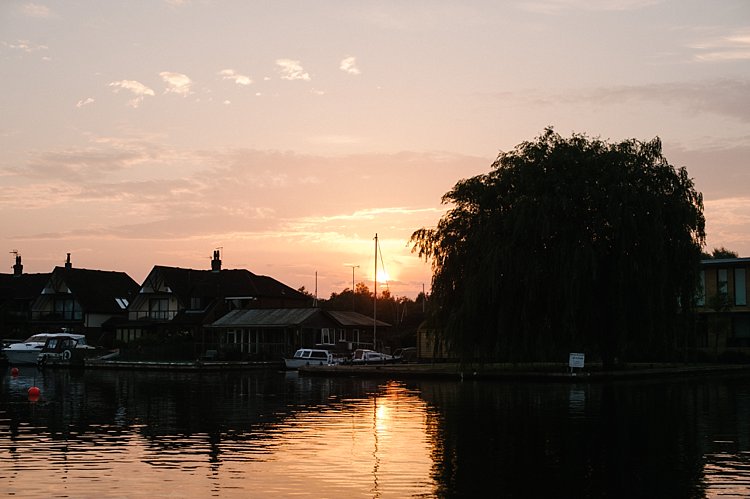
The past few years have seen an explosion in the popularity of drones, and they’re being used for everything from video production to aerial panoramas. It’s an exciting time to dive into this technology.

Drones can be expensive, but there are good values to be had, even under $ 1500. In fact, some of the models in this round-up have been used for prize-winning photography as well as for major feature films.

Before buying a drone, think about how you intend to use it. Some are better for video, while others may be better for pictures. Some still photographers prefer to shoot with 4K video and ‘frame grab.’ As with any tool it’s about picking what’s right for you.

One thing to remember is that specifications are designed to catch your eye. But remember, as with any camera, it’s not all about a single specification; it’s about combining the features and specifications that matter most to you and meet your needs.

In addition to core specs, many drones have features such as ‘follow-me’ or subject tracking modes that can be used to make operation easier, or even automate shots. For instance, if you want to shoot video but have a difficult time orbiting, spiraling, or doing a fly-by pan while keeping your subject in frame, these features can be an immense help (if they work properly). Also, consider how easy a drone is to fly. The guidance system and stability of the drone will help determine this.

It’s a crowded market and there are a lot of drones available for under $ 1500, but we’ll take a look at some of the most common models you’re likely to run into:

  • Parrot Bebop 2
  • DJI Phantom 3 Series
  • 3D Robotics Solo
  • Yuneec Q500 Typhoon 4K
  • Yuneec Typhoon H 4K
  • DJI Mavic Pro
  • DJI Phantom 4 and Phantom 4 Pro

Finally, we’ll try to help answer the question “Which drone should I buy?”

Articles: Digital Photography Review (dpreview.com)
 
Comments Off on 2016 Roundup: Best Camera Drones Under $1500

Posted in Uncategorized


How to do Light Painting by Rotating the Camera

22 Nov

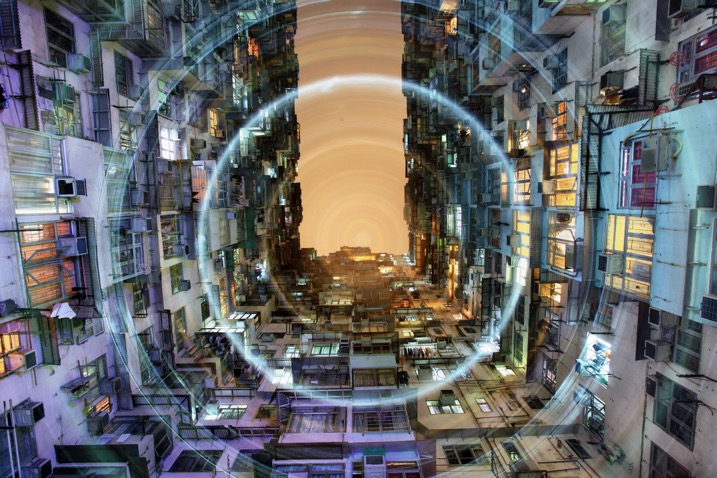
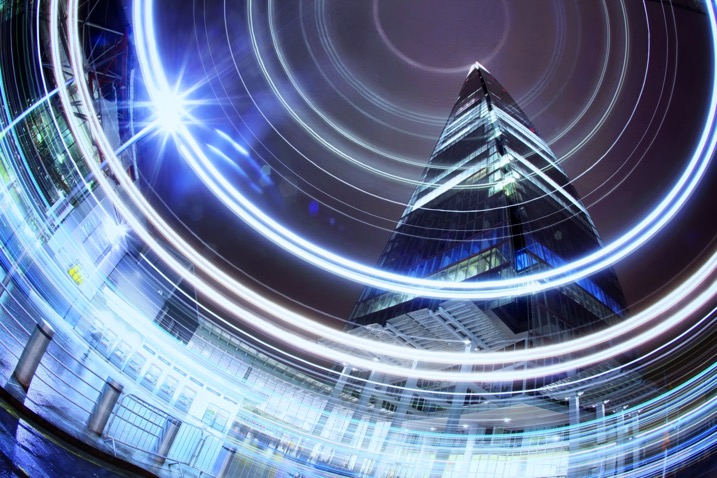
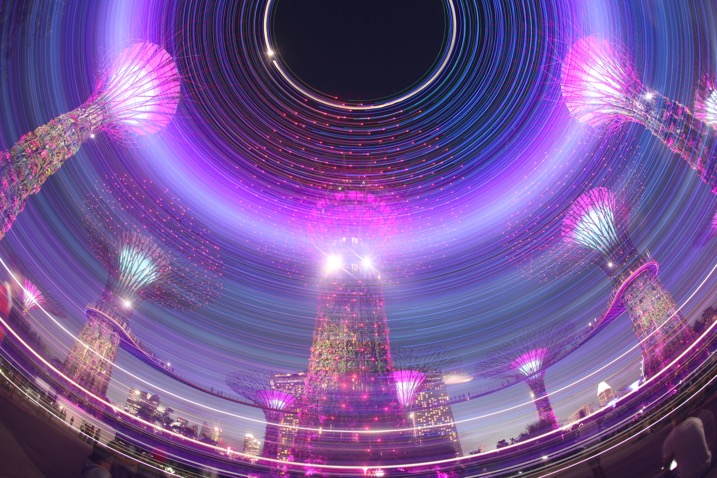
Circular lines are a great way to draw your viewer into the photo. The animation artists knew what they were doing with the Looney Tunes design. A similar effect is possible in photography through a process known as kinetic light painting. This technique involves moving the camera around in front of stationary lights, creating a pattern in your photo. If you use camera rotation you can create circular light lines.

rotation-light-painting11

This photograph in Hong Kong has been taken many times now, the use of rotation during the long exposure gives the photo a different aesthetic.

How to take rotation light painting photos

  1. Scout a location which has lots of light, you are looking for tall buildings or big architectural structures.
  2. Set up the camera on a tripod, looking straight up. You can set the camera at an angle between 45 degrees to straight up. The worm’s eye view works very well for this technique.
  3. Choose a wide-angle lens, or even a fish-eye for this photo. A kit lens will work but use the widest focal length.
  4. Now compose your photograph, and focus the image. Use an angle finder or live view to help you do this.
  5. Make a mental note of the position of your camera on the tripod, if your tripod head shows the number of degrees of rotation jot this number down. The aim is to rotate the tripod head, starting and finishing in the same position.
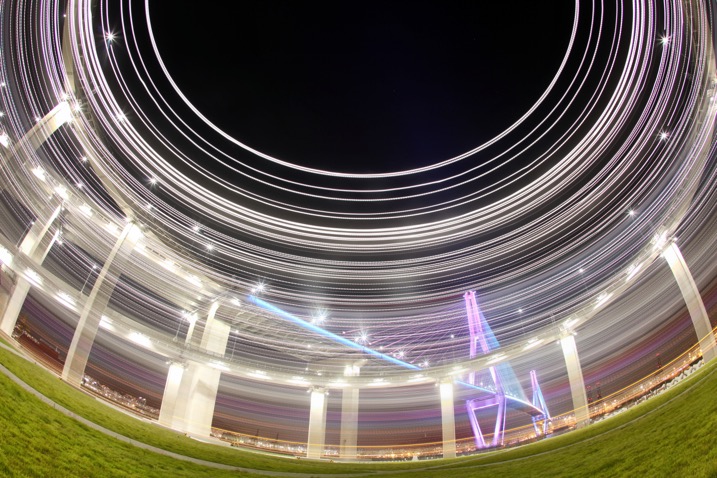
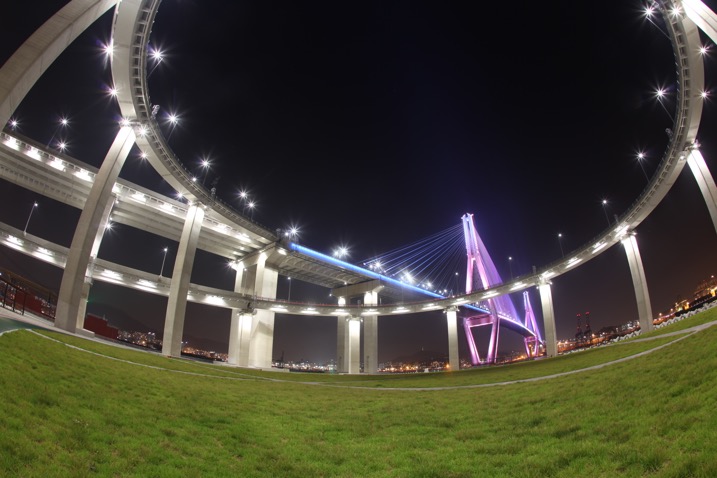
A bridge in Busan is photographed using a fish-eye lens in conjunction with kinetic light painting. A shallower angle was used here, perhaps around 45 degrees.

A bridge in Busan is photographed using a fish-eye lens in conjunction with kinetic light painting. A shallower angle was used here, perhaps around 45 degrees.

A bridge in Busan is photographed using a fish-eye lens in conjunction with kinetic light painting. A shallower angle was used here, perhaps around 45 degrees.

The same scene without the rotation.

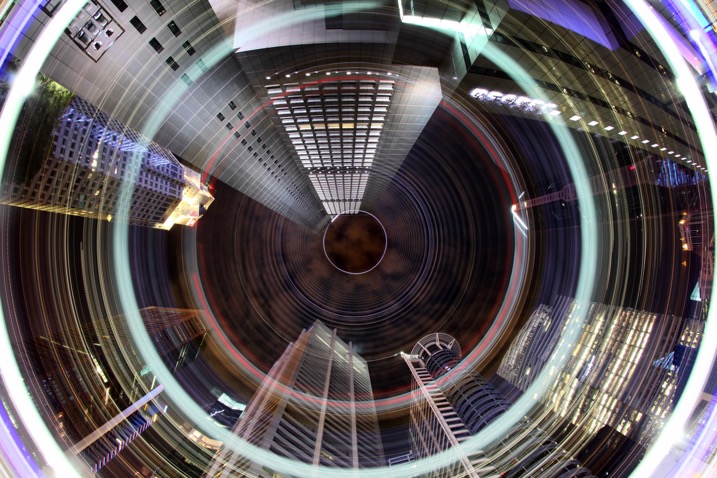
The CBD area of Singapore has many locations where a worms eye view looks good. The light rotation adds an extra element to this photo.

The CBD area of Singapore has many locations where a worm’s eye view looks good. The light rotation adds an extra element to this photo.

  1. Set the camera to expose for 30 seconds, and adjust the aperture and ISO to get the correct exposure value in the photo. The exposure value should be 0 or +1, this is because you’ll lose some of the light exposing the buildings during the light painting.
  2. Use the camera’s self-timer to start the exposure, and set it to 10 seconds.
  3. Start to rotate the camera around the axis of the tripod just before the exposure begins. The rotation has to me smooth, and last for between two and five seconds.
  4. Make sure you finish the rotation at the same position where you started by watching the degrees of rotation on your tripod.
  5. The camera then has around 25 seconds to capture the structures in your scene.
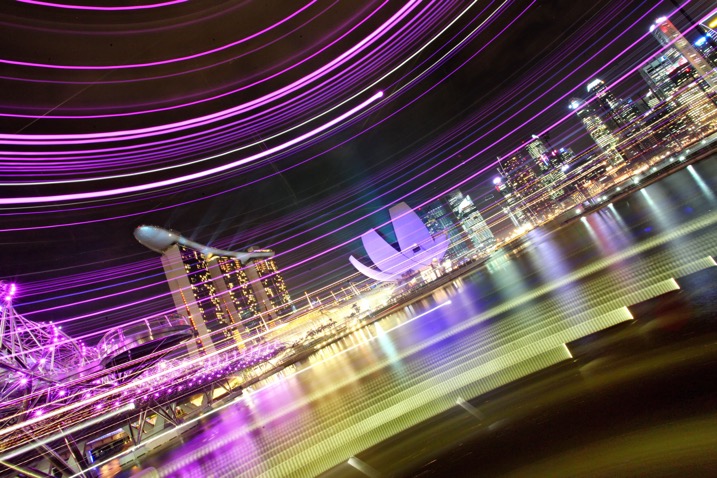
Using a more horizontal angle allows you to paint light through the scene, again this is a unique way of capturing the iconic Singapore skyline.

Using a more horizontal angle allows you to paint light through the scene, again this is a unique way of capturing the iconic Singapore skyline.

If you prefer to see how this is done visually, watched the video below:

Why use circular light painting?

Those who like long exposure will know about light painting, though not everyone is familiar with kinetic light painting. Getting great photos requires a bit of experimentation, hence the need to try out new techniques from time to time.

Kinetic light painting is a great way of creating dynamic photos, which have a futuristic feel. The image you take is likely to be from a worm’s eye view, in an urban setting. Therefore using a technique that adds lights and patterns to your scene can look good. You will also find that many people have already taken photos from the most popular locations. So techniques like this allow you to give your photo a different slant.

rotation-light-painting13

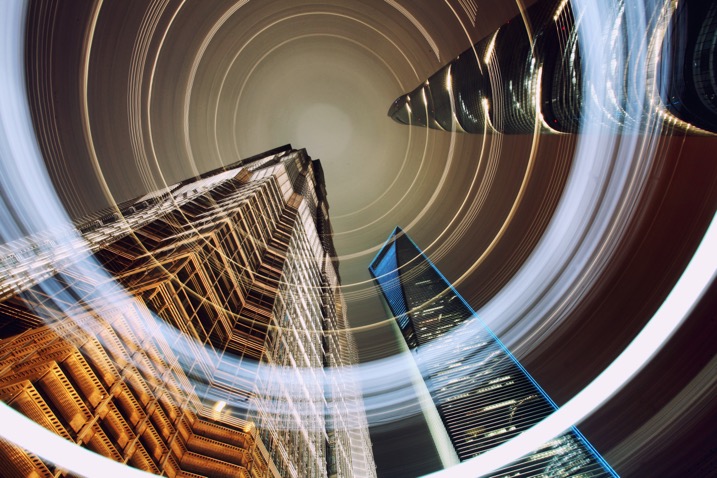
The light patterns in this photo have given this scene a lot of energy. A slightly shallower angle than straight up was used here.

rotation-light-painting12

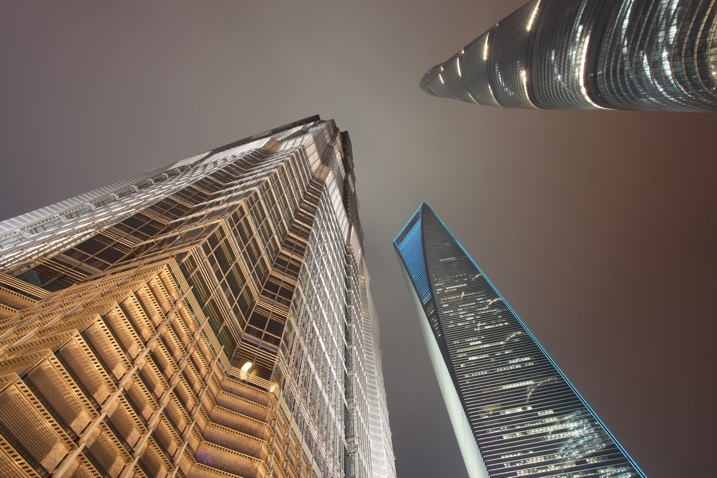
This is a worm’s eye view of the same skyscrapers in Shanghai, without using any light painting.

rotation-light-painting04

Where can I try this technique?

The best place to try this type of technique is near skyscrapers, though if you don’t have any near you then tall apartment buildings can work as well. Any tall architectural structure that’s lit could work for you, as long as you can get underneath it, and it shows in the frame with a wide angle lens.

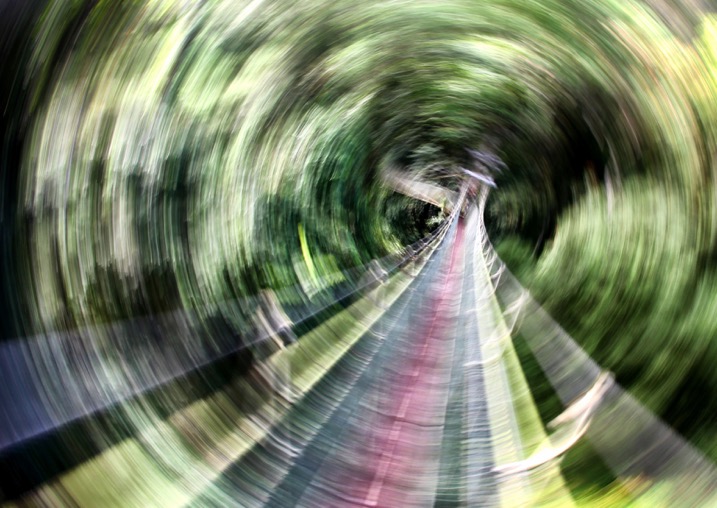
You don’t live in the city? No problem you can head to your nearest forest and use the trees in place of skyscrapers. If you use trees the shot will be daytime, and you’ll be painting the sunlight shining through the leaf canopy. There may be too much light during the day to make a long exposure; therefore consider using an ND filter to reduce the amount of light coming into the camera.

It's possible to use this technique under, or in this case in a leaf canopy. This is the Jungle at Mulu national park, Malaysia.

It’s possible to use this technique under, or in this case in, a leaf canopy. This is the Jungle at Mulu national park, Malaysia.

Another photo from the super trees in Singapore, this time aiming strait up.

Another photo from the super trees in Singapore, this time aiming straight up.

rotation-light-painting01

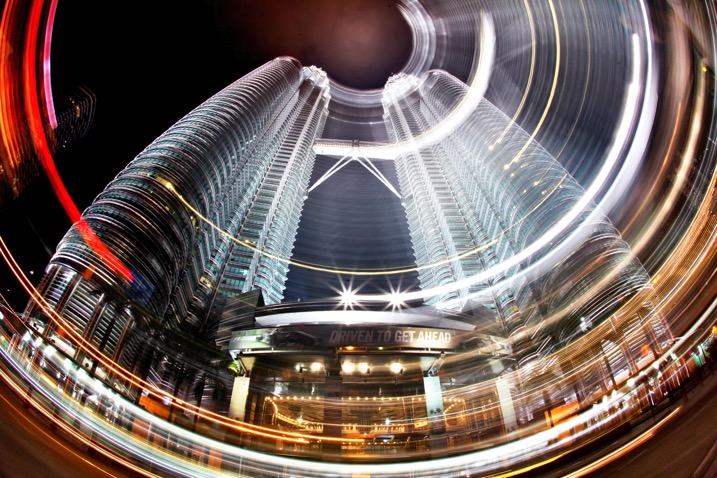
Malaysia’s Petronas twin towers, partial rotation.

Get kinetic, and get light painting!

It’s a great idea to experiment with photography. Trying out long exposure techniques such as this one will only improve your work. It can help you to get unique images that other people won’t have seen; therefore you’ll generate a lot more interest in your work. Having a tripod, and access to a city is really a prerequisite of a style like this one. I look forward to seeing your work. If you have any other idea’s of how you can light paint using your camera please share them in the comments section below.

I look forward to seeing your work. If you have any other idea’s of how you can light paint using your camera please share them in the comments section below.

Scene without rotation.

Scene without rotation.

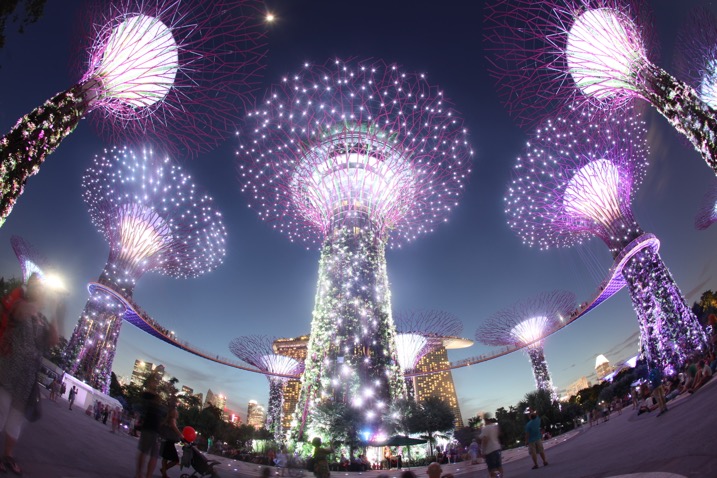
The super trees found in Singapore's garden by the bay make a great subject for kinetic light painting as they have so many lights.

The super trees found in Singapore’s garden by the bay make a great subject for kinetic light painting as they have so many lights.

googletag.cmd.push(function() {
tablet_slots.push( googletag.defineSlot( “/1005424/_dPSv4_tab-all-article-bottom_(300×250)”, [300, 250], “pb-ad-78623” ).addService( googletag.pubads() ) ); } );

googletag.cmd.push(function() {
mobile_slots.push( googletag.defineSlot( “/1005424/_dPSv4_mob-all-article-bottom_(300×250)”, [300, 250], “pb-ad-78158” ).addService( googletag.pubads() ) ); } );

The post How to do Light Painting by Rotating the Camera by Simon Bond appeared first on Digital Photography School.


Digital Photography School

 
Comments Off on How to do Light Painting by Rotating the Camera

Posted in Photography