RSS
 

Posts Tagged ‘Black’

Product Review: Macphun Tonality Black and White Photo Editor

10 Sep

Macphun Software announces new program

Macphun Software, a photography app developer with over 20 million users worldwide just recently released their latest photo editing software program, called Tonality. This is a program dedicated entirely to editing your photos in black and white, and it is so much fun to use!

You may already be using a Macphun program – they have produced a whole suite of useful consumer photography editing tools, such as Intensify Pro, Snapheal Pro, and Focus Pro. This latest addition to their software collection is really a powerful one, for professionals and hobbyists alike.

I played around with the software a bit and there are quite a few things I liked about it, and just a couple of things that I found non-intuitive. Read on to discover more about this program.
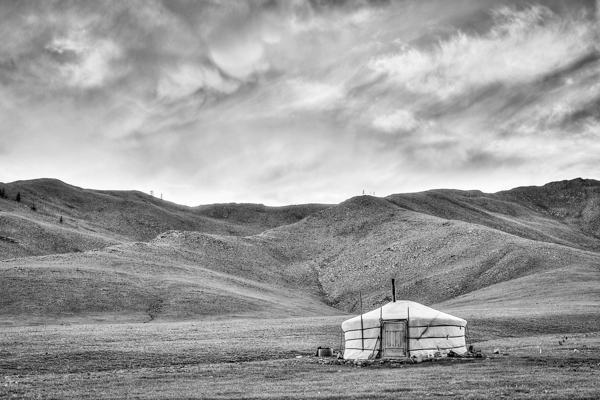
Macphun Tonality

From my recent trip to Mongolia

Overview of Macphun Tonality
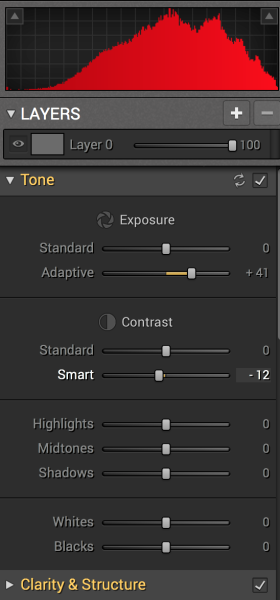
Macphun TonalityTonality is easy to pick up right away if you are familiar with Lightroom or Photoshop RAW editing tools. The designers intentionally created an editing panel on the right hand side of your viewing window that looks almost exactly like Lightroom’s editing panel. It includes familiar tools like Exposure, Tone Curve, Split Toning, and Vignetting.

There are some other effects here that are not so familiar, and do interesting things when you play with the sliders. Clarity & Structure is a section unto itself that provides the user with highly controlled clarity effects. In the Exposure section there is an ingenious slider titled Adaptive which allows you to adjust the exposure while preserving the highlights, something Lightroom should have had in place a long time ago. There is a section called Glow which does exactly what you think it would do; add glow to your images, like a balloon lit from the inside casting a nice glow over everything. You can add Grain, adjust the overall Opacity of the changes you are creating, and there are options for Texture Overlay and Frames, which are pretty fun with black and white images.
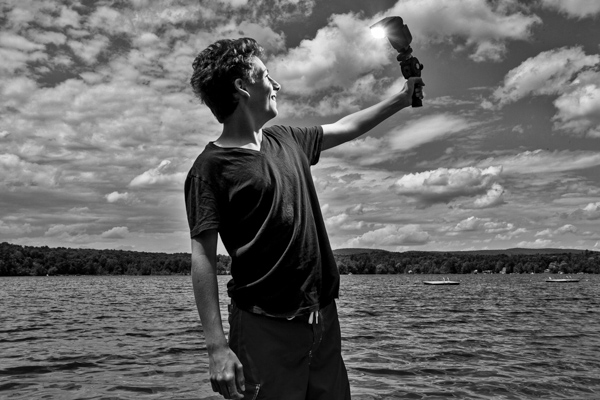
Macphun Tonality

Layers

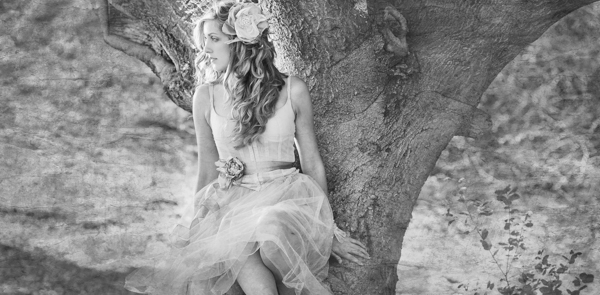
One thing that is really fantastic is that ability to edit with layers. This is something that I found (and still find), rather non-intuitive, but allows for huge possibilities in editing, especially with textured layers.  When you add on a new layer and insert a texture via the Texture Overlay panel, you can brush through via masking and only texturize parts of the image, like the background in this image:
Macphun Tonality

Editing with the Textures Overlay panel. I added a metal texture in one layer and a paper texture in another layer, and painted through on the girl’s face using the layer mask so the texture didn’t affect the smoothness of her skin.

Here I added a metal texture in one layer and a paper texture in another layer and painted through on the face using the layer mask so the texture didn’t affect the smoothness of the girl’s skin.

The non-intuitive part for me is in actually using the layers and brushes to mask out parts of the image. If you have grown up on Adobe Photoshop then you might not find this familiar at all. It’s not impossible, it just requires a different way of thinking about how layers work and how the masking works. It will simply slow down your workflow slightly, but as with anything new, there is always a learning curve.

Some thoughts

When I first saw the software I thought to myself; “I can edit in black and white just fine with Lightroom. Why would I need another program to do such a simple thing?”. But just as Photomatix is brilliantly designed to do just one thing (tone-map HDR images), Tonality is designed to do just one thing perfectly: create black and white images like you could never do in Lightroom or Photoshop. I took a couple of black and white images from Lightroom that I was satisfied with, and tried them out in Tonality. Just using the presets alone as a jumping board for editing in Tonality shows an astounding difference in quality, sharpness, and texture.

See these two images side-by-side and notice what Tonality can do to really make a photo pop:

Digital Photography School Review

Edited in Lightroom for a simple black and white look

Macphun Tonality

Edited in Tonality for some movie poster “pop”

Perhaps some won’t like that HDR look, but I happen to love it. It makes an otherwise bland black and white photo cause me to pause and take a second look. Which is what we are always trying to accomplish with our photos, aren’t we?

Macphun Tonality Pro features:

  • Professional image quality with proprietary 16-bit RAW processing engine
  • Advanced algorithms and a streamlined user experience for superior results
  • Scores of inspiring professional presets provide a wide range of one-click image styles
  • Built-in organic-style overlay textures, plus user-loadable textures, for incredible creativity
  • Unique adaptive exposure and smart contrast tools for advanced tone control
  • Multiple effect layers, each with separate opacity controls, blending modes and preservation of color data offer true advancements in creative toolsetsTonalityPro
  • Adjustable, pressure-sensitive brushes and masking tools for precise selective edits
  • Advanced clarity and structure detail controls yield dramatic results
  • Proprietary grain engine with over 20 emulated film types
  • Selective color using color channel sliders for unique stylistic expressions
  • Glow, lens blur, vignette, photo frame and opacity controls for finishing touches
  • Easy image sharing to popular social networks, and via email, instant messaging, AirDrop and SmugMug
  • Macphun Print Lab services, powered by MILK
  • Runs as either a standalone app or, in the Pro version, as a plug-in to popular image editing software like Adobe® Photoshop®, Adobe Photoshop Lightroom®, Adobe Photoshop Elements® or Apple® Aperture®.

Find Tonality Pro and Tonality here on the Macphun website, starting at $ 19.99, and for dPS readers they’ve given us 20% off so use this link to get that special price.

Summary:

In summary, I give this software product 5 stars. I can actually see myself using this in the future, and I think it will be a welcome addition to my limited number of tools that I use for editing photos. It’s fun, super easy, and I can use it to edit a lot of my future travel photos. Like these:
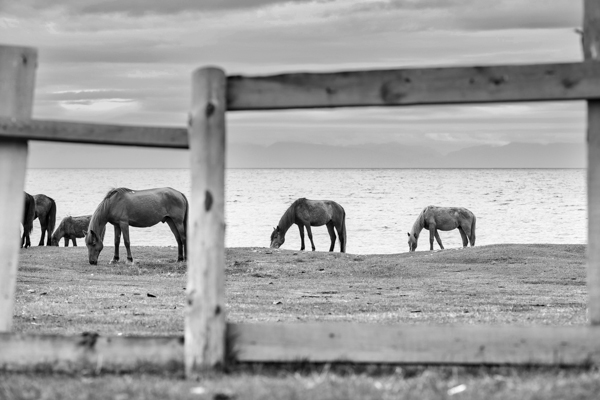
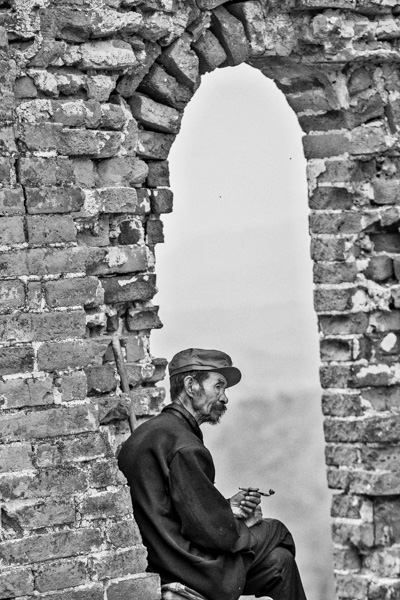
Macphun TonalityPro

Macphun TonalityPro

Macphun TonalityPro

You can also add in some coloring for sepia tints or different metallic effects

The post Product Review: Macphun Tonality Black and White Photo Editor by Phillip VanNostrand appeared first on Digital Photography School.


Digital Photography School

 
Comments Off on Product Review: Macphun Tonality Black and White Photo Editor

Posted in Photography


Epson launches A3+ SC-P600 printer with ‘industry’s highest black density’

06 Sep

Epson has announced a new A3+ desktop inkjet printer aimed at the professional and semi-professional photographer that it claims is capable of producing a maximum black density of 2.8. According to Epson this beats all competitors’ A3+ machines that use 6 or more inks. The SureColor SC-P600 is part of Epson’s plan to introduce ten new professional printers to the market under the ‘Sure’ brand by 2016, and is the first SureColor model to be aimed at the photo market. Click through to read more.

Articles: Digital Photography Review (dpreview.com)

 
Comments Off on Epson launches A3+ SC-P600 printer with ‘industry’s highest black density’

Posted in Uncategorized


Black and White Portraits a Set of Images to Admire

06 Sep

Last week we looked at a collection of stunning black and white landscape photos. This week it’s all about portraits in the same modality.

Photograph So close together by Magda Constantin on 500px

So close together by Magda Constantin on 500px

For me there is something special about a portrait done in black and white, something about it that allows the photographer to exposure the subject’s very soul itself. The simplistic nature of being monochromatic means the focus is on light, shape, tone and emotion more so than with color, in my opinion anyway.

Black and white portraits transport me to a time of the master photographers like Karsh, Hurrell and Newman. If you don’t know those names – I suggest you google them with the word “portrait” and learn from them, as they were truly some of the best in portrait photography, possibly ever.

Without further ado, enjoy this set of black and white portraits, and if you want to learn more about black and white grab a copy of the newest dPS ebook The Essential Guide to Black and White Photography at early bird pricing only until September 13th.

Photograph K. by pkfruen  on 500px

K. by pkfruen on 500px

Photograph Fête de la musique by Jean-Paul Verjus on 500px

Fête de la musique by Jean-Paul Verjus on 500px

Photograph Sister love by Cathy Martineau on 500px

Sister love by Cathy Martineau on 500px

Photograph Rain by pkfruen  on 500px

Rain by pkfruen on 500px

Photograph Soul-division by Anthony De Faria on 500px

Soul-division by Anthony De Faria on 500px

Photograph David Hayman, King Lear by Tommy Ga-Ken Wan on 500px

David Hayman, King Lear by Tommy Ga-Ken Wan on 500px

Photograph FIlm Noir: Chris Botti by Brian Smith on 500px

FIlm Noir: Chris Botti by Brian Smith on 500px

Photograph second wind ,,, by Mete Ba?koçak on 500px

second wind ,,, by Mete Ba?koçak on 500px

Photograph my life... by Leila Raymond on 500px

my life… by Leila Raymond on 500px

Photograph Untitled by Lee Jeffries on 500px

Untitled by Lee Jeffries on 500px

Photograph shootout by David Mar Quinto on 500px

shootout by David Mar Quinto on 500px

Photograph Mans Best Friend by Drew Hopper on 500px

Mans Best Friend by Drew Hopper on 500px

Photograph Serge. by DrakSpirit on 500px

Serge. by DrakSpirit on 500px

Photograph Symmetry of Hate by Daniele Di Egidio on 500px

Symmetry of Hate by Daniele Di Egidio on 500px

Photograph Close-up portrait of a street by Mikhail Levit on 500px

Close-up portrait of a street by Mikhail Levit on 500px

Photograph A portrait of friend in a kitchen setting by Mikhail Levit on 500px

A portrait of friend in a kitchen setting by Mikhail Levit on 500px

Photograph Smoking Hot by Darcy Evans on 500px

Smoking Hot by Darcy Evans on 500px

Photograph Jill by Renee Robyn on 500px

Jill by Renee Robyn on 500px

Photograph Eye & Face by Andi Halil on 500px

Eye & Face by Andi Halil on 500px

Photograph The breath by Claudio L'Estremo Montegriffo on 500px

The breath by Claudio L'Estremo Montegriffo on 500px

Photograph mr thomas by Hegel Jorge on 500px

mr thomas by Hegel Jorge on 500px

Photograph When the soul cries(The true story of a tough life) by Silvia S. on 500px

When the soul cries(The true story of a tough life) by Silvia S. on 500px

Photograph Danka B&W by Gabor Jonas on 500px

Danka B&W by Gabor Jonas on 500px

Photograph Sometimes there are no words... just the moment by J.J. Taylor on 500px

Sometimes there are no words… just the moment by J.J. Taylor on 500px

Photograph thoughts by Danilo Veccia on 500px

thoughts by Danilo Veccia on 500px

Photograph Elusive by Federico  Ratano on 500px

Elusive by Federico Ratano on 500px

Photograph girl's eyes by marylexa on 500px

girl's eyes by marylexa on 500px

Photograph vamos bien by Angelo Tassitano on 500px

vamos bien by Angelo Tassitano on 500px

Photograph Master Monk by Anthony Pond on 500px

Master Monk by Anthony Pond on 500px

Photograph In the Brick Shed by Anthony Pond on 500px

In the Brick Shed by Anthony Pond on 500px

Photograph Three Prayers by Anthony Pond on 500px

Three Prayers by Anthony Pond on 500px

The post Black and White Portraits a Set of Images to Admire by Darlene Hildebrandt appeared first on Digital Photography School.


Digital Photography School

 
Comments Off on Black and White Portraits a Set of Images to Admire

Posted in Photography


Weekly Photography Challenge Black and White Portraits

06 Sep

Last week’s challenge was also black and white and in keeping with the them, earlier today I shared a set of black and white portraits. Your challenge this week, if you choose to accept it, is do photograph a real person and do a portrait in black and white.

By Sean Molin

There are lots of articles here on dPS to help you with that and get some inspiration including:

  • Create Better Black and White Photos Using Local Adjustments in Lightroom 5
  • How to Convert Photos to Black and White in Lightroom
  • How to See in Black and White
  • DISCUSS: When you Photograph People in Black and White, you Photograph their Souls

Here are a few more example black and white portraits:

By Sean McGrath

By Ben Raynal

By Neil Moralee

By stephane

By Ronn aka “Blue” Aldaman

By Dietmar Temps

By Nicolas Alejandro

By Gustave Deghilage

By Dietmar Temps

By i k o

By Fadzly Mubin

If you want to learn more about black and white grab a copy of the newest dPS ebook The Essential Guide to Black and White Photography at early bird pricing only until September 13th.

black-white-ebook

Share your black and white portrait images

Simply upload your shot into the comment field (look for the little camera icon in the Disqus comments section as pictured below) and they’ll get embedded for us all to see or if you’d prefer upload them to your favourite photo sharing site and leave the link to them. Show me your leading lines using pathways and roads in this week’s challenge.

The post Weekly Photography Challenge Black and White Portraits by Darlene Hildebrandt appeared first on Digital Photography School.


Digital Photography School

 
Comments Off on Weekly Photography Challenge Black and White Portraits

Posted in Photography


Readers’ Showcase: Black and White photography

31 Aug

While it’s easy to get swept up in the stream of product announcements at this time of year, it’s also a good idea to remember why we buy that gear – to make great photos. What better way to do it than to showcase the excellent work of our own community? This week we asked users of our Black and White Photography forum to submit their favorite shots for inclusion in our Readers’ Showcase. As usual, the photos submitted were of a very high quality. See gallery

Articles: Digital Photography Review (dpreview.com)

 
Comments Off on Readers’ Showcase: Black and White photography

Posted in Uncategorized


Some Punchy Black and White Landscape Photos to Oooo and Aaah Over

30 Aug

Recently we released our newest dPS ebook The Essential Guide to Black and White Photography. 

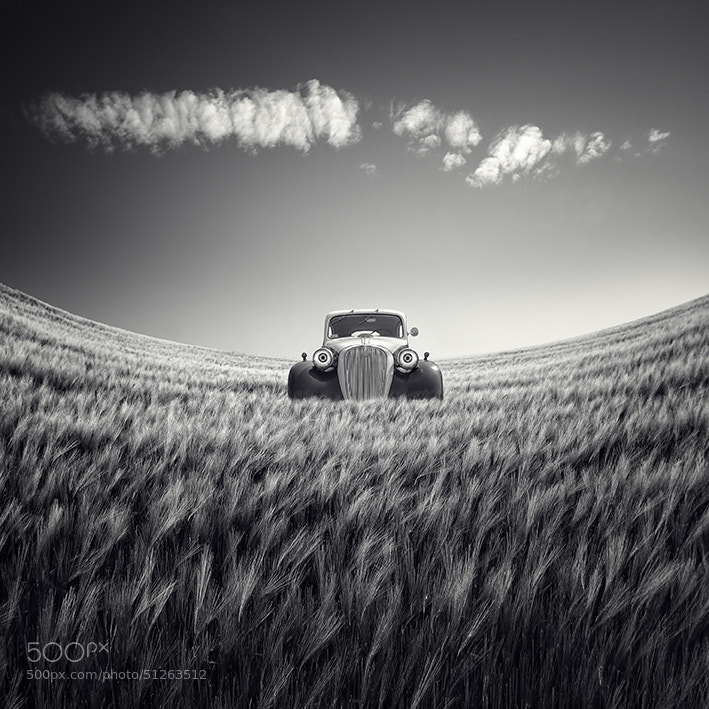
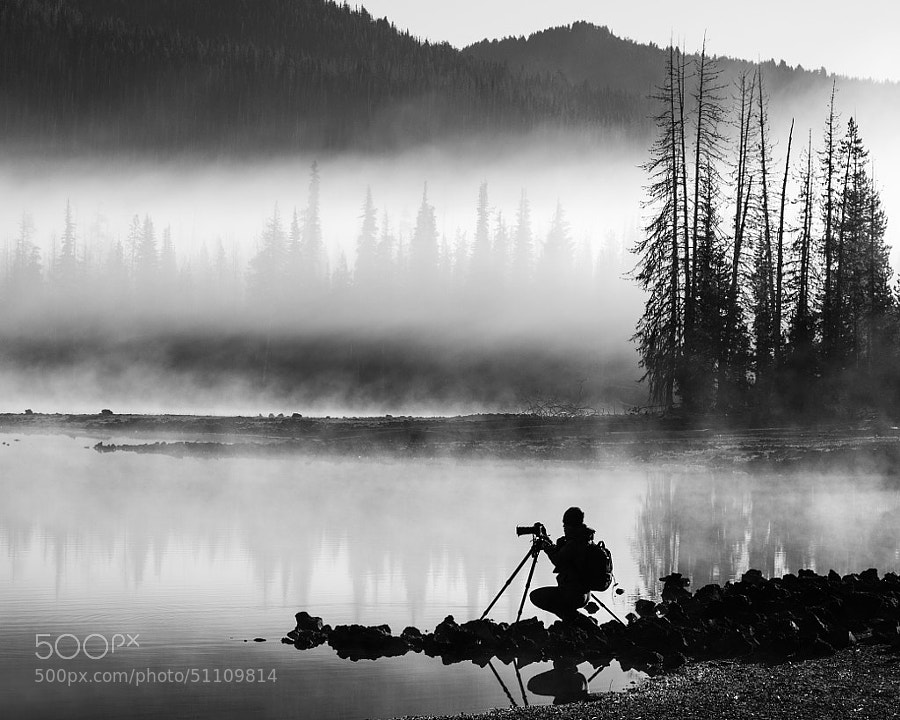
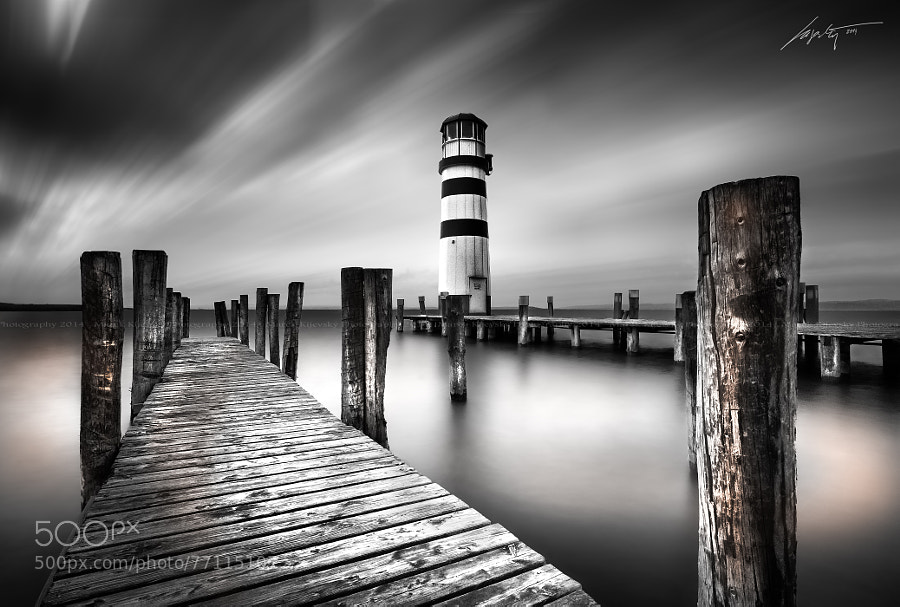
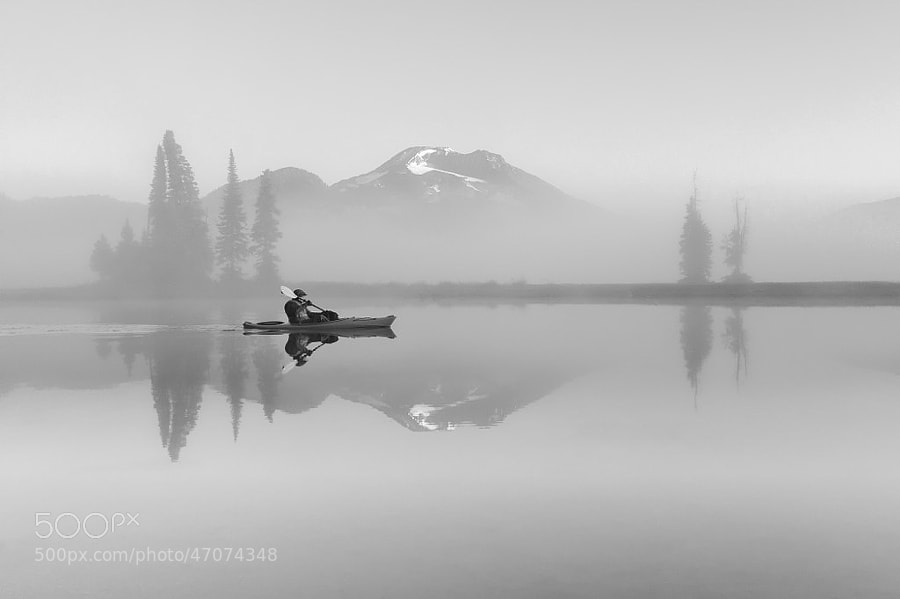
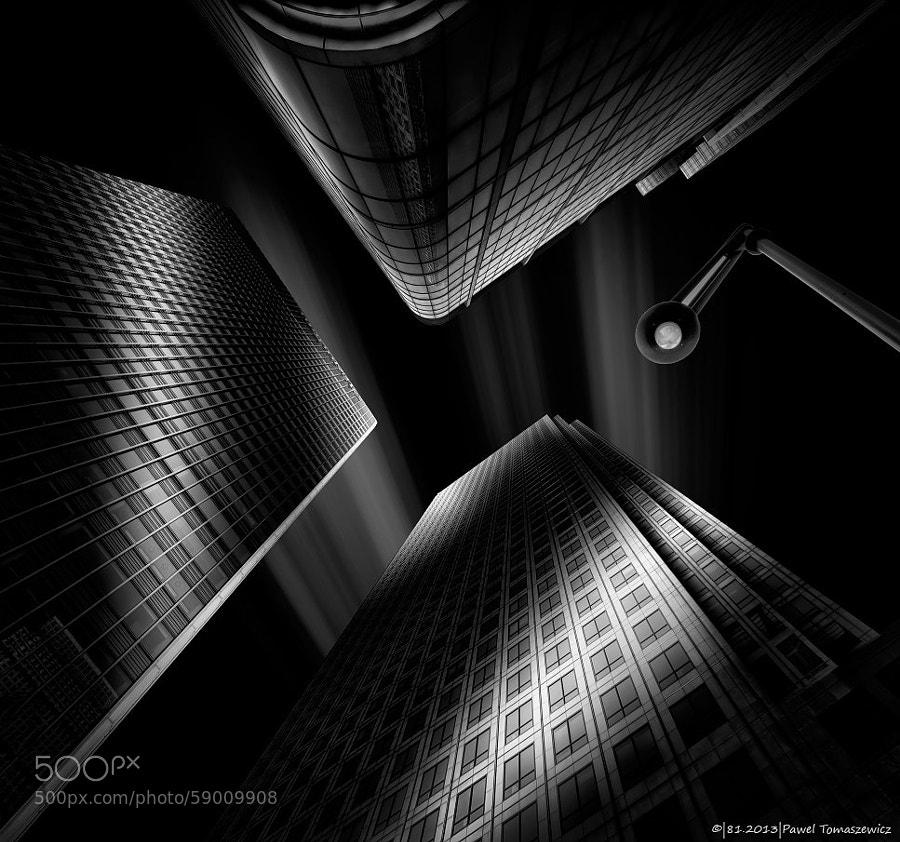
So I thought it would be fitting if we had a look as some great black and white images. I don’t know what it is but I’m really attracted to a great black and white image. It’s something about the contrast and the style and makes you really focus on the light and composition in the image – there’s no tricks it’s just an image is the simplest form.

So in this set I’ve found some amazing black and white landscape photos for you to enjoy – please let the oooing and aaaahing commence!

Photograph The Last Ride by Rob Dweck on 500px

The Last Ride by Rob Dweck on 500px

Photograph Dignity by Martin Mattocks on 500px Dignity by Martin Mattocks on 500px

Photograph road by ömer yücel on 500px

road by ömer yücel on 500px

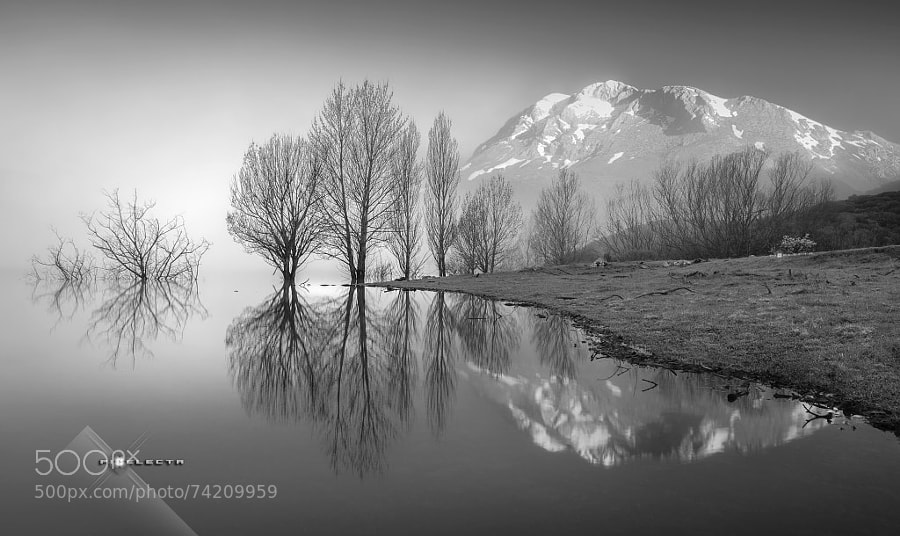
Photograph "MAGIC IN ESPIGÜETE" / "MAGIA A LOS PIES DEL ESPIGÜETE" by Juan PIXELECTA on 500px “MAGIC IN ESPIGÜETE” / “MAGIA A LOS PIES DEL ESPIGÜETE” by Juan PIXELECTA on 500px

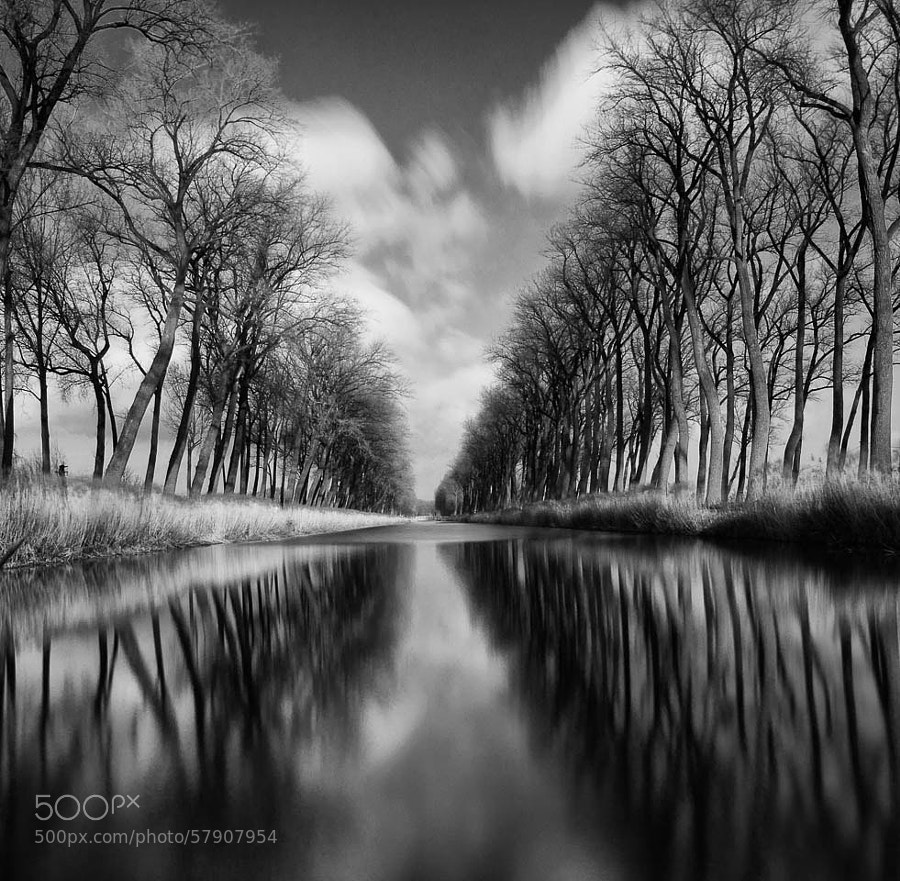
Photograph Smooth River by Johan Vanreybrouck on 500px

Smooth River by Johan Vanreybrouck on 500px

Photograph Silver Reflections 2 by Joe V on 500px Silver Reflections 2 by Joe V on 500px

Photograph Tree & Clouds by Carsten Meyerdierks on 500px

Tree & Clouds by Carsten Meyerdierks on 500px

Photograph Age Old by Chris Fletcher on 500px Age Old by Chris Fletcher on 500px

Photograph Untitled by Luis Beltrán on 500px

Untitled by Luis Beltrán on 500px

Stop for a minute

I’m going to stop you for a second. If you’re scrolling through these quickly, stop. Take the time to really look at each one – one at a time. Do you see the common thread here?

  • Simple
  • Clean
  • No distractions

    Okay, carry on!

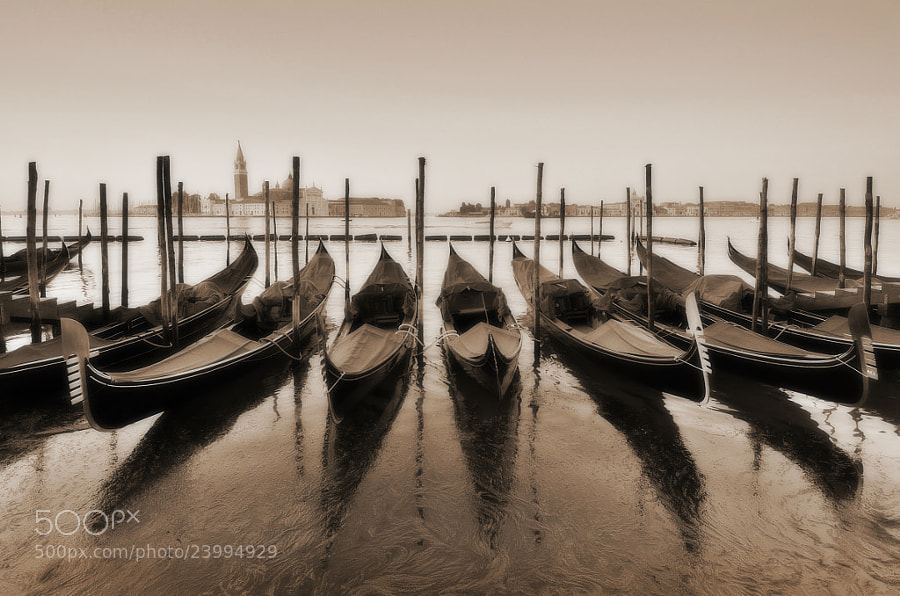
Photograph Venice Nostalgia by Csilla Zelko on 500px Venice Nostalgia by Csilla Zelko on 500px

Photograph In the Days Still Left by Rob Dweck on 500px

In the Days Still Left by Rob Dweck on 500px

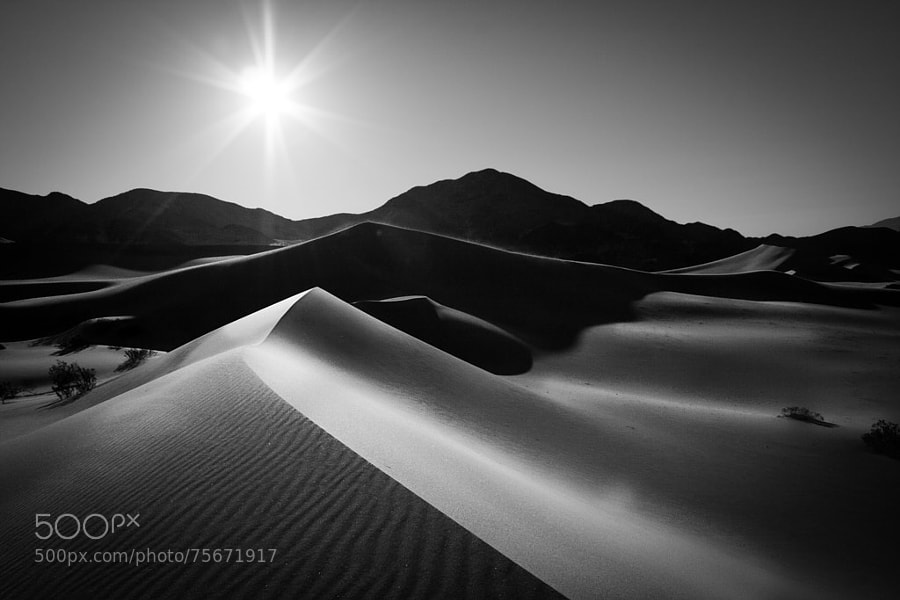
Photograph Ibex Sunrise by Grant Thompson on 500px Ibex Sunrise by Grant Thompson on 500px

Photograph Parched by James Crawford on 500px

Parched by James Crawford on 500px

Photograph Herringfleet by George Johnson on 500px Herringfleet by George Johnson on 500px

Photograph Moment by Majeed Badizadegan on 500px

Moment by Majeed Badizadegan on 500px

Photograph --In Motion-- by Marek Kijevský on 500px –In Motion– by Marek Kijevský on 500px

Photograph Tranquil Dawn by Majeed Badizadegan on 500px

Tranquil Dawn by Majeed Badizadegan on 500px

Photograph Tranquility of Morning by Abi Arga Hadityarista on 500px Tranquility of Morning by Abi Arga Hadityarista on 500px

Photograph B e a c h e d by Chris Oliphant on 500px

B e a c h e d by Chris Oliphant on 500px

Photograph on the road by adam smigielski on 500px on the road by adam smigielski on 500px

Photograph A rural morning by Margareta   on 500px

A rural morning by Margareta on 500px

Photograph 81.2013 - B&W- Light Reflections ... by Pawel Tomaszewicz on 500px 81.2013 – B&W- Light Reflections … by Pawel Tomaszewicz on 500px

Photograph named by lennon baksh on 500px

named by lennon baksh on 500px

Photograph dark master´s crown by Ronny Behnert on 500px dark master´s crown by Ronny Behnert on 500px

Photograph NYC thoughts by RACKHAM  on 500px

NYC thoughts by RACKHAM on 500px

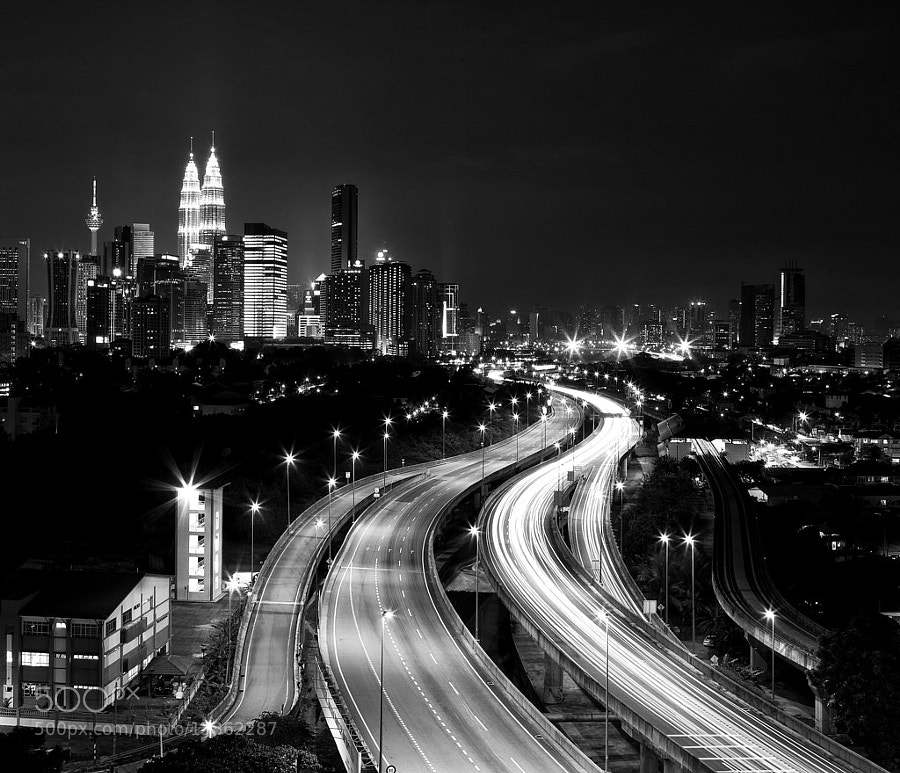
Photograph Kuala Lumpur by Tashi_Delek Nakata on 500px Kuala Lumpur by Tashi_Delek Nakata on 500px

Photograph Dark#04# by Andreas Paehge on 500px

Dark#04# by Andreas Paehge on 500px

Photograph SZEMPONT by Shady S. on 500px SZEMPONT by Shady S. on 500px

Photograph Chrysler Building II by pixeldreamer  on 500px

Chrysler Building II by pixeldreamer on 500px

Photograph entrap by tet bautista on 500px entrap by tet bautista on 500px

Photograph One Light Only by Sam Commarato on 500px

One Light Only by Sam Commarato on 500px

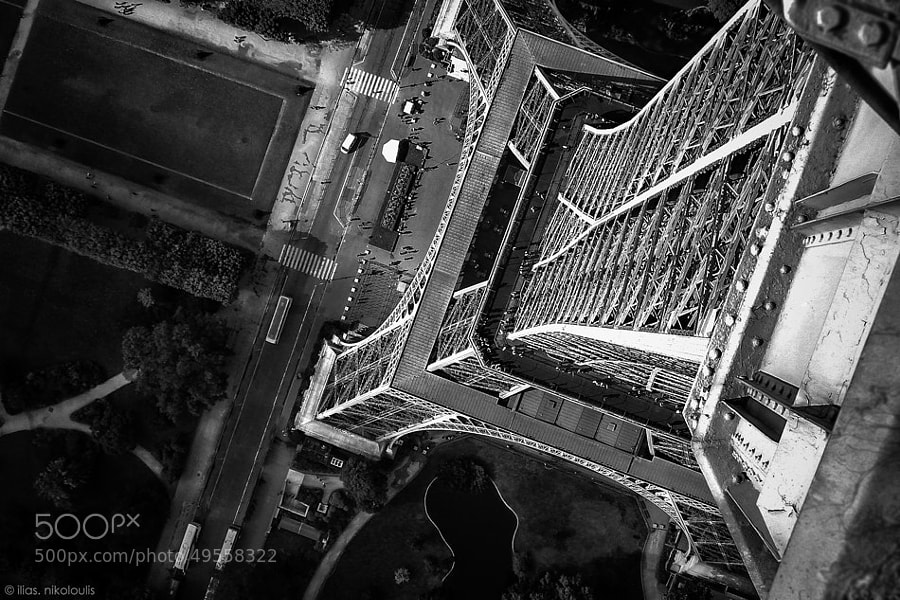
Photograph ..on The 'Tripod' by ilias nikoloulis on 500px
..on The ‘Tripod’ by ilias nikoloulis on 500px

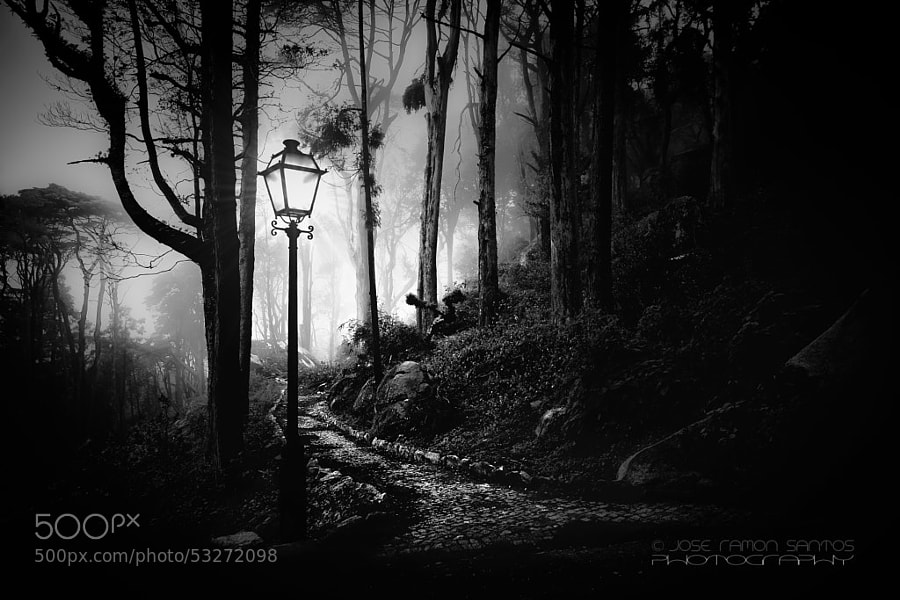
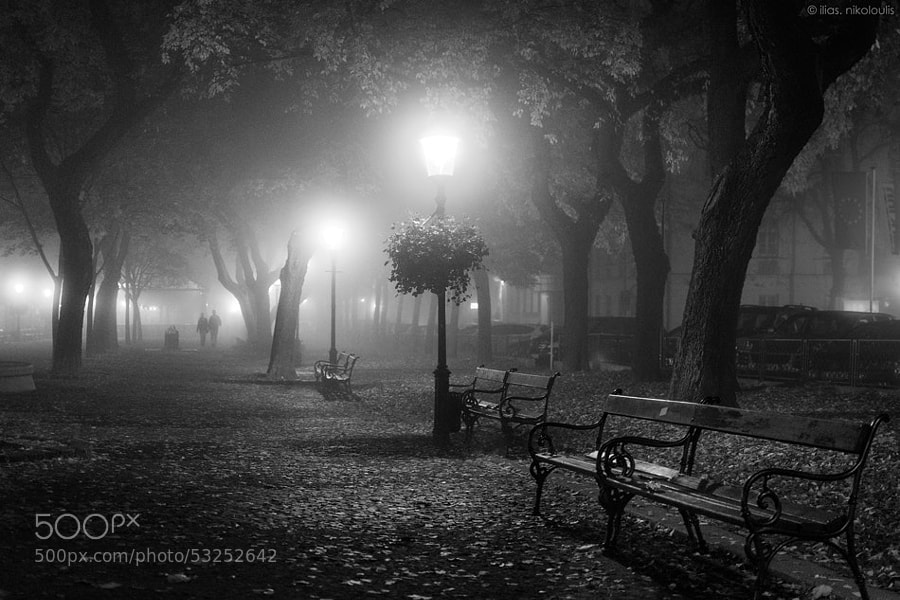
Photograph Foggy path by Jose Ramon Santos Mosquera on 500px

Foggy path by Jose Ramon Santos Mosquera on 500px

Photograph Foggy Day by ilias nikoloulis on 500px
Foggy Day by ilias nikoloulis on 500px

Photograph Dark Beauty by Jayme Hagen on 500px

Dark Beauty by Jayme Hagen on 500px

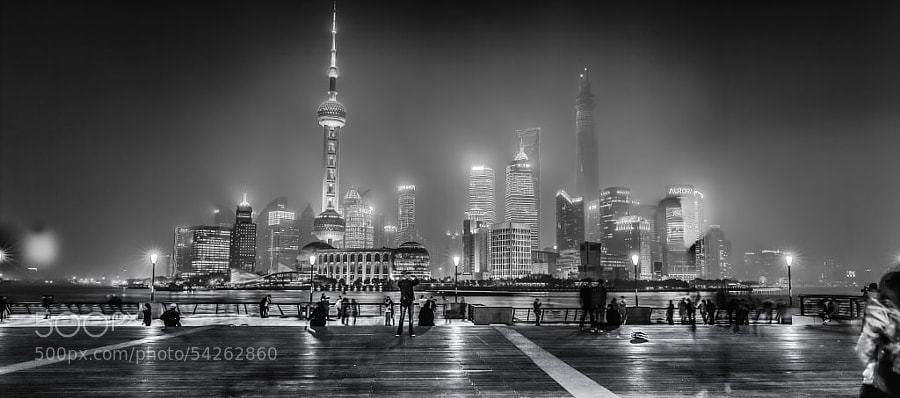
Photograph Shanghai- Bund by Hill Gas on 500px
Shanghai- Bund by Hill Gas on 500px

Photograph Mutianyu by John Crux on 500px

Mutianyu by John Crux on 500px

The post Some Punchy Black and White Landscape Photos to Oooo and Aaah Over by Darlene Hildebrandt appeared first on Digital Photography School.


Digital Photography School

 
Comments Off on Some Punchy Black and White Landscape Photos to Oooo and Aaah Over

Posted in Photography


Weekly Photography Challenge – Black and White Landscape

30 Aug

Earlier today I shared a bunch of stunning black and white landscape images.

Now I want you to show me what  you got in this week’s challenge:

Weekly photography challenge – black and white landscape

Here are few more to get your creative ideas flowing. Keep in mind a landscape can be urban or natural.

By Wendell

more words

By Jason Mrachina

By Nana B Agyei

By Thomas Hawk

By Jason Mrachina

By Jason Mrachina

By L.

By howpin

By Jesse Clockwork

By Pam Link

By Tiago Vidal Dutra

By Mark Stevens

If you check out last week’s collection – flowers – you’ll find some good black and white ideas in there too.

Share your black and white landscape images

Simply upload your shot into the comment field (look for the little camera icon in the Disqus comments section as pictured below) and they’ll get embedded for us all to see or if you’d prefer upload them to your favourite photo sharing site and leave the link to them. Show me your leading lines using pathways and roads in this week’s challenge.

More tips – a new dPS ebook

For more tips on shooting and processing great black and white images, check out our newest dPS ebook The Essential Guide to Black and White Photography.

black-white-ebook

The post Weekly Photography Challenge – Black and White Landscape by Darlene Hildebrandt appeared first on Digital Photography School.


Digital Photography School

 
Comments Off on Weekly Photography Challenge – Black and White Landscape

Posted in Photography


The Essential Guide to Black and White Photography

14 Aug

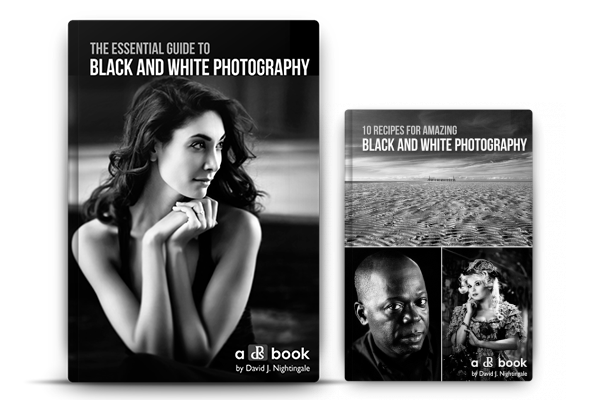
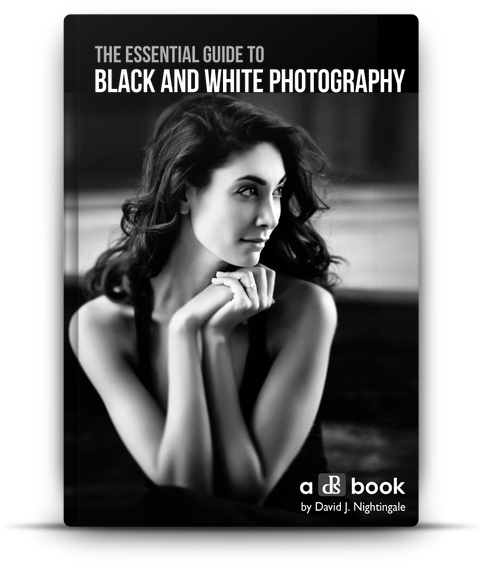
There has been a real buzz of excitement around dPS headquarters this past week because today we’re launching a new eBook that we’re really proud of – The Essential Guide to Black and White Photography – an eBook that will walk you through everything you need to know to take beautiful black and white images!

Blackandwhitephotographycover

My first love with photography was with black and white photography. It was in a high school. The class that I remember sitting in a darkroom with two friends, watching images appear in front of me on paper, sitting in a chemical bath.

At first they were faint grey outlines of the image, but as the chemicals did their work, tone, shade and contrast were added to the image until it had fully appeared.

While our family photos were all shot in colour from the time I was born, as a teenager I would spend hours gazing into those first black and white images that I’d shot and developed. I’m not exactly sure what it was about them but there was a timeless, classic and magical quality to them that I still love today.

It turns out that many of us here at dPS have similar memories and love for the black and white image, and so when we started to talk about putting together this new eBook on the topic we did so with real anticipation and energy.

We looked around for a photographer to author this guide 12 months ago and came across the work of David Nightingale. David not only shoots beautiful images but he’s the creator of one of the most successful courses on the topic so we knew we’d found our dream author and set out to convince him to partner on the project.

Thankfully he agreed and after many months of preparation today we’re excited to announce The Essential Guide to Black and White Photography is available for you to purchase with a very special Early Bird Offer.

The eBook walks you through everything from learning to ‘see’ and take beautiful black and white images, to advice on gear right through to processing your images to perfection.

NewImage

Early Bird Special

NewImageWhen you purchase The Essential Guide To Black And White Photography you’ll also receive a free copy of 10 Recipes for Amazing Black And White Photography.

This bonus eBook contains all the ingredients you’ll need for shots such as an Ansel Adams Landscape right through to vintage images and classic black and white portraits.

These recipes helps you take the amazing teaching in the essential guide, and put it into action in a variety of situations – it’s the perfect companion!

Normally this would cost you $ 9.99 USD, with our new essential guide it’s FREE – but for a limited time only.

Grab Your Copy Today

These two eBooks are yours today to download for just $ 19.99 USD.

They have straight forward explanations and tricks for all skill levels. Anyone wanting to take better black and white photos will get something out of this book.

Pick up yours here today.

The post The Essential Guide to Black and White Photography by Darren Rowse appeared first on Digital Photography School.


Digital Photography School

 
Comments Off on The Essential Guide to Black and White Photography

Posted in Photography


Create Better Black and White Photos Using Local Adjustments in Lightroom 5

08 Jul

Local adjustments in Lightroom

I showed you how to convert your photos to black and white in Lightroom in an earlier article. But, considering it dealt purely with global adjustments, the piece only gives you half the story. Global adjustments get you started, but in order to get the best black and white conversion possible you need to make local adjustments as well. This article will show you how to do this.

First, a couple of definitions:

Global adjustments: Any adjustments (to brightness, contrast etc.) that affect the entire image.

Local adjustments: Adjustments that affect only part of the photo.

Before I show you how to make local adjustments, let’s think about why you would do so. Certain things pull the eye more than others. For example, when you look at a photo with people in it, your eye will go straight to them, even if they are small in the frame. This is probably down to human curiosity more than anything, but it works.

Two other things that pull the eye are highlights and contrast. The idea behind making local adjustments is that you can alter the brightness or contrast of certain areas in the frame to influence where the eye goes. This creates a better, more beautiful photo.

Dodging and burning

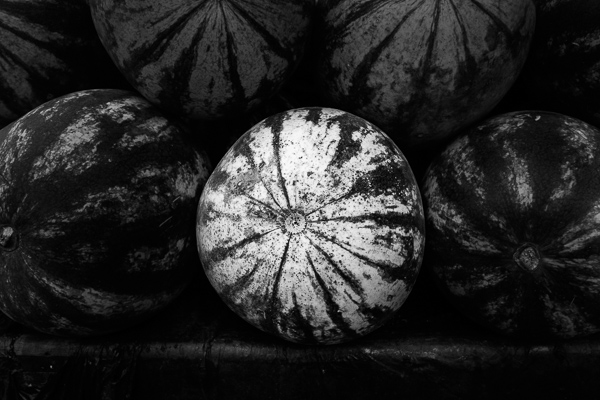
Here’s the photo we’re going to work with in today’s article. I’ve already converted it to black and white using global adjustments.

Local adjustments in Lightroom

As you can see, it lacks a focal point. It also contains lots of beautiful textures which will look great in black and white if we can bring them out.

In order to make effective local adjustments you need to decide what you want to achieve before you start. Here, I decided to make the central watermelon the focal point of the composition. Decision made, it’s just a question of how to achieve it.

Dodging and burning

Although Lightroom itself doesn’t use these terms, you will find them referred to time and again in post-processing. Dodging is the act of making part of the photo lighter, and burning is the act of making it darker. They originated in the chemical darkroom and are also done in photo editing programs like Photoshop.

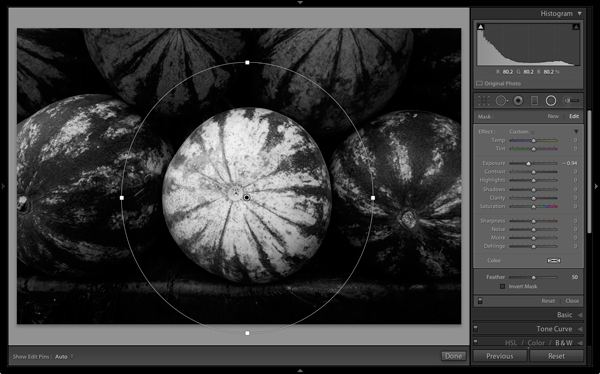
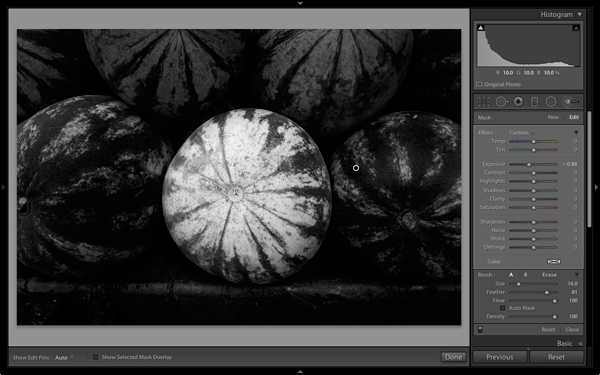
The first step to achieving my aim of making the central watermelon the focal point, is to make the rest of the photo darker. I did that by placing a Radial Filter over the central watermelon and moving the Exposure slider left.

Local adjustments in Lightroom

Note: The Radial Filter is new to Lightroom 5. If you have an earlier version of Lightroom, you can use either Post-crop Vignetting or the Adjustment Brush instead.

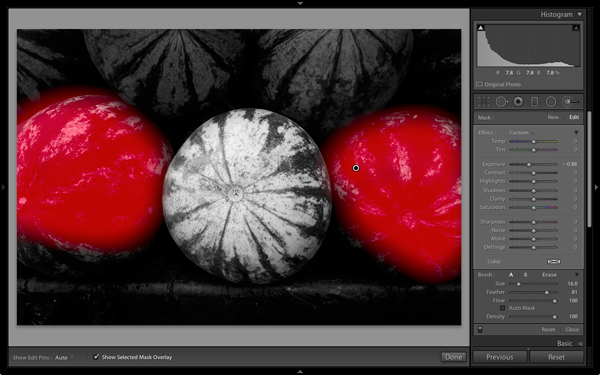
The two watermelons either side of the central one are a little too bright. So I used the Adjustment Brush to select (mask) them and moved the Exposure slider left to make them darker. The screenshot below shows the area covered by the mask. Note how I only painted the top parts of the watermelons as the bottom part was already dark.

Local adjustments in Lightroom

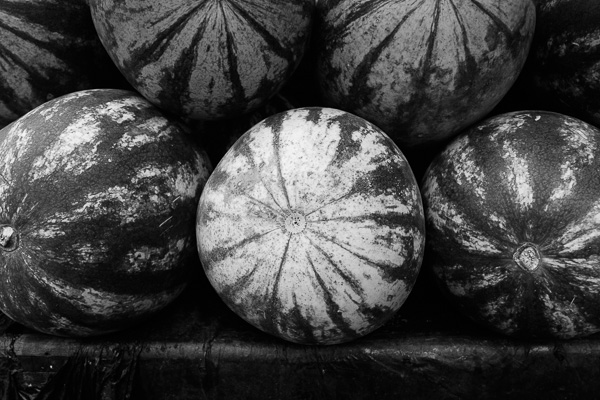
This is the result of the local adjustment.

Local adjustments in Lightroom

Contrast and Clarity

The next step is to improve the appearance of the central watermelon. I can do that by increasing contrast to bring out the beautiful textures of its skin.

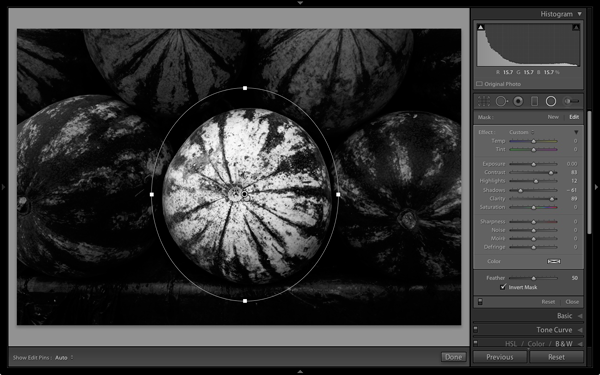
I placed another Radial Filter over the watermelon (you could also use the Adjustment Brush) and ticked the Invert Mask box so the adjustment was applied inside, rather than outside, the filter. Then I increased Contrast and Clarity, and moved the Highlights slider right and the Shadows slider left. The result is a big increase in contrast, bringing out the texture of the watermelon’s skin. Here’s the result.

Local adjustments in Lightroom

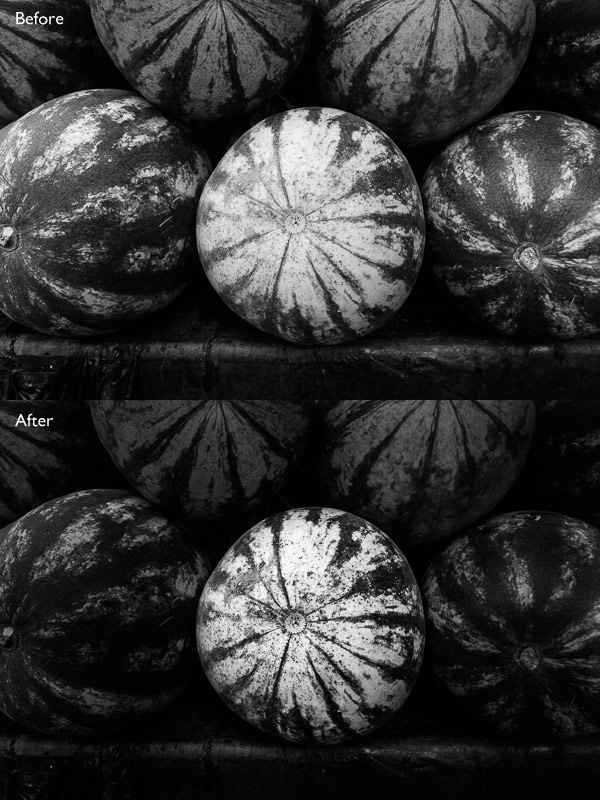
Here are the before and after views so you can see the difference, which is entirely down to the local adjustments.

Local adjustments in Lightroom

That completes my overview of using local adjustments in Lightroom. As you can see, the local adjustments turned an average photo into a much stronger one. There is nothing overly complicated about it, it’s more a matter of training your eye to see in black and white and then deciding how to use the tools that Lightroom gives you to realize your vision.

I’m curious to hear how you use local adjustment when you convert your photos to black and white. Please let us know in the comments.


Mastering Lightroom: Book Three – Black & White

Masterlng Lightroom: Book Three – Black & White by Andrew S GibsonMy ebook Mastering Lightroom: Book Three – Black & White goes into the topic of black and white in depth. It explains everything you need to know to make dramatic and beautiful monochrome conversions in Lightroom, including how to use the most popular black and white plug-ins. Click the link to visit my website and learn more.

The post Create Better Black and White Photos Using Local Adjustments in Lightroom 5 by Andrew S. Gibson appeared first on Digital Photography School.


Digital Photography School

 
Comments Off on Create Better Black and White Photos Using Local Adjustments in Lightroom 5

Posted in Photography


Ebook Review – From Basics to Fine Art Black and White Photography

07 Jul

Ebook Review: From Basics to Fine Art

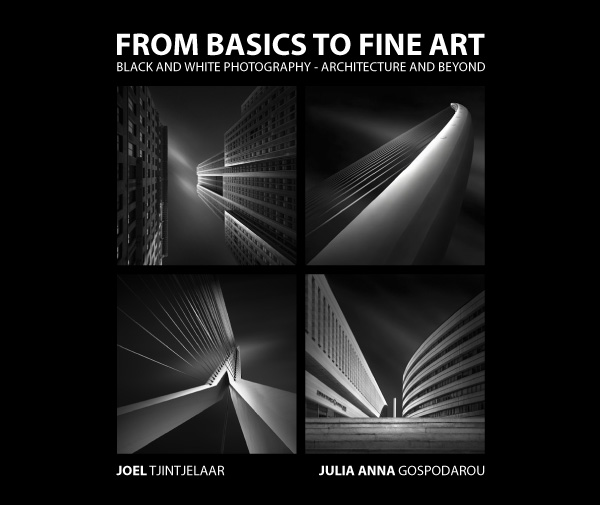
If you’re interested in black and white photography, the names Joel Tjintjelaar and Julia Anna Gospodarou will probably need no introduction. The work of both photographers has helped define, and push the boundaries of long exposure photography, a relatively new genre in the fine art world.

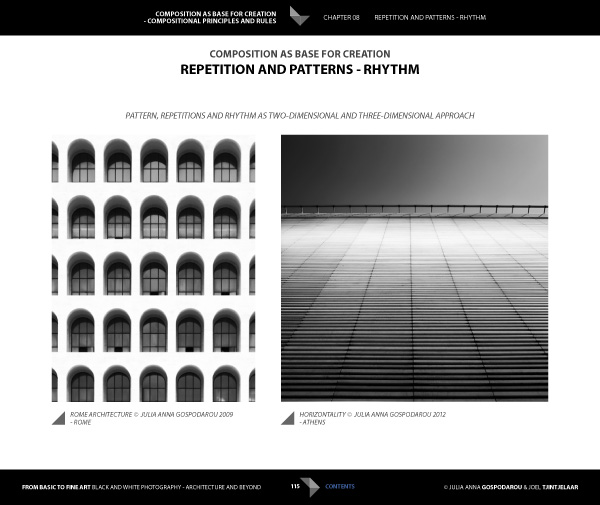
Julia and Joel have joined forces to write a new ebook called From Basics to Fine Art: Black and White Photography – Architecture and Beyond. It is principally aimed at photographers interested in using long exposure techniques to photograph buildings, with some chapters being more general and having a wider appeal.

Ebook Review: From Basics to Fine Art

The contents

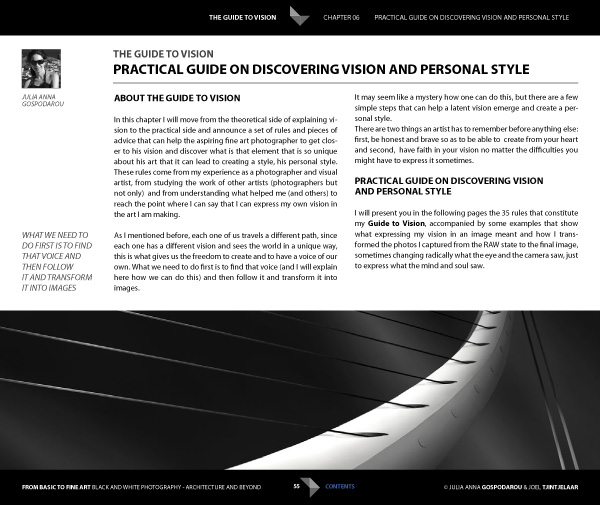
The ebook starts with personal statements from the authors exploring their interpretations of the word vision as it relates to architectural black and white photography. For me, the most interesting concept here is expressed by Joel. He talks about long exposure black and white photography as being several steps removed from reality. It is an interpretation, not a reproduction. The intent is not to capture the scene as it looked to the eye, but to present it in a way that represents the artist’s vision.

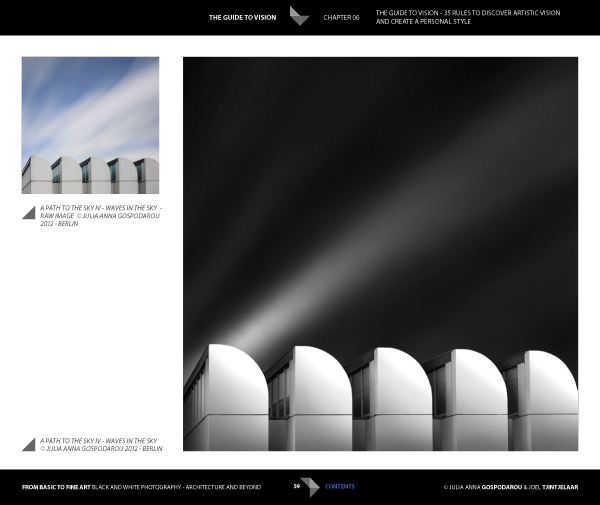
This theme is continued in the later chapters where Joel explains his post-processing techniques. Take a good look at his photos (follow the link to see some) and think about whether you could achieve similar results. The likely answer is no, because Joel has developed his processing techniques beyond the level that most photographers achieve. Be warned – Joel takes a long time to process his photos and this section of the ebook reflects that. If you’re looking for quick fixes or shortcuts you will need to look elsewhere.

Ebook Review: From Basics to Fine Art

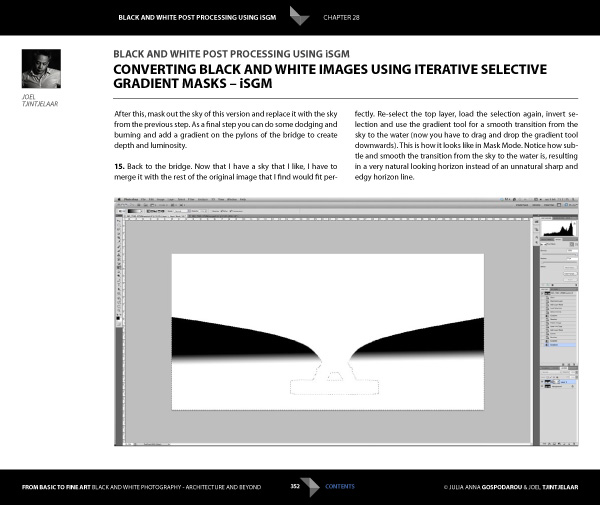
But if you’re looking for a detailed explanation of black and white post-processing techniques that you won’t find anywhere else, then you’re in the right place. Joel explains his workflow, demonstrating how he uses Lightroom and Photoshop, along with plug-ins such as Silver Efex Pro. Most importantly, he shows you how to use what he calls Iterative Selective Gradient Masks, a technique he developed himself, to create the unique look of his black and white images.

He also explores fairly complex techniques modelled on what the calls: the 10 monochromatic commandments for good black and white photography. The idea is that you can create presence and depth in photographs by altering contrast, tonal relationships and defining edges in a way that adds volume, depth and luminosity to the subject.

Don’t be surprised if you don’t understand what this means as it’s an intricate topic that represents a fairly new way of looking at black and white photography. Joel is ahead of everybody else in this respect so you won’t find this information anywhere else. However, the examples in the ebook, and the clear presentation, makes it simple. By the way, the 10 monochromatic commandments I just mentioned are essential reading for anybody interested in black and white photography, regardless of genre.

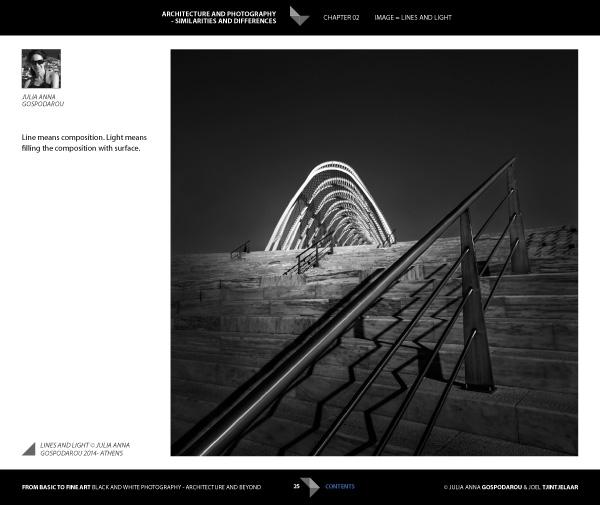
For me, the aspects covered in the previous paragraphs are the most interesting part of the ebook. There’s more, including some interesting thoughts from Julia (a trained architect) on using light to render the form and volume of buildings. She draws on techniques used in drawing and applies them to photography to get you thinking in a new way about rendering three-dimensional objects in photography.

Ebook Review: From Basics to Fine Art

There’s also an extensive chapter from Joel about long exposure photography, and the equipment (including a detailed look at neutral density filters) and techniques required to get results.

Included is more of the usual stuff that you would expect from a book about architectural photography, including composition, the practical aspects of photographing architecture and a chapter on using tilt-shift lenses. There’s also a useful chapter on pricing your work that will be of interest to professionals (or aspiring professionals).

A niggle: the discussions about composition contain a heavy emphasis on rules that continues throughout the ebook. I’m always suspicious of anybody that claims a certain way of things is a rule, and I’m certainly not convinced of the veracity of using (just to give an example) Fibonacci spirals and then stating that there’s a rule attached to it. I’m a strong believer in principles, rather than rules, and I don’t think Fibonacci spirals are going to help readers improve their composition. This minor complaint aside, there is plenty of good and practical information in this ebook.

Ebook Review: From Basics to Fine Art

Conclusion

I came away from reading this ebook with mixed feelings. On one hand, you have two photographers whose work I admire immensely explaining how they create their images, from their general philosophy to the specifics of long exposures and post-processing.

If you’re ever looked at their photos and wondered how they achieved the results they do then this ebook has the answers. It’s a tremendous act of generosity and sharing. No one else seems to be doing this stuff yet, or at least doing it and teaching it, so that makes some of the content unique. If you’re a fan of either of these authors, and want to learn the secrets behind their work, then it’s a must buy.

Ebook Review: From Basics to Fine Art

My main misgiving comes from the price. It’s an expensive ebook and it would be a shame if this information reaches a limited audience because of that. I realize that expense is a relative concept; the ebook is much cheaper than taking a workshop and you will learn things here that you wouldn’t from any other source. It’s a unique resource, and ultimately the buying audience will decide whether it has a fair value.

I have to admit that what I’d really like to see is a print version of this ebook, properly designed to give precedence to the photos of both authors. Their images would be better enjoyed on the printed page, and a book has the potential to become a lasting testament to their body of work and teachings.

From Basics to Fine Art: Black and White Photography – Architecture and Beyond

You can learn more about or buy From Basics to Fine Art: Black and White Photography – Architecture and Beyond by clicking the link. The price is €49 for those of you in the Eurozone, £39 for anybody in the UK and $ US59 for the rest of the world.

The post Ebook Review – From Basics to Fine Art Black and White Photography by Andrew S. Gibson appeared first on Digital Photography School.


Digital Photography School

 
Comments Off on Ebook Review – From Basics to Fine Art Black and White Photography

Posted in Photography