RSS
 

Posts Tagged ‘Back’

Lost your Photo Mojo? Ten Tips to Bring Back the Magic

08 Jan

We all go through creative blocks. Is it such a bad thing? Or, on the contrary, is it a sign that we need to push ourselves, and grow in the process? I think that a loss of passion may be an opportunity to renew and refresh your vision and turn it in a positive experience, instead of staying in a rut and feeling sorry for yourself.

Ten Tips to Get your Photo Mojo Back

1 – Get out of your comfort zone

You may hear this one often, but have you done it yet? I’m not suggesting that you go out and shoot your first wedding, but try something that may seem out of character for you. I consider myself more of an urban photographer than anything else. But I have experimented with other genres, such as B&W flower photography. Did I enjoy it? Sure I did, tremendously! But I also realized that I’m happier shooting street photography. That realization alone gave me a boost to get out and do more of what I love most.

I'm mostly a street photographer but I enjoy trying new genres and techniques. It gets my creative juices flowing! ©Valérie Jardin

I’m mostly a street photographer but I enjoy trying new genres and techniques. It gets my creative juices flowing!
©Valérie Jardin

2 – Hang out with other photographers

Hanging out with like minded people is like therapy. Admit it, you often experience some frustration when you are on an outing with non-photographers. Being able to enjoy a photo walk without having to justify why you need to take your time to get the shot is priceless. Join a group or start your own. The latter option is a good way to make sure that you will show up for all the photo walks!

3- Start a new project

Before you embark on a long project, make sure you’ll be able to handle the commitment. For example, a 365 project is a great way to grow as a photographer but it can also become a burden and be counterproductive. If you end up quitting after a few weeks, you may end up feeling worse about yourself and photography in general. If you decide to go for the 365, don’t be too hard on yourself. Don’t get to the point where you’ll shoot just about anything to get your pic of the day. Remember, it’s supposed to be fun! You may also consider starting something a little bit more manageable such as a 52-week project, a short term photo essay, a series of portraits of strangers or selfies, etc. Whatever you decide to do, make sure you share with the world! Which leads to the next point…

Some project ideas to help you out

Don't forget that you are your most readily available subject. Have fun with selfies! Here I played with long exposures and ghost images in an old theater.  ©Valérie Jardin

Don’t forget that you are your most readily available subject. Have fun with selfies! Here I played with long exposures and ghost images in an old theater.
©Valérie Jardin

4 – Try a new lens

Rent or borrow something completely different such as a fish eye, a macro lens or a Lensbaby Composer for a few days, see the world differently and embrace the new possibilities.

See a list of the most popular lenses – survey of dPS readers

5 – Share your work, start a blog!

Share your work on social media, or consider starting a photography blog. You don’t need to be a writer to start a photography blog, think of it as a journal in pictures. It’s so much more fun than keeping your images in your hard drive. It will also give you a boost in your confidence and push you to shoot more and better.
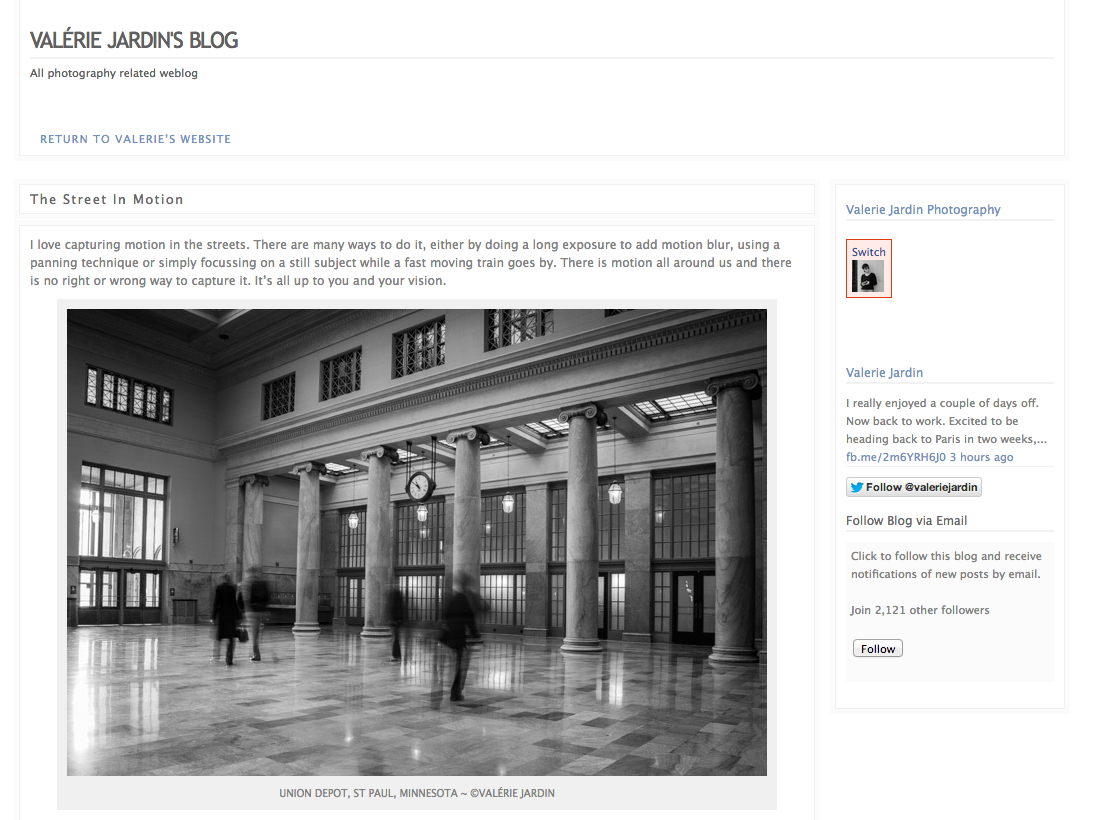
This is my personal blog where I write about projects and things I'm working on outside of my photography business.

This is my personal blog where I write about projects and things I’m working on outside of my photography business.

You can get a free, or inexpensive blog using resources like:

  • Square Space – starts at $ 8/month
  • WordPress.com – starts at free

6 – Page through a good photography book

We get inspiration online all the time. Everything we do seems to be online. The Internet is a wonderful thing and we are exposed to the work of so many amazing artists from all over the world and in real time. Sometimes we need to slow down and sit down with a big beautiful book of photographs. Visit a real book store or a library for a change of pace and for renewed inspiration.
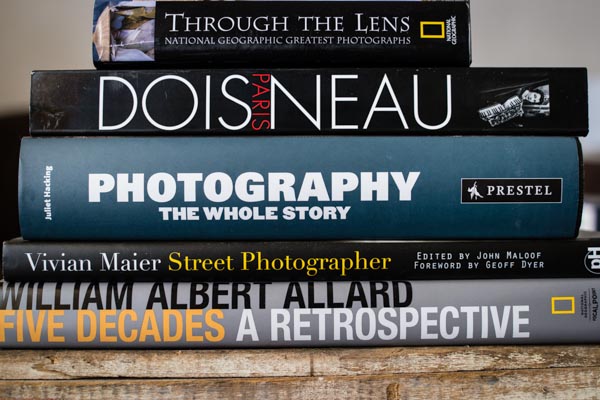
Valerie Jardin Photography - books-1

Take the time to page through a real book once in a while.

7 – Visit museums

Photography exhibits are a wonderful way to get some inspiration, but do not neglect looking at art in general. Sculptures, paintings, etc. See the passion that fueled the works of art showcased at your local museum.

8 – Teach a child

Give a camera to a child and go on a photo walk. You’ll be amazed to discover the world from a child’s perspective. Better yet, this could ignite a life-long passion thanks to you!

9 – Write a list of techniques you’ve never tried and give it a shot!

There isn’t a single technique that is not explained in detail online, so you have no excuse for not experimenting with something new. You never know, this light painting thing may just be what you need to feel inspired again, so get to work!

10 – Simply pick up your camera and photograph something in your house

There is no reason to stay in a rut, all you need to do is pick up a camera, any camera. You can even stay home and do it. Pick an ordinary object and make it look extraordinary! This simple step will get the creative juices flowing again.

Just pick up the camera and photograph something, anything, around your house!  ©Valérie Jardin

Just pick up the camera and photograph something, anything, around your house!
©Valérie Jardin

Okay it’s your turn

It’s okay to feel down and uninspired, it’s all part of being an artist. Turn it around and use it as an excuse to push yourself and try something new!

Please take a minute to share your experience dealing with creative block and how you found your muse again.


Books mentioned above and in Valerie’s stack:

  • Through the Lens: National Geographic Greatest Photographs (National Geographic Collectors Series)
  • Paris – Robert Doisneu
  • Photography: The Whole Story
  • Vivian Maier
  • William Albert Allard: Five Decades

The post Lost your Photo Mojo? Ten Tips to Bring Back the Magic by Valerie Jardin appeared first on Digital Photography School.


Digital Photography School

 
Comments Off on Lost your Photo Mojo? Ten Tips to Bring Back the Magic

Posted in Photography


Turn Back the Dial: 13 Retro Historical TV Set Designs

13 Nov

[ By Steph in Technology & Vintage & Retro. ]

Retro Television Main

Early television sets ranged from tiny screens housed in laughably oversized cabinets to stylish midcentury modern designs. Some, like a Russian TV from 1932, don’t even look remotely like the televisions we’re familiar with today. Here are 13 historical TV set designs dating from 1928 through 1991.

Massive Luxury Kuba Komet, 1957-1962

Retro TV sets Kuba Komet

Retro TV Sets Kuba Komet 2

How cool is this midcentury modern TV console? Shaped like a sailboat, it features an upper section that rotates like a sail on a mast so you can tilt the 23-inch screen in the desired direction. The lower cabinet holds additional multi-media features with a pull-out, 4-speed phonograph, a TV tuner and a multi-band radio receiver.

First Publicly Available Russian TV, 1932

Retro Television Russian 1

The first television set that was available to the public in Russia looks exactly like you would expect – basically, as if it were a piece of military equipment.

GE Performance Television, 1978

Retro Television GE Performance

Once upon a time, having a gigantic ugly faux-wood-covered box in your living room was considered a sign of prestige. The GE Performance Television is about as ridiculous as it gets, especially since the picture was terrible owing to the fact that it was essentially just a regular TV tube flipped and back-projected onto that giant screen. GE marketed it as “a super-size TV with a picture three times as big as a 25-inch diagonal console and the ‘chairside convenience’ of random access remote control.”

Zenith CBS Mechanical Color Wheel, 1948

Retro Television Zenith Color Wheel

Before ‘real’ color TVs were available, CBS labs came up with this contraption – essentially a black-and-white television equipped with a spinning mechanical wheel of red, blue and green filters that added color to the picture seen on the screen. CBS was all ready to start selling these things when RCA protested that an all-electronic color system (which they were researching, but had not yet developed) would make more sense. Ultimately, the Zenith design was briefly used as a teaching tool for surgery, but never sold to the public.

Phillips Discoverer Space Helmet TV, 1991

Retro Television Phillips Discoverer Space Helmet

This novelty television didn’t really do anything special – it just  looks cool, modeled after a space helmet with a closing lid. They can still be found on eBay for under $ 100.

Next Page – Click Below to Read More:
Turn Back The Dial 13 Retro Historical Tv Set Designs

Share on Facebook


[ By Steph in Technology & Vintage & Retro. ]

[ WebUrbanist | Archives | Galleries | Privacy | TOS ]


WebUrbanist

 
Comments Off on Turn Back the Dial: 13 Retro Historical TV Set Designs

Posted in Creativity


Converting from Android Back to the iPhone, Initial Observations

22 Oct

I’ve been using smartphones for a long time. I was an original owner of what I believe was the very first smart phone, the Kyocera PDQ 800 back in 2000. I had a couple of Microsoft Windows based phones after that. I waited in line down in Palo Alto with my pal Robert Scoble to get the very first iPhone when it was launched back in 2007. I then upgraded to an iPhone 3G, then an iPhone 3Gs. I skipped the iPhone 4 opting instead to give Android a run for the money. I switched to a Samsung Vibrant in 2010 and then in 2011 to a Samsung Galaxy Nexus.

On Friday my new iPhone 5s arrived.

I returned to the dark side of Apple for a lot of different reasons. I hated the poor battery life on both of my previous Android phones. I hated that it felt like the only way to get updates on Android phones was to buy a new Android phone. I thought it sucked how difficult it was getting updated software and I thought Google didn’t do enough to pressure the hardware manufacturers and carriers to better support Android updates in the aftermarket.

A lot of things felt broken on my Android phones all the time. Things crashed, didn’t work, etc. People kept suggesting that I “root” my phone to fix things — but I didn’t want to root my phone. I’m not a phone geek. I just want something really good that consistently works with little effort.

On my recent trip to New York City last month, I felt like I spent the whole trip apologizing to people who couldn’t get a hold of me on my Nexus because it was constantly dead. I didn’t dare listen to music on it or it would die even faster.

It’s totally unfair to compare my new iPhone with a 2 year old Galaxy Nexus, but I’m going to do it anyways. Maybe Android’s come a long way since my Nexus, but I’m not interested in shelling out $ 500 to see if in fact this is the case — not after feeling like I’ve been burned twice with my last two Android phones.

I’ve only been using my new iPhone for a few days, but here are my initial observations.

1. The iPhone battery is wayyy better than my old phone. Last night I went to bed with my iPhone fully charged, but unplugged. This morning it had 98% of it’s battery life still. That was amazing to me. My Nexus would have been dead. It’s so nice having a phone that actually has a battery life.

2. The internet reception is better on this phone than my Nexus. For the last two years I’ve thought that Verizon just had really crappy internet service in the Ferry Building here in San Francisco. It turns out it was my phone! All the places in the Ferry Building where I couldn’t get Verizon LTE service on my Android, now work perfectly with Verizon LTE on my iPhone. I was so frustrated all the time when my LTE connection wouldn’t work on my old phone. I was constantly blaming Verizon when the real culprit was MY PHONE! Verizon LTE works GREAT. I just needed the right phone.

3. I didn’t care about the fingerprint technology on the new iPhone. I never locked my Nexus and didn’t think I’d lock this one — I’m one of those optimists who never thinks they will lose their phone. It turns out that the fingerprint tech is so easy that I do now lock my iPhone. I totally get that the NSA likely now has my fingerprint, but I don’t care about stuff like that.

4. It’s nice to be able to hear my music again. One of the things that I disliked about my old Nexus was the music volume. It was too low at max volume. Sometimes when you are on a train or something you want the music louder. The iPhone music can go louder and that’s nice.

5. It’s nice having my iPhone sync with my iTunes. I transferred about 7,000 of my favorite songs on it. I tried downloading doubleTwist to somehow port my iTunes to my old Nexus, but I could never get it working. I think my music library was too large for doubleTwist or something. Letting iTunes manage my music flawlessly with my iPhone is great.

6. My new iPhone just feels better. I don’t know how to describe it. It feels more responsive, more accurate, faster. It feels smoother. The Flickr and Google+ apps flow easier on it.

7. The first shocker for me was how much smaller the phone and the screen felt to me. I got over this quickly and barely notice at this point.

8. I don’t really feel like I’m missing the best Google stuff from my Nexus. I can get Google Maps on my iPhone. I can get Gmail on my iPhone. I can get Google Chrome on my iPhone. All of the best things that sort of set Google apart initially for me as an incentive to go Android feel like they are now on iPhone.

9. Setting up my new iPhone took me a lot longer than I thought it would. Some of this was my fault and some was the phone’s I think. I couldn’t activate it at first. My phone couldn’t connect to the activation server. I finally got it activated and it wouldn’t connect with my wifi at home initially (now it works fine). I had to download all of my favorite apps. It seemed to take longer to download my apps than I would have liked. I had to reset some passwords because I’m always forgetting my passwords (on Flickr now your password must include upper and lowercase letters, a number, a special character AND be at least 8 digits!) I spent about an hour trying to figure out how to get my Google Calendar into my iPhone calendar. It turns out what was screwing me up was two step authentication. Once I turned that off at Google it worked.

Thanks to everyone online on Twitter, Google+, Facebook, etc. who gave me input on what phone I should buy next. Rosa Golijan was especially helpful. :)


Thomas Hawk Digital Connection

 
Comments Off on Converting from Android Back to the iPhone, Initial Observations

Posted in Photography


What just happened?! Looking back on last week

21 Oct

tenthings.jpg

Last week was incredibly busy here at dpreview, with major new cameras from Sony, Nikon, Fujifilm and Panasonic as well as new lenses from Samyang, Sony and Sigma. It was a week of late nights and early mornings, and now that the dust has settled and we’ve had some time to breathe, we’ve prepared a quick look back to last week for some highlights of what what you might have missed. Click through for a recap. 

News: Digital Photography Review (dpreview.com)

 
Comments Off on What just happened?! Looking back on last week

Posted in Uncategorized


Back from the dead: Fujifilm boosts X100 with major firmware upgrade

18 Oct

x100.jpg

Following recent updates to the X-Pro1 and X-E1, Fujifilm has released a major upgrade to the X100, the original (now-discontinued) X-series model, which was announced back in 2010. Since its release, the X100 has benefitted from a series of major firmware improvements, and the latest – likely to be the last – offers faster startup time, and improvements to automatic and manual focus. Firmware v2.0 is available for download today. Click through for our opinion on this announcement, and the official press release.

News: Digital Photography Review (dpreview.com)

 
Comments Off on Back from the dead: Fujifilm boosts X100 with major firmware upgrade

Posted in Uncategorized


Back to the future: ten one-of-a-kind cameras from the 21st century

03 Sep

v570-front-trans.png

At the turn of the 21st century, consumer digital cameras really took off. Technology was evolving at an incredible pace, and camera makers came up with features that we now take for granted, most notably live view on DSLRs. There were plenty of unique ideas going around, as well. Some were genuinely useful, while others may leave you scratching your head. In this article, DPReview’s Jeff Keller takes a look at ten cameras that have stood out over the last thirteen years.

News: Digital Photography Review (dpreview.com)

 
Comments Off on Back to the future: ten one-of-a-kind cameras from the 21st century

Posted in Uncategorized


Retro-styled Mini 90 takes Fujifilm’s Instax Line Back to the Future

25 Aug

instax90.png

Fujifilm has updated its venerable line of Instax instant film cameras with the new ‘Neo Classic’ Mini 90, which takes its styling cues from recent X-series digital cameras like the X100S and X-E1. As well as an updated (or rather backdated) design, the Mini 90 includes a lithium-ion battery and features several shooting modes including a macro focus mode, double exposure and bulb – where the shutter can be held open for very long exposures or creative effects. Click through for more details and a link to Fujifilm’s (Japanese) Mini 90 microsite.

News: Digital Photography Review (dpreview.com)

 
Comments Off on Retro-styled Mini 90 takes Fujifilm’s Instax Line Back to the Future

Posted in Uncategorized


Faded dream: blogger looks back at the failure of the Silicon Film project

20 Aug

SiliconFilm.png

In the early days of digital photography a small American company, Imagek, started developing a digital sensor module that could be installed in film SLRs. The idea still generates excitement today, more than ten years after the company (by then named Silicon Film) failed. Photographer and blogger Olivier Duong has taken a look back at the promise and disappointment of the Silicon Film dream.

News: Digital Photography Review (dpreview.com)

 
Comments Off on Faded dream: blogger looks back at the failure of the Silicon Film project

Posted in Uncategorized


Readers Shoot Back: Sergey Zaytsev

03 Jul

I sometimes kill an afternoon scanning the excellent work that Strobist readers upload to the site's Flickr group. Every now and then one will really stop you in your tracks, as did Georgian photographer Sergey Zaytsev's homage to his country's Queen Tamar, seen above. Very cool that it was done with more creativity than dollars (or lari, I should say?) and with a strong historical inspiration, to boot.

Would it surprise you to find this was done with a Nikon D300s and a few bare Cactus KF36 Vivitar 285 knockoffs? 'Cause that's what he used.

Read more »
Strobist

 
Comments Off on Readers Shoot Back: Sergey Zaytsev

Posted in Photography


30 Guys That Bring Faith Back to Instagram Photography

27 May

Instagram is the photo sharing and social networking service of the moment, bought solidly to the forefront with the acquisition of Instagram by Facebook and the release of the iPhone 5. With more than 5 million photos being uploaded every hour by the 50 millionusers across the world, Instagram is certainly representative of a larger iPhoneography movement that is captivating Continue Reading

The post 30 Guys That Bring Faith Back to Instagram Photography appeared first on Photodoto.


Photodoto

 
Comments Off on 30 Guys That Bring Faith Back to Instagram Photography

Posted in Photography