RSS
 

Archive for December, 2016

DxOMark image quality test report released for Huawei Mate 9

24 Dec

The Mate 9 is Huawei latest flagship smartphone and comes with a Leica-powered dual-camera that combines a 20MP monochrome sensor with a 12MP RGB chip. Image data from both sensors is combined for optimized image quality.

The test engineers at DxOMark have now put the new technology through its paces and with a score of 85 the Mate 9 performs respectably but cannot take one of the top spots. It slots in at a joint 12th position, just behind the LG G5 and iPhone 7. It shares this spot with the LG V20, which was also recently added to DxO’s mobile rankings.

In still image mode the testers liked the good detail preservation, accurate white balance and good exposure of the device but deducted points for inconsistent color in cloudy conditions, color casts with flash use and some ghosting artifacts. Video footage also showed good detail and exposure and was well-stabilized. On the downside, there is a noticeable jello effect when recording while walking and visible noise and reduced detail in low light. You can read the full report on DxOMark.com.

Articles: Digital Photography Review (dpreview.com)

 
Comments Off on DxOMark image quality test report released for Huawei Mate 9

Posted in Uncategorized


Gear of the Year 2016: Dan’s Choice – the DJI Mavic Pro (which he stinks at flying)

24 Dec
The Mavic Pro inspired me creatively and challenged me as a photographer more than any other product this year. Even if I still stink at flying it. Photo by Dan Bracaglia

I first flew the original DJI Phantom in 2013 as part of an article for Popular Science and have had drones on my mind ever since. However, my obsession with the idea of flight goes back to childhood, when I would launch into the sky anything I could get my hands on: kites, rockets, model planes, RC helicopters etc. 

When DJI announced the Mavic Pro at the end of September, I knew my years of patiently telling myself to ‘wait one more generation,’ had paid off: the Mavic Pro was the one for me. The reason? DJI is easily the most reputable maker of consumer drones and with the Mavic Pro, users get an easy-to-fly product (with years of R & D incorporated into it), good image quality, and an impressively-compact/portable package. It truly is the every-man’s drone. 

This is one of the few watchable clips I’ve shot so far.

Two months after pre-ordering, the box finally arrived at our office. And the first thing I learned upon firing it up is that despite the name, owning one certainly does not make you a ‘pro.’ The first thing I did with it was smash it into a wall in my apartment (I know, flying it inside the first time was a bad idea). 

As I’ve mentioned, I’ve been flying RC aircraft since childhood, and I like to think I’m pretty skilled behind the sticks. After all I can maneuver one of those $ 20 RC helicopters you get from Radio Shack (they do still exist, right?) like a champion. But crashing a $ 20 RC copter into a kitchen cabinet is one thing, crashing a $ 1000 drone into a kitchen cabinet is another thing entirely (video below). Note: this was the second crash. 

Photography is all about finesse and control, whether over one’s settings, light, subjects or all three. However being a good photographer does not make one a good drone operator. Despite the Mavic Pro being incredibly easy to get off the ground and fly safely (thank obstacle avoidance), there is a substantial learning curve in using it in an effective manner.

Outside of my childhood passion for controlling things as they soar through the sky, the DJI Mavic Pro is my gear of the year because it is the one piece of kit that challenges my understanding of both photography and video as mediums. Moreover, it challenges me to learn new skills that can be used to get new shots and perspectives as a content creator.

And knowing it’s in my bag and can be launched in under 10 minutes make me all the more eager to use it. Suddenly I can shoots stills and videos of friends skateboarding, or snowboarding or an outdoor concert, from both the ground and the air with relative ease. 

A sample image edited to taste in Adobe Lightroom. Photo by Dan Bracaglia

The drone industry is no longer in its infancy, in fact it’s growing up fast. And I think the Mavic Pro is a sure sign of this. High end consumer units are coming down in price, shrinking in size and offering increasingly impressive stills and video. At the same time, accident avoidance systems and other safety measure are also getting better.

It’s possible that before long we will live in a world where drones are as ubiquitous as smartphone. That’s somewhat of a terrifying thought, but all the more reason, if you are operating a drone, to try and be as safe and respectful to those around you as possible. Set a positive example for other drone fliers. Don’t ruin the fun for everyone else. 

I’ve only flown the drone on four occasions, but I can already see (modest) improvements in my skills, which is pretty exciting. With traditional photography, improvements can often only be seen retrospectively. Of course, accidents do happen and I’ll probably break the Mavic Pro in due time (perhaps even before this piece goes live). Fortunately, DJI offers one year of insurance for $ 100. That will cover you for up to two drone replacements in that time. I would certainly recommend this coverage to any first time fliers.

In conclusion, please enjoy the above scenic out-of-focus clip I shot last weekend In Seattle on one of the only clear days we’ve had this winter. Some day I hope to go back and try again. Maybe I should practice a bit more first, and not in my kitchen. 

Or instead you can watch the below clip of excellent 4K footage from the Mavic Pro, shot by Youtube user Digital Tech Reviews & Tips. #DroneGoals

Articles: Digital Photography Review (dpreview.com)

 
Comments Off on Gear of the Year 2016: Dan’s Choice – the DJI Mavic Pro (which he stinks at flying)

Posted in Uncategorized


Sony Xperia XZ scores 87 in DxOMark Mobile testing

24 Dec

It seems the DxOMark test engineers have been very busy in the run-up to Christmas. After the results for the LG V20 and Huawei Mate 9 they have now also published the test report for Sony’s current flagship, the Xperia XZ. The XZ combines Sony’s own 23MP 1/2.3” CMOS sensor with a 24mm-equivalent F2 lens but, unlike most of its direct rivals, has to make do without an optical image stabilization system.

When testing the device the DxOMark team were particularly impressed by the XZ’s AF-system that is fast and accurate in all conditions. They also liked the target-exposure, color and reliable white balance system. However, the Sony scored low for photo artifacts, such as haloing, ringing, and over-sharpening and lacked dynamic range in some situations. Overall photo score was 87 points.

Thanks to its efficient video stabilization and exposure adaption the XZ could achieve an even better 88 points for its video mode. However, like the still images, video clips lack dynamic range and show some noise in low light scenes. The Sony’s overall score of 87 points puts it on the same level as the Xperia Z5 and just behind the Samsung Galaxy S7. You can find the full report on DxOMark.com or read our own review here at DPReview.com.

Articles: Digital Photography Review (dpreview.com)

 
Comments Off on Sony Xperia XZ scores 87 in DxOMark Mobile testing

Posted in Uncategorized


Photographer applies iris design to Aperture Wrench concept

24 Dec

$ (document).ready(function() { SampleGalleryV2({“containerId”:”embeddedSampleGallery_7785582854″,”galleryId”:”7785582854″,”isEmbeddedWidget”:true,”standalone”:false,”selectedImageIndex”:0,”startInCommentsView”:false,”isMobile”:false}) });

Photography hobbyist and industrial designer Jordan Steranka has published images of a new concept tool called the Aperture Wrench, a wrench with a design inspired by a camera’s diaphragm. Unlike an ordinary wrench, the Aperture Wrench features blade-like elements that open and close via a rotating wheel and lock in place with the press of a button.

Steranka’s goal was to design a wrench that could be adjusted to fit any nut size, removing the guesswork involved in finding a correctly-sized wrench. The end result is a tool with aperture blades, an adjustment dial, a locking button, and a built-in light for better visibility. As with any concept, though, it’s possible the design will never make its way into mass production.

Via: DesignBoom

Articles: Digital Photography Review (dpreview.com)

 
Comments Off on Photographer applies iris design to Aperture Wrench concept

Posted in Uncategorized


Weekly Photography Challenge – Fishing

24 Dec

Fishing and fishermen can be a fascinating subject for photographers. You can see that for yourself in these images we shared earlier. Here are a few more of my images of the fishing village in Nicaragua:

fishermen-darlene-nicaragua-05

The combination of the fish tails, pineapple, and a bottle of Coke caught my eye. With a bustle of activity on the beach behind it.

fishermen-darlene-nicaragua-04

These ladies were negotiating, a serious business.

fishermen-darlene-nicaragua-03

Happy with her purchase. Dinner tonight.

fishermen-darlene-nicaragua-02

This lady was a stern business woman. The men were not messing with her. It was all “yes maam, yes maam”

fishermen-darlene-nicaragua-01

A young helper. The family members come to help bring the haul in and get a few fish in exchange for their labor.

Weekly Photography Challenge – Fishing

This week we want to see images of fishing. Either people or animals in the act of actually catching fish or the equipment that we humans use such as nets, poles, boats, etc. to catch them.

Nate2b

By nate2b

Luyen Chou

By Luyen Chou

Prayudi Hartono

By Prayudi Hartono

Florian F. (Flowtography)

By Florian F. (Flowtography)

Cycling Man

By Cycling Man

Riccardo Cuppini

By Riccardo Cuppini

Share your images below:

Simply upload your shot into the comment field (look for the little camera icon in the Disqus comments section) and they’ll get embedded for us all to see or if you’d prefer, upload them to your favorite photo-sharing site and leave the link to them. Show me your best images in this week’s challenge. Sometimes it takes a while for an image to appear so be patient and try not to post the same image twice.

Louis Vest

By Louis Vest

EPi.Longo

By ePi.Longo

Ilkka Jukarainen

By Ilkka Jukarainen

Vince Alongi

By Vince Alongi

Janmennens

By janmennens

Share in the dPS Facebook Group

You can also share your images on the dPS Facebook group as the challenge is posted there each week as well.

googletag.cmd.push(function() {
tablet_slots.push( googletag.defineSlot( “/1005424/_dPSv4_tab-all-article-bottom_(300×250)”, [300, 250], “pb-ad-78623” ).addService( googletag.pubads() ) ); } );

googletag.cmd.push(function() {
mobile_slots.push( googletag.defineSlot( “/1005424/_dPSv4_mob-all-article-bottom_(300×250)”, [300, 250], “pb-ad-78158” ).addService( googletag.pubads() ) ); } );

The post Weekly Photography Challenge – Fishing by Darlene Hildebrandt appeared first on Digital Photography School.


Digital Photography School

 
Comments Off on Weekly Photography Challenge – Fishing

Posted in Photography


MicroPAD: Tiny Mobile Units Aim to End Homelessness in San Francisco

24 Dec

[ By SA Rogers in Architecture & Houses & Residential. ]

micropad-tiny-housing-unit-1

Could tiny prefabricated stackable mobile housing units help solve homelessness in cities like San Francisco, where nearly 7,000 people sleep in the streets every night? Affordable housing has all but disappeared in the Bay Area, pushing thousands of people out and giving many people nowhere to go. While most developers in San Francisco are busy working on building the kinds of expensive condos that exacerbate the problem, one is offering a potential solution in the form of minimalist pods.

micropad-tiny-housing-unit-4

micropad-tiny-housing-unit-8

Patrick Kennedy and his team at real estate development and rental company Panoramic Interests present the MicroPAD, a self-contained, 160-square-foot mobile home that can stand alone or be stacked into a complex of up to 300 units. Nine-foot ceilings and generous windows flood the interiors with natural light, and each home contains a bed with storage drawers, a modest kitchenette, armoire closet, desk with chair and shelves, and a bathroom with a toilet and shower.

micropad-tiny-housing-unit-6

micropad-tiny-housing-unit-7

The units can be manufactured in about a week, exceed California seismic code, are made of non-combustible materials and feature engineered soundproofing and 24/7 filtered ventilation. Ultimately, aside from the size, the MicroPAD offers better quality housing than the more conventional apartments for which many of the city’s residents already pay lots of cash. The size and stickability is a response to the eye-watering $ 1,200-per-square-foot cost of development within the cramped city – it’s quick and easy to build, and doesn’t take up a lot of space.

micropad-tiny-housing-unit-11

Using prefab materials shaves 40% off the cost of conventional construction, and the developers note that the units can be built on, or in the airspaces above, unused and underutilized city-owned lots to further cut costs. At a cost of $ 1,000 per unit per month, the MicroPAD would come in at well under the average $ 17,353 currently spent per year on each homeless person in other forms of supportive housing. Panoramic Interests has a bunch of proposals on their site showing how and where the units could be stacked into 33-unit or 300-unit buildings.

micropad-tiny-housing-unit-2

Clearly, a lot of thought has been put into this proposal, and the company has already produced a number of prototypes to demonstrate exactly how the units work – one is placed outside Kennedy’s office on Ninth and Mission, a neighborhood with a significant population of homeless people. Of course, in a city where anyone who isn’t a tech worker struggles to get by, this concept could and should be scaled up to offer affordable housing for all.

Share on Facebook


[ By SA Rogers in Architecture & Houses & Residential. ]

[ WebUrbanist | Archives | Galleries | Privacy | TOS ]


WebUrbanist

 
Comments Off on MicroPAD: Tiny Mobile Units Aim to End Homelessness in San Francisco

Posted in Creativity


Sensor innovations push global shutter chip capabilities

21 Dec

Engineers with Tohoku University have detailed a new project in which a CMOS sensor with a global shutter is able to record ultra-high-speed footage without the constraints of existing technology, namely short-duration recording and low resolutions. The end result is a CMOS sensor capable of recording one million frames-per-second over a ‘large’ duration of time, relatively speaking (480 micro-seconds in this case), at full resolution.

By re-designing the sensor’s memory bank, researchers have tested a 96 x 128 pixel array with global shutter at 480 frames. The design is intended to be tiled on a sensor with 1MP resolution – clearly not enough for consumer photography, but great for engineering applications. 

Don’t feel left out though, consumer photography and videography may also see benefits from this kind of technology – Canon also reported progress on its research of global shutter sensors. Canon’s technology similarly uses memory in an innovative way: by assigning each pixel its own memory cell. While Tohoku University’s research is concerned with ultra high speeds, Canon is looking for ways to improve the dynamic range of global shutter sensors. The company has tested a 10MP sensor at 30 fps – take a look at the results below. 

Global shutter chips typically offer poor dynamic range. To improve DR, Canon has increased the number of ‘accumulations’ per frame, or the number of times each pixel deposits electrons to its associated memory cell. Image supplied by Canon

Via: IEEE Spectrum

Articles: Digital Photography Review (dpreview.com)

 
Comments Off on Sensor innovations push global shutter chip capabilities

Posted in Uncategorized


Google Pixel XL camera review

21 Dec

$ (document).ready(function() { SampleGalleryV2({“containerId”:”embeddedSampleGallery_1207849172″,”galleryId”:”1207849172″,”isEmbeddedWidget”:true,”standalone”:false,”selectedImageIndex”:0,”startInCommentsView”:false,”isMobile”:false}) });

For its latest smartphone generation, Google has dropped the Nexus moniker of previous models and used Pixel branding borrowed from the company’s top-end Chromebooks and tablets. The Pixel XL is the larger of two models and comes with a 5.5″ QHD-screen that uses AMOLED technology. 

In terms of technical camera specifications, not much has changed compared to last year’s Nexus devices. A 1/2.3″ 12MP sensor is paired with an F2.0 aperture but offers no optical image stabilization. However, Google has flexed its muscles on the software side of things and added a new gyroscope-based video stabilization system that reads gyro data 200 times per second for smoother panning and shake-free handheld video recording.

Additionally, thanks to more powerful processing and zero shutter lag the excellent HDR+ mode is now on by default, using an image stacking approach to reduce noise, capture better detail and increase dynamic range. While the Pixel XL’s camera hardware looks promising, it is these innovative algorithms that make the Google device one of the most interesting smartphones for photography released this year. 

Key Photographic / Video Specifications

  • 1/2.3” 12MP CMOS sensor with 1.55µm pixels
  • F2.0 aperture
  • AF with on-sensor phase detection and laser-assistance
  • Dual-tone LED flash
  • 4K video at 30 fps
  • 1080p slow-motion at 120fps, 720p at 240fps
  • Manual controls and Raw-support with third-party camera apps
  • Gyroscope-based video stabilization
  • 8MP front camera, 1/3.2″ sensor, 1.4 µm pixels, F2.4, 1080p video
  • Unlimited cloud storage for full-resolution images and videos

Other Specifications

  • 5.5-inch Quad-HD AMOLED screen
  • Qualcomm Snapdragon 821 chipset
  • 4GB RAM
  • 32/128GB storage
  • 3,450mAh battery
  • Splash and dust resistant
  • Fingerprint reader

DPReview smartphone reviews are written with the needs of photographers in mind. We focus on camera features, performance, and image quality.

Articles: Digital Photography Review (dpreview.com)

 
Comments Off on Google Pixel XL camera review

Posted in Uncategorized


Save 60% off with these Professional Photoshop Actions & Lightroom Presets

21 Dec

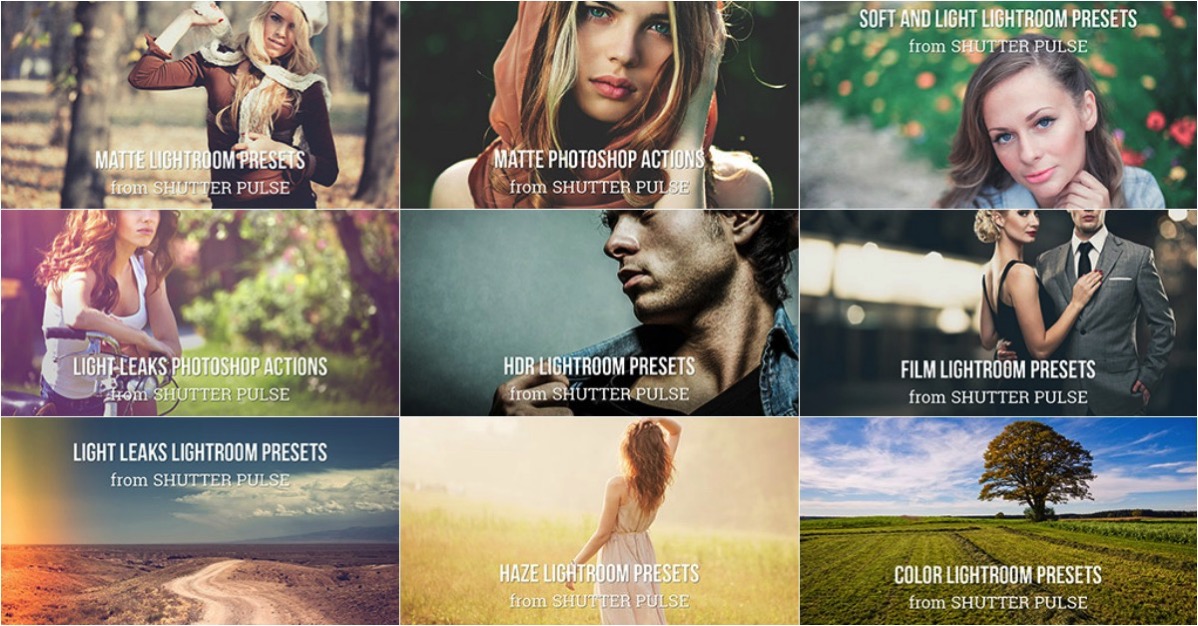
It’s Day 5 of our 12 Days of Christmas sale and today our friends over at Shutter PulseShutterPlus are offering an exclusive 60% off to dPS subscribers.

Shutter pulse

Today you can save 60% on their Professional Photoshop Actions and Lightroom Presets.

Quality Photoshop Actions and Lightroom Presets allow you to save a massive amount of time during post processing, and they can also help you to achieve impressive looks and effects with ease.

Today you have the option to pick up the following ShutterPlus Packs:

  • 300+ Photoshop Actions Bundle – Just $ 29, normally $ 39
  • 330+ Lightroom Presets Bundle – Just $ 29, normally $ 59
  • OR… get Both Bundles for an even bigger saving of just $ 39, normally $ 98!

These Bundles Include 100’s of effects including:

  • Stunning HDR Effects
  • Vintage Effects
  • Cinema-Inspired Effects
  • Film-Inspired Effects
  • Matte and Haze Effects

Pick up your bundle before it’s gone!

P.S. You’ll need a copy of Adobe Lightroom and/or Photoshop to use Presets or Actions.

P.P.S These presets are completely different to the dPS presets on sale yesterday, so here’s your chance to build up your preset collection so you have the right look for every occasion!

googletag.cmd.push(function() {
tablet_slots.push( googletag.defineSlot( “/1005424/_dPSv4_tab-all-article-bottom_(300×250)”, [300, 250], “pb-ad-78623” ).addService( googletag.pubads() ) ); } );

googletag.cmd.push(function() {
mobile_slots.push( googletag.defineSlot( “/1005424/_dPSv4_mob-all-article-bottom_(300×250)”, [300, 250], “pb-ad-78158” ).addService( googletag.pubads() ) ); } );

The post Save 60% off with these Professional Photoshop Actions & Lightroom Presets by Darren Rowse appeared first on Digital Photography School.


Digital Photography School

 
Comments Off on Save 60% off with these Professional Photoshop Actions & Lightroom Presets

Posted in Photography


5 Top Tips for Incredible Headshots Every Time

21 Dec

Headshots are arguably the unsung heroes of the photography world. They’re everywhere, from social media profiles and advertisements to portfolios and hanging on the walls of the home. These carefully crafted images didn’t take themselves, though.

If your headshot skills are a little wanting, there are a few tips you could take to improve your game. If you’re after magnificent snaps, for personal or professional reasons, follow these steps for a perfect shot every time.

1. Let the eyes be the stars

Eyes headshot tips Eyes headshot tips

As cliché as it may sound, eyes really are the windows to the soul. By creating a clear focus on them, this is a world of opportunities that can instantly draw in the attention of a viewer. If you want to capture a certain emotion it’s easy to do so.

Depending on the intended use of the images, you can convey a specific message. Want to create a professional looking photo? Focus on welcoming eyes that encourage contact. After a serious acting portfolio? Concentrate on targeting a stern appearance stemming from the eyes.

Don’t be afraid to experiment with different poses, eye positioning, and lighting. After a few shots, you’ll know exactly what to do.

2. Think about light

Light headshots

It may sound rather obvious, but light can create a number of different variations of the same photo. The best photographers know how to use light to their advantage and create excellent works of art.

Again, this is largely dependent on the purpose of the shoot. Natural light and the outdoors are great for showcasing a genuine feel. Natural light can be powerful for achieving real-life situation photos. It will also allow you to grab an honest and genuine aura of the person.

Light headhsots

Artificial or studio light is an exceptional tool for providing a highly professional end result. You’ll be able to inject light where you see fit, creating a photo that screams professionalism. This is probably the better option for taking corporate headshots as it allows for a uniform lighting pattern amongst a team.

3. The lens is key

Lens headshots Lens headshots

You’re probably very familiar with your lenses but with so many available, it can sometimes be difficult to know which one will work for each shot. Generally speaking, headshots aim to achieve two things. Compliment the subject and grab a clear and concise image.

Even the best lenses on the market are vulnerable to distortion if used in the wrong way. Mid to wide angle options are best avoided, as headshots are taken within a fairly close range to the subject (they will create facial distortion).

Using a 90mm or longer telephoto lens will let you capture a stunningly clear image, with the added benefit of slimming the face, which most subjects would be thrilled with.

4. Capture the mood with your background

Backdrop headshots

Pathetic fallacy works on so many levels. Primarily used as a literary term for setting a mood or humanizing elements, the same criteria can be applied to the camera.

If your shoot is outdoors, you don’t have to do too much to convey the message. Typically speaking, you wouldn’t capture a happy face in the rain unless you were doing a contrast shoot. You’d wait until the weather brightens up and use the environment to further enhance the purpose of the image.

Backdrop headshots

Healthy trees and plants have lively connotations; a park can showcase a playful personality. There are literally thousands of ways you can use a backdrop to strengthen your headshots. Just be careful that the attention isn’t taken away from the subject, though.

5. Live the shoot as a director

Director headshots

As a photographer, you’re essentially the director of a film split into still photographs. This might not be completely for your benefit, but you’re the one who knows exactly how it should be done.

Of course, it’s important to listen to the subject’s requirements, but from there you are the captain. Dictate how the shoot goes. Explore different angles. You are the professional after all.

You’ll be working together to achieve the end goal. With your direction, knowledge, and experience, you’ll both get the best possible results.

Director headshot tips

It’s easy once you know how

Headshots are among the trickiest photographs to capture. A demand for perfection is there almost every single time. With so many variants to take into account, what works for one shoot may be completely wrong for another.

With a little thought and by leaning on your expertise, you’ll get incredible results. You’ll produce your best work and the subject will be more than happy. Everybody wins.

Please post any questions or share your images in the comments section below.

googletag.cmd.push(function() {
tablet_slots.push( googletag.defineSlot( “/1005424/_dPSv4_tab-all-article-bottom_(300×250)”, [300, 250], “pb-ad-78623” ).addService( googletag.pubads() ) ); } );

googletag.cmd.push(function() {
mobile_slots.push( googletag.defineSlot( “/1005424/_dPSv4_mob-all-article-bottom_(300×250)”, [300, 250], “pb-ad-78158” ).addService( googletag.pubads() ) ); } );

The post 5 Top Tips for Incredible Headshots Every Time by John Kemp appeared first on Digital Photography School.


Digital Photography School

 
Comments Off on 5 Top Tips for Incredible Headshots Every Time

Posted in Photography