RSS
 

Archive for September, 2016

Lenovo Yoga Book features unique ‘on-demand’ keyboard

02 Sep

The Lenovo Yoga book is a thin and light 2-in-1 laptop with a metal body, watchband-style hinge, 10.1″ IPS display, Intel Atom X5 processor, 4GB of memory, 64GB of storage space and Dolby Atmos surround sound. It is available with Windows or running Google’s Android mobile OS.

What’s really unusual about it though, is its Halo ‘on-demand’ keyboard. The Halo keyboard does not have any physical keys but is a touchscreen on which keys appear with a solid white outline when they are activated or needed. Lenovo says the halo keyboard constantly adapts to the typing habits of its user and that the typing experience is comparable with that of a physical keyboard.

When the keyboard is not in use you can use the surface for writing or drawing with the real-pen stylus accessory. The real-pen can use real ink tips to write or draw onto a piece of paper covering the multi-use keyboard panel. It also works as a stylus when used straight on the panel. All writing or drawing is instantly digitized and saved in the note-saving app. The real-pen is powered by Wacom technology and offers 2,048 pressure levels and 100-degree angle detection.

Thanks to its unusual keyboard/graphics tablet combination the Yoga Book could be an interesting new option for image editing on the go. That said, its limited processor power does not make it look like an ideal solution for batch processing and other power-hungry tasks. In Europe the Yoga Book will be available this month. The Android version will cost €499 (approximately $ 560), the Windows version is €100 more. In the US, the Yoga Book will be sold online by the end of October but no pricing information has been released yet.

Press release:

LENOVO REVEALS THE YOGA™ BOOK – THE 2-IN-1 TABLET FOR PRODUCTIVITY AND CREATIVITY

YOGA BOOK RE-EXAMINES HOW A TABLET SHOULD LOOK AND ACT, WITH NEVER-BEFORE-SEEN FEATURES SUCH AS AN INSTANT HALO KEYBOARD AND A DUAL-USE STYLUS THAT WRITES ON PAPER AND SCREEN

  • THE YOGA BOOK HARNESSES THE BEST OF THE TABLET WHILE INTRODUCING NEW PRODUCTIVITY AND CREATIVE HARDWARE AND SOFTWARE, WITH HALO KEYBOARD FEATURE, REAL-PEN ACCESSORY AND BOOK UI.
  • THE YOGA BOOK’S HALO KEYBOARD FEATURE WEAVES SOFTWARE AND HARDWARE INTO ONE INTERFACE, ALLOWING FOR A TYPING EXPERIENCE THAT FAR SURPASSES CONVENTIONAL TABLETS AND MATCHES THAT OF PHYSICAL KEYBOARDS.
  • DRAWING INSPIRATION FROM THE ELEGANCE AND SIMPLICITY OF NOTEBOOKS, THE YOGA BOOK’S REAL-PEN ACCESSORY ALLOWS USERS TO WRITE AND DRAW WITH PEN AND PAPER WHILE INSTANTLY DIGITIZING THEIR NOTES AND SKETCHES.
  • THE YOGA BOOK’S THIN AND LIGHT DESIGN, 15-HOUR BATTERY LIFE AND 360-DEGREE WATCHBAND HINGE GIVES ON-THE-GO TABLET USERS THE FREEDOM TO WRITE AND DRAW ANYWHERE, MATCHING THE MOBILITY OF A SMARTPHONE WITHOUT HAVING TO CARRY A LAPTOP OR DETACHABLE.
  • THE YOGA BOOK, AVAILABLE ON BOTH ANDROID AND WINDOWS, IS THE WORLD’S THINNEST AND LIGHTEST 2-IN-1 TABLET, AND A DIRECT RESPONSE TO USER DEMANDS FOR A BETTER EXPERIENCE FOR PRODUCTIVITY ON TABLETS.

BERLIN, Germany – Aug. 31, 2016 – Lenovo (HKSE: 992) (ADR: LNVGY) today launched the Yoga Book, the world’s thinnest and lightest 2-in-11 tablet, designed for unmatched productivity while on-the-go. Built for mobility and to solve the most common challenge among tablet users – how to achieve productivity and entertainment in one device – the Yoga Book is a tablet that looks and acts like no other. Up until now, we’ve been using tablets in ways we weren’t meant to: for productivity, for example, which becomes painful when typing or applying a stylus onto a touch screen that you’re using on-the-go. The Yoga Book removes that difficulty by taking the fundamental building blocks from the DNA of what makes a great tablet – namely portability, long battery life and a rich app ecosystem – and entwines it into a strand of creativity and productivity through a suite of powerful new hardware and software features, including:

  • The instant halo keyboard
  • The dual-use stylus that writes on paper and screen
  • The productivity-driven Book UI

Quote
“We set out to redefine the tablet category conundrum, namely that consumers no longer separate their activities into productivity and entertainment – it all blends together, and so should the device they use,” said Jeff Meredith, vice president and general manager, Android and Chrome Computing, Lenovo. “The Yoga Book introduces keyboard and handwriting input capability in an elegantly simple, unconventionally slender tablet design. We believe our unique design will offer tablet, 2-in-1 and traditional notebook buyers a first-of-its-kind option for evolving usage trends.”

Ultra-Thin and Light
With two panels that open up like an ultrathin notebook, the Yoga Book is unconventionally slender and light years removed from the tablet that you’re accustomed to using on the go or while sitting in your home. As the world’s thinnest 2-in-1, the Yoga Book is 9.6mm closed, tapering to 4.05mm at its slimmest edge – a thickness of just under three pennies. And because it’s also the lightest 2-in-1 in the world at 690 grams (1.52 pounds), the Yoga Book is made to match the mobility of a smartphone, so you can easily hold and carry, just like a book. Users who take the Yoga Book with them on day trips have the option to work anywhere – on a busy commute, in a packed waiting room or on a crowded countertop – if and when they feel like it, thanks to the thin and light design, 15-hour2 battery life and a watchband hinge that folds 360 degrees. And if users don’t feel like working, they’ll have a top-of-the-line entertainment tablet to keep them company, with a 10.1-inch IPS FHD screen, high-quality sound enhanced with Dolby Atmos® and 64GB of memory.

Instant Halo Keyboard
The Yoga Book’s first productivity feature is also what makes the thin and light design possible: the halo keyboard, a full touch screen backlit keyboard that weaves software and hardware into one fluid interface. The touch screen is made with glass that was meticulously chosen to give a rough, matte feel and finish, along with anti-glare coating to ensure the best possible touch-typing experience. The keyboard lacks any physical keys, showing up as a solid white outline on the Yoga Book’s second panel only when it’s needed. The halo keyboard constantly ‘learns about and adapts to’ the typing habits of its user, with built-in prediction and artificial learning software. This software also allows for continuous optimization. Along with built-in, sensitive haptic technology, which enables touch feedback to guide typing and reduce mistakes, the halo keyboard far surpasses the typing experience and speed of a normal tablet, and is comparable with that of a physical keyboard.

Real-Pen Accessory – Dual Use Stylus
The flush surface of the halo keyboard feature also allows for a few additional uses when paired with the Yoga Book’s standard real-pen accessory, a dual-use stylus. Inspired by the elegance and simplicity of real notebooks, Yoga Book is an acknowledgement that we all still love to write and draw on paper. Users can now write with the real-pen accessory that holds real ink tips onto a piece of paper or notepad covering the multi-use keyboard panel, or as a stylus when applied straight onto the panel. Everything they create, from doodles and drawings to notes, is instantly digitized and saved with the Lenovo note-saving app.3 Roughly the size of a conventional ink pen, the real-pen accessory is powered by Wacom feel™ IT technologies to work with the state-of-the-art electro-magnetic resonance (EMR) film housed within the multi-use keyboard, which enables this real-time digitization.

The multi-use keyboard and real-pen accessory recreate the natural feel of drawing flat on a paper surface instead of directly onto a computer screen, without having to block parts of the art work with the hand or stylus. Or you can draw directly on the screen as well, depending on preference. The real-pen accessory can draw with the precision of a pencil or paintbrush, with 2,048 pressure levels and 100-degree angle detection. In addition, you’ll never have to charge or replace it – the real-pen accessory doesn’t require batteries and its ink can be replaced with standard ink tips, just like that of a conventional pen.

Book UI and Hinge
As a 2-in-1 that weaves together both hardware and software, Yoga Book truly brings work and play into one tablet through the Book UI, the Yoga Book’s specially adapted Android 6.0 operating system that draws from the best UI features of laptops and tablets. The Book UI allows several apps to run at once through multiple windows that can be pinned, maximized or minimized, as well as a taskbar that keeps track of your apps and common Windows keyboard shortcuts and action keys. This additional new workload is easily handled by the Yoga Book’s powerful Intel® Atom™ X5 processor and 4GB of memory. And Windows users also have the option to work on that platform, as the Yoga Book is available on Windows 10.

Constructed from a combination of magnesium and aluminium alloys, the Yoga Book is robust in build and guaranteed to turn heads. As with all Yoga products, it has the distinctive watchband-style hinge. This time, the hinge is engineered to be smaller and features a custom-made three-axis hinge, with 130 different mechanical pieces comprising five different materials. Lab tested more than 25,000 times, the Yoga Book form offers a smooth, seamless transition between the four modes – Browse, Watch, Create and Type. The Yoga Book with Android is available in Gold or Gunmetal, while the Yoga Book with Windows comes in Carbon Black.

Pricing and Availability4
Pricing for the Yoga Book will start at €499 for the Android version and €599 for the Windows version. Pricing and availability may vary from country to country. All will be globally available beginning in September. In the US, the Yoga Book will be sold online by the end of October.

Articles: Digital Photography Review (dpreview.com)

 
Comments Off on Lenovo Yoga Book features unique ‘on-demand’ keyboard

Posted in Uncategorized


Quick review: Apexel 8mm fisheye lens for smartphones

02 Sep

Fixed focal length lenses are one of the key limitations of smartphone cameras. So it’s no surprise that add-on lenses, which allow you to vary the focal length, are among the most popular smartphone accessories.

We have had the chance to test one of the more extreme variants, the Apexel 8mm fisheye lens, which provides a whopping 238-degree field-of-view. The lens comes with a clip that makes it very easy and quick to attach to most mobile devices – Apexel claims it is compatible with 98% of all smartphones – but we’ve found it to work best with the latest generation Apple iPhones, as the back of the lens slots onto the iPhone’s lens protrusion, where it is firmly held in place. On other devices, without a protruding camera-module, things can get a little more difficult and you might have to optimize the position of the lens by moving it around very slightly until you find a position that gives the best image quality. 

The provided clip makes lens attachment very easy and quick. Lens construction features six elements in five groups.

The lens construction features six elements in five groups and a multi-layer coating. The glass is housed in an aluminum body and the clip is made from very robust ABS plastic. Apart from the lens and clip you’ll find a lens cap, storage case and lanyard in the box.

In use

Image quality does of course vary depending on the smartphone camera you are using, and can be a little hit and miss. We tested the lens on the iPhone 6s Plus and the Lenovo Moto Z Force. On the iPhone, the lens clips neatly onto the protrusion of the phone camera but still, many images are very soft across the frame. During our testing the iPhone’s AF system clearly found it more difficult than usual to find a lock and, so it seems, sometimes simply did not focus correctly before the shutter was triggered. Other images are relatively sharp at the center of the frame and only show softness around the edges.

$ (document).ready(function() { SampleGalleryV2({“containerId”:”embeddedSampleGallery_1546006066″,”galleryId”:”1546006066″,”isEmbeddedWidget”:true,”standalone”:false,”selectedImageIndex”:0,”startInCommentsView”:false,”isMobile”:false}) });

In general, sharpness was better on the Moto Z Force but you’ll have to make sure the lens lines up perfectly with the smartphone camera. That said, even in a best case scenario vignetting is much more pronounced than on the iPhone – in sunny conditions lens flare is visible and again the AF occasionally takes much longer to lock than without the clip-on lens. With the Apexel’s extreme angle of view it can also be difficult to keep fingers and other body parts out of the frame, so check the preview image carefully before pulling the trigger.

Of course, the lens also works in video mode. The sample below was recorded in the Lenovo Moto Z Force’s 1080p video mode. It shows most of the same imperfections as the still images but thanks to the lower video resolution they are not quite as intrusive. 

Conclusion

The Apexel 8mm fisheye lens for smartphones is a nicely made accessory lens that is very easy to clip onto most phones (as long as you don’t use a case). The fisheye effect is extreme and can be an interesting additional weapon in your creative mobile imaging arsenal. However, image quality purists won’t be happy with the strong softness, vignetting and some lens flare we’ve seen in our sample pictures. Not that we were expecting Zeiss quality from a smartphone accessory lens, but the Apexel is generally quite a bit softer than we’d like.

That said, the lens can be fun to use and capture image results that are different from your usual smartphone pictures. The Apexel 8mm Fisheye is currently available for approximately $ 44 on Amazon.com*.

Pros:

  • Extremely wide angle-of-view
  • Nice fisheye effect
  • Solid build quality
  • Easy and quick attachment
  • Compatible with most smartphones (although works best with iPhone 6/6s generations)

Cons:

  • Strong image softness
  • Varying degrees of vignetting (depending on smartphone camera)
  • Some lens flare in sunny conditions
  • Slows down camera AF
  • Exposed front element prone to scratching and fingerprints
  • Clip not compatible with many phone cases
 
 
* dpreview.com is a wholly-owned subsidiary of Amazon but is editorially independent of our parent company.

Articles: Digital Photography Review (dpreview.com)

 
Comments Off on Quick review: Apexel 8mm fisheye lens for smartphones

Posted in Uncategorized


Snapseed 2.9 for iOS adds Raw support for 144 camera models

02 Sep

The iOS version of Google’s Snapseed mobile photo editing app just got an update with a major new benefit: full Raw support for 144 cameras and all DNG files. With the update, the app can now be used to edit Raw files from a lengthy list of advanced compacts and interchangeable lens cameras.

A full list of cameras included in the update is available at Google’s Snapseed support website. The website also suggests supported workflows to get those Raw files onto your device, listing EyeFi MobiPro, Google Drive and Apple’s Lightning to SD card reader or USB camera adapter as possibilities. Realistically, a Raw editing workflow will probably make most sense with an iPad Pro.

Version 2.9 also introduces a face tool with various pre-set options to apply different smoothing and brightening effects to detected faces in a photo. Also added is an option to specify the JPEG compression rate applied when exporting photos, and the ability to save a lossless PNG.

Original photo from front-facing camera of an iPhone SE.  ‘Subtle’ face effect. Not usually a fan of ‘beauty’ settings on cameras, but I won’t lie: I am fine with this.

Articles: Digital Photography Review (dpreview.com)

 
Comments Off on Snapseed 2.9 for iOS adds Raw support for 144 camera models

Posted in Uncategorized


Canon announces new flagship EOS C700 cinema camera

02 Sep

Canon has announced a new addition to its Cinema EOS line of professional cinematography cameras, the EOS C700, which appears to be the first camera from Canon to leverage the global shutter CMOS sensor technology the company revealed yesterday. The camera will be available in three variants: the C700, C700 PL, and C700 GS PL.

The EOS C700 and EOS C700 PL feature a Super 35mm 4.5K sensor with wide dynamic range, which Canon says extends to 15 stops of latitude. The EOS 700 GS PL features a Super 35mm 4K sensor with global shutter. Global shutter is a desirable feature for filmmakers as it allows the camera to capture data from the entire sensor at one time. In contrast, most CMOS sensors capture data using what is known as a rolling shutter, in which data is captured line by line as it comes off the sensor, and which is responsible for the ‘Jello’ effect often seen in digital video.

All three cameras support Canon’s standard Log gamma profiles (Canon Log3, Canon Log2, and CanonLog), and support frame rates up to 4K/60p and 2K/240p. Canon has also added the ability to record footage straight to Apple ProRes, a common editing format, in addition to Raw data capture and Canon’s own XF-AVC compressed codec. Additionally, these are the first Cinema EOS cameras to include a de-squeeze feature for live monitoring when shooting with anamorphic lenses.

Owners won’t be locked into a lens mount or sensor; the C700 will allow users to switch between EF and PL mounts, as well as between the standard CMOS sensor and the global shutter CMOS sensor. (Though this work will need to be done at a Canon service facility.) Canon gives users incentive to pair the camera with EF lenses as these will make it possible to take advantage of Dual Pixel autofocus, however those who choose PL mount versions will get compatibility with Cooke/i metadata communication technology.

Finally, Canon has partnered with Codex to provide a fully integrated, no cable workflow option with the Codex CDX-36150 recorder.

These look like impressive tools, and they come with a price tag to match. The EOS C700 and C700 PL are expected to go on sale in December with a list price of $ 35,000, while the EOS C700 GS PL should be available in January (2017) with a list price of $ 38,000.

Press Release:

Canon U.S.A., Inc. INTRODUCES NEW FLAGSHIP EOS C700 CINEMA CAMERA*

Ideal for Major 4K Cinema, Television, and On-Demand Streaming Productions

MELVILLE, N.Y., September 1, 2016 – Canon U.S.A., Inc., a leader in digital imaging solutions, announced today the next step in the evolution of the Cinema EOS family of professional cinematography products with the new EOS C700, EOS C700 PL and EOS C700 GS PL cinema cameras 

Featuring a completely new, customizable, modular design, the EOS C700 meets the demands of today’s productions – from feature films to documentaries to episodic dramas. The EOS C700 and EOS C700 PL cameras feature a Super 35mm 4.5K sensor1 with wide dynamic range, and can be ideal for productions requiring 4K UHD TV or 4K DCI cinema deliverables. The EOS C700 GS PL features a Super 35mm 4K sensor with a global shutter to enable the distortion-free capture of subjects moving at high speeds. In addition to supporting the earlier XF-AVC2 recording format, the cameras also support Apple® ProRes.

Recognizing that customers today demand flexibility and the ability to respond to the changing needs of productions, the EOS C700 allows users to convert between EF mount and PL mounts, and between a standard CMOS image sensor and a global shutter CMOS image sensor at Canon service facilities3. The EF lens mount provides compatibility with Canon’s diverse lineup of over 70 interchangeable EF lenses as well as enabling use of Canon’s Dual Pixel CMOS AF technology. While the EOS C700 PL and EOS C700 GS PL allow use of industry-standard PL lenses and compatibility with Cooke /i metadata communication technology.

For those wanting to shoot and deliver High Dynamic Range (HDR)4 content, the EOS C700 and EOS C700 PL are ideal – providing 15 stops of latitude5, Canon’s proprietary Log Gammas (Canon Log3, Canon Log2 and Canon Log) and renowned color science. Additionally, these cameras seamlessly integrate with Canon’s professional 4K displays (DP-V2420, DP-V2410 or DP-V1770) for on-set color management and review that conforms to SMPTE ST 20846 standards of HDR display.

To complement these powerful new acquisition tools, Canon has turned to its trusted partner Codex to provide a fully-integrated (no cables) recording and workflow option. The combination of the EOS C700 camera with the optional Codex CDX-36150 recorder allows for high-speed 4.5K RAW recording at up to 100FPS, 4K RAW at up to 120FPS, 4K ProRes at up to 60FPS, 2K ProRes at up to 240FPS and XF-AVC at up to 60FPS.

Canon’s new EOS C700, EOS C700 PL and EOS C700 GS PL are the first Cinema EOS cameras to support anamorphic shooting by utilizing a “de-squeeze” function for monitoring7, making possible the creation of images with the 2.39:1 aspect ratio typical of cinema productions. Furthermore, enabling Full HD high-frame-rate recording at a maximum of 240 fps (crop8), the camera enables smooth playback, even when slowed down, for great emotional visual expression. 

Along with the announcement of these cameras, Canon is also introducing optional accessories OLED 1920×1080 Electronic View Finder EVF-V70, Remote Operation Unit OU-700, Shoulder Support Unit SU-15, Shoulder Style Grip Unit SG-1 and B4 mount adapters MO-4E/MO-4P. 

The EOS C700 and EOS C700 PL are currently expected to go on sale in December 2016, while the EOS C700 GS PL is currently expected to go on sale in January 2017. The EOS C700 and EOS C700 PL will have a list of $ 35,000.00 each** and the EOS C700 GS PL will have a list price of $ 38,000.00**.  

†Based on weekly patent counts issued by United States Patent and Trademark Office.

*This device has not been authorized as required by the rules of the Federal Communications Commission. This device is not, and may not be offered for sale or lease, or sold or leased, until authorization is obtained. 

**Availability, pricing and specifications are subject to change without notice. Actual prices are set by individual dealers and may vary.

1 4.5K RAW recording will be supported following a firmware update (currently scheduled to be released at the end of March 2017, see chart below).

2 Canon’s proprietary video format that efficiently compresses video data.

3 Conversions will incur a fee and will be handled by Canon service facilities.

4 High Dynamic Range refers to a technique that enhances the contrast between light and dark values (the dynamic range) of an image.

5 15 stops achievable in EOS C700 and EOS C700 PL models in Canon Log2 mode. EOS C700 GS PL achieves 14 stops.

6 The wide dynamic range imaging standard recommended by the Society of Motion Picture & Television Engineers.

7 A lens that enables shooting with landscape-orientation compression and makes possible a characteristic blur effect.

8 A shooting function that creates a pseudo-telephoto effect using a portion of the sensor area.

Articles: Digital Photography Review (dpreview.com)

 
Comments Off on Canon announces new flagship EOS C700 cinema camera

Posted in Uncategorized


4 Tips for Using for Live View to Get Sharper and More Creative Images

02 Sep

Live View versus optical viewfinder on your DSLR, pros and cons?

Pascal

By Pascal

If you shoot with a DSLR you probably use the same method for taking pictures that most people do, holding the camera up to your eye and looking through the viewfinder before snapping the shutter button.

This tried-and-true method has several benefits, including letting you see precisely what you are going to take a picture of before you click the button. Also, allowing you to track fast-moving subjects without any lag time, and even stabilizing the camera due to the fact that it’s being held up against your face instead of away from your body.

Getting this shot using the optical viewfinder wouldn't have been impossible, but it would have been much more difficult.

Getting this shot using the optical viewfinder wouldn’t have been impossible, but it would have been much more difficult.

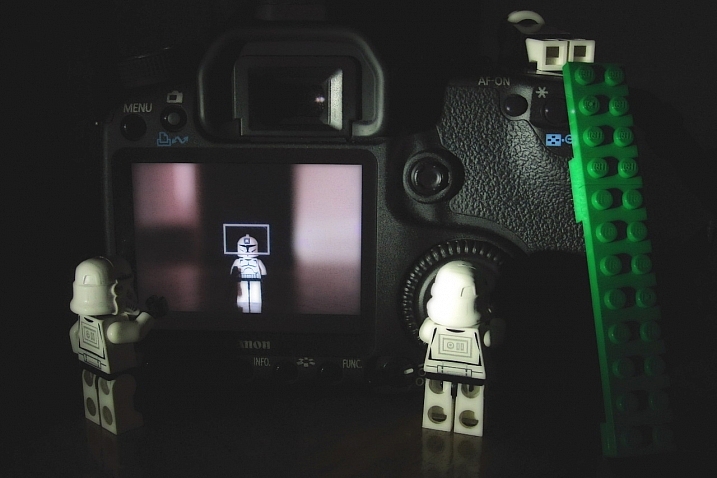
However, the Live View function that is built into most DSLR cameras has a few tricks up its sleeve that can greatly benefit you as well. While not useful in ever single photographic situation, Live View certainly is worth a second look if you are the type of person who normally casts it aside in favor of the traditional viewfinder.

#1 Make sure your subject is perfectly focused

When you look through the optical viewfinder on your camera, you will see an array of rectangles or dots which each represent points on which your camera can focus. This is a result of your camera’s phase detect focusing system which is present in nearly every DSLR. While it usually works just fine, there are situations in which it can present a bit of a problem.

For one, the subject on which you are focusing can sometimes be outside the boundary of your focusing points, which makes it quite difficult to get it tack sharp even with something like the focus-and-recompose technique. Also, even with using the built-in focusing points it’s not always a guarantee that your subject will be completely in focus, especially if it is very far away like when shooting landscapes or scenic vistas.

Live View helped me get this flower focused just how I wanted, and instead of laying in the mud I used the flip-out screen to help me compose the picture.

Live View helped me get this flower focused just how I wanted, and instead of laying in the mud I used the flip-out screen to help me compose the picture.

Zoom-in on Live View

Live View is the magic bullet in these situations, as you can use it not just to frame your shot, but to zoom in close on a specific area to make sure it is focused. Think of this as though you were holding a magnifying glass up to your camera’s viewfinder when focusing on your subject, and using that as the basis for judging whether it is tack sharp or just a bit fuzzy. This obviously works best if your camera is firmly attached to a tripod, but even if you just set it on a solid surface such as a shelf, rock, post, or other object, you should be fine.

Live View can be a good way to make sure your subjects are tack sharp and perfectly focused.

Live View can be a good way to make sure your subjects are tack sharp and perfectly focused.

Each camera handles the zoom-in function a bit differently, but for most DSLRs there will be an option in one of the menus to enable a button on your camera to zoom in during Live View, and even set the percentage of zoom which tells you how much it will magnify the image. If your subject is not moving, and neither is your camera, this technique is one of the best possible ways to make sure everything is tack sharp precisely how you want it to be (using manual focus in this instance can be helpful also).

#2 See previews of camera effects in realtime

One fun trick that many DSLR manufacturers have added to their cameras is the ability to do various types of effects like selective coloring, miniature, and black-and-white, among many others. Think of them as though you are adding Instagram filters, but in realtime, as you are taking your pictures instead of on your phone afterwards.

Using Live View as you activate various scene modes is a fun way to experiment with different types of creative image effects. It also has the added bonus of allowing you to play around and see how the options affect your photography before you even click the shutter.

A common camera effect is "miniature," which mimics a tilt-shift lens. It's fun to play around with these built-in effects using Live View which shows you a preview of what the final image will look like as you compose it.

A common camera effect is “miniature,” which mimics a tilt-shift lens. It’s fun to play around with these built-in effects using Live View, which shows you a preview of what the final image will look like as you compose it.

Some photographers frown on this type of creative expression, and prefer to leave these effects and scene modes to Photoshop, where things can be endlessly controlled, changed, and tweaked to perfection (often ad nauseam). But, my own personal stance is, if you’re making pictures you enjoy by using simple in-camera effects, then why not keep doing it?

Some of the built-in modes are a little cheesier than others, and you usually can’t shoot in RAW format. But using Live View to preview the different sorts of photography effects you can explore, is a great way to try something new and add a little spark back to your creative juices at the same time.

#3 Depth of Field preview

This one piggybacks pretty well off of the previous item, but I wanted to list it separately because it is so useful on its own. When you change the aperture and focal length of your lens, you are also changing the depth of field, or area that is in focus. It’s a difficult concept to understand since it involves several different variables, including how close you are to your subject and how far away is the background.

This confusion can be compounded by the fact that your optical viewfinder doesn’t really show you what to expect when you click the shutter button. Some DSLR cameras have a Depth of Field Preview button that allows you to close down the aperture and see what it will look like when you take a photo (it also gets dark if you use a small aperture), but another way to do this is by using Live View.

It really helped to see a preview of the depth of field by using Live View when composing this image.

It really helped to see a preview of the depth of field by using Live View when composing this image.

How it works

When you look through the viewfinder on a DSLR camera you are seeing through the lens while it is opened to its widest possible value. But, when you click over into Live View the aperture blades close down to the value you’ve specified, or that which the camera thinks is appropriate, depending on the shooting mode you are using.

This makes it possible to see precisely what the picture will look like when you press the shutter button. So, if you focus on an object while in Live View, you will see a more accurate representation of the depth of field than looking through the viewfinder. This is incredibly useful when shooting macro photos, because it’s difficult to understand just what is in focus and what is not unless you can see it yourself using Live View.

Depth of field can be extraordinarily thin when shooting macro pictures, and using Live View to see a preview of the final result is a good way to get the photo to show up just how you want.

Depth of field can be extraordinarily thin when shooting macro pictures, and using Live View to see a preview of the final result is a good way to get the photo to show up just how you want.

#4 Tap to focus

One final trick that Live View offers, is the ability to actually use it for the act of focusing itself. As more cameras start implementing touch screens, manufacturers like Canon have started allowing users to tap on the screen itself to actually focus the camera, much in the same way you do on your mobile phone.

While this feature is not available on all DSLR cameras, and though some with touch screens don’t have focusing enabled, if you do have a camera that allows you to tap-to-focus you might find it incredibly useful and well-worth your time. This won’t do you any good if you are shooting sports, action, or wedding photos, since the touch-based focusing isn’t as quick. But if you are out shooting casually it’s something you might really enjoy trying.

It even has some advantages over traditional viewfinder-based focusing if you are shooting at extreme angles, such as very low to the ground. More and more cameras are offering flip-out screens so you can swivel it, instead of crouching down, and then tap it to lock focus.

If you have a touchscreen, using Live View can be a great way to make sure your subject is focused exactly how you want by simply tapping the area you want to be in focus.

If you have a touchscreen, using Live View can be a great way to make sure your subject is focused exactly how you want by simply tapping the area you want to be in focus.

Summary

These are just a few of the options available to you if you use Live View on a DSLR. If you are more of a traditional shooter who prefers the optical viewfinder I hope you at least give Live View a chance. It’s not going to be the best option in every situation, but you may find it to be more compelling and useful than you realize.

If you do like shooting in Live View and have your own tips to share, please leave your thoughts in the comments below!

googletag.cmd.push(function() {
tablet_slots.push( googletag.defineSlot( “/1005424/_dPSv4_tab-all-article-bottom_(300×250)”, [300, 250], “pb-ad-78623” ).addService( googletag.pubads() ) ); } );

googletag.cmd.push(function() {
mobile_slots.push( googletag.defineSlot( “/1005424/_dPSv4_mob-all-article-bottom_(300×250)”, [300, 250], “pb-ad-78158” ).addService( googletag.pubads() ) ); } );

The post 4 Tips for Using for Live View to Get Sharper and More Creative Images by Simon Ringsmuth appeared first on Digital Photography School.


Digital Photography School

 
Comments Off on 4 Tips for Using for Live View to Get Sharper and More Creative Images

Posted in Photography


Sony announces Xperia XZ flagship device with triple-sensor camera

02 Sep

Sony has announced its new top-end device in the Xperia Z line at IFA in Berlin and in the camera department the new model comes with what the company calls ‘triple sensor’ technology. In practical terms this means that the Sony IMX300 1/2.3” 23MP image sensor with on-sensor phase detection is accompanied by a laser that measures the distance to the subject and improves AF speed and accuracy in low light; and an RGBC-IR sensor that measures the color values of a scene in order to fine-tune the white balance system. The hybrid AF-system is also predictive and can track subjects in motion.

The Sony G lens comes with a 24mm equivalent focal length and an F2.0 aperture. In video mode the camera can record footage in 4K resolution and the Xperia XZ is also the first device on which Sony has implemented 5-axis electronic video stabilization. At the front there is a 13MP 1/3″ sensor with F2.0 aperture and 1080p video, specifications that would have been worthy of a main camera not too long ago.

The Android 6.01 system is powered by a Qualcomm Snapdragon 820 chipset and 3GB of RAM. 32 or 64GB of internal storage are expandable via microSD card. Intelligent battery management means you are getting as much time as possible out of the 2900 mAh battery which also supports quick-charging. With a 1080p resolution and 5.2” diagonal the display specifications have not changed from previous high-end Xperia devices.

All the technology is wrapped up in an 8.1mm thin metal body with rounded edges, that is water and dust tight (IP65/68). A fingerprint sensor has been integrated into the power button for added security. The Sony Xperia XZ doesn’t offer any huge improvements over previous devices in the series but looks like a solid update. It will be available in Europe from October for €699 (approximately $ 780), there is no word on availability in other regions yet.

Articles: Digital Photography Review (dpreview.com)

 
Comments Off on Sony announces Xperia XZ flagship device with triple-sensor camera

Posted in Uncategorized


Sony Xperia X Compact offers high-end camera in smaller format

02 Sep

Along with the Xperia XZ, Sony has launched the Xperia X Compact. It’s aimed at users who want a powerful camera in a compact body but can live with a slightly less powerful chipset.

The X Compact comes with the same 23MP ‘triple sensor’ main camera with laser-AF and color sensor as the Xperia XZ, but doesn’t offer 4K video and uses a front camera with a lower 5MP resolution, compared to the XZ’s 13MP. Like previous Sony Compact models the new device has a 4.6” display with 720p HD resolution, putting it in direct competition with Apple’s iPhone 6s. The Sony is powered by a Qualcomm Snapdragon 650 chipset and features 3GB of RAM in conjunction with 32GB of internal storage. The latter is expandable via a microSD slot. Power is provided by a 2700 mAh battery, that, like on the larger model, supports smart battery management and quick charging.

The power button doubles as fingerprint reader to ensure secure device access and online shopping. In contrast to the Xperia XZ the Compact model comes with a plastic body that does not feature any environmental protection. However, this is reflected in pricing. The Xperia Z Compact will be available in Europe from September for a more affordable €449 (approximately $ 560).

Articles: Digital Photography Review (dpreview.com)

 
Comments Off on Sony Xperia X Compact offers high-end camera in smaller format

Posted in Uncategorized


Huawei Nova phones offer 4K video and OIS at mid-tier pricing

02 Sep

Chinese manufacturer Huawei has taken IFA 2016 as an opportunity to launch a completely new series of devices. Nominally the Nova and Nova Plus are mid-range smartphones, but considering the premium looks and some of the camera specifications they could easily be mistaken for top-end models.

The Nova’s metal body features what Huawei calls a multi-curve design, 2.5D glass screens and diamond cut edges. The back plate comes with a brushed hairline finish and at 1.8mm the bezels of the 5″ full-HD display are very thin. Inside, a Qualcomm Snapdragon 625 chipset is coupled with 3GB of RAM and a ‘high-density design’ of the electronic components means that the battery capacity could be increased by 20%. 3020 mAh sounds like a lot for a device of this size and, according to Huawei, should be good for two days of normal use.

Also included is a USB Type-C connector and fingerprint reader. In the camera department the Nova features a 12MP BSI CMOS sensor with 1.25 um pixel size and on-sensor phase detection. The lens is constructed from six elements and comes with optical image stabilization. In video mode, the camera is capable of recording footage at 4K resolution. The front camera features an 8MP sensor and a range of ‘beautification functions’.

The Nova Plus is very similar but comes with a larger 5.5″ display, a 16MP image sensor with 1.12 um pixel size and a 3340 mAh battery. The Nova Plus will be priced at €429 in Europe. The Nova is 30 Euros cheaper. Pricing information for other regions has not been provided yet.

Articles: Digital Photography Review (dpreview.com)

 
Comments Off on Huawei Nova phones offer 4K video and OIS at mid-tier pricing

Posted in Uncategorized


Huawei’s MediaPad M3 is a high-end media consumption device

02 Sep

With the MediaPad M3, Huawei has launched an interesting new option for photographers who like showing images or videos to clients or friends on a tablet. An 8.4″ IPS display with a resolution of 2560 x 1600 pixels displays sharp images and an ‘eye-care’ mode filters blue light to put less strain on your eyes while viewing the screen. Sound is played back through stereo speakers that are powered by an AKM soundchip and Harman Kardon engineered surround sound technology.

The Android operating system is powered by Huawei’s own Kirin 950 octa-core chipset and 4GB of RAM. Buyers can choose from 32 or 64GB storage versions and there is also a microSD expansion slot. Huawei claims the 5100 mAh battery is good for 11 hours of video playback and the fingerprint sensor at the front doubles as a navigation tool. Tap and swipe gestures let you use it as a back or home button and for scrolling.

The Media Pad M3 is not meant to be a capture device but, just in case, 8MP cameras are available at front and back. All the components are wrapped up in a sleek-looking and only 7.1mm thin metal unibody. The device will be available in Europe, starting at €349 (approximately $ 390) for the 32GB version. No information on pricing in other regions has been provided yet.  

Articles: Digital Photography Review (dpreview.com)

 
Comments Off on Huawei’s MediaPad M3 is a high-end media consumption device

Posted in Uncategorized


Canon announces the XC15 4K video camera

02 Sep
The Canon XC15 camera with included MA-400 microphone adapter, which provides support for XLR inputs.

Canon has announced the new XC15 camera, a 4K UHD camcorder in a compact body.

Though it’s clearly a follow-up to the company’s XC10 model, introduced in 2015, Canon is positioning the XC15 very differently. When the XC10 was announced Canon presented it as a camera that could bridge the gap for those who needed to shoot both video and stills, emphasizing its 12MP still capture capability. In contrast, the press release for the XC15 doesn’t even mention still photos, instead positioning the camera as a high quality, compact 4K camcorder oriented at news and video production, possibly as a B-camera to a Cinema EOS model. Canon hasn’t yet provided detailed specifications, but like the XC10 it uses a 1” CMOS sensor and a 10x optical zoom lens, which appears to be the same 24.1mm-241mm F2.8-5.6 (equivalent) lens found on the XC10.

It appears that Canon is making an effort to respond to one very specific area of feedback from many of its video users: the need for XLR microphone support. The camera ships with Canon’s MA-400 microphone adapter that provides XLR-input compatibility.

The XC15 will be available in September for $ 3000.00

Press Release:

Canon’s New Lightweight, Compact XC15 4K UHD Video Camcorder Ideal for News and Video Production

XLR Microphone Input Provides Audio Support in Addition to High-Quality 4K UHD Video Capture

MELVILLE, N.Y., September 1, 2016 – Canon U.S.A., Inc., a leader in digital imaging solutions, announced today the XC15 4K Video Camcorder, a 4K UHD digital video camcorder for professional use that achieves high-image quality with a lightweight, compact body.

The new Canon XC15, which builds on the XC10 4K UHD digital video camcorder announced in April 2015, enables shooting with an external microphone through an XLR input and features the selection of visual-expression “Look” modes, including modes that allow it to match the look of other Canon professional cameras, making it ideal for use as a “B”-camera as well as for media and video-content productions.

The Canon XC15 ships with the MA-400 microphone adapter that, when attached, enables shooting with XLR-input microphones used in a wide range of media and content-creation applications. As a result, the camcorder supports the production of content that combines both high-image quality and high-sound quality with reduced noise. The MA-400 is also compatible with the EOS C300 Mark II camera.

Thanks to its high-sensitivity one-inch CMOS sensor and DIGIC DV 5 image processing platform with high calculation-processing power, the new XC15 is capable of capturing high-image quality and low-noise 4K UHD video. Additionally, the camcorder features a compact, lightweight body design, measuring approximately 5.0 x 4.1 x 4.8 inches (WxHxD) and weighs approximately 2.1 pounds while also sporting a 10x optical zoom lens ¹, which facilitates shooting in confined spaces and environments that demand mobility.

The Canon XC15 4K UHD professional video camcorder is scheduled to be available in September 2016 for a list price of $ 3,000.00.* For more information, please visit usa.canon.com

† Based on weekly patent counts issued by United States Patent and Trademark Office.

* Availability, prices and specifications subject to change without notice. Actual prices are set by individual dealers and may vary.

All referenced product names, and other marks, are trademarks of their respective owners.

¹ Body and Lens Only

Articles: Digital Photography Review (dpreview.com)

 
Comments Off on Canon announces the XC15 4K video camera

Posted in Uncategorized