RSS
 

Archive for July, 2016

Stylized Techniques for Editing Portraits Using Lightroom

25 Jul

This is the promised follow-up to my article on Creating Compelling Wide-Angle Portraits Using One Off-Camera Flash. While part one discussed equipment, composition, lighting and posing, this article focuses exclusively on post-processing.
1 Romanian Woman

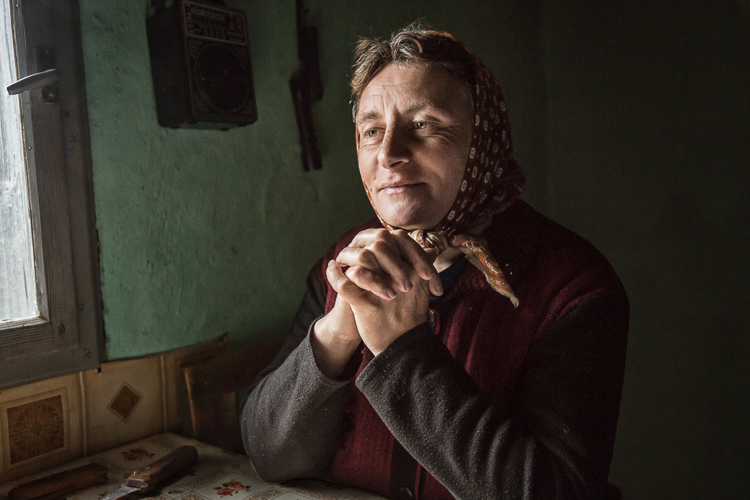
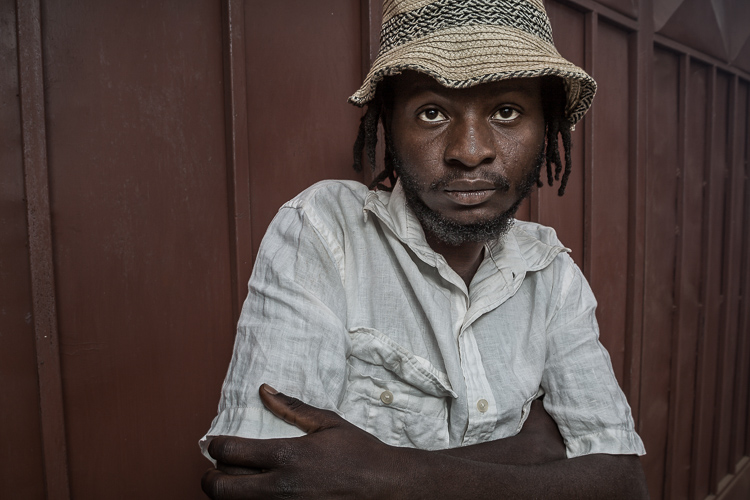
Let me start by stating the obvious. Everyone has their own unique preferences regarding post-processing. Just read the comments below a posted image that is somewhat heavy on processing and you will see the variety of opinions out there. Personally, I like creating portraits that look somewhat surreal. I achieve some of this look by lens choice and composition and the rest in Adobe Lightroom and Photoshop.
2 Malawian Guy

Rather than go through my entire workflow, I’ll focus on five steps in Lightroom that form the foundation for my portrait processing. If you also like portraits that look a bit surreal, my hope is that you will learn a technique or two here that you find helpful.

This article assumes that you already have some familiarity with the menus and tools in Adobe Lightroom or Bridge.
3 Chinese Guy Hat

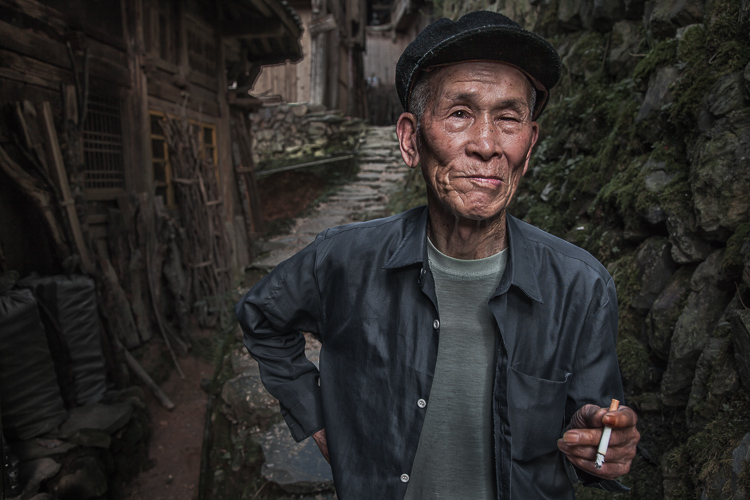
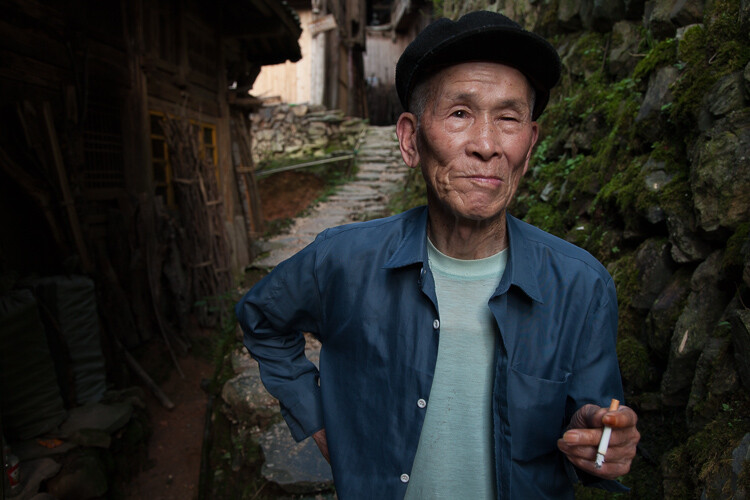
Let’s look at the work I did in Lightroom for the above portrait, shot in rural China. First, here is the image right out of camera.
4 Out Of Camera

Step 1. Move the contrast to the mid-tones

One of the first steps was to reduce the overall contrast in the image using the Highlights, Shadows, Whites and Blacks sliders. The image is fairly contrasty, but weighted more towards dark tones. I moved the Highlights and Whites sliders left (only a minor adjustment to Whites) to reduce some of the highlights (bright areas) in the background. I then moved the Shadows and Blacks sliders right (only a minor adjustment to Blacks) to make sure detail can be seen throughout the image, even in the gentleman’s hat.

These initial adjustments gave the image a flat (non-contrasty) look as a starting point. This was intentional, as I planned on building contrast back into the image.

Notice in the image below that the light area in the background is somewhat less distracting, and that there is more visible detail in the background shadows.
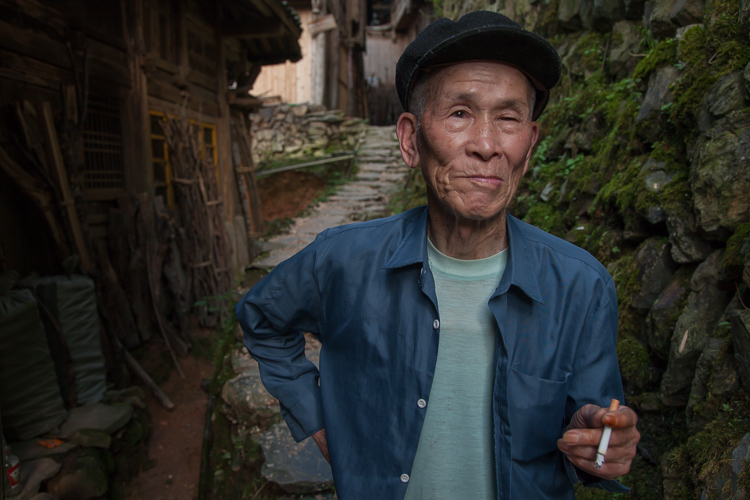
5 Global Luminosity

While I removed some contrast at the outer ends of the spectrum, I then added contrast into the midtones by pushing up the Clarity slider. This varies by image, but in this case I moved it to +60 in Lightroom, in order to accentuate facial features. The Clarity slider focuses on the mid-tones while mostly leaving the luminosity of the brighter and darker areas of the image as is. Here are the results:
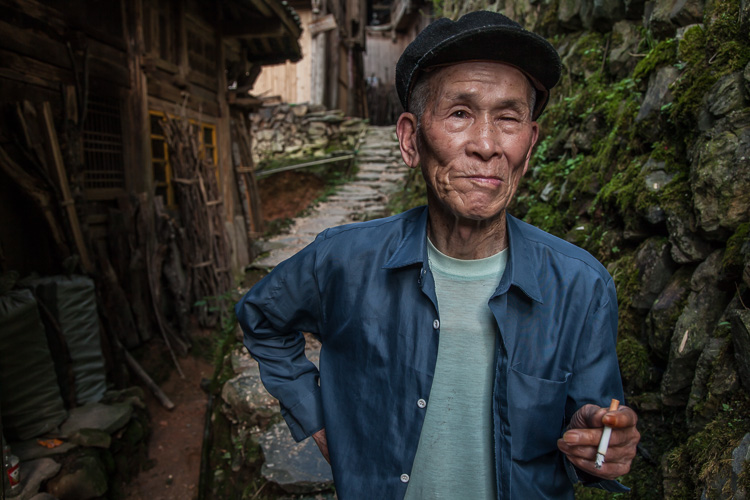
6 Clarity

Step 2. Reduce saturation globally

For my portraits, I always make an initial global reduction (applies to the entire image) to Saturation and Vibrance. In this case, I reduced Saturation to -10, and Vibrance to -5. The shirt is still too blue in my opinion, but I’ll target that in the next step.
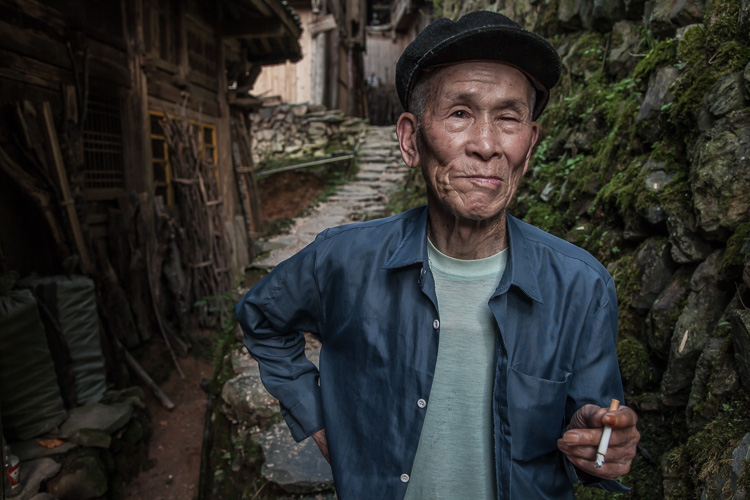
7 Reduce Saturation

Step 3. Make local adjustments using the Adjustment Brush

Using the Adjustment Brush, I made changes to luminosity, saturation and sharpness in targeted parts of the image:

Adjustments to Luminosity – Your eyes usually gravitate towards the brightest areas of an image. So, I used the Adjustment Brush to draw more attention to the subject, especially his face, and less attention to other areas.

I started by brushing over brighter areas that were competing with his face, and darkening them slightly using the local Exposure and Highlights sliders. I also brushed over some darker areas that were missing detail, and pulled the local Shadows slider up slightly. Lastly, I added some overall brightness to the face and a little more to the eyes.

Adjustments to Saturation – I used the Adjustment Brush and local Saturation slider to further desaturate the man’s t-shirt. In this case, I also darkened it, while de-saturating.

Adjustments to Sharpness – I added a bit of additional sharpness to the eyes, eyebrows, and hair using the Adjustment Brush with the local Sharpness slider.

After these local adjustments, here is the image at its next stage:
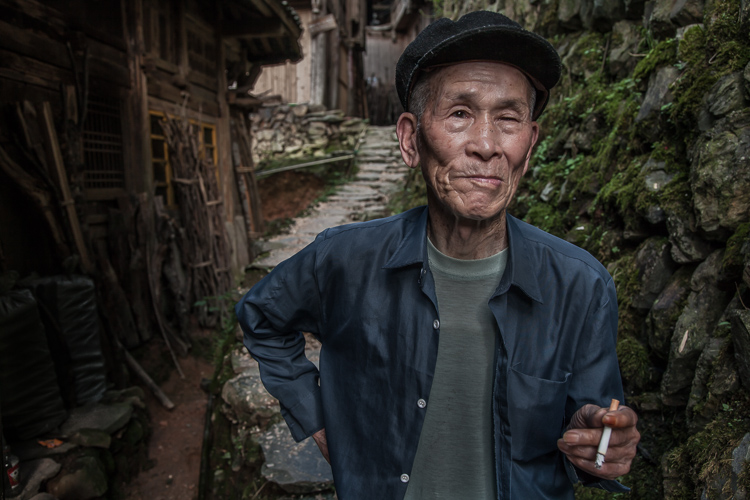
8 Local Adjustments

Step 4. Create a vignette using the Gradient Tool

In photography, when someone speaks of a vignette, they are usually referring to the darkening of the outer areas of the image, relative to the center of the image. The standard vignette darkens the outer edges equally, usually in an oval shape. However, using several gradients allows you to control the direction, size and strength of the vignette on each side independently.

I clicked on Lightroom’s Gradient Tool, then clicked and dragged from outside the image towards the center, overlapping the subject slightly. Then, I pulled the local Exposure slider down, until I created a subtle edge vignette. I then added a gradient from the opposite side, and a very subtle one from the bottom. Conversely, if the edge of your image is darker than you’d like, you can also increase exposure with the gradient.

Here is the image after adding a subtle gradient vignette:
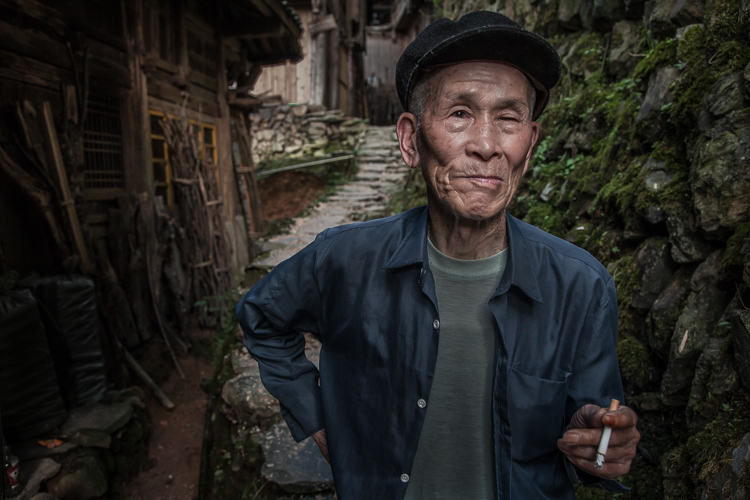
9 Vignette

Step 5. Create a virtual copy of the RAW file for the background

To add more dimension to this image, I used a different processing treatment between subject and background. I created a virtual copy of the file in Lightroom (Photo > Create Virtual Copy, or use the keyboard shortcut CMD/TRL+’) and named it “Background”. If you use Adobe Bridge, you can create a copy of the RAW file instead. Then, for this second copy, I simply pulled the Clarity slider back to zero, and backed off on the global Sharpness slider as well. No other changes were made.

I then opened both of these file copies into Photoshop as layers, with the sharper rendition as the top layer. With the top layer active, I made a careful selection of the subject and created a mask so that the less sharp bottom layer becomes visible in the background areas. This adds a bit more dimension and helps keep your focus on the subject, as seen below.
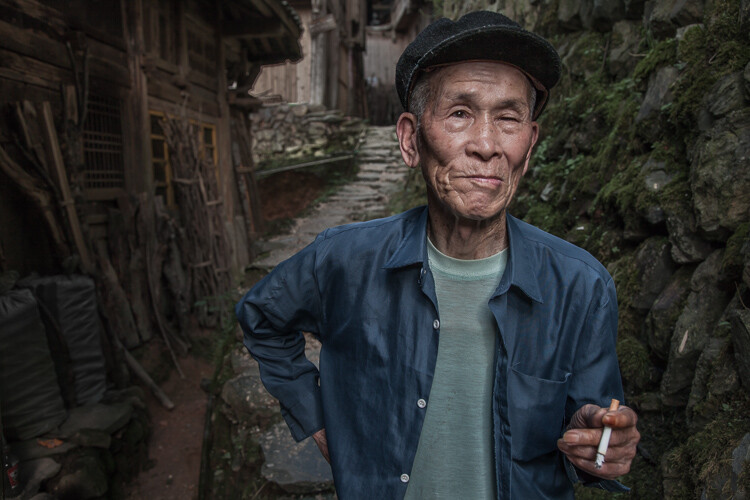
10 Imported Photoshop

Background edits applied in Photoshop

4-Out-Of-Camera.jpg

Original out of camera for comparison

Note: If you do not have Photoshop, you can also use the Adjustment Brush inside Lightroom to paint in less Clarity and Sharpness to the background areas.

Although it is beyond the scope of this article, I continued on with processing in Photoshop, including additional adjustments to luminosity and contrast.

3-Chinese-Guy-Hat.jpg

I hope this short overview of my five steps in Lightroom has been helpful and that there was a technique or two that will help you in your workflow.

googletag.cmd.push(function() {
tablet_slots.push( googletag.defineSlot( “/1005424/_dPSv4_tab-all-article-bottom_(300×250)”, [300, 250], “pb-ad-78623” ).addService( googletag.pubads() ) ); } );

googletag.cmd.push(function() {
mobile_slots.push( googletag.defineSlot( “/1005424/_dPSv4_mob-all-article-bottom_(300×250)”, [300, 250], “pb-ad-78158” ).addService( googletag.pubads() ) ); } );

The post Stylized Techniques for Editing Portraits Using Lightroom by Ken Koskela appeared first on Digital Photography School.


Digital Photography School

 
Comments Off on Stylized Techniques for Editing Portraits Using Lightroom

Posted in Photography


Nikon D500 versus D750: Which one is right for you?

25 Jul

Nikon D500 versus D750: Which one is right for you?

The Nikon D500 and D750 scored 91% and 90% respectively when we reviewed them. They both received gold awards. They’re about the same size, pretty much the same weight and currently, they both cost about the same amount of money, too. So if you’re a Nikon shooter looking to upgrade your camera, which one is right for you?

Join us, as we take a look at the main differences between the D500 and D750.

Sensor size

The largest difference – no pun intended – between the Nikon D750 and the D500 is in terms of sensor size. There’s a small disparity in resolution (the D750 offers 24MP whereas the D500 lags a little, at 21MP) but more significant is the fact that the D750’s sensor is full-frame. The D500, by contrast, is built around a smaller, DX format (APS-C) sensor, which introduces a 1.5X crop factor, meaning that a 50mm lens on the D500 offers a field of view equivalent to a 75mm lens on the D750.

Leaving aside the effect of the crop factor, typically, we’d expect full-frame sensors to offer better image quality in poor light, at high ISO sensitivity settings, and broader dynamic range, compared to APS-C and smaller sensors. The D500’s sensor is very good, but physics is physics, and at any given ISO sensitivity, the D750′ noise performance is about one stop better than the D500.

In terms of dynamic range, the D750 offers around 0.8EV more dynamic range at base ISO than the D500, which might not seem like a lot, but it’s enough to make a difference in some shooting scenarios (like the scene above, which was exposed in Raw mode for highlights, with shadows and mid-tones brightened in post). On the flip side, the D500 provides an electronic first curtain shutter option, which allows landscape photographers to ensure vibration-free images – something that can be a challenge with the D750. 


Verdict: Both cameras offer excellent image quality, but if you need the extra dynamic range, the D750 is the best choice.

Crop factor

We’ve already mentioned the crop factor inherent to shooting with the DX-format D500, but there are other consequences of the smaller sensor. For one thing, it’s slightly harder to achieve shallow depth of field with APS-C sensors compared to full frame (you would need a 16mm F1.2 lens to achieve the same DoF as Rishi’s 24mm F1.8 FF shot above).

This is because an F1.4 lens on APS-C is equivalent in DoF terms to an F2.1 lens on full-frame (and so on – F2.8 becomes equivalent to F4.2, F4 becomes equivalent to F6…). This might not matter much in everyday shooting, but if you’re a fan of very shallow depth of field portraiture, the effect is both easier and cheaper to achieve on full-frame, if you consider the typical price (and size) difference between F1.4 primes and F1.8 equivalents. 

This is the reason why lens manufacturer Sigma introduced its 18-35mm and 50-100mm F1.8 zoom lenses – they’re intended to provide a fast maximum aperture for APS-C users equivalent to the unofficial professional standard F2.8 on full-frame. 

There is a plus side to shooting on a DX-format camera though – the 1.5X increase in effective focal length is very handy for telephoto shooting. 


Verdict: If you need shallow DoF, go for the D750, if you want extra reach, the D500 is a better choice.

Lens choice (part 2)

Still on the topic of lenses, another thing to consider when weighing the D500 against the D750 is the fact that lenses designed specifically for the smaller APS-C format of the D500 won’t work very well on full-frame. Nikon’s DX and FX lens ranges are technically cross-compatible with all FX and DX format Nikon DSLRs, but most DX lenses vignette heavily on full-frame, greatly reducing the usable image area.

Also bear in mind that Nikon has a considerably better developed range of FX lenses than DX, and we strongly suspect that this won’t change any time soon. As such, given that FX lenses can be used without any technical limitations on DX, if you’re inclined towards the D500, you might still be better off investing in FX lenses – especially if you think you might move up to full-frame in future. The downside is that you might start off with some weird equivalent focal lengths (i.e., a 24-70mm will behave like a 36-105mm).


Verdict: We’re calling this one a draw.

Speed

When it comes to speed, the D500 is a clear winner. In many respects a scaled-down D5, the D500 is significantly faster than the D750 and much better equipped to cope with the demands of action photography. A maximum frame rate of 10fps and seemingly infinite buffer (200 Raws) leaves the D750 in the dust.

It’s not just about frame rate though. The D500 (pictured above) can also accept faster XQD memory cards, capable of data transfer rates up to 8 Gbit/s.

 A USB 3.0 interface and 1/8000sec maximum shutter speed (compared to USB 2.0 and 1/4000 respectively) cement the D500’s action-shooting credentials.


Verdict: D500 wins, by a mile.

Autofocus

It’s a similar story with autofocus. While the D750’s 51-point AF system is extremely capable, and more than a match for pretty much any competitor in the sub-pro full-frame market segment (including the D810), the D500’s AF system is in a different league.

The D500’s AF system features 153 AF points, of which 99 are cross-type. Of this total of 153, 55 points can be manually selected, and the center point is sensitive down to -4EV. The D500’s smaller sensor actually benefits its AF system, because it means that frame coverage is much broader than the D750 (and any other Nikon full-frame DSLR).

Combine an AF array that covers almost the entire imaging area with a huge degree of AF customization and 3D AF tracking (the D500’s 180,000-pixel RGB metering sensor significantly boosts the performance of an already market-leading system) and you get an autofocus powerhouse.


Verdit: D500 wins.

Video

On paper, the D500 roundly beats the D750 in terms of video specification, thanks to the addition of 4K video – a feature that Nikon only offers on two DSLRs (the other being the flagship D5). But as good as the D500’s 4K output is, using this mode does come with one big limitation.

In 4K video mode, the D500’s crop factor increases from 1.5X to 2.25X. This is pretty limiting when shooting anything that requires a wide field of view, purely from the standpoint of finding a wide enough lens. Even Nikon’s super-wide 10-24mm DX format zoom becomes an pretty standard 23-55mm equiv. (with a maximum aperture equivalent to F8-10 in depth of field terms). In HD video mode, there’s not much to separate the two cameras. The D500 and D750 offer an extremely similar specification and deliver similar-looking video footage. The addition of a touchscreen on the D500 makes AF point positioning easier, but that’s about it (and bear in mind that AF in video mode is pretty poor on both cameras, so you might find that you don’t make use of this function much anyway), 


Verdict: If you need 4K, go for the D500 – just make sure you have a wide enough lens.

Flash

Nikon is pitching the D500 as a ‘professional’ DSLR, despite its sub full-frame sensor. As such, like the flagship D5, it lacks a built-in flash. This cuts down on weight, and also means a theoretically increased resistance to dust and water incursion. The downside is – well, there’s no built-in flash.

We actually really like the small built-in flashes on cameras like the D750 and D810, not because they’re particularly useful as flashes, but because they can be used to wirelessly trigger groups of Speedlites off-camera. That’s conventional optical triggering, but unlike the D500, the D750 is not compatible with Nikon’s WR-A10 wireless controller ($ 200), which allows off-camera flashes to be radio triggered (important when line-of-sight won’t cut it).


Verdict: D750’s built-in flash offers greater versatility (unless you need radio control), at the expense of reduced environmental sealing.

Ergonomics

Ergonomics and handling are pretty subjective. One person’s ideal control system might be maddeningly complex to someone else. Some people really like touchscreens, some people can’t see the point of them. Some members of the DPReview editorial team (who shall remain anonymous) actually like Olympus menu systems.

The point being – ergonomically, which of these two cameras is better depends on your personal preferences. Their basic control layout is extremely similar, but they do feel somewhat different in the hand. Despite its smaller sensor, the D500 is actually the larger, heavier (by more than 100g) of the two cameras. The D750 is surprisingly svelte for a full-frame camera, but the D500 feels like it could be used to bang in a few nails.

The D500 provides many more options for customization than the D750, available via a dedicated custom settings GUI. This makes it more versatile for a professional moving between different shooting scenarios.

It also offers a couple of other pretty major features that the D750 doesn’t: a touchscreen, and backlit controls. We’ve found the D500’s touchscreen invaluable for things like AF point positioning in live view (especially from awkward low angles) and backlit controls are a huge benefit if you do a lot of shooting at night. 


Verdict: D500 offers more. A touchscreen, more customization and backlit buttons.

Nikon D500 versus D750: Which one is right for you?

So if you’ve got a couple of thousand dollars burning a hole in your pocket, which camera should you buy? 

The Nikon D750 (above) is one of our favorite DSLRs – ever. Its combination of refined handling, a highly capable autofocus system, a surprisingly small and light body and excellent image quality make it fantastic camera for everyday use. The D750 is one of those cameras that we consistently recommend to friends and family, and for most Nikon photographers, there are very few reasons to spend more on the D810.

But then along came the D500. It’s an APS-C format camera, but not only is it more ‘pro’ than any previous DX format DSLR from Nikon, but it outperforms most of the company’s full-frame DSLRs, too. The D500 is designed for heavy professional use, with an emphasis on speed and reliability. As we’d expect from a camera that shares so much with the flagship D5, the D500 is a real workhorse, and in many respects (shooting speed, autofocus, video spec, to name just the obvious things) it outmatches the D750, sometimes very significantly.

The D500 also offers 4K video, of course, but unless you really need it, we wouldn’t recommend deciding between these cameras purely on the basis of this feature. The aggressive 2.25X crop in 4K mode is pretty limiting, apart from anything else. 

Final verdict

At the end of the day, if it were our money, we’d probably recommend the D500 over the D750. For a photographer interested in capturing sports or fast-moving action it’s a no-brainer. The sheer speed and focus of the camera, combined with the telephoto-boosting 1.5X crop factor make it a superb tool for this kind of photography. And of course, if you can live with some awkward effective focal lengths, the D500 is fully compatible with all of Nikon’s current lenses. 

If you’re not a keen sports photographer, you don’t need 4K video, and you don’t mind not having quite the latest and greatest AF system – go for the D750. You won’t be disappointed.

  • Read our full Nikon D500 review
  • Read our full Nikon D750 review

Did we miss anything? Let us know in the comments.

Articles: Digital Photography Review (dpreview.com)

 
Comments Off on Nikon D500 versus D750: Which one is right for you?

Posted in Uncategorized


Voyager 4 Drone comes with 16x optical zoom and 4G connectivity

25 Jul

Most camera drones come equipped with wide-angle lenses. For most use cases this makes sense from an image framing point of view but it also helps keep camera shake at bay. That said, thanks to improved gimbal and stabilization technologies we are now seeing the first consumer drone cameras with optical zoom appear on the market. The recently released Zenmuse Z3, DJI’s first zoom camera, offers a 7x zoom. The new Walkera Voyager 4 drone is now more than doubling the DJI’s zoom range by offering a 16x optical zoom lens that tops out at 1500mm. 

The camera records 1080p Full HD video, can rotate 360 degrees and is stabilized by a gimbal. Drone and camera can be controlled from up to a mile away via a mobile app using the drone’s built-in Wi-Fi network. In addition the Voyager 4 offers a new 4G connectivity feature which means it can, as long as a mobile network is available, be controlled across much larger distances. 

Both new features, the 16x zoom and 4G connectivity, won’t help to alleviate the privacy concerns related to drone use, but we will have to wait and see how the new technologies will be used. The Voyager 4 also comes as a 4K version with wide-angle lens. At this time pricing information has not been released. A product video is available on the Walkera website.

Articles: Digital Photography Review (dpreview.com)

 
Comments Off on Voyager 4 Drone comes with 16x optical zoom and 4G connectivity

Posted in Uncategorized


Logos for Photography Business: 5 Trends to Use

25 Jul

A well-designed logo is a must-have tool for any photographer and studio wants to be seen on the market. According to many analysts, a logo plays an important role in entrepreneur’s success. Especially, if it’s a part of a brand identity. Use the following trends and ideas to create a powerful logo for your photography business and grab the attention Continue Reading

The post Logos for Photography Business: 5 Trends to Use appeared first on Photodoto.


Photodoto

 
Comments Off on Logos for Photography Business: 5 Trends to Use

Posted in Photography


Tunnel of Books: Curved Shelves Wrap Bookstore Walls & Ceiling

25 Jul

[ By WebUrbanist in Design & Fixtures & Interiors. ]

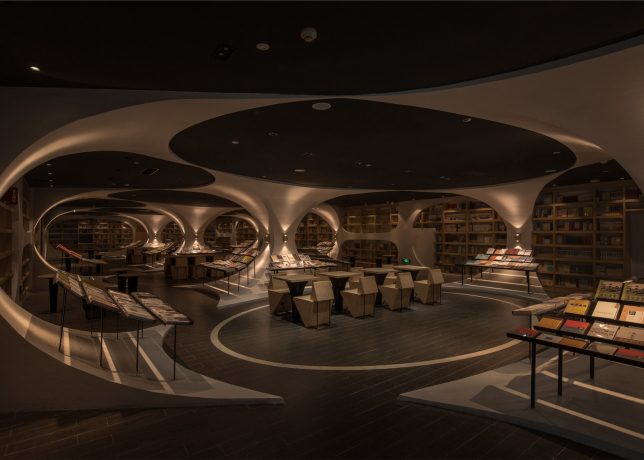
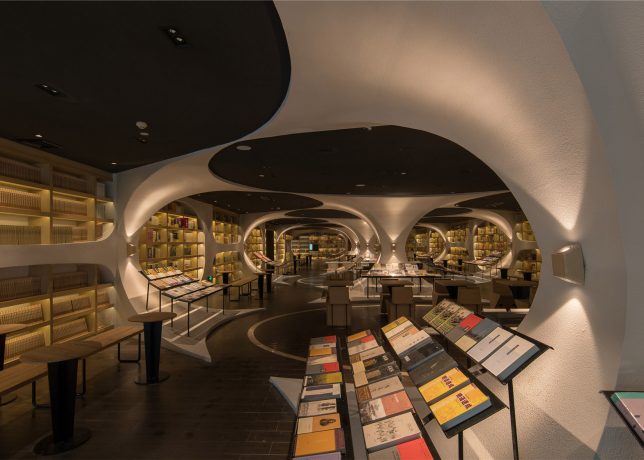
book tunnel interior

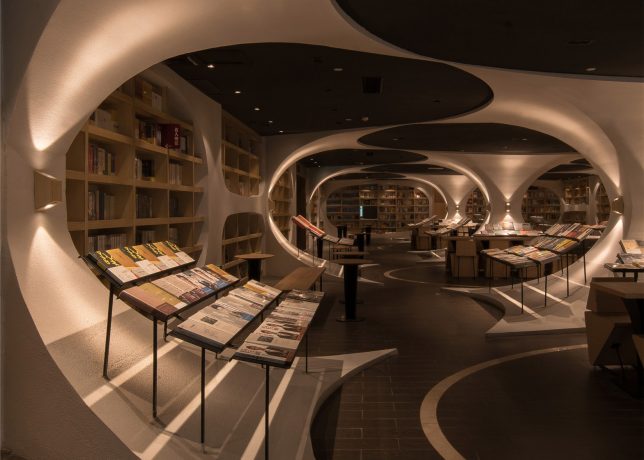
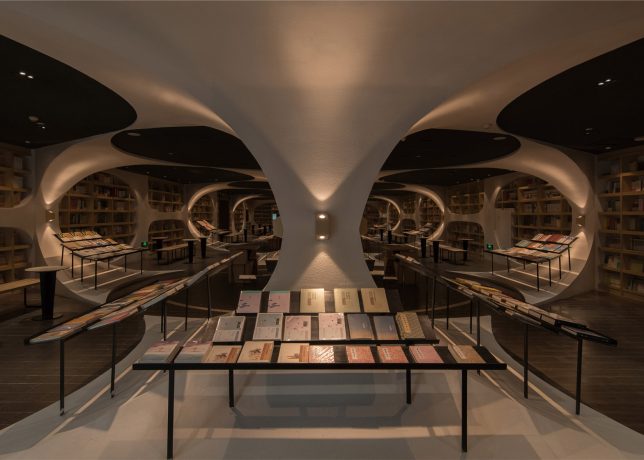
Paired to fantastic effect, a series of arch-forming shelving units and a black-mirrored floor create a wraparound tunnel in a Chinese bookstore, punctuated by a fracture leading visitors through the resulting passageway.

book tunnel front view

book tunnel side view

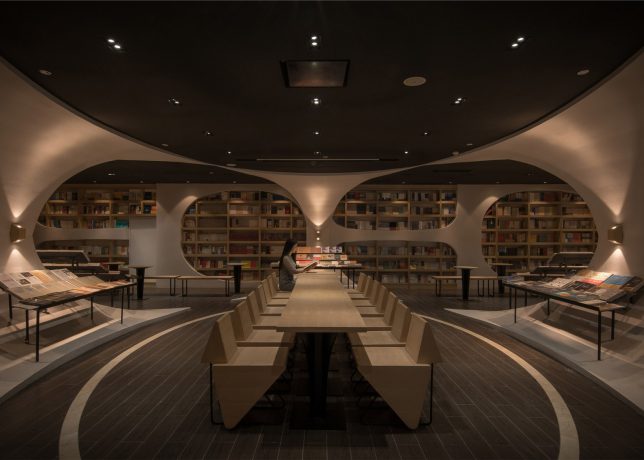
Designed by Shanghai studio XL-Muse (images Shao Feng), these floor-to-ceiling shelves in the Yangzhou Zhongshuge bookshop drew inspiration from the winding and reflective Zhen Yuan river nearby, as well as the area’s arched bridges.

book cavernouse i interior

book curved reading room

book meeting space

“In the past, guided by water, many literati and poets visited and gathered here,” said XL-Muse, and these regional infrastructural icons were “used to be the guiding factor of culture and commerce, and they represent that the bookstore is the bond between humans and books at the same time.”

book wrapping volumes

book side view

book reader

The tunnel opens up into a vast library-worth realm of further reading in the cavernous interior, with architectural elements echoing the arches of the entry corridor. The rounded-and-arched theme is carried through in thin pillars and sloping displays.

book children reading

book kids space

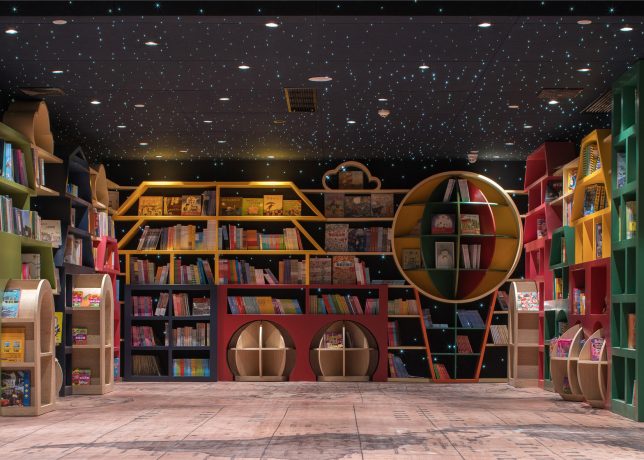
Additional interior design dimensions come into play in themed reading spaces for children and adults, with starry ceilings and other humanizing elements. Here, furniture colors and shapes soften these spaces and make them more comfortable and inviting for longer-term occupation.

Share on Facebook


[ By WebUrbanist in Design & Fixtures & Interiors. ]

[ WebUrbanist | Archives | Galleries | Privacy | TOS ]


WebUrbanist

 
Comments Off on Tunnel of Books: Curved Shelves Wrap Bookstore Walls & Ceiling

Posted in Creativity


Tips for Taking More Natural Engagement Portraits

25 Jul

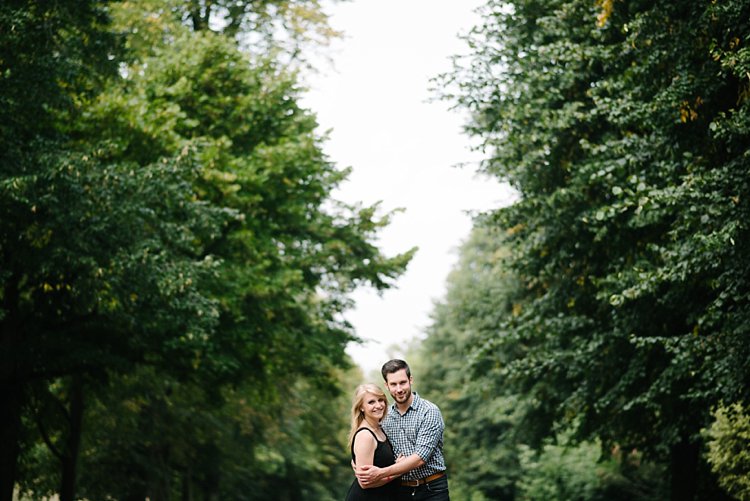
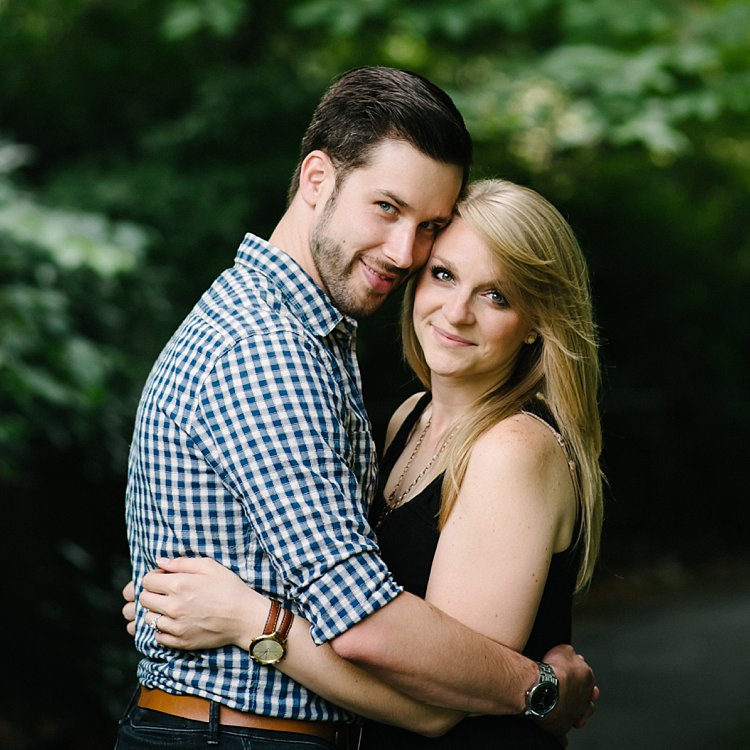
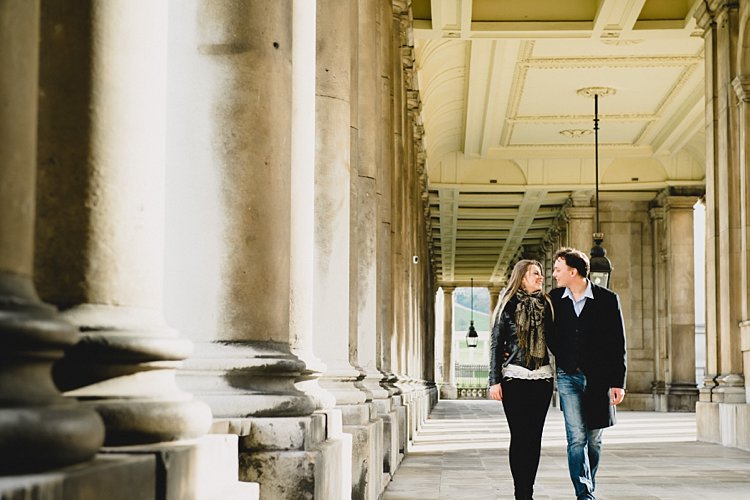
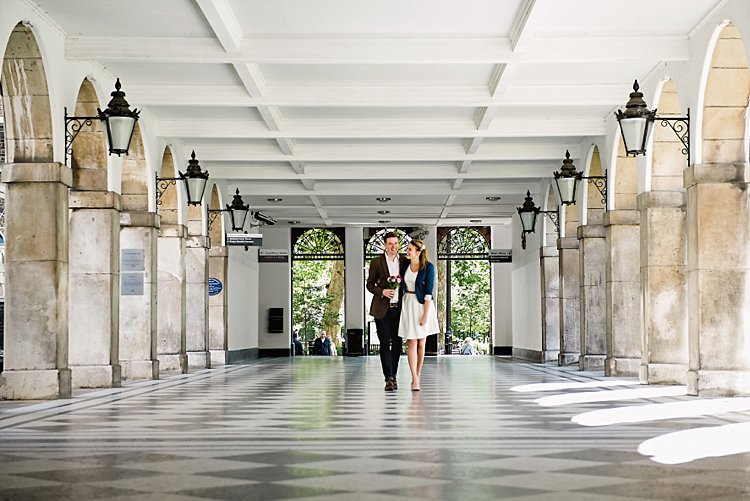
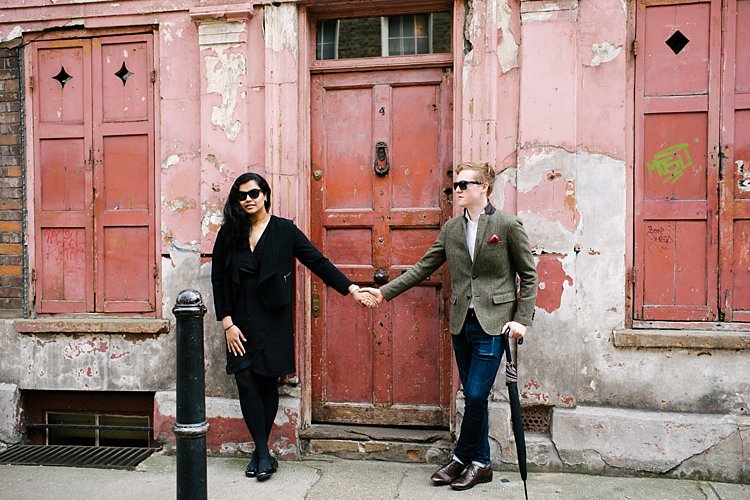
Engagement portrait sessions can be awkward especially for couples who are expected to display their affection publicly and worse, in front of the camera. Often they feel uneasy and don’t know what to do, let alone how to pose. Left to their own devices, especially if they feel they are not naturals in front of the camera, the probability is that they won’t love their photos at the end of the session. They will look back at the session with regret.

3-tips-natural-engagement-sessions_0000

3-tips-natural-engagement-sessions_0002

Your job as the photographer is to avoid the above at all costs. Your main goal is for them up be thrilled with their photos, and delighted with the experience.

The benefits of engagement portraits are many. The couple able to practice in front if the camera before their big day, so they can throw off their inhibitions. But also, and more importantly, it builds trust with you, so that on the day if the wedding they won’t even have to think about how to look good in their photos. Instead they can concentrate on being with their guests and family, and enjoy their day.

3 Tips for natural engagement sessions

3 Tips for natural engagement sessions

Here are my top three tips in making your engagement session a breeze for your couples.

#1 Prepare them

Before the session, send them a guide offering tips on what to wear, what to bring, and how to decide on location. Assure them it’s going to be lighthearted and fun, and that it’s totally okay to laugh at themselves and be silly. Assure them that their photos will look natural, and that you have some secret tips for that to happen.

In the guide I give my couple I ask them to wear layers if it’s winter or autumn, then depending on the weather we can take a layer off and have another look. If there is a changing room nearby then they can bring extra outfits.

3 Tips for natural engagement sessions

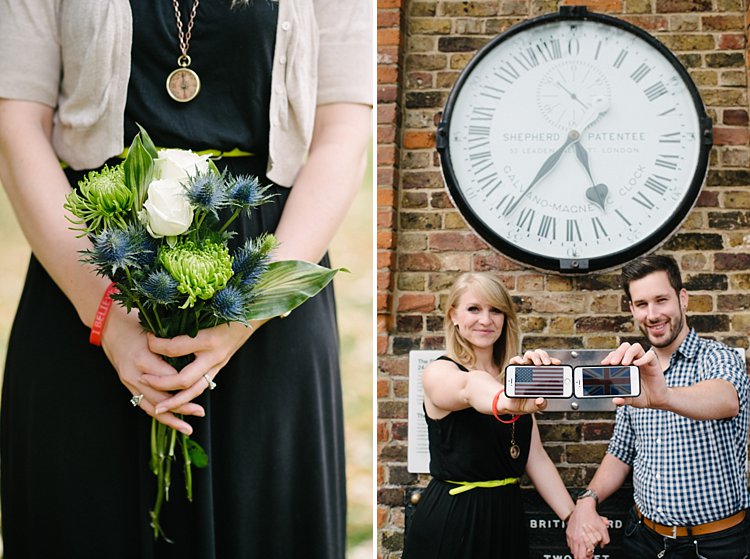
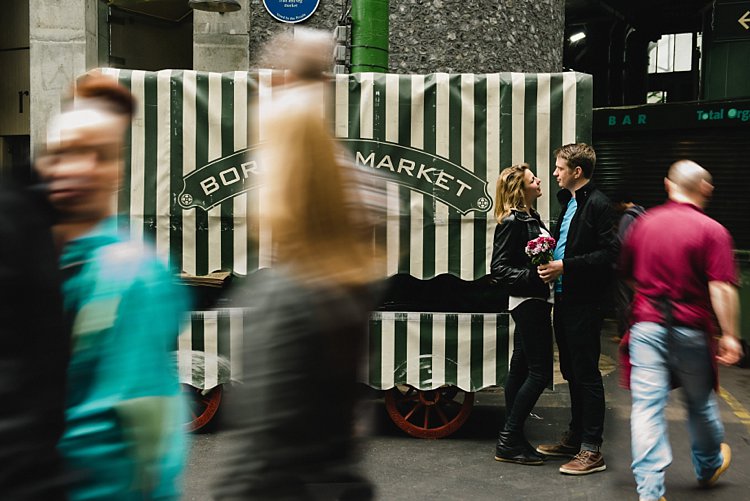
I encourage them to choose a couple of props that they both love, be that a picnic basket with a bottle of bubbly, balloons, bikes, books, etc. The aim is to make them feel at ease, using things that they already love and which come naturally to them. Some couples can’t easily think of props. I always suggest a bunch of flowers – they’re timeless and will suit any style.

3 Tips for natural engagement sessions

Regarding locations, suggest choosing something meaningful to them. It could he their rendezvous spot when they were dating, where they got engaged, a spot they both have a great fondness for, or where something memorable happened.

Couples also appreciate if you ask them for their preferences to style, colors, and look. It makes them feel listened to and assures them you are open to their ideas.

3 Tips for natural engagement sessions

3 Tips for natural engagement sessions

#2 Direct them

This may seem opposite to the idea of candid shots and natural-looking photos, but let me tell you a secret. After having photographed numerous engagement sessions in eight years, I can tell you that natural shots are often posed. That’s right they are. Your job is to make the final image look natural, and to do whatever it takes to make that look happen.

Couples don’t know where to place their hands, where to put their weight and how to stand, what to do with their arms, where to look, what expressions to have on their faces, etc. Basically, compositions that look good and natural in front if the camera, even if that were to be a photo where they aren’t looking at the camera, and expressions that you elicit and draw out of them.

3 Tips for natural engagement sessions

3-tips-natural-engagement-sessions_0010
When I direct couples I give them 3 rules:

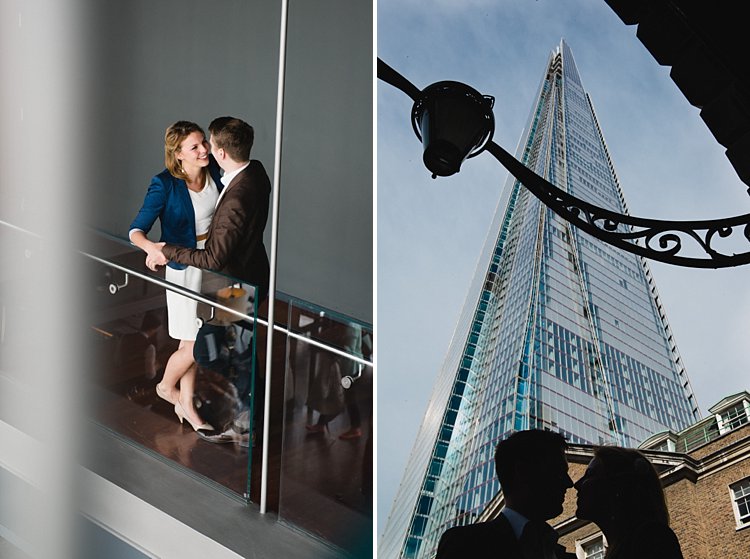
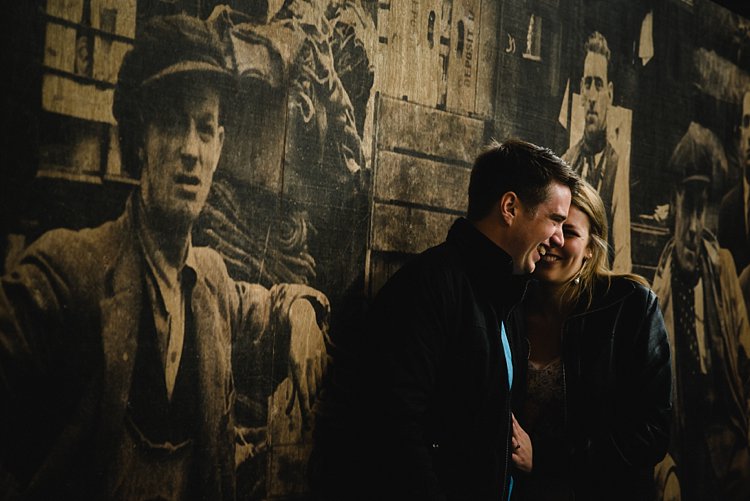
1. Connection – There always has to be a connection between them, be that a physical one where parts of their bodies are touching, or a non physical one such as gazing at each other, laughing at a shared joke, or thinking of a shared memory. Connections matter and show. The authenticity of your image rests on the depth and strength of the connection between the subjects.

3-tips-natural-engagement-sessions_0017

2. Angles – Try to pose them at angles where you always see a bit of their faces instead of the back of their heads, unless your intention is to capture them from behind. Avoid straight lines, unless that again is your intention. I generally ask them to stand in a V position, at an angle instead of square on, with their weight on one leg so everything isn’t too even, or with a little body twist (for women) for some shape. Get men to not put their full hands in their pockets, just the thumbs instead, otherwise they look like cut off limbs up to their wrists.

Look for triangular and irregular compositions rather than straight and square. This adds interesting lines and dynamic to your images compared to a very flat and static look.

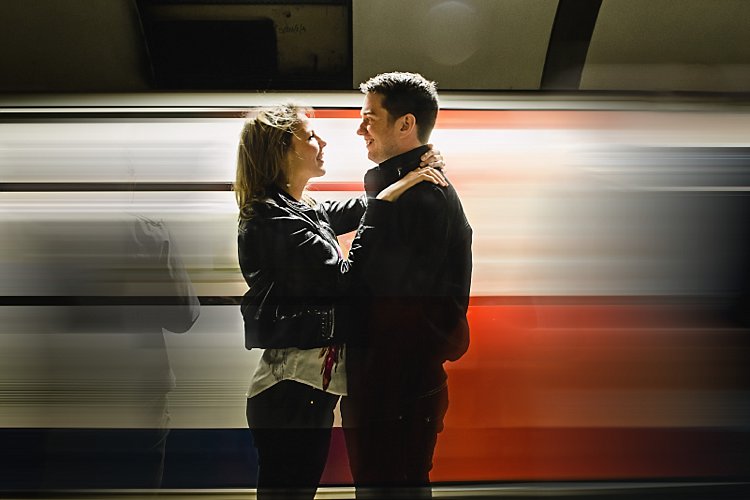
3. Laugh instead of talk – Two things to always avoid: taking photos mid-talk and mid-eat. Instead of talking to each other, ask them to laugh at each other’s silliness, and at how awkward they are feeling. That usually gets them laughing naturally. Getting them to think of special memories always puts a smile on their faces. This is not to say all the photos you take must be smiling ones, but this tip works every time. Laughter makes them warm up and shake off their inhibitions. Always a good trick!

3-tips-natural-engagement-sessions_0012

3-tips-natural-engagement-sessions_0011

#3 Encourage activity

This is where the props come in. An activity breaks the ice instantly, takes their focus off any awkwardness they may be feeling, creates an experience for them, and sets the scene for a memorable shoot.

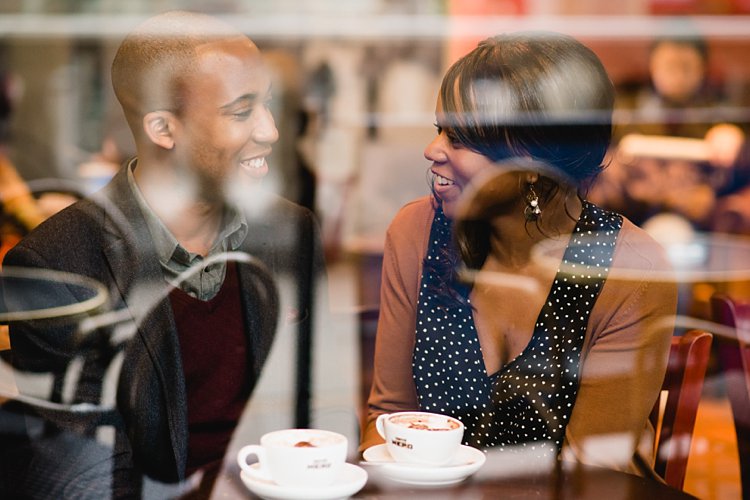
Activities include having a picnic, popping a bottle of champagne, going on a bike ride, playing the guitar, reading books, having coffee at a favorite cafe or drinks in a favorite pub, going for a stroll by the sea, horse-riding, browsing flea markets, etc. If they can’t think of an activity, as mentioned above, having a bunch of flowers to hold always help. You can focus on posing them in ways that look natural, and making sure that they connect emotionally with lots of laughter and fun moments, like running and jumping, that don’t require props or any special preparation.

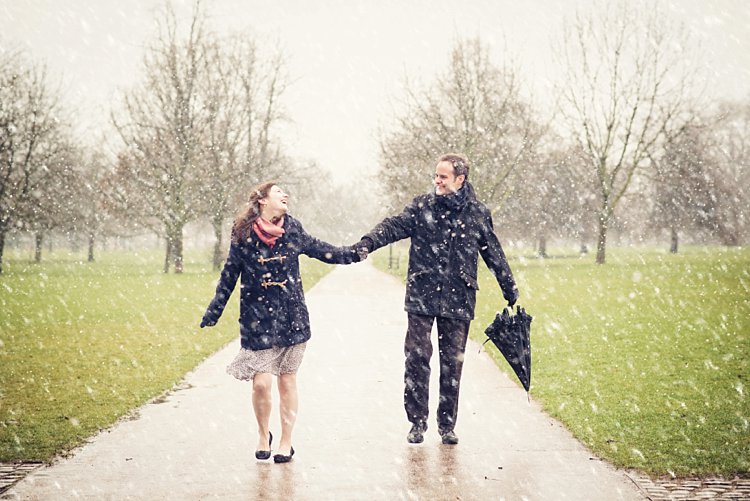
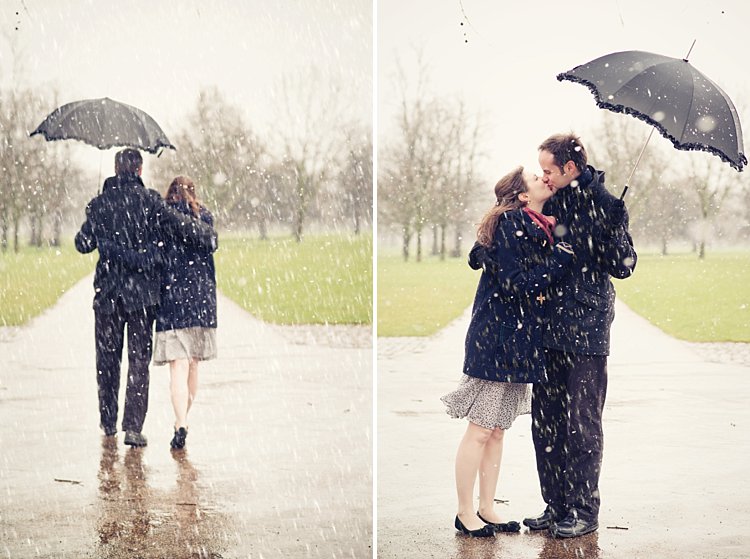
If you have a couple who are up for a shoot under any conditions – that’s awesome. You can capture unique photos in extraordinary weather conditions, like during a blizzard in the photos below, or perhaps freezing raindrops using flash, or in a downpour. The possibilities are endless!

3-tips-natural-engagement-sessions_0012

3-tips-natural-engagement-sessions_0012

I hope you find these tips helpful. Do share in the comments below if you have any more tips to add to the list.

googletag.cmd.push(function() {
tablet_slots.push( googletag.defineSlot( “/1005424/_dPSv4_tab-all-article-bottom_(300×250)”, [300, 250], “pb-ad-78623” ).addService( googletag.pubads() ) ); } );

googletag.cmd.push(function() {
mobile_slots.push( googletag.defineSlot( “/1005424/_dPSv4_mob-all-article-bottom_(300×250)”, [300, 250], “pb-ad-78158” ).addService( googletag.pubads() ) ); } );

The post Tips for Taking More Natural Engagement Portraits by Lily Sawyer appeared first on Digital Photography School.


Digital Photography School

 
Comments Off on Tips for Taking More Natural Engagement Portraits

Posted in Photography


Fujifilm X70 User Review: Sweet for Street

25 Jul

Fujifilm x70 is the newest little beast in Fujifilm lineup of premium compact cameras. This camera is targeted towards enthusiast and professional photographers (thanks to retro styling and large APS-C sensor) who want to travel light and want image quality at the same time. Fuji x70 is a trade-off between the legendary Fujifilm x100T and more travel oriented point and Continue Reading

The post Fujifilm X70 User Review: Sweet for Street appeared first on Photodoto.


Photodoto

 
Comments Off on Fujifilm X70 User Review: Sweet for Street

Posted in Photography


Canon EF-M 28mm F3.5 Macro real-world samples

25 Jul

‘Get closer’ is photo advice that the Canon EF-M 28mm F3.5 takes to heart. It can achieve focus as close as 9.4cm/3.7in, and brings a couple of built-in LEDs to the party to brighten things up. It’s not perfect, but it’s priced attractively and if you’re a Canon EOS M shooter then we think this little lens is a great way to experiment with macro photography. Read more of our impressions on using it and take a look at a full gallery of samples.

Articles: Digital Photography Review (dpreview.com)

 
Comments Off on Canon EF-M 28mm F3.5 Macro real-world samples

Posted in Uncategorized


Turn On: Backwards Glances From Famous Monuments

24 Jul

[ By Steve in Drawing & Digital. ]

Photographer Captures The World's Greatest Monuments - The Wrong Way Round

Photographer Oliver Curtis turns his back on some of the world’s most famous monuments, capturing a wholly unexpected side to these familiar cultural icons.

Photographer Captures The World's Greatest Monuments - The Wrong Way Round

If life is a journey and not a destination (to quote Ralph Waldo Emerson), then the ideal photographer to document the trip would be Oliver Curtis. In his Royal Geographical Society exhibition aptly titled “Volte-face”, Curtis visits the world’s most famous monuments and evocative locations… and then turns 180-degrees, snapping the polar opposite of what visitors have come from across the globe to see! The results are often enlightening in their own right, as the above views from the Chairman Mao Memorial Hall in Beijing, China’s Tiananmen Square and the Great Wall of China at Mutianyu illustrate.

American Dreaming

Photographer Captures The World's Greatest Monuments - The Wrong Way Round

Curtis’ odd odyssey unfolded over a period of four years and involved a staggering amount of travel – one would hope he’d enrolled in a frequent flyer program beforehand. From start to finish, however, Curtis never lost sight of his mission “to send our gaze elsewhere and to favor the incidental over the monumental.” The photo above, taken at the White House on a perfect summer’s day, epitomizes his curious yet enlightening vision quest.

Let My People Golf

volte-face_pyramids-giza-egypt

Curtis was inspired to record “counter-views” of the world’s most-photographed places in 2012, while visiting the Pyramids of Giza. Finding an ideal spot to capture the Great Pyramid of Khufu – the largest of the three main pyramids – Curtis glanced back in the direction from which he had came… and one might say he never looked back, er, sort of. “Immediately in front of me and under my feet,” explains Curtis, “the sand of the desert was adorned with an assortment of human detritus; litter, pieces of rusted metal, a large rubber washer and a torn hessian sack. Then, in the mid-distance I saw a newly constructed golf course, its fairways an intense green under the late morning sun.”

Acropolis Now

volte-face_parthenon-athens-greece

“I found this visual sandwich of contrasting colour, texture and form intriguing not simply for the photograph it made but also because of the oddness of my position;” adds Curtis, “standing at one of the great wonders of the world facing the ‘wrong’ way.” Though the locations may differ (that’s the Parthenon in Athens, Greece, above), Curtis’ photographic subjects evoke certain similarities due to they’re being cheek-by-jowl to greatness. Take the white stone bench in the image above: if you didn’t know it shared real estate with one of the world’s most iconic structures, it would seem perfectly at home in most any suburban garden.

Kodak Moment

Photographer Captures The World's Greatest Monuments - The Wrong Way Round

In a world too-often suffused with the profane, these photographs provide a refreshing atmosphere of the mundane by being the antitheses of the associated famous construction. This works on a number of levels: no doubt Lenin would spin in his tomb if he knew a Kodak kiosk was conducting capitalism just outside!

The Rio Thing

Photographer Captures The World's Greatest Monuments - The Wrong Way Round

Far from being overshadowed or perhaps because of it, these images display a subtle narrative all their own. Indeed, these reverse-views spotlight actual locales where workers and random folks display a palpable lack of awe; the consequence of daily exposure (or over-exposure, more likely) to what the rest of the world has put on a pedestal. Speaking of which, the trio above appear oblivious to Rio de Janeiro’s enormous Christ the Redeemer statue looming over them.

Next Page – Click Below to Read More:
Turn On Backwards Glances From Famous Monuments

Share on Facebook


[ By Steve in Drawing & Digital. ]

[ WebUrbanist | Archives | Galleries | Privacy | TOS ]


WebUrbanist

 
Comments Off on Turn On: Backwards Glances From Famous Monuments

Posted in Creativity


Review – The ThinkTank Photo Airport Roller Derby Bag

24 Jul

For those who know me, they know that I have a slight obsession with camera bags. There are just so many varieties; roller bags, backpacks, shoulder bags, etc., so it gets a little hard to get bored of them!

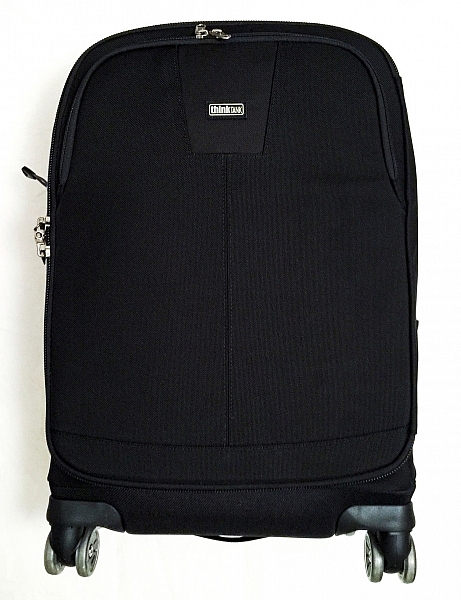
IMG_4880

Recently though, I’ve been using a ThinkTank Photo Roller Derby bag as my everyday roller. Now, using a roller bag may not be ideal for everyone. But for people like me who need to transport a lot of kit, they are lifesavers! This isn’t the only roller bag I have, though. I also have a ThinkTank Airport Security V2.0 which is absolutely fantastic, too.

But why did I jump to a slightly smaller bag? The answer to that is simple: the ThinkTank Photo Airport Roller Derby bag has four wheels, whereas the Airport Security only has two. This doesn’t seem like a big deal, but it makes moving the bag around that much easier.

So before we begin the review, let’s take a look at the Roller Derby’s features as from the ThinkTank website:

OVERVIEW

Materials: Exterior

  • 3D air mesh
  • 3-ply bonded nylon thread
  • Polyurethane coating
  • 1680D ballistic nylon
  • 420D velocity nylon
  • Durable water-repellant (DWR) coating
  • YKK® RC Fuse (abrasion-resistant) zippers
  • Custom-designed, replaceable wheels with sealed steel bearings
  • Rubberized laminate reinforcement

Materials: Interior

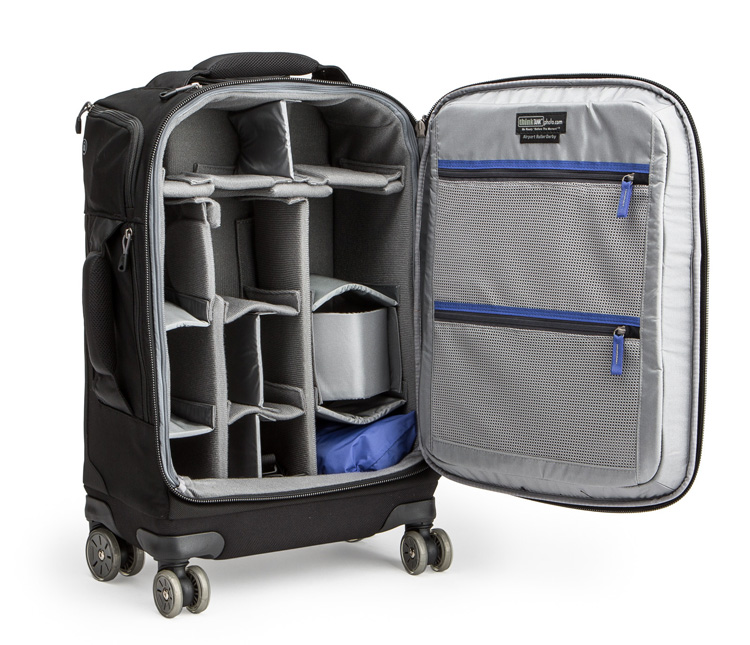
airport-roller-derby-5-750

Image courtesy ThinkTank

  • 210D silver-toned nylon
  • Polyurethane backed velex liner & dividers
  • 2x polyurethane coated nylon 210T seam-sealed rain cover
  • Closed cell foam & PE board reinforced dividers
  • Belly-O mesh pockets
  • 3-ply bonded nylon thread

Specifications:

  • Internal Dimensions: 12.6” W x 18.5” H x 5.5–7.5” D (32 × 47 × 14–19 cm)
  • Exterior Dimensions: 14” W x 22” H x 9.0” D (35.6 × 55.9 × 22.9 cm)
  • Tablet Compartment: 10.5” W x 10.3” H x 0.6” D (26.7 x 26.1 x 1.5 cm)
  • Laptop Compartment: 10.5” W x 14.5” H x 1.0” D (26.7 x 36.8 x 2.5 cm)
  • Weight: 9.5–11.5 lbs (4.3–5.2 kg) depending on accessories used.

Additional Features:

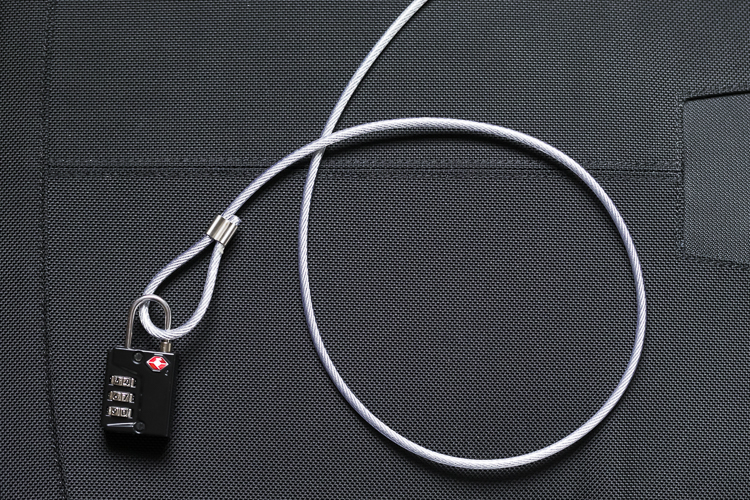
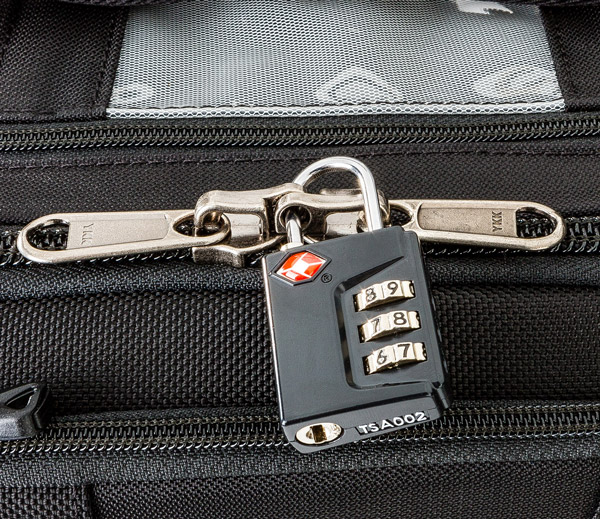
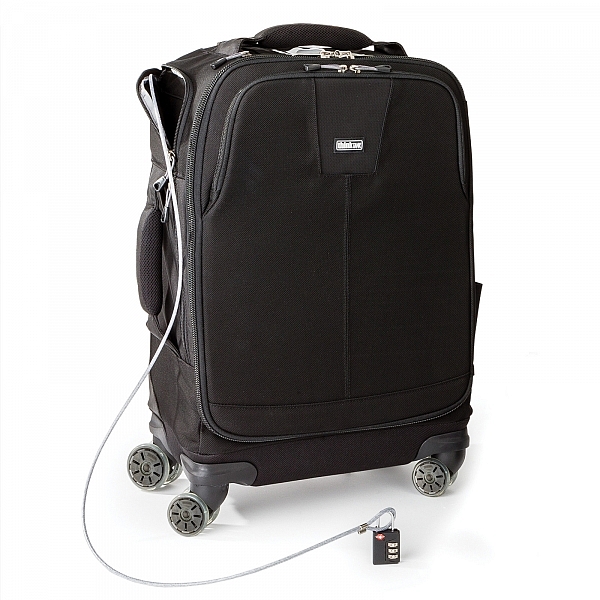
Cable Lock

  • Lock & cable to secure lockable zippers and tether the bag
  • airport-roller-derby-9-6003-ways to roll: upright at your side, back wheel tilt, or side wheel tilt
  • Seam-sealed rain cover included
  • Bottom handle for easy over head lifting
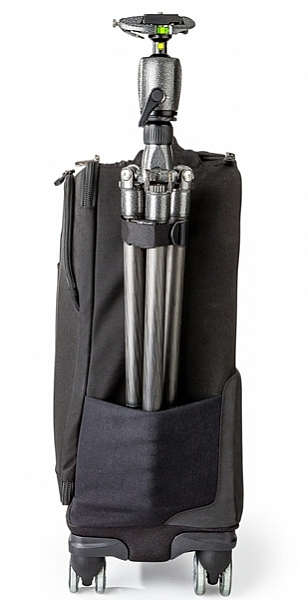
  • Tripod mount and water bottle pocket on side
  • 2-position locking handle extends to 39–42” for better ergonomics when pushing
  • Interior zippered pockets for batteries, CF cards, filters and accessories
  • Top zippered pocket for wallet or cell phone
  • Rapid access side pocket for travel essentials
  • Reinforced back panel for increased durability
  • User replaceable wheels
  • Seam sealed rain cover included
Image courtesy ThinkTank

Image courtesy ThinkTank

BUILD QUALITY

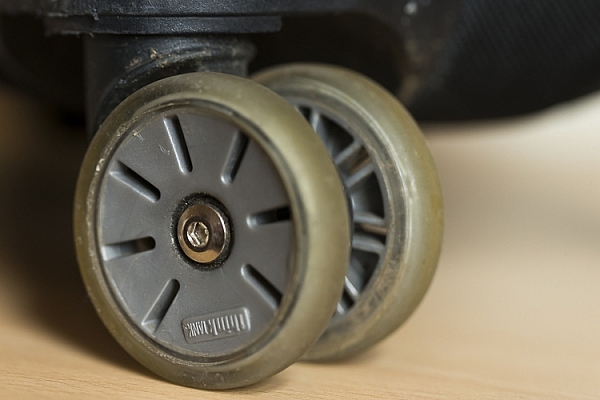
If you have used ThinkTank products in the past, you are most likely already familiar with the overall quality of their products. The ThinkTank Photo Airport Roller Derby bag is no exception. I have been using this bag almost everyday for the last eight weeks. It has been dragged through mud, wet grass, over gravel, been pulled in and out of my car, and been shoved around on public transport. Through all of this, not once have I had any issues with any of the wheels (they just keep going, no matter what!), and most importantly, my equipment has come out of it completely unharmed.

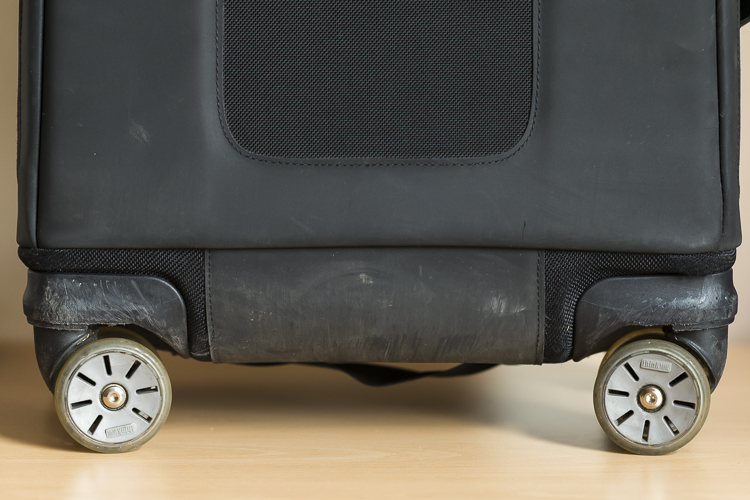
Wheel:wear.2

Wheels showing wear but mostly just scratches.

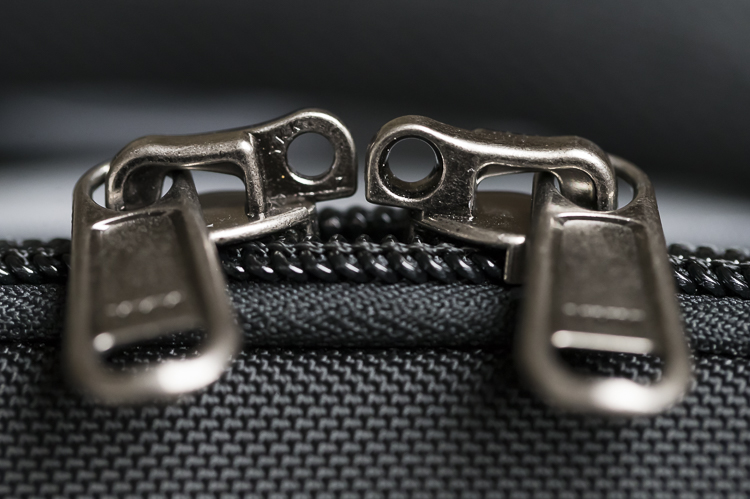
It’s been dragged a bit over concrete and other hard surfaces, and other than a few little scuff marks on its exterior, it’s perfectly fine and shows no sign of giving up any time soon. The telescopic handle feels more sturdy than the one on my other roller, and is easily pulled up and down for use. Most bags’ weakness appears first with the zippers; especially if you’re packing a lot of kit into the bag. However, the zippers used on this bag are no different to that of any other ThinkTank product. The zippers are easily opened and closed no matter how much equipment is packed in. In fact, I’ve yet to see any of the zippers across all my bags (yes, I have a few!) even begin to show any sign of strain.

Lockable Zipper

At the base of the bag, extending up the back a little way, is a tougher nylon cover which is perfect for protecting the material of the bag as you pull along; such as when going down stairs or whatnot. Internally, the bag is no really different to any other ThinkTank bag. The removable inserts provide ample protection for all of my kit. The rollers on the bag have also proven to be very durable. I’ve taken my bag through puddles, mud, wet grass, gravel – you name it – and all without a single problem.

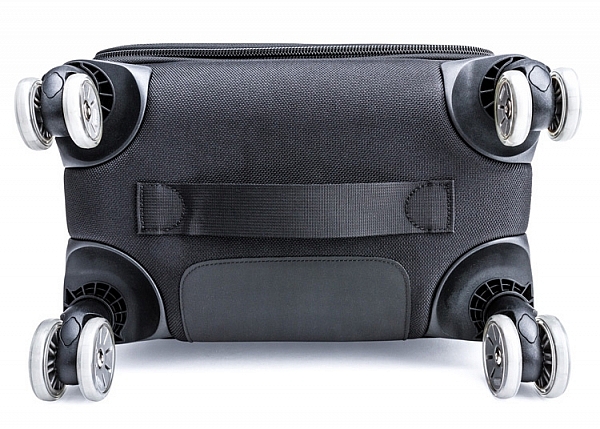
What really helps the wheels is that there are actually eight wheels in total; two wheels on each castor. This helps spread the weight of the bag and its contents out more effectively, thereby reducing the strain on each individual wheel.

airport-roller-derby-6-750

Image courtesy ThinkTank

Wheels

DESIGN

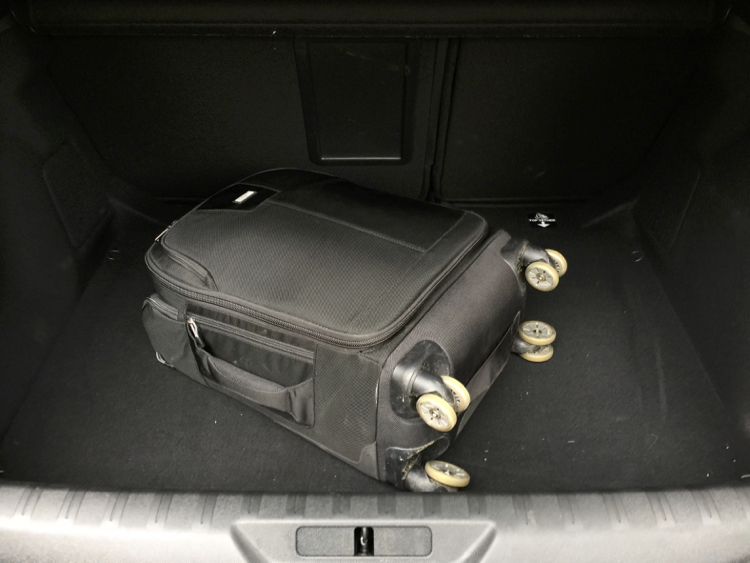
The design of the Roller Derby is very well thought out. The main camera compartment is easily accessible. The opening hinges across the bag, not up/down. This does make it easier to work with in smaller spaces, or out of the trunk of your car, as you don’t need much space to open it.

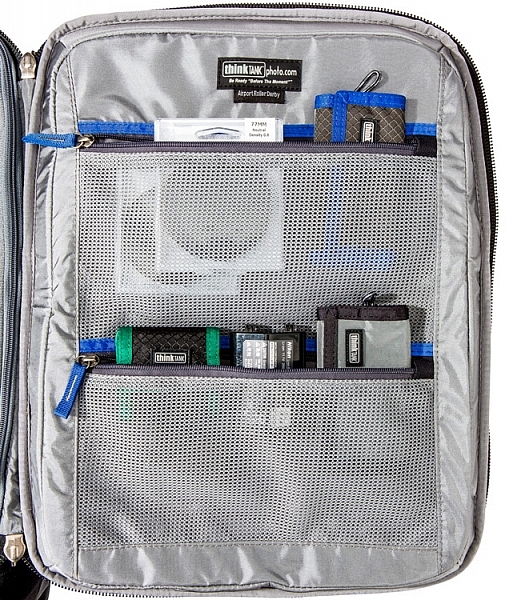
On the inside of the opening are three compartments where you can put extra items like memory cards, cleaning tools etc. On the front of the bag you’ll find there’s also a handy compartment to fit your laptop/tablet and other little bits and bobs too.

Image courtesy ThinkTank

Image courtesy ThinkTank

If you need to leave your bag unattended, ThinkTank has you covered there, too. They have provided a cable, which is attached to the bag, and a lock which will enable you to lock the bag to an object so it’s more secure. The zippers to the main camera compartment are also lockable, so all your kit is safe; this is also perfect for air travel or public transport, for that little extra peace of mind.

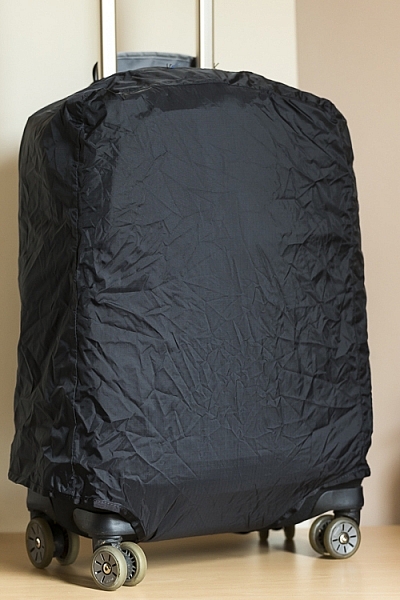
The bag also ships with a rain cover which, I might add, is one of the easiest rain covers to put on bag! It covers the bag nicely and gives your equipment that extra level of protection from the elements.

Rain cover on

Image courtesy ThinkTank

Image courtesy ThinkTank

IN USE

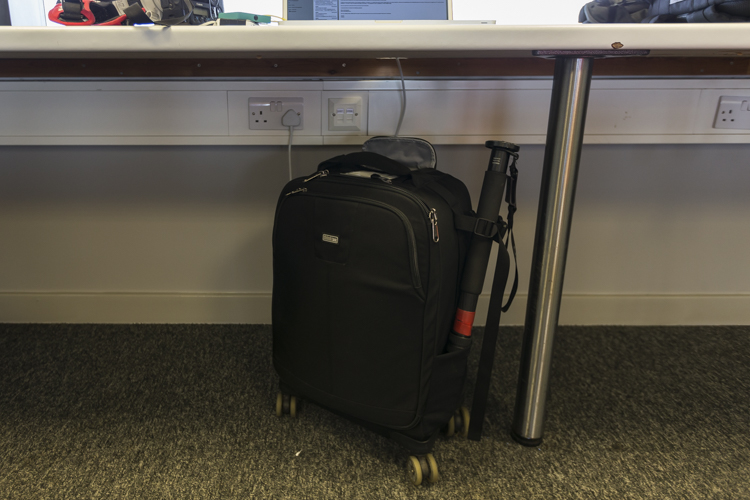
This has now become my go-to bag for day-to-day use. It’s smaller than my other roller bag, which makes it easier for fitting in to cars, on trains, etc., and is also easier to fit under a table in a media room. The four castor design makes it easier to put the bag under a table, and take it out again; without having to move myself about to maneuverer it. I can just simply push it under, or grab it out.

Boot

Here it is in the trunk (boot) of my car.

I’ve found the compact design of the bag to be very helpful when working in tighter spaces (some of the media rooms here in the UK are very ah….cozy!) as it doesn’t get in the way when I am unpacking my kit from it. Yet, despite its compact nature I can still fit my everyday required kit.

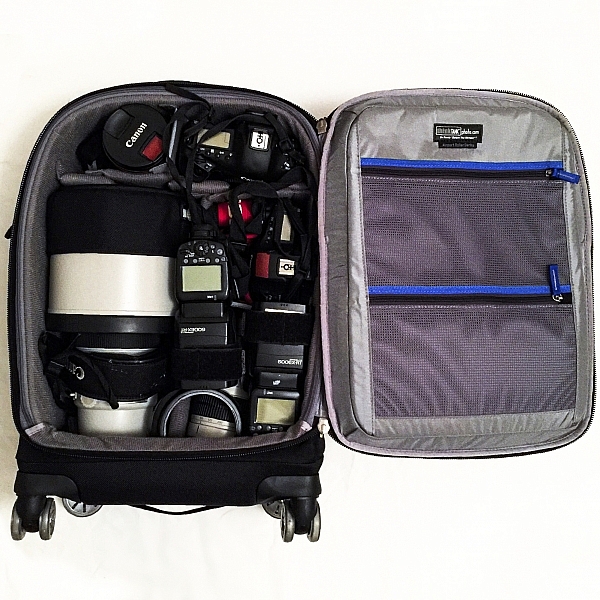
In this bag I can fit:

  • Two EOS 1-D series cameras
  • A 400mm f/2.8 lens
  • A 70-200 f/2.8 lens
  • A 16-35 f/2.8 lens
  • A 1.4x Teleconverter
  • Two 600-EX RT Canon Speedlites
  • Other little bits and pieces

IMG_4882

CONCLUSION

I love roller bags, they work perfectly for my requirements. For me, this bag is a winner. It’s compact design, yet high carrying capacity, make this bag ideal for people who want to carry larger amounts of equipment easily. Here are my thoughts:

Who is this bag for:

This bag is ideal for people who want a bag that they don’t have to carry around. The wheels make transporting equipment so much easier. It’s particularly ideal for travel on public transport, as its compact design will easily fit in the luggage area of many trains, or next to you on the seat.

Who is this bag NOT for: 

If you’re someone who needs to travel with a bag with them all the times, you may want to look outside roller bags. If you want to carry more equipment, this particular model may be a little too small as well.

Pros:

Empty, the bag is quite light for a roller bag, weighing in at 5kg (11 pounds). Its compact design makes it easier to store when you’re in transit and at home, and the wheels make it a lot easier to move around. A well thought out design makes the most of its compact size to fit a generous amount of kit inside.

Media

Cons:

I wouldn’t say this is necessarily a con; rather just something to be aware of, but the 4-wheel design can mean the bag can tend to roll away if it’s left on a slope, so be careful of this! When using a large lens (such as a 400mm f/2.8 or 600mm f/4, etc.) with the hood on, you are no longer able to put a laptop in the laptop compartment in the front of the bag. The price may be a con for some if you’re not in the market for a bag that’s almost $ 400.

If you’re on the market for a good quality, durable, and ergonomic roller bag, I would strongly suggest you take a look at the ThinkTank Photo Airport Roller Derby!

googletag.cmd.push(function() {
tablet_slots.push( googletag.defineSlot( “/1005424/_dPSv4_tab-all-article-bottom_(300×250)”, [300, 250], “pb-ad-78623” ).addService( googletag.pubads() ) ); } );

googletag.cmd.push(function() {
mobile_slots.push( googletag.defineSlot( “/1005424/_dPSv4_mob-all-article-bottom_(300×250)”, [300, 250], “pb-ad-78158” ).addService( googletag.pubads() ) ); } );

The post Review – The ThinkTank Photo Airport Roller Derby Bag by Daniel Smith appeared first on Digital Photography School.


Digital Photography School

 
Comments Off on Review – The ThinkTank Photo Airport Roller Derby Bag

Posted in Photography