RSS
 

Archive for July, 2016

Anti-Gravity Boots: London Shoe Artwork Defies Laws & Physics

09 Jul

[ By WebUrbanist in Art & Street Art & Graffiti. ]

anti gravity shoes street

There are many theories, but no one is quite sure where the practice of throwing shoes over raised urban infrastructure started. Some suggest bullies take shoes from other kids and toss them over power and telephone lines; other think it could be a way of marking gang or drug-dealing territories. Or perhaps people just make and lose bad bets, paying the price with sore feet.

shoe on wire art

laced shoe downside up

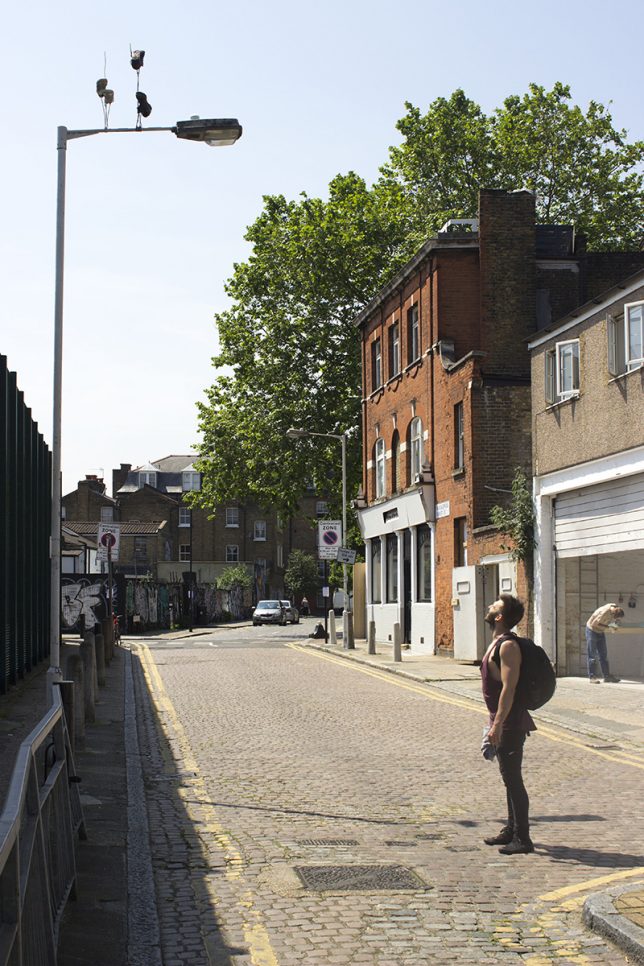
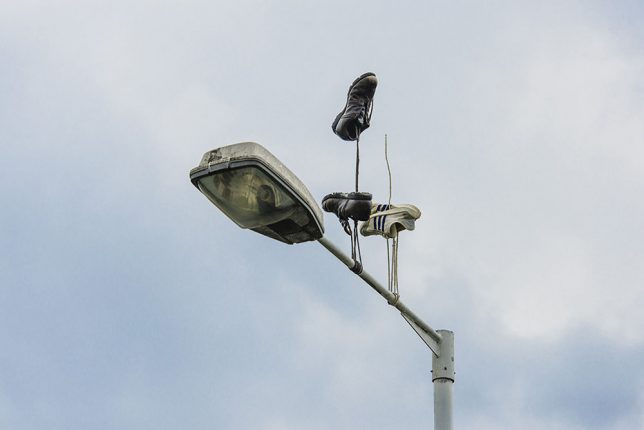
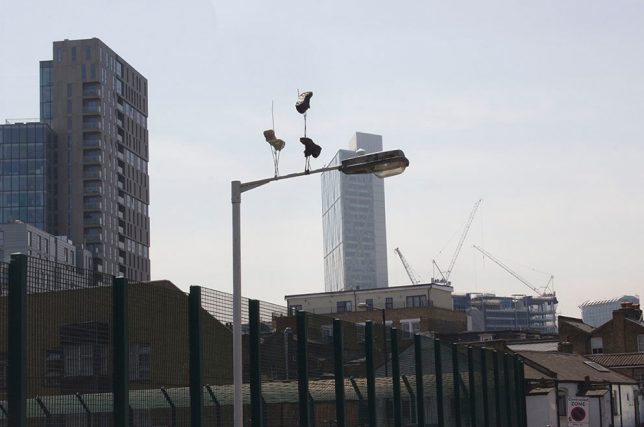
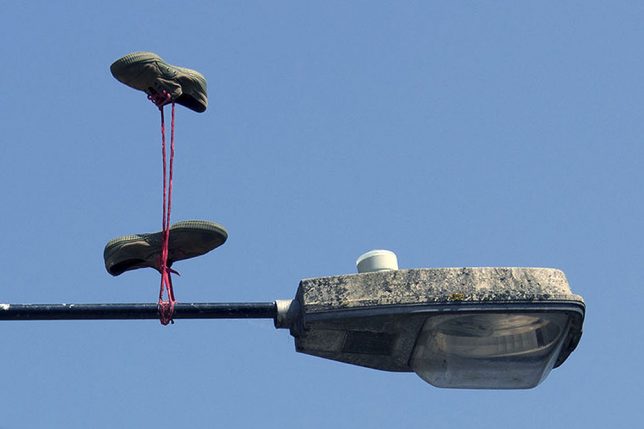
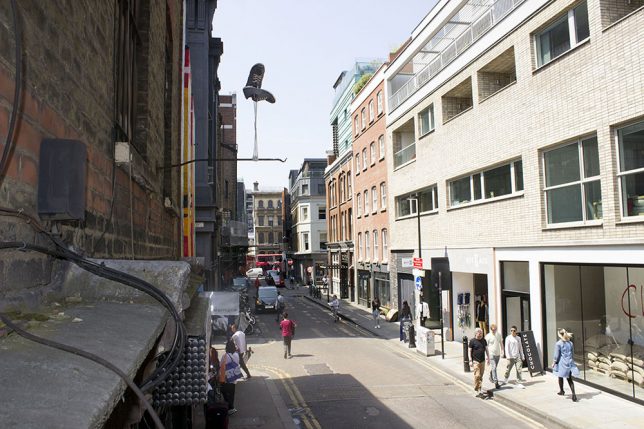
Whatever the reason, London street artist Pejac (images by Gary Van Handley) has taken the shoe-on-a-wire concept to the next level, with individual and paired shoes seeming to hang upside-down, pulled inexplicably toward the sky. Presumably to minimize annoyance to the city (and possible damage to critical lines), the artist in this case opted to use poles rather than wires for support.

gravity shoe art installation

gravity suspended shoes

Titled Downside Up, this series of shoe art installations across East London are in part a series of street artworks but also a viral marketing campaign for an upcoming solo exhibit. Pejac is well known for both silly and thought-provoking interventions, often manipulating built environments in subtle ways by pealing paint or through small installations easily missed by less observant passersby.

Share on Facebook


[ By WebUrbanist in Art & Street Art & Graffiti. ]

[ WebUrbanist | Archives | Galleries | Privacy | TOS ]


WebUrbanist

 
Comments Off on Anti-Gravity Boots: London Shoe Artwork Defies Laws & Physics

Posted in Creativity


How to Edit Corporate Headshots in Lightroom

09 Jul

Although even lighting, and perfect exposure are your biggest allies when it comes to making people look their best in headshots, there are many small adjustments you can make in the editing process, that will make your shots (and your clients) look that much more professional.

corporate-18-of-18b

To begin, a lot of things on the day of the shoot will be out of your control. Take a booking I had recently, for example, it was scheduled on a Friday afternoon after a full week of the Annual Meeting. All the head honchos were dead tired and this was the last thing on their to-do list. After a week of deciding the future of their company, a lot of them looked a little, let’s say, less than fresh. Dehydration, bags under the eyes, and coffee-stained teeth began to rear their ugly heads. Because we’re human, and that’s what happens. Although soft light helps, our wonderfully designed cameras tend to be rather unforgiving of the under-slept.

Although most of my corporate headshot clients know that post-production doesn’t mean they’ll end up as Heidi Klum, they do appreciate just a smidge of help once the photos are loaded up.

Corporate touch-ups are about making the subject look as fresh as can be. I like to keep my post-processing efficient, effective, and easy, so I can get the photos off my desk and onto theirs as quickly as possible. Here’s how I tackle it.

My Lightroom Workflow

Let’s start with the shot straight out of camera.

dpsheadshot (1 of 1)

This particular company wanted to feature their employees in their native work environment, so the office became the background, which eliminated the need to bring a backdrop. I lit the subject with window light, an octabox, and a reflector. You’ll notice I shot these with 50mm lens as well. Normally, I’d grab my 85mm for corporate work, but we were out of town and didn’t have our full complement of gear with us. The 50mm did the job just fine.

My first step is to adjust the Cropping, Exposure, and White Balance. I need to crop the reflector out of the frame for starters, apply a lens correction to get the side wall to line up. I’m happy with the way the White Balance is on this, but I’d like to take the exposure up slightly and take the overall highlights down slightly.

We end up with this:

dpsheadshot2 (1 of 1)


Local Adjustments

The local (in one area of the image only) adjustments I use are subtle. The best way to get some of these adjustments is to have the client get a great night’s rest and stay hydrated, but those are mostly out of our control. These adjustments aren’t meant to turn anyone into an airbrushed masterpiece, just to give them a little nudge.

Before we dive in, let’s review some Local Adjustment Quick Keys to help you in the process.

Adjustment Brush Quick Keys

  • Press H to hide or show the pin you’re using. This is helpful when the pin is in the way and you want it to disappear.
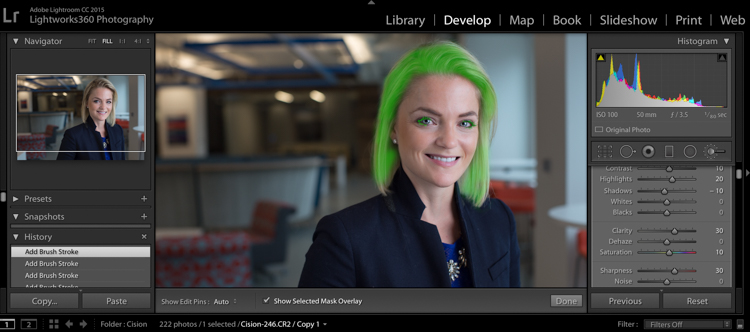
  • Press O to hide or show a mask overlay of the Adjustment Brush tool effect, or use the Show Selected Mask Overlay option in the toolbar. This is helpful so you can see exactly what areas you’re affecting. It also makes editing at a coffeeshop or plane pretty funny because whoever peeks over your shoulder thinks you’re turning all your subjects into the Incredible Hulk. (Shift+O will tile through the overlay colors: white, black, red, green).
  • Press Ctrl+Z (Windows) or Command+Z (Mac OS) to undo your adjustment history.
  • Hold Alt to take away any mask you’ve put in (holding Alt while you use the paintbrush turns it into an eraser to paint away). This is helpful just to clean up any minor mistakes you made while adding adjustments.

Okay, here are the adjustments I make (in this order too):

#1 Soften Skin

This helps just to clear up pores and generally be forgiving of any blemishes.

  • Clarity -50
  • Sharpness -10
  • Contrast +5
  • Highlights +15 (to counteract the highlights being muddied by lowering clarity)

I take my brush over the entire face except for the eyes, eyebrows, and lips, so the face is fully Hulkified.
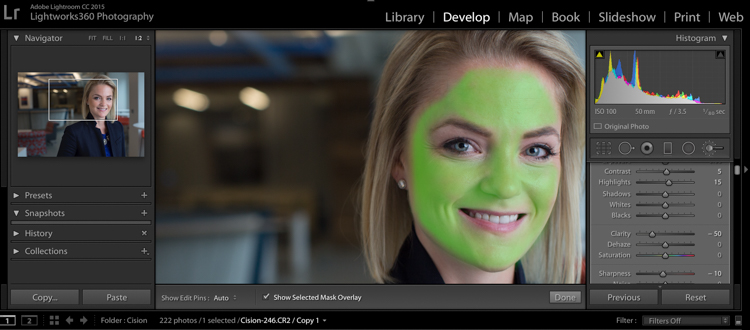
dpsheadshot (1 of 6)

Note that you can change the color of the Mask Overlay (Shift+O), but I just stick with green as it’s nice and easy to see. If you make a mistake and go over any of the areas you want unaffected, just use the Alt key to turn the brush into an eraser and paint them away.

#2 Diminish Lines

I put this in to give an overall softening of shadows created with any kind of wrinkle or smile line.

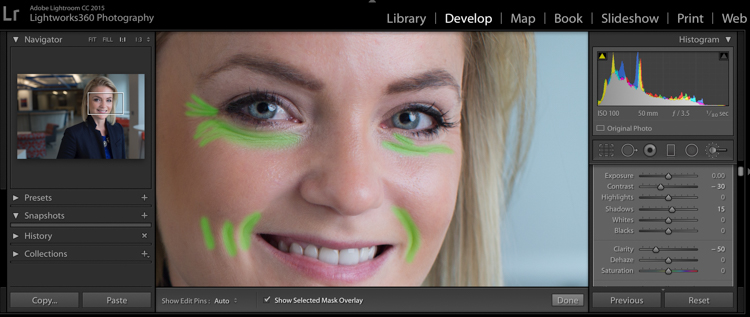
  • Contrast -30
  • Shadows +15
  • Clarity -50
  • Sharpness -10

dpsheadshot (2 of 6)

So let’s look at the before and after of what we have so far. You’ll see that the the skin is more even throughout, and the deep shadows of the lines are reduced and softened, but not removed completely. The goal is to freshen, not make them look like a plastic doll.
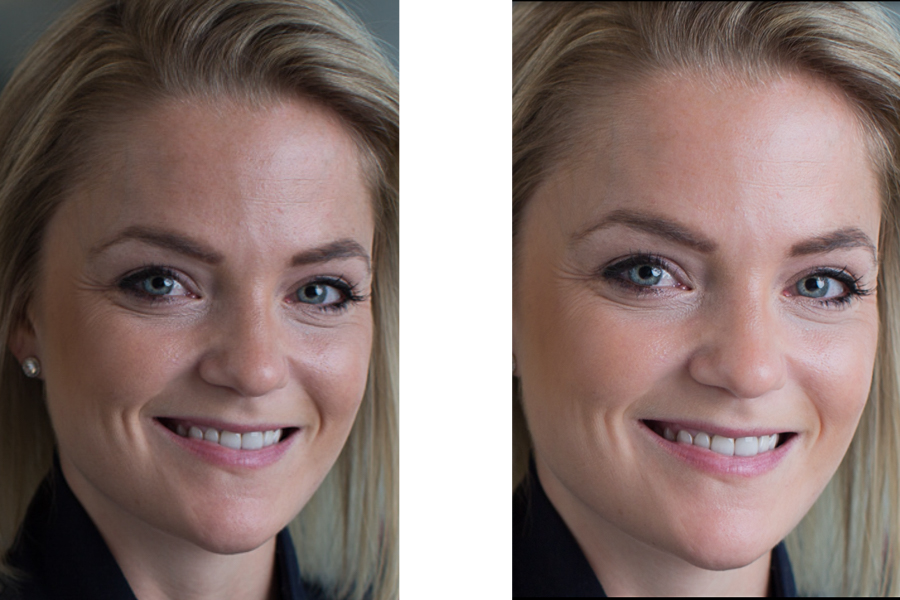
dpssidebysideskin

Next up, let’s get those eyes popping a little more. This is easy to overdo, so be judicious with this step.

#3 Brigthen Eyes

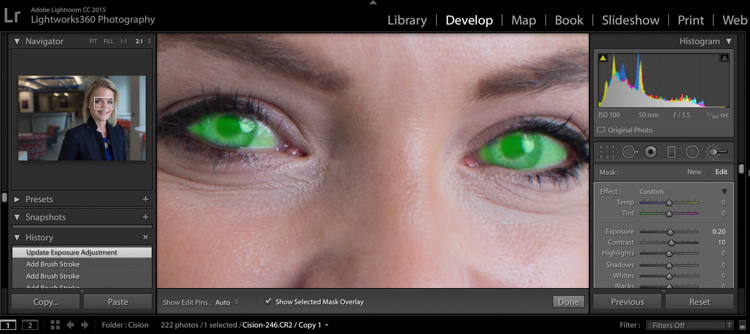
Get the whole eye in this first adjustment:

  • Exposure +0.2
  • Contrast +10
  • Clarity +10

dpsheadshot (4 of 6)

#4 Enhance the Iris

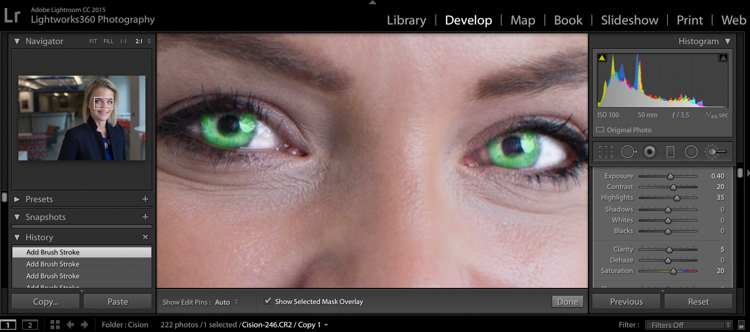
Now we’ll focus on just the colorful part of the eye, the iris. We’ll add a little more exposure and a touch of saturation:

  • Exposure +0.40
  • Contrast +20
  • Highlights +35
  • Clarity +5
  • Saturation +20

dpsheadshot (3 of 6)

Let’s check back in with a before and after comparison:
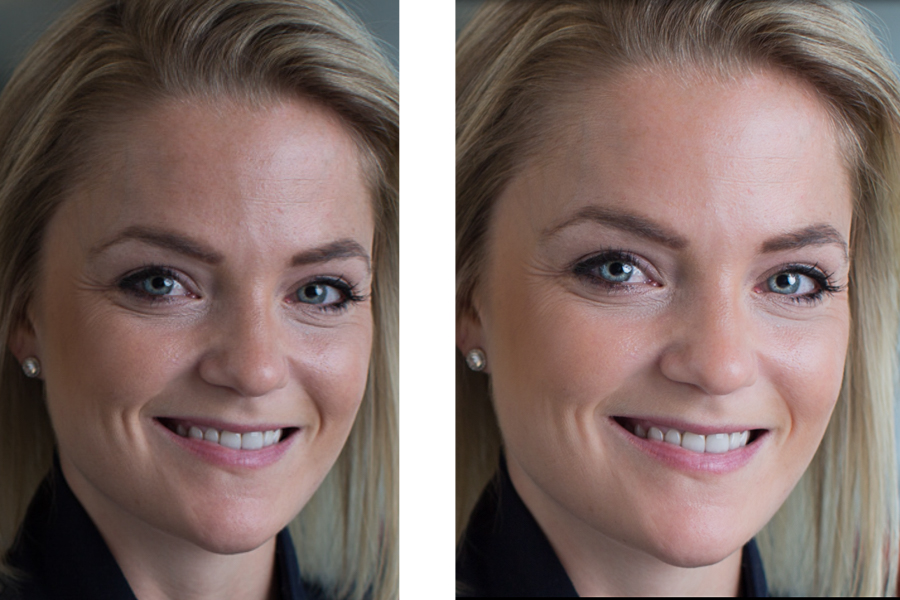
dpssidebysideeyes

It’s subtle, but there’s just enough pop around the eyes, without it being overdone.

#5 Whiten the Teeth

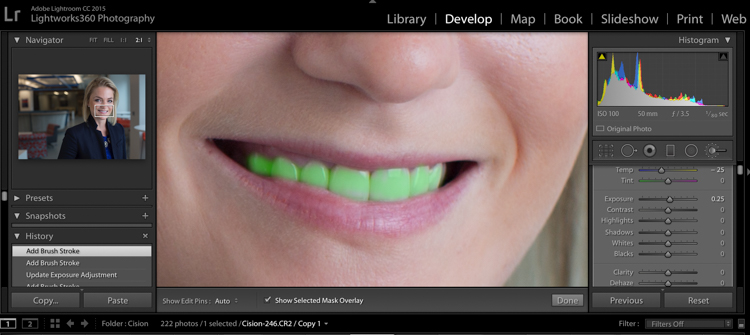
Let’s make their dentist proud:

  • Temp -25 (adding blue takes out any yellow in the teeth)
  • Exposure +0.25
  • Saturation -20

dpsheadshot (5 of 6)

#6 Hair and Eyelashes

For this final touch, it’s nice to give a little definition to the hair and eyelashes.

  • Contrast +10
  • Highlights +20
  • Shadows -10
  • Clarity +30
  • Saturation +10
  • Sharpness +30

dpsheadshot (6 of 6)

Cute wig, right?

Let’s look at the final before and after now:
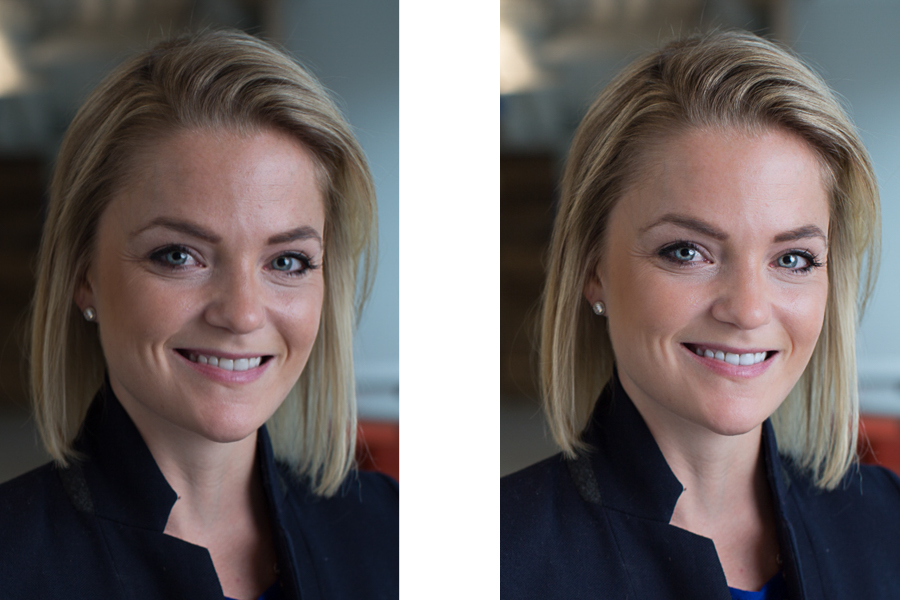
dpsheadshotsidebysidefinal

And here’s the photo that was delivered to the client:

dpsheadshotdeliver (1 of 1)

All of these changes are delicate. Done right, and they’re almost imperceptible. Retouching your corporate headshots doesn’t need to be an hours-long endeavor. Your clients don’t need to be on the cover of Vogue– they need a no-fuss photo that’s Linkedin ready, and shows them at their best.

googletag.cmd.push(function() {
tablet_slots.push( googletag.defineSlot( “/1005424/_dPSv4_tab-all-article-bottom_(300×250)”, [300, 250], “pb-ad-78623” ).addService( googletag.pubads() ) ); } );

googletag.cmd.push(function() {
mobile_slots.push( googletag.defineSlot( “/1005424/_dPSv4_mob-all-article-bottom_(300×250)”, [300, 250], “pb-ad-78158” ).addService( googletag.pubads() ) ); } );

The post How to Edit Corporate Headshots in Lightroom by Tim Sullivan appeared first on Digital Photography School.


Digital Photography School
 
Comments Off on How to Edit Corporate Headshots in Lightroom

Posted in Photography


Dodging, burning… microwaving? A look inside Ansel Adams’ darkroom

09 Jul

In a recent interview with Marc Silber of Advancing Your Photography, Ansel Adams’ son Michael gives a tour of his father’s darkroom.

The basics are all there, but by and large, they were designed by Adams for the space he was in. Sure, the dodge-and-burn stick is literally a stick with some cardboard taped to it, but the enlarger and wall mount are both on a custom-built track, and can be moved independently toward or away from each other depending on Adams’ needs. The light source in the enlarger is actually 30 individual light sources, each with its own switch for the utmost control over a negative’s illumination.

My favorite part? When Michael details how his father tested exposures with a new image. It’s pretty standard up until the end, when he says that Adams would routinely microwave the test print – it would dry faster that way, and the best way to ascertain the correct exposure is with a dry print. The more you know!

It’s a fascinating look back into the world of film and physical prints, and a reminder that creativity and control don’t necessarily require the fanciest equipment money can buy. 

Articles: Digital Photography Review (dpreview.com)

 
Comments Off on Dodging, burning… microwaving? A look inside Ansel Adams’ darkroom

Posted in Uncategorized


Living Street Art: Contorted Human Bodies in Urban Spaces

09 Jul

[ By SA Rogers in Art & Street Art & Graffiti. ]

Screen Shot 2016-07-08 at 9.48.16 AM

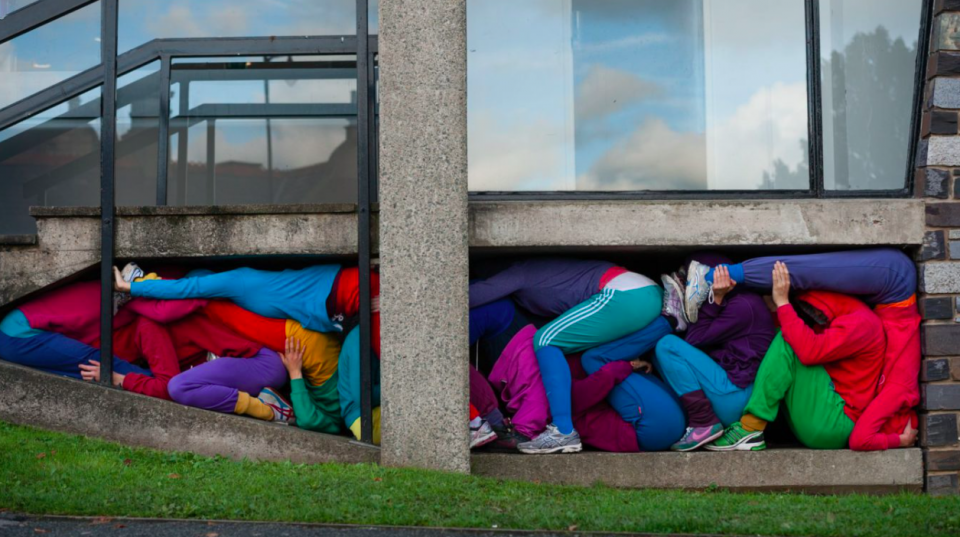
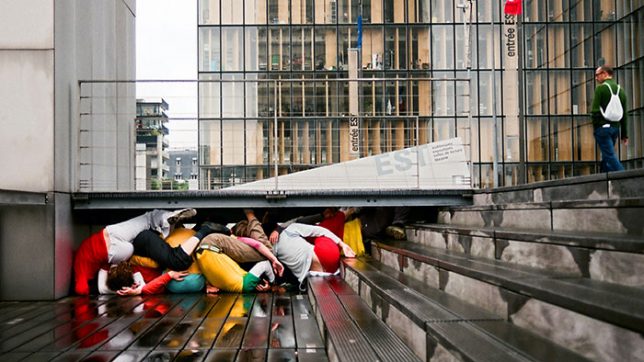
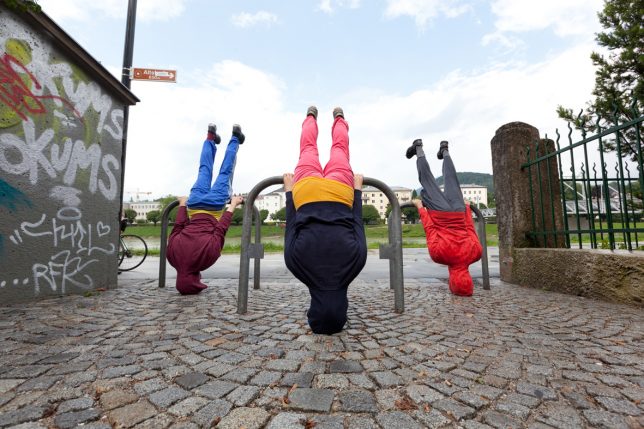
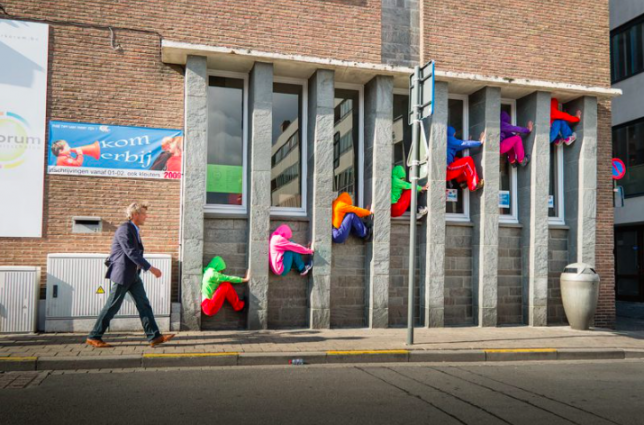
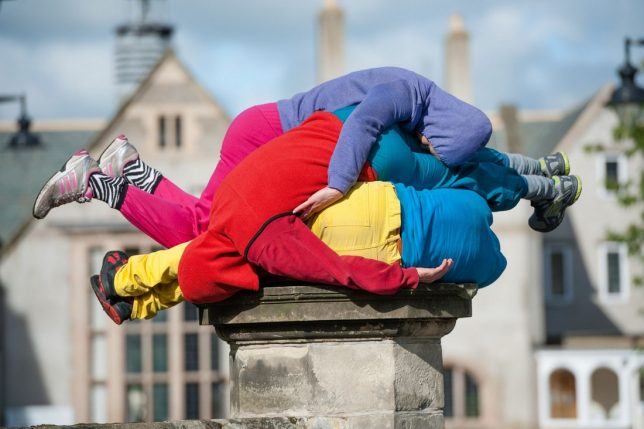
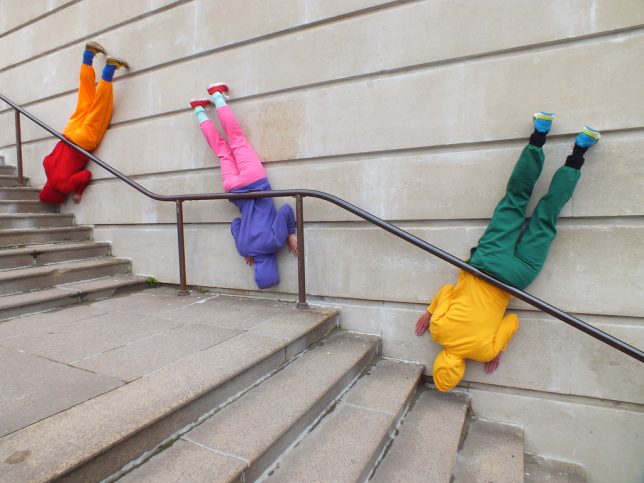
If you were to pass a bunch of colorfully-dressed human figures crammed into a crawlspace beneath a public staircase, you might think they’re mannequins at first, with their splayed limbs and claustrophobic positioning. The bodies are bent every which way, some hanging upside down, all of their faces obscured by hoodies, their positioning absurd. As you walk down the street, you spot more and more of them – folded beneath park benches, dangling from staircase railings, squeezed between utility boxes or piled on top of one another. But then a hand moves, or a muscle twitches, and you realize they’re alive.

bodies in urban spaces 3

The brilliance of choreographer Cie. Willi Dorner’s ‘Bodies in Urban Spaces’ lies as much in the chosen setting as it does in the extraordinary flexibility of his performers. Dressed in vivid track suits, the performers quickly assemble themselves into position, hold their poses for an uncomfortably long duration, and then disassemble themselves to run ahead to the next spot and repeat the process. The temporary urban interventions leave no trace when the performance is over, and aim to encourage residents to experience their cities in a different way.

Screen Shot 2016-07-08 at 9.48.30 AM

‘Bodies in Urban Spaces’ has been traveling the world since 2007, showing up all over the UK and Europe as well as Texas, New York, Istanbul, Russia and Japan. The performers lead an audience through each city, highlighting various architectural and urban features and how we interact with them as human bodies.

bodies in urban spaces 4

bodies in urban spaces 5

“‘Bodies in Urban Spaces’ is a temporary intervention in diversified urban architectonical environment,” says Dorner. “The intention of ‘Bodies in Urban Spaces’ is to point out the urban functional structure and to uncover the restricted movement possibilities and behavior as well as rules and limitations. By placing the bodies in selected spots the interventions provoke a thinking process and produce irritation. Passers by, residents and audience are motivated and prompted to reflect their urban surrounding and their own movement behavior and habits.”

Share on Facebook


[ By SA Rogers in Art & Street Art & Graffiti. ]

[ WebUrbanist | Archives | Galleries | Privacy | TOS ]


WebUrbanist

 
Comments Off on Living Street Art: Contorted Human Bodies in Urban Spaces

Posted in Creativity


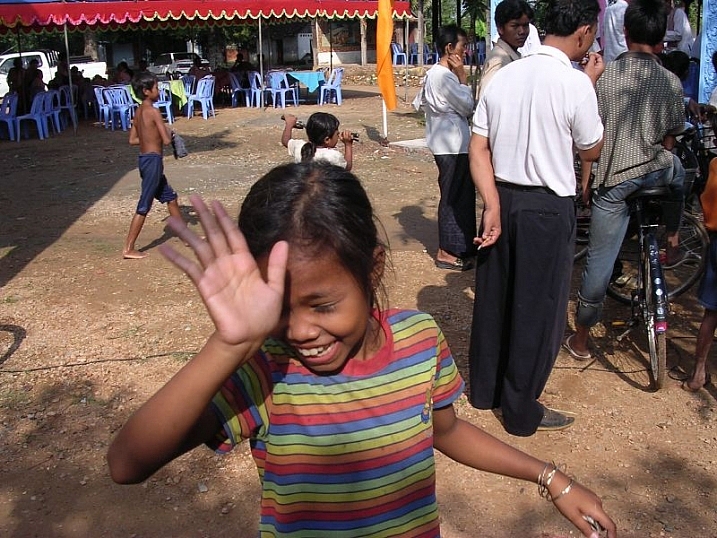
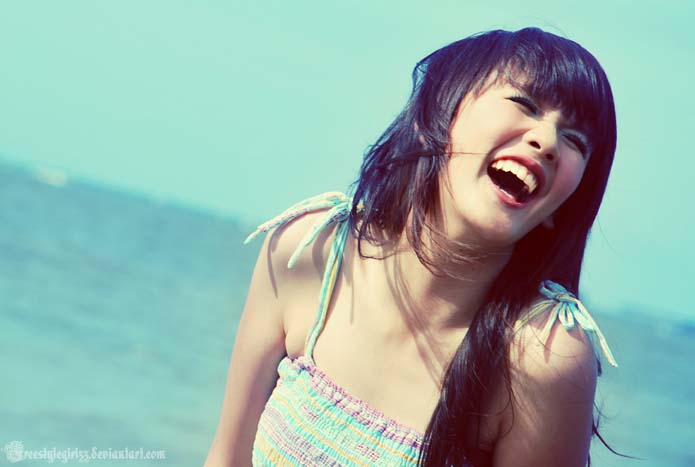
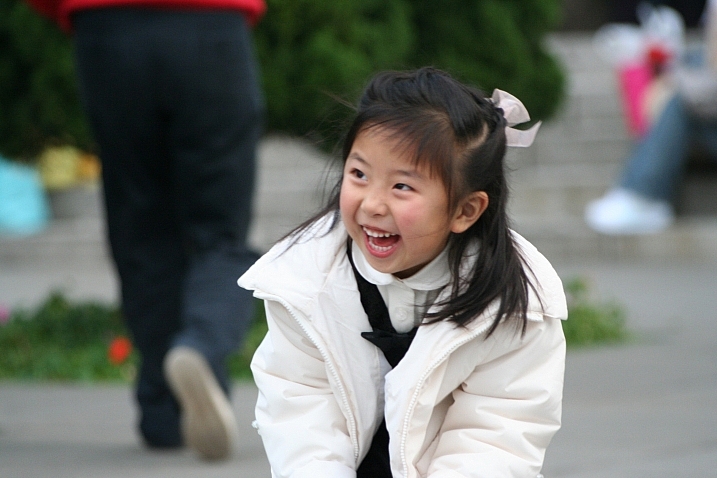
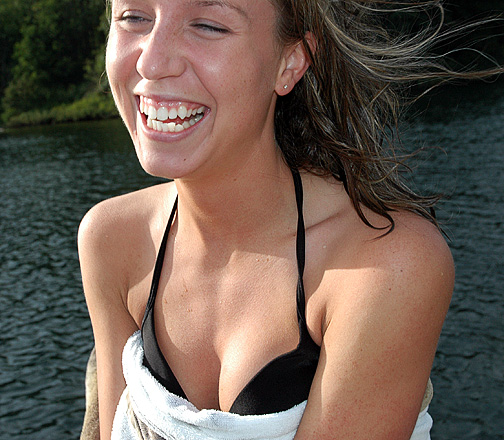
21 Fun Images of People Laughing

09 Jul

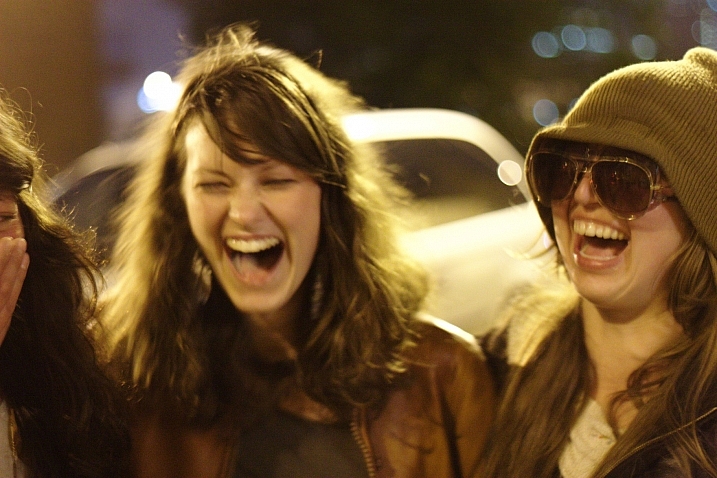
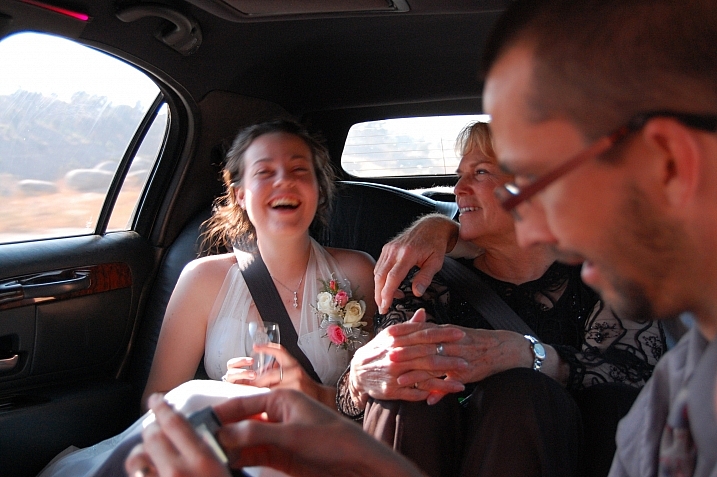
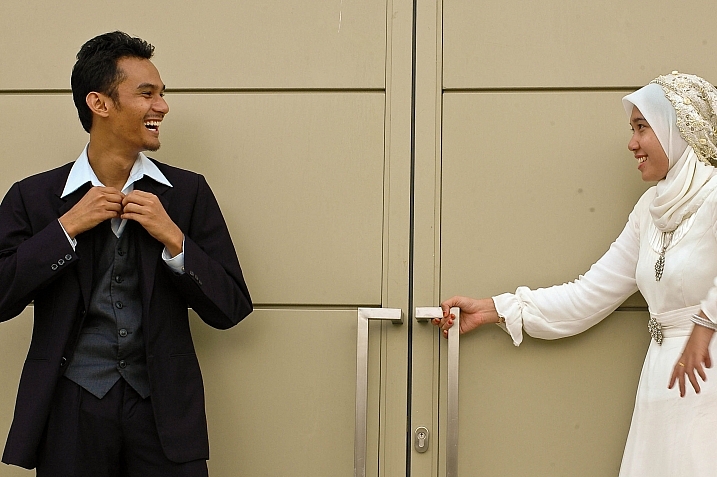
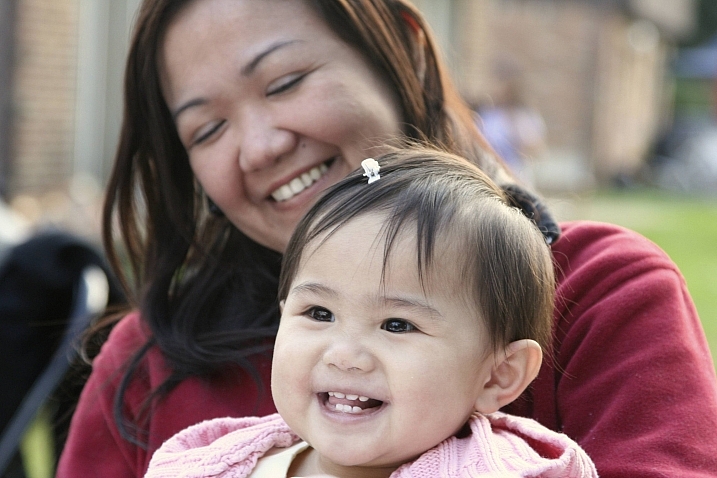
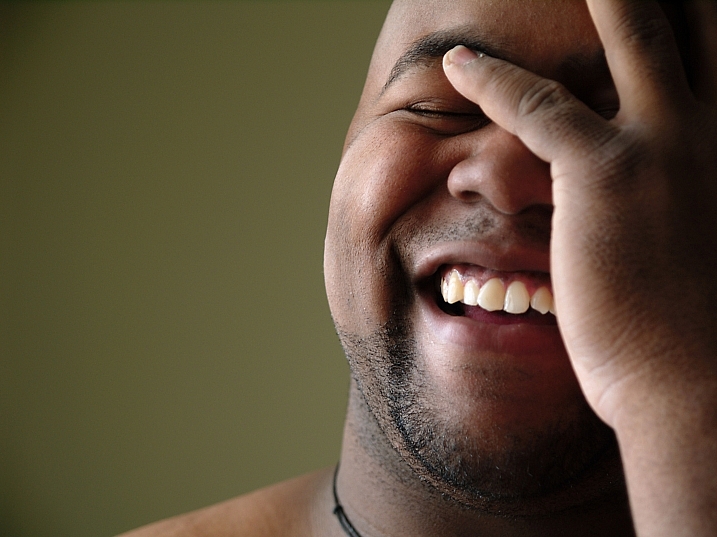
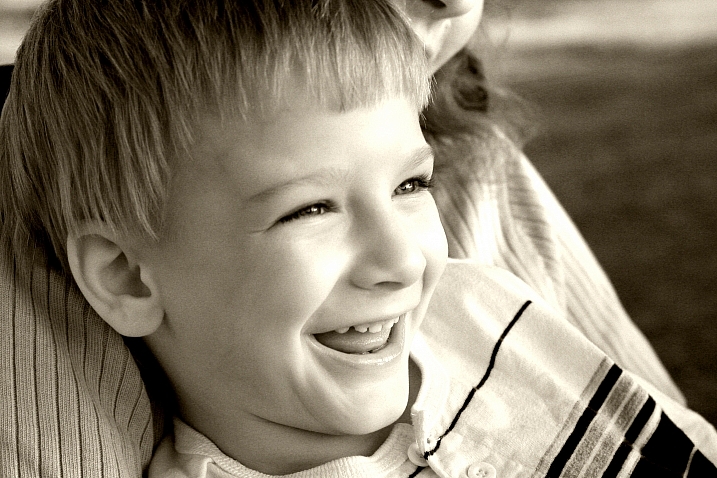
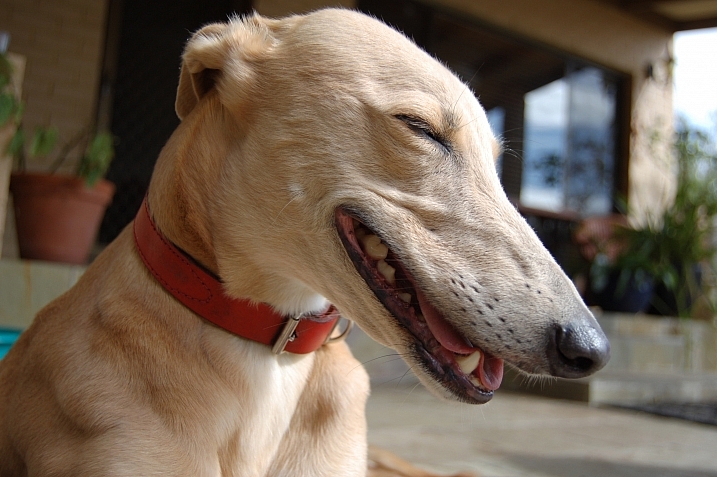
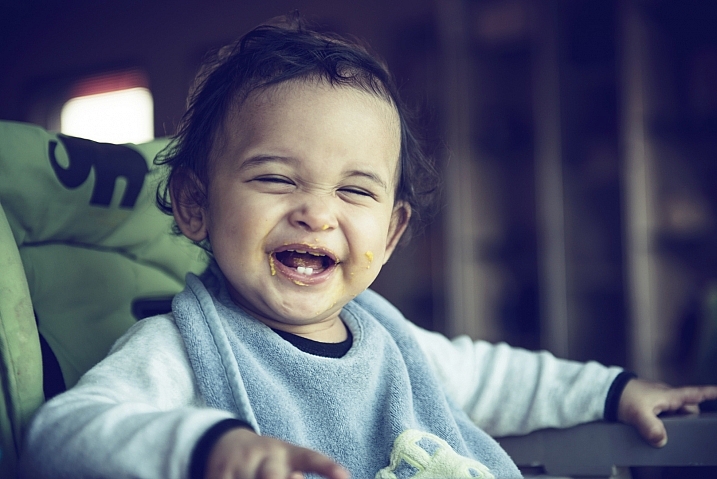
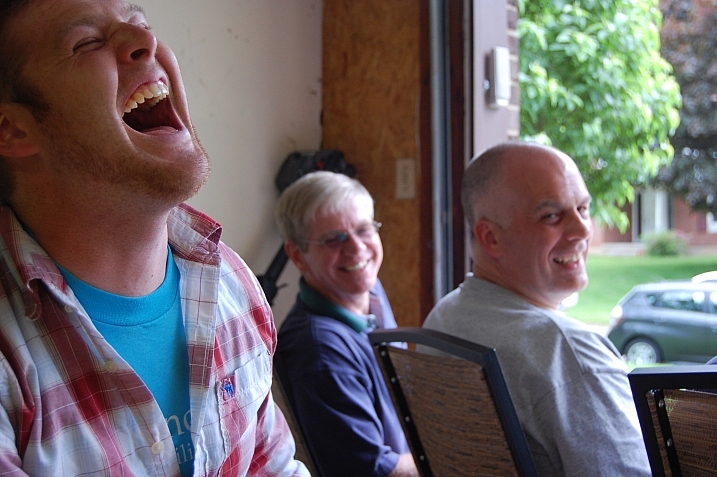
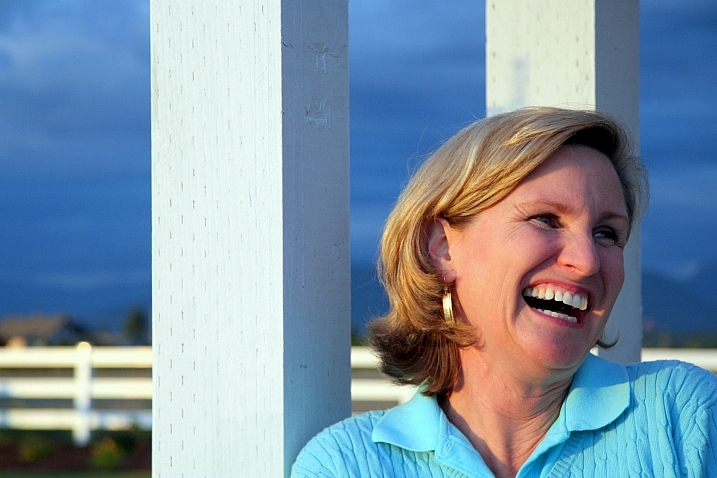
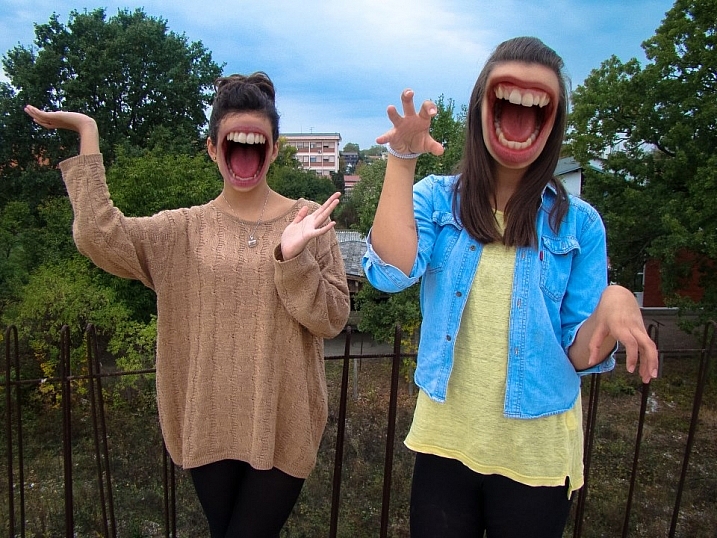
Laughter is contagious. One person starts doing it and soon others around them follow.

Overduebook

By Overduebook

Capturing real human emotions with a camera can be challenging. Some people are guarded with their emotions, and getting a real smile, let alone a laugh can be difficult.

If you’re a portrait photographer it’s your job to make your clients feel at ease enough to relax and let their real emotions show. If you do candid or street photography it’s about paying attention and capturing just the right moment. Here are some images of people laughing to get you inspire or maybe to put a smile on your face too.

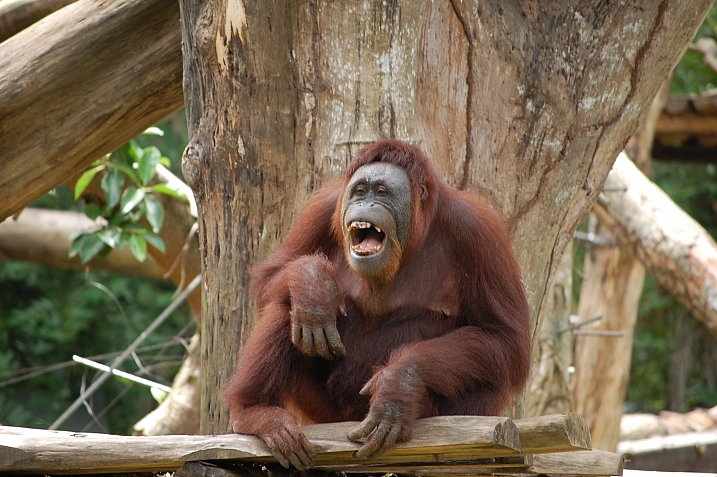
Notice they aren’t all technically perfect, but can you feel the emotion and hear the laughter? Then the image is successful. Yes, animals count too!

Naomii.tumblr.com

By naomii.tumblr.com

Marc Kjerland

By Marc Kjerland

Rosino

By Rosino

*Robert*

By *Robert*

Al-jubey

By al-jubey

Via Tsuji

By Via Tsuji

Gregory Gill

By Gregory Gill

David K

By David K

Rachael

By Rachael

Philippe Put

By Philippe Put

MichelleNMS

By MichelleNMS

Devon D'Ewart

By Devon D’Ewart

Filippey

By Filippey

Peter Kelly

By Peter Kelly

Alon

By Alon

Davina

By Davina

Tommy Wong

By Tommy Wong

Taminator

By taminator

Su-lin

By su-lin

François Reiniche

By François Reiniche

Sadiq Alam

By Sadiq Alam

googletag.cmd.push(function() {
tablet_slots.push( googletag.defineSlot( “/1005424/_dPSv4_tab-all-article-bottom_(300×250)”, [300, 250], “pb-ad-78623” ).addService( googletag.pubads() ) ); } );

googletag.cmd.push(function() {
mobile_slots.push( googletag.defineSlot( “/1005424/_dPSv4_mob-all-article-bottom_(300×250)”, [300, 250], “pb-ad-78158” ).addService( googletag.pubads() ) ); } );

The post 21 Fun Images of People Laughing by Darlene Hildebrandt appeared first on Digital Photography School.


Digital Photography School
 
Comments Off on 21 Fun Images of People Laughing

Posted in Photography


Weekly Photography Challenge – Laughter

09 Jul

Real, natural emotions captured with a camera can be challenging like getting photos of real laughter.

How to approach people photography is up to you. There are two basic approaches:

  1. The sneak attack with a long lens where the subject is unaware of being photographed
  2. The direct approach where the subject is engaged with you and the camera
Meena Kadri

By Meena Kadri

Dennis Brekke

By Dennis Brekke

Weekly Photography Challenge – Laughter

How you decide to approach it is up to you. Do you prefer to be inconspicuous and wait for the right moment, observing people from afar. Or do you like to be part of the action, maybe even take part in or help cause the laughter.

Do you find, like I do, that children are quicker to laugh than adults? Perhaps because they have less inhibitions? Or maybe they’re just sillier?

Either way – go take some photos of people laughing, and have some fun yourself!

Pauleon Tan

By Pauleon Tan

Thomas Hawk

By Thomas Hawk

Atli Harðarson

By Atli Harðarson

Becca.peterson26

By becca.peterson26

Elizabeth Pfaff

By elizabeth pfaff

BMiz

By BMiz

Share your images below:

Simply upload your shot into the comment field (look for the little camera icon in the Disqus comments section) and they’ll get embedded for us all to see or if you’d prefer upload them to your favourite photo sharing site and leave the link to them. Show me your best images in this week’s challenge. Sometimes it takes a while for an image to appear so be patient and try not to post the same image twice.

googletag.cmd.push(function() {
tablet_slots.push( googletag.defineSlot( “/1005424/_dPSv4_tab-all-article-bottom_(300×250)”, [300, 250], “pb-ad-78623” ).addService( googletag.pubads() ) ); } );

googletag.cmd.push(function() {
mobile_slots.push( googletag.defineSlot( “/1005424/_dPSv4_mob-all-article-bottom_(300×250)”, [300, 250], “pb-ad-78158” ).addService( googletag.pubads() ) ); } );

The post Weekly Photography Challenge – Laughter by Darlene Hildebrandt appeared first on Digital Photography School.


Digital Photography School
 
Comments Off on Weekly Photography Challenge – Laughter

Posted in Photography


3rd annual International Drone Photography Contest winners announced

09 Jul

$ (document).ready(function() { SampleGalleryV2({“containerId”:”embeddedSampleGallery_9559387122″,”galleryId”:”9559387122″,”isEmbeddedWidget”:true,”standalone”:false,”selectedImageIndex”:0,”startInCommentsView”:false,”isMobile”:false}) });

Dronestagram has announced the winners of its third annual International Drone Photography Contest. Three winners were selected in each of the following categories: ‘Travel,’ ‘Sports Adventure,’ and ‘Nature Wildlife.’ According to National Geographic, which was one of the contest’s sponsors, Dronestagram received 5900 entries from photographers across 28 countries.

The Dronestagram contest seeks out the best photographs taken with a drone, and deliberately looks for images that couldn’t have been taken any other way. According to Dronestagram marketing and development head Guillaume Jarret who spoke with Nat Geo, ‘A great drone picture is a picture that you immediately identify as a drone photo. It is taken at a low altitude, near the target of the picture.’

The winners are:

Travel category: 

  • 1st place: Francesco Cattuto’s “Basilica of Saint Francis of Assisi in Umbria, Italy”
  • 2nd place: Todd Kennedy’s “Cable Beach”
  • 3rd place: Karolis Janulis’ “Summer camp of Gran Canaria”

Sports Adventure category:

  • 1st place: maxseigal’s “Moab Rock Climbing”
  • 2nd place: losmanesdeldrone’s “Complejo Acuático Norte de Santander”
  • 3rd place: High Angle Shot’s “Chugach Mountain Range, Alaska”

Nature Wildlife category:

  • 1st place: mbernholdt’s “Kalbyris forest Denmark”
  • 2nd place: Szabolcs Ignacz’s “Swarm of sheep”
  • 3rd place: Jonathan Payet’s “Piton de la fournaise, Volcano”

Via: Dronestagram

Articles: Digital Photography Review (dpreview.com)

 
Comments Off on 3rd annual International Drone Photography Contest winners announced

Posted in Uncategorized


Samsung launches first removable UFS memory cards

09 Jul

Samsung has announced that it intends to produce the first removable versions of a new format of memory cards designed, it says, to replace the microSD card in portable electronic devices such as cameras, drones and phones.

The Universal Flash Storage cards are as small as microSD cards but boast enhanced read/write speeds, with the company claiming that 5GB can be read in just 10 seconds at a rate of 530MB/s. The write speeds a less impressive however, with a quoted maximum of 170MB/s, but Samsung says that is still almost twice the speed of a top end microSD card. The company says its cards will write at 170MB/s, which compares well to the 100MB/s rate quoted by SanDisk for its Extreme Pro UHS-II cards. The same SanDisk card reads at 275MB/s.

Although the format was announced in a white paper (pdf) in 2013, and Samsung announced its plans in February, this is the first time the cards appeared to become a reality with compliance with the Joint Electron Device Engineering Council (JEDEC) standards.

The company expects to introduce capacities of 32, 64,128 and 256GB, but hasn’t said when or whether there will be devices to take them.

Press release:

Samsung Introduces World’s First Universal Flash Storage (UFS) Removable Memory Card Line-up, Offering up to 256-Gigabyte (GB) Capacity

Samsung Electronics, the world leader in advanced memory technology, today unveiled the industry’s first removable memory cards based on the JEDEC Universal Flash Storage (UFS) 1.0 Card Extension Standard*, for use in high-resolution mobile shooting devices such as DSLRs, 3D VR cameras, action cams and drones. Coming in a wide range of storage capacities including 256, 128, 64 and 32 gigabyte (GB), Samsung’s UFS cards are expected to bring a significant performance boost to the external memory storage market, allowing much more satisfying multimedia experiences.

“Our new 256GB UFS card will provide an ideal user experience for digitally-minded consumers and lead the industry in establishing the most competitive memory card solution,” said Jung-bae Lee, senior vice president, Memory Product Planning & Application Engineering, Samsung Electronics “By launching our new high-capacity, high-performance UFS card line-up, we are changing the growth paradigm of the memory card market to prioritize performance and user convenience above all.”

Samsung’s new 256GB UFS removable memory card ? simply referred to as the UFS card will provide greatly improved user experiences, especially in high-resolution 3D gaming and high-resolution movie playback. It provides more than five times faster sequential read performance compared to that of a typical microSD card, reading sequentially at 530 megabytes per second (MB/s) which is similar to the sequential read speed of the most widely used SATA SSDs. With this UFS card, consumers have the ability to read a 5GB, Full-HD movie in approximately 10 seconds, compared to a typical UHS-1 microSD card, which would take over 50 seconds with 95MB/s of sequential reading speed. Also, at a random read rate of 40,000 IOPS, the 256GB card delivers more than 20 times higher random read performance compared to a typical microSD, which offers approximately 1,800 IOPS.

When it comes to writing, the new 256GB UFS card processes 35,000 random IOPS, which is 350 times higher than the 100 IOPs of a typical microSD card, and attains a 170MB/s sequential write speed, almost doubling the top-end microSD card speed. With these substantial performance improvements, the new 256GB UFS card significantly reduces multimedia data downloading time, photo thumbnail loading time and buffer clearing time in burst shooting mode, which, collectively, can be particularly beneficial to DSLR camera users. To shoot 24 large/extra fine JPEG photographs (1,120 megabyte (MB)-equivalent) continuously with a high-end DSLR camera, the 256GB UFS card takes less than seven seconds, compared to a UHS-1 microSD card which typically takes about 32 seconds, at 35MB/s.

To achieve the highest performance and most power-efficient data transport, the UFS card supports multiple commands with command queuing features and enables simultaneous reading and writing through the use of separately dedicated paths, doubling throughput.

As the leading memory storage provider, Samsung has been aggressive in preparing UFS solutions for the marketplace, while contributing to JEDEC standardization of the Universal Flash Storage 2.0 specification in September 2013 and the Universal Flash Storage (UFS) 1.0 Card Extension standard in March 2016. Following its introduction of the industry-first 128GB embedded UFS chip in January 2015, the company successfully launched a 256GB embedded UFS memory for high-end mobile devices in February of this year. As of earlier this month, Samsung also completed the Universal Flash Storage Association** (UFSA)’s certification program that evaluates electrical and functional specifications for compatibility of a UFS card, and Samsung’s new UFS card products were approved as UFSA-certified UFS cards with the right to use the official UFS logo for the first time in the industry.

Articles: Digital Photography Review (dpreview.com)

 
Comments Off on Samsung launches first removable UFS memory cards

Posted in Uncategorized


Phottix launches Spartan multi-purpose beauty dish/softbox

08 Jul

Lighting and accessories manufacturer Phottix has launched a new light modifier for studio heads and hotshoe guns that can be used as a beauty dish as well as an octa softbox. The Spartan is collapsible, uses flexible rods for its assembly and comes in 20″ and 28″ sizes. The central metal diffuser of the beauty dish configuration can be removed and users just have to attach the front diffuser panel to switch it to a softbox. A set of clasps along the rod housings allow a second diffuser to be attached directly in front of the light source, to create an extra diffused effect.

To make the light from the softbox more directional Phottix supplies its standard egg-crate grid that attaches to the inner circumference of the dish just in front of the forward diffuser.

The Spartan comes with a Bowens S-Type mount which fits the Phottix Indra heads, but speed rings are available for most other studio heads. The company’s Cerberus hotshoe flash mount is also compatible with the Spartan, so standard hotshoe speedlights can be mounted to the back of the modifier.

The Phottix Spartan is available now and costs $ 120 for the 20in model and $ 145 for the 28in model. For more information visit the Phottix website.


Manufacturer information:

Meet the Phottix Spartan Beauty Dish

Introducing the Phottix Spartan Beauty Dish. The perfect on-location light modifier, the Phottix Spartan assembles easily using flexible rods, a huge benefit over the time-consuming setup of traditional octa softboxes.

The Phottix Spartan collapsible beauty dish is made from high-grade materials. The white interior produces softer, more even light. Included in the kit are a metal beauty dish “disk”, baffle, front diffuser and fabric grid.

The Phottix Spartan is more than just a beauty dish—it quickly transforms into a traditional octa softbox by replacing the metal diffuser with the internal baffle. Add the outer diffuser for even more softness and the grid to make the light directional. All with the speed and ease that will make Phottix Spartan your first choice in light modifiers.

The Phottix Spartan comes in two popular sizes – 50cm / 20 inches and 70cm / 28 inches – perfect for single subjects and couples. Use with the award-winning Phottix Indra series of studio lights or mount to the Phottix Cerberus Hot Shoe Flash Mount.

Articles: Digital Photography Review (dpreview.com)

 
Comments Off on Phottix launches Spartan multi-purpose beauty dish/softbox

Posted in Uncategorized


DEAL: Save 72% off Lightroom Editing System for Travel Photography

08 Jul

Travel lightroom presetsIt’s day 2 of our Summer Sale and today we have a special Adobe Lightroom Presets Travel pack* for you with a 72% Saving.

This “system” normally sells for $ 176, but it’s being offered to dPS readers for the special price of $ 49 USD – a massive 72% saving.

One of the best parts about travelling is documenting your trip with pictures. But what’s not so great is pending hours weeding out the stinkers from the keepers. And editing them to look as awesome as possible.

What if you could systemize and cut the editing process in half?

And reduce the struggle, endless fiddling and overwhelm with all the features and options of Lightroom editing tools?

Well, now you can thanks to the Lightroom Rapid Editing System for Travel Photography.

Pro travel photographer Viktor Elizarov got tired of drowning in digital images. And spending more time processing pictures than taking them.

So he searched for a better way. And after a year testing different approaches and systems with lots of trial and error – the Rapid Editing System was born.

And he wants to share it with you.

Learn how to automate 80% of your editing process so you save time on repetitive tasks. And have more free time to spend on fun tasks (like taking pictures).

Viktor’s system features a large collection of Lightroom Presets specifically for travel photography. And will help take your photos from good to great – fast.

Viktor normally sells his system for $ 176, but he’s offering it to dPS subscribers for the special price of $ 49 – a 72% saving.

Here’s everything you get:

  • 90+ page eBook with step by step tutorial on how to use Lightroom Rapid Editing System
  • 20 1-Click LANDSCAPE Style presets
  • 20 1-Click CITYSCAPE Style presets
  • 20 1-Click PEOPLE Style presets
  • 10 1-Click Fall Colors Style presets
  • 10 1-Click Winter Colors Style presets
  • 10 1-Click Spring Colors Style presets
  • 10 1-Click Summer Colors Style presets
  • 41 TOOLKIT adjustment presets
  • “Reset All” preset that reverts your image to its original state
  • Documentation and Installation Instructions
  • Source RAW and JPEG photos used in the tutorials

If you love travel photography – or just want to speed up your post processing – don’t miss out.

But hurry! This valuable offer for the Lightroom Rapid Editing System for Travel Photography only lasts 24 hours – secure it for yourself and save 72% today only.

*Note: You’ll need a copy of Adobe Lightroom installed to use these presets.

googletag.cmd.push(function() {
tablet_slots.push( googletag.defineSlot( “/1005424/_dPSv4_tab-all-article-bottom_(300×250)”, [300, 250], “pb-ad-78623” ).addService( googletag.pubads() ) ); } );

googletag.cmd.push(function() {
mobile_slots.push( googletag.defineSlot( “/1005424/_dPSv4_mob-all-article-bottom_(300×250)”, [300, 250], “pb-ad-78158” ).addService( googletag.pubads() ) ); } );

The post DEAL: Save 72% off Lightroom Editing System for Travel Photography by Darren Rowse appeared first on Digital Photography School.


Digital Photography School
 
Comments Off on DEAL: Save 72% off Lightroom Editing System for Travel Photography
Posted in Photography