RSS
 

Archive for July, 2016

Globell launches Kickstarter campaign for new screen calibration device

15 Jul

Globell, a software distributor and the company behind Meyer-Optik Gorlitz lenses, has announced it plans to introduce a new screen calibration device if it gets enough support from the Kickstarter campaign it has just begun. The company claims its proposed globellColorMeter can calibrate almost any computer monitor in three steps that take less than five minutes, and that the device will remain accurate for years.

The meter uses a lens developed with Meyer-Optik and a glass cover that won’t dis-color, according to Globell. Designed and built in Germany, the company says its device offers an alternative to calibration systems that are ‘technically ambitious but complicated and expensive to use‘ or ‘easy to use and affordable, but unable to function at a sufficiently high standard‘. Globell describes the globellColor, which comes with software for PC and Mac, as ‘affordable‘ and ‘the most precise, easy-to-use product in its price range‘.

The company expects the product to retail at $ 250, but is offering early-bird deals from $ 99. For more information see the Kickstarter page.

Press release:

globellColor: Color management on Kickstarter

Color management made in Germany: leading color management company Globell is launching a Kickstarter project for its new globellColor product range at www.globell.com/kickstarter.

Tegelen, July 2016 – Natural colors on all monitors and in printed photos: the globellColor product range makes color management simpler, better and faster. In order to get the word out to an international audience, Globell has started a worldwide Kickstarter campaign at www.globell.com/kickstarter.

This Globell solution is 100% made in Germany and delivers accurate calibration for all major monitor types and other display devices for both Mac and Windows. This benefits private users, photographers, design agencies and gamers.

True colors on all display devices
globellColor is affordable for everyone, easy to use and delivers professional quality calibration. To ensure this, the company developed its own colorimeter based on the latest technology and drew on expert knowledge and the optical expertise of lens specialists Meyer-Optik-Görlitz. The durable glass filter of the globellColorMeter will always provide accurate and consistently correct calibration and profiling – even after several years of use. The solution also includes powerful and user-friendly software for both Windows and Mac.

“We combine modern sensor technology and durability with sophisticated software to create an ideal tool for any professional or amateur photographer,” explains Thomas Kuligowski, globellColor Product Manager. “As a long-standing innovation partner for digital image processing, we are pleased to launch globellColor, a complete color management solution that is made in Germany. On completion of the successful Kickstarter project, we will expand the globellColor product range further to include more products.”

The Kickstarter campaign launches today (July 13, 2016) and ends on August 14, 2016. Supporters have the unique opportunity to acquire the innovative globellColor technology at an exceptionally low price starting at $ 99, with the RRP expected to be $ 249. After the products are delivered to campaign supporters this fall, they will be launched on the market.

globellColor features
– Fast and accurate calibration and profiling
– Easy to use: no experience required
– Can be used immediately: predefined calibration settings
– Also for professionals: customizable calibration settings
– Ability to examine results: before/after comparison
– Can be used with almost all monitor technologies
– Measure multiple monitors in a workplace
– High-quality glass lenses powered by Meyer-Optik-Görlitz
– Non-ageing glass filter
– View of the representable color space as a 3D model
– Many hardware-calibratable monitors supported
– Software also supports some third-party sensors
– Compatible with Windows and Mac

Technical requirements
Minimum RAM: 512MB, min. 150MB of free hard disk space, Windows (32-bit and 64-bit): XP, Vista, Win 7, Win 8.X, Win 10, Pentium or AMD K7; Mac OS: Mac 10.6, 10.7, 10.8, 10.9, 10.10, 10.11, Intel Hardware, Mac processors: Intel only. PowerPC not supported, USB connection

Articles: Digital Photography Review (dpreview.com)

 
Comments Off on Globell launches Kickstarter campaign for new screen calibration device

Posted in Uncategorized


Zenmuse Z3 is DJI’s first aerial zoom camera

15 Jul

Drone maker DJI has today announced its first aerial zoom camera, the Zenmuse Z3. The new model is optimized for still photography and combines a 3.5x optical zoom with 2x digital magnification, resulting in a 7x overall zoom factor, covering equivalent focal ranges from 22-77mm. Aperture ranges from F2.8 at wide angle to F5.2 at the long end of the zoom. Inside the 262-gram camera body images are captured on a 12MP 1/2.3-inch Sony sensor that can also record 4K video at 30fps and save DNG Raw files. 

 Drone shot at 22mm equivalent focal length
 Done shot at 77mm equivalent focal length (7x zoom)

The camera can be used on the DJI’s Inspire 1, Matrice 100 or Matrice 600 drones and the company’s dedicated HD video downlink allows for transmission from a distance of up to 3.1 miles (5km) away. The zoom is operated via the DJI GO app or the Drone remote control. DJI says it has refined and improved image stabilization, as any camera movement is magnified at the longer end of the zoom lens.  The Z3 also comes with an upgraded gimbal. The camera will be available from July 28th and retail for $ 899.

SHENZHEN, July 14, 2016 – DJI, the world’s leading aerial-imaging company, on Thursday announced the Zenmuse Z3, DJI’s first integrated aerial zoom camera optimized for still photography.

The Zenmuse Z3 will offer up to a 7x zoom. The camera incorporates DJI’s leading gimbal technology, which has been upgraded to work optimally with its zoom capabilities.

“The Zenmuse Z3 pushes the possibilities of use for industrial applications,” said Senior Product Manager Paul Pan. “Before this camera, the only way to zoom in on a subject or object was to fly closer to it. Now, pilots in a search-and-rescue situation, or conducting surveys or inspections, can maintain distance and still zoom in for sharp, detailed images.”

The zoom camera is aimed at providing new capabilities for industrial applications, such as inspection and surveying.

The Zenmuse Z3 is compatible with the Inspire 1, Matrice 100 and Matrice 600 drones and uses the company’s dedicated HD video downlink, Lightbridge and Lightbridge 2, providing up to 3.1 miles (5.0 kilometers) of HD transmission range.

The Zenmuse Z3 is fully integrated into the DJI GO app and provides a seamless user experience, including a live feed from the camera and the ability to change camera settings, swipe to zoom in and out, capture photos or video and to activate intelligent flight modes. Users may also choose to employ camera controls, such as capturing photos and video and zoom, through their drone’s remote controller.

The Zenmuse Z3 weighs 262-gram and achives up to a 7x zoom via a 3.5x optical zoom, combined with a 2x digital zoom. This gives the Zenmuse Z3 an effective zoom range of 22 millimeters to 77 millimeters. It has a maximum aperture of F2.8 and F5.2 at 22 millimeters and 77 millimeters, respectively.

When the camera zooms in, the smallest movements are magnified. Adding an additional layer of fine-tuning to the yaw control of the Z3 is a custom-designed reaction wheel. This works in tandem with the normal yaw motor to allow for more refined and controlled movement and greater stability.

The Zenmuse Z3 features the same highly refined Sony 1/2.3-inch sensor that is found on the Inspire 1 and the Phantom 4, leading the class in image quality. It can shoot still images at 12 megapixels with additional Adobe DNG Raw Support for maximum editing options in post-production. The camera also shoots video at up to 30 FPS in 4k resolution.

Flight time with the Zenmuse Z3 is up to 19 minutes on the Inspire 1. Pilots can extend flight time up to 30 minutes with the dual-battery-equipped M100 and up to 39 minutes with the M600.

The Zenmuse Z3 is priced at USD899 and will start shipping after July 28, 2016.

For more details please visit:
www.dji.com/product/zenmuse-z3

Articles: Digital Photography Review (dpreview.com)

 
Comments Off on Zenmuse Z3 is DJI’s first aerial zoom camera

Posted in Uncategorized


5 Tips for Better Nature Photography

15 Jul

One of the most challenging things about photography is finding good subject matter. People want to see images of places and things that they normally may not get to witness in person. It’s not always easy to find fresh and appealing material that will draw in your viewer and capture their attention.

Luckily, with a little looking, you have the most abundant resource you will ever need to produce wonderful photographs, that have appeal and carry timeless beauty: nature. That’s right, our incredible natural world offers virtually limitless opportunities for you to bring out the very best in yourself so you can show others the awesomeness that surrounds us all.

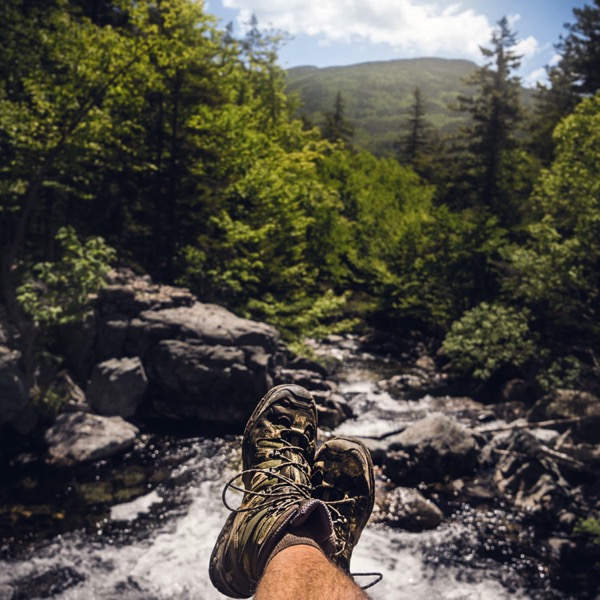
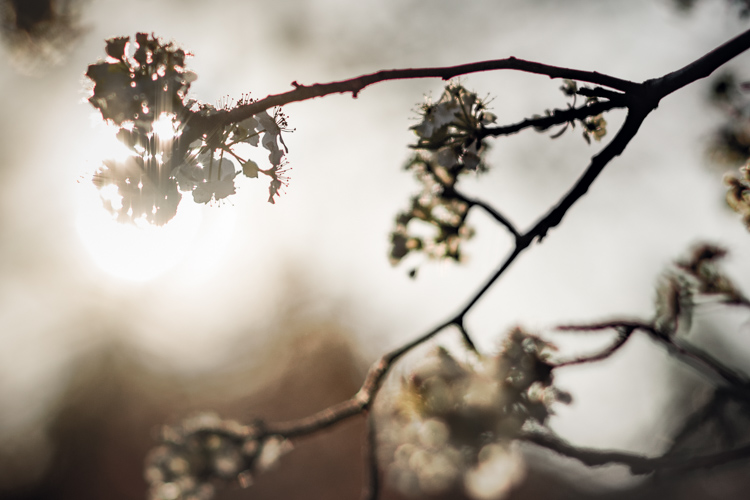
Nature

Whether you’re shooting in rugged mountains, the ocean, or in your own backyard, there are ways to get the most out of your photography to be sure you produce some of the best images you possibly can, each and every time. Here are five easy to follow tips, which will help you take better nature photography, as you venture out to explore the natural world!

#1 – Go Small

The vast majority of the comings and goings occurring in nature, take place completely unknown to us. Wonderful little occurrences move constantly along in harmony, and can offer great chances for getting an equally wonderful photograph.

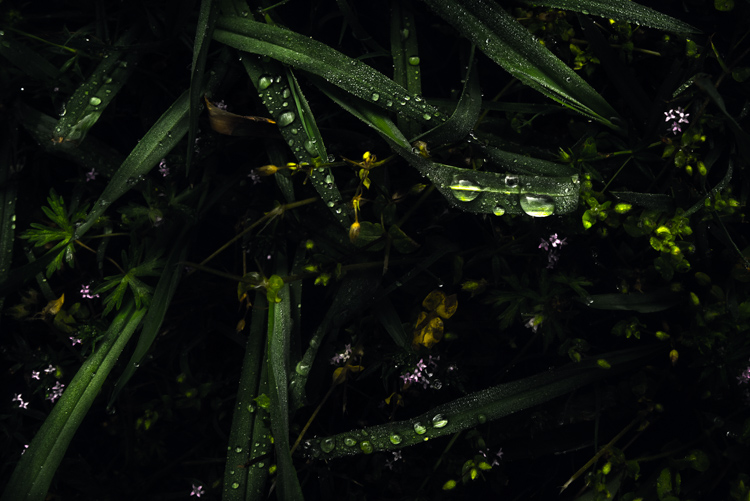
Dew

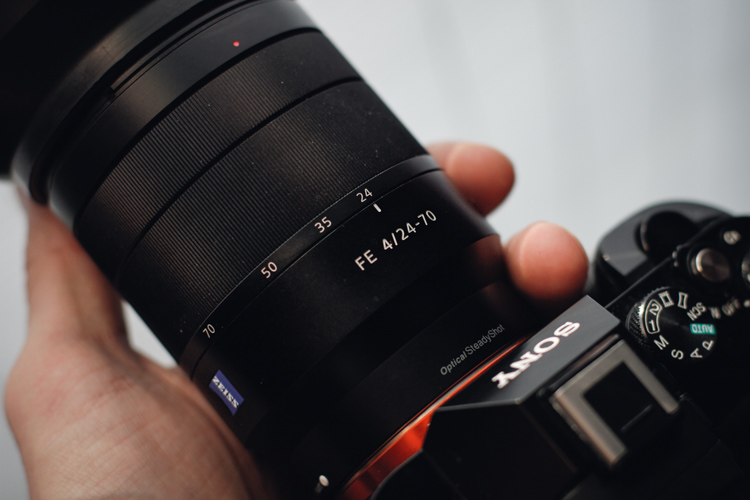
When you’re out shooting in nature, don’t forget to pay attention to the smallest of details. Bring a lens that has a decent zoom (over 50mm) and is capable of focusing close-up. Certainly you don’t need a macro lens in order to get great photos of small things, but do keep in mind that the closer you can get the better off you will be.

Lens

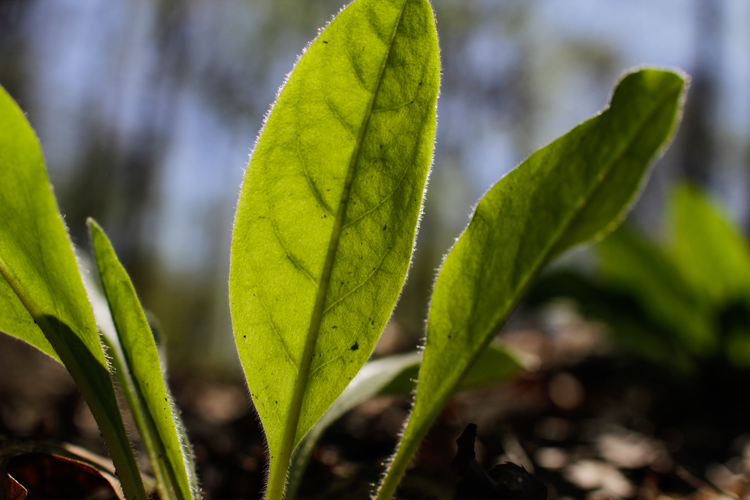
Look for insects going about their daily lives, and pay special attention to the patterns in nature that can be found in leaves, flowers, and the Earth itself.

Plant

Getting close to small natural wonders means that you are also likely to be get a little dirty, so remember not to go out shooting wearing your best clothes.

#2 – Look Up, Look Down, Look All Around

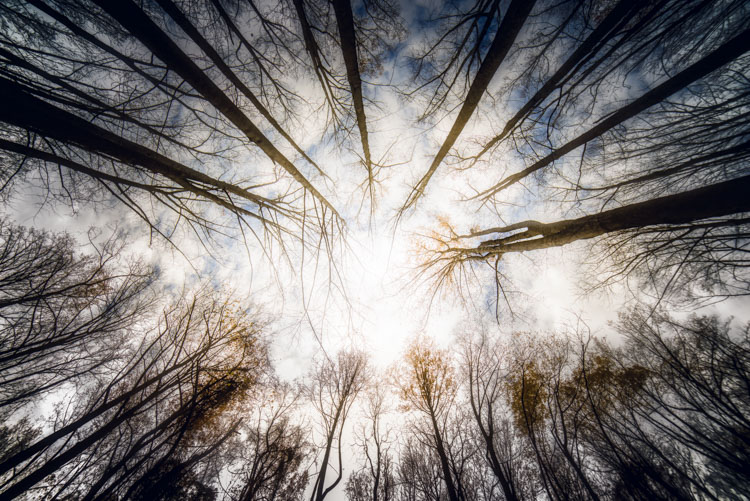
Far too often we unintentionally view the world that is directly in front of us, and neglect to see the literal big picture. There is so much more to see if we would only look tilt our heads up. There are many wonderful things to photograph above our heads, and even greater opportunities for creative photography.

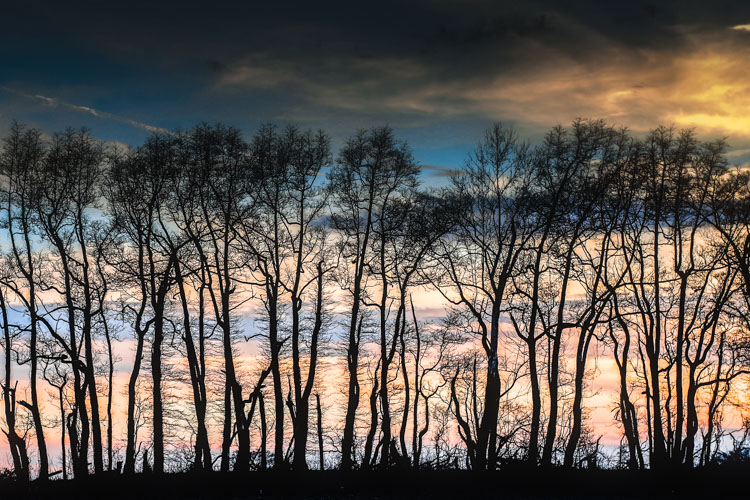
Trees 1

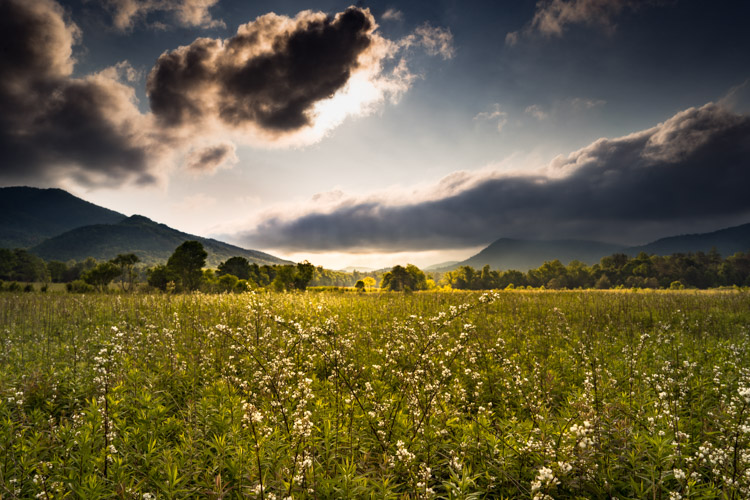
Look for interesting and dramatic cloud formations, and incorporate clouds in your shots of other natural scenes. Remember that hardly anyone likes looking at an uninteresting sky, so try and compose your shots with that in mind.

Field

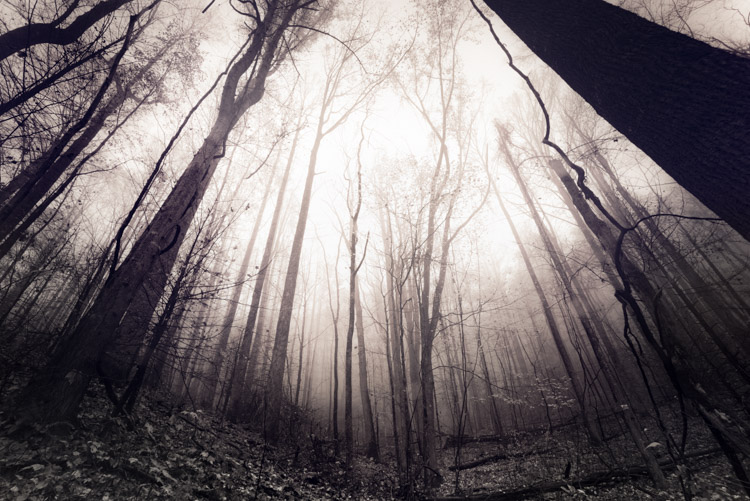
It doesn’t stop at merely looking for cool cloud formations either. Get instant creativity in your shots by using leading lines, and vertical perspectives to give your images a uniqueness, that is sure to catch the attention of your viewers.

Crops

Trees 2

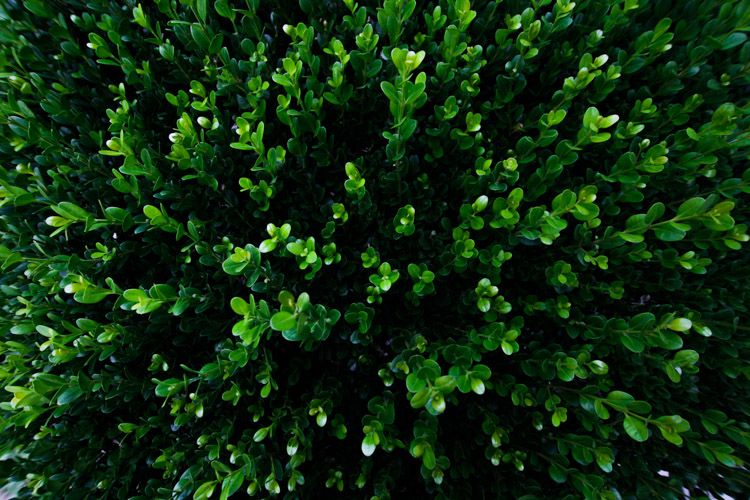
The same goes for looking down onto your subject. There are many interesting perspectives to be had by shooting straight down on your subject from above.

Hedge

The key thing to remember here, is that your goal is to show things in nature in ways that most people don’t get to see, or have not even considered looking for in the first place. Make use of the power of perspective, and pay attention to everything around you, whether it’s above your head or below your chin.

#3 – See the Light

Light is the basic force behind all photography. It illuminates your subjects, and brings shadows and contrast to your photos. Learning to understand the nature of light is a lifelong journey for any photographer. Using the light found in nature is one of the best ways to add impact to your images and gain powerful compositions. Seeing light is something that takes practice, but that doesn’t mean that you aren’t capable of using it to your advantage right now.

Sunlight

When you’re out shooting, be sure to pay close attention to the way shadows are cast, and by whatever you happen to be photographing. Seeing the contrasts within the scene helps you to avoid dry and drab photos that are generally unappealing.

Direction of light is also very important, and can make a place or object look completely different depending on the angle of the sun. Be sure to visit a location more than once, at varying times of day (or even at night), so that you can find your creative spark.

#4 – Get out Early . . . Stay out Late

If you are searching for good natural light for your photographs, it means that you have to be there when it happens. That good light almost always comes about in the morning hours as the sun rises, or in those late evening hours when the sun begins to disappear. You must be prepared to get out and be ready for this great light if you want to increase your chances of getting great shots.

While you are definitely able to find good light throughout the day, it’s a good idea to get out and about early, or late in the day, so that you can see the gorgeous effects of morning and afternoon light.

trees 3

Furthermore, most animals and insects operate at their peak during the very early and late hours of the day. Even if it means losing a little sleep, it will almost always be worth the trouble to make sure you’re there when the magic happens.

#5 – Bring Backup

One of the most depressing feelings you will ever experience as a photographer is that of a dead battery, or a full memory card, as a beautiful scene disappears before your eyes. It’s always worth your while to bring an extra battery and memory card (extra film) so that you’re prepared when Murphy’s Law makes an appearance. Stack the odds in your favor when shooting the natural world be being prepared.

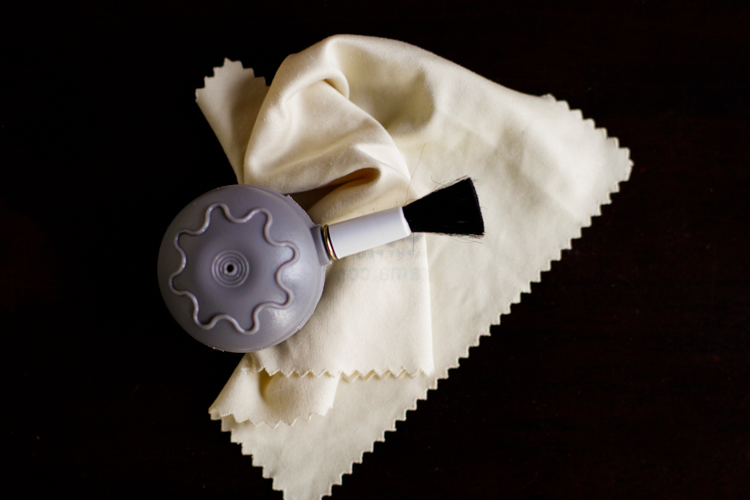
Lens Cloth

This doesn’t end with simply bringing an extra battery either. A lens cloth and blower brush can save the day when you get a little rain or dirt onto your lens. Being prepared for the small things isn’t difficult, and it ensures that you’ll be ready when the time to click that awesome photo comes along.

Follow these five simple tips and make the most of your time shooting out in our amazing natural world. Have some tips of your own? Be sure to share them in the comments below as well as your nature photography images.

This week we are doing a series of articles to help you do nature photography. This is the second, also read: 3 Habits Every Outdoor Photographer Should Develop to Avoid Missing Shots  – and watch for more coming soon! 

googletag.cmd.push(function() {
tablet_slots.push( googletag.defineSlot( “/1005424/_dPSv4_tab-all-article-bottom_(300×250)”, [300, 250], “pb-ad-78623” ).addService( googletag.pubads() ) ); } );

googletag.cmd.push(function() {
mobile_slots.push( googletag.defineSlot( “/1005424/_dPSv4_mob-all-article-bottom_(300×250)”, [300, 250], “pb-ad-78158” ).addService( googletag.pubads() ) ); } );

The post 5 Tips for Better Nature Photography by Adam Welch appeared first on Digital Photography School.


Digital Photography School

 
Comments Off on 5 Tips for Better Nature Photography

Posted in Photography


11 Amazing Photos Pokémon Go Characters Fit Perfectly In

15 Jul

While Pokémon Go is quickly becoming a new fitness, it’s no wonder that Pokémon characters are now among the most popular photography subjects. Well, most of such photos are just screenshots meant to show the Pokémon rather than carry any photographic appeal. However, the game is just a few days old (right, days!), so it’s probably won’t be too long Continue Reading

The post 11 Amazing Photos Pokémon Go Characters Fit Perfectly In appeared first on Photodoto.


Photodoto

 
Comments Off on 11 Amazing Photos Pokémon Go Characters Fit Perfectly In

Posted in Photography


Photographer captures the ruin of Fukushima’s exclusion zone

14 Jul

Inside the Fukushima exclusion zone

An abandoned supermarket in Fukushima. Photo by Keow Wee Loong

Much of the area around Japan’s Fukushima Daiichi Nuclear Power Station has been closed to the public following the disaster that struck the region over five years ago. The earthquake and subsequent tsunami of March 11, 2011 caused a meltdown at the plant, and some 170,000 people were evacuated immediately from the Prefecture. The area closest to the plant has remained closed since then as the lingering radiation contamination continues to pose a health risk, but one curious photographer would not be deterred.

Keow Wee Loong, a Malaysian photographer currently based in Thailand, snuck into the zone with his fianceé to document the current state of Fukushima’s abandoned towns – and what was left behind. From a supermarket picked over by wild animals, forgotten laundry at a laundromat and a wall calendar forever frozen on March 2011, his photos show the eerie remains of daily life brought to an abrupt halt.

You can see more of his Fukushima photos and his photography on his Facebook page.

Inside the Fukushima exclusion zone

Structure collapse resulting from the magnitude 9.0 earthquake. Photo by Keow Wee Loong

Inside the Fukushima exclusion zone

Abandoned video rental store. Photo by Keow Wee Loong

Inside the Fukushima exclusion zone

CDs and videos still on the shelves. Photo by Keow Wee Loong

Inside the Fukushima exclusion zone

Merchandise litters the floor of an abandoned bookstore. Photo by Keow Wee Loong

Inside the Fukushima exclusion zone

Overgrown parking lot of an abandoned convenience store. Photo by Keow Wee Loong

Inside the Fukushima exclusion zone

Residents left laundry and 100 yen coins behind in this Fukushima laundromat. Photo by Keow Wee Loong

Inside the Fukushima exclusion zone

A calendar page showing the month of the disaster. Photo by Keow Wee Loong

Inside the Fukushima exclusion zone

A mall in the town of Tomioka. Photo by Keow Wee Loong

Inside the Fukushima exclusion zone

An abandoned supermarket that has likely been visited by wild animals in the area. Photo by Keow Wee Loong

Articles: Digital Photography Review (dpreview.com)

 
Comments Off on Photographer captures the ruin of Fukushima’s exclusion zone

Posted in Uncategorized


3 Habits Every Outdoor Photographer Should Develop to Avoid Missing Shots

14 Jul

Have you ever been out to photograph a gorgeous sunset, just to realize that you can’t, because your batteries are dead? Perhaps you’ve come home and imported your images, and noticed that all of them are unusable due to hundreds of dust spots?

Don’t worry. Most of us have experienced the exact same things. Luckily, there are certain habits you can develop to avoid ever missing a shot again. None of them are time consuming, so there’s really no excuse not to implement them into your workflow.

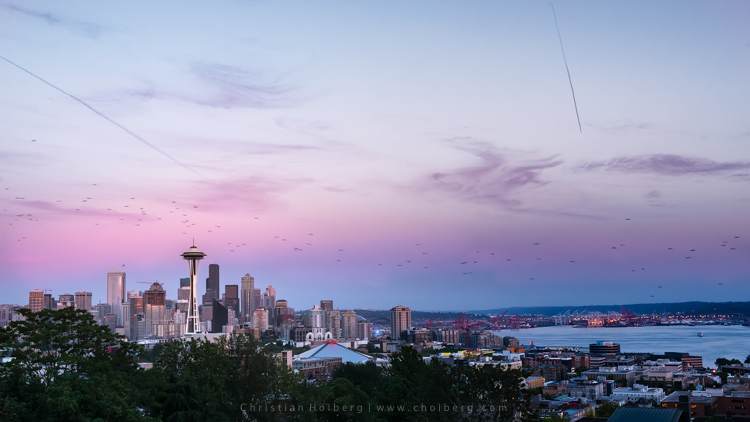
Kerry-Park-Sunset

Habit #1 – Charge your batteries

It might sound obvious that you should charge your batteries but you would be surprised how often I meet people that are out in the field without any battery power. In fact, I’m guessing you’ve experienced this yourself (don’t worry, so have I, and most other photographers too).

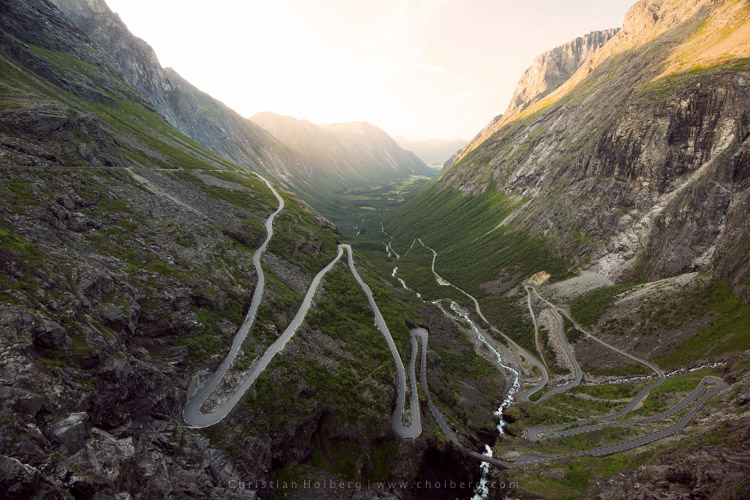
About a year ago I decided to take a seven hour drive to Åndalsnes in Norway, known for its spectacular landscape, in particular the iconic Trollstigen road. I had been there a few times before, but the weather was never ideal, so I wanted to go back and capture at least one good image. When I arrived at the scenic road and walked out to the viewpoint I managed to take a handful of pictures before my battery died. Weird, I thought, but no problem, I still have two spare batteries. Turned out both of them where empty too. I guess you can imagine my frustration when I realized that this entire trip was ruined because I had forgotten to charge my batteries.

trollstigen-sunset-glow

I managed to capture one decent image before my batteries died

I made it a habit after that incident to always charge my batteries after I come home from a trip, or evening out photographing. I set my batteries to charging even before I import my images, because I know if I don’t do it right away I may forget.

Habit #2 – Clean your equipment

Cleaning your camera gear is extremely important (especially for outdoor photographers) not only to lengthen the life of your equipment but also to improve image quality. I always get a bit upset when I view a beautiful image that is broken due to hundreds of small (or a few huge) dust spots. This is so unnecessarily, and easy to get rid of, so why let others believe you’re not as talented as you actually are.

Honestly, you don’t need more than a cheap microfiber cloth to remove dust and dirt from your lens or filters. Even though that is enough in most cases (and something that should always be in your camera bag), I do recommend purchasing a liquid lens cleaner too, as this helps get rid of all smudges and especially salty spots.

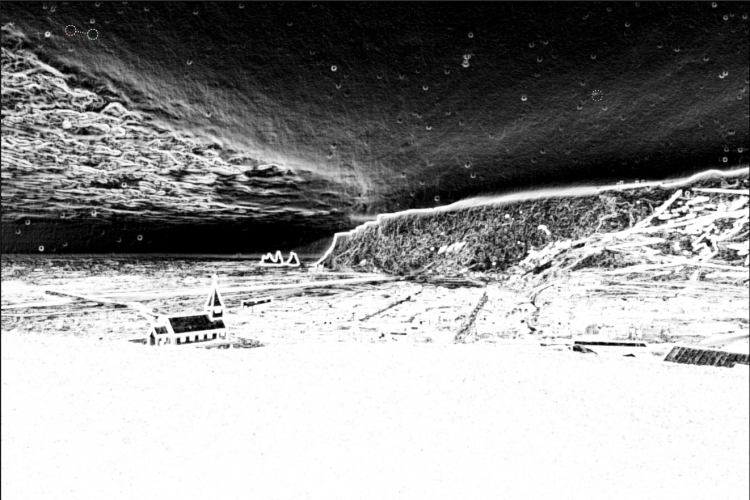
After bad weather on Iceland my lens was filled with dus spots

After bad weather on Iceland my lens was filled with dust spots, as you can see here in Lightroom.

I’ve made it a habit to clean my equipment after each photo trip that lasts more than a day. If I’m out photographing seascapes or in windy/rainy conditions, I usually spend an extra minute afterwards getting rid of the worst. Making this a habit will help save you a lot of time in post-production using tools such as Lightroom’s Spot Removal.

If you’re getting serious with your photography, and perhaps you have even began selling a print or two, it’s even more important to get rid of those nasty spots. Just imagine selling a large print, then seeing that those small spots suddenly look large and take away the attention of the image. Don’t make that mistake!

Habit #3 – Don’t leave before it’s over

My final habit is perhaps one of my most important advice for any outdoor photographer.

Don’t leave before it’s over!

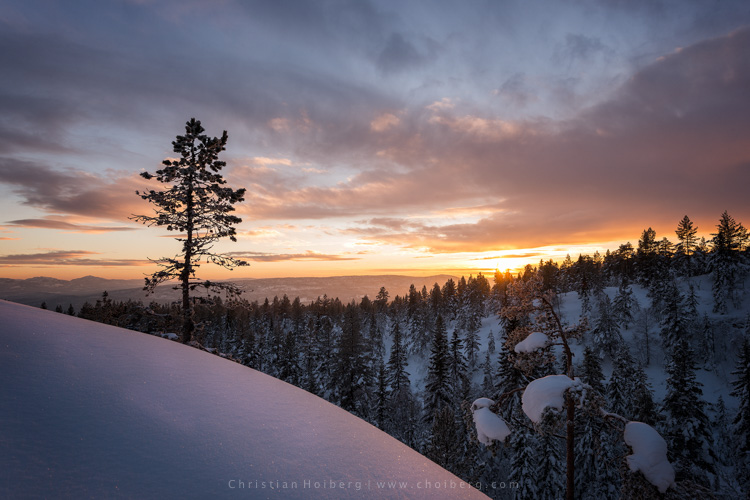
An unexpected sunset this winter in Norway

An unexpected sunset this winter in Norway

This is a habit I had to learn the hard way. It happened many times when I was an amateur photographer that I decided a sunrise or sunset wouldn’t turn into anything good, because the weather looked a bit shabby. Instead of staying at the location longer, I preferred to go home and hope for better conditions next time. What happened as I was driving back home? The sky turned red for just a few minutes.

Even though the conditions look a little dull it doesn’t mean that you won’t have a few minutes of good light. Alright, in most cases it doesn’t turn into something spectacular, but the times it does you will wish you had stayed for that 10-20 minutes extra.

So, remember this the next time you’re considering leaving early: it’s not over before it’s over. Stay a little bit longer, and perhaps you will be treated with great light that results in a portfolio worthy image. It’s worth it!

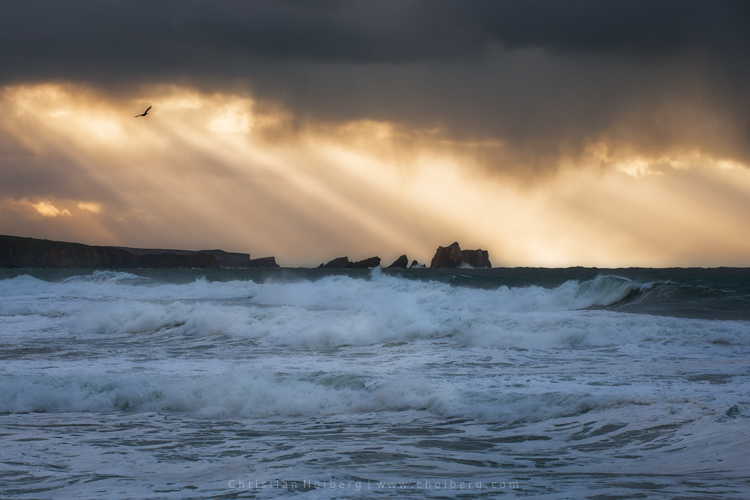
Bird flying through a stormy sunset at Liencres, Cantabria.

Bird flying through a stormy sunset at Liencres, Cantabria.

Are you guilty of missing these 3 habits? Have you developed any other habits, either in the field or when you’re back home? Let us know by leaving a comment below!

This week we are doing a series of articles to help you do nature photography. This is the first – watch for more coming soon! 

googletag.cmd.push(function() {
tablet_slots.push( googletag.defineSlot( “/1005424/_dPSv4_tab-all-article-bottom_(300×250)”, [300, 250], “pb-ad-78623” ).addService( googletag.pubads() ) ); } );

googletag.cmd.push(function() {
mobile_slots.push( googletag.defineSlot( “/1005424/_dPSv4_mob-all-article-bottom_(300×250)”, [300, 250], “pb-ad-78158” ).addService( googletag.pubads() ) ); } );

The post 3 Habits Every Outdoor Photographer Should Develop to Avoid Missing Shots by Christian Hoiberg appeared first on Digital Photography School.


Digital Photography School

 
Comments Off on 3 Habits Every Outdoor Photographer Should Develop to Avoid Missing Shots

Posted in Photography


All 7 Photography Deals Back – 24 Hours Only

14 Jul

If you missed out on any of the amazing offers over the last 7 Days of our Summer Sale, today’s your final chance to grab a bargain.

fb-all_deals_are_back_3_1024

As in previous years we’ve received a few sad messages from readers who missed out on deals along the way, asking if there was any way to get them.

As a result, today we’re opening all 7 deals back up again for one last chance.

So if there’s a deal you regret missing or if you missed one of our emails – you’re in luck.

Just to recap, here’s what’s available for the next 24 hours:

  1. The Complete Portraits Pack (71% Off)
  2. Lightroom Rapid Editing System for Travel Photography (72% Off)
  3. Landscape Photography Ebooks & Video (Save $ 400)
  4. The Essential Guide to Black And White Photography (Just $ 6)
  5. Photo Nuts Courses Bundle (70% Off)
  6. The Complete Photography Tutorial eBook (61% Off)
  7. The Ultimate Post Production Photography Bundle ($ 5000 worth for $ 79)
  8. See all 7 deals over at our Summer Sale page!

googletag.cmd.push(function() {
tablet_slots.push( googletag.defineSlot( “/1005424/_dPSv4_tab-all-article-bottom_(300×250)”, [300, 250], “pb-ad-78623” ).addService( googletag.pubads() ) ); } );

googletag.cmd.push(function() {
mobile_slots.push( googletag.defineSlot( “/1005424/_dPSv4_mob-all-article-bottom_(300×250)”, [300, 250], “pb-ad-78158” ).addService( googletag.pubads() ) ); } );

The post All 7 Photography Deals Back – 24 Hours Only by Darren Rowse appeared first on Digital Photography School.


Digital Photography School

 
Comments Off on All 7 Photography Deals Back – 24 Hours Only

Posted in Photography


Polaroid Swing is a new take on Apple’s Live Photos

14 Jul

Apple didn’t invent the concept, but ever since the company launched its Live Photos feature it has been en vogue to add a touch of motion to still images – just enough to give you a better idea of the atmosphere at the time and place of capture.

The latest new app to slightly vary this theme is Polaroid Swing. The app captures 60 frames in a quick burst and combines them into an animated image. When viewing you can trigger the 1-second animation by twisting your device or swiping across the screen. This works in both directions. Below are a couple of samples for you to try, just move the mouse across the images:

As you would imagine, final results can be shared via Facebook, Twitter and other means. The effect is pretty neat but, as we’ve seen many times before, there is danger of the novelty factor wearing off pretty quickly. That said, the owners of the legendary Polaroid name seem to firmly believe in Polaroid Swing’s success. They have not only licensed the Polaroid name but also invested in the app. Polaroid Swing is available as a free download from the App Store now; an Android version is still in the works.

Articles: Digital Photography Review (dpreview.com)

 
Comments Off on Polaroid Swing is a new take on Apple’s Live Photos

Posted in Uncategorized


Peak Design launches Everyday backpack, tote and sling bags on Kickstarter

14 Jul

Peak Design has launched four new bags in its Everyday product line: the Everyday Backpack in 20L and 30L sizes, the Everyday Tote, and the Everyday Sling. All four bags are offered in two different configurations, one Charcoal in color with black trim and red accents, the other Ash with black trim, blue accents, and leather accents. 

Peak Design says its new bags, while ideal for photographers, ‘ain’t just camera bags,’ hence the Everyday moniker. The array of bags are made from weather-resistant materials and integrate protective design elements including both ultra-thick felt and high-density compression-molded EVA materials. The Everyday bags can be customized via the removable FlexFold dividers, are ‘loaded’ with storage spaces, and offer expanding internal structures with a system for attaching items to the bags’ exteriors.

The new Everyday bags are currently being funded on Kickstarter where the campaign has reached nearly double its $ 500k funding goal with 58 days remaining. Peak Design estimates it will deliver bags to backers this coming December.

Via: Kickstarter

Articles: Digital Photography Review (dpreview.com)

 
Comments Off on Peak Design launches Everyday backpack, tote and sling bags on Kickstarter

Posted in Uncategorized


Tips for Using Natural Framing to Improve Your Composition

14 Jul

To help you compose more exciting and beautiful photographs, there are certain key composition techniques that you can use. Natural framing is one that is widely known, but needs careful and thoughtful application. Using framing can create extremely impressive and elegant images when done right. Here are some tips to help you.
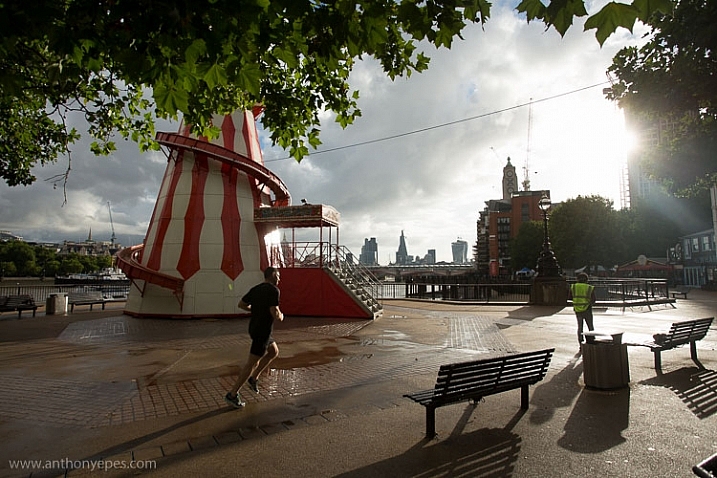
natural-framing-tips--10

Natural framing is when you use an element within your image to frame the subject. This draws the eye into the photo and highlights the actual subject.

This internal frame can be constructed using a multitude of things you’ll find anywhere – branches, archways, tunnels, door frames etc., as well as things that aren’t solid like light, shadows, rain, fog, etc. – it doesn’t matter what you use.

Framing is a technique to use sparingly – but when it’s totally right, it looks natural. So few people use it well that if you can master it, you can create some fantastic shots.

natural-framing-tips--2
Why you should use natural framing:

  • It easily draws your viewer’s eye into the photo and emphasizes the subject.
  • It isolates and separates your subject from what’s around it.
  • It brings a sense of order and structure to a photo – and the eye loves order.

When to use natural framing

  • To obscure boring sky (my favourite).
  • To add depth to an image – especially when the item acting as the frame is not in focus.
  • To bring contrasting elements into the photo without detracting from the subject.
  • To create structure.
  • To create a feeling of a self-contained image, particularly if you are photographing something quite ordinary and simple, a frame will help give depth to the subject.
natural-framing-tips--12

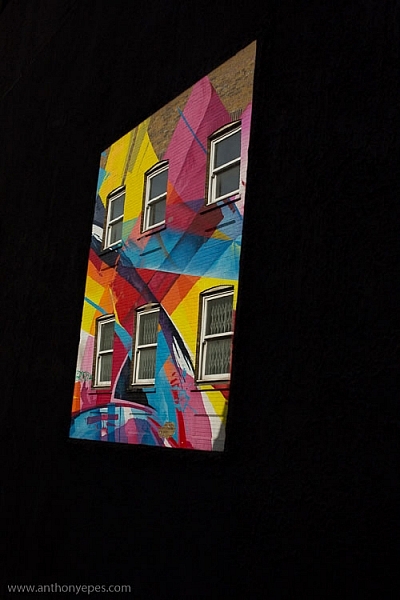
Traditionally the frame should be distinctly separate from the subject, so that it’s not confusing to the eye. But I will also show you where I haven’t done that, and the photo still works. I will show you both how to use this technique as well as where else you can take it – how to let it inspire you to develop your images.

Rules are made to followed, bent and broken

Like anything that is considered a technique or rule, people can feel very passionately for or against their use.

“Consulting the rules of composition before taking a photograph, is like consulting the laws of gravity before going for a walk.” Edward Weston

But for me, it comes down to not using any of the rules so much, that your photos end up all looking the same. Don’t let rules keep you stuck in a box. They are a great springboard for your photography, or a way to help refresh your vision, so that you start composing in a different way.
natural-framing-15

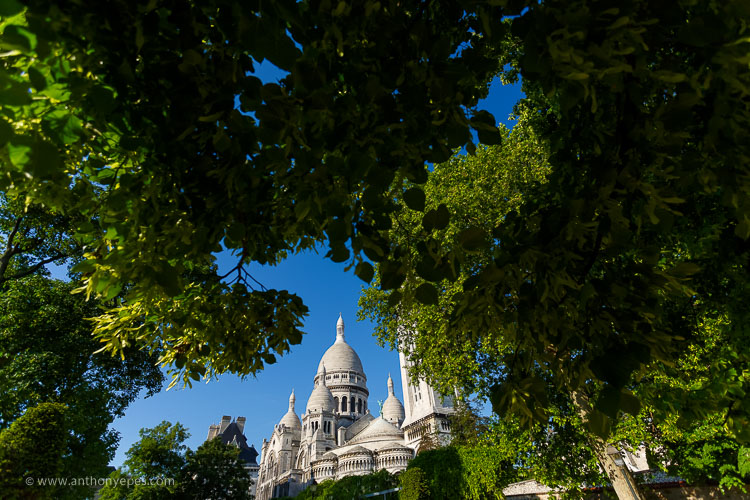
When I was starting out, I worked hard to get really familiar with the key compositional techniques, but then after a while, once I’d embedded them, I started to develop my own way of using these techniques, my own style.

I also encourage you to think of all these techniques and rules as opportunities to see and learn to organise the elements within your photos differently. In my workshops I’ve noticed that one of hardest things for people is to break the world down into elements, and then learn how to organise these elements to create striking compositions.

Natural framing isn’t an add-on

Natural framing is one of the harder rules to pull off well. I think many people use it to make a boring landscape or scene more interesting. But to me, if your subject is boring, no technique is going to liven it up. Framing should be used as an additional interesting element – not as an overlay to a mundane scene (just search: “natural framing” on Google images and you’ll see what I mean).
natural-framing-tips--3

I find natural framing is most interesting when used in the loosest possible interpretation. It has to be employed in a way that enhances the photo, and feels like it is a natural part of the composition.

“There is no better time to crop a bad composition than just before you press the shutter release.” Bryan Peterson

With those caveats – now it’s time to relax, have fun, and play with it!

Creating your frame

natural-framing-20

You don’t need to have a frame around all four sides of your photo for it to work – in fact I’d encourage you not to do that. I think more often than not, it looks more natural and pleasing to the eye for the frame to take up just two or three sides of the image. But like every recommendation – use your own personal judgement.

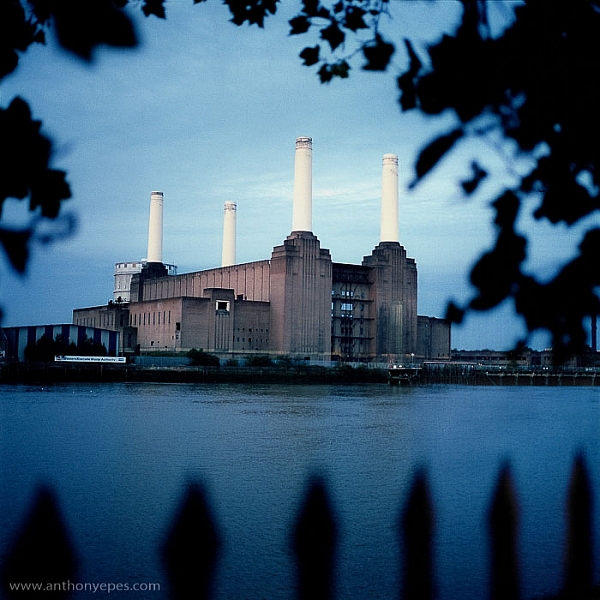
The photo above of Battersea Power station is probably one of my most traditional interpretations of natural framing. I have framed the building with the branches and leaves at the top, and the outline of a fence at the bottom. Two important things to point out in this photo:

  • When the frame is out of focus it create a sense of depth to the image.
  • The frame can be made from different elements: I’ve used two different elements but their colour is the same, and they are both interesting shapes – so they have some common qualities.

Obscuring boring sky
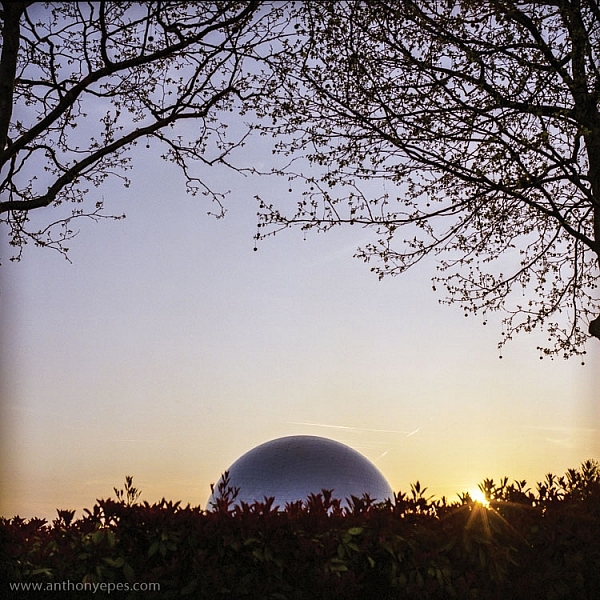
natural-framing-tips--7

In the photo above, I wanted to capture the shiny dome and the rising sun. But that wasn’t enough to make an interesting photo. There was some pretty endless sky, so I added a silhouette of the bare branches above. I seem to use a lot of tree branches in my natural framing compositions. In this case, I love how they create this beautiful, wild, chaotic pattern, above the very clean and shiny dome. Then I’ve added this little almost tuft of leaves below, which balances the photo out.

I love using framing elements that have great texture – again they add depth. Just remember to keep it well organized and clear so people can see what you are trying to do. This photo is really about the simple contrasting shapes – and by using natural framing it creates a nicely ordered photo, constructed from the available elements.
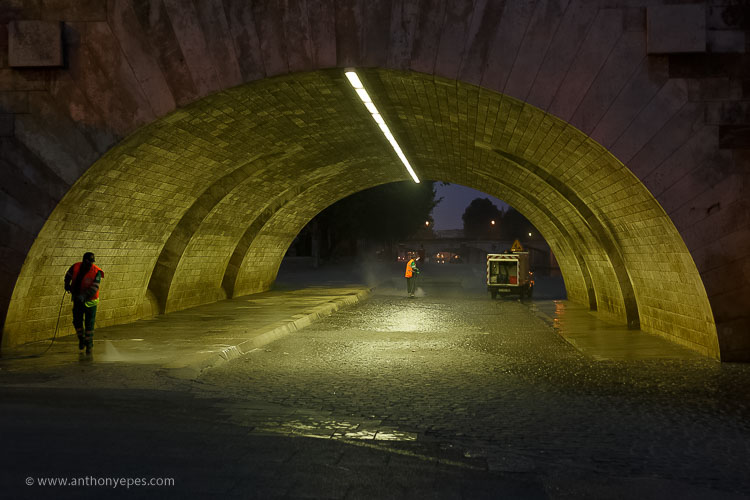
natural-framing-17

So once you’ve got a grasp of the concept you can start using the technique in other ways – have fun!

You are in control of how the viewer sees the image

Naturally framing is a very good way to remember that you are in control of how the viewer’s eye will go around the image. It doesn’t matter how big the photo is, the eye won’t see the complete image all at once. The eye will be drawn to one part and then move around the image depending on where the elements are placed. Your job as a photographer is to direct the eye.
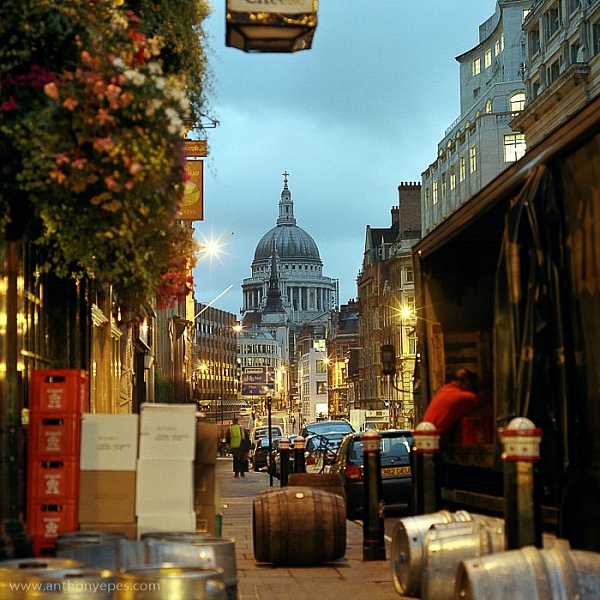
natural-framing-tips--4

Here the subject is St Paul’s Cathedral, bang in the centre of the image. But all around it there are buildings, streets, cars, etc. When you first see the image, all of that other detail bleeds into one, creating a natural frame for the cathedral. But then gradually you start to see the details, so the image becomes something quite different.

This photo is a good example of how you can use framing to create order to a very busy scene, and give the viewer a way into the photo. It’s also a good example of how your eye moves around an image.

The one-sided frame

It is possible to do a one-sided frame, and it works! Below, even though the foliage is only running along the bottom, it creates a great grounding effect, and pushes the eye up toward the moon and the Statue of Liberty. Therefore, in my book, it adheres to the principal of drawing your eye towards the real subject of the photo. This isn’t even a strong line that’s creating the framing element – it’s simply the power of suggestion.
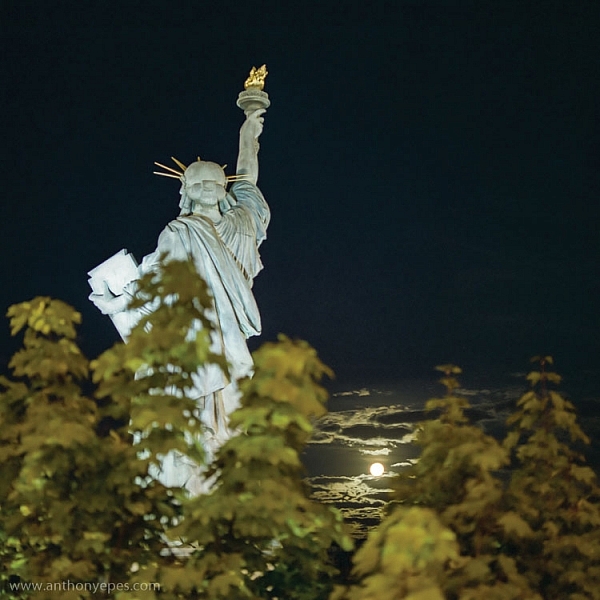
natural-framing-tips--6
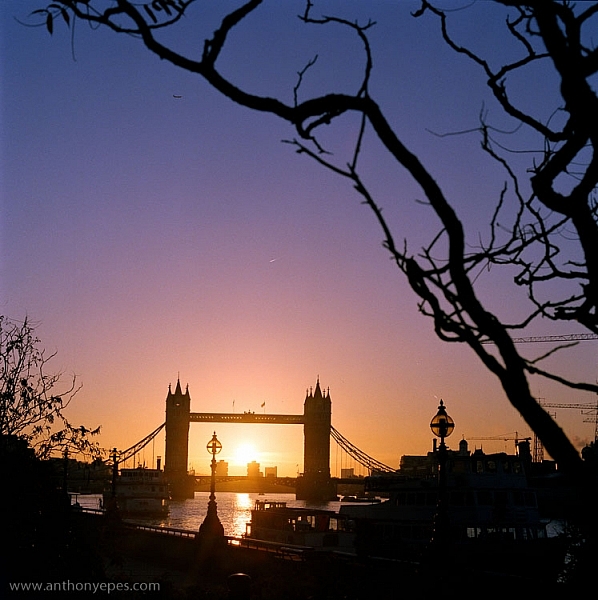
In the photo below you’ll see some framing which is going across the corner of the photo. So it’s still drawing your eye to the subject – which is the rising sun and Tower Bridge – but it’s quite subtle. I would perhaps suggest that the bottom elements are creating a second framing element, grounding the photo, and framing the sun. What do you think?
natural-framing-tips--8

When I am shooting photos with big sky – which is favourite subject of mine – what I often do is shoot when small objects appear in the sky, like above. If you look closely you can see a very small plane. Or sometimes a tiny bird appears, or some other random object. People often ask me why I don’t Photoshop it out because it can look like a piece of dust or a mistake, but I love these little surprising elements. It’s great if there can be tiny details that create layers of interest in your shots, so your viewers don’t see everything all at once. (Or as Henri Cartier-Bresson said, “The little, human detail can become a Leitmotiv.”)

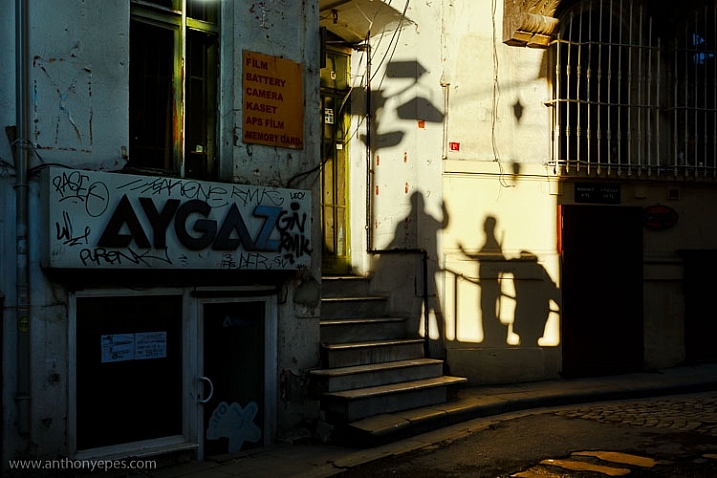
Here is another photo that is truly on the edge of being framing. But I think it shows how you can play with the idea (and there is nothing more fun than playing with all these different concepts and ideas, and making them your own).
Greeting Shadows

I looked at this photo and thought – wow, I’ve framed the image of the shadows of the people with the surrounding dark shadow. It is doing what natural framing tells us to – which is use a frame to draw attention to the real subject of the photo, so I think it fits.

Use multiple frames within one image

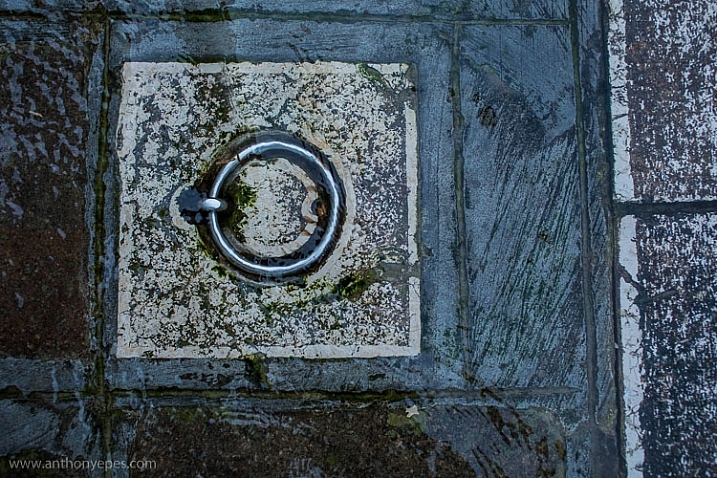
I am a little bit obsessed with photographing things I find on the street. I love photographing very ordinary things – like chewing gum or lines on the road, disconnecting them from their wider context, and just playing with their shapes. This is also another way to help train you to practice breaking the world down into elements, so that you can then start to organize them in a more constructive way.

You can go further still by making the frame within your image just a part of the image, and not the whole thing. It could even be just a suggestion of a frame, like I did here.
natural-framing-tips--5

I love using very simple backgrounds with strong colours for my portraits. This is because firstly, I want the background to not distract from subject, so a simple background is usually best. The camera can’t easily recreate the layers that we see with our awesome 3D eyes. So if, for example, you put a subject in front of a crowd, you will get a flat image without depth.

Homeless World Cup Hasselblad Portraits

Plus, I like to have the colour and texture of the background really fit with the subject – maybe with their clothes, their posture, their expression, etc. This photo is a good example of my philosophy on this point.

Now back to framing! One key reason the photo above works is the added dimension of some framing. Yes, again not a totally traditional use of it, but you can see that the yellow arch shape and the blue strips either side are adding some great structure and form to the image. You’ve also got a sense of them confining the subject, which gives a nice balance to his strong, proud posture. That feeling of being confined is something you can do well with natural framing, and adds a curious feeling to the photo (since the posture of the subject is so proud and strong, you can’t imagine him being confined, right?).

Everything within your frame has a message
natural-framing-19

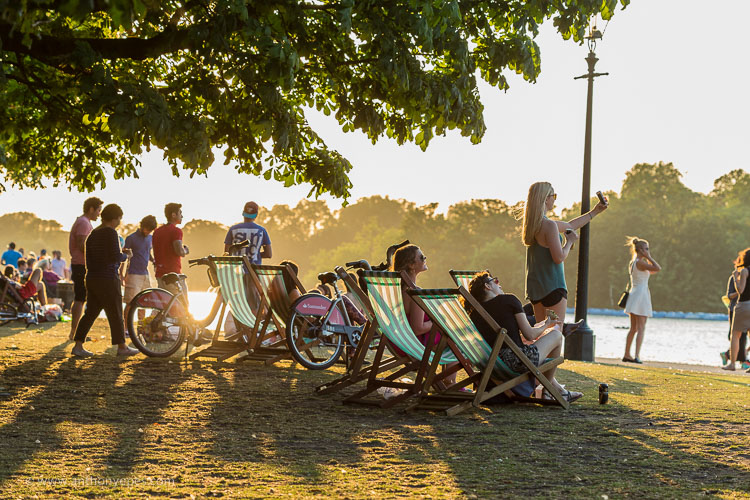
As the photographer, you need to make sure that everything you put in the frame is saying something that you want it to – that the elements are all working together to form the idea and feeling that you seek. If you don’t know what that’s supposed to be – just ask yourself:

  • What am I feeling here?
  • What is interesting to me in this scene?
  • Why is this important?

It’s these feelings that you will be communicating through your images, if you’ve done it well and created a strong photograph.

In the image below I framed the Shard, with buildings on the side and a fence along the bottom. There is a risk that it could all have blended in together, but that bright blue sky has created a natural space around the subject.
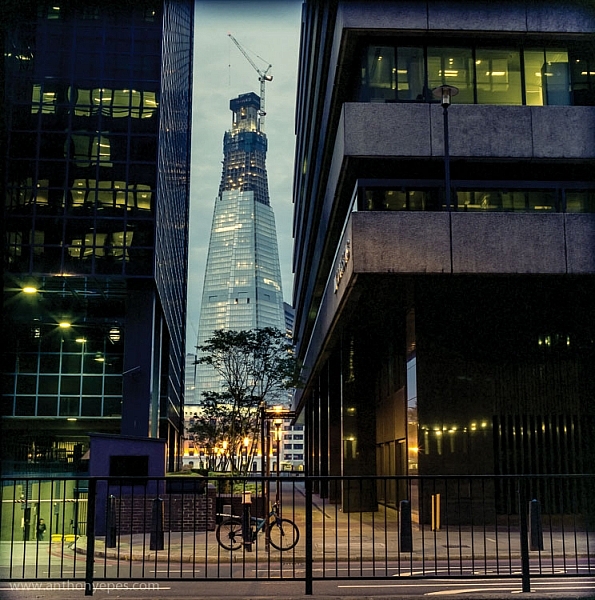
natural-framing-tips--1

If this is all feeling like a bit too much, don’t worry, as it all becomes instinctive after a while. As a final note, I like this thought from Henri Cartier-Bresson:

“You just have to live and life will give you pictures.”

It’s a great way to live.

I’d love to know what you think of natural framing – do you use this technique? What do you think of the examples I’ve given here? Have you been inspired to try this out if you’ve never used it before? If you have any photos you’d like to post here I’d love to see them.

googletag.cmd.push(function() {
tablet_slots.push( googletag.defineSlot( “/1005424/_dPSv4_tab-all-article-bottom_(300×250)”, [300, 250], “pb-ad-78623” ).addService( googletag.pubads() ) ); } );

googletag.cmd.push(function() {
mobile_slots.push( googletag.defineSlot( “/1005424/_dPSv4_mob-all-article-bottom_(300×250)”, [300, 250], “pb-ad-78158” ).addService( googletag.pubads() ) ); } );

The post Tips for Using Natural Framing to Improve Your Composition by Anthony Epes appeared first on Digital Photography School.


Digital Photography School

 
Comments Off on Tips for Using Natural Framing to Improve Your Composition

Posted in Photography