RSS
 

Archive for April, 2016

Pros and Cons of Photographing Dogs with a Prime Lens

05 Apr

DPS article 6

Dogs, by their very nature, are excitable creatures. Of course, they like nothing more than being outside and running around, chasing sticks, balls, and other dogs. All this can’t be conducive to prime lens photography, right? You want a good zoom lens for a job like this, surely? Well, not me. I love shooting my pet portrait sessions with my trusty Canon f/1.4 50mm prime, and I’m going to go through what I consider to be the advantages of doing so, and how best to overcome the disadvantages.

Pros – or advantages

Prime lenses are as quick as the dogs they’re snapping!

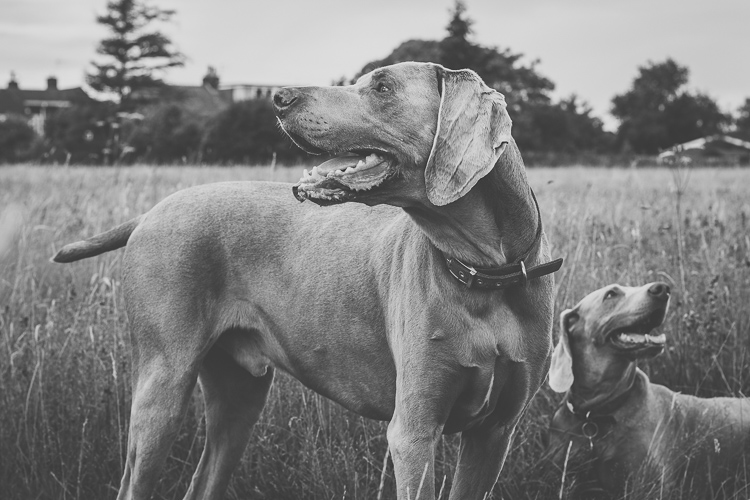
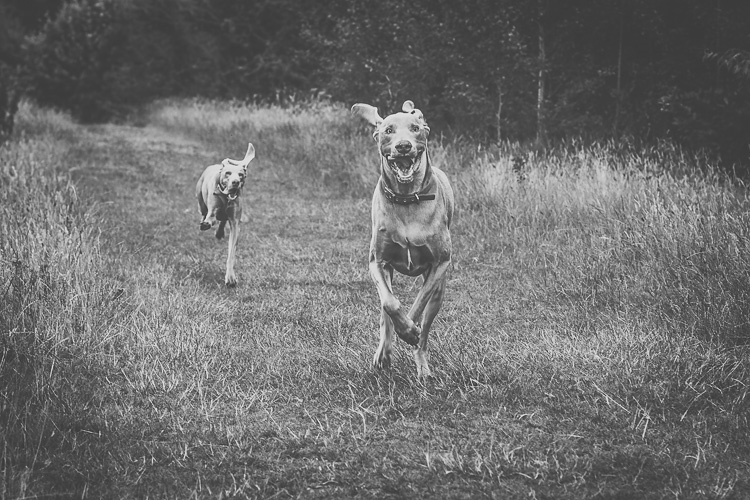
We’ll start with the obvious benefit of shooting with a prime lens – speed. The wider maximum aperture allows for faster shutter speeds, which means that you can freeze your sprinting pooch in action and get pin sharp images as they run (below).
DPS article 9
These two Weimaraners were sprinting full pace towards me. Fortunately my shutter speed was fast enough to freeze their movements in full flight.

Let’s not forget that the light conditions aren’t always going to be favourable. On dull, overcast, days you’ll be thankful for that extra couple of stops, rather than having to boost the ISO and bring noise into the equation.

Bearing this in mind, it’s also important to remember that as you’re widening your aperture to improve your shutter speed, you’re also narrowing your depth of field, so it’s about striking the right balance for the situation.

Image quality and sharpness

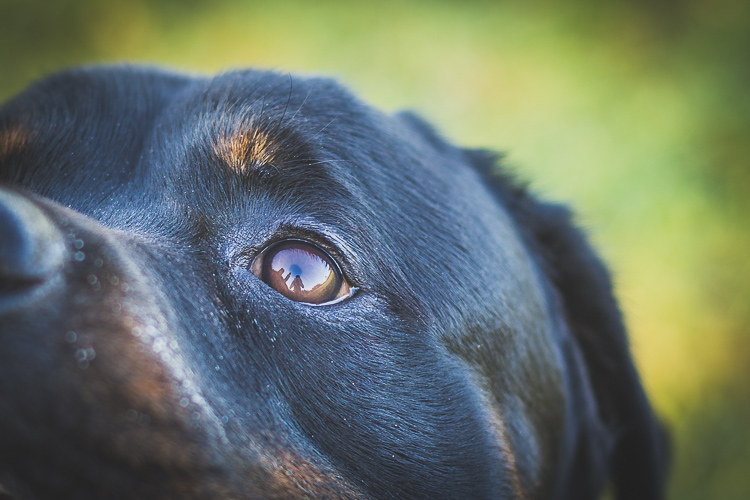
Another well-known advantage of shooting with a prime lens is the image quality. Prime lenses are much more simple than zoom lenses in terms of the components that make them, and the mechanisms that operate them. All in all, it’s widely acknowledged that prime lenses consistently offer an extremely high level of image quality.
DPS article 1

Sharper images are going to be a positive thing in any situation, but when you’re editing your images and you can zoom in to see all the details in the fur of your subject, and the glint in their eye, then you will really appreciate that image reliability.

You’re forced to focus on composition

This is an interesting one, and certainly an argument that crops up time and time again when talking about the benefits of prime lenses. If you only use zoom lenses, there can often be a level of complacency that sets in, especially if you’re relatively new to photography.
DPS article 4
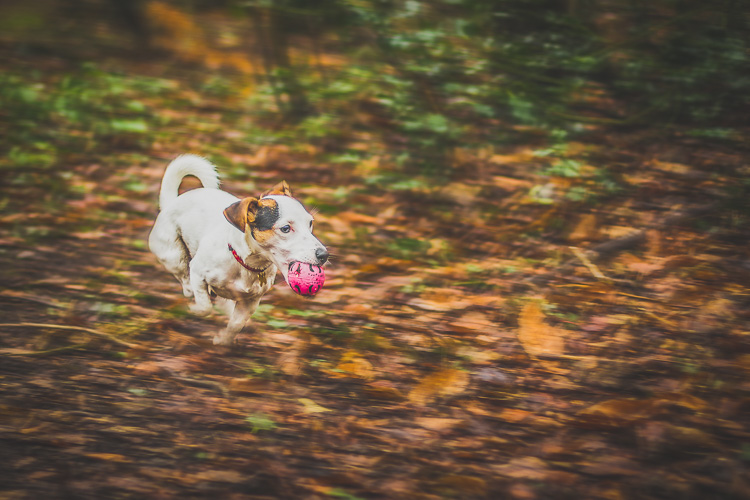
caption: If I’d been using a zoom lens on this shoot there’s a good chance I would have zoomed in for a tighter composition, with the subject in the middle of the shot. With that option unavailable to me I was able to think about it, and ended up giving the subject plenty of room on the right to run into, improving the overall composition of this image.

When you’re using a lens with a fixed focal length, you have no choice other than to move around with your subject. You’ll be constantly looking for different angles and opportunities, and eventually you will find yourself in the perfect position, one that you may never have found yourself in, if you weren’t using a prime lens.

Narrow depth of field

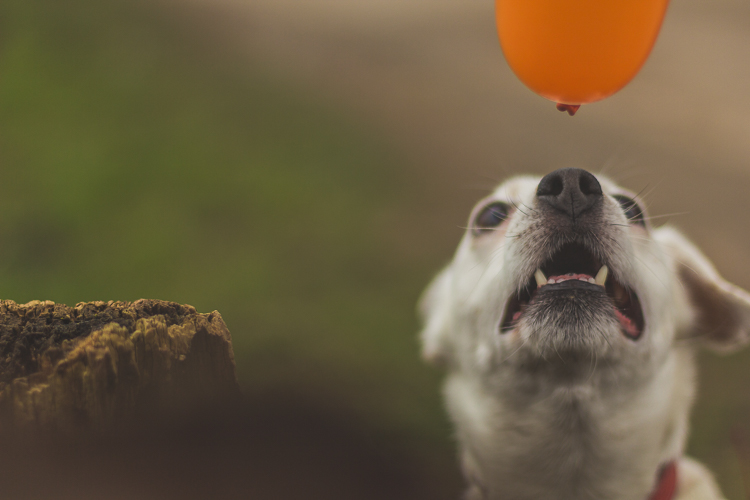
If you want to make the pictures of your dogs stand out, then a really tight depth of field is a great way to go about it. A prime lens will allow you to open your aperture to f/1.4 or wider, and really blur out that background, making your subjects pop.

The real benefit of this when you’re taking pictures of dogs is that, unlike human subjects, most of the time you’re not going to get the opportunity to place your dog in position with the ideal background. When you’re photographing dogs, more often than not you’re going to have to work with what you’ve got, and having the ability to blur out background distractions is a huge advantage.
DPS article 3

caption: I was at f/1.4 here, which allowed me to focus on the subjects mouth and nose, while completely throwing everything is the background out of focus.

Cons – or disadvantages

Having subjects that can move faster than you

So you’re out with your dog, and he’s running around at full pace for the best part of an hour. Trying to photograph a subject that is constantly moving around can be very tiring, and when you’re looking at your images and seeing a large percentage that will be unusable, it can be a little discouraging.

Something you need to be prepared for when taking pictures of dogs, is that you’re going to have a higher amount of rejects than usual. Unfortunately, this is the nature of pet photography. However, if you learn to embrace this, then you can get some really rewarding shots. Make sure you set your camera to high speed continuous burst mode, set your focus point over the necessary area on your subject, and fire away. Yes, you’re probably going to throw away 75-80% of them, but the ones you keep are going to be well worth it.
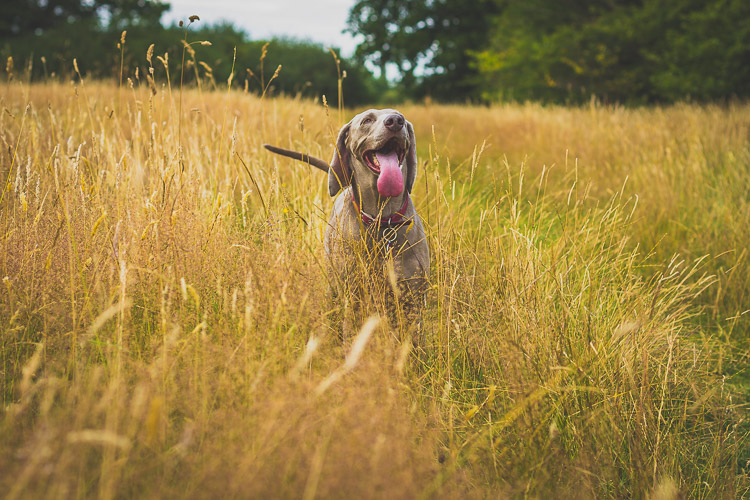
DPS article 8

Difficulty positioning yourself

You may find that one of the most daunting aspects of dog photography is knowing where to position yourself. You don’t have the option to zoom in, so where you are physically positioned is vital to getting the shot.

In order to limit the amount of opportunities you miss, you need to think a couple of steps ahead at all times. Where are your subjects likely to run next? If they’re going to head over there, then where will you need to be to get the best shot? Should you try to get higher than your subject, or should you prepare to get low in order to get down to their level? These are all questions that you should always ask yourself.
DPS article 7

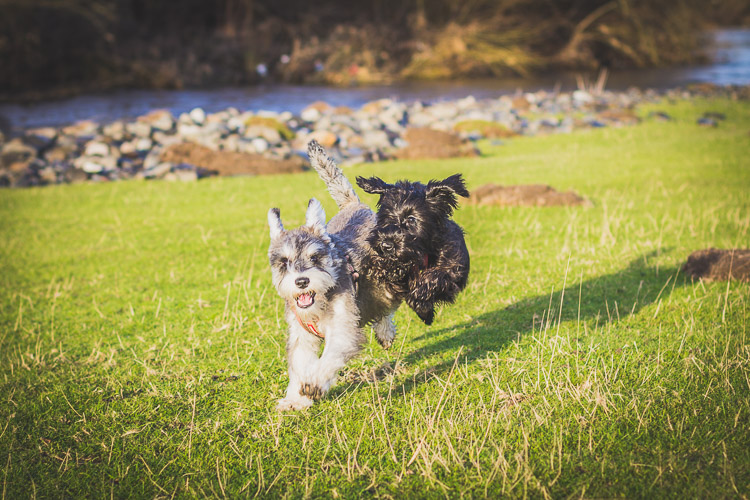
caption: These two Schnauzers were bundles of fun, but they never stopped moving. I constantly had to guess where they would be next. Often you’ll get it wrong, but sometimes you’ll get it right and nail the shot.

If you’re doing a pet portrait session then you could stand relatively close to the owner, ask them to throw a stick or ball (or pretend to). While the dogs are running away, get into position, and be ready for when they inevitably run back towards you.

Remember, your subject is likely to always be moving, so set your focus mode to AI Servo for Canon cameras, or AF-C for Nikon. These focussing modes are designed to continuously adjust focus on moving subjects to ensure that you have the best chance of nailing each shot.
DPS article 5

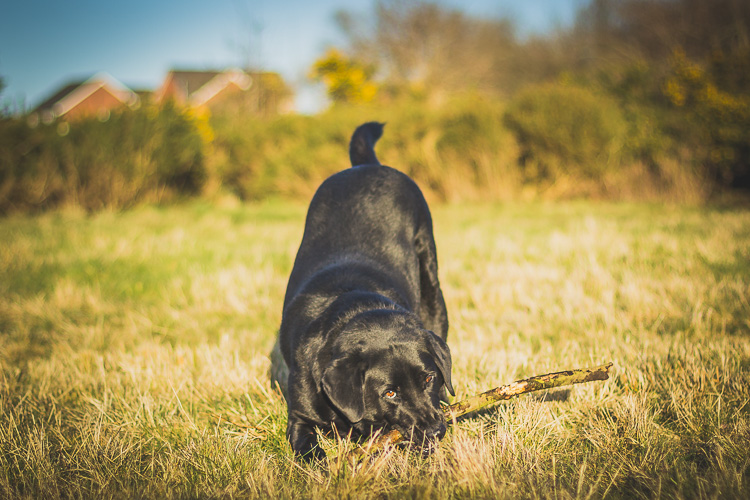
You end up too far away and have to crop heavily in post-processing

You don’t always need to get a close crop of your subject to end up with a great image. It’s fantastic when you can see their expressions close-up, or the actions of their body and legs as they run, but sometimes a picture of the dog playing in the distance, with a picturesque backdrop of an open field or wooded area, may be the perfect way to portray the scene.
DPS article 10

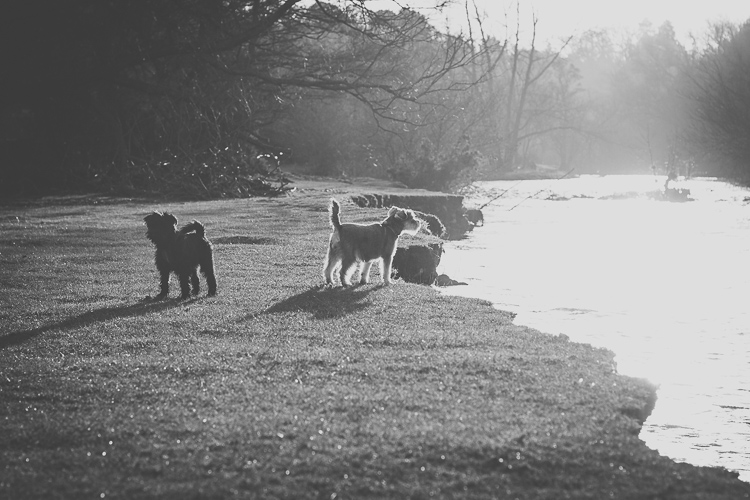
caption: Not zooming in on this shot allowed me to capture a greater sense of the atmosphere in this winters morning portrait session.

In summary

Hopefully this is enough to persuade anyone with an interest in pet photography to give prime lenses a try. You can pick up a nifty fifty prime for the fraction of the price of a decent zoom lens, and you’ll have real fun getting the most out of it. At the very least, you’re guaranteed an excellent workout!
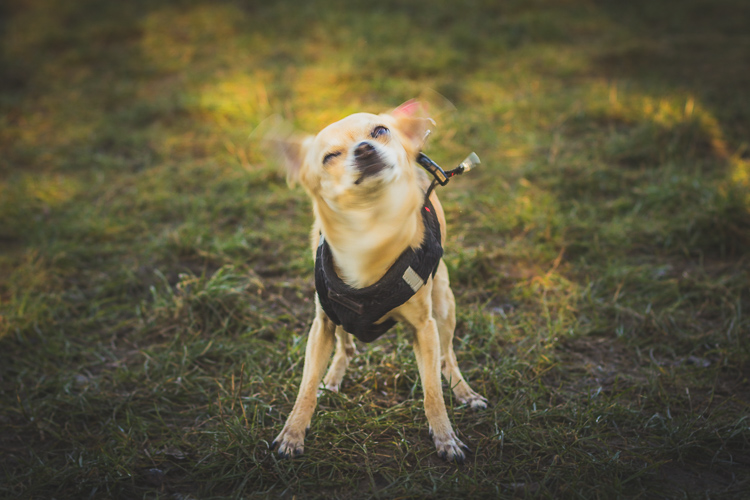
DPS article 2

Do you photograph dogs or pets? Have you ever tried using a prime lens? Please share your results, thoughts and comments below.

googletag.cmd.push(function() {
tablet_slots.push( googletag.defineSlot( “/1005424/_dPSv4_tab-all-article-bottom_(300×250)”, [300, 250], “pb-ad-78623” ).addService( googletag.pubads() ) ); } );

googletag.cmd.push(function() {
mobile_slots.push( googletag.defineSlot( “/1005424/_dPSv4_mob-all-article-bottom_(300×250)”, [300, 250], “pb-ad-78158” ).addService( googletag.pubads() ) ); } );

The post Pros and Cons of Photographing Dogs with a Prime Lens by Ben Hughes appeared first on Digital Photography School.


Digital Photography School

 
Comments Off on Pros and Cons of Photographing Dogs with a Prime Lens

Posted in Photography


Think Tank Photo launches largest rolling case for lighting

05 Apr

$ (document).ready(function() { SampleGalleryV2({“containerId”:”embeddedSampleGallery_0536172367″,”galleryId”:”0536172367″,”isEmbeddedWidget”:true,”standalone”:false,”selectedImageIndex”:0,”startInCommentsView”:false,”isMobile”:false}) });

Bag manufacturer Think Tank Photo has introduced a rolling case for lighting kit that it claims is the largest on the market. The Production Manager 50 is designed to hold a pair of studio-style heads with power packs, battery packs, dishes, umbrellas and even lighting stands. The case has internal dimensions of 38 x 125 x 25.4cm / 15.5 x 49.2 x 10in and comes with a collection of adjustable dividers so users can customize the layout of the interior. Zip-up pockets on the inside of the lid are designed to keep cables tidy, and straps on the exterior can be used to attach tripods and larger lighting stands.

The bag is made with ballistic nylon coated with a water-repellent agent that covers a rigid shell, and the shock-absorbing wheels are user replaceable should they get damaged. Think Tank Photo says that the idea of this big case is to make it easier for photographers to transport large amounts of kit in one load, and claims the Production Manager 50 can carry what it would normally require two assistants to manage.

The Think Tank Photo Production Manager 50 costs $ 599.75/£515. For more information see the Think Tank Photo website.


Press release:

Photographers Can Fit Lighting Equipment and Large Light Modifiers in One Rolling Bag with Think Tank Photo’s New Production Manager 50

Santa Rosa, Calif. – Think Tank Photo has released the largest rolling photography equipment case on the market, the Production Manager 50.  Designed to hold an immense amount of gear, including lighting equipment and large light modifiers, one photographer will now be able to transport what it used to take up to at least two assistants.  It is easy to move, carry, work out of, and stack among other gear.

This large rolling bag features stabilizing, wide-set, shock-absorbing wheels that roll smoothly and hold up under the toughest conditions, the ability to lock the main compartment and secure the bag with the included lock and cable, and a fully customizable interior with dividers to protect small and large lighting equipment including c-stands and large modifiers.

“Pro photographers usually travel by car or van to where they are going to shoot,” said Doug Murdoch, Think Tank’s CEO and Lead Designer. “Once a shoot is completed the set needs to be torn down and moved to the next location. Often times, there can be a time crunch where all the gear has to be loaded quickly. Carrying these bags up and down stairs and over rough terrain can be very cumbersome and often takes two people.  The Production Manager 50 makes this time-sensitive, cumbersome process easier and quicker.”

KEY ADDITIONAL FEATURES
* Large front zippered pocket for reflectors, umbrellas, extension cords, cables, etc.
* Attachments for lightstands or tripods on both sides (straps included)
* Rigid shell and stiffened dividers ensures gear protection
* Robust handles on four sides for easy loading and unloading by two people
* Heavy-duty aluminum side-frame protects axle from impact
* ID plate can be registered on the Think Tank site that may allow lost or stolen bag to be returned
* YKK RC Fuse zippers, 1680D ballistic nylon, and super-stick velex (interior) contribute to one of the most robust products on the market.
* Large interior mesh pockets for organizing pocket wizards, gels, cords, tape, batteries, and other accessories
* Ergonomic top handle for rolling or carrying by two people.
* Velex wrapped dividers for extra durability and longevity.
* Adjustable lid straps keep bag open and accessible
* Rear skid rails and custom wheel housings allow for loading and unloading from a vehicle with ease
* Business card holder for easy identification on top panel
* User replaceable wheels & hardware
* Seam-sealed rain cover included

MATERIALS
External: All fabric exterior treated with DWR while fabric underside is coated with PU for superior water resistance, 1680D ballistic nylon, YKK® RC Fuse (abrasion resistant) zippers, custom designed extra tall skid plates, replaceable custom-designed wheels, antique nickel plated metal hardware, nylon webbing, 3-ply bonded nylon thread

Internal: 210D silver-toned nylon, PU backed velex liner & dividers, 2x PU coated nylon 210T seam-sealed taffeta rain cover, closed cell foam & PE board stiffened dividers, belly-o mesh pockets, 3-ply bonded nylon thread

PRODUCT DIMENSIONS & WEIGHT 

Exterior Dimensions: 17.3” W x 53.1” H x 12.6” D (44 x 135 x 32 cm)
Interior Dimensions: 15.6” W x 49.2” H x 10” D (39.5 x 125 x 25 cm)
Weight:  20.7 – 29.8 lbs (9.4 – 13.5 kg)

Articles: Digital Photography Review (dpreview.com)

 
Comments Off on Think Tank Photo launches largest rolling case for lighting

Posted in Uncategorized


12 Tips For Indoor Natural Light Photography

05 Apr

Feeling frustrated with indoor photography?

Harsh shadows and weird skin tones are common problems. In this article, you’ll learn how to improve your indoor photography.

natural light photography indoors

8 tips for indoor natural light photography

Working with natural light indoors can be a little tricky. These beginner tips will help you create beautiful photos using natural light.

1. It’s all about the windows and doors

You’ll want to get to know the light that comes through them. Sometimes it floods the room softly. Other times it beams in, bouncing off the walls and floor.

Soft light will add a soft glow, and harsh light will give a dramatic or moody look.

indoor natural light photography tips 2

Take note of what kind of light enters each room throughout the day.

The color of light also changes during the day. It has a warmer look at sunrise and sunset. During midday, it has a cooler or neutral color. Use this to add different effects to your photos.

2. Turn off the lights

Natural light doesn’t like competition. Electric lights can affect your white balance. This is because the color of light varies with the source. Skin tones can look odd when artificial light mixes with natural light. The easiest way to fix this problem is by turning off all electric lights.

3. Shoot in Aperture Priority mode

In Aperture Priority mode, you choose the aperture. With indoor natural light photography, you need to let in as much light as possible. To do that, you’ll want a wide open aperture. The lower your aperture number (f-stop), the wider your aperture is open.

When you use a wide aperture, your depth of field will be shallow. So your subject will be in focus, while your background is left soft and blurry. This adds a beautiful effect to portraits and product shots.

indoor natural light photography

For portraits, an aperture of around f/5 or f/6 will keep the entire face in focus. Focus on the eyes for best results.

Note: Also shooting in RAW is better than JPEG for indoor natural light. RAW files give you a lot more to work with when editing.

aperture priority for indoor natural light photos

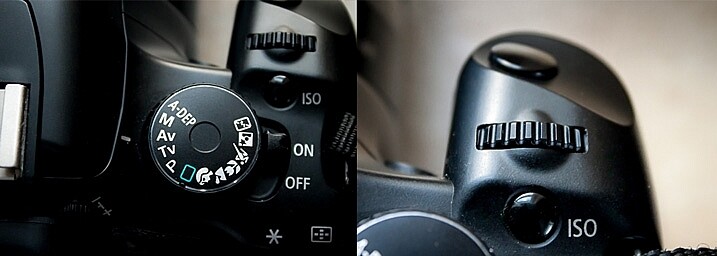
Aperture Priority is marked with either an AV (Canon cameras, pictured above) or an A (Nikon cameras). To adjust the setting, you’ll turn the small dial (pictured on the right).

4. Choose your White Balance

To get good white balance take your camera out of Auto White Balance (AWB). The button for changing white balance is usually marked with a WB somewhere on the back of the camera (or use your Canon Quick menu if you shoot that brand).

For proper skin tones choose Daylight (the one with the picture of the little sun). This will give good results, not too blue and not too yellow. If you want to warm things up a little, choose Cloudy. This will add more yellow. Try a shot with Daylight, then one with Cloudy, and see which looks right or which you prefer.

You can adjust your White Balance while editing (if you shoot in RAW) but getting it right while shooting makes editing easier.

5. Use a light catching backdrop

A backdrop will help catch the light and bounce it back on your subject.

light catching backdrop for natural light photography

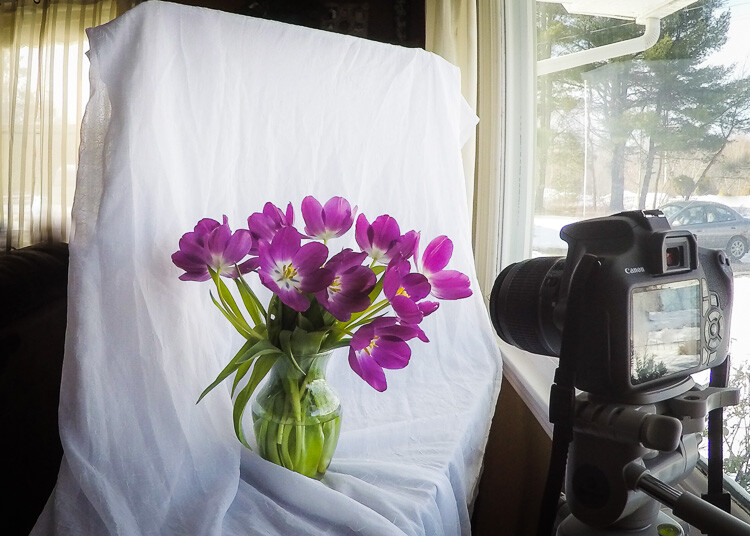
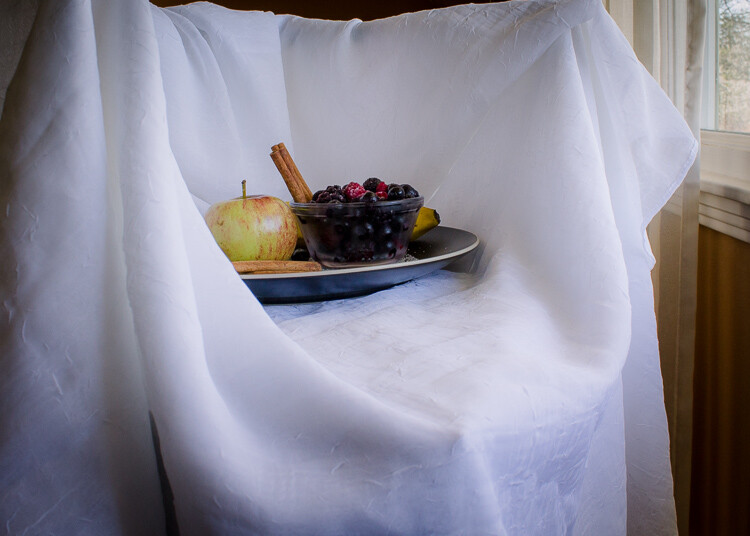
In the above image, the white material helps to cradle the light around the flowers.

catch natural light with a backdrop

This backdrop is made with a freestanding collapsible clothes rack and a long piece of white material. I love how easy it is to set up and move around.

6. Use a light box

A light box will create a similar effect as the backdrop, but it will help control the light even more.

use a natural light light box for indoor photos

I made this light box out of Lego and used the same piece of white material pictured in tip #5.

tips for natural light photos

 7. Use a reflector

A reflector is used to bounce natural light back on your subject.

use a reflector for natural light photography

tips for indoor natural light photography

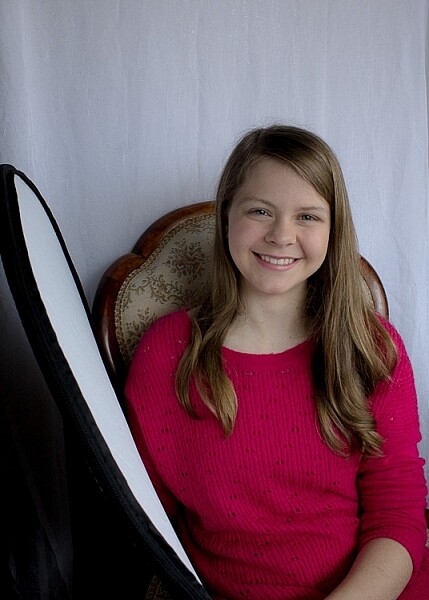
For these shots, I used a reflector and the backdrop. My daughter was sitting with her left side facing the window. She was holding the reflector in her right hand, which helped lighten the shadows.

8. Use a mirror

A mirror is another great way to control natural light. Hang a mirror in the window. I used a large suction cup with a hook to hang the mirror.

indoor natural light photography tips

Have your model look in the mirror. As you take your shot make sure your reflection is not in the mirror. It can take some patience to get the angles and reflections under control, but it’s worth it.

I used a small handheld mirror for this shot. A larger mirror would require less cropping.

tips for indoor natural light photos

9. Tidy up

There are often things lying around the house, especially if you have kids. This clutter can be distracting in a photograph. It’s worth taking a couple minutes to tidy up before you start shooting.

In a small space, a backdrop can serve a double purpose. It will control light and create a blind to background clutter. It can help make a small space more workable. For most of the photos in this article, I pushed our sofa and table into the middle of our living room, so I could set up in front of our largest window. Without the backdrop, this location wouldn’t work.

natural light photography indoors 2

10. Place your subject close to the window

Place your subject a foot or two away from the light source. This way you’ll make the best use of the natural light, and avoid the harsh contracts that can be created by being too close to the window/door. Try backlit, side lit, and full light by having your model face different angles to the window. 

11. Use the curtains

Use curtains or blinds to help diffuse harsh light. When the sun is beaming into the room, the light can blow out your photos. Pulling the curtains can soften the light and help with proper exposure. If the curtains are not suitable, you could use a sheer piece of material to hang over existing curtain rods.

12. Shoot reflective objects

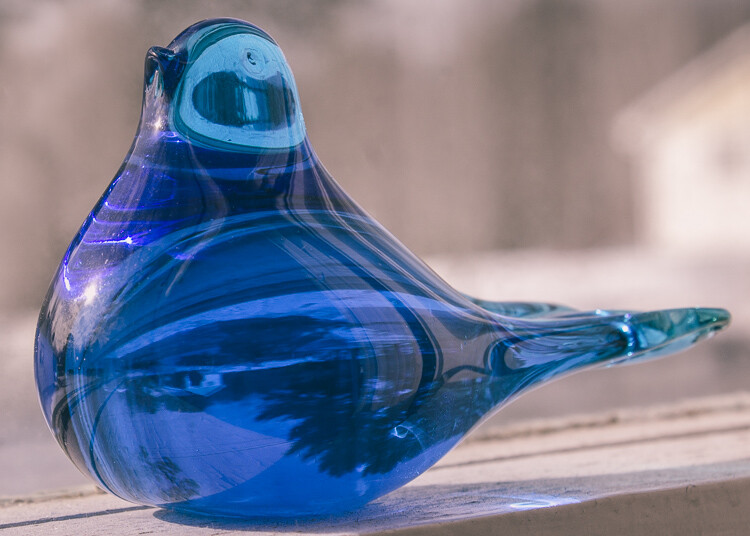
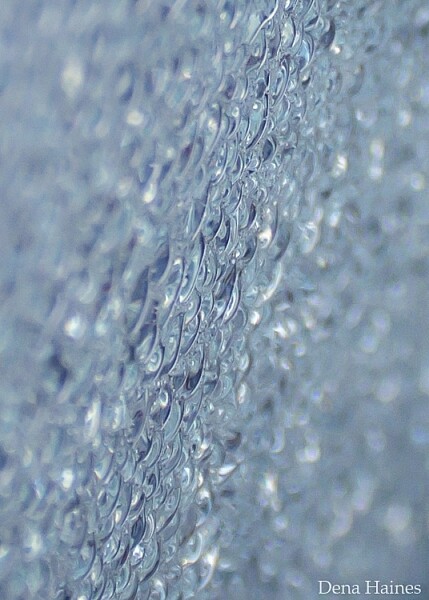
Natural light can turn the most common thing (like the moisture on the window pictured below) into something beautiful.

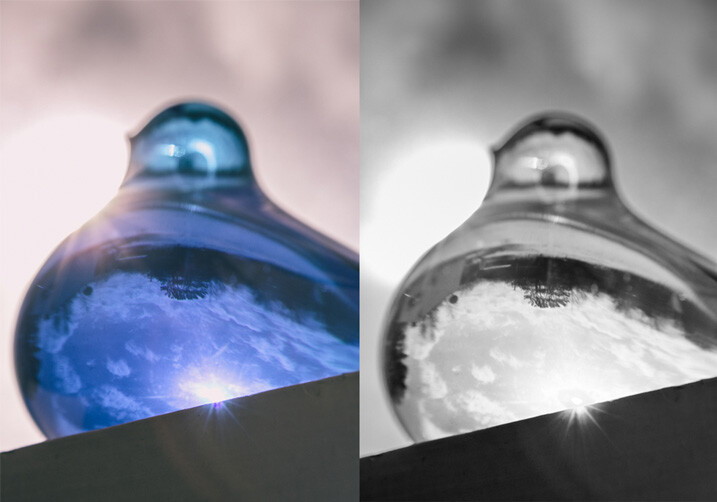
natural light on glass objects

natural light on reflective objects

natural light through water on the window

Have fun playing around with reflective objects and natural light. I love the way light creates reflections and glistens on shiny/iridescent objects.

You’ve got to love it

It’s easy to love indoor natural light photography.

The setup is inexpensive, portable, and easy; and you can create beautiful photos no matter the weather or time of day. Don’t forget to have fun, and let that inner beauty shine through.

have fun with natural light

Your turn

Let me know how your experimenting goes by commenting below. I can’t wait to see what you create. Please share your photos as well.

googletag.cmd.push(function() {
tablet_slots.push( googletag.defineSlot( “/1005424/_dPSv4_tab-all-article-bottom_(300×250)”, [300, 250], “pb-ad-78623” ).addService( googletag.pubads() ) ); } );

googletag.cmd.push(function() {
mobile_slots.push( googletag.defineSlot( “/1005424/_dPSv4_mob-all-article-bottom_(300×250)”, [300, 250], “pb-ad-78158” ).addService( googletag.pubads() ) ); } );

The post 12 Tips For Indoor Natural Light Photography by Dena Haines appeared first on Digital Photography School.

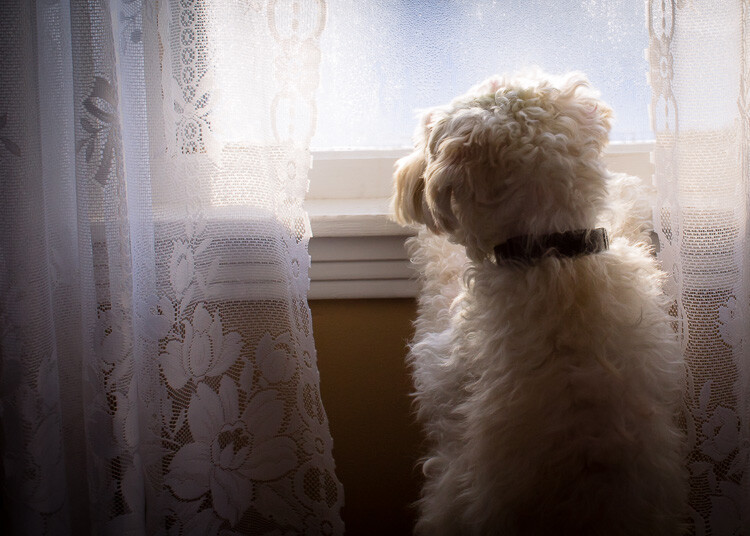
Digital Photography School

 
Comments Off on 12 Tips For Indoor Natural Light Photography

Posted in Photography


Dual-camera rumored to be reserved for large iPhone variant

05 Apr

We’ve seen several rumors about the next iPhone generation coming with a dual-lens camera setup. Now it seems that, like image stabilization, this premium imaging feature will be available only in a larger model. Read more

Articles: Digital Photography Review (dpreview.com)

 
Comments Off on Dual-camera rumored to be reserved for large iPhone variant

Posted in Uncategorized


New York Public Library launches interactive Photographers’ Identities Catalog

05 Apr

The New York Public Library has launched a new online tool called Photographers’ Identities Catalog (PIC), an interactive map with biographical data on more than 115,000 photographers, as well as photography dealers, studios and manufacturers. Users are able to filter the data based on several categories, such as region and format, to search for results throughout the entire history of photography.

Each PIC result appears as a colored-coded dot on an interactive globe, and each dot marks a specific individual or entity. Biographical data on photographers includes name, nationality, any relevant locations or dates, and the source of the NYPL’s data. Information on businesses includes addresses and years of operation. In addition to filters, users can zoom in on a specific region to explore its results.

Because of the wide variety of filters, users can perform very specific searches. As one example presented by the NYPL, someone can locate female photographers who worked with specific studios in certain countries. The library advises that some data could be incorrect, however, and those who spot an error can report it for correction. Historians and scholars with relevant data are encouraged to contact the NYPL to help expand the catalog, as well.

Via: New York Public Library

Articles: Digital Photography Review (dpreview.com)

 
Comments Off on New York Public Library launches interactive Photographers’ Identities Catalog

Posted in Uncategorized


Power Zoom: Panasonic Lumix DMC-ZS100/TZ100 Review

05 Apr

Key Features

  • 20.1MP 1″-type BSI CMOS sensor
  • F2.8-5.9, 25-250mm equiv. lens
  • Depth from Defocus AF
  • 4K/UHD video capture
  • 3″ touchscreen LCD
  • 1.2M-dot equiv. EVF
  • Post Focus / 4K Photo functions
  • Wi-Fi

As the 1″-type enthusiast compact market has grown over the last 2 years, there has been a noticeable gap in the market. There were small, standard zoom (24-70mm) models and long zooms (24-600mm), but nothing in-between for those who want a longer lens without sacrificing body size.

Enter Panasonic, a company with a long history of making travel zoom cameras. In fact, the company made what many would consider the first one: the DMC-TZ1, way back in 2006. Panasonic entered the 1″-type market in 2014 with its DMC-FZ1000, a camera we liked enough to give it a Gold award.

At this year’s Consumer Electronics Show in Las Vegas, the company announced the DMC-ZS100 (TZ100 outside of North America), which took the guts of the FZ1000 and shrank the body down to the roughly the size of a Sony RX100 IV. Naturally, you can’t stuff a fast 25-400mm lens into a compact body, but the ZS100’s 25-250mm equiv. F2.8-5.9 lens is nothing to sneeze at, either. The camera uses the same 20.1MP sensor as the FZ1000 which is more than likely the same as the one in the Sony RX100 II and III.

The ZS100 is chock full of features, most notably its Depth from Defocus autofocus system, 4K video capture and electronic viewfinder. It also has a 3″, touch-sensitive LCD, Wi-Fi (but, unlike most Panasonic products, no NFC) and useful 4K Photo and Post Focus features.

Why Pay More?

Imagine you’re shopping for a compact travel zoom camera, and you’re viewing the selection at a Big Box retailer. You reach the Panasonic section and see the DMC-ZS60, which offers a 30X zoom and costs $ 450, next to the ZS100 which ‘only’ has a 10X zoom but costs $ 250 more. It’s not a stretch to imagine a camera buyer asking themselves why they should pay more for what seems like less.

While the ZS60 does indeed have a longer lens than the ZS100, there is a trade-off:

Above is a graph showing equivalent aperture vs equivalent focal length, which is described in detail here. The yellow line at the top is the ZS60 (1/2.3″ sensor), while the ZS100 (1″ sensor) is in blue below it. In terms of equivalent aperture (which takes into account sensor size), the ZS60 is effectively around 2 stops ‘slower’ than the ZS100.

This means several things. For one, the ZS100 can capture roughly four times the total light at every focal length, if you keep the aperture open and use the same shutter speed. Since the sensor is gathering more light, you get a better signal-to-noise ratio, which in turn leads to higher image quality. This will be especially noticeable in low light, when the ISO needs to go up.

There’s another benefit to having a 1″ sensor rather than the 1/2.3″ one. The lenses used on larger sensors tend to offer more control over depth-of-field, allowing you for blurrier backgrounds in portraits.

The one area in which the ZS60 bests the ZS100 is in terms of zoom, as you can see by how much further the yellow line extends.

Understanding the math behind all of this is a bit confusing, but the end result is the same: the ZS100 will produce better quality images and can produce more background blur than the ZS60, though you’ll have to sacrifice both zoom power and money in order to get it.

Compared to its peers

Using what we’ve learned from above, let’s take a look at how the ZS100 fits among its 1″ sensor peers:

In this group, which includes cameras from Sony, Canon and Panasonic, you’ll notice that the benefit of shorter, faster lenses: their equivalent apertures start low, and stay low. For example, Canon’s G7 X I and II, which have focal ranges of 24-100mm equiv., are  2 stops faster than the ZS100.

The Sony RX10 I/II reaches out to 200mm (not far from the 250mm on the ZS100), but since it has a fixed F2.8 lens, its equivalent aperture is over 2 stop faster than the ZS100 at full zoom. That said, the RX10 I and II are also much larger and heavier cameras. The FZ1000 isn’t quite as large as the RX10s and even with its F2.8-4 aperture range, it still has a 1+ stop advantage over the ZS100 for much of its zoom range.

So what can you conclude from this chart?

  • Smaller cameras sacrifice focal range to keep size down but can offer fast apertures
  • Long zoom cameras sacrifice size for focal range. This is especially the case with the RX10s. Canon’s G3 X strays from the group, with its slower F2.8-5.6 lens.
  • In order to have a 25-250mm equiv. lens in a body that fits in your jacket pocket, Panasonic had to make some compromises. Its lens isn’t as long as the large-zoom cameras or as fast as those of the small cameras – instead it’s a blend of the two. If the ZS100 had a faster lens like, say, the FZ1000, you’d be looking at a camera nearly as large, which would make the ZS a lot less desirable.

Articles: Digital Photography Review (dpreview.com)

 
Comments Off on Power Zoom: Panasonic Lumix DMC-ZS100/TZ100 Review

Posted in Uncategorized


Ghosts of Architecture Past: 14 Fossils of Fallen Buildings

05 Apr

[ By Steph in Art & Installation & Sound. ]

ghost architecture 1

Like hazy memories or flickers of imagination, architectural structures either long since lost or never built in the first place interact with three-dimensional space in the form of ghostly sculptures, projections or the imprints they left behind on neighboring buildings. Some are tangible yet illusory, made of transparent materials that make them seem like hallucinations, while others attempt to conjure past, fiction and fantasy with nothing but beams of light or smudges of paint left behind on brick.

Ancient Church Remains Resurrected in Puglia

ghost architecture wire 11

ghost architecture wire 10

ghost architecture wire 12

ghost architecture wire 8

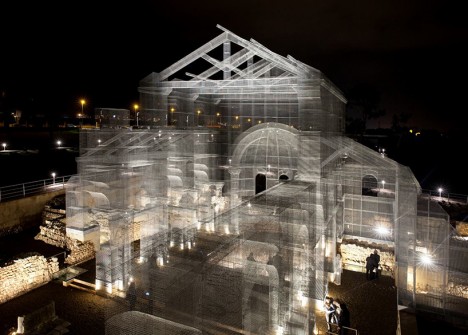
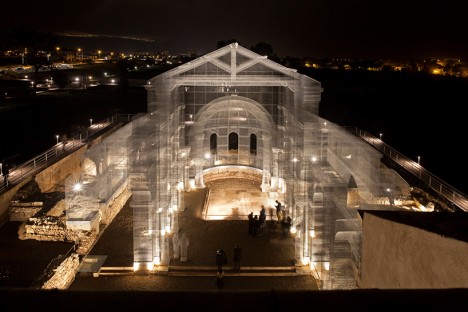
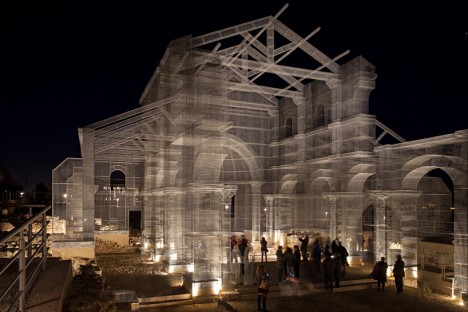
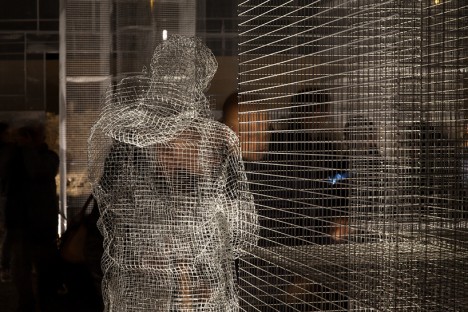
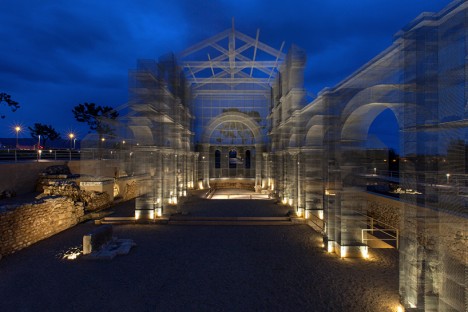
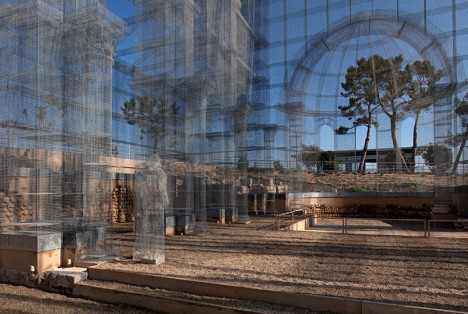
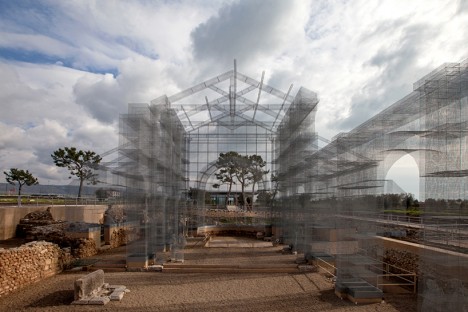
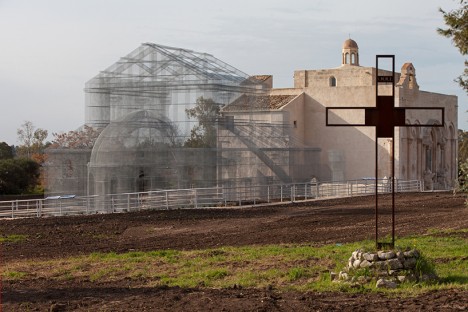
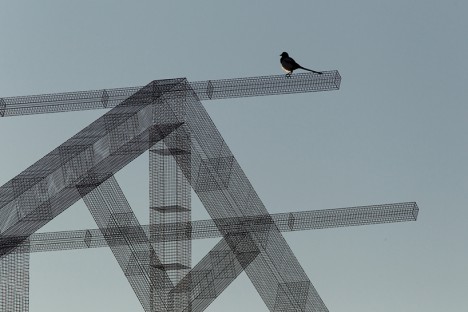
Destroyed by earthquakes in the 13th century, the remains of one of Italy’s great harbor towns are long since abandoned, and only a foundation with a few crumbled stone walls is left to show for a grand early Christian basilica. Italian artist Edoardo Tresoldi raises it from the dead in the ghostly form of wire mesh, giving it a transparent effect that makes it seem not quite real from afar. In fact, the layered mesh creates an optical illusion that makes its Romanesque roof, columns and archways look blurred. This transparency makes it possible to see both the form and shape of the structure and how it interacted with its environment.

ghost architecture wire 4

ghsot artchitecture wire 2

ghost architecture wire 3

ghost architecture wire 5

“The work of Edoardo Tresoldi appears as a majestic architectural sculpture that tells the volume of the existing early Christian church and, at the same time, is able to vivify, and update the relationship between the ancient and the contemporary,” says curator Simone Pallotta. “It is a work that, breaking up the secular controversy of the primacy arts, summarizes two complementary languages into a single, breathtaking scenery.”

Ghosts of Portland’s Industrial Past

ghosts of architecture portland 1

ghosts of architecture portland 2

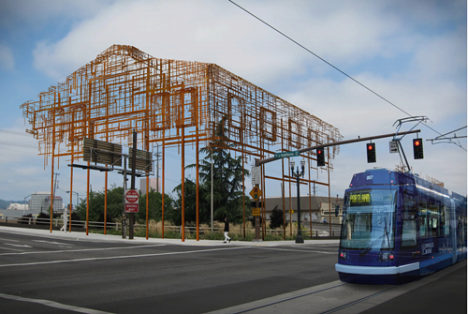
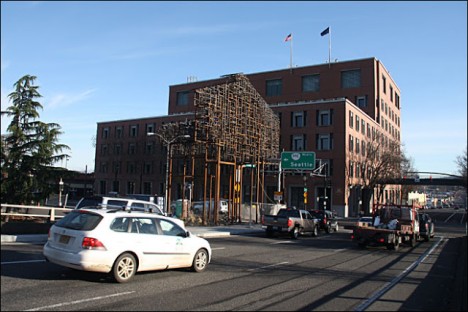
A pair of outdoor sculptures by artists and architects Annie Han and Daniel Mihalyo sketch in vague outlines of Portland’s industrial past along the Willamette River amongst all the new construction. Made of metal mesh and sited near two bridges, ‘Inversion: Plus Minus’ represent the outer shells of ordinary industrial buildings that once existed in the area. If you pass it by without giving it a good look, you might even just assume that it’s scaffolding.

6 Architectural Fossils
ghost architecture fossils 1

ghost architecture fossils 2

ghost architecture fossils 3

ghost architecture fossils 4

ghost architecture fossils 5

ghost architecture fossils 6

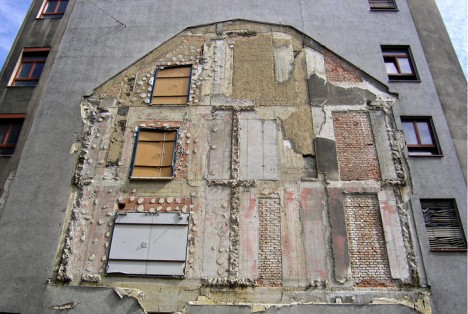
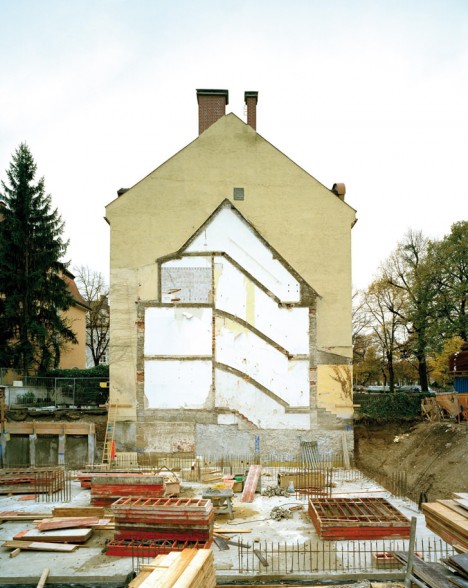
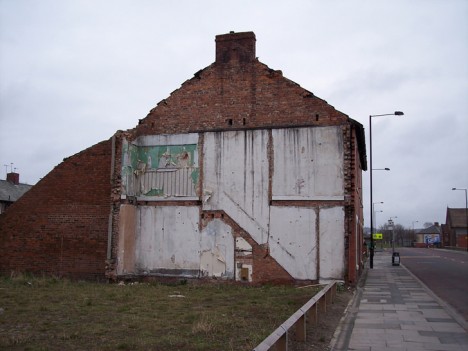
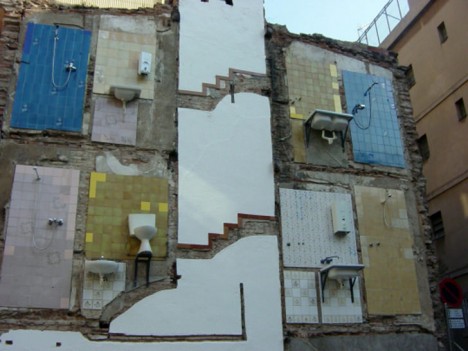
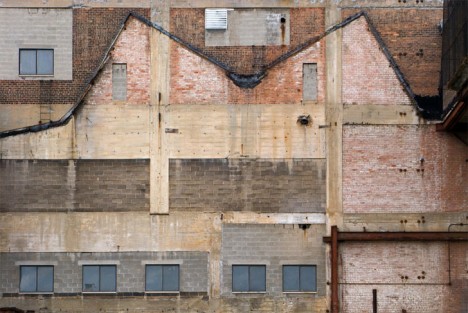
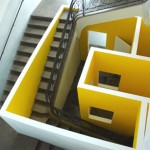
The imprints of buildings long gone can often be seen on their surviving neighbors for decades into the future, sometimes giving us an exact outline of their shapes like fossils on adjacent brick and stone. Not only can you see the rooflines, chimneys and outer walls, but often staircases, fire escapes and individual rooms. It’s especially intriguing when bits of wallpaper still stick to the remaining walls: we see the personalities of the individual spaces, triggering us to think about the lives of their former occupants. In some cases, fixtures like sinks, shower heads and toilets still cling to the tile-clad surfaces. Like a cross between architecture and archaeology, these imprints are reminders of a city’s past, and they’re preserved for public enjoyment by the Flickr group The Unconscious Art of Demolition.

Next Page – Click Below to Read More:
Ghosts Or Architecture Past 14 Fossils Of Fallen Buildings

Share on Facebook


[ By Steph in Art & Installation & Sound. ]

[ WebUrbanist | Archives | Galleries | Privacy | TOS ]


WebUrbanist

 
Comments Off on Ghosts of Architecture Past: 14 Fossils of Fallen Buildings

Posted in Creativity


Sony Cyber-shot RX10 III 4K sample footage and shooting summary

04 Apr

4K Video Sample Reel

All video was shot in Sony’s XAVC 4K codec, at 4K/24p (except for the high-frame rate samples). Shutter speed was locked at 1/50 sec, aperture was manually selected on the lens and the camera was left in Auto ISO. Both manual focus and continuous autofocus were used.

Carey’s shooting impressions

The Sony Cyber-shot RX10 III is a conventional product for Sony. That might sound slightly negative at first, but really it means that the RX10 III is built well, attractively designed, packed with great technology and is capable of capturing excellent images. Unfortunately, it also means that there’s some usual Sony foibles at work; the menu system is horrid, there’s no touch screen, there’s some operational weirdness carried through from the rest of the Cyber-shot line, and some of the ergonomics could use some work.

The standout feature on the RX10 III is its lens. As you can plainly see from our samples gallery, the 24-600mm F2.4-4 lens is stellar. What’s more, while the camera is somewhat hefty for a ‘compact,’ it doesn’t feel unbalanced in your hand. When you combine that stable hand-holdability with the RX10 III’s optical stabilization, the average user will be able to get smooth telephoto video and sharp telephoto photos with ease. The XAVC 4K codec also means video will be crisp and detailed, the flat S-Log2 Gamma control (which was not used in the sample video above) and audio in / out ports indicate that the RX10 III will appeal to aspiring videographers as well.

What about downsides? Well, even if you’ve come from another Sony camera, you’ll need to spend some time figuring out where your menu options are. As mentioned in our RX1R II review, even the video and audio recording settings are spread not just across multiple pages, but also multiple sections of the menu. We also wish Sony would add things like video capture resolution and frame rate to the ‘Function’ menu in movie mode. And though it’s to be expected with such a wide zoom range, some users will be turned off by the amount of time it takes to zoom that impressive lens in and out. Unlike Sony’s a7 cameras, you cannot half-press the shutter to acquire focus in movie mode. It’s either continuous AF or manual focus. My last major gripe is that, like on other Sony cameras, the C1 and C2 buttons require a contorting of the hand to operate.

Overall, though, once you get used to some workarounds and get familiar with the camera, the RX10 III represents one of the most versatile and capable all-rounders I’ve ever used.

Rishi’s shooting impressions

Pros

The standout feature of Sony’s new RX10 III is, without a doubt, its lens. It’s got incredible reach, and with a maximum aperture of F2.4-4, remains relatively bright throughout its zoom range. Brighter max apertures help keep noise (and ISO) levels low, and afford relatively good depth-of-field control (or background blur). A look at our equivalent aperture diagram indicates the RX10 III is well ahead of its nearest competitor, the Canon G3 X (lower equivalent aperture is better for any given focal length). The RX10 III’s lens is also far brighter than Nikon’s 24-500 DL, which ranges from a max aperture of F2.8 on its wide end to F5.6 on its tele end. That said, if you really don’t have much of a need beyond 200mm equivalent, the RX10 II retains a brighter aperture for most of its zoom range, save for on the wide end where the RX10 III is slightly ahead (F2.4 vs F2.8).

The lens appears sharp edge-to-edge even wide open at 24mm equivalent, at 70mm, 200mm, and 600mm. Granted, these are JPEGs we’re looking at, which are sharpened (with a class-leading sharpening engine, no less), so we’ll have to reserve final judgement for when we’ve been able to analyze the Raws, but, suffice it to say we’re thoroughly impressed by the performance of the lens so far. Good performance wide open is important on smaller sensor formats: it means you don’t have to stop down too much and deprive the smaller sensor of more light, which also helps combat diffraction-induced softness (which starts at earlier F numbers with smaller sensor formats, as diffraction is correlated with equivalent aperture).

Sony’s recent improvements in its JPEG engine also mean very high detail retention through smart sharpening and noise reduction that very effectively reduces noise while maintaining detail at high ISOs. This 220mm shot has plenty of detail despite being shot at the tele end of the zoom, and at ISO 320, which is approximately ISO 2500 equivalent on full-frame, assuming equivalent sensor efficiency and performance. Impressive. 

Pair that lens and JPEG engine with a stacked 1″-type high dynamic range, high sensitivity CMOS sensor, and you’ve got a very impressive camera. The stacked sensor design marries a separate chip for memory and signal processing circuitry to the image sensor itself, which allows all that data to be read off the image sensor faster. The faster readout offers a number of benefits: faster autofocus, and fast frame rate video, as well as oversampled 4K video generated from 6K readout.

Cons

How about downsides? There are plenty, ergonomically. The Cyber-shot philosophy is starting to make less and less sense with such high-end offerings, and we wish Sony would instead essentially brand this as an Alpha camera, conferring upon it the advantages of the Alpha line and a consistent user-experience across all their cameras. For example, it doesn’t make sense that the ‘Focus Settings’ option can’t be assigned to the center dial back button on a Cyber-shot, yet can on an Alpha – it’s one of my favorite ways to make that button have dual function: click it to use the 4-way dial to move the AF point in any Flexible Spot mode, or click it and turn the dial to change AF area. As it is, on any Cyber-shot, you can’t assign this option, instead requiring you to leave the button assigned to ‘Focus Standard’ – lest you wish to lose control over focus point placement. That means you’ll have to waste yet another custom button for AF area mode.

Thankfully, pressing that back dial’s center button now toggles the camera into AF point selection mode (like the a6300), which means you don’t always have to first press it to the move the AF point, but this isn’t ideal: I’d also like access to whatever custom functions I’ve assigned left, right, and down to on that 4-way dial. I don’t understand why Sony doesn’t simply include an AF point selection joystick, or add a touchscreen for that matter.

It’s high time to marry state-of-the-art technology with an incredible user experience.

Particularly problematic across all Sony cameras is the menu system. As I wrote in our a7R II review: ’22 AF options are split across 11 different submenu pages under two different main menu headers,’ and things aren’t any better for the RX10 III either. The lack of organization is inexplicable, but what makes it even worse is the lack of a customizable ‘My Menu’. Furthermore, now that these cameras are both stills and video powerhouses, there need to be separate customizations for each. Currently, if I assign a button to ‘Focus Magnifier’ to get around the fact that the camera doesn’t automatically magnify focus as I turn the focus ring in any video mode, that button becomes entirely redundant in stills mode, where the camera does do so.

There are countless other examples of button customizations that are relevant to video, but entirely useless in stills – for a camera body with rather limited customizable buttons and dials, there really shouldn’t be any assigned physical controls that are only useful in one shooting mode. And as Carey mentioned, there also remain the customizations (like movie frame rate or codec) that remain unassignable to the Fn menu, requiring a menu dive, which should be avoided at all costs considering the disorienting, unorganized menu system.

Frankly, Sony would benefit from hiring a firm dedicated to UI to re-design the physical controls, menus and button/dial interface completely from scratch. It pains me to see such refined technological achievement placed into hands of photographers, only to hear ‘I wouldn’t shoot it because I’m constantly fighting the ergonomics’ or ‘it just isn’t a pleasure to use’. An ergonomic overhaul would go a large way to addressing such complaints. 

Articles: Digital Photography Review (dpreview.com)

 
Comments Off on Sony Cyber-shot RX10 III 4K sample footage and shooting summary

Posted in Uncategorized


Fuji Crystal Archive Deep Matte Paper is Freaking Amazing

04 Apr

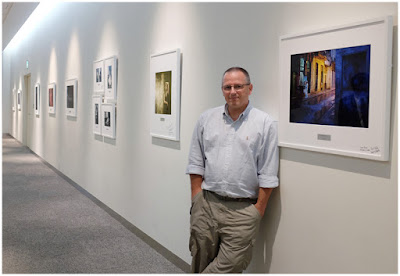
That’s me, above, in 2013. I made a trip to Japan for some meetings with Fuji. It was me, three other photogs and a room of Fuji engineers for two solid days of “How can we make our cameras better?” discussions. Because that’s how they do.

One of the highlights of the trip was seeing my work displayed at Corporate HQ at Fujifilm Square in Tokyo. (Pic, above, by Zack Arias.) One of the lowlights was realizing how much better these prints were than anything I could get done in the US.

Sigh.

I just assumed it was some sort of Fuji in-house magic file tweaking or something. Or more likely, Fuji’s continuous custody of the whole vertical process, right back to the film SIM.

Then it happened again in the 5th Anniversary event in Tokyo earlier this year: Gorgeous print, followed by the instant pang of sadness that I cannot get it done to this quality in the US.

An Import You’ll Wanna Drive

Well, it turns out that you can. I found it while auditioning several labs for printing of an image of mine that is to be sold be sold at a local gallery. Short version: I have found the paper I am gonna marry, and it is Fujicolor Crystal Archive Deep Matte.

The prints are hard to describe. They are beautiful and painterly; somehow muted and saturated at the same time. If you want a mental picture, it feels like a Gregory Crewdson image. As for the paper itself, the substrate is quite substantial and the surface is beautifully non-reflective.

Here’s the file/framed mock-up. The thing is, the print looks significantly better than the file. And I can’t remember ever thinking that before — other than those two times in Japan.

I have not tried it with anything subtle yet as far as the files go. But on my color-drenched citiscapes, it looks phenomenal. So much so that I am getting several of my existing prints reprinted on this paper.

They tell me at the lab that it is great for B&W, too. You’d better believe I am gonna be trying that.

The paper is silver halide based, and designed for large format and Frontier laser printers, according to Fuji’s poop sheet.

It uses CP-RA (or RA-4) process, and is said to be archivally stable for 100 years on display, 200 in storage. (Okay, I’ll be dead by then. But this print will still be beautiful.)

Do yourself a favor and try this stuff. You just need two things: A really competent lab, and Fuji Deep Matte paper. I’m using AdoramaPix and letting them drive on the color correction. (New paper, new printer, what do I know, right?) And I was super happy with the result.

Pick your favorite file and go big, as in 16×20 or larger. Because the beauty of this paper is that it somehow seems to both accentuate detail and mask noise. I don’t know how it does that. But holy crap.

$ 5 to Try It

And here’s something cool: if you want to try it as a one-off, AdoramaPix has a refer-a-friend special that’ll get you $ 5 off on $ 15 or more if you are a new member. And since a 16×20 print there is $ 16.99, it qualifies and drops this little experiment to $ 11.99. Not bad.

If you give it a try at this link, the referral code should auto-populate. And a quick heads-up, some folks are saying they can’t find the “deep matte” option. Here’s how to do it:

Sign up using the code. Go to ->Photo Prints, ->Upload Photos Now (upload your image) ->#3 Paper Finish and ->”Deep Matte Finish”.

It’s only available for 16×20 and up. And these guys being a pro lab, I suggest you let them color correct for you. (If you want to marry them later, you can easily download their ICC profiles and drive the car yourself then.)

So that’s my Epiphany of The Day, if you will. Suffice to say I am done auditioning prints.

Try it and let me know what you think.

Strobist

 
Comments Off on Fuji Crystal Archive Deep Matte Paper is Freaking Amazing

Posted in Photography


Potential Greenery: Topsoil & Time Shape ‘Empty Lot’ Artwork

04 Apr

[ By WebUrbanist in Art & Installation & Sound. ]

emptylotdec2015

A recently-completed, six-month art installation in the Tate Modern imported soil from parks all around London, arraying them in the museum’s Turbine hall to show what weeds, grasses and ferns would grow from seeds and spores already present in the dirt.

Abraham Cruzvillegas_ Empty Lot.-25004509915 (1)

Empty Lot by artist Abraham Cruzvillegas involved equalizing conditions for the various samples of topsoil, which were evenly lit by lamps and consistently watered for half a year.

Empty Lot-24111522275

The installation was set up as a large geometric sculpture placed on scaffolding, supporting an array of triangular planters.  The samples were brought together from six parks, and kept separate between beds, growing in parallel.

Hyundai Commission 2015_ Abraham Cruzvillegas_ Empty Lot-24171950432

The outcome was unknown in advance, just like growth in nature or the evolution of a city, with elements of chance revealing the hidden potential in different park spaces (images by Sara~, Jennifer Morrow and Alexander Baxevanis)

Share on Facebook


[ By WebUrbanist in Art & Installation & Sound. ]

[ WebUrbanist | Archives | Galleries | Privacy | TOS ]


WebUrbanist

 
Comments Off on Potential Greenery: Topsoil & Time Shape ‘Empty Lot’ Artwork

Posted in Creativity