RSS
 

Archive for April, 2016

How to Decide What Gear to Pack for a Wilderness Trip

11 Apr

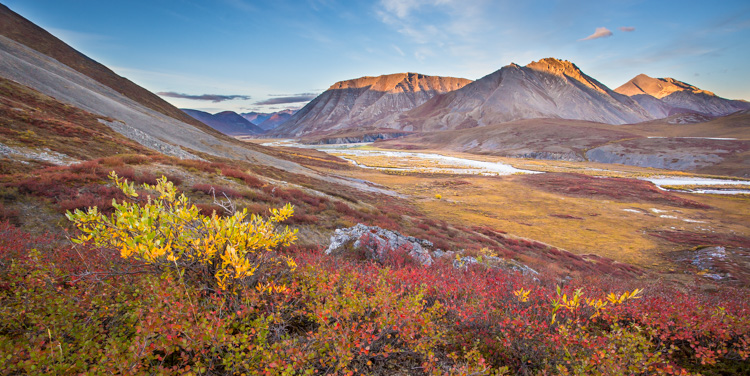
AK-ANWR-Kongakut-108094-162

Each year, I spend many weeks guiding, and exploring, in the mountains and rivers of Alaska. The trips are a mishmash of different adventures; base-camp trips, mellow canoe trips, backpacks over rugged terrain and high peaks, or multi-day whitewater rafting trips.

One thing that always plays a part, no matter what type of journey I’m taking, is photography. The gear however, varies. Different types of trips demand different kinds of equipment, and there are a number of things that need to be taken into consideration. For me, photo equipment decisions are a multi-step process, and there are a few things to consider. Here are three and my tips at the end for packing a kit.

#1 – Weight Limitations
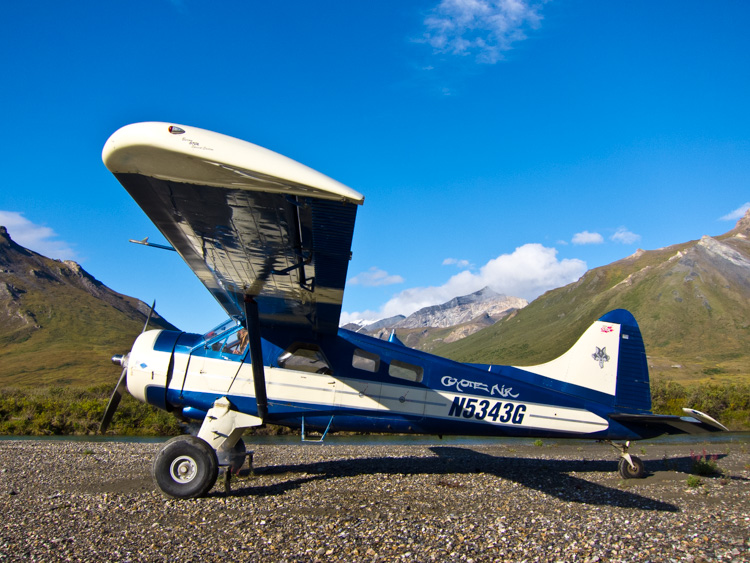
A DeHaviland Beaver, classic Alaska bush plane on a riverside gravel bar in the Brooks Range of northern Alaska.

A DeHaviland Beaver, the classic Alaska bush plane, on a riverside gravel bar in the Brooks Range of northern Alaska.

This is a constant in the backcountry. Weight is always, ALWAYS an issue. On backpacking trips, every ounce of camera gear has to be added to clothing, tents, food, cookware, and safety equipment that cannot be left behind. When I’m guiding backpacking trips in Alaska’s wilderness, this can mean that on top of my usual backpacking gear, I also have an expedition first aid kit, satellite phone, ground to air radio, and more than my own share of food. My pack is heavy, long before I add camera gear. Making sure that anything extra is as light as possible, is my priority.
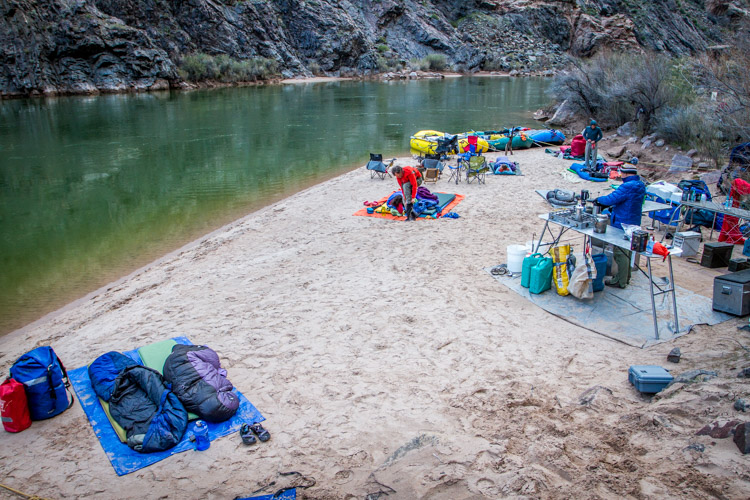
Sometimes you can carry a lot of gear, as you can see from this camp along the Colorado River in the Grand Canyon, but even here every pound has to be loaded and unloaded daily.

Sometimes you can carry a lot of gear, as you can see from this camp along the Colorado River in the Grand Canyon, but even here every pound has to be loaded and unloaded daily.

Other types of trips are not as restrictive, but weight is always a concern. Most of the trips I lead involve small bush planes to get to and from our start and end points. These tiny aircraft have limits on the amount of weight that be carried. So even it’s a rafting trip where there is plenty of space in the boats, the number of pounds of excess gear is still a concern.

Even photography-specific trips are limited. Any time you are in the backcountry, you will have to carry your gear, so it’s got to be compact and light enough that you can get it where it needs to go, quickly, and without fuss.

I often find it helpful to run the numbers. How many pounds of total gear can I handle? For example, on backpacking trips I know that the most weight I can carry comfortably for extended periods without risking injury is around 70 lbs (31.75 kg). If non-photography gear weighs 60 (27.2 kg), then I’ve got 10 (4.5 kg) to play with (though I’m always happier with less!). For the guided trips I lead, we set a weight limit on our clients which is necessary to keep our cargo under the required limit of the small airplanes we use. Usually that number is around 50 lbs (22.7 kg) per person, less for backpacking. Start there, weigh your mandatory clothes and equipment, and then figure out what is left over for camera stuff. Safety first!
Falklands-2Jan10-CarcassIsl-114
#2 – Photographic Priorities

Are you hoping to shoot primarily wildlife or landscapes? Do you plan to make formal portraits along the way? Will you need a flash or light modifiers? Ask yourself these questions, and know about the trip you are making.

On the night before, I get together with my clients to talk about the upcoming trip. I’ve been surprised how often photographers really don’t know anything about where they are going. Since they don’t know what to expect, they are often carrying far too much gear. Do your research, find out your likely photo subjects, and make educated decisions about your equipment. If you are primarily expecting landscapes, but may have a chance at shooting wildlife, then consider a compact telephoto rather than a monster 600mm f/4. If wildlife is a major target, then by all means, take that big lens, but consider cutting out some of the smaller glass. Maybe you can get by with a single wide-angle zoom?

#3 – Trip Types
AZ-GCNP-FebMar12-510

Base-camps:

Photography trips that I lead into Alaska’s wilderness are often based out of single site. We set up a comfortable camp somewhere beautiful, where we can explore the surroundings for a few days. These kind of trips (keeping in mind airplane weight limitations), usually permit a broad array of gear, and few special precautions are needed. To haul your equipment around,  a standard camera backpack or daypack with a rain cover, is all that is needed. If the weather is really sour, we are usually drinking hot chocolate and playing cards back at camp.
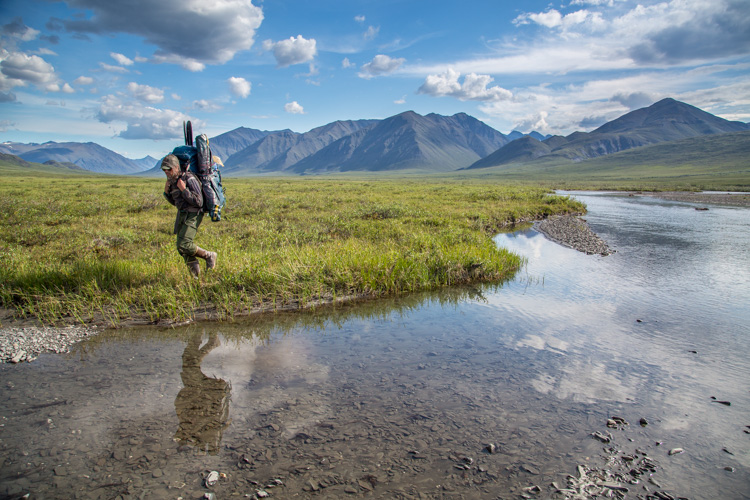
Backpacking means every piece of gear needs to be carried, so think light.

Backpacking means every piece of gear needs to be carried, so think light.

Backpacking:

On most backpacking trips, weight limitations will keep you to the bare minimum of gear. My standard kit is a lens or two, and a single body. I attach a holster style case to the chest straps of my pack with small carabiners. My camera is always there when I need it, and I don’t have to take the pack off every time I want to make a photo. Any extra gear is placed in convenient outside pockets.
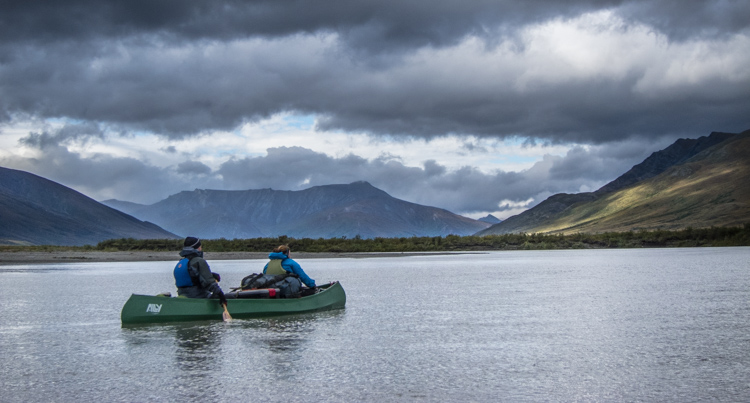
AK-Noatak-Aug-1505

Mellow River Trips:

Even on the quietest of rivers, accidents happen. A camera, left carelessly on the seat of a canoe can slip into the water with an unexpected wobble of the boat. Splashes from riffles can soak an unprotected camera. Your gear needs to be protected from these threats. On an easy river, where the risk of a flip, or rock-induced swim is small, I usually store my gear in soft-cases, placed inside a larger, roll-top dry bag. Such protection is sufficient to fend off splashes, or even short dunks, as long as the seals on the bags are closed tightly.
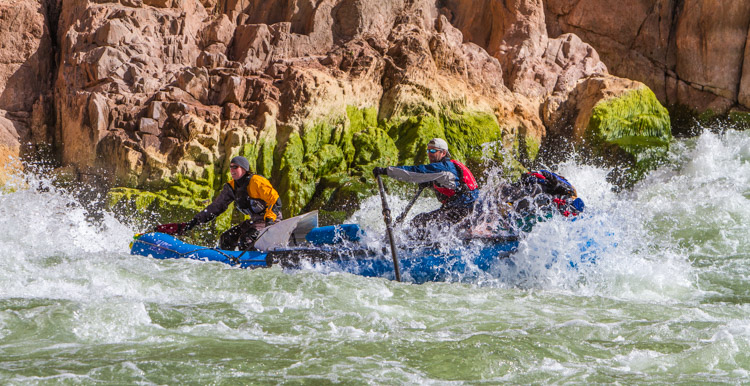
AZ-GCNP-FebMar12-246

Whitewater:

In big rapids, bad things can happen. Boats hit rocks and canyon walls, tipping, or flipping over entirely. Big waves routinely flood boats. No matter how perfectly a rapid is navigated, you and your gear will get wet, and may be submerged. This is not the time to mess around with ziplocks and cheap dry bags. If you are headed out on a whitewater trip, invest in a hard-sided water-tight case like a Pelican. Not only will these keep your gear dry, they will also protect your delicate electronics from impacts and the inevitable jarring they will receive in rough water.
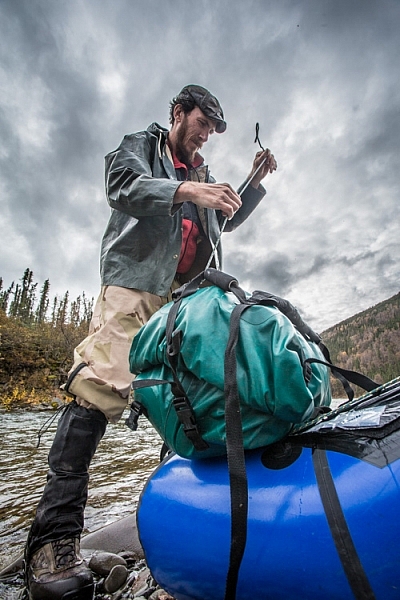
Securing well-sealed dry bags to the front of a packraft, a daily chore on a remote river trip.

Securing well-sealed dry bags to the front of a packraft, a daily chore on a remote river trip.

Sample Gear Kits

Base-camp: DSLR (or two), wide angle zoom, mid-range lens, telephoto (even a big 500mm or 600mm f/4), backpack, tripod, and accessories.

Backpacking Heavy: DSLR, wide angle zoom, telephoto zoom like a 100-400mm, soft cases, ultralight tripod, and ultralight nylon dry bags.

Backpacking Light: DSLR, wide-mid range zoom (24-105mm), case, and an ultralight nylon dry bag.

Mellow River: DSLR, wide angle zoom, fixed mid-range lens (40 or 50mm), telephoto zoom (100-400mm), tripod, second body or backup camera, dry bags. (If wildlife is a top priority, I’ll replace the 100-400 with a 500mm f/4).

Whitewater River: Same as mellow river with the addition of a suitably large pelican case.
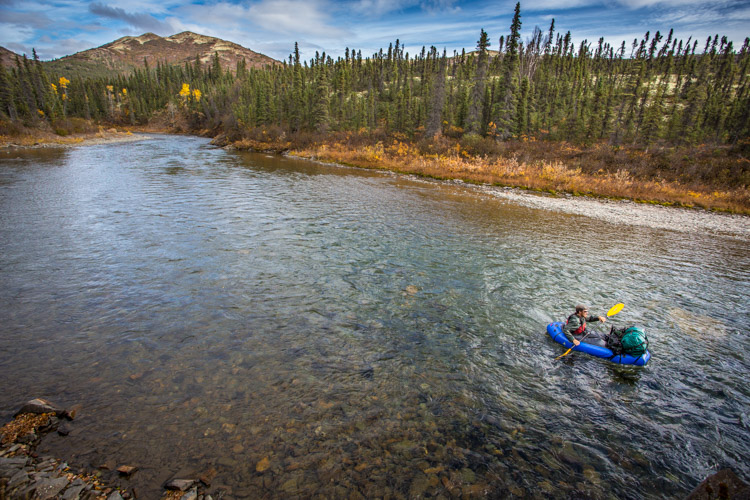
Packrafting in western Alaska.

Conclusion

If you pay attention to your photography gear choices at the beginning of your trip, you are unlikely to have any troubles along the way. Think about the limitations of your journey, what it is you are planning to photograph, and how you are going to protect and transport your gear. When those decisions are made, actually selecting what to take gets easier.

A final note of warning from someone who as been there: Please don’t overpack. It’s happened too many times to count, when have I stood around with clients at a pre-trip meeting and been forced to ask them to remove some of their precious gear due to plane, boat, or pack, weight limitations. Too much gear is just as bad, maybe worse, than too little during a wilderness trip, so pack thoughtfully.

googletag.cmd.push(function() {
tablet_slots.push( googletag.defineSlot( “/1005424/_dPSv4_tab-all-article-bottom_(300×250)”, [300, 250], “pb-ad-78623” ).addService( googletag.pubads() ) ); } );

googletag.cmd.push(function() {
mobile_slots.push( googletag.defineSlot( “/1005424/_dPSv4_mob-all-article-bottom_(300×250)”, [300, 250], “pb-ad-78158” ).addService( googletag.pubads() ) ); } );

The post How to Decide What Gear to Pack for a Wilderness Trip by David Shaw appeared first on Digital Photography School.
Digital Photography School

 
Comments Off on How to Decide What Gear to Pack for a Wilderness Trip

Posted in Photography


5 Quick Tips for Better Blue Hour Photography

11 Apr

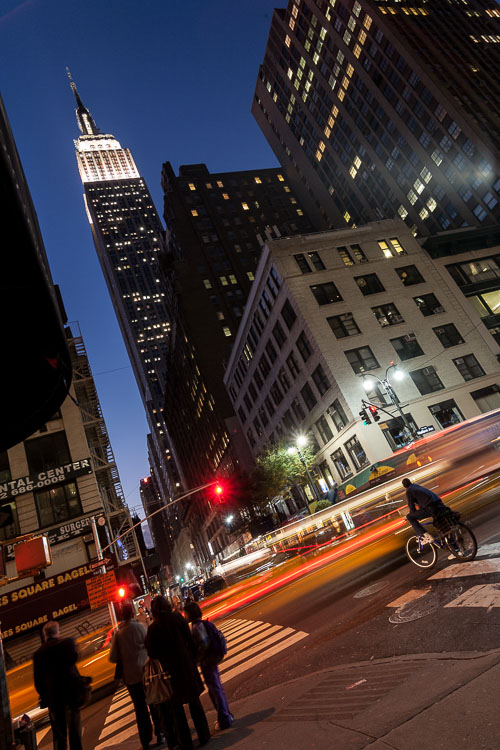
tips for blue hour photography

Blue hour is a special time for photographers. The sky turns a different shade of blue, it’s velvety and delicious. It’s easy to take photos during blue hour because you don’t have to worry about harsh lighting or shadows.

In this article, you’ll learn:

  • When blue hour takes place
  • How to capture blue hour photos   
  • The best subjects to shoot for blue hour photography 

When is blue hour?

Blue hour happens twice a day, just before sunrise and just after sunset. It lasts between 20 to 40 minutes, depending on the weather, and your geographical location. During this time, the sky can turn different shades of blue and reflect orange, yellow, purple and pink.

blue hour photography tips 2 blue hour photography

To catch the blue hour, look up your local sunrise/sunset times and plan on being there early. There is also a great website that tells you exactly when the blue hour is, based on the date and your location.

5 easy tips for blue hour photography

Blue hour photos look amazing! While they might appear complicated to create, they aren’t. Blue hour photography is easy, the hardest part might be getting there before it’s over. These tips will help beginners get started with blue hour photography.

Howard Ignatius

By Howard Ignatius

1. Shoot in Shutter Priority mode

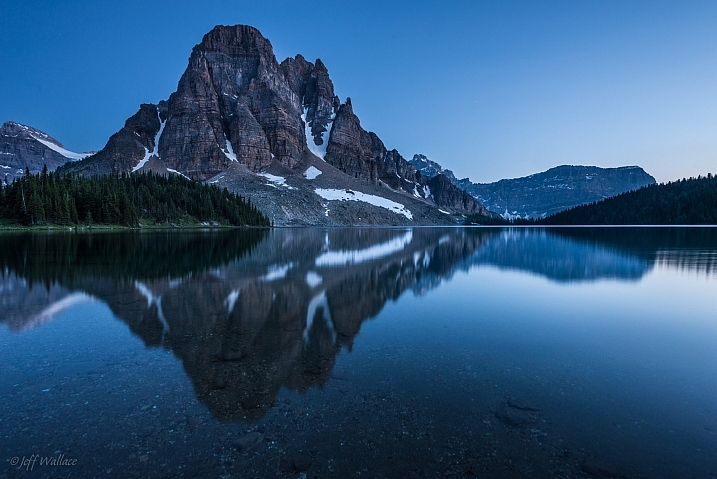
During the blue hour, the sky will be relatively dark because the sun is below the horizon. You’ll need a long/slow shutter speed to let in enough light for properly exposed photos.

Putting your camera in Shutter Priority mode allows you to manually choose your shutter speed. A shutter speed of one to six seconds should get good results. For the photos in this post, I used a six-second shutter speed in Shutter Priority.

Jeff Wallace

By Jeff Wallace

In Shutter Priority mode, your camera will choose the aperture and ISO (if your ISO is set to auto) automatically. This makes things easier when you’re getting started with blue hour photography.

2. Use a remote or self-timed shutter release

Pressing the shutter release button can cause camera shake, which will create blurry photos. To avoid this, use your remote or set the camera’s self-timer to two seconds.

3. Use a tripod

As mentioned above, you’ll be using a slow shutter speed, so a tripod will help you capture a sharp image. If you hand hold your camera during a slow shutter speed, your photos will be blurry because of camera shake.

Image by dPS Managing Editor – Darlene Hildebrandt

Image by dPS Managing Editor - Darlene Hildebrandt

Image by dPS Managing Editor – Darlene Hildebrandt

4. Shoot in RAW

It’s best to capture RAW files when shooting the blue hour. This will give you the highest quality capture, and the best advantages when editing. One nice advantage of shooting in RAW is that you can adjust the exposure compensation in editing. This way, if your photos came out a little too dark or light, you can adjust them up or down accordingly.

But if you have a point and shoot that only captures JPEGs, don’t worry – you can still get great blue hour shots.

Image by dPS Managing Editor – Darlene Hildebrandt

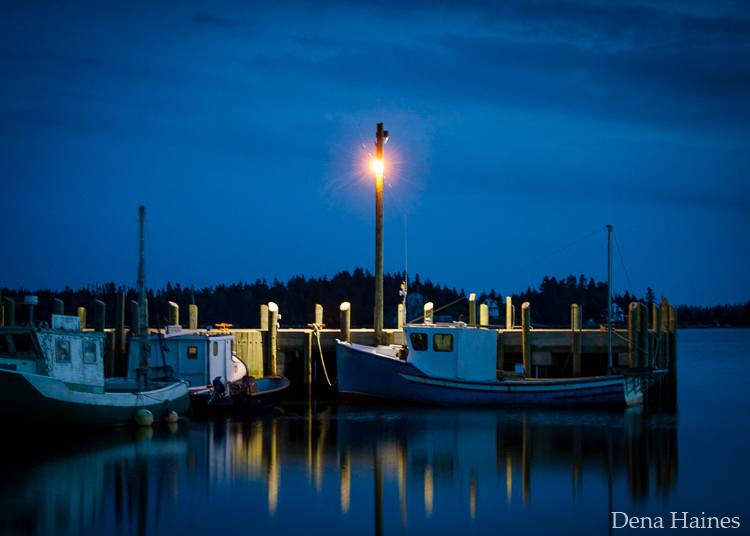
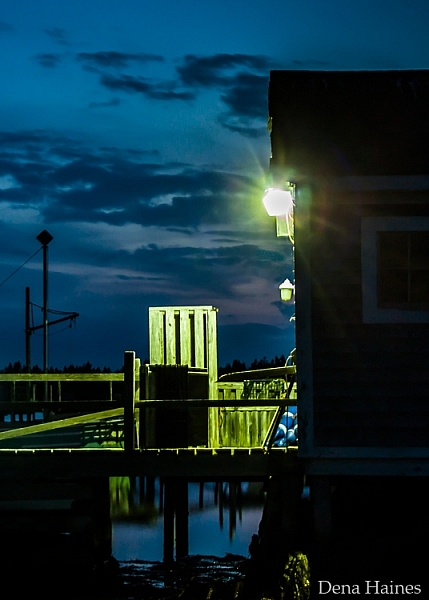
5. Include electric lights

Your blue hour photography will be easier if you choose a location near electric lights. This extra light may also add drama and interest to your photos.

car-trails-750px-03

Image by Darlene Hildebrandt

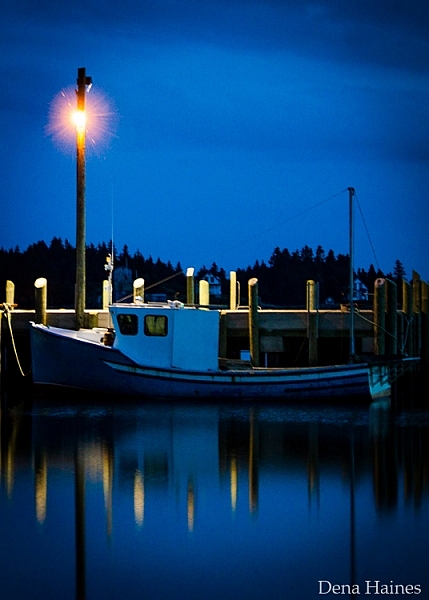
blue hour photography tips

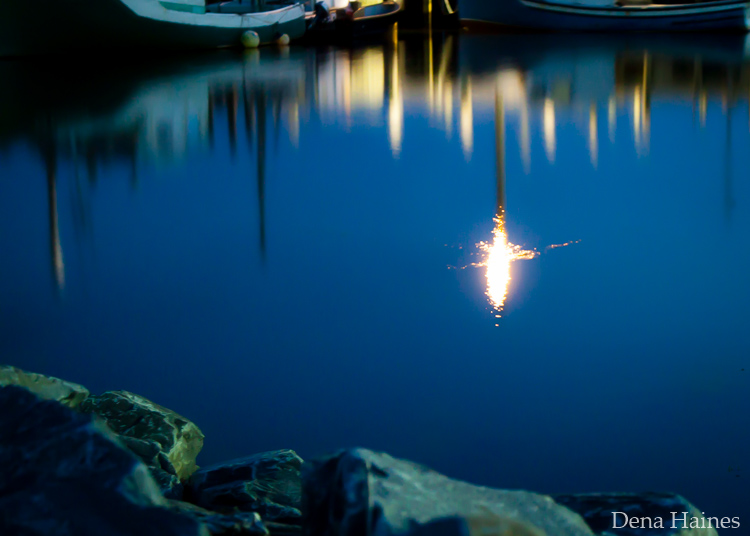
Image by Dena Haines

While you want electric lights in your photos, don’t shoot too close to them. If you are standing too close to the light source, lens flare could be a problem. You could get unwanted, randomly placed, light spots in your photos.

What to photograph during the blue hour

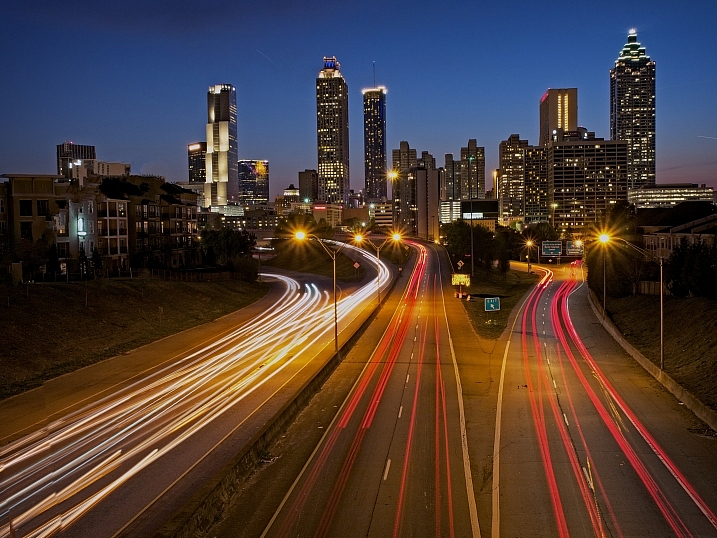
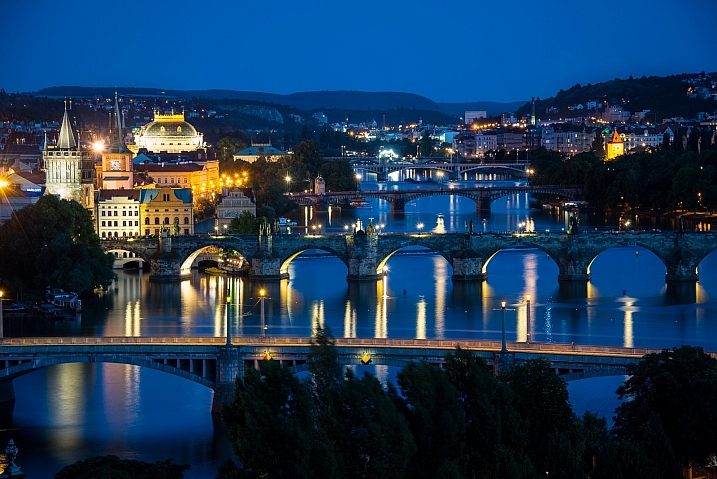
The easiest subjects to get started with are landscapes that include electric lights.

Mike Boening Photography

By Mike Boening Photography

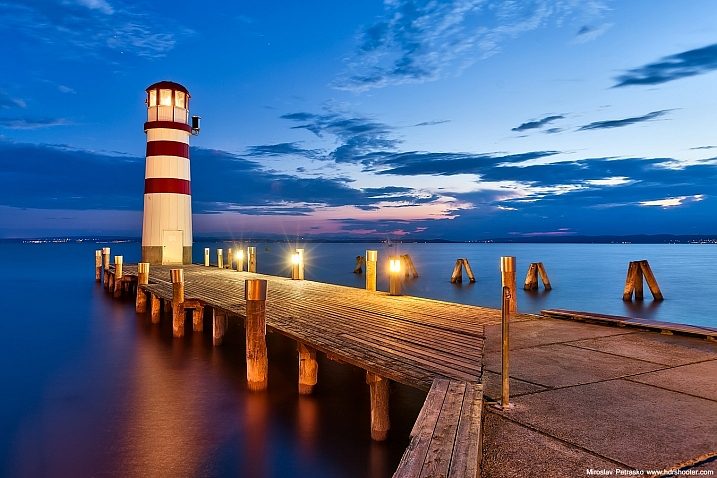
Miroslav Petrasko

By Miroslav Petrasko

Some blue hour landscapes to consider include:

  • Cityscapes
  • Busy winding roads
  • Beaches
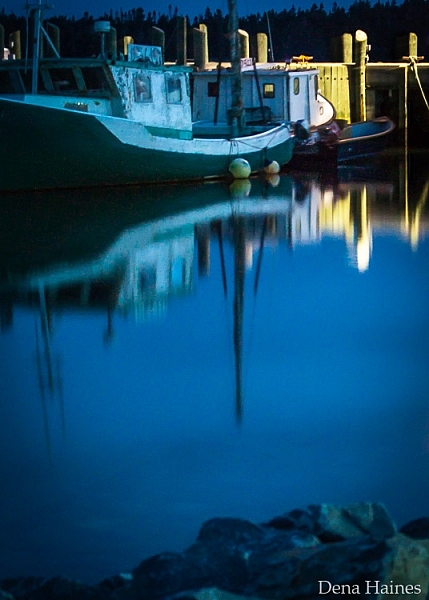
  • Wharfs
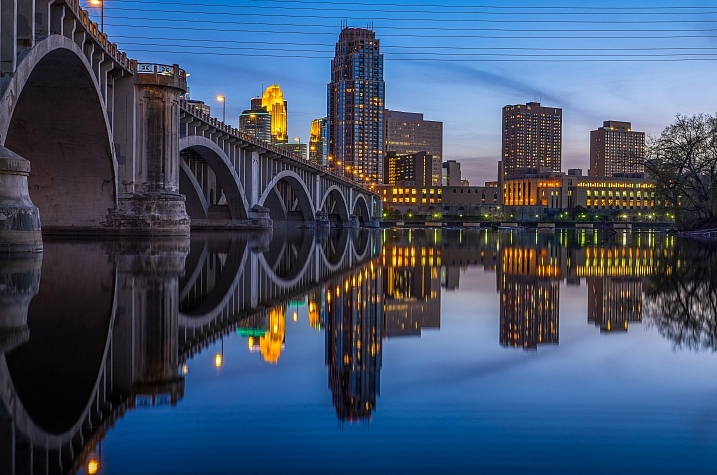
  • Bridges
  • A fair or circus
  • Marinas
tips for shooting the blue hour

I love blue hour photos that include water reflections.

Mac H (media601)

By Mac H (media601)

What are your favorite blue hour subjects? Let me know by commenting on this post. And if you have any tips for blue hour photography, please share as well as your images.

googletag.cmd.push(function() {
tablet_slots.push( googletag.defineSlot( “/1005424/_dPSv4_tab-all-article-bottom_(300×250)”, [300, 250], “pb-ad-78623” ).addService( googletag.pubads() ) ); } );

googletag.cmd.push(function() {
mobile_slots.push( googletag.defineSlot( “/1005424/_dPSv4_mob-all-article-bottom_(300×250)”, [300, 250], “pb-ad-78158” ).addService( googletag.pubads() ) ); } );

The post 5 Quick Tips for Better Blue Hour Photography by Dena Haines appeared first on Digital Photography School.

Digital Photography School

 
Comments Off on 5 Quick Tips for Better Blue Hour Photography

Posted in Photography


Readers’ Showcase: Phil Garcia

10 Apr

Readers’ Showcase: Phil Garcia

Arctic fox, Iceland 2014. A young white morph Arctic Fox sunbathing in front of his den. After spending a week camping close to that place, the family just accepted me as one of them. Probably because of the smell! Photo and caption by Phil Garcia

Phil Garcia made a career of shooting mountain sports, but found his hobby photographing wildlife becoming more than a side project. Now he maintains a home in Iceland, studying and capturing the country’s native Arctic Fox. Garcia is about to publish a book of his Arctic Fox photographs, and shares with us his views on photographing wildlife, respecting the natural world and what it takes to weather Iceland’s rain.

You can see more of his work at his website, and reserve a copy of his forthcoming book by contributing to his crowdfunding campaign. Interested in having your work featured in an upcoming Readers’ Showcase? Let us know! Include your DPR user name a link to your online portfolio.

Readers’ Showcase: Phil Garcia

Common Vulture, Pyrénées mountains, Spain 2016. Vultures are quite common in my area and they are my winter favorite. I spend loads of time every year at the top of this cliff in the biting wind to catch this kind of shot. Photo and caption by Phil Garcia

Tell us where you’re from and your history with photography.

I’m a French photographer – I was born in the Pyrenees mountains, close to the Spanish border. It’s a mountain area with lots of wildlife, such as eagles, vultures, capercaillie, foxes, mountain goats, deers, etc. I bought my first camera when I was 15, that was 30 years ago. Then I became a full time photographer in the sports business, specifically mountain sports such as skiing and mountain biking. I shot for big brands like Oakley and Redbull and also for many magazines, while shooting wildlife and nature photography as a hobby.

Readers’ Showcase: Phil Garcia

Atlantic puffin, Iceland, 2015. Some years ago, I made my first trip to Iceland. That was the time before I went completely mad about that country and decided to buy a house there and spend lots of time photographing its nature. This puffin was shot in the midnight light on the westernmost point of Iceland, facing Greenland. Photo and caption by Phil Garcia

What do you shoot with now?

I’m a Canon guy, and at the moment I shoot with the EOS 5D Mark III and 7D II. I don’t use the 1D series anymore, mainly for weight reasons. Because I travel lots I like to take advantage of the APS-C format with smaller and lighter lenses. My lens kit include the 300mm F2.8, 70-200mm F2.8, 100mm macro, TS-E 90mm, 50mm and 16-35mm F4, all L-series.

Readers’ Showcase: Phil Garcia

Eurasian Nuthatch, Pyrénées Mountains, France 2013. Snow is also one of my favorites subjects, but this picture was made from a comfortable shelter in my garden! Photo and caption by Phil Garcia

What kind of subjects do you specialize in photographing?

In my wildlife and nature photography, I like mountain mammals and birds of prey. But I shoot any kind of animal if it makes an aesthetic picture. I’m more after the good light and scene than after some particular or rare species. There are lots of animals I’ve never photographed properly but I don’t really mind, I’m not ticking boxes. I prefer a good shot of a sparrow than 50 average shots of eagles.

Readers’ Showcase: Phil Garcia

Arctic Fox, Iceland 2016. In winter, the arctic foxes of the white morph turn completely white. That’s a picture that took me a long time to get, as most of their areas are so remote that it’s quite impossible to get there in the middle of the winter, as the roads are often closed and the boats can’t sail. Photo and caption by Phil Garcia

You’re preparing a book featuring the Arctic Fox for publication. What draws you to this subject in particular?

I’ve spent a lot of time in Iceland over the last five years, as I bought a house there. Iceland is full of birds but there is only one proper mammal to photograph: the Arctic Fox. And it’s a hard one, it took me two years to get my first proper shot of an Arctic Fox. I spent lots of time in the field, and I got to know Ester, an Icelandic biologist specialized in Arctic Foxes. With my wife, we participate in local studies for its protection, spending weeks taking notes in front of a den in the cold and rain. In the end, it has become a full time passion, even when I’m not in Iceland!

Readers’ Showcase: Phil Garcia

Arctic fox, Iceland 2014. July is the time for the young foxes to learn many things from their parents. Although the animal is a canid, the cubs love to play in a very kitten-like way. Photo and caption by Phil Garcia

Iceland is an important photographic subject to you as well. What is it that makes it such a unique destination for photographers?

Like in many Arctic countries, I think the light makes all the difference. It has amazing light and a very wild nature. I can spend a week in the field and hardly meet a couple of people. I photograph animals that may see a man twice a year. And many places are not hunted, meaning the animals are not extremely afraid of man, like in many other places in the world. 

Readers’ Showcase: Phil Garcia

Arctic fox, Iceland 2014. After spending a week around them, the mother of this cub was so confident in me that she very often left me at her den with her cubs around while she went hunting guillemots for them. During that time, the male kept on checking the territory from a distance. He never got that friendly. Photo and caption by Phil Garcia

What advice would you give a photographer visiting Iceland for the first time?

Any photographer I’ve met who has traveled to Iceland for the first time has one thing to say: ‘When will I be able to go back there?!’ It’s amazing but it’s a hard country too: it’s cold at any time of the year, and you always need a good rain outfit. I mean a real rain outfit, not just Goretex, thick rubber like sailors wear! If you visit Iceland, you must also take a lot of care to not disturb the natural environment – don’t break any plants, don’t walk on moss. It took the moss three hundreds of years to grow some centimeters thick and can be ruined instantly.

Readers’ Showcase: Phil Garcia

Stilt, Mediterranean area, France, 2015. I love to play with lights and water, especially when I use my floating hide. This stilt was playing with the light too. Photo and caption by Phil Garcia

What’s the experience of publishing a photo book been like so far?

It’s been going pretty well so far as I decided to publish it myself, so I’m the boss of everything! It’s a subject that is hard to sell for a publisher so I didn’t even bother to propose it. It’s really a lot of work to promote the book, but the crowdfunding went pretty well, it’s almost done. Now comes the fun part of checking the files, the paper orders and the printing. I’ve done that already in a previous job, so it should be fine and the book will be beautiful!

Readers’ Showcase: Phil Garcia

Arctic fox, Iceland 2014. This was certainly the first time that this blue-morph Arctic Fox met a man in a short distance. He was not scared at all, just very curious. Photo and caption by Phil Garcia

What advice would you give to new wildlife photographers?

That’s an easy one, as I have guided workshops in Iceland for the last three years. I’ll tell you what I tell my people: First, learn everything about the animal, from books or the internet. Second, learn about its habitat. Then you can open your camera bag and hopefully shoot something. Let the animal determine the distance, never follow it when it leaves and most importantly, as my friend Ester would say: ‘Don’t feed the foxes!’ What that generally means is ‘Don’t interfere in the animal’s life, just look at it.’

Articles: Digital Photography Review (dpreview.com)

 
Comments Off on Readers’ Showcase: Phil Garcia

Posted in Uncategorized


20 Random Thoughts on Google Photos in a Rambling Stream of Consciousness Format

10 Apr

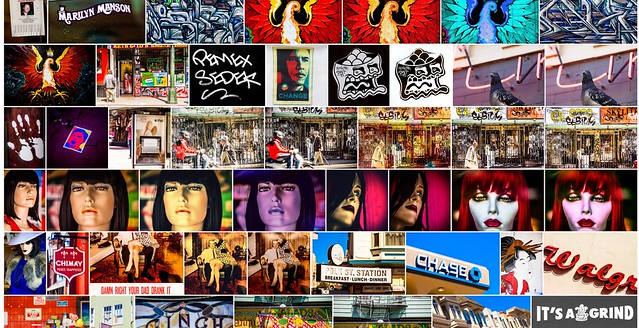
Google Photos Mosaic

Not exactly beat poetry, this list is a rambling mess of 20 things that I thought about today about my experience with Google Photos.

This list is very poorly written and absolutely lacks coherence. It’s a stream of consciousness jumble of unrelated thoughts about Google Photos.

I’ve been using (and uploading to) Google Photos non-stop since it launched. I think the service holds great promise but is also flawed in some ways at the same time.

Disclaimer: these are my experiences. My experiences are probably different than yours. I likely have more photos on Google Photos than 99.999% of users, so things that may be broken for me may work perfectly for you.

Album is Empty

1. My single biggest complaint about Google Photos is how long it takes to generate shareable links to content. Being able to share a photo or album or video by creating and copying a link is a nice feature, but in my case it typically will take several minutes to several hours in order for that link to actually work. When I create a link and copy and paste it I always get: “Album is empty use the plus to add items,” when I first try to share or access that album.

Link sharing should be instantaneous (like it is on Flickr), but even if it is not it would be better for the user to get some sort of messaging saying “your album will be ready in 27 minutes, come back later” or something like that. For the first six months or so I just thought sharing by link simply did not work, now I know it’s just a delay thing.

2. Google face tagging is awesome! It’s wonderful to have my family and friends’ photos grouped by face and I love that I can go back and put their name on them. Unfortunately Google Photos would appear to limit you to 200 different people at which point the tagging functionality will no longer tag any new people. In my case Google Photos early on chose to facial tag a lot of musical acts that I photographed at Coachella leaving no space for other real friends that I wish were in there.

I’m not sure why there is such a low 200 face limit or why there should be any limit at all. At a minimum, Google Photos should let me manually tag people and then run facial recognition on these people instead of the random 200 that the software has selected.

3. I wish Google Photos had a public sharing option. Private by default is nice, but it would also be nice to be able to make some photos in the service public.

No Keywords in Google Photos
Your titles, descriptions and keywords do not get uploaded with Google Photos.

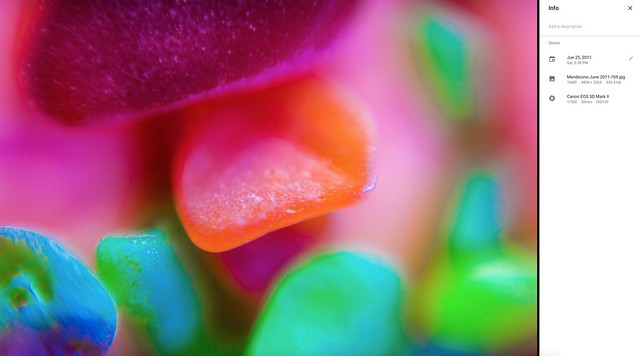
4. I wish Google Photos used all of the careful keywords and metadata that I embed in my photos. One of the nice things about Flickr is that when I add descriptive keywords to my photos in Lightroom and save them to the file Flickr automatically populates the tags along with the photo’s title and description. Google Photos ignores this data. I’m not sure why Google Photos does not care about this data as I would think it would be very useful for search and also very easy to include with uploaded photos. If Google Photos can bring in the iso and shutter speed setting with my photos, why not the keywords too?

5. Google Photos gives you a “card dismissed” message when you dismiss a card using Google Photos’ assistant. This message disappears after about 10 seconds. The problem is that if you are trying to go through a number of different Google automatic creations the page jumps as this message disappears. This makes you accidently click on the wrong place on the page all the time when trying to process more than one creation at a time. This message is not important enough to justify the instability it creates for use on the page.

6. On March 22, Google Photos announced smarter auto albums. It’s been several weeks now and I have not had a single automatic album suggested for me yet by Google Photos assistant. It would be nice to experience what these are like.

7. Since Google Photos launched I’ve found that it takes much longer to upload my photos to Google+, usually as long as 2 minutes or so to upload a photo. Not sure that this has anything to do with Google Photos.

8. Google Photos seems to do a little better job uploading photos than it did in the early days. In the early days sometimes it would only upload 50 photos for me in a single day. Now it typically will upload several hundred a day, but it’s still going to be a long time before it finishes with the 489,052 remaining in the current batch — and then I will still have many more batches to upload. By contrast Amazon Photos does not resize my RAW files at all and goes about 10x as fast.

9. Sharing very large albums with people does not work. At present Google Photos will not allow you to share over 2,000 photos at once. I spent a long time trying to figure out how to share all of the photos I’ve taken with my friend Scott Jordan with him the other day. Finally I had to give up trying and just create a new Google Account that we could both share and reupload all of the photos to that account. That was a pain and there should be a better way for people to share larger albums of photos.

10. Auto facial recognition is good but if it can’t auto tag everyone, Google Photos should let you manually tag people. A combination of automatic AI facial recognition with manual user tagging would make more complete collection.

11. When scrolling through your main Google Photos Library Google Photos will let you fast forward many years into the past. For example, it will start by showing me photos I took yesterday but then I can pull the slider all the way down and easily jump to say photos from 2010. When you are scrolling through photos of people Google Photos has facial tagged though they will not let you jump forward this way. If you have a lot of photos of someone getting to the year 2010 can take a very long time if you have to scroll through everything to get to that time.

12. Sometimes thumbnail versions of photos load very slowly on Google Photos. Other times they render quickly. Not sure why the diffference at times.

13. When I search for cats on Google Photos it brings up a lot of photos of my black labradors. If Google Photos uploaded my keywords they would probably have a better idea that it was a dog in the photo than a cat.

14. The share photos to Facebook functionality doesn’t work for me on Google Photos. Sharing Photos to Google+ seems to work just fine though.

15. Google Photos has only identified 143 “things in my photos.” I’ve collected over 2,000 albums on Flickr, many dedicated to specific things. My Flickr albums are much better organized than my Google Photos albums. Flickr allows me to build albums by my keywords though, Google Photos does not. After using the service as long as I have with as many photos as I have I feel like it should have identified more than 143 things.

16. I have to launch Google Photos and the Assistant to get it to add photos from my iPhone to Google Photos on wifi. I wish as soon as my phone connected to wifi photos from my phone just automatically uploaded to Google Photos, even without having to launch Google Photos app on my phone.

17. When you can get album sharing to work it can be a very powerful way to share photos with people. Here’s an album of all of the photos that Google Photos recognizes of my friend Robert Scoble by face. This includes both my processed and unprocessed photos so the quality is very mixed. I bet Robert hasn’t seen some of these photos.

18. I love how much infinite scrolling Google Photos uses. Paging sucks. Flickr should take notice of how much better Google Photos does infinite scrolling.

19. I wish there was a way I could see how many photos I’ve uploaded to Google Photos. Actually there is a way. Thanks Thomas O’Brien. So far I’ve uploaded 748,892 photos to Google Photos.

20. I wish in the share menu for Google Photos there was embed code where you could embed the photo on your blog or somewhere else on the web.


Thomas Hawk Digital Connection

 
Comments Off on 20 Random Thoughts on Google Photos in a Rambling Stream of Consciousness Format

Posted in Photography


How to Cut Out the Subject From the Background in Photoshop

10 Apr

This video by Chris from Spoon Graphics does a good job of going over many of the options available inside Photoshop for cutting things out. The most common use is to cut out the subject from the background, to place it on a different image or background – as in when making composite images.

Watch as he goes over the options for cutting things out:

Quick and dirty selection tools and methods:

  • Eraser tool (not the best choice, this is shown in the video)
  • The Magic Wand tool
  • Quick Selection tool

Pro techniques tools include:

  • Manually drawing the selection
  • Lasso tool (can be frustrating and tricky to use)
  • Pen tool (also using Paths)
  • Tonal selection
  • Channels (plus Curves or Levels)
  • Color range (quick selections based on tones in an image)
  • Layer masks
  • Refine edge tool
  • Defringe to remove halos and outlines
  • Paint hair back in manually
  • Buy a Photoshop plugin like Topaz Remask

Here’s a second video from Glyn Dewis that puts some of those techniques to use to cut out a tree from the background.

Do you know any other methods for doing cut outs? What’s your favorite? Please share in the comments below.

googletag.cmd.push(function() {
tablet_slots.push( googletag.defineSlot( “/1005424/_dPSv4_tab-all-article-bottom_(300×250)”, [300, 250], “pb-ad-78623” ).addService( googletag.pubads() ) ); } );

googletag.cmd.push(function() {
mobile_slots.push( googletag.defineSlot( “/1005424/_dPSv4_mob-all-article-bottom_(300×250)”, [300, 250], “pb-ad-78158” ).addService( googletag.pubads() ) ); } );

The post How to Cut Out the Subject From the Background in Photoshop by Darlene Hildebrandt appeared first on Digital Photography School.

Digital Photography School

 
Comments Off on How to Cut Out the Subject From the Background in Photoshop

Posted in Photography


How to Use Lighting Gels to Change your Background Color

10 Apr

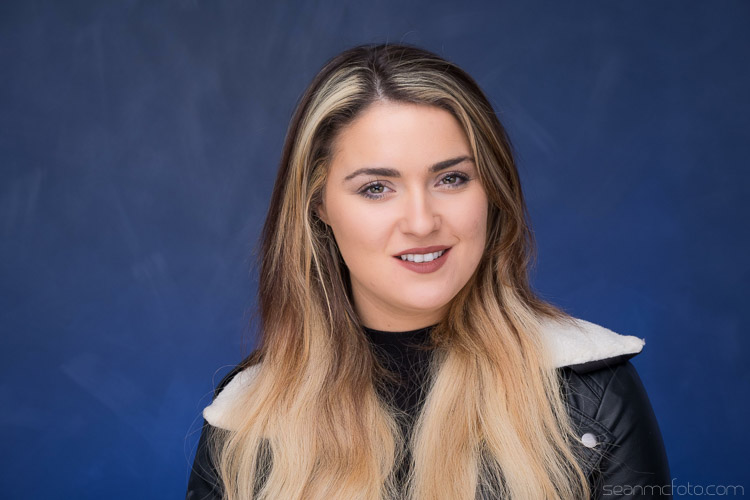
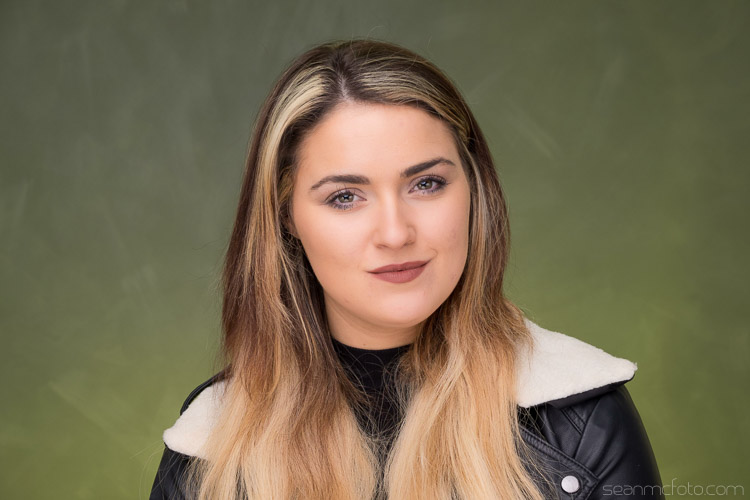
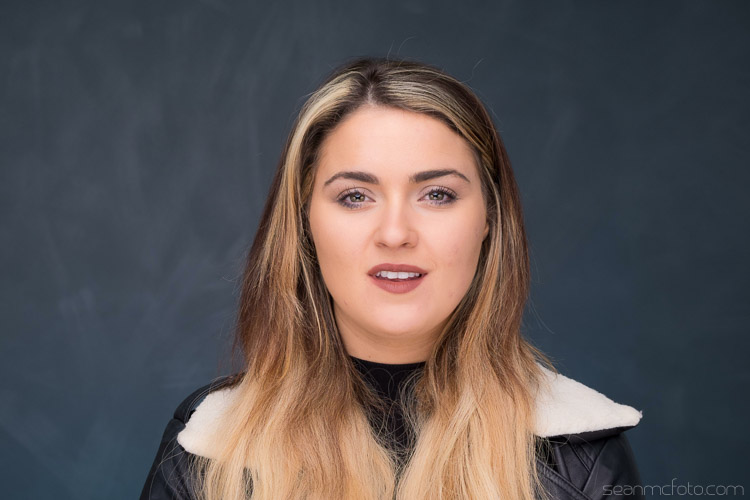
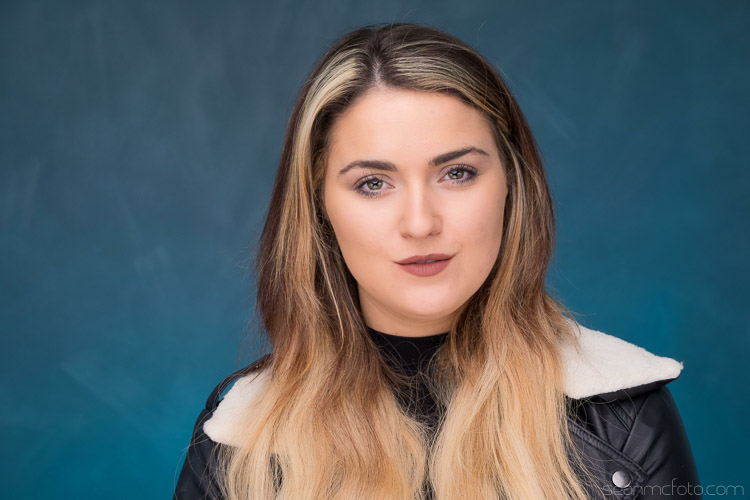
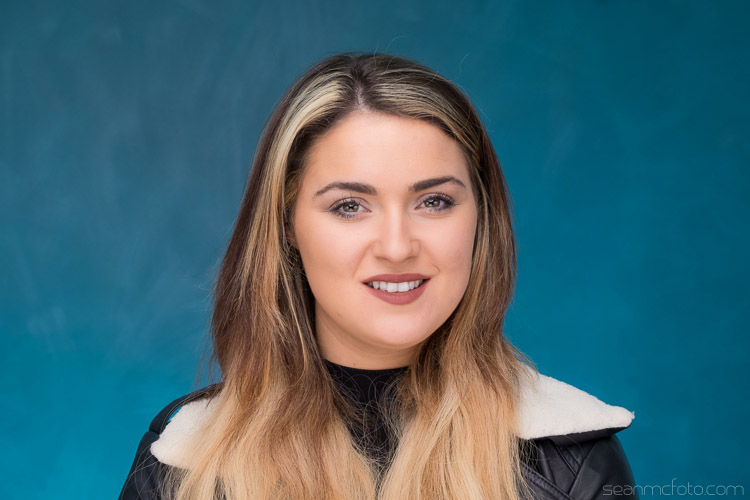
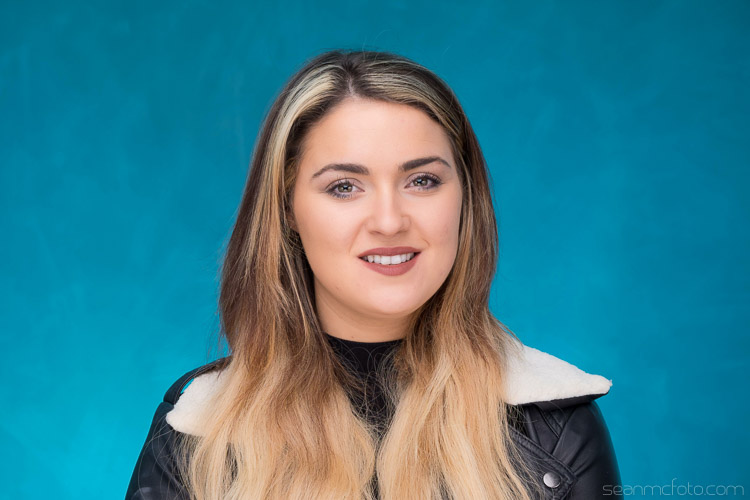
If there’s one thing that bugs me about shooting in studio, more than anything, it’s that you need to have tonnes of backgrounds, taking up loads of space. I’ve even gone as far as having a painter come in and create an interesting wall for me because I get bored with what I had. I’ve got over 15 backgrounds between paper, canvas, cloth, and even some vinyl castle doors.

Part of what I love about location work is the variety of backgrounds. Often you’re restricted to working in the the studio by the client, so that where this handy technique comes into it’s own.

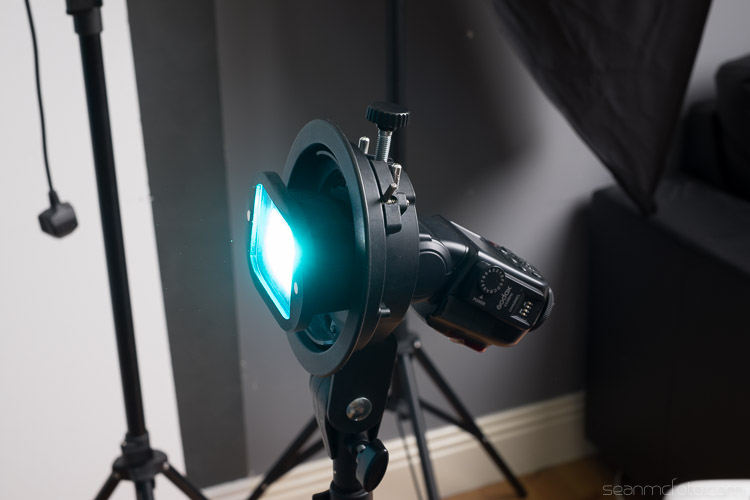
Changing-your-background-with-gels-magmod

I’ve been using gels in studio to add color to my subjects for years. A gel is a colored, transparent, sheet of heat resistant plastic. They look akin to the colored wrappers you get on some candies. They’re generally used in theatre to create mood, or emulate natural looks like moonlight, fire, etc. Gels were a big thing in photography in the 80s, and they’re making a comeback now thanks to photographers like Jake Hicks and Glenn Norwood. This article isn’t about their techniques, but it is about something I’ve started to do because of seeing their work.

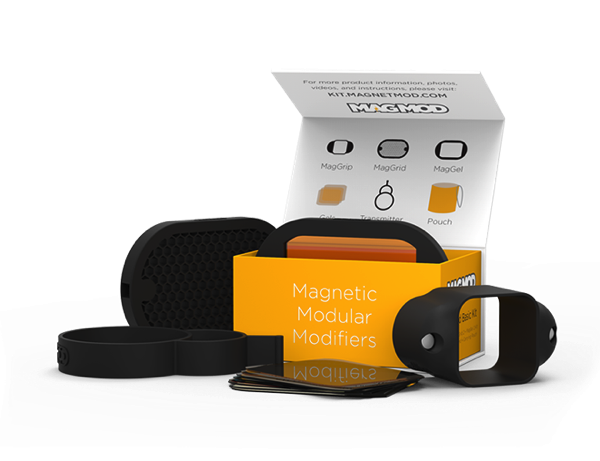
Shooting on location with speedlights mean that I’m always on the lookout for great tools that make life easy for set up. Using gels meant that when I saw the MagMod kit, I knew I had to get a set. MagMod uses strong magnets and rubber mouldings to create a grip that stretches over your speed light. It’s much neater than rubber bands or velcro. Accessories like the MagGrid, or the MagGel holder are simply held in place with internal magnets, and are easy to swap on and off as you need.

Basic Kit 1 1861968723

The really great thing that applies here, is that the gels they use are rigid, not flimsy and awkward to get in and out of a holder. The basic kit ships with a MagGrip, a MagGrid and a MagGel set with color correcting gels. I also bought the Creative Gel set, and that’s what I’m using to get different background colors in my studio. They’ve also just announced the new Artist set as well.

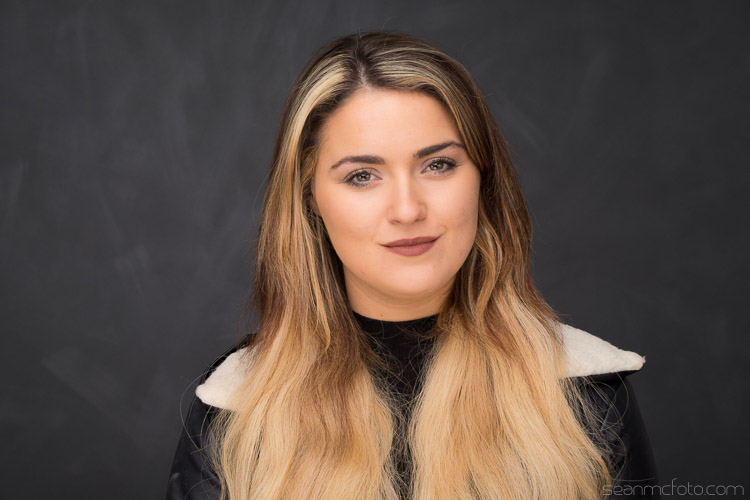
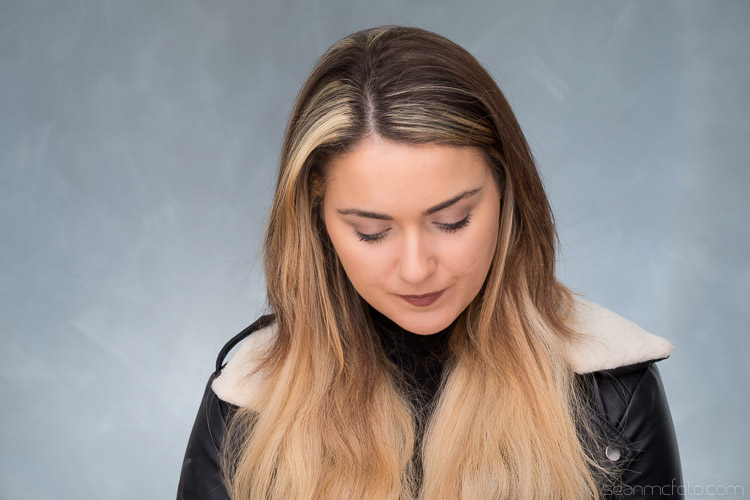
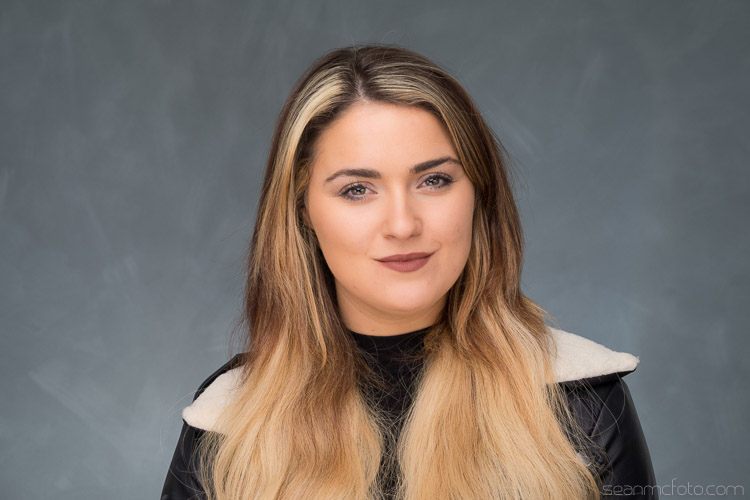
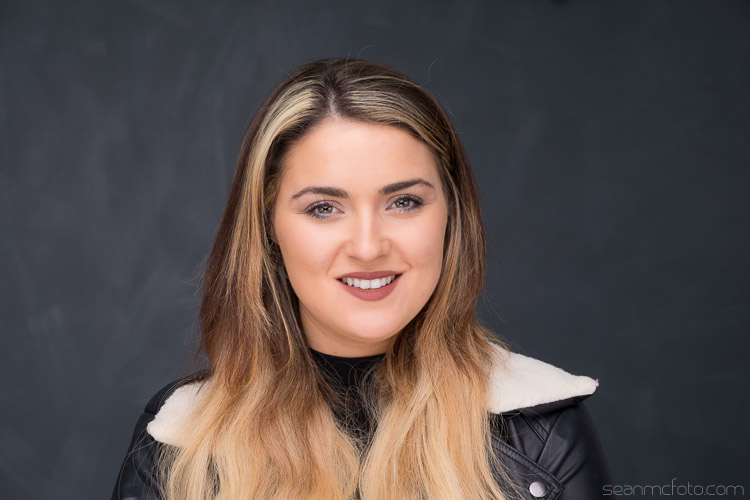
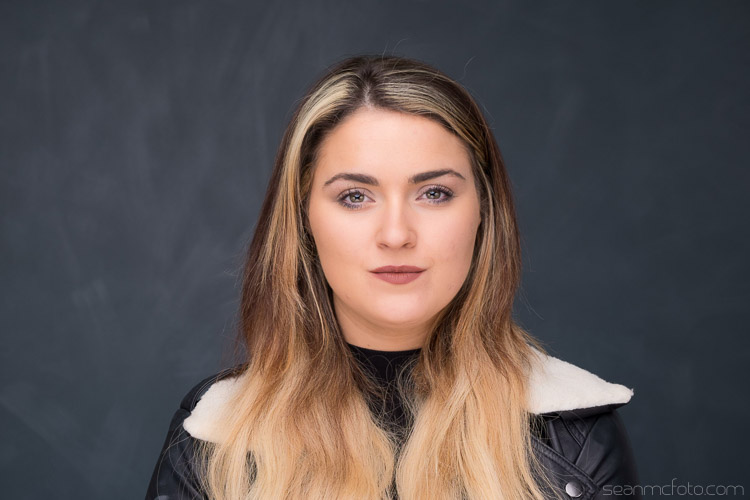
Let’s start with the basic back wall in my studio. It’s dark grey, with a light grey mottle over it as brush strokes.

Using Gels background 05

You should set the flash to get the amount of light you want on the background. Here is mine set to 1/4 power (below).

Using Gels background 04

Below it is at 1/8 power, which I think is better for getting the color to work.

Using Gels background 06

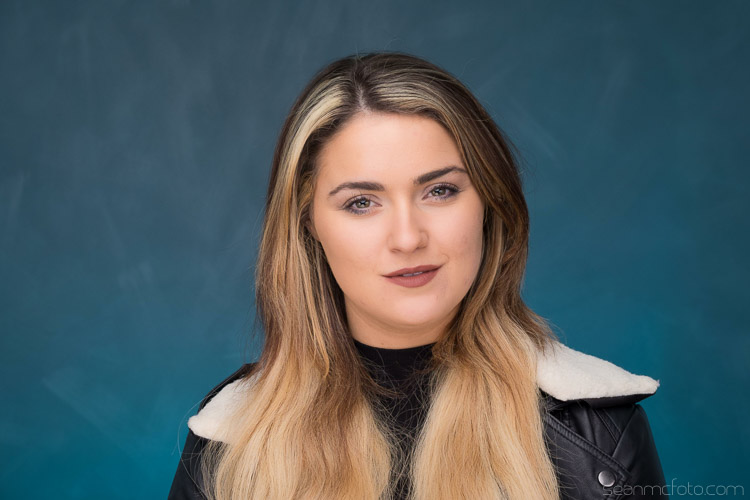
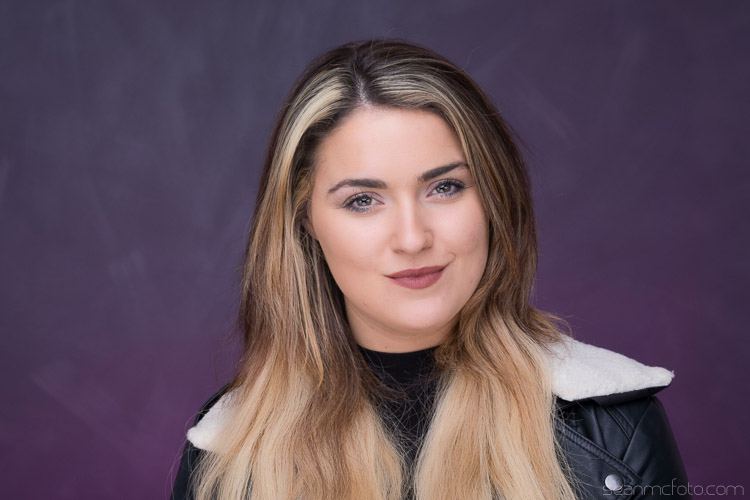
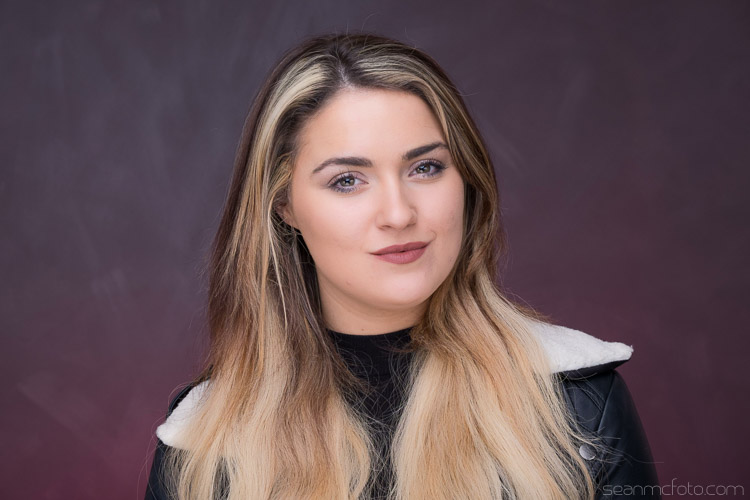
From here you can add the gels to change the color of the background. There are plenty of options for using gels, you can even just use gaffa tape with sheet gel-or even just a rubber band. Even using the MagGel set, it’s possible for you to cut out sections from gels sheets, and then trap this cutout between the empty MagGel holder and the MagGrip.


Let’s have a look at the different gels:

Using Gels background 07

Cyan

Using Gels background 08

Purple

Using Gels background 09

Red

Using Gels background 10

Blue

Using Gels background 12

Green

Using Gels background 13

Straw

Using Gels background 15

Yellow

As well as changing the color, you can also change the intensity of the light by varying your flash power.

Here’s how the the cyan gel looks at varying power, in one stop increments starting at 1/64 power up to full power.

Using Gels background 20

1/64 Power

Using Gels background 19

1/32 Power

Using Gels background 18

1/16 Power

Using Gels background 17

1/8 Power

Using Gels background 16

Quarter (1/4) Power

Using Gels background 21

Half (1/2) Power

Using Gels background 22

Full Power

As you can see, it’s possible to get a whole range of looks from just a few gels. By using the MagGrid, you can also create coloured spots of light, that fade out to the original background color. A neutral grey background is a great starting point because it takes the color well. White tends to be harder to add color to with gels (just looks washed out). You can also mix gels together to get other colors, just know that this will also absorb more light.

If you want to get started by just using gels sheets, check out Lee Filters or Rosco on Amazon. They both have sample packs with strips that just fit over the front of most current speed lights.

Have fun!

googletag.cmd.push(function() {
tablet_slots.push( googletag.defineSlot( “/1005424/_dPSv4_tab-all-article-bottom_(300×250)”, [300, 250], “pb-ad-78623” ).addService( googletag.pubads() ) ); } );

googletag.cmd.push(function() {
mobile_slots.push( googletag.defineSlot( “/1005424/_dPSv4_mob-all-article-bottom_(300×250)”, [300, 250], “pb-ad-78158” ).addService( googletag.pubads() ) ); } );

The post How to Use Lighting Gels to Change your Background Color by Sean McCormack appeared first on Digital Photography School.


Digital Photography School

 
Comments Off on How to Use Lighting Gels to Change your Background Color

Posted in Photography


10 Bitchin’ Accounts to Check Out on Ello

10 Apr

Without a doubt Ello is one of my most favorite places to hang out on the interwebs these days. No site looks better for photos and in addition to a well designed web experience they also have a first rate iPhone app as well. Structured as a public benefit corporation, Ello has no advertising and they don’t target you and track your usage to sell your activity to advertisers. I hardly ever use Facebook or Instagram anymore because because the advertising just seems so overwhelming to me. I also find that I feel much more positive after spending time on Ello instead of Facebook and Instagram.

In addition to such a clean, ad-free experience, Ello has some of the most creative photographers, curators and artists posting anywhere on the web today. It’s always such a delight to find new and interesting people to hang out with there.

Below are 10 Bitchin’ Accounts to Check Out on Ello. If you’re not on the site yet, these might be 10 good accounts to start with. If you already are there you may already follow most of these accounts. This post could have easily been titled 100 Bitchin’ Accounts to Check Out on Ello or even 1,000 Bitchin’ Accounts to Check Out on Ello. In that sense, this list is almost a bit random, and just represents 10 accounts that came to top of mind that you might want to check out as is by no means meant to be exhaustive.

Pro Tip: when on a page on Ello use the = key to toggle between large photos and thumbnails for any user.

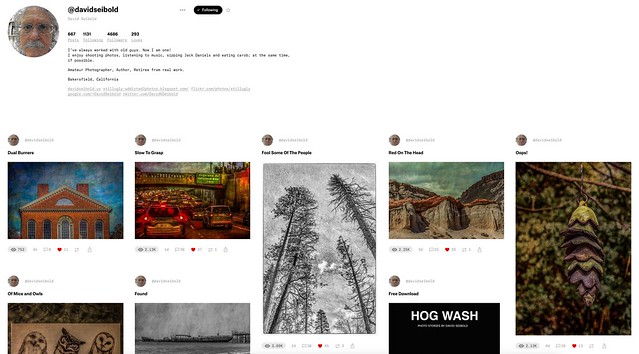
David Seibold
1. David Seibold. I’ve known David for a few years now. He hails from Bakersfield and is very active using various social media channels. One thing I like about David is that he interacts with others so well and really engages on the sites that he uses.


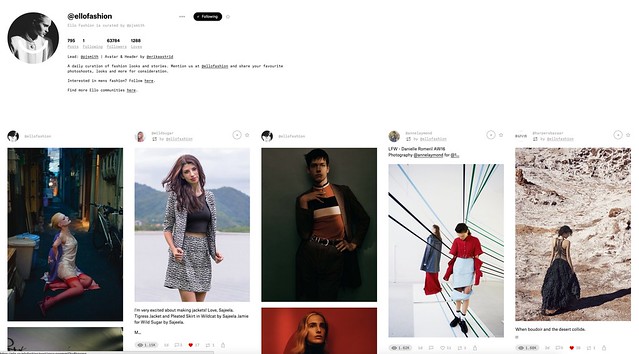
Ello Fashion
2. Ello Fashion. Ello Fashion is a curated page by Pj Smith. If you are interested in cutting edge new fashion beautifully photographed it’s a great page with new content daily.


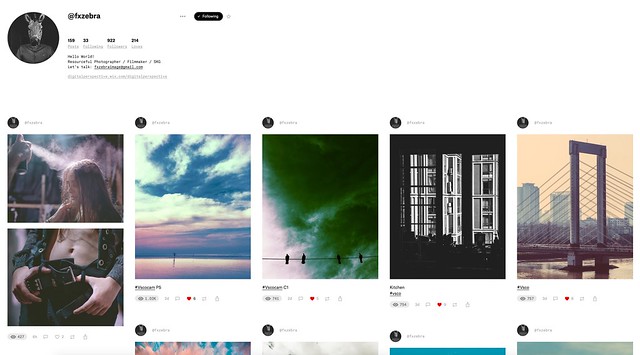
fxzebra
3. fxzebra. Karen Gkiounasian is a photographer and filmmaker behind the faxzebra Ello account and posts wonderfully creative works in a style of his own.


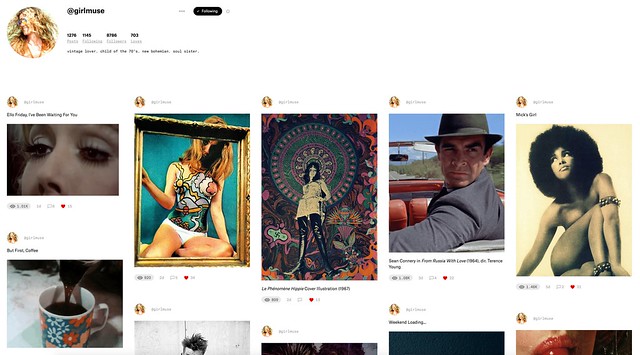
girlmuse
4. girlmuse. A self described vintage lover, child of the 70s, new bohemian and soul sister, girlmuse and I both grew up in the 1970s which is probably why I enjoy the nostalgia on Ello page as much as I do. A wonderful showcase of the best of vintage culture.


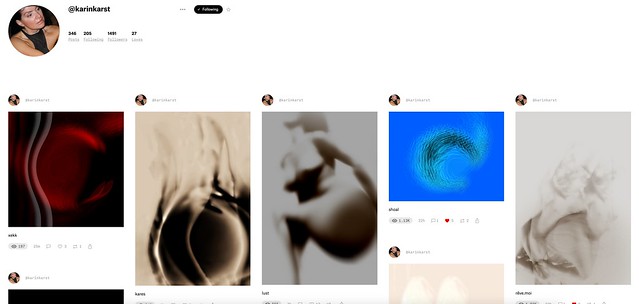
karinkarst
5. karinkarst. karinkarst’s account is full of wonderful digital abstraction. Combining photography with abstract processing there is a lot to love here.


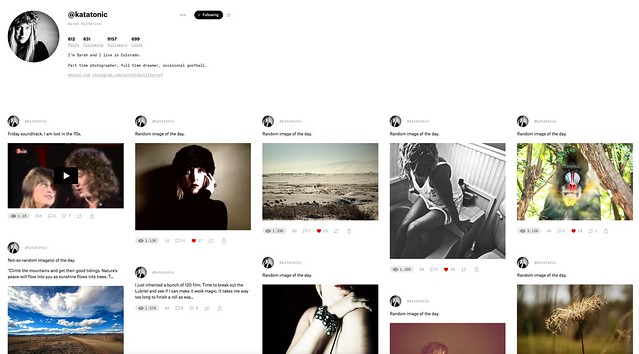
Katatonic
6. katatonic. katatonic is Sarah Katherine from Colorado who always seems to come up with the best random images of the day.


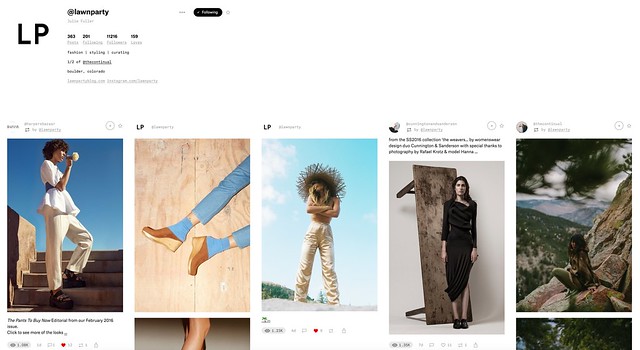
Lawn Party
7. lawnparty. Julie Fuller runs the LP account which focuses on fashion, styling and curating. Julie is also 1/2 of thecontinual account on Ello. It seems like so many of the great Ello accounts hail from Colorado. ?


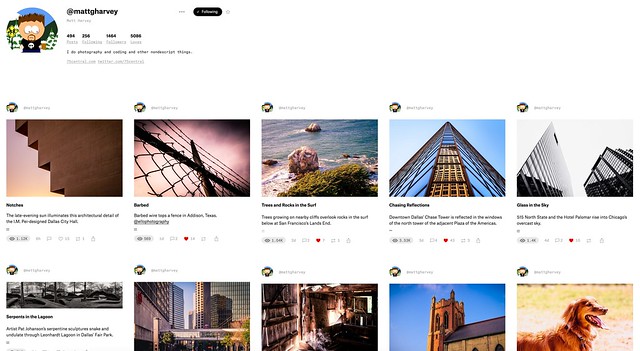
Matt Harvey
8. Matt Harvey. I’ve enjoyed Matt’s terrific photography on Flickr where he posts as 75Central for many years now. Full sized photos on Ello though look even better than Flickr and so it’s always nice to see his work on Ello as well.


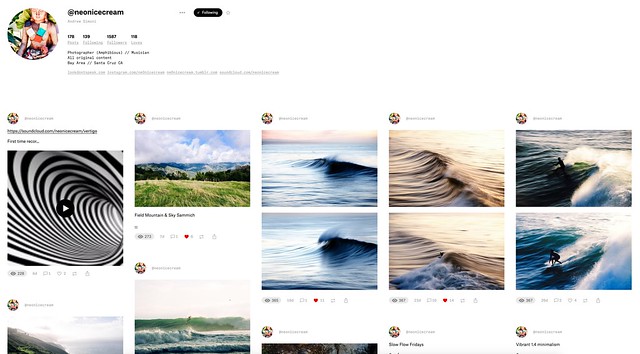
Neon Ice Cream
9. neonicecream. Andrew Simoni is a Santa Cruz based photographer and musician. He does wonderful work with water and wave among many, many other things.


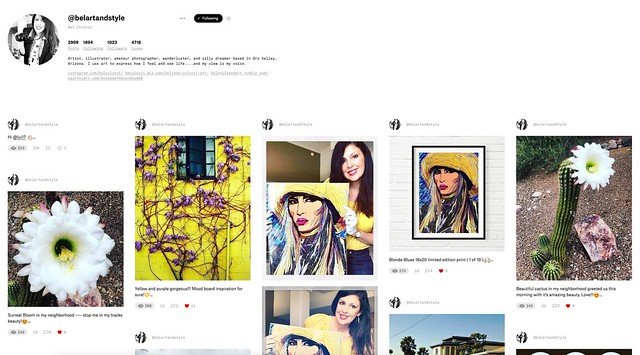
Bel Colozzi
10. belartandstyle. Each day I look forward to what Saatchi artist Bel Colozzi is going to come up with next. In addition to her own paintings and prints that she showcases, she does it with style and flair mixing in her photographs from her Arizona desert along with what seems like an endless need for coffee.


As mentioned before, these 10 accounts are but a tiny sample of the amazing talent you will find on Ello. If you want to see more beautiful work by the thousands of artists posting there daily, I’d encourage you to check out my loves page on Ello where you can find so many more interesting people worth following.

Are you on Ello yet? If not, what are you waiting for?

I post daily on Ello myself and you can check out my work on here.


Thomas Hawk Digital Connection

 
Comments Off on 10 Bitchin’ Accounts to Check Out on Ello

Posted in Photography


Get out your spudger: iFixit Panasonic FZ1000 disassembled

10 Apr

iFixit Disassembles the Panasonic Lumix DMC-FZ1000

Feeling like taking apart your pricey Panasonic Lumix DMC-FZ1000 enthusiast superzoom? Probably not. Thankfully, the good folks at iFixit have already done the work for you. So grab your spudger and #00 screwdriver and follow along!

iFixit Disassembles the Panasonic Lumix DMC-FZ1000

The first rule of camera disassembly is… removing the battery! No need to take off the battery door at this time, as that whole compartment will be removed later in the process.

All images courtesy of iFixit.

iFixit Disassembles the Panasonic Lumix DMC-FZ1000

After rotating the LCD outward and removing a few screws, it’s time to get out that spudger and separate the display from the body.

All images courtesy of iFixit.

iFixit Disassembles the Panasonic Lumix DMC-FZ1000

And here’s the 3″ touchscreen LCD separated from its frame.

All images courtesy of iFixit.

iFixit Disassembles the Panasonic Lumix DMC-FZ1000

Now it’s time to get out the #00 screwdriver and get down to business. The screws on the top and both sides must all come out.

All images courtesy of iFixit.

iFixit Disassembles the Panasonic Lumix DMC-FZ1000

You can then pull the back panel off, after which you need to carefully remove a lot of ribbon cables.

All images courtesy of iFixit.

iFixit Disassembles the Panasonic Lumix DMC-FZ1000

With ribbon cables and yet more screws removed, the motherboard can be pulled out. While we’re not 100% certain, that large chip could be the Venus Engine processor.

All images courtesy of iFixit.

iFixit Disassembles the Panasonic Lumix DMC-FZ1000

Coming out next is the camera’s 2.36 million-dot OLED electronic viewfinder. The unit is a lot bigger than you think!

All images courtesy of iFixit.

iFixit Disassembles the Panasonic Lumix DMC-FZ1000

After – you guessed it – more screws and ribbon cables, the lens can be liberated from the rest of the body. In case you’re forgotten, this is a 25-400mm equivalent F2.8-4 ‘super zoom’ lens.

All images courtesy of iFixit.

iFixit Disassembles the Panasonic Lumix DMC-FZ1000

After removing the aperture motor and yet more screws and ribbon cables, the FZ1000’s 20MP, 1″-type BSI CMOS sensor is now yours for the taking.

All images courtesy of iFixit.

iFixit Disassembles the Panasonic Lumix DMC-FZ1000

Very gently, the top panel can be removed from the frame. iFixit warns users to be careful when doing this, so electrical wires aren’t snapped.

All images courtesy of iFixit.

iFixit Disassembles the Panasonic Lumix DMC-FZ1000

The disassembly is nearing its end, as this metal panel – probably used to dissipate heat – is taken off.

All images courtesy of iFixit.

iFixit Disassembles the Panasonic Lumix DMC-FZ1000

After removing with what seemed like a million screw removals, the FZ1000 has finally been completely disassembled. As you can imagine, putting it back together is as ‘simple’ as doing everything in reverse!

Thanks to iFixit for showing everyone how it’s done!

Articles: Digital Photography Review (dpreview.com)

 
Comments Off on Get out your spudger: iFixit Panasonic FZ1000 disassembled

Posted in Uncategorized


Signal-Free Intersections: Future Streets for Self-Driving Cars

09 Apr

[ By WebUrbanist in Architecture & Cities & Urbanism. ]

driverless car intersection

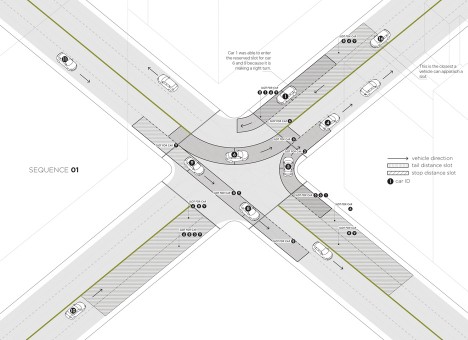
All of our automotive infrastructure is designed around the needs of human drivers, but in a world of driverless cars, a crossroads need not slow anyone down, let alone force someone to stop.

A team of researchers from MIT, Swiss Institute of Technology and the Italian National Research Council developed this Light Traffic concept for maintaining safe distances and speeds, moving vehicles through quickly, efficiently and fairly. Traffic problems are boiled down to a system of sequences, each accommodating different volumes from different directions.

driverless 2

Vehicles approaching the intersection are slotted into a system that slows them down in advance, anticipating the traffic coming from all sides.

driverless 3

By avoiding unnecessary stops, vehicle emissions are reduced, fuel is saved, and annoyance alleviated. Road infrastructure would last longer too, while the lack of lights would reduce costs both upfront and ongoing. In time, such systems could even reduce the need for lanes, giving back space for sidewalks, greenery or other uses.

Share on Facebook


[ By WebUrbanist in Architecture & Cities & Urbanism. ]

[ WebUrbanist | Archives | Galleries | Privacy | TOS ]


WebUrbanist

 
Comments Off on Signal-Free Intersections: Future Streets for Self-Driving Cars

Posted in Creativity


30 Action Packed Panning Images

09 Apr

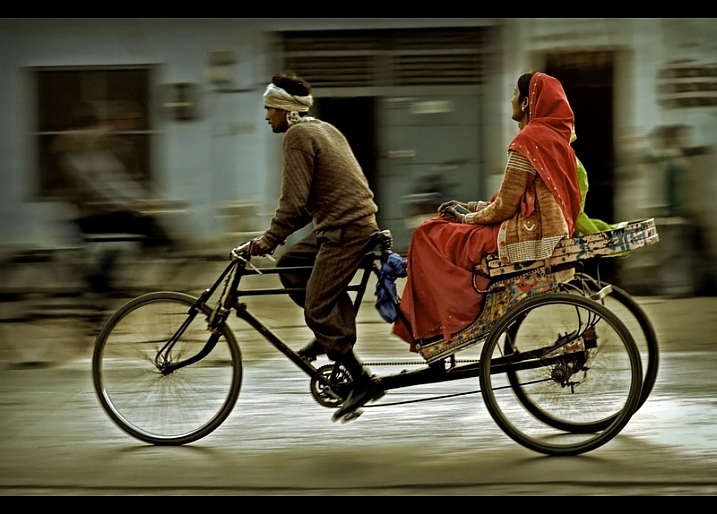
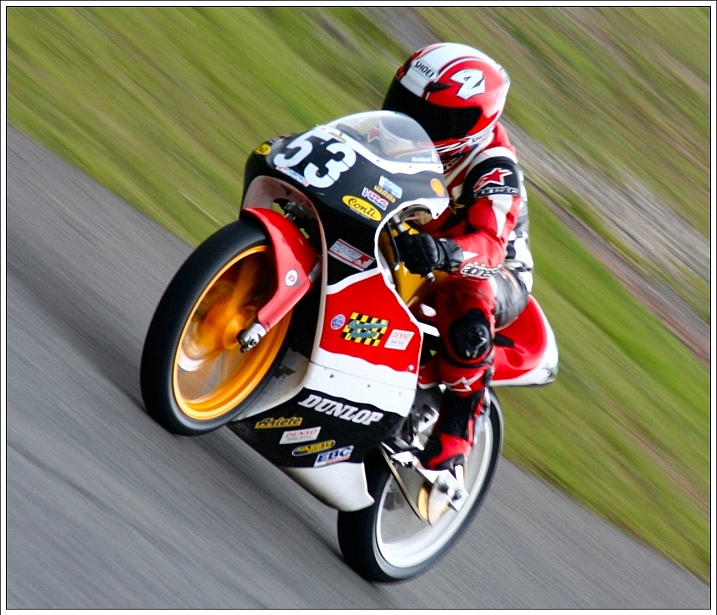
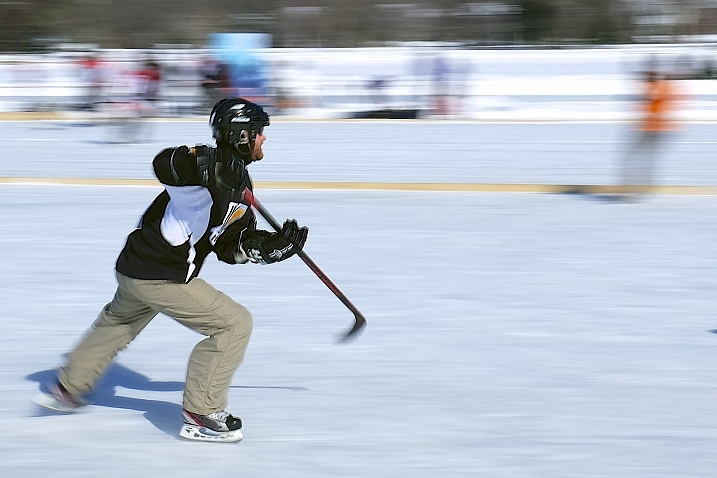
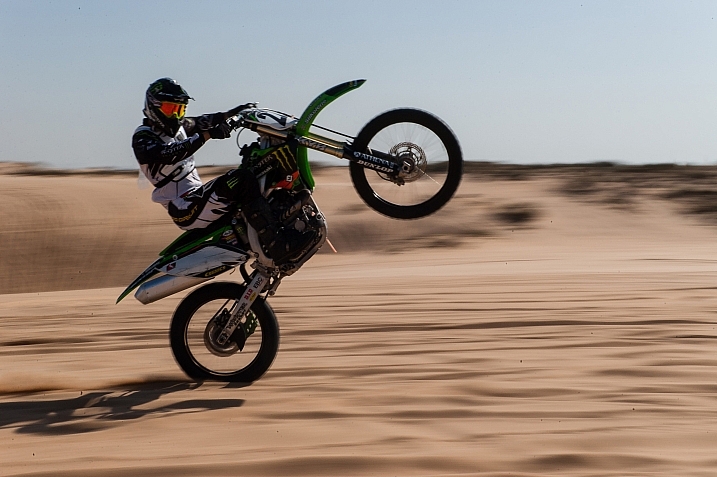
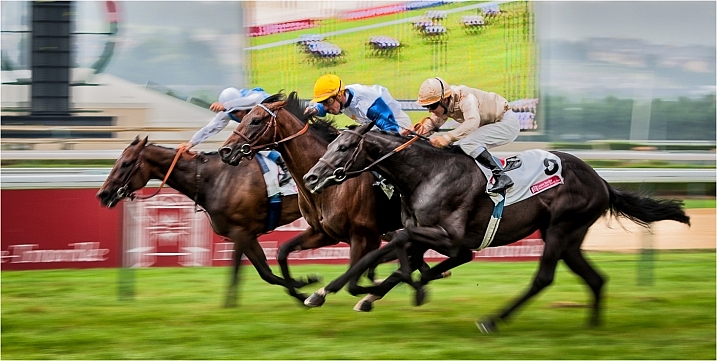
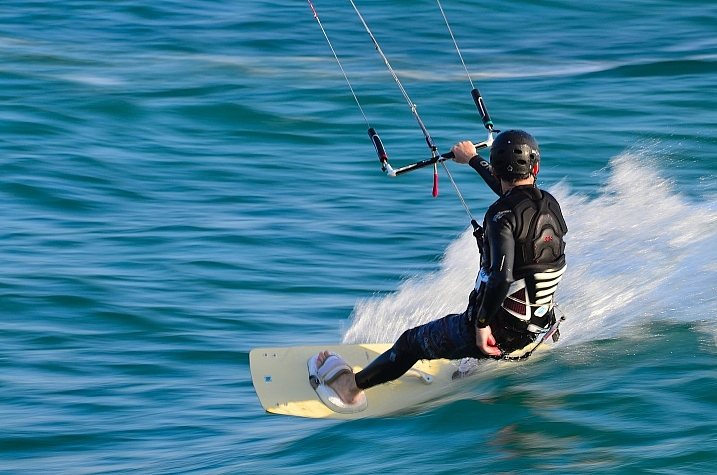
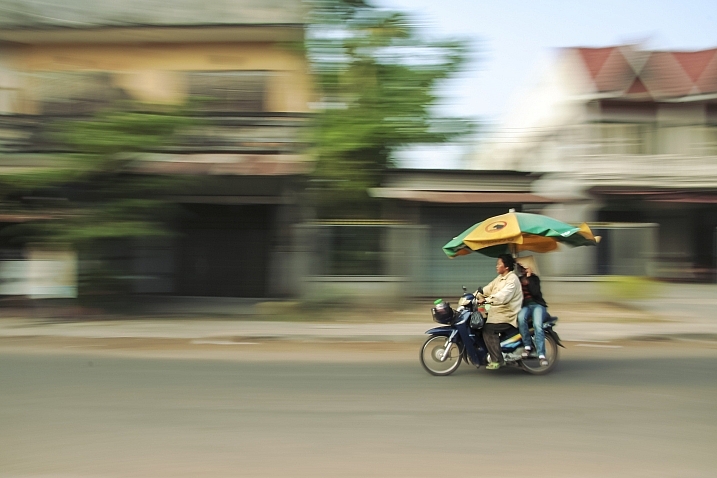
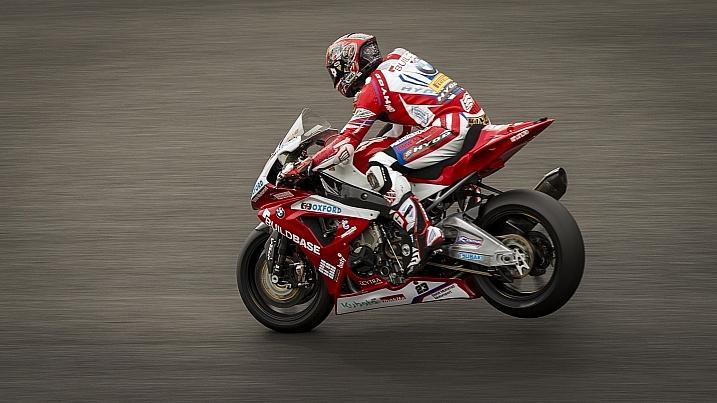
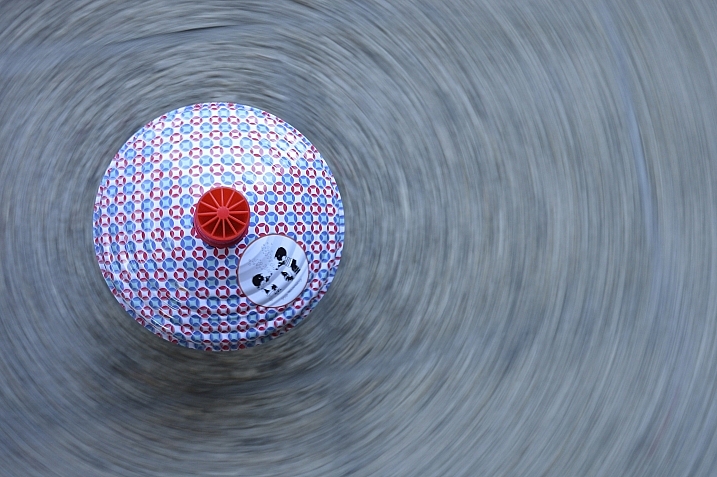
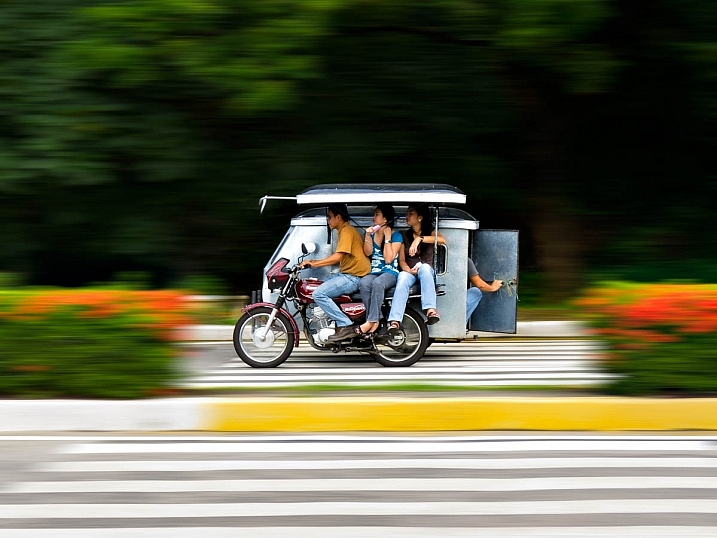
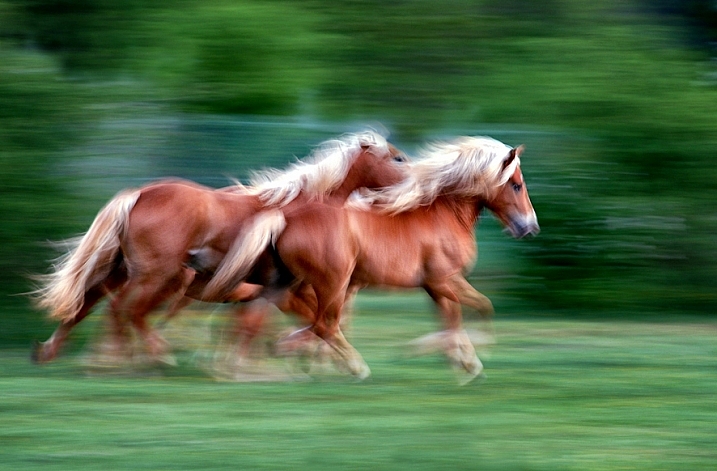
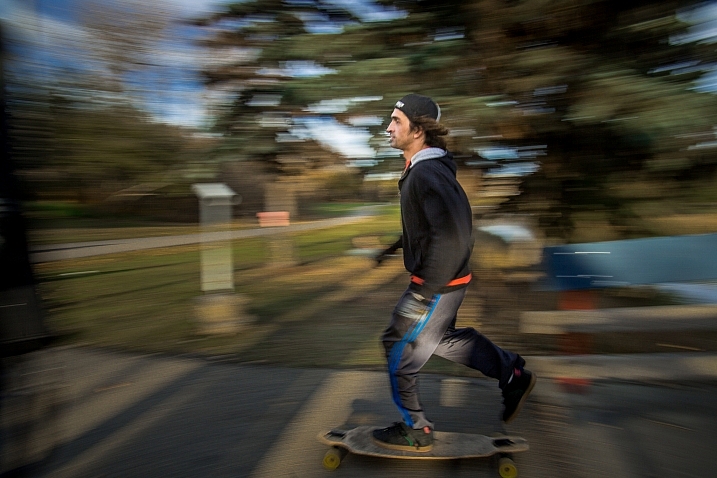
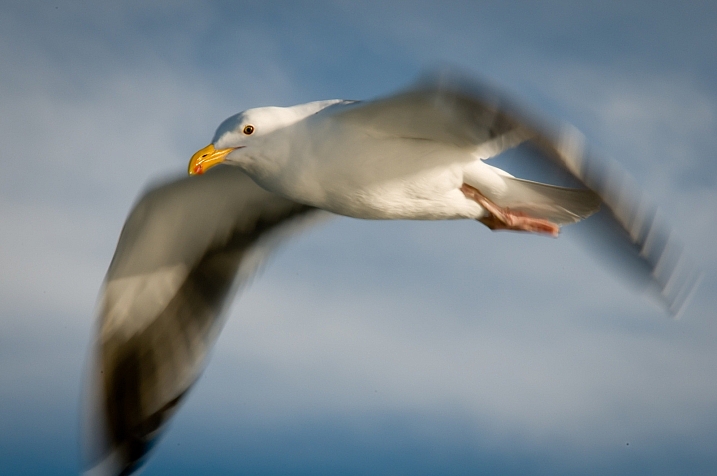
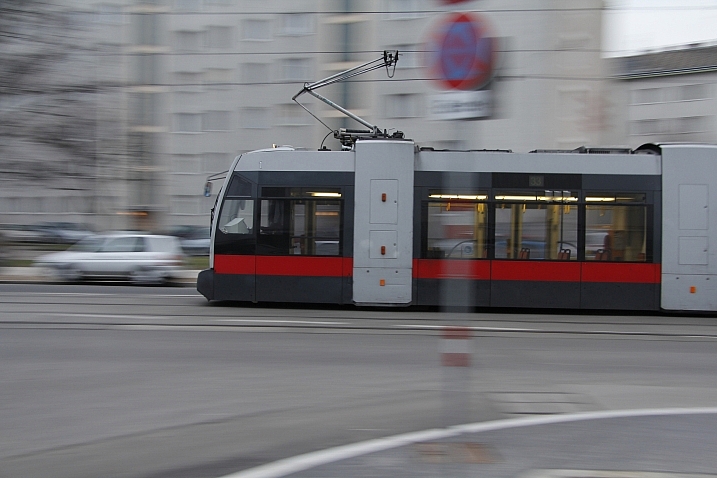
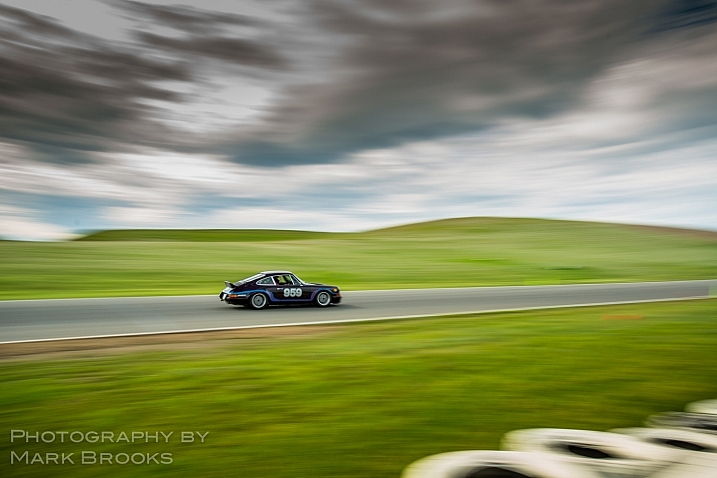
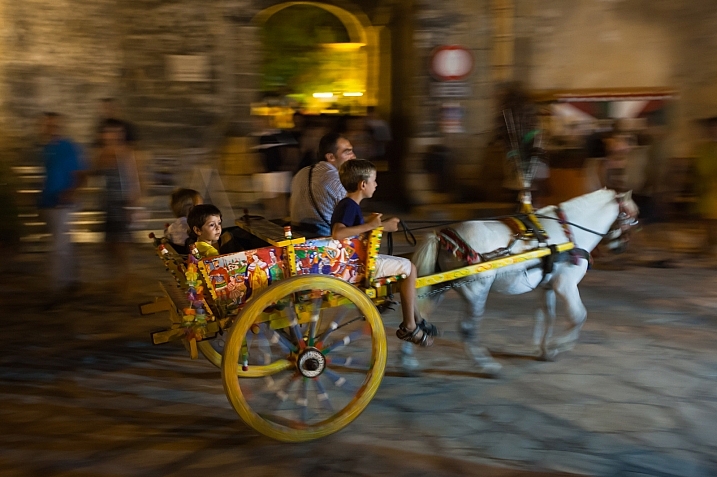
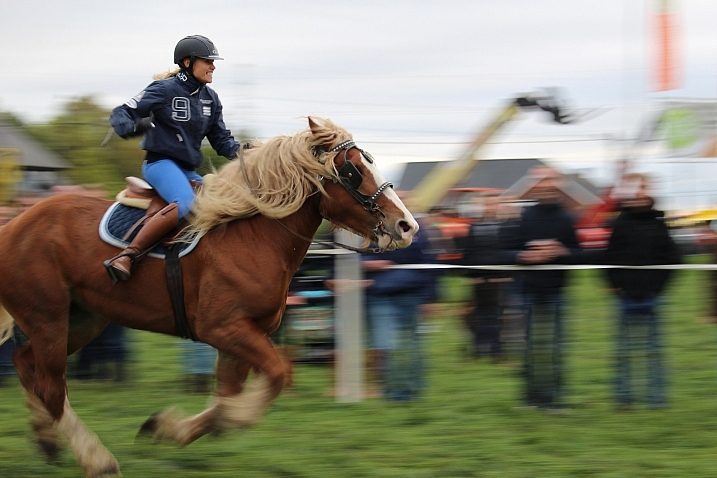
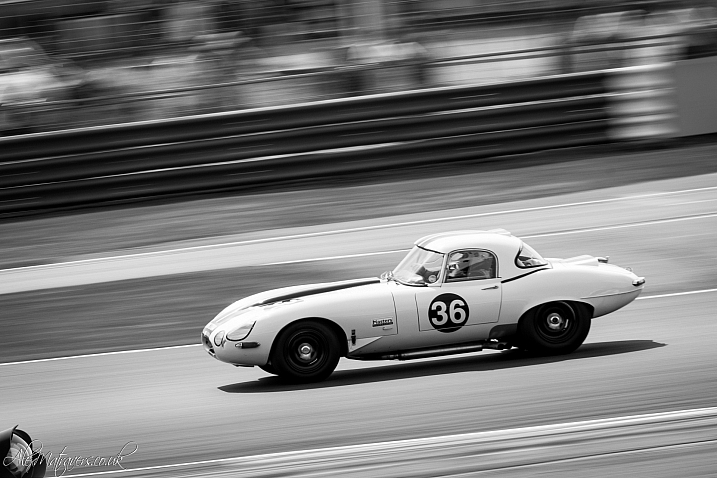
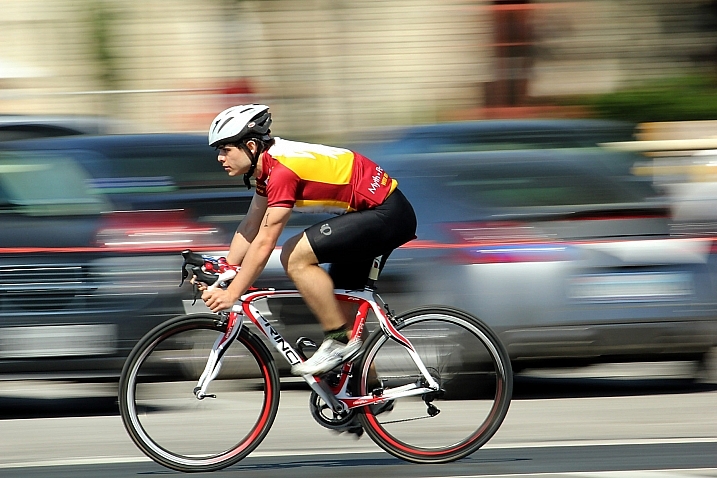
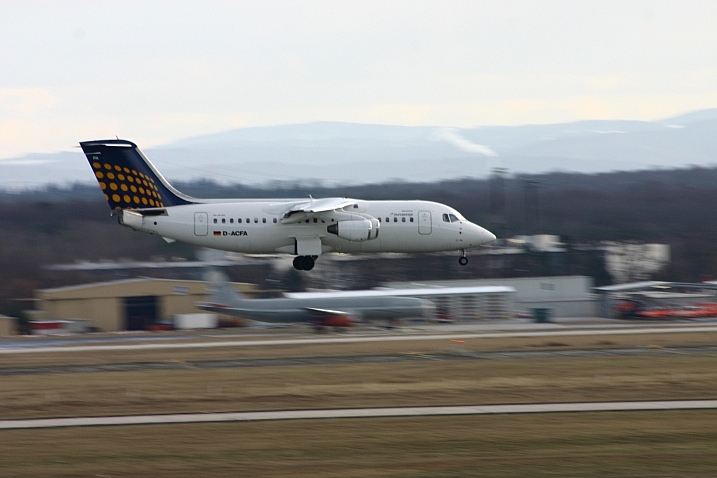
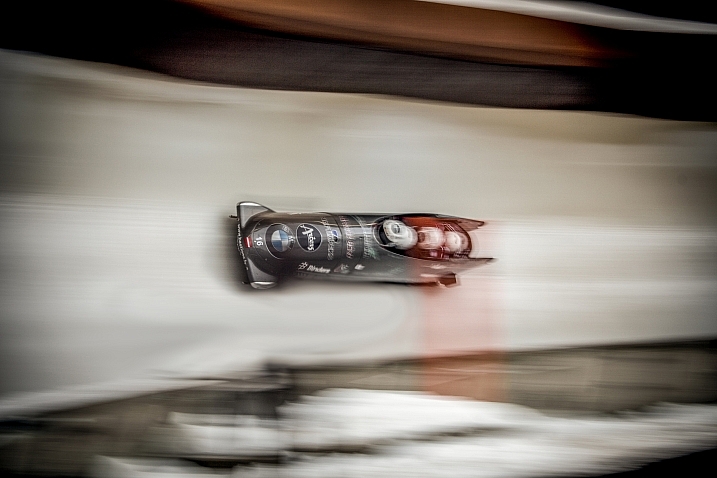
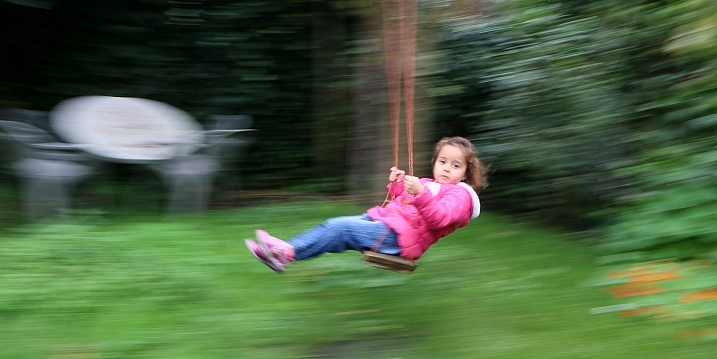
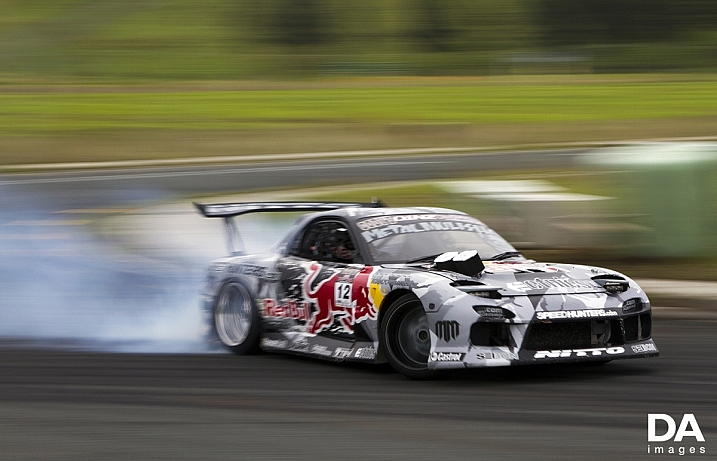
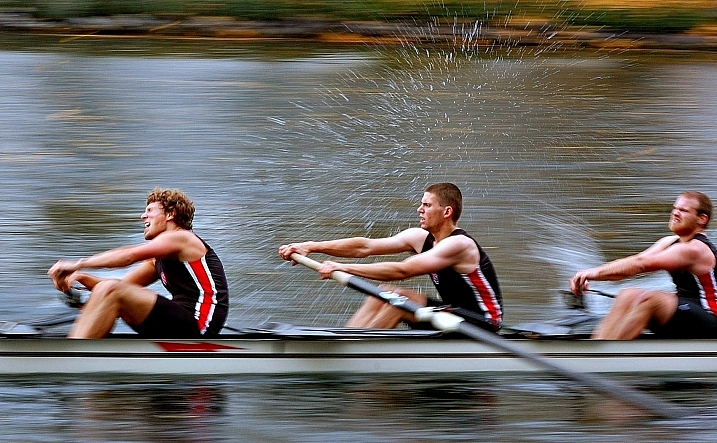
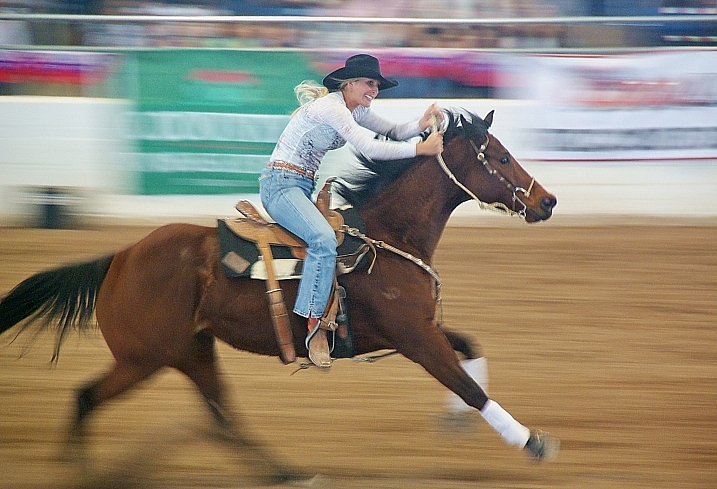
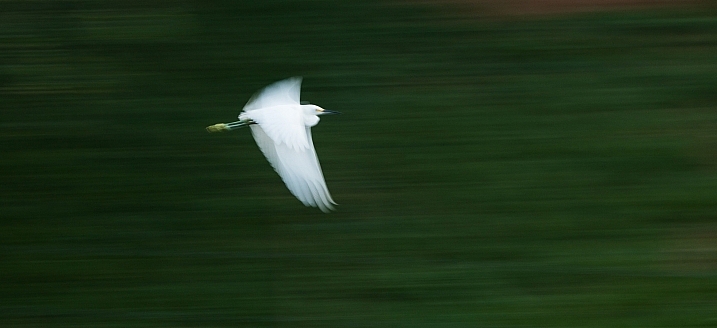
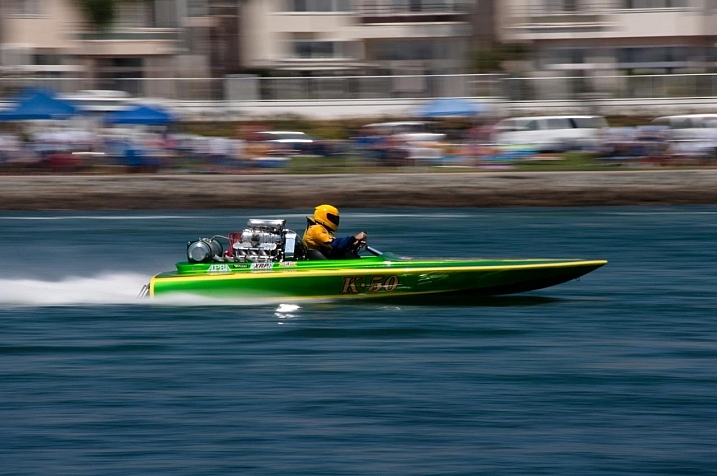
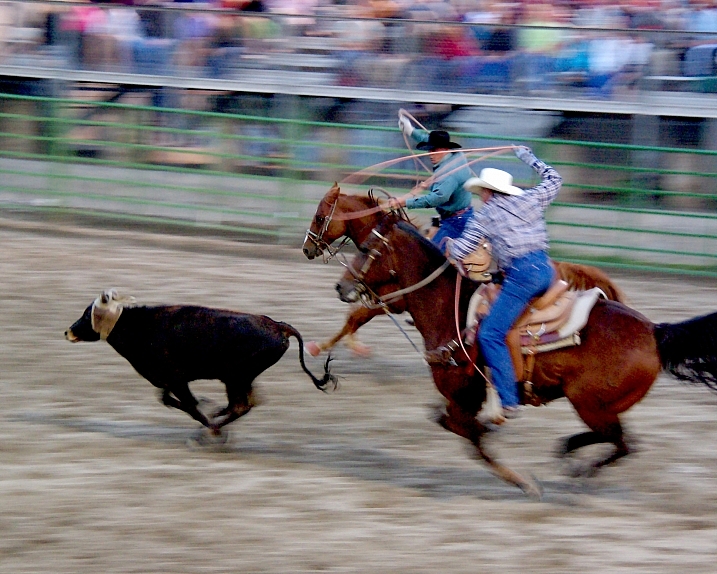
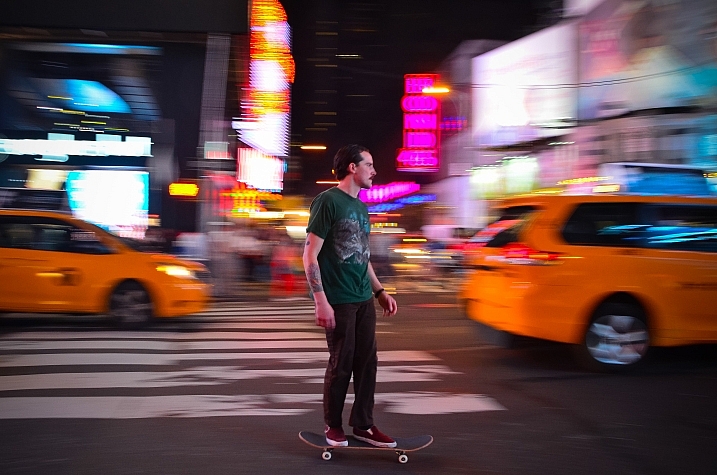
Adding a feeling of motion to your images by using a slow shutter speed can be very effective. One technique to do that is panning, where you move the camera to match the subject and it blurs the background and keeps the subject relatively sharp.

You can pan just about anything that’s moving. Let’s see what these photographers found that they could pan:

Ram Reddy

By ram reddy

VR46

By VR46

Jamie McCaffrey

By Jamie McCaffrey

Flavio~

By Flavio~

Angus

By Angus

Amira_a

By amira_a

Lain

By Lain

Jamie Manktelow

By Jamie Manktelow

Silke Remmery

By Silke Remmery

Spreketek

By spreketek

Carlo Scherer

By Carlo Scherer

Darlene Hildebrandt

By Darlene Hildebrandt

Howard Ignatius

By Howard Ignatius

Msomm

By msomm

Mark Brooks

By Mark Brooks

Angelo Domini

By Angelo Domini

Melissa Himpe

By Melissa Himpe

Alex Matravers

By Alex Matravers

Jan Buchholtz

By jan buchholtz

DFSB DE

By DFSB DE

Groman123

By Groman123

Damianos  Chronakis

By Damianos Chronakis

AmaruDaiKyoko

By AmaruDaiKyoko

David Atkinson

By David Atkinson

Cocoa Dream

By Cocoa Dream

Al_HikesAZ

By Al_HikesAZ

Moisés  Silva Lima

By Moisés Silva Lima

Mbtrama

By mbtrama

Al_HikesAZ

By Al_HikesAZ

Angela N.

By angela n.

googletag.cmd.push(function() {
tablet_slots.push( googletag.defineSlot( “/1005424/_dPSv4_tab-all-article-bottom_(300×250)”, [300, 250], “pb-ad-78623” ).addService( googletag.pubads() ) ); } );

googletag.cmd.push(function() {
mobile_slots.push( googletag.defineSlot( “/1005424/_dPSv4_mob-all-article-bottom_(300×250)”, [300, 250], “pb-ad-78158” ).addService( googletag.pubads() ) ); } );

The post 30 Action Packed Panning Images by Darlene Hildebrandt appeared first on Digital Photography School.

Digital Photography School

 
Comments Off on 30 Action Packed Panning Images

Posted in Photography