RSS
 

Archive for February, 2016

4 Tips for More Dramatic Beach Photos

13 Feb

For some of us, the beach is a way of life. Whether it’s barefoot strolls at sunset, surfing in the big waves, or simply relaxing in the sun, the beach can be a magical place that is food for the soul.

Capturing it in a photograph though, can be a completely different story!

Suddenly you notice things that weren’t so apparent before you took your camera out: super bright harsh light, and photos that look boring and that don’t convey the feelings you experienced when you were at the beach.

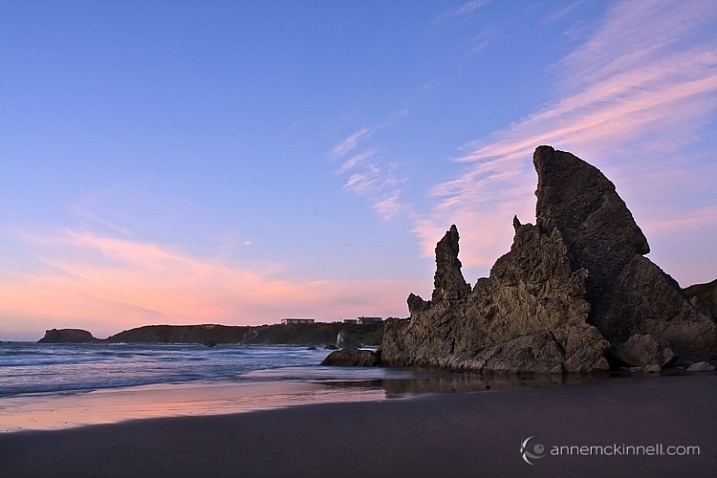
Bandon Beach, Oregon by Anne McKinnell

These tips will help you make the most of your time photographing at the beach, and ensure you come home with photos that are just as dramatic and memorable as your fun day in the sun.

1. Photograph during the Golden Hour

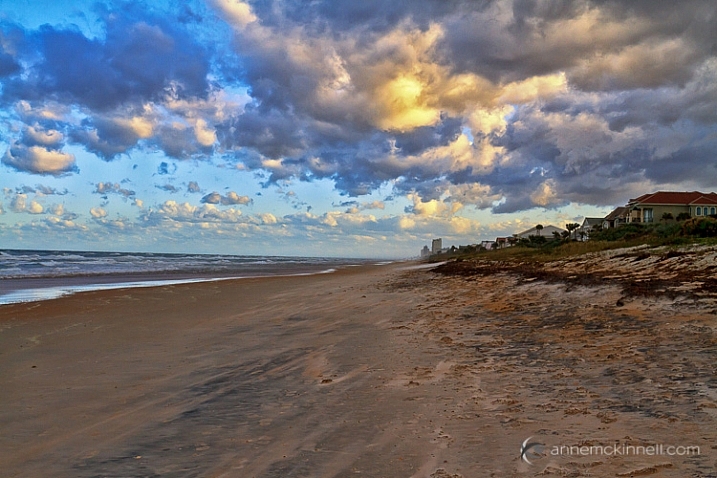
The middle of the afternoon, when the sun is high in the sky and the light is bright, is a great time for swimming and sunbathing, but not such a great time for photography. Just like other types of landscape photography, beach photography is all about the quality of the light.

At the edges of day, when the sun is low in the sky, you’ll find more gentle golden light that will make your photos glow. Sometimes you can photograph during the day too, but only when there are big puffy clouds in the sky that diffuse the light and create drama. If you have a big bright blue sky, it’s better to enjoy the afternoon swimming and visiting with friends, and save the photography for later.

Ormond Beach, Florida by Anne McKinnell

2. Use a Graduated Neutral Density Filter

Even at the edges of the day, the sky is usually quite a bit brighter than the sand or rocks in the foreground of frame, which makes it difficult for your camera to get a good exposure, without blowing out the highlights and creating dark shadows.

Try to even out the exposure by using a graduated neutral density filter which is kind of like sunglasses for your camera. It’s a piece of plastic or glass that is dark on the top, and light on the bottom, and you use it to darken the just the sky portion of your image.

3. Use foreground elements to create an interesting composition

The beach always looks inviting when we’re just about to step onto the soft sand with our bare feet. But when you photograph it just as you see it, it can end up looking boring.

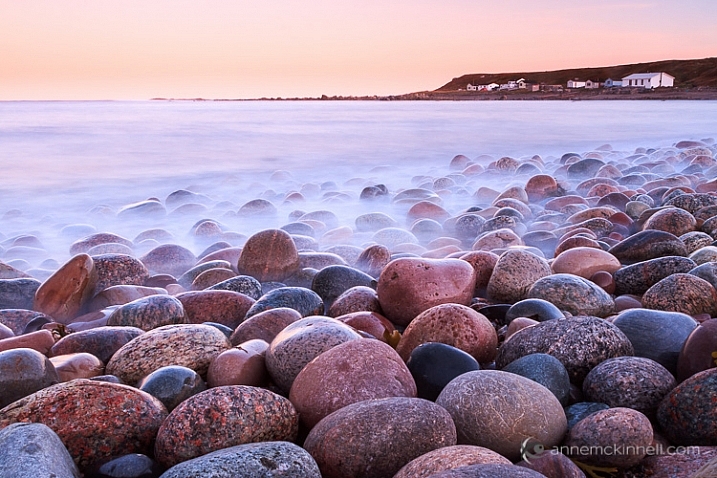
Try using a foreground element in your composition to add interest to the scene. Is there something unique about your particular beach? Perhaps it has colourful rocks, big boulders, driftwood, or seashells. Try incorporating the unique element into the foreground of your image, to make your photograph more interesting.

Rebecca Spit, British Columbia by Anne McKinnell

You can also use a low angle and get really close to your unique element to emphasize it. If you have big colourful rocks, getting down low, and angling your camera upwards, will make them seem even larger. Whereas if you photograph them from eye level they may not look nearly as dramatic as you remember them being.

Gros Morne National Park, Newfoundland by Anne McKinnell

Look around and see what you can use for leading lines that will guide the eye out to the sunset, or towards an important feature in the frame, like sea stacks, or a house in the distance.

Ross Bay, British Columbia by Anne McKinnell

4. Sunbursts and silhouettes

Try some new techniques to create dramatic images. If you are looking towards the sun, you can create a sunburst by including the sun in your frame and using a small aperture like f/22. It also helps if you can partially hide the sun behind an object.

If you have an interesting foreground element with a strong shape, use it to create a silhouette. To do this, use spot metering and expose for the sky, allowing your foreground element to go completely black.

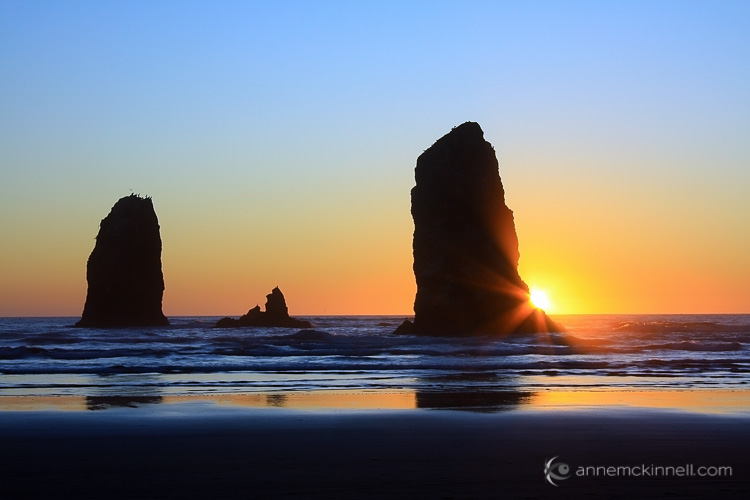
You can even do the silhouette and sunburst together for even more drama!

Canon Beach, Oregon by Anne McKinnell

Next time you go to the beach remember these tips to help you come home with photos that are just as much fun as you had playing in the surf.

Do you have any other beach photography tips, or some favorite beach photos? Please share in the comments below.

googletag.cmd.push(function() {
tablet_slots.push( googletag.defineSlot( “/1005424/_dPSv4_tab-all-article-bottom_(300×250)”, [300, 250], “pb-ad-78623” ).addService( googletag.pubads() ) ); } );

googletag.cmd.push(function() {
mobile_slots.push( googletag.defineSlot( “/1005424/_dPSv4_mob-all-article-bottom_(300×250)”, [300, 250], “pb-ad-78158” ).addService( googletag.pubads() ) ); } );

The post 4 Tips for More Dramatic Beach Photos by Anne McKinnell appeared first on Digital Photography School.


Digital Photography School

 
Comments Off on 4 Tips for More Dramatic Beach Photos

Posted in Photography


A conversation with portrait photographer Brian Smith

13 Feb
When Brian Smith was just a High School student with a budding interest in making photographs, he learned that photography could earn you some significant perks – and at that age, that meant a pass to leave campus. These days he’s well known for his portraiture, including a portfolio of A-list celebrities. He sat down with DPReview Editor Barney Britton at PIX 2015 to discuss his background, career and his secret to putting all of his portrait subjects at ease in front of the camera.

Articles: Digital Photography Review (dpreview.com)

 
Comments Off on A conversation with portrait photographer Brian Smith

Posted in Uncategorized


Sphericam 2 professional fully spherical camera records 4K/60 fps videos

13 Feb

$ (document).ready(function() { SampleGalleryV2({“containerId”:”embeddedSampleGallery_7236055564″,”galleryId”:”7236055564″,”isEmbeddedWidget”:true,”standalone”:false,”selectedImageIndex”:0,”startInCommentsView”:false,”isMobile”:false}) });

The folks at Sphericam are back with a second generation model of their unique angular camera. The Sphericam 2 is, according to the company, the first fully spherical pro-grade 360-degree camera that records 4K footage at 60 fps. The resulting videos can be used in VR applications, as well as on platforms that support 360-degree content like YouTube and Spinnable.

Unlike other spherical cameras, Sphericam features angular sides comprising a geometric design made from anodized aluminum. These ‘faces’ allow the camera to be placed flat on a surface, and also house things like lenses, mounting points, and buttons. Sphericam 2 has six cameras, each using a sensor with global shutter and synchronized to fire within 50 microseconds of each other.

Footage is available as 60 fps raw/unstitched and as 30 fps stitched panoramic videos. Capturing in 30 fps allows the video to be stitched in real time; a live streaming function is currently in development. Content, meanwhile, is recorded at up to 1.2 Gbps to an internal microSD card. The camera supports use of up to six MicroSD cards at once by way of a removable module adding up to a total maximum storage capacity of 768GB, or about 85 minute of footage.

The camera has two power options: a non-removable rechargeable battery for up to 90 minutes of operation, and a USB-C port for continuous operation when plugged in. Finally, Sphericam features a total of 8 mounting points, each a standard threaded 1/4-20 offering, for use with various third-party mounting accessories. 

Sphericam 2 is available for preorder from Sphericam for $ 2499; shipping is estimated to start 10 to 12 weeks after ordering.

Via: Sphericam

Articles: Digital Photography Review (dpreview.com)

 
Comments Off on Sphericam 2 professional fully spherical camera records 4K/60 fps videos

Posted in Uncategorized


Manfrotto introduces six new monopods for XPRO range

13 Feb
From the top down, Prime, Over and Land monopods from Manfrotto

Tripod and accessory manufacturer Manfrotto has announced a total of six new monopods that it has added to the XPRO range, including models in carbon fiber as well as aluminum. The models cover three families of monopods: Prime for the heaviest equipment, Over for those who need height but for lighter kit, and Land for traveling.

The Prime models come in three variants, one of which has four sections and is made of carbon fiber. The other two are aluminum, and one of those features a pop-out three-leg support system that is concealed within the lower leg section. The Prime models can support up to 10kg / 22lbs and offer a maximum height of 168cm / 66.14in.

The Over series can support up to 7kg / 15.43lbs, and offer heights of up to 176cm / 69.29in, while there is only one Land monopod – a 5-section model which packs down to 41.5cm / 16.3in and weighs only 0.7kg / 1.5lbs. It can hold 6kg / 13.23lbs and can open to 141cm  / 55.51in.

Each of the models offers dual 1/4in and 3/8in threads and Manfrotto’s new Quick Power Lock leg clamps, as well as D-shaped tubing to help prevent rotation.

For more information visit the Manfrotto websiite.

Model Material Leg Sections  Price
 Prime Aluminum 3 £54.95
 Prime with legs Aluminum 3 £99.95
 Prime Carbon Fiber 4 £149.95
 Over Aluminum 4 £69.95
 Over Carbon Fiber 5 £169.95
 Land Aluminum 5 £69.95

US pricing is not yet available.

MANFROTTO PRESENTS: NEW XPRO MONOPODS

Manfrotto, world leader in the photography, imaging equipment and accessories industry, announces a new photo monopods range: the New XPRO MONOPODS. These products bring the premium style and performance of the 055 and 190 series tripods on single-legged camera supports and are superbly designed and crafted for professional and advanced photographers. The new XPRO MONOPODS range consists 6 of new models of the PRIME, OVER and LAND monopods.

COMPACTNESS, PORTABILITY & PAYLOAD
With 6 new models available – 4 in aluminium and 2 in Carbon Fibre, the new XPRO MONOPODS come in different sizes and with ¼” or 3/8” mounting threads.

The PRIME Monopods provide the highest payload in the range and are able to support up to 10kg (22lbs) of weight. Available in 3 models (2 aluminium and 1 carbon fibre), one features a unique retractable mechanism that allows the three feet to fully disappear inside the last tube – only coming out when needed.

The OVER Monopods have increased the maximum height by 16% more than previous model, widening the shooting angles’ versatility whilst still maintaining remarkable compactness. Available in aluminium and carbon fibre.

Extending the range further, the LAND Monopod is a 5 section monopod ideal for travelling. It folds down to 41.5 cm (32.6 in) for easy transportation and can be packed into Manfrotto backpacks or messenger bags. Available in aluminium only.

EASE OF USE & STABILITY
The New Quick Power Lock provides stability of use to all XPRO MONOPODS and a fast locking grip, which can be released with a single hand movement.

The D-shaped tubes greatly improve the anti-rotation resistance allowing for a solid locking grip by eliminating jerky movements.

Remove problems of vibration, speed and portability with the New XPRO MONOPODS: suitable for Sport photography, Bird watching, Travelling and Nature photography.

Prices from £54.95. For more information, please visit www.manfrotto.co.uk

Articles: Digital Photography Review (dpreview.com)

 
Comments Off on Manfrotto introduces six new monopods for XPRO range

Posted in Uncategorized


Never Grow Up: Man Quits Job, Builds Dream Treehouse Dwelling

13 Feb

[ By Steph in Architecture & Houses & Residential. ]

dream treehouse 12

Fed up with his fast-paced life in New York City, Foster Huntington quit his job, hopped into a Volkswagen van and traveled around the country before settling in Washington state to build his dream treehouse dwelling complete with a skate bowl and wood-fired soaking tub. The photos alone are enough to make anyone daydream about doing the same. Set against a hazy landscape just across the Columbia River from the Oregon border, two compact structures are nestled high up in the fir trees, connected by a meandering bridge.

dream treehouse

dream treehouse 2

dream treehouse 3

The 27-year-old adventurer and photographer gathered a group of friends to help him make his dream into a reality. It took them about a year to complete ‘the Cinder Cone,’ as he calls it, with one building functioning as a sleeping cabin and the other a workshop. Each measures about 200 square feet, and the sleeping cabin has bunk beds and hammocks to fit a group.

dream treehouse 4

dream treehouse 9

dream treehouse 11

The getaway feels like it’s in the middle of nowhere, but it’s close to Portland. The spacious hot tub on a deck further down the hillside keeps things cozy in cold weather, and Huntington and his guests have their own private skate park just a few steps down from the workshop. The friends involved in the building process referred to the Cinder Cone as “big-boys camp” and “Neverland.” It’s all very Portlandia, and The New York Times called it ‘Bro-topia,’ which sounds about right, but it’s hard to deny that the place is incredibly dreamy.


dream treehouse 13

dream treehouse 5

dream treehouse 6

dream treehouse 14

Huntington has produced both a short film and a photo book documenting the building process, and lots of photos – from the very beginning of the project to its enviable usage today – can be seen on his Instagram. 

Share on Facebook


[ By Steph in Architecture & Houses & Residential. ]

[ WebUrbanist | Archives | Galleries | Privacy | TOS ]


WebUrbanist

 
Comments Off on Never Grow Up: Man Quits Job, Builds Dream Treehouse Dwelling

Posted in Creativity


Fujifilm X70 Shooting Experience: Taking it to the streets

13 Feb

Fujifilm X70 Shooting Experience

The first thing you’ll notice about the Fujifilm X70 is that it looks an awful lot like an X100T. The second thing you’ll notice is how similar some core specifications are to an established cult classic among street photographers, the Ricoh GR II. And despite featuring retro-inspired dials-on-dials design coupled with a 16MP APS-C sensor and 28mm equiv. F2.8 lens, the X70 turns out to be very distinct from both of those cameras in real-world use.

Basics and Handling

The X70’s X-Trans APS-C CMOS sensor is lifted from the X100T and offers the same 16.3MP resolution and hybrid AF system. The lens is new though – it’s a fixed 18.5mm (28mm equiv.) F2.8 prime with two aspherical elements tucked behind a 9-bladed aperture diaphragm. Exposure is taken care of courtesy of a leaf shutter, allowing for near-silent operation, and if for some reason you need to be even quieter, the electronic shutter goes all the way to 1/32,000. That’s a good thing for general daytime shooting as well, since the X70 doesn’t get a built-in ND filter like the X100-series.

Fly by night. SOOC JPEG, Classic Chrome mode. Photo by Carey Rose. F4 | 1/60 | ISO 200

The buttons and dials on the X70 leave a little to be desired. For the most part they function just fine, but the dials feel a little less-than-premium: kind of a halfway point between the X-A / X-M and X100-series of cameras. The buttons have positive feedback, but are a little too flush with the body. In fact, though you can reassign the movie button to something else, it’s so flush that it’s incredibly difficult to press. I’ve found that it’s easiest to ignore it. Also, because the screen protrudes a bit when folded against the body, it gets in the way of you pressing the left-most button on the four-way controller. The playback buttons might seem oddly placed on the top of the touchscreen, but they actually work well there.

All-in-all, though, the act of controlling core settings on the X70 is very similar to the experience of using the X100T, which is to say it works both very quickly and very well.

One-man dance party. SOOC JPEG using Monochrome mode. Photo by Carey Rose. F5.6 | 1/60 | ISO 1000

The X70’s rubberized front and rear grips are grippy and well-sculpted, and the camera feels comfortable and secure even in one hand. That said, the aperture control ring around the lens and the articulating touchscreen encourage two-handed operation.

Performance

But using two hands won’t slow you down with the X70. In fact, not much will. The 0.5-second startup time (high performance mode) of the X70 means that the camera is ready to shoot very quickly. This is about three times faster to start up than the GR II and means that subjectively, the X70 just feels more responsive when shooting out and about.

Play time. Processed to taste from Raw using the Pro Neg Standard color profile in ACR. Photo by Carey Rose. F2.8 | 1/125 | ISO 200

Focus times in Single-AF for the X70 are also on the sprightly side (at least for Fujifilm). The hybrid AF system does usually undergo a slight hunt before locking focus, but the live view never freezes up. Of course, street shooters will miss a thorough implementation of snap focus, but Single-AF was usually fast enough that we didn’t miss it anyway.

So while overall Single-AF speed is good, accuracy tended to vary more than we’d like. The focus would sometimes shift slightly in frames taken in immediate succession, even in daylight. To be fair, I found this mostly when shooting with the contrast-detect-only AF points near the edge of the frame. Your mileage may vary. This focus shifting didn’t affect my images much for web viewing, but I definitely noticed it on even a moderate-sized monitor.

The combination of close focus and a mild wide angle mean you can get pretty close to your subject, have some background isolation, and still have some context in the scene overall. SOOC JPEG using Classic Chrome mode. Photo by Carey Rose. F5.6 | 1/125 | ISO 1250

Continuous AF isn’t really a strong point for cameras of this general type and price point. With the X70 in single-point AF-C mode, you’ll get some lag if your subject is too quick, along with a whole lot of hunting. AF-C + Zone, which uses the PDAF area in the center of the frame works better, but the PDAF area is too small for really meaningful subject tracking. AF-C + Wide / Tracking does a reasonably good job of identifying the subject to track, but you’ll often get excessive and incessant hunting behind and in front of the desired subject. This was noticeable even if the subject wasn’t moving.

I ended up using the X70 in the same way as I use other Fujifilm cameras – in AF-S mode. 

The First Fujifilm Touchscreen

What really sets the X70 apart from both the X100T and the GR II is its tilting touchscreen, a first on any Fujifilm X-series camera. Sure, it’s made it really easy for me to take unflattering couch selfies, but it mostly makes for a very discreet shooting experience. Using the X70 with the screen as a waist-level finder, you can touch to acquire focus anywhere in the frame and capture your scene without ever lifting your head. Uninterested passers-by will assume you’re texting or maybe fiddling with dials on your hipster film camera, and if someone does actually pay you some attention, it just looks like you’re going a little heavy on the chimping.

Just chimping, bro. Processed to taste in Raw using the Monochrome preset in ACR. Photo by Carey Rose. F5.6 | 1/60 | ISO 400

The tilting screen also helps when it comes to getting the most out of the 28mm field of view that the X70 offers. Unlike a 35mm or a 50mm, a 28mm focal length requires some careful attention to foreground and background elements to keep your images from feeling too flat. Being able to easily frame subjects from ground-level or above my head helped me get a little more accustomed to 28mm, a focal length I normally tend not to gravitate towards.

Image Quality

The sensor inside the X70 is quite literally nothing new. Though this 16.3MP X-Trans sensor is getting a little long in the tooth, overall dynamic range and noise performance are still very good, and as we’d expect, very comparable to the closely-related 16MP sensor in the GR II. We prefer the rendering from Fujifilm’s X-Trans sensor in JPEG mode, but Raw files from the more conventional filter array in the GR are easier to handle. 

Camouflage. Processed to taste from Raw using the Pro Neg Standard preset in ACR. Photo by Carey Rose. F2.8 | 1/60 | ISO 1000

The lens on the X70 though is an all-new design, but in both the studio and the real world, we found the lens on our particular X70 to be noticeably less sharp than that on the GR II. Of course, this could be an outlier (we are using a very early production model camera) but we’ll keep an eye on it and do a control test with another sample as soon as we can. 

It’s worth noting that the lens on the X70 doesn’t offer a dedicated macro mode. It doesn’t really need to. The close focus distance of 10 cm (~4 in) allows you to get a little more creative with your compositions as well as get some reasonable subject separation despite the vaguely unimpressive maximum aperture.

Overall Impressions

It’s time for a talk. SOOC JPEG, shot in monochrome mode. Photo by Carey Rose. 1/60 | F2.8 | ISO 2500

Time to be brutally honest. The spec sheet on the Fujifilm X70 isn’t all that exciting. We’ve seen the sensor, processor and autofocus system before. The lens, a new design, only opens to F2.8. It’s appreciably smaller than an X100T, but is more ‘coat pocket’ than ‘jeans pocket.’

In spite of all of this, the Fujifilm X70 is a thoroughly enjoyable and engaging camera to use. Full disclosure: I feel the same way about the GR II, but using it is a completely different experience. If you have a GR II and like it, there’s really not enough of a reason to dump it for the X70. If you like your X100-series but were looking into a more portable option like the GR II, the X70 is definitely worth a look. Strictly speaking, these two cameras are capable of achieving very similar results. But as the files between them have their own unique signature, so does the handling, and handling is a very personal matter indeed.

So in the end, is there room for two similarly-specced street-focused APS-C shooters in the marketplace? Time will tell, but with the X70, Fujifilm has created a compact, responsive camera that in terms of both specification and design, is greater than the sum of its parts.

Additional Content

Fujifilm X70 Updated Samples Gallery

$ (document).ready(function() { SampleGalleryV2({“containerId”:”embeddedSampleGallery_6897602972″,”galleryId”:”6897602972″,”isEmbeddedWidget”:true,”standalone”:false,”selectedImageIndex”:0,”startInCommentsView”:false,”isMobile”:false}) });


Studio Test Scene Comparison

Articles: Digital Photography Review (dpreview.com)
 
Comments Off on Fujifilm X70 Shooting Experience: Taking it to the streets

Posted in Uncategorized


Ricoh partners with 360° content social platform Spinnable

12 Feb

Ricoh has partnered with Spinnable, a social sharing platform dedicated to 360-degree content. The partnership allows Ricoh Theta S owners to directly upload 360-degree videos recorded with the camera to Spinnable. The Spinnable platform is currently available as an iOS app, and will soon be launched for Android, Samsung Gear, and desktop, as well.

The Ricoh Theta S is a consumer handheld camera that records 360-degree high-definition video via a 14MP image sensor, wide-angle lenses, and Ricoh’s own ultra-small twin-lens folded-optical system. Currently, Theta users can only upload their creations to YouTube, Google Street View and Ricoh’s website. Spinnable opens up another option to Theta users, who will be able to view and pan around within the video using either their phone’s integrated gyroscope or by swiping a finger.

In a press statement on Wednesday, Spinnable co-founder and CEO Mark Demarest said, ‘Although Spinnable is hardware agnostic, we’ve chosen the Ricoh Theta S as the first camera to directly integrate with Spinnable because of its compact form factor, image quality and price point.’ Spinnable users can now purchase the Ricoh Theta S directly through the app, as well.

Press release:

Ricoh Theta S Offers an Immersive 360° Experience With Spinnable for Social Media Content

LOS ANGELES, Feb. 10, 2016 — Spinnable, an immersive technology company for 360 Social Sharing, today announced a strategic alliance with Ricoh, creator of the Theta S. Spinnable and the Ricoh Theta S — the first handheld camera to capture truly spherical 360-degree images and high-definition (HD) video — make it easy for anyone to create, consume and share content in full 360 degrees, capturing what is going on all around them, not just what is in front of them.

Spinnable is working with Ricoh Imaging Americas Corporation to bring a massive shift in the way people experience media, while making production accessible to artists, brands, and the mass-market.

Spinnable users can use the Ricoh Theta S to capture and then directly upload images to the Spinnable app, which is currently available for iOS, and will soon be available for Android devices. Once in the app, the media can be moved with theswipe of a finger, or by panning, using the phone’s gyroscope. The Ricoh Theta S camera can also be purchased through the app.

“Although Spinnable is hardware agnostic, we’ve chosen the Ricoh Theta S as the firstcamera to directly integrate with Spinnable because of its compact form factor, image quality and price point,” said Mark Demarest, CEO and Co-Founder, Spinnable.

The Ricoh Theta S captures the entirety of a scene in a high-resolution photo or video, in a sleek, pocket-sized design. It records high-resolution spherical images of nearly 14 mega-pixels and HD video at 30fps, with a maximum recording time of 25 minutes. Its high quality images are enabled by an enlarged image sensor and wide-angle lenses that allow more light through Ricoh’s proprietary ultra-small twin-lens folded-optical system. 

“Spinnable is creating a new, highly engaging way for consumers, companies and artists alike to share life’s experiences with one another, and our Ricoh Theta S is the ideal camera to capture this content,” said Jim Malcolm, president, Ricoh Imaging Americas. “We are excited to be a part of the new and growing Spinnable community.”

Spinnable is also enabling musicians, athletes and celebrities to provide fans with a more intimate, immersive look into their lives, from backstage, on the court, and in the studio, to red carpet events, and those beloved everyday selfies. With these relationships, Spinnable will be creating content that can be accessed exclusively through the app. The company will also be launching live-streaming events in 360 degrees directly through the app.

Articles: Digital Photography Review (dpreview.com)
 
Comments Off on Ricoh partners with 360° content social platform Spinnable

Posted in Uncategorized


27 Interpretive Images that Represent Time

12 Feb

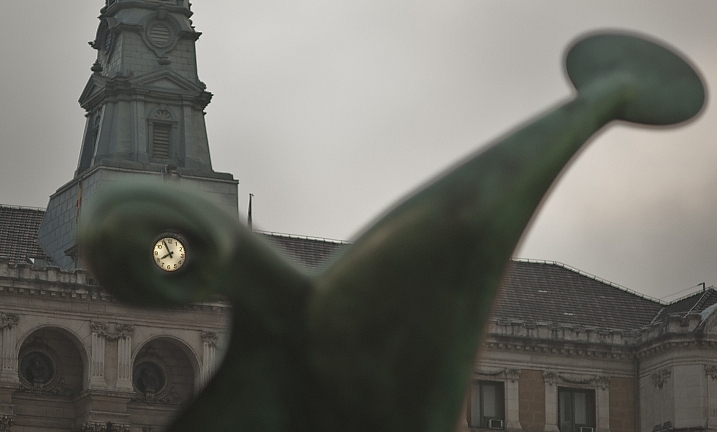
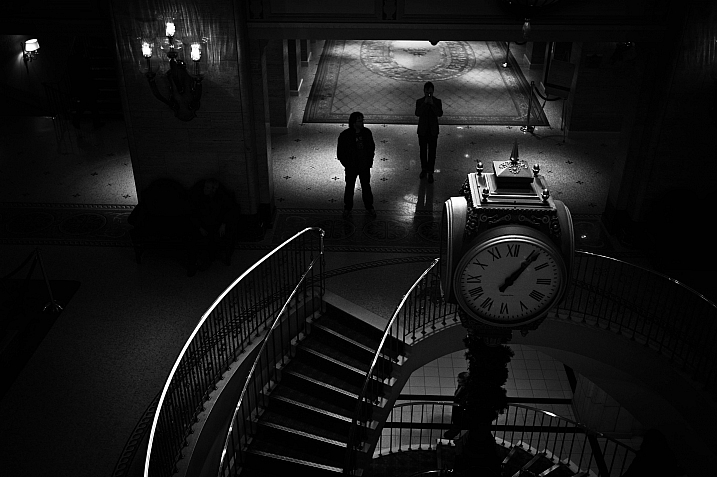
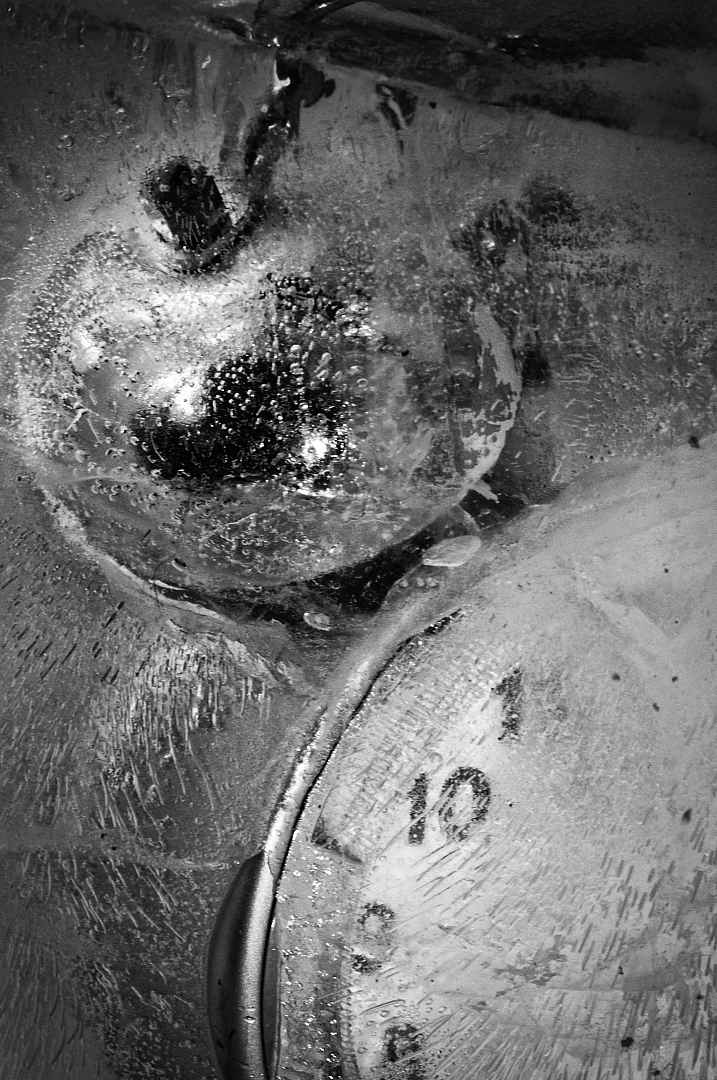
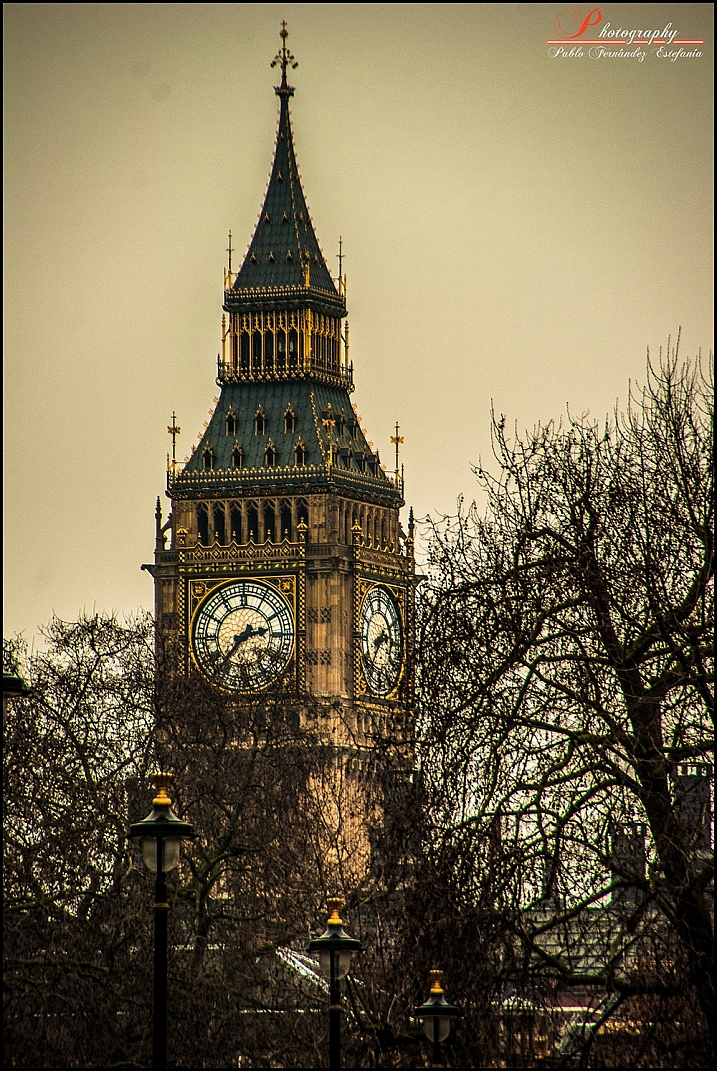
Okay technically this is 26 images and one really cool time lapse video that represent things related to time. Some are actual clocks or time pieces, yet others are more interpretive, mystical – such as long exposure photography, light trails and stars.

See where these photographers went – around the clock.

Christian Schirrmacher

By Christian Schirrmacher

Arne Bornheim

By Arne Bornheim

Paul Gravestock

By Paul Gravestock

Sacha Fernandez

By Sacha Fernandez

Vaidotas Mišeikis

By Vaidotas Mišeikis

Julen Landa

By Julen Landa

Robert Couse-Baker

By Robert Couse-Baker

Eddi Van W.

By Eddi van W.

Elvin

By Elvin

Bo Insogna, TheLightningMan.com

By Bo Insogna, TheLightningMan.com

Paolobarzman

By paolobarzman

John Fowler

By John Fowler

Luis Argerich

By Luis Argerich

Kat...

By Kat…

Philip Edmondson

By Philip Edmondson

Mikael Tigerström

By Mikael Tigerström

Alice Popkorn

By Alice Popkorn

Charlie Wales

By Charlie Wales

Pablo Fernández

By Pablo Fernández

Vincent_AF

By Vincent_AF

Tekke

By Tekke

Stefanos Papachristou

By stefanos papachristou

Atilla Kefeli

By Atilla Kefeli

Ian Sane

By Ian Sane

Joe Penniston

By Joe Penniston

Michael Shaheen

By Michael Shaheen

googletag.cmd.push(function() {
tablet_slots.push( googletag.defineSlot( “/1005424/_dPSv4_tab-all-article-bottom_(300×250)”, [300, 250], “pb-ad-78623” ).addService( googletag.pubads() ) ); } );

googletag.cmd.push(function() {
mobile_slots.push( googletag.defineSlot( “/1005424/_dPSv4_mob-all-article-bottom_(300×250)”, [300, 250], “pb-ad-78158” ).addService( googletag.pubads() ) ); } );

The post 27 Interpretive Images that Represent Time by Darlene Hildebrandt appeared first on Digital Photography School.


Digital Photography School

 
Comments Off on 27 Interpretive Images that Represent Time

Posted in Photography


Techart brings AF to Leica M lenses on Sony’s a7 II and a7R II

12 Feb

$ (document).ready(function() { SampleGalleryV2({“containerId”:”embeddedSampleGallery_6307530870″,”galleryId”:”6307530870″,”isEmbeddedWidget”:true,”standalone”:false,”selectedImageIndex”:0,”startInCommentsView”:false,”isMobile”:false}) });

Chinese company Techart has produced an adapter that works with the phase detection AF system of Sony’s a7 II and a7R II cameras to create an autofocus effect for Leica M mount lenses. The adapter ring sits between the body and the lens and uses a motor to drive the entire lens back and forth until sharp focus is found. The company claims focus is usually acquired within a second, and that the depth of the adapter can actually increase the close-focusing range of some focal lengths, allowing users to get closer their subjects.

Focal lengths of 50mm and wider need to be set to their infinity position while mounted on the adapter, and focus is found as the adapter pushes and pulls the lens closer and further away from the sensor. The sensor lets the adapter know when the subject is sharp, and the hunting stops. Lenses with longer focal lengths may need the user to do some of the work with the focusing ring on the lens, and then the adapter will finish the job.

The process only works with Sony’s a7 cameras that support phase detection systems, and the company says the adapter does not work for video. Single shot and continuous AF modes are available however, and the system can deal with lenses that weight up to 700g / 1.5lb. A smartphone app that connects with the adapter allows users to store information about up to 10 different lenses, which the adapter can then communicate back to the camera, so its 5-axis image stabilization system can be utilized.

$ (document).ready(function() { SampleGalleryV2({“containerId”:”embeddedSampleGallery_1213732129″,”galleryId”:”1213732129″,”isEmbeddedWidget”:true,”standalone”:false,”selectedImageIndex”:0,”startInCommentsView”:false,”isMobile”:false}) });

Techart says that, with add-on adapters, the device can work with other lens mounts that have long flange depth, such as the Leica R, and Contax/Yashica systems. The Techart PRO Autofocus Leica M Adapter for Sony E camera will cost $ 349. For more information and more sample images visit the Techart Pro website.


Press release:

Techart unveils the World’s First Autofocus Adapter for Manual Focus Lens, the Techart PRO AF Leica M lens adapter for Sony E mount cameras

Techart, the Chinese adapter manufacturer who has previously launched the first Contax G autofocus adapter for Sony E cameras, has unveiled the world’s first Autofocus adapter for Manual Lenses named ‘Techart PRO’. The Techart PRO adapter is able to drive the manual Leica M lenses to reach focus by using the focusing system in Sony A7II and Sony A7RII, giving an unprecedented new user experience for all Leica M lenses owners.

Techart PRO has adopted the z-shift technology where the Leica M bayonet is able to extend and retract. The distance between the lens and the camera sensor is hereby changed in order to reach the focus. The mechanism is quite similar to Contax AX system where the flange distance is changed for autofocusing. Techart PRO has electronic contacts to communicate with the Sony A7II and Sony A7RII and uses its PDAF
system to measure focus. The built-in motor will then drive the bayonet forward by a maximum of 4.5mm and reach the focus point for shooting.

Techart PRO is super light and powerful. The adaptor weighs only 133g and is able to drive a lens system as heavy as 700g. Apart from pairing up with the Leica M lenses, users can also further adapt lenses with longer flange distance (e.g. Leica R, CY, PK, MD, etc) with add-on adapters and enjoy the autofocusing experience with other manual lenses. Techart PRO supports both AF-S and AF-C modes and it can also serve as a close focusing adapter which can reduce the minimal focusing distance of the lenses.

A complimentary mobile app will be available for users to save 10 sets of lens data to the adapter and perform firmware upgrade via bluetooth.

Techart PRO is an evolutional product which can give users a completely new experience with their manual lenses. The fast and precise focusing allows users to take quick and sharp photos with their favourite manual lenses. More product information and testing videos can now be found via our official website.
(http://www.techartpro.com/)

Pricing and Availability
The Techart PRO Autofocus Leica M Adapter for Sony E cameras is currently available for pre-order at our official website (http://www.techartpro.com). The recommended retail price is USD 349/pc. Free shipping will be provided during the promotion period. Delivery will commence from March onwards and will be shipped from our US/UK/Hong Kong warehouse. 1-year warranty is included.

Articles: Digital Photography Review (dpreview.com)

 
Comments Off on Techart brings AF to Leica M lenses on Sony’s a7 II and a7R II

Posted in Uncategorized


Cambo introduces Canon EOS lens plate with aperture control for Actus view camera system

12 Feb

$ (document).ready(function() { SampleGalleryV2({“containerId”:”embeddedSampleGallery_4644059846″,”galleryId”:”4644059846″,”isEmbeddedWidget”:true,”standalone”:false,”selectedImageIndex”:0,”startInCommentsView”:false,”isMobile”:false}) });

Cambo has devised a new Canon EF/EF-S lens plate for its Actus view camera system that allows users to control aperture settings on Canon EOS lenses. The Cambo Actus system is designed to deliver a view camera style of shooting to some mirrorless camera bodies, consisting of a lens plate and a body plate with bellows and a monorail in between.

As EOS lenses have no manual aperture control, a plain mounting plate will only allow the lenses to be used at their widest aperture setting. The new ACB-CA plate however has electronic contacts that allow it to communicate with the lens, and a finger wheel so the photographer can dial in required aperture settings. An OLED display shows aperture values as well as the focal length in use, even when a zoom is mounted. 

The ACB-CA adapter will provide tilt, shift, swing, rise and fall movements between the front and rear standards with an EOS lens and a mirrorless camera mounted, though other lens systems allow movements with Nikon and Canon DSLR bodies. The Actus-DB system allows digital backs to be used.

The new ACB-CA plate for Canon EOS lenses costs £950 / $ 1299, while the Actus body costs £1400 / $ 1900. For more information visit the Cambo website.


Press release: 

NEW Cambo Actus Canon Auto Lens Mount

Cambo has released the NEW ACB-CA adapter for Canon EF lenses for use on the ACTUS mini view camera. The adapter has built-in electronic controls for setting and operating the aperture of Canon EF lenses.

Normally when a Canon auto iris lens is removed from the camera body the lens aperture is wide open. The ACB-CA communicates with the lens and enables the user to adjust the aperture, giving you full control.

This adapter has an internal battery for continuous use and features an OLED display which shows the preset or set aperture together with the focal length of the lens. The communication is accurate, such that the display will also show the focal length of zoom lenses.

The adapter accepts lenses fitted with Canon EOS bayonet, in combination with the ACTUS view camera. The ACB-CA adapter is finished in black to match the ACTUS-B camera version.

This ACB-CA lens adapter is designed to work with mirrorless* camera bodies, such as the Sony A7 series, Fujifilm X series and Canon M series. When mounted on the Actus the adapter will tilt and swing within the lens image circle that is being used. The rear rise/fall and left/right shift will operate as normal, again within the lens’s image circle.

*Mirrorless camera bodies have the imaging sensor further forward enabling the lens to focus at infinity or closer.

Check via the Cambo Configurator the compatibility between cameras, lenses and adapter when using the Cambo Actus.

The ACB-CA adapter is available now from stock £790.00 excluding VAT and shipment. For further information contact CamboUK on 07863 116150 or cambouk@gmail.com .

Articles: Digital Photography Review (dpreview.com)
 
Comments Off on Cambo introduces Canon EOS lens plate with aperture control for Actus view camera system

Posted in Uncategorized