RSS
 

Archive for September, 2014

Schlafende Kinder

11 Sep

Die französische Fotografin Alice Lemarin zeigt in ihrer Serie „Sleeping“ schlafende Kinder in städtischer Umgebung. Tief schlafende Kinder auf federweichen Kissen, angelehnt an Häuserwände, Pfähle oder Mauern. Sanfte Träume inmitten der Großstadt.

Das Thema der unbeschwerten Kindheit setzt Alice Lemarin fotografisch auf eine ganz besondere Art und Weise um: Sie lässt ihre kleinen Modelle überall einschlafen, wo sie die Müdigkeit überkommt. Das Privileg einfach einschlafen zu können, wenn man müde ist, egal wann und wo, verschwindet allmählich je älter wir werden.

Termine auf der Arbeit und Verpflichtungen nach Feierabend, volle Kalender und Freizeitstress kennen wir nur zu gut. Nicht selten schaut man doch manchmal seufzend und leicht neidisch auf die Kinder, die auf einem langweiligen 70. Geburtstag einfach auf Papas Arm einschlafen.

Egal wie unbequem der Untergrund; Kindern scheint es häufig einfach nichts auszumachen. Wenn sie müde sind, schlafen sie tief und fest ein. Übertragen in eine urbane Umgebung, feiert Alice Lemarin mit diesen Bildern fast schon surreal die Leichtigkeit der Kindheit.

Dabei zieht sich nicht nur der formale Aufbau der horizontalen Stadtkulisse und der vertikalen Schlafmöglichkeit wie ein roter Faden durch die Serie. Alice Lemarin hat noch auf viele weitere Details wert gelegt:

Die subtilen Akzente im Styling machen eine visuelle Besonderheit aus. Die Kleidung der Kinder und der Bezug der Kopfkissen ist auf die Umgebung abgestimmt, sodass es scheint, der städtische Raum sei mit den Träumen der Kinder verschlungen.

Auf jeden Fall laden ihre Fotos zum Träumen ein, und lassen uns glücklich daran zurück denken, wie schön es damals war, als wir klein waren und unbeschwert schlafen konnten.

Ein schlafendes Mädchen lehnt an einem Auto vor einem Brautmodengeschäft

Ein rothaariger schlafender Junge lehnt an einer bemalten Wand

Ein schlafendes Mädchen in rosa lehnt an einer Wand

Ein schlafender Junge lehnt an einem Baum

 Ein schlafendes Mädchen lehnt an einer Fotowand

Ein schlafender Junge lehnt vor einer Großstadtkulisse

Ein schlafender Junge lehnt vor einem Hotelfenster

Ein schlafendes Mädchen lehnt an einem Bahnsteig

Ein schlafendes Mädchen lehnt an einem Baum, über ihr ist ein Vogelkasten.

Ein auf einem rosa Kissen schlafendes Mädchen lehnt an einer Wand.

Ein schlafender Junge lehnt an einer Mauer.

Diese und weitere Arbeiten von Alice Lemarin findet Ihr auf ihrer Webseite.


kwerfeldein – Fotografie Magazin | Fotocommunity

 
Comments Off on Schlafende Kinder

Posted in Equipment


Rejected Starchitects: 8 Controversial Building Proposals

11 Sep

[ By Steph in Architecture & Offices & Commercial. ]

Rejected Starchitects Foster Airport 1

Even the world’s most famous architects, from Zaha Hadid to Frank Gehry, get rejected sometimes. When Norman Foster’s visionary proposal for a new London airport built right in the middle of the Thames estuary was rejected, the architect retorted that the decision lacked “courage,” and that does often seem to be the case, with cities balking at overly ambitious and futuristic designs. But sometimes, it just comes down to money – or the architect’s ego.

Floating London Airport by Norman Foster

Rejected Starchitects Foster Airport 2

Rejected Starchitects Foster Airport 3

Land-poor London needs a new solution for an airport that can grow along with the city in the decades to come, but adding new runways would just be a short-term fix. Architect Norman Foster’s solution is to build a four-runway airport on the Isle of Grain in the Thames estuary, linking to existing and new high speed train networks. The proposal would use land that’s not currently suited for anything else, and would also make it easy to transport good directly to Britain’s other container ports. But the proposal isn’t among the three that London city officials are moving forward with, leading Foster to comment that the decision is “sadly predictable.”

Eisenhower Memorial by Frank Gehry
Rejected Starchitects Gehry Eisenhower 1

Rejected Starchitects Gehry Eisenhower 2

Perhaps unsurprisingly, Frank Gehry’s design for the Eisenhower Memorial was deemed a bit too flashy by the former president’s family, leading to a series of re-designs before the architect’s proposal was finally scrapped. The Eisenhower family wanted a memorial that was “simple, sustainable, and affordable,” and while Gehry’s design seems uncharacteristically sedate compared to his usual work, it still included elements that the family and committee found to not be in keeping with Dwight Eisenhower’s humble character. Congressional budget cuts ultimately slashed the funds available to the project, and now it’s unlikely to break ground.

Kimball Art Center Extension by Bjarke Ingels
Rejected Starchitects BIG Kimball 2

Rejected Starchitects BIG Kimball 1

Rejected Starchitects BIG Kimball 3

BIG is an appropriate acronym for the Bjarke Ingels Group, as the firm typically designs innovative, futuristic architectural solutions that are sometimes so far outside the box as to be a bit mind-boggling. Often described as a ‘wonder kid,’ young architect Bjarke Ingels seems to think on a large scale, dreaming up mountain-shaped residences with walkable green roofs and other unexpected designs. In the case of the Kimball Art Center in Park City, Utah, one design after another has been rejected. The first, a twisting timber structure, got the axe for being out of character with the historic setting. The second, a large concrete volume that proved more popular with locals, was thrown out for failing to meet strict Old Town planning guidelines in the former mining town.

Neues Stadt-Casino by Zaha Hadid
Rejected Starchitects Hadid Casino 1

Rejected Starchitects Hadid Casino 2
Even Zaha Hadid, among the most celebrated of contemporary architects, has designs rejected every now and then. Hadid’s proposed design for the Neues Stadt-Casino for Basel, Switzerland won a competition four years ago, but Swiss tradition allows the public to have the final say on projects of this size that make use of public money. 62.5% of voters rejected the proposal, leading it to be scrapped.

Next Page – Click Below to Read More:
Rejected Starchitects 8 Controversial Building Concepts

Share on Facebook


[ By Steph in Architecture & Offices & Commercial. ]

[ WebUrbanist | Archives | Galleries | Privacy | TOS ]


WebUrbanist

 
Comments Off on Rejected Starchitects: 8 Controversial Building Proposals

Posted in Creativity


Fujifilm announces weather-resistant XF 50-140mm F2.8

10 Sep

Fujifilm has announced its second weather-resistant X-series zoom lens, the Fujinon XF 50-140mm F2.8 R LM OIS WR. Designed to accompany the water- and dust-resistant Fujifilm X-T1, the lens offers an equivalent 76-213mm range on Fuji’s X-series interchangeable lens cameras – essentially equivalent to a popular 70-200mm telephoto zoom on full frame. Read more

Articles: Digital Photography Review (dpreview.com)

 
Comments Off on Fujifilm announces weather-resistant XF 50-140mm F2.8

Posted in Uncategorized


Product Review: Macphun Tonality Black and White Photo Editor

10 Sep

Macphun Software announces new program

Macphun Software, a photography app developer with over 20 million users worldwide just recently released their latest photo editing software program, called Tonality. This is a program dedicated entirely to editing your photos in black and white, and it is so much fun to use!

You may already be using a Macphun program – they have produced a whole suite of useful consumer photography editing tools, such as Intensify Pro, Snapheal Pro, and Focus Pro. This latest addition to their software collection is really a powerful one, for professionals and hobbyists alike.

I played around with the software a bit and there are quite a few things I liked about it, and just a couple of things that I found non-intuitive. Read on to discover more about this program.

Macphun Tonality

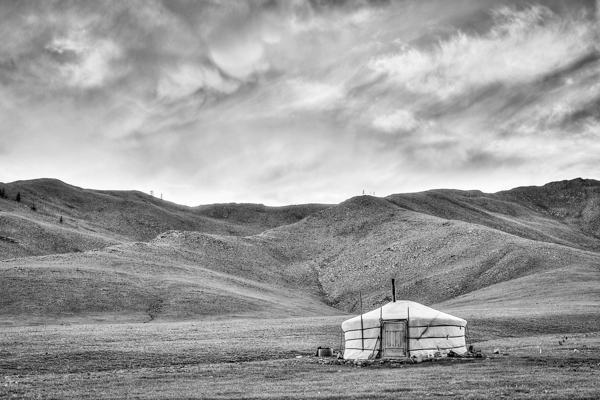
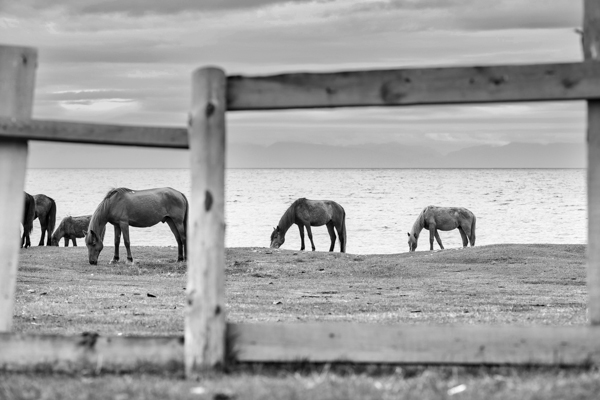
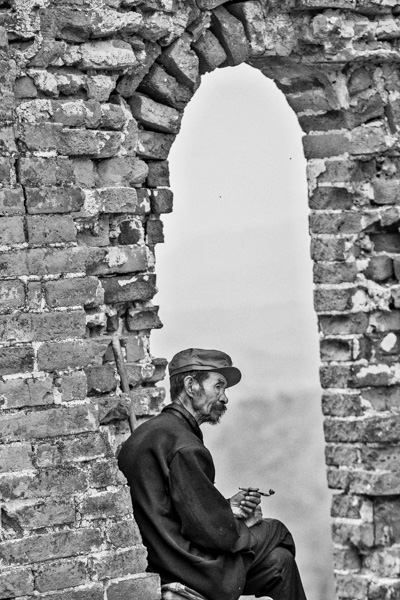
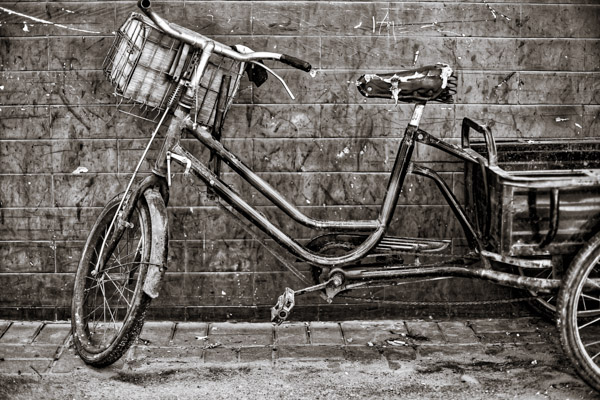
From my recent trip to Mongolia

Overview of Macphun Tonality

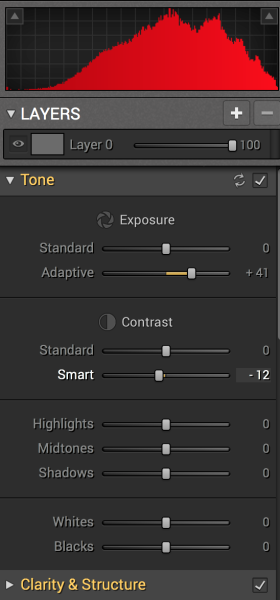
Macphun TonalityTonality is easy to pick up right away if you are familiar with Lightroom or Photoshop RAW editing tools. The designers intentionally created an editing panel on the right hand side of your viewing window that looks almost exactly like Lightroom’s editing panel. It includes familiar tools like Exposure, Tone Curve, Split Toning, and Vignetting.

There are some other effects here that are not so familiar, and do interesting things when you play with the sliders. Clarity & Structure is a section unto itself that provides the user with highly controlled clarity effects. In the Exposure section there is an ingenious slider titled Adaptive which allows you to adjust the exposure while preserving the highlights, something Lightroom should have had in place a long time ago. There is a section called Glow which does exactly what you think it would do; add glow to your images, like a balloon lit from the inside casting a nice glow over everything. You can add Grain, adjust the overall Opacity of the changes you are creating, and there are options for Texture Overlay and Frames, which are pretty fun with black and white images.

Macphun Tonality

Layers

One thing that is really fantastic is that ability to edit with layers. This is something that I found (and still find), rather non-intuitive, but allows for huge possibilities in editing, especially with textured layers.  When you add on a new layer and insert a texture via the Texture Overlay panel, you can brush through via masking and only texturize parts of the image, like the background in this image:

Macphun Tonality

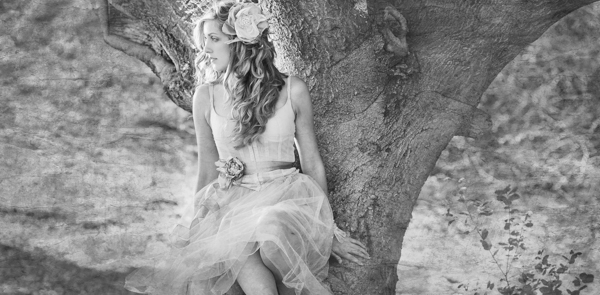
Editing with the Textures Overlay panel. I added a metal texture in one layer and a paper texture in another layer, and painted through on the girl’s face using the layer mask so the texture didn’t affect the smoothness of her skin.

Here I added a metal texture in one layer and a paper texture in another layer and painted through on the face using the layer mask so the texture didn’t affect the smoothness of the girl’s skin.

The non-intuitive part for me is in actually using the layers and brushes to mask out parts of the image. If you have grown up on Adobe Photoshop then you might not find this familiar at all. It’s not impossible, it just requires a different way of thinking about how layers work and how the masking works. It will simply slow down your workflow slightly, but as with anything new, there is always a learning curve.

Some thoughts

When I first saw the software I thought to myself; “I can edit in black and white just fine with Lightroom. Why would I need another program to do such a simple thing?”. But just as Photomatix is brilliantly designed to do just one thing (tone-map HDR images), Tonality is designed to do just one thing perfectly: create black and white images like you could never do in Lightroom or Photoshop. I took a couple of black and white images from Lightroom that I was satisfied with, and tried them out in Tonality. Just using the presets alone as a jumping board for editing in Tonality shows an astounding difference in quality, sharpness, and texture.

See these two images side-by-side and notice what Tonality can do to really make a photo pop:

Digital Photography School Review

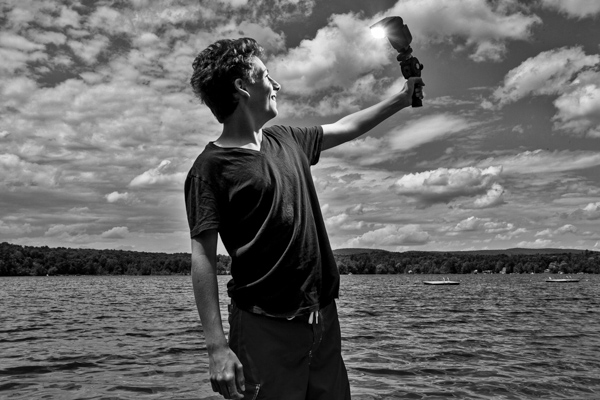
Edited in Lightroom for a simple black and white look

Macphun Tonality

Edited in Tonality for some movie poster “pop”

Perhaps some won’t like that HDR look, but I happen to love it. It makes an otherwise bland black and white photo cause me to pause and take a second look. Which is what we are always trying to accomplish with our photos, aren’t we?

Macphun Tonality Pro features:

  • Professional image quality with proprietary 16-bit RAW processing engine
  • Advanced algorithms and a streamlined user experience for superior results
  • Scores of inspiring professional presets provide a wide range of one-click image styles
  • Built-in organic-style overlay textures, plus user-loadable textures, for incredible creativity
  • Unique adaptive exposure and smart contrast tools for advanced tone control
  • Multiple effect layers, each with separate opacity controls, blending modes and preservation of color data offer true advancements in creative toolsetsTonalityPro
  • Adjustable, pressure-sensitive brushes and masking tools for precise selective edits
  • Advanced clarity and structure detail controls yield dramatic results
  • Proprietary grain engine with over 20 emulated film types
  • Selective color using color channel sliders for unique stylistic expressions
  • Glow, lens blur, vignette, photo frame and opacity controls for finishing touches
  • Easy image sharing to popular social networks, and via email, instant messaging, AirDrop and SmugMug
  • Macphun Print Lab services, powered by MILK
  • Runs as either a standalone app or, in the Pro version, as a plug-in to popular image editing software like Adobe® Photoshop®, Adobe Photoshop Lightroom®, Adobe Photoshop Elements® or Apple® Aperture®.

Find Tonality Pro and Tonality here on the Macphun website, starting at $ 19.99, and for dPS readers they’ve given us 20% off so use this link to get that special price.

Summary:

In summary, I give this software product 5 stars. I can actually see myself using this in the future, and I think it will be a welcome addition to my limited number of tools that I use for editing photos. It’s fun, super easy, and I can use it to edit a lot of my future travel photos. Like these:

Macphun TonalityPro

Macphun TonalityPro

Macphun TonalityPro

You can also add in some coloring for sepia tints or different metallic effects

The post Product Review: Macphun Tonality Black and White Photo Editor by Phillip VanNostrand appeared first on Digital Photography School.


Digital Photography School

 
Comments Off on Product Review: Macphun Tonality Black and White Photo Editor

Posted in Photography


Fujifilm offers silver X-T1 and firmware update

10 Sep

In time for Photokina, Fujifilm has announced a new version of its weather-resistant X-T1 camera. The Graphite Silver edition’ X-T1 gets a multi-layer coating of ultra-fine paint particles for a ‘smooth and luxurious’ finish. Simultaneously announced is a notable firmware update for both black and silver versions of the camera, offering some nice operation and UI tweaks. Also introduced is an X-T1 and XF 18-135mm F3.5-5.6 R LM OIS WR kit for the black edition of the camera. Read more 

Articles: Digital Photography Review (dpreview.com)

 
Comments Off on Fujifilm offers silver X-T1 and firmware update

Posted in Uncategorized


Fujifilm X100T announced with updated hybrid viewfinder

10 Sep

Fujifilm has announced the X100T, the latest evolution of its popular X-series of enthusiast compacts. Introduced with this model is an updated Hybrid Viewfinder that includes a new electronic rangefinder feature and automatic brightness controls. The X100T carries over the 16MP APS-C X-Trans CMOS II sensor seen in its predecessor as well as a fixed 23mm (35mm equiv) F2 lens. Read more

Articles: Digital Photography Review (dpreview.com)

 
Comments Off on Fujifilm X100T announced with updated hybrid viewfinder

Posted in Uncategorized


Follow our New Facebook Page & Find the Best Photography Tips from Around the Web

10 Sep

I started Digital Photography School as a simple blog in April 2006. My goal was to share the things I knew about photography with those just starting out in their journey – in a time where digital photography was really gaining momentum.

Since that time dPS has changed in many ways.

One of the changes since starting dPS in 2006 is the rise in social media. We’ve embraced this early on by creating an active dPS Facebook page and Twitter account.

These accounts are largely about highlighting new tutorials that we publish each day as well as highlighting some of the 4700+ posts in our archives that readers might have missed.

Many of our readers appreciate these accounts but we’ve always been really aware that there’s a lot of great photography content on the web beyond what we produce at dPS.

In response to this we started a dPS Pinterest page to curate the best content that we’re seeing around the web. This has been well received so we want to extend the idea further and just a few days ago started a new Facebook page which will largely about sharing content we like on other sites.

Do you like photography

The new Facebook page is at Do You Like Photography?

Each day on this page we’ll post a variety of tutorials, inspirational images and ideas to help you in different types of photography. We’ll also occasionally share a post or two from our archives that we think might be relevant but it’ll largely be content from other photography blogs and sites.

So if you’d like more photography tips and tutorials in your Facebook stream (in addition to the dPS page where we will continue to publish the same amount of posts each day as we’ve always done) follow our new page here and you’ll hopefully start seeing them in your feed shortly after.

PS: it’s only been five days since we started our new page but we’ve already had over 43,000 people like it – thanks everyone for your support!

The post Follow our New Facebook Page & Find the Best Photography Tips from Around the Web by Darren Rowse appeared first on Digital Photography School.


Digital Photography School

 
Comments Off on Follow our New Facebook Page & Find the Best Photography Tips from Around the Web

Posted in Photography


Der zweite Platz unserer Wacom-Aktion

10 Sep

Ein Beitrag von: Philipp Arnold

Philipp Arnold hat mit seiner Serie „Photon“ bei unserer Aktion mit Wacom den zweiten Platz erreicht. Und da es viel zu schade wäre, diese tolle Arbeit in der Schublade verschwinden zu lassen, haben wir uns entschlossen auch sie auf Kwerfeldein zu zeigen.

Den ersten Platz bei unserer Aktion gewann Charlotte Grimm. Ihren Bericht findet Ihr hier. Im Folgenden berichtet nun auch Philipp von der Entstehung seiner Fotoarbeit.

Eine leuchtende Kugel im Gestrüpp.

„Persönliches Neuland betreten, etwas ausprobieren“ und „die üblichen Grenzen der Fotografie sprengen“, hieß es im Wettbewerbsaufruf. Witzigerweise hat bei mir alles völlig ohne Kamera angefangen; ich arbeitete zunächst mehr mit 3D Renderings und Photoshop.

Seitdem bewege ich mich mit meiner Fotografie aber recht konsequent in die entgegengesetzte Richtung. Die ganzen Werkzeuge und Medien verlieren stetig an Bedeutung, wenn ich fotografiere. Ich beschränke mich immer mehr allein auf die Möglichkeiten meiner Kamera. Diese Konsequenz will ich nicht unterbrechen, sondern weiter voran bringen.

Leuchtende Kugeln zwischen Bäumen.

Ein durchdachtes, ein geplantes Konzept umzusetzen, nicht mehr nur loszuziehen und einfach zu machen. Orte gezielt aussuchen, das Bild planen und die dazu passende Technik einpacken. Natürlich entwickelt sich ein Konzept im Laufe der Arbeit immer noch weiter, aber das war für mich schonmal ein großer Schritt nach vorn.

Hier in Kaiserslautern umgibt uns der Wald. Mit den Hunden bin ich jeden Tag dort. Jetzt wollte ich ihn auch mal in meinen Fotos einsetzen. Als mir dann noch ein Papierlampion quasi über den Weg rollte, stand meine Grundidee fest: ich wollte leuchtende Kugeln im Wald fotografieren.

Leuchtende Kugeln auf dem Waldboden verteilt.

Das Umgebungslicht sollte sich mit dem Kunstlicht mischen und eine unnatürliche Lichtsituation schaffen. Eigenartig und mystisch, aber nicht bedrohlich, sollte es sein. Im Laufe der Zeit spann ich die Idee immer weiter und versuchte eine Geschichte oder, nennen wir es vielleicht einen Handlungsbogen, für den Betrachter zu finden.

Die entstandenen Bilder zeigen nun leuchtende Sphären auf dem Boden, die aussehen, wie heruntergefallene Früchte. Fremd und doch vertraut wirken sie, wie sie da zwischen Blättern, Gras und Heidelbeeren liegen.

Leuchtende Kugeln bilden einen Pfad.

Dann werden daraus kleine Spuren, Pfade. Wie Fußabdrücke reihen sie sich aneinander und laden uns ein ihnen durch die Bäume zu folgen, als wollte der Wald uns etwas zeigen, uns ein Geheimnis offenbaren.

Wir folgen dem Pfad, an dessen Ende die Lösung wartet. An den Stämmen und zwischen den Wurzeln wild wachsender Bäume entsteht Licht. Es sammelt sich, wie Tau auf Blättern, zwischen den Stämmen und in den Hohlräumen bis diese überlaufen und es vom Baum herunterfließt oder abtropft.

Leuchtende Kugeln zwischen Baumgabeln.

Neben Papierlampions in verschiedenen Größen brauchte ich Licht, Licht und nochmals Licht. Da ich vor Ort natürlich keinen Strom haben würde und auch kein kleines Vermögen ausgeben konnte, stöberte ich auf ebay nach Blitzgeräten aus analogen Zeiten. Diese lassen sich zwar nicht regeln, noch bieten sie sonst irgendwelchen technischen Komfort, doch sie blitzen und das sollte genügen. Bis ich alle ersteigert hatte und sie eingetrudelt waren, verging etwas Zeit.

Für die erste Aufnahme verteilte ich sieben Lampions im Bild, hatte aber nur vier Blitze. So musste ich nach dem ersten Foto schnell drei Geräte umbauen bevor sich das Umgebungslicht wieder änderte.

Die Aufnahmen überbledete ich dann in Photoshop per Maske und Pinsel. Ansonsten beschränkte sich die Nachbearbeitung auf Lightroom. Ich passte die Tonwerte an, stellte die Lichter schön warm und die Schatten ein bisschen kühler, bog die Gradationskurve noch etwas zurecht, wendete die Objektivkorrektur an – fertig.

Leuchtende Kugeln in einer Baumgabel.

Neben den Blitzgeräten verwendete ich noch ein entsprechendes Sortiment an Funkauslösern und Akkus, außerdem Tüten, um die Geräte vor Feuchtigkeit zu schützen, sowie etwas Werkzeug zum Aufräumen und Befestigen.

Glücklicherweise ließen sich die Lampions auch ohne Hammer, Nägel und Zange gut in Position bringen, sodass ich etwas Gewicht sparen konnte. Dafür war ich wirklich sehr dankbar, denn ich musste ein schönes Stück laufen, um zu dem Ort meiner Wahl zu gelangen.

Das nötige Equipment für die Fotoserie.

Nicht zu vergessen das „Übliche“: Kamera und Stativ. Beim Objektiv entschied ich mich für eine 35mm Festbrennweite. Damit das Bild noch etwas mehr Räumlichkeit bekommt als bei 50mm oder einem leichten Teleobjektiv. Außerdem kam mir die hohe Lichtstärke am Abend sehr entgegen und natürlich die Freistellungsmöglichkeiten um den Hintergrund gegebenenfalls etwas zu beruhigen. Für alle Fälle hatte ich aber auch noch mein Standardzoomobjektiv dabei.

Dieser Wettbewerb war genau die Motivation, die ich brauchte um all die Schritte in Angriff zu nehmen. Im Rahmen der Zeit kreativ mit dem umzugehen, was ich hatte, war die Herausforderung, der ich mich gestellt habe.


kwerfeldein – Fotografie Magazin | Fotocommunity

 
Comments Off on Der zweite Platz unserer Wacom-Aktion

Posted in Equipment


Polished to a T: Fujifilm X100T Overview

10 Sep

If there’s one thing you can say about Fujifilm, it’s that the company has shown a desire to continuously improve its cameras. In the case of the X100T, Fujifilm has taken the already refined X100S and redesigned the viewfinder, added more exposure controls, and included an electronic shutter. We’ve spent some time with an early production X100T and have put together an overview that covers the key points. Have a read

Articles: Digital Photography Review (dpreview.com)

 
Comments Off on Polished to a T: Fujifilm X100T Overview

Posted in Uncategorized


8 Quick Composition Tips to Help Improve Your Images

10 Sep
Using different composition techniques can result in more dynamic images

Using different composition techniques can result in more dynamic images

You have likely heard of the Rule of Thirds, in fact it seems as if this is the only rule of composition. To be fair though, the Rule of Thirds is a good go to tool when you are unsure of how to put a scene together compositionally. There are many other techniques that can be used to improve your composition. Techniques like balance, leading lines, symmetry, depth of field, and so on, can all make a big difference to your image.

In many ways a photograph is very similar to a painting. Photographers learned early on that composition is a key component to engage people in an image. Composition literally means to put together, so when you think about composing an image, you need to think about the visual elements that you will put together in your image.

As a photographer, you need to decide when to use certain techniques, and when not to use them. Most compositional techniques are simply guidelines, or frameworks, there are very few hard and fast rules.  What they do offer is a starting point for putting an image together. Perhaps you may look at a scene and not know how to capture it. That is a good time to put some of the techniques into action and work the scene from there. They have been tried and tested by visual artists (painters, photographers and moviemakers) around the world for decades. The only constraint is don’t be dogmatic about applying them. Once you understand how to use the rules, you will then know how to break, and break out of them. By doing this, you will take your photographic creativity to a new level and your images will become that much better.

As always, with anything photographic, you need to experiment and practice. Know your equipment, experiment by shooting different scenes under different lighting conditions. Find what works for you and hone that skill. The art of composition is not a particularly technical art, but it can make an amazing difference to your images.

Good composition can make any subject interesting

Good composition can make any subject interesting

The great thing about composition is that you don’t need specialist equipment. The most important pieces of equipment are your camera and your tripod. I know, I know, we all sigh when we hear about the tripod. Once you see how much easier your photographic life becomes with a tripod, you will not be so reluctant to carry it around. There are also  better options for tripods nowadays (think Gorillapod and other travel-style ones). Remember though, a tripod is a key piece of equipment for successful composition. A tripod will help you to compose your image and keep that composition. Whenever possible, use a tripod to set up your shots, that way you can be sure that there is no movement when you photograph.

A lot of the time, you will be shooting images handheld. That is perfectly fine, and you can apply the compositional techniques to handheld shots. Sometimes you may need to take more than one image and adjust your composition to correct or change it.

Here are eight additional composition tips to help improve your images.

The yellow funicular and the blue house add an element of balance to this scene

The yellow funicular and the blue house add an element of balance to this scene

1. Balance

Often when you place an image on one of the thirds, the rest of the frame may be left without much in the way of anything of interest. This is often referred to as negative space, not because it is bad, it is simply to point out that it is not the centre of interest. In some images, negative space can work well, but in other images there may need to be another object in the frame, or even a colour to balance the centre of interest. Photographers use this compositional tool to do exactly that, balance the centre of interest with another object.

2. Leading Lines

We look at an image in the same way that we read a page of words. In the western world that means we look at an image from left to right. Our eyes are naturally drawn into the image by lines. If you have a road or a river winding through your image, the viewers eye will automatically run along those lines. If your centre of interest is at the end of that river or road, that is a good way to compose the image. Sometimes it is enough to have the river or road meandering through the image as it makes the image interesting to look at.

The lines pull us into, and through the scene. The lines can be straight, diagonal, curving, zigzag, S – Shape and many other types. The important thing is to create as dynamic an entry point to an image if possible.

The numerous lines in this scene direct your eyes down the street

The numerous lines in this scene direct your eyes down the street

3. Symmetry and Patterns

We live in a world that is defined by symmetry and patterns. They are all around us in so many ways. There are natural patterns that are captivating to photograph and there are man-made objects that accentuate balance. It is very gratifying to photograph a perfectly uniform scene. The symmetry brings order to the scene and gives a sense of peace and harmony to your image. Sometimes it is good to break the symmetry, show it in a different way, and by doing so create a sense of tension.

A symmetrical doorway

A symmetrical doorway

4. Viewpoint

Kneel down or lie down to get the eye level of your subject

Kneel or lie down to get to the eye level of your subject

Changing your viewpoint when shooting a subject makes a huge difference to the visual impact. It is natural to shoot everything from your eye level. By doing that you tend to create images that have been seen before. By changing your viewpoint, you immediately give a different perspective on very familiar subjects. If you are taking photos of small children or pets and animals, try and get down to their eye level. This is a view that most adults won’t see very often and will make a big difference in the impact of your image. To change your viewpoint, try a few of these tips:

  • Stand on a chair or ladder to get up higher than your subject
  • Kneel or lie down to get underneath a subject, i.e. for shooting a field of flowers
  • Photograph the subject directly from the top
  • Shoot from a diagonal angle to emphasize shape or texture

The important thing here is to make sure that you change YOUR viewpoint and by doing that, you will breathe new life into a well known subject.

5. Background

A distracting background can completely ruin an image. The human eye will naturally settle on the area of an image that is: the brightest, most colorful, sharpest and has the most contrast. Be aware of what is behind your centre of interest. If there is a pole, a distracting pattern, an awkward colour or some other object, you may need to reconsider your shooting angle. This is not always possible, but sometimes, taking two or three steps to the left or right can make all the difference. Look around for an unobtrusive background, or change your aperture settings to achieve a shallow depth of field and by doing so, soften the background.

Move around your subject until the background is nit distracting to the rest of the image

Move around your subject until the background is not distracting viewers from the subject

6. Depth

Photography is a two-dimensional art form. As a result, you use certain techniques to imply three-dimensionality. One way to do this is to have subject matter in the foreground, middle and background. This creates depth, and the eye will naturally walk through the image. This implies a deep depth of field from a technical point of view, so ensure that you use a smaller aperture (i.e. f/8, f/11 or f/16) making everything in the scene in focus. This technique is particularly important when photographing landscape images.

Sometimes, it is great to have a whole scene in focus

Sometimes, it is great to have a whole scene in focus

7. Framing

The world is full of natural objects that can be used to frame a subject (e.g., archways, tree lined streets, holes, and so on create natural frames). By placing your subject in the middle of these natural frames you will create a strong visual pull towards your centre of interest.

Use natural elements to frame your scene

Use natural elements to frame your scene

8. Get in Tight

Sometimes, closer is better and less distracting.

Sometimes, closer is better and less distracting.

It is often tempting to put more detail into a frame to show more about what was happening, but this can lead to confusion. The important maxim to remember is this: less is more. The art of simplifying an image is not easy, but if done correctly can make an image far more dramatic. When you find that your composition has more than one centre of interest, or seems confusing, try these steps:

  • Get in as close as you can to your subject
  • Simplify the composition
  • Be sure to avoid any distracting colours or objects in the background
  • Use a shallow depth of field

Finally

Composition and the rules around it are flexible. There really is no right or wrong way to compose an image, but there are better ways to do so. Some composition techniques can make a huge difference to an image and take it from being a snapshot to becoming a truly great photo. The important thing is to experiment with these techniques. Combine them wherever possible. Try them out as often as you can on different subject matter, and know when NOT to use them. The important part is to make sure that you master them. Use them when you need to. Find out what works for you and go from there. By doing this, not only will your images improve, so will your ability to see an image in a scene.

This is the most important part of photography and very often what separates an average photographer from a great photographer. The ability to see an image in a scene makes all the difference and these compositional techniques help you to do that.

Don't forget to experiment and break the rules where necessary

Don’t forget to experiment and break the rules where necessary

The post 8 Quick Composition Tips to Help Improve Your Images by Barry J Brady appeared first on Digital Photography School.


Digital Photography School

 
Comments Off on 8 Quick Composition Tips to Help Improve Your Images

Posted in Photography