RSS
 

Archive for August, 2014

Sebastians Equipment für Makro, Natur und Menschen

07 Aug

So sehr mir die Technik hinter Fotos egal ist (ich denke bei Foto-Technik unwillkürlich erstens an den uralten Fotografenwitz mit dem Koch und den Töpfen und zweitens an gruselige Foren, in denen alte Männer Testbildreihen miteinander vergleichen), so sehr ist mir paradoxerweise im Laufe der Zeit meine eigene Kamera ans Herz gewachsen.

Ich fotografiere seit knapp drei Jahren mit einer Canon EOS 60D*, an die ich zusätzlich den Batteriegriff BG-E7* geschraubt habe und ich bediene ihre Funktionen inzwischen ziemlich instinktiv.

Als mich bei einem Ausflug eine Freundin kürzlich fragte, wie man denn das Fokusfeld bei der Kamera ändert, war ich nur mit einigen Mühen in der Lage, es ihr auf der abstrakten Ebene „Drücke Knopf A, dann drehe an Rad B“ zu beschreiben, aber als sie mir die Kamera wieder in die Hand gab, konnte ich die notwendigen Griffe fließend und ohne einen Gedanken daran zu verschwenden ausführen.

Ein Nahportrait

Ich glaube, in der kleinen Anekdote steckt der eigentliche Punkt, der die Beschäftigung mit Technik interessant macht: Die Technik ist ein Werkzeug, um zum Bild zu kommen, aber sie sollte gut bedienbar sein und zum Fotografen passen.

Je länger man nun mit dem bestimmten Werkzeug arbeitet und je besser die Bedienbarkeit ist, desto intuitiver kann man damit umgehen und desto mehr wird es im Sinne von McLuhan eine Erweiterung des eigenen Körpers und verschwindet bei der Arbeit fast vollständig aus den Gedanken. Es ist also vor allem wichtig, das Equipment zu finden, das gut zur eigenen Arbeitsweise und zum eigenen Stil passt.

Ein Mensch mit Blatt vor dem Gesicht

Die EOS 60D passt aus verschiedenen Gründen zu mir: Sie ist schwerer und größer als die Vertreter der dreistelligen Serie, mit denen ich vorher für lange Zeit unterwegs war und die mir inzwischen, wenn ich sie mal wieder in die Hand bekomme, ein bisschen wie Spielzeug oder zumindest Einsteigerkameras vorkommen.

Gerade mit dem zusätzlichen Batteriegriff liegt die EOS 60D sehr wuchtig und stabil in der Hand, das Auslösegeräusch ist satt, die technischen Spezifikationen reichen mir für alle Anwendungsfälle und sie hat einen kleinen Extra-Monitor mit den wichtigsten Anzeigen oben auf dem Body, so dass ich den Hauptscreen in vielen Fällen nur nutzen muss, um die gemachten Bilder gegenzuchecken. Ich kann mit der Kamera also relativ „analog“ und unkompliziert arbeiten.

Preis und Leistung der Kamera sind für meine semi-ich-fotografiere-halt-gern-so-rum-professionellen Bedürfnisse perfekt, das Handling liegt mir sehr und mit dem zusätzlichen Akku im Griff und einer großen Speicherkarte muss ich mir im Grunde nie Sorgen machen, dass ich durch irgendwelche Umstände (Speicher voll, Akku leer) eine Fototour abbrechen muss. Auch an die technischen Grenzen der Kamera stoße ich nur sehr selten.

Ein bunter Schmetterling

Mein Immerdrauf-Objektiv ist, und das ist wohl eher ungewöhnlich, das Canon EF-S 60 mm f/2.8 Macro*, das sich neben seiner Makro-Funktion auch als normales Festbrennweitenobjektiv mit einer für meine Zwecke relativ gut geeigneten Brennweite nutzen lässt.

Ich wechsle relativ ungern von diesem Objektiv weg und nutze es auch oft, wenn ich Portraits, Straßenfotos oder andere Motive ablichte, denn auch dort macht es einen mehr als nur soliden Job.

In seiner Hauptfunktion als Makro- gefällt mir an dem Objektiv vor allem die Tatsache, dass ich damit ohne Blitz aus der Hand fotografieren kann. Ich will auch körperlich nah ran an meine Subjekte, an die kleinen Dinge, die Pflanzen, die Tiere, die Blätter, den Boden, ich will es fühlen, anfassen, genau betrachten und dann ein Bild machen. Ich krieche gern durch Büsche, verrenke mich und lege mich hin, um das ideale Bild zu kriegen. Mit mehr Brennweite, etwa mit der bei anderen Makrofotografen viel beliebteren Alternative des Canon EF 100 mm f/2.8*, wäre meine Art zu fotografieren sehr viel schwieriger bis unmöglich durchzuführen, denn dann müsste ich viel öfter mit dem Stativ arbeiten, während mir das 60 mm f/2.8 in vielen Fällen die Wahl lässt.

Vertrocknete Pflanzen

Im Grunde sind die Canon 60D mit Batteriegriff, eine große Speicherkarte und das 60 mm f/2.8 mit einer ausklappbaren Gegenlichtblende schon das vollständige Equipment, das ich für etwa drei Viertel all meiner Bilder einsetze. Dieses eher minimalistische Set-Up reicht absolut aus, um mich selbst für einige Tage im Wald auszusetzen und mit einer Tonne von abstrakten Pflanzen- und Kleintierbildern und vielleicht ein paar surrealen Selbstportraits zurück zu kommen.

Einige andere Bilder mache ich außerdem mit meinem Allround-Objektiv Tamron AF 28-75 mm f/2.8* (das eine exzellente und preiswerte Alternative zu allen gängigen Kit-Objektiven darstellt), manchmal auch noch Portraits und Menschenbilder mit dem Canon EF 85 mm f/1.8* und dem Canon EF 50 mm f/1.8 II* (die beiden Objektive nutze ich vor allem wegen der Möglichkeit, mit noch weiter geöffneter Blende im Portraitbereich zu arbeiten).

Die Wurzel eines toten Baumes

Der Rest meines Equipments ist für mich eher experimentelles Zeug, man mag es auch Spielkram nennen: Ich fotografiere ab und zu gern mit einem gekauften* und einem selbstgebauten Lomo-Objektiv (das im Grunde nur ein Body-Deckel ist, in den ich ein größeres Loch gebohrt, es anschließend mit Alu-Folio und Tesa wieder verschlossen und diese schließlich mit einer kleinen Nadel angepikst habe), spiele ab und an gern mit einem Lensbaby und mache auch mal Bilder mit einer alten Polaroid-Kamera, die ich bei eBay erworben habe.

Und, ja: Ich besitze natürlich auch ein stabiles Stativ und einen Blitz, sogar einen Fernauslöser und einen zugehörigen Durchlichtschirm mit Fuß für kleinere Heimstudio-Projekte. Aber diese Dinge kommen doch eher selten zum Einsatz, natürliches Licht und die Natur als Arbeitsumgebung liegen mir deutlich mehr und machen mich vor allem glücklicher, als Modelle in einem Studio vor einfarbigen Hintergründen abzublitzen.

Kleine Pflanzen auf einer Parkbank

Ich bin alles in allem rundum zufrieden mit meinem eher minimalistischen Equipment. Und wenn ich mich von Zeit zu Zeit dabei ertappe, mit einer EOS 5D (auch, wenn ich weiß, dass sich dieses Upgrade in meinen Bildern nicht wirklich sichtbar niederschlagen würde) oder dem Canon MP-E 65 mm f/2.8* (was wohl die interessanter Anschaffung für mich wäre, auch wenn das Objektiv ganz und gar nicht vielseitig ist) zu liebäugeln, dann denke ich wieder an den Koch, die Töpfe und daran, dass es nicht darum geht, welche Technik man verwendet, sondern darum, was man daraus macht.

* Das ist ein Affiliate-Link zu Amazon. Wenn Ihr darüber etwas bestellt, erhält kwerfeldein eine kleine Provision, Ihr zahlt aber keinen Cent mehr.


kwerfeldein – Fotografie Magazin | Fotocommunity

 
Comments Off on Sebastians Equipment für Makro, Natur und Menschen

Posted in Equipment


Cardboard Ferrari: Urban Art Installations by Benedetto

07 Aug

[ By Steph in Art & Street Art & Graffiti. ]

Benedetto Urban Art Installations Main

Ordinary cars become Ferraris with cardboard camouflage, campers stretch high into the sky and disused telephone booths transform into glowing sidewalk aquariums in fun urban art installations by artist Benedetto Bufalino. Aiming to transcend the mundane in city life, Bufalino repurposes existing objects in unexpected ways, creating head-scratching spectacles all over his home country of France.

Benedetto Urban Art Installations 6

Benedetto Urban Art Installations 8

Witnessing one of these installations in person feels a bit like wandering onto the set of a surreal film, asking yourself whether you’re actually dreaming.

Benedetto Urban Art Installations 3 Benedetto Urban Art Installations 1

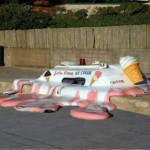
Chickens cluck and scratch inside the back of a converted police coop, comfortable in their unconventional new home. Bathers lounge in a car-turned-Jacuzzi.

Benedetto Urban Art Installations 2

Passersby tug confusedly at the door handles of a classic red telephone booth, gazing at the goldfish inside as if they haven’t quite realized yet that they can’t step in and make a call.

Benedetto Urban Art Installations 7

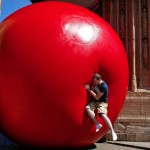
Teens perched on a massively oversized picnic table look as if they’ve been shrunk down to half their normal size.

Benedetto Urban Art Installations 9

See lots more dreamlike urban art installations at Benedetto’s website.

Share on Facebook


[ By Steph in Art & Street Art & Graffiti. ]

[ WebUrbanist | Archives | Galleries | Privacy | TOS ]


WebUrbanist

 
Comments Off on Cardboard Ferrari: Urban Art Installations by Benedetto

Posted in Creativity


Monkey photo copyright in question as Wikipedia denies photographer’s takedown request

07 Aug

On a trip to Indonesia in 2011, photographer David Slater was photographing a black crested macaque when it grabbed his camera and proceeded to take hundreds of pictures of itself. The resulting ‘monkey selfie’ did the rounds on the internet, winding up in Wikimedia Commons. Mr. Slater has asked that the photo be taken down, but Wikimedia sees things differently. Read more

Articles: Digital Photography Review (dpreview.com)

 
Comments Off on Monkey photo copyright in question as Wikipedia denies photographer’s takedown request

Posted in Uncategorized


Forested Facades: 13 Buildings Bringing Greenery to the City

07 Aug

[ By Steph in Architecture & Cities & Urbanism. ]

Vertical Greenery Main

Why stop at parks when we could make cities lusher and greener by integrating thousands of plants right into the facades of urban buildings? Vertical greenery improves air quality, shades the buildings, adds privacy and creates habitats for native birds and insects. These 13 examples include a parking garage, private residences, retail spaces and the world’s tallest vertical garden.

Vo Trong Nghia House Renovation
Green Facades Vo Trong 1

Green Facades Vo Trong 2
Created as an example of how greenery can be incorporated back into urban Vietnam, this house renovation incorporates a galvanized steel screen that acts as a trellis for climbing plants, enhancing privacy and security while also filtering air and sunlight.

Stacking Green by Vo Trong Nghia
Green Facades Ho Chi Minh

Another approach by the same architecture firm, Vo Trong Nghia, uses 12 layers of concrete planters to create a vertical garden around a tall and narrow home that’s 65 feet deep but only 13 feet wide. Staggered spaces between the layers offer room for different heights of plants.

Bosco Verticale: Twin Green Towers
Vertical Greenery Bosco 1

Vertical Greenery Bosco 2

Vertical Greenery Bosco 3

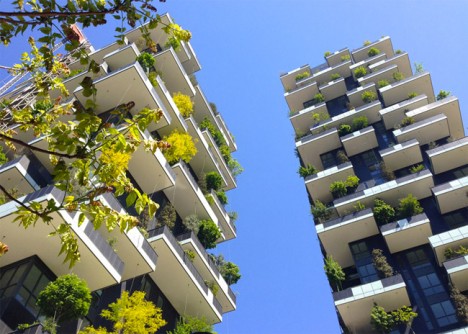
Nearly 1,000 trees, 5,000 shrubs and over 10,000 other small plants have been added to the city of Milan in these two urban towers alone. The twin towers of the Bosco Verticale by Stefano Boeri were designed to meet all of the needs of a heavy load of plants, including irrigation, root systems and weight. The greenery brightens up the city, provides shade and cleaner air for residents, and offers habitats for regional birds and insects.

Biological Concrete Absorbs Water & Grows Moss
Green Facade Moss Concrete 1

Green Facade Moss Concrete 2

Building materials could be made with the growth of greenery in mind, making a layer of moss or ivy on the exterior a natural part of the structure rather than a potential problem. Scientists at the Universitat Politecnica de Catalunya in Barcelona are developing a ‘biological concrete‘ that captures rainwater to create living walls of moss and fungi.

Green Cast by Kengo Kuma
Green Facades Kengo Kuma

Kengo Kuma and Associates created a patchwork aluminum facade with spaces for plants to grow for a pharmacy and clinic in Japan. Ventilation shafts and rainwater downpipes are concealed within the panels to keep the plants healthy.

Next Page – Click Below to Read More:
Forested Facades 13 Buildings Bringing Greenery To The City

Share on Facebook


[ By Steph in Architecture & Cities & Urbanism. ]

[ WebUrbanist | Archives | Galleries | Privacy | TOS ]


WebUrbanist

 
Comments Off on Forested Facades: 13 Buildings Bringing Greenery to the City

Posted in Creativity


6 August, 2014 – We’re Back, Alain Briot’s Essay – My Vision

07 Aug


We’re back and running on all cylinders again.  With just about three weeks in the Arctic running 2 back to back Svalbard workshops and finalizing the launch of the Luminous-Endowment site, we have found we are a bit behind on publishing articles and other news.  And, we have a lot of it in the queue so expect new articles at a faster rate for the next few weeks.  We also have a number of new videos just about ready to come on line.

Today we share Alain Briot’s newest essay – Vision Part 10, My Vision.  In this essay Alain talks about his vision.  Vision in our photography is something we all strive for.  Alain explains how he defines his.  As always Alain makes us think about a number of things.  Trying some of his ideas for defining vision are a good exercise.  I like one of his paragraphs in his conclusion.  

“I want to create images that represent a vision, a dream. Images that suggest an idea rather than impose a specific meaning.  Images that ask the viewer to get personally involved, to invest something of themselves in order to understand and appreciate each image.  I want to create images that invite the viewer to be charmed, enchanted, even seduced by the image.”


The Luminous Landscape – What’s New

 
Comments Off on 6 August, 2014 – We’re Back, Alain Briot’s Essay – My Vision

Posted in News


The New Photographer’s Ephemeris Desktop Beta Version Announce

07 Aug

The Photographer’s Ephemeris for Desktop: All Change!

Some important news for users of The Photographer’s Ephemeris (TPE) for Desktop: on 2 September 2014, Google will switch off the Google Maps for Flash API. On that date TPE for Desktop will stop working.

When TPE for Desktop was first launched in 2009, we still lived in a pre-iPad world and Steve Jobs had yet to write his thoughts on Flash. Building on Adobe AIR provided a convenient cross-platform technology that allowed users on Windows, Mac and Linux to run the same application.

Since then, the popularity of Flash has declined significantly and Adobe AIR was repurposed towards mobile development. It has served TPE for Desktop well, but it’s time for a change.

A New Photographer’s Ephemeris Web App

01-new-tpewa-screenshot

The new web app is already live

Happily, this hasn’t come as a total surprise! We have a new TPE for Desktop ready to step into the breach. The new TPE web app is already live and available at app.photoephemeris.com. You can start using it right now. We’re keeping it in Beta until September 2nd, and will continue to refine it over the coming weeks as you send us your feedback.

The web app runs in a variety of modern browsers. It has been tested in the current versions of Safari, Chrome, Firefox, Internet Explorer (11) and Opera. As with the old TPE, it is designed for use on desktop computers or laptops equipped with a mouse or track pad.

One advantage of the web app: you no longer need to install additional software or to continually update to a new version of Adobe AIR. You get the latest version automatically each time you visit the site.

New Features

TPE has a loyal following and this is going to be a big change for some. The user interface may look different, but the new web app includes the same functionality as the old desktop version and comes with a number of enhancements.

Celestial events for the day are displayed in the events timeline below the map. At a glance, you can see the day’s information chronologically.

A chart of the sun, and moon’s, journey throughout the day is displayed at the bottom of the screen. Scrolling the time slider changes sun and moon information relative to your selected pin position and date.

02-600x373-tpewa-graphic

Same features as the old desktop version, but with some great additions.

New features include:

  • Sharing: look up locations; set date and time, then share the URL of the web page
  • Saved locations can be used to set the grey pin position as well as the red – great for planning both camera and subject placement
  • Six degree shadow circle: this new feature shows sun and moon shadows, and highlights, when the sun or moon sit between +0° and +6° above the horizon – times when there’s often good light (so-called “golden hour”) or when the moon can be photographed against features in the landscape
  • Use Google Street View directly from the map
  • Timeline and chart toggle on and off to increase map “real estate” – great for users with small screens
  • Support: you can submit feedback or a support request directly from the app

Look after your locations!

Locations stored in the old desktop version can be exported and saved as a KML file, and then imported into the new web app. We’d encourage you to do this now ahead of the September 2nd deadline.

Once imported, the web app saves locations in your browser’s local storage. In order to ensure you don’t inadvertently lose your locations, we advise exporting and saving the KML files as backups. Look after your saved locations the way you look after your photos.

It’s time to switch

03 old tpe desktop screenshot

Say goodbye to the old TPE desktop app, it’s time to switch (caption)

Just like the original TPE for Desktop, the new desktop web app remains free to use.

You can send feedback to TPE at any time using the support tab in the web app. TPE is used by so many professional and amateur photographers around the world, and this is a great opportunity for you to help shape this useful tool.

We’re adding updated tutorials to the TPE website in the weeks leading up to September 2nd. There is also a Quick Start Guide you can download directly from the web app page. It outlines the major functionality along with a list of useful keyboard shortcuts.

Go ahead and try it out today!

Get The Photographer’s Ephemeris available free of charge. Tutorials are available.

Here’s a few dPS articles that mention TPE so you can try it out:

  • It’s all about the light: The Photographer’s Ephemeris
  • Finding New Photography Locations Just Got Easier With ShotHotspot
  • 8 Simple Guidelines for Capturing Spectacular Sunrise and Sunset Images
  • 5 Hot Tips For Improving Your Summer Photography

The post The New Photographer’s Ephemeris Desktop Beta Version Announce by Stephen Trainor appeared first on Digital Photography School.


Digital Photography School

 
Comments Off on The New Photographer’s Ephemeris Desktop Beta Version Announce

Posted in Photography


Heimatstadt

07 Aug

„Hometown“ ist ein persönliches Projekt des Fotografen Fábio Miguel Roque. Es ist ein visuelles Tagebuch seiner derzeitigen Lebenssituation. Es spiegelt seinen Gefühlszustand wider, seine Enttäuschungen, aber auch seine Ziele. In kontrastreichen Schwarzweiß-Fotografien zeigt Fábio in seiner Serie Details seines unmittelbaren Umfeldes.

Hometown entspringt aus der Wechselwirkung zwischen meiner derzeitigen Situation und dem Umfeld, in dem ich lebe – und das die Grenzen aufzeigt, in denen ich mich in gewisser Weise bewege. Ich besitze zwar eine fotografische Ausbildung und habe in diesem Bereich auch gearbeitet, wenn auch nur in Teilzeit, dennoch wurde die Fotografie nie zu meiner Haupteinkommensquelle.

Für meinen Lebensunterhalt musste ich immer auch andere Beschäftigungen annehmen, erst recht, um es dann wieder in meine Fotografie investieren zu können. Am 24. August letzten Jahres wurde ich entlassen und seitdem stehe ich ohne Beschäftigung da.

Hometown entstand als Ergebnis meiner Kündigung, das Projekt materialisierte sich genau dann, als mir klar wurde, dass ich ohne Arbeit dastehen würde. Das Projekt begann unbewusst und erst im Laufe der Zeit begann ich, zu verstehen, was ich da fotografierte und so nahmen die Dinge ihre Gestalt an.

Füße im Gras

Blätter im Gras

Eine Blume im Gras

Ein Fleck auf der Straße

Straßendetail

Ein altes Auto zwischen hohen Gräserm

Ein Mast mit zur Schlaufe gedrehten Kabeln.

Eine Hand eines Erwachsenen neben einer Kinderhand.

An einem Stock hängt ein zerfetzes Stück Stoff

Sonne über einer Pyramide aus Draht

Ein Vogel am Himmel

Ein toter Vogel.

Ein Brett im Dreck.

Mehr von Fabio könnt Ihr auf seiner Webseite oder auf Facebook finden.


kwerfeldein – Fotografie Magazin | Fotocommunity

 
Comments Off on Heimatstadt

Posted in Equipment


10 Lessons From Steve Jobs for Your Photography Brand

06 Aug

Steve Jobs forever will be remembered as a digital visionary – he was the one who brought poetry to the microchip. He is a legend these days. All of us can’t be Steve Jobs, but we can learn some lessons from his extraordinary life and career to parlay them into the photography business. Steve Jobs took a near-bankrupt Apple and Continue Reading

The post 10 Lessons From Steve Jobs for Your Photography Brand appeared first on Photodoto.


Photodoto

 
Comments Off on 10 Lessons From Steve Jobs for Your Photography Brand

Posted in Photography


How to use the Art of Self Reflection to Make Better Photos

06 Aug

Have you ever “hit the wall” with your photography? Do you sometimes get the feeling your images aren’t improving as much, or as fast as you’d like? Have you ever thought about what you must do to cross that chasm from being a pretty good photographer to being a WOW photographer?

Is this a WOW shot? How do you know?

Is this a WOW shot or not? How do you know?

ONE SKILL FITS ALL

There’s really only one ability that you need to develop to help you advance your talents, and it will serve you well in any creative pursuit, not just your photography. This skill is reflection.

No, not THAT kind of reflection (although reflections in images can be captivating), I’m talking about introspective reflection, the thoughtful self-analysis of your work.

  • What worked well in the image?
  • What is not working?
  • Was your vision translated accurately into your photo, did you achieve your goals?
  • Is it a WOW shot?
  • How can you tell?
  • How can you be objective about your own photos?

Reflection is so important for improvement. Yet many aspiring and seasoned photographers alike, go out and shoot, come back to their computers and fire up Lightroom (or another image processor) and start editing. They edit until they have an image they like; save it, print it and share it. And that’s the end of the workflow. I’d like to encourage you to add reflection to your photographic post-processing methods.

dinosuar_sunset

IT’S CRITICAL TO BE CRITICAL

It’s not easy to be critical about one’s own creative work. Our hearts and souls are embodied in every shot we take and it can be difficult, if not almost impossible to be objective. But I have a handy and easy checklist, to help you critique your images. It’s fast, almost painless, and it works. You can use this checklist as well if your friends or other photographers ask you to critique their images. You can be objective, you can back up your opinion using the checklists items, it  works for almost all genres of photography and it will help you fully absorb new information, and rapidly advance your photography skills.

PPOCMB_comp1-copy

BEING OBJECTIVE – THE CHECKLIST*

This checklist will help you evaluate your images, and those of other photographers in an objective way. It’s the prefect way to reflect on your shots and absorb those things you did well. It also allows you to understand why an image isn’t working.

Ask yourself:

Does the image have:

1) Impact

This is the immediate feeling the viewer gets when they first see the image. Compelling images evoke laughter, sadness, anger, pride, wonder or another intense emotion.

Reality Check: When you show someone your image, what is their immediate reaction? Do they instinctively take a breath, or inhale quickly? This is a good sign your image has made an impact.

2) Storytelling

Storytelling refers to the ability of the image to evoke imagination. One beautiful thing about art is that each viewer might collect his own message or read her own story in an image.

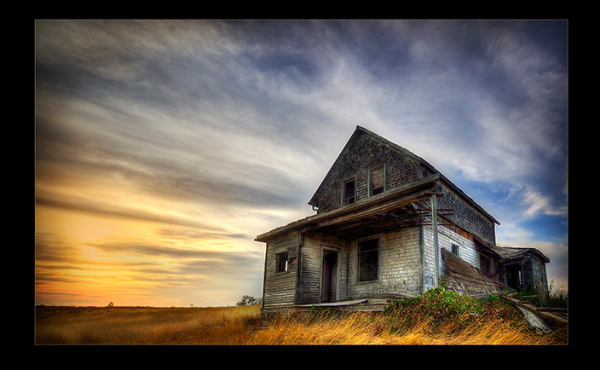
Reality Check: WHAT is the story your image tells? This need not be complicated but perhaps as simple as one sentence. For the image Prairie Sundown, the old house above, is there a story in that photo for you?

3) Creativity

This is the original, fresh, and outward expression of the imagination of the maker by using the photographic techniques to convey an idea, message, or thought. Does your image display something in a very creative and original way?

Reality Check: Have you ever seen an image similar to yours? Why is yours different and better than the similar one?

dps_DSC4830W

4) Style

Style is defined in a number of ways. It might be a specific genre or simply recognizable as the characteristics of how a specific artist applies light to a subject.  It can impact an image in a positive manner when the subject matter and the style are appropriate for each other, or it can have a negative effect when they are at odds.

Does your image show a sense of YOUR style? Describe your style? Look at the works of famous photographers and see if you can identify the elements that make up their style.

Reality Check: What have you done in taking this image, or in post-processing it, that makes it uniquely YOUR image? Do you use a certain angle a lot of the time so people start to recognize certain images as being yours? This uniqueness is your style.

5) Composition

Composition is important to the design of an image, bringing all of the visual elements together in concert to express the purpose of the image. Proper composition holds the viewer in the image and prompts the viewer to look where the creator intends. Effective composition can be pleasing or disturbing, depending on the intent of the image maker.

Does your image have leading lines that help the viewer come into your image? Is there enough contrast, pattern, white space, repetition, or tension to keep them looking once they are there?

Reality Check: Have you used any rules of composition in this image (Rule of Thirds, Golden Triangle, etc.). Which one and why did you use this particular one? Have you purposely broken any rules? Which ones and why did you break them?

6) Center of Interest

This is the point, or points, on the image where the photographer wants the viewer to stop as they view the image. There can be primary and secondary centers of interest. Occasionally there will be no specific center of interest and the entire scene collectively serves as the center of interest.

Reality Check: There is a clear and obvious centre of interest with no distracting elements; or the viewer can tell you in a second what is the point of interest. If they can’t then you must score yourself lower.

7) Lighting (the use and control of light)

Light is how dimension, shape and roundness are defined in an image. Whether the light applied to an image is man-made or natural, proper use of lighting should enhance an image.

Have you used unique, or unusual lighting angles? Is the image taken at a time when the sun is NOT directly overhead or using flat light?

Reality Check: The light is a key component of this image. If the light were different would the image be better or worse? If this image had been shot at sunset it would be a better image? If you could do better, score yourself lower for use of lighting.

8) Subject Matter

The subject is appropriate to the story being told in an image.

Reality Check: Is your subject realistic for the story it is telling? Is the symbolism evident? Is there continuity between the logic of the elements you’ve used in your image?

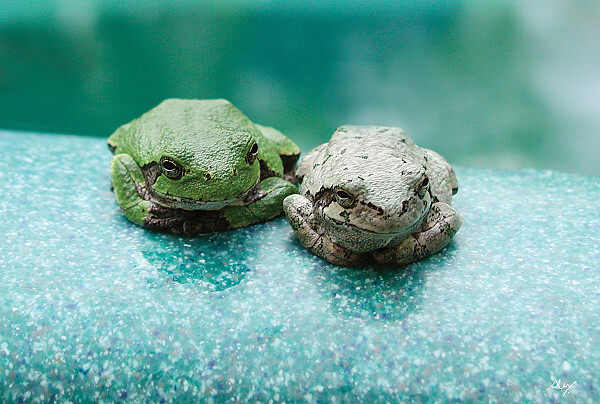
frogbuddiesW

9) Color Balance

Color balance supplies harmony to an image.  An image in which the tones work together effectively supporting the image, can enhance its emotional appeal. Color balance is not always harmonious and can be used to evoke diverse feelings for effect.

Reality Check: The tones and colors you have used in your image are coherent with the type of emotion you want to convey. Dark, shadowy, purples, blues, deep reds etc., evoke a different emotion than whites, pastels and semi-saturate tones. Is your use of color consistent with your story?

10) Technical Excellence

This is quality of the image itself as it is presented for viewing. Sharpness, noise, pixelation, exposure, printing, mounting, and correct color all speak to the qualities of the physical print.

Reality Check: The extreme reality check for this is viewing your image at 100% in Photoshop or other image editor. Is your subject sharp at 100%? If so then it’s sharp. Is there visible noise in the shadows? If yes your exposure is off. Are there “blown-out highlights”, if yes your exposure is off. Check your histogram for clipping. If your images are of people, are the skin tones pleasing and natural?

11) Technique

Technique is the approach used to create the image. Printing, lighting, posing, paper selection (if printed) and other elements are part of the technique applied to an image.

Reality Check: Is everything you have done to create and make this image technically good?

CRITIQUE ME

To help you get the hang of this, I would be delighted to accept your objective assessment of the images in this article, using the points from checklist of course.

Here are a couple more for for you to reflect on, and critique:

cave-Ver-3-small

What’s working in this image? What’s not?

Does this image have impact, storytelling, anything else? WOW shot or not?

Does this image have impact, storytelling, anything else? WOW shot or not?

Once you have the “feel” for this, give the Reflection Checklist a try on some of your images, and feel free to share your self assessment with us here. You can post your checklist results and images in the comments section.

 You can even download a PDF of the Photographer’s Reflection Checklist with a scoring guide here.

* This checklist has been adapted from the PPA’s 12 Elements of  Merit Image and used with their permission.

The post How to use the Art of Self Reflection to Make Better Photos by Alex Morrison appeared first on Digital Photography School.


Digital Photography School

 
Comments Off on How to use the Art of Self Reflection to Make Better Photos

Posted in Photography


GoPro points to increased costs as it reports deeper losses in financial results

06 Aug

Despite the ubiquity of GoPro’s diminutive ‘action cam’ video solutions, the company has reported a loss of $ 19.8 million for the second quarter following an additional loss of $ 5.1 million from the year prior. GoPro first went public in June of this year, and while shares have dropped a whopping 11-15% following the financial results, everything is not necessarily doom and gloom for the company. Read more

Articles: Digital Photography Review (dpreview.com)

 
Comments Off on GoPro points to increased costs as it reports deeper losses in financial results

Posted in Uncategorized