RSS
 

Archive for June, 2014

23, June 2014 – Landscape Aerial Photography Using Unmanned Aerial Vehicles

24 Jun


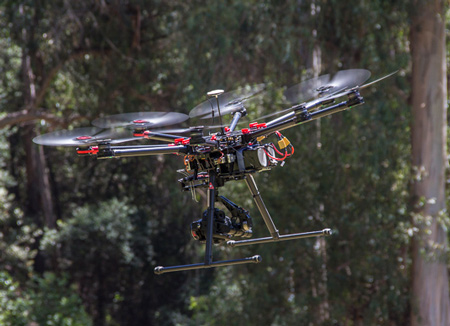
Unmanned Aerial Vehicles (UAVs) have been making a lot of headlines lately within the photography community.  These remotely controlled aircraft have enabled photographers a new way to gain new perspectives on a scene.  They have also caused a lot of controversy in regards to safety and privacy.  Stephen Wheatcraft’s article Landscape Aerial Photography Using Unmanned Aerial Vehicles introduces you to this new method of making images. 

Last week Kevin Raber and Chris Sanderson spent the week on the road working on a new video tutorial with William Neill in Yosemite and Mono Lake areas.  More on this new video in the near future.


The Luminous Landscape – What’s New

 
Comments Off on 23, June 2014 – Landscape Aerial Photography Using Unmanned Aerial Vehicles

Posted in News


Hover Houses: 12 Cliff-Clinging Homes with a View

23 Jun

[ By Steph in Architecture & Houses & Residential. ]

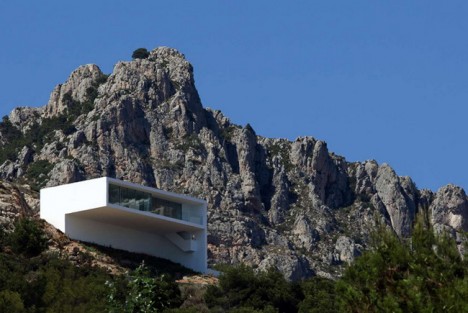
Hanging Houses Silvestre 1

Swim to the edge of an infinity pool that feels as if it’s going to pour right out into the sea, or stand on a glass-walled balcony hanging off a cantilevered volume, seeming to hover in mid-air. These dramatic cliffside houses are anchored to stone, but extend out over the landscape for incredible views.

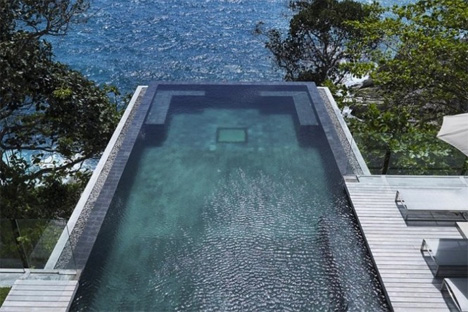
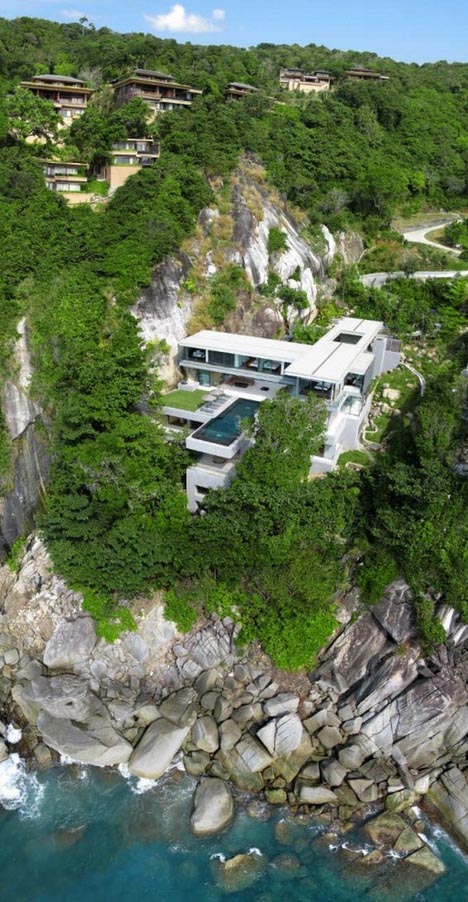
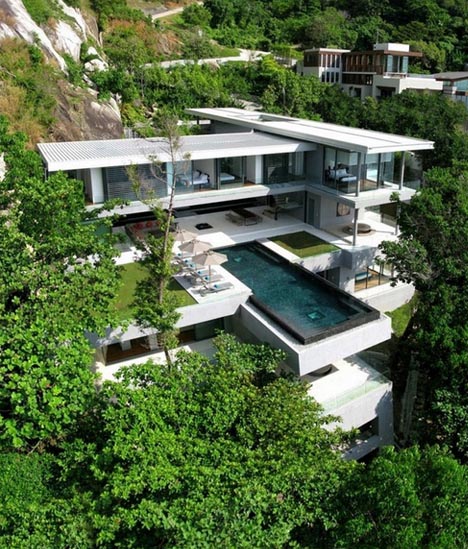
Cliffside Home with Cantilevered Infinity Pool
Hanging Homes Cantilevered Infinity Pool 2

Hanging Homes Cantilevered Infinity Pool 1

Hanging Homes Cantilevered Infinity Pool 3jpg

A sparkling infinity pool juts out over the rocks in this incredible ultramodern Thailand home by Original Vision. Stacked volumes create outdoor spaces that are open to the air, while the entire ocean-facing facade is made up of glass walls, windows and doors to properly appreciate the view.

Light and Reflections in La Jolla, California
Hanging Houses La Jolla 3

Hanging Houses La Jolla 2

Hanging Houses La Jolla 1

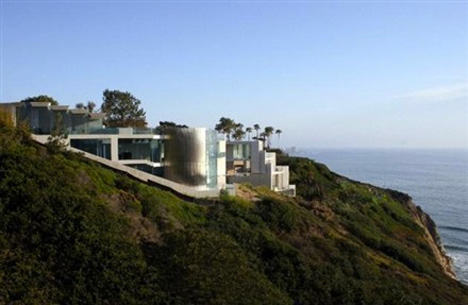
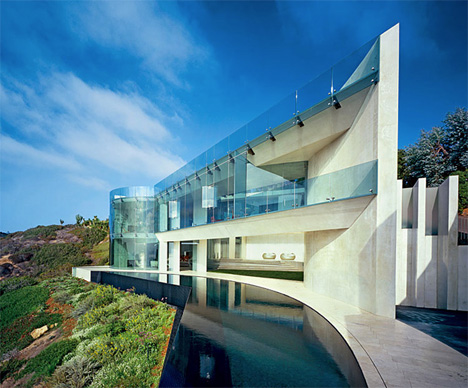
Everything about this home in La Jolla forms an echo of the sky and sea, from the glittering glass and reflective pools to the all those curving lines. Architect Wallace Cunningham created organic forms in marble-like white polished concrete and built the house into the hillside so it would feel as if it were a part of the landscape.

X-Shaped Cliffside House
Hanging Houses X 1

Hanging Houses X 2

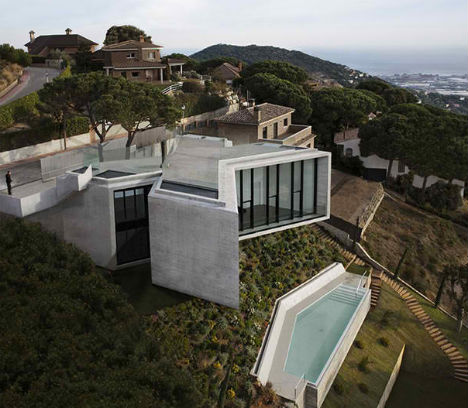
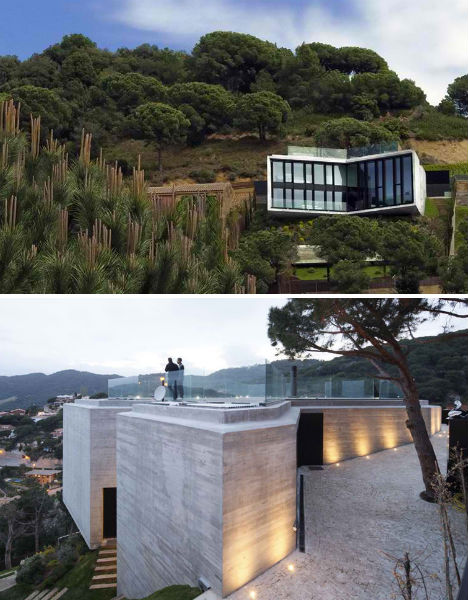
Nearly invisible from the street, this X-shaped residence by Cadaval & Solá Morales is tucked into the cliffside so that the roof is actually a driveway and terrace overlooking Barcelona. Residents descend into the two levels of living spaces below. The incisions at the top and bottom of the ‘X’ let in light while preserving privacy.

Mirage House Blends In With the Aegean Sea
Hanging Houses Mirage 1

Hanging Houses Mirage 2

Hanging Houses Mirage 3

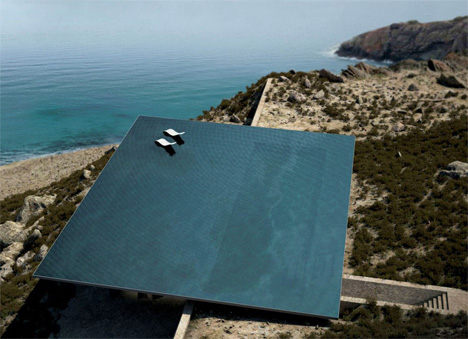
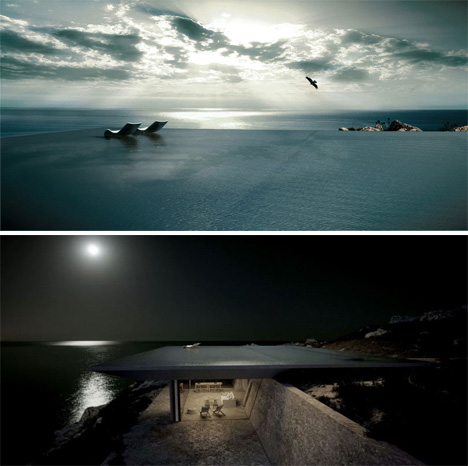
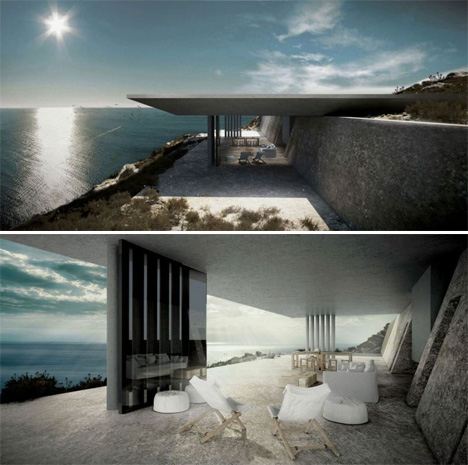
At just the right angle, this home nestled into the hills of Tinos Island in Greece’s Cyclades archipelago seems to disappear altogether, its rooftop infinity pool blending into the Aegean Sea. ‘Mirage House‘ by Kois Associated Architects was envisioned as an “invisible oasis” will all interior spaces tucked into the subterranean rock-sheltered portion of the home.

Next Page – Click Below to Read More:
Hover Houses 12 Cliff Clinging Homes With A View

Share on Facebook


[ By Steph in Architecture & Houses & Residential. ]

[ WebUrbanist | Archives | Galleries | Privacy | TOS ]


WebUrbanist

 
Comments Off on Hover Houses: 12 Cliff-Clinging Homes with a View

Posted in Creativity


23. Juni 2014

23 Jun

Ein Beitrag von: Thomas Lieser

Zwei Matratzen vor einer Betonwand.


kwerfeldein – Fotografie Magazin | Fotocommunity

 
Comments Off on 23. Juni 2014

Posted in Equipment


Using Off-camera Flash to Fix Lighting Problems for Outdoor Portraits

23 Jun

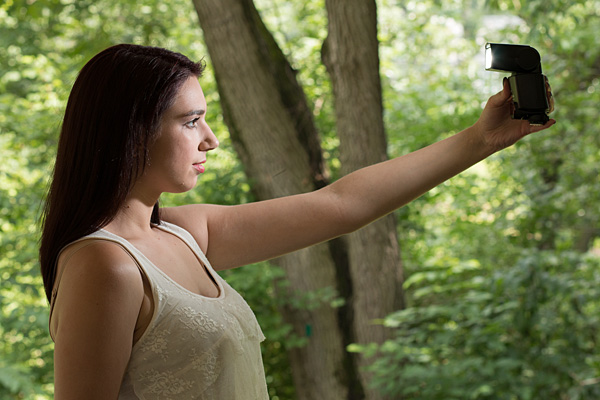
Model holding flash better

When you’re taking pictures of family and friends outdoors, you are often not in control of the light, and that can lead to poor portraits.

A few of the possible problems include:

  • Raccoon eyes – deep shadows in the eye sockets (and other the nose) caused by bright overhead sunlight or light overcast skies
  • Bright background obscuring the subject’s face – although some cameras automatically compensate for it, if you’re shooting in the shade and there’s a really bright background, that can mislead your camera into underexposing the image, leaving your subject’s face too dark.
  • No control over direction of the light – the sun is here, and you are there. You can move around the person you’re photographing to get better light, but then you may lose the desired background.

With a wireless flash, these problems can be overcome, and it’s surprisingly easy. Canon’s Rebel line, D-series DSLRs and advanced G-series compact cameras let you control off-camera flash wirelessly, which opens up many possibilities when it comes to changing the quality and quantity of light that you use to photograph someone outdoors.

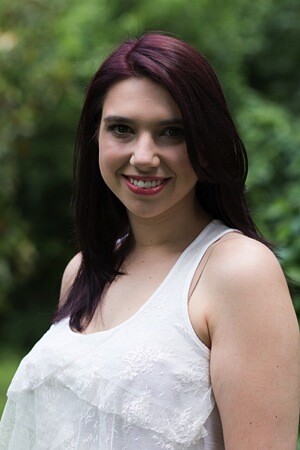
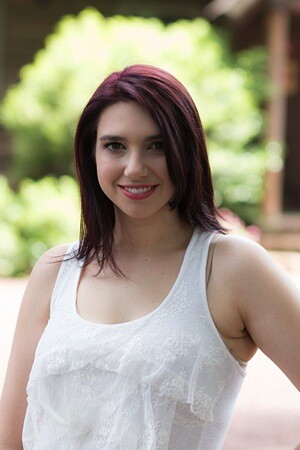
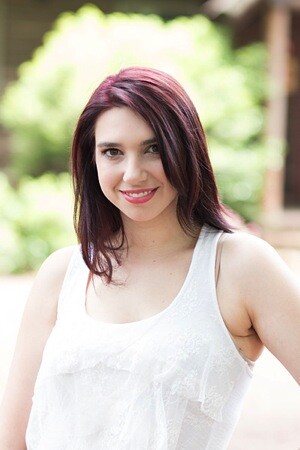
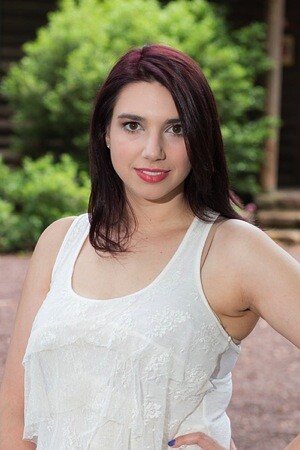
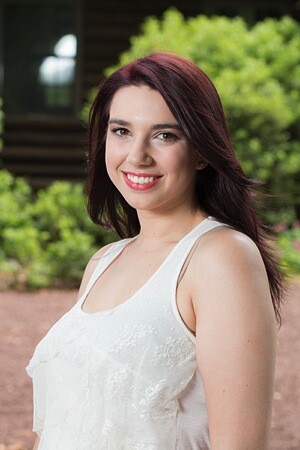
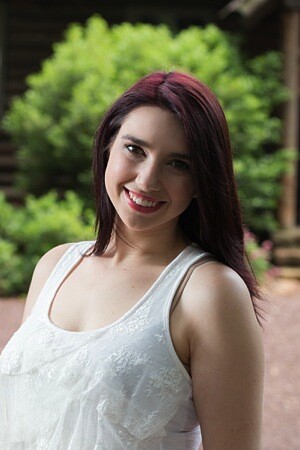
Raccoon eyes – below (left) is a typical portrait shot under direct midday sunlight with our model, Leanne. The sun, almost directly overhead, casts deep shadows over eye sockets, below the nose and chin, and wherever hair blocks the light. Gear: Canon EOS 70D, 85mm f/1.8 USM Canon lens. Exposure: 1/320 second at f/4.5, ISO 100.

Raccoon eyes before 600 Raccoon eyes after 600

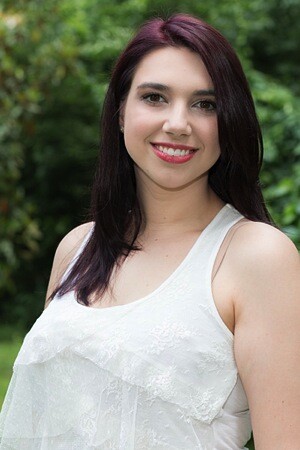
Raccoon eyes fixed – (above right) the flash was mounted on the camera’s hot shoe and provided enough fill light to blow away the shadows, but the light is flat. Gear: same as above plus Canon 430 EX II Speedlight. Exposure: 1/250 second at f/10, ISO 100.

Raccoon eyes, cloudy skies (below left) the clouds move in and soften the light. Better, right? Well, sort of. Leanne’s eyes are still in the shadows. Gear: Canon EOS 70D, 85mm f/1.8 USM Canon lens. Exposure: 1/250th at f/3.5, ISO 100.

Raccoon lightcloud before 600 Raccoon lightcloud after 600

A lighter touch with light – (above right) in this case, less light was required to lighten the shadows, so I used the on-screen flash intensity control (on the Canon 70D, press Q and then touch the flash power icon to access this feature) and reduced the flash output. Determining the right amount of flash output is often a matter of trial and error. In this case, the default setting was too dark, +2 was too bright, but +1 was perfect. Gear: same as above plus Canon 430 EX II Speedlight. Exposure: 1/250th at f/7.1, ISO 100.

Balancing light when shooting in the shade

The ideal way to take a portrait in the shade without flash is to shoot with the bright area behind you (behind the camera). This will give you a wide light source and with nice, flattering light. However, you may not have this option, or you want to include interesting background elements that are, alas, drenched in sunlight.

While an on-camera flash will add enough light, you can add more dimensionality and features to your subject’s face by taking the flash off the camera and moving it around. By combining ambient (existing) light with your off-camera flash, you introduce infinite creative portrait-taking possibilities.

(Not sure how to use wireless? Scroll down to read our primer)

It’s best to have what flash guru Joe McNally calls a “voice-activated light holder” (also known as a human being, a friend, relative or cooperative stranger) to move around and hold the flash wherever you need it. If it’s just you and your model, however, an inexpensive light stand and shoe-mount flash adapter, such as the Flashpoint Heavy Duty Lightstand and Adorama Universal Swivel Holder, will do the job. Total cost? Less than $ 50!

Fixing harsh backlighting without flash

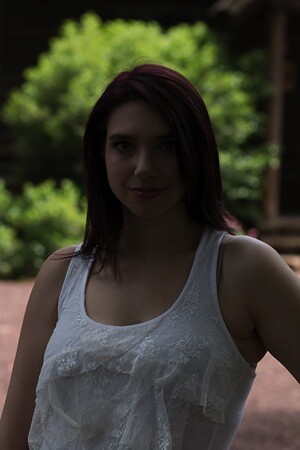
Exposed for the background – in the photo below (left), the background is perfectly exposed but Leanne, standing in the shade of a large Maple tree, is in deep shadow. Gear: Canon 70D, 85mm f/1.8 Canon Lens mounted on a Velbon GEO E535D Carbon Fibre Tripod. Exposure: 1/320 second at f/4, ISO 100.

Exposed for background Exposed for openshade

Add one stop of exposure – (above right image) better, but Leanne’s face is still too dark. Gear: same as above. Exposure: 1/200th at f/3.2, ISO 100.

Spot meter on the subject – by taking a spot meter reading you can eliminate the misleading bright background from the exposure equation and get a pretty good exposure on the face (below left). But the eyes are still too dark, and the background is getting blown out. Gear: same as above. Exposure: 1/160th at f/2.8, ISO 100.

Exposedforface Exposed for shadows

Exposed for the eyes – now you can see Leanne’s eyes clearly (above right), but overall the image is too bright, especially the background. So let’s introduce a flash and balance things out. Gear: same as above. Exposure: 1/125th at f/2.5, ISO 100.

Adding flash to balance with the ambient light

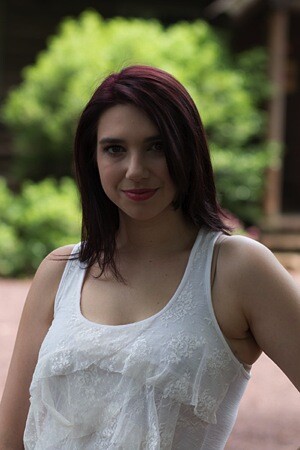
Balanced light, image below left. Now the exposure is spot on! If you hold a flash up a foot or so above your camera while shooting, you should get this kind of light. The slight angle gives Leanne’s face a bit of dimensionality. Gear: Canon 70D, 85mm f/1.8 Canon Lens, Canon 430 EX II Speedlight flash mounted on Flashpoint Heavy Duty Lightstand via an Adorama Universal Swivel Holder. Exposure: 1/200th at f/5.6, ISO 100.

Balanced flash background Balanced flash 45degrees Left

Flash at a 45 degree angle (image above right). By moving the flash (now mounted on a light stand) further to the left of the camera and about a foot above eye-level you get this classic Loop pattern portrait lighting. Note how Leanne is turned slightly towards the light, and how the light falls off her left cheek, creating a more flattering, dimensional look. Same gear and exposure as above.

Flash at 90 degree angle (image below left). Now the flash is directly to camera left, and her face is divided into light and dark halves (also known as Split Lighting). This is a more dramatic look. Same gear and exposure as above.

Balanced flash 90degrees Left Backlit flash with refl

Backlighting (above right) – even though the sun was to the right of the camera, after placing the flash above and behind and slightly to camera left, it looks like she is backlit by the sun. These are the kinds of effects you can get by moving the light around. Same gear and exposure as above.

Add a reflector

If one additional light source isn’t enough, you can easily, and inexpensively, add a second by using a reflector. The Glow 5-in-1 32-inch Reflector Kit, for $ 26, is a versatile option. This dramatically increases the possibilities for controlling and shaping the light, and bringing out the contours in your subject’s face.

One problem – running out of hands. The solution? Have your subject hold the reflector and compose a nice tight headshot.

Balanced flash 45 degree refl2

The reflector adds a new dimension. Here Leanne is holding a silver reflector to her left, which is bringing light back to her face in an approximately 2:1 lighting ratio (the reflected light is half that of the direct light from the flash). Notice how the more angular cross-light brings out her facial features. Same gear as above plus Glow 5-in-1 32-inch Reflector Kit. Exposure: 1/160th at f/7.1, ISO 100.

What if you take away the reflector and put a flash in the model’s hands?

Model holding flash better

Flashie? In another setup, Leanne is holding the flash to her side as the sole light source. This is kind of like a “selfie” but with a flash.

Model holding flash vertical

She’s holding the light. In this tight headshot, Leanne is still holding the flash in the same position as above, but with a reflector to camera left adding light on the other side of her face.

Adding an umbrella

While a stand-alone flash (or one used in tandem with a reflector) is great for close shots, light falls off quickly and may not illuminate the person in a longer shot. To solve this, consider adding an umbrella to your arsenal. This will enlarge the light source and will result in more even illumination when shooting a full body or ¾ length portrait. Using an umbrella is worth an article of its own.

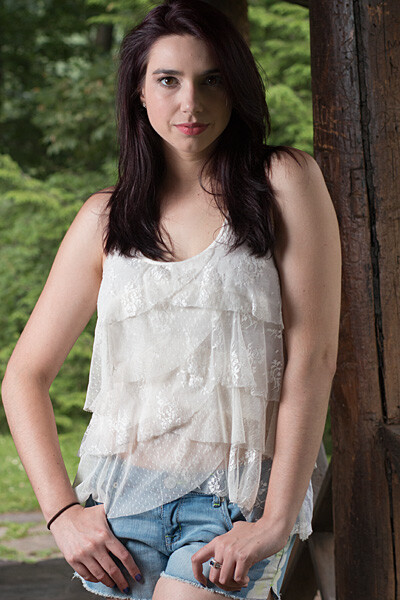
Umbrella sidelight modelfull

While a stand-alone flash (or one used in tandem with a reflector) placed near a subject can be great for close shots, it won’t evenly illuminate your portrait subject in a wider shot such as this one. Normally, the solution is to move the flash farther away, but in this scene, an outdoor porch, there was a wall immediately to the left of the camera. In this situation, bounce the flash off an umbrella. This will enlarge the light source to create more even illumination. Be sure to increase flash power approximately one stop to compensate for the light loss that results from bouncing the flash into the umbrella. (Using an umbrella is worth an article of its own!)

Step-by-step instructions on how to trigger Canon off-camera flash wirelessly

Here are the step-by-step directions for triggering a Canon 430 EX II wireless Canon flash from the Canon 70D. If you’re using another camera, check your manual for wireless flash instructions. Among other Canon systems, the directions will be similar.

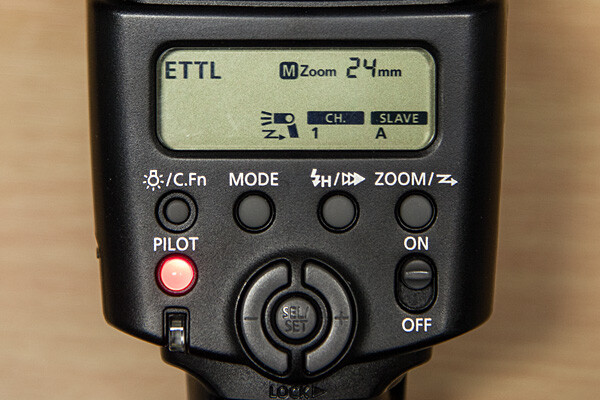
flashsettings

  1. Turn the flash on, then press and hold the Zoom button for a second or two. You’ll see a new flash icon and Ch 1 Slave A appear in the LCD screen (see photo above).
  2. Turn the camera on and pop up the flash
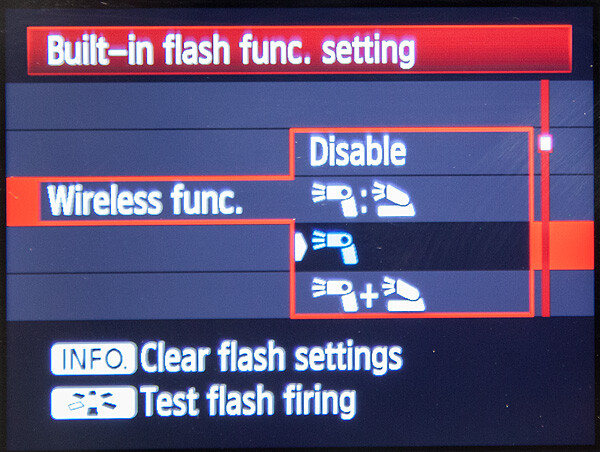
  3. Go to Menu; in the first tab (camera operation), choose Flash Control, then scroll down to Built-in flash function setting, select “Wireless Func.” and choose the middle setting of the single flash (see below) Note: Although the on-camera flash is flipped up, it will not fire during the exposure. Rather, it will flash a split-second before the exposure, which triggers the off-camera flash to fire during exposure, so your only source of flash illumination during exposure will be the off-camera flash.

canon-built-in-flash-function-setting

Hopefully you can take these off-camera flash tips and apply them in your photography to help you make better portraits outdoors. If you have any additional questions or tips please share in the comments below.

The post Using Off-camera Flash to Fix Lighting Problems for Outdoor Portraits by Mason Resnick appeared first on Digital Photography School.


Digital Photography School

 
Comments Off on Using Off-camera Flash to Fix Lighting Problems for Outdoor Portraits

Posted in Photography


Flüchtige Begegnungen in einer fremden Kultur

23 Jun

Auf einer Fotoreise im Süden Indiens wurden mein Kollege und ich von unserem Gastgeber freundlich darauf hingewiesen, dass es besser sei, in der Öffentlichkeit keine Frauen zu fotografieren. Männer dagegen könnten wir einfach ungefragt ablichten, die meisten würden sich freuen.

Daheim in Deutschland hätten wir einfach um Erlaubnis gefragt oder in manchen Situationen gar nur die Kamera hochgerissen und abgedrückt. Hier war das anders. Selbst mit einer freundlichen Bitte um Erlaubnis hätten wir uns in konservativen Gegenden unter Umständen Ärger eingehandelt. Sich den lokalen Gegebenheiten anzupassen, war für uns selbstverständlich. Also machten wir das Beste daraus.

Nach einigen spannenden Szenen, die an uns vorbeizogen, ohne dass ein Klick-Klack zu hören war, suchte ich mir eine Alternative. Ich begann damit, Männer, die mir auf der Straße begegneten, anzusprechen und zu fotografieren, diese flüchtigen Begegnungen festzuhalten. Ein kurzes Gespräch, ein Wortwechsel im Kampf mit der Sprachbarriere, ließ diese Momente besonders werden.

Fischer, Gemüsehändler, Bettler, Taxifahrer – ein kurzer gemeinsamer Moment, ein schnelles, freundliches Lächeln, um in der Fremde etwas zu teilen.

Schwarzweiß-Portrait eines indischen Mannes

Schwarzweiß-Portrait eines indischen Mannes

Schwarzweiß-Portrait eines indischen Mannes

Schwarzweiß-Portrait eines indischen Mannes

Schwarzweiß-Portrait eines indischen Mannes

Schwarzweiß-Portrait eines indischen Mannes

Schwarzweiß-Portrait eines indischen Mannes

Schwarzweiß-Portrait eines indischen Mannes

Schwarzweiß-Portrait eines indischen Mannes

Schwarzweiß-Portrait eines indischen Mannes

There are no foreign lands. It is the traveler only who is foreign.

? Robert Louis Stevenson


kwerfeldein – Fotografie Magazin | Fotocommunity

 
Comments Off on Flüchtige Begegnungen in einer fremden Kultur

Posted in Equipment


Cooking up Photography in the Kitchen

23 Jun

Extra photos for bloggers: 1, 2, 3

Let your photography obsession and your love for sweets collide – magic and sprinkles and beautiful photographs everywhere!

Grab these three photo themed kitchen help-ccessories that are cute as all get out and also quite functional.

When the timer strikes zero, wrap your hot and fresh camera cookies up in your tea towel. Quick! Snap a pic before you snap a bite. Now, if only cameras could capture that fresh baked cookie smell.

The Photo ParTEA Towel

Food photography might seem like a simple task, but there are some rules to the game.

The Photo ParTEA Towel is covered in food photography tips, looks snazzier than your average towel, oh, and it dries things too!

Learn More or Buy

Camera Cookie Cutter Set

Your camera collection is so cute you could just gobble it up! Wait. Right. There.

Maybe a camera cookie would be a better choice? Grab the Camera Cookie Cutter Set, bake ‘em up and gobble away!

Learn More or Buy

f/60 Lens Kitchen Timer

Your lens collection is vast and bordering on obsession. Feed your appetite with the f/60 Lens Kitchen Timer.

It will keep track of your cookie baking so you can get back to instagraming selfies while you lick the spoon.

Learn More or Buy


© Britta for Photojojo, 2014. |
Permalink |
No comment |
Add to
del.icio.us

Post tags:


Photojojo

 
Comments Off on Cooking up Photography in the Kitchen

Posted in Equipment


Zum Ursprung der Fotografie

23 Jun

Ein Beitrag von: Jan Hinrichs

Eigentlich sollte dieses Projekt ein Geschenk zur Konfirmation meines Patenkindes sein. Die Ausgangsidee war, den analogen fotografischen Prozess so praktisch und essentiell wie möglich zur Darstellung zu bringen. Alle Schritte dieses Prozesses sollten für die Sinne erfassbar sein und mit den Händen ausgeführt werden können.

Ich wollte an den Ursprung der Fotografie zurück und sehen, wohin der Weg uns führen würde. Mit Planfilm und einer selbstgebauten Lochkamera zu beginnen, lag also nahe.

Als erstes arbeitete ich eine ganze Reihe von Lochkameramodellen aus, die sich alle in der Praxis nicht bewährten, weil sich ihre Handhabung durch den Wechsel der Mattscheibe und Planfilmkassetten als unpraktisch erwies. Es dauerte fast ein ganzes Jahr, bis ein funktionierender Prototyp entstanden war.
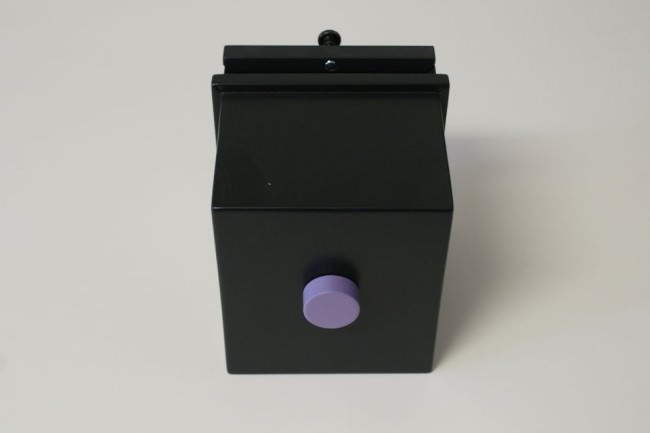
Eine selbstgebaute Lochkamera.

Eine essentielle Erweiterung erfuhr das Lernprojekt in der Vorbereitungsphase, als ich las, dass sich auch lichtempfindliche Schichten selbst herstellen lassen.

Nachdem ich mich anfänglich in die Negativentwicklung eingearbeitet hatte, um mit gekauften Planfilmen meine Lochkameramodelle testen zu können, kochte ich die erste Siedeemulsion nach einem alten Rezept von Liesegang. Von den Chemiekalien abgesehen, suchte ich mir die dafür notwendigen Utensilien überwiegend auf dem Flohmarkt zusammen.
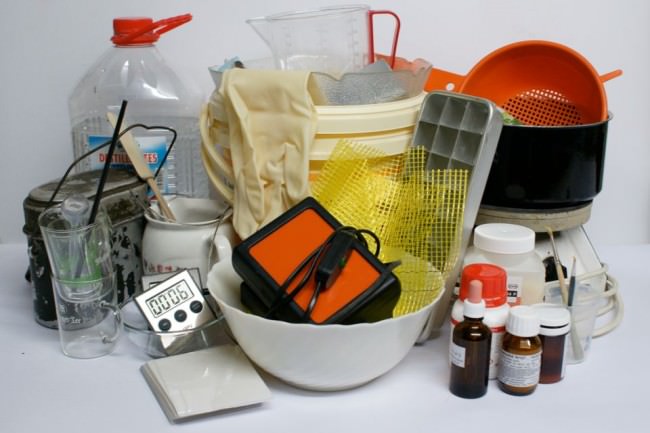
Utensilien für eine Emulsionsherstellung.

Unschwer kann man erkennen, dass die Emulsionsherstellung ein Handwerk ist, das seine Werkzeuge überwiegend der Küche entnimmt. In der Pionierzeit, als Fotografen noch ihre eigenen Filme herstellten, nannte man die Fotografie auch „das magische Handwerk“. Denn das ganze Umfeld, in dem eine Emulsion entsteht, legt nicht nur wegen der Werkzeuge den Vergleich zu einer Hexenküche nahe.

Gearbeitet wird bei schwachem Rotlicht. Schon deshalb muss man beim Kochen einer Emulsion eine gewissen Routine und ein Gefühl für den „richtigen Moment“ entwickeln. Zeiten und Temperaturen sind einzuhalten und obwohl ich mittlerweile etliche Emulsionen gekocht habe, stehe ich noch immer unter Strom, wenn es losgeht. Bedenkt man, dass man feinste mineralische Substanzen auf die Lichtempfänglichkeit vorbereitet, so ist eine gewisse innere Anspannung vielleicht auch gar nicht falsch.

Die Zutaten einer Bromsilbergelatine-Emulsion sind Wasser, Gelatine, Silbernitrat und die an das Kalium gebundenen Salze der Halogene Iod und Brom. Kurz zusammenefasst kann man den Herstellungsprozess in vier Schritte unterteilen:

1. Unter Zufuhr von Wärme werden die vorerst noch wenig lichtempfindlichen Bromsilber-Krsitalle durch Fällung von Silbernitrat mit Kaliumbromid in Gelatine erzeugt. Die Anfangs in Wasser gelösten klaren Chemiekalien verfärben sich zu einer gelblich-milchigtrüben Flüssigkeit. In der Durchsicht gegen das Licht hat die Emulsion eine rötliche Farbe.
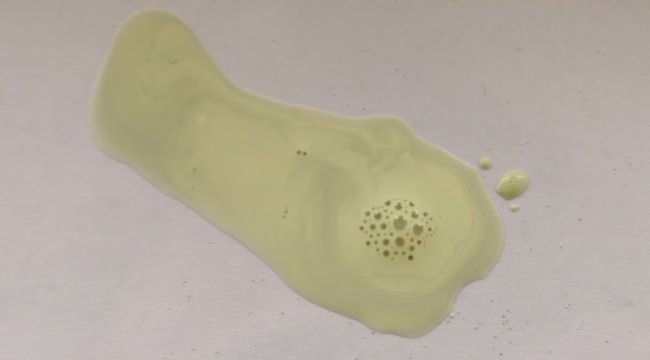
Silber in einer flüssigen Bromsilbergelantineemulsion.

Feinverteiltes schwarzes Silber in einer flüssigen, anfänglich belichteten Bromsilbergelatine-Emulsion.

2. Die daran anschließende physikalische Reifung wird durch das Wachstum der Silberbromid-Kristalle bestimmt. Wie bei der Zubereitung einer Mahlzeit muss man vorher wissen, was man als Ergebnis will. Die Fragestellungen lauten entsprechend: Grobes oder feines Korn? Hohe oder niedrige Gradation? Immer verbunden mit hoher oder niedriger Lichtempfindlichkeit der Emulsion. Durch kontrolliertes Erkaltenlassen im Eisbad wird das Wachstum der Kristalle unterbrochen.
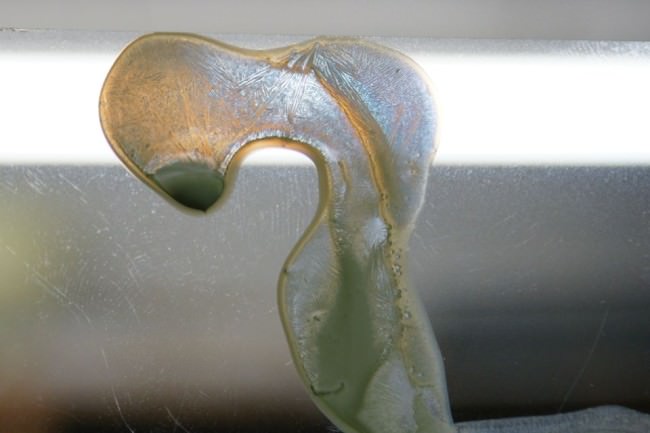
Getrocknete Bromsilbergelantine sieht aus wie ein Vogel.

Getrocknete, ungewaschene Bromsilbergelatine-Emulsion gegen das Licht betrachtet.

3. Nach dem Aushärten der Emulsion im Kühlschrank muss das Kaliumnitrat herausgewaschen werden. Wie am Bild oben zu sehen ist, führt das Kaliumnitrat zu einer kristallinen Strutkur in der Filmschicht, mit minderwertigen Negativergebnissen als Folge. Der blaue Schimmer deutet bereits auf einen gewissen Grad der Lichtempfindlichkeit hin.

4. Nach dem Waschen wird die Emulsion abermals auf etwa 50 °C erhitzt. Während der sogenannten chemischen Reifung wird die Lichtempfindlichkeit der Silberbromid-Kristalle weiter gesteigert. Diese Phase findet schließlich ihren Abschluss mit dem Auftragen der Emulsion auf einen Schichtträger, beispielsweise Polyester oder Glas.
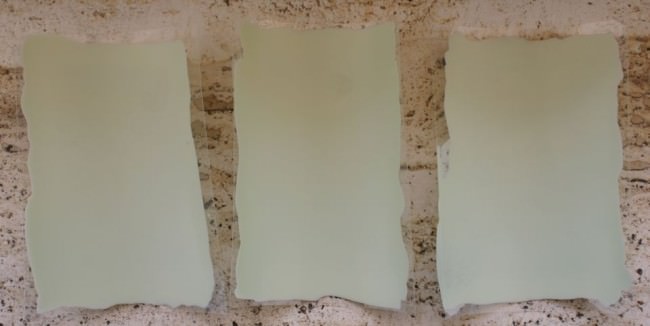
Drei beschichtete Polyeserfolien nebeneinander liegend.

Beschichtete Polyesterfolien 112 x 82 mm.

Soweit die Theorie.

Doch nun zur Praxis. Nach einem ersten, komplett gescheiterten Kochversuch wurden im zweiten Anlauf die getrockneten Filme zwischen fünf und dreißig Minuten lang bei strahlendem Sonnenschein in einer Lochkamera belichtet.
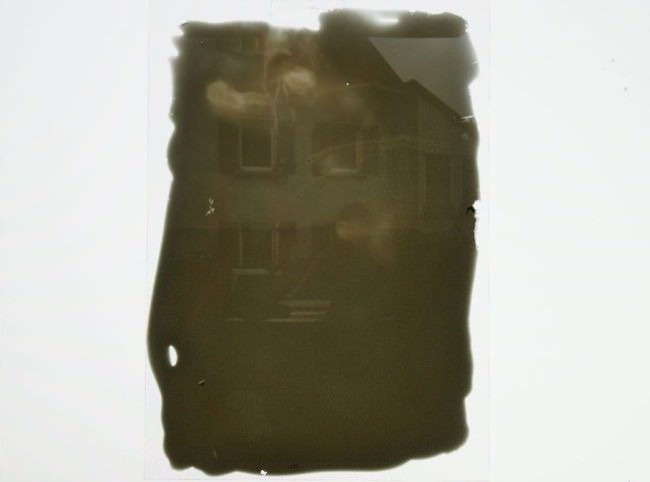
Fixiertes Negativ und kaum was zu sehen.

Fixiertes Negativ einer Bromsilbergelatine-Emulsion nach einem Rezept von Liesegang.

Auch, wenn das Ergebnis eher ernüchternd auf mich wirkte: Im Gegensatz zum ersten Durchlauf war dieses Mal etwas auf dem Film zu sehen. Aber bereits beim Kochen wurde deutlich, dass die Farbe der Emulsion in der Durchsicht nicht von rot zu blau wechselte und somit keine hohe Lichtempfindlichkeit zu erwarten war.

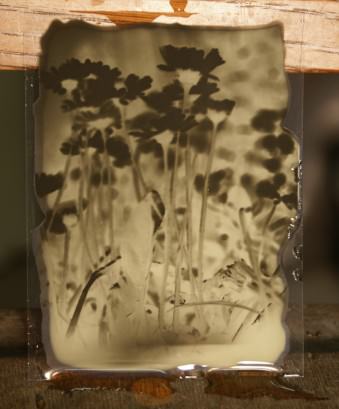
Die Emulsion „Formula 1“ aus „Silver Gelantine – A User’s guide to photographic Emulsions“ von M. Reed und S. Jones war der dritte Versuch. Um auszuschließen, dass die verschleierten Negative des zweiten Emulsionsversuch nicht mit der Lochkamera in Verbindung standen, bohrte ich in Ermangelung einer Plattenkamera kurzerhand die Lochblende einer Lochkamera aus und setzte ein Objektiv an ihre Stelle. Ich legte die Kamera 2,5 Minuten in eine Frühlingswiese.

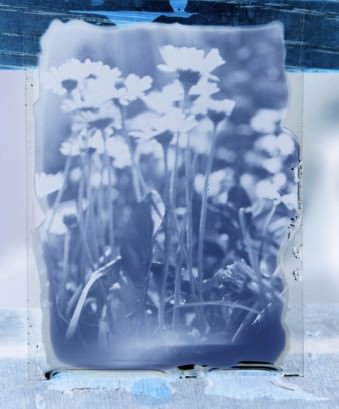
Ein Negativ mit Gänseblümchen.Man sieht Gänseblümchen.

Wie man sieht, funktionierte sowohl die Kamera wie auch die Emulsion. Auch der Entwickler tat seine Pflicht, aber das Fixieren der Bilder klappte jetzt plötzlich nicht mehr. Da ich keine Erfahrung in der Beurteilung eines Negativs hatte, fotografierte ich die nicht fixierten Negative sofort nach der Entwicklung mit einer Digitalkamera und invertierte die Bilder auf dem Computer.

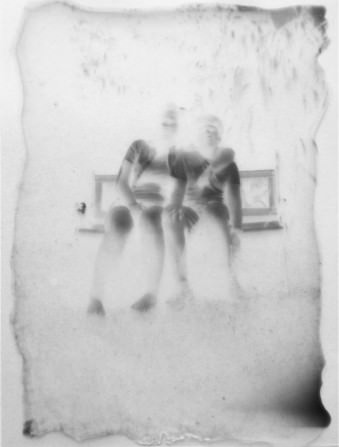
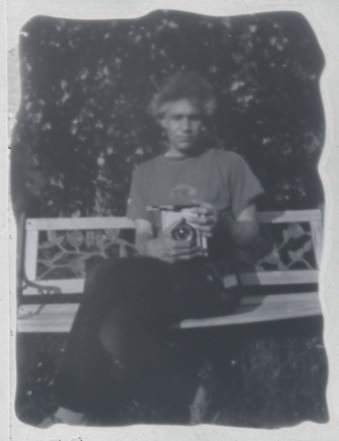
So entstand eine Serie von Lichtimpressionen von äußerst kurzer Lebensdauer, denn ohne Fixierung werden die dem Licht ausgesetzten Negative recht bald schwarz. Das Lichtbild verschwindet wieder restlos in der Dunkelheit. Mit dem wiedergewonnenen Vertrauen, dass die Emulsion ihre Aufgabe erfüllte, begann ich, erneut mit einer Lochkamera zu belichten und verzichtete auf die Linsen.

Ein Negativ und zwei Personen darauf.Ein Mann mit einer Kamera sitzt auf einer Bank.

Lochkamera-Aufnahmen, Bromsilbergelatine-Emulsion auf Polyeser, 112 x 82 mm.

Trotzdem galt es, das Problem der Negativfixierung zu lösen. Ich erkundigte micht bei den liebenswerten „Spürsinn“-Fotografen und man empfahl mir den Entwickler Acurol-N und einen selbstgebauten Fixierer aus dem eigenen Hause.

Als mein Patenkind zum Belichten und anschließendem Entwickeln der zuvor herstellten Filme kam, funktionierte auch die Bildfixierung plötzlich. Wie so oft kamen mehrere Ursachen in Betracht.

Zum einen hatten wir ein neues Emulsionsrezept ausprobiert („Kodak Technical Document AJ-12“), zum anderen hatten wir erneut mit dem Acurol-Entwickler und dem Sprüsinn-Fixierer gerarbeitet. Und drittens kam uns der Zufall zu Hilfe. Als sich das Negativ nach zehn Minuten immer noch nicht geklärt hatte, gaben wir auf und ließen es einfach im Fixierbad liegen. 15 Minuten später war es soweit.

Da die Bromsilber-Gelatine-Emulsion eine nicht sensibilisierte Emulsion ist, die Farben nur bis in den blauen bis hellgrünen Bereich des Spektrums in korrekten Grauwerten wiederzugeben vermag, darf beim Entwicklungs- und Fixiervorgang im Rotlicht zugeschaut werden.

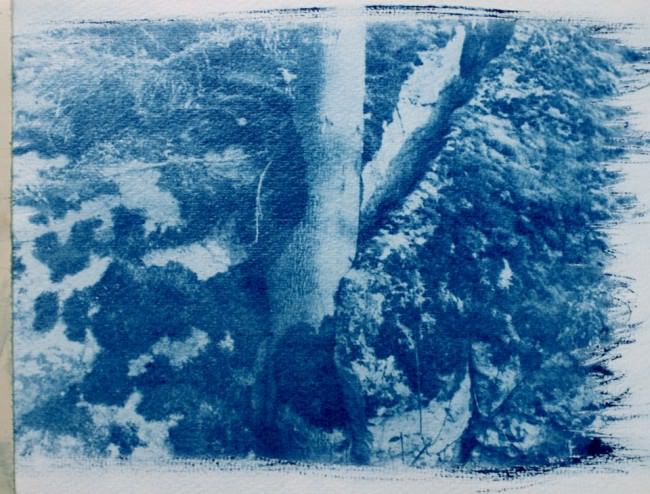
Um auch Positive zum Anfassen erzeugen zu können, wollte ich das einfach zu bewerkstelligende Cyanotypieverfahren anwenden. Ich mischte Amoniumeisen(III)-Citrat mit rotem Blutlaugensalz und Wasser und pinselte die Lösung auf Aquarellpapier.

Ein Schwarzweiß-Negativ druckte ich auf Klarsichtfolie aus und erzeugte anschließend das Positiv im Sonnenlicht.
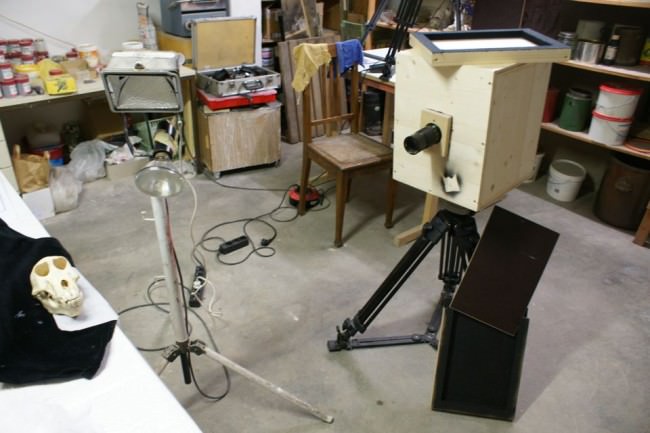
Arbeitsraum eines Fotografen, der zum Ursprung gelangen möchte.

Eine Cyanotypie und darauf ein Baum.

Um in Zukunft Computer und Drucker umgehen zu können und um trotzdem Positive in akzeptabler Größe zu erhalten, baute ich eine große Kiste, die sowohl Linsen als auch eine Lochblende aufnehmen konnte und die sich mit emulsionsbeschichteten Glasplatten im Format 330×250 mm bestückte.

Von nun an ließen sich Negative erzeugen, die ich mit Hilfe eines Edeldruckverfahrens später ohne digitale Umwege zu Positiven weiterverarbeiten konnte.

Rückblickend kann ich sagen, dass sich durch das Arbeiten mit Emulsionen und Lochkamera vor allem meine Wahrnehmung von Licht und Dunkelheit fundamental gewandelt hat. Was ich vorher als vollkommen selbstverständlich hingenommen habe, dass es mal hell und mal dunkel ist, wurde mir plötzlich zu einem großen Rätsel.
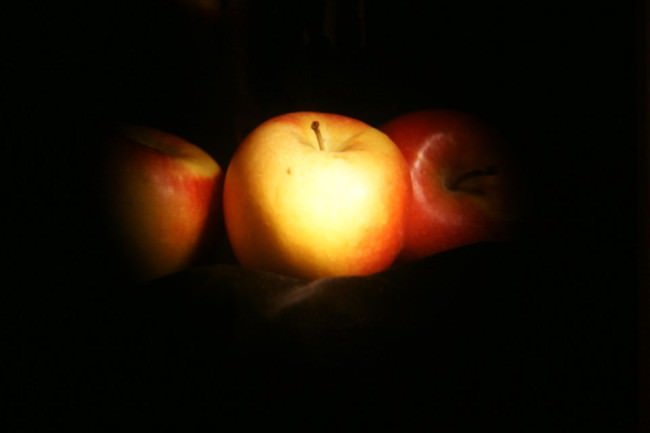
Zwei Äpfel im Licht.

Ein Lichtbild von einem Lichtbild auf einer Mattscheibe.

Ausgelöst wurden die Fragen vor allem durch die Betrachtung von Bildern, die durch die Lochblende auf die Mattscheibe meiner Lochkamera fielen, aber auch durch die sichtbar eingegrabenen Spuren des Lichts in die Negative.

Ich vermute, dass die Frage, was das Licht eigentlich ist, jeden, der einmal ein Negativ in den Händen gehalten hat, irgendwie beschäftigt hat. Aber heute, im Zeitalter der digitalen Bilder, droht diese Frage in Vergessenheit zu geraten.

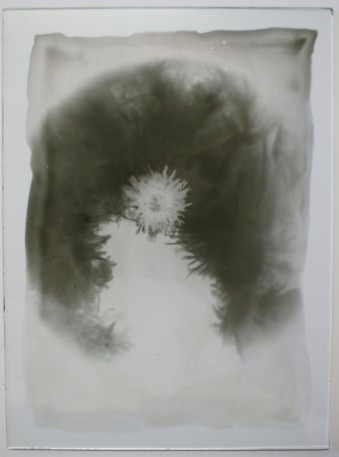
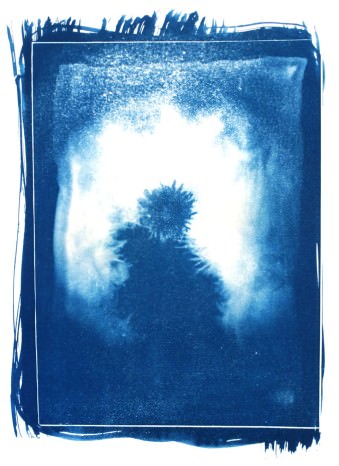
Glasplatte mit einem Negativ.Ein Löwenzahn im Positiv.

Kontemplation: Löwenzahn und Gänsefedern, Negativ und Positiv, Bromsilbergelatine-Emulsion auf Glasplatte

Zwar kann das Licht auch aus der digitalen Fotografie nicht heraus gedrängt werden, weil das nicht möglich ist, aber der Zugang zum Usprung der Fotografie, der noch vor der Linse oder der Lochkamera liegt, wird durch die Technik erschwert.

Wenn wir digital fotografieren, sehen wir nicht mehr, dass wir eigentlich Licht einfangen und abbilden und dass es das Licht ist, das uns die ungeheure Vielfalt der Welt zeigt. Schön zeigt sich das, wenn wir Spiegelungen im Wasser betrachten.
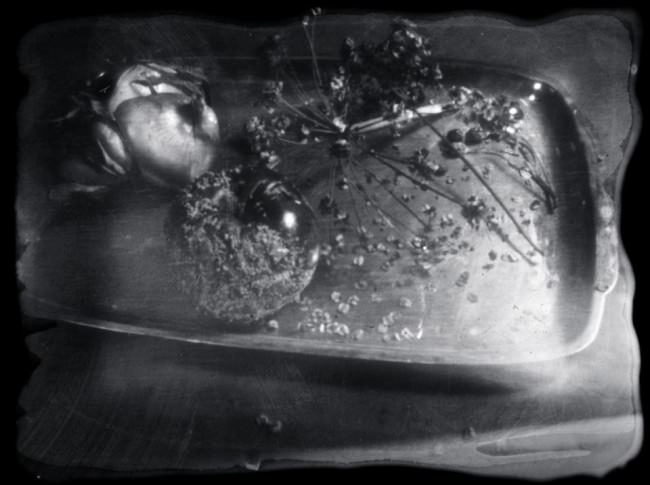
Vergammeltes Obst.

Nature Morte. Eingescanntes und invertiertes Negativ.

Wenn jemand sich die Wirkung des „spielenden“ Lichts auf einer Wasseroberfläche oder auf einer Mattscheinbe anschaut und später die (Nach-)Wirkung des Lichts in der Fotografie dagegen hält, dann sieht man, das hier zwei vollkommen verschiedene Lichtbilder in Erscheinung treten, die aus ein und derselben Quelle hervorgegangen sind.


kwerfeldein – Fotografie Magazin | Fotocommunity
 
Comments Off on Zum Ursprung der Fotografie

Posted in Equipment


Getting Your Foot in the Door as a Freelance Assignment Photographer

23 Jun

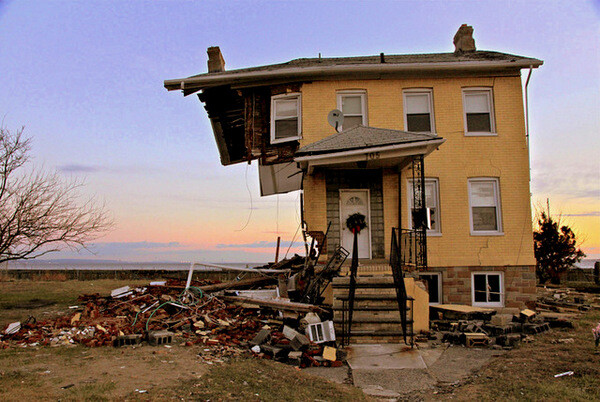
Hurricane Sandy

One of the biggest changes photography has seen over the last 10 years is in photojournalism and documentary photography. Some will see this change as good while others will see this change as bad. The improvements made to consumer DSLR cameras, lenses and editing software have opened the doors for many photography hobbyists to engage in documentary photography.

Gone are the days when having a good camera and access to a darkroom separated the professional photographer from the amateur photographer. The playing field has been levelled and it is open season for anyone to take part. Within this new landscape there is an abundance of opportunities for you to possibly earn a little extra cash by taking photos for your local paper, magazines or online news outlets.

The assignments will always vary. You may be asked to cover a government meeting or the opening of a new business. You may be taking pictures for a human interest story about a unique person in your town. You could be asked to cover a local high school football game or be asked to rush to the scene of an accident. You may find yourself taking pictures of a festival or a gala dinner featuring some movers and shakers.

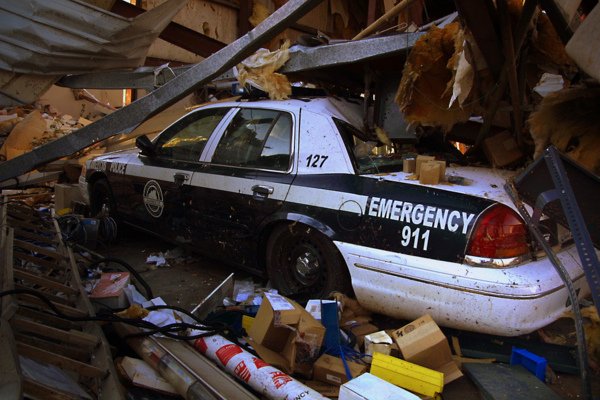
Police Car

Below is a list of tips that will help you be a better assignment or documentary photographer, and possibly get your foot in the door to get some jobs.

PRACTICE. KNOW YOUR GEAR.

In many regards, photography starts with the gear. It is important to know the limitations of your equipment. It is equally important to know the areas in which your equipment performs well. No matter what camera and lens you are working with, your equipment will have limitations. Don’t spend time wishing for, or wanting a different lens or camera. Use what you have to the best of its ability. A better lens in some warehouse, is not going to help you now.

ASK QUESTIONS OF YOUR ASSIGNMENT EDITOR

As an assignment photographer you should be prepped before you go out by the editor of the publication, or the writer of the story. If you have any questions, ask them! I have never had an assignment editor react poorly to me asking questions about a piece they are asking me to cover.

Ignorance can be overcome by asking questions. Overcoming stupid is more challenging. Don’t be stupid. If you are not clear about what is expected of you, ask questions until you and your editor are on the same page.

WHO? WHAT? WHEN? WHERE? WHY? HOW?

Speaking of questions, do your pictures answer the ones above? Try to take pictures that answer as many of these questions as possible. While it will be very challenging to capture one picture that addresses all of them, shoot with the idea that your pictures are answering as many as possible.

Blueberry Season

DO YOUR OWN RESEARCH

After you have asked the necessary questions of your assignment editor, do your own research on the subject. This will help you develop ideas, understand how events may unfold, or which images will be more important than others. Don’t expect your editor to tell you exactly what picture to get. They are hiring you, in part, because of your vision. Conducting a little research before you go out will help you find your vision.

COME WITH AN IDEA IN MIND

After researching your subject, think of shots that you want to capture and work toward those pictures when you are in the field. But don’t knock yourself too much if you don’t get “the” picture you wanted. Documentary photographers have little (or no) control over what happens. Come with an idea that will keep your mind centred, but be prepared to adjust your ideas accordingly as the events unfold before you.

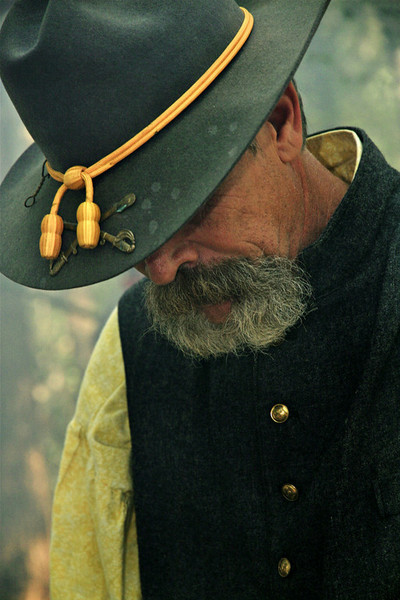
Civil War

START BY PLAYING

Once you arrive, begin by playing with your exposure settings and shooting styles. This will ensure that you, and your camera, are properly set up when the moment arrives. In the same way athletes warm up before a race or a game you need to begin by getting your mind and your gear in proper condition before the event begins.

BE INVISIBLE

Remember, you are there to document what others are doing. The story is not about you. Do what you can to stay out of the way to allow events to unfold naturally. If you are too intrusive your subjects will not relax and you will not be documenting natural events. Stay out of the way and let events unfold in front of you.

TIGHT. MEDIUM. WIDE.

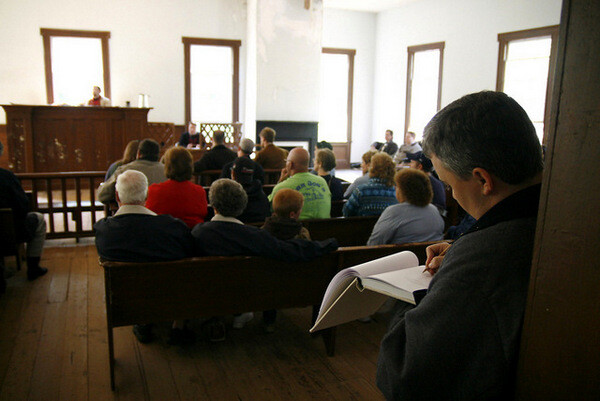
Take wide, medium and tight shots of what you are covering. As an example, if you are covering a town hall meeting be sure to get a wide shot that shows all of the filled, or empty chairs, in the room. A medium shot may be a waist-up shot of someone at the podium. A tight shot would be a head shot of someone expressing emotion as they discuss the subject of the meeting or as they listen to the presenters speak.

Westville Meeting

FOCUS

Proper focus is critical in all photography. It is essential in documentary photography and photojournalism. Your focal point tells the viewer what they should be looking at. If you are still taking pictures at that town hall meeting you can have two very different pictures of someone at the podium if one picture is focused on the speaker and another picture is focused on all of the microphones that the presenter is speaking into. One picture shows who was talking and the other picture shows how many people (news outlets) were there to cover the event. Each picture has its own meaning and that is derived from the focal point.

ANTICIPATE

I make a lot of sports analogies when talking about documentary photography because, in many regards, photojournalism and documentary photography is a sport. Just as a quarterback has to read the defence as he stands behind the centre, a documentary photographer has to have his eyes and attention in several places at once. By keeping a constant vigil on your surroundings you will see a picture developing in the same way a quarterback sees a play developing. The great ones always seem to be a few seconds ahead of the action.

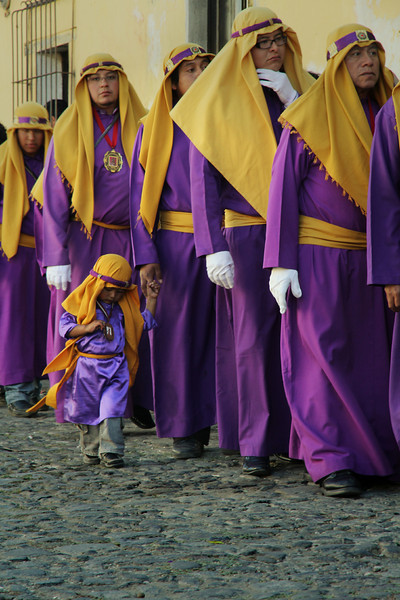
Semana Santa

BE PROFESSIONAL

A professional attitude will help to guarantee two things. One, it will help to ensure that those around you understand that you have a job to do and they will permit you to do your job as long as you maintain a professional demeanour. The other thing a professional attitude will bring to you is another assignment. If word gets back to your editor that you were forcing people to behave in a certain way or that you interfered with the event to get a shot, you may not get another chance to work for that editor again because you have embarrassed them (and yourself) in your attempts to get a great picture.

BACK UP YOUR WORK

Once you get back home or to the office, back up your pictures. It doesn’t matter if you put them on a second hard drive, upload them to the cloud or put them on a disk. Make sure that you have copies of your pictures in more than one place in the event that the originals become damaged, destroyed or lost.

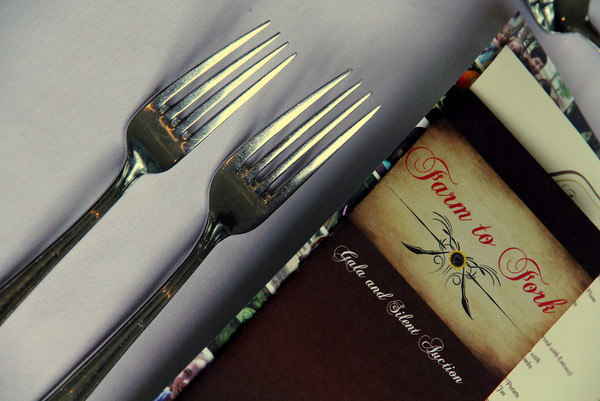
Farm to Fork

CAPTION YOUR PHOTOS

Your job as an assignment photographer doesn’t end when you back up your pictures. More times than not you will be asked to caption your photos. Your assignment editor will have no idea of the names of the people in your pictures. It will be up to you to write a brief description for each picture you are turning in. An easy way to do this is to answer the questions, who, what, when, where and why when making captions. “How” may not always be relevant.

DON’T OVER EDIT YOUR PICTURES

If you are asked to turn in edited pictures, don’t over-edit your work. Photojournalism and documentary photography are about the real world. In a strict sense you should only adjust the contrast of your picture. Some news outlets shun adding too much color and all news outlets shun the removal or addition of elements into a picture.

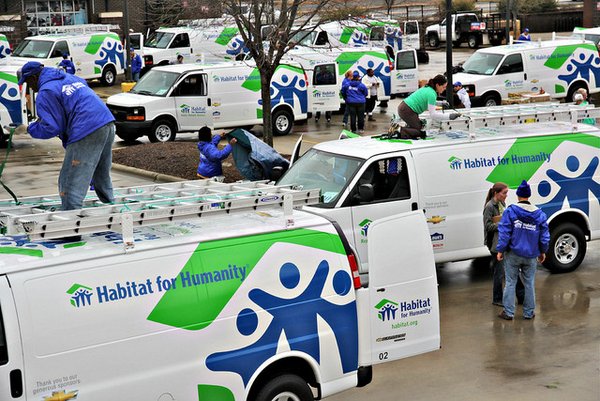
Habitat Vans

BE EASY TO WORK WITH

Being easy to work with is incredibly important in today’s freelance assignment photography landscape. It is becoming easier and easier to take quality pictures with less than professional equipment. Photographers are becoming very replaceable as there are more and more people with photo skills itching to get a little credit and maybe even a little money. Make sure you have an easy payment process. Make sure it is easy to get in touch with you, and that you respond quickly to emails and phone calls. Make sure you are open to your editor’s suggestions and that you are willing to go the extra mile to make them happy. Make it a no-brainer for them to rehire you because there are more photographers behind you just waiting for their chance.

This is a great time to get your foot in the door as a freelance assignment photographer. It’s not easy work and it’s not always sexy. But with hard work, a good eye, a professional attitude and determination you can find yourself on a short list of photographers that assignment editors want to use again and again.

The post Getting Your Foot in the Door as a Freelance Assignment Photographer by Scott Umstattd appeared first on Digital Photography School.


Digital Photography School

 
Comments Off on Getting Your Foot in the Door as a Freelance Assignment Photographer

Posted in Photography


22. Juni 2014

23 Jun

Ein Beitrag von: Malte Karger

© Malte Karger


kwerfeldein – Fotografie Magazin | Fotocommunity
 
Comments Off on 22. Juni 2014

Posted in Equipment


Zero Mileage: 12 Abandoned Automobile Dealerships

23 Jun

[ By Steve in Abandoned Places & Architecture. ]

abandoned Le Baron convertible Chicago car dealership

The showroom floors are bare and the alluring aroma of new car smell has long since dissipated from these dozen down-in-the-dumps abandoned auto dealerships.

Aloha & Mahalo

abandoned car dealer Hawaii

“I say hello you say goodbye,” to quote The Beatles, also suits this lonely and abandoned car dealership somewhere in Hawaii. That’s because “aloha” means both hello or goodbye in Hawaiian, depending on the context in which it’s used. In the context of the image above, we’re guessing it means goodbye.

Signs Of The Times

abandoned Valley Dodge dealership 2012

abandoned Valley Dodge dealership

The former Valley Dodge on Route 202 in Wellsville, Connecticut, was one of many automobile dealerships victimized by the Great Financial Crisis of 2008. The telling pair of images above succinctly document the decay of the abandoned dealership in just two frames. Kudos to Flickr users Greg (63vwdriver) and MJBarnes for posting the images taken on December 11th of 2012 and March 9th of 2013, respectively.

Not Your Father’s Olds Dealership

abandoned Oldsmobile dealership Beulah North Dakota

Beulah, North Dakota’s motto is “Small Town Appeal… Big City Looks” and the tiny (pop. 3,304 in 2013) town’s former Oldsmobile dealership certainly looks like a big-city operation. Unfortunately for Beulah, neither its appeal nor its looks were enough to keep the local Olds store afloat when GM pulled the plug on the brand back in 2004. These days, the dealership quietly deteriorates through bone-chilling prairie winters and pleasant, Simpsons-sky days like the one above, perfectly captured by The Daily Rant.

Le Barren

abandoned LeBaron convertible Chicago car dealership

abandoned Le Baron convertible Chicago car dealership

Call it a modern mystery: a mid-eighties Chrysler LeBaron convertible sits in solitary splendor (not counting the flat tires) amidst the gathering dust and empty soda cans inside an abandoned suburban Chicago auto dealership. That was in 2010… two years later, the author of the above photos returned to the row of deserted dealerships to find the lonely LeBaron still in place, tires slightly flatter, unmolested by all but the inexorable passage of time. We have to assume K-cars are even more unpopular now than they were then.

Next Page – Click Below to Read More:
Zero Mileage 12 Abandoned Automobile Dealerships

Share on Facebook


[ By Steve in Abandoned Places & Architecture. ]

[ WebUrbanist | Archives | Galleries | Privacy | TOS ]


WebUrbanist

 
Comments Off on Zero Mileage: 12 Abandoned Automobile Dealerships

Posted in Creativity