Often beginners in photography are asking me the same question – “How can I become more creative as a photographer?” I truly believe that it’s creativity that drags our attention to the image. I’ve seen thousands of technically flawless images that meant nothing to me, while sometimes one image with noise and not that perfect light stroke me, because it Continue Reading
The post 5 Awesome Ways to Grow as a Photographer appeared first on Photodoto.
Rusted sea forts, top-secret submarine bases, sprawling military hospital complexes and entire islands still stand as silent reminders of wars long past, from Ukraine to New York’s Hudson River. These seven monumental wonders of abandoned military architecture are steeped in history, often still littered with decommissioned aircraft and pieces of weaponry.
RAF Stenigot, England
(images via: urban spaceman)
Massive, alien-looking radar dishes litter the landscape at RAF Stenigot, a World War II-era radar station in Lincolnshire, England. Part of the Chain Home radar network, which was intended to provide long range early warning for raids, the site continued to serve for other communication purposes after the war and was decommissioned in 1980. Most of it was demolished by 1996, but four tropospheric scatter dishes still remain, along with a few other structures.
Russian Island Base in the Sea of Japan
(images via: english russia)
A small horseshoe-shaped island in the Sea of Japan that was once the setting of a war over its gold resources, Askold has been abandoned for decades. In 1892, the Headquarters of the Vladivostok Fortress created a permanent observation post there, and it became a point of tension between Russia and Japan. The island is cluttered with the remains of what little was built or left behind – the base of a long-gone pier, derelict lighthouses, rusted artillery, a power station, a command post, barracks and a handful of vehicles.
The island has never been inhabited, and is rarely visited by tourists due to the difficulty of reaching it from the mainland. Unused since World War II, much of the infrastructure has crumbled, and one part of the island is now inaccessible after the collapse of a bridge. Though it was once a place of war, Askold is now remarkably peaceful – and still, incidentally, full of gold.
This beautiful abandoned 19th century sanitarium complex located in Beelitz, just outside Berlin, was used by the Germans as a military hospital through the second World War and then occupied by the Russians for the same purpose until 1995, well after the German reunification. It was abandoned altogether in 2000. Surrounded by pine woods, the hospital complex consists of about 60 buildings including a surgery, psychiatric ward and rifle range. Its most infamous patient is none other than Adolf Hitler, who recuperated there after an injury sustained in World War I in 1916.
Some of the buildings have been painstakingly restored by a German preservation group, but most of them are left to ruin. It’s a popular destination for urban explorers in the area, but of course, not everyone goes there just to enjoy the bittersweet beauty of such an ornate decaying complex. In 2008, a photographer lured a model to the abandoned operating theater for a photo shoot, and murdered her. Its dark history also includes a period before it was abandoned when a serial killer known as The Beast of Beelitz began to terrorize local women connected to the sanatorium, strangling them with pink lingerie.
People who live in or near the restored buildings do so with caution. Local architect Michael Wetzlaugk bought and converted one of the outbuildings to live with his family, but stresses that he and his son are accomplished marshal artists with a collection of exotic weapons.
Phase One has unveiled the IQ260, IQ260 Achromatic and Wi-Fi enabled IQ280 medium format digital camera backs. The 60MP IQ260 and IQ260 Achromatic feature minimum shutter speeds of 1/10,000th of a second. The IQ260 Achromatic is a black-and-white version, with no color and IR filter. The 80MP IQ280’s wireless capability allows users to remotely capture and view images from iOS devices. All three backs feature 3.2″ multi-touch rear screens with 1.15m dot resolution, and built-in accelerometers. They will be available from June 2013 at suggested retail prices starting from €29,990 /$ 39,990.
Phase One has announced three new backs, the IQ260, IQ280, and IQ260 Achromatic. Each features built-in Wi-Fi which allows an iPad to be used as a review screen in the field. The IQ260 once again allows for very long exposure times – up to one hour.
I will be reviewing the IQ260 next week. Watch for a review soon.
Win a New 128GB iPad with Retina Display
Including all Major Luminous Landscape Videos
– Pre-Installed –
Ever wish your Instagram feed were more tangible? Like, hanging-from-your-window-tangible?
Well, you’ve come to the right place.
This DIY turns your windows into giant, photo-filled lightboxes that showcase your Instagram masterpieces.
Make colorful stained glass inspired windows to brighten up any space.
Gather up those digital files, or pull out that old box of 35mm slides from your grandparent’s attic.
Finally, a digital-analog way to drape your windows with Kodak moments!
Turn Your Windows into Giant Lightboxes
p.s. Attention Android party people – we’re ready for ya! You can *Enroll in Phoneography 101* – our guide to taking primo pics on your phone.
Why it’s cool:
Shiny colorful reflections that change throughout the day? Yes, please.
This funky slide curtain adds interest to any room.
Channel harsh sunlight through all the Kodachrome colors and Instagram filters, and even keep passers-by at bay.
Although, you may actually find a crowd hovering outside your door to look at your photographic treasures.
But hey, can you blame them? They are pretty awesome.
Oh, did we mention these are completely removable and damage-free? Sweet!
Ingredients:
For a digital option: Instagrams printed onto transparencies
For an analog option: 35mm slides, lots of them. See step one for amount.
Archival Slide Sleeves
Scissors
Super Glue
Scotch Tape
Small, removable plastic hooks. We used these 3M Hooks
STEP 1: Measure:
First, measure the space you want to cover with your curtain. For both the digital and analog version of this project, you’ll be working with 8.5″x11″ transparency pages or sleeves.
Each sheet, whether digital or analog, will hold 20 2″x2″ images.
To figure out how many slides/images we were going to need, we did a little math. You can also physically layout the sheets to visualize what this will look like.
The door we covered was 22″ wide, and 62″ high.
We measured that 2 sheets wide would cover the width. It needed 7 sheets down to cover the length. That made 14 sleeves we would need to fill with images. Since each sleeve holds 20 images, our final count was 280 images.
We’re starting with the digital version. If you are working with slides, skip to step 5.
Step 2: Digital Layout:
Use an editing software like Photoshop or Gimp to create a digital layout for your images.
Size your images to 2″ by 2″.
Copy and paste your photos into a new document that is 8.5 x 11″.
Space them out to create a grid that fits 4 images across by 5 images down.
Here’s a video that will help you figure out how to make a grid.
Repeat this step until you have the desired number of pages to cover your window.
Step 3: Digital Prints:
Once your grids are finished, print them out on transparency pages.
You can pick these up at any office supply or art store. Just make sure they are compatible with your printer.
You could also take your files to a local copy shop and have them print on transparency for you.
Either way is fine, just print those bad boys out!
Step 4: Digital Trim:
Sometimes the transparency will have a larger edge on the top and bottom.
If so, trim your pages to have even borders, around a half an inch wide.
Lay them out in the order you want them to be hung.
Now, skip down to step 8.
Step 5: Analog Layout:
Now, layout your sheets on a table.
Make sure the opening where you’ll place your slides in each sheet are either at the top or side of the curtain. If they’re at the bottom, your slides could fall out.
Line them up so that they are all facing the same direction. This will help you keep track of how to glue them together in later steps.
Step 6: Analog Trim:
In this step, you’re going to remove the white label and three hole punch from all of the sheets except the top row.
Take your scissors, and carefully trim as close to the white label as possible.
After you’ve cut one sheet, put it back in its place in the layout and move on to the next one.
TIP: You want to remove the label and holes from each sheet, but leave enough plastic to glue the sheets together.
Step 7: Analog Align:
Again, double check that you are putting your sheets back together in a consistent manner.
You want all the openings to be facing the same direction.
Also make sure the openings are all on the same side of each sheet.
Step 8: Glue:
Start gluing the sheets of one column together.
Take the very top piece, the one with the holes and white label still attached, and place a thin line of glue along the bottom edge.
Carefully line up the sides of the next piece, and glue them together.
Press and hold for 30 seconds.
Repeat this step for the rest of the sheets.
Let the glue fully dry for 10 minutes.
TIP: We found it easiest to glue on column at a time. Start with the left side, and work top to bottom. Then do the same with the right side.
Step 9: Join:
Once the glue has dried, it’s time to join the columns.
Line them up next to each other.
Place a line of glue on the edge of one column, and press the other column in place.
Let it dry for another 10 minutes.
TIP: It may help to temporarily tape them together to make sure they stay aligned while you’re gluing.
Step 10: Fill:
Now the fun part!
Fill up your curtain with all of your amazing slides.
You can make patterns of color, place images chronologically, or make any funky design you want.
You digital creators won’t need this step. Go ahead and skip this step.
Step 11: Place Hooks:
Because we wanted to cover a metal door, we used these clear, removable 3M hooks on the glass.
But you can use any hanging system you wish.
Depending on your space, a curtain rod with rings might work well, or you might decide to tack it in place.
Either way, measure where to place your hooks, and affix them to your wall or window.
Step 12: Hang:
Now you see why we left the holes on the top row, eh?
Place the holes of the top row over your hooks.
Ta-da! Time to kick back and enjoy!
Take it further
Make a small cluster of framed slides for smaller spaces.
These vertical blinds add colored light and move with the breeze.
Make a slide light for a colorful display day or night.
Thanks to Design Sponge for the inspiration!
Related posts:
How To Make Instagrams, Hand-made Exposures on Instant Film! Extra photos for bloggers: 1, 2, 3 Did you know…
Turn Your Photos into Beautiful Glass Etchings! Extra photos for bloggers: 1, 2, 3 Before printers spewed…
Glass Jar Frames Extra photos for bloggers: 1, 2 ~Have a cool photo…
Sie sehen aus wie Planeten, die man durch ein Teleskop betrachtet. Ihre Oberflächen sind so verschieden wie nur etwas: Von infernalischen Feuerwüsten bis zu vereisten Ödlanden. Je tiefer man sich in den Details dieser Strukturen verloren hat, desto härter trifft einen dann die Überraschung.
Dass es sich bei den Objekten der Serie „Devour“ des norwegischen Fotografen Christopher Jonassen mitnichten um weit entfernte Himmelkörper und fremde Welten handelt. Gut, fremde Welten schon, allerdings befinden diese sich direkt unter unseren Nasen. Genauer: In unseren Küchen.
Dort kam ihm auch die Idee zur Serie, als ihm der Zustand der Kochutensilien in der WG-Küche auffiel, in der er während eines Aufenthaltes in Australien lebte. Der Anblick der abgenutzten, abgekämpften, müde gewordenen Oberflächen der Bratpfannen lenkte ihn auf den Weg tieferer Überlegungen.
Er war fasziniert davon, wie der tägliche Gebrauch das Metall der Pfannen abtrug, mit jedem winzigen Kratzer, den man ihnen nach und nach zufügt. Seit 2004 fotografiert er bereits Objekte – Hunderte, seitdem – mit dem grundlegenden Gedanken, über die sich ständig wiederholenden und banalen Tätigkeiten unseres täglichen Alltags zu meditieren.
Christopher sagt, er wollte eine Verbindung herstellen zwischen den kleinen Wunden, die wir jeden Tag hinterlassen und dem enormen Effekt, zu dem diese sich über die Zeit aufsummieren.
Indem er diese kleinen Dinge, die uns täglich umgeben, auf diese Art genauer untersucht, unter die Lupe nimmt und im Großformat als Hauptakteure einer Serie präsentiert, lässt er ihnen die Aufmerksamkeit zukommen, die ihnen meistens fehlt.
Der geistige Sprung von den Schnitten, die wir unseren Bratpfannen zufügen hinüber zur stellvertretenden Darstellung der Schäden, die wir Mutter Erde antun, war dann nur noch ein kleiner.
Seine Sorge darum, wie wir mit unserem Planeten umgehen, findet sich auch im Namen seiner Serie wieder. Devour: Auffressen, vertilgen, verschlingen. Gefräßig zerstören, verbrauchen und verschwenden; etwas wahrhaftig ausbeuten.
Um die Strukturen und Details hierfür besonders hervorzuheben, hat er verschiedene Öle und Flüssigkeiten benutzt. Als er auf der Suche nach weiteren Pfannen für sein Projekt war, überraschte es ihn schier, wie viele seiner Freunde und Familienmitglieder alte Pfannen in ihren Kellern und Dachböden aufbewahrten.
Sie wurden nicht mehr benutzt, aber aus irgendeinem Grund trotzdem nicht weggeworfen. Scheinbar schienen sie die Schönheit der benutzten, ausrangierten Alltagsgegenstände irgendwie zu schätzen, ohne genau zu wissen, warum überhaupt und ohne genau darüber nachzudenken.
Für seine Fotoserie am besten geeignet waren die schweren Pfannen, die er aus den Winterlagern der Pfadfinder bekam. Sie waren schwarzgebrannt und von Messern zerkratzt. Auch eine Art von Ehrenabzeichen.
Damit zu kochen würde Christopher allerdings nicht empfehlen. Er selbst kocht am liebsten mit rohen, frischen Zutaten, nach Möglichkeit auch aus lokalem Anbau. Der Schlüssel zu einer gesunden Ernährungsweise.
Like dreams while you are having them, these buildings make perfect sense subjectively and yet no sense objectively. They are seamlessly integrated, yet structurally surreal … and, like a dream when waking up: the details are hard to recall when you look away.
Jim Kazanjian searches through tens of thousands of photographs in search of the perfect bits and pieces for each otherworldly creation. Some of the results seem almost plausible, while others stretch the limits of gravity, structural integrity and even the imagination.
Per his artist statement at 23Sandy (where you can also buy prints): “Jim Kazanjian’s surreal landscapes offer phantasmagoric visions of a where-is-this world, defined by impossibly complex architecture and M.C.Escher-esque black-and-white graphics.”
“Inspired by the imaginary realms of cult author H.P. Lovecraft—whose wild, cosmic short stories set the mold for much of the 20th century’s best science fiction—Kazanjian’s aim is to redress the “misunderstanding that photography has a kind of built-in objectivity…to defamiliarize the familiar.”
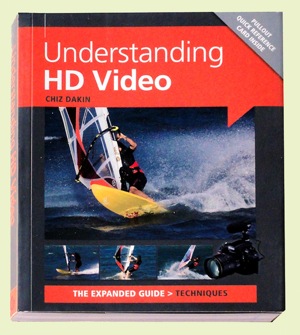
After a careful read of Chiz Dakin’s book, I came to the conclusion that — for the right reader — her volume is the ant’s pants, the bees’ knees of ‘how to’ books in the video field.
The right reader? Well that comes down to those who are competent in stills photography, own a DSLR or a CSC camera and know how to work with different lenses, be savvy with ISO, histograms etc.
CSC? Compact System Camera or what could also be called a MILC (Mirrorless Interchangeable Lens Camera).
I also figure it would probably not be right for the hardened videographer, accustomed to video camcorders, as most of the info within its pages is aimed at the stills brigade … and how jump ship into the world of movies.
High end cameras such as Canon’s EOS MkII and MkIII and Nikon’s D800 are becoming increasingly popular with feature film and documentary makers due to their reasonable price (compared to high end video cameras) and ability to use lenses with focal lengths that image to a full frame 35mm area. Lenses of these focal lengths enable photographers to work with a reduced depth of field and produce that ‘film look’. The odd thing is that the true 35mm movie frame is roughly half the size of the 35mm still frame! Oh well!
The early chapters take the reader through the differences between camcorders and movie-enabled still cameras: their radically different ergonomics; limited recording time; tricky sound capture arrangements; challenging focus ergonomics etc.
Then we get into the language of video shooting: how to capture movement; framing the scene; managing or supplementing light; creating an acceptable storyline; selecting camera angles.
Quite a few pages are devoted to creating the story line, which may at first seem an odd subject in what could be seen as a techy book. But, different to stills photography, video making is a linear process: scene one comes before scene two etc.
It may seem overkill when there follows a chapter listing the personnel on a typical video crew but, as many festival entrants know, even on a simple, home made video you can often need a Director (of course!), a Producer, camera operator, lighting gaffer, grip, art director etc to produce something with more going for it than a simple home movie.
More about the basics: how to select locations; pick the right time of the day or even the right time of the year; choose camera angles; ‘crossing the line’ rules.
Then we get to discuss differing types of cameras, with an admission that even smartphones can have their place in the scheme of things, especially when ‘you need to record somewhere that you couldn’t (or wouldn’t) want to put a bigger camera.’
Lenses come into view with explanations of how effective focal length is affected by sensor size and the roles of prime lenses vs zooms, extreme wide angle lenses, macros, teles and shift lenses.
There is much essential and useful info on memory cards, transfer bit rates, the different file formats, NTSC vs PAL, bit rates, frame rates etc.
There is one piece of advice that is, to my mind, worth the book’s cover price alone: if you set the camera to auto exposure, when panning the camera from a dark area to a light one it will cause distracting exposure shifts. Better to switch to manual exposure so the lens aperture, shutter speed and ISO setting will all be locked.
Result: exposure stays the same wherever the camera is pointed.
Overall, an enormously useful book, full of all the stuff you need to make movies!
Author: C Dakin. Publisher: Ammonite Press. Distributor: Capricorn Link. Size: 14.5x18x1.5cm. 192 pages. ISBN: 978 1 90770 862 6. Price: Get a price on Understanding HD Video (Expanded Guide Techniques) by Chiz Dakin at Amazon (22% off at present).
Post originally from: Digital Photography Tips.
Check out our more Photography Tips at Photography Tips for Beginners, Portrait Photography Tips and Wedding Photography Tips.




 Shiny colorful reflections that change throughout the day? Yes, please.
 First, measure the space you want to cover with your curtain. For both the digital and analog version of this project, you’ll be working with 8.5″x11″ transparency pages or sleeves.
  Use an editing software like Photoshop or Gimp to create a digital layout for your images.
 Once your grids are finished, print them out on transparency pages.
  Sometimes the transparency will have a larger edge on the top and bottom.
  Now, layout your sheets on a table.
  In this step, you’re going to remove the white label and three hole punch from all of the sheets except the top row.
 Again, double check that you are putting your sheets back together in a consistent manner.
  Start gluing the sheets of one column together.
 Once the glue has dried, it’s time to join the columns.
 Now the fun part!
 Because we wanted to cover a metal door, we used these clear, removable 3M hooks on the glass.
  Now you see why we left the holes on the top row, eh?


 After a careful read of Chiz Dakin’s book, I came to the conclusion that — for the right reader — her volume is the ant’s pants, the bees’ knees of ‘how to’ books in the video field.