RSS
 

Archive for the ‘Photography’ Category

Remote Shutter Release Versus the Built-In Delayed Shutter

21 Oct

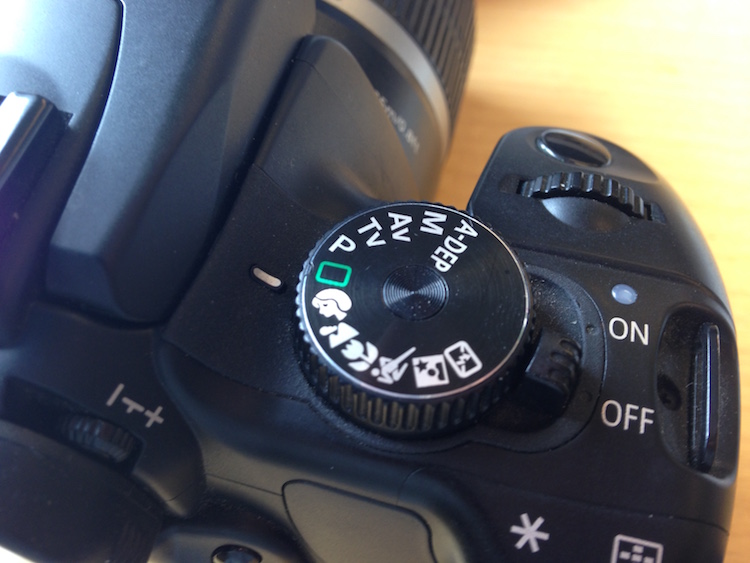
It’s no secret that being a photographer, amateur or professional, can be quite expensive. We both travel and we want the latest and best equipment but we can’t always afford it all. Being selective with the equipment we choose to purchase can be wise as it’s better to spend a few dollars extra purchasing something of quality. A lot of the gear we have isn’t essential and can easily be done inside the camera itself. Let’s look at using a remote shutter release versus the delayed timer built into the camera.

SelfieVoringsfossen

A self portrait captured by using a remote shutter

A remote shutter is something you may have heard repeatedly that you need to purchase, especially if you’re into landscape photography. One of the main uses of a remote shutter is to minimize the vibration when taking a image to get a sharper result. What you also may know is that your camera has a delayed shutter function, typically of 2 and 10 seconds. So do you really need to purchase a remote shutter when you can do it in the camera? Let’s look at some pros and cons of using each – a remote shutter release and delayed shutter.

Delayed Shutter

Most digital cameras have a Delayed Shutter function. In fact, even smartphones have it.

Since I was close to the camera I could use a delayed shutter

Since I was close to the camera I could use a delayed shutter

A delayed shutter is, in simple words, a function that tells the camera to wait a few seconds after you push the shutter before it takes the picture. This allows you to either run in front of the camera and take a selfie or reduce the amount of vibration. This function is especially useful when you’re using a slow shutter speed and have your camera mounted on a tripod. If you use a shutter speed of 0.5 seconds and press the shutter you’ll see that the image will come out less sharp than if you use a delayed shutter.

Pros of the Delayed Shutter:

  • It’s a standard function in most digital cameras and smartphones.
  • It’s free.
  • It reduces vibration and leads to a sharper image.
  • You can choose between a short delay or a longer delay.
  • You have the time to position yourself in the image after pressing the shutter.

Cons of the Delayed Shutter:

  • It’s not flexible.
  • If you’re photographing something with motion it’s hard to time the shutter release perfectly and you might miss the shot.
  • In some cameras, the function is found deep in the menu.

Remote Shutter Release

Remote shutter release can vary in form, shape, and price. Some are tiny and inexpensive, while others are larger, with more options but also a less attractive price tag.

I used a remote shutter and interval timer to photograph myself on the edge

I used a remote shutter and interval timer to photograph myself on the edge.

Choosing the right remote shutter release can be a hassle sometimes as you may not know your needs. You may only need a simple one to avoid any motion when taking the image, or may need something more advanced that lets you do interval timing or perhaps something that has a “Bulb lockup”.

Once your needs are established, you have to sort out if you want a cable release or wireless. I won’t get into the topic of which is better, but again you need to consider your needs for a remote.

remote-timer-nikon

Pros of remote shutter releases

  • Wireless remotes allow you to stand far away from the camera and take pictures.
  • Advanced models have many options such as interval timers.
  • You can use “Bulb Mode” without having to hold the camera’s release button and cause vibration.
  • Many models have LCD screens with a timer.
  • Take a picture at the exact moment you need.
Freezing the exact moment with a cable release

Freezing the exact moment with a cable release

Cons of remote shutter releases

  • More advanced models can be very pricey.
  • It takes extra space in your bag.
  • It might be hard to choose the right model.
  • Cables break quickly on low-end cable releases.
  • Small, wireless remote shutters are easy to loose.

What is best?

To be honest with you, they both have their advantages. It would be wrong to say that one is better than the other in any case.

That being said, as a landscape photographer, I am dependent on my remote shutter. A lot of the time I can’t wait the extra two or three seconds before the image is taken, as the moment is gone by then. When I’m photographing rushing waves I need to capture the image at the exact moment I want, ergo I need a remote shutter. If I’m in the woods and not photographing anything that might move, I don’t need the remote shutter (even though I use it by habit).

Shutter speeds over 30 seconds requires a remote shutter

Shutter speeds over 30 seconds require a remote shutter

If you only photograph still landscapes and you don’t need a shutter speed of more than 30 seconds, I don’t see a reason to purchase a remote shutter. If you photograph anything with motion or need a shutter speed of more than 30 seconds I recommend you to purchase one.

googletag.cmd.push(function() {
tablet_slots.push( googletag.defineSlot( “/1005424/_dPSv4_tab-all-article-bottom_(300×250)”, [300, 250], “pb-ad-78623” ).addService( googletag.pubads() ) ); } );

googletag.cmd.push(function() {
mobile_slots.push( googletag.defineSlot( “/1005424/_dPSv4_mob-all-article-bottom_(300×250)”, [300, 250], “pb-ad-78158” ).addService( googletag.pubads() ) ); } );

The post Remote Shutter Release Versus the Built-In Delayed Shutter by Christian Hoiberg appeared first on Digital Photography School.

Digital Photography School

 
Comments Off on Remote Shutter Release Versus the Built-In Delayed Shutter

Posted in Photography


3 Tips for Creating Double Exposures In-Camera Using Flash

20 Oct

Have you ever wondered how double exposures are done in digital cameras? I have. Back in film days, we knew that to double expose a frame, all you needed to do is rewind it back to the frame you have just exposed, thereby taking two separate shots using one frame of the film. Nowadays with digital SLRs, there is no film to re-expose and no rewind mechanism to go back to a previous photo so you can re-shoot on top of it. However, double exposure and multiple exposures can be done in post-production quite easily. But this little tutorial will focus on how to take double exposure in-camera using a digital camera.

double-exposures-in-camera-tutorial

Equipment needed for double exposures

What you will need:

  • A tripod.
  • Your camera.
  • Remote trigger, receiver or transceiver.
  • Flash guns (speedlights) or strobes (one or two).
  • Some light modifiers (optional) such as umbrellas, softboxes, or octaboxes.
  • A backdrop or wall.

For my experiment below, I used two strobes mounted on stands and modified by gridded octaboxes. I used Paul Buff’s Cybersyncs for the wireless remote transceiver system. I also had three backdrops: one black, one beige and one patterned. See the image below for my studio setup and an iPhone picture of behind the scenes.

double-exposure-tutorial-in-camera

The camera and flash settings

The strobes were kept on a constant setting and I chose the lowest power. My ISO was also on the lowest setting (ISO 100) for most of the shots except for the f/16 ones where I cranked it up a little. The aperture varied between f/8 – f/16, depending on the look I was after and the length of my exposure. Shutter speed also varied between one second to a few seconds, to bulb. In other words, experiment until you get the look right.

How to take the double exposure

This is the trick. While the camera is exposing the image so that the shutter is open, keep triggering the flash. For these shots, I triggered the flash 2-4 times depending on the length of the exposure and how fast I could press the trigger button. The flash freezes the action so the more time the flash fires the more frozen actions you get on your image.

This leads us nicely to the first tip.

#1 Exaggerated movement is key

double-exposures-in-camera-tutorial

If your subject makes very small and minor movements, the likelihood is the images will sit on top of each other. This may result in one final image that looks like a blurry mess as in the photo above rather than many separate frozen images on a single photo as shown in the photo below. It is better to tell your subject to move distinctly away from the first position so the movements are separate. The camera still captures the trail of movement as a blur. But when you trigger the flash, that particular moment is rendered sharp and still.

double-exposures-in-camera-tutorial

I asked my kids to walk across the frame, counting each step and on a certain count to turn their heads. I would trigger the flash when they moved sideways or turned their heads. At other times I asked one of the children to only join the frame on the third flash so that there is only one of her that registers. I also got them to walk towards me (see photo at top of article). It was at that stage that I changed my aperture to the smallest my lens allowed, in this case, f/16 so that I could still get the head sharp at various depths of field.

double-exposures-in-camera-tutorial

In the photo below, I got my kids to shake their heads as fast and as many times as they could. I wanted the focus here to be the movement rather than their frozen faces. Don’t be afraid to experiment. The beauty of digital is that unlike film, you have an infinite number of frames at your disposal so can afford to make many mistakes until you get what you are looking for.

double-exposures-in-camera-tutorial

#2 A dark background is better

Compare the image above with the light background to the other images with the black background. The difference in the final image is vast. I prefer the dark background where my intention was to freeze several portraits and the lighter background where my focus was on capturing the trail of movements. Overall I shot and preferred more of the images with a dark background as the delineation between actions and the clarity of subjects are easier to see. Contrast between the skin and other lighter parts of the image was also easier to achieve compared to images shot with the beige background. In the photo below, I edited quite aggressively to get the contrast I wanted. I also added grain to simulate a film look.

double-exposures-in-camera-tutorial

#3 Experiment with materials and textures

Bring in other materials such as aluminum foil. This one here is an emergency blanket. Two of my kids stood on either side, held and waved the blanket up and down in front of the middle child so the slow shutter captured some of the movement of the foil. The kids also carried  a torch (flash light) and did some light painting. The problem I found with both photos was the blurry look of their faces. Because they did not do big movements with their bodies, hence the frozen photos captured by each flash just got stacked up in roughly the same spot. Other things you can use are glow sticks, flashing lights, moving lights, iPhone and iPad screens – pretty much anything that reflects or emits light.

double-exposures-in-camera-tutorial

double-exposures-in-camera-tutorial

Don’t be afraid to experiment with backgrounds too. In the photos below, I changed the background to a zebra striped black and white rug just because I wanted to see what would happen. I used the same movement techniques as above and the same camera and light settings but the results were very different and unique. The last image below was a happy accident. My third child popped her head up on the third flash, but she came closer to the camera than I had intended so the flash didn’t quite illuminate her face enough. However, I thought this looked really effective as it provided the gray tone of the image as well as a solid form in the middle thereby making the overall image more dynamic and interesting.

double-exposures-in-camera-tutorial

double-exposures-in-camera-tutorial

double-exposures-in-camera-tutorial

I hope you enjoyed this little tutorial on in-camera double exposures using flash. If you have more ideas, do share them here in the comments below!

googletag.cmd.push(function() {
tablet_slots.push( googletag.defineSlot( “/1005424/_dPSv4_tab-all-article-bottom_(300×250)”, [300, 250], “pb-ad-78623” ).addService( googletag.pubads() ) ); } );

googletag.cmd.push(function() {
mobile_slots.push( googletag.defineSlot( “/1005424/_dPSv4_mob-all-article-bottom_(300×250)”, [300, 250], “pb-ad-78158” ).addService( googletag.pubads() ) ); } );

The post 3 Tips for Creating Double Exposures In-Camera Using Flash by Lily Sawyer appeared first on Digital Photography School.

Digital Photography School

 
Comments Off on 3 Tips for Creating Double Exposures In-Camera Using Flash

Posted in Photography


10 Non-Technical Ways to Improve Your Street Photography

18 Oct

The technical side of street photography is incredibly important to master, because if you do not understand your camera, then you will not be able to do the tips in this article well. You want to be able to know your camera so well that you forget it is even there.

However, it is the non-technical tips, thinking beyond the camera, that can help you to improve to the next level. So here are 10 of my favorite tips to help improve your street photography.

1. Be spontaneous

5th Ave, New York Street Photography

While out shooting, I hear photographers all too commonly worry about cutting people’s legs off in the photo, not composing it right, or skewing the photograph by accident. Of course, these are technical issues to keep in mind when you review your work later. They can be important, but wasting your energy thinking about this nitpicky stuff while shooting can kill your ability to notice and capture those quick and wonderful moments that constantly appear.

Try to turn the analytical side of your brain off when you’re out photographing. Enjoy the process, and spend your time seeking out your subjects and looking at the light. Allow some spontaneity and chance in how you compose and shoot your photographs. Let your instincts take over. The more you train these instincts, the better they will become. William Eggleston only takes one photograph of every scene that he comes across. While you don’t have to go that far, many photographers do the opposite, try to ease any tension when you’re out there shooting and let your instincts guide you.

Garry Winogrand skewed more of his photographs than not, and everyone cuts off peoples legs constantly, but none of these factors alone have ever ruined a great photograph. By shooting more spontaneously you might miss a few shots, but the good ones will be even that much better.

2. Slow down and look

Graffiti and Gallery, 14th Street.

There is no need for a brisk pace when out photographing. Doing this will hurt your ability to notice your surroundings. Many people will come across an area and completely disregard it and move on to the next spot before they give it a proper chance. They just keep moving on and hoping for that magical location. But magical locations usually don’t swoop down on you like that. All of the places that you immediately disregard have a good photograph somewhere, maybe even a great one, you just need to find it. Those elusive photographs can be more interesting than the ones that immediately pop out at you.

Instead of spending your energy walking, spend it looking. Go high, get low, look left, and look right. The more you might disregarding an area, the more you have to ask yourself why you feel that way, and the more you should push yourself to try and get a good photograph there.

3. Do not be afraid of taking bad photographs

Smoke, Prince Street, SoHo

Photographing this way will yield many bad photographs, and it will also yield incredibly interesting ones that many people will not understand. But try to not let this affect how you photograph and how you feel when you are out shooting. Do it for yourself.

The bad photographs come constantly, but it is important that you spontaneously take them, because it means you are getting yourself ready for the moments when those incredible images will briefly appear before you. Shooting the bad ones will help you to better notice the good ones, and those bad photographs are just practice for those rare and elusive moments that you do not want to miss.

4. Notice the light

Smoke, Grand Central Terminal

The more you slow down, the more aware you will become of your surroundings. This will help you to better understand and work with light. Light dictates how the scene will look in the camera, so you need to pay attention to its strength, the locations of the light sources and how they hit your subjects, the color of the light, and any contrasty areas with significant differences between the shadows and highlights.

Light is not necessarily the first thing you should notice, though. The subject needs to be the first thing that catches your eye, but you should always be aware of the light when entering a new location. If you are aware of the light, then you can work with it in a spontaneous way as well.

5. Notice people from afar

Sailboat, Manhattan Bridge.

While street photography is not only about capturing people, candid photographs of people are at the heart of street photography. When you slow down and pay attention to your surroundings, you will now find yourself with the ability to pay more attention to everyone walking around you, along with their interactions. Try to go beyond just noticing people as they cross your immediate path. Try to look farther away to see people who might be interesting. The earlier that you notice them, the easier it will be to get the shot when you both intersect.

Really watch people. In street photography, your eyes are the true viewfinder, and the better you do at locating your subjects before you look through the viewfinder, the better your photography will be.

6. How will your work age?

Prince and Broadway, SoHo.

Try not to take anything for granted. We all wish we could go back 50 years in time to photograph for a day. If we were able to do that, everything we saw would look so foreign and interesting to us, but back then they were just going about business as usual. They thought about their surroundings in they way that we think about ours today.

Think about how the photographs you take today will look in 50 years. What do we take for granted that people in the future will love? What will go out of style, what will seem weird and foreign, and will everyone still be staring at a mini handheld computer while walking down the street? These are not the types of photographs that most people take, and so they will stand out much more in the future.

7. Be consistent

SoHo, New York Street Photography

Consistency is the real key. Street photography is such a difficult skill to master, and it’s easy to get rusty if you don’t do it often enough. Try to figure out a way to integrate a consistent shooting schedule. Maybe it’s a half day once a week, maybe it’s 30 minutes a day during your lunch break or after work, or maybe it’s in 10 minute increments constantly throughout your day.

Keeping some level of consistency will not only get you better photographs because you are giving yourself more of a chance to come across them, but you will improve much more consistently. Over time, your style and what you like to photograph will begin to emerge as well.

8. Use the camera as a key

cop_manhattan_bridge

The beauty of a camera is that it acts as a key to new experiences. It forces you to go out at times when you would normally be watching TV. It makes you photograph at night, in the rain, in a snowstorm, and in the worst weather. It makes you want to explore places that you would normally be too tentative to try to get access to. When people see you with a camera, many of them will understand and let you do things that they would otherwise be suspicious of. Use that to your advantage. Try to get access to areas that you would normally not take the effort to see.

In addition, a camera is a key to making new friends. This does not only apply to other photography enthusiasts. People love cameras, so use yours to break the ice. Take a portrait. Make some new friends and get yourself into new situations to photograph. This access will help to improve your photography in profound ways.

9. Expression, gesture, and emotion

Prince Street, New York Street Photography

Photography is about bringing out some sort of emotion in a viewer. Capturing expressions or gestures in people are extremely important ways to achieve this. The look in someone’s eyes or the stance that they hold can create a powerful feeling and make or break a picture.

The surface is so important to a photograph, but so is what lies beneath it. Try to see what might be hiding or hinted at under the surface of your photos. Questions will keep the person interested in the image over the longterm. You do not need to give them the answers. They will come up with some themselves.

10. Photography books

Look for inspiration outside of your own work. Purchase books from the masters to read through at night. This will give you more ideas about what you can possibly achieve when you are out there shooting. Try to find books with all different styles to shake you up a bit, such as one from Garry Winogrand and another from William Eggleston.

Over to you

Do you follow any of these ideas? Or maybe you have some other suggestions that have worked for you. Please share your thoughts in the comments below.

googletag.cmd.push(function() {
tablet_slots.push( googletag.defineSlot( “/1005424/_dPSv4_tab-all-article-bottom_(300×250)”, [300, 250], “pb-ad-78623” ).addService( googletag.pubads() ) ); } );

googletag.cmd.push(function() {
mobile_slots.push( googletag.defineSlot( “/1005424/_dPSv4_mob-all-article-bottom_(300×250)”, [300, 250], “pb-ad-78158” ).addService( googletag.pubads() ) ); } );

The post 10 Non-Technical Ways to Improve Your Street Photography by James Maher appeared first on Digital Photography School.

Digital Photography School

 
Comments Off on 10 Non-Technical Ways to Improve Your Street Photography

Posted in Photography


How to Take Cool Food Photos in Your Refrigerator

18 Oct

Nothing gets me more excited creatively than coming up with different scenarios or ideas to further develop and hone my photography skills. For me, this is what makes photography so interesting and never dull. Yes, it can be frustrating and challenging. However, there are so many ways and endless possibilities for capturing images.

title

Bottled water in a refrigerator.

A picture is worth a thousand words, as the phrase goes. But I also like the story behind the photograph or image. Recently, I came across online the work of Mexican photographer, Felix Hernandez Rodriguez, who has a wonderful behind the scenes (BTS) video of his “The Love Car | The Making Of”.

I won’t spoil it for you by describing it in words. Instead, I feel It is best that you watch it for yourself at your leisure (see below).

Got lemons – make lemonade

Anyway, I had the misfortune back in July during a hot spell, of my refrigerator (or fridge is the term I use for this apparatus), deciding to just quit. I got a replacement and the first thing I noticed was the LED light inside. So it got me thinking, could I possibly use that one light source and produce decent enough shots with it?

led-light

An LED light inside a refrigerator.

Taking photos inside a fridge sounds a bit daft, I hear you say. However, for this article I will show you that even a daft idea can be cool. (Pun intended)

Shooting inside a fridge

I approached this project in five ways:

  1. Taking photos of the food or items just using the LED light source inside the fridge.
  2. Try to create decent food shots while working with two major constraints, time and size. Time: I couldn’t leave the fridge door open for long periods of time, which meant I had to set up my scenes and shoot fast.
  3. Size was another factor, especially in trying to get different POV shots
  4. Get imaginative and create a shot that the viewer doesn’t realise it was taken in a fridge.
  5. Just go with the flow.

Preparation

My fridge is relatively small in comparison to refrigerators in the US or Canada, so taking the food items out and storing them in a cooler bag for an hour or so wasn’t an arduous task. However, if you have a huge refrigerator, the next time time you do a clean out of your refrigerator may be the time to try out this project.

full-fridge

A packed refrigerator full of food items.

The space I was working with was really small, 19” x 19” x 33”, so I decided I would use my Sony RX100 which has a 35mm focal range equivalent of 28-100mm.

empty-fridge

The inside of my fridge which is relatively small in comparison to refrigerators in the US and Canada.

Initial shots

My initial test shots were random, in order to test the lighting and to determine what camera settings I would end up using. Shooting in RAW, I settled on an aperture of f/2.8, ISO 400 and a shutter speed of 1/50 – 1/60 and handheld the camera. I didn’t want to go higher with the ISO, as to keep noise down to a minimum. A wide open aperture allowed for the background to remain out of focus.

I left everything in the fridge and took some random shots of food items.

cherry-tomatoes-taken-underneath-glass-shelf

Cherry tomatoes taken from underneath a glass shelf in the refrigerator.

The Shots

Next was to take everything out of the fridge and start with just the top shelf left. It was nearest the light source and I wanted to see what type of shots I would get. From taking many shots at different angles, an idea sprung to mind. I wanted a slice of lemon shot from underneath the glass shelf. Later in post-production, I added in the frosted glass along with the broken glass effect to give it more zest! (Sorry pun intended again).

apple

A red apple taken sitting on a shelf inside a refrigerator.

lucy-with-turtle-beans

A test shot with Lucy and some turtle black beans.

lemon-sooc

A slice of lemon taken from underneath a glass shelf. This is straight out of the camera.

lemon-with-broken-glass

This is the same shot as above but I added a frosted glass and broken glass effect for impact in the editing process.

I also took a slice of cucumber. Notice how it appears to have a sad face?

cucumber

A poor sad looking cucumber!

Second setup

The next plan of attack was placing items on the bottom part of the fridge, as in the furthest point away from the light source. I wasn’t really expecting to get any decent shots. But I was pleasantly surprised. I felt the shots had an almost ethereal feeling to them.

jack-sprat-with-grapes

A Jack Sparrow lego figure with a bunch of red grapes.

fruit-composition

A fruit composition sprayed with a little water inside the refrigerator.

flower

A yellow flower taken inside the refrigerator.

flower-and-cucumber

The sad looking slice of cucumber looked happier against the flower!

Key Takeaway Points

Unless you have a moderately small refrigerator, this project is most likely not for you. Was it worth doing? In my opinion, any excuse to take photographs is well worth doing.

I found it was better to take the shots over a few days. This allows for planning what type of shot and what food or other items to use. Plus you need the least amount of time to have the fridge door opened. Spray water on the food so that the light catches the water droplets to add depth to the shot.

Have you had a crazy idea for a personal project? If so please leave a comment or share your images and story below.

googletag.cmd.push(function() {
tablet_slots.push( googletag.defineSlot( “/1005424/_dPSv4_tab-all-article-bottom_(300×250)”, [300, 250], “pb-ad-78623” ).addService( googletag.pubads() ) ); } );

googletag.cmd.push(function() {
mobile_slots.push( googletag.defineSlot( “/1005424/_dPSv4_mob-all-article-bottom_(300×250)”, [300, 250], “pb-ad-78158” ).addService( googletag.pubads() ) ); } );

The post How to Take Cool Food Photos in Your Refrigerator by Sarah Hipwell appeared first on Digital Photography School.

Digital Photography School

 
Comments Off on How to Take Cool Food Photos in Your Refrigerator

Posted in Photography


The Cheapest and Easiest Lightbox Macro Photography

18 Oct

Have you ever done macro photography? If you have, there is little doubt that your first experiences with it were magnificent. What a cool aspect of photography! If you haven’t, give it a go and experience the world up close and super personal. Some photographers go crazy about it and although I have taken my fair share of macro photos, and have even purchased a dedicated lens for macro photography, I don’t want to spend wads of cash on a photographic style that is not my main niche. That doesn’t mean I don’t strive for the best photos I can get, it just means I need to be a little more creative.

Lightbox macro photography 001 toad

A toad I stumbled upon on a mountain trail.

There are so many gadgets and gizmos that you can buy to help modify light such as flashes, soft boxes, reflectors, etc. Attachments like slide rails can also help you image stack in post-processing. However, I use macro photography simply as a change of pace and to help me keep honing my skills. So, I would like to share a very simple trick that I use that you can to without having to spend a penny. So what is it? Well, let’s first look at an important concept about macro photography so you will get the best results when you are experimenting based on this tutorial.

Lightbox macro photography 002 fuzzy

Depth of field

The first tip and technique that we need to think about before I reveal my simple method, is depth of field (DoF). Generally, in macro photography, you will be really close to your subject, especially if you use a designated macro lens. If you use a telephoto lens with an extension tube, you may not be as close but due to the focal length you will still have a very narrow depth of field.

So to keep in true macro fashion your best option to increase your depth of field is to increase the f-stop. Thus you will need plenty of light. For my trick, the sun is all you will need. No need to spend any money. If you want to brush up on all the parameters that go into depth of field then please check out this articles: Depth of Field and the Importance Distance to Subject Plays.

The trick is – a white paper bag

So what is the trick? Well, it is a large white paper bag. The best ones I’ve found are the shopping bags that you get from mid-range clothing stores which are made of fairly thin white paper. Yep, that is it, a white paper bag and you have your own lightbox or white box.

Jeffrey Beall

By Jeffrey Beall


A smaller sack would work too, but obviously, that limits the size of what can be placed inside. Fold your bag up and out the door you go to find, critters, animals, flowers and fauna, or beach treasures.

The white paper is translucent so light will permeate the bag and create a white-box, also known as a lightbox. If you shoot when there is strong sunlight, there will be enough light to give you shadows. And because the light source (the paper bag) is so close to the subject the shadows are extra soft and very pleasing. Thus, you can create fantastic results with something you may already have in your cupboard or closet.

Lightbox macro photography 003 spider

Working with small critters

The second tip is about the bugs, butterflies or animals that you choose to place in your bag. The anxiety of a living creature is most likely going to be high after you capture them and stick them into a foreign environment. For the sake of the creature, let it calm down. Place it in your paper bag, close it and let the creature calm down for a minute or two.

This will also give you time to get your camera in the proper shooting mode and adjust the settings. From a photography standpoint, giving your subject time to become calm will allow it to slow down or even become still. Thus you will have a good opportunity to get crisp, clear and clean shots. Remember to kindly capture and release any living thing back into their habitat.

Lightbox macro photography 004 green

Use exposure compensation

The third tip is another technical one and is about exposure compensation. The bag is white so you need to increase your exposure compensation by a minimum of a plus half a stop to get the best results so that the white bag will appear white.

Remember your camera does not have a brain and will automatically adjust your exposure to 18% grey. The goal is to achieve a nice clean white background, so you need to increase your exposure compensation. If you’re in manual mode make sure that you have adjusted your settings to overexpose your photo (plus side). Even if you completely overexpose parts of the white bag, as long as your subject is properly exposed you will be okay.

The goal is a white background with subtle shadows from the subject. If you need to refresh your understanding of exposure compensation you can check out the following: How to Use Exposure Compensation to Take Control of Your Exposure.

Lightbox macro photography 005 overhead

Other uses for the bag

This cheap and easy lightbox can be used for all kinds of subjects. Even for product photography if you are in a pinch. It works best in strong, full sun, so the light can penetrate the paper and let you keep your ISO settings low.

Lightbox macro photography 06

Lightbox macro photography 08

Lightbox macro photography 07

Lightbox macro photography 02

The only subjects that this method really doesn’t work for are white subjects (e.g. sun bleached seashells).

Your turn

Now you have few excuses but to get out into the field and get some cool new photos. Please share your white bag photos below along with your comments or question.

googletag.cmd.push(function() {
tablet_slots.push( googletag.defineSlot( “/1005424/_dPSv4_tab-all-article-bottom_(300×250)”, [300, 250], “pb-ad-78623” ).addService( googletag.pubads() ) ); } );

googletag.cmd.push(function() {
mobile_slots.push( googletag.defineSlot( “/1005424/_dPSv4_mob-all-article-bottom_(300×250)”, [300, 250], “pb-ad-78158” ).addService( googletag.pubads() ) ); } );

The post The Cheapest and Easiest Lightbox Macro Photography by Branson Quenzer appeared first on Digital Photography School.


Digital Photography School

 
Comments Off on The Cheapest and Easiest Lightbox Macro Photography

Posted in Photography


4 Tips to Help People Photographers Shoot Interior Spaces

18 Oct

As a people photographer, I am not a specialist in photographing still forms like architectural structures and interior spaces. However, because I photograph weddings, I often take photos of interiors and locations as part of the wedding photos I give my clients. This is essentially how I learned to develop an eye for detail, form and structure as part and parcel of my work.

4-tips-photographing-interiors-tutorial_0008

Let me share with you a few tips I have learned that will hopefully get you started in photographing interior spaces and architecture if you are a people photographer.

#1 Use natural light

One of the advantages of still photography is simply that – nothing moves. You can leverage this by playing with your settings, especially the shutter speed. With the camera rested on a tripod or a table, you can play around with very slow shutter speeds to maximize capturing ambient light even in very dark corners, limited light, or night interior photography. If there are lamps and lights that make up the overall ambiance of the room, include them and take advantage of slow shutter speeds and long exposures. You can also keep your ISO low this way and have the bonus of clean noiseless images.

It is important to remember that for interiors, you should aim for balanced lighting. Meaning there are no overly dark shadows or overly bright highlights. You want to see the detail in dark areas but not blow out the light areas altogether. Because we are talking about natural light, think about which times of the day which best feature the interior space. Early morning and late afternoon light are the softest. Overcast days produce soft light. Bright super sunny days produce harsher light especially midday and therefore you may want to take into consideration shadows produced in the interior from harsh outside light. In contrast to photographing people, I would normally use these shadows as an artistic element of the photo. Interior spaces however are different and this may not always be appropriate.

Early morning and late afternoon light are the softest. Overcast days produce soft light. Bright super sunny days produce harsher light, especially midday. Therefore you may want to take into consideration any shadows produced in the interior from harsh outside light. In contrast to photographing people, I would normally use these shadows as an artistic element of the photo. Interior spaces, however, are different and this may not always be appropriate.

4-tips-photographing-interiors-tutorial_0008

#2 Don’t forget your 50mm lens

Not only is the 50mm lens the closest lens that resembles the human eye (when using a full frame camera), it is also the perfect lens to separate some areas and details of the space without going in too close. In a way, it is an excellent “portrait” lens for spaces, whereas my 85mm is my choice of portrait lens for people.

When using wider lenses, I find I have to correct quite a lot of distortion on the edges of the frame. With the 50mm this is hardly an issue. The results are pleasing to the eye and it evokes a very natural look, making you feel like you are within the actual space yourself.

4-tips-photographing-interiors-tutorial_0008

#3 Get the white balance right

This is tricky and the nemesis of many photographers. Most non-photographers are oblivious to white balance. This is especially obvious in weddings where the bride’s dress looks blue and people’s faces register as magenta, yet hardly anyone notices.

When I sold my house a few years back, the real estate agents who boasted of great property photography sent a photographer to my house to take some professional pictures. She arrived with a camera on the tripod and a flash head pointed slightly upwards. The lens used was very wide – I guessed around 10mm or 14mm. It took many days before the photos were up online, when finally I saw them, they were all very blue. My home felt so cold and not homely. One of the reasons for that was the incorrect white balance.

Personally, I prefer a warm feel to all my photos so I tend to edit towards that side. But do be careful that the whites still look white and not yellow or cream. Remember that what often draws people to an image is a feeling or emotion. Your image becomes all the more powerful if it reminds the viewer of a sentiment, experience, or something that resonates with them. White balance is key in helping achieve this kind of engagement with your viewer.

4-tips-photographing-interiors-tutorial_0008

#4 Remember to go close, not just wide

Nowadays, when you browse through interior design catalogues or blogs, you will come across many interior details, arrangements and vignettes that do not show the entire space. Everyone is doing it from high street department stores to high end interior designers. There must be a good reason for it. In order to reinforce engagement and a connection to your audience, details are essential.

Imagine walking into a space, or that you are viewing a house for the first time. Before you walk though the door, you survey the outside look of the property and its surroundings. You do the same as you walk in, surveying the overall scene before your eyes. But when you are inside you get closer and see the details.

You may want to touch and feel the walls, flip some switches on if they work, or sit on the sofa with fluffy scatter cushions. You want to get close, touch and feel things. It is not only a visual connection then, it becomes physical. This is the sense you want to achieve with your images when the viewer is not physically in the space. That is why close up shots and details are important.

4-tips-photographing-interiors-tutorial_0008

Conclusion

With photography, aim to connect with your viewers not only by using visual senses but also with the power of emotion. If you can add a virtual physical touch to this engagement, all the better. When viewers look at your images and say, “I feel like I was actually there.” take that as one of the highest compliments.

I hope you enjoyed this little beginner’s journey into interior photography. Of course there are many more tips like straightening horizons and shooting through doors. If you have any other awesome tips, do share them here in the comments below.

googletag.cmd.push(function() {
tablet_slots.push( googletag.defineSlot( “/1005424/_dPSv4_tab-all-article-bottom_(300×250)”, [300, 250], “pb-ad-78623” ).addService( googletag.pubads() ) ); } );

googletag.cmd.push(function() {
mobile_slots.push( googletag.defineSlot( “/1005424/_dPSv4_mob-all-article-bottom_(300×250)”, [300, 250], “pb-ad-78158” ).addService( googletag.pubads() ) ); } );

The post 4 Tips to Help People Photographers Shoot Interior Spaces by Lily Sawyer appeared first on Digital Photography School.

Digital Photography School

 
Comments Off on 4 Tips to Help People Photographers Shoot Interior Spaces

Posted in Photography


23 Academic Images of School Days

17 Oct

The kids are back in school in most places around the world. So what kinds of images represent school, students, and the education process?

Going to school means different things to each of us. Here’s what it means to these photographers (first two are my images of kids in Nicaragua):

nicaragua-nov2014-0626-2000px-800px

nicaragua-feb14-0279-1100px-800px

Omiya Tou

By Omiya Tou

Nick Amoscato

By Nick Amoscato

Nikita No Komment

By Nikita No Komment

World Bank Photo Collection

By World Bank Photo Collection

Vladimir Fedotov

By Vladimir Fedotov

Freaktography

By Freaktography

Depinniped

By depinniped

Darlene Hildebrandt

By Darlene Hildebrandt

Jesuscm

By jesuscm

United Nations  Development Programme

By United Nations Development Programme

Hansel And Regrettal

By Hansel and Regrettal

Dean Hochman

By Dean Hochman

United Nations Photo

By United Nations Photo

Mal B

By Mal B

Jacob Surland

By Jacob Surland

Jinx!

By Jinx!

Vanessa Lynn.

By Vanessa Lynn.

C.C. Chapman

By C.C. Chapman

Casey Fleser

By Casey Fleser

Eric Parker

By Eric Parker

Melissa

By Melissa

googletag.cmd.push(function() {
tablet_slots.push( googletag.defineSlot( “/1005424/_dPSv4_tab-all-article-bottom_(300×250)”, [300, 250], “pb-ad-78623” ).addService( googletag.pubads() ) ); } );

googletag.cmd.push(function() {
mobile_slots.push( googletag.defineSlot( “/1005424/_dPSv4_mob-all-article-bottom_(300×250)”, [300, 250], “pb-ad-78158” ).addService( googletag.pubads() ) ); } );

The post 23 Academic Images of School Days by Darlene Hildebrandt appeared first on Digital Photography School.

Digital Photography School

 
Comments Off on 23 Academic Images of School Days

Posted in Photography


Weekly Photography Challenge – School Days

17 Oct

Many of us had a love-hate relationship with going to school as kids. There are fun parts, and not so fun parts for each person. But there are some things that we always think of fondly, no matter where you went to school or your age. Here are some images of school days to get you thinking.

Todd Petrie

By Todd Petrie

Weekly Photography Challenge – School Days

This week it’s your job to head back to school. Find something school related for the theme this week whether it be a school bus, old desk, classroom, or playground. Photograph it using all the usual rules of good composition and lighting.

Barbara Mazz

By Barbara Mazz

Rae Allen

By Rae Allen

Saku Takakusaki

By Saku Takakusaki

Todd Petrie

By Todd Petrie

Patrizia

By Patrizia

Share your images below:

Simply upload your shot into the comment field (look for the little camera icon in the Disqus comments section) and they’ll get embedded for us all to see or if you’d prefer, upload them to your favorite photo-sharing site and leave the link to them. Show me your best images in this week’s challenge. Sometimes it takes a while for an image to appear so be patient and try not to post the same image twice.

Naosuke Ii

By naosuke ii

Amanda Tipton

By amanda tipton

Share in the dPS Facebook Group

You can also share your images on the dPS Facebook group as the challenge is posted there each week as well.

googletag.cmd.push(function() {
tablet_slots.push( googletag.defineSlot( “/1005424/_dPSv4_tab-all-article-bottom_(300×250)”, [300, 250], “pb-ad-78623” ).addService( googletag.pubads() ) ); } );

googletag.cmd.push(function() {
mobile_slots.push( googletag.defineSlot( “/1005424/_dPSv4_mob-all-article-bottom_(300×250)”, [300, 250], “pb-ad-78158” ).addService( googletag.pubads() ) ); } );

The post Weekly Photography Challenge – School Days by Darlene Hildebrandt appeared first on Digital Photography School.

Digital Photography School

 
Comments Off on Weekly Photography Challenge – School Days

Posted in Photography


Lightroom’s Secret Weapon: The Radial Filter and How to Use it

17 Oct

Back when Lightroom 5 was released, Adobe included an extremely useful tool called the Radial Filter. However, the name wasn’t particularly clear about what it could do, so many people still have yet to find how useful and powerful it can be. Further improvements were added in Lightroom 6, with the ability to further edit the effect of the tool with the Brush function.

LR Radial Filter panel vignette beginning 7

Workflow process

A generally accepted practice when editing images, is that you do your global adjustments first. These are the ones that affect the whole image at once. Some examples of adjustments that you might use are:

  • Exposure
  • White Balance
  • Contrast
  • White or Black Point
  • Sharpness
  • Clarity
  • Shadows and Highlights

Once the global adjustments are done, then the local adjustments can be made. These are changes made to only a small part of the image. They may be to add final polish to the image or to fix some blemishes. These changes should be subtle and layered on with a delicate touch. It should not be obvious that they have been made, but when you are finished and compare the before and after image, there should be some improvement visible.

How the Radial Filter fits in

This is where the Radial Filter can be used, adding in areas of highlight or clarity to the key subject, brightening or darkening areas, or adding a custom vignette. Lots of little touches to take your final image to the next level.

My example image is a shot of a couple tiger cubs taken at Melbourne Zoo in 2010. It was very dark and shaded in their enclosure so the original RAW images are very dark. This image has been edited in Lightroom 6 to apply all the required global adjustments. It is now ready to have some localized tweaks added with the Radial Filter.

LR Radial Filter BASE IMAGE 1

WHERE TO FIND THE RADIAL FILTER AND HOW TO USE IT

The Radial Filter lives in the right panel of the Develop Module. Under the histogram are six shapes that link to different tools. The round circle with a dot in the centre at the fifth position from the left is the Radial Filter.

LR radial filter panel where to find 2

When you click on the button for the Radial Filter (you can also use the keyboard shortcut Shift+M to open the Radial Filter), a panel opens up with all the editing choices available for this tool.

LR radial filter panel editing options 3

Adding and adjusting the filter

If you click on your image and drag the mouse out a bit, a roundish ellipse shape will form with a centre button and four control handles. Let go of the mouse when the shape is roughly the size you want it. The Radial Filter only offers a roundish ellipse shape but it has a lot of flexibility with changing the size and squashing it down to be a narrow oval shape instead of a circle.

LR radial filter panel new one 4

Clicking and dragging on the centre button allows you to move the filter to the part of the image you want to edit. Use the control handles to change the size and also the shape of the ellipse.

LR radial filter panel change tool shape 4a

Which area is affected

By default, Lightroom sets the editing area to OUTSIDE the ellipse. If you want to edit INSIDE the area, tick the Invert Mask box on the Panel.

LR radial filter panel move change size 5

The red colour shows up if you have Show Selected Mask Overlay ticked. It is handy to see where Lightroom will apply the effect and how much feathering you need to use.

NOTE: if you do not see a coloured overlay like the red one shown here, hit the O keyboard shortcut for “overlay”. Holding shift and tapping O will change the color of the overlay.

LR radial filter panel mask controls 6

Note: Always click Close or Done (or the keyboard shortcut Shift+M again) once you are finished editing a particular button so you can see the edited image clearly.

USING THE RADIAL FILTER TO EDIT AN IMAGE

In the example image the aim is to bring attention to the tiger cubs, adding some tweaks around the head and paws area (it’s not 100% sharp due to the low light and the movement while they were wrestling).

Add an off-centre edge vignette

First, we add a vignette to darken the distracting elements on the edge of the frame and bring the focus to the cubs.
Because they are not in the absolute centre of the image, the usual post-crop vignette tool will not work. This is where the Radial Filter is so useful, as you can add a vignette with the focus an off-centre subject rather than being limited to the middle of the frame.

The vignette needs to have Invert Mask NOT ticked, as the effect goes on the outside of the ellipse.

Add the Radial Filter and adjust the shape to be quite large – you can make the ellipse bigger than the actual image if necessary. Invert the mask and bring the exposure down just enough to darken the edges of the frame.

LR radial filter panel vignette beginning 7

Feather the filter

Lightroom has a default feather setting of 50 which is quite a lot, too much for this image, so adjust the feather down. Be careful not to go too far as a harsh edge will become visible.

LR radial filter panel changfeather 8

The right-hand edge of the image still has a bright spot of foliage. So add another long Radial Filter and bring the exposure down a little bit.

LR radial filter panel darken hedge 9

There are no set numbers of how much to edit with this tool, you will need to experiment and go with what feels right. The good news is these are all non-destructive edits (the image is not permanently changed) so you can remove them all and start again, or change the settings on one or all of them, as many times as necessary.

Tone control on select areas

There is a bright spot of foliage on the left-hand side, just sticking out from behind the tree trunk. Create a new Radial Filter just big enough to cover the right area and shape with the control handles.

Invert the mask and bring the exposure down a bit. This time, click and drag on the bottom control handle and drag to the right until the ellipse tilts back to the left a bit and aligns better with the line of the tree trunk.

LR radial filter panel darken foliage tilt 10

Add focus on the subject

Now it is time to add some brightness and focus to the tiger cubs. Add a new Radial Filter to cover the area on the bright side of the head and paws and bring up the exposure a tiny amount. That is where the sunlight is naturally falling, so that is the area that needs brightening. Be careful to add light effects only to the lighter parts of the image as it can look a bit odd if a darker area is unnaturally bright.

LR radial filter panel add brightness 11

Now is a good time to mention that you may have to make LOTS of little adjustments to cover areas with different shapes. It is fiddly and takes time, but you will get a better result if you take the time to edit that way.

Adding some clarity to the side of the face and paw in the sunlight is the next step. Create a new Radial Filter with size, shape and tilt to match the area and invert the mask. Add some clarity, and because this image is not quite sharp, just a little bit of sharpness. Be careful with these tools, as it is easy to go too far and get obvious effects.

LR radial filter panel clarity sharpness 12

The vignettes have darkened the overall area in the middle a bit much so let’s add some brightness. Add a Radial Filter to cover the area around the cubs and tweak the exposure up a small amount. Also, increase clarity and saturation a very small amount.

LR radial filter panel brightness circle 13

Before and after comparison

Let’s stop there and compare the BEFORE image with global adjustments only to the AFTER image with several specific applications of the Radial Filter.

LR radial filter panel finished with dots 14

First, we have the finished image with all the dots for the different individual Radial Filters added.

LR radial filter panel before comparison 15

Then we have the BEFORE image.

Finally the AFTER image with both global, and local edits applied with the Radial Filter.

LR radial filter panel after no pins comparison 16

CONCLUSION

As you can see, careful use of the Radial Filter can add many small subtle changes to an image, and bring the focus to the subject. It can also be used to further enhance the subject and give it extra punch and vibrancy.

The Radial Filter is a very capable tool that can take a bit of time to get used to. The limited shape has some challenges to learn how to work with it to get the best effect but it gives you a lot of power and control too.

Do you have any other tips for using the Radial Filter? Please share in the comments below.

googletag.cmd.push(function() {
tablet_slots.push( googletag.defineSlot( “/1005424/_dPSv4_tab-all-article-bottom_(300×250)”, [300, 250], “pb-ad-78623” ).addService( googletag.pubads() ) ); } );

googletag.cmd.push(function() {
mobile_slots.push( googletag.defineSlot( “/1005424/_dPSv4_mob-all-article-bottom_(300×250)”, [300, 250], “pb-ad-78158” ).addService( googletag.pubads() ) ); } );

The post Lightroom’s Secret Weapon: The Radial Filter and How to Use it by Stacey Hill appeared first on Digital Photography School.

Digital Photography School

 
Comments Off on Lightroom’s Secret Weapon: The Radial Filter and How to Use it

Posted in Photography


Tips for Getting the Image Right In Camera

17 Oct

I suspect if asked the question “Would you rather be editing your images, or out there photographing that what you love?” only a select few of us photographers will raise our hands for the former! Photography is an incredibly creative art form and as artists, we want to be able to create beautiful imagery every time we click the shutter. For the most part, we want to spend more time creating and less time editing our images. There are several simple steps we can take to try and get the images as close to perfect (as we imagine it), right in camera a.k.a SOOC (straight out of camera).

#1 Pre-visualize the shot you want to achieve

Having an idea of what you want to shoot and planning for the shot can go a long way in helping you achieve the right results the first time around. Like anything else in life, have a plan of when you want to shoot, where you want to shoot, and what kind of image you want to create.

memorable-jaunts-getting-it-right-in-camera-article-for-digital-photography-school-1-sooc

A golden hour shoot where I knew the kind of image I wanted this to be – this is SOOC and a little bit cool but I liked the halo effect on her hair and the framing with the tall grass.

memorable-jaunts-getting-it-right-in-camera-article-for-digital-photography-school-1

With a few simple edits of temperature, contrast, tint and spot removal for some rogue blades of grass, I got the image that I envisioned when I clicked the shutter.

Do you want an image that is light and bright? Then plan on shooting during the day in a wide open space with lots of sunlight. Do you want to create an image that is dark and moody? Then look for locations that are not in direct sunlight, ones that have texture and tones that are on the darker side.

Resist the temptation to arrive at a location and immediately start clicking the shutter just because you want to take a picture of something. This does take some discipline but it can save you a lot of time and effort in the long run. Not to mention the hassle of storing images that really don’t convey a story and are really random in nature.

#2 Limit yourself to a select number of frames

This is a concept that transfers over from film days and I strongly encourage you to go out and shoot a roll or two of film (even a small disposable point and shoot camera). Challenge yourself to really tell a story in a limited amount of frames (typically 24 to 36 for 35mm cameras and even less for medium format cameras). You will immediately feel restricted and limit yourself to only shooting that which is interesting. And you will find yourself paying more attention to composition, lighting ,and technique when you limit yourself to a small number of frames like 16, 24 or 36.

#3 Go into Single Shot drive mode on your camera

If your DSLR has a burst mode capability, deactivate that functionality or change it to Single Shot. When you press the shutter, only one shot will be taken. The ability to hold down the shutter and fire away 5-6 frames is deactivated. Again this will help you focus on technique, technical

memorable-jaunts-getting-it-right-in-camera-article-for-digital-photography-school-2

The image of the horse jumping the poles is soft as I missed the focus on the moving horse.

memorable-jaunts-getting-it-right-in-camera-article-for-digital-photography-school-2-2

But the next rider was caught at the right moment of the jump. And by tracking the previous rider, I knew the general path of the jump and was able to get a sharp image.

Again this will help you focus on technique, technical aspects, and composition of each shot which in turn forces you to slow down and be more intentional with what you shoot. Yes, you may run the risk go having a blurry image, especially if your subject is moving. But after a few tries, you will learn to anticipate and track your subject at exactly the right time to get a sharp image (as seen below).

#4 Utilize the full capabilities of your camera

Most DSLRs today are sophisticated pieces of equipment with advanced computing technology built-in. They are built to read, analyze the scene, and make decisions based on what they have been programmed to do. But at the end of the day, they can still make mistakes by making incorrect decisions. You can avoid these errors by taking control of your camera.

A) Learn to shoot in Manual mode

By shooting in Program or Auto mode, you are relinquishing control to the camera and allowing it to make all the decisions. Shooting in Manual mode gives you, the user, the most amount of control and forces you to think about all the aspects of a good image like light sensitivity, depth of field, and movement before you click the shutter.

memorable-jaunts-getting-it-right-in-camera-article-for-digital-photography-school-3-1

Over time, shooting in Manual mode where all the core elements like ISO, f-stop and shutter speed are adjusted by you the photographer and not the camera, will lead to images that are (almost) perfect right out of the camera. The histogram is a great way to validate if the image is structurally correct (subjective to your shooting style).

B) Use the preview function (LCD screen)

If your camera has a preview function (also known as the playback function), use that to view and analyze the image you have just taken. Is it sharp and in focus? is the properly litm, or is it too dark? If the composition is incorrect, the image is blurry, or the exposure is completely off, you can fix the problem, delete the image and retake the shot. The more you practice fixing the image right then and there, the fewer bad images you will take back with you to try and edit and salvage later in post-processing.

C) Use the histogram

You can take the review functionality up a notch by checking the histogram (if your camera has that information available) via the LCD screen. The histogram shares information like the quality of the shadows and highlights of the scene.

This image was intentionally shot this way - overexposed because I was almost shooting into the sun and I really wanted that sun flare in the bottom right of the image.

This image was intentionally shot this way – overexposed – because I was almost shooting into the sun and I really wanted that lens flare in the bottom right of the image.

I will throw out one caveat here – make sure you practice the art of reading and reviewing the histogram when you are shooting just for yourself or during test shoots, not during paid client gigs. On a client shoot, if you are messing with histograms and excessive review of the LCD, you may appear very unprofessional to your clients. They may perceive it as you don’t know what you are doing and that you lack confidence in your technical abilities. The good news is that by practicing enough on your own time, you will be confident to nail the shot right on the first go!

D) Get out of the mental mindset of, “I will fix it in post-production”

This is one of the worst dialogues you can have with yourself (I too have done this in the past). It encourages a mentality of laziness and the attitude of “spray and pray”. Firing away what appears to be hundreds of shots in the hope that at least a few will be worthwhile. Let post-processing be only for any artistic touches and not as a fix for basic things like exposure, color temperature (white balance), and tonality.

memorable-jaunts-getting-it-right-in-camera-article-for-digital-photography-school-5

I absolutely love this image and the use of negative space. This is how I saw the scene in front of me and I had less than three seconds to take the shot. This is almost SOOC. I only cleaned out some traffic signs and brightened the highlights, an easy 2-second edit in Lightroom.

Conclusion

The basic premise of this article is actually quite simple. If you want to have a perfect or near-to-perfect image right out of the camera, learn how your camera works and behaves. And learn to use it to create images that you envision as representing your true artistic abilities.

googletag.cmd.push(function() {
tablet_slots.push( googletag.defineSlot( “/1005424/_dPSv4_tab-all-article-bottom_(300×250)”, [300, 250], “pb-ad-78623” ).addService( googletag.pubads() ) ); } );

googletag.cmd.push(function() {
mobile_slots.push( googletag.defineSlot( “/1005424/_dPSv4_mob-all-article-bottom_(300×250)”, [300, 250], “pb-ad-78158” ).addService( googletag.pubads() ) ); } );

The post Tips for Getting the Image Right In Camera by Karthika Gupta appeared first on Digital Photography School.


Digital Photography School

 
Comments Off on Tips for Getting the Image Right In Camera

Posted in Photography