RSS
 

Archive for the ‘Photography’ Category

Tips for Getting Started Doing Event Photography

17 Oct

Have you ever wanted to be a fly on the wall? To see the behind-the-scenes of amazing events and activities? To meet influential or interesting people? If so, candid event photography may be the thing for you!

While wedding photography is technically event photography, that is not our focus here. There’s just something different about wedding photography. It’s more pressure, higher stakes, more intensity. In this article we are going to focus more on other types of events – social, corporate, family, religious, and others, that can broaden your experience (and line your pocketbook!).

Getting Started

event photography tips 1

Unless you are an event planner or have an “in” already, sometimes it can be a little hard to break into event photography. You are probably going to have to volunteer for a few events to get started.

Are you or any of your immediate family members part of an organization or club? This can be absolutely anything – PTA for your child/grandchild’s school, a community fraternal organization, a slow-pitch softball team, your place of worship. Do they have any big events that they feature regularly or annually? Ask if they would like some free event photography. The good thing about doing free photography is that it lets you practice and hone your skills without feeling like you’re wasting someone’s money if your photos aren’t perfect.

Communication is Key

Before the event, work with the event coordinator in advance. A phone call, or thorough email, is usually sufficient, but you may also want to meet in person. You’ll want to ask some key questions, if they don’t have the information readily available such as:

  • “Is there an itinerary for the program? Can I receive a copy in advance?” If you’re anything like me, you’re a planner. You want to know in advance exactly what is going to happen, and ideally, where. That way, you can make sure that you’re lined up to catch the keynote speaker or the moment when an honoree receives their award. This isn’t just a matter of convenience for you, it helps you make sure that you are able to provide the shots that will help the group remember their event (or, if appropriate, to market it for the future!).

event photography tips 2

Who to photograph

  • “Who are the key people I should photograph?” Unless you’re a seasoned veteran of the event you’re photographing, you might not know who the big players are. I recently photographed a big charity gala for the biggest hospital in the area . Some of the attendees were CEOs of companies, coaches of Big 12 sports teams, mayors, and councilpersons. By receiving the names of the key attendees in advance, you can do a Google Image search for them (yeah, I know it sounds super-creepy) so that you can recognize them on-site.
  • “Who or what should I avoid photographing, if anything?” Nobody really wants to get into a situation where the person being photographed becomes belligerent or aggressive. You also don’t want to photograph a moment that is supremely personal if that is not desired. There are many events where you don’t need to ask this question, but keep it on the list for more personal events (such as family or religious ones). Don’t be paparazzi!

event photography tips 3

event photography tips 4

What to photograph

  • “How many/what kind of pictures would you ideally like?” I try to provide as many photos as possible to my clients because everyone’s tastes vary so widely. However, this can be really overwhelming for some people who are under time constraints, or who really only want photos of a certain portion of the event. Figure out their ideal amount and try to stick to it.
  • “Is it okay if I use any of these photos in my business advertisements or on my web page in the future?” It can essentially be free advertising if you can use these photos to demonstrate your abilities.
  • “When are you setting up for the event? May I stop by early for some test photographs?” Unless you want to take every flash, diffuser, and lens you own, you want to get a feel for the venue in advance. It’s ideal if you can get some test shots using the same lighting (whether it’s natural or artificial) and see how they come out. This will not only help you decide what gear to bring, but it also saves you time on the day of the event. Having to readjust your camera settings to accommodate the environment, get your ISO correct, decide on a lens, etc., all take time. This will make you look more professional and prepared.

Work the Crowd – Tastefully

This next bit may not be appropriate for more solemn and serious occasions. For most, however, your foot is officially in the door. Be friendly and professional, make appropriate jokes or comments to appear personable and fun. Keep the attention off of you, but interact kindly with everyone you meet.

Having a camera in your hand instantly makes people more prone to smile around you, so use that goodwill to make them laugh. This will also allow you to get natural, fun shots that will please both the client and the subject of the photo. This will often lead to people either asking for your business card or asking the event organizer for your information. Make sure to keep a stack of business cards on hand, and give a few to the event organizer if they are comfortable with that.

event photography tips 5

After the event, don’t hesitate to ask the organizer if you can use them a a reference, or if they might be wiling to write you a review. You’re doing them a service, potentially for free. It’s not uncommon or inappropriate to ask for an honest review of your services.

Details, Details, Details

Whether you’re photographing a political dinner, a church bazaar, a birthday party, or an awards event, someone put a great deal of thought and time into making that event unique and special. Someone spent hours thinking aboutcenterpiecess and the dessert table, about the table layout, registration table, the serving stations and other details. In many instances, the people who planned the event are also in charge of hiring the photographers now and in the future, so it doesn’t hurt to get on their good side!

To do so, get good quality shots of the small things that went into the event to make it special. Programs, food, signage, the little things. These shots are good for remembering all of the wonderful details that were so special to them on that day, and they can also make good marketing (for a company, religious entity, charity organization, or similar) in the future. Getting them these shots gives them lots of options – this makes you more helpful and versatile, as they’re getting more bang for their buck. This ultimately makes you more marketable!

event photography tips 6

event photography tips 7

event photography tips 8

While You’re At It…

For some events, they want to get the feel of the event from the attendee’s eyes. These can be tricky to do, you may have to photograph tactfully over someone’s shoulder, or through an open door. These types of photos, however, can be used to promote events in the future, especially if they do not actually feature the faces of anyone. It’s always important to get shots of the attendees for the event, but you can also get some of these shots that are not related to a specific date and time. This gives the organization (if applicable) options if the attendees do not want their faces being used as advertisements.

event photography tips 9

event photography tips 10

Make It Artsy… But Not TOO Artsy

One of the biggest mistakes that I see in some candid event photography is that there is little artistic focus or composition to the photos. Yes, there will be times you’re ultimately just getting crowd shots, and those ARE important. In those instances, make sure you’re using the appropriate aperture and focal length to get everyone in focus who needs to be.

Try and catch an interesting moment, or a moment when the crowd is focused on something , when someone is the center of the crowd’s attention. This composes your photo more and draws the viewer’s eye. For shots of smaller groups, couples, or solo shots, use a wider aperture and an appropriate focal length to get more artistic portraits. Attendees like to see more personal, beautiful photos of themselves. People are predisposed to stopping and smiling for the camera, so you will end up with some staged shots. But also get images of people in mid-conversation, or engaging in activities.

Pic 11

You can also use a wider aperture to up your artistic factor. Is there a beautiful centrepiece that is blocking your shot of a crowd on the other side of the room? Focus on it with an f/2.8 or f/4 aperture so that your crowd in the background is slightly blurred. This will make for some interesting variety in your shots.

Pic 12

Not Too Flashy

Just imagine that you are in the crowd at a movie night sponsored by the PTA. The lights have been dimmed, your eyes adjusted for the screen, and then someone’s camera flash pops right in your eyes. This exact same situation can occur at almost any event. A flash can distract from the event and disrupt not only the audience, but a potential performer or speaker. While it is usually absolutely appropriate to use a flash for group and/or staged photos to get proper lighting, it is often ideal to simply adjust your camera settings to make the available lighting work for candid photos.

The photos below were taken at a PTA movie night just like the one I described. It was in the cafeteria of a local elementary school, with no artificial lighting other than the projector screen, and some natural light coming in through a skylight. I adjusted my ISO to 800 to accommodate for the limited light, and opened my aperture to f/2.8. Even at that, I had a shutter speed around 1/25 or 1/15 pretty consistently. If I needed to capture action (which was very limited in this sort of event), I bumped my ISO up to 1600 to accommodate it. These adjustments allowed the families to watch the film without disruption as I photographed.

Pic 13

Pic 14

Picking the Best Shots

The first time I photographed an event was at my church, and I realized during editing how much people yawn and pick their noses when they think nobody’s looking!

For a multiple-hour event, you will likely get an abundance of photos. On your first pass through, obviously weed out any photos that are fuzzy or have poor technical skills. Since these photos will represent your abilities, you want to make sure to highlight the best of them.

I always take a second and third pass through, however. Hopefully the event organizer gave you a rough idea of how many photos he or she wanted. So go through and remove any photos that are boring, or that paints the subjects in a bad light (such as picking their nose). If you still have a surplus, narrow it down on the next pass through to weed out ones with weak composition, or ones that don’t tell the story of the event well. I will then edit the remaining photos (rather than editing hundreds that I will just throw away), and export them. I usually give them another look at that time to make sure there isn’t anything I missed in my editing software.

Pic 15

I personally use Lightroom for editing event photography. Unless it is a statement photograph or a photo to be used for advertisement, I try to do very spare editing. These photos are not likely to be hung on someone’s wall in a large size, so you usually do not need to worry about editing out stray hairs or specks of lint. Basic adjustments for exposure and contrast, white balance, and occasionally a conversion to black and white are often sufficient.

Pic 16

Ready to Roll

You’re now ready to deliver your photos to your client. Be sure to provide your contact information and business cards for the future. If they indicated that you could share the photos on your website or business pages, make sure to feature them to show your amazing prowess as an event photographer.

Do you do events? If you have any other tips please share them in the comments below.

googletag.cmd.push(function() {
tablet_slots.push( googletag.defineSlot( “/1005424/_dPSv4_tab-all-article-bottom_(300×250)”, [300, 250], “pb-ad-78623” ).addService( googletag.pubads() ) ); } );

googletag.cmd.push(function() {
mobile_slots.push( googletag.defineSlot( “/1005424/_dPSv4_mob-all-article-bottom_(300×250)”, [300, 250], “pb-ad-78158” ).addService( googletag.pubads() ) ); } );

The post Tips for Getting Started Doing Event Photography by Angie DeWaard appeared first on Digital Photography School.


Digital Photography School
 
Comments Off on Tips for Getting Started Doing Event Photography

Posted in Photography


What’s special about the Lensbaby Velvet 56 and is it for you?

17 Oct

Usually, when you buy a new lens you are trying to get a wider angle or maybe more of a telephoto view, but with some lenses, you are trying to get more of a special effect. The Lensbaby Velvet 56 lens (price it out on Amazon.com or B&H Photo) is one of those. You can almost get normal images, but it is far better for giving you soft focus ones, not to mention some great blurred backgrounds, or to give you the bokeh effect.

lensbaby-velvet-1

The Lensbaby Velvet 56

A portrait lens and more

If you look around at reviews you see it described everywhere more as a portrait lens, but it can be used for so much more. It is a 56mm fixed lens with manual focusing and you basically get a lens very similar to a 50mm, but with some differences.

There is a range of apertures from f/1.6 to f/16 and each one creates a different effect. When you use the widest, f/1.6, you get very soft images, and the more you close it down the sharper it gets. The wider settings help you get that soft focus and bokeh look.

leanne-cole-lensbaby-velvet56-02

Flower from the garden.

Size and quality

It is reasonably compact, though made from metal it is heavier than other lenses in the same range. My Nikon 50mm f/1.8 lens is much lighter than the Velvet 56 f/1.6. You can tell when you are holding it that there is quite a bit of metal in it, as it ‘s cold to the touch. It is bigger than the Nikon lens, but not by much. It also has a very cool metal lens cap.

Painterly effects

Without a doubt, this lens is known for its effects and one that is highly desirable is the painterly result. The wide apertures give images that look as though they were painted. Some say they can get the same type of image in Photoshop, but it would never have the same softness.

leanne-cole-lensbaby-velvet56-06

A flower shot with a wide aperture giving it a very soft focus look.

Works on a full frame or cropped sensor

It is a lens for a full frame camera, but that doesn’t mean you can’t use it with your cropped sensor if that is what you have. If you do have the latter, in theory, you should be able to get closer to your subject as well.

It is also available for a number of different mounts, so whether you have a DSLR or a mirrorless camera you can find it for your model.

The different apertures

As stated, each aperture gives you a different effect to your image. Play around with those. As you start changing them and closing down the aperture, the image in the viewfinder does start to get darker. It is because not as much light is coming through, however, it doesn’t affect your final image, as long as you have the correct exposure.

Your camera won’t recognize the lens and you will have to change the aperture the old fashioned way, with the aperture ring on the lens. This also means that when you look at your metadata on your computer you will have no idea what setting you used. If it is important then you should record it as you take photos.

leanne-cole-lensbaby-velvet56-03

Flinders Street Station, with a wide aperture, then around f/8 and the third at f/16. See how the image slowly comes into focus.

Manual focusing

One of the aspects that a few people seem concerned about is that it’s a manual focus lens. Perhaps it is just the people that I hang around with, and as we are getting older our eyesight is affected. But having to manually focus is one thing that is (or seems) much harder.

It does take some getting used to, but it gets easier the more you do it. With most macro lenses you always seem to get the best results when you manually focus, though, so perhaps that shouldn’t be considered an issue.

When you are using wide apertures, even with macros, you are going to get very soft images which will mean you will never get very sharp images with this lens. In some ways, that can make it a lot easier to focus as the sharpness isn’t as important. This is how you get the painterly effect.

leanne-cole-lensbaby-velvet56-07

A close up image of the clocks and sign of Flinders Street Station in Melbourne.

Landscapes

Doing distance shots can be tricky as everything can appear too blurry. You really need to play around with the aperture to get the best effect. However, as stated previously if you play around with them you can get more in focus. The downside is once you close it down you lose the special effect of the lens and the softness it creates.

In reality ,you wouldn’t really use this lens for landscapes or architecture. I would use it mostly for macro, it really shines for that. It is too soft for landscapes and architecture if you ask me. But people do it, and you get some great effects, but it is never going to work like a normal lens, which is the point I suppose.

What would you use the Lensbaby Velvet 56 for?

For many, it is a great lens for portraits. Photographing people and getting great bokeh behind the subject is very desirable. As most portraits are done in an intimate environment, meaning the photographer is very close to the subject, the softness of the lens can enhance that and add an artistic feel to the images.

Like portraiture, macro photography is another great use for the Lensbaby Velvet 56. You can get very close to flowers and can create some very painterly images using different apertures. The lens is also suitable for attaching extension tubes and close-up filters to use with it. I’ve used the extension tubes on it. Plus, from time to time, I put on a 5+ close-up filter on to allow me to get even closer.

When you are focusing on a subject, if it is further away than  3-4 meters (9.8-13.1 feet) then the lens will be focused at infinity. So you don’t have to worry about focusing for landscape or architecture shots, just twist the focus ring all the way to the right so it is on infinity and shoot. It is only when your subject is closer that you need to start manually focusing the lens more critically.

It is good to use the soft focus look on subjects up close. But it doesn’t look as good when objects are further away, like large buildings, though that may be something that you like, so it’s your call.

leanne-cole-lensbaby-velvet56-05

Using the aperture to focus on one part of the image, in this case, the lock and chain.

One of the things I have found with architecture and city shots it that while it does a great blurred effect, it can make the images seem busier than normal. While some may not like that, you could make it work for you. If you keep trying you can get some interesting images. You might even get images that give everything a tilt-shift look, so the city looks miniature.

It is about experimenting, trying on different subjects to see what works best for you and which you like the best.

leanne-cole-lensbaby-velvet56-04

A night view of the city with the aperture opened up a little gives it an almosttilt-shiftt look.

The price

The price of most 50mm lenses are around two to three hundred dollars, whereas the Velvet 56mm is a bit more expensive, selling for around $ 500 USD. However, if you like the specific types of photography mentioned in this article, then the money spent on it would be worth it.

Is it for you?

There is no doubt that you have to get used to it, but most people will fall in love with the lens straight away. It is good to play and experiment with and the more you do, the more you will discover. It could be a great way to add something new to your photography. I think it is amazing, and I love using it for macro photography.

leanne-cole-lensbaby-velvet56-01

A flower photographed with the Velvet 56.

Have

googletag.cmd.push(function() {
tablet_slots.push( googletag.defineSlot( “/1005424/_dPSv4_tab-all-article-bottom_(300×250)”, [300, 250], “pb-ad-78623” ).addService( googletag.pubads() ) ); } );

googletag.cmd.push(function() {
mobile_slots.push( googletag.defineSlot( “/1005424/_dPSv4_mob-all-article-bottom_(300×250)”, [300, 250], “pb-ad-78158” ).addService( googletag.pubads() ) ); } );

The post What’s special about the Lensbaby Velvet 56 and is it for you? by Leanne Cole appeared first on Digital Photography School.


Digital Photography School
 
Comments Off on What’s special about the Lensbaby Velvet 56 and is it for you?

Posted in Photography


Choosing Big Lights

13 Oct

If you shoot small lights long enough, you will run up against some limitations. You might be trying to light big areas, or trying to get a combo of soft light with a large working distance. Most likely, you might be trying to light against full sun. Or, obviously, any combination of the above.

Suffice to say that at some point you might want a big gun in your lighting bag. But how do you choose? Read more »
Strobist

 
Comments Off on Choosing Big Lights

Posted in Photography


4 Reasons to Never use the Delete Button on Your Camera

13 Oct

I was walking around a wild horse range in Utah this past summer, backing up, shifting one way then the other, looking for my shot, composing and recomposing when I almost stepped on this:

Never use the Delete Button on Your Camera

I freaked out. Very quietly, since I was almost standing on a snake and I don’t want to disturb him any more than I already had but it was a Xanax moment. My fellow photographer assured me that it was a bull snake out for a sunbath and that no self-respecting rattlesnake would have let me get that close without rattling. After a few muttered words I can’t repeat here and a bit of deep breathing, my hands were steady enough to do what any avid wildlife photographer would do. I photographed it.

Because I was on a wild horse range, I was shooting in burst mode. Each brief press of my shutter captured 5-6 images. A few seconds later, I had 50 shots of a coiled-up, sunbathing snake. Snakes don’t move all that much and ones taking a sunbath don’t really move at all so that seemed like an excessive amount of frames to me. To save memory space on my card, I briefly thought about deleting a few of the images. I forced myself not to delete anything, though. Here’s why.

Reason #1: Chimping and deleting takes you out of the moment

While you’re chimping (looking at the images on the back of your camera) and deleting images, you’re no longer in the moment. You take yourself out of the present and start reviewing images from the past. If you were on a roll or having a moment of magical oneness with your camera and your subject, you’ve just disrupted all that.

When you start pressing the delete button, you’re pressing the disconnect button too. You’ve stopped being an artist to chimp, delete, and save space on your memory card. Will you be able to immediately reconnect with your inner artist when you’re done chimping and deleting? Most of us can’t get back to that creative place quickly or easily so once we get there, it’s best to stay focused there.

Reason #2: You’ll miss some great shots while your head is down

Never use the Delete Button on Your Camera

What are you missing while your head is buried in your camera’s LCD? Think about this. You’ve traveled all the way to [insert your favorite place here] to photograph [insert your favorite subject here] and instead of photographing it, you’ve let your OCD take over and you’re cleaning up your memory card. Is that a good return on your investment? Are you making the best use of the time and money you’ve expended? Or, while you’re chimping and deleting images, are you missing the opportunity to capture the image above?

Or this?

Never use the Delete Button on Your Camera

Or this?

Never use the Delete Button on Your Camera

When you bury your head into the technical parts of your camera, you miss so much. Yes, a quick glance at your histogram is fine. Yes, you can quickly double-check your focus to make sure you’ve nailed it, but then keep shooting before you lose your mojo.

If you’re concerned about space on your memory card, stuff your pockets full of them and change them often. Don’t be the photographer that misses the best moment of the day because you can’t stop yourself from chimping and deleting images.

Reason #3: You can’t really see what you’re deleting

With the haze of sunscreen and the sun’s glare on my camera’s LCD, it was hard to see the details of each image I made. I was shooting the snake with a shallow depth of field but not so shallow that the entire snake wasn’t in focus. I was focusing on his eyes but snake’s eyes are pretty tiny and I wasn’t sure I’d nailed it. Plus, I was still feeling some anxiety.

My hands weren’t really very steady. It was hot out and every time I got low, to put my camera as close to the snake’s eye level as possible, I started to feel even shakier. I couldn’t stay with my knees deeply bent for more than a few seconds. The grass around the snake was also blowing slightly and I wasn’t sure if my camera was grabbing focus on the eyes or the grass. When I uploaded all the images, here’s what I found:

Never use the Delete Button on Your Camera

Never use the Delete Button on Your Camera

In this image, the snake’s eyes weren’t sharp

Never use the Delete Button on Your Camera

Never use the Delete Button on Your Camera

In this image, the blade of grass obscured the snake’s eyes and mouth.

Never use the Delete Button on Your Camera

Never use the Delete Button on Your Camera
In this image, the eyes were sharp and not obscured by grass and Sunny the Bull Snake was sticking his tongue out at me. Winner winner, chicken dinner! I couldn’t see those details on my camera’s LCD screen at all.

Reason #4: Formatting is better for your memory card than deleting

Rather than deleting images, the gold standard is to download your entire card, reformat it, then start shooting again. Every photographer has varying opinions on this but this method seems to save wear and tear on your memory cards.

While they aren’t as expensive to replace as they used to be, they do last longer with more care. Reformatting rather than deleting also seems to prevent your card from corrupting, which saves you the time and expense – and panic – of dealing with that issue. It’s never pleasant to download a card and realize half your day’s shoot is corrupt and won’t load.

Usually, recovery software works and you can eventually retrieve those images. But if skipping in-camera deletion helps prevent corruption, then by all means, let’s all stop doing it.

Those are my top four reasons for not deleting when I’m in the field shooting. Please share in the comments if you have any other reasons for not deleting images in camera. I’d love to hear from you.

googletag.cmd.push(function() {
tablet_slots.push( googletag.defineSlot( “/1005424/_dPSv4_tab-all-article-bottom_(300×250)”, [300, 250], “pb-ad-78623” ).addService( googletag.pubads() ) ); } );

googletag.cmd.push(function() {
mobile_slots.push( googletag.defineSlot( “/1005424/_dPSv4_mob-all-article-bottom_(300×250)”, [300, 250], “pb-ad-78158” ).addService( googletag.pubads() ) ); } );

The post 4 Reasons to Never use the Delete Button on Your Camera by Lara Joy Brynildssen appeared first on Digital Photography School.


Digital Photography School
 
Comments Off on 4 Reasons to Never use the Delete Button on Your Camera

Posted in Photography


How to Use a Limited Color Palette to Compose Strong Images

12 Oct

There are lots of ways to use color in photography. One is to look for strong, complementary colors – those on opposing sides of the color wheel – and include them in the same frame. The opposite is to use a very limited color palette.

Here’s an example of the first approach. There’s a green background, purple petals, and yellow stamen. Three strong colors, working together to create an image that has good impact, because of color contrast.

Limited color palette

Limited color palette approach

But the approach is the opposite. Instead of including several strong, contrasting colors the idea is to use a much more limited color palette. You can do this with strong colors, as in this example below, where the dominant color is red.

Limited color palette

Or you can do it with much more subtle colors, as in this photo.

Limited color palette

Either way, the result is a strong image with an intelligent use of color.

Many photographers move away from using saturated, contrasting colors towards a more limited and subtle palette as their skills and vision evolve. As you look at the work of other photographers, especially professionals, you’ll find that a limited color palette is a mark of maturity and sophistication.

Color in the landscape

Landscape photography is a genre that is synonymous with saturated color. Back before digital, one of the most popular films for landscape photography was Fuji Velvia – a slide film noted for its contrasty, saturated images.

In the modern era techniques like HDR and software like Lightroom and Photoshop help us create saturated, contrasty images. Often that’s what you’ll see.

But what about exploring the subtleties of light and landscape?

For example, instead of photographing the setting sun try waiting until after it has set. The colors are softer. If you have a clear sky the entire landscape may be bathed in a golden glow. The result is a much more subtle use of color.

Limited color palette

Another technique is to explore the possibilities offered by bad weather.

I took the photo below in a town in southern Chile called Puerto Aysen. It rains a lot there, even in summer. When I took the photo it was raining. But the soft light captures the mood of the region well. The color palette is limited and dominated by green. Subtle contrast is provided by the colors of the painted boats.

Limited color palette

Limited color palettes and portraiture

Think about the use of color carefully in portraiture. Here you have much more control than you do with the landscape, as you can ask your model to wear specific items of clothing. You also get to choose the background.

If you haven’t decided in advance what your model is going to wear, a good tip is to ask them to bring along several options. Then you can choose the most appropriate outfit.

Here, I liked the model’s unusual hat. I positioned her against a neutral background so that the green hat was the strongest, most dominant color in the composition.

Limited color palette

Still life and color

Here’s a simple still life that I took in a restaurant in New Zealand. I liked the way the wooden platter and wooden table went together. The colorful fruit contrasts nicely with the neutral tones of the wood.

The photo shows another composition technique in action, one that I touched upon in the earlier portrait section. It’s the technique of composing the photo so that a single strong color is placed against a neutral or gray background. You then have a photo with a subtle color palette consisting of gray (or neutral tones, like the wooden table) and a single, dominant color.

Limited color palette

This leads to my next point, which is an important one. One of the keys to using a limited or subtle color palette is to develop your observation skills. The photos shown so far have one thing in common – I saw the subtle colors and framed the photo in a way that uses them well.

This an important skill to develop. One thing that elevates the work of the best photographers above everybody else is composition. Observation and composition go together. The more you learn to observe the world, and see how color, texture, tonal contrast, and the other building blocks of composition work together, the better your composition will be. In turn, this helps you create stronger, more memorable photos.

Lightroom and color

Don’t forget that Lightroom gives you several tools for controlling color.

The Camera Calibration panel is very important when it comes to processing Raw files. For most cameras, you will see Profile options like Landscape, Standard, Portrait, Neutral, and Faithful (with variations depending on camera model). Selecting Landscape gives you stronger, more saturated colors. Selecting Neutral or Faithful gives you more subtle, true to life colors.

You can also use the Saturation and Vibrance sliders in the Basic panel to reduce the intensity of colors.

The photos below show the difference it makes.

Limited color palette

Limited color palette

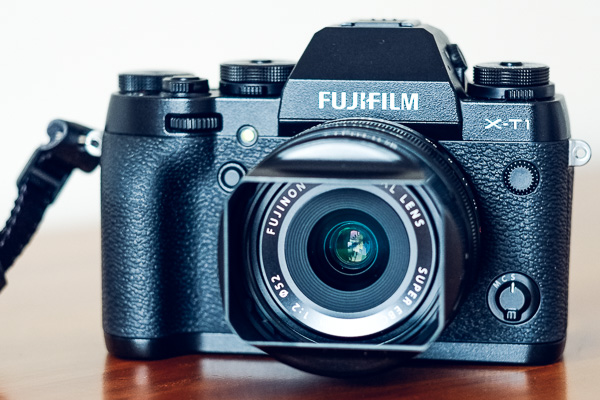
The first was processed with the Profile set to Velvia (the equivalent of the Landscape setting on my Fujifilm X-T1). The second was processed with the Profile set to Astia, which gives softer colors, and Vibrance set to -12. You can see the difference, the colors in the second version are softer and more subtle.

The HSL / Color / B&W panel lets you target and adjust the saturation of specific hues. In this portrait example below, I used the Targeted Adjustment Tool to lower the saturation of the background, reducing the amount of blue in the photo. The result is that the model’s pink dress becomes the strongest color in the image. Reducing the saturation of blue simplifies the color palette and makes a stronger image.

Limited color palette

Hopefully, this article will help you understand that there is more to color than getting as much of it in the photo as possible. There’s plenty of room for using a more subtle approach and limiting the number of colors included in the frame.

Do you have any ideas for ways to use a limited color palette or subtle colors in your photos? Please let us know in the comments.


Mastering Composition

If you’d like to learn more about color and composition then please check out my ebook Mastering Composition: A Photographer’s Guide to Seeing.

googletag.cmd.push(function() {
tablet_slots.push( googletag.defineSlot( “/1005424/_dPSv4_tab-all-article-bottom_(300×250)”, [300, 250], “pb-ad-78623” ).addService( googletag.pubads() ) ); } );

googletag.cmd.push(function() {
mobile_slots.push( googletag.defineSlot( “/1005424/_dPSv4_mob-all-article-bottom_(300×250)”, [300, 250], “pb-ad-78158” ).addService( googletag.pubads() ) ); } );

The post How to Use a Limited Color Palette to Compose Strong Images by Andrew S. Gibson appeared first on Digital Photography School.


Digital Photography School
 
Comments Off on How to Use a Limited Color Palette to Compose Strong Images

Posted in Photography


How to Take Your Portrait Photos From Good to Great with a Single Click

12 Oct

Do you enjoy portrait photography? Are you a Lightroom user? You’re going to love what we’ve just released today!

It’s our all new Adobe Lightroom® presets bundle: 101 Lightroom Portrait Presets.

NewImage
With our new presets pack, transforming your portrait shots is a breeze.

And for a limited time, the pack can be yours for the special introductory price of just USD $ 20 (that’s 60% off).

Check it out here.

In this comprehensive Portrait Presets pack you’ll get the following collections:

  • Art Series (7 presets): Get the look from the early 1900’s through to the 90’s.
  • Black and White (10 presets): A variety of black and white presets to give you that b&w portrait look.
  • Film Series (8 presets): Nothing beats the authenticity of film. These presets will re-create that professional film feeling.
  • Fix (20 presets): Fix a range of of issues including contrast, grain, highlights and sharpness.
  • Tone (14 presets): Change an array of tonal qualities.
  • Traditional Series (8 presets): Tweaks to give your portraits that classic look. Including Beach,
  • Outdoors, and Worn, amongst others.
  • Touch Up Kit: 37 brushes to help you touch up eyes, hair, lips and skin.

Created by professional photographer and author Rachel Devine, she’s done all the hard work for you so you can get the perfect edit for every portrait, without the fuss.

Here’s a short video of Rachel showing how easy it is to use these presets:

Simply apply the effect and adjust as desired… it’s fast and easy!

You’ll save a whole heap of processing time, while giving your portraits an instant “pop”. See Rachel demonstrate in the video on our product page.

Transform your photos in just one click. Pick up our 101 Lightroom Portrait Presets today – while we’re still offering it at the introductory price.

Please note: a copy of Adobe Lightroom is required to use these presets.

Also: Haven’t used presets before? No worries. Full instructions are included in the pack.

Lastly: like all our products this one has a 60 day satisfaction guarantee. If you buy it and find for whatever reason that it doesn’t suit your needs simply contact our support team and we’ll arrange a refund – no questions asked.

googletag.cmd.push(function() {
tablet_slots.push( googletag.defineSlot( “/1005424/_dPSv4_tab-all-article-bottom_(300×250)”, [300, 250], “pb-ad-78623” ).addService( googletag.pubads() ) ); } );

googletag.cmd.push(function() {
mobile_slots.push( googletag.defineSlot( “/1005424/_dPSv4_mob-all-article-bottom_(300×250)”, [300, 250], “pb-ad-78158” ).addService( googletag.pubads() ) ); } );

The post How to Take Your Portrait Photos From Good to Great with a Single Click by Darren Rowse appeared first on Digital Photography School.


Digital Photography School
 
Comments Off on How to Take Your Portrait Photos From Good to Great with a Single Click

Posted in Photography


Tripod versus Monopod – a Comparison and When to Use Each

12 Oct

Tripods and monopods, you’re very likely to have seen them. They both have their uses and their purposes for existing. But when do you use one over the other and what advantages do each have? In this article, I’ll look to explain when you would use a tripod versus a monopod and how they’re not necessarily exchangeable in their properties.

Tripods

Jake Khuon

By Jake Khuon

Uses and pros of tripods

Let’s start off with tripods. You know, those three legged stands that nearly all photographers have?! They provide your camera with a sturdy platform to which you attach your camera. Tripods come in all different sizes and have a huge variety of heads (the actual mounting point) to suit different shooting styles. They are especially helpful for avoiding camera shake when using slow shutter speeds. This is most useful when you want to blur water in a stream, show car light trails at night or simply do a long exposure.

tripod versus monopod - use a tripod for long exposures

With this frame, I used a tripod to prevent camera shake that would have been caused by the 3.2 second shutter speed. This shutter speed was used to blur the water.

Tripods can also be extremely helpful with macro, still life, and studio photography as they hold the camera in the exact spot you want while you set your shot up. Time-lapse photographers can also benefit from using a tripod over a monopod as it will ensure that there is no jumping between each frame as the camera is securely locked in one position. However, tripods are not without their cons.

tripod versus monopod

Use a tripod for long exposures like this.

Cons of tripods

However, tripods are not without their cons. They can be heavy to carry around and take some time to set up. Depending on which head you are using, tripods can also be very limiting for quick camera movements which you may need when photographing moving objects. Everything about using a tripod is slower. So if it’s speed, and ease of portability that you’re looking for and stability isn’t your main priority, then perhaps a tripod is not the best item for you.

Monopods

tripod versus monopod - use a monopod for more mobility

This is the monopod I use. Here, it is compacted (54cm/21.26″) but it extends to be 192cm (6’2″). It is made of carbon fibre and weighs in at only 620g (1.36lb) but can hold up to 18kg (39lb).

Uses and pros of monopods

When a rock solid platform for stability isn’t a priority many photographers turn to a monopod for their camera support needs. Just as the TRI in tripod means three, the MONO in monopod means – you guessed it – one! They are simply a single leg support on which you can mount your camera and/or lens. They too come in different sizes and will support different weight limits.

Monopods are perfect for taking the weight of a heavy lens/camera combination to stop aches and pains from a long day of shooting. If you’ve ever seen sports photographers with their long lenses, then you may have noticed that they are often being supported by a monopod. Monopods also offer much more versatility in movement as you now have only on one leg, not three, and they are much quicker to set up than their three-legged brethren.

tripod versus monopod - use a monopod for more mobility

This photo was taken using a 400mm f/2.8 lens. These lenses are quite heavy, so using a monopod is a great way to take the weight off your arms. Daniel Smith/Getty Images.

Cons of monopods

A monopod, however, will not offer you the same stability as a tripod, so if you’re considering a monopod as a lighter alternative to a tripod, do remember this. If it’s milky streams and flowing car lights that you’re after, a monopod will not help you here at all; you will still need a tripod.

But if your arms get tired from holding your camera up all day, then a monopod may well be very suited to your needs.

Conclusion

tripod-versus-monopod

While tripods and monopods offer extra support and in some cases, stability for your camera, there are times when one is more useful than the other and one cannot always be used in place of the other. Generally, for very long shutter speeds or time-lapse photography you’ll want to use a tripod to avoid camera shake and to maintain consistency between each frame. But if it’s a little extra support and to take the weight of a camera/lens combination, you can’t go wrong with a monopod.

Do you have either or both of monopod and tripod? How do you find using each of them?

googletag.cmd.push(function() {
tablet_slots.push( googletag.defineSlot( “/1005424/_dPSv4_tab-all-article-bottom_(300×250)”, [300, 250], “pb-ad-78623” ).addService( googletag.pubads() ) ); } );

googletag.cmd.push(function() {
mobile_slots.push( googletag.defineSlot( “/1005424/_dPSv4_mob-all-article-bottom_(300×250)”, [300, 250], “pb-ad-78158” ).addService( googletag.pubads() ) ); } );

The post Tripod versus Monopod – a Comparison and When to Use Each by Daniel Smith appeared first on Digital Photography School.


Digital Photography School
 
Comments Off on Tripod versus Monopod – a Comparison and When to Use Each

Posted in Photography


4 of the Most Important Elements of the Lightroom Library Module

11 Oct

When I read through photography forums or talk to other photographers the topic of image editors often comes up. People give various opinions and thoughts about which one they prefer. Photoshop, Lightroom, Apple Photos, Capture One, GIMP, and a host of other options from companies like ON1 and MacPhun are all capable of doing various types of small and large edits to your images.

However, one advantage Lightroom has over some other programs is that it not only lets you edit your pictures but categorize them, sort them, tag them, even compare different pictures to see which one you prefer. All this happens in the Library module which is a key part of Lightroom’s workflow. It is essential to understand the Lightroom Library module if you want to get the most out of this program.

The Library module. No late fees here, just lots of ways to manage your images.

The Library module. No late fees here (library pun), just lots of ways to manage your images.

While the Library module does many different things, to get an understanding of the basics it’s good to narrow your focus down a bit. There are a few key areas of the photographer’s workflow that are served by this part of Lightroom; organizing, sorting and viewing…with a dash of editing thrown in just for fun. Let’s look at each one by one.

Organization of images in Lightroom

One aspect of Lightroom that is often misunderstood is how it handles your actual picture files, whether JPG, RAW, DNG, or any other format. Contrary to what some people think, it doesn’t actually do anything with your files whether you are categorizing them, sorting them, or editing them. Wherever your pictures are stored on your computer, that is precisely where they will remain when you import them into Lightroom. What you can do, however, is use the Library module to organize and manage your pictures within the program itself. The best way to do this is to put your pictures into what’s known as Collections, or virtual folders that contain sets of images.

Collections are a powerful and efficient method of sorting and organizing your pictures in Lightroom, while leaving them fully intact and untouched on your hard drive.

Collections are a powerful and efficient method of sorting and organizing your pictures in Lightroom while leaving them fully intact and untouched on your hard drive.

How Lightroom sees your pictures

When you import your pictures into Lightroom you are essentially just telling Lightroom where to look for the images that are sitting on your hard drive. Remember back in the days of using the card catalog in a public library? The books weren’t stored in the massive grids of tiny filing cabinet drawers. But those thousands of little cards did tell you where to locate each book as well as a bit of information about each one. That’s sort of how the Collections feature works in the Library module. You can use it to create virtual filing cabinets to organize the images on your hard drive without actually moving, renaming, or otherwise altering your original images.

For example, let’s say you shoot a wedding for your friends Jim and Pam Halpert and come back to your computer with over a thousand images to edit. You can copy all their images to your computer into one folder, and then use Collections in Lightroom to organize them in a way that makes sense to you. Then you can create a Collection Set called “Halpert Wedding” and then within that create additional collections such as “Ceremony,” “Reception,” and “Candids.” Because you are not actually moving the images into different folders on your computer or duplicating the actual picture files, you can put the same picture into multiple collections. You could have the same shot of Jim’s buddy Dwight in both the Reception and Candids folder.

This picture of a periwinkle flower could go into a collection called "Flowers," another one called "Nature," and another one with only pictures of periwinkles. All at the same time.

This picture of a periwinkle flower could go into a collection called “Flowers,” another one called “Nature,” and another one with only pictures of periwinkles. All at the same time.

Smart Collections

While Collections themselves are quite flexible, you can go a step further by utilizing Smart Collections which is a way of automatically putting pictures in various collections based on criteria that you specify. There are a staggering number of criteria at your disposal, and you can choose whether the Smart Collection should meet any, all, or none of them. These collections are updated dynamically so as soon as a picture in your Library meets the specifications for a given Smart Collection it is automatically inserted into that Collection.

lightroom-library-module-smart-collection


Collections remain one of the hallmark features of the Library module and serve to make Lightroom far more versatile than other programs that simply let you edit your pictures. They work hand-in-hand with the many sorting options as well to give you even greater control over your images.

Sorting images in Lightroom

Have you ever gone through your closet and wished that you could snap your fingers and instantly see all your red shirts, tan pants, or gym shorts that still fit? Better yet, what about immediately seeing only the red shirts you actually like? The Library module allows you to do just that. With the click of a button or press of a keystroke, you can hone and filter your images to see precisely the ones you want, then easily reset everything back the way it was. Pressing the “\” key (while in the Library module), or going to “View > Show Filter Bar” brings up a bar at the top of your screen that allows you to dynamically sort your images based on criteria you specify at will.

lightroom-library-module-filter-bar

Using the filter bar tools

The Filter Bar lets you sort by criteria such as whether photos are marked as Picks or Rejects, have a color or star rating, or are associated with specific keywords. Click any of the icons in the Filter Bar to see the results in real-time, and your images will be immediately pared down to reflect the criteria you want.

To remove any of the filtering criteria just click the button again and Lightroom turns it off. You can also change the type of filtering by clicking the “Text/Attribute/Metadata” options in the middle of the top of your screen which will give you additional parameters. If you don’t want to constantly turn the Filter Bar on and off there is also a persistent mini Filter Bar at the bottom of your screen with many of the options as the full-featured one. I use these filters constantly to sort through my images and find the ones I need for any given project.

Using Keywords to sort your images

lightroom-library-module-keywords

Keywords are a handy way to add sorting criteria to your photos.

The Keywords feature is another aspect of Lightroom that allows you to sort through your images. On the right side of the Library module is a panel that you can use to assign keywords to images such as “Birthday,” “Nature”, “Summer”, “Uncle Mike”, or any other words you want. To assign a keyword, or multiple keywords, to a picture, just start typing them in the Keyword box or select them from the Keyword Suggestions or Keyword Bank frames. To assign keywords to multiple images at the same time, select them first and then enter your keywords in the box.

Whether you have dozens, hundreds, or thousands of pictures to sort, the options in the Library module can help.

Whether you have dozens, hundreds, or thousands of pictures to sort, the options in the Library module can help.

Viewing images in the Library module

As your photo collection grows larger it’s essential that you have a way to actually view and manage all of the images. Thankfully Lightroom has a robust system in place to let you do exactly that. Of course, you can use collections and sorting criteria, but you also have some useful tools at your disposal to actually view the pictures too. The icons at the bottom-left of your screen let you change between four different views; Grid, Loupe, Compare, and Survey.

View modes

Click Grid to see a bird’s-eye view of all the pictures in the Collection you are currently viewing. Use the Thumbnail slider in the bottom-right (if it’s not visible tap the T key to hide/show the tools bar) to change the size of the thumbnails depending on your preference.

Grid, Loupe, Compare, and Survey let you view your pictures in useful and creative ways.

Grid, Loupe, Compare, and Survey let you view your pictures in useful and creative ways.

Loupe is a term borrowed from the days of developing pictures in a darkroom. It refers to the small glass viewer, sort of like a magnifying glass without a handle, that a technician would use to see a given image in greater detail. Click the Loupe view to see one image at a time and then click anywhere on the image with your cursor (which has now turned into a magnifying glass with a + inside) to zoom in closer. Hold [alt] or [option] on a Mac to click and zoom out, and use the zoom level options in the top-left corner of your screen to change the magnification level. This is particularly useful if you want to check if a given picture is sharp and in focus.

Compare and Survey view modes are related in that they let you see two or more pictures at a time in order to choose the one you prefer. These modes are especially handy if you have multiple similar images, such as after a portrait session, and are trying to pick the best one out of a bunch.

I had about two dozen nearly identical shots, but Lightroom's view and sorting options helped me find just the photographic needle in the memory card haystack.

I had about two dozen nearly identical shots, but Lightroom’s view and sorting options helped me find just the photographic needle in the memory card haystack.

Quick Develop in the Library module

I like to think of the Library’s Quick Develop options as extra credit for a class assignment. They are an added touch that lets you do a bit of editing with your pictures without going to the full-fledged Develop module, and will often give you just the right amount of editing that a picture needs. Nestled on the right-hand side of the Library module is a little toolbar called Quick Develop which does exactly what you might think. It allows you to quickly and easily adjust a few essential parameters such as White Balance, Exposure, Highlights, Shadows, and a few other settings.

lightroom-library-module-quick-develop

Clicking on the single arrow for any given parameter adjusts things just a little bit. While clicking the double arrow adjusts things a lot. For example, the single right-facing arrow for Exposure will increase the value by 1/3 stop, whereas the double arrows will increase the value by a full stop. You don’t get anywhere near the fine-grain control that you do in the actual Develop module, but if you need to quickly make some basic edits to an image you might find Quick Develop to be quite handy.

lightroom-library-module-rainbow

Conclusion

These four elements aren’t all that the Library module has to offer, but learning them will give you plenty to work with as you begin to expand your knowledge of this powerful program. Do you have any favorite tips you’d like to share? Are there features you think I missed that others should know about? Please leave your thoughts in the comments below.

googletag.cmd.push(function() {
tablet_slots.push( googletag.defineSlot( “/1005424/_dPSv4_tab-all-article-bottom_(300×250)”, [300, 250], “pb-ad-78623” ).addService( googletag.pubads() ) ); } );

googletag.cmd.push(function() {
mobile_slots.push( googletag.defineSlot( “/1005424/_dPSv4_mob-all-article-bottom_(300×250)”, [300, 250], “pb-ad-78158” ).addService( googletag.pubads() ) ); } );

The post 4 of the Most Important Elements of the Lightroom Library Module by Simon Ringsmuth appeared first on Digital Photography School.


Digital Photography School
 
Comments Off on 4 of the Most Important Elements of the Lightroom Library Module

Posted in Photography


In Europe? You Don’t Want to Miss Pop_UP Berlin in Three Weeks

11 Oct

At the end of the month, GPP PopUp is coming to Berlin. If you are in Northern Europe, this city is within reach for you. And for a variety of reasons, it’s almost certainly the last time Pop_UP will be held in Europe.

Here’s why you shouldn’t miss it.

A Compact, Info-Filled Weekend

This will be my third time teaching at Pop_UP. Over the course of one weekend—two days—the instructors there work hard to bring you a learning experience that centers on photography, but hits it from four unique and different perspectives.

That’s important, because no two photographers’ environments are the same. And learning from people who have successfully navigated various waters in different ways can be very valuable.

The sessions are all pretty fast paced. We each have a lot to cover and only a few hours to do it. For that reason, we each tend to step back from the daily cacophony and concentrate on things that might spark you to think about your own situation in a different way.

I wouldn’t expect to learn 500 things. If past Pop_UPs are a guide, I think the more likely experience is that you’ll get a deeper look into a couple dozen new concepts—many of which will be things that you have never really considered before.

People don’t learn sequentially. Accumluated knowledge kind of builds up, then something causes that dam to burst and important concepts come together in a very concentrated way. Which is why there are times when you suddenly realize multiple things at once.

Creating those intersections is the main goal of my session at Pop_UP. But more on that in a minute.

Greg Heisler is a One-Off

Consider Greg Heisler. And yes, I realize there is a Joe and a Zack involved. But they each have their own online venues to talk about their approach to Pop_UP. But Greg really doesn’t.

So let’s talk about him for a minute.

First, Greg is one of the world’s pre-eminent portraitists. You’ve grown up seeing his work. And you think there is this gap, for lack of a better word, that separates his work from yours. And in some ways you are right. The technical gaps are there, because he has a mastery of photography and lighting and color that few can match.

But what I have learned, watching him teach in his very open way, is that the camera-related gaps only partly explain the difference between his work as compared to that of the average “good” photographer.

I have learned that there are other gaps. Important gaps. Probably more important than the photography-related gaps that we can easily identify.

His work ethic, his thought ethic, his approach to dealing with the people in front of his camera, his respect for (and knowledge of) the history that came before us as photographers—all of that is at least as important as his mastery of photography or lighting.

Probably more important, actually.

Spending a half a day seeing that is something that is hard to put a value on. You go in expecting F/stops and you coming out realizing the important stuff had nothing to do with F/stops. If you have read 50 Portraits, you already have some idea of what I am talking about.

(And if you own his book, bring it. Get him to sign it. In 100 years, no one is going to remember me. But Greg Heisler will still be alive and well in the lexicon of photographers.)

Yes, he will almost certainly be shooting at Pop_UP. And it will be a learning experience to watch him work. He might use a Profoto light, or he might use a cheap fluorescent tube from a local hardware store. To Greg, it’s all just light. His versatility and unflappability is a lesson in itself.

Lastly, back to the idea of this being a one-time opportunity. Because for the most part, Greg has been taken off of the market.

Syracuse University in upstate New York has very wisely snapped him up to keep largely for themselves. He loves it there. It’s a wonderful college town with a steady stream of curious (and lucky) young minds for him to mold.

Which means he almost never teaches externally these days. And because of his academic schedule, when he does teach it is generally close to home.

If you are in Europe, this might well be the only chance you have to learn from him.

And I Have to Follow That

I have taught in a lot of places—many cities, many countries. And suffice to say that following Greg Heisler in any kind of teaching environment is its own little nightmare. Not unlike the one where you show up at school without pants.

It stems from a deep-seeded fear of relative inadequacy, something I readily confess as a “lighting guy” in the context of Greg. So you can damn-well be sure I won’t be talking about lighting.

“What an amazing cooking presentation by Julia Child! Please stick around for David Hobby, who is next and will show you how to make toast…”

No.

So my class on Sunday afternoon will be more about the things that surround photography:

• How do you find the areas in photography where you are particularly well-suited?

• How do you identify—and create—areas of extreme competitive advantage?

• How do you create the ecosystems that, in turn, create the positive feedback loops you need?

• Which “outputs” from those systems do you optimize for? (Not just money.)

• Is it a good idea to optimize for money? (Not usually.)

• What balance do you need to create to foster sustainability?

• Where do your best ideas come from?

• Is it possible to engineer a stream of strong incoming ideas? (Yes, definitely.)

I have watched for ten years as my particular field—editorial/photojournalism—has largely collapsed. Many assignment fees today don’t even cover the cost of periodic gear replacement. It’s crazy.

So my last ten years have been spent studying and practicing new ways to approach the “new” world of photo and its related professions. To learn to adapt to a world that has completely shifted under my feet, and to anticipate those changes still yet to come.

This is not something I write about on this site, simply because it is way out of the lighting niche. But it is something that I feel is existentially important for photographers to understand.

That’s the deep dive we’ll be taking on Sunday afternoon.

So That’s One Day

Like I said, I’ll let Joe and Zack speak for themselves. Feel free to ping them on Twitter if you have any Q’s. But for those of you joining us in Berlin, this is what’s on tap for your Sunday.

Pop_UP is not a forever thing. We have been to UK, Asia, US—and this month, EU. If it continues, it would almost certainly be in South America or Africa.

If you are in Europe, and you want to attend one, this is your chance. Come join us.

And if you have photo friends in Europe, please help to spread the word. None of us live there, so we would very much appreciate your help in that way.

Thanks—and see you there,
David

:: GPP Pop_UP Berlin, Oct 29-30 ::
Strobist

 
Comments Off on In Europe? You Don’t Want to Miss Pop_UP Berlin in Three Weeks

Posted in Photography


12 Sources Where You Can Make Money in Photography

11 Oct

It can be a daunting task when you first start looking for ways to make money in the photography world or find photography jobs. On one hand, there seems to be, and are, many different avenues you can take to achieve an income, but on the other hand, each of these avenues can be difficult to break into.

I created this list to help focus you on your path to finding the right way to achieve income through your work. Take your skill level, your location, your situation, your short-term goals, and your longterm goals all into account and choose the strategies that you think will be most effective. Hit those strategies hard. There is no need to waste your valuable time on the other stuff.

1. Friends, colleagues, and family

Band Photography

Band photography

There are few photographers that I know who did not gain their first photography jobs through friends and family. Your friends, colleagues, and family already know you and your work ethic (which I hope is strong). They trust you and will be willing to recommend you. Some will even hire you. Everyone needs photography in some way and people often want to work with a person they know. Let that person be you.

Think about how your network can help propel you where you want to go. Who might they know who can help your career? Ask for an introduction. If you want to do business or law firm portraits, ask your friends who work for those type of companies to put you in touch with the person who hires photographers. In addition, influential people (connectors) can be a big boon to your business. Reach out to any of these people that you might know or seek out an introduction from a friend who might know them.

Send out an official announcement about your business. Create a mailing list, and send out a professional looking email that talks about your services and how you can help people. It’s one thing to talk in passing to your friends and family about it, but it’s another to be official and explain how you can help them or the people they know while showing your accompanying work.

2. Assisting and internships

Business Portrait

Business portraiture

Besides your personal network, assisting and internships are the other primary way that you can effectively break into the photography business. Be prepared to make coffee and sweep floors (tip: if you learn to make good, strong coffee, everyone on a photo shoot will love you). Doing this will allow you to learn about how a true photography business runs quicker than at any photo school. It will give you a nuanced insight that you cannot get in any other way.

If you assist a portrait photographer, you will learn about lighting really well because you will be in charge of setting up the lights. If you assist for a wedding photographer, you will likely be a second shooter. In that role, you will gain invaluable wedding experience without the risk of shooting a wedding for the first time without any support.

It will allow you to build a new network around you. The photographers you work for will pass along jobs that they cannot do. You will make friends with the other assistants and you can help each other out in the future when you all start shooting on your own. The relationships and skill building that happens in these environments is invaluable.

3. People that need photographs for their wall

Canvas Print

Canvas wall print

If you are aiming to sell your photographs, you can market directly to businesses, restaurants, local galleries, everyday people, collectors, and your network. You can be a go-to person for gifts. However, keep in mind that this is a very hard way to make money. It can take years of dedicated work to build up and you will need to actively market yourself.

Studying marketing and selling is important for anything you do on this list, but particularly if you are aiming to sell your work. Most photographers choose other ways to make a majority of their income at first while building up a print sales business over time.

4. Local businesses

Business Portrait

Business portraiture

You know the needs of your local businesses well, and most likely you already know the people who own them. Figure out what they might need, whether it’s business portraits, shots of their food or products, event or conference photography, or work for their walls. Approach them with a plan in mind, and ask to set up a meeting to discuss your ideas and how they can benefit.

Better yet, if you know anyone that works for the business or has a relationship with someone who does, ask for an introduction first. Introductions will give you a huge advantage.

5. Couples, weddings, and engagement photography

Engagement Photography

Engagement photography

Wedding photography is a big business for photographers. It takes a lot of time to get good and is very hard to do well, but it is one of the best ways to make a good living at photography. If you are aiming to start off with wedding photography, I suggest trying to at least work as a second shooter for a while to gain a portfolio and skills.

But there are other ways you can take advantage of this as well. You do not have to be a wedding photographer to be an engagement photographer. Couples and family photography is a very viable business wherever you live and engagements are a big part of that, whether or not you are a wedding photographer. Learn the best locations in your area to photograph and market to families and newlyweds. This may also be a good first-step to transition into the wedding world.

6. Travelers

batman_couple

Tourists from a workshop

If you are in an area that gets any sort of tourism, you can become a photography tour and workshop leader. Learn about all the best locations in the area and the best times to photograph them. Learn some history too. Just because you are running a photography tour does not mean that history isn’t important. People should be able to get to know more about what they are photographing. They want to learn that stuff. Market yourself through hotels, tourism companies, local tourism boards, and Google.

7. Actors, artists, and students

Dancer

Dancer

There is a whole photography sub-industry that caters to creatives and students. These genres do not usually pay as much as working with business firms, but they can as you improve and move up. Go advertise where these people hang out. Find a connection at your local schools. Learn which of your friends have high school age children that need photos taken, then begin to work with their network of friends. Try to get into acting or art schools.

8. Conferences and events

Conference and Event Photography

Business Conference

Event photography is another way that photographers can start making money right away. Event photography is on the easier and less stressful end of the photography spectrum, as long as you are okay with the socializing. There is not as much pressure involved as shooting a wedding, and the technical skills are not as difficult to master as other forms of photography. Learn to use your camera, your flash, how to shoot in low light, and how to get people to smile in photos and you’ll be good to go.

9. Trade and art shows – networking events

Trade Show

Trade event

Seek out all of the trade shows whose members you think you might be able to work with. Whether it’s a business related show or a local tourism event, many of the attendants will need your services. Meet people, get to know them, don’t come on too strong, and let them know that you’re there if they ever need your services. The more you attend these different events, the more people will recognize and get to know you. Just this exposure can be very valuable in the long run.

In addition, many areas have arts and crafts fairs and shows. This is a great way to get your work seen by your community. It’s a lot of work, so plan carefully and try not to go overboard at first. Do your research coming in, and use the time at the show not only to sell your work but to get to know people in your community. Even if someone is not ready to buy your work, it doesn’t mean that they will not want to in the future or for a gift. Get to know them, and see if they want to sign up for your mailing list, so you can keep your work in front of them in the future.

10. Organic: Google and social media

GStar Fashion Show

An image used as a fashion show backdrop

Due to all the competition, ranking highly in Google is tougher than it used to be. But with some focus and time, it is very doable. Learning how to rank higher in Google involves too much information to do the topic justice here, but you should follow resources and websites such as problogger.com (our own Darren Rowse’s other site), which will help you learn to make more of your living through the internet. You will need a website of course. Also keep in mind that besides a variety of unique factors, Internet links are the lifeblood of ranking highly in Google, so it is necessary to figure out how to get other people to link to your site and mention your work.

In addition to your email list, build a Facebook business page and an Instagram page to grow your following. This will help you keep your work in front of people so that they will remember you the next time they need your services.

11. Local internet marketing

Business Portrait

Business photography

You can market your work to all types of business on the internet. However, local websites can be the most important. Local news sites, blogs, or wherever your community hangs out on the internet are important to become a part of.

Think about how you might be able to work with these websites or be of value to them. If you join certain communities, you do not want to go crazy marketing to them. Join the community, be a valuable member, answer questions and offer advice, and just get to know people. That’s how you market in these situations. If you do this the right way, they will like and trust you and will want to work with you in the future.

12. Other photographers

There is so much competition between photographers that it can get incredibly frustrating. Other photographers share the same passions that you do, and they are going through the same trials and tribulations. Seek out the good ones and become friends with them. Offer to help them if they need. Pass along jobs if you can’t fulfill one. Grow together.

Over time, you will surround yourself with an invaluable community and you will all be stronger together. The photographers who feel too competitive to give you the time of day will then not have the advantages that the rest of you do.

Conclusion

Making money in photography can be challenging and hard especially when you’re getting started. These tips should give you some ideas to move forward with in your photography career. If you have any other ideas that have worked for you please share them in the comments below.

googletag.cmd.push(function() {
tablet_slots.push( googletag.defineSlot( “/1005424/_dPSv4_tab-all-article-bottom_(300×250)”, [300, 250], “pb-ad-78623” ).addService( googletag.pubads() ) ); } );

googletag.cmd.push(function() {
mobile_slots.push( googletag.defineSlot( “/1005424/_dPSv4_mob-all-article-bottom_(300×250)”, [300, 250], “pb-ad-78158” ).addService( googletag.pubads() ) ); } );

The post 12 Sources Where You Can Make Money in Photography by James Maher appeared first on Digital Photography School.


Digital Photography School
 
Comments Off on 12 Sources Where You Can Make Money in Photography

Posted in Photography