RSS
 

Archive for the ‘Photography’ Category

4 Secrets for How to Get Tack Sharp Photos

01 Nov

We’ve all been here before. You get home from an afternoon with your kids in the park, at the ball game, or even a formal photo session only to load your pictures on the computer and realize that many of them are fuzzy, blurry, or just plain out of focus. It’s a problem that has plagued photographers for years. While new cameras offer all sorts of features like 3D focus tracking and real-time face detection to help make sure to get the ultimate tack sharp photos, the fact remains that out-of-focus images are still an issue for just about everyone with a camera.

It’s an unfortunate reality of the way cameras work with incoming light, and until we are all shooting with Lytro-style light field cameras we are all going to have the occasional out-of-focus picture or two. Fortunately, there are a few relatively simple things you can do to make sure your pictures are indeed as sharp as possible.

tips for getting tack sharp photos

Use a fast shutter speed

The world around you is constantly in motion, and having a camera means you are equipped to freeze that motion into a single frame. Depending on what you are shooting the result can sometimes be a blurry mess, which is often the result of a shutter speed that is simply too slow. There’s an old bit of conventional wisdom that says the minimum shutter speed needed to get a sharp image of a still subject is 1/focal length. So if you are shooting with a 50mm lens you need a shutter speed of 1/50th of a second.

Note: Due to the cropped sensor on cameras like the Canon Rebel series or lower-end Nikons the formula becomes 1/(1.5x focal length), so you would need a minimum shutter speed of 1/75 second.

This might sound fast but it’s actually not, especially if you are shooting in low light conditions or with a small aperture on your lens. It gets even worse when your subject is moving, in which case you need a much faster shutter speed! This is why many mobile phone pictures end up looking blurry, in order to let in enough light to get a photo they often use slower shutter speeds.

This jittery squirrel was moving all over the place, so I shot with a speed of 1/180 second to get a sharp picture. tips for getting tack sharp photos

This jittery squirrel was moving all over the place, so I shot with a speed of 1/180 second to get a sharp picture.

Proper settings

The solution is to use a faster shutter speed, which might sound fairly obvious but it doesn’t always work unless you have your camera configured properly. If you shoot in Auto your camera might not know you want to use a fast shutter speed. So shooting in Program or Shutter Priority is a good way to control the shutter speed to make it as fast as you want.

You can also utilize higher ISO settings like 1600 or 3200, which look just fine from most modern cameras if you need a fast shutter and there isn’t much light. Most photographers would take a slightly grainy (noisy) photo that can often be fixed with software like Lightroom or Photoshop over a blurry photo that can usually not be fixed. If you find that you consistently get blurry pictures of your subjects, try increasing your shutter speed and you just may just be surprised with the outcome.

Use a smaller aperture

The lens on your camera is designed to gather incoming light and focus it so you can take a picture. The amount of light it lets in is largely dependent on the size of the physical lens opening. A bigger opening, or aperture, lets more light pass through than a smaller opening, much in the same way a bigger hole in the bottom of a bucket lets more water leak out than a smaller hole. Wider apertures let you use faster shutter speeds and also help you achieve the type of beautiful out-of-focus backgrounds, called bokeh, that are common in portrait, wildlife, or even sports photography.

tips for getting tack sharp photos - family photo

Even though my 85mm lens has a maximum aperture of f/1.8, I shot this at f/2.8 because I wanted a wider depth of field in order to make sure all three subjects were in focus.

Depth of field

One tradeoff that comes into play when using wide apertures, is that your depth of field is much shallower. That means you have a very narrow section of the image that will actually be in focus or tack sharp.  Under very carefully controlled conditions this can be fine and even quite desirable. But in many situations, a thin depth of field can result in more headaches and frustrations than it’s worth.

Shooting with a wide aperture can result in a depth of field that is so narrow a person’s nose could be in focus but her eye might not. One of the best solutions is to just use a smaller aperture. The tradeoff when using smaller apertures like f/2.8, f/4, etc., is that your background won’t be quite as blurry and you will need a longer shutter speed, but if your lighting is good the latter won’t matter. And as for the former, I like to err on the side of caution and go with a technique that will give me a higher chance of having my subject sharp and focused, even if it means a slightly less blurry background.

tips for getting tack sharp photos

Use cross-type focus points

Almost every interchangeable-lens camera has one or more cross-type focusing points. That means they look along the horizontal and vertical axes to make sure things are tack sharp before taking a picture. These points are the little dots or squares you see when you look through the viewfinder of your camera. The ones that are cross-type are usually a bit faster and give you better results than their single-axis counterparts. Of course, you will need to know which of the points on your particular camera are cross-type but a quick online search of your camera model and “cross type focus points” will usually get you the information you need.

tips for getting tack sharp photos cross-type focus points

The center focusing points on my D750 are all cross-type, so I like to use them whenever possible in order to make sure to get maximum sharpness.

Cross-type focusing points are usually limited to a certain portion of the viewfinder. This can present a bit of a problem since normal-type focusing points are what is commonly used to lock focus on objects along the outer edges. A solution I like to use for these situations is the focus-and-recompose technique. I use a cross-type focusing point, often the one right in the center, to lock focus and then recompose my shot to frame it how I want. This does not always work when shooting wide open since even the smallest amount of movement can affect your shot when the depth of field is razor thin. But as I mentioned earlier, if you want tack sharp pictures you should probably stop your aperture down a little bit anyway.

Sharpness is critical when shooting macro pictures, so I used a wide aperture (f/8) and cross-type focusing points to make sure the foreground tulip was tack sharp.

Sharpness is critical when shooting macro pictures, so I used a small aperture (f/8) and cross-type focusing points to make sure the tips of the petals on the foreground tulip were tack sharp.

Use a tripod and Live View and zoom in to 100%

If you’re like me, you spend 99% of your time looking through the viewfinder of your camera as opposed to using the Live View function (where you use the LCD screen on the back of your camera to compose your shot). DSLRs have traditionally been designed for photographers to use the optical viewfinder which is why this method is generally faster and easier to use. But Live View has some very good features as well depending on the type of photos you want to take. If you are doing a lot of action shots like sporting events the Live View function is quite frustrating. But if you shoot landscapes, products, or other types of pictures where your subject remains relatively still, Live View can be a major advantage in terms of getting the sharpest image possible.

Using Live View helped me get this small wooden duck very sharp and focused.

Using Live View helped me get this small wooden duck tack sharp and focused.

Using Live View

The trick to using Live View for getting sharp images is to frame your shot with your camera on a steady surface such a tripod, then zoom in to 100%, using the controls on your camera. This gives you an ultra-close-up look at your image, and you can then use autofocus or manual focus to make sure everything is perfectly tack sharp.

While the autofocus points in the viewfinder do a good job, this type of 100% magnification shows you precisely how in-focus your image will be and helps you get pixel-perfect images. Landscape (and macro) photographers often use this technique, combined with small apertures for a wide depth of field, to get pictures that are much sharper than they could otherwise. It’s a tip that I highly recommend you try, especially if you don’t often shoot in Live View.

tips for getting tack sharp photos long exposure image

I wanted to get this 30-second exposure as sharp as possible. So I first used Live View and zoomed in to 100% to check that the foliage was focused.

Bonus tip: Use Focus-Peaking on mirrorless cameras

Most of the items in this article are geared towards traditional DSLR shooters, but if you use a mirrorless camera there is one handy tool you probably have that gives you a leg up on your traditional-style camera counterparts.

Focus-Peaking is a way for your camera to show you precisely what is tack sharp as you focus your lens. Many, but not all, mirrorless cameras have this capability and it is a fantastic way of making sure you get everything that should be tack sharp focused properly. With Focus-Peaking enabled, as you turn the focusing ring on your lens you will see a swath of dots (usually red or green) travel across the viewfinder. These dots indicate the spots that are perfectly focused, and when you see an outline of dots around the part of your image that you want focused, you can snap a picture and rest assured that it will show up exactly how you envisioned.

You can even use Focus-Peaking in conjunction with autofocus, so it’s another tool in your repertoire to help make sure you are taking the best possible pictures.

tips for getting tack sharp photos - focus-peaking

The edges of the leaves are all outlined in red by Focus-Peaking, which indicates that they will be in focus. Image by Bautsch (Own work) [CC0], via Wikimedia Commons

Over to you

Do you have any favorite tips or tricks for getting sharp photos? Are there things I left off this list that you’d like to share with others? Leave your thoughts in the comments below!

googletag.cmd.push(function() {
tablet_slots.push( googletag.defineSlot( “/1005424/_dPSv4_tab-all-article-bottom_(300×250)”, [300, 250], “pb-ad-78623” ).addService( googletag.pubads() ) ); } );

googletag.cmd.push(function() {
mobile_slots.push( googletag.defineSlot( “/1005424/_dPSv4_mob-all-article-bottom_(300×250)”, [300, 250], “pb-ad-78158” ).addService( googletag.pubads() ) ); } );

The post 4 Secrets for How to Get Tack Sharp Photos by Simon Ringsmuth appeared first on Digital Photography School.


Digital Photography School
 
Comments Off on 4 Secrets for How to Get Tack Sharp Photos

Posted in Photography


REVIEW: Everyday Messenger Bag for Photographers… And Everyone Else!

31 Oct

Peak Design is familiar to any pro photographer and their latest Kickstarter project for their Everyday Bags that gathered over $ 6,000,000 of funding has made them famous far beyond the photography world. While their new backpack, tote, and sling from the Everyday series are conquering the world, I’ve got a chance to put my hands on Peak Design’s Every Messenger Continue Reading

The post REVIEW: Everyday Messenger Bag for Photographers… And Everyone Else! appeared first on Photodoto.


Photodoto

 
Comments Off on REVIEW: Everyday Messenger Bag for Photographers… And Everyone Else!

Posted in Photography


How to Add a Sun Flare to Your Images Using Photoshop

29 Oct

If you read my previous article where I give you some tips for doing more spectacular sunset photography, you’ll understand that I love taking photos during the magic hour. For my portraits, I also book my sessions during that time because the light is very soft and flattering. There is one thing I particularly like to do when I process my images and that’s adding a sun flare to my portraits and landscapes. I love to use Photoshop to recreating a scene that would have ideally been there in real life.

How to Create a Sun Flare in Photoshop

I added sun flares to this portrait to add depth.

It’s difficult to not underestimate the effect of a sun flare but it really does make a big difference, especially if you like cinematic results to your images. They’re a great way to add color and depth to your images.

Analyze your image first

The process of adding sun flares is actually quite easy, it only takes two steps and a few minutes. The most difficult thing however is to get a realistic result. You need to analyze your image before doing anything. Start by looking at the position of the sun, how the shadows and highlights are wrapping around your subject.

In the image below, I added a sun flare on the left, but before doing that I noticed that the highlights were hitting the Taj Mahal from the left and the shadows were in the right side of the monument. If I were to position the sun flare on the right side of the image, the results wouldn’t be realistic because the highlights and the shadows wouldn’t correspond to the direction of the light of my sun flare. Try to consider the position, direction and intensity of the light.

How to Create a Sun Flare in Photoshop - Taj Mahal

This is another example of a GoPro image I took. I added a sun flare on the right side of the image because the sun was positioned there in real life. We’re not trying to create another sun, we’re just enhancing it with more colors and more intensity.

How to Create a Sun Flare in Photoshop

In this portrait, I added a sun flare to the left of the model. The result looks realistic because you can see the orange flair spreading and lightning the hair of the model but her face isn’t affected.

How to Create a Sun Flare in Photoshop

How to create and add a sun flare in Photoshop

It’s actually quite easy to add a sun flare in Photoshop. Start by opening your file in Photoshop and creating a new empty layer. The next step is to analyze where you want to place your sun flare and how strong do you want the effect to be. In this case, I want to place my sun flare in the top right of the image and make it pretty big. The sun was actually setting in that position but I am not completely satisfied with how it looks. I want to make the flare more vivid and more intense.

How to Create a Sun Flare in Photoshop

Select the Brush Tool and pick a color

The next step is to select the Brush Tool with an opacity and flow of 100%. Make sure to select a soft brush with a hardness of 0%. I usually like to pick my own color of the sun flare, the color code I use is #fd9424, but there are different ways to pick a color for the sun flare.

You can use the Eye Dropper Tool and select a color from the image by pressing I on your keyboard or by selecting it in the tool box on the left (the chosen color will automatically be set in your palette). Or after you have created the flare, you can create a hue/saturation adjustment layer only affecting that layer and just playing around until you find a color you like.

How to Create a Sun Flare in Photoshop

Adding your flare

To create the sun flare, the first step is to simply create one brush stroke (you just have to press once). Make sure your brush is quite big. So far your image should look something like this:

How to Create a Sun Flare in Photoshop

The next step is to go to blending modes for your current layer (the layer with the brush stroke). The default blending mode is normal, you need to change it to Screen. The screen blending mode by definition will invert both layers, multiply them, and invert the result. Your sun flare is going to get brighter and blend in with the sky after you do that.

How to Create a Sun Flare in Photoshop

Transform

The next step is to select your layer with the sun flare and press CTRL/CMD+T to transform (resize) it. A little box will appear, you want to drag the corners to make it bigger. How big you want to make it depends on your image and your desired effect. The sun flare will affect the whole image if you make it too big and will brighten up the shadows.

Using a brush tool on a new layer is really helpful because you have full control. You can change the position, color, brightness, or saturation of your flare whenever you want by creating new adjustment layers that only affect that layer.

If you think that your effect if too strong, you can reduce the opacity of the layer, if it is not strong enough, you can duplicate the layer. Always remember that the effect should be subtle otherwise if will look quite unrealistic. We are just trying to create a scene taking in consideration how light works.

How to Create a Sun Flare in Photoshop

 whenever you want

Your turn

Now you try you hand at adding a sun flare to one of your images using Photoshop. Please share your images and any questions in the comments below.

googletag.cmd.push(function() {
tablet_slots.push( googletag.defineSlot( “/1005424/_dPSv4_tab-all-article-bottom_(300×250)”, [300, 250], “pb-ad-78623” ).addService( googletag.pubads() ) ); } );

googletag.cmd.push(function() {
mobile_slots.push( googletag.defineSlot( “/1005424/_dPSv4_mob-all-article-bottom_(300×250)”, [300, 250], “pb-ad-78158” ).addService( googletag.pubads() ) ); } );

The post How to Add a Sun Flare to Your Images Using Photoshop by Yacine Bessekhouad appeared first on Digital Photography School.


Digital Photography School
 
Comments Off on How to Add a Sun Flare to Your Images Using Photoshop

Posted in Photography


How to Compose Better Images and Make your Images More Extraordinary

28 Oct

When we think about what goes into making a photograph most often our thoughts leap to camera settings like aperture and shutter speed. “What ISO should I use? Should I incorporate more or less of the foreground and is that tree branch really in the way?” We burden ourselves with the technical, while unfortunately overlooking other elements of the shot which potentially mean more to the outcome of the finished image. In this article, I will share a few of my own images and then break down a few key points that you can use to make your own images more consistently extraordinary. I won’t even mention the word exposure…well, maybe just that once.

dsc07896-edit

Don’t worry, this will not be an overly introspective study of the all the “feelings” which we might pour into making a photo. Instead, this is an examination of the how and why we include what we do in our images and it covers some of the thought processes which drive our own creative visions. Once we begin to have a general understanding of how our artistic nature approaches composition the better we can work towards refining our own techniques.

Photo #1: The Brooding

The Brooding

This is one of my personal favorite images. It came about very unexpectedly but it would turn out to be one of the most successful photographs of my career thus far. But why? There must be a reason this image was so well received. So let’s break it down and see what can be learned from the composition.

Use leading lines

This is a photographic methodology that has been mentioned many times. Leading lines are simply guideposts within a frame which lead the attention of the viewer to certain elements and essentially direct their attention within the photo itself. Oddly enough, leading lines can be worked into your composition in many ways and there are no set “rules” for using them. But generally, they originate in the foreground and extend into the frame. That isn’t to say that leading lines can’t be horizontal, diagonal, or anywhere in between.

In the case of this image, the lines of the fence and road move from the foreground to the background thereby creating a sense of depth in the mountains. Meanwhile, the horizontal line of the mountains converges with the vertical lines of the road. This helps to highlight the central element of the photo which is the tree.

The Brooding Notes

Don’t fear the weather

It goes without saying that this photo was made during some less than hospitable weather. An incredibly strong mountain thunderstorm had moved through the valley the night before and the rain had just stopped as I made my way out to shoot. Normally, bad weather deters many photographers from venturing out to make images. This is wrong.

When the weather gets rough it brings with it interesting cloud patterns and awesome light that you wouldn’t encounter on clearer days. Not only do the clouds add a sense of moodiness to the photo but the wet asphalt imparts the feeling of the dankness in the morning air after the storm passed. The yellowish post-storm light works well with the hazy mist in the valley which was hanging low after the rain.

Work with proportions

Whenever you begin mentioning words such as proportions, scale, or ratio as they relate to photography – you lose people’s attention. Usually, because it can seem complicated. Stay with me here! Composing your images based on certain aesthetic ratios and proportions isn’t as difficult as it sounds and I’m about to prove it to you. Ratios don’t have to be exact or perfect in every case but can really add that something extra to your photographs.

Golden Spiral Overlay

The image we have here incorporates what’s called the Golden Spiral or a Fibonacci Spiral to add interest and draw attention to the main elements of the composition. It’s a proportion based on the Fibonacci Sequence and it occurs in nature frequently. In this case, the spiral has been tweaked (flipped horizontally) to guide the viewer, yet again, towards the tree and into the distant mountains. Have a look at this overlay set on top of the flipped photo above and you can see how it lines up.

Pretty cool, huh? Try the Golden Spiral or the simpler Rule of Thirds for yourself to see an immediate boost in your compositions.

Photo #2: Summertime

Summertime

When most people see this photo they either love it, hate it, or say “Adam, your feet are really, really dirty”. It’s true, this was a very impromptu and unorthodox exposure of yours truly as I swayed in my hammock during a hiking trip last summer. Unbelievably, it went on to win First Place Professional in a state magazine a couple months ago. No matter your initial impressions of this image there are still a few important lessons that can be gleaned to help you with your own work.

Find natural framing

This is a close cousin to using leading lines to enhance the viewability of an image. There are many cases when a strong composition makes use of what is referred to as natural framing. This is when a photographer composes certain elements (not always the main subject) in a way so that they are framed by other elements within the shot. Sometimes this framing is obvious, such as when a portrait photographer positions the client in a doorway or when a landscapist places the sunset between two mountain peaks. Other times natural framing is less obvious, as is the case with this image. Look closely.

Summertime Notes

You’ll notice that my beautiful feet occupy the empty space between the hammock at the left and the trees to the right. The empty space created between the structures offers a place for the central subject to really stand out from the rest of the elements of the photo. The lines created by the hammock also help with the overall framing of the image and gives it a very anchored perspective. Speaking of perspective…

Use perspective

This photo was shot using a Rokinon 14mm F/2.8 super wide-angle lens, mounted on a full-frame mirrorless camera. The 14mm focal length bulges the exterior aspects of the frame. This causes the trees to bend in towards the center of the frame. The camera was held relatively close to my feet so that the entire scene seems relatively compressed around them. The overall effect is one of first-hand perspective and allows the viewer feel as if they themselves are swinging in the hammock on a warm summer afternoon…with dirty feet.

dsc07923

Shoot what you want

When I was about to enter this photo into the contest (in which it eventually took first prize from among 2,000 other entries) there were some politely well-worded reservations expressed by some of my friends. Why would anyone want an image of some dirtbag hiker’s feet? Well, when I shot the image I knew it carried the feeling of summer. The earthy remnants of a day’s trek and the welcomed relaxation of a swinging hammock that chases away all worries. I knew the photo fit the theme of the contest which was Summertime. It was an image which I felt was worth entering even though it was slightly unorthodox.

Shoot the images you want to shoot. Hopefully, this is a lesson you already know and have been putting into practice for some time now. If not, now is the perfect time to start.

Photo# 3: The Stars Fell

Falling Stars

On the night this image was made my girlfriend and I had been out chasing the Milky Way through the mountains. There was nothing planned as far as a self-portrait was concerned. This was one of the last photos to be made that night and it came about completely by accident. It is the only exposure I made of us under the stars, which to me makes it even more special, but I digress.

Incorporate the environment

Consider your environment as another subject and use it to enhance the image. This may go without saying when working with landscapes or nature photography, but it can’t be overstated when it comes to portraiture and working with human subjects in general. In the case of this image, the stars wheeling overhead become almost a completely separate subject. Add in the human element and it produces a wonderful duality between man (or woman) and nature.

Here we see a few of the environmental elements which came together in the photo. Some of them may be familiar.

Falling Stars Notes

Open yourself up

Let’s face it, not everything goes to plan. There have likely been many times a shot didn’t pan out, your camera wasn’t set on the ISO you needed, or the light faded before you could click the shutter. Other times everything goes completely to plan. So much goes to plan in fact, that you consider it a job well done and stop thinking creatively.

While it’s great when everything goes right, we shouldn’t stop looking for the next exceptional image. Be open to those great moments that produce great work even if they go beyond what you had set out to do originally.

We were on the verge of packing up and heading back to camp when I had the idea for our spur of the moment self-portrait. I had already produced all the images I wanted to make so we had chalked it up as a success. But as it turns out, the image I never intended to make that night ended up being the best.

dsc08347

Trust your instincts

The reason this photo came about was due to a feeling I had that the image was there before I made the exposure. I was told later that my exact words were, “Want to try something weird?”

Even though it had already been a successful night of shooting the stars I knew there was one more frame to take and that frame should include us. It wasn’t something that was planned but it turned out being one my most cherished images to date.

When shooting any type of image it always pays to go with your gut. More often than not, your instincts will be right. If it feels like a photographic opportunity is presenting itself then it’s usually a good idea to follow your intuition and pursue the idea. Don’t think you have astute instincts? Don’t worry. They will develop and mature as you do as a photographer.

_mg_9049-edit

Conclusion

Remember, strong images are made by more than just perfect camera settings. Begin looking beyond your exposure and aperture to understand how your photos impact you and ultimately the viewer. The methods mentioned above will give you a great start to producing consistently better images time and time again.

googletag.cmd.push(function() {
tablet_slots.push( googletag.defineSlot( “/1005424/_dPSv4_tab-all-article-bottom_(300×250)”, [300, 250], “pb-ad-78623” ).addService( googletag.pubads() ) ); } );

googletag.cmd.push(function() {
mobile_slots.push( googletag.defineSlot( “/1005424/_dPSv4_mob-all-article-bottom_(300×250)”, [300, 250], “pb-ad-78158” ).addService( googletag.pubads() ) ); } );

The post How to Compose Better Images and Make your Images More Extraordinary by Adam Welch appeared first on Digital Photography School.


Digital Photography School
 
Comments Off on How to Compose Better Images and Make your Images More Extraordinary

Posted in Photography


Overview and Test of the New Cactus V6II Wireless Flash Trigger for High-Speed Sync

28 Oct

Cactus Image recently launched a new version of their radio trigger for speedlights and strobes, the Cactus V6II. In this review, I’ll go over the features of this trigger, how to use it, and do some example photo shoots to test it.

Features of the Cactus V6II Wireless Flash Transceiver

This is a 16 channel system with 4 groups. That means 16 systems can run concurrently, and each photographer could have four sets of flashes of which they can control the power (and zoom for the RF-60/TTL Flashes). It runs off two AA batteries, mini-USB 2.0, or a 5v DC input. Like most modern flash triggers, it runs at 2.4Ghz, which helps it work reliably up to 100 meters. It supports High-Speed Sync up to 1/8000 sec (if your camera goes that high).

The mini-USB port also allows you to update the firmware on the device, giving it a certain amount of future proofing. The main difference between the V6 and the V6II is that the latter allows you to use High-Speed Sync across a range of cameras and flashes, including that of the Fuji X series (which lacks the ability normally). The V6II HSS is based on the use of camera and flash profiles. This allows both Cactus and the photographer to make profiles for flashes they may not already have in the system.

Cactus Wireless Flash Transceiver V6 II - box

The Cactus V6II transceiver box.

This means there’s practically universal support for any flash you may have. The exception is flashes that have a high sync voltage. The units are cross compatible between systems, so you can use Pentax cameras with Olympus flashes, etc.

Camera and flash compatibility list for the v6II

Camera and flash compatibility list for the v6II

There are two High-Speed Sync modes; Normal and Power. Normal High-Speed Sync works up to 1/8000th of a second and uses a pulsing flash fire. Power Sync uses the full power flash as a normal fire, but allows you to exceed the normal sync-speed of the camera.

Getting started with the Cactus V6II

The trigger comes in a nicely designed box, containing the user manual, the trigger, and a hotshoe foot. Unlike other hotshoe feet, this one doesn’t have a screw thread for a lighting stand. It’s not an issue as I wasn’t expecting one anyway. The unit can be configured as either a transmitter or a receiver by selecting Tx or Rx from the power switch.

When it is on-camera as a transmitter, you have the four groups visible on the camera left-hand side. Marked A, B, C and D, pressing one toggles it on and off. This way you can select a specific group of flashes to change settings on. This works especially great with Cactus’ own flash, the RF60. Using the dial on the back you can change the power of the flashes on the group, or by pressing in the dial, swap to the lens zoom setting and change that instead.

The unboxed Cactus V6II

The unboxed Cactus V6II

On the right hand side at the front is the test button. You can press it to test that the signal is going to either the RF60, or to another V6II set to receiver mode. One other useful feature is that there’s a hotshoe on the trigger, where you can add your existing trigger system, or another flash. Using your current triggers will allow the High-Speed Sync signal to pass through the V6II and into your flash system.

Setting up

My main portable system is based around Godox v850 flashes (more precisely, the Neweer versions rebranded as the TT850 – it’s the same flash). I also have the more powerful AD360, which responds to the same trigger (the older FT-16), so I find it a really useful system. All of the flashes are High-Speed Sync capable and have profiles in the trigger. I don’t actually use the built-in profiles for High-Speed Sync with Fuji cameras.

The Gear Setup for HSS

Using the older triggers, I set up the flash as normal. Once it’s all working I take the trigger off the camera and put the Cactus V6II on instead (switched to Tx mode). Next I put the old (FT-16) transmitter on top of the hotshoe on the V6II. Finally I set the flash to HSS mode by pressing a two button combination on the back. Each system has its own way of turning on HSS. Yes, this does mean you only need one Cactus V6II trigger with this system to get HSS working.

To get started, press the Menu button on the back right of the V6II unit. Turn the dial to Camera and Flash Setup. Set Camera to Auto, then set Flash to the brand that you use. Next use the Auto Profile for your Flash. For Fuji, you have an additional step, where you make the trigger learn the HSS response of the flash. For the AD360, I set the Flash to Nikon and the Profile to Auto (Nikon).

The Beta Test

So I set it all up, and with my trusty Godox 120cm Octabox on the Ad360, I sweet-talked my son into posing on his bike. That’s roughly three minutes of attention span before boredom hits. I’ve included some behind the scenes shots as well. The exposure was 1/4000th, f/2.8, ISO 200 with a 35mm f/1.4 lens. Even the nearby trees are out of focus. I absolutely love the bokeh in my first shoot with the trigger.

Cactus image v6ii review matt

Test Shoot #1

Testing means dragging out a range of people to shoot with. It also means working around their schedule. So this next shoot happened a little later than I would’ve liked, but I still got some good shots.

Once the trigger is set up, your main issue is dealing with power. Normally with manual flash, only the aperture has an effect on the apparent power of the flash. Below sync-speed, you can change the shutter speed to your heart’s content, and it won’t affect the flash. Not so with High-Speed Sync. Any change of shutter speed changes the flash power. The faster the shutter speed, the more flash power you need. It’s a new experience if you’ve gotten used to normal manual flash. Each stop increase in shutter speed requires about a stop of increase in the flash power.

Here’s the first setup and the resulting image.

Cactus image v6ii review sunset 1

Behind the scenes shot showing the Godox AD360 flash with Godox 120cm Octabox. Taken by Ola.

The shot with HSS. The background is beautifully out of focus. ISO200 f1.8 1/4000sec 35mm on Fuji X-T10

The shot with HSS. The background is beautifully out of focus. ISO 200, f/1.8, 1/4000th, 35mm on Fuji X-T10.

I still managed to blow out the sun slightly, but the flash was at full power, so I couldn’t change the aperture to compensate. The octabox was just out of frame too. Normally, I shoot vertical portraits but for articles, horizontal looks better, so I just recovered this highlights in Lightroom.

Test Shoot #2

For the second shoot, I had more time, better planning, and less wind! Due to the model’s availability, it was later than I’d have like, but still had enough light to get shots using HSS (out of want rather than need!).

Here I’ve used my typical short lit Godox Octa setup for this using the Fujifilm X-T10 with a 35mm f/1.4 lens. I wanted to create tension and go for a cinematic feel to the image. The grass at the bottom is well out of focus and gives a slightly ethereal feel to the shot. The black clothes and the model peering out of frame seem to reference things in the past as if a loved one has passed.

cactus-v6ii-review-emma-1

ISO 200, f/1.4, 1/1600

For the second shot, I wanted to bring in an additional element – a back light. I could’ve used one of the 850’s, but instead, I opted for the Cactus RF-60 flash. This has the receiver built-in and communicates directly with the Cactus V6II receiver. I set this to Group B and zoomed the flash to 105mm to allow it to throw the light further. Once in HSS mode, it triggered every time along with the AD360. I also went for the 50-140mm lens to get further back and compress the background more.

ISO200 f2.8 1/500sec. Shot with the 50-1400 f2.8 lens

ISO 200, f/2.8, 1/500th. Shot with the 50-140mm f/2.8 lens.

Here’s how the gear looked behind the scenes:

Cactus image v6ii review emma 3

Headshot variation

For the final look, I went for a headshot, so the Octa was moved to give her a soft loop light. I got the model to hold a reflector (in this case a California Sunbounce silver-white mini, using the silver side for contrast). It’s very similar to the last setup with the Cactus RF-60 acting as a kicker.

cactus-image-v6ii-review-emma-3

ISO 200, f/2.8, 1/500th.

Here’s the setup shot:

Cactus image v6ii review emma 5

By swapping the side the Octa is on, so the kicker and the key are on the same side, you get a very different look for only a few minutes work.

cactus-image-v6ii-review-emma-5

Cross Platform Test: Fuji Camera – Canon Flashes

Using a second Cactus V6II trigger, I added a Canon 580EXII Speedlite to the setup to use with the Fuji camera. In this case, I set the flash up as Canon with an Auto Canon Flash Profile. Again with the flash set to HSS, I went through the learning process for HSS, and the flash worked perfectly with the Fujifilm in HSS mode. The 580EXII was set to ETTL, and I could control both the flash power and the flash from the V6II transceiver on the camera.

I still have my Canon 5D MarkIII (not for much longer), so I did a quick test with that as a system check. Again I used the Canon 580EXII Speedlite on ETTL, set to HSS. Because both transceivers were set to Auto, switching the units off and back on began a new detection cycle, successfully recognizing both flash and camera as Canon. After one or two test fires, it all worked perfectly. No pretty models for this demo, but something close to my heart instead.

Shooting the X-T2 using a Canon 5DIII. The 580EXII flash was set up off camera, with the trigger set to auto detect camera, and the receiver set to auto detect flash. Set to ETTL mode, both power and zoom can be controlled from the trigger. The flash was bounced into the ceiling. ISO200 1/500sec f1.8.

Shooting the Fuji X-T2 using a Canon 5D MarkIII. The Canon 580EXII flash was set up off-camera, with the trigger set to auto-detect the camera, and the receiver set to auto-detect the flash. Set to ETTL mode, both the power and zoom of the flash can be controlled from the trigger. The flash was bounced into the ceiling. ISO 200, 1/500th, f/1.8.

Firmware Updates for the V6II

Another feature of this trigger is you can update the firmware as new features and profiles are added. During my testing period, two firmware updates became available. I also had the chance to test a beta version of the new Fuji X-T2, another testament to Cactus’ support for their product. For the public updates, I simply downloaded the updater app, ran it, and followed the instructions.

Cactus Firmware Updater

Cactus Firmware Updater

Pros of the Cactus V6II Triggers

  • Gives you High-Speed Sync ability across a range of camera systems and flashes.
  • Firmware upgradeable.
  • Works directly with the Cactus RF-60 flash.
  • Good range of channels and groups.
  • Power Sync allows additional sync speed options for non-HSS flashes.
  • Can work with only one transmitter and your existing triggers.

Cons of the Cactus V6II Triggers

  • Clunky – the shape isn’t as elegant as many others with a hotshoe passthrough.
  • One of the units I had suffered from a really tight battery clip. It’s more an annoyance than a real con as the batteries last a really long time. The clip on the other unit was perfect.
  • For Fuji users, there’s more work to get it going. For everyone else, no problem.

Verdict

I’m delighted with the Cactus V6II wireless flash trigger. It really works.

During the short time I’ve had the trigger, I’ve used it on a few magazine shoots, as well as the fun shoots I did to test it. It’s been great. Their support has been fabulous, and there’s a lot of information on their community page.

Would I recommend these triggers? Absolutely. They bring a new dimension to shooting portraits outdoors that can change your style completely.

googletag.cmd.push(function() {
tablet_slots.push( googletag.defineSlot( “/1005424/_dPSv4_tab-all-article-bottom_(300×250)”, [300, 250], “pb-ad-78623” ).addService( googletag.pubads() ) ); } );

googletag.cmd.push(function() {
mobile_slots.push( googletag.defineSlot( “/1005424/_dPSv4_mob-all-article-bottom_(300×250)”, [300, 250], “pb-ad-78158” ).addService( googletag.pubads() ) ); } );

The post Overview and Test of the New Cactus V6II Wireless Flash Trigger for High-Speed Sync by Sean McCormack appeared first on Digital Photography School.


Digital Photography School

 
Comments Off on Overview and Test of the New Cactus V6II Wireless Flash Trigger for High-Speed Sync

Posted in Photography


What’s In My Bag: A Look at the Camera Gear of a Nature Photographer

27 Oct

Being a landscape or nature photographer is like enjoying ice cream and having unlimited choice in the ice cream shop. There are so many different kinds of images to make, and different ways of making them in the outdoors, that having a wide variety of gear to choose from is important. This article will take you on a little journey through what’s in my bag. From my own camera gear to the different tools that I use to help me photograph the scenes in nature that capture my attention, and turn ordinary life into extraordinary art.

whats-in-my-bag-a-look-at-the-camera-gear-of-a-nature-photographer

sunset reflected in water

Hudson Bay Mountain Sunset

The Backpack

camera-bag-gear-02

The biggest piece of gear I use is the Tilopa backpack from f-stop. It’s a rugged 50L pack that’s well suited for a wide variety of outdoor scenarios. There are all manner of straps and zippered compartments both outside and inside the pack that are useful for attaching and storing both large and small pieces of equipment. There are three things however that have proven to be especially valuable to me:

  1. Rear Panel Access – instead of just having access to the inside from the top, the Tilopa has a zippered section that allows you access to the bag when you lay it on the ground. This is helpful when you have gear at the bottom of the pack and you don’t want to excavate everything on top of it to get access (as you’d have to do when going in from the top as is typical in a lot of other backpacks).
  2. Internal control unit (ICU) – ICU’s come in different sizes and shapes and allow you to organize and protect your camera equipment. My Tilopa allows for a large ICU with space at the top of the pack for a jacket or food depending on my needs. The backpack also has attachment points that you can use to secure your ICU to the inside of the pack. One really nice feature is that the ICU itself can be zippered shut and removed or carried. If you fly a lot and find that your pack is overweight, you can remove the ICU with your valuable gear and take it with you on the plane while checking the rest of the bag.
  3. Padded Hip Belt – to carry some of the weight on my hips.

Backup Camera Bodies

camera-bag-gear-03

The first digital SLR I owned was the Canon 5D. It was such a huge step up, both in price and quality from its predecessor (a film Canon Rebel). I remember being amazed at how much more of the scene I saw when looking through the viewfinder (thanks to the full-frame sensor). In 2007 I purchased an additional body (Canon 5D Mark II), which meant that I now had a backup. Having two cameras available for use provides a nice sense of security, knowing if one has issues, there won’t be any loss of productivity. The main differences between the two bodies that I appreciate are the live view, greater dynamic range, and higher resolution screen that the 5D MK II provides.

Extra Batteries – Charging Devices

Having spare batteries is especially important when I am out shooting for extended periods of time, or I am photographing winter scenes. I also appreciate having grips for each of my camera bodies that gives me the option of going out with two batteries at a time.

Another situation where a longer battery life is appreciated is when I shoot time-lapse sequences. I can shoot several thousand images at a time and it’s nice to know that I can leave the camera firing away with ample power, and not have to continually come back and check to make sure the battery hasn’t died.

Not only do I have backup camera batteries, but I also had a portable battery charger (Goal Zero Switch 8) for my phone. I say HAD because I used it so much it’s worn out. I am planning on purchasing an upgraded power charger soon. This device can be charged at home by plugging it into a USB port, and then used in the field to recharge a phone (or other devices such as headlamps).

Image Storage

camera-bag-gear-04

Apart from the Compact Flash (CF) cards in the cameras, I also carry a small (older model) Pelican case with room for 4 CF cards. The majority of my cards are 16GB, but I also carry a 2GB one as an emergency backup in a small pocket in my backpack.

Apart from the flexibility that having multiple cards provides, I sincerely believe in redundancy. You never know when a card might fail, and so to be ready on the occasion that one does, it’s nice to know you can keep shooting. Most of the time I don’t fill the 16GB cards to capacity when I’m out for the day on a photo-adventure. There are occasions however when I’m on a commercial job where having multiple cards is an absolute must.

Lenses

camera-bag-gear-05

The three lenses I have are all Canon L-series glass.

  • 14mm, f/2.8: This wide-angle prime lens is really useful for capturing wide open vistas. It also comes in handy when you find yourself in tight quarters and don’t have a lot of physical depth between you and your subject. The trick when you’re really close though, is to make sure your main subject is near the center of the frame. Because of the nature of this almost fish-eye lens, objects near the corners of the frame have exaggerated perspectives. It’s almost as if they are unnaturally stretched. (Price it out on Amazon or at B&H)
  • Canon 24-105mm, f/4: This is the lens that I have on my camera the most, primarily because it has the greatest degree of flexibility when it comes to focal length.
  • 70-200mm, f/2.8: Every once and while I go out with the goal of focusing on more detailed aspects of nature, rather than a wide-angle view of a scene. The added focal length as compared to the 24-105mm lens helps me to do that. The large aperture can also provide a nicely blurred background when the need arises.

Tripod

camera-bag-gear-06

My current tripod is the carbon-fibre Feisol CT-3342 with a Feisol CB-50DC ball head. This allows for flexibility when composing your image and also has the capability to rotate when the camera is locked in place (there are degree markings to help when specific movements are required, for example when doing panoramas). There is a tiny removable hook (which you can hang things from) that screws in underneath the head which is useful when it’s windy and you need that extra measure of stability.

The tripod has 3-section adjustable legs that extend or contract with the simple twist of a rubber ring. One of my favourite features (as I do a lot of winter photography), is the screw-in metal spikes that attach to the bottom of the tripod legs. These come in handy when I’m out on ice, or other slippery situations, to keep the tripod secure during each exposure the camera makes.

I also have a small tripod clamp that comes in handy in situations where using a tripod simply isn’t possible.

A relatively new purchase has been the Capture Pro from Peak Design. This is a device that I attach to the shoulder strap of my backpack and then click my camera (with the appropriate shoe) into it. So the camera is always close at hand when I go out on my adventures. It means every time I want to make a photograph, I can just reach down and release the camera from the clip instead of stopping and getting the camera out of the backpack.

Shutter Release Mechanisms

camera-bag-gear-07

There are two different ways that the shutter on the camera can be activated. First of all, a wired shutter release can be plugged into the side of the camera.

You can accomplish hands-free shutter release wirelessly as well. The Pocket Wizard PlusX transceivers are the ones that I use. One gets attached on your camera’s hot-shoe and plugged into the appropriate port on the side of the camera. Then as long as that device and the second one you can hold in your hand (or even on another camera) are both set to the same channel, when the remote device is triggered, the transceiver on the hot-shoe will fire the camera.

Why remote triggering? It’s very useful in low-light situations where a sharp image is required and hand-holding the camera is not possible. It’s also absolutely essential when doing long exposures.

Promote Control

camera-bag-gear-08

This remote control device can be used for a number of different things, including bulb-ramping and focus stacking. However the most commons things I use it for are my time-lapse sequences and HDR bracketing.

LEE Big Stopper

camera-bag-gear-09

Essentially this is a piece of glass that allows me to make long exposures beyond the normal capabilities of my camera. Practically, it’s a 10-stop neutral density filter that allows me to make a long exposure of a waterfall and turn raging water into silky smoothness. I also use it to capture the motion of clouds in the sky. There is the 4″x4″ piece of glass that slides into a holder, which itself attaches to the camera via a ring that screws into the end of the lens.

Waterfall: 30 seconds, f/4, 12:36pm
Clouds: 30 seconds, f/14, 12:03pm

Other Equipment

There are a few other pieces of equipment that find their way into my pack every once and a while:

camera-bag-gear-10

  • Tools for cleaning the camera sensor: I have an older version of the Visible Dust Arctic Butterfly as well as a sensor gel stick.
  • A laptop CF card reader adapter for extended trips where I’m away from my office and need image storage and editing capability.
  • An external hard drive for image backup.
  • Camera battery charging devices
  • Phone for safety
  • Lens cloth
  • Leatherman multi-tool device
  • Headlamp

Final Thoughts on Camera Gear

There you go, a fully-loaded backpack that weighs 35 pounds (15.9 kg). Thankfully not everything comes with me all the time, my back would definitely have something to say about that. With the years I’ve been doing photography, picking and choosing the tools that best suit the goals I have on any given day is what helps me turn ordinary life into extraordinary art.

What tools do you use? Please share in the comments below.

googletag.cmd.push(function() {
tablet_slots.push( googletag.defineSlot( “/1005424/_dPSv4_tab-all-article-bottom_(300×250)”, [300, 250], “pb-ad-78623” ).addService( googletag.pubads() ) ); } );

googletag.cmd.push(function() {
mobile_slots.push( googletag.defineSlot( “/1005424/_dPSv4_mob-all-article-bottom_(300×250)”, [300, 250], “pb-ad-78158” ).addService( googletag.pubads() ) ); } );

The post What’s In My Bag: A Look at the Camera Gear of a Nature Photographer by Curtis Cunningham appeared first on Digital Photography School.


Digital Photography School
 
Comments Off on What’s In My Bag: A Look at the Camera Gear of a Nature Photographer

Posted in Photography


The Ultimate Guide to Street Photography

27 Oct


Download “The Ultimate Guide to Street Photography”

We respect your email privacy

// Special handling for facebook iOS since it cannot open new windows
(function() {
if (navigator.userAgent.indexOf(‘FBIOS’) !== -1 || navigator.userAgent.indexOf(‘Twitter for iPhone’) !== -1) {
document.getElementById(‘af-form-241780858’).parentElement.removeAttribute(‘target’);
}
})();

In this extensive article, I will help you understand more about street photography, how to do it, and all the things you need to think about including equipment, ethics, and even legalities. This is the ultimate guide to street photography to help get you started in this genre of photography.

the-ultimate-guide

OUTLINE

  1. What is street photography?
  2. Ethics and overcoming your fear.
  3. The law and street photography.
  4. A few of the most important tips to get you started.
  5. Equipment.
  6. Camera settings.
  7. Composition and light.
  8. Advanced tips.
  9. Content and concepts of street photography.
  10. Editing.
  11. Master street photographer research.

1 dior 5th avenue nyc

1. WHAT IS STREET PHOTOGRAPHY?

Street photography is an inherently clunky term, and because of this, there are many street photographers that dislike it. They consider themselves photographers, plain and simple.

The first image that typically comes to mind for the term street photography, is an image of a stranger just walking down the street in a city like New York, London, or Tokyo. This is a huge part of street photography of course, but it is only one part, and it can cause confusion over the true meaning of what street photography really is all about, and how it can be done.

Street photography is candid photography of life and human nature. It is a way for us to show our surroundings, and how we as photographers relate to them. We are filtering what we see, to find the moments that intrigue us, and to then share them with others. It’s like daydreaming with a camera.

2 prince and broadway

People do not need to be present for an image to be considered a street photograph. The photograph does not need to be taken in a city, or in a busy market. It can be taken anywhere and can portray nearly anything, as long as it isn’t posed or manipulated. It can be shot at a family barbecue, or in the middle of 5th Avenue in New York City.

While many may consider the term clunky, there is an elegant side to it as well; that I think is often missed. The street is the most public and accessible of places. Street photography is the most public and accessible form of photography. Anyone can do it. You do not need an expensive camera. You do not need a big studio, professional lighting, or beautiful models. We all have the same content out there, and it’s up to us to figure out how to capture that and bring it home.

In addition, while technical quality is always important to every form of photography, it is not celebrated in street photography in quite the same way. A nature or landscape image needs to be sharp. It usually needs to be able to be printed at large sizes with great technical quality. In these genres, you can pick the perfect location, frame it the perfect way, choose the perfect equipment and settings, and continue to come back until you get the perfect lighting.

Cobblestone

With street photography, on the other hand, the best image of your life can pop right in front of you on the way to get your morning coffee. This spontaneity is what’s celebrated. That is why grainy images, slightly off-kilter framing a-la Garry Winogrand, or imperfect focus will not always ruin a street photograph. Sometimes they will, and we must aim for technical mastery, but other times they can add to the realness of the moment. Sometimes these deficiencies may actually improve the image.

But these are decisions that can’t be taught. Many of them are spontaneous and instinctive. That is why you can’t buy or read your way into mastery of street photography. You are on the same plane as every other photographer. The only thing standing between you and them is the time spent out there paying your dues, waiting for those intriguing moments to occur, and improving your ability to notice and bring them back with you.

2. ETHICS AND OVERCOMING YOUR FEAR

Let’s not sugarcoat this – street photography is an intrusive form of photography, and sometimes it can be creepy to the subjects. Photographing people candidly usually means that you do not have their permission beforehand.

3 smiley face soho

This is something that you will have to come to terms with to do street photography. For every image you capture, no matter how beautiful or interesting, there is the chance that the subject may not like seeing it. Some will, but there are some that will not.

This is the moral cost of doing this type of photography. Most of us do this because we like people, and we like exploring, and capturing culture. The camera is just a way to bring back moments that we see and enjoy. These images have value – both current, and historical value. When you look at images from the 1920s, 1950s, 1970s, or even from fifteen years ago, what are the most interesting images? Usually, it’s the ones that people and culture. These are the photographs that so many find fascinating because there is a lot of cultural value to them.

Fear is one of the toughest obstacles to overcome for beginners, and these moral quandaries can make it even tougher. The main idea to keep in mind is that getting caught does not have to be that bad.

4 shades of red

Think about the first time that a comedian bombs on stage, and how important it is to get that out of the way for the first time so that they no longer have to worry about it. Similarly, it’s an important moment when you speak to someone, after having taken his or her candid photograph for the first time.

Keep in mind that when done right, this will usually happen infrequently. But, you want to be confident, and comfortable in what you will say if someone asks you what you are doing. I will say that I am a photographer who is doing a project capturing the culture and people of New York, and I thought they looked fabulous (flattery is key). If they ask further, I will explain more and tell them that I did not mean to make them uncomfortable and that I’m happy to delete the image if they prefer. Only twice, have I ever had to delete a photograph when the person asked me nicely. Those are pretty good odds.

You do not need to delete the photograph of course; that’s a decision you need to make for yourself. I do this type of photography because I like people, and if they seem truly uncomfortable in the moment, then I have decided to delete the images for their benefit and my conscience.

Joe soho

If someone catches you, own up to it. Do not be combative. Even if it is in your legal right, you do not need to use that as your argument. You don’t need to argue at all. Make sure to keep a smile on your face no matter what.

Stealth is obviously good for street photography, since if every single person noticed you taking their photo, it would just make things immensely time-consuming and difficult. However, keep in mind that the stealthier you try to act, the weirder you can actually look. Sometimes, being obvious and taking photos in a direct way can be the least confrontational strategy. The more obvious you look, the less people will think that you could possibly be doing anything wrong. If so, why be so obvious?

Finally, consider starting somewhere busy, such as at a fair or a market. If you are just learning, go where there are a lot of people, so that you will be less noticeable. This is a great way to get over the initial hump, and as you improve, you can then maneuver to completely different places.

3. THE LAW AND STREET PHOTOGRAPHY

5 police manhattan and brooklyn bridges

Disclaimer: Regarding the law and street photography, do your own research into your local laws, as I am not an expert in this matter. Do not hold me (or dPS) accountable for what is said here, but these are just my own beliefs, based on my research. Do your own due diligence, and get familiar with the laws in your area, or places where you travel.

All countries have different laws, and street photography without permission is illegal in some places. Some make it impossible to do street photography at all, while in other areas photographers may decide to ignore the laws. In some countries, street photographers will continue to take candid images, but only images where the person’s face is unrecognizable.

In the U.S. and U.K., there is no right to privacy in public. This means that you can legally take photographs of anyone in a public place. On private property, that right goes away, but many street photographers choose to ignore that and do not differentiate.

Graffiti selfie

Note: the very definition of that term, public place, may vary from one country to the next – but generally includes things such as’ parks, sidewalks, roads, outdoor common areas of office buildings, and other similar places. Most indoor locations would be considered private spaces such as; shops, churches, schools, and office buildings.

You can use photographs taken in public places for artistic purposes, without the need for a model release. This means you can sell them as fine art prints, or as illustrations for books or cards. However, you cannot use these images for commercial or advertising purposes without a model release of any person in the image. You cannot use the image to promote a product, and you cannot use it in any way that may insinuate something against the person that is untrue.

Legal rights aside, it can also be smart to research an area that you are traveling to so that you can find out what practicing street photography is like there. In some places, it is much easier to do this type of photography, while in others people may be much more confrontational. One of the reasons that New York is a great mecca for street photography is because the people are very used to seeing cameras.

6 canal street

You also want to assess people before you decide to take a photograph of them. It’s usually not worth it to photograph anyone who looks very angry, or who might have some mental disability. Use your judgment, and if your gut says no, then wait for the next one. There are a lot of opportunities out there.

4. A FEW OF THE MOST IMPORTANT TIPS TO GET YOU STARTED

We will cover more technical concepts regarding street photography later on, but I want to start you off with a few of the most important tips to consider when you walk out the door. These are the ones that I think can help you out the most.

The best tip I can possibly give you is to find a good spot and just wait there. If you only shoot while you are walking, you will come across many wonderful locations, but will only give yourself a brief moment to capture the right image there. Instead, find the right location, and then just wait for the right moment to happen. By hanging out in one area, you will be able to funnel more of your attention towards observing, and your coordination with your camera will be faster. Finally, people will be entering your personal space instead of you entering their space. It makes a big difference to capturing good shots, in a way that is comfortable for both parties.

7 pushups rucker park

The next very simple tip refers to the camera snap, which is something that most photographers do instinctually. Try it, and take a photo. The second you take a photograph; you will likely immediately move the camera away from your eye slightly. This is what tips off people, to the fact that you have taken their photo. Instead, after you capture an image, hold the camera there until the subject leaves your scene. It will lead the person to think that you were just photographing the background and that they were in the way, or will confuse them enough to leave you alone.

Next, consider photographing within your everyday life, near where you live. It’s a common misconception to think that you can only do street photography well in the most interesting of areas, or that you will get better photographs if you travel to New York. That is not true. The best photographers can take good images anywhere, and it doesn’t have to be a highly populated area for you to be able to take interesting images. In fact, it may give you an advantage, because you do not have as much competition.

I want to take this point further and have you try an exercise. Think about the least interesting areas, near where you live to photograph. Go there and force yourself to figure out how to take good photographs.

5. EQUIPMENT

8 yosemite soho

You can do street photography well, with really any type of camera. You can do it with an SLR and a long zoom lens, and you can do it well with a camera phone.

However, different equipment will have different advantages. A zoom lens will give you more obvious opportunities at different distances but will be heavier, more noticeable, and more cumbersome. A prime lens will constrict you to images at a specific distance from the camera, but will also be light, freeing, and fun to use.

Traveling light will give you a lot more flexibility. Mirrorless, micro four thirds cameras, or even a camera phone, will allow you to take images more easily, in places where a large camera would stand out too much. They are lighter and thus more fun to shoot with, which will allow you to enjoy photography in situations where you normally wouldn’t take your SLR.

Prime lenses, while constricting you to a specific focal length, will actually give you a big advantage. You will begin to see the world more intuitively with that focal length, and while the limitation will stop you from being able to capture certain shots, you will become even better at capturing images within the constraints of that focal length. Because of this, you will become quicker, and more spontaneous with your camera.

6. CAMERA SETTINGS

9 sample sale

Many photographers shoot in completely different ways for street photography. There is no correct way, but there are some factors to consider. Also, if you have photographed in the same manner for a long time, I would consider being open to trying other ways of shooting to get out of your comfort zone. It can be good to switch things up every once in awhile.

Some photographers choose to have a lot of bokeh in all of their images. This is a fine way to shoot, but you also have to consider that in the fast moving genre of candid photography, if you are photographing at f/2.8 and you miss the focus slightly, you will probably ruin the shot. It will be tougher to capture images with multiple subjects at different depths shooting wide opened. By choosing to blur the surroundings; you will also remove some of the context and background from the image, which can take away some of the meaning or storytelling.

For these reasons, I usually try to shoot with as much depth of field as possible. I find that with the variety of situations that you can come across suddenly in street photography, this strategy allows you to succeed more often than not.

10 bike messenger

It is important to pay strict attention to your shutter speed, much more than you would for genres of photography where your subject is not moving. You need a fast shutter speed to freeze the motion of people. I prefer to use 1/250th in the shade and 1/400 or 1/500th in direct sunlight. In darker situations, I will go to 1/160th and sometimes 1/125th.

Now imagine that you are trying to squeeze as much depth of field as possible out of your camera. What is the ideal way to set up your camera to achieve this? The first thing to do is to set your ISO. You should not be afraid to raise your ISO up to high numbers. Grain (or noise if you prefer) is good here. Test your camera out to see how it looks at high ISOs, not just on the monitor, but in different sized prints. With newer cameras, you can easily go to ISO 1600, 3200, and for some even 6400.

With a digital camera on the more advanced of the spectrum (e.g. the Fuji X100 line), I will typically set my camera at ISO 400 in sunlight, 800 in light shade, 1600 in dark shade, 3200 at dusk, and 6400 at night. With entry-level digital cameras, I would probably cut a stop out of that, so 3200 at night, 1600 at dusk, and so on.

11 canal street

The reason for a higher ISO is that it will allow you to have both a fast shutter speed to freeze motion and a smaller (higher numbered like f/8 or f/11) aperture, so that there is as much depth of field as possible in the image.

Finally, I will set my camera to shutter priority mode. You can shoot manual, but I prefer shutter priority because you will often be shooting into the sun one moment, and away from it the next, so the necessary settings will be completely different. I prefer not to have to change my settings every time I turn my body. In consistent lighting situations, indoors, or at night, I will go to manual mode, and for the photos where I want a very shallow depth of field, I will shoot on aperture priority at a low number (like f/2.8), and choose a much lower ISO.

7. COMPOSITION AND LIGHT

12 blonde soho

Composition for street photography works the same way that it does for every other genre, but there are a few things that I want you to consider. Compose your street photographs the same way that you would compose your landscape images. Assess the scene and arrange all of the elements together. Instead of a tree here and a mountain there, you might place a fire hydrant here and a ladder there. Every element counts just as much as they do in a traditional landscape, no matter what it is, and the best street photographers have a way of bringing everything together in just the right way.

Sometimes, the subject alone is all that counts, and you will want to frame it, or blur the background away, forgetting about everything else. But that’s only sometimes. A lot of photographers will shoot this way 100% of the time, especially when first starting out, but that’s a mistake. Try to see beyond the main subject, and see if you can combine it with other elements to create a more complex scene. Can you create relationships between subjects to add new meaning to an image? Whether or not you decide to make the surroundings prominent, you always need to be aware of them. I would prefer that you intentionally decide to not include elements of the background, rather than to not notice them at all.

Construction workers

You always want to keep an eye out for your main light sources. How does the light hit your subject, and where is it located in relationship to that subject? How is it hitting the background? What color is the light, and are there multiple light sources? These are ideas that you will usually pay attention to for every type of photography, but it is important to understand for street photography that there is no best time or lighting. The harsh midday light will be just as beautiful and interesting as the warm, even dawn or dusk light. Since you are at the whim of your environment, it is very important to be able to see and maneuver yourself to get the most out of the light in any location. The beauty of street photography, though, is that it will teach you how to work with light very quickly.

Some photographers will use a portable flash to illuminate their subjects and separate them from the background. This can create a great look, but also keep in mind that flashing a stranger in the face can be very confrontational. Also, when the flash is too strong, it can take away from the feeling of reality in the photograph, which is a look that some photographers desire, so it is a decision you will have to make. A surreal look might be something that you are going for, and in that case, a flash could be a big asset.

8. ADVANCED TIPS

13 youth soho

Facial expressions and gestures

When capturing images of people, photographing them just walking down the street, or standing in place, is not enough. To take your image to the next level, that person needs to have a strong facial expression or gesture in their body.

As humans, we feel what another person is feeling, through their facial expressions. When you’re out shooting, one of the first things you should be doing is paying attention to people’s eyes and the expressions they show. Similarly, you can see subtle cues from a person’s body, so keep an eye out for how a person may be expressing themselves through their body, hands, legs, and feet.
Imperfection

The beauty of street photography is often in its imperfections. You do not need to try and make a photograph perfect in every way. Strong grain (or digital noise), an image that is slightly askew, an element that is slightly in the way, or imperfect lighting, are all examples of what can make an image feel real. While any of these things have the ability to ruin a photo, sometimes they can get in the way just enough to make it feel like a natural moment. So while you should always aim for technical mastery, realize that imperfections can be beneficial, and even necessary.

14 selfie soho

Zone Focusing

Zone focusing is simple to learn, fairly difficult to master, and agonizing to explain in writing (it’s much easier to just show someone how to do it). Basically, zone focusing is the strategy of turning your autofocus off and using manual focus. When done well, it can allow you to capture consistently sharper images in a variety of situations.

The goal is to pre-focus your camera to a certain distance. I typically choose between eight and 10 feet away, which is the most common distance where I like to capture my subjects. Then, when subjects enter the range that you are pre-focused for, you can click the shutter without having to waste any time focusing. The fraction of a second that it will save, and the added freedom this allows, will take you a long way.

I usually only zone focus at 35mm and wider, although sometimes I will do it up to 50mm on bright days. The reason for this is because the further you zoom in, the more accurate you have to be with your focus to get your subject sharp. It becomes very difficult to zone focus over 50mm.

Jerry delakas astor newsman

Zone focusing is very easy to screw up at first. If you do not gauge the distance correctly, you can easily miss the focus entirely. It is much easier to start off in bright sunlight, because with a 35mm or wider focal length, and an aperture of f/11 to f/16, there will be a huge depth of field. So if you miss the focus by a bit, your important subjects will still be sharp.

You can, and should learn to zone focus in darker situations, and at apertures up to f/2. It’s much more difficult, though, so take your time getting there, but it’s very possible and it just takes practice. When zone focusing at shallower apertures, you can even learn to move the focus ring without looking, so if you are focused at 10 feet and a subject appears five feet away, you can move the focus instinctively to that distance without even looking (this is how sports shooters did it before autofocus existed). This is the pinnacle of skill with zone focusing and takes a lot of practice, but it is very possible to learn to do well.

9. CONTENT AND CONCEPTS OF STREET PHOTOGRAPHY

15 cellphones

The toughest step in all of this is to figure out what it is that you actually want to capture and create. What do you want your photographs to be of, and what do you want them to look like?

If you look at the works of any great street photographer who has done it for long enough, there will be many consistencies in their work. Maybe these consistencies last throughout their entire lifetime, or maybe it changes in different bodies of work, but they are there and should be studied to help you find your own.

The longer you shoot, the more you will begin to understand what you are drawn to. You will begin to see types of photographs that you are attracted to, and you will begin to seek them out when you are photographing. Think about what you are trying to portray with your photography. Occasionally, you will have big ideas right away, but often it will take a lot of time for these ideas to grow and develop naturally.

Sequencing is also important to many photographers. While it is not a necessary aspect of street photography, it is a way to place unrelated images together, to create a larger narrative. This is why the book has become, in my opinion, the best way to show street photography. Each image takes on even more importance and meaning when surrounding by other photos. There is a lot of power in how you decide to display your work.

10. EDITING

16 soaring eagle grand central

Editing is half of the battle for becoming a good street photographer. When you are out photographing, it is best to be spontaneous and to get lost in the moment, but editing is when you begin to really think about your work in a larger setting. It is where you can explore themes and ideas as they start to pop up in your photography. It is when you can combine similar images to create a larger story. It is where you can develop a style in both look and content. Because of all of this, the time that you put in editing will then help you when you are out shooting. You will notice more because you will have a better idea of what you are looking for, and this will make you a much better photographer.

Consider using Lightroom’s star rating and collection system to organize your best work, and to put photographs with similar themes together. Find consistencies in your work, and images that play well off each other, and create collections for them. Constantly tinker, add, remove photos, and change the order in these collections.

Technically, when editing your work it is important to consider how vital realism is to the genre. Yes, many photographers celebrate the surreal and the extraordinary moment, but they do this only if those moments actually happened. Street photography obsesses over realism, and a made up moment is not a true street photograph. Similarly, an image that is over-edited, so as to make it look fake, will kill the spirit of street photography. The image does not have to be perfect. You do not have to have every detail in the shadows and highlights. While you should do enough post-production to make it look right, always take a step back and consider whether or not you’ve overcooked it.

11. MASTER STREET PHOTOGRAPHER RESEARCH

17 bubble soho

The final step is to research the work of other street photographers. This is something that you should start from the very beginning to gain inspiration and to understand more about what you are capable of achieving in this genre. Consider the work of photographers who shoot in a variety of locations, including big city, rural, and suburban. Purchase books on a consistent basis, as learning from the book format is still very important. There are many affordable street photography books, to go alongside the expensive ones.

Take special notice to the street photographers whose work you do not like at first. Many people will immediately disregard a photographer at first glance, without delving deeper. The issue with street photographs is that they are often different and weird, and it can be impossible to truly get a sense of what a photographer is trying to portray by seeing just a few photographs. Read about the history and location of the photographer, look through as much of their portfolio as you can, and then try to figure out what they were trying to say. Sometimes you will find yourself with a completely new appreciation for the photographer, and see things in their work that went right over your head with your first look.

18 mona 5th

Here is a list of photographers to start off with for your research. It is not an exhaustive list, but it will help get you going:

  • Henri Cartier-Bresson
  • Garry Winogrand
  • Robert Frank
  • Helen Levitt
  • Lee Friedlander
  • William Eggleston
  • Walker Evans
  • Daid? Moriyama
  • Martin Parr
  • Elliot Erwitt
  • Joel Meyerowitz
  • Mary Ellen Mark
  • Bruce Davidson
  • Saul Leiter
  • Trent Parke
  • Alex Webb
  • Vivian Maier
  • Bruce Gilden

19 polka dots and pink shoes

I hope this ultimate guide to street photography has answered some of your questions about this genre of the craft. If you have any others that haven’t been answered or have some comments to add, please do so below.

Now go out and photograph as frequently as possible, and have fun with it.


Download “The Ultimate Guide to Street Photography”

We respect your email privacy

// Special handling for facebook iOS since it cannot open new windows
(function() {
if (navigator.userAgent.indexOf(‘FBIOS’) !== -1 || navigator.userAgent.indexOf(‘Twitter for iPhone’) !== -1) {
document.getElementById(‘af-form-241780858’).parentElement.removeAttribute(‘target’);
}
})();

googletag.cmd.push(function() {
tablet_slots.push( googletag.defineSlot( “/1005424/_dPSv4_tab-all-article-bottom_(300×250)”, [300, 250], “pb-ad-78623” ).addService( googletag.pubads() ) ); } );

googletag.cmd.push(function() {
mobile_slots.push( googletag.defineSlot( “/1005424/_dPSv4_mob-all-article-bottom_(300×250)”, [300, 250], “pb-ad-78158” ).addService( googletag.pubads() ) ); } );

The post The Ultimate Guide to Street Photography by James Maher appeared first on Digital Photography School.


Digital Photography School
 
Comments Off on The Ultimate Guide to Street Photography

Posted in Photography


3 Tips for Taking Portraits with a Kit Lens

27 Oct

One of the first things that new photographers often hear is “your kit lens is garbage.” While there are certainly benefits to upgrading your glass as your budget allows, it’s also important to know that there is so much you can do with your kit lens if you understand how to use it to your advantage! In this case, let’s talk about portraits.

Most photographers quickly upgrade to a 50mm or 85mm prime lens for portraits, and with good reason. These lenses are sharp, and can typically shoot as wide as f/1.4 or f/1.8, which means that it’s easier to achieve that nice blurred background in portraits.

Taking Portraits with a Kit Lens

Canon 50mm lens at f/2.0, 1/160th sec, ISO 100.

If you plan to spend any significant amount of time taking portraits, I would absolutely recommend upgrading to at least a Nifty Fifty lens. When it comes to portraits, I almost always find myself reaching for my 50mm prime lens, and I really do think it’s worth the money. That said, when we’re living in the real world, there are a whole plethora of reasons why you might not upgrade lenses right away. Perhaps it’s a budget issue. Perhaps you’re still trying to decide which type of photography really interests you. Or maybe you just opened the camera box for the first time today and want to have a better understanding of your camera before you purchase anything else. Regardless of the reason, I’ve got good news for you–you can take great portraits with a kit lens!

In this article, we’ll explore a couple of limitations when it comes to taking portraits with a kit lens, as well as some tips for working around those limitations and capturing the best portraits possible with the equipment you already have.

1. Use Depth of Field to your advantage

As I mentioned before, one of the benefits of using a prime lens for portraits is the ability to shoot as wide as f/1.4 or f/1.8 to easily achieve that nice blurry background (called bokeh) in almost any location. Most kit lenses can only shoot as wide as f/3.5 (at 18mm) and f/5.6 (at 55mm) which won’t blur the background as much as new photographers are typically hoping. That is unless they understand that aperture isn’t the only important factor in creating that nice blurry background for portraits.

Taking Portraits with a Kit Lens

Another key aspect in creating a blurry background is the distance from the subject to the background. The further the subject is from the background, the blurrier the background will be in the photograph.  So, to create the blurry background when using your kit lens, one of the easiest things to do is to position your subject as far away from the background as possible.

Typically, when I use a 50mm lens to photograph my kids in the backyard, I have them sit on the grass about two or three feet away from our back fence. When using a kit lens, I have them sit about 30 feet away from the fence, as you can see in the image above. Then, I zoom-in to somewhere between 35-55mm, and shoot at the widest aperture the lens will allow for that focal length, in order to produce the most blur in the background possible.

Taking Portraits with a Kit Lens

Canon Kit Lens that came bundled with the Rebel XS. This image was shot at 37mm and f/4.5.

2. Change your perspective

Taking Portraits with a Kit Lens

Both images were taken with a kit lens at f/5.6.

If you can’t place your subject far away from the background and/or the background isn’t something you’d like to incorporate into your photograph, another option to consider is to change your perspective. Stand up, and have your subject sit on the ground, photographing them from above. Grass, cement, asphalt, and sand all photograph well from above, and can often be more visually pleasing in a portrait than a background that cannot be blurred as much as you’d like.

Taking Portraits with a Kit Lens

Shot with a kit lens at 55mm, f/5.6.

Bonus Tip: When shooting from above, try converting to black and white! When converted to black and white, grass reads as a dark background that can be a nice contrast for lighter skin tones. Likewise, concrete often reads as a light background that can be a nice contrast for darker skin tones. Converting to black and white when shooting from above can be a great way to work around the inability to blur a background as much as you’d like in portraits.

3. Try candid or semi-posed portraits

Taking Portraits with a Kit Lens

Shooting at f/4 or f/5.6 means that more of each image is going to be in focus than it would be if you were shooting at f/1.4 or f/1.8. Rather than consider this a disadvantage, think about the things that are easier to capture at those apertures.

For example, at f/5.6, you have the freedom to capture images with a little more movement without risking a lot of blur from motion. This is a great opportunity to try taking portrait-style images that are candid or semi-posed. Try photographing kids running toward you or siblings mid-hug. Have your subject twirl or jump. Ask mom or dad to tickle their child. Though these images may be slightly different than the head-and-shoulders images that the word “portrait” often brings to mind, they often invoke emotion and movement in a way that is really compelling and valuable in photographs.

Taking Portraits with a Kit Lens

Shooting from a slightly wider angle than just head and shoulders also allows you to incorporate aspects of the surroundings into your images to tell a story. Perhaps it’s a handful of flowers at the park, a bunch of balloons for a child’s birthday, or even an ice cream cone on a hot summer day. The cold hard facts are that the story and emotion make the portrait, not the bokeh in the background.

Using a kit lens in a nutshell

My suggestion to you is to fudge the expectation of head-and-shoulders images when it comes to kit lens portraits. Instead, focus on capturing emotions and telling a story, while getting as close as you reasonably can. If you can move the subject far away from the background in order to create a nice blur, absolutely do so. If you can’t, consider changing your perspective to create a more uniform background that’s reasonably free from distractions so that the viewer will be able to focus solely on your subject.

Taking Portraits with a Kit Lens

Does a kit lens have limitations when it comes to portraiture? Absolutely. However, recognizing the limits of a kit lens when it comes to portrait photography isn’t prohibitive. Rather, it allows you to recognize the situations and applications that will be most effective in creating the images you want with the equipment you already have, and that’s always a good thing!

Do you have a great portrait taken with a kit lens? Please share it in the comments below!

googletag.cmd.push(function() {
tablet_slots.push( googletag.defineSlot( “/1005424/_dPSv4_tab-all-article-bottom_(300×250)”, [300, 250], “pb-ad-78623” ).addService( googletag.pubads() ) ); } );

googletag.cmd.push(function() {
mobile_slots.push( googletag.defineSlot( “/1005424/_dPSv4_mob-all-article-bottom_(300×250)”, [300, 250], “pb-ad-78158” ).addService( googletag.pubads() ) ); } );

The post 3 Tips for Taking Portraits with a Kit Lens by Meredith Clark appeared first on Digital Photography School.


Digital Photography School
 
Comments Off on 3 Tips for Taking Portraits with a Kit Lens

Posted in Photography


How to Correct Skin Tones Using Lightroom’s Color Curves

27 Oct

Lightroom gives you a million and one ways to complete most photo edits. Having options is important. No two photos are alike, so no two edits are alike either. In this article, I’ll show you how to correct skin tones using Lightroom’s color curves.

There are times when the best way to edit color in general, and skin tones in particular, is to use Lightroom’s Color Curves. After reading this tutorial, you’ll be able to; measure RGB skin tone numbers to give you a general idea of which edits your photo needs, and correct the color issues using Lightroom’s Color Curves

skin-tones-Lightroom-curves-13.jpg

Finding the color numbers

The image below is a photo that came out of the camera with a pretty good white balance and skin tone. Do you see the numbers under the histogram? Those are Red, Green and Blue (RGB) numbers.

Skin tones Lightroom curves 01

You can display the RGB numbers for your photos too. In Lightroom’s Develop module, hover your cursor over the area you want to measure. Look under the histogram for the corresponding RGB measurements.

These measurements tell us that the pixels next to the arrow in the screen shot had the following measurements:

  • Red: 73.1%
  • Green: 67.1%
  • Blue: 60.5%

RGB numbers are usually measured on a scale of 0-255, unless you are working in Lightroom. In Lightroom, you generally see them on a percent scale. 0% is the darkest value for any color, it’s so dark that there is no visible detail in that area. 100% is the brightest, and is so bright that no detail is visible.

Analyzing the color numbers

When analyzing RGB numbers for skin tone, look for the following indicators:

  • Red should be higher than Green. Green should be higher than Blue. This pattern is universal to all skin tones, regardless of age or ethnicity.
  • Each color should have at least a 2% difference, usually more, between it and the next number. Do you know how to identify a pure gray? That is a pixel that measures exactly the same in its Red, Green and Blue numbers. So skin whose RGB numbers are very close to each other is going to look gray. Not very appealing, right?
  • If any colors measure 94% or above, you probably have overexposure to deal with.
  • If any colors measure 6% or below, you probably have underexposure to deal with.

The RGB numbers in the photo above are consistent with expectations. This means that the skin is within “proper range” of a well-exposed photo with good white balance.

What do to with bad numbers?

What happens, however, if your photo doesn’t look so good straight out of camera?

Skin tones Lightroom curves 02

In this photo, the measurement point was just next to the arrow on her forehead. The numbers read: Red 93.8%, Green 92.5%, and Blue: 93.6%.

Anytime you see a photo with skin tones that measure like this, your eyes are going to tell you that something is off before the numbers do. The benefit of using the numbers is that they give you the direction to which your edits for the image need to go.

The numbers in this photo cause concern because:

  • Anything higher than 94% or so in Lightroom is bright enough that your image, if you print it, might not render good detail in those areas. That means that these areas are too bright.
  • Blue is higher than Green. Red should always be the highest and Blue the lowest otherwise the skin tone will appear cold.
  • The RGB numbers are too close together – they are approaching gray. This skin in this photo is lifeless as a result.

Correcting the skin tones

To fix this image, you would start by tweaking exposure. Proper exposure is a huge component of proper skin color. In fact, it’s often impossible to assess skin tone issues correctly without correcting exposure first.

A little-known bit of Lightroom awesomeness is that it’s easy to correct exposure while keeping an eye on the RGB numbers. In the Develop module, double click in the numeric entry field for Exposure so that the number is highlighted. Next, hover your cursor over the area of skin you are measuring without clicking. Use the up or down arrows on your keyboard to change exposure until a more appropriate measurement for the Red value appears under the histogram.

Skin tones Lightroom curves 03

Adjust Highlights (or Shadows, Whites, or Blacks) in the same way. Activate the numeric input field for editing then hover the cursor over the arrow you want to measure. Use the arrow keys on your keyboard to increase or decrease the adjustment.

Exposure for this photo is better with the adjustments you see above, but color is still off. When the RGB numbers are as close together as you see here, it’s often better to use Color Curves than the White Balance sliders to fix the issue.

Using Color Curves instead of White Balance Sliders

Color Curves has two major advantages over the white balance (WB) sliders.

You might have noticed already that Lightroom measures three colors (red, green and blue) for each pixel. However, the White Balance sliders don’t allow for editing the most important component of skin color – red. But, you can edit Red tones using Lightroom’s Color Curves.

The other big benefit of using Color Curves is that you can adjust colors in limited parts of the tonal range. For instance, if you reduce yellow in an image using the Temperature slider in the White Balance section, you are reducing yellow globally (everywhere in the image equally). Using Color Curves, however, you could reduce yellow only in the shadows, without taking away the yellow that properly belongs in the mid tones and highlights of an image.

To find Color Curves in Lightroom, scroll down to the Tone Curve section. By default, it shows you the parametric curve, which looks like this:

Skin tones Lightroom curves 04

Click on the small button in the lower right corner of the Curves panel to access the Point Curve. (It’s circled in the screen shot above.)

Now you are looking at the Point Curve interface:

Skin tones Lightroom curves 05

Using the Channel drop down menu, select the color you’d like to adjust.

Skin tones Lightroom curves 06

Which color channel to edit?

At this point, you may be wondering about adjusting colors other than red, green, and blue. For instance, what if your photo has too much yellow or orange? Think about it like this.

Each of the three colors measured in Lightroom has an opposite:

  • Red is the opposite of cyan
  • Green is the opposite of magenta
  • Blue is the opposite of yellow

Reducing any one of those colors using Color Curves, increases that color’s opposite. In other words, reducing blue is the same as increasing yellow.

Looking at the Curves panel, do you see the histogram behind the straight line? When you click and drag the straight line to create a curve, this tells Lightroom to adjust the pixels corresponding to that part of the histogram.

Say, for instance, that you wanted to add blue to the mid tones of an image. You would select the Blue channel and click the line in the middle of the histogram, where the midtones live. Dragging the line up would add blue to the bright parts of your photo’s tonal range.

Dragging up increases the color the channel is named after – blue, in this case. If it increases blue, that means that it’s also decreasing blue’s opposite, yellow.

Skin tones Lightroom curves 07

Dragging down decreases the color the channel is named after.

skin-tones-lightroom-curves-08b

Using the Targeted Adjustment Tool for Curves

That’s the way it works in general. But you can get much more precise color control by using Lightroom’s Targeted Adjustment Tool. Click on the button at the top left corner of your Curves panel to activate it (circled below).

Skin tones Lightroom curves 08

Hover this tool over the spot you’re using to measure the skin tone in your photo, but don’t click! Use the up and down arrows on your keyboard while keeping an eye on the RGB numbers beneath your histogram until the both the appearance of the photo and the RGB numbers improve.

Moving the blue curve down, as in the screenshot below, provides better separation between the Green and Blue measurements. It also gives the photo the warmth it’s lacking.

Skin tones Lightroom curves 09

If the image still lacks vibrance, as this one does, move to the Red curve and increase the Red channel. Adding a touch of red is the best way to counteract gray skin.

Skin tones Lightroom curves 10

Next, decreasing green (to add magenta) makes the skin color, as well as the corresponding RGB numbers, look just about right.

Skin tones Lightroom curves 11

Tweaking things

However, the warmth of the plants behind them is overpowering the subjects. To downplay it, return to the Blue channel.

Using the Targeted Adjustment Tool, add Blue to the the shadows by hovering over a dark area of the photo and hitting the up arrow on your keyboard.

Skin tones Lightroom curves 12

Compare the original and edited photos here:

Before

Before

After

After

Editing your own images with Color Curves and RGB numbers

Keep the following tips in mind when editing your own images.

#1 – First, a big caveat to anyone who has heard that using RGB numbers to edit will solve all skin tone problems! There are as many proper RGB measurements as there are people in the world. As you study RGB numbers, let trends in the numbers and generalities guide your edits, but don’t try for an exact numeric match.

#2 – Measure skin tones in the middle range of brightness. Look for mid-tones rather than bright highlights or deep shadows. Also avoid measuring on cheeks, the end of the nose, or other areas that are usually redder than others.

#3 – In general, when I’m editing photos, I look for tones in these ranges:

  • Red is highest > Green is middle > Blue is lowest – always.
  • The Red channel is usually between 70% and 90%. Very light skin can be as high as 94%. Very dark skin can go as low as 40-50%.
  • The Blue channel is usually between 30% and 80%.
  • It’s not possible to generalize how many percentage points difference should be between Red and Green, or Green and Blue. However, skin that has warmer tones will have less Blue in proportion to Red and Green.

#4 – Small movements of your tone curve impact your image dramatically. Don’t go overboard!

Conclusion

Studying the patterns in the RGB numbers of your photos is a great way to develop your editing eye. Everyone has photos that aren’t quite right. Analyzing the relationship between the numbers and the appearance of the photo will help you get to the point where you can eyeball a photo’s needs without referring to the RGB numbers at all.

Any questions? We could talk about this topic all day. Comment below and tell me what you think.

googletag.cmd.push(function() {
tablet_slots.push( googletag.defineSlot( “/1005424/_dPSv4_tab-all-article-bottom_(300×250)”, [300, 250], “pb-ad-78623” ).addService( googletag.pubads() ) ); } );

googletag.cmd.push(function() {
mobile_slots.push( googletag.defineSlot( “/1005424/_dPSv4_mob-all-article-bottom_(300×250)”, [300, 250], “pb-ad-78158” ).addService( googletag.pubads() ) ); } );

The post How to Correct Skin Tones Using Lightroom’s Color Curves by Erin Peloquin appeared first on Digital Photography School.


Digital Photography School

 
Comments Off on How to Correct Skin Tones Using Lightroom’s Color Curves

Posted in Photography


Shooting Festivals and Events – Tips for Travel Photographers

26 Oct

Festivals, fairs, and carnivals are a great visual opportunity for any travel photographer because they provide us with a glimpse into the local culture. I remember working in the Gion Matsuri festival in Japan. While one can say that Japan is super modern and hi-tech, the festival allowed me to see a different, more traditional side of the place – from the local food to the clothing.

festivals and events travel photographer

Here are some tips that will allow you to make the best out of your next festive event

Before you go

Build your next vacation around a festival. Why not schedule your next trip or family vacation around a festival? Not only can festivals and local events give lots of great visual opportunities, but a festival can be a good experience for your non-photographing partners as well. Thus, you can combine a family vacation with your love of photography at the same time and place.

How to find your next festive vacation

Choose your destination according to your schedule. If you know that you can take some time off in the summer, Google “best festivals in July and August” and Mr. Google will offer some great ideas – from a music festival in England to a tribal festival in Papua New Guinea. Now, all you have to do is to choose.

Or, choose your schedule according to your destination if you already decided on your next destination. If possible, try to choose the time and season according to a local festival or event.

festivals and events travel photographer

Booking and planning your trip

Book your trip as early as possible. Well-known festivals and fairs tend to attract huge groups of visitors from all around the world. Everything from booking a flight ticket to getting a good hotel can be extremely expensive or even impossible. So, do your best to book everything well in advance.

Choose smart lodging. While traveling, time is everything and as a cultures photographer, you want to maximize your time by selecting a smart lodging. Don’t waste your time and money on a hotel which is far from the main attractions. Be on the streets with first light, before the crowds.

Get the event schedule. Knowing when and where to be is important for every photographer, but this is a must if you are working around a moving festival (like a parade). If possible, look for the event schedule online, and be sure to double check it with a local (like a receptionist at your hotel or a local taxi driver) upon your arrival.

festivals and events travel photographer

On location

Get there before the crowds. To get yourself a spot in the first row, you will need to be there as early as possible. It might feel a bit boring or like a waste of time, but this is essential if you want to photograph the action and not just the backs of people’s heads.

Get a good vantage point

Find an off-public vantage point. Get creative and find yourself a (legal) way to avoid the hustle of the street (and standard imagery) by getting to a high vantage point. Scout a location – balconies or windows that can give you a better perspective on the event, and seek the owner’s approval in advance.

Build your own vantage point. I saw this technique while working on that story on the Japanese festival in Kyoto. To get a higher vantage point, the local photographers brought small ladders and stools that allowed them to shoot the action without thousands of heads in their frame. This is a smart and extremely practical idea.

festivals and events travel photographers

Be safe

Watch yourself and your gear. Besides being a paradise for pickpockets, some festivals and events can get pretty wild and even violent (I never got so many elbows and punches as I had in India). Avoid getting into a situation that might get too crowded or dangerous!

This recommendation is relevant for any significant event, but from my experience, mostly in festivals which are religious in nature.

Back home

Create a diverse set of images. While sorting and editing your work, try to make your set of images as diverse as possible. Showcase the event from different points of view; high vantage points, portraits, day and night, food, local arts and crafts, etc.

festivals

Approach organizers and pitch your work. Sending your work to the event organizers can be a great way to get published, and it may get you a ticket for the non-public areas at next year’s festival. In a case of a traditional festival, you can always send your images to the local embassy and offer them to use your work.

Here is my list of some of the best festivals for photographers. You may want to add some of these to your list.

Well known festivals

Kumbh Mela festival India

The Indian Kumbh Mela festival is the largest religious gathering in the world, with millions of people coming to bath in the holy Ganges River.

  • When: Every 12 years, with the next one on 2022.
  • Where: Haridwar, Allahabad , Nashik-Trimbak and Ujjain in India.

Kombh Mela festival India

Dia de Muertos Mexico

The Dia de Muertos, or the Day of the Dead, is a unique and photogenic festival which takes place in Mexico. On that day, locals believe that their dead will return to earth and are preparing for the event. After preparing food and offering, the locals will visit the cemetery, decorating the graves with candles and flowers, making it both spooky and very photo worthy.

  • When: The beginning of November.
  • Where: Throughout Mexico.

Songkran festival Thailand

In this festival, which is the Thai New year, you will need to find a solution to cover your camera, because you are going to get wet. Very wet! In the Thai culture (and in many other cultures as well) water are considered as a purifying source and this festival is the largest water fight in the world. Along with great food, music, and dancing in the streets, it is the Thai culture as its best.

  • When: 13-15th of April
  • Where: Throughout Thailand.

8.jpg

Hanami – Japan

If you thought that Japanese people could be a little crazy sometimes, wait until you meet them at cherry blossom time. Local picnics, karaoke singing, and amazing natural sight of the white cherry flowers, making it a local event to experience.

  • When: Depending on temperature and location on the island, but aiming for late March will be the best.
  • Where: Throughout Japan

Kombh Mela festival India

Less well-known festivals

Damadihana – Madagascar

Turning of the bones. A Malagasy tradition in which local families, take out the remains of their ancestors from the family graves and wrap them in new cloth. Dancing with the remains to the sound of local music is part of this morbid festival.

  • When: Throughout the second half of the year.
  • Where: Highlands of Madagascar.

Argungu Fishing Festival – Nigeria

This festival take place every year in the Northern part of Nigeria. The main event is a competition where thousands of men and women jump into the river with limited time to catch the largest fish, using only traditional tools or their hands.

  • When: February or March.
  • Where: Northern Nigeria.

Kombh Mela festival India

German Christmas market

Maybe not as exotic as the other events on this list, but the Christmas markets in Germany are an experience not to be missed. Local art stalls, outstanding food, music, and everything from the unique design of the stalls to the lights illuminating the streets, is so visually interesting!

  • When: November and December.
  • Where: Throughout Germany.

Conclusion

Do you have any other festival or event photography tips to share? Or maybe you know of some other great festivals to add to this list. Please share in the comments below.

googletag.cmd.push(function() {
tablet_slots.push( googletag.defineSlot( “/1005424/_dPSv4_tab-all-article-bottom_(300×250)”, [300, 250], “pb-ad-78623” ).addService( googletag.pubads() ) ); } );

googletag.cmd.push(function() {
mobile_slots.push( googletag.defineSlot( “/1005424/_dPSv4_mob-all-article-bottom_(300×250)”, [300, 250], “pb-ad-78158” ).addService( googletag.pubads() ) ); } );

The post Shooting Festivals and Events – Tips for Travel Photographers by Oded Wagenstein appeared first on Digital Photography School.


Digital Photography School
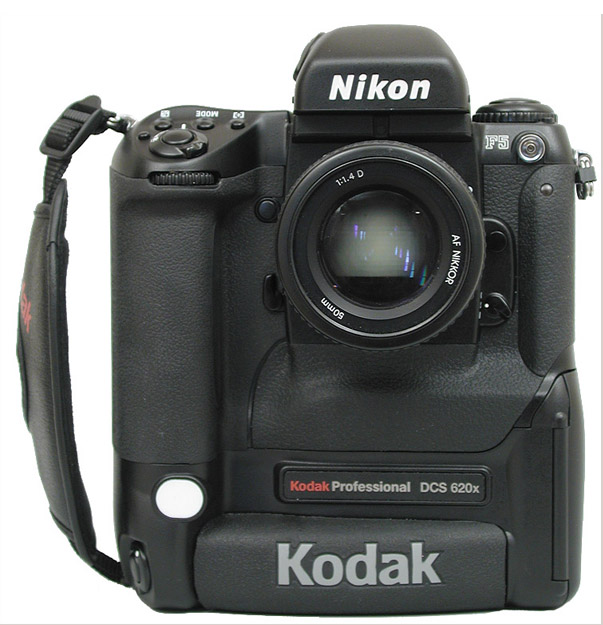
 
Comments Off on Shooting Festivals and Events – Tips for Travel Photographers
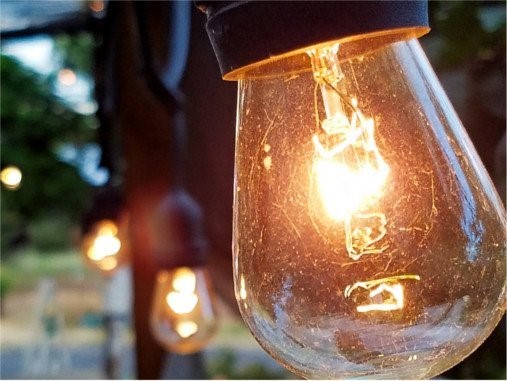
Posted in Photography