RSS
 

Archive for the ‘Photography’ Category

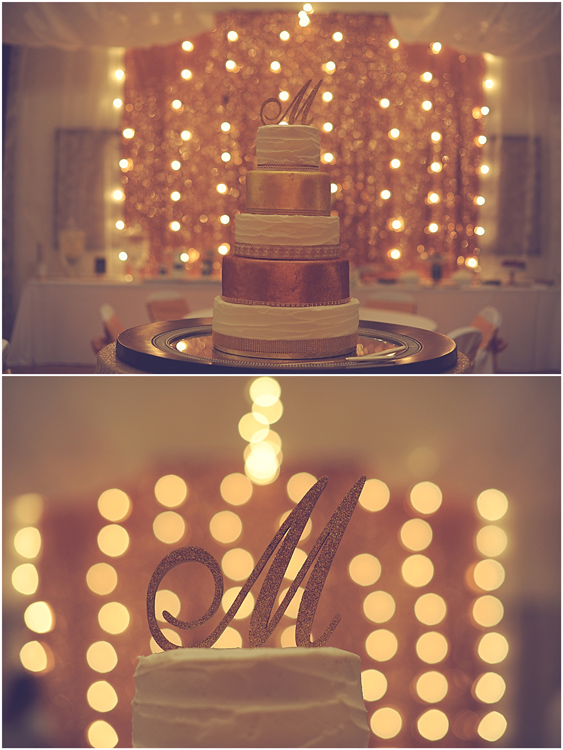
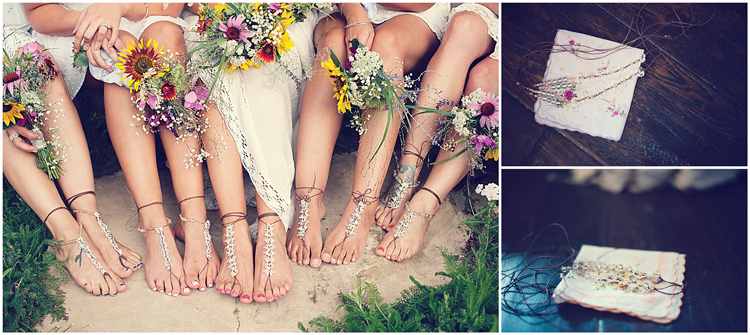
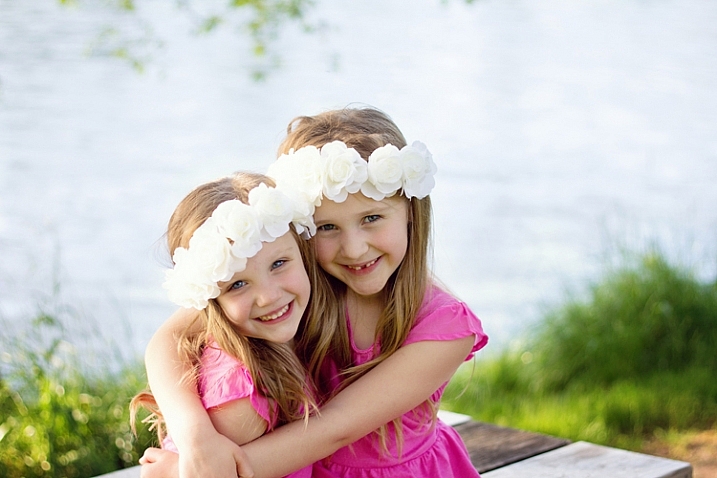
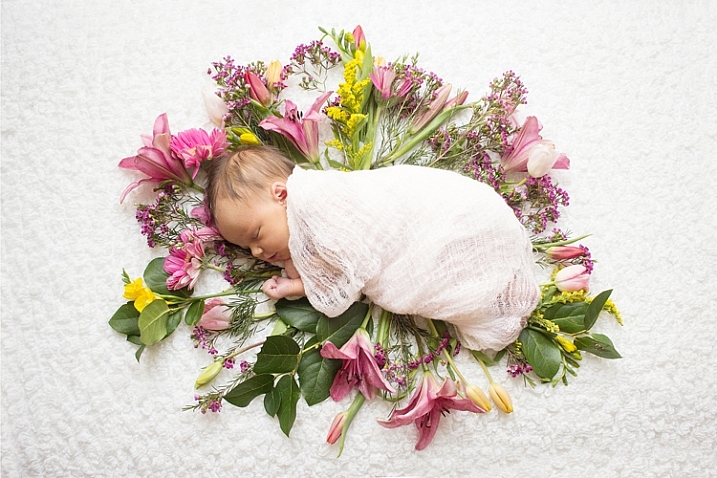
19 Delicious Bokeh-licious Images

08 Nov

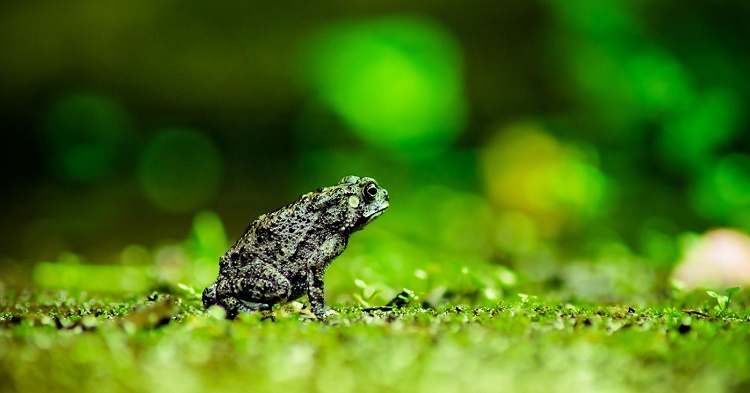
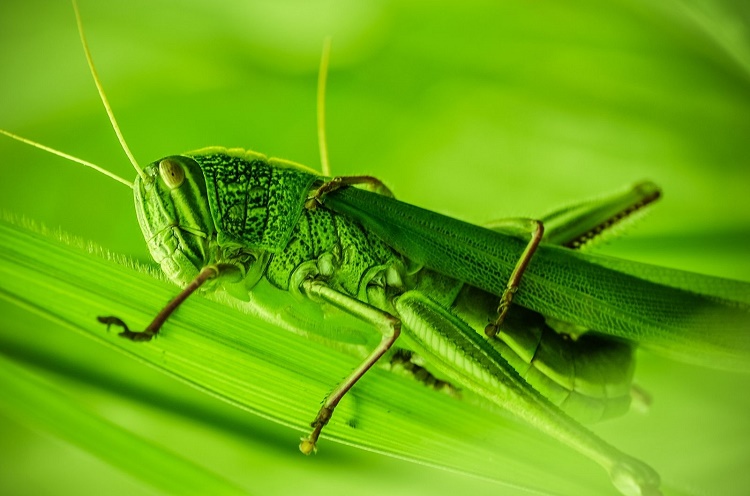
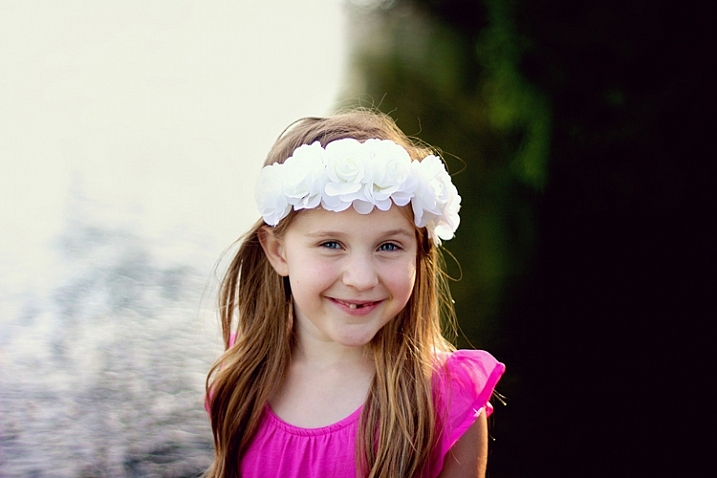
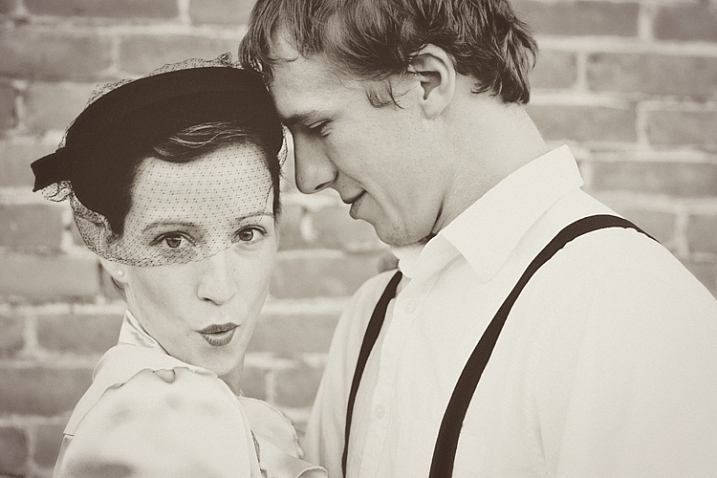
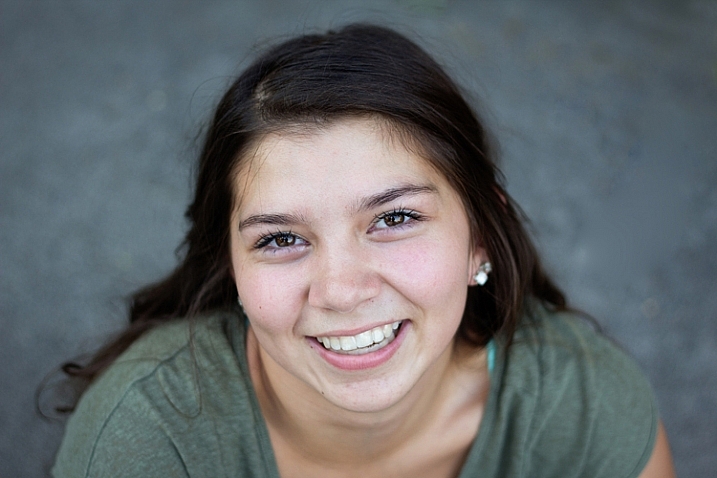
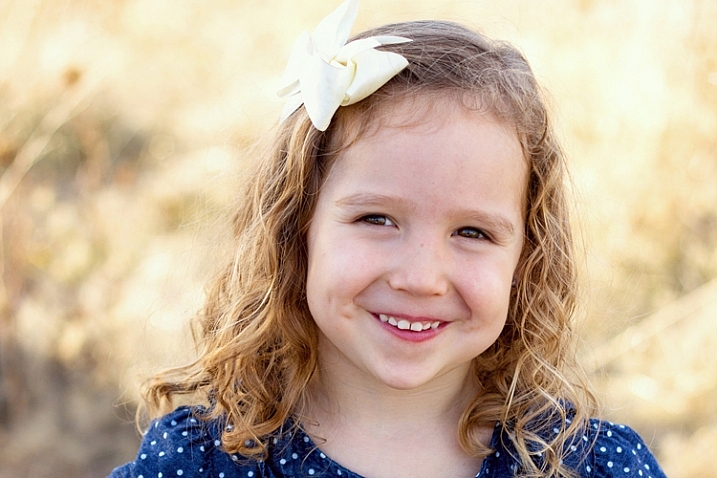
Bokeh – it’s that word nobody really seems to know how to pronounce, and the thing all photographers love. Those dreamy out of focus blobs that occur when you have shallow depth of field.

Here’s what several photographers did with their bokeh:

Maritè Toledo

By Maritè Toledo

Alejandro Malonda

By Alejandro Malonda

Santiago Muñoz Pérez

By Santiago Muñoz Pérez

Kate Russell

By Kate Russell

Damien Thorne

By Damien Thorne

Katie Wheeler

By katie wheeler

Saleh ???? Alnemari - ??????

By Saleh ???? Alnemari – ??????

Martin Dvoracek

By Martin Dvoracek

Kitty Mao

By Kitty Mao

Susanne Nilsson

By Susanne Nilsson

Vida Dimovska

By Vida Dimovska

Patrick Manac'h

By Patrick Manac’h

Raul Lieberwirth

By Raul Lieberwirth

Pablo Fernández

By Pablo Fernández

Paris

By Paris

Jovan J

By Jovan J

Chris Zerbes

By Chris Zerbes

Sinkdd

By sinkdd

Sam Wolff

By Sam Wolff

googletag.cmd.push(function() {
tablet_slots.push( googletag.defineSlot( “/1005424/_dPSv4_tab-all-article-bottom_(300×250)”, [300, 250], “pb-ad-78623” ).addService( googletag.pubads() ) ); } );

googletag.cmd.push(function() {
mobile_slots.push( googletag.defineSlot( “/1005424/_dPSv4_mob-all-article-bottom_(300×250)”, [300, 250], “pb-ad-78158” ).addService( googletag.pubads() ) ); } );

The post 19 Delicious Bokeh-licious Images by Darlene Hildebrandt appeared first on Digital Photography School.

Digital Photography School

 
Comments Off on 19 Delicious Bokeh-licious Images

Posted in Photography


Weekly Photography Challenge – Bokeh

07 Nov

Have a look at these images of bokeh to get some ideas.

bo·keh /b??k?/noun
PHOTOGRAPHY
noun: bokeh
  1. the visual quality of the out-of-focus areas of a photographic image, especially as rendered by a particular lens.
Web4camguy

By web4camguy

Weekly Photography Challenge – Bokeh

This week your challenge is to create and shoot some bokeh. If you need some help check out these articles:

  • How to Achieve Background Blur or Bokeh
  • How to Create a Delicious Blurry Bokeh Background in 4 Easy Steps
  • How to Create Bokeh In-camera and Using Photoshop
  • How to Create a Spectacular Background Using an El Bokeh Wall
  • How to Create a Unique Bokeh Portrait for Under $ 10

JD Hancock

Abdul "B.as.it" IM

By Abdul “B.as.it” IM

Chris Jones

By Chris Jones

Share your images below:

Simply upload your shot into the comment field (look for the little camera icon in the Disqus comments section) and they’ll get embedded for us all to see or if you’d prefer, upload them to your favorite photo-sharing site and leave the link to them. Show me your best images in this week’s challenge. Sometimes it takes a while for an image to appear so be patient and try not to post the same image twice.

Share in the dPS Facebook Group

You can also share your images on the dPS Facebook group as the challenge is posted there each week as well.

googletag.cmd.push(function() {
tablet_slots.push( googletag.defineSlot( “/1005424/_dPSv4_tab-all-article-bottom_(300×250)”, [300, 250], “pb-ad-78623” ).addService( googletag.pubads() ) ); } );

googletag.cmd.push(function() {
mobile_slots.push( googletag.defineSlot( “/1005424/_dPSv4_mob-all-article-bottom_(300×250)”, [300, 250], “pb-ad-78158” ).addService( googletag.pubads() ) ); } );

The post Weekly Photography Challenge – Bokeh by Darlene Hildebrandt appeared first on Digital Photography School.

Digital Photography School

 
Comments Off on Weekly Photography Challenge – Bokeh

Posted in Photography


Review: Neat Image 8 Noise Reduction Software

07 Nov

In the early days of digital cameras, noise was a much bigger problem than it is these days. DSLRs routinely top out at high ISO ratings that film shooters and early DSLR users could only dream of. In those early days (the early 2000s), when ISO 800 was typically the upper usable limit of high ISO, noise reduction software became a must-have for those of us who were post-processing our files and wanted them to look less like sandpaper and more like something we’d be willing to display. Neat Image was one of the first noise reduction applications I used at that time.

Neat Image 8 Review

While it did a nice job, at that time, all noise reduction software was problematic in that it tended to give images an overly smooth, almost plastic or painted look that did a lot of damage in the fine details of an image. Neat Image was no exception in this regard, so I used it sparingly. Over the years, I found myself gravitating to other noise reduction plugins and applications, such as Nik DFine, Topaz DeNoise, and more recently, Macphun’s Noiseless. When I saw that Neat Image had recently been updated to version 8, I was excited to give it a try and see how it stacked up against the others. While Neat Image 8 is available as a standalone app or a Photoshop and Lightroom plugin, I will be focusing on the plugin version, as that suits my workflow better.

Overview of Neat Image 8

Neat Image Profile Screen

Upon opening Neat Image 8, the Device Noise Profile screen is the first thing you see.

Neat Image 8 is a fairly simple software to use, although upon first opening the plugin it can appear a bit confusing. You will be presented with multiple views of the image you are working on; a full-color preview, and the R, G, and B components of the image. There are four buttons at the top left of the screen; Auto Profile, Load Profile, Auto Match, and Auto Fine Tune. In the center are two tabs, Device Noise Profile, which is the tab the plugin starts in, and Noise Filter Settings.

Analyze image

Once the plugin is open, you’ll see the four different versions of your image. The easiest way to get started is to simply click “Auto Profile” and let Neat Image analyze the image. Once complete, a box will highlight the area that Neat Image has selected to use for noise analysis. Neat Image looks for an area with minimal detail for best results. If you select your own area to analyze, make sure it’s an area that contains minimal detail.

Neat Image 8 Adjustment Sliders

These sliders allow you to tweak the noise reduction to your liking after Neat Image has applied the noise profile to the image.

Filter settings in Neat Image

Now that you’ve analyzed the noise levels in the image, you’ll want to click on the Noise Filter Settings Tab. The preview will switch to the full-color image in the center and the R, G, and B channels will disappear. At the bottom left is a zoom toggle to zoom in or out of the image as desired. You’ll also have the ability to change the preview to various other options, including the RGB preview, a Luminance and Chrominance preview, as well as individual channels. Neat Image will then apply the noise filter settings based on the analysis as done above.

You can tweak the settings using the sliders at the right side of the app window. You’ll have the ability to adjust quality, the noise reduction amount, recover detail, smooth edges, sharpen, and fine tune the filter itself. In addition to the sliders, Neat Image comes with some presets, such as Recover Fine Details, Apply Less Noise Reduction, Apply More Noise Reduction, Reduce Noise and Sharpen, and more. You can also create your own presets for future use. These settings put Neat Image among the most customizable noise reduction applications I’ve used.

oaks-neat-image

Pros

For me, noise reduction has always been a love-hate relationship, always battling with a balance between preserving detail and reducing unsightly noise. One of my favorite things about Neat Image is the software’s auto profiling ability, customizing the noise reduction to each image as needed. While Nik Collection’s Dfine 2 also does its own image analysis, it doesn’t offer the customizability that Neat Image does. And Neither Topaz’s Denoise 5, nor Macphun’s Noiseless offer any kind of image profiling, with both requiring you to simply select a preset on your own and go from there.

Neat Image 8 does an excellent job of maintaining detail while reducing noise in an area with little or no fine detail, such as skies.

night-sky-neat-image

Cons

With all the customizability, of course, comes a bit of a learning curve in terms of use. Neat Image does offer tutorial videos on their website to help get you started, but for those of us who are less patient and just want to dive in, it can be frustrating. I had one or two false starts when I first downloaded Neat Image 8, before finally going to their video tutorial to give me a jumpstart.

Neat Image 8 side-by-side comparison.

Side by side comparison of an image shot at ISO 2500, before and after Neat Image 8.

Conclusion

Ultimately, the ability to auto profile an image, adjust settings to personal taste, and use presets for repeatability of noise reduction, makes Neat Image an excellent choice for photographers who battle noisy images for any reason, including shooting long exposures, low light photography, or high iso photography such as indoor sports, events, or weddings. Neat Image is available starting at $ 39.90 per license.

lighthouse-neat-image-v8

neat-image-comparison

leaf-neat-image

leaf-neat-image-comparison

googletag.cmd.push(function() {
tablet_slots.push( googletag.defineSlot( “/1005424/_dPSv4_tab-all-article-bottom_(300×250)”, [300, 250], “pb-ad-78623” ).addService( googletag.pubads() ) ); } );

googletag.cmd.push(function() {
mobile_slots.push( googletag.defineSlot( “/1005424/_dPSv4_mob-all-article-bottom_(300×250)”, [300, 250], “pb-ad-78158” ).addService( googletag.pubads() ) ); } );

The post Review: Neat Image 8 Noise Reduction Software by Rick Berk appeared first on Digital Photography School.

Digital Photography School

 
Comments Off on Review: Neat Image 8 Noise Reduction Software

Posted in Photography


Top 6 Considerations to Help You Decide on Color or Black and White for Your Image

07 Nov

As soon as humans discovered that it was possible to capture black and white tones in a photographic image, a practical means of color photography was sought by those who dreamed of harnessing the full spectrum of visible light. Some of the very first photographic color experiments began in the mid-19th century with scientists trying to discover a material that could capture the color properties of the light that fell upon it.

In 1886, physicist and inventor Gabriel Lippmann created what was to be the first color photograph without the aid of any pigments or dyes. By 1906, Lippmann exhibited his process along with color images of a parrot, a bowl of oranges, a group of flags, and a stained glass window. His discovery earned him the Nobel Prize in Physics.

blackworcolor03

But Lippmann was onto something else in his experiments. Selecting subjects for his photographs that are not only inherently colorful but are also strongly associated with color within the human brain. Perhaps without realizing it, Lippmann was one of the first photographers to draw a line between color and black and white photography. Deliberately selecting subject matter that was exemplified by radiant colors to reproduce in a color medium.

Nowadays, digital photography grants photographers with both the blessing and the burden of being able to choose between color or black and white in post-production. It can often be a painstaking process deciding between the two. Although making a deliberate decision between a color or a black and white image is a skill that requires practice and trial-and-error, ultimately the choice is down to you, the individual.

blackworcolor07

However, there are a few points to consider if you find yourself stuck between the two. Here are the top six tips for deciding whether to go with color or black and white.

#1 Color Relationships

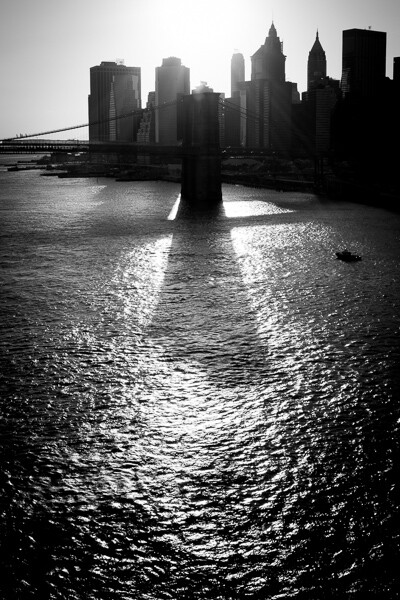
The first thing to consider when choosing between color or black and white is in fact, color itself! Ask yourself; what is it that draws you to the image? If you find that the relationship between distinct hues in your image are important, color is your best bet. Color doesn’t always translate to a black and white image successfully. An image with contrasting hues such as red and green often appears similar in tone in a black and white conversion, making for a less striking or muddy image.

blackworcolor04

black-white-or-color-considerations-04b

#2 Mood

Just as artists have used color in paintings to denote mood for centuries, the colors in a photograph can also create the emotional atmosphere of an image. Color is a powerful messenger. It can impact a viewer’s emotions, draw associations between ideas, and guide the eye around an image.

While black and white images generally evoke a sense of sensuality or seriousness due to its association with documentary photography, color can emphasize a feeling of joy or sadness depending on the color scheme. Just as we associate warm colors like red and orange with comfort and warmth, so do we relate to the colors in a photograph, giving the viewer clues about the image and creating a more immersive experience.

The tone or color balance of a photograph can point to a time of day or season which conveys a particular emotion or experience within the image. Black and white photographs appear to be more timeless than color images because they are free from color schemes associated with particular types of film, processes, or trends in digital processing. Black and white photojournalism is often hard to date with a cursory glance, so the subject matter remains relevant to the present day.

blackworcolor05

black-white-or-color-considerations-05b

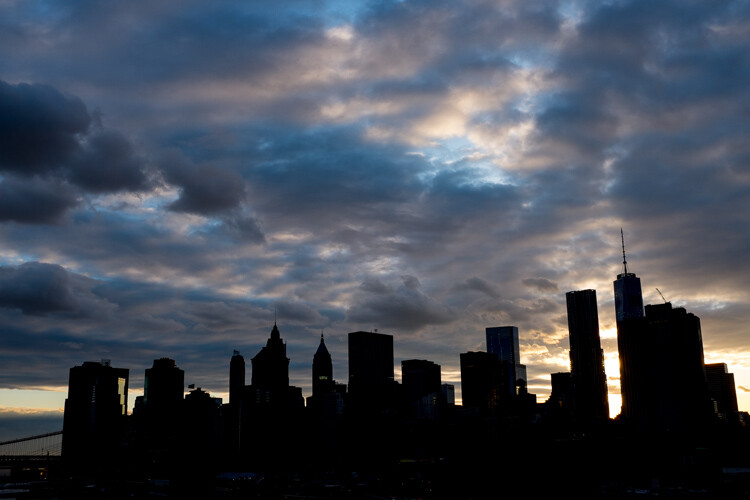
See how the color version has a completely different mood?

#3 Attention

We see it all around us in marketing, architecture, and print. Color is used to grab a viewer’s eye and draw them in. But it is a fine balance and can often become complicated or convoluted if too much is happening with the picture. Look for a dominant color or color combination in your work. The most visual impact is often created by either isolating a particular color or having two colors from

The most visual impact is often created by either isolating a particular color or having two colors from well-separated areas of the color spectrum included in the one image. Colors such as red and green, or orange and purple (complementary colors) play off each other when they reach the human eye and create a sense of movement and action.

If your image has these combinations it might be better to stay with color and spend time emphasizing the colorful components of the image rather than converting it to black and white. A lack of color accentuates the light and shadows rather than eye-catching color combinations. Emphasis on particular colors can also be useful in forming a cohesive body of work, using color to contrast different imagery in a series, or uniting each piece with harmonious trends in color schemes.

Black&WorColor01

#4 Viewing time

Many photographers prefer black and white images for their tendency to distance the subject matter from reality. In documentary photography, the reverse is also true as humans see the world in color, and a rendition of the world in monochrome gives us pause to investigate. In both cases, removing color from a picture helps the viewer to focus on what is happening in an image. Due to the lack of cues that we naturally look for in color imagery, the viewer tends to look at a photograph more closely to ‘read’ what is happening in the image. A slower viewing time means that there is more time for the image to communicate with the viewer, impart emotion to a greater extent and perhaps stay with the viewer even after they have stopped looking at the work physically.

Due to the lack of cues that we naturally look for in color imagery, the viewer tends to look at a photograph more closely to read what is happening in the image. A slower viewing means that there is more time for the image to communicate with the viewer, impart emotion to a greater extent, and perhaps stay with the viewer even after they have stopped looking at the work physically.

blackworcolor09

#5 Content

To put it simply, black and white images create an emphasis on light, form, or texture. If the content of the photograph is more important than the color of the subject, or you feel that the color in a photo serves only as a distraction from the message you want the image to convey – then black and white is probably a good choice.

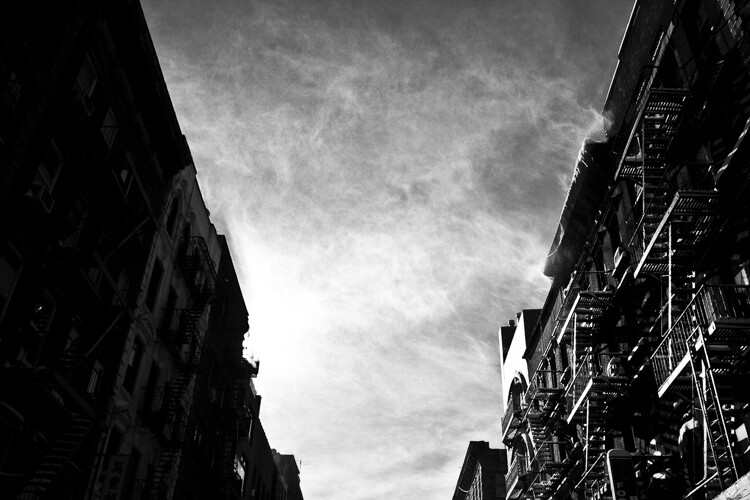
The focus shifts from colors to tones in black and white. So subjects like smoke, shadows, subtle changes in light and dust become more obvious in a black and white image. Because of our associations with these subjects and their otherworldly appearance, a sense of drama can become more apparent in a black and white image than that of a color image.

blackworcolor06

#6 Simplicity

Often a color photograph looks too busy or convoluted if it has too many colors going on at once. Sometimes converting the image to black and white is a way of separating those tones out into an image that is easier on the eye. Images with a wide range of tonal values tend to work well for black and white imagery. As well, most black and white images work best when there is a definite range from the blackest black through to the whitest white, with varying gray tones in between.

A few words of advice…

Beware the quick fix! Inexperienced photographers can sometimes fall into the trap of converting a sub-par image to black and white in order to quote, “save it”. Photographs that are out of focus, blurry, or poorly exposed may or may not be saved with a black and white conversion. But they do look suspiciously obvious when they are presented within a series of images that is mainly in color.

The problem with relying on black and white as a crutch is that you aren’t investigating what you did wrong in the first place. While a black and white conversion may or may not save a photograph, relying on converting images will not help you develop your own technical practice.

blackworcolor02

Digital photography is amazing, in that we have the option of shooting in color and switching to black and white in post-production. With film, this was at least a pain in the neck and at most, impossible. If you are unsure about an image, play around with it in Photoshop! Tools in Photoshop like the premade settings for black and white conversion are designed to give you a good set of variations to experiment with. If an image looks busy and over saturated, but you don’t want a full black and white conversion, try desaturating the image with the Vibrance adjustment layer or the Curves tool which are located in the Adjustment Layers panel.

Conclusion

Experimenting with color and black and white is fun, but no matter what option you do go with, be certain that you know why you chose that particular color scheme and make sure it adds to the sum of the image rather than detracting from it!

googletag.cmd.push(function() {
tablet_slots.push( googletag.defineSlot( “/1005424/_dPSv4_tab-all-article-bottom_(300×250)”, [300, 250], “pb-ad-78623” ).addService( googletag.pubads() ) ); } );

googletag.cmd.push(function() {
mobile_slots.push( googletag.defineSlot( “/1005424/_dPSv4_mob-all-article-bottom_(300×250)”, [300, 250], “pb-ad-78158” ).addService( googletag.pubads() ) ); } );

The post Top 6 Considerations to Help You Decide on Color or Black and White for Your Image by Megan Kennedy appeared first on Digital Photography School.

Digital Photography School

 
Comments Off on Top 6 Considerations to Help You Decide on Color or Black and White for Your Image

Posted in Photography


Some Tips to Help You Figure Which Camera is Best for You

07 Nov

As far as absolute requirements go, there aren’t many which are needed in order to make a photograph. There is, however, one certain necessity that cannot be dispensed with if you set yourself onto the maddening path of a photographer. You need a camera. Now, it doesn’t really matter which camera you have. A camera is after all just a box with an opening that allows light to pass onto some kind of receptor.

This simplistic technology is the facilitator of every photograph that has ever been made. A camera is indeed just a tool. That being said, there are virtually limitless cameras to choose from in this world. If there’s one question I receive more than any other it is this . . .

Which camera should I buy?

Cameras sony canon which camera is best for you

On its own that is an unanswerable question. You see, as it relates to cameras and photography, the camera you use is utterly dependent on you. This is not a guide for how to choose the right camera from a technical standpoint, nor is it a commentary on what gear is better than any other. This is an article to help you to understand yourself and to that end, the type of camera that will allow you to fulfill whatever needs you have right now, and maybe even beyond.

which camera is best for you - destination journey

There are so many cameras to choose from (remember we’ve said this) that it can quite literally become overwhelming to make a choice. There are point and shoot cameras, cropped sensor digital SLRs, mirrorless cameras, full-frame mirrorless, and so on.

Of those cameras, there are also countless models and variations which muddy the waters even more. Each one essentially performs the same function, which is to make a photograph. Still, each type of camera offers many variables that work for a wide variety of different situations and for different people. But you have to decide which camera fits YOU best.

The biggest hurdle to conquer when choosing a camera is to understand exactly what you want and need. That is not always as easy as it sounds. However, here are some tips to assist in making your decision.

Where do you shoot?

The location where you will be doing most of your shooting takes up a big chunk of the pie when it comes to deciding on a camera.

which camera is best for you - Sony a7r camera

Will you be outdoors most of the time or will you be inside in more of a studio-type setting? Do you need weather sealing? How about wireless flash capability? Having an idea of the environment in which you will most often find yourself will help you to better understand the features you may or may not need in a camera.

What will you shoot?

The “what” you will be shooting goes hand-in-hand with the “where.” While it’s not possible to completely predict every subject you will ever photograph it’s still very possible to know what kind of photography you enjoy.

which camera is best for you - Canon 7d camera

If you understand what you like to shoot, then you can move forward in a more educated and deliberate fashion when deciding what camera to buy. If you love street photography then a smaller, more compact system, may be better to carry around for hours on end. Need a lot of resolution for landscapes? Ask yourself what you will use the camera for the most and the choice will become much clearer.

Where are you now in your photographic journey?

It’s a good idea to be constantly self-aware of where you stand in your journey as a photographer. The benefits of constant self-evaluation helps you to grow your skills and refine your craft. It also allows you to know when and if you have surpassed the capabilities of your equipment and need to upgrade. When it comes to finding a camera that fits your current position within the photography world, you must look at the realities of your situation and proceed accordingly.

which camera is best for you

Are you just starting out and need a learning tool? Are you a hobbyist who only shoots occasionally, or have you pushed yourself everyday and now feel like you need a more advanced camera body to facilitate your growing ability? Take stock of yourself and be honest (even brutally) so that you can find the best camera to fit your needs.

Where do you want to take your photography?

Perhaps even more important than learning where you stand in terms of your photography is knowing where you want to take your work. It goes without saying but I’ll say it anyway, that your camera is the link between you and whatever vision you want to express with your images.

which camera is best for you Canon 7d camera

This expression can be personal, commercial, or something in between. Realizing where you want to go and setting goals is paramount in your development as a photographer. Naturally, your choice of camera should reflect this.

I remember when I was starting out on my own journey making photos. I realized that this was something I wanted to pursue seriously. So I invested in a camera that not only fit my needs at the time, but would also grow with me as I moved towards making photography a career. I still have that camera (Canon 7D Mk1) and it still sees a fair amount of use today. It was quite an investment for a lowly college student at the time but it has paid for itself time and time again, not just from a monetary standpoint.

Conclusion

which camera is best for you - Journey photography

The internet is chock full of more reviews and tech write-ups than I can count. So I hope you didn’t come here looking for advice on the latest and greatest advancements in the camera industry. Instead, hopefully you got something much more meaningful from this article; the understanding of how important it is to truly know yourself and what you intend to do with your photography.

Are you a beginner? Are you a hobbyist set on taking your passion to the next level? Or are you still trying to decide if that shiny new dSLR is worth the money just to take pictures of your pet?

Whatever your current situation may be, before you buy a camera be sure you know why, how, and to what end you intend to use it. Take it from me, you can save yourself a lot of regret by simply understanding your own intentions on the front end before making the jump.

googletag.cmd.push(function() {
tablet_slots.push( googletag.defineSlot( “/1005424/_dPSv4_tab-all-article-bottom_(300×250)”, [300, 250], “pb-ad-78623” ).addService( googletag.pubads() ) ); } );

googletag.cmd.push(function() {
mobile_slots.push( googletag.defineSlot( “/1005424/_dPSv4_mob-all-article-bottom_(300×250)”, [300, 250], “pb-ad-78158” ).addService( googletag.pubads() ) ); } );

The post Some Tips to Help You Figure Which Camera is Best for You by Adam Welch appeared first on Digital Photography School.

Digital Photography School

 
Comments Off on Some Tips to Help You Figure Which Camera is Best for You

Posted in Photography


How to Create Stronger Photos by Working the Subject

07 Nov

One way to create better compositions, and thus stronger images, is to do something called working the subject. Generally speaking, there are two ways to approach taking photos. Let’s take a look at both, and how you can learn to work the subject to improve your photography.

The first is to take as many photos as you can, in the hope that some of them turn out well. This is called machine-gunning, or spray and pray. It’s easier to do with digital cameras than it ever was with film cameras, as you are no longer limited by the number of frames on a roll of film.

Working the subject

Incidentally, this is one of the reasons often cited as a benefit of using film cameras. Knowing that every time you press the shutter button it adds to the cost of the shoot (processing plus film) is a good incentive to be more intentional and think carefully before you take a photo.

The second way is to take plenty of photos, but in a way that is more purposeful. The idea is to think about what you are doing and spend your time exploring the possibilities and potential of the subject. This is called working the subject.

Try new photography techniques

The dividing line between the two methods is sometimes a thin one. An example of this may be when you are trying a new technique, such as panning. Panning is a bit of a hit and miss technique. If you’ve chosen a good subject you should create some interesting photos, but you’re also going to get a lot of misses along the way.

The difference in this situation is that the photographer who is working the subject looks at the photos they have taken already, evaluates what works and what doesn’t, and adjusts their techniques and camera settings accordingly.

Another way of looking at it is that they are using the earlier photos as stepping stones to get to the more interesting images. A photographer who is machine-gunning, on the other hand, doesn’t think a lot about what they are doing and relies on serendipity rather than their own skill.

This is where the instant feedback of digital cameras is a useful tool for learning and improving.

Panning in Spain

Let me illustrate the point with some photos I made in Spain. I stood in the sea at sunset and panned with my camera as the waves came by. I took a lot of photos, and these are some of my favorites.

working-subject-1

Working the subject

Working the subject

These images were created by working the subject. Doing so helped me figure out where to stand, what angle to use, how slowly to pan the camera, and the best shutter speed to use.

Photographing an old car

Working the subject doesn’t necessarily mean that you take lots of photos. Let me give you an example.

I bought a Fuji X-Pro 1 camera a couple of years ago and took it out one evening at dusk with the intention of shooting at high ISO in low light to see how it performed (the answer – very well). As I was walking around my local neighborhood I noticed an interesting car parked on the street. Intrigued (and wondering how a Lada ended up in New Zealand) I took this photo.

Working the subject

It’s nothing special, but I knew there was a better picture there. I kept looking and realized that what had really caught my eye was the way the light from the street lamp reflected off the roof of the car. So, I moved in closer and created the following images. They all contain the reflection of the street lamp and just part of the car rather than all of it.

Working the subject

Working the subject

Working the subject

Then I took another photo of the rear of the car.

Working the subject

Analysis of the shoot

I only made five photos, but I was still working the subject. When I break it down and think about what happened the process went something like this.

  1. I saw something interesting and took a photo. That was just my first impression. My gut feeling told me that there was a better photo to be had.
  2. I looked closely until I realized that the real subject, the thing that really interested me, was the way the street light was reflected in the car’s paintwork. So, I moved in close and made several photos that showed that.
  3. Lastly, I moved away from the car and took another photo, which was okay but not as good as the others. I understood that I had gotten what I wanted and decided to move on to look for another subject.

The last point is crucial because one of the differences between working the subject and machine-gunning is that the photographer who is working the subject knows when to stop.

Working the subject in China

Here’s another set of images taken in Beijing. We were visiting a historic site called Prince Gong’s Mansion, made up of a series of interconnected buildings, courtyards, and gardens.

One of the courtyards contained some Tibetan style prayer wheels. I noticed that as people walked into the courtyard most of them passed by the prayer wheels, turning them as they went. I stood nearby and took some candid portraits of people doing so.

Working the subject

Of course, some of the photos are better than others, and I’m going to show you some of my favorites below. But there were also many times that I looked at the scene through the viewfinder and it wasn’t quite right, so I didn’t press the shutter.

One benefit of this method is that you don’t have as many photos to sort through and edit afterward. But it also shows discipline and an awareness of the subject. A machine-gunning photographer would take photos of everyone, without thinking about it much.

The photographer who is working the subject, and being more purposeful, is thinking about how to make each photo better than the one before. They may also be thinking about how the images are going to work together, or whether they should use a different technique, a different lens, or find a different point of view to add variety to the sequence of photos.

Working the subject

Conclusion

One of the key steps involved in learning to be a better and more creative photographer is knowing when to work the subject rather than machine-gun, and become more purposeful and intentional in your approach to making photos.

Can you think of any other examples of when working the subject can help you to create better images? Please let us know in the comments below.


Mastering Composition

If you’d like to learn more about composition then please check out my ebook Mastering Composition: A Photographer’s Guide to Seeing.

googletag.cmd.push(function() {
tablet_slots.push( googletag.defineSlot( “/1005424/_dPSv4_tab-all-article-bottom_(300×250)”, [300, 250], “pb-ad-78623” ).addService( googletag.pubads() ) ); } );

googletag.cmd.push(function() {
mobile_slots.push( googletag.defineSlot( “/1005424/_dPSv4_mob-all-article-bottom_(300×250)”, [300, 250], “pb-ad-78158” ).addService( googletag.pubads() ) ); } );

The post How to Create Stronger Photos by Working the Subject by Andrew S. Gibson appeared first on Digital Photography School.

Digital Photography School

 
Comments Off on How to Create Stronger Photos by Working the Subject

Posted in Photography


How to Find Your Photography Niche: You Don’t Have To Master It All

05 Nov

When it comes to photography, there can sometimes be this strange assumption that we are (or should be) experts in all types of photography. Photography is essentially painting with light, so there’s no reason why we shouldn’t be able to do newborn photography, astrophotography, weddings, family portraits, landscape photography, and food photography, right? Light is light, whether it’s on a newborn or a spider, right? The simple answer is yes, and no. But, there’s good news, you don’t have to master it all. Let’s talk about how to find your photography niche.

find-your-photography-niche

Different strokes for different folks

Much like a chef benefits from learning about cooking as a whole, photographers benefit from learning the fundamentals that apply across all types of photography: aperture, shutter speed, ISO, finding light, capturing movement and emotion, and focus. However, much like chefs often break off into different specialties, photographers also tend to break off into different niches. Some photographers find that they love newborns, but hate weddings (raises hand). Others love landscapes, but don’t enjoy photographing humans ever. Some photographers love to work in a studio, while others prefer to work only outdoors with natural light. Finally, some photographers prefer to shoot in digital, while others prefer film.

niche-photography

Do what you enjoy

Whichever type of photography sparks your passion and fills you with joy? Do that. Whether that’s black and white portraits, lifestyle newborn images, macro photography of spiders, or architecture – do what you love.

Then when it comes to post-processing, if there’s a method that transforms your image the way that you’ve always pictured it in your head, do that. If it’s a hipster vintage wash, do it. If it’s a quick curves adjustment and nothing else, do that too. Heck, if it’s black and white with selective coloring that makes you happy when it comes to post-processing, by all means, do that.

Do it even if it isn’t cool, and no one else is doing it. Whether you consider photography to be a craft or an art, it is most certainly an opportunity to have a creative voice. And as corny as it may sound, your authentic voice, whether expressed in cooking or in photography, is important.

find-your-niche-photography

It’s okay not to do it all

Just in case no one has ever told you before, it’s okay not to do it all. If you specialize in food photography and someone calls you up and asks if you’ll consider accepting a wedding booking, it’s okay to say, ‘Thank you so much for thinking of me, but no.” It’s okay to love photographing families and have absolutely zero interest in doing macro photography of insects.

Whether you’re an amateur or a professional, it’s really hard sometimes to admit that a particular area of photography isn’t your preference or your strong suit. No one wants to feel incompetent. On the other hand, there’s no shame in telling someone that you are unable to accept a newborn booking because it isn’t your specialty and consequently you aren’t familiar enough with newborn posing safety to feel comfortable with accepting that job.

Say it with me – I do not have to master it all.

photography-specialty

Finding your niche

If you’re reading this article and thinking, “Okay great, so how do I find my niche?’ The answer is simply to try everything you can. Trying different types of photography is very different than feeling compelled to master every type of photography. Giving different genres of photography a try in low stakes (often unpaid) environments allows you to experiment, and to discover what it is that you really love.

It also requires possibly humbling yourself a bit and allowing yourself to be taught by someone else. Even if you’re the best wedding photographer in your state or area, you may not know the first thing about being a wildlife photographer. So if you really want to learn, you have to be ready and willing to be taught.

photography-you-love

Benefits of trying things

My personal niche in photography is newborns and families. It’s what really makes me excited, and what I really enjoy most. However, every time that I’ve stepped outside that comfort zone, with the goal of learning about another genre of photography, it’s been worth it.

I’ve not been a master of every genre that I’ve tried, nor have I enjoyed them all, but I’ve learned something valuable in every case. When I buckled down and focused on landscape photography, it gave me an opportunity to review techniques of composition, metering, and shooting with a relatively small aperture in ways that I don’t typically use on a daily basis when it comes to people photography.

finding-photography-passion

When I made an attempt to learn about astrophotography (a genre of photography that had always greatly intimidated me) I had the opportunity to learn more about long exposures, and the technique of shooting with a wide open aperture in a different application than portraits. Are my astrophotography images perfect? Absolutely not! I’m not an astrophotography expert, and probably never will be. I have two kids, so staying up all night to photograph the stars is a special kind of sleep deprivation torture that I have no interest in repeating with any frequency.

Yet, there’s also a certain importance in taking something that you have no idea how to do and learning the steps necessary to make it happen. When all the pieces finally fall into place, and you have an image that sort of resembles the gorgeous astrophotography images that you see in magazines, it’s a pretty amazing feeling. Like creating something out of thin air.

photography-niche

Conclusion

The more types of photography you try, the more you’ll find yourself saying both “Yes!” and “Nope, I don’t need to do that ever again.” You may also find that there are several types of photography that you enjoy, which is fine. When I suggest finding your niche, I’m not suggesting that you choose one photography genre and one post-processing style and stick to those for the rest of your life and career.

Your niche in the photography world should grow, shrink, and evolve over time. Give yourself the freedom to identify the types of photography that you really enjoy, and forget the rest of it. You do not have to master it all.

What’s your photography niche? What types of photography do you love? Are there any types of photography that you hate? Chime in below!

googletag.cmd.push(function() {
tablet_slots.push( googletag.defineSlot( “/1005424/_dPSv4_tab-all-article-bottom_(300×250)”, [300, 250], “pb-ad-78623” ).addService( googletag.pubads() ) ); } );

googletag.cmd.push(function() {
mobile_slots.push( googletag.defineSlot( “/1005424/_dPSv4_mob-all-article-bottom_(300×250)”, [300, 250], “pb-ad-78158” ).addService( googletag.pubads() ) ); } );

The post How to Find Your Photography Niche: You Don’t Have To Master It All by Meredith Clark appeared first on Digital Photography School.


Digital Photography School

 
Comments Off on How to Find Your Photography Niche: You Don’t Have To Master It All

Posted in Photography


How to Make Beautiful Portraits Using Flash and High-Speed Sync

04 Nov

The scene: Outdoors with full sunlight. The gear: Your camera, lens, and flash. The problem: You find that your flash only works at 1/200th or below so you need to be at f/16 or f/22 to get the shot. Everything is in focus, including all the cars and other distractions in the background. Those dust spots you keep meaning to clean are also perfectly visible. Why won’t it work with a higher shutter speed so you can have a wider aperture? Well, it’s all down to the issue of sync speed, more specifically using flash and high-speed sync.

A typical portrait shot with off camera flash. To overpower the sun and stay below the camera’s sync speed, you’re forced to use a narrow aperture. Here we’re at f20 just to stop the backlight overpowering the hair and stop the sky blowing out. The resulting aperture means that everything is pretty much in focus, leaving the background looking cluttered. This shot is for example only, you should generally make a point of choosing clutter free backgrounds

A typical portrait shot with off-camera flash. 

To overpower the sun and stay below the camera’s sync speed, you’re forced to use a narrow aperture. Here I’m at f/20 just to stop the backlight overpowering the hair and the sky from blowing out. The resulting aperture means that everything is pretty much in focus, leaving the background looking cluttered. This shot is for example only, you should generally make a point of choosing clutter-free backgrounds

Sync Speed

Sync Speed is the fastest shutter speed where the camera exposes the whole frame at once. When you fire any shot below this speed, the first shutter curtain opens fully, revealing the entire sensor to light. At the end of the exposure time, the second shutter curtain moves across the frame to finish the capture. Both curtains then reset together (this means you get no light leaking in).

Generally, the sync speed varies between 1/125th and 1/250th, depending on your camera. You’ll find some quoted sync speeds are not indicated correctly. For instance, the Canon 5D series are rated at 1/200th but often show a black band at the bottom of the screen at this speed when it’s used with flash.

When you go above the sync speed, the second curtain starts to move before the first one has completed its journey. As your shutter speed gets shorter and shorter, the gap between these curtains narrows to a tiny slit. Despite this, all parts of the sensor receive light, and a full exposure is made. On a bright day, with a prime lens, you can easily shoot at 1/8000th at f/1.4 and have a perfect exposure. All parts of the frame still receive light, because it’s continuous throughout the exposure.

The Sync Speed Problem

It’s when you introduce flash that you start to have problems. You see, when a flash is fired (usually when the first curtain is opened) all the light from it comes out in a very short space of time (in order of milliseconds). When you go above (faster than) the sync speed, the position of the curtains doesn’t reveal the entire frame at the time the flash fires. The means the shutter curtain blocks part of the flash and prevents it from reaching the sensor. Any ambient light will expose normally, but the flash gets hidden in part of the frame. As your shutter speed gets faster and faster, more and more of the flash is blocked until it’s no longer visible in the shot.

portraits with flash and high-speed sync

Here’s a set of images taken at 1/3 stop increments with a flash. Shot on the Fuji X-T2, the first is at 1/250th, the native sync speed of the camera. In order (left to right, top to bottom) 1/250th, 1/320th, 1/400th, 1/500th, 1/630th, 1/800th, 1/1000th, and 1/1250th. Even 1/320 is useable if the subject being lit is away from the edge.

Everything in Focus

Normally when you use flash outside in daylight, you end up having everything in focus. Remember the Sunny f/16 Rule? If your subject is in direct sunlight during the day, you can set your aperture to f/16 and your shutter speed will be one over your ISO value. So if your ISO is set to 100, your shutter speed would be 1/100sth (and f/16). As another example, if your ISO is 200, then the shutter speed would be 1/200th. To get a richer sky, you’d really need to be at f/22, making it a tough job for your flash. Because you can’t get faster than 1/250 (sync speed), you have to increase the aperture to expose the shot correctly.

portraits with flash and high-speed sync

Shooting at f/20, 1/160 to get a richer sky for this band promo shot. It’s quite an old shot, so there were few options for reducing the aperture at the time. Even the hills in the background are in clear focus. The beach isn’t exactly pretty either.

portraits with flash and high-speed sync

A behind the scenes shot – two flashes on full power.

Softer light

Most speedlights at full power, bare bulb, in close, can give you just enough power to look natural at these settings. Bare flash is not flattering, though it can add character. If you want softer, more flattering, light, you need more power. Most modifiers that give soft light will take two stops of power compared to the bare flash. That’s a lot of power. You could use a more powerful light, like the Godox AD360, the Elinchrom Quadra, or the Profoto B1. Alternatively, you could use a bracket that takes multiple speedlights. Either option allows you to get soft, flattering, light while outdoors.

portraits with flash and high-speed sync

A higher power option is the Godox AD360. This is coupled with the Godox 120cm Octa for softer light. This is shot at f/2.8, ISO200 and 1/125th. Because it’s after sunset, you can easily get wider apertures. just one of the options you have for the shallow depth of field look.

This solves the soft light issue, but it doesn’t solve your aperture issue. For creamy bokeh (the soft out of focus background look), you need to get our aperture down. If you’re shooting in the early morning or late evening, you can do this easily, but during the day it’s an issue.

The Solution: High-Speed Sync

You’ll need to find a way to get around the issue of sync speed for daytime shooting. Fortunately, there is a solution. It’s not perfect, but it does work. It’s called High-Speed Sync, also known as Focal Plane Sync. High-Speed Sync (HSS) works in a unique way. Instead of firing the flash at the start of the shot, HSS pulses the flash throughout the whole exposure, trying to simulate the effects of a continuous light.

portraits with flash and high-speed sync

The AD360 set to High-Speed Sync. Usually, there’s a single button hold, or a double button combination to turn HSS on.

It works well, but it comes at the expense of power, and heat. HSS works the flash really hard. After a few shots, the flash may even shut down for cooling. For HSS to work, you need the camera to transmit HSS to flash, and for the flash have HSS built-in. All major brands allow it, though Fuji only just introduced it. Cactus Image makes a trigger called the V6II which allows you to use any HSS flash with any camera. Read my review of the Cactus V6II trigger here.

portraits with flash and high-speed sync

The Cactus Image V6II allows power and zoom control over a wide range of speedlights, as well as offering High-Speed Sync abilities.

The Look of HSS

You can use HSS to go over the sync speed barrier, so settings like 1/4000th at f/1.4 are achievable with flash. You get the complete control of the light using flash, but with the wide aperture you usually associate with natural light photographs. Yes, please!

Photographers like Dylan Patrick use this technique to create cinematic portraits. By shooting wide shots with shallow depth of field, you really have the option to create images that look like they were stills from the silver screen.

Settings for High-Speed Sync

Let’s look at a typical setup and settings for a shoot using HSS. This shoot happened to be done on an evening, but I really wanted shallow focus. The camera was set to f/1.4 for super shallow depth of field. To get the clouds properly exposed, I had to drop the shutter speed to 1/4000th. To get the flash (an AD360) to work I had to set it to HSS. Using a Cactus V6II trigger, I could easily get my Fuji X-T10 to shoot with HSS.

portraits with flash and high-speed sync

An evening HSS photo shot at 1/4000th, ISO200, f/1.4. Notice the shallow depth of field in the image.

portraits with flash and high-speed sync

The BTS, an AD360 with 120cm Octa, shot by my assistant Ola.

If you use Canon, the Cells II trigger provides HSS with the AD360. It would also work speedlights like the v850.

portraits with flash and high-speed sync

Using HSS on the AD360, I captured this shot at about 3:00 in the afternoon with the sun high in the sky. Shot with an 85mm lens at 1/2000th at f/2.5, ISO100 on a Canon 5DIII. The sun acts as a second light in the shot. Again the background is nicely out of focus.

Another High-Speed Sync portrait example.

portraits with flash and high-speed sync

1/1000th, f/4, ISO800. An issue with shooting outdoors on overcast days is your shutter speeds can be low enough to cause camera shake. By bumping up the ISO, you can get a faster shutter speed, keeping you safe from camera shake. Using HSS then lets the flash do the work. I’ve shot to keep the flash looking as natural as possible here.

The Alternative

High-Speed Sync isn’t the only way, you’ve got other options. The first has been mentioned. Shoot at the beginning or end of the day. You can get great sky color and you’re not fighting strong sunlight. Of course, if you’re doing any work, even as favors, you often have to work to the subjects schedule rather than your own. So, you may have to shoot at midday to suit them. That leads to the next option.

portraits with flash and high-speed sync

A shot of the band Drown for The Thin Air magazine. The evening light makes the shot. I needed a higher aperture to get the whole band in focus, so opted not to use HSS here.

Using Neutral Density Filter

If you shoot landscape photography, you will be familiar with Neutral Density (ND) filters. This filter allows you to slow the shutter speed down to get nice silky water. Neutral means that it adds no color, while the density part refers to blocking light. You can get them in a range of values from 1 stop to 16 stops.

For portraits, these allow you to drop the aperture down instead of shutter speed. So a 4 stop ND would take you from f/16 to f/4. The drawback is that as you block light, focusing can become harder. Another potential issue is that not all ND filters are actually neutral. Some tend to have a color cast. I have a Firecrest 10-stop for landscapes, which is neutral, but the older 4-stop I have from the same company is slightly pink.

portraits with flash and high-speed sync

Without the ND filter applied, the entire scene is in focus. ISO 200, f/16, 1/250th.

portraits with flash and high-speed sync

With the 4-stop ND filter applied, the background can be rendered out of focus. The flash is still at the same power as the shot above without the filter. The filter does have a color cast, which is hard to remove completely. ISO 200, f/4, 1/250th.

Conclusion

I hope this gives you some options and ideas for how you can make portraits outdoors even when the sun is bright, by using flash and high-speed sync. Please put your questions and comments below, and share your high-speed sync portraits as well.

googletag.cmd.push(function() {
tablet_slots.push( googletag.defineSlot( “/1005424/_dPSv4_tab-all-article-bottom_(300×250)”, [300, 250], “pb-ad-78623” ).addService( googletag.pubads() ) ); } );

googletag.cmd.push(function() {
mobile_slots.push( googletag.defineSlot( “/1005424/_dPSv4_mob-all-article-bottom_(300×250)”, [300, 250], “pb-ad-78158” ).addService( googletag.pubads() ) ); } );

The post How to Make Beautiful Portraits Using Flash and High-Speed Sync by Sean McCormack appeared first on Digital Photography School.


Digital Photography School

 
Comments Off on How to Make Beautiful Portraits Using Flash and High-Speed Sync

Posted in Photography


6 Tips for How to Build a Story and Shoot a Photo Project

04 Nov

I’m a strong believer that setting yourself photo projects is the best way to improve your photography skills. Projects give you focus and help you build a cohesive body of work. A photo project can last for years, and set a theme that helps you find new people and subjects to photograph.

Of course, you may be wondering what sort of project you could set yourself that would achieve these aims. A project can be simple, like photographing flowers in your back yard, or it can be more complex, such as travelling to a foreign country and photographing the people you find there.

storytelling-projects-22

Getting ideas for a photo project

You’ll find lots of inspiration at websites like Feature Shoot that regularly publish photo projects.

I’m going to give you some advice on tackling a project by giving you some examples from a project that I undertook to photograph artists and craftspeople. I have learned a number of things from this project.

Here are some of the most important:

  • Meeting new people and learning about their crafts is interesting. I like meeting and talking to new people and learning about their lives. The brief window I have during the shoot is a chance to connect and talk about art and creativity, as well as the work of the artist or craftsperson. Some of those people have become friends. This project has rewarded me on a personal level as well as on a photographic one.
  • It helps me find something interesting to photograph. For example, 18 months ago I spent three days in Raglan, a small town on the west coast of New Zealand’s North Island. Before I went, I contacted two local craftspeople and asked if I could drop by and take some photos. Both said yes – and I made my most interesting photos on the trip during those two shoots.
  • The project grows by itself. I send photos to the people I photograph, then ask them if they know of anybody else who may be interested. These personal introductions and recommendations help me find new artists and craftspeople to photograph.
  • My portraiture skills have improved. Practice makes perfect, and every shoot means I get a little better at this documentary style of portraiture.

Here’s a portrait I made of artist Chris Meek, one of the artists I photographed in Raglan. We had a great conversation about art, creativity, and life. I’d never have had this experience if I hadn’t embarked on the project.

storytelling-projects-20

So, once you’ve decided on a project, how do you make it a success? These ideas will help.

1. Shoot a variety of images

This is important because it adds interest and variety to the photos you get from the shoot. But I’d like to add a proviso, because I think in general there are two ways to approach a project shoot.

Firstly, is to concentrate all your resources on getting one great photo. The second is to create a set of varied photos that collectively give a better interpretation and tell a story.

My suggestion is to combine these two approaches. Aim to create a variety of photos, but give each photo your best effort. In other words, when you see the possibility of an image, give it your full attention and make it as good as you can before you move on to the next.

storytelling-projects-17

How do you create variety? Here are two ways:

1. Vary your viewpoint. Get closer to your subject, or farther away. Take photos from below, or from above. Of course, the best viewpoint depends a lot on the subject of your project, the light, and the lenses you are using. But the key is to always be thinking about how you can add variety by moving around and taking photos from different angles.

2. Take scene setting shots and close-ups. You could start with a scene-setting photo that captures everything, then move on and create a variety of photos from closer viewpoints showing details.

This works well for projects like mine, where you can take a photo of the artist or craftsperson at work in their studio, along with a series of tighter images and close-ups that show them at work. In this example, you can also take photos of the product the craftsperson makes as well as photos of the craftsperson themselves.

These two photos show Todd, a flute maker, working in his garage. Both were taken with the same lens, but I got a lot closer to make the second image.

Story telling and doing a creative photo project

This also applies to more static subjects like landscapes. If you have a landscape related project, you can create variety with photos that show the entire scene, mixed with some that show close-ups of details that you noticed within the scene.

2. Tell a story

It’s often hard to a story with a single image, but it’s much easier with a sequence of photos because you can show different aspects of the same story in each one.

For example, with my photos of craftsmen I like to show images taken at different stages of the creation process. Put together they show how a certain item was made. That’s the story. These three photos show different stages in the creation of an artwork by Chris Meek.

storytelling-projects-6

storytelling-projects-5 storytelling-projects-7

You can also tell a story by paying attention to detail. While taking photos of Eoin, a glass blower, I noticed that his hands gave away a lot about his profession. So I made sure that I took photos like this, that shows the dirt on his hands and the tattoo on his thumb.

Story telling and doing a creative photo project

3. Find commonalities that link the photos

While photo stories need variety amongst the images to create interest, it is helpful if the photos are also linked in some way. For example, you could process all the photos from a shoot in black and white. Or they could be processed in a similar style, perhaps by using the same Lightroom Develop Preset as the basis for the processing.

Or, if you have a project that involves portraits, you could use light to link the photos. Using the same lighting setup for each portrait is one way to to do that.

These photos of Jasmin, a weaver who makes hats, are linked by the lighting and the processing. Each is lit by natural light coming through a window in her home, and given the same color treatment in Lightroom.

storytelling-projects-9

storytelling-projects-21

4. Show genuine interest in people

If your project involves people it is important to be genuinely interested in them and what they are doing. Let’s say, for example, you undertake a project taking portraits of surfers. You’ll get the best results if you are genuinely interested in surfing and enjoy talking with surfers.

It’s all about authenticity. If you’re genuinely interested in people, you will have plenty in common and find it easy to talk with them. But, if you’re not, then you won’t make the connection that is essential for good portraiture.

5. Give it time

Give your projects time to evolve and mature. For example, if you have a project photographing your local landscape, giving it time lets you create a series of photos that show the variation created by weather and seasons. Showing the changes that happen over a period of time is also another way of telling a story.

6. Compare and evolve

The reason why projects are such a good learning experience is because they give you the opportunity to compare your current work with your earlier photos. You will see how your ideas and techniques have evolved over time. You’ll also benefit by building a body of work and learning to edit a portfolio by selecting the strong images that work together.

Story telling and doing a creative photo project

Your turn

Have you undertaken any photography projects? Did they help you become a better photographer? Please share your thoughts and project in the comments below.


The Creative Image

If you found this article interesting then please download my free ebook, The Creative Image for 10 brilliant ideas for creative photography projects you can do.

googletag.cmd.push(function() {
tablet_slots.push( googletag.defineSlot( “/1005424/_dPSv4_tab-all-article-bottom_(300×250)”, [300, 250], “pb-ad-78623” ).addService( googletag.pubads() ) ); } );

googletag.cmd.push(function() {
mobile_slots.push( googletag.defineSlot( “/1005424/_dPSv4_mob-all-article-bottom_(300×250)”, [300, 250], “pb-ad-78158” ).addService( googletag.pubads() ) ); } );

The post 6 Tips for How to Build a Story and Shoot a Photo Project by Andrew S. Gibson appeared first on Digital Photography School.


Digital Photography School

 
Comments Off on 6 Tips for How to Build a Story and Shoot a Photo Project

Posted in Photography


Tips for Doing Macro Underwater Photography

04 Nov

Look at the photograph below. What an unreal, alien animal! It could be right out of one of the many upcoming Star Wars sequels. You just don’t see creatures like that in your everyday life. It’s a sea slug (to be scientifically precise: Nembrotha Kubayana) which I photographed 20 meters underwater on a reef in the Philippines. The head of the slug is only about a centimeter across, so the image is quite a close-up (macro photograph).

Nudibranch1

If it doesn’t sound easy to dive 20, 30 or more meters below the ocean’s surface to take a picture of a slug the size of your pinky – it isn’t. But with the right gear, with the proper knowledge and experience using that gear, and with skills to find those small animals you can do it too. So let’s talk about each of these points one at a time.

The Gear

Naturally, you will need an underwater camera. There are a number of great choices these days. Compact cameras have greatly improved in recent years, and you can get a pretty good deal on a camera plus the fitting underwater housing. Many camera manufacturers make acrylic housings for their own compact camera models, which tend to be a lot cheaper than third party models. To have any chance of taking good macro shots, you need a strobe or a video light as well.

underwater-macro-setup

Me with my underwater camera setup. Note the diopter (magnifying lens) attached to the front of the lens port. The strobe is relatively close to the port and aimed slightly forward. The closer the subject, the closer the strobe can be to the port. The farther away the subject is, the further the strobe has to be to avoid backscatter.

If you have a lot of money or if you are obsessed with underwater photography (like myself) you can get yourself a DSLR, and put it in an underwater housing. I have been using a Canon 5DII in a Hugyfot (machined aluminum) housing, with two Inon z-240 strobes for several years now. Camera choice is an interesting and complex issue, but I want to concentrate on the gear you need specifically for underwater macro photography.

Macro lens

Tambja

Another sea slug, from Botany Bay, Australia.

Modern macro lenses are technological miracles. If you are using a DSLR or a mirrorless camera, you can switch lenses. So you need to mount one that is capable of focusing close up, with significant magnifying power. I routinely use the Canon 100mm f/2.8 macro lens(price it on Amazon or B&H Photo), which can focus at 35 centimeters. That distance is measured from the sensor plane, hence I can place the subject only a few centimeters in front of the housing’s lens port. The sharpness this lens achieves when capturing minute animals is simply amazing. Nikon’s 105mm macro (price it on Amazon or at B&H Photo) is a legendary lens as well, and for cameras with cropped sensors (mirrorless cameras and entry to mid-level SLRs) 60mm macro lenses do a great job.

Other options

A small, but clever piece of gear I have been using with quite some success, is an extension tube. It’s simply a spacer inserted between the macro lens and the camera body. The extension tube eliminates the ability of the lens to focus to infinity (not used in macro photography anyway) and adds another 20% of magnification. The fact that no additional lens elements are introduced is a good thing for image quality.

Diopters (also called close-up filters) are also highly recommended. A diopter is simply a magnifying glass which is placed on the front of the camera’s lens. This is not ideal in terms of the optics, and distortions towards the edges are possible. With diopters, it makes sense to invest in a quality product to minimize such distortions. However, the amount of magnification achieved with a good diopter is absolutely mind-boggling. It can turn your underwater camera setup into a field microscope.

Goby2

Another goby, very well camouflaged on a soft coral.

You can get both dry diopters which are attached to the actual lens, and wet diopters which are attached to the lens port on the outside of the housing. Wet diopters exist for DSLR and compact camera underwater setups. The convenient thing about the wet ones is that you can take them off underwater, and shoot larger animals again.

Tip: Make sure you store your wet diopter in a safe place when it’s not mounted.

Request: If you see a wet diopter for a 10cm diameter macro port, with a gray plastic mount somewhere on the west coast of Cebu, please return it to me.

How to use your macro gear

I’d like to stress two things when it comes to the proper camera technique for macro underwater photography – camera settings and strobe placement.

Almost all the light for your underwater photographs will come from your artificial light source anyway, so the shutter speed is usually not important. It needs to be equal or slower than the maximum speed your camera can synchronize with the strobes. That kind of information will be in the user manual for your camera since it differs between camera models. Otherwise, a shutter speed as fast as possible is beneficial for sharp images.

Goby1

A small goby on a piece of hard coral, with the entire image in sharp focus. Canon 5DII, Canon USM 100mm f2.8 lens, at f/22.

Aperture considerations

A small aperture helps to keep the whole scene in your image sharp. Macro lenses naturally have a shallower depth of field due to the distance to subject being much smaller. So to photograph a tiny goby and all of the pretty coral it perches on, with all of it in focus, I use an aperture anywhere from f/22 to f/32 (that’s the smallest my Canon 100mm f2.8 macro can do).

There is also the option of using a wider aperture to achieve a Japanese-style effect in your images. Such a photographic style is indeed popular with Japanese underwater photographers these days. It is somewhat reminiscent of the late medieval Japanese painting style where the artists would just hint at a few twigs to depict a tree. How wide you can go depends on your lens, the distance to the subject and its orientation. The aperture of f/4.2 used in the picture below is as wide open as I can go. Whenever I can, I set my camera to approximately correct values before the dive so that I don’t have to find my way around in the menus while already underwater with a cool fish showing up in photographic range.

Stick

Only the face of this stick pipefish from Sydney in Australia is in focus. This Japanese style shot gives the image a dreamy atmosphere. Olympus TG-1, at f/4.2.

Lighting

You will need to use artificial light for most of your macro shots. Light-hungry macro lenses will not make good images with sunlight in many situations on land, and underwater, with so much sunlight absorbed by the water above you, they do even worse. The internal flash of most cameras is not strong enough and it’s in a less-than-ideal position just above the lens.

Avoid back-scatter

The external strobes you use should be mounted on some kind of adjustable or bendable arm. Keep them positioned moderately close to your lens, and a bit behind it. In underwater photography, you are always aiming to avoid back-scatter. Your strobe will light up the suspended particles in the stretch of water between your lens and the sea slug, and this will make your image look as if taken in a snow storm. There is nothing quite as annoying in underwater photography than a well composed, well lit shot, with a lot of back-scatter ruining it. You can take care of back-scatter in post-processing to some degree in some shots, but it’s a pain and better avoided, to begin with. Back-scatter is to underwater photography what blisters are to hiking.

A diver on a shipwreck in the Philippines. These are harsh conditions for underwater photography. I had my strobes turned outwards, and placed away from the camera, but not enough. The illuminated particles (the backscatter) stand out especially in front of the darker part of the wreck.

A diver on a shipwreck in the Philippines. These are harsh conditions for underwater photography. I had my strobes turned outwards, and placed away from the camera, but not enough. The illuminated particles (the back-scatter) stand out especially in front of the darker part of the wreck.

When shooting wide-angle underwater, you need to place your strobes far away from your lens and slightly outward-oriented to avoid illuminating any particles in front of the lens’s wide field of view. This minimizes the amount of light reaching the space between your lens and the subject.

Positioning your strobes

In underwater macro photography, the situation is not quite as difficult. Still, the further away you are from the subject (the distance may vary between the subject almost touching the front of the lens port to no more than 30cm) the more you need to move your strobes away from the lens. When I am really close, I try to mimic a ring-flash with my two underwater strobes. In case you haven’t seen one, a ring-flash is a circular light source which is mounted on the front of a macro lens. Such a strobe is often used in land-based macro photography. It provides very even illumination. Putting one of my underwater strobes close to each side of my camera’s lens port gives me a similar type of direct, smooth illumination.

How to find good underwater macro subjects

Photo legend Jim Richardson is quoted as saying that, “If you want to be a better photographer, stand in front of more interesting stuff.”. Underwater, that’s not quite true. You need to hover in the water in front of more interesting stuff, or at least lay in the sand in front of more interesting stuff, but that doesn’t look quite as stylish. And you should definitely not lay on corals in front of more interesting stuff because you may break them and it will evoke the rightful anger of a lot of other divers!

Hunter

A flamboyant cuttlefish hunting in the Philippines. This animal is about 5cm long.

Good buoyancy will have other advantages besides not breaking corals (thank you again for not doing that). If you are stable in the water, you will be able to position yourself in a proper position in front of the animal you’d like to shoot. You will also not stir up silt or sand from the bottom, which would then cloud the image you are about to capture and cause the aforementioned dreaded back-scatter.

Whipcoralgoby

Whip coral goby, Moalboal, Philippines.

Back-scatter happens, to the best of us, including myself (above).

In the bottom image (before) we see way too much backscatter. I did two things. First I corrected the exposure of the image, cutting off the darkest part. This eliminated some of the unsightly dots. The remaining white dots I removed with the healing brush in my image processing program. The resulting image on top is vastly improved by these two post-processing manipulations.

Don’t spook your subjects

A neutrally buoyant, controlled, and calm approach towards your photo subjects will also reduce the chance of spooking them. There is a lot to be said for good buoyancy when photographing underwater. If you are not quite there yet with your positional control while diving, try photographing less easily spooked animals like slugs and sea urchins, and save the shrimp (very nervous) or the blennies (very fast) for the future once you have improved your buoyancy.

Blenny

A blenny. Not easy to catch!

Hunting subjects

What you have to figure out next is where to find those psychedelic slugs and the fish straight out of Salvador Dali’s sketchbook. If you are on a diving vacation in some foreign tropical land, just follow your guide, and pay good attention to what he points at. The guys and gals guiding every day, year in and out, in the same location, usually know their reefs really well and are proud to show off the unusual animals on it. It also helps to have a quick chat with your dive guide beforehand and to tell him that you are out to find interesting macro subjects.

If you are diving on your own, things will move a bit slower. You will have to become that expert guide yourself. Study the reef when you are diving and study marine life books and web resources on land to figure out what to look for, where, and when. Certain animals will only be active at night, or at sunset (like the famous mandarin fish shown below). Some crabs will only live on one species of soft coral, and some shrimps will only live on the skin of certain sea cucumbers. If you don’t know where to look for them, it’ll be near impossible to find them. It’s a curious psychological effect that you will find such animals over and over again after you have spotted them once for the first time.

Mandarin

A mandarin fish! So pretty!

Nudibranch2

Sea slug laying its eggs (these slugs called nudibranchs are hermaphrodites, functioning as males and females at the same time). It was magic moments of animal behavior like these that got me addicted to macro photography underwater.

Conclusion

To become a skilled macro underwater photographer you need patience. Go for a dive, take some shots, come back, look at them, and think about them. Rinse (your camera gear, and yourself) and repeat. Take your time to inspect your work, and to reflect on what you could do differently next time. I recommend that you consider the points above during each and every iteration and the following questions:

Did I bring the right gear? Did I use it properly? Did I do a good job in finding that fascinating new sea slug?

Please put your comments and questions below, and do please share your underwater photos there too. We’d love to see them.

googletag.cmd.push(function() {
tablet_slots.push( googletag.defineSlot( “/1005424/_dPSv4_tab-all-article-bottom_(300×250)”, [300, 250], “pb-ad-78623” ).addService( googletag.pubads() ) ); } );

googletag.cmd.push(function() {
mobile_slots.push( googletag.defineSlot( “/1005424/_dPSv4_mob-all-article-bottom_(300×250)”, [300, 250], “pb-ad-78158” ).addService( googletag.pubads() ) ); } );

The post Tips for Doing Macro Underwater Photography by Dr. Klaus M. Stiefel appeared first on Digital Photography School.


Digital Photography School

 
Comments Off on Tips for Doing Macro Underwater Photography

Posted in Photography