Category: Photography

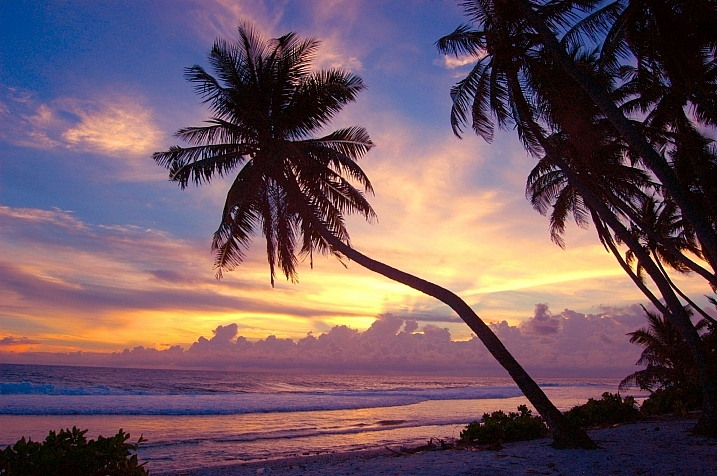
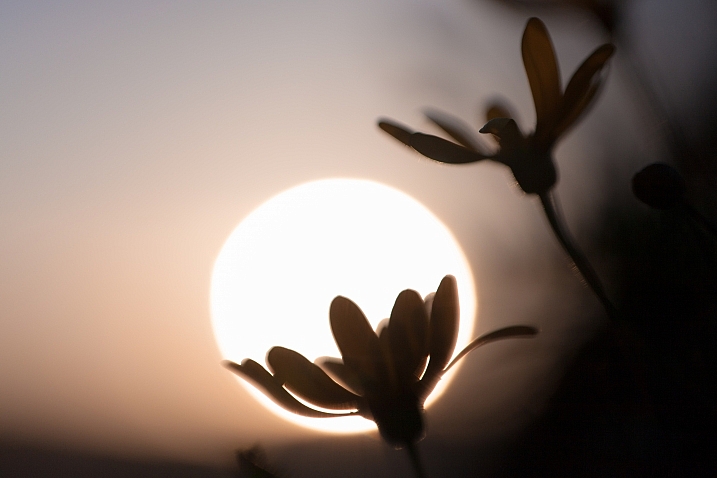
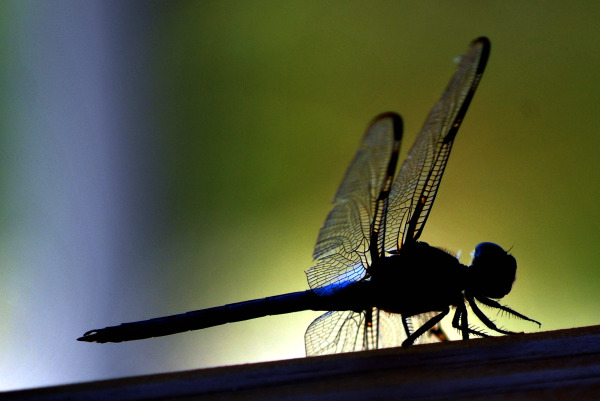
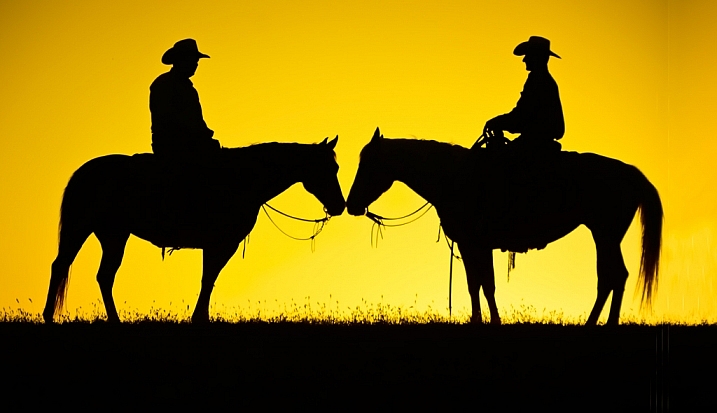
  • 18 Shape Defining Silhouette Images

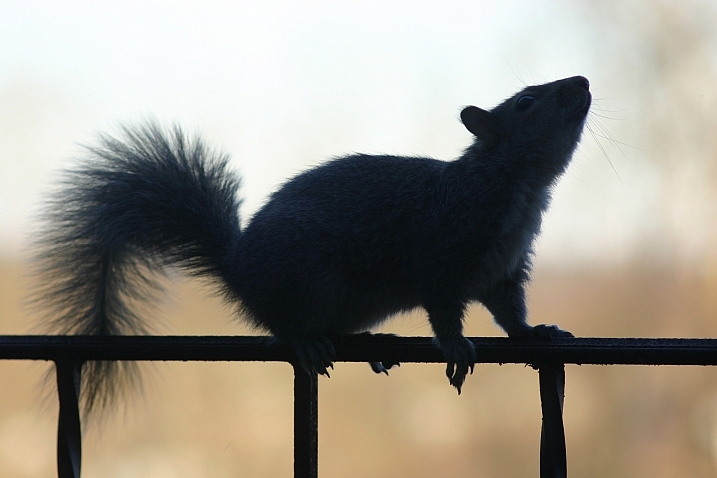
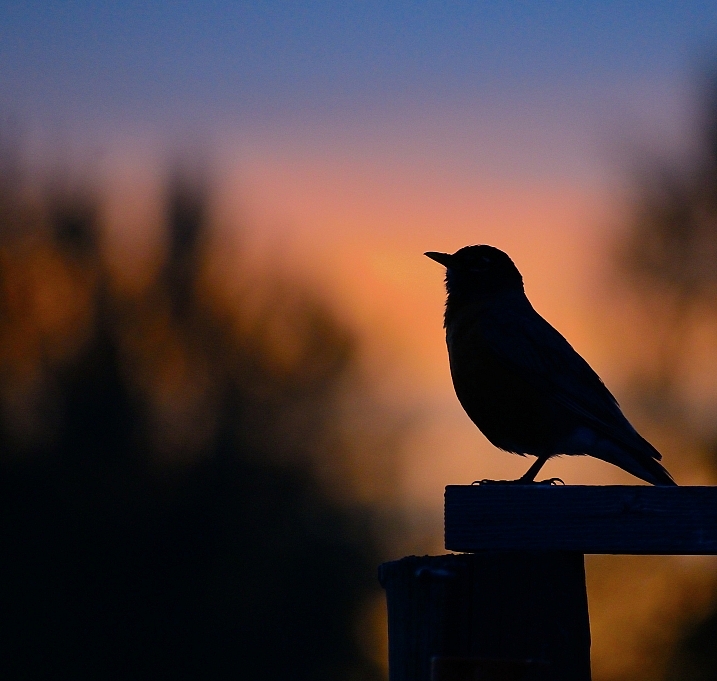
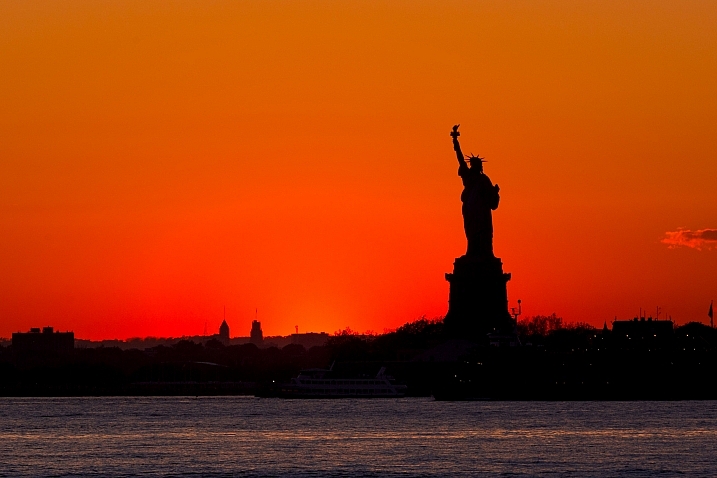
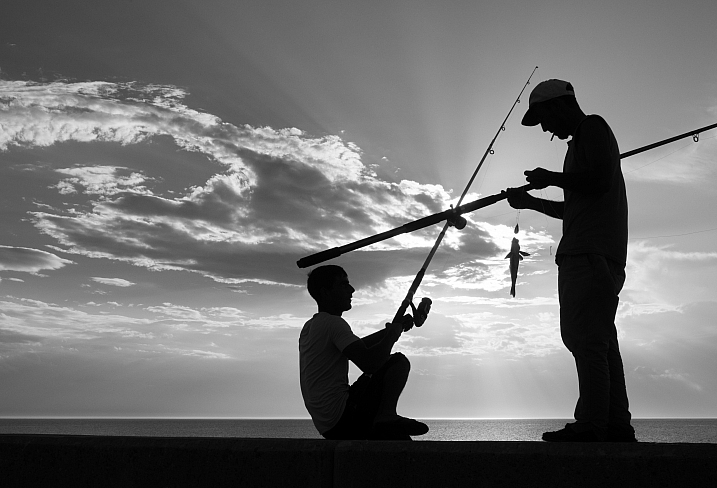
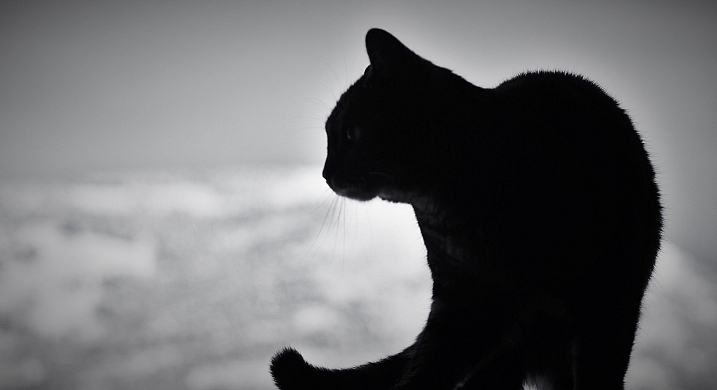
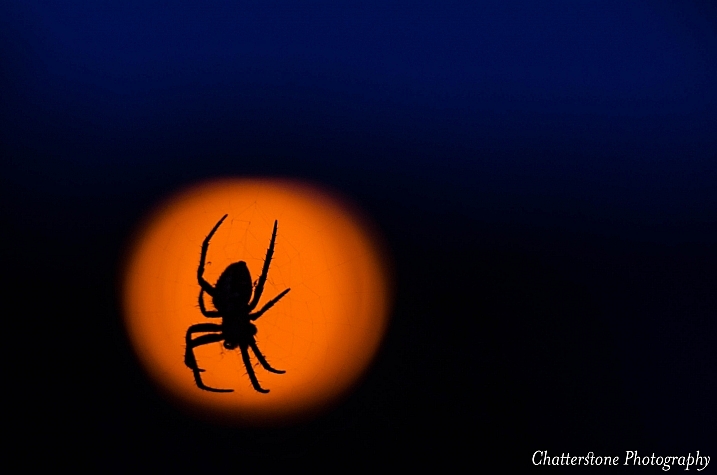
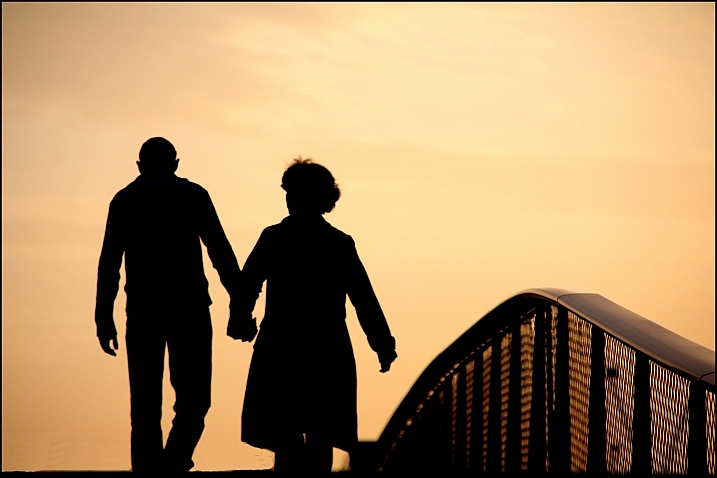
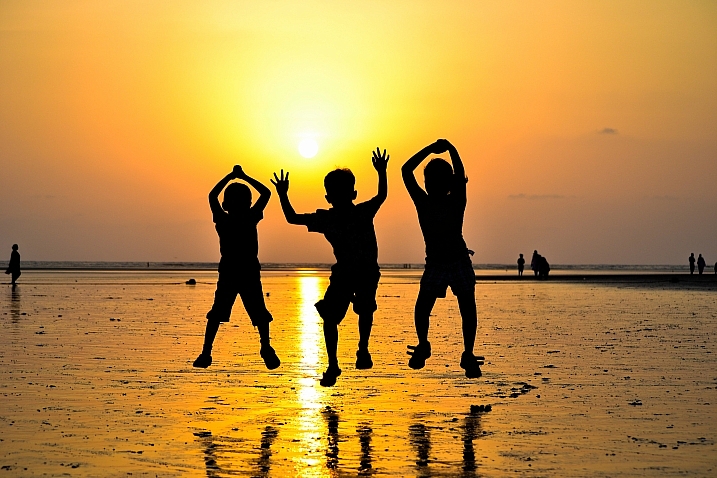
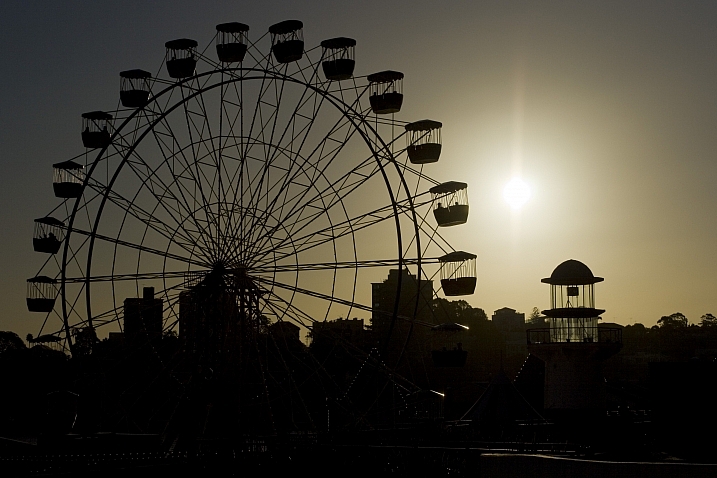
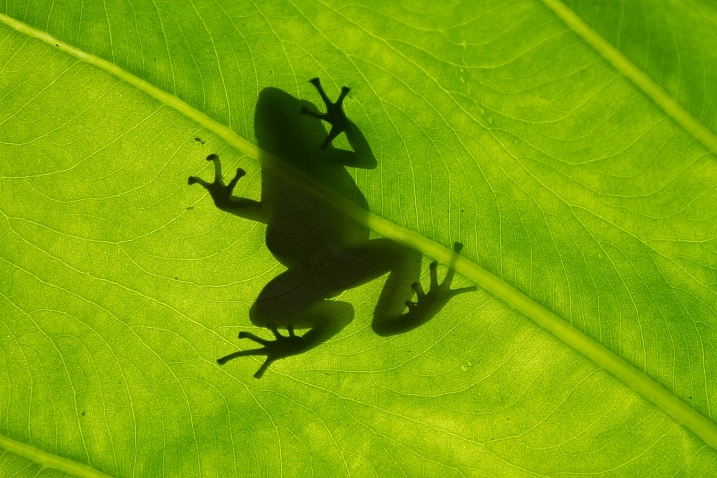
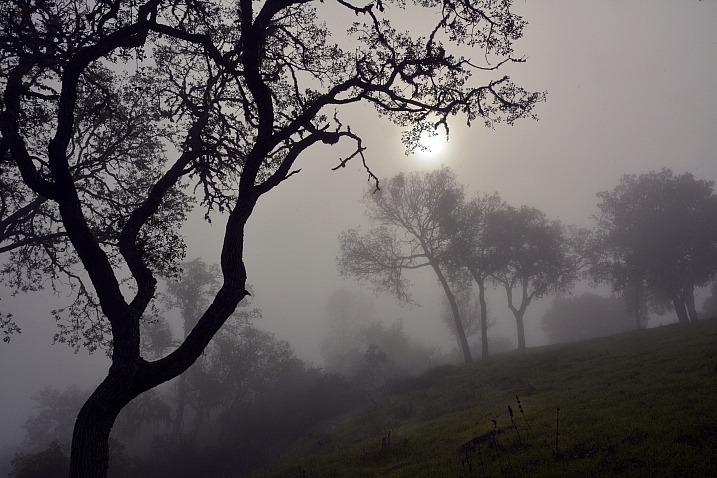
    Doing a good silhouette requires a few things. A subject with a good shape, proper exposure, and position of the subject to best showcase its shape and define its outline.

    Lighting is key, and contrast is essential to get a nice clean silhouette. Look at how these photographers pulled off some great silhouette images. Take note of the kinds of subjects make good silhouettes.

    Club Med UK

    By Club Med UK

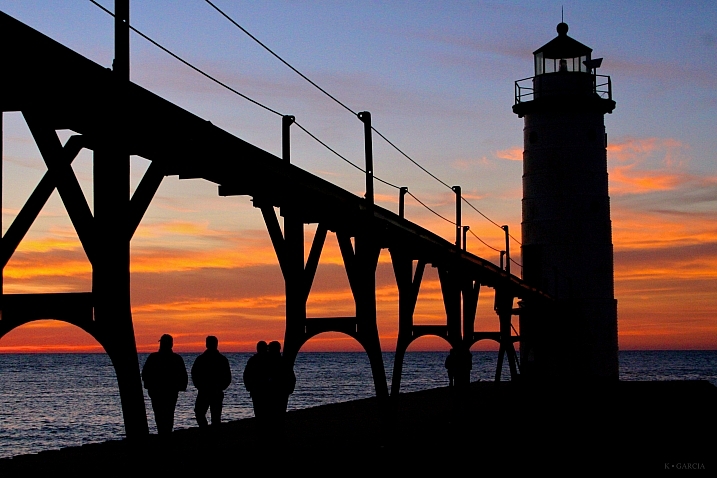
    Kenneth Garcia

    By Kenneth Garcia

    Grendelkhan

    By grendelkhan

    Darron Birgenheier

    By Darron Birgenheier

    Jqpubliq

    By jqpubliq

    Nicolas Alejandro

    By Nicolas Alejandro

    Iggyshoot

    By iggyshoot

    Grant

    By Grant

    Jonathan Camuzo

    By Jonathan Camuzo

    Deven Dadbhawala

    By Deven Dadbhawala

    Nattu

    By Nattu

    Matthew Roth

    By Matthew Roth

    Tara R.

    By Tara R.

    Andy Tolsma

    By Andy Tolsma

    Wheats

    By Wheats

    Jenny Downing

    By jenny downing

    Brian Gratwicke

    By Brian Gratwicke

    Chuck Holland

    By Chuck Holland

    googletag.cmd.push(function() {
    tablet_slots.push( googletag.defineSlot( “/1005424/_dPSv4_tab-all-article-bottom_(300×250)”, [300, 250], “pb-ad-78623” ).addService( googletag.pubads() ) ); } );

    googletag.cmd.push(function() {
    mobile_slots.push( googletag.defineSlot( “/1005424/_dPSv4_mob-all-article-bottom_(300×250)”, [300, 250], “pb-ad-78158” ).addService( googletag.pubads() ) ); } );

    The post 18 Shape Defining Silhouette Images by Darlene Hildebrandt appeared first on Digital Photography School.


    Digital Photography School

  • Tips for Fast and Effective Studio Product Photography

    This is the second part of a series that will explore a studio setup aimed at product photography. You can see the first here: Equipment Tips for Quick and Efficient Studio Product Photography.

    Although this is built primarily for product photography you can use it for a few other genres. In this second part I will be going hands on with an actual shoot. I will show you how to set up a shoot based on the equipment from part one and go over some tips that I have gathered over the years of using it. If you haven’t read part one yet, head over there and give it a quick look so that you are up to speed with how we are about to implement that system.

    PICTURE 1

    Getting set up

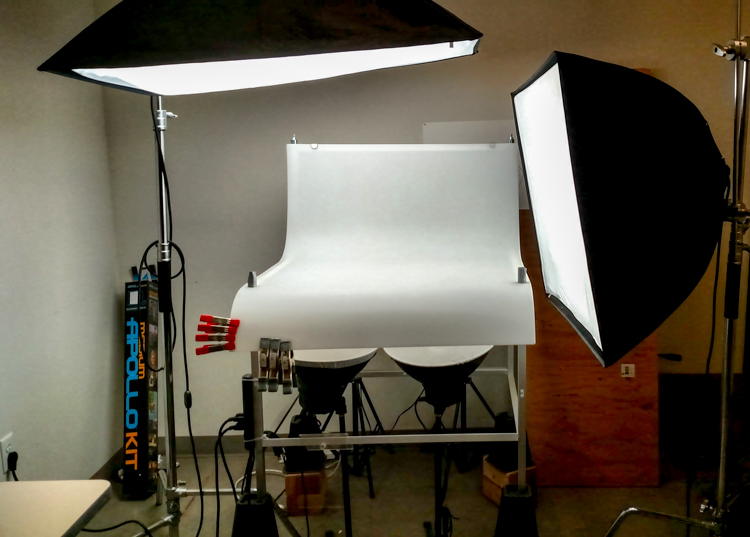
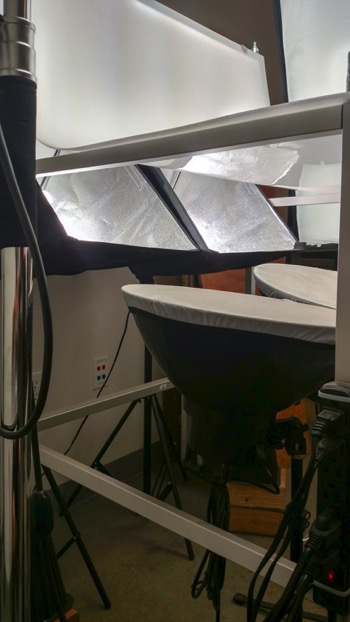
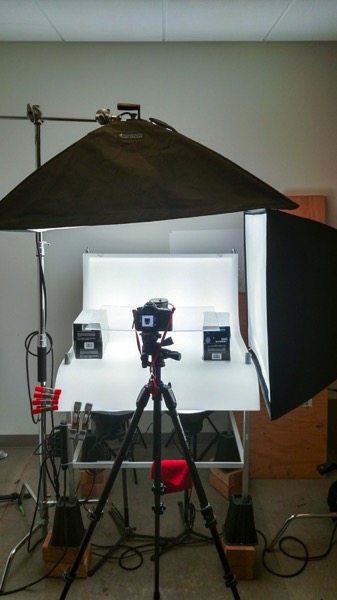
    Now that you are caught up let’s dive in. For almost every shoot I start by turning on my table lights. Those include the lights behind and beneath my table to allow the surface to glow from within (see photo above).

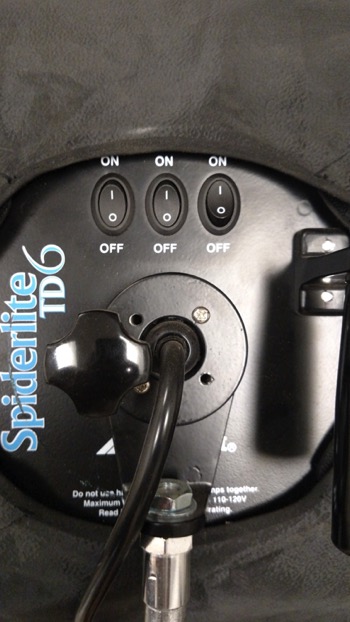
    I have one of my Spiderlite TD6 heads above the table aimed straight down. This really helps fill in the top of the product and knock down the shadows caused by the table that underlights the product. My second TD6 light is the one that moves around my set. This is my main light as it is set brighter than the others and it is responsible for the main direction of light.

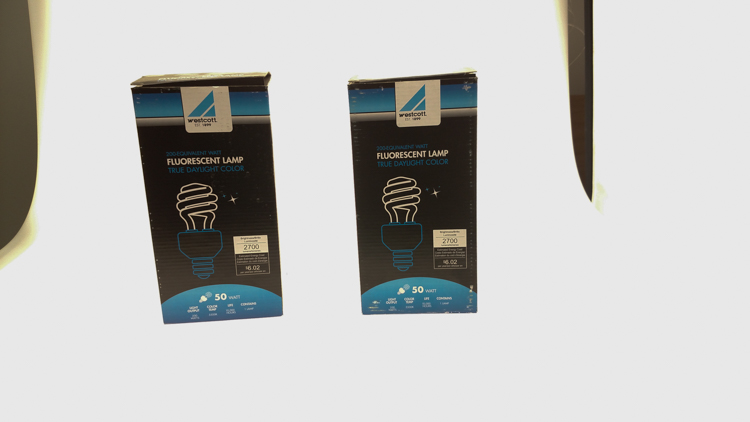
    Settings for my lights will differ slightly from what you will need but this is a good starting point. The overhead TD6 is set for 30% power. The two Flashpoint lights under the table are set to 50% power. I have two small fluorescent softboxes behind the table at full power. My main TD6 is usually at 66% power (two switches turned on).

    PICTURE 2 PICTURE 3

    These are the settings I run on my lights, and they work for almost all of my clients that need photos shot for their Amazon, Ebay, Etsy stores or their online company catalog. You need to realize that all bulbs are not created equal and that if you are mixing different daylight balanced fluorescents that colors can come out altered in your shots.

    Set the color balance

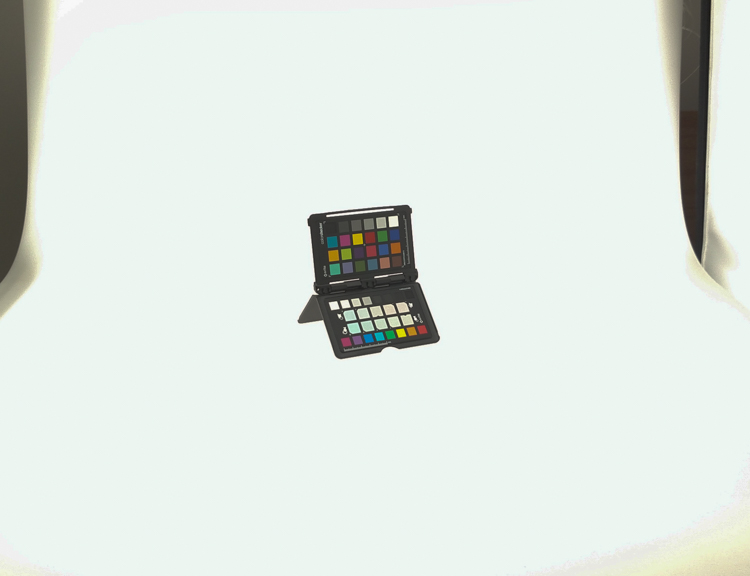
    To counter this problem, invest in the Xrite color checker. Make a custom profile for your camera using your lights and this will ensure that colors are accurate. To find more information on incorporating the Xrite into your workflow check out this article by Andrew Gibson: How to Use the X-Rite ColorChecker Passport to Obtain Perfect Color.

    PICTURE 4

    Set the exposure

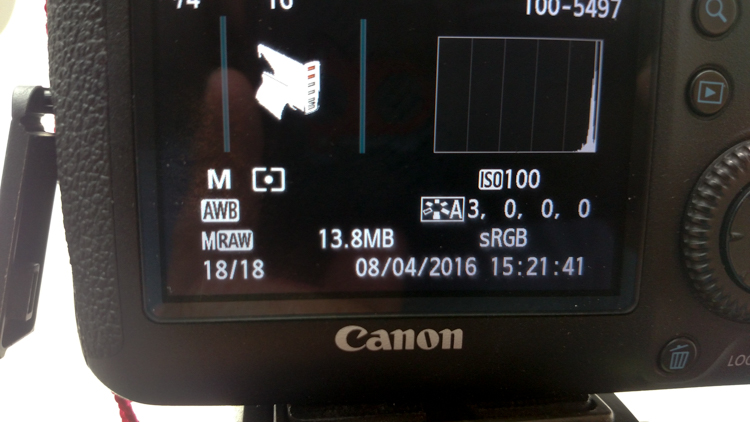
    As for my camera, I have one of my custom buttons pre-programmed and ready to go, I simply switch to C2 and I am shooting in seconds. My C2 settings are fixed for Manual Mode at f/16 and 1/6th of a second, highlight detection on, and a square crop. This will get me very close with my studio setup. If I need a little more blowout on my white table I slow my shutter speed, or alternatively if any clipped whites creep into my product I can increase the shutter speed.

    PICTURE 5

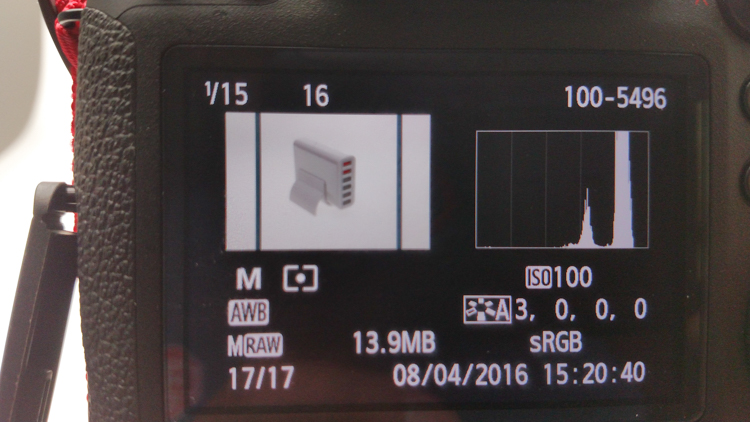
    I also find that manual focus is much faster in this situation. Focus hunt happens a lot during shoots and it eats time quickly when you are shooting 20+ products with 4+ angles per part. With a quick flick of a button on the back of my camera, I can enter Live View mode, zoom in, and get the exact focus that I would like. I shoot with highlight detection on so that when the image comes up for review anything that is clipped will flash black.

    PICTURE 7

    From there I am able to determine if I obtained a proper exposure. The histogram doesn’t help very much here as it is always going to be spiked to the right because I am purposely blowing out the background. I have also set my camera to crop the image to a square as this tends to be the only format my customers want for this style of photography.

    Make a raised platform

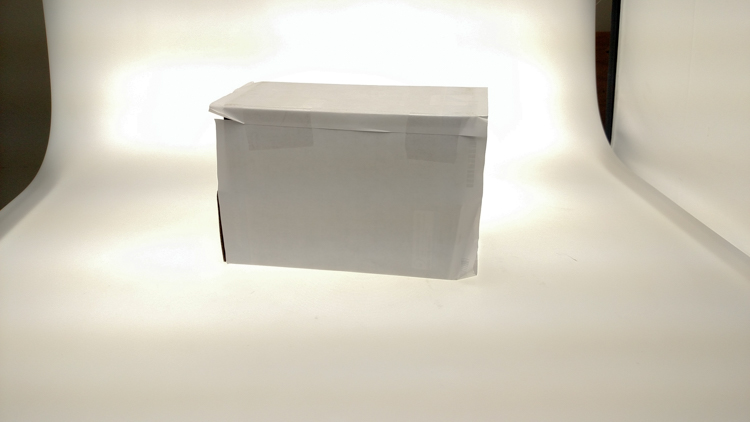
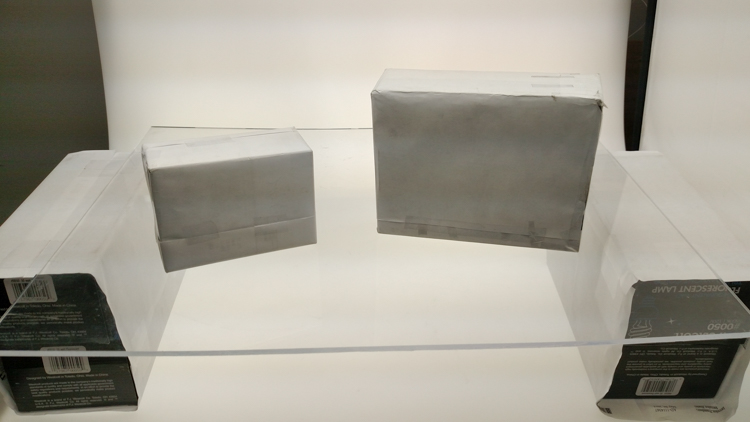
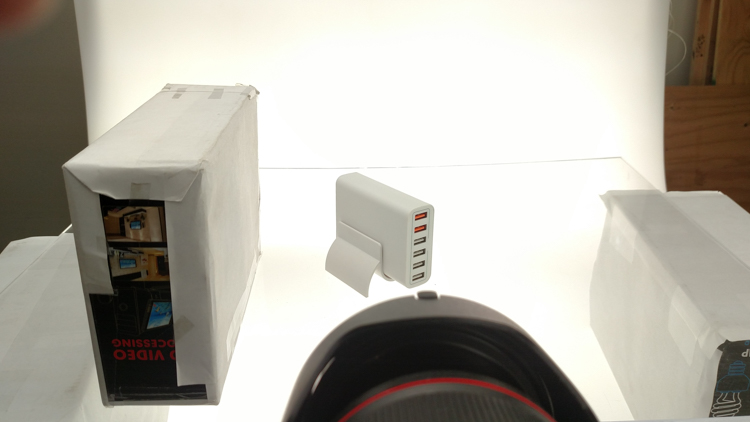
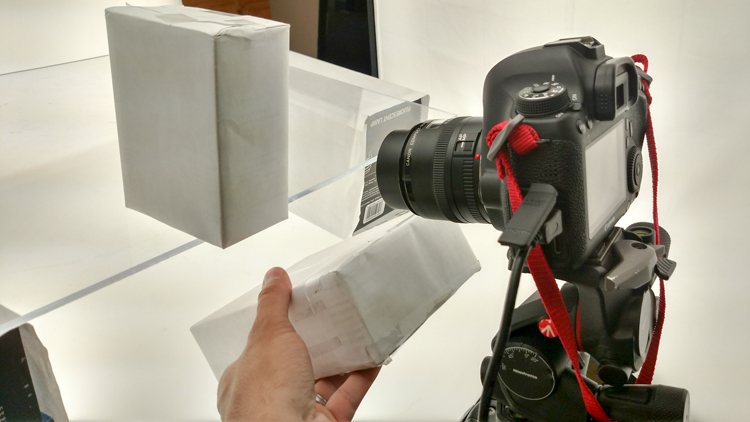
    A big tip that I can share with you is to use a raised platform. The reason you need a raised platform is because when an object gets placed directly on the table surface it tends to add a glaring highlight to the bottom of the product. The tabletop and the highlight are so close in terms of power it becomes difficult to blow out your table and keep the highlight on the bottom of your product from clipping. I have a super easy solution to get around this dilemma. What I did was take two boxes, stack them on top of each other, and then wrapped both in regular old white printer paper.

    PICTURE 8

    PICTURE 9

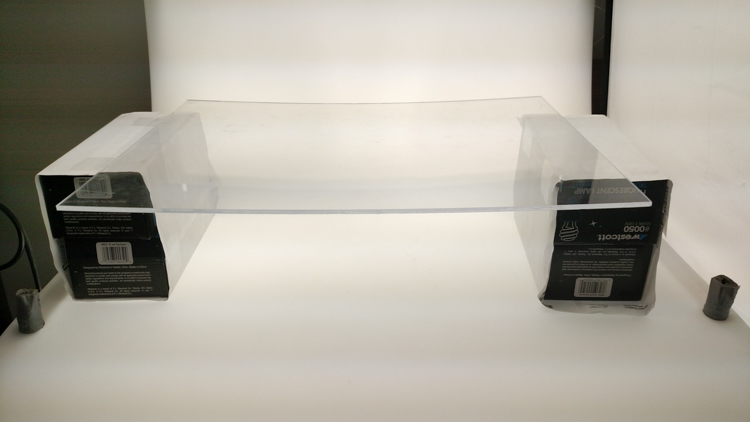
    If you leave them unwrapped then you will have black strips reflecting in your product. The next thing I did was get a sheet of clear acrylic from Lowes. It is a quarter inch thick, and is 18×24″. It cost me around $ 20. I place this acrylic on top of the wrapped boxes which raises the shooting surface by seven inches.

    PICTURE 10

    What this does is allow the table to blow out, but because of light falloff it prohibits the product from being overly lit on the bottom and clipping the highlight. While I was at it I wrapped two smaller boxes of different sizes in white paper as well. I use these quite often to bounce light back into the shadows.

    PICTURE 11

    Ready to place the subject

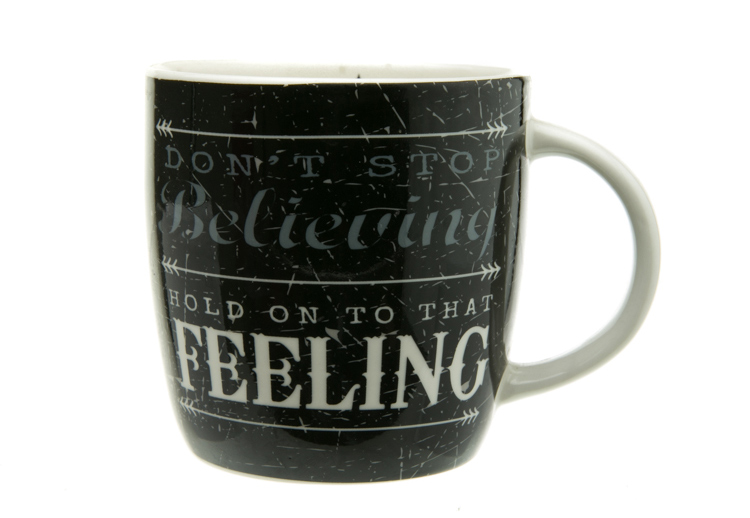
    Now that we have gone over power settings for the lights, the configuration of my camera, and some tips on knocking down blown highlights by raising the surface, let’s set up an actual shoot. We will ease into it and start with something that doesn’t give you a whole lot to think about. Let’s do a regular coffee mug.

    I placed the mug directly in the middle of the acrylic. The overhead light is directly over the mug aimed down. The other TD6 is at 90 degrees, hitting the mug from camera right.

    PICTURE 12

    Picture-13b

    The resulting image is 95% ready to go online almost straight out of the camera. There are a few things you might want to obsess over, like adding more white reflection and narrowing the dark gap. But honestly, it’s ready to go as is. I did say this was an easy subject so let’s move onto something a bit harder, shall we?

    Let’s try a harder subject

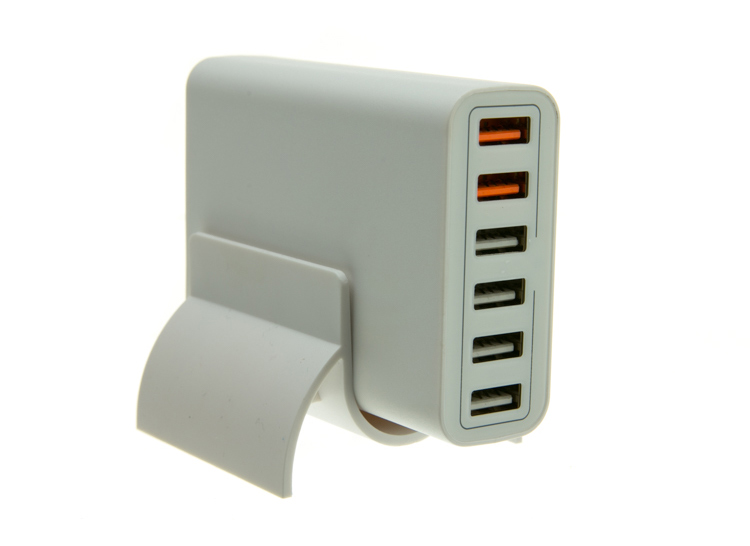
    The next thing we will attempt is something that gives plenty of photographers fits; a white subject on a white background. Well, because we have a blown out table top and we are controlling the amount of light that the tabletop is introducing to our subject, it actually isn’t difficult to get great results.

    Let’s start with the same lighting. Light from directly above, and one more light at 90 degrees to camera right. Straight out of camera we can see we did a pretty good job.

    Picture-14b

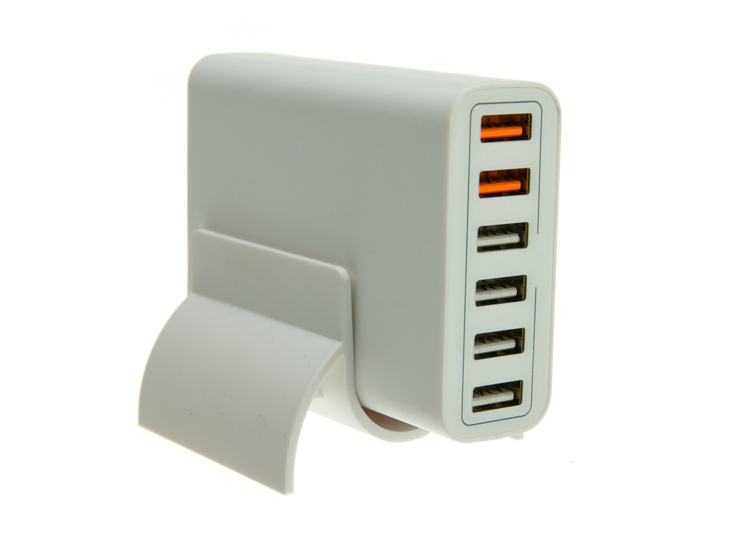
    There is no major clipping going on the subject yet the background is completely white. There is not a lot of shape and dimension to the item, however. So let’s move the right light so that instead of 90 degrees it is 45 degrees. Now the light will hit the product on the front of this USB hub. Bingo.

    Picture-15

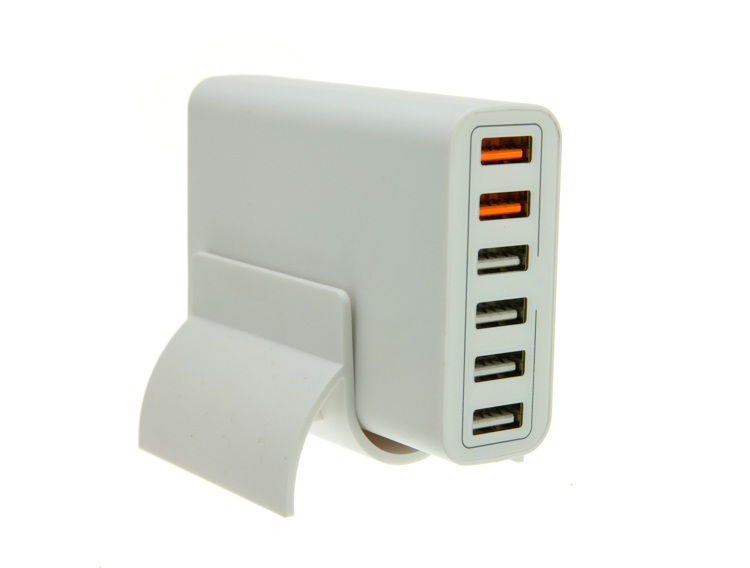
    We now have highlights on the leading edges which helps give it shape and dimension. It’s very close, but we can still do a little better. Let’s add one of those white wrapped boxes we made earlier to the shadow side and bounce some of our key light back into the product.

    PICTURE 16

    Picture-17b

    Now what we get is just a subtle fill in the shadow and that just about does it for this product. Yes, we could obsess further over some other details and finesse it some more, but remember this is a speed table. We are trying to get products on and off the table quickly. This image would pass for all of my clients.

    Shooting reflective surfaces

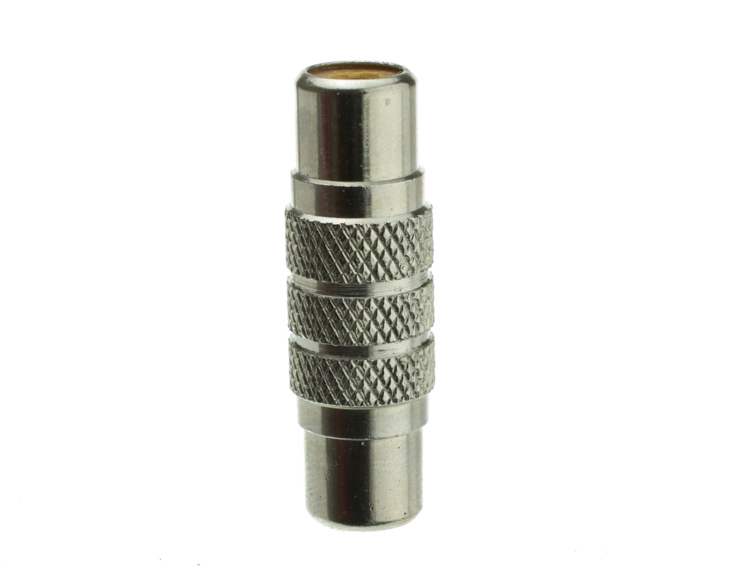
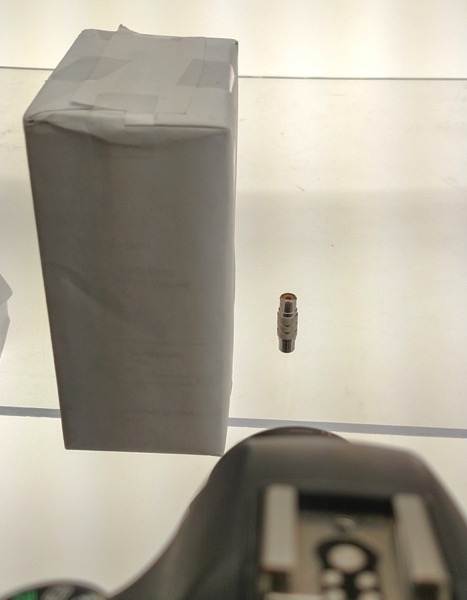
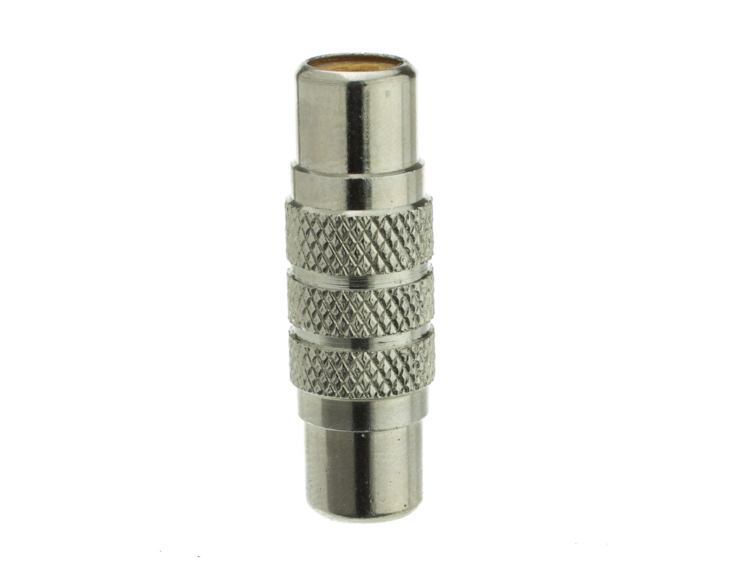
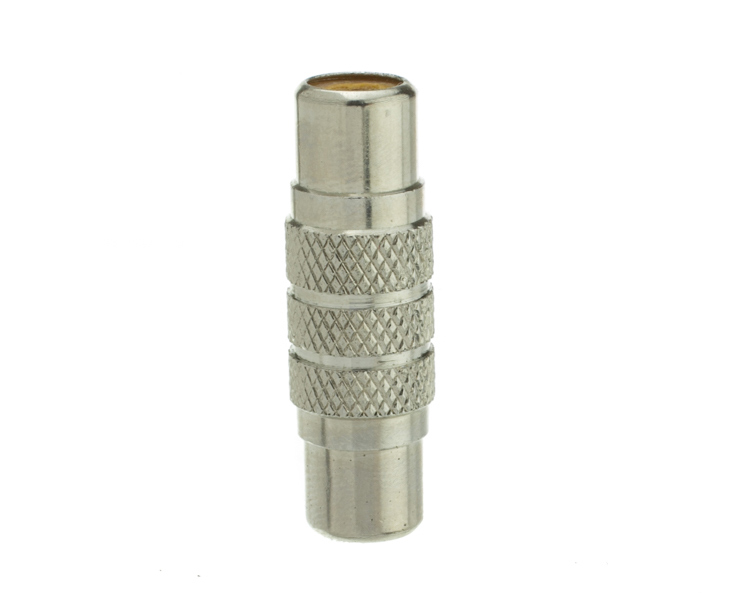
    For our final demonstration let’s do a reflective surface. Leaving the lights exactly the same as the previous shot (again because this is about speed) I will remove the white box that is acting as a fill and shoot this RCA adapter.

    PICTURE-18b

    Again right out of camera it is pretty good. You can see some red reflecting on the shadow side in the lower left which is coming from a red bag out of frame, and there is a really dark strip running down the left/center side. Let’s clean those two things up and try again. I will remove the red bag from out of the frame and put the smaller white box fairly close to the adapter.

    PICTURE 19

    picture-20b

    With just those two changes it has made a large difference in the shot. Let’s try and clean this up a tad more. The reason there is a black line is because it is reflecting the much darker room behind the camera. Using the angle of incidence I will use my large white box just below my lens and throw light back into the subject.

    PICTURE 21

    picture-22b

    There we go! A perfectly acceptable image for an online catalog. The RCA adapter is cleanly lit, no harsh black lines, a fully white background and it is already squared because of our camera settings. This image is ready to go.

    Read more info about shooting reflective surfaces here.

    Summary

    The reason I built this system is for speed. If you are trying to knock out 100 products a day, with this system you could absolutely do it. I know because I have done it.

    Of course, there is the third and final part of the process and that is editing using your favorite software.

    I use Lightroom, and it will really going up your product photography game. You need it to catalog all of your client’s images, keep track of the part numbers, export to their specification and clean up shoot errors using very little time.

    Please share your questions and comments in the space below.

    googletag.cmd.push(function() {
    tablet_slots.push( googletag.defineSlot( “/1005424/_dPSv4_tab-all-article-bottom_(300×250)”, [300, 250], “pb-ad-78623” ).addService( googletag.pubads() ) ); } );

    googletag.cmd.push(function() {
    mobile_slots.push( googletag.defineSlot( “/1005424/_dPSv4_mob-all-article-bottom_(300×250)”, [300, 250], “pb-ad-78158” ).addService( googletag.pubads() ) ); } );

    The post Tips for Fast and Effective Studio Product Photography by Jacob Macias appeared first on Digital Photography School.


    Digital Photography School

  • The Importance of Setting Photography Goals for Yourself

    A wiser person than myself once said that if someone does not know to which port they are sailing, no wind is favorable. I heard that advice early in my photographic journey and it has stuck with me throughout the years. Learning about photography is important. Developing your skills as photo maker is even more important.

    However, one of the most important things that you can do in order to grow as an artist (and business person) is to recognize the importance of finding a direction, setting photography goals for yourself. Without a direction or goals, all the passion, skill, and creativity you possess will not be enough to help you reach your full potential as a photographer.

    Direction

    Finding your direction

    That is the hard part. Figuring out which direction to focus your energy on can be frustrating and at times extremely confusing. There really are no shortcuts. The key is to shoot, shoot, and shoot some more. Shoot a lot. You won’t know what kind of photography you truly love until you let yourself go and become lost in your own work.

    Don’t limit yourself to only one type of photo when you’re just starting out in the art; meaning don’t exclusively do street work or only shoot portraits. Make photographs of anything: people, landscapes, architecture, food, toasters – anything. You might find that your true passion strangely discovers you when you least expect it. The important thing is to keep shooting and keep yourself open to new opportunities.

    Shoot

    Bear in mind, however, that directions can and often do change. Even though you may be firmly set on the path you want to pursue with your photography remember that you are not confined to it exclusively. As you grow as a photographer so will your tastes and your inclinations may evolve. Again, keep your creative mind free and be willing to try something completely different if the muse strikes you to do so. You make the photograph…the photograph does not make you.

    Applying your direction

    For a moment let’s imagine that you have found your direction. You’re elated and you can’t describe how great it feels to have that overwhelming urge to create photographs. Now what? Do you just go out into the world and hope for the best? Of course not. Instead, take all of that excitement and artistic energy and channel it into something tangible.

    Sample 1

    In short, you must set clear goals for yourself as a photographer. Setting goals for your photography will help you immeasurably. There are so many things to consider when first starting out. At times it becomes shockingly easy to lose your focus which will lead to frustration. Developing goals will keep you grounded in your work and heading in the direction you have chosen. Not only will having clearly defined goals keep you focused but will also keep you motivated and make you more determined to accomplish what you have set out to do.

    Learn to set goals which are realistic

    No one that I know of ever had their first photograph published on the cover of National Geographic Magazine. If that’s your goal that’s great. But understand that while setting goals is essential to success, they must also be realistic goals.

    Find goals for your work which are challenging but attainable. Examples of realistic goals could be learning a new technique or getting your work in a local gallery. Don’t set yourself up for disappointment because you set the bar unimaginably high. Success is a ladder that must be climbed one step at a time.

    Acheive

    Confidence

    Gaining confidence is somewhat of a paradox because you need confidence in order to find it – think about that for a moment. Boosting your confidence level is perhaps the most important reward that will come out of setting goals for your photography.

    Taken as whole, going from a beginner to a professional photo maker is a daunting task to say the least. There is just so much that can go wrong on the journey from point A to point B. Instead of attempting to cover the distance in a single leap, lay out achievable goals that will eventually take you where you want to go. Along the way, with each goal met and overcome, you will naturally build confidence. The next goal will be met and then the next and the next, and so on.

    As you become more confident in your work and your abilities each new goal you set will be more and more ambitious. One day you will look back to see how far you’ve come and how much you’ve accomplished just by focusing on each step one at a time.

    Steps

    Be brave

    You found the courage to follow your dreams and take up the mantle of “photographer”. It’s not always going to be an easy road, but by simply finding your direction and setting photography goals you will be able to achieve things you never thought were possible.

    Learn to understand what it is that truly gives you a spark when you photograph, then develop a game plan by setting small goals to help you along your way. Those goals will be your signposts. With each goal you achieve you will build skill, confidence, experience, and knowledge. As you learn and grow you will undoubtedly change as an artist. Be mindful but don’t fight the natural current and healthy evolution of your own creativity.

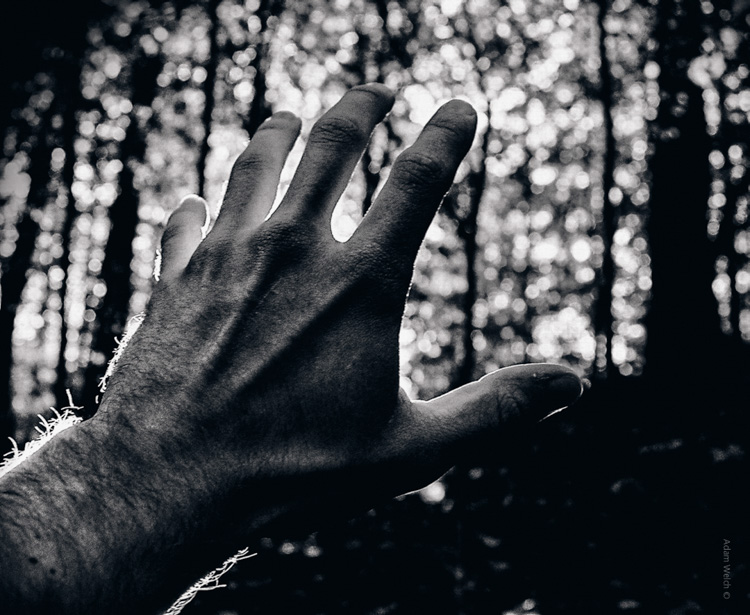
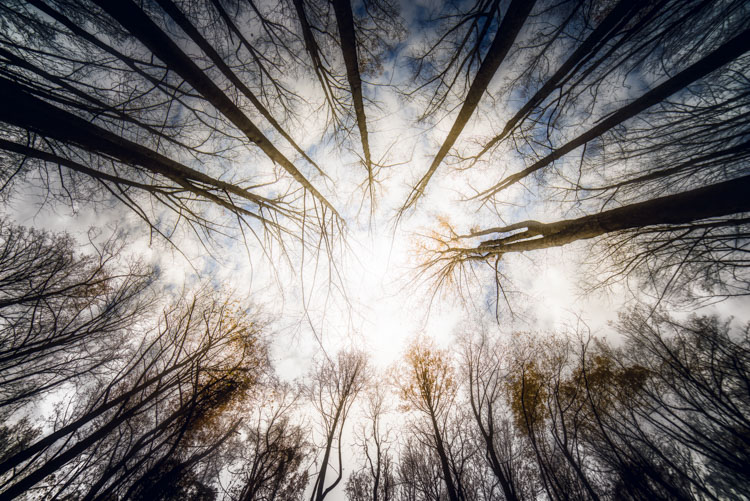
    Trees 1

    Whether the goals you set are designed to facilitate a transition from hobbyist to pro photographer, or to just reach the next stage in your photographic journey, the important thing to remember is to never stop moving. Always strive to learn something new, set new goals, and reach new heights.

    What are your photography goals? Please share in the comments below.

    googletag.cmd.push(function() {
    tablet_slots.push( googletag.defineSlot( “/1005424/_dPSv4_tab-all-article-bottom_(300×250)”, [300, 250], “pb-ad-78623” ).addService( googletag.pubads() ) ); } );

    googletag.cmd.push(function() {
    mobile_slots.push( googletag.defineSlot( “/1005424/_dPSv4_mob-all-article-bottom_(300×250)”, [300, 250], “pb-ad-78158” ).addService( googletag.pubads() ) ); } );

    The post The Importance of Setting Photography Goals for Yourself by Adam Welch appeared first on Digital Photography School.


    Digital Photography School

  • How to Use 1 Natural Light Setup to Create 3 Different Portrait Looks

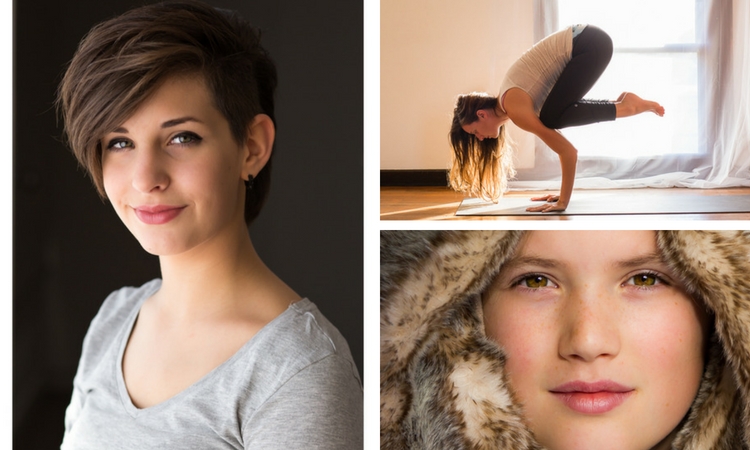
    As a portrait photographer, the majority of my work is shot on location. This can be outdoors or in my clients’ homes or places of business. I mostly shoot using natural light and have become adept at finding the best light source in any location as well as creating backgrounds that won’t interfere with the subjects. In this tutorial, I want to show you an easy, natural light portrait setup you can recreate in your own home. Simply by repositioning yourself and your model, you can create three distinctly different portraits from this one setup.

    one natural light setup - 3 looks

    No special lighting or fancy equipment is needed, and the techniques are straightforward and easy to master. Experiment to create different looks using various backdrops such as plain walls or sheets, or different outfits for your subject. You can also get different effects by changing your lens, distance to the subject, and experimenting with different apertures.

    Equipment

    Below is a list of the items I have used for this setup and suggested substitutes:

    • SHEER CURTAIN or FABRIC: You can buy a sheer curtain or length of fabric from any fabric or haberdashery store. I picked this one up from the clearance table at my local Spotlight store (Australia) for under $ 20.
    Image showing basic natural light portrait setup using a white cloth

    A white sheer curtain or large sheet of sheer fabric will filter the window light.

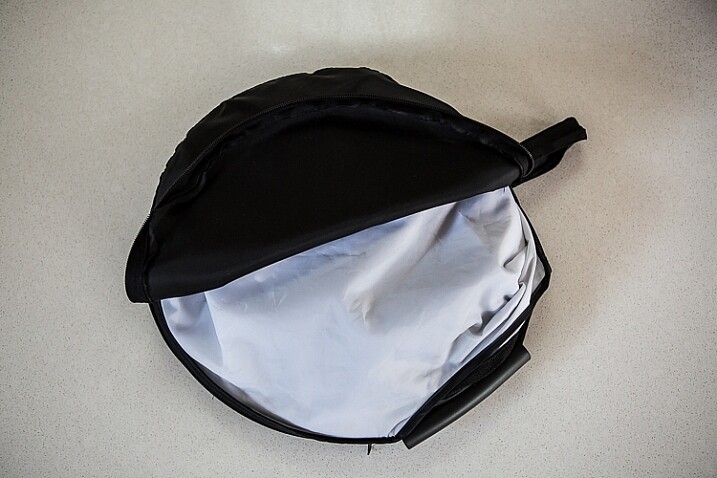
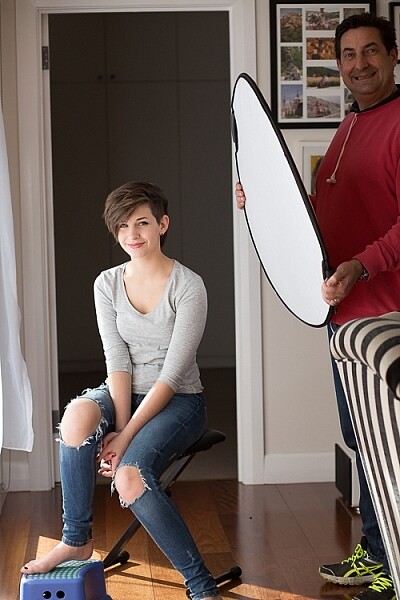
    • REFLECTOR: I have a circular, five-way reflector that follows me everywhere. Each side has a different colour; white, silver, gold, and black, plus a diffuser. It folds into a neat little disc, is lightweight, and can be thrown into the back of my car. You will get endless use out of a portable reflector, and at around $ 30 from Amazon, it’s a worthwhile investment. However, if you don’t want to rush out and buy a reflector (or wait for your order to arrive before you start shooting) a large piece of white card, polystyrene, or foam board, will work equally well.
    Image showing basic natural light portrait set-up with a reflector

    This reflector was a great investment at around $ 30. It is lightweight and folds up compact to the size of a dinner plate.

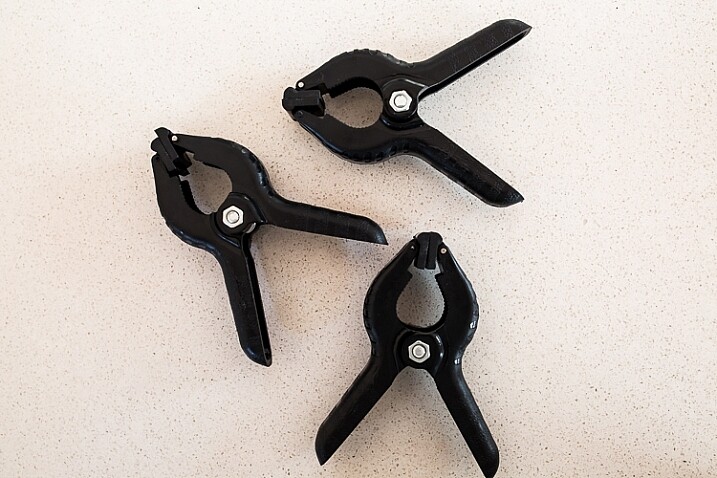
    • BACKDROP CLAMPS: another Ebay or Amazon purchase, my backdrop clamps come in packs of 12 for under $ 20. These are infinitely useful for creating makeshift studios. In this instance, I used them to attach the sheer curtain to the rolled-up window blind. You can also use masking tape to stick the curtain directly onto the window, or use heavy-duty stationery clips.
    clamps can be helpful for a natural light portrait setup

    Backdrop clamps can be purchased inexpensively from Ebay or Amazon and similar.

    Lens

    My favourite portraiture lens is the Canon EF 85mm f/1.8, but you can use a 50mm, a 100mm – whatever works in the space you have. A tighter space will require a shorter focal length.

    Basic portrait setup

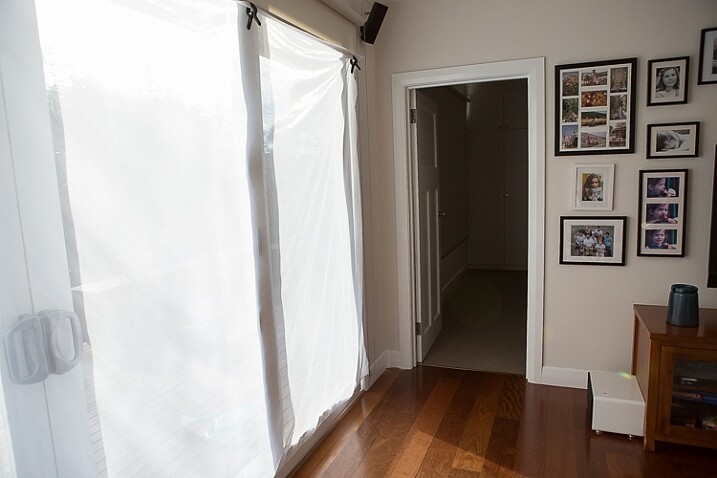
    Look for a window or glass door with a good strong light source coming through, so that you can shoot at the lowest possible ISO. If the window has a sheer curtain, pull it across to filter the light. If there is no curtain, you can attach a piece of sheer fabric to the window using the backdrop clamps or masking tape.

    As you can see, the setup couldn’t be simpler. This is the corner of my living room, with sliding glass doors to the left of the shot. The strong afternoon light is filtered with a sheer curtain clipped to the bottom of the roller blinds. I have closed the curtains in the adjoining room to create a dark background for my subject. If your room layout doesn’t allow this, you can hang a sheet or large piece of coloured fabric behind your subject, or just use a plain wall.

    natural light portrait setup background

    The setup couldn’t be simpler.

    As you can see in the setup below, I brought my model forward (away from the open door behind her). This is to ensure she has good light on her face, and that there is sufficient distance between her and the room behind her to make sure it is completely out of focus. In this pull-back shot, you can see some detail in the room behind her. However, in the first pair of portraits, further along, you can see no background detail. The room behind looks like a studio backdrop.

    Add a reflector

    If you are going to use a reflector, you’ll need someone to hold it for you. If there is no-one to help, try propping it on a chair. Let your creative photographer’s brain get to work and figure out a creative solution.

    natural light portrait setup reflector and assistant

    You’ll need an extra person to hold the reflector – in this case, my husband!

    Portrait #1: side lighting and a reflector

    This is my most-used natural light setup. Side lighting contours and shapes the face, and is flattering for most subjects. If your subject is male, or if you want to create a moodier portrait, you can try moving the reflector further away from your model or removing it altogether. This creates more contrast by increasing shadow on one side of the face.

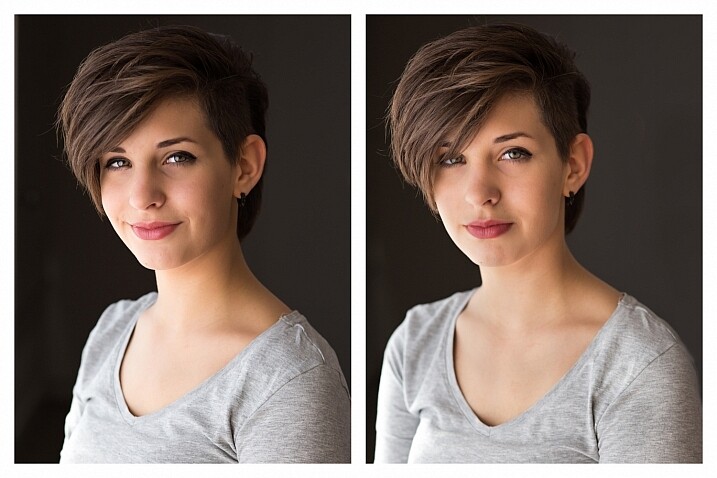
    Your model can sit, stand, or even lie on the floor if the window is low enough. How you position your model’s face and body is up to you. To recreate the look below, your model’s face needs to be at a 90° angle to the main light source (the window). Her body turns 45º away from you. The door behind my model is opened and I darkened the background room to minimize distracting elements. Position the reflector on the shadowed side of her face, to bounce the light back and fill in the shadows

    In the photos below, the image on the left is shot without a reflector. The one on the right is shot with a reflector. The effect in this example is subtle because the light in this room is already balanced somewhat by small, high windows on the opposite wall to the main window. In the photo on the right, you can see how the reflector brightens the face and fills in the shadows, particularly the under-eye shadow of her left eye. It also brings out more detail and highlights in her hair and improves separation from the background.

    natural light portrait setup with and without reflector

    Left (no reflector): ISO 320, f/4, 1/200th. Right (with reflector): ISO 320, f/4, 1/320th.

    Portrait #2: shooting into the backlight

    I love this technique for photographing women and girls. It creates soft, non-directional  lighting on the face, so is flattering to every age group. And the backlighting creates a gorgeous halo around the hair. This works especially well if the model wears her hair out, or wears a dress with some sheer elements – think darling little girls in fairy costumes and tutus!

    Technique for backlighting

    Using the same window setup as before, your model sits or stands with her back to the window. Position the reflector in front of her, bouncing the light back into her face. Your light meter will try to read the light coming from the window, and will underexpose your model’s face. You can obtain the correct exposure by getting in close to her face to set your exposure. You might also bracket your exposures and check the back of the camera until you’re happy with the result (review the histogram but note that the background area may show clipping – that’s okay). To get the exposure right on the face, you will lose detail in the background, which is the idea!

    natural light portrait setup backlighting

    ISO 320, f/4, 1/160th

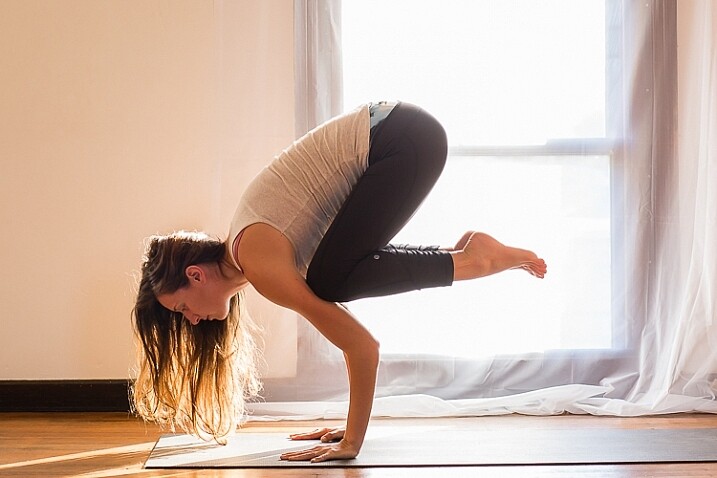
    The photo below is a yoga instructor posing in front of a window on the floor of her studio. The backlighting is beautiful through her hair, and the warm tones of the timber floor reflect back on her skin to give her a golden hue. The lighting technique is identical to the previous photo. But in this photo, I have allowed the curtain and window to be visible as I think it adds something to the scene.

    natural light portrait setup backlighting

    ISO 500, f/5, 1/80th.

    Portrait #3: shooting with front-on light

    For this set-up, the sheer curtain remains in place. Your model faces the window, and you position yourself between your model and the window. If you are taking a wider shot than the example below, you may be able to bounce light into the back of her hair with a reflector.

    Frontal lighting removes virtually every shadow on the face. It brings out detail and colour in the eyes, and can be quite striking with the right subject. However, this technique is not for everyone. It can give the face a flat, two-dimensional appearance, and if the light source is too strong, your subject will squint. This lighting tends to highlight every imperfection, which is fine if your subject happens to be young and gorgeous. But, it can be too harsh for a mature model, or someone with a lot of blemishes.

    Examples of front lighting

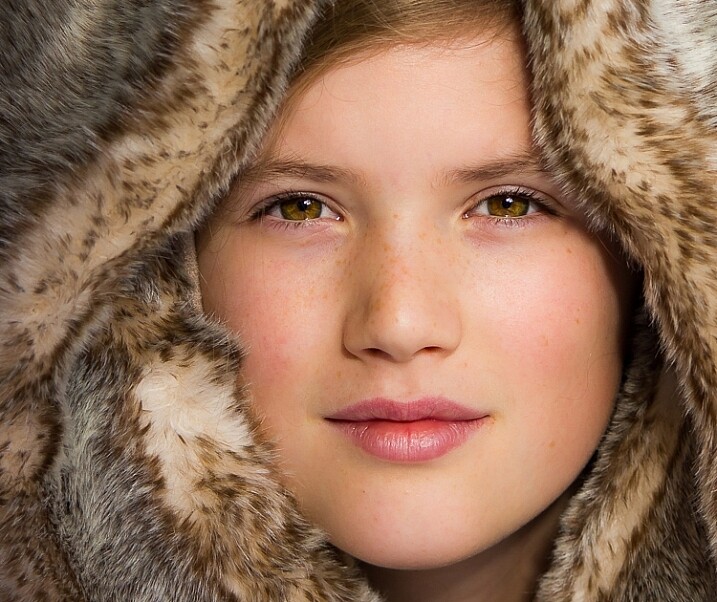
    The photo below of a young girl snuggled into a faux-fur hood has been enduringly popular on my social media sites. It was shot using this lighting technique in warm, late-afternoon light.

    natural light portrait setup front lighting

    ISO 400, f/4.5, 1/200th.

    The photo below of my daughter, sun-kissed after a day at the beach, was photographed with front-on lighting. As we were  on vacation and I didn’t have my usual bag of tricks at hand, I didn’t use a sheer curtain to filter the light. As you can see, the highlights are more pronounced than those in the first photo, but the effect is similar.

    natural light portrait setup front lighting

    ISO 250, f/3.5, 1/125th.

    Now it’s your turn

    I’d love to hear how you get on trying this setup at home. Please post any questions, comments or examples of your portraits in the comments section below.

    Don’t forget, there is also our dPS Facebook Group, which you can join to share your photos and get a critique from other dPS readers.

    googletag.cmd.push(function() {
    tablet_slots.push( googletag.defineSlot( “/1005424/_dPSv4_tab-all-article-bottom_(300×250)”, [300, 250], “pb-ad-78623” ).addService( googletag.pubads() ) ); } );

    googletag.cmd.push(function() {
    mobile_slots.push( googletag.defineSlot( “/1005424/_dPSv4_mob-all-article-bottom_(300×250)”, [300, 250], “pb-ad-78158” ).addService( googletag.pubads() ) ); } );

    The post How to Use 1 Natural Light Setup to Create 3 Different Portrait Looks by Karen Quist appeared first on Digital Photography School.


    Digital Photography School

  • How Playing With Manual Mode Can Help You Learn Exposure Faster

    I have a disclaimer before I even begin this article. I shoot much more often in Shutter or Aperture Priority than I do in Manual mode. I save Manual mode specifically for studio shooting, for some tripod work where I have a lot of time to get the settings perfect, or for situations where the lighting is very consistent.

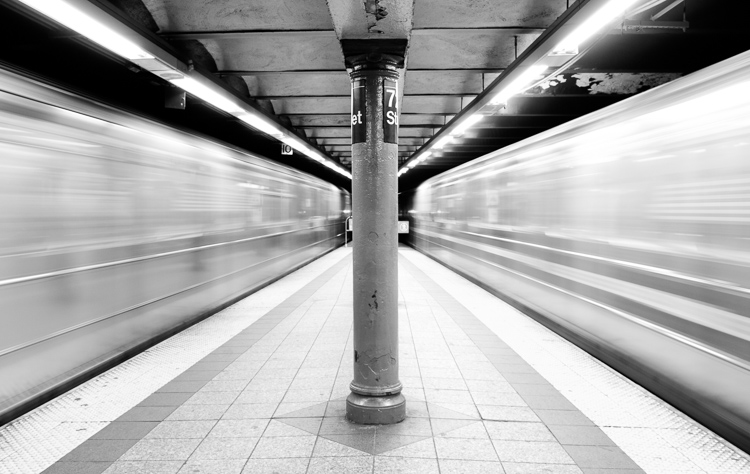
    Subways in Motion, New York

    Learn Manual Mode to better understand exposure

    However, I think it is immensely important for you to try to periodically shoot in Manual early on, especially if you’re just learning. Take a look at your camera. How many buttons does it have on it? New cameras these days can have 20 or more buttons on them all doing different things, but in reality, there are only three settings that make the photograph: the ISO, the Shutter speed, and the Aperture.

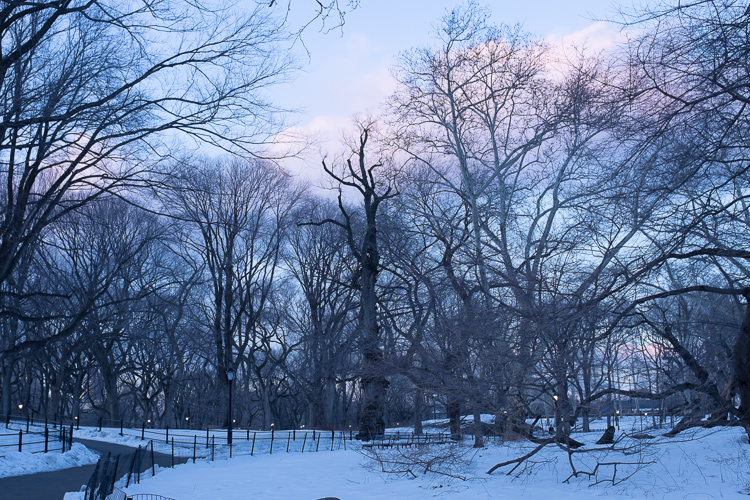
    Central Park, New York

    Before you even go out, turn your camera to Manual mode and figure out the fastest and most comfortable way to change each of these settings. You’re going to do a lot of that in Manual.

    Understanding shutter speed

    The next step is to understand a couple of important points. The shutter speed always needs to be at least one over your focal length to offset handheld camera shake. So if you are at 50mm (on a full-frame camera), then your shutter speed needs to be 1/50th of a second. To freeze the motion of moving subjects such as people, I like a shutter speed of around 1/250th or 1/320th of a second, but you can get away with a little slower than that. You will need a faster shutter speed to freeze faster moving subjects like cars, etc.

    Understanding aperture

    For your aperture, the lower the number (such as f/2.8), the less depth of field and more bokeh there will be. This is counterintuitively called a large aperture because the size of the aperture hole in the lens is actually larger. This will also let in a lot of light due to the size of the hole. A small aperture (such as f/11 or f/16) will create a much larger depth of field, but the tradeoff is that it will let in less light.

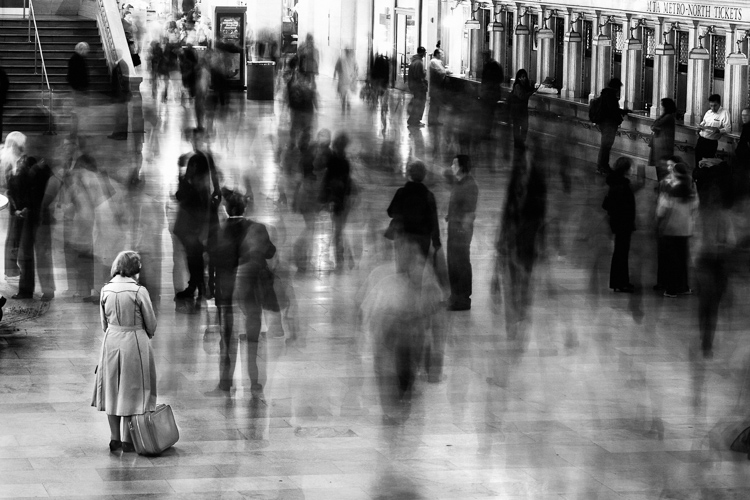
    Waiting in Grand Central Terminal, New York

    Understanding ISO

    The ISO is the sensitivity of your camera’s sensor to light. The higher the number, the more noise that an image will have, but the more sensitive to light it will be. Newer cameras can make beautiful photos up to ISO 3200 or even 6400, but older or entry level cameras can have a lower limit of around ISO 1600 (test your camera to find your comfort zone with its upper ISO limits).

    If you want a lot of bokeh in your image, and you set your lens to f/2.8, that means the camera will be letting in so much light that you will usually want a low ISO. However, if you are shooting street photography, fast moving subjects, you want a shutter speed of 1/250th or faster, and/or a smaller aperture such as f/11 – unless you are in bright sunlight, you will often have to raise your ISO to be able to let in enough light to use those settings. In general, if it’s darker out, then your ISO will often have to go up unless you are on a tripod.

    Now play with them

    Those are the main considerations that you need to learn; now just walk out the door and mess around with your settings. Screwing around with the settings in Manual is the fastest way to start to learn them well. Start off with your aperture. How much depth of field do you want in the image? Once you pick that, then take a guess at the shutter speed and ISO and see how it looks. View the back of the screen, look at the histogram, and zoom in on the details.

    If an image is too dark, then slow the shutter speed, raise the ISO, or use a larger aperture. If the main subject is too blurry, then speed up the shutter speed.

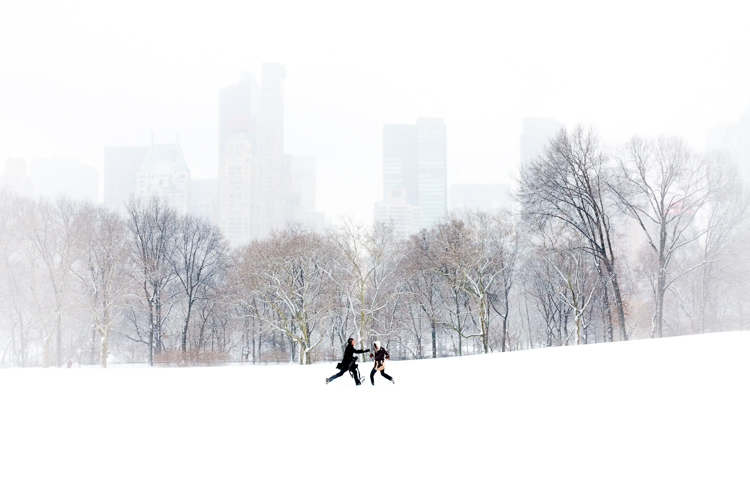
    Couple in Sheep Meadow, New York

    Try different lighting scenarios

    Explore different lighting situations. Paying attention to lighting is the first thing that you should do before you take a photograph. How strong is the light? Where is the sun or artificial light in relation to what you are shooting? The strength of the light will be the number one factor in helping you figure out your settings. From there, you can figure out the depth of field that you want and if you need to freeze the motion of your subjects or not.

    Get comfortable walking from one lighting situation to another. If you walk from the sun into the shade, what will you need to change to expose the scene correctly? Pay attention to scenes with both bright highlights and darker shadows. With these scenes you need to figure out which is most important to expose correctly. If the shady area is more important, then let in more light. If the highlights are the most important, then darken the scene so they are correctly exposed and the shadows are closer to black. If you are in sunlight, learn how your settings will change if you are shooting into the sun versus shooting away from it.

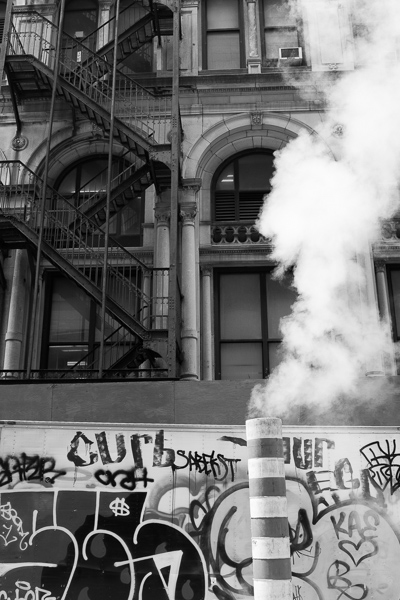
    Smokestack and Graffiti, New York

    Go out in the morning, in the middle of a sunny day, at dusk, or in light rain. Learn how your settings change in each of these lighting situations.

    Most digital cameras will show you the light meter reading for what they believe will correctly expose your image. For instance, if you choose the three settings, the light meter might show you that it thinks you are underexposed by one stop (look in your viewfinder for a + 0 – scale, press the shutter button part-way down to activate it). Keep an eye on this because it can help you, but also try to not pay too much attention to it. The point of Manual shooting is to learn the numbers yourself without relying on the camera. You can rely more on the camera later.

    Conclusion and practice

    The only way to learn these things is to experiment and do them. Shooting in Manual at first will make you screw up much more than in Shutter or Aperture Priority, but a handful of dedicated days of doing this will have you understanding the settings in a much more intuitive way. Then if you decide to shoot in Shutter or Aperture Priority, you will have a strong understanding of how to use those modes to the best of their ability.

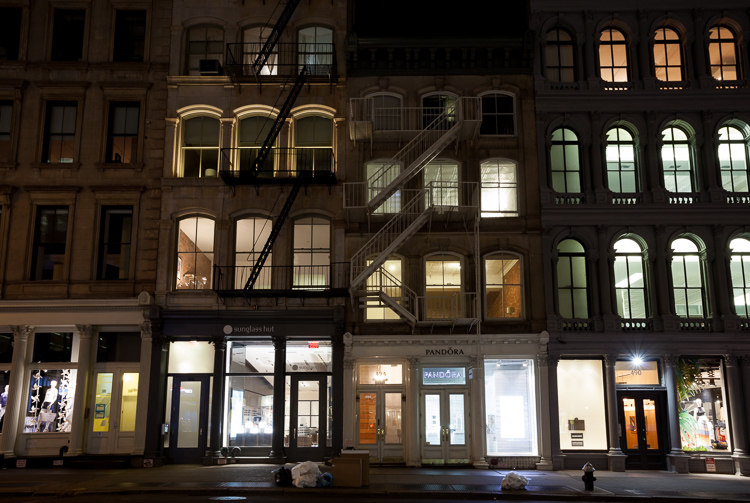
    SoHo at Night

    googletag.cmd.push(function() {
    tablet_slots.push( googletag.defineSlot( “/1005424/_dPSv4_tab-all-article-bottom_(300×250)”, [300, 250], “pb-ad-78623” ).addService( googletag.pubads() ) ); } );

    googletag.cmd.push(function() {
    mobile_slots.push( googletag.defineSlot( “/1005424/_dPSv4_mob-all-article-bottom_(300×250)”, [300, 250], “pb-ad-78158” ).addService( googletag.pubads() ) ); } );

    The post How Playing With Manual Mode Can Help You Learn Exposure Faster by James Maher appeared first on Digital Photography School.


    Digital Photography School

  • Where to Get Income When You’re New to Photography

    Photography as a career is extremely challenging and rewarding at the same time. On the one hand, photographers seem to be blessed people, because they do what they love. On the other hand, it sometimes gets very hard to make money on doing what you love – especially when you’re a freelance photographer. Luckily, there are some ways to effortlessly Continue Reading

    The post Where to Get Income When You’re New to Photography appeared first on Photodoto.


    Photodoto

  • Lens Review: Sigma 18-35mm f/1.8 DC HSM Art Lens

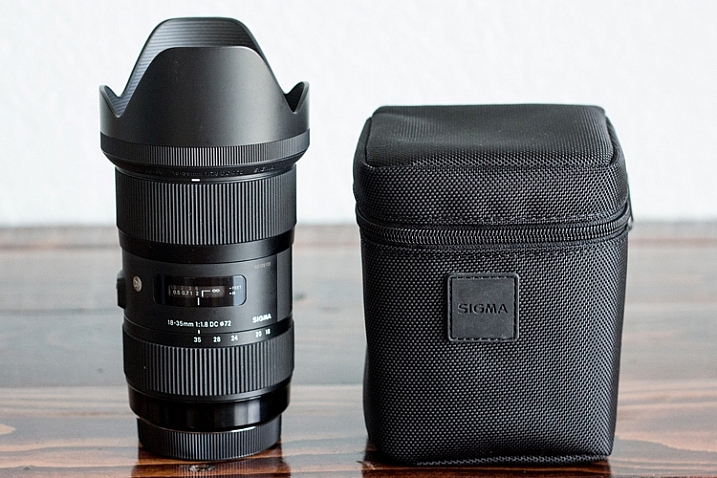
    In the world of photography, there are several different schools of thought when it comes to third party lenses. Some photographers love them, some photographers choose to only purchase lenses made by their camera manufacturer. Personally, I have never had a problem with third party lenses, and they make up about half of my current camera bag. So when I had the chance to try out the Sigma 18-35mm f/1.8 DC HSM lens for APS-C cameras for about a month, I happily jumped on the opportunity to put it to good use!

    sigma-lens-review-8

    Lens Features and Build

    Right out of the box, it was evident that this lens is something special. Sigma 18-35mm f/1.8 Art Lens offers a focal range that makes it useful for a number of different genres of photography such as weddings, portraits, and family photography. As an added bonus, it offers a fast constant aperture (f/1.8) that’s practically unheard of in similar zoom lenses.

    Sigma’s Art line has been getting a lot of buzz over the past couple of years for being high-quality lenses at an affordable price point, and this one certainly did not disappoint. Some third party lenses can have the tendency to feel plastic-y, but this lens is made of Thermally Composite Material, which both looks and feels sturdy and professional.

    sigma-lens-review-9

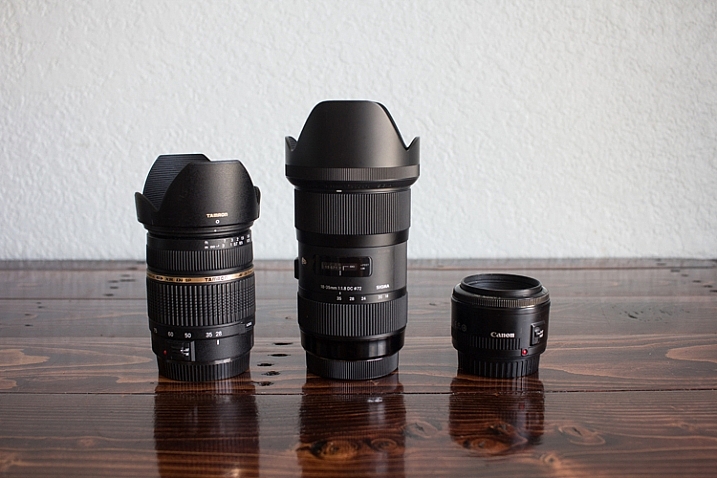
    For size comparison: Left: the Tamron 28-75mm f/2.8 | Center: the Sigma 18-35mm f/1.8 | Right: the Canon 50mm f/1.8

    This particular lens was physically larger than I expected based on other lenses in my bag, and it felt quite a bit heavier than I imagined as well. One weekend I took this lens to an RC air show, and several people commented to me that they wished they’d brought a telephoto lens like I had! It definitely isn’t a particularly small and compact lens. In terms of functionality, the zoom was heads above any other lens I own in terms of smoothness, and the auto-focus is fast and silent.

    Sharpness Test

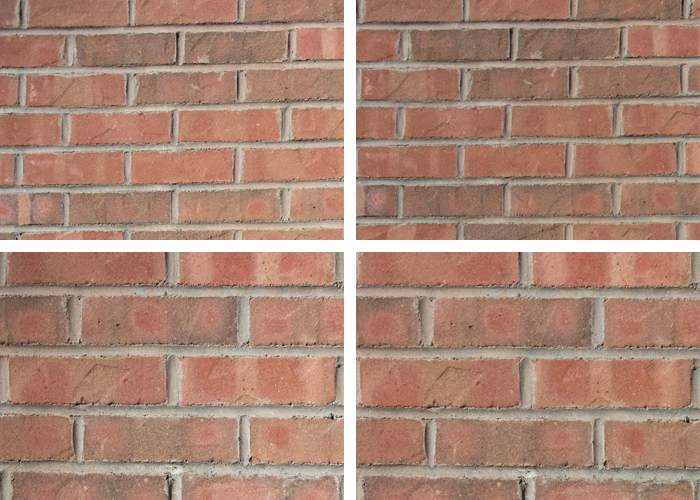
    In order to test edge-to-edge sharpness of this lens, I used a tripod to photograph a brick wall at different focal lengths and apertures. Then I zoomed in and compared the top left-hand corner of each image to check for sharpness and vignetting.

    Clockwise from Upper Left: 18mm at f/1.8, 18mm at f/16, 35mm at f/16, 35 mm at f/1.8. I cropped to include only the upper left hand corner of each image to check for edge to edge sharpness.

    Clockwise from upper left: 18mm at f/1.8; 18mm at f/16; 35mm at f/16; 35 mm at f/1.8. I cropped to include only the upper left-hand corner of each image to check for edge-to-edge sharpness.

    When shooting wide open, some consumer lenses have a tendency towards vignetting and/or have a loss of sharpness towards the edge of the image that can be very frustrating as a photographer. In this case, I noticed no discernible difference in sharpness along the edge of the image whether I was shooting at f/1.8 or f/16, even when zooming in significantly on the image. I also didn’t notice any vignetting even when shooting at small apertures. In fact, any vignetting that you see on any of the images in this article was added in the post-processing phase.

    I was really pleased with the performance of this lens, and had no issues with its edge-to-edge sharpness, vignetting, or lens creep, in the month that I tested it out.

    In the Field: People Photography

    sigma-lens-review-1

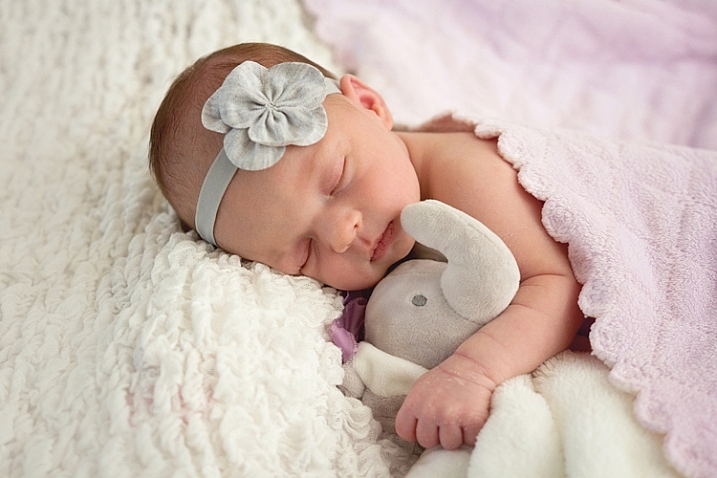
    Newborn photography

    I’m primarily a child and family portrait photographer, so those genres were the first places that I put the Sigma 18-35mm f/1.8 to the test. In terms of newborn photography, I typically shoot on location in the client’s home for newborn sessions. While I find this works very well for the comfort of both mom and baby, the one variable that can sometimes be difficult is the available natural light. In the case of photographing newborns in unpredictable lighting situations, having a zoom lens with such a fast aperture is a huge asset.

    sigma-lens-review-2

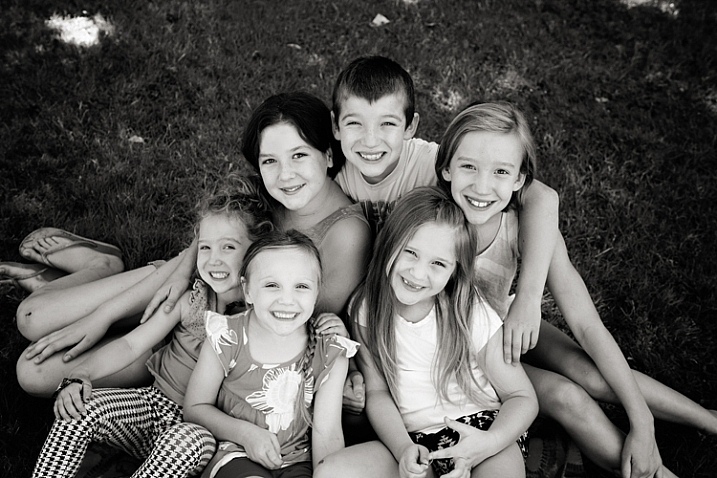
    Kids photography

    Next, I took the lens to the park with my kids, my nieces, and my nephew. Half of these kiddos were just about to move across the US, and so I wanted to be sure to take a few photos of them all together for our family. The Sigma 18-35mm stayed on my camera nearly the entire time we were at the park because it transitioned from a few semi-posed portraits to candid images of the kids playing together so seamlessly.

    sigma-lens-review-3

    Single portraits

    Though I typically prefer using a 50mm lens on the 60D for portraits (which is closer to 85mm when considering the crop factor), I was surprised at how useful the 18-35mm lens was for single-person portraits as well. The thing that I really loved about this lens was that with my kids, I often have to choose whether I want to photograph an event with a portrait bent, or a photojournalism one because sometimes there’s just not enough time to do both.

    If we head to the fire station with the girls, I can capture portraits of them in the fire gear with my 50mm lens, or I can capture pullbacks of them with the trucks with my 24mm lens. I could have taken my zoom lens, but it doesn’t have the ability to shoot as wide open as I often prefer in portraits. The Sigma 18-35mm lens is the best of all worlds–it’s wide enough to shoot pullbacks with the firetrucks and offers the functionality to zoom in and shoot portraits with a beautiful smooth bokeh at the aperture that I prefer.

    Overall, this is a really fantastic and functional lens for people photography. Whether you’re interested in portraits or weddings, this lens can handle nearly any people photography situation absolutely beautifully.

    In the Field: Nature and Landscapes

    sigma-les-review-10

    Though my real passion is in people photography, there are lots of other genres of photography that I enjoy as a hobbyist. I figured that in reviewing this lens, it only made sense to put it through some of those paces as well.

    Whether photographing wide landscapes or flower blooms up close, this lens didn’t disappoint. I should mention that this lens features a maximum aperture of f/16, which may or may not be sufficient for someone who specializes primarily in landscapes. For me, as someone who shoots people photography but occasionally wants to be able to photograph a beautiful sunset or landmark, a maximum aperture of f/16 is more than sufficient.

    sigma-lens-review-7

    I did notice that even when shooting during the golden hour, this lens doesn’t tend towards large sun flares. Rather, it tends towards smaller sunbursts or small flares, which I find to be a benefit for both nature photography and for photographing people during the golden hour.

    sigma-lens-review-5

    Astrophotography

    Lastly, I decided to use this lens to try out astrophotography. I’ve dabbled with photographing the moon before. But I haven’t had much success photographing stars because I just didn’t have the right lens that offered both a fairly wide angle and a fast aperture.

    I was really pleased with the results of shooting the Sigma at 18mm, f/2.2, and 1600 ISO. Though I did notice some minor lens coma, it was far less noticeable than any other lens I’ve ever tried at similar settings. Again, astrophotography is not my specialty. However, it is something that I’ve enjoyed experimenting with on occasion, and it’s a bonus to me that a lens I’d primarily use for photographing people could also be used in this way as well!

    sigma-lens-review-4

    Overall Impressions

    This is a really fantastic lens. If I owned it, I’m certain that it would get a ton of use. I could absolutely envision it as being my “walking around” lens that is attached to my camera most of the time.

    That said, the one thing that would prevent me from purchasing it is that at $ 799, it’s more than I typically like to spend for a lens that only works for APS-C cameras. My photography budget is definitely not unlimited, so I think long and hard before I make any new purchases. When I do make a purchase, I typically try to choose lenses and other equipment that will serve me now, while also being good investments as I look to the future. I love my Canon 60D, and it currently suits all of my photographic needs just fine. However, I can’t say with 100% certainty that I would never eventually upgrade to a full-frame camera.  So I would be hesitant to invest this significantly in a lens that would not be able to transition with me.

    All that said, this is where it is absolutely crucial that you consider your own approach to photography. Not every photographer in the world needs or wants a full-frame camera, and that is perfectly fine. If you are fairly certain that you don’t have plans to transition to full-frame in the near future, then I really cannot recommend this lens highly enough. It is well-made, high quality, and useful in so many different situations. Kudos to Sigma for producing a really extraordinary product with the Sigma 18-35mm f/1.8 DC HSM Art Lens!

    googletag.cmd.push(function() {
    tablet_slots.push( googletag.defineSlot( “/1005424/_dPSv4_tab-all-article-bottom_(300×250)”, [300, 250], “pb-ad-78623” ).addService( googletag.pubads() ) ); } );

    googletag.cmd.push(function() {
    mobile_slots.push( googletag.defineSlot( “/1005424/_dPSv4_mob-all-article-bottom_(300×250)”, [300, 250], “pb-ad-78158” ).addService( googletag.pubads() ) ); } );

    The post Lens Review: Sigma 18-35mm f/1.8 DC HSM Art Lens by Meredith Clark appeared first on Digital Photography School.


    Digital Photography School

  • How to Process a Black and White Landscape Photo Using Lightroom

    The process of converting a color landscape photo into a black and white image using Lightroom goes beyond changing the treatment to black and white. That’s just the start. From there you have to tweak and refine, using all tools that Lightroom gives you, to craft an image that matches the vision you carry in your mind.
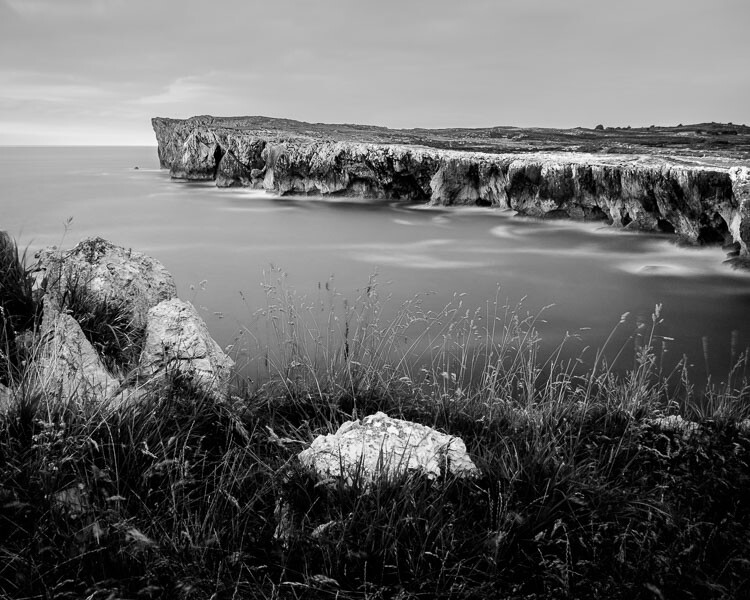
    Black & white landscape in Lightroom

    A good way of showing you how this works is to take you step by step through the process that I use when converting a landscape photo to black and white in Lightroom. You’ll see the techniques that I use. and more importantly, the reasoning behind them. This should give you the insight you need to use these tools on your own images.

    1. Make sure you have a good image for black and white

    The first step is to make sure that you are working with a photo that suits a black and white treatment. Good black and white photos have strong composition that make use of texture, line and tonal contrast.

    It’s a good idea to convert only your best landscape photos to black and white. It will take you some time to convert a photo, so why waste it on anything less than your best work?

    2. Prepare the color photo

    First, open your photo in Lightroom’s Develop module. Then, I do two things before converting a color landscape photo to black and white.

    1. Use the Spot Removal tool to get rid of any dust spots.
    2. Set White Balance to Auto so that the color balance of the photo is more or less neutral. Photos with strong color casts are harder to successfully convert to black and white.

    If you are converting a photo that you have already processed in color it’s a good idea to make a Virtual Copy and work on that. This way you don’t lose the work you have done on the original color version.
    Black & white landscape in Lightroom

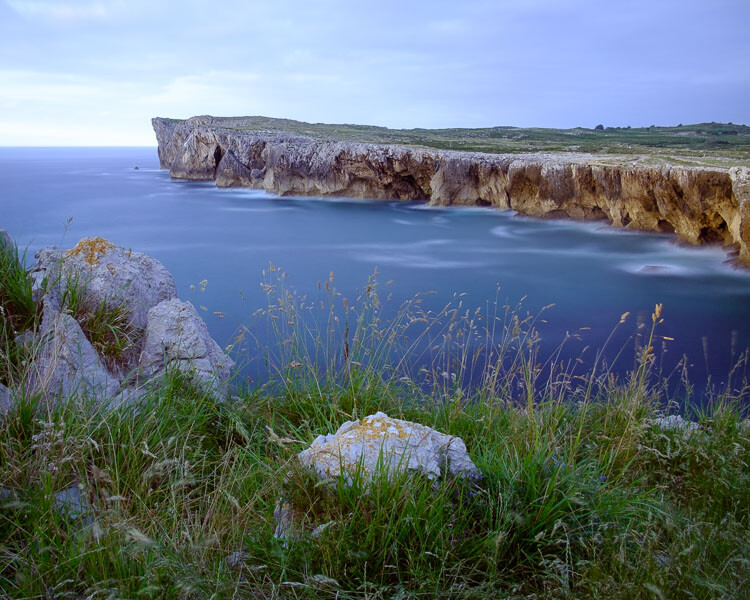
    Here’s the color photo that I am going to convert to black and white.

    3. Analyze your photo

    This takes practice and becomes easier the more you convert photos to black and white. The idea is to make some big picture decisions about what you want to achieve with your conversion. With my photo I can see that:

    • The sky is too bright, and I would like to make it darker.
    • The distant cliffs have beautiful texture that I would like to bring out
    • So do the grass and stones in the foreground.
    • The sea and sky are smooth, creating a visual contrast against the heavily textured parts of the photo.
    • There is good tonal contrast between the grass and stones in the foreground.

    This analysis helps me set some goals for the conversion.

    4. Convert the image to black and white

    There are three ways to convert the photo to black and white using Lightroom. They all do the same thing, so it doesn’t matter which of these methods you use:

    1. Set Treatment to Black & White in the Basic Panel.
    2. Use the keyboard shortcut; V .
    3. Click on B&W in the HSL/Color/B&W panel.

    The conversion is likely to look quite flat. That’s okay – it’s easy to add some contrast.
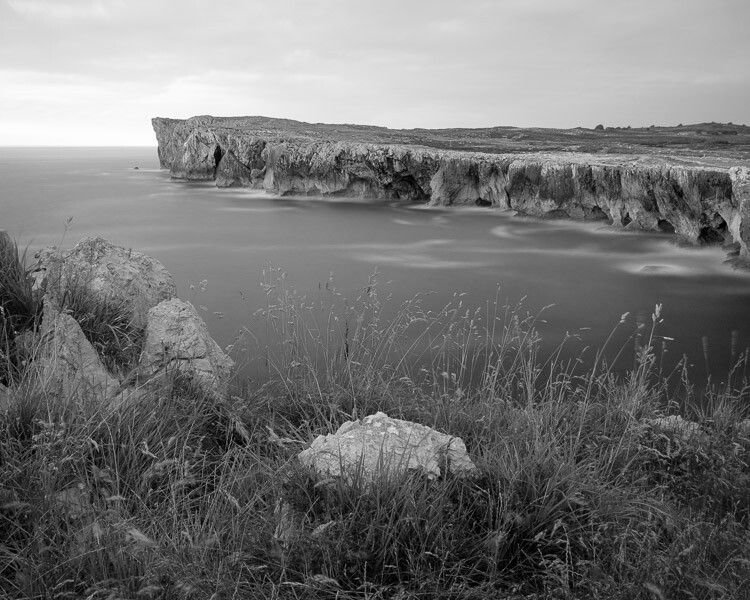
    Black & white landscape in Lightroom

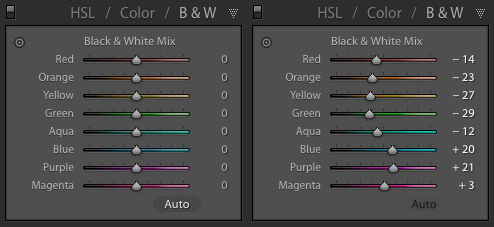
    Now go to the B&W tab in the HSL / Color / B&W panel. It will look like one of the these two examples below depending on your Preference settings in Lightroom:
    Black & white landscape in Lightroom

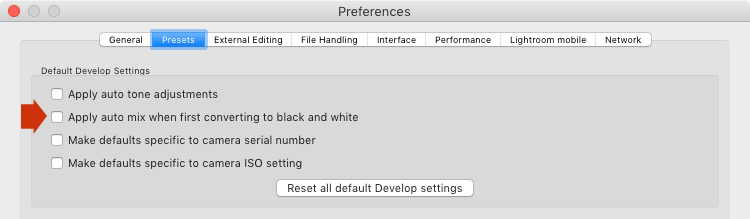
    If you go to the Presets tab in Preferences (see below) you’ll see a tick box titled Apply auto mix when first converting to black and white. If this is unchecked, all the sliders will be zeroed, as in the screenshot on the left (above). If it is ticked, Lightroom takes a guess at what settings to use to make a good conversion and you’ll see something like the screenshot on the right (above).
    Black & white landscape in Lightroom

    My preference is to leave the box unticked.

    When I convert the image to black and white I go to the HSL / Color / B&W panel and click the Auto button at the bottom of the B&W tab. If I like the result, I leave it there. If I don’t, I use the undo command (Ctrl-Z on a PC, Cmd-Z on a Mac) to undo it.

    In this case, I liked the result of pressing the Auto button, so I left the settings as they were. I rarely do any work more than this in the HSL / Color / B&W panel.
    Black & white landscape in Lightroom

    5. Basic panel adjustments

    Now it’s time to make some global adjustments in the Basic panel. Global adjustments are those that apply to the entire image.

    The image is flat so the first step is to increase contrast.

    Going back to the analysis I did earlier, I can see that I want to emphasize the textures in the photo. Clarity is the ideal tool for this. Increasing Clarity also increases contrast. You should adjust both Clarity and Contrast sliders to get the best overall effect, without overdoing it. You can also use the Highlights and Shadows sliders to adjust the brightness of the lightest and darkest tones in the image individually.

    In the end I set Contrast to +40, Clarity to +60, Shadows to -13 and Highlights to -49. Remember that every image is different, and that these settings only apply to this one.
    Black & white landscape in Lightroom

    6. Make local adjustments.

    Now it’s time to make some local adjustments. Local adjustments are those that just affect part of the image. Lightroom gives you three tools to do this – the Radial filter, the Graduated filter and the Adjustment Brush.

    I want to make the sky darker in this photo, so I will do that with a Graduated filter. This screenshot shows the location of the Graduated filter (the area affected by the local adjustment is shown in red).
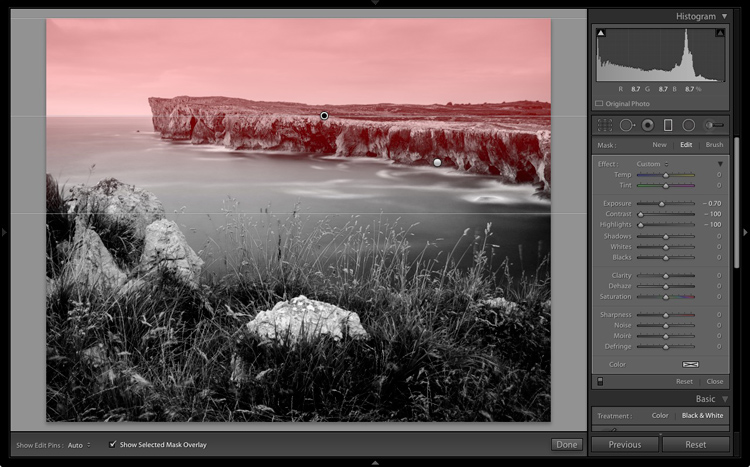
    Black & white landscape in Lightroom

    I used the brush to erase part of the Graduated filter so that the sea and cliffs weren’t affected.
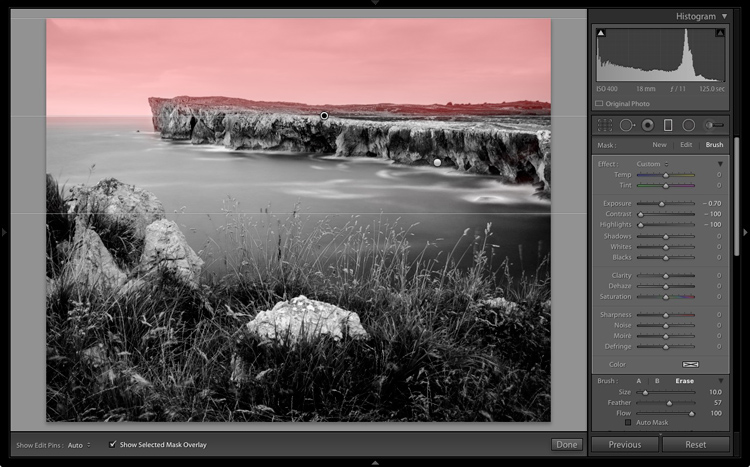
    Black & white landscape in Lightroom

    I set Exposure to -0.70, Contrast to -100 and Highlights to -100. Again, the settings required depend on your photo.

    My aim here was to make the clouds darker and reduce the contrast so that they appeared smoother. The contrast in this image is in the cliffs, the sea and the foreground, not the sky. Less contrast in the sky means that it won’t compete with those areas for attention.
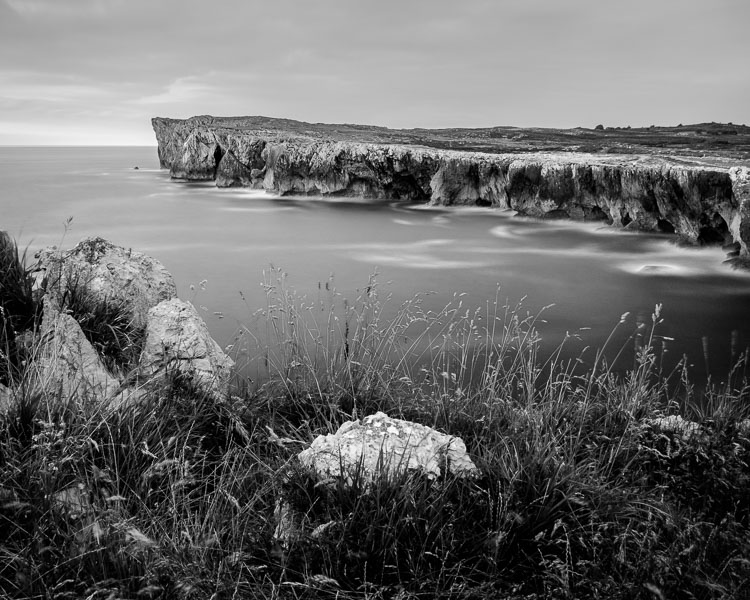
    Black & white landscape in Lightroom

    The next local adjustment is on the cliffs in the background. I used the Adjustment Brush for this. Here’s the area affected by the local adjustment (shown in red again).
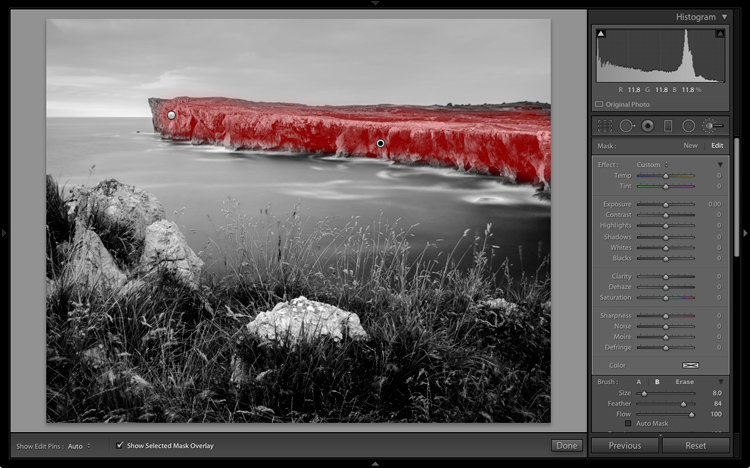
    Black & white landscape in Lightroom

    I set Clarity to +86 and Shadows to +16.
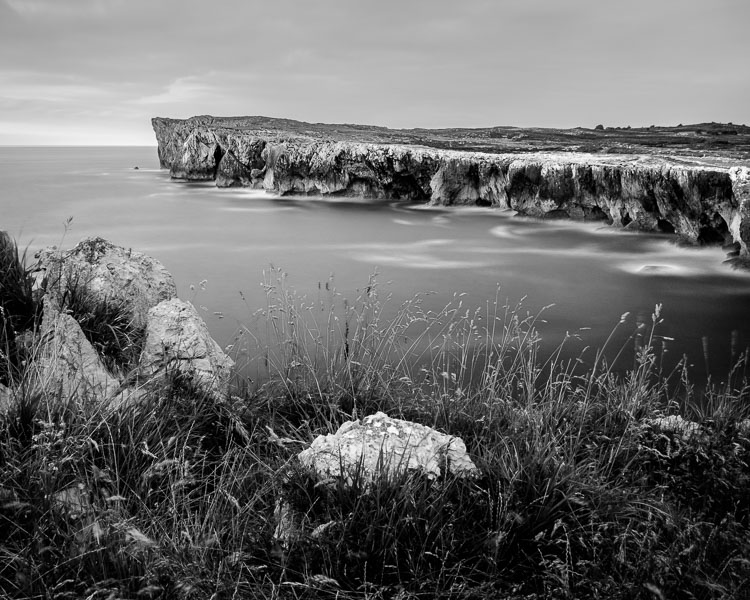
    Black & white landscape in Lightroom

    You may remember that in my analysis I decided that I wanted to make the foreground darker to emphasize the tonal contrast between the grass and the rocks. I’m going to use the Adjustment Brush for this as well.

    First, I added an Adjustment Brush to make the grass darker. Here’s the area affected (shown in red).
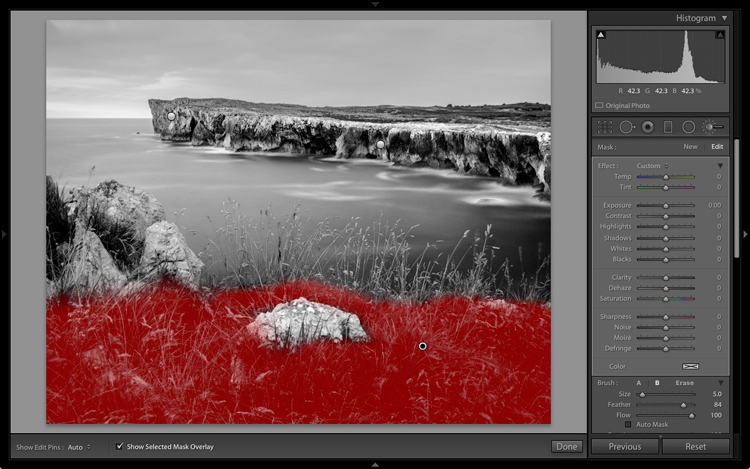
    Black & white landscape in Lightroom

    I set Highlights to -64, Shadows to -48.
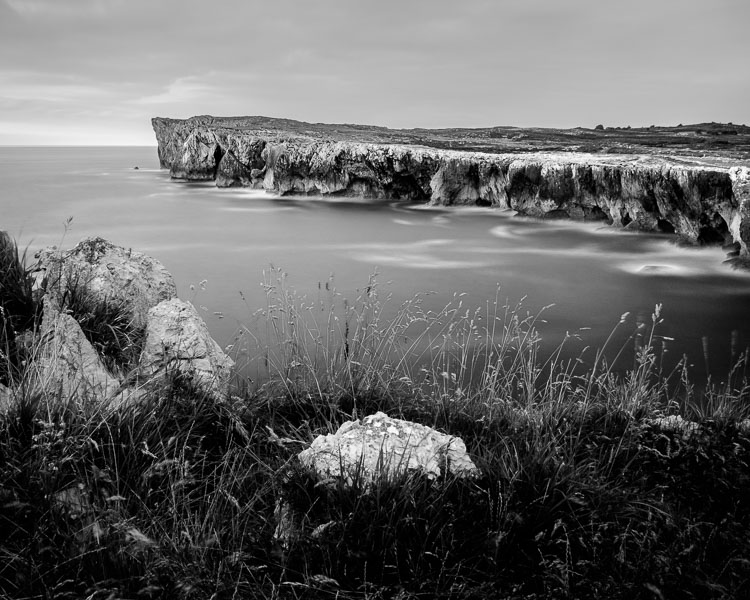
    Black & white landscape in Lightroom

    That left a light patch in the bottom left corner, and a dark patch under the stone in the center. I used the Adjustment Brush two more times, to make the light patch darker and the dark bit lighter, creating a more even tone across the bottom of the image.

    Then I used the Adjustment Brush on the stones, with a Clarity adjustment to bring out the texture. Below is the result of all those adjustments.
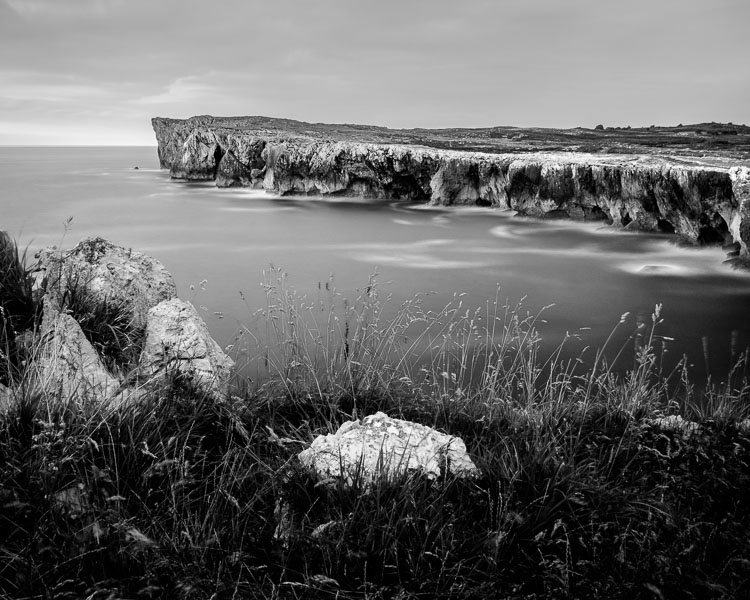
    Black & white landscape in Lightroom

    Next I used the Adjustment Brush again and selected the sea and the sky.
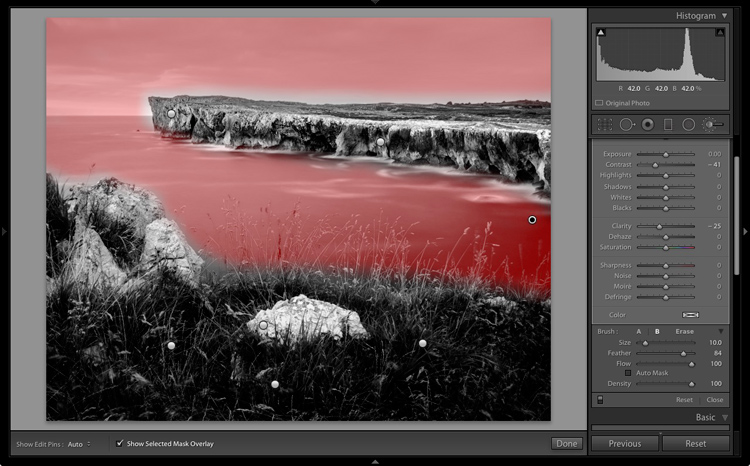
    Black & white landscape in Lightroom

    Then I set Contrast to -41 and Clarity to -25. The idea was to remove some of the contrast and texture from these areas, to emphasize the smoothness and lack of texture and set up a stronger visual contrast against the heavily textured cliffs and foreground.

    Black & white landscape in Lightroom

    That’s it. The final image could certainly be refined a little further, but it’s important to pick a point at which to stop so that you don’t spend too much time on the conversion. Where this point is depends on how much of a perfectionist you are, and how much time you are willing to devote to a single image.

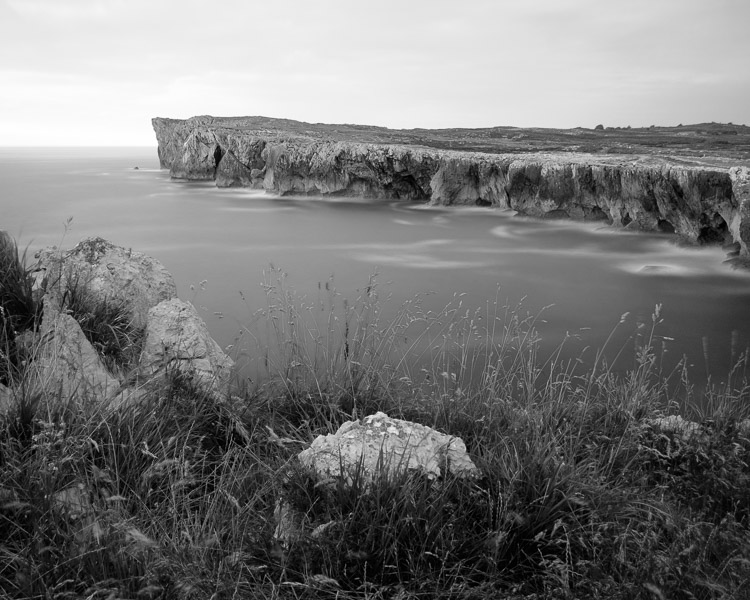
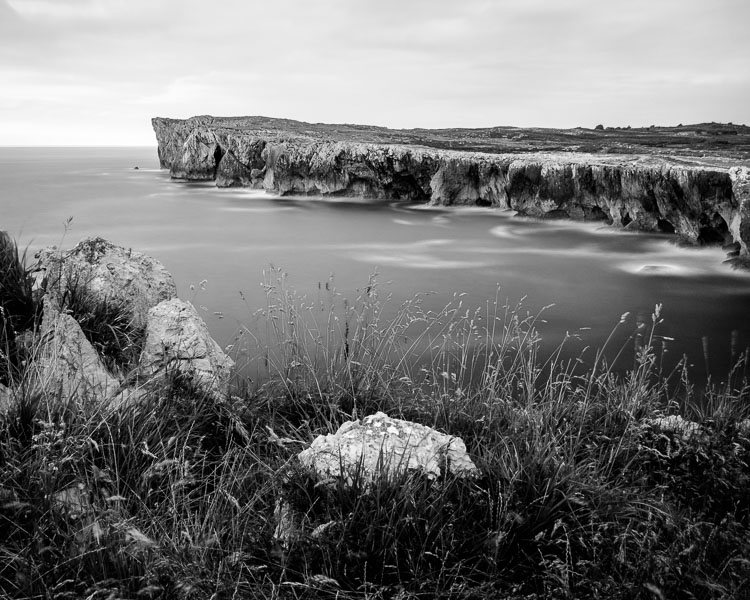
    Here’s the initial black and white conversion and the final result together so you can see the difference more clearly.

    Black & white landscape in Lightroom

    Original color image.

    Black & white landscape in Lightroom

    First version of black and white conversion.

    Black & white landscape in Lightroom

    Final image.

    There are lots of ways you can convert landscape photos to black and white in Lightroom. I’ve only touched on the topic here, so if you have anything to add please let us know in the comments.


    Mastering Lightroom

    If you want to know more about processing black & white photo in Lightroom then please check out my ebook Mastering Lightroom: Book Three – Black & White.

    googletag.cmd.push(function() {
    tablet_slots.push( googletag.defineSlot( “/1005424/_dPSv4_tab-all-article-bottom_(300×250)”, [300, 250], “pb-ad-78623” ).addService( googletag.pubads() ) ); } );

    googletag.cmd.push(function() {
    mobile_slots.push( googletag.defineSlot( “/1005424/_dPSv4_mob-all-article-bottom_(300×250)”, [300, 250], “pb-ad-78158” ).addService( googletag.pubads() ) ); } );

    The post How to Process a Black and White Landscape Photo Using Lightroom by Andrew S. Gibson appeared first on Digital Photography School.


    Digital Photography School
  • 5 Tips for Developing an Eye for Details in Your Photography

    I’m a firm believer in the power of photographing details. Take a particular scenario… let’s say you walk into a restaurant. It’s busy, packed with people, and perhaps a little on the noisy side, even. You have just been told by the staff that it’s a 30-minute wait for a table and you have seconds to make up your mind. You take another glance at the buzzing scene before you and decide you like the feel of the place so you wait patiently in the queue. And then you ponder why….what made you stay?

    You made your decision on a whim, a gut feeling, a mere glance at the place. Surely, there has to be a reason why this place has evoked such feeling enough for you to stay and wait. So you look carefully and analyze why.

    5-tips-photographing-details-tutorial_0003

    What’s in the details

    The lights, they are all moody, set at different heights and levels, in nooks and crannies, giving an atmospheric ambience to the room. The low slung sofas in the corners are covered with lush velvet cushions, inviting you to come sit and relax. You feel relaxed already just at the thought of hunkering down on one of those. You then notice the little fireplace, alit with slow burning crackling flames, some interesting contemporary art hung above it on the chimney breast.

    Your eyes dart to and fro across the room as you see many mismatched chairs full of character and wear and tear from being loved over the years. Each one deserving of a good look and admiration. Wild flowers and plants on the tables, a shelf filled with books and another with vinyls next to a turntable. It’s like your eyes have been opened and the list of details goes on. Now you know why.

    The details – they may seem small and insignificant but never underestimate their power. It is the details that make anything – a place, a wedding, a special birthday, an anniversary, a family photoshoot.

    Training your eye to see details

    However, it takes a special eye and some practice to notice details immediately. In fact, practice help make you look for details instantly. What is so unique about the place, the wedding, or your client’s home? What is the trademark of the couple that makes the photoshoot so them? The fabric and designs on the clothes they wear, their accessories, their props, the style they have decorated their home, the colors. What is the place known for, what makes them stand out from the crowd? Often, the answer is in the details.

    I have been a professional photographer for eight years and over that time I have learned to see details so that they are the first things I look for at a location. If you are new to this concept of photographing details, here are five quick tips to get you started and you’ll be capturing places and people’s uniqueness in no time. You don’t need to practice on a photoshoot to see details. You can make your own detail-finding project, use a family day trip, or just go for a walk outside your house. Details are everywhere. The trick is in the selection and in the art of seeing them.

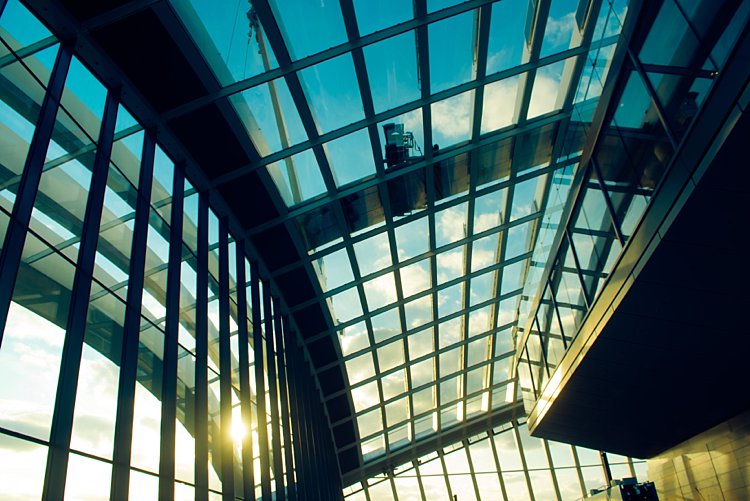
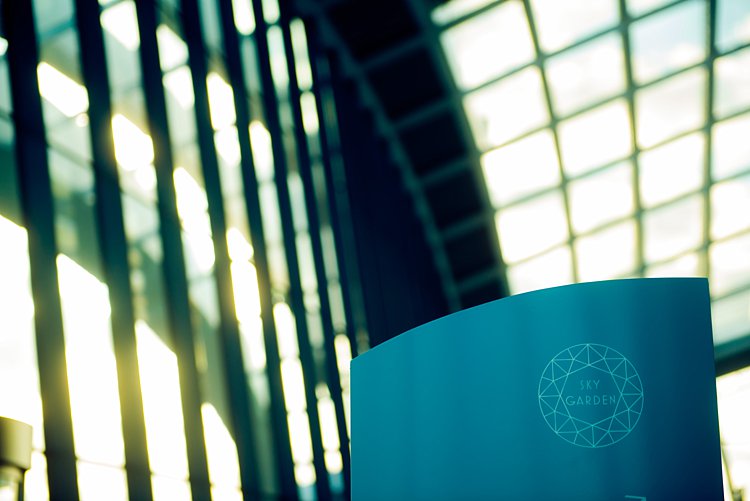
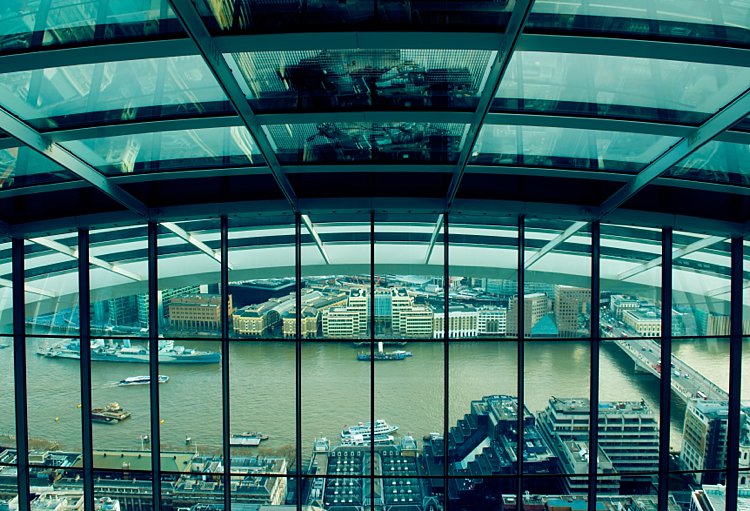
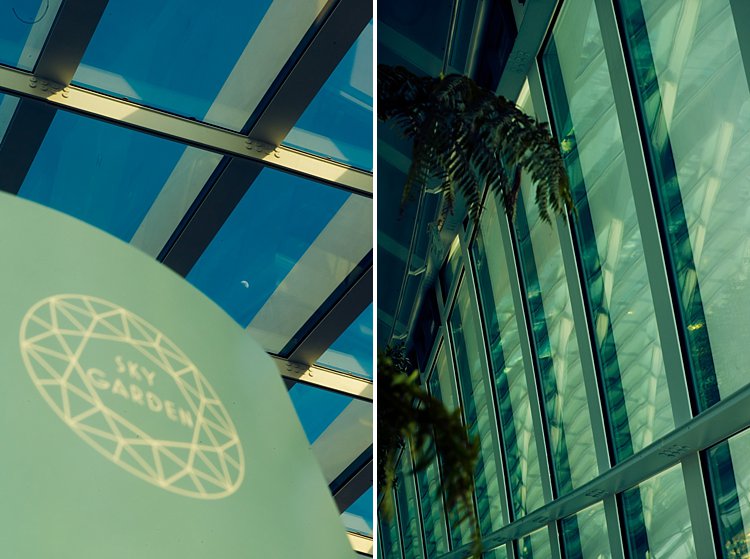
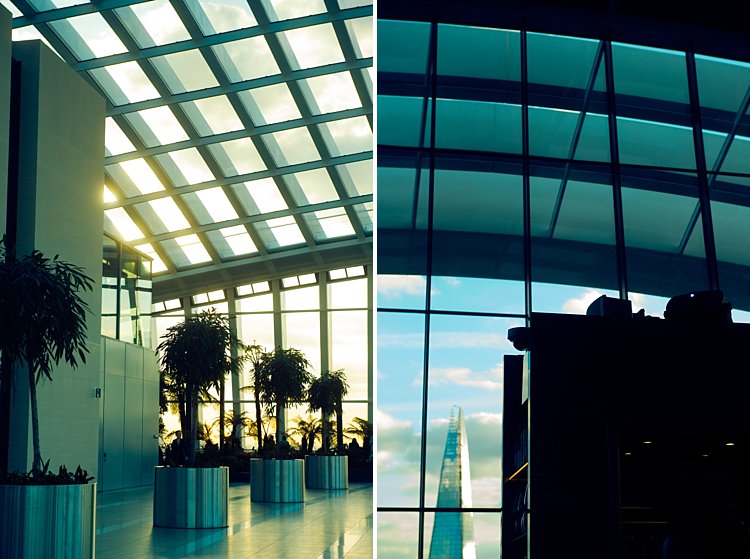
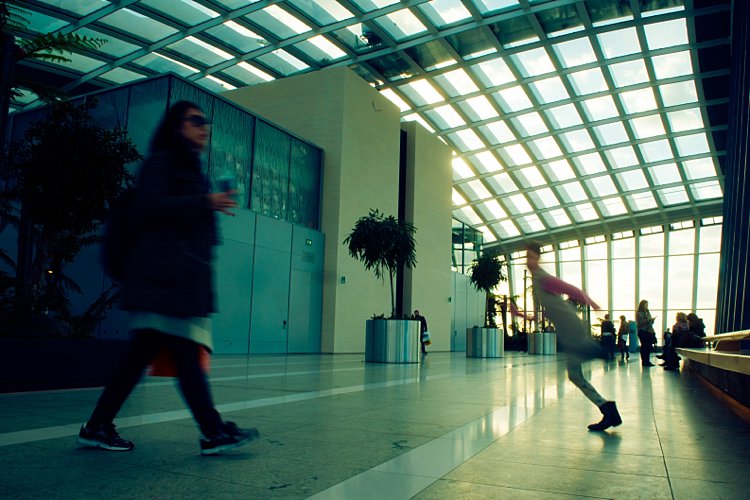
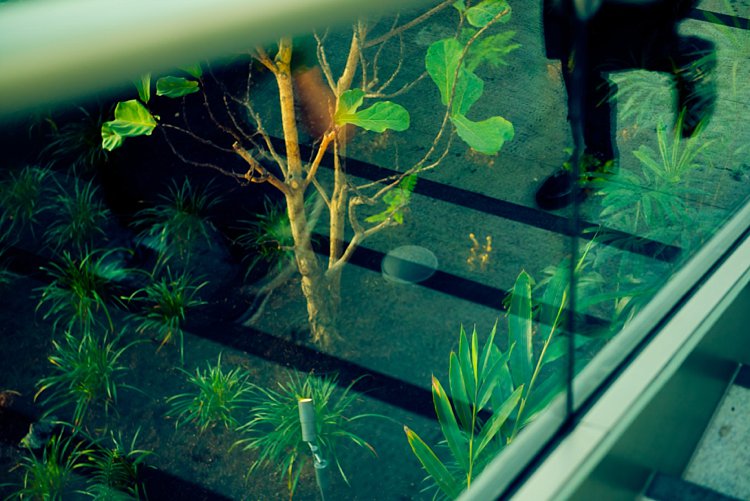
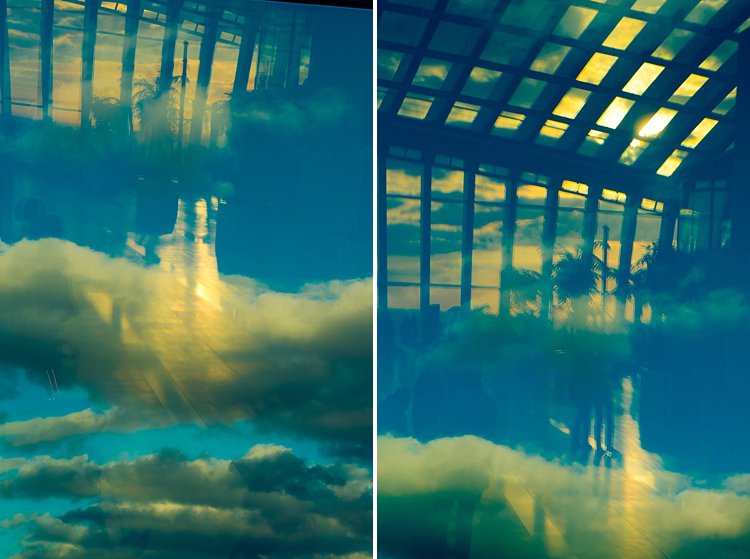
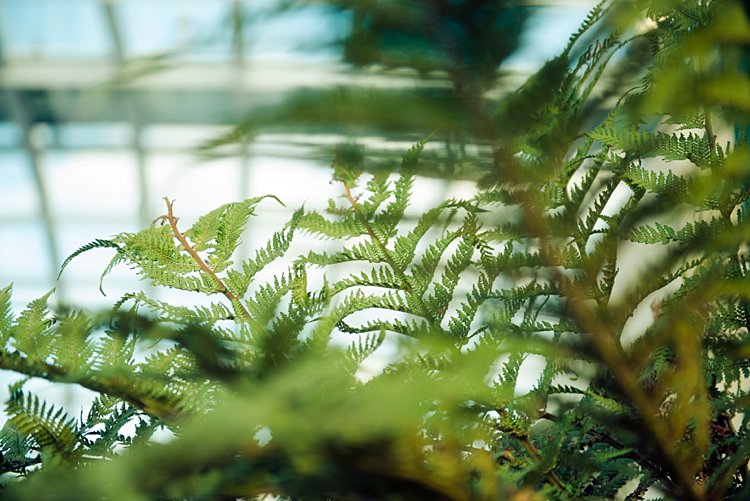
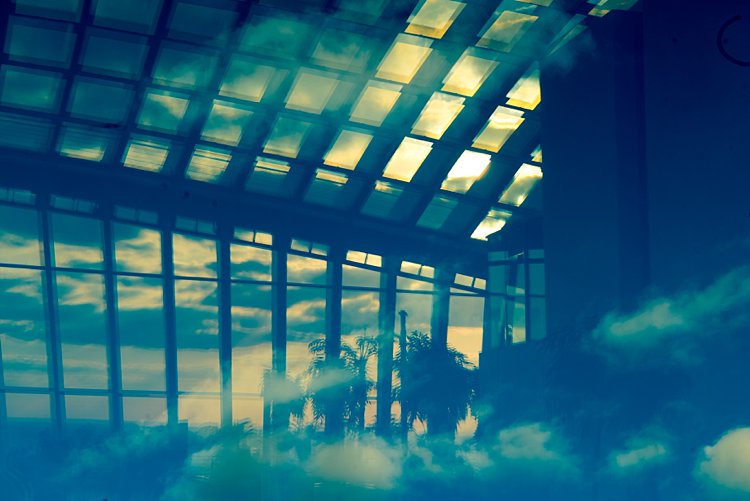
    The photos below have been taken from a family visit to the Sky Garden in London.

    #1 Follow the light

    5-tips-photographing-details-tutorial_0000

    Light is the most important element in photography. Study light, follow it, position yourself correctly in relation to the light when you take your image and you will be fine!

    Soft light comes early and late in the day, filtering through at an angle, creating soft shadows. Adversely, harsh light often comes from when the sun is shining right over your subject or when they are facing the sun directly. This light creates harsh and dark shadows and is often avoided by photographers. Of course, there are ways you can counteract this effect by using strobes and light modifiers so that it is irrelevant at what time of day or night you shoot. It is important to understand light, its effect on your subject, and to look for light when you take your images.

    #2 – Find patterns and shapes

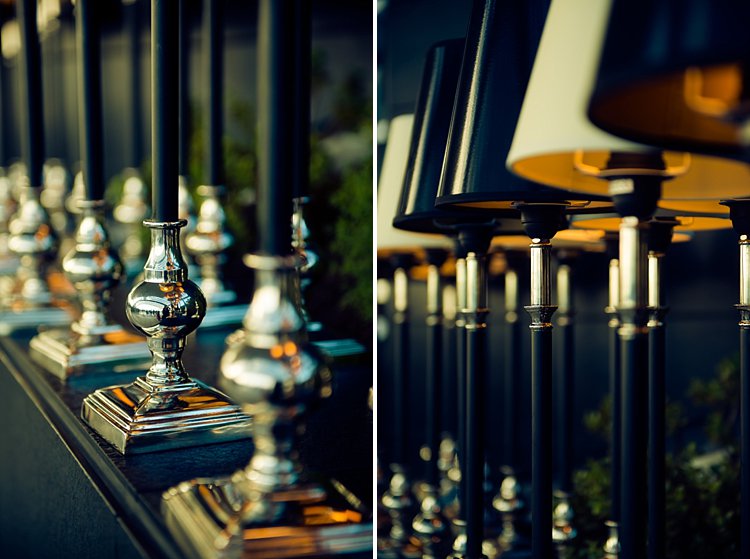
    Anything that looks interesting or repetitive can be a good starting point for a good image. The images below were simply table lamps and candlesticks waiting to be placed on the tables, that were arranged at the back of the bar. I liked the different textures at play here: shiny against matte, metallic against vinyl.

    5-tips-photographing-details-tutorial_0002

    5-tips-photographing-details-tutorial_0011

    5-tips-photographing-details-tutorial_0006

    #3 – Look for contrast

    Contrast is so crucial in photography. Without it, you will have a very flat image. You want enough contrast going on in your image so that it looks more 3 dimensional, with details intersecting planes and adding more interest to your picture. Possible contrasts include:

    • Light and shadow
    • Round and straight
    • Warm light and cold steel
    • Silhouettes against clouds or sky
    • Solid against translucent or transparent
    • Opposing colors in the spectrum
    • Motion and a still structure

    5-tips-photographing-details-tutorial_0015

    5-tips-photographing-details-tutorial_0013

    5-tips-photographing-details-tutorial_0014

    #4 – Train your eye to see the unusual

    This is one of my favorite challenges. Often I have to push myself to really see the unusual or have an original take on something that is otherwise cliche. Reflections help a lot here, as does layering. Positioning yourself at uncommon angles just to get a fresh view helps.

    5-tips-photographing-details-tutorial_0005

    5-tips-photographing-details-tutorial_0004

    5-tips-photographing-details-tutorial_0008

    #5 – Use juxtaposition

    Quite possibly the most difficult thing to do out of these five tips is using juxtaposition. It is tricky and requires a strong sense of what goes together effectively. It is one of those times when you just have to trust your gut a bit more and listen to that inner voice that says ‘”That does not quite look right” or “Yes those two go perfectly together”.

    This is difficult to describe and rationalize in my own opinion but something that will probably come to you naturally after training yourself at looking enough. So remember to be patient with yourself, take your time, and most of all enjoy the journey.

    5-tips-photographing-details-tutorial_0012

    5-tips-photographing-details-tutorial_0010

    I hope you found these tips helpful. Do share in the comments below your images of details or any additional tips you may have.

    googletag.cmd.push(function() {
    tablet_slots.push( googletag.defineSlot( “/1005424/_dPSv4_tab-all-article-bottom_(300×250)”, [300, 250], “pb-ad-78623” ).addService( googletag.pubads() ) ); } );

    googletag.cmd.push(function() {
    mobile_slots.push( googletag.defineSlot( “/1005424/_dPSv4_mob-all-article-bottom_(300×250)”, [300, 250], “pb-ad-78158” ).addService( googletag.pubads() ) ); } );

    The post 5 Tips for Developing an Eye for Details in Your Photography by Lily Sawyer appeared first on Digital Photography School.


    Digital Photography School
  • How Using a Manual Focus Lens Can Make You a Better Photographer

    Back in the days of all manual, focusing your lens was a  skill that every photographer had master. Focusing used to be that thing that made your camera an extension of your hand, therefore a direct extension of your photographer’s eye. That whole agenda came to an end in the early 1990s with the arrival of autofocus systems that were able to actually focus faster than us humans.

    That is another key frame along the medium’s timeline. Where new technology started a chain reaction that changed the face of photography forever. Until the appearance of mirrorless cameras that is.

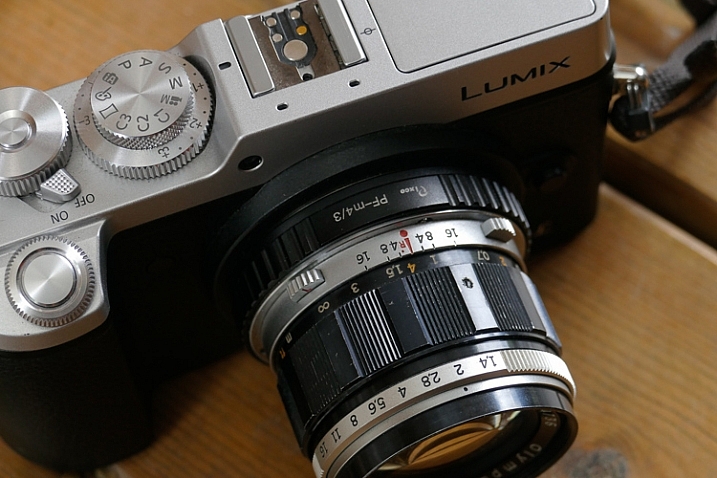
    Manual Focus Ouria Tadmor

    A photographer looking to purchase a new lens for their mirrorless camera in 2016 might find that there are many manual focus lenses made nowadays alongside the autofocus ones. That means one thing: the market has said the word, manual focus is not dead.

    Feed your spirit with the following thoughts to learn how manual focusing can make you a better photographer.

    Doing versus supervising

    And old carpenter once said, “If you want something done right the first time, do it yourself.” That was always reiterated when a new machine came to the industry to perform a task better, faster, and more efficient than a trained man could ever do.

    Instead of being a skilled craftsman, now all you need to know is how to make sure that the machine is doing its job, that’s the truth about an autofocus camera. It is one thing for your brain to rotate the focusing ring with your left hand and stop rotating at the correct focus, and a whole different thing to wait for the green light or beep confirming focus has been achieved. 

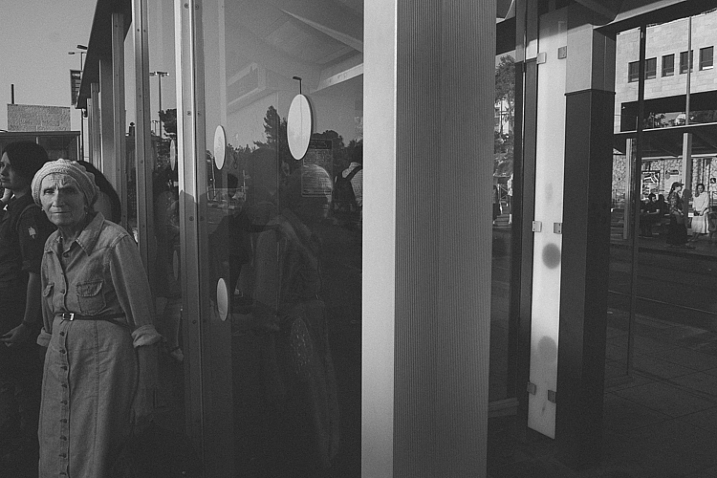
    Manual Focus Ouria Tadmor

    Sometimes you might choose to use only one central focusing point, lock it on your subject and then recompose your frame. That way you are still doing some of the work yourself, but you do it by pressing a button rather turning a ring with your left hand.

    Pressing a button (or half-pressing the shutter, in most cases) is a very different connection between your hand and the machine than turning a ring with your left hand. Allowing your hand to learn the feel of the lens. Letting your hand know when and where to turn the dial and where to stop. It takes a greater effort of your brain, but only until your muscles learn it and bypass the need to think about the action. Then it frees your brain to think about the picture. In autofocus mode, your brain always has to check on the machine, make sure that focus is where you want it. That takes brain power every time. Brain power that could have been used to be more creative.

    The need for speed

    Manual Focus Ouria Tadmor

    It’s true, the autofocus machine is indeed faster at turning the lens to the right distance than any human hand will ever be. But then it needs to wait for the brain to approve it before the shutter is pressed all the way and the photo is taken. So it is actually you that slows down the machine.

    There are ways to overcome the speed limit of manual focus. For example, one way is to pre-focus on the distance your subject will be positioned at the moment of exposure. This is a technique that was very popular among sports photographers in the days before predictive dynamic autofocus. It required a fair amount of planning and knowing the nature of your subject. A property that let to visualization of the final image even in sports photography.

    Another way, more popular among street photographers is called Zone Focus. You approximate the distance of your subject and make sure that they are within the depth of field by setting the focus and aperture correctly. It is a fast and simple technique that will force you to plan your frames. Thus forcing you to be more sensitive to your surroundings than a photographer who responds to a moment by half-pressing the shutter and then pressing it all the way. A street photographer trained in zone focusing does not have to pay attention to focus at all because they adjust their focus and aperture with every change in the scene without even thinking about it.

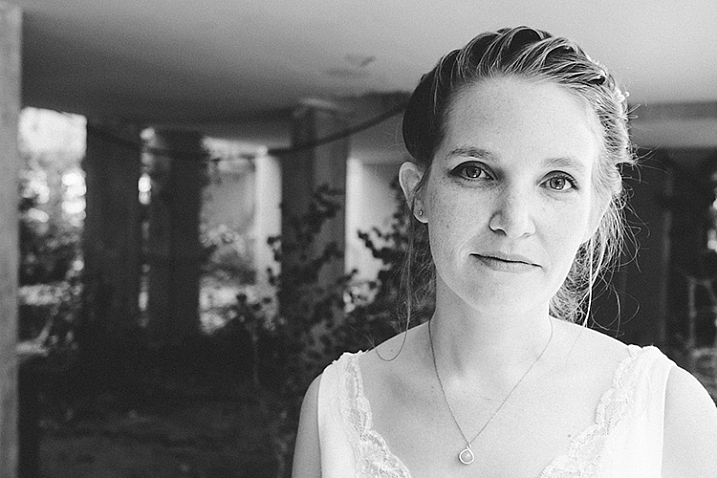
    Manual Focus Ouria Tadmor

    Move slow, think fast

    When photographing a portrait with a fast telephoto lens you want to have the subject’s nearest eye in focus. There are many ways to achieve that with autofocus cameras. Some of the modern mirrorless cameras will lock on the near eye and stay focused on it for you as long as it’s there.

    What a manual focus lens does for you is exactly the opposite. It is almost impossible to keep the near eye in focus with a portrait lens at a wide open aperture. The shallow depth of field means you will have to pay attention to your subject’s smallest moves such as breathing. By doing so it will focus your attention on the subject and you will start noticing facial features that would have been left behind at the photographing speed of autofocus lenses.

    Manual_Focus_OT

    Zen and manual focus

    Use manual focus to put control of your photography back in your hands. It will slow you down and make you think more. For many of the greatest photographers throughout history, the process was as important as the final picture. When you let yourself indulge the process your photographs will benefit.
    It is a totally different experience to manual focus using a lens that was created for autofocus than one that was made to be focused by a human. Invest in yourself and buy a vintage affordable lens that fits on your camera then go out shoot with only that lens. This way you will be able to feel what it is like to really do manual focus photography.

    googletag.cmd.push(function() {
    tablet_slots.push( googletag.defineSlot( “/1005424/_dPSv4_tab-all-article-bottom_(300×250)”, [300, 250], “pb-ad-78623” ).addService( googletag.pubads() ) ); } );

    googletag.cmd.push(function() {
    mobile_slots.push( googletag.defineSlot( “/1005424/_dPSv4_mob-all-article-bottom_(300×250)”, [300, 250], “pb-ad-78158” ).addService( googletag.pubads() ) ); } );

    The post How Using a Manual Focus Lens Can Make You a Better Photographer by Ouria Tadmor appeared first on Digital Photography School.


    Digital Photography School