RSS
 

Archive for the ‘Photography’ Category

6 Tips for Shooting Long Exposure Night Photographs

16 Feb

In this article I am going to share with you six tips that I have found to produce amazing long exposure night photographs. I have learned the hard way by making every mistake possible and through that finding what really does work.

So here are the 6 tips to make your long exposure photographs at night:

6 Tips for Shooting Long Exposures at Night

Tip #1: Try to avoid using a Neutral Density filter

On this photo (below) I did a 25 second exposure. That is quite a long exposure and to help prevent it from blowing out, I took the photo right at the end of sunset. There was less light, so that I didn’t have to put an ND Filter on.

6 Tips for Shooting Long Exposures at Night

If you put an ND filter on it is going to give you a color cast during long exposures. Yes you can use a polarizer, but avoid Neutral Density filters. Shoot when the sun is going down and keep your camera at a low ISO like 100 or 200. Don’t get me wrong, I love ND filters but not at night.

Tip #2: The best time for long exposures is 25 seconds

I know that’s a bold statement. Not as bold as stating that French food is the best in the world, but still a bold statement. Here is why I recommend this; I’ve found that when I shoot at 25 seconds it makes the water silky and the clouds stretchy and this has a beautiful look that sells well. Obviously it’s also an artistic choice, but as a photographer you likely want people to buy your photos. The best indicator that people like your photos is that they buy them.

Here is an example:

6 Tips for Shooting Long Exposures at Night

First I started with a 6 second exposure.

Now, in taking the photo I exposed the image for the highlights. So when you open up the shadows, bring down the highlights, and boost the exposure a little bit like so:

6 Tips for Shooting Long Exposure Night Photographs

I do have all the details of the photo, but the only problem is that the clouds were not moving and the water is not silky.

6 Tips for Shooting Long Exposure Night Photographs

So I went ahead and put the exposure time to 25 seconds. Now it does seem like the highlights in the photos are a little burnt, but I have found that on city lights it doesn’t really matter that much because it still works great on a print.

To conclude; 25 seconds is the best long exposure, you don’t even need a remote, you just need to put your camera on the 2-second timer and go into manual shooting mode, use a low ISO, and an aperture that is going to work like f/7 or f/8.

If your photo is too bright you can adjust the aperture to f/14 and if it is too dark you can even put your aperture to f/4. Just make sure you check your focus to ensure the background is sharp.

Tip #3: Try different exposures of the same scene

Even though I said that 25 seconds exposure is the best, it’s always good to shoot different exposures because this may be different for your situation. For example, I thought that this first image was my go-to photo.

6 Tips for Shooting Long Exposure Night Photographs

But in the end the one that I am going to retouch and going to send to the gallery is this one.

6 Tips for Shooting Long Exposure Night Photographs

So you already have your camera setup and on a tripod. Go ahead and try 8 seconds, 15 seconds, 25 seconds all without touching the tripod and then when you are evaluating your photos for retouching you will have several options.

Tip #4: Shoot towards the sun

When you are doing a long exposure without an ND filter (so as to avoid the color cast, tip #1), a good thing to do is to shoot toward the sun. When it is behind the horizon line it will always give you a nice sky with lots of color and gradations.

You can see on this photo that the sun is setting on the left.

6 Tips for Shooting Long Exposure Night Photographs

And as I turn the camera more away from the sun and back towards the city you get this view.

6 Tips for Shooting Long Exposure Night Photographs

You can see that we get less and less details in the sky. But if you shoot where the sun sets you will always have great details even after sunset, and it is the right time for these type of photos.

Tip #5: Make sure you have water and the sky in your photo

Those are two important things for a long exposure which help to really elevate your photos into what I like to call miracle photos.

Tip #6: Try to get the clouds coming towards you

You can study meteorological information to get a sense of which direction the clouds are moving and try to position your shot accordingly. There are even a few apps which great for this.

As I said, this is not always easy but I got lucky on this one. The clouds are going to be stretchy and create leading lines and that help make this photo really interesting.

6 Tips for Shooting Long Exposure Night Photographs

I hope this helped you and you will be able to capture beautiful places at the perfect time. Please share your long exposure night photos in the comments below.

** NOTE ** If you’d like to know more about this subject, learn more about my brand new course on night photography here, so you can take stunning night photos too!

googletag.cmd.push(function() {
tablet_slots.push( googletag.defineSlot( “/1005424/_dPSv4_tab-all-article-bottom_(300×250)”, [300, 250], “pb-ad-78623” ).addService( googletag.pubads() ) ); } );

googletag.cmd.push(function() {
mobile_slots.push( googletag.defineSlot( “/1005424/_dPSv4_mob-all-article-bottom_(300×250)”, [300, 250], “pb-ad-78158” ).addService( googletag.pubads() ) ); } );

The post 6 Tips for Shooting Long Exposure Night Photographs by Serge Ramelli appeared first on Digital Photography School.


Digital Photography School

 
Comments Off on 6 Tips for Shooting Long Exposure Night Photographs

Posted in Photography


5 Simple Techniques for Leading the Viewer’s Eye in Your Images

16 Feb

As photographers, it’s easy for us to make conscious composition choices that allow us to balance our photographs or to create harmony within them. It’s is more difficult however to try and lead viewers through your photographs. We rarely consider how to influence the viewers of our photographs. When composing images, we don’t think about the different elements in our images and the order by which we want viewers to see those elements.

This is a common tactic in classic painting, but not used readily by photographers. The reality is it’s hard to influence viewers and to dictate the ways in which they view our photographs.

The lines of the creek lead the viewer’s eye through and into the image.

In many cases, the subject matter we are shooting just happens too fast for us to consciously compose images with the intention of leading the viewer through our photographs. It’s much easier to lead the eye through images we construct like still life or landscape photos. In the case of sports photography, this would only happen by sheer luck or happy accident. But when you have the opportunity, think about using techniques that lead viewers to specific parts of your images.

#1 – Use a brightness gradient

One of my favorite techniques for leading the eye is to use a brightness gradient. The human eye is drawn to the brighter elements, and if you position an area of brightness within your image, the eye will be drawn to that location.

It is important, however, to remember that the key to this technique is to use a gradient of brightness. Small bright areas amidst darker tones will not achieve the same kind of effect. The idea is to make the progression of highlights subtle, like a path through your image. Of course, this technique will not be possible in all situations but if it’s available considering using this method.

5 Simple Techniques for Leading the Viewer's Eye in Your Images

Shot from a kayak during sunrise I wasn’t intending to shoot this image with a brightness gradient. Instead, it’s a happy accident.

#2 – Linear perspective

When using a wide angle lens, you can consciously create linear perspective within images. This technique might be one of the more easily attainable methods of leading the eye. The wide angle lens will exaggerate lines and lead the eye fairly directly through the photograph. You can compose your photographs in such a way that buildings or other architectural features draw viewers through your photograph.

5 Simple Techniques for Leading the Viewer's Eye in Your Images

The line of lights and the line of buildings lead the eye through the photo. The viewer should be stopped by the bright spots of light within the image but then continue on through the rest of the photograph.

I’ve added some arrows to this image so you can see how the lines of the pier point the viewer into the photograph. The teenager in the image is a second way of directing the eye as he stops to view the sunset.


#3 – Use shafts of light

Using shafts of light is another technique for pointing viewers in the right direction. The conditions are very specific, and shafts of light are not always readily available, but they can be a useful tool for pointing out specific directions or objects within a photograph.

The photograph below was taken by my son. His plan when composing was to have the ray of light point towards the people. I must admit I didn’t think of composing in such a manner and when I asked him later he said it was “the natural choice”. Since that time I’ve made conscious decisions to look for and incorporate rays of light into my images.

5 Simple Techniques for Leading the Viewer's Eye in Your Images

There’s a fairly strong lens flare in this image but my son made a conscious choice in how he composed his photograph and I’m proud of him for his decisions.

#4 – Use a blur gradient

Using a blur gradient (shallow depth of field) is another method of leading the eye. I will admit that I don’t use this technique much. I even struggled to find images to use as examples for the article. Part of my reasoning is that I hope I will now be forced to experiment more with this technique.

Using a focus gradient can lead the eye to the important elements of the photograph. Setting up a shot in which the foreground is blurred and slowly recedes through the image to the point of sharp focus will draw viewers to specific objects within the frame.

I used a fairly large aperture here and while the blur gradient isn’t as obvious it is still present in the image.

#5 – Use more than one technique

You can also combine these techniques to help influence eye movement throughout your images. In these two images, the eye moves through the image the light gradient is the most obvious technique but lines of architecture within the building help to draw the viewer down the tunnel. The lights hanging at the top of the image are an obvious line that directs the eye.

Similarly, this image of the couple walking through the image adds to the movement within the photograph. The lines of the path reinforce the direction the viewer should take within the image.

Shot at a provincial park this image combines elements like linear perspective and vectors.

Conclusion

Leading the eye through a photograph is not an exact science. You can’t force viewers to follow the path you set for them. Each person approaches the artwork in different ways. If your use some of the techniques outlined here, it will help you to create compelling compositions. The more thought and purpose we put into creating our images the better they will be. While there may not always be time to use these techniques, it’s always handy to keep them in the back of your mind and use them when the time is right.

The more thought and purpose you put into creating your images the better they will be. While there may not always be time to use these techniques, it’s handy to keep them in the back of your mind and use them when the time is right.

The eye-leading techniques used in this image are a little harder to spot. I used the lines of the barrels and rays of light to direct the viewer’s eye into the center of the image.

googletag.cmd.push(function() {
tablet_slots.push( googletag.defineSlot( “/1005424/_dPSv4_tab-all-article-bottom_(300×250)”, [300, 250], “pb-ad-78623” ).addService( googletag.pubads() ) ); } );

googletag.cmd.push(function() {
mobile_slots.push( googletag.defineSlot( “/1005424/_dPSv4_mob-all-article-bottom_(300×250)”, [300, 250], “pb-ad-78158” ).addService( googletag.pubads() ) ); } );

The post 5 Simple Techniques for Leading the Viewer’s Eye in Your Images by Erin Fitzgibbon appeared first on Digital Photography School.

Digital Photography School

 
Comments Off on 5 Simple Techniques for Leading the Viewer’s Eye in Your Images

Posted in Photography


Photographing Weddings With Natural and Available Light

14 Feb

As photographers, light is our raw material. It doesn’t really matter what we are trying to say or capture in an image – if we don’t have light we don’t have a picture! Light has to be the prime consideration and the quality, direction, color temperature, source, quantity (as well as a host of other variable factors) of the light Continue Reading

The post Photographing Weddings With Natural and Available Light appeared first on Photodoto.


Photodoto

 
Comments Off on Photographing Weddings With Natural and Available Light

Posted in Photography


The Benefits of Shooting in Auto Mode

14 Feb

I can still hear the words I was told when I bought my first DSLR ringing in my ears just as clearly as if I heard them this morning. “You have to learn to shoot in manual mode.” When I started to get serious about photography I had no idea what aperture, shutter, or ISO meant, and thought P meant Professional. I didn’t know what I was doing at all and because everyone seemed to say so, I dove right into YouTube tutorials and online articles about how to get away from the dreaded Auto Mode setting on my camera. After all, no serious photographer would be caught dead using Automatic…right?

The Benefits of Shooting in Auto Mode

Auto Mode – don’t knock it until you try it. And even then, maybe give it a second chance.

The truth, like most things in life, isn’t so black and white. Auto mode, while often derided by online commenters and popular YouTube photographers, is not the scourge upon modern photography that some people claim. While it might not be the best way to get exactly the picture you want, and learning to shoot in manual is, of course, a rewarding and hugely beneficial way to increase your skills as a photographer, there is nothing inherently wrong with using Auto.

In fact, there are some clear benefits to using Auto. So, I’d like to explore some of its advantages and offer a few reasons why you shouldn’t feel so bad if you set your expensive DSLR camera on that familiar green Auto setting.

It just works – usually

It is certainly true that you have a much better idea of the picture you are trying to take than your camera does. However, it’s also true that you may not know how to (or care) make your camera do what you want it to do, in order to get the picture you want. Photographers sometimes talk about

use-auto-mode-gum-ball

Photographers sometimes talk about the decisive moment, which was a term used by Henri Cartier-Bresson to describe that instant in which all the elements within the frame come together to form the perfect photographic opportunity. Unfortunately, many amateur photographers will wistfully watch that moment pass by because they are fiddling with aperture controls and thinking about shutter speeds.

I’m all for learning more about how to use your camera (I write for DPS and that’s what we do!) but sometimes it’s nice to just put your camera in Auto mode and let it do all the grunt work for you.

The trade-off

Modern cameras are filled to the brim with all sorts of high-tech enhancements compared to their counterparts from days gone by, and along with this has been a string of steady improvements to their built-in Auto mode. For the most part, shooting in Auto will give you a well-exposed picture that will probably suit your needs. The downside is that your camera might make different choices than you prefer when it comes to selecting an aperture, shutter speed, or ISO value, and if there is not enough light you will likely see the pop-up flash rear its ugly head.

use-auto-mode-food

This is when you may start thinking about learning to use some of the other modes on your camera. But, if you don’t mind the creative decisions your camera makes or just don’t feel like learning the complexities of the Exposure Triangle, then, by all means, go ahead and shoot in Auto Mude. After all, it’s about the picture, and if you’re happy with the results then why not keep using it?

Auto lets you focus on other things too

When you take your camera out to record a moment, memory, or special event, there is usually a lot going on around you and that little black box in your hand. There may be people, kids, music, animals, wind, rain, or a combination of all that, plus much more.

An experienced photographer will know exactly how to set her camera to get the kind of pictures she is looking for and will know just what settings to tweak and change in order to get the right images. However, even experienced photographers can get a bit overwhelmed when there is so much going on, and for casual photographers, it is even worse. It’s times like these when Auto mode can be your best friend. You should not only not feel embarrassed about using it, but my advice is to openly embrace that comfortable little green setting.

The Benefits of Shooting in Auto Mode

Missing the shot due to not knowing the settings

One of the worst times for a photographer is that sinking feeling when you realize you just missed the shot. Even photographic veterans have been known to leave the lens cap on from time to time. If you are just getting started with photography or trying to improve your skills, then fiddling with aperture controls or trying to figure out the right metering mode for a particular scene is enough to make you want to toss your camera out the window in frustration. Many a photographer has missed the opportunity to take a picture because they were wrestling with camera settings and trying to get things just right before clicking the shutter.

By contrast, using Auto can free you up to take pictures while also taking in the rest of the experience around you. Instead of worrying about the ISO, trying to figure out what shutter speed to use, or wondering if you need to use the flash, Auto mode will just take care of these for you. The trade-off is that the results might not be exactly what you wanted (maybe you were going for a shallower depth of field, or would have preferred to not use the flash). But at least you’ll walk away with some pictures while also having the freedom to talk to other people, take in the scene, and be present in the moment. That is unless you accidentally leave your lens cap on!

The Benefits of Shooting in Auto Mode

Auto can help you understand your camera

One of the biggest barriers to entry for people who want to learn more about cameras and photography is all the technical details inherent in the art form. Understanding the basic elements of exposure is enough to make your head swim. On top of that, there are all sorts of other considerations like white balance, focal length, megapixels, etc. The list goes on and it often seems like a cruel and unforgiving proposition that is more alienating than inviting.

Fortunately shooting in Auto mode is a great way to dip your toes into the more complex aspects of photography, provided you don’t mind doing a little bit of legwork on your own.

The Benefits of Shooting in Auto Mode

Embedded in the metadata of every single picture, whether taken on an iPhone or a high-end DSLR, is a whole slew of information known as EXIF data. Most image editing programs, even basic ones like Apple Photos or online solutions like Flickr and Google Photos, let you peek inside the EXIF data to find out more about the technical underpinnings of a photo.

What Auto mode can show you

If you take pictures using Auto mode all the details such aperture, shutter speed, and ISO are saved in the EXIF data along with a slew of additional information like your camera model, whether the flash fired, what type of metering mode was used, even the location of the picture if your camera has GPS capability. Looking at the EXIF data of your photos, and other photos you see online is a fantastic way to learn about the technical aspects of photography so you can get a better sense of how the picture was taken. It’s almost like getting a movie on DVD or Blu-Ray and watching the behind-the-scenes bonus features or listening to the director’s commentary, in that you can get a good idea of what creative decisions were made in order to get the final result.

If you have ever wanted to get more serious about shooting in Manual or one of the semi-automatic modes on your camera, try shooting in Auto and then using the EXIF data to replicate that same shot in Manual mode. Then tweak the settings like aperture or shutter speed and you will start to see how changing these values affects the final image. But be careful – doing this can open you up to a much larger world of photography by helping you learn to creatively control your camera in ways you might have never thought possible!

The Benefits of Shooting in Auto Mode

Conclusion

There’s some kind of a stigma attached to Auto mode, where people sometimes think you are less of a photographer if that’s all you use. I liken this to people who get into arguments about Ford versus Chevy, Android versus iPhone, or any of the other sorts of silly things over which people tend to squabble. If you use Auto and you like it,

If you use Auto Mode and you like it, then by all means, keep using it! Certainly, it’s nice to have more control over your camera, but some people find that by giving up control and just using Auto they are free to focus on other things that matter more to them. If that sounds like you, then by golly (as my dad would say) put your camera mode dial to the green square and click away.

googletag.cmd.push(function() {
tablet_slots.push( googletag.defineSlot( “/1005424/_dPSv4_tab-all-article-bottom_(300×250)”, [300, 250], “pb-ad-78623” ).addService( googletag.pubads() ) ); } );

googletag.cmd.push(function() {
mobile_slots.push( googletag.defineSlot( “/1005424/_dPSv4_mob-all-article-bottom_(300×250)”, [300, 250], “pb-ad-78158” ).addService( googletag.pubads() ) ); } );

The post The Benefits of Shooting in Auto Mode by Simon Ringsmuth appeared first on Digital Photography School.

Digital Photography School

 
Comments Off on The Benefits of Shooting in Auto Mode

Posted in Photography


How to Get Inspiration for Photography When You Feel Stuck

14 Feb

Let’s face it, we’ve all been here before. We start off being in love with photography. We live and breath everything related to it, we take pictures of everything and anything, we obsess over the latest gear and gadgets until we almost alienate everyone around us. Who wants to get up at ungodly hours in the morning just to catch the most beautiful sunrise? But soon enough, the enthusiasm starts to slacken and you feel like you are taking the same photos over and over again. The good and the bad news is that photography is one of these art forms that is constantly evolving. Every day there is some new technique, new gear or even new post-processing style that seems to be quite the rage. So there are some simple and easy ways to stay inspired with your photography.

How to Get Inspiration for Photography When You Feel Stuck

Draw up a plan for your success

Like any other professional industry, documenting your photography goals is also a great idea. Often just voicing and acknowledging what is in your head is the first step towards achieving success. If you are just starting out, maybe limit yourself to a couple of reasonable goals and while you are at it, also document some tasks that will help you achieve your goals.

Maybe it is getting comfortable in shooting in Manual mode, or maybe it is being comfortable using off-camera flash. No matter what the goal, it is easier to achieve when you have a solid actionable plan to help you get there. Take this even a step further by actually writing and planning the execution steps needed to achieve that goal. If you want to learn how to shoot in manual, check out the other resources here on dPS, like Getting off Auto – Manual, Aperture and Shutter Priority modes explained. Schedule time every week to shoot for an hour or so in manual mode. Ask a photographer friend to help you learn the ropes. There are many ways to execute on your photography goals.

Work on personal projects

While it is great to be busy and earn a living doing what you love, it can also start to drain the creative spirit. Give yourself permission to take on a few passion projects, otherwise known as personal projects. These personal projects are a way for you to fall back in love with photography without any pressures or expectations. They can be projects that last for years or they can be projects that get completed within a month. Not matter what you choose, choose a topic that is near and dear to your heart and give it your best shot (pun absolutely intended here!). Read: 12 Creative Photography Project Ideas to Get you Motivated

How to Get Inspiration for Photography When You Feel Stuck

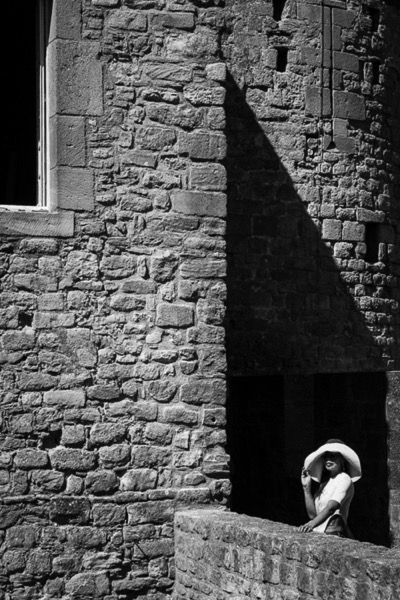
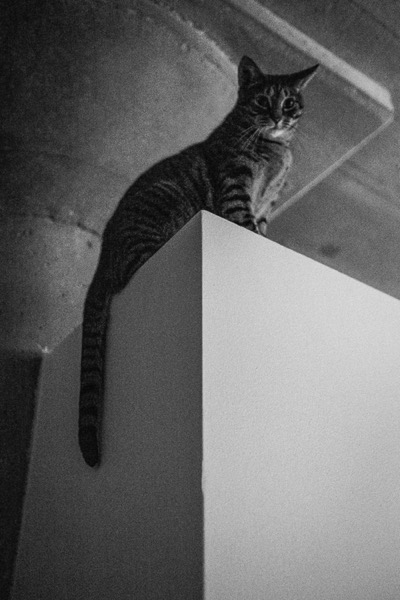
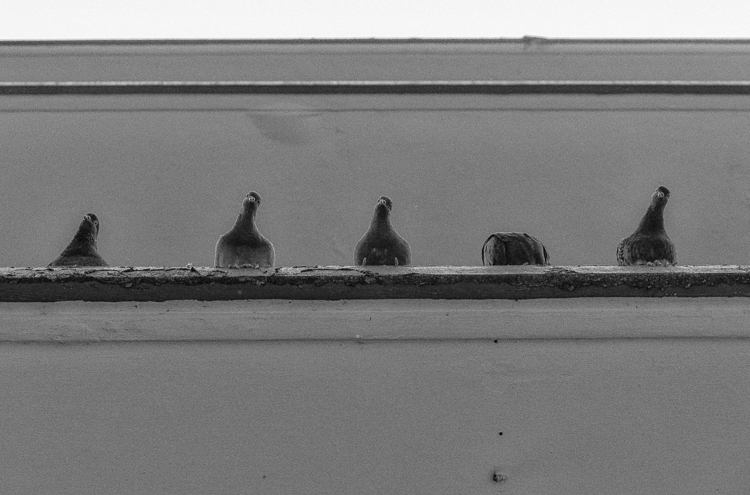
Here I am representing everyday elements in black and white, almost like I am reliving the good old days of black and white film photography. This is just a personal exercise in looking for monochromatic patterns and frames that will work well without any color.

How to Get Inspiration for Photography When You Feel Stuck

To me, black and white for these blades of wheat brings out more texture than in the actual color image.

How to Get Inspiration for Photography When You Feel Stuck

A simple place setting looks more regal in B&W

Go shoot without an agenda

Pick up your camera – whether it’s a DSLR, film camera or even your cell phone, and photograph something – anything. Don’t put much thought or plan towards the outcome. Sometimes it’s just the act of pressing the shutter without thinking of the end result that can provide the right amount of stress release. You can either look at the images or choose to delete your work. The whole point of this is just to enjoy the act of photography without expectations or stressing about creating the perfect frame.

How to Get Inspiration for Photography When You Feel Stuck

How to Get Inspiration for Photography When You Feel Stuck

Take up another form of creative outlet

Creativity does not always mean artistic. Sometimes being creative has nothing to do with art but everything to do with creating with your own hands. Creativity can be found in cooking a meal from scratch, exercising a new fitness routine, knitting or sewing, gardening, writing in a journal, or even just going for a walk outside and studying leaf patterns (what can I say, I live in Chicago where it is cold for more than six months of the year!!).

Let any or all of these activities flow without structure or planning. They are simply a means to release all that creative energy building up inside of you. Be kind to yourself and just give yourself some leeway to take a break from photography.

Create a self-challenge and work towards that

Especially at the beginning of the year a lot of folks opt for creative challenges like a 365 project where you take one photo every day, or a 52 week where you document each week of the year with a series of images. There are other flavors of this like shooting a single color for a week, photographing your daily meals, etc. Whatever is your self-challenge, document it and work on it. Perhaps even join or start a group online where others can participate with you. That can motivate you even further to keep the inspiration alive.

How to Get Inspiration for Photography When You Feel Stuck

My personal project is to become proficient in old school film photography. To me, this is a great way to learn the basics of photography yet again. Plus there is something about the quality of film scans – they just have so much more depth and character to them.

How to Get Inspiration for Photography When You Feel Stuck

Using an old 30+-year-old film camera to capture some landscapes and animals.

Conclusion

I hope this article has inspired you to not give up if you are feeling uninspired or dejected with your photography. With a few simple exercises and a conscious effort to change your mindset, you can come back more inspired and hopefully more motivated to explore all these wonderful facets of this art form that has so many ardent fans all over the world!

What are some things you have found successful when you are in a photography rut? Feel free to share those in the comments below to help other readers as well.

googletag.cmd.push(function() {
tablet_slots.push( googletag.defineSlot( “/1005424/_dPSv4_tab-all-article-bottom_(300×250)”, [300, 250], “pb-ad-78623” ).addService( googletag.pubads() ) ); } );

googletag.cmd.push(function() {
mobile_slots.push( googletag.defineSlot( “/1005424/_dPSv4_mob-all-article-bottom_(300×250)”, [300, 250], “pb-ad-78158” ).addService( googletag.pubads() ) ); } );

The post How to Get Inspiration for Photography When You Feel Stuck by Karthika Gupta appeared first on Digital Photography School.

Digital Photography School

 
Comments Off on How to Get Inspiration for Photography When You Feel Stuck

Posted in Photography


Star Gazing – 18 Twinkly Images of the Celestial Sky

14 Feb

Recently we introduced our new Night Photography course by dPS writer Jim Hamel. Learn more about this brand new course here, so you can take stunning night photos too!


Photography of the night sky and the stars can be challenging but rewarding. If you do it right you can end up with images like these:

Stars

By Kris Williams

By Tom Davidson

By Paul Weeks

By Chris Gin

By Bureau of Land Management

By Diana Robinson

By Shannon Dizmang

By Bill Dickinson

By Jimmy

By Howard Ignatius

By sian monument

By Jeff Krause

By Michiluzzu

By Olli Henze

By Olli Henze

By Julien NKS

By Tom Davidson

By Tralphe XY

googletag.cmd.push(function() {
tablet_slots.push( googletag.defineSlot( “/1005424/_dPSv4_tab-all-article-bottom_(300×250)”, [300, 250], “pb-ad-78623” ).addService( googletag.pubads() ) ); } );

googletag.cmd.push(function() {
mobile_slots.push( googletag.defineSlot( “/1005424/_dPSv4_mob-all-article-bottom_(300×250)”, [300, 250], “pb-ad-78158” ).addService( googletag.pubads() ) ); } );

The post Star Gazing – 18 Twinkly Images of the Celestial Sky by Darlene Hildebrandt appeared first on Digital Photography School.

Digital Photography School

 
Comments Off on Star Gazing – 18 Twinkly Images of the Celestial Sky

Posted in Photography


Weekly Photography Challenge – Stars

14 Feb

Star gazing and the night sky was captured by these photographers.

Weekly Photography Challenge – Stars

By Karl Lindsay

To capture stars you may need to get out of the city if you live in, or near one. The sky needs to be dark, away from stray light and even a full moon. If you can do that you can capture the night sky and the stars in it.

Here are some tips to help you:

  • Better Star Trails Photographs with StarStaX
  • Tips for Successful Star Trails Photography
  • Tips for Shooting the Milky Way
  • How to Photograph the Full Band of the Milky Way
  • How to do Milky Way Photography – A Comprehensive Tutorial
  • Photographing Starry Skies for Nocturnal Landscape Without Breaking the Bank
  • Photographing Stars Using a Kit Lens

By Beau Rogers

By European Southern Observatory

By Jason Mrachina

Share your images below:

Simply upload your shot into the comment field (look for the little camera icon in the Disqus comments section) and they’ll get embedded for us all to see or if you’d prefer, upload them to your favorite photo-sharing site and leave the link to them. Show me your best images in this week’s challenge. Sometimes it takes a while for an image to appear so be patient and try not to post the same image twice.

Share in the dPS Facebook Group

You can also share your images on the dPS Facebook group as the challenge is posted there each week as well.


Recently we introduced our new Night Photography course by dPS writer Jim Hamel. Learn more about this brand new course here, so you can take stunning night photos too!

googletag.cmd.push(function() {
tablet_slots.push( googletag.defineSlot( “/1005424/_dPSv4_tab-all-article-bottom_(300×250)”, [300, 250], “pb-ad-78623” ).addService( googletag.pubads() ) ); } );

googletag.cmd.push(function() {
mobile_slots.push( googletag.defineSlot( “/1005424/_dPSv4_mob-all-article-bottom_(300×250)”, [300, 250], “pb-ad-78158” ).addService( googletag.pubads() ) ); } );

The post Weekly Photography Challenge – Stars by Darlene Hildebrandt appeared first on Digital Photography School.

Digital Photography School

 
Comments Off on Weekly Photography Challenge – Stars

Posted in Photography


8 Ways to Use Your Smartphone for Photography

14 Feb

What’s the most useful camera gear you carry with you? This is the most common question asked of photographers. Many will say a tripod or perhaps a lens, but how many people would have answered a Smartphone? Well, I’m sure there were more than a few.

The moment I saw the potential of smart devices was years ago when traveling with a friend in Japan. He had just bought an iPod touch, and everywhere we went he could show people his photos. It formed a lasting impression, and it wasn’t long before I had an iPod touch of my own. Now, of course, there are a plethora of smart devices available, and you can use your Smartphone for photography in many ways.

8 Ways to Use Your Smartphone for Photography

The Smartphone is great for many photography-related tasks.

1 – Use your phone for light painting

This is a really great and creative way for you to use your phone for photography. Using a Smartphone for light painting is the subject of this article: How to do Light Painting with a Piece of Fruit and a Cell Phone, so there is no need to elaborate on it too much here. The flashlight that comes with all phones these days can be used to both light the subject, and to light paint in the background.

You will, of course, need a tripod, a darkened room, and a camera capable of long exposures to make this work. In addition to the flashlight, you can also use the screen for light painting as well. The simplest way of doing this is to download a flashlight app. Now you can customize your light painting almost as much as you can with the pixelstick! Once you have chosen your background color, use this to light paint a pattern in a darkened room.

8 Ways to Use Your Smartphone for Photography

This photo was taken with a dSLR, but all the light painting was done with an iPhone 4.

2 – Download apps for your photography

There are many apps available for download that will help your photography, some are obvious and some you might not have considered. Tablet devices have many of the same apps as a Smartphone, though a phone can be handier to carry around. Here is a selective list of apps you might consider downloading to help with your photography.

  1. Suncalc (iOS version) – This app shows you the direction of the sun, and how that changes through the year. This is vital information when planning a photograph (for Android users here).
  2. Easy release (iOS version) – Store your model releases on the go, this app is accepted by major stock photography sites such as Getty images (Android here).
  3. Weather underground (iOS version) – This or any of the other weather apps provides information about weather conditions by the hour. This is great to know when planning the day you wish to photograph (for Android here).
  4. Pocket light meter – Always useful to have this, especially if you’re using off-camera flash (for Android here).
  5. Simple DoF calculator – Having this information to hand on your phone is always useful (Apple only but there are other Android options available).
  6. My Tide Times (iOS version) – Anyone photographing a coastal area needs to know the times for high and low tide. This can literally be a life saver and will help you plan your time effectively (Android version here).

3 – Never forget a location

8 Ways to Use Your Smartphone for Photography

This photo was taken with an iPhone. The geotagging was used to return to the location later.

Location scouting is one of the most important things you can do as a photographer. This is a good practice to get into whether you’re a portrait or a landscape photographer. Having go-to locations is a must. It’s not always easy to remember locations, though, especially if the area is unfamiliar to you because you’re traveling. Fortunately, the map apps that come with or you download onto your Smartphone will help here. There are a couple of options for saving your locations.

  • Bookmark it – When standing at the place you want to return to simply bookmark it by dropping a pin at your current location, then leave a note for yourself about what to find there.
  • Photograph it – Your photographs taken on your Smartphone can be geotagged, so you can use this to help you both remember the place and what’s there to photograph. If you do this, remember to check that location services are turned on for your camera app.
8 Ways to Use Your Smartphone for Photography

The location for this music band shoot was scouted out before (see photo above). The photo was of course inspired by a famous music band from the UK.

4 – Share your photos in person, and on social media

Taking your best photos with you to share with people is always smart, you never know who could be a future client. This is a great way to use your phone for photography as it often allows you build up a good rapport with other people. You should be prepared to look at their photos as well, remember most people have Smartphones these days.

Of course, social media is a big player, and branching out of your geographical area is easier as a result. That means putting your very best photos on sites like Instagram, Facebook, and 500px. These sites are a vital part of getting yourself known as a photographer, and your Smartphone is at the center of that.

8 Ways to Use Your Smartphone for Photography

The use of social media sites like Facebook and Instagram to share your work is increasingly important.

5 – No external flash, no problem!

Photography is all about controlling the light, and a strobe or flash is a great tool for doing so. An alternative to a flash is your Smartphone in low light. This is because the flashlight on your phone can be used as a makeshift continuous studio light.

In order do this you will probably need to bump up your iso, and shoot with a large aperture. The use of multiple Smartphones will give you even more options. How about using one of them as a rim light?

8 Ways to Use Your Smartphone for Photography

The flashlight on Smartphones is great for lighting your subject.

6 – Use your phone for photography! It’s your second camera!

Having a second camera with you is never a bad idea, and if you’re doing commercial work it’s mandatory. A second DSLR camera body is heavy to carry, though, and if you’re out taking photos for your own pleasure not really necessary. Having a camera phone with you is often all the second camera you’ll need, you can do a lot with it. Why would you use your phone for photography when you already have a DSLR with you?

  • Fun shots: The biggest reason is for those informal behind the scenes photos with your friends.
  • Behind the scenes shots: You can use it to show the setup for your main photograph taken with your DSLR.
  • Second shots: When taking a photo with your main camera on a tripod, another photo opportunity presents itself. You don’t want to move your main camera, but a Smartphone photo will work.
  • Less intimidating: In street photography, a Smartphone is smaller and less intimidating.
8 Ways to Use Your Smartphone for Photography

This photo was taken with a Smartphone. It records a behind the scenes moment, while the main camera is on a tripod.

7 – Make lists, and store them

It’s said good photography happens when planning and spontaneity come together. There is a lot of preparation that goes into planning, and one of the best things you can do is make a list. The notes app on your Smartphone is another great way to use it for photography.

Making your pre-shoot list gives you a clear focus for your work. The really great thing about having that list with you is you can add to it on location. There will always be potential photos you could take in the future, which you will only see when you arrive. Note the new photo ideas down, and Geotag the location if needed as well. Evernote is another great app that works on any device, syncs with your home computer and you can access from anywhere with a web browser.

8 Ways to Use Your Smartphone for Photography

Make use of the notes function in your phone. You can note down ideas so you don’t forget them in the future.

8 – Use your phone . . . as a phone!

It’s easy to forget the primary function of your techno slab is to be a phone! That’s a mighty useful thing in photography for any business related activities. It goes without saying that your website, e-mail footer, and business cards, should all have your phone contact details included. Those opportunities to shoot commercially will improve you as a photographer as well, it will push you to deliver results. Even if you don’t have a photography business a phone is still great for contacting your photography friends! Your friends are always good to meet up with,

Even if you don’t have a photography business a phone is still great for contacting your photography friends! Your friends are always good to meet up with, collaborate, and bounce ideas off each other.

8 Ways to Use Your Smartphone for Photography

As stunning an idea as this may sound. You can use your phone to make phone calls!

The Smartphone, how will you use yours for photography?

The diversity of today’s Smartphones means they are so much more than just phones. As you can see, there are many ways you can use your phone to enhance your photography, we’d love to know how you use yours.

Are there any other ways in which you have used your phone, that aren’t mentioned here? The phone is a great device to have with you that takes up little space and doesn’t weigh you down. The chances are you have it with you anyway, so try out some of the ideas above.

googletag.cmd.push(function() {
tablet_slots.push( googletag.defineSlot( “/1005424/_dPSv4_tab-all-article-bottom_(300×250)”, [300, 250], “pb-ad-78623” ).addService( googletag.pubads() ) ); } );

googletag.cmd.push(function() {
mobile_slots.push( googletag.defineSlot( “/1005424/_dPSv4_mob-all-article-bottom_(300×250)”, [300, 250], “pb-ad-78158” ).addService( googletag.pubads() ) ); } );

The post 8 Ways to Use Your Smartphone for Photography by Simon Bond appeared first on Digital Photography School.

Digital Photography School

 
Comments Off on 8 Ways to Use Your Smartphone for Photography

Posted in Photography


How to do Digital Blending in Photoshop to Create a Composite Photo

14 Feb

Normally when talking about digital blending, people will first think of exposure blending. That is correct, but it can do more than that. There is several situations where digital blending can be very handy. Not only can it help create a better photo, it also eases you in your shooting experience. In this article, I will share how I use a digital blending in Photoshop to create a much more interesting composition.

digital blending

I took the photo above of Batu Cave in Malaysia. I chose to add a few pigeon photos from a series that I captured, and blended them all together into a single photo with the digital blending technique.

Select images

Here are the raw photos that I going to use. You can see that there are pigeons in different locations in each of the photos.

digital blending Photoshop

Open Photoshop

Next with Photoshop open, I load all the photos into one place as different layers. You can rename them if you want, as I did here.

digital blending in Photoshop

Back up for a second: How the shots were done

Notice there’s a “base” layer at the bottom. That image was captured with different camera settings compared to the pigeon shots. I do this because normally before capturing any additional photos such as the pigeon images, I will first take a few photos with the BEST camera settings for that situation. In this case, that was ISO 100, aperture of f/8, 1/30th of a second shutter speed.

However, the 1/30th shutter speed was too slow to capture any photos of pigeons. So I needed a faster shutter speed which ended up with camera settings of; ISO 800, f/5, and 1/640th of a second. This allowed me to freeze the movement of the pigeons, but at the same time, it also generated more noise in the photos (ISO 800 compare with ISO 100) and a slightly more shallow depth of field (f/5 compared with f/8) resulting in a softer background.

So the ideal scenario is to have them both together in one final image. Using the digital blending technique you can have the best image quality photo with lesser noise and better focus, and then blend in only the pigeons from later photos. The pigeons will appear to have more noise than other areas of the photo but only in very small areas and you can do a separate Noise Reduction just for the pigeons if needed.

Shooting sequence

Here is the shooting process in sequence, to give you a better picture:

  1. Decide on a composition.
  2. Take your photo with the best (optimal) camera settings for the scene.
  3. Without moving your composition, change the camera settings to capture anything that looks interesting to you. For example; animals, people that able to bring out the atmosphere of the place such as monk praying in a temple, or even any lifeless objects such as trains or boats, or anything else you can think of or notice in the scene.

Photoshop steps

Step #1 – Turn off some layers

Back in Photoshop, you will see there is an “Eye” icon beside each layer. This means that all these layers are visible. Temporary, let’s hide all the pigeon photos first by clicking on the “Eye” icon to uncheck each layer. Leave only two visible, the Base and Pigeons 1 layers.

digital blending

Step #2 – Add a layer mask

Next, select the Pigeons 1 layer and while holding down the Alt key, click on the “add layer mask” icon (circled in the red in the photo below left). You shall have a black rectangle appear at the right side of the layer, as seen in the photo below right. This is to add a reverse layer mask on your layer, the black mask means it is hiding what is currently in this layer. If you don’t hold the Alt key when you click on the icon, it will create a white mask which will reveal what is currently in the layer.

digital blending layer mask

Step #3 – Paint on the mask to reveal the bird

Now we have a black mask. To blend in only the pigeon from that layer, we will need to select the Brush Tool and paint on the mask in white over the pigeon’s area. Note: A black mask means hiding and white means revealing the layer.

digital blending Photoshop

After selecting the Brush tool, make sure you are using a soft edged brush, and the opacity is set to about 75%. The opacity will affect how much of your painting result will be applied. Using opacity at 100%, you only need to paint once to fully reveal that particular area. However at 75 % or lesser opacity, you will need to repeat the painting few times in order to achieve the 100% effect. It is slower, but at the same time it create a smoother edges and the layer is better blended to the original image.

digital blending brush tool

Notice when you do the painting, the mask on the layer also reflects your painting result. Congratulations, now you have the first pigeon blended in! Let’s repeat the same process for the next layer.

digital blending Photoshop

Step #4 – Repeat on next layer

By performing the same steps on the “Pigeons 2” layer, you will now have the second pigeon added. But wait, something is not right. Do you notice that the second pigeon has dark edges surrounding it? Why?

digital blending Photoshop

This is because even at the same camera settings, the lighting conditions may have changed during the shooting process. This image was captured when there were clouds blocking the sun and it dimmed the light in the cave. Instead of solving this by doing some really precise masking (by zooming in and brushing carefully on the edge of the pigeons, which can be a tedious process), let’s try adding a Curves adjustment layer.

Before doing any adjustment with the curve layer, right-click on it and choose “create clipping mask”. This will make sure whatever adjustment is done here will only affect the layer below it. Now add some brightness by slightly pulling the curve up, as shown below right.

digital blending Photoshop

The surroundings of the second pigeon looks much better now. Other than using a Curve, you can do this on any other adjustment layers such as color balance adjustment layer to correct the tone of the particular layer, if the white balance is not equal with the background.

digital blending Photoshop

You can see the bird blends in much better now with the Curve applied.

Step #5 – Complete masking on all layers

Let’s continue with the rest of the layers. The masking results will look like the photo below once you have done the blending process.

digital blending Photoshop

Finally

Here is the final output of the digital blending. Now you can perform any other post-processing adjustments from here by applying contrast, changing color balance, sharpening, or any other process that you think is necessary to enhance your photo.

digital blending Photoshop

I hope you have enjoyed this article, and it gives you some ideas or inspiration. If you have any questions or suggestions, feel free to leave a comment below.

googletag.cmd.push(function() {
tablet_slots.push( googletag.defineSlot( “/1005424/_dPSv4_tab-all-article-bottom_(300×250)”, [300, 250], “pb-ad-78623” ).addService( googletag.pubads() ) ); } );

googletag.cmd.push(function() {
mobile_slots.push( googletag.defineSlot( “/1005424/_dPSv4_mob-all-article-bottom_(300×250)”, [300, 250], “pb-ad-78158” ).addService( googletag.pubads() ) ); } );

The post How to do Digital Blending in Photoshop to Create a Composite Photo by Grey Chow appeared first on Digital Photography School.

Digital Photography School

 
Comments Off on How to do Digital Blending in Photoshop to Create a Composite Photo

Posted in Photography


dPS Writer’s Favorite Lens – the Canon 100-400mm f/4.5-5.6 L-Series Lens

13 Feb

Last August I bought the Canon 100-400mm f/4.5-5.6L IS II USM L-series lens for myself as a birthday gift. Since then it’s been in almost constant use as I’ve photographed horses and wildlife in Arizona, Florida, Georgia, Illinois, Nevada, and Utah. I’ve made more than 14,000 images with it in the last five months! Read on to learn more about why I love this lens so much.

Favorite Lens Canon 100-400mm

Salt River wild horse yearling with ferns – 5D Mark III, Canon 100-400mm @ 248mm, 1/350th, f/5.6, ISO 8000.

Canon 100-400mm f/4.5-5.6L IS II USM technical specs:

  • Focal Length: 100-400mm
  • Maximum Aperture: f/4.5-5.6, variable
  • Minimum Focusing Distance: 3.2 feet (0.98m)
  • Zoom: Rotation
  • Filter Size: 77mm
  • Weight: 3.62 pounds (1.64kg)
  • Price: $ 2,049.00 USD (at the time of writing this article)

Compared to the Canon 200-400mm

Compared to other lenses of similar focal length the Canon 100-400mm is a bargain, especially since there’s no sacrifice to image quality. Compare it to the Canon flagship telephoto lens, the 200-400mm f/4 which is a whopping $ 10,999. The 100-400mm lens is a moderate $ 2,049. Of course, the 100-400mm is one to two stops slower than the 200-400mm but for an $ 8,800 price reduction, I can handle the loss. I think you probably can too.

Favorite Lens Canon 100-400mm

Salt River wild horse with bird, monochrome – Canon 5D Mark III, 100-400mm lens @ 400mm, 1/1000th, f/8, ISO 500.

Those of you who know long lenses also know that the 200-400mm has a built-in 1.4x extender. Sold separately, those are about $ 500 so if you invest in one (and you should) your savings between the two lenses is now $ 8,300. In other words, you still save a small fortune by shooting with the 100-400mm lens instead of the 200-400mm.

Lastly, the 200-400mm weighs in at almost 8 pounds (3.63 kg). By shooting with the 100-400mm, you also save your back, neck, hands, and shoulders from a lot of wear and tear. I personally can’t hand hold an 8-pound lens, which means to use the 200-400mm I’d also have to carry a heavy monopod with a gimbal head. My always-aching upper body thanked me for buying the 100-400mm instead.

Favorite Lens Canon 100-400mm

Peeking Salt River wild foal – Canon 5D Mark III, 100-400mm lens @ 340mm, 1/350th, f/8, ISO 500.

Practical size

For a telephoto lens of its focal length, the 100-400mm is a relatively compact, hand-holdable, and practical lens. I can attach it to my Canon 7DII or Canon 5DIII camera bodies and shoot with it all day long without using a monopod or tripod. The combination with either camera weighs in at about 6 pounds (2.72 kg). Note that that’s a whole 2 pounds (907g) less than just the weight alone of the 200-400mm lens. It’s a lot of focal length, in a fairly small package.

Favorite Lens Canon 100-400mm

Splashing Salt River wild stallion, monochrome – Canon 5D Mark III, 100-400mm lens @ 278mm, 1/750th, f/6.7, ISO 500.

The 100-400mm lens also easily fits into my Kata backpack (now manufactured by Manfrotto). When I pack for an equine and wildlife photography trip, I cram the 100-400mm, 70-200mm, 24-105mm, extender, both my camera bodies, laptop, hard drives and a slew of accessories into this bag. Yes, it’s a great bag and holds a lot for its size but the point is, the 100-400mm fits in it. Larger lenses like the 200-400mm would not.

The 100-400mm is on the left; accessories like batteries, cards, and a rocket blower fit in the same divider, tucked in at the top of the bag. 7DII is in the middle with 24-105mm attached, the open divider is for the 5DIII camera body (which I used to take the pic). 70-200mm lens is on the right; 1.4x extender fits in the same divider in its own little case, tucked in at the top of the bag.

Same arrangement, top view.

Bag zips!

Features of the Mark II version

If you’ve shot with the original 100-400mm lens, the Mark II has some great new features and I’d recommend upgrading. The original was more of a pumping action when you extended it. The Mark II extends with a twisting action. Twisting to extend is faster and easier to use than the original mechanism. There’s also a ring that you can tighten or loosen, increasing or decreasing the torque on the twisting mechanism. In other words, if you want to rapidly zoom in and out, you loosen the ring to reduce the torque. If you want to keep the lens zoomed at a specific focal length, or locked into its most compact position, you can tighten the ring and increase the torque.

It’s a very intuitive motion. As you use the lens, you’ll find your hand easily moves from the rubber grip used to adjust the focus to the grip used to extend the focal length and to the adjustment ring.

Favorite Lens Canon 100-400mm

Cumberland Island wild horse in the live oak shadows, monochrome – Canon 5D Mark III, 100-400mm lens @ 400mm, 1/350th, f/9.5, ISO 320.

Built to last

The Canon 100-400mm lens is also built to last. The metal, weather-sealed build is why I always invest in original, L-series Canon lenses. I trip, I fall, I drop things. It’s just part of who I am. When I invest in a lens that I plan to use all the time, it can’t be a fragile little thing that needs to be babied. It has to be able to withstand my clumsiness plus dusty, desert winds, and driving snowstorms.

Favorite Lens Canon 100-400mm

Antelope Valley wild horse snuggles – Canon 7D Mark II, 100-400mm lens with 1.4x III extender @ 560mm, 1/200th, f/8, ISO 200.

Just a few weeks ago I was shooting in very snowy, wet, conditions in Nevada. When I made it back to the car, I was soaked. My camera and lens were also dripping with melting snow. I toweled everything off and had a moment of panic when the inside of the lens fogged just a tiny bit. Happily, 15 minutes later, the slight condensation dissipated. If the lens hadn’t had such excellent weather sealing, that snow storm might have ended my shoot. A lens with a cheaper build may have been out of commission for days.

Favorite Lens Canon 100-400mm

Wild horse blizzard in Antelope Valley – Canon 7D Mark II, 100-400 @ 400mm, 1/250th, f/9, ISO 800.

Superfast autofocus

This lens focuses quickly, especially on my 7DII. I rarely miss a fleeting moment. I’ve actually captured images other people in my group are surprised to see. I credit that both to the fast focusing ability and the maneuverability of the 100-400mm lens.

Favorite Lens Canon 100-400mm

Antelope Valley wild horses snow globe – Canon 7D Mark II, 100-400mm with 1.4x III extender @ 560mm, 1/4000th, f/8, ISO 1000.

On occasion, I do have trouble focusing due to low contrast. Let’s face it, that happens to all of us. With this lens, I pull back a bit to 200mm or 300mm, grab the manual focus ring and dial in until I start to feel like I have an edge. Once I do, I use back-button focus to lock in sharpness. Once I’m focused, I zoom back to 400mm. The focus holds through this transition and I grab the shot. It’s quick and magical. None of the other long lenses I’ve used have quite the same intuitive feel for focusing.

Favorite Lens Canon 100-400mm

Antelope Valley winter white wild stallion – Canon 7D Mark II, 100-400 @ 400mm, 1/4000th, f/5.6, ISO 500.

Flexibility

One of my favorite aspects of this lens is its flexibility. I use all focal lengths and apertures of this lens without hesitation. For a standard 100-400mm, I attach it to my full frame 5DIII. For a little extra reach, I attach it to my crop sensor 7DII.

On a crop sensor, the effective focal length of the 100-400mm increases to 160-640mm (1.6x). If I need even more reach, I add the Canon 1.4x Extender and the effective focal length on my 7DII increases to 224-896mm. The extender also increases the total weight by about 8 ounces, but I don’t even notice it.

Note: For Canon crop sensor cameras, multiply the focal length by the 1.6x crop factor to determine the effective focal length. Read more here: Crop Factor Explained.

With the Canon 1.4x Extender

Favorite Lens Canon 100-400mm

Antelope Valley band of wild horses running in the snow – Canon 7D Mark II, 100-400mm with 1.4x III extender @ 560mm, 1/1000th, f/8, ISO 1000.

I love using an extender with this lens. At 400mm, the minimum aperture is f/8, which is my preferred wildlife setting anyway. Autofocus is still blazing fast, although it is limited to the center focus point when the extender is attached. I haven’t seen a significant loss of quality or sharpness with the extender. Since I can still handhold this combination, even if there was a slight loss, I’d be more than okay with it. A slight loss of sharpness is always preferred (in my book at least) to missing a shot because you were fiddling with your tripod or just didn’t have the reach you needed.

Note: Read more about extenders here: The Pros and Cons of Using Teleconverters (Extenders) on your DSLR.

Stability

Favorite Lens Canon 100-400mm

Salt River stallion and son eating eel grass in the river – Canon 5D Mark III, 100-400mm @ 400mm, f/9.5, 1/125th, ISO 320.

My job as a photographer is to put myself in the right place at the right time, to find the beauty once I’ve put myself in that place, and to understand the light and compose my image. My gear gives me the technical boost I need to pull all that off.

I’m going to be honest here, I’ve rarely shot with third-party lenses. I can’t compare Canon lens IS (Image Stabilization) to other brands. But, what I can tell you is that when I find myself shooting at 400mm with a 1.4 extender at a relatively slow shutter speed of 1/250th, it’s not my steady hands ensuring that my shot is in focus – it’s Canon’s. Their IS in this lens is like a super power. It is exactly the technical boost I need to make the images I want to make.

Even works for panoramas

Favorite Lens Canon 100-400mm

Ely County Nevada Open Range, panorama – Canon 7D Mark II, 100-400mm @ 100, 1/320th, f/11, ISO 250.

I’ve even used this lens to create panoramas – handheld, no less. If I’m using the 100-400mm and I see a gorgeous vista, I set the lens to 100mm. I create a very secure hold by pressing together my elbows and locking them into my chest. Then I slowly click my way through the scene. Lightroom or Photoshop both do an amazing job of stitching and correcting perspective issues. If you’re a landscape photographer you might be horrified at this method but if you’re a wildlife photographer, it’s truly another practical tool in your photographic arsenal.

Image quality

Favorite Lens Canon 100-400mm

Salt River wild mare silhouette at sunset – Canon 5D Mark III, 100-400mm lens @ 400mm, 1/8000th, f/11, ISO 600.

With all this technical talk, you might be wondering why I haven’t said all that much about image quality. I’ve included over a dozen images here and I hope that speaks for itself. Details render crisply. I haven’t discovered any artifacts or unusual aberration in any of the 14,000+ images I’ve shot with this lens.

In wildlife images, I prefer a creamy blurred background rather than a bubbly bokeh background since I find that big, bokeh circles detract from my subject. This lens renders the sort of backgrounds that I prefer.

Favorite Lens Canon 100-400mm

Backlit Cumberland Island wild horse at sunset – Canon 5D Mark III, 100-400mm lens @ 100mm, 1/500th, f/4.5, ISO 2000.

Shooting into the sun for a backlit image produces just the right amount of lens flair. Shooting with the sun at my back or off to my side produces just the right amount of contrast. With bright overcast skies, the lens still shapes the light beautifully.

The Canon 100-400mm lens renders color in a very neutral way. While it’s fun that some lenses render brighter or more vivid colors, I prefer to have a more neutral starting point when I begin to edit my RAW images.

Over to you

In all, this is the absolute best birthday gift I’ve ever given myself. I even wish I’d bought it before I upgraded my 70-200mm.

What about you? Have you used either the original or Mark II version of the Canon 100-400mm lens? Or do you have another favorite telephoto zoom lens? Share your feedback on your favorite lens with the dPS community in the comments below.

Shop for the Canon 100-400mm lens here:

  • Amazon.com
  • B&H photo.com
Favorite Lens Canon 100-400mm

Mom!! – Canon 7D Mark II, 100-400mm lens with 1.4x III extender @ 560mm, 1/1250th, f/8 ISO 800.

googletag.cmd.push(function() {
tablet_slots.push( googletag.defineSlot( “/1005424/_dPSv4_tab-all-article-bottom_(300×250)”, [300, 250], “pb-ad-78623” ).addService( googletag.pubads() ) ); } );

googletag.cmd.push(function() {
mobile_slots.push( googletag.defineSlot( “/1005424/_dPSv4_mob-all-article-bottom_(300×250)”, [300, 250], “pb-ad-78158” ).addService( googletag.pubads() ) ); } );

The post dPS Writer’s Favorite Lens – the Canon 100-400mm f/4.5-5.6 L-Series Lens by Lara Joy Brynildssen appeared first on Digital Photography School.

Digital Photography School

 
Comments Off on dPS Writer’s Favorite Lens – the Canon 100-400mm f/4.5-5.6 L-Series Lens

Posted in Photography