RSS
 

Archive for the ‘Photography’ Category

Prime Lenses: Can you really zoom with your feet?

16 Mar

There’s a common maxim touted in photographic circles, especially in online forums and message boards. It states that some of the limitations of shooting with a prime lens can be overcome by simply moving your body around. The idea of “zoom with your feet” or SneakerZoom, as it’s sometimes called, is often used as a panacea for those who think prime lenses are limiting in terms of what they can do compared to their zooming counterparts.

To a certain extent this is true. If you want to get closer to your subject you can just physically move your body if you don’t have a zoom lens, but doing so results in images that are not at all the same as using a zoom lens. Zooming with your feet is somewhat of a misnomer because zooming implies a change of focal length. But when you move around with a prime lens you are not changing the focal length at all. Instead, you are recomposing with your feet. In this article I’ll explore why this is a simple but significant difference using a few examples below.

Prime Lenses: Can you really zoom with your feet?

How lenses work

To understand how lenses work it’s important to know a few things. The focal length is a measurement of the distance between the optical center of the lens (the point at which incoming light converges) and the image sensor of the camera to which it is attached.

Many cameras come with what’s known as a kit lens. Most of those cover a relatively modest range of focal lengths, with the most common being about 18mm to roughly 55mm. At 18mm, the lens bends light in such a way that the incoming light converges on a point 18mm in front of the image sensor. This results in a field of view that is about 76 degrees wide. (Assuming you are shooting with a crop-sensor camera like a Canon Rebel or Nikon D3300. On a full-frame camera like a Canon 5D Mark IV or Nikon D810 it would be about 90 degrees.)

At 50mm, the angle of view changes to roughly 31 degrees. The practical implications for this are that you can simply fit more in the frame when shooting at a wider focal length versus a longer one. Take the example of photographing a tree, as you can see in the following illustration.

Prime Lenses: Can you really zoom with your feet?

Angle of view versus moving your feet

Shooting at 18mm would allow the photographer in this example to fit the whole tree in the frame, but unfortunately this photographer is using a 50mm prime lens that does not zoom in and out. At this point, you might be thinking, “No problem, just walk backwards to get the whole tree in the frame”.  My good friend Bob Slydell from the movie Office Space would respond, “Just a second there, professor.” While it’s true the photographer could walk backwards and reposition himself such that he could fit the entire tree in the picture, there are two problems with this solution:

  1. There is a pond filled with crocodiles right behind him
  2. He would still have a 31 degree viewing angle

No matter how far backward, forward, or sideways the photographer in this example repositions himself, the angle of view with the 50mm lens will still be the same. Theoretically, he could construct a raft and float across the pond in order to fit the entire tree in the frame. But doing so would result in a dramatically different picture than if he just uses a wider lens to begin with. Zooming with his feet, or in this case with a boat, will work to get a picture of the tree, but doing so will alter the other compositional elements of the photo.

An example

To see how this works, here’s a revised version of the image above wherein the photographer has retreated far enough to get the entire tree in the frame. In this example, there are five pinwheels behind the tree that are well contained in the wide-angle shot. While moving backward has solved the issue of getting the tree in the frame, the narrow viewing angle means that not all the pinwheels fit in the shot.

Prime Lenses: Can you really zoom with your feet?

The only way to solve this problem using a Zoom With Your Feet solution would be for the photographer to move way back such that the tree and all the pinwheels could fit in the frame. At which point the original subject (the tree) would be so diminished that the image wouldn’t be the same at all.

Real life examples

Of course, this is a theoretical example, but watch what happens when the same type of scenario is replicated in the real world. I shot the following three images using my 70-200mm lens. Watch what happens as the focal length, as well as the distance to the subject, changes.

Shot #1 – 70mm, from far away

Prime Lenses: Can you really zoom with your feet?

70mm, f/4, ISO 100

Can you tell what the subject is in this picture? It’s supposed to be the artwork in the middle–a boy fishing with his dog, carved from the trunk of a fallen cypress tree. The angle of view in this picture is about 34 degrees (I shot this on my full-frame Nikon D750), which is enough to capture lots of scenery in the frame. Notice how in addition to the boy and his dog you can also see trees, a building, and even some foreground elements such as a pond and grass.

Shot #2 – 200mm, from far away

Prime Lenses: Can you really zoom with your feet?

200mm, f/4, ISO 100

Standing in the exact same spot as before but zooming into 200mm has had a dramatic impact on the picture. Now the viewer’s attention is focused squarely on the carving, and the field of view is now limited to a much narrower 12 degrees. Note where the head of the carving is in relation to the building in this image: it is framed between two columns on the first floor above the ground, which is quite different from the next picture.

Shot #3 – 70mm, shot from close up

Prime Lenses: Can you really zoom with your feet?

70mm, f/4, ISO 100

This final photograph was made by zooming with my feet, I repositioned myself to be much closer to the tree carving. The resulting image is similar, in that the carving itself is roughly the same size as in the 200mm shot, but the field of view is 34 degrees because I shot this at 70mm. Even though the subjects are similar in shot #2 and shot #3, the pictures are entirely different!

The wider field of view in shot #3 resulted in an image with a lot of background elements that distract the viewer. The boy’s head is now positioned near the top of the building, despite the fact that my camera was the same distance above the ground. While the classic SneakerZoom technique has certainly worked to get my subject looking how I wanted, the end result is quite different from actually using a proper zoom lens.

Zooming with your feet is NOT the same

These examples show that while you certainly can zoom with your feet, doing so is not the same at all as zooming with a telephoto lens. When you move around you are not really zooming but recomposing. While this is not a bad thing, it is something to be aware of when choosing lenses or honing your photography technique.

As another example of this phenomenon, here are two pictures from a recent session I did with a local family. I shot the first one with my 70-200mm lens. It’s a traditional portrait-style image with a blurred out background with the focus squarely on the faces and upper bodies of both women.

Prime Lenses: Can you really zoom with your feet?

200mm, f/2.8, ISO 100

I then zoomed all the way out to 70mm in order to get a closer, more personal image of the two women. After changing to a 70mm focal length I had to walk much closer to the ladies, essentially zooming in with my feet, in order to get them to appear the right size in the frame. The resulting image feels entirely different, not just because they are sitting on the ground showing off their matching wrist tattoos, but because you can see that they are sitting in the middle of a green field strewn with autumn leaves.

70mm, f/4, ISO 100

Shooting at 200mm meant a highly compressed field of view with only a small slice of the trees and background visible. Whereas in the bottom picture you can once again see the effects of the wider viewing angle afforded by shooting at 70mm.

Different planes

One final example that’s necessary to illustrate this phenomenon, is when you and your subject are not on the same horizontal plane. In these situations, changing your focal length can bring you much closer to what you are trying to shoot, whereas walking around will significantly alter the scene, based on the foreground and background elements, as well as the angle from which you are viewing the subject.

Shot #1 – 70mm, from far away

Prime Lenses: Can you really zoom with your feet?

70mm, f/4, ISO 100

This image looks decent, but I didn’t like how the flags shared the frame with the building behind them, especially the chimney in the corner with the radio antenna. Since I shot this at 70mm I had a couple options to improve the shot; including zooming into 200mm or zooming with my feet to get closer to the flags. I started with the first option and was very happy with the result.

Shot #2 – 200mm, from far away

Prime Lenses: Can you really zoom with your feet?

200mm, f/4, ISO 100

Zooming with my lens gave me a much better picture. One that focuses entirely on the flag pole with no distracting background elements and a nice cloudy sky to help the flag pop out of the frame. One tradeoff is that the Oklahoma flag is no longer visible. I could have zoomed in only partially to 135mm if I wanted to include it, but I decided that the picture would be more impactful if it just had a single subject instead of two flags. After getting this shot I zoomed in with my feet to see if I could get a decent picture at 70mm by moving much closer to the subject.

Shot #3 – 70mm, shot close up

Look at how different this final image is compared to the 200mm version! While I was able to get the United States flag much larger in the frame, I ended up shooting from such a low angle that the flag pole itself draws almost as much attention as the banners it is holding. The Oklahoma flag is also visible in this version, which has the unfortunate side effect of creating an image that is unfocused and busy. There are now two subjects in the frame (three if you count the pole.) This leaves the viewer with a sense that the image is cluttered and unfocused. Zooming with my feet did allow me to get closer to the subject, but it altered the composition so significantly that the resulting image is unusable.

Conclusion

Hopefully, these examples will help you start to visualize why moving around is not at all the same as changing your focal length. Please understand that I’m not saying you should sell all your prime lenses and rush out to buy a zoom lens, though. I use prime lenses all the time, and by far my most-used lens is the Nikon 35mm f/1.8 for its size, weight, and sheer versatility.

My goal is simply to help you understand that when you are shooting with a prime lens you need to know that moving closer to, or farther away from, your subject does not have the same effect as actually changing the focal length. Once you understand that, you can start using this knowledge to your advantage. You can structure your photo techniques around this important limitation of prime lenses, and hopefully, take much better pictures as a result.

The post Prime Lenses: Can you really zoom with your feet? by Simon Ringsmuth appeared first on Digital Photography School.


Digital Photography School
 
Comments Off on Prime Lenses: Can you really zoom with your feet?

Posted in Photography


Review of the New Formatt Hitech Firecrest Filter Holder and Neutral Density Filters

16 Mar

This article is an overview of the Formatt Hitech Firecrest Filter Holder system and their neutral density filters.

Long exposure is one of those magical types of photography that once people start doing it, they nearly always fall in love with the technique. They then begin their quest for the right conditions to take those photos, along with the right gear. The filters you use are important and, so is the holder for them.

Overview of the Formatt Hitech Filter Holder and Neutral Density Filters

Sunset at St. Kilda Pier, this was taken with the Formatt Hitech Filter Holder and their 10-stop ND filter.

Long exposure photography is becoming so popular, but with it come lots of issues to deal with. The most important one is light and stopping any from getting into the camera that may ruin your images. Another one that you hear many complaining about is color casts caused by the filters they are using.

Have the right gear to get what you attempting is so important. Formatt Hitech has been listening to their users and has come up with a new holder system for their 100mm filters that addresses many of these problems.

Formatt Hitech Filter Holder

The new filter holder from Formatt Hitech is designed to completely enclose the filter so no light can get in around it once the filter is in place. It removes the need for the foam gasket on the back of the filter, as the holder has one on it to help seal the filter into place.

Formatt Hitech has put a great deal of thought into what you will need for long exposure photography, and along with the holder come some other surprises.

Overview of the Formatt Hitech Filter Holder and Neutral Density Filters

The Formatt Hitech filter holder in use at Docklands.

What’s in the box

This company does produce some of the loveliest packaging that I’ve seen. The boxes have a soft, almost suede feel. It is hard to throw them away, in fact, I haven’t been able to.

When the package arrives and you open the box you will see the holder, but you will also see an 82mm adaptor ring and a series of step-down rings. So often in the past when buying the adaptor rings you have had to make a choice about which lens you will fit it to and get the ring to fit that one. Formatt Hitech gives you the adaptor ring for the largest possible filter size and the step-down rings to fit other lenses.

Wrapped in paper, you will find a polarizer that fits into the adapter ring. This filter fits in the back of the holder system very neatly, and your neutral density filters then fit in front of it. There is a geared control wheel that allows you to turn the filter as needed.

The added benefit here is the ability to use the polarizer in the adapter ring on its own. You don’t have to attach the holder at all.

Formatt Hitech Filter holder and ND Filters

Everything that you get with the Formatt Hitech filter holder. Photo courtesy of Formatt Hitech

Using it for the first time

When you first open the box it can seem a bit overwhelming and when you try to use the system, it’s a little confusing. It feels like you will break it when you try to pull it apart, but it is designed for rough use.

If you still can’t work it out Formatt Hitech has a video which they recommend that you watch (see below). The brackets around the holder are often a little stiff to begin with, but they do get easier and loosen up with use. Watching the video will help you get past that.

Attaching the holder onto the adaptor ring can take some getting used to as well. It is bit fiddly, but with practice, you will get better at it, and faster. You can do it with one hand, it simply clicks onto the ring. It is quite durable and will take a lot of handling. The holder stays very firmly on the adaptor ring.

Formatt Hitech Filter holder and ND Filters

Using the filter to get a long exposure of Pyramid Rock.

Why is it good to have a filter holder like this?

If you looked at the old filter holder that was available, even with the foam gasket, you could see gaps where it was possible for light to get through. When you want to create a perfect long exposure you need to make sure that there are no leaks. The benefits of this particular filter holder system is that it removes the possibilities of those gaps and creates a more light tight cocoon around your filter.

Formatt Hitech Filter holder and ND Filters

City of Melbourne from across the river. Taken with the new Formatt Hitech Filter holder and their 16-stop ND filter.

Using it

Out in the field, the system does work well. But, having to remove both brackets around the holder just to the change filter, or add one, is a bit harder and takes more time. The benefits the brackets provide in other ways (light tightness) certainly make up for it, though.

There have been a couple of instances of vignetting, but it is very slight and only seems to happen when the lens is very wide, for example at 24mm.

When you first use the bracket it seems like you can’t use graduated filters in the holder. However, there are sections at the top and bottom that can be removed that will allow you to use 100x150mm filters. There are vented end caps that allow the filters to poke through, while at the same time helping to retain that light seal.

Formatt Hitech Filter holder and ND Filters

Wonky Pier at Sullivan Pier. Long exposure using the new holder and the Formatt Hitech Firecrest 13-stop ND Filter.

The Format Hitech filters

It is logical that if you are going to use the holder then you should also use the Formatt Hitech filters as well. Their Firecrest series are very neutral and have no color cast, even when underexposing.

They are made in the UK using high-quality optical glass that is bonded together, so the coating is sandwiched between them. This helps to protect the filters and also makes them much harder to scratch. If you do scratch them then you are just doing it to the outside and not the coating itself.

Formatt Hitech Filter holder and ND Filters

Tenby Point and tree with the tide coming in. Using the holder with the 10-stop ND filter.

Cost

Formatt Hitech filters aren’t cheap, with the filter holder retailing around $ 170 USD, but you do get quite a bit for your money. The filters are pricey, but if you love long exposure photography then it’s worth it. Plus, if you look after them, don’t drop them, you could have them forever.

They also sell kits, which can help you save money on the initial outlay. They all have the filter holder and various filters depending on what you are looking for.

Formatt Hitech Filter holder and ND Filters

Long exposure taken at Princes Pier using the new holder and the Formatt Hitech Firecrest 10-stop ND filter.

Conclusion

Long exposure photography is an addictive style and many who start can’t stop. If you love it and want to get the best possible photos, then you have to consider the new Firecrest Filter Holder from Formatt Hitech. A holder that stops light from entering through your lens is a great start. Combined with the filters, you are on your way to creating some magical images.

If you want to compare to other systems have a look at these as well:

  • Review of the Wine Country Camera Filter Holder System
  • Switching from LEE to NiSi Filters: Was it a Mistake?

The post Review of the New Formatt Hitech Firecrest Filter Holder and Neutral Density Filters by Leanne Cole appeared first on Digital Photography School.


Digital Photography School
 
Comments Off on Review of the New Formatt Hitech Firecrest Filter Holder and Neutral Density Filters

Posted in Photography


An Overview of Lightroom Web – What is it and who is it for?

16 Mar

Lightroom CC subscribers can access Lightroom in three places; on a computer using the desktop app, on a tablet or phone using Lightroom Mobile, or through an internet browser, using Lightroom Web (go to the url https://lightroom.adobe.com/ to check it out for yourself).

Lightroom web

Lightroom web is probably the least talked about of those three options. So I thought it would be interesting to take a closer look at it to see what it can do and who might find it useful.

But first, let’s talk about Smart Previews. A Smart Preview is a highly compressed DNG file that measures 2540 pixels along the longest edge. Smart Previews are a fraction of the size of Raw files (as little as 2%). If you get into the habit of building Smart Previews when you import your images into Lightroom you will enjoy the following benefits.

1. You can develop photos when Lightroom can’t find the originals

If you save your Raw files on an external hard drive (recommended, so they don’t clog up your internal drive) then without Smart Previews you can only develop those photos when the hard drive is connected to your computer.

When the hard drive isn’t connected Lightroom uses the Smart Previews. This is helpful if you’re a laptop user who likes to travel. You can work on your photos while away from home, wherever you are in the world, without access to your Raw files.

2. Smart Previews make the Develop module faster

Using Smart Previews in the Develop module helps Lightroom run faster. Lightroom works quicker with the smaller Smart Preview than it does with the full-size Develop module preview.

Lightroom now gives you the option to automatically use Smart Previews in the Develop module. Go to the Performance tab in Preferences and tick the Use Smart Previews instead of Originals for Image Editing box.

Lightroom web

This feature appeared in Lightroom CC 2015.7 and Lightroom 6.7.

3. Smart Previews enable Lightroom Mobile and Lightroom Web

Smart Previews are used by Adobe to enable Lightroom Mobile and Lightroom Web. When you sync a Collection, Lightroom uploads the Smart Previews for the images in that Collection to Adobe’s servers.

Lightroom web

Lightroom Mobile and Lightroom Web then pull those Smart Previews from the servers so you can access your photos on your mobile device or in a browser. Adobe calls this CreativeSync.

What can you do in Lightroom Web?

There’s a lot you can do in Lightroom Web:

1. You can view your photos

You can view any synced Collections in Lightroom Web as well as in Lightroom Mobile.

This is the Lightroom Web interface. Synchronized Collections are shown on the left. The photos in the selected Collection are displayed on the right. All of this is done using Smart Previews.

Lightroom web

2. You can share photos

You can create online galleries and share the link. If the viewer has an Adobe ID they can favorite photos and leave comments.

This gives you an easy way to show photos to friends or clients. You can disable the link whenever you like, giving you complete control. The links can also be shared on Facebook, Twitter, and Google +.

Lightroom web

3. You can flag and rate photos

In Lightroom Web you can flag and rate photos, but you can’t apply color labels.

Lightroom web

4. You can develop photos

Most of the developing tools available in Lightroom mobile are also available in Lightroom Web. You can see the histogram, crop images, apply Clarity, adjust exposure and White Balance, convert to black and white and apply a split tone. There are also 25 built-in Lightroom presets.

But there are limitations – you don’t have access to the HSL / Color / B&W tools, and you can’t make local adjustments.

I can make basic adjustments in Lightroom Web to this landscape photo, but I can’t apply a Graduated filter to darken the sky. You can, however, do this in Lightroom Mobile (iOS version only at the time of writing).

Lightroom web

5. You can create new Collections

You can also move photos around between Collections.

6. You can download photos

You can download a JPEG of any photo in Lightroom Web. The maximum size is 2540 pixels along the longest edge (the same dimension as the Smart Preview).

7. You can send photos to Behance and Adobe Portfolio

You can send up to 50 photos to Adobe Portfolio or Behance. Adobe Portfolio is a free service that lets you build a portfolio web gallery for your images.

Who is Lightroom Web for?

If you build Smart Previews for every photo in your Collection you can view those photos using Lightroom Web from anywhere in the world. All you need is a web browser and your Adobe password.

The question of who is Lightroom Web for is a little tricky to answer. If you are away from home and have a choice between using Lightroom Mobile on a tablet and Lightroom Web, then you should use Lightroom Mobile. It has more options, especially when it comes to developing photos. It is also quicker to use if you download the Smart Previews to your device.

Lightroom Web may be useful if you work on two computers, say a desktop and a laptop. You can do most of your work on the desktop, and view photos, apply flags or star ratings and do some developing in Lightroom Web on the laptop.

If you are away from home and don’t have a mobile device, or want to see your photos on a bigger screen, the ability to access your synchronized Collections using Lightroom Web may come in handy. It’s a good to way to show your photos to people. Professionals may find it handy for handling last-minute client requests while away from home.


If you enjoyed this article and would like to learn more about Lightroom then please check out my Mastering Lightroom ebooks.

The post An Overview of Lightroom Web – What is it and who is it for? by Andrew S. Gibson appeared first on Digital Photography School.


Digital Photography School
 
Comments Off on An Overview of Lightroom Web – What is it and who is it for?

Posted in Photography


How to Photograph a Real Estate Interior or Property

16 Mar

Are you or someone you know thinking of selling or renting out a property? Whether it’s a house, an apartment, a restaurant, or a hotel; the key to successfully marketing it is with captivatingly well exposed, and well-composed photographs. Here are a few tips on how to successfully photograph a clear, bright interior with visible exterior showing through the windows. Learn how to stack your bracketed photos so that your finished photographs show the outside and the inside of your rooms clearly and perfectly balanced.

The problem with interiors

Here is what it looks like when you expose for the inside or interior of a room.

How to Photograph Real Estate Interiors or Properties

This is what it looks like when you expose for the outside.

How to Photograph Real Estate Interiors or Properties

This is a big problem, right? You can very rarely get a well-balanced shot of the interior of a room without blowing out the windows. The trick is to take several bracketed exposures of each room and stack them, in order to get a clear, evenly exposed photograph.

Here is what you want your final photo to look like.

How to Photograph Real Estate Interiors or Properties

Equipment needed

This is what you will need to shoot interiors:

  • DSLR with auto bracketing feature.
  • Tripod – I like to use a tripod with a bubble level on the head to ensure straight horizontals.
  • Wide-angle lens – Depending on your camera’s sensor, use the widest angle lens that you have available.
  • Shutter release – Not essential, but quite useful to reduce camera movement (resulting in a blurry image) when pressing the shutter.

Quick and easy steps to achieve the perfectly exposed shot

Firstly, it’s recommended to do a little home staging of the rooms that you want to photograph. Having it clear of clutter and clean definitely makes for better photographs. You can arrange some flowers and some fruit bowls to warm up the interior space, and make it look inviting. Clearing the floors of clutter will also make the rooms look more spacious.

How to Photograph Real Estate Interiors or Properties

You don’t need to redecorate or go through a whole moving process, but definitely, a little planning beforehand will make your photographs look more professional. Sometimes just moving a few pieces of furniture around or putting things away in another room will suffice. Turn on all lights that you feel will give depth to the room and open all curtains and blinds. I always like to show the outside, but of course, if the view is not a very nice one, you may want to shut the blinds partly.

A wide-angle lens is best for this type of photography because you will want to get most of the room into your shot. I often find that shooting from corners of the room and getting three walls into my shot will help the viewer get a better feeling for the size of the room. Sometimes shooting from the doorway also works well if the room is very small.

You often have to squeeze and make yourself small to get behind your tripod. I sometimes find myself in some pretty strange positions in order to get the perfect shot. You may even develop some contortionist skills doing this type of photography. Move around the room to find the perfect angle that showcases the best features of the room. Also, try not to shoot directly at windows. Instead, if possible, try to shoot at an angle.

How to Photograph Real Estate Interiors or Properties

Setting up and shooting

You will want to set up your camera on a tripod and shoot at waist level, not eye level. The verticals need to be straight and by lowering your camera and shooting straight you will achieve a better-composed photo with a better angle. Look at the view from your camera and try to assure straight vertical lines when looking at cabinets or tall furniture.

Set your camera’s auto bracketing feature (AEB) to shoot several shots. Depending on the amount of light in each room, you will need to shoot between three to nine bracketed exposures at 1 to 1.5 stops between each. I prefer to use natural light as much as possible, so timing the photo shoots with the time of day is essential. Usually, the more light you have in a room, the more brackets you will need.

How to Photograph Real Estate Interiors or Properties

A shutter release will assure that the camera will not move during the bracketed shooting. You will want to shoot quickly and have the camera as steady as possible if you’re not using a shutter release.

Blending exposures

There are several different techniques to stack your photos in order to blend your bracketed exposures together. I personally use a stacking software called Photomatix Pro 5. I am satisfied with the results I can achieve with minimal adjustments and I enjoy the time-saving quality that it provides.

You can search for other HDR software and choose the one that best suits your needs and budget. You usually get a trial period or a trial version that includes watermarks. This will allow you to test with your own photos in order to see if you like it before you purchase it. Recent versions of the most popular photography software like Photoshop and Lightroom now have a HDR merge feature to perform HDR processing and tone-mapping.

How to Photograph Real Estate Interiors or Properties

Your photos are ready when you feel like the room is evenly exposed and you can see the outside view clearly through the windows.

Conclusion

Have fun experimenting with your photography and showing your friends and family what great, professional looking interior photographs you took of your property! They may even ask you to photograph their properties if ever the time comes when they are contemplating selling or renting.

Don’t hesitate to show me your photos in the comments section.

The post How to Photograph a Real Estate Interior or Property by Sandra Roussy appeared first on Digital Photography School.


Digital Photography School
 
Comments Off on How to Photograph a Real Estate Interior or Property

Posted in Photography


How to Plan and Prepare for Landscape Photography

16 Mar
How to Plan and Prepare for Landscape Photography

Autumn morning in the Alaska Range. Colors peak in late August or early September, if you are planning to catch the fall colors, plan accordingly.

The best images rarely come together on accident. Yes, I know, sometimes serendipity will place you at the perfect spot in the perfect light with all the gear you need and you are able to click away. But that is a darn rare thing. Good images, particularly landscape photography, almost always require a bit of planning. The season, times of day, weather, and your location, should all be considered before you head to the field. Though this is particularly true on multi-day trips, planning can be useful even for shoots around your local area.

Seasonality

I once got an inquiry about one of my private photo workshops from a gentleman who wanted to photograph the northern lights in the mountains of northern Alaska. This is an area I know well and a place I regularly lead photo tours, so I was eager to send along the information he requested. Until I got to his last sentence; he was planning his trip for July.

How to Plan and Prepare for Landscape Photography

A curtain of aurora over the Dalton Highway and Brooks Range of northern Alaska. If you want to see the northern lights, it’s best to not plan a visit in the summer.

In northern Alaska, far north of the Arctic Circle, the sun never sets in midsummer. The northern lights only come out at night. You can see the problem, right?

Though I laugh about it now, I have to give credit to the guy. He contacted me before making his plans, and I was able to set him straight before he bought some expensive plane tickets and ended up on a very disappointing (and likely mosquito-infested) trip to the arctic.

I realize that’s a dramatic example. It’s not as though endless daylight during the arctic summer is a well-guarded secret. That said, for every location you might visit, there are things about seasonality you should know in advance.

How to Plan and Prepare for Landscape Photography

Late autumn in the Brooks Range of northern Alaska means early September.

Research your destination

Do your research. Most parts of the world have cold, wet, dry, or hot seasons and the success of your photos could depend on the season you choose. Think of the types of shots you are hoping to make, and then find out what time of year is best suited to those images. Seasonality is pretty intuitive for most photographers. We generally have a good understanding of how spring, summer, fall and winter relate to our photography. But within those seasons things get a bit murkier.

Let’s return to my aurora borealis example from earlier. Yes, if you want to shoot the northern lights, you’ll need to make your trip to my neck of the woods during a time of year when it gets dark. But there are better and worse times between September and April. Arrive in mid-January, and you may encounter nighttime temperatures of -40 degrees; not a fun photo temp. In addition to being warmer, the times around the spring and fall equinox also coincide with the usual peak of auroral activity. And in the spring, there is less chance of cloud cover. I reiterate – do your research!

Time of Day

How to Plan and Prepare for Landscape Photography

Side light adds drama to the mountains around Haines, Alaska.

This is a big one that often goes overlooked. Most landscape photographers are happiest in the hour or two surrounding dawn and dusk. The light is low and sweet, throwing long shadows across the terrain. But those times vary based on your location.

What are the sunset/sunrise times? Depending on where you are and the time of year, that sweet light may occur late, or early (even the middle of the night here in Alaska during the summer). Long before you head out, look up these times and plan accordingly. A simple Google search will provide this information, as will many GPS devices and smartphone apps.

How to Plan and Prepare for Landscape Photography

Morning fog lifts off the forest and pastures of Chiloe Island, Chile.

How will the light fall on the landscape? If you want to capture the mountains with a certain kind of light (backlight, sidelight, front light) then you need to know not only the time of the sunrise or sunset but where it will set in relation to your subject. More than once, I’ve been shooting in the evening and found my subject draped in bland, gray shadows and wished the light was coming from the opposite direction.

Look at maps, see how your locations are situated, and keep in mind both time of year AND time of day, since both will impact how the light falls.

Weather

How to Plan and Prepare for Landscape Photography

Bad weather isn’t always bad. During a winter storm, a break in the clouds allowed this patch of sun to hit the mountains of southeast Alaska.

This is a short-term planning tool, but can help a few days out from your shoot. Honestly, I’m hesitant to include weather in this article because forecasts are occasionally wrong enough, and besides, thelandscape photography opportunities in bad weather can be amazing. Usually it’s best just to go out anyway and see what you can find.

However, by paying attention to the forecast, you may be able to moderate your expectations or plan around any undesirable weather. Trips I lead to go shoot the aurora are perfect examples of this. Clouds are bad when it comes to astral photography, but the weather isn’t uniform across a big landscape. Just because it is cloudy locally, doesn’t mean an hour away that it isn’t clear. By paying attention to weather forecasts and conditions, you can plan to adjust locations or change dates.

Location Scouting

Once on your site, it’s never a bad idea to go out for a hike, or drive and check out the good compositions before the sweet light of evening hits. Sadly time, commitments, and life in general may not allow you to get out and scout. Fortunately, there is a digital solution that can help: GoogleEarth. Using GoogleEarth you can check out the places you’d like to shoot, get driving times, and (my favorite part) use the street-view function to get an idea of how the landscape will look from the ground. Using this, I’ve actually found the exact spots and compositions for images I hoped to make.

How to Plan and Prepare for Landscape Photography

I went out for an ill-advised hike in a thunderstorm in Denali National Park, but it resulted in the brightest rainbow I’ve ever seen hanging over the tundra below.

Resources

The internet is full of information, and a few well-worded searches will get you much of what you need to know. But the internet will never be better than personal experience. Reach out to photographers familiar with the area you hope to visit. Social media is a great way to find shooters who know your destination. From there it is a simple matter of sending some questions via email or a message. It’s extremely rare that someone isn’t willing to share what they know, provide advice, and point you in the right direction. This can also be a great way to make connections, and even friendships.

Conclusion

How to Plan and Prepare for Landscape Photography

Northern lights over the mountains of the Brooks Range, Alaska.

Consider your photographic goals for the location you are planning to shoot, then do your research. Ask the right questions of the people who know, and you’ll have a much better chance of success when you hit the field. Plus you won’t feel foolish when you show up in the middle of the arctic summer to photograph the northern lights.

The post How to Plan and Prepare for Landscape Photography by David Shaw appeared first on Digital Photography School.


Digital Photography School
 
Comments Off on How to Plan and Prepare for Landscape Photography

Posted in Photography


Movement in Fashion Photography

15 Mar

  One thing that I love to see in a photograph is movement.  Movement  makes a photograph come alive, but is also  one of the hardest things to portray.  Newer photographers have a lot to deal with, settings wise, and might not  know how to tell the models to move, and newer models have it stuck in their heads not Continue Reading

The post Movement in Fashion Photography appeared first on Photodoto.


Photodoto

 
Comments Off on Movement in Fashion Photography

Posted in Photography


How to Enhance your Black and White images with Infrared Photography

09 Mar

This article will give you some tips on how you can enhance your black and white images by using infrared photography.

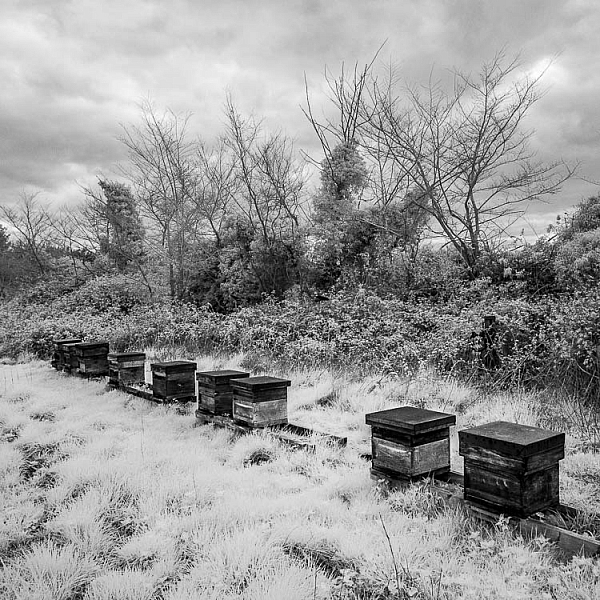
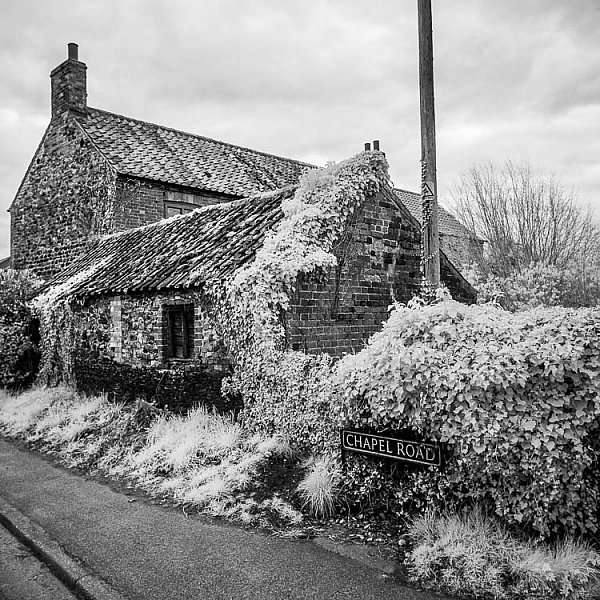
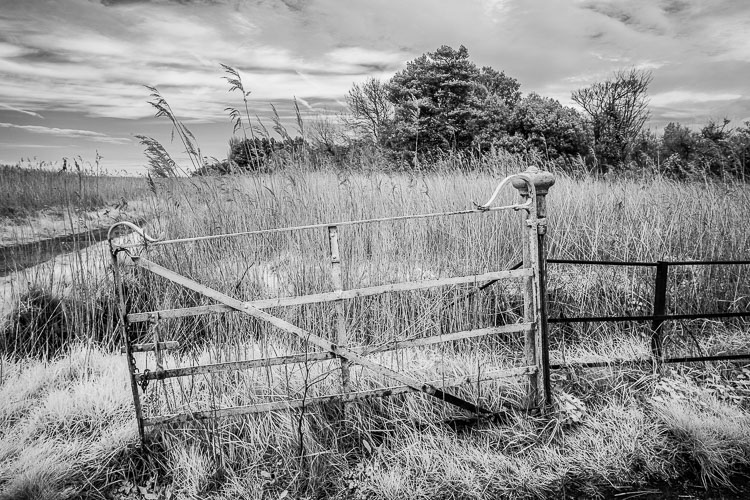
Enhancing your Black and White images with Infrared Photography

Infrared photography for something different

Are you a fan of black and white photography? Like many, I love a good black and white image. The mood you can exude from the shadows and light always fascinates me.

When I was new to photography, I mostly avoided black and white landscapes. I used it mainly a handy way to hide the sporadically bizarre white balance my old Olympus EPL1 used to occasionally surprise me with.

Infrared photography (IR) also took a while to attract my attention. I wasn’t a huge fan of the typical false colour images, but quite liked the black and white IR photos, particularly the work of Simon Marsden. If you haven’t explored his portfolio of dark and atmospheric infrared film photography, you are missing something unique.

Anyway, after a while, I started doing more black and white landscape images, and eventually followed the urge to get into IR images purely for their unique monochrome potential.

Enhancing your Black and White images with Infrared Photography

I went down the path of buying a modified camera off Ebay. You can buy anything from a point and shoot to a full frame DSLR, and everything in between. If you have an old body you can always get it converted, but it’s worth checking the cost against buying one that’s already been modified.

I picked up an Olympus EPM1 for around AUD $ 300 ($ 230 USD). The advantage for me was being able use the same lenses and batteries I already had for the EPL1.

Why buy a modified camera rather than use IR filters?

Filters are a great and relatively inexpensive way to get into IR photography, but they have their limitations.

The main attraction of a modified camera is that you are not limited to the long exposures needed for an IR filter. You can capture sharp images in any conditions, and can be more creative with your exposures (e.g. pick the perfect shutter speed for moving water). You can shoot handheld from any point of view without being limited by a tripod.

Enhancing your Black and White images with Infrared Photography

It is also much quicker. When using filters, you need set your focus before attaching the filter which can become tiresome.

I used to take my IR camera with me for a run along the river. Without the need for a tripod, I could travel light and take quick photos whenever an interesting composition presented itself.

Enhancing your Black and White images with Infrared Photography

What can infrared photography bring do for a landscape photographer?

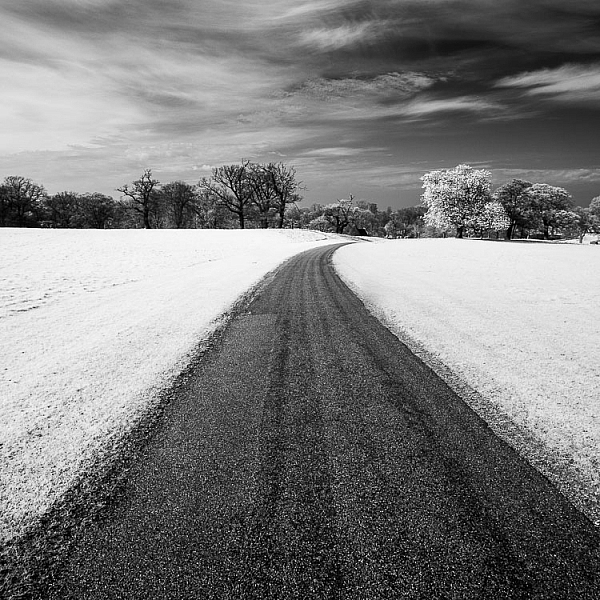
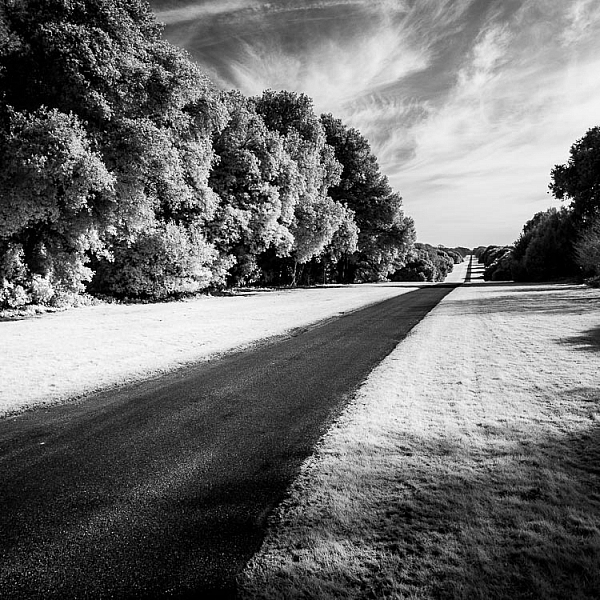
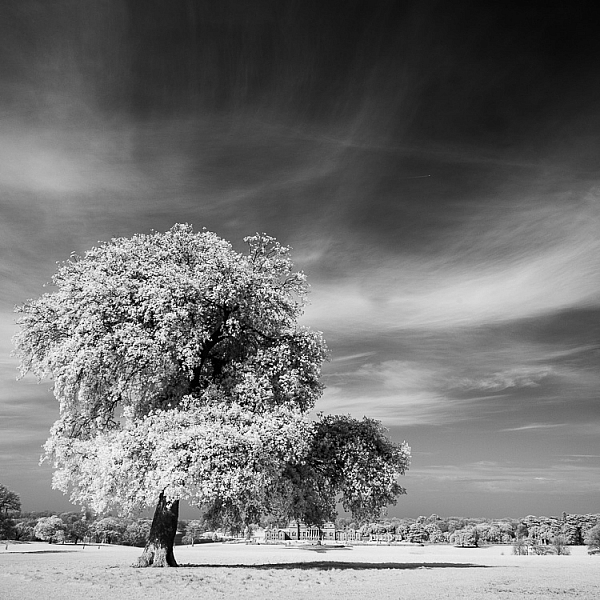
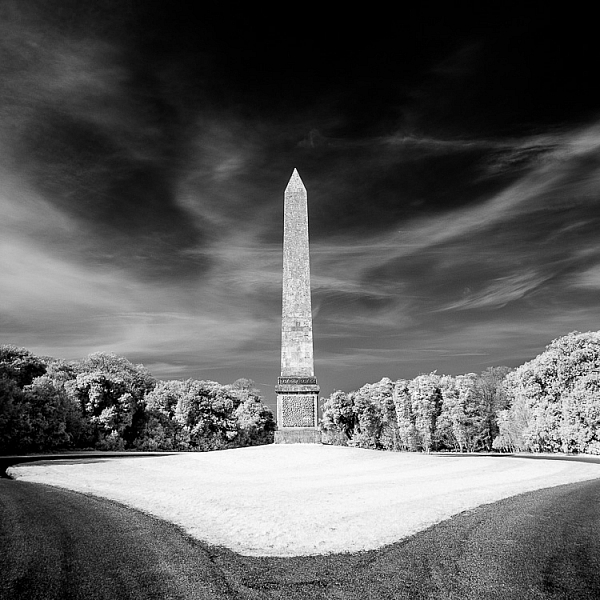
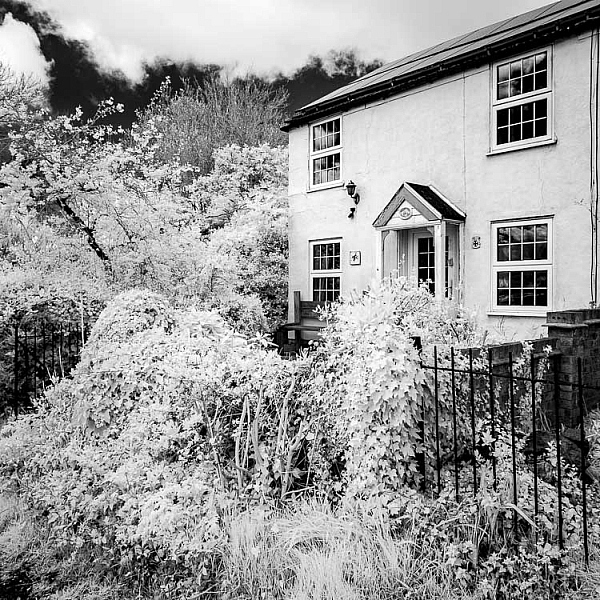
Perhaps the most striking characteristics of infrared photography are the typical white vegetation, black water, and dark skies. You can create punchy, high contrast images. The middle of the day works best for these type of shots. Perfect for those landscape photographers that hate early mornings!

If you like capturing the complex patterns in clouds, you’ll find that the black skies really allow the clouds to stand out.

Enhancing your Black and White images with Infrared Photography

IR also gives you clarity. Any haze visible to the eye tends to disappear in infrared photography. So you can achieve a very crisp and contrasty look.

Enhancing your Black and White images with Infrared Photography

The deciding factor for me was tone. I found the infrared monos gave me a wonderful palette of greys and blacks to work with, particularly for trees and vegetation. The balance between light and dark just seems easier to manage in infrared and really lets you produce some unique images.

Enhancing your Black and White images with Infrared Photography Enhancing your Black and White images with Infrared Photography

Processing

So what processing should you use for infrared photography? The short answer is not much really. Experiment to find out what works for you.

Myself, I don’t normally use Lightroom or Photoshop, so my workflow may be a little different than yours. But the principles will be the same.

I import my raw images into Corel’s AfterShot Pro, which is a handy little raw file editor. Here I’ll straighten the image, adjust the exposure, and maybe increase the contrast if required. My infrared raw files come into AfterShot Pro displaying blue-grey hues, which is a good starting point for me. From here I export them as TIFFs into PaintShop Pro.

PaintShop Pro has a “Black and White Film” effect that lets you apply a colour filter to your image. Changing your filter between blue, red, and green gives a different result.

From here it is a matter of personal taste adjusting the light and dark of your image, the white and black points to suite the image, and maybe applying curves as appropriate.

Enhancing your Black and White images with Infrared Photography Enhancing your Black and White images with Infrared Photography

What is the Secret Sauce?

Infrared photography is wonderfully clean and crisp. But what if you love that IR film look with a ghostly flare?
Don’t worry. PaintShop Pro has it in the bag. They have an “Infrared Film” effect that was probably created to make ordinary images look a bit infrared-ish.

But when you apply it to a proper infrared image as a starting point, you get a wonderful controlled flare effect. It doesn’t quite match the often spooky and surreal results Simon Marsden achieved with IR film, but it does get you a lot closer than anything else.

Enhancing your Black and White images with Infrared Photography

Enhancing your Black and White images with Infrared Photography

The flare can be applied to give a sense of mystery, mood, and surrealness that is hard to replicate any other way.
Enhancing your Black and White images with Infrared Photography

Are there any downsides to infrared photography?

Not really. The only big drawback you’ll find is that you cannot use your favourite filters. Standard neutral density and polarizers do not work in the IR spectrum. If you sky is very bright and your subject is dark, you’ll just have to blend a few different exposures. Shooting in RAW of course gives you more leeway, but my Olympus files are not as forgiving as my Nikon files when recovering blown highlights.

Enhancing your Black and White images with Infrared Photography

The only other thing I notice is that some people get so enamoured by the white leaves and black sky effect that they forget to put their attention on the composition. Yes, everything looks cool in IR, but don’t take pictures of everything. Aim for strong compositions and uncluttered images. IR really shines with a minimalist approach.

Enhancing your Black and White images with Infrared Photography

Many dismiss infrared photography as an oddity; a strange niche that is a bit too left of centre for them. Others just think it is too hard and expensive to get into.

But if you like creating black and white images that stand out from the crowd, I’d suggest you have a crack at it. You’ll find it a challenge but also quite rewarding.

Enhancing your Black and White images with Infrared Photography

The post How to Enhance your Black and White images with Infrared Photography by Matthew Larsen appeared first on Digital Photography School.


Digital Photography School
 
Comments Off on How to Enhance your Black and White images with Infrared Photography

Posted in Photography


dPS Writer’s Favorite Lenses: I’m Torn Between My Nifty Fifty and 70-200mm F2.8

09 Mar
My Favourite Lenses: I'm Torn Between My Nifty Fifty and 70-200mm F2.8

I use my 50mm lens almost exclusively when I’m shooting abstract images.

I won’t lie to you, I’m genuinely torn here. There are two lenses that I could probably say were my favorites. One of those lenses became my favorite out of necessity. It was the only one I owned when I first started shooting with a DSLR. The other became favorite because of its versatility and something much more personal than professional.

My Favourite Lenses: I'm Torn Between My Nifty Fifty and 70-200mm F2.8

This image was shot with my 50mm lens. It was one of my first attempts at fine art photography. It’s so sharp.

My Favourite Lenses: I'm Torn Between My Nifty Fifty and 70-200mm F2.8

The large aperture of the 50mm allowed me to shoot during low-light situations.

It all started with the 50mm lens

Let’s head back in history to 2006 when I bought my first DSLR. I found a used Canon Rebel for sale online for $ 200. It came with a 50mm prime lens. That was fantastic; it was in my budget. I didn’t have a lot of money at the time as I was raising three kids under the age of six. I struck a deal with the seller, and I was in business.

When I went to my first camera course, the instructor laughed when he saw my gear. I thought, at first he was making fun of my gear. But, I was wrong, he was excited for me. He said having just the one lens would push me to be creative and to learn and find out how to take great photos. I would have no choice but to think about my composition because of the limitations of my gear. He said he wished all of his students were as limited as I was and that relying on gadgets and a zoom lens stunted creativity. They could essentially cheat instead of learning to see the photograph and position themselves correctly. He inspired me to push myself to learn everything I could about 50mm.

My Favourite Lenses: I'm Torn Between My Nifty Fifty and 70-200mm F2.8

The 50mm lens is ideal for portraits. It’s lightweight and easy for me to move around with.

I shot landscapes, portraits, macros, and everything in between. I love my 50mm lens because it’s light-weight and affordable. But, I love my nifty 50 because my photos are tack sharp. The bokeh with it is beautiful too, and I love experimenting with the larger aperture. The lens offers photographers so many creative possibilities. Seriously, what lens could be better?

My Favourite Lenses: I'm Torn Between My Nifty Fifty and 70-200mm F2.8

This is one of the rare times that I was able to use my 50mm with my family.

My second love – the 70-200mm f/2.8

I love the bokeh in this shot. The 70-200mm f/2.8 is awesome for this feature.

Well, it’s time for my second love to make an entrance. I love my 70-200mm f/2.8. This lens was also my first big glass purchase. I scrimped and saved for months to be able to buy it. At the time it seemed like an immense sacrifice, but it was worth it.

The lens is very versatile. I can use it for portraits, indoor sports, macro shooting, and candid images on the street. Really, I can use it for anything. It’s not overly heavy so I can hand hold it for extended periods of time, which is very nice. The large aperture is helpful for low light situations or when I need a fast shutter speed. It’s tack sharp, and the bokeh is beautiful. I take it everywhere. My 70-200mm has been on canoe trips and suffered rainstorms (albeit covered with a large garbage bag). It is my workhorse.

dPS Writer's Favorite Lenses: I'm Torn Between My Nifty Fifty and 70-200mm F2.8

The focal length of the 70-200mm is perfect for so many types of shots including street shooting or silhouettes at the beach.

All the reasons I listed, however, are not why this lens is my favorite. There is one thing about this lens that makes it unique. This one thing is more personal than it is professional. Those of you who have children will totally connect with me on this element. The longer focal length of this lens means that I can capture authentic images of my family.

My kids are very much sick of their mother taking their photos. They’ve been there and done that far too much. I can never get them to cooperate when I use my 50mm. Instead, my 70-200mm allows me to capture them from a distance. I can be discreet and not invade their fun. I can catch them laughing and acting naturally. Some of my most cherished shots have come from moments like this.

I’m sure my family knows I have my camera out and pointed at them, but because I’m not right in their faces they forget about me. Or at the very least they can ignore me. It’s the one thing I can’t do with my 50mm, and for this reason, the 70-200mm wins a special place in my heart.

dPS Writer's Favorite Lenses: I'm Torn Between My Nifty Fifty and 70-200mm F2.8

I like shooting landscapes with the 70mm range on this lens.

There are emotional ties to this lens

dPS Writer's Favorite Lenses: I'm Torn Between My Nifty Fifty and 70-200mm F2.8

He was just having fun. He wasn’t aware of my presence with my camera. Yes, his face is a little soft, but this shot is emotional and personal, not professional.

Forget all the features and the specs. I’m not overly worried about chromatic aberration or vibration reduction controls. The 70-200mm holds a place in my heart because it allows me to capture the love and adoration I have for my children. I can make precious memories. My 70-200mm is an emotional favorite. It’s a very personal preference. It is a beautiful, durable, incredible lens that helps me succeed in my business – but it also helps me to capture personal memories.

dPS Writer's Favorite Lenses: I'm Torn Between My Nifty Fifty and 70-200mm F2.8

Capturing joy; I think it’s a great reason to love this lens.

dPS Writer's Favorite Lenses: I'm Torn Between My Nifty Fifty and 70-200mm F2.8

I could have zoomed in more, but I wanted to capture the environment too.

Your favorite lens

What’s your favorite lens? Share it with us in the comments below. Maybe you love your inexpensive 18-55mm kit lens. Tell us why. We want to hear your stories. Forget the specs, what kinds of joy does the lens bring to your life?

My teenager has become so jaded that my 70-200mm is the only way I can capture images of him.

The post dPS Writer’s Favorite Lenses: I’m Torn Between My Nifty Fifty and 70-200mm F2.8 by Erin Fitzgibbon appeared first on Digital Photography School.


Digital Photography School
 
Comments Off on dPS Writer’s Favorite Lenses: I’m Torn Between My Nifty Fifty and 70-200mm F2.8

Posted in Photography


The Power of a Photograph – Iconic Moments Captured as Images

09 Mar

As photographers, we have a great power. We can capture moments in time that are unique, iconic, emotional and powerful. Photography has the power to change things.

By Bronson ABbott

See some of the ways that photographs have this power:

  • We have the power to capture human moments
  • Moments of loss the desperation
  • Of Defiance
  • Moments of bravery
  • Those of love and respect
  • And moments of triumph

How do you use your photography in powerful ways? What are you favorite iconic photographs from history and why? Please share in the comments below about how you feel photography is powerful in our lives.

The post The Power of a Photograph – Iconic Moments Captured as Images by Darlene Hildebrandt appeared first on Digital Photography School.


Digital Photography School

 
Comments Off on The Power of a Photograph – Iconic Moments Captured as Images

Posted in Photography


5 Ways Patience Makes You a Better Photographer

09 Mar

It’s interesting that on websites like Digital Photography School you will find lots of articles on gear and photographic techniques, but far fewer on the mindset of the successful photographer. I’ve always believed that the key to understanding why people are successful lies in the way they think. For example, if you want to build a business that turns over a million dollars a year, then you would learn a great deal from talking with people who have already achieved that.

It’s the same with photography. One of the mindset skills that is important to cultivate is patience. It’s surprisingly difficult to do. Much has been written about our western culture of instant gratification and shortening attention spans. Many people are naturally impatient – it is natural to want results now rather than wait.

5 Ways Patience Makes You a Better Photographer

With all this in mind, let’s look at some of the ways that patience can make you a better photographer.

1. Patience gives you time to explore the scene

It’s so often tempting to find an interesting scene, take a few photos, then move on to look for something else.

But what if you waited? Maybe the right person needs to enter the frame to complete the composition. Perhaps you have to wait until somebody finishes what they are doing and moves out of the way. Maybe you just need to work the scene more, trying different angles and focal lengths and taking the time to look beyond the obvious.

Patience will help you do that.

For example, I had to sit and observe the scene below and wait for the right person to enter the frame. He finally did – and I got this photo.

5 Ways Patience Makes You a Better Photographer

2. Patience helps you build rapport with a model

Patience is a great characteristic to have in all dealings with people, but it’s especially helpful when photographing people. It takes time to gain somebody’s trust, to get to know them, and for them to open up and give you expressions that reveal character and emotion. It requires an emotional investment on your part, and it greatly helps if you are genuinely curious and interested in your model. An interesting conversation, a discovery of common experience or interest often leads to better, more revealing portraits.

You’ll get even better results if you work repeatedly with the same model. That requires the patience to build a friendship and working relationship, and the understanding that you might only start making your best portraits on the third or fourth shoot, not right away.

This is one of my favorite photos of this model, and it came on our third shoot. I would never have made it without the patience to build our working relationship.

5 Ways Patience Makes You a Better Photographer

3. Patience helps immensely with long exposure photography

Long exposure photography is different from other types of landscape photography in that the shutter may be open for as much as five or six minutes. This is a long time to wait, and it can be difficult to know what to do.

I like to use that time purposefully, when I can, by exploring different compositions and angles of view with my iPhone (whose camera has nearly the same angle of view as my Fuji 18mm lens). This way I am working on my next photo while the camera is exposing the frame.

If I am not thinking about other photos then I like to relax, breathe in the air, and contemplate the scene. It’s a chance to chill out and enjoy the view, rather than rush from one viewpoint to another.

5 Ways Patience Makes You a Better Photographer

4. Patience helps you find the best light

You’ll find the best light for most types of landscape, travel, and architectural photography at the beginning and end of the day, when the sun is low in the sky and golden light rakes across the scene. This is called the golden hour and it’s when most scenes look the most beautiful.

When you find an interesting place it takes patience to wait until the sun is lower in the sky, or discipline to wait and return when the light is better. The reward when you do so is beautiful light and more powerful images.

The light changes with the seasons as well as the time of day, and it takes patience to return to a scene at different times of year to explore it in different lighting conditions. I used to live near the beach where I took the photos below. Patience helped me build a series of images shot in different seasons and different types of light.

5 Ways Patience Makes You a Better Photographer

5 Ways Patience Makes You a Better Photographer

5 Ways Patience Makes You a Better Photographer

5. Patience helps you build a body of work over time

One of the easiest ways to improve your photography is to assign yourself projects that you can tackle over time. Projects are interesting because they focus your attention on a theme that you can explore in depth. This takes time, patience and sometimes determination. There may be times when things don’t go your way, when creativity doesn’t flow, or when people let you down. Patience helps you push through these negative events and go on to complete your project.

This photo was taken as part of a long-term project photographing circus performers.

5 Ways Patience Makes You a Better Photographer

Learn how I created this shot here: How to Create Beautiful Light Painting Images With an Illuminated Hoop

The long-term view

One thing that all these ideas have in common is taking the long-term view. It’s all about considering what you’d like to achieve in photography over the next few years and how you are going to do so.

If, for example, you decide that you would like to spend more time taking photos of people, then there is some hard work in front of you in terms of finding interesting models and arranging shoots. Patience is required, but so is the ability to look into the future and think about your photography related goals, and the body of work you are building. Thinking ahead like this helps you act purposefully and constructively. Good luck!


If you enjoyed this article and would like to learn more about the creative side of photography then please check out my ebook Mastering Photography.

The post 5 Ways Patience Makes You a Better Photographer by Andrew S. Gibson appeared first on Digital Photography School.


Digital Photography School

 
Comments Off on 5 Ways Patience Makes You a Better Photographer

Posted in Photography