RSS
 

Archive for the ‘Photography’ Category

9 Tips for Aspiring Young Photographers

20 Jul

Photography is an amazing way to express yourself and see the world around you. It’s therefore not surprising that photography is a favorite pass time for young people. Recently I was asked to give my tips for aspiring young photographers (and those of any age!).

It’s such a great subject that sharing it with the dPS community seemed like a great idea. Even if you’re an old hand at photography, it’s always worth remembering the path you took to becoming a great photographer. We were all young and aspiring once!

Let’s look at some tips that will help you succeed whether you’re new to photography or not.

couple's portrait with flash - 9 Tips for Aspiring Young Photographers

Learning to use off-camera flash is a key lesson for aspiring young photographers who want to take portraits.

1 – Be patient

In today’s world, we all want everything at once. To quote the lyrics from a song “How soon is now?”

As with anything that’s new to you, you’ll need to show patience. Learning a new vocation is a marathon, not a sprint. While it’s true some people will have a natural eye for photography, they also won’t succeed without patience and application.

You also need to figure out what success means to you. There are many who will see that as a large following through social media. While it’s a measure of success to have a large following, it’s certainly not the only measure. In fact, the approval of a huge number of likes through social media can stunt your development, as it may well blind you to some of the mistakes you make when taking photos.

So take your time, accept the fact that you’ll make some mistakes along the way, and allow your photography to grow organically.

musicians in a reflection - 9 Tips for Aspiring Young Photographers

Photographing with friends is a great way to gain experience. This is of a local music band.

2 – Look for places to get feedback

Feedback is an important part of your development. You can’t always see your blind spots, that’s why seeking out advice from others is a good idea. The type of feedback aspiring young photographers look for is important, it can have a big impact on your growth.

  • Thick skin – You’ll need thick skin, or the ability to accept constructive feedback. Then you need to be able to apply it to your future work which will allow you to grow.
  • Seek feedback – The choice of the word feedback over critique is important here. Critique is a negative word, where feedback is neutral. In addition to being given advice on areas a photo needs improving, the feedback giver should also be telling you the things you have done right. All too often people see the word critique and will then only look for the faults in a photo.
  • Stay true – As a photographer, you will develop your own style, so you need to remain true to this style. Feedback should be fixing technical faults, not seeking to change a photographers style. Photography, after all, a creative pursuit, and the wrong feedback has the potential to stunt the growth of aspiring young photographers.
9 Tips for Aspiring Young Photographers

It’s always a good idea to get feedback on your work but choose your sources carefully. 

3 – Choose a niche to master

Photography is a broad area, and there are so many different types or genres of photography. The old saying about being a “jack of all trades, and master of none” rings true here.

Every photographer will eventually gravitate to a particular type of photography. Of course, it’s great to try out new genres from time to time, and in the early day’s it’s worth trying out different techniques to see which is the one for you. But sooner or later though you’ll need to decide whether you’re a portrait, landscape or food photographer.

Each of those photography types has many skills you’ll need to master before your photos really stand out from the crowd. There again you may wish to be a travel photographer, in which case, you’ll need to be good at just about everything.

9 Tips for Aspiring Young Photographers - crystal ball photo

Crystal ball photography is one niche, will you choose this or something different?

4 – Identify a mentor

Every field of photography will have its masters. In most cases, there will be more than one person you can approach as a mentor. Once you have decided on the genre of photography you wish to become good at, find someone who is already good at that, and approach them to be your mentor.

In today’s digital world it’s much easier to do this online. Remember the photographer you approach will be a busy working professional, and you may need to pay a fee for their time. Of course, if you pay a fee you will expect results, so set some clear parameters and goals for your sessions with them.

9 Tips for Aspiring Young Photographers - pixelstick lighting effect

Your mentor will teach you the ways of The Force. Well okay, the ways of the camera.

5 – Join a photography group

One of the best things aspiring young photographers can do is join a photography group. This can either be online or in person. The majority of photography groups or clubs have a mixture of levels and abilities, and it may well be you’ll find your mentor by joining such a group.

There are so many benefits to hanging out with other photographers. The ability to bounce ideas off others, gain feedback on your work, and grow as a photographer within the group are all positives to joining a group.

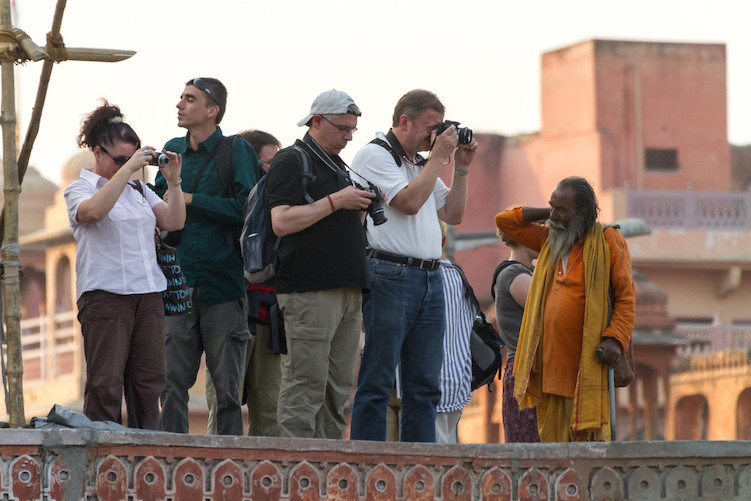
9 Tips for Aspiring Young Photographers - group of photographers and a red building

Joining a group is a great way to learn about photography and make new friends.

6 – Learn your craft in your locality

Now hopefully you’ve joined a photography group, and you know which style of photography you want to pursue. It’s time to really put the time into learning everything there is to know about it.

Now, of course, you might happen to live in an amazing location like New York, or you have easy access to Angkor Wat because you live in Siem Reap. Those living in less glamorous places nevertheless need to learn the techniques and tricks needed to make the best photos they can, and in turn, put the glamour in their local area. Everywhere has its point of interest, and training your photographer’s eye to see that will help you become a better photographer.

  • Landscape photographers – A great technique to learn is digital blending. You can learn how to do this in your local area, and then when you visit one of the world’s iconic landmarks you’ll be ready to make the best photos you can.
  • Portrait photographers – Learning how to use off-camera flash will really lift your game, you can do this with friends and family as your models. Then when the chance for that big photography gig comes along, you’ll be ready.
blue hour coastal photo - 9 Tips for Aspiring Young Photographers

Practicing your photography skills close to home is a good idea.

7 – Visit locations that will help your photography shine

Having built your knowledge in photography, and picked out a style, it’s now time to pick out a location where your photography will really shine. This will involve some form of investment in you traveling to a specific place that best suits your photography.

This is obviously not something you want to rush into, the key to success here is good planning. As an aspiring young photographer looking to establish yourself, getting some amazing portfolio photos is important. These are some of the steps needed:

  • Location research – Use websites like 500px as a resource to find the locations you’d like to photograph yourself. Time spent on these sites will also give you inspiration for new ideas and directions you could take your photography.
  • Equipment – You’ll need the right equipment to get the best photos, so consider carefully what you’ll purchase.
  • Logistics – Think about the logistics. How much will your trip cost? Are you going at the best time of year for the light and weather? Is where you’re staying going to give you easy access to places you want to photograph?
Petronas tower Kuala Lumpur - 9 Tips for Aspiring Young Photographers

This photo is of the Petronas Towers in Kuala Lumpur is iconic. Earlier photos were taken to practice the techniques needed for this photo, such as digital blending.

8 – Invest time learning post-processing

Photography is a two-step process. First, you’ll need to take the photo, but then you’ll need to process it on a computer or perhaps even in a darkroom. There are lots of things that can add to your photography with post-processing, below are just a few areas that you should focus on for landscape or portrait photography.

  • Landscape – Learning how to use digital blending, sharpen your image, and how to remove unwanted elements from your photo.
  • Portraits – Learn how to soften the face, but sharpen the eyes. Learn about compositing your photos, so you can blend studio portraits with other backgrounds.

9 – Set limits

A great way to push yourself, and learn more about photography is to set limits. In the days of film photography, you’d be limited to 24 or 36 photos per roll of film, though you could, of course, carry additional rolls with you.

The point is you were limited to a finite number of photos, so you’d have to consider your shot selection carefully. This is an example of a limit or parameter that can make you grow as a photographer. The following are a few others which you could try:

  • Focal length – Take photos from only one focal length.
  • Aperture – Choose only one aperture for the whole day.
  • One color – Take photos of only one color for the whole day.

What tips do you have for aspiring young photographers?

Are you an aspiring young photographer? Which of these tips will you follow, and have you learned anything new that you can take into your photography?

Have you ever mentored someone else who was new to photography? What was your experience with that? As always we love to hear from the dPS community, so please leave your replies in the comments section below.

The post 9 Tips for Aspiring Young Photographers appeared first on Digital Photography School.

Digital Photography School

 
Comments Off on 9 Tips for Aspiring Young Photographers

Posted in Photography


How to Choose Your Next Travel Photography Destination

19 Jul

If you’re anything like me, your love for photography is matched only by your love for travel. Your days consist of dreaming of epic landscapes, amazing cities, and unlimited air miles. Unfortunately, my friend, you have the travel photography bug, and I’m sorry to tell you that it’s incurable.

beach with chairs and umbrella - how to choose your next travel photography destination

It’s easy to get down about your inability to see and photograph everything right now. There just aren’t enough hours in the day, and for most of us, not enough money in the bank. The thing that keeps me from getting down is planning my next trip.

Planning is the easy part, the hard part is choosing where to go. You might get overwhelmed by the options, so here are a few things to consider which may help you choose your next travel photography destination.

Look in Your Own Backyard

First up, your next trip doesn’t need to be an epic destination across oceans to places like Iceland or Patagonia. I’m always trying to find ways to get to big bucket-list locations that I know I would love, but sometimes looking closer to home may be a better option.

Unless you live on an island in the middle of the ocean, there’s likely somewhere nearby that you’ll be able to get to sooner to satisfy your wanderlust.

Is there anywhere within driving distance that you’ve always wanted to visit or a place that people have been saying you should check out? Somewhere in your own backyard that others spend thousands of dollars and countless hours traveling to see? It may be somewhere you’ve been before but could revisit to try to photograph better. The benefits of looking in your own backyard are many.

lake with rocks and mountains - how to choose your next travel photography destination

Make a Bucket List

You likely already have an idea of some of the places that you would like to visit and photograph. If you ask me, I can rattle off a long list of dream destinations. If you haven’t already done so, make a list and write it down. You could even make more than one list – local and international.

My bucket list has nested sub-locations within each item because I keep seeing new locations within a given country that I want to see.

I also encourage you to try and get past the big-name travel destinations. Add them for sure, I certainly have, but there’s more to the world than Iceland, New Zealand, and Yosemite. These places are insanely popular, which makes them expensive to get to and you’ll often be competing with huge crowds.

Instagram is a great place to find inspiration, but again, try to look for more than the uber-popular locations. Also, try asking people who love to travel for their recommendations. I’m always happy to make suggestions if you’re stuck for ideas.

egypt - how to choose your next travel photography destination

Talk to Your Travel Buddy

Who will you be traveling with? Do you have a buddy that you go everywhere with? Share ideas with them and come up with a shared list. Do you usually travel alone? Great, that gives you some freedom to do whatever and go wherever you want. It might be worth considering a travel buddy for a change. There are many benefits to traveling with somebody else or even a group.

If your travels usually come in the form of family vacations, then your plans will need to work for them too. Maybe try asking your kids where they would like to go for your next family trip? They might suggest something you have not considered. Is there somewhere your partner has always wanted to go but never mentioned?

Multi-Task

Is there a way that you can kill two birds with one stone? Sometimes there are ways to justify travel that you may not have considered. Do you have family somewhere that you could visit? Maybe an old friend that you haven’t seen for years?

Not everyone has the ability to travel for work, but if you do – is there a way you could tack on some personal travel to the end of a work trip? If you’re crafty you might be able to get your boss to pay for you to go to a conference somewhere. If you don’t ask the answer is always “No”.

cathedral how to choose your next travel photography destination

It’s worth considering photography workshops also. Although it will still be all about the photography, you’ll be investing in your craft. They can be expensive, but if you find one close to home you can keep the travel costs down. Your photography will benefit from a workshop far more than it would just by taking a trip.

Budget

The biggest barrier for most of us is cost. If money were no object, I’m sure many photographers would spend more time traveling than they do at home. Unfortunately, travel costs a lot so it needs to come into consideration.

Depending on where you live, you can use seasonal fluctuations to help you choose your next destination. Virtually everywhere in the world will have a high and a low season. These seasons affect travel costs significantly, so it’s worth doing some research into where’s the best place to visit at a given time of year. Either side of high season (shoulder season) is often cheaper, while the weather is still okay.

It’s also worth considering exchange rates as they can fluctuate a lot. If your home currency is performing well against another country’s currency, it could be worth considering traveling there while you’re able to get more for your money. I’ve planned travel at short notice a few times due to an unusually good exchange rate, and it’s saved me hundreds of dollars.

Expand Your Portfolio

It’s worth taking a look at your travel photos and asking yourself if there’s a subject or medium that you really want to add. Maybe you have loads of images of beaches and the ocean and could diversify by getting into the mountains?

Do you primarily photograph nature and could stretch yourself by spending a weekend photographing cityscapes? Always wanted to try out some astrophotography? Go spend a few moonless nights as far away from light pollution as possible.

I’ve always wanted to take my camera underwater, so next month I’m spending a few weeks in Queensland, Australia exploring the Great Barrier Reef.

cityscape how to choose your next travel photography destination

As photographers, we naturally seek out subjects that we’re drawn to and are comfortable with, but it’s worth trying something different from time to time. Choosing your next destination based on the subject or medium you want to photograph is a great way to learn something new and maybe go somewhere you wouldn’t usually choose.

Available Time

I’m a big advocate of slow travel. You can see and experience a place in a completely different way when you spend a few months there rather than a couple of days or weeks. That said, not everyone wants to or can quit their job and go live somewhere new for a few months.

It’s worth considering how much time you have available for your next trip. If you only have a weekend, you’re not going to want to spend 20 hours flying in each direction. If you have a month, you probably don’t want to spend the whole time in a small town down the road. Use your time wisely.

spices how to choose your next travel photography destination

There are places that I want to visit that I wouldn’t really enjoy if I rushed it. So I’m leaving them for when I can explore it at my own pace. There are also many places that would happily spend a couple of nights and be satisfied.

Make it a Road Trip

It’s pretty hard to beat a good road trip. You have the freedom to go where you want when you want. You’re not dependent on public transport or an itinerary.

You can even sleep in your vehicle if you like and get to obscure locations away from the crowds. Drive as far as time allows.

mountains how to choose your next travel photography destination

A road trip opens up many possibilities for travel photography destinations. It can turn one location into many. I always wanted to visit Yosemite National Park in California, so I did an epic road trip on the entire west coast of the USA.

Next, I wanted to see the Canadian Rockies, so I drove all the way from Vancouver through British Columbia, into Alberta and the Rockies, then down through northern Washington. I saw so much more on those road trips than I ever would have flying or busing between locations. Maybe a road trip should be next on your list?

Where to Next?

You probably can’t pack your bags and get on the road tomorrow, but choosing and planning your next travel photography destination can give you something to look forward to and prepare for. I hope this has helped you to consider new possibilities and narrow down your options.

If it’s helped your next trip come around sooner, even better. What’s on your travel photography bucket list? I would love to hear what you’re thinking or planning, please share in the comments area below.

The post How to Choose Your Next Travel Photography Destination appeared first on Digital Photography School.


Digital Photography School

 
Comments Off on How to Choose Your Next Travel Photography Destination

Posted in Photography


How to Take Clear and Creative Photos at Aquariums

19 Jul

Aquariums are amazing places to take your family. But it can be really hard to take good photos as aquariums.

Naturally, you want some really cool pictures. But you find out very quickly that aquariums are dark. Really dark! And that your photos turn out blurry. Really blurry!

Low light photography is one of my favorite challenges. So, in this article, I’ll show you how to get clear and creative photos at aquariums and how to apply some simple edits in Lightroom.

A photo of a shark swimming with fish. How to Take Clear and Creative Photos at Aquariums

I’ve always been amazed by people who go diving with sharks. I knew that I wanted my aquarium photos to seem like they were taken from in the water. So as much as possible, I got right up close to the glass, blocking everything out except the creatures in the water.

1. Getting Clear Photos at Aquariums

Turn off your flash

If you set your camera to Automatic Mode, it’ll likely trigger the flash when you take a photo. The flash will make a huge reflection on the glass which will ruin your photo. So before you even enter the aquarium, make sure to disable your flash.

If you turn your flash off you’ve eliminated the biggest problem with glare. But there still might be some ambient light reflecting off the glass. Move right up to the glass so that your camera won’t pick up any of this reflected ambient light. You’ll be standing right up at the glass looking through it, rather than standing back a few feet looking at it.

Photo of ambient light reflecting on glass at the aquarium. How to Take Clear and Creative Photos at Aquariums

Here you can see the white and orange ambient light reflected in the glass on the left side of the photo. This photo is also suffering from a slight bit of motion blur.

Photo of a fish with no ambient light reflecting on the glass. How to Take Clear and Creative Photos at Aquariums

In this second photo, I stepped closer to the glass and angled the camera so as not to see the ambient light reflected in the glass. The main fish is also sharper now. Part of drew me to this photo was the simplicity of the scene. Very little color, good subject and a repetitive pattern of fish in the background. ISO 2500, f/2.8, 1/50th.

Turning off the flash and getting rid of reflections is the first step. Now it’s time to consider freezing the action so that your photos won’t be blurry.

Motion Blur

You may find that your aquarium photos turn out blurry at first. This is because in low light situations your shutter speed can become too slow to freeze the movement.

It’s important for you to set the shutter speed yourself, ensuring that your photos will not be blurry from camera or subject movement. There are two main ways to do this; Shutter Priority or full Manual Mode.

A photo with blurry fish - How to Take Clear and Creative Photos at Aquariums

This is a typical aquarium photo suffering from motion blur. The camera settings were ISO 400, f/4, 1/10th. The shutter speed needs to be much quicker to freeze the movement of the fish. Increasing the ISO to 3200 would have allowed for a much faster shutter speed (1/80th).

Shutter Priority Mode

To use Shutter Priority Mode, start by setting the ISO as high as you are comfortable doing according to your camera. I have no problem going to ISO 3200. This higher ISO will help your camera absorb the dim light.

For photos in aquariums, I suggest setting your shutter speed to 1/125th to begin. Make sure you only set the shutter speed fast enough to freeze the action, but no faster than necessary. If the shutter speed is too quick you’ll end up with dark or underexposed images.

Close-up photo of a shark - How to Take Clear and Creative Photos at Aquariums

I was so excited to get this close to a shark! The settings for this image were ISO 3200, f/2.8, 1/125th.

Manual Mode

If you’re comfortable with it, you should use full manual mode. Set your ISO as high as you are comfortable doing according to your camera. Aim for ISO 3200 which will help your camera absorb the light.

Open your aperture as much as you can, or as much as you are comfortable doing creatively. If your aperture opens to f/2.8 or f/1.8 that will really help to capture the light.

With your ISO as high as you can make it and your aperture open as wide as you like, set your shutter speed to 1/125th or faster (likely somewhere between 1/60th and 1/250th – adjust as needed to get a good exposure based on the amount of light in your scene).

If you have a 50mm lens I recommend you make it your main lens for aquariums. The wider aperture will let in lots more light. It’s a good focal length too.

My typical settings for aquarium photos are as follows:

  • ISO 3200
  • Aperture f/2.8
  • Shutter speed 1/60th

That shutter speed is actually pretty slow. But I have practiced holding the camera really steady and most of the creatures weren’t moving too quickly.

A shark with fish. How to Take Clear and Creative Photos at Aquariums

ISO 3200, f/2.8, 1/125th.

Don’t get discouraged when the first shot doesn’t turn out. Take your time as you explore the aquarium. Try to choose a day to visit when it’s less busy. Give them a call and ask them when those times occur.

2. Getting Creative Photos

Once you’ve figured out how to get clear photos, it’s time to get creative. You might be so overwhelmed by the amazing sea life that you forget to bring your own creativity to the photos, so here are some tips for you.

Angles

To me, varying your camera angle is the quickest way to make your photos more interesting. Rather than capturing everything from the same perspective, try a variety of angles. The same shark can look very different from different angles.

A big lobster with huge claws. How to Take Clear and Creative Photos at Aquariums

I chose an eye to eye camera angle for this lobster. His claws were huge and getting right down to his level made him look like a tough guy. You have to look carefully to see his eyes in the background. This part of the aquarium was actually lit with purple light.

Low angle photo of a shark with its teeth showing. How to Take Clear and Creative Photos at Aquariums

To me, the feature that stands out the most on a shark is its teeth. A low angle is just about the only way to see those teeth in a photo.

Photo of a strange fish (eel). How to Take Clear and Creative Photos at Aquariums

The best way to capture this eel’s beauty was an eye to eye angle.

Photo of a shark chasing a fish. How to Take Clear and Creative Photos at Aquariums

A low angle can add a sense of drama to the photo. When a shark decides that it’s feeding time, that’s a dramatic moment!

Extremely low angle photo of a shark. How to Take Clear and Creative Photos at Aquariums

I would normally refer to this extremely low angle as a “bug’s eye view.” Dramatic angles such as this can really give the feeling of actually being in the water with the sharks. You’ll notice a little glare on the glass on the upper right of the photo.

Silhouettes

Silhouettes are really easy to capture in aquariums. The key to a silhouette is to have a bright background and a dark foreground and subject. If you’re comfortable using Manual Mode, then you only need to adjust your exposure until you get the desired effect.

If you’re in Auto Mode or even Shutter Priority, then your camera may naturally make the photo look like a silhouette. But you could use exposure compensation to adjust the exposure (- if you want it darker, + to lighten it) if you don’t want to shoot in Manual Mode.

A silhouette photo of people watching a manta ray. How to Take Clear and Creative Photos at Aquariums

Children are taken in by the sea creatures and parents are captivated watching their kids. This silhouette photo happened quite naturally because the aquarium is really bright compared to the people in the foreground. You’ll notice some unfortunate ambient light reflecting on the glass near the manta ray’s tail. That could be easily removed in Photoshop – if you have those skills.

Light

Pay attention to the light in the water and you should be able to get some interesting photos. Especially look for backlight or sidelight.

A dramatically lit school of fish. How to Take Clear and Creative Photos at Aquariums

I love backlighting so I positioned myself to get the huge lights in the frame. This gives the photo a dramatic deep sea feel, as though a submarine were coming along.

Close up of a backlit school of fish. How to Take Clear and Creative Photos at Aquariums

Another backlit photo. I was able to get right up to the glass to photograph this school of fish.

Editing Your Photos at Aquariums in Lightroom

When the chaos of the aquarium trip is over you can relax and sift through your photos. Choose the ones that you like the best and forget about the ones that didn’t turn out. Use a program like Lightroom to put the finishing touches on your photos.

My goal is to keep my photos looking as natural as possible. My main concerns are exposure, contrast, and clarity. However, I always want my photos to look the way the moments felt. So I don’t mind exaggerating colors or exposure if need be.

So considering your images, they’re your photos so you get to make the decisions.

Screenshot of adjustments made in Lightroom. How to Take Clear and Creative Photos at Aquariums

The adjustments here, especially clarity, allowed the shark and the fish to pop a little more.

Screenshot of adjustments made in Lightroom.

The most important adjustment made to this photos was the White Balance. I normally use Auto White Balance and the camera gets the color pretty close. But in this case, there is a strong green tint to the photo. There are all sorts of color casts in an aquarium which can make white balance tricky. Make sure you shoot raw so you can adjust it later.

Screenshot of adjustments made in Lightroom. How to Take Clear and Creative Photos at Aquariums

This lobster was impressive for its size and gritty crusty look. I bumped up the clarity significantly in order to portray that in the photo.

Bring it Together

Whether you’re going alone, with a friend, or with your whole family, don’t fight the crowds and choose a quiet time to visit the aquarium. When you get there, take your time and get comfortable with your camera settings.

Once you have figured out how to get clear photos, get creative with angles and interesting light.

Relive the sights as you cull, edit and print your favorite shots. And before you visit an aquarium again review your last photos and plan to make the new batch even better.

The post How to Take Clear and Creative Photos at Aquariums appeared first on Digital Photography School.


Digital Photography School

 
Comments Off on How to Take Clear and Creative Photos at Aquariums

Posted in Photography


How to Create a Luminous Look for Your Photographs

19 Jul

Today let’s talk about one of the final processes of creating an artful image. Let’s talk about THE LOOK. This refers to the overall feeling your images projects to a viewer. This look is often created during post-production here in the digital age, or it can be created in camera. Either way, the final look and feel of your image are just as important as all the technical requirements that went into the initial exposure.

Create a Luminous Look - tide on the beach

In this case, a soft focus was added in post-processing to help lighten the image.

There are lots of different looks that you can create with your images, everything from a bleached look to something with super rich colors. There’s also the hyper-realistic style where you process your work to create a gritty look. Today though we’re going to focus on the luminous look.

Defining the Luminous Look

To fully understand the luminous look lets start with a full understanding of the characteristics of a photograph that looks and feels luminous. Dictionary.com defines the word luminous in the following way:

Adjective

  1. Radiating or reflecting light; shining; bright.
  2. Lighted up or illuminated; well-lighted: the luminous ballroom.
  3. Brilliant intellectually; enlightened or enlightening, as a writer or a writer’s works: a luminous concept; luminous prose.

This means one of the main focuses when creating a luminous photograph is to consider the feeling the light will create in the image.

Luminous could mean the image glows. This means it feels like the light seeps from the image out towards the viewer. The best way to achieve this look is to shoot towards the light source. The goal is to make the light central to the look and feel of the image.

You will notice that there are still dark areas that contrast with all of the light. This is important. The goal is not to wash out the image but to create that feeling of all-around soft bright light.

Glowing

Let’s study the following images to understand how one creates a glowing, luminous look and feel within a photograph. Below is the initial photograph, unprocessed. The RAW image was shot in a local forest. I was attracted to the soft light coming through the forest that illuminated this tiny spring flower.

spring flower - Create a Luminous Look

This was shot at 1/80th, f/5.6, ISO 1000.

In post-processing, several elements were slightly adjusted. In the image below the highlights were enhanced and the exposure was raised a little. The tones were also warmed. All adjustments were completed in Lightroom. The goal was to make it feel as if the light permeated the scene with warmth.

Create a Luminous Look - spring flower with warmer tones

After processing – notice how much lighter and airier the image is now.

The second image was edited using the Nik Efex software from Google. I love their analog looks. I chose a preset then made some adjustments to the image, controlling the brightness and the amount of vignette in the image. A matte feel was also added to this second version.

Create a Luminous Look

Processing using Nik Efex.

The essential concept when creating an image that has a luminous glowing feeling is to ensure that the light softly reaches all corners of the image.

Using Fog and Mist

Another way to create a luminous look is to take advantage of fog and mist. Photographs shot in their natural conditions won’t glow in the same way but the luminous look can be achieved when shooting in foggy conditions. The fog softens the view and can make the viewer feel as if the scene is still filled with light.

In the case of the image below, the fog and the mist completely obscured our view of the countryside. The entire top of the mountain, however, glowed with a diffused light. The 2km hike straight up the side of the mountain was still worth it for the ghostly quiet we experienced while standing on one of the highest peaks in Wales.

Create a Luminous Look - mountain top in the fog

Pen-y-Fan is one of the highest mountains in Wales and the view from the top is supposed to be spectacular. Our grueling hike to the top did not reveal expansive views but rather this eerily silence. It was still worth the effort.

The Miky Look

A third way to create a luminous look is to process an image so that it feels milky in nature. These means that post-processing produces a softer feeling image that doesn’t necessarily contain brightness or dark contrasts but rather one that feels soft and light but muted.

Here’s the original unedited image. The soft muted colors and the fog are elements that will help to achieve the milky look. Strong contrasts and bright bold colors do not lend themselves to creating this style.

ocean waves - Create a Luminous Look

The deserted beaches around Borth, Wales were a perfect spot for shooting images with soft gentle tones.

To process the image and complete the milky look I used warmer tones, adjusted the vignette, and lightened the corners of the image. I used a faded film preset and gave the whole image a light greenish tone. Then, I adjusted the haze slider in Lightroom. I wanted the whole image to feel very light but also very soft.

Create a Luminous Look

Processed for a milky, almost retro look.

Using Lens Flare

One final technique to consider is the use of lens flare to help create images that look and feel luminous. Lens flare is one of my favorite techniques to use in experiments. I love the effect of so much light permeating the image and also the unique shapes created as the light refracts in your camera.

The following images are all floral in nature but the light is refracted in each image in different ways. In some cases, it’s the shape of the bokeh in other cases it’s lens flare.

yellow tulip - Create a Luminous Look

Perhaps this image is more about the bokeh in the background. Beautiful circular spots of light softly illuminate the flower.

There wasn’t much editing that went into the photograph of the tulip above. A touch of vibrancy was added to heighten the colors and the exposure was adjusted slightly. The focus is also a little soft which helps lend itself to the soft bright feel of this image.

Create a Luminous Look

You might be able to classify this image as having a glowing look but the sunlight is obscured by the flowers and the majority of the image is not in sharp focus. The light and the shallow depth of field bring this flower image into the realm of luminous abstract.

Here is an example of the classic lens flare. This image, while the same subject matter as above, was processed with more blue tones and a different depth of field. The goal was to include that star-shaped flare of light.

The Look is About Creative Interpretation

Creating a look and feel for your images is an important part of the creative process. These days the majority of our efforts are focused on creating a look in post-processing. That doesn’t have to be the case, it is possible to create a look in camera as well.

The luminous look is just one of many different creative styles you can utilize in your work. Choosing a look is about deciding how you want the image to be presented to the viewer. It’s also about the message you wish to communicate. Finally, creating a look is about your artistic interpretation of a scene. Wanting to take something like a dreary rainy day and make it feel bright and airy is just as valid as capture the reality you see before you.

So it’s time to experiment with different looks. Give the luminous look a try and show off your best work in the comments below.

The post How to Create a Luminous Look for Your Photographs appeared first on Digital Photography School.


Digital Photography School

 
Comments Off on How to Create a Luminous Look for Your Photographs

Posted in Photography


5 Camera Bags That Every Travel Photographer Needs At Some Point

18 Jul

One of the great things about being a travel photographer is that you are almost always working outside. Sometimes this might be in a city and sometimes in the wilderness. Either way, one of the main attributes you will need is to be organized. This involves everything from research and planning, to your shot list and efficiency. It also includes being organized with your equipment and what you will need on a day to day basis.

There is a fine balance between carrying too much unnecessary equipment and what you actually will need. A vital part of carrying your equipment is choosing the right bag for the scenario you are going to be photographing. Not only are camera bags important in keeping your equipment safe and dry, but a good bag will also make it easier to carry equipment.

Especially when you will potentially be walking around all day. There are so many bags to choose from, so here are the five types of bags that you may need at some point.

person on a cliff overlooking the water - 5 Camera Bags That Every Travel Photographer Needs At Some Point

#1 – Day Bag

A day bag is usually the first bag that most people would purchase. It will also be the bag that gets the most usage. So it’s vital that you take into account the different options available to fit your needs. Before you rush out and buy one, consider the following factors:

day bag for camera gear - 5 Camera Bags That Every Travel Photographer Needs At Some Point

  • Size – What will you generally be carrying day to day? Most travel photographers will carry a telephoto lens and possibly a couple of smaller lenses. You may also carry a flash as well as memory cards, batteries and possibly a second camera.
  • Tripod – The first day bag that I ever purchased, didn’t have a way to attach and carry my tripod. I quickly realized how frustrating and tiring that was. Carrying a tripod means you are constantly having to put it down every time you want to take a photo. So when fleeting moments arrive you are not ready to snap away.
  • Non-photography space – Another big consideration when purchasing a day bag is how much additional space you will have to carry non-photographic items. For example, can you carry a bottle of water? Or a rain jacket? Is there somewhere safe and hidden away that you can keep your keys, mobile phone or even cash?
  • Accessibility – Would you really want to take everything out of your bag to get to those plasters right at the bottom? How quickly and easily you can access the various compartments of your bag is very important. For example, some bags will allow you to get your camera out from a side zipper without having to open the whole thing up.
  • Comfort – As a travel photographer you will often be out walking for hours. Being able to carry your equipment comfortably can mean the difference between going back to the hotel because you’re uncomfortable and in pain or carrying on.
  • Airline carry-on – Another consideration is whether your bag complies with the carry-on regulations of airlines. I always carry my camera equipment on the plane (I put my tripod in my suitcase) rather than check it in so have to make sure that my bag isn’t too big.

All of these are factors that need to be considered before purchasing a day bag. It’s taken me a few attempts to find the perfect day bag but my choice is the Lowepro ProTactic 450 camera bag.

It has plenty of storage for two cameras as well as a couple of other lenses and things like memory cards and batteries. It has a top zip, as shown below, that makes it easy to access my camera without needing to open the whole bag. I can also carry a large tripod attached to the bag as well.

5 Camera Bags That Every Travel Photographer Needs - Lowepro ProTactic 450 AW Camera Backpack

#2 – Hiking Bag

While a day bag is great for everyday use, sometimes it’s simply not big enough. For those photographers who like to hike or camp overnight, then a day bag won’t be able to hold all of your camera equipment and additional things needed like a tent, food, and water.

So the next bag up from a day bag is a hiking bag. But again it’s important to consider the factors below before purchasing your hiking bag.

5 Camera Bags That Every Travel Photographer Needs - man sitting on a rock by the ocean

  • Size – The first criteria for your hiking bag is the size that you will need. This will come down to what you are planning to photograph and the duration of your hike/trek. For example, if you are planning to camp overnight you will need space for a tent and sleeping bag. But if your hikes are one day ones then you could get away with something smaller. Factor in all the items you will need such as spare clothes, a first aid kit and even cooking utensils as well as your camera gear. Then find a bag to fit what you will be carrying.
  • Water reservoir – This might seem like a trivial point when considering a bag, but being able to have a drink without having to take your bag off is incredibly useful. So one thing that I would always recommend is buying a bag that either comes with a water reservoir or one that you can fit one into. You don’t want to have to constantly stop and take your bag off every time you want to have a drink.
  • Waterproof – Most outdoor bags these days will be somewhat shower proof, but some bags also come with a rain cover that you can place over the bag. These sometimes sit under the bag and can easily be accessed when you need them.
  • Adjustable – On any long walk or hike, comfort is vital. So look for a bag that allows you to be able to adjust the straps to fit your posture. The best thing to do is to try out your given bag for a few hours with your equipment locally before setting out on your trip.

My personal choice for a hiking bag is the Lowepro Pro Trekker 650 AW camera backpack. As I rarely camp overnight, this bag is big enough to carry my camera equipment and any additional daily items. There is also a side pocket for a water reservoir (not included) and you can strap a large tripod to it as well.

pro trekker LowePro bag - camera bags for travel photographers

Lowepro Pro Trekker 650 AW camera backpack

#3 – Sling Bag

There are times that even a day bag is too big and cumbersome to carry around. Sometimes all you need is a small bag to carry your camera and a few additional accessories. Sling bags are useful for this purpose and also because you can get things in and out without having to take your bag off.

There may also be occasions (i.e. in busy events) where you can keep your bag in front of you thus making it less inviting to pickpockets and thieves. You won’t be able to carry a lot of equipment or strap your tripod to it, but a good sling bag should still have plenty of room for what you need.

I pack my sling bag into my suitcase (it folds flat) and will use it on occasions when I don’t need to take a lot of equipment. For example, some museums or viewing platforms don’t allow backpacks whereas you’ll be okay with a sling bag.

My sling bag of choice is an older version of the Lowepro Passport Sling III camera bag. It’s surprisingly spacious for its size and I can fit my DSLR as well as a wide-angle lens and a telephoto lens inside. It also has space for memory cards and batteries as well as outside pockets which are useful for things like a water bottle.

sling bag - travel photographers camera bags

#4 – Toploader

These small camera bags are only big enough for one camera and one lens (if you want it for a telephoto lens make sure you purchase the bigger size). The real benefit of these bags are that you can keep your camera on your hip for easy access. So rather than having to take your bag off to pack or unpack your camera you can simply place in this bag as and when you need to.

I find that this is especially beneficial on long hikes or treks when I sometimes may not take a photo for long periods of time but I still have it on hand when a moment presents itself.

The less obvious benefit of these bags, which I realized recently, is when traveling by air. Airlines can be very picky about the weight of your checked-in luggage. So if you find that you are over the limit you can place some items from your luggage into this bag and take it onboard. For example, on a recent trip I was able to place the head from my tripod and few other small but heavy items into this bag and avoid paying the excess weight charge.

I take my Lowepro Toploader Pro 70 AW II camera case with me on every trip. If I can, I pack it in my suitcase and use it where necessary. If my suitcase is full, I put my camera in it and carry it onto the plane in addition to my day bag.

Lowepro Toploader bag - travel photographers camera bags

#5 – Hard Case

Another option to consider for traveling are hard cases. These are suitcases which are made of a tough material which is waterproof and dustproof. They are especially designed for transporting camera equipment.

The benefit of these cases is that your equipment will be safe inside from damage. But they are generally only useful for transportation rather than day to day use. Some of the latest models are designed with a camera backpack inside which allows you to wear it like a traditional day bag. But having tested one a while ago, they are not as comfortable as the traditional day bags.

Personally I have never found a need for one to date as I carry all my equipment in my backpack. But if you are going to be traveling to harsh conditions or face the likelihood of your equipment getting wet than it would be worth investing in a hard case.

Summary

Camera bags might not be the first accessory that comes to mind when building your photography equipment inventory, but they are incredibly important. Not only will they keep your equipment safe, but they might stop you from being uncomfortable or even in pain because of the weight you are carrying.

The important thing is to not rush out and buy all of the above at once. Over the years as the need arises, you can invest in a new bag. So, think carefully about what you need and do some research into the different types of bags available.

What camera bags do you have or find useful? Please share your recommendations below.

The post 5 Camera Bags That Every Travel Photographer Needs At Some Point appeared first on Digital Photography School.


Digital Photography School

 
Comments Off on 5 Camera Bags That Every Travel Photographer Needs At Some Point

Posted in Photography


Some Cool Tools For Editing Your Photos Inside ACDSee Photo Studio Ultimate 2018

17 Jul

In this third installment of articles on ACDSee Photo Studio Ultimate 2018, we look at some of the Cool Tools – either new features or ones that are particularly useful. Read my first two articles here:

  • ACDSee Photo Studio Ultimate 2018 Guide for Beginners
  • How to do Creative Editing with Layers in ACDSee Ultimate Photo Studio 2018

New Features

1. ACTIONS

Newly implemented in the latest release of the software, Actions are a range of predefined edits that you can apply to your image to achieve a specific look or effect. To assist you with this, there is an Actions Browser that lets you see the effect applied in advance, which is extremely useful.

Some Cool Tools For Editing Your Photos Inside ACDSee Photo Studio Ultimate 2018

Image with the Actions Browser open.

There are 16 different categories covering color, black and white, workflow, editing, special effects, portrait and landscape options, and more. Once you decide on the desired Action, click PLAY and it is applied.

Some Cool Tools For Editing Your Photos Inside ACDSee Photo Studio Ultimate 2018

Example of a Split-tone Action.

Some Cool Tools For Editing Your Photos Inside ACDSee Photo Studio Ultimate 2018

A black and white conversion Action applied.

To apply an Action, you need to open your image in Edit mode. On the top menu bar, look for Tools > Browse Actions.

2. LIQUIFY

Liquify is often used in fashion and portrait editing to change the shape of people or parts of their bodies. It is a new feature in this release of ACDSee Photo Studio Ultimate 2018. This tool needs to be applied with a large soft brush and a delicate touch or it can look overly obvious.

I found the Liquify tool very easy to use. It worked quickly (i.e. there was no lag on processing the change) and had a gentler effect than I was expecting.

Some Cool Tools For Editing Your Photos Inside ACDSee Photo Studio Ultimate 2018 - liquify

This is the before image for comparison.

Some Cool Tools For Editing Your Photos Inside ACDSee Photo Studio Ultimate 2018

Showing where the effect had been applied.

Some Cool Tools For Editing Your Photos Inside ACDSee Photo Studio Ultimate 2018 - liquify

Image after Liquify applied to the arch and bowl of the spoon, and the dark side of the main blueberry.

Using the Liquify Tool

Liquify is a function in Edit mode, so you need to open your image up in there. On the top menu bar, select Filter > Geometry > Liquify.

There are four different Liquify modes:

  1. Shift – This moves pixels from one area to another in the direction you move the brush.
  2. Pinch – This moves the pixels towards the center of the brush (making things smaller).
  3. Brush – This moves pixels away from the center of the brush (making things bigger).
  4. Restore – Undo mode for any of the three options above.

Once Liquify mode is active, check that your brush is the correct size and softness (a larger and softer brush is recommended) and very gently click and nudge the area you want to adjust a tiny amount. It is much easier to do lots of little adjustments as you can undo one if you go too far.

Also be mindful that when you use Liquify it moves all the pixels within the brush, so if you have any lines or other elements, they can be affected too. This can make it obvious that you have used Liquify, so be careful about the backgrounds and surrounding elements in the area you’re using it.

3. FREQUENCY SEPARATION

This is a function used a lot in portrait and fashion photography – anywhere there is a lot of skin visible, especially faces and close-ups. Frequency separation allows you to smooth out blemishes and imperfections, to even out the skin tones, and provide a polished outcome in the image.

While it can be done manually, it is time-consuming to set up. Now with a few clicks, the software does all the layers for you, making it easy to apply the effect where necessary. I don’t photograph people or close up portraits so have never had the need to use this functionality, but for those who want to access this advanced technique, ACDSee has included it.

Using the Tool

Open your image in Edit mode and in the Layers pane, duplicate the layer. Frequency Separation is a destructive edit, so it is recommended that you work on a duplicated layer to maintain image integrity.

Select the top layer (the duplicate), then right-click and select Frequency Separation from the drop-down box. It will then create two layers – one will be grey and have (HF) in the layer description. The other one will be in color, but will be all blurry and have (LF) in the layer description.

On the LF layer, use a brush to work on any skin imperfections. On the HF layer, use the Repair tool to clone clear skin over top of the blemish areas.

4. PIXEL TARGETING

The Pixel Targeting tool allows you to select specific areas in your image based on a combination of tone and color selection. It works in conjunction with an adjustment layer.

In Edit mode, open up your image and select an adjustment layer (any of them seem to be fine). Here I am using a shot of some bright red raspberries and a Vibrance adjustment layer.

Right-click on the top layer and select Pixel Targeting and a panel will open up. The top sliders allow you to select the tones and the bottom sliders allow you to select the colors.

Some Cool Tools For Editing Your Photos Inside ACDSee Photo Studio Ultimate 2018

Adjust the tone and the color sliders to suit. It creates a mask of the subject that you want to adjust.

Save a preset for future use (use the Save option at the top of the screen) and click OK.  The mask you have just created in the Pixel Targeting window is now applied to your adjustment layer, and it will only apply the adjustment to the light areas of the mask.

Here I have turned the raspberries blue simply by adjusting the Hue sliders in the Vibrance layer.

Some Cool Tools For Editing Your Photos Inside ACDSee Photo Studio Ultimate 2018

Useful Features

While learning how to use ACDSee Photo Studio Ultimate 2018, there were several things about it that I found particularly useful. These are either the small things that don’t get used a lot but work really well when you do need to use them, or something that makes it much easier to do a really common task.

These are things I appreciate, especially when something you do a lot is made easier, or offers a clever alternative.

1 – Add a File as a Layer

Some Cool Tools For Editing Your Photos Inside ACDSee Photo Studio Ultimate 2018

At the bottom of the Layers pane are a whole lot of quick access icons for different layer features. The one circled here is the “Add a File as a Layer” option.

I do a couple of specific tasks that require the addition of outside images as extra layers, such as adding texture overlays and compositing.

There are lots of other instances when this could be useful – focus stacking, blending panorama or astrophotography images, time-lapse stacking, and so on.

This is a particularly common function and the way Photoshop does it is really NOT user-friendly. I have always gotten around it by using a second monitor and dragging my image in that way.

But if you are working on a laptop or only have one layer, that isn’t an option, so this feature becomes worth knowing about.

It’s really simple. Click on the Add a File as a Layer icon and a dialog box opens up asking you to select the location of the image you want to add. Even better, you can switch your view to Thumbnail and see examples of the images so you can select the right one.

Click on the desired file and select Open. The file will then open up as a new layer. It will probably need to be resized and the program has that mode already activated for you as well. Drag the yellow handles to the right size, select Commit, and you are done!

Some Cool Tools For Editing Your Photos Inside ACDSee Photo Studio Ultimate 2018

2. Heal Tool

Sometimes you might have a mark, a blemish, or a stray hair or twig in the way on your shot, and you don’t notice until you see it on the big screen when you are editing. Technology has improved so much these days that software can often take care of those issues for you, but it can still be a less than polished outcome.

When editing my blueberry shots, I was dismayed to find that I hadn’t noticed my main berry had a scratch down the front of it. Great chance to give the Heal tool inside ACDSee Photo Studio Ultimate a go.

I was quite impressed with how well it works. Just right-click on a good area and then paint over the blemish area. I find doing lots of small selections gives a more natural effect usually, but ACDSee did a really good job.

Some Cool Tools For Editing Your Photos Inside ACDSee Photo Studio Ultimate 2018

After the Heal tool was applied.

Some Cool Tools For Editing Your Photos Inside ACDSee Photo Studio Ultimate 2018

Before Heal tool applied – you can clearly see the big scratch on the front of the berry.

Conclusion

Before writing these articles, I had never used ACDSee software at all. My background was with PaintShop Pro, Photoshop, and Lightroom. Learning about the full range and capabilities of this ACDSee program has been interesting. There are some really exciting new features and useful tools included, particularly in Edit mode.

Overall I have been impressed at the depth and capability of ACDSee Photo Studio Ultimate. For a beginner wanting a one-stop-shop program at a cost-effective price (and no subscription model), it has a lot of benefits.

For anyone looking to get started in managing their photo files, processing RAW images, and more in-depth editing, this is a good place to start. If you’re looking for a non-subscription option, it is worth considering as well.

Disclaimer: ACDSee is a dPS advertising partner.

The post Some Cool Tools For Editing Your Photos Inside ACDSee Photo Studio Ultimate 2018 appeared first on Digital Photography School.


Digital Photography School

 
Comments Off on Some Cool Tools For Editing Your Photos Inside ACDSee Photo Studio Ultimate 2018

Posted in Photography


5 Tips for Doing Lifestyle Photo Sessions with Families

17 Jul

Even though I focus on weddings, I still do family sessions. Most of these are clients from when I started as a family photographer and I have built a relationship with over the years as well friends that they send my way. I find it a great privilege to see their children grow up and capture moments with them year after year.

family's legs - 5 Tips for Doing Lifestyle Photo Sessions

But let’s face it, this doesn’t happen every month or every six months even. I am not there often enough to capture milestones or fleeting moments. Most of these are annual sessions where the family wants to document a point in their lives once a year. For this reason, I love and encourage lifestyle photo sessions so it feels like a series of snapshots of their daily lives are captured in a relaxed vibe.

What is a lifestyle photo session?

When I first mentioned this to my husband, he said he didn’t have a clue about what that even meant. A lifestyle photo session is one that is relaxed and focused on capturing moments and expressions, day-to-day activities and normal life scenarios, and nothing is too posed. Relaxed, candid shots, fun shots. Think less looking (at the camera) and more doing (action).

5 Tips for Doing Lifestyle Photo Sessions - parents and kids

However, it is done with a lot of planning and intentionality for it to look as such. In this article, I will share with you five tips in my process of photographing family lifestyle photo sessions.

I am very much a planner and I like lists. I generally visualize things in my head first, go through it stage by stage, put this plan and an equipment list on paper and then I feel I’m nearly done. Then it’s just the shoot to get through but half the battle is already won.

#1 Plan in advance

toys and dinosaurs - 5 Tips for Doing Lifestyle Photo Sessions

Communicate your plan with the parents and instruct them on specific preparations in advance of the shoot. Agree on the most suitable time for them especially if the kids are really young. Advise them of outfits. Give them an indication of timings. For example, “We’ll spend an hour in your home and afterward go to a park or a nearby outdoor area for some fun action shots for half an hour”.

Ask them to prepare props that might be needed, snacks, and an activity. For example, if you are coming around at breakfast time, for them to get breakfast organized. This could also work for lunchtime (pizza-making, baking), bath times, play time (kite-flying in the park), etc.

#2 Have a formula

kids hands and snacks in a bowl - 5 Tips for Doing Lifestyle Photo Sessions

When you arrive, you should already have an idea of what to expect. Set up your equipment, line up your lenses where they are safe and have a mental (or physical) list of the following:

  • Wide location shots
  • Close-up detail shots of special things in the house
  • Candid images
  • Action shots
  • Creative/artistic photos
  • Portraits

kids toes - 5 Tips for Doing Lifestyle Photo Sessions

#3 Get to know the family

Spend the first few minutes getting to know the entire family just as they are, not just the children. Join in whatever they’re doing upon your arrival and don’t change the setup straight away.

The children will feel comfortable and safe if they see you interacting with their parents and that they trust you. The kids will warm up to you faster that way than if you would just go straight up to them.

photos of kids - 5 Tips for Doing Lifestyle Photo Sessions

family reading in their home - 5 Tips for Doing Lifestyle Photo Sessions

If you feel the kids need a break from you so that it stays all laid back and relaxed, ask to shoot the details in the house first.

You may need to move things around to style items or the parents may already have prepared these beforehand. Or if there are views outside the house, then take wide photos of them as well as a view into the house. These are part of their day-to-day story.

house details - 5 Tips for Doing Lifestyle Photo Sessions

#4 Focus on natural moments

This is easier said than done because when there is a stranger in the house, it’s very difficult to be completely natural like nobody else is there.

My best tip is to do this using an activity. When the family is focused on what they are doing, try to be invisible and hide behind posts, kitchen cabinets, doors, etc., and capture the moment like you are not there.

b/w candid of a child pointing - 5 Tips for Doing Lifestyle Photo Sessions

kids fingers on a ledge - 5 Tips for Doing Lifestyle Photo Sessions

You need to instruct the parents to initiate the activity, for example, reading books to the kids, playing with their favorite toys, watching their favorite program, etc. If you don’t get the shot you want the first time, you can always ask the parents to repeat the activity and have another go. Tell them not to look at the camera at all unless you ask them to!

This is also a great time to be intentionally creative with your compositions. You can put silhouettes, negative space and layering to great use and enhance your images.

kids and parents - 5 Tips for Doing Lifestyle Photo Sessions

playing peek a boo - 5 Tips for Doing Lifestyle Photo Sessions

hide and seek - 5 Tips for Doing Lifestyle Photo Sessions

#5 Don’t forget to capture portraits looking at the camera as well

This is really important not to overlook because grandparents always like shots of the kids looking at the camera! Try not to spend much time doing this, though.

Often I have to stage this, but try to do it really quickly. You can vary your angles too like asking the little kids to look up at you as shown below.

face portraits - 5 Tips for Doing Lifestyle Photo Sessions

more face photos of kids - 5 Tips for Doing Lifestyle Photo Sessions

Lastly, always remember to take a photo of just the parents without the kids! They always consider it a treat and will treasure their portrait together.

parents and kids photos - 5 Tips for Doing Lifestyle Photo Sessions

Conclusion

Within that five-step plan, I can usually capture a great variety of shots from one or two planned activities. Although they are planned, they look natural and have a fleeting-moment-feel to them. This laid-back process works really well with really young children.

The older the kids get, the more amenable to instructions they become. Older kids may also have their own ideas of how they want you to capture them, and which props or toys they want to be incorporated into their images. So be open to their ideas too.

kids props - 5 Tips for Doing Lifestyle Photo Sessions

I hope you find these tips helpful. Do you have tips to add? Do share them in the comments area below.

The post 5 Tips for Doing Lifestyle Photo Sessions with Families appeared first on Digital Photography School.


Digital Photography School

 
Comments Off on 5 Tips for Doing Lifestyle Photo Sessions with Families

Posted in Photography


Tips on How to Capture Affection in Your Photographs

17 Jul

All you need is love – and the know-how to capture affection in your photos.

Weddings overflow with affection. - Tips on How to Capture Affection in Your Photographs

One of the big challenges in portrait photography is capturing the elusive aspects of life: feelings, smells, and experiences. It’s difficult because a photograph is limited to two dimensions and a single point in time. It only captures what we can see, but we often want it to do more than that.

To make a good photograph, we want to be able to share a sensation or an experience. Fortunately for us, it’s not completely impossible.

One of the great things about humans is that we have a pretty amazing imagination. We can feel the texture of fur just by seeing a photo of it, we can almost smell the sea when we see an evocative picture of it. The challenge is to take a photograph that’s good enough to make the viewer feel what you want them to.

Affectionate friends. Tips on How to Capture Affection in Your Photographs

In this article, I want to share some tips that can help you capture one of those elusive things – affection. I hope you enjoy the ride!

What is affection?

If done right, affection is easier to explain with a picture than in writing – a picture is worth a thousand words and all that. Let me give it a try, though.

Affection is an expression of love and trust, a kind of comfortable tenderness, a warm and confident gaze that doesn’t need to be returned. It’s strength in selflessness and is a very private experience.

Affection between humans and pets. Tips on How to Capture Affection in Your Photographs

Like most other feelings, but perhaps even more so, affection is really hard to fake. It’s often found in the small gestures and mannerisms that have been built over time.

And that’s why it’s so challenging to capture, especially in people you don’t know well.

Sisterly love. Tips on How to Capture Affection in Your Photographs

Why try to capture affection?

So you may be thinking, if it’s so difficult, why bother? What’s the point of struggling to capture something that exists in so many more dimensions than a photograph and that is such an intimate feeling?

First of all, the challenge is a good way to develop as a photographer and a human. It gives you the chance to try to capture something essential, positive, that which will one day be the greatest of memories.

A mother's love. Tips on How to Capture Affection in Your Photographs

Knowing how to photograph affection is a great way to offer family and friends, as well as customers, amazing images that show something real and beautiful.

How to capture affection

Capturing affection may be a bit difficult, but it’s definitely not impossible. If you’re a professional photographer, one of the challenges is that your models may not know you well enough to be comfortable around you.

Nervousness and discomfort don’t go well with displaying affection. Since you won’t have the time to get to know everyone you’re hired to photograph, you need to find other ways to inspire confidence in your models.

The look between newlyweds. Tips on How to Capture Affection in Your Photographs

Even knowing someone well doesn’t mean that it’s easy to capture affection. Shyness or awkwardness may sometimes make it even harder to photograph the affection among your friends and family.

One way to get what you want is to catch a special moment without being noticed. This works well at a wedding shoot, a family gathering, or even when doing street photography. The important thing to think about here is consent and whether it’s a situation where it’s okay to take such a photograph.

Parents and children. Tips on How to Capture Affection in Your Photographs

Proper preparation

If you’ve been asked to photograph a couple, or a parent and a child, preparation is important. With just a little bit of effort put into creating a connection and making your models feel comfortable you can go a long way.

Sometimes moving to a place with fewer distractions might help. Other times being surrounded by others is the right thing. You have to read the situation and make the best of it.

Affection in times of sorrow. Tips on How to Capture Affection in Your Photographs

Part of preparation is building trust. You can start way before the shoot by getting in touch with your customers and making them confident that you know what you’re doing.

Show them that you can be trusted to capture beautiful memories for them and that you’re there to support them in the quite unusual situation that a photo shoot presents.

Love between siblings. Tips on How to Capture Affection in Your Photographs

And as always, practice makes perfect. You can learn to find and capture special moments by looking in places where you wouldn’t expect to find them. Photography is so much more than just pushing a button. It’s learning to see the world in a different way, learning to understand what you see, and learning to capture it.

Affectionate behaviour. Tips on How to Capture Affection in Your Photographs

Conclusion

How do you make sure you capture genuine feelings in your photos? Do you have any tips on how to capture affection or a photo that you’d like to share?

I’d love to get your suggestions and see your photos in the comments below!

The post Tips on How to Capture Affection in Your Photographs appeared first on Digital Photography School.


Digital Photography School

 
Comments Off on Tips on How to Capture Affection in Your Photographs

Posted in Photography


Review of the Westcott Eyelighter for Headshots and Portraits

16 Jul

The portrait and headshot industry in photography is likely the craft’s most popular niche. As such, it isn’t a stretch to say that there is a multitude of headshot and portrait photographers in every state and country. So, you need to find a way to stand out from the herd. The Westcott Eyelighter is one such way to differentiate from the masses, a unique reflector unlike any other I’ve seen before.

Review of the Westcott Eyelighter 2 - studio portrait of a model

What is the Westcott Eyelighter?

Much like the name implies, the Westcott Eyelighter is curved to mimic the shape of the human eye and illuminate the bottom part of the iris (something that many photographers tend to add in post-production). The eyes are the windows to the soul, and often the very first thing most viewers notice about an image. This highlight creates an eye-catching image (no pun intended).

As all working photographers understand, the more time you spend in front of a computer screen is less time out there shooting. So taking advantage of a tool that creates a commonly edited effect is grand. This product certainly diminishes the time spent at the computer.

portrait of a model in a black and white dress - Review of the Westcott Eyelighter for Headshots and Portraits

What’s in the box?

The Westcott Eyelighter kit features the reflector itself and a carrying case, with additional accessories sold separately. The physical makeup of the Eyelighter includes a durable aluminum frame and a highly-reflective silver surface. Tension rods are utilized to pull this material taut, maximizing the light cast on the subject.

I was quite impressed by the durability and quality of the Eyelighter’s build, this is not an addition that will snap or break easily.

Review of the Westcott Eyelighter for Headshots and Portraits - b/w of a model in the studio

Assembly

Assembling the Westcott Eyelighter is not much of a task on paper, but can be a bit of a handful in practice. Myself, as a 5’ 5” 98lb female, did struggle to put the Eyelighter together with no help, but it is most certainly possible.

Westcott released a very helpful YouTube instructional video (see below) on how to properly assemble this reflector for those that don’t find the instruction manual helpful. The real difficulty comes from the tension rods as I found it requires quite a bit of strength to put together.

?

Had there been a second pair of hands to help, the assembly would have been more of a breeze (so photographers that have studio assistants, there won’t be much concern there). On average, after practicing the assembly process several times, it finally took me 10-15 minutes to put together.

Review of the Westcott Eyelighter for Headshots and Portraits

What’s included with the Westcott Eyelighter.

Transporting the Eyelighter and portability

The Eyelighter is a rather large piece of studio equipment and really is intended as a permanent addition to your studio. As I did not want to assemble and disassemble the kit every time, I wanted to test to see if I can transport the reflector in its fully assembled state.

From personal experience, I can attest that this product can fit into a car fully-assembled (minus the tripod). I drive an SUV, and I did not need to place the seats down to fit this reflector in horizontally across the backseat. Seats may need to be put down for smaller vehicles, but the height of the kit poses no issue fitting inside of a car.

The Eyelighter does come with a carry case and can be disassembled and assembled, but the assembly does take a bit of time. At least, for me it took a significant amount of time, so I would rather transport the reflector fully-assembled.

Review of the Westcott Eyelighter for Headshots and Portraits - studio setup showing it in use

Using the Westcott Eyelighter

Using the Eyelighter is rather simple and doesn’t require any advanced studio knowledge. Like any reflector, the Eyelighter works by bouncing light off of its reflective panel.

The Eyelighter is already tilted upon attachment to a tripod (which must be purchased separately). As such, all you need to do is take a large softbox (I personally use an octagonal one for this but a square or rectangular softbox is just as valid), place it directly above the Eyelighter, and aim downwards.

It may take a bit of maneuvering and brief trial-and-error test to find the correct placement of the reflector underneath your subject, but the general consensus is that it belongs below the chest area of your model. This piece of equipment will not affect your additional lighting setup, which allows you the freedom to light the rest of the subject in any which way.

Unique catchlights

Review of the Westcott Eyelighter for Headshots and Portraits - dramatic b/w portrait

The Eyelighter reflects light toward your subject, leaving a catchlight that follows the natural curve of the eye. If the silver reflector is too bright or causes too stark of a reflection, Westcott has a white sheet available for purchase that will cover that whole panel and soften the effect.

My favorite aspect of this is how seamless the catch light is, there are no odd or unflattering gaps. As well as this, it really does soften the light on the neck and chin. Paired with your other studio lighting kits, this is a must-have for anyone looking to add something fantastic to their collection.

That being said, it is important to keep in mind that due to the necessary position to create the effect, this reflector really is for portrait and headshot use only – you won’t be able to catch a whole body image with this.

Review of the Westcott Eyelighter for Headshots and Portraits - white panel


Conclusion

In conclusion, the Westcott Eyelighter is a fun, eye-catching, and simple to use reflector that can really help you stand out from the competition.

With a retail price of $ 299, this isn’t the absolute most expensive item in your photographic arsenal but can make a huge difference to your portraits and headshots.

The post Review of the Westcott Eyelighter for Headshots and Portraits appeared first on Digital Photography School.


Digital Photography School

 
Comments Off on Review of the Westcott Eyelighter for Headshots and Portraits

Posted in Photography


5 Tips to Help You Do Better Nighttime Photography

15 Jul

Nighttime photography offers the opportunity to observe and photograph some great astronomical subjects including the moon (as a whole or during different phases), stars, the Milky Way and even celestial events such as the Northern Lights. If you are new to night photography or want to improve your shots, here are 5 tips to help you on your way:

1. Decide on a subject

Nighttime photography 01 - northern lights over mountains and a lake

Capturing beautiful images at night is not as easy as you might think and camera techniques and settings differ greatly to photographing during the day. Turning up to a location in darkness and hoping to shoot as you would in the daytime can lead to disappointment. You won’t be able to see much by nightfall and finding a scene to shoot will be extremely challenging.

Whether your dream night shoot is to photograph the stars, the moon, meteors or the Milky Way, for example, decide on a subject first and then where you would like to shoot it.

It may seem obvious, but if you want to photograph the moon, there are different phases of the moon to consider.

Nighttime photography 02 - full moon landscape at night

You also need to be aware of the changes in light that can occur with a full moon or a new moon. Photographing under a full moon will make the sky and landscapes brighter. This means that you won’t be able to photograph as many stars as you would with a new moon but you will see a beautifully lit landscape with fewer dark shadows.

Neither of the phases is more photogenic than the other, they simply offer different opportunities and variations in lighting. Research the moon’s phase and plan where you would like it to appear in your image by using an app like PhotoPills or The Photographer’s Ephemeris.

Nighttime photography - stars and tree at night

2. Choose your shooting location during the day

Exposing yourself to a location and its surroundings during the day will help you decide what you want to shoot later at night.

Find a location before dark to avoid the frustration of seeing blind at night and a likely lack of decent images from the shoot. Give yourself time to find your spot and come up with a composition during the day to help you capture better images by nightfall.

Nighttime photography - star trails over a mountain valley

3. Include other elements

Once you have chosen a subject and found a decent location to shoot, your next task is to find a composition you like and that will work well combined with a beautiful night sky. Look for other interesting elements to add to your shots. Other subjects you can include with the moon and stars might include architecture, trees, the landscape or an interesting water source.

Nighttime photography - northern lights over mountains and waterfalls

4. Use a tripod

To stabilize the camera and capture sharper images, always use a tripod. You will need to operate your camera in near darkness and allow for longer shutter speeds in order to record a brighter image than the blackness you will initially see with your naked eye.

A tripod will help you to get the best image quality and a sharper shot. If you don’t have a tripod with you, you could improvise by finding a spot to put the camera down such as on a wall or ledge to keep it from moving when taking the photo.

Any image blur and camera movement can ruin nighttime photography. Even if your hands are as steady as a surgeon’s in the operating theatre, you will move the camera slightly while pressing the shutter button. So in addition to using a tripod, a remote trigger to fire the camera is another good idea.

Nighttime photography - crescent moon and clouds

5. Raise the ISO

You will find that if you want to shoot striking photos after dusk, you may need to use slow shutter speeds (long exposures). In order to maintain the quality of a photo that you can capture during the day when using a low rating of say ISO 100-200, this is necessary.

Sometimes a long exposure may not suit the subject you are photographing so to help you shoot faster (in other words, use a faster shutter speed) during low light, you will need to increase the ISO setting to accommodate.

Nighttime photography - stars and waterfall

The advantages of increasing the ISO to 3200 or 6400 include more detail in the image and a brighter exposure with a shorter shutter speed. However, this comes at a price as the higher the ISO you choose, the more noise will be evident in your image, impacting the overall quality.

I would recommend going for a balance between a slightly slower shutter speed from 1 to 30 seconds and a medium ISO setting of around 1000 or 3200 to get the best image possible without compromising too much on quality. Note: This will depend on your subject though as star trails or the Milky Way may require it higher.

Nighttime photography 08

Conclusion

Once you have experimented with these tips you will soon discover that photographing in the dark can be just as enjoyable and easy as shooting during the day. So what’s stopping you from getting out there and capturing your best ever night shots?

Do you have any nighttime photography tips you would like to share?

The post 5 Tips to Help You Do Better Nighttime Photography appeared first on Digital Photography School.


Digital Photography School

 
Comments Off on 5 Tips to Help You Do Better Nighttime Photography

Posted in Photography