RSS
 

Archive for the ‘Photography’ Category

Pros and Cons of Chimping – What is it and how it can hurt or help you?

15 Jul

Whether you are an amateur taking photos with your smartphone or a pro using a DSLR, if you make digital photographs, you do chimping. It doesn’t matter if you’ve heard the term or not it could be hurting your photographic practice so keep reading to learn about the pros and cons of chimping and how to use it (or stop using it) to your advantage.

Chimping Tutorial Intro - Pros and Cons of Chimping - photo of a DSLR camera screen

What is chimping?

There’s no doubt that digital photography has many advantages. One of them is being able to see the result of your shot immediately instead of having to wait until you got your film developed. This practice is commonly known as chimping, since Bryan Peterson coined the term and it became popular.

However, it’s not all good. If used without much thought you may not be taking full advantage of it or even worse, it could be working against you.

So, chimping is simply the act of checking your images on your camera’s LCD screen. It doesn’t necessarily imply what you do after that. You may delete some photos, you may do some adjustments to your settings for the following shots or you may even stop taking any more photos because you’re satisfied with what you’ve got. That’s where it gets tricky.

Pros and Cons of Chimping

Pro #1

If you change the conditions dramatically and need to readjust your settings it’s very helpful to find out immediately if you got the shot right. Here is an example.

It was a bright sunny day so I was photographing outside with an ISO of 100, f-stop of f/5.6 and a shutter speed of 1/250th. When I walked inside a room it was obviously much darker. But because I was looking at the beauty of the walls and the play of the elements and design I just snapped a photo without thinking about the change of lighting. Needless to say, it came out extremely dark.

Fortunately, however, I did some chimping, realized the issue and adjusted the ISO to 400.

Chimping Tutorial Outside Inside - Pros and Cons of Chimping - comparison of two photos

Con #1

Things look very different on your camera’s small screen as compared to the big screen of your computer. You might think the photo you just took is perfect but that’s not always the case. For example, this image looked good when I was chimping on the camera when I shot it, but once I downloaded it back home I realized the focus was not really sharp.

Chimping Tutorial Soft Focus - Pros and Cons of Chimping

When zoomed in on the computer this image is clearly out of focus, but it looked sharp on the camera.

Pro #2

If you are looking for a really concrete shot or effect you can immediately know if you are achieving it or what you need to adjust in order to get it by chimping and reviewing the image on the camera.

For example, I wanted to capture the movement of these ice skaters. This is always a tricky effect because you need to set the right shutter speed so it doesn’t freeze the subject or leave just a smudge if it’s too slow. If you are interested in learning how to do this I invite you to check out my tutorial, “How to Have Fun with Shutter Speed and Added Motion Blur”.

You also need to move the camera (panning) at the same speed of the subject so this is an exercise where you need to try many times and definitely do some chimping.

Chimping Tutorial Slow ShutterSpeed Blur Movement - Pros and Cons of Chimping - skaters

Con #2

Another con of chimping is you can miss out on the perfect moment, that once-in-a-lifetime shot because you were looking at your screen instead of paying attention to the scene.

Here, for example, I wanted to capture the elephant throwing the dirt with its trunk. But I looked at my screen (and snapped) a second too late and all I got was the dirt cloud and the trunk almost all the way down.

Chimping Tutorial the Decisive Moment - elephant

Fortunately, elephants do this a lot, so I just had to wait a little bit longer (without taking my eyes off them this time) and got the photo.

Chimping Tutorial the Decisive Moment2 - elephant spraying dirt

Tips

If you have some time to review your photos and you’re sure you’re not going to be missing a once in a lifetime opportunity, then go ahead check, but do it well. Zoom into your image especially on any risky parts, like the shadows and highlights, to see they still have detail as well as your focus point to see that it’s sharp.

Chimping Tutorial Critical Points Zoom Review

Use the Histogram

When you are chimping, check your image but don’t forget to review the histogram as well. It should have a good range from black to white with many grey tones (unless you purposely went towards one end of the spectrum).

Most DSLR cameras have this feature integrated. On mine (a Canon 70D), for example, you access the histogram by playing the image, then clicking on the info button and it gives you the histogram by color channel and the general histogram.

Chimping Tutorial Histogram In Camera Review

Even after reviewing your photos and deciding you have what you need, do some extra shots. For example, I went to photograph a temple so it was mostly about architecture photos. After walking around it and shooting every angle on the outside, I went inside and did some shooting there as well.

I figured I had all I needed to head back to the city. Fortunately, I never put away the camera when I’m out for a shoot, especially in a new place. So when I was walking down the stairs I found this little girl in a traditional costume just resting from all the tourist attention she was getting. Never close the door to possibilities!

Chimping Tutorial Extra Shot

Finally

One last thing, reviewing and deleting the photos you don’t want can save you space on your memory card but having the screen on consumes a lot of battery so make sure you keep a good balance. No use in having lots of battery life if you don’t have space for more photos and equally useless to have an empty card but no battery to shoot!

So chimping is not a good or bad thing in itself, it’s more about how you use it. Let us know in the comments what are your chimping habits and share some of your tips!

The post Pros and Cons of Chimping – What is it and how it can hurt or help you? appeared first on Digital Photography School.


Digital Photography School

 
Comments Off on Pros and Cons of Chimping – What is it and how it can hurt or help you?

Posted in Photography


How to Make Color Adjustments Using Tone Curves in Lightroom

14 Jul

In this article, you’ll learn how to use tone curves in Lightroom to make color adjustments to your images and bring your visions to life.

Color and RAW format

If you photograph in RAW file format, you know that the images straight out of the camera are often a bit flat compared to photographing in JPEG format. Most RAW images require some sort of editing to make them look close to how you envision the scene when you took the shot.

Adjusting color in an image is a very powerful component in editing and can really make an image go from okay to wow when done correctly. Of course, it goes without saying that too much color and the image will appear unreal.

Color Adjustment Bread Still Life Photo - How to Make Color Adjustments Using Tone Curves in Lightroom

Lightroom color adjustment options

Whether you photograph in RAW or JPEG, Lightroom is one of the many editing software you can use to bring out the color in your images. Even within Lightroom, there are multiple ways to edit your image based on the look you want to create.

To understand how to edit the color, you need to first understand color in an image and how it is affected. One of the main things that impacts color in an image is the quality of the exposure. Apart from the exposure, there are other factors that can be adjusted to affect the color.

  • White Balance (read Adjusting White Balance in Lightroom)
  • Color Profile
  • HSL Panel (read Understanding the HSL Panel in Lightroom for Beginners)
  • Color Curves
  • Split-toning (read How to Rescue an Image in Lightroom With Split Toning)
Color Adjustment in Lightroom Blueberries in a bowl Still Life Photo - How to Make Color Adjustments Using Tone Curves in Lightroom

This image was straight out of the camera. You can see on the histogram that the image was slightly overexposed and the color temperature is that of a warm day.

You don’t need to adjust each and every one of these editing elements, but understanding how they work will help you figure out which one to use based on the desired outcome of your editing skills.

Color Adjustment Blueberries in a bowl photo still life image

The same image edited to my specific style and brand aesthetics – light, bright and airy – with some Tone Curve adjustments to the red and green channels applied.

I want to focus on the Color Curves Panel for the purpose of this article. I recently stumbled upon this panel and once I understood all of its capabilities, it quickly became one of my favorites in terms of experimenting with different colors to get the look and feel I wanted for my images.

Now, I am not saying that you have to use only the color panel for your images. But it is simply one of the tools you can use to edit your images.

What are Color Curves?

Color Adjustments in Lightroom Tone Curve Adjustments

Color Curves are located within the Tone Curve Panel in the Develop Module in Lightroom. The Tone Curve is one of Lightroom’s more powerful panels and it represents all the tones of your image.

The bottom of the Tone Curve is the Tone axis that represents the Shadows on the left and Highlights on the right. In the middle, you have mid-tones, which are then further split into darker mid-tones, called Darks, and brighter mid-tones, called Lights. The left axis represents the brightness or darkness of the specific tonal regions. The further up the left axis you go, the brighter the tones get.

Now within the Tone Curve, you can select RGB (all the colors) or you can select the curve for each specific color individually (Red, Green, and Blue).

When you adjust the RGB curve, you will find that your image starts to have a lot of depth. I typically adjust the RGB Curve first when I use Curves in my editing workflow.

Adjusting the Curves

To adjust the Tone Curve you can move the sliders or directly drag the line of the curve itself up or down to get the desired effect by changing the shape of the curve. To do this, you must first click the box in the lower right corner of the tone curve so that the sliders go away.

One of the most commonly used techniques for adjusting images is called an S-curve where the graph actually looks like the letter S. You can do this by dragging the lower third of the line down a bit and raising the upper third just slightly. The S-curve deepens the shadows and brightens the lighter portions (adding contrast), really helping the image pop.

Color Adjustments in Lightroom Public Transportation in Rural India Photo

Using Color Curves

The Color Curves in Lightroom can be used to fine-tune the color in specific regions of your image. For example, you can adjust the blues in your shadows or the greens in your mid-tones. You don’t have to adjust all three tone curves for every image.

When deciding what direction to adjust your Color Curve remember:

  • Red is the opposite of cyan.
  • Green is the opposite of magenta.
  • Blue is the opposite of yellow.

Reducing any one of those colors using Color Curves, increases that color’s opposite.

One of the most common reasons for using Color Curves is when correcting skin tones in images with people. Yes, you can adjust the skin tones by adjusting the White Balance. But if you want to adjust it even further if you’re not quite getting you the look you want, you can use Color Curves.

Color Adjustments in Lightroom Girl eating summer ice cream

An exaggerated example of using the Red tone curve to add a warm summer glow to an image and enhance the skin tones.

Applications

With Color Curves, you can adjust the color in a limited part of the tonal range versus the global adjustment (the whole image) you get with the temperature slider. For example, if your shadows are overly red you can reduce the red in the shadows through the Color Curve without impacting red globally.

Save your Color Curves as presets

Adjusting Color Curves can take a lot of time. So when you find a Color Curve combination that really works for you, you can save it as a preset. You can then use this as a starting point for your images and fine-tune the curve as each individual image necessitates.

To do this, click on the “+” button at the top of your Presets Panel on the left side of Lightroom. When the preset box pops up, just make sure you only check “Tone Curve” so that when you use this on other images, your preset is adjusting only the Tone Curve.

Not many people use the Tone Curve as an essential part of every edit. Most people just stick to the basics panel and make global edits to the image and call it done. I use the color panel when I want to elevate my image and/or when the basic adjustments are really not giving me the look I want for my image.

Another way to get acclimated to the tone curve is to study the tone curve adjustments for presets you already own and use. This gives you more insight into how to use the tone curve for subtle and specific changes.

Conclusion

There is no right or wrong way to edit color in an image. Each photo shoot has its own unique feel, and accordingly, will have its own unique color edit as well. There are multiple ways to achieve similar editing results in Lightroom. But what is most important is that you understand all the tools available to you within Lightroom so that you can take full creative control over the direction of your edits.

How do you use Color Curves? Please share in the comments below.

The post How to Make Color Adjustments Using Tone Curves in Lightroom appeared first on Digital Photography School.


Digital Photography School

 
Comments Off on How to Make Color Adjustments Using Tone Curves in Lightroom

Posted in Photography


Weekly Photography Challenge: Super-Wide

14 Jul

It’s time to dig out your widest lens. If you don’t have a super wide-angle maybe you can rent or borrow one from a friend or go out shooting with a group and share one. Or buy one for your mobile phone even! Think outside the box about how you can shoot super-wide.

Canon 5D Classic, ISO 100, 15mm fisheye lens, f/22, 1/8th second.

Need some tips or ideas – here are some for you:

  • Tips for Using Your Wide-Angle Lens Better
  • 7 Ways to Get More Out of a Wide-angle Lens
  • How to Create Compelling Wide-Angle Portraits Using One Off-Camera Flash
  • How to Use a Wide-angle Lens with Wildlife for a New Perspective
  • 10 Tips for Photographing Wide-Angle Landscapes

Weekly Photography Challenge – Super-Wide

Simply upload your shot into the comment field (look for the little camera icon in the Disqus comments section) and they’ll get embedded for us all to see or if you’d prefer, upload them to your favorite photo-sharing site and leave the link to them. Show me your best images in this week’s challenge. Sometimes it takes a while for an image to appear so be patient and try not to post the same image twice.

Share in the dPS Facebook Group

You can also share your images in the dPS Facebook group as the challenge is posted there each week as well.

The post Weekly Photography Challenge: Super-Wide appeared first on Digital Photography School.


Digital Photography School

 
Comments Off on Weekly Photography Challenge: Super-Wide

Posted in Photography


Are You Using Your Camera Wrong? 7 Errors You Need to Avoid

13 Jul

Are you making these 7 mistakes with your camera? Let’s find out.

7 Ways You’re Using Your Camera Wrong

Here’s a recap and links to some dPS articles to help you avoid making these mistakes with your camera.

  1. Holding your camera the wrong way – Cheat Sheet: How to Hold a Camera
  2. Not cleaning your lens – Step by Step How to Clean Camera Gear so it Stays in Good Shape
  3. Not having enough batteries or memory cards – Packing your Bags for a Photo Shoot and How to Select the Right Camera Memory Card
  4.  Not adjusting your focus point – Understanding the Focus and Recompose Technique and Getting Sharper Images – an Understanding of Focus Modes
  5. Shooting in full Automatic or the wrong mode – Getting off Auto – Manual, Aperture, and Shutter Priority modes explained
  6. Don’t use Auto White Balance – How Auto White Balance Can Hinder Your Photography
  7. Not shooting in RAW – Tips for Choosing Between RAW Versus JPEG File Format and Is Shooting RAW+JPEG the Best of Both Worlds? and finally, RAW Versus JPG – Why You Might Want to Shoot in RAW Format

Are you guilty of making any of those camera errors?

Can you think of any other common camera mistakes that beginners need to avoid? If so, please join in the discussion and post them in the comments area below.

The post Are You Using Your Camera Wrong? 7 Errors You Need to Avoid appeared first on Digital Photography School.


Digital Photography School

 
Comments Off on Are You Using Your Camera Wrong? 7 Errors You Need to Avoid

Posted in Photography


4 Tips to Help You Overcome the Fear of Photographing People

13 Jul

Are you someone who shies away from photographing people?

I this article, I want to share with you some of my journey and four tips to help you become more confident photographing people. I went from being fearful of photographing people to absolutely loving it.

Portrait of an Asian woman with a Nikkormat FTN film camera - 4 Tips to Help You Overcome the Fear of Photographing People

She’s holding the same camera and lens I used to take the next photo in this article.

The fear is real

Many photographers who join our workshops tell us they find it a real challenge to photograph people. Whether it’s people they know or complete strangers, so many people struggle to photograph others. I think this my be one reason selfies have become so popular.

When I bought my first camera I was 19 years old and very shy. I had a small group of friends and a few places I enjoyed socializing. But beyond that, I preferred not to interact with others. I loved taking photos – landscapes, flowers, still life, but not people. I could not bring myself to do it.

My sister encouraged me. She said she loved my photos, but they would be better if there were people in them. So I started photographing her.

girl on the beach in the morning - 4 Tips to Help You Overcome the Fear of Photographing People

One of my favorite photographs of my sister when we were on a camping trip in 1986. Shot with the Nikkormat camera above.

Build your courage and confidence

She was a reluctant subject, which gave me more of a challenge. We used to hang out a lot together with a few other friends, and I started photographing them as well. Slowly my confidence built.

Sometimes I would sneak candid photos of strangers. I had bought a zoom lens which made this easier. Being separated by the distance the long lens gave me, I was not as uncomfortable.

After a while I packed my camera and bag and headed off. When I traveled overseas I found it easier. Somehow being a tourist changed things. I became more confident. Even so, there were many people I connected with along the way that I did not photograph and now regret that I was not bold enough.

Asian woman with a camera - 4 Tips to Help You Overcome the Fear of Photographing People

The story continues

I returned to New Zealand after only six months. My sister had died suddenly so I went back. Thankfully, I have a number of lovely portraits of her.

Not long after I landed a job at a daily newspaper in the Illustrations Department. No, I wasn’t doing drawings, this was where the editorial photographers worked. The task of an editorial photographer is to illustrate the story. Hence the department name.

man holding a photo of himself - 4 Tips to Help You Overcome the Fear of Photographing People

There I learned many things very quickly. The most challenging thing I learned was that most photos published in newspaper stories include at least one person in the image. If I was going to make the most of this lucky break I needed to overcome my fear, quickly. I knew I would not keep my job long if I returned from an assignment with no photos of people and an excuse that I was too shy.

It has not been easy and it has taken a long time to really be confident photographing people, most of the time. But not all the time. Sometimes I can’t do it, as I am still essentially a shy person.

Young Thai woman in traditional costume - 4 Tips to Help You Overcome the Fear of Photographing People

4 Tips for Overcoming the Fear of Photographing People

1. Find someone who will let you photograph them.

This might be a spouse or sibling, or maybe a good friend. If you can find someone who enjoys being photographed then you have already overcome the biggest hurdle.

Photograph them whenever you can. Build a photographer/model relationship. Be aware of times you and your model have the most fun and replicate the circumstances again in future.

If things work out well, invite some other people to join you. Sharing your photos with them and asking them to post to their social media accounts will help boost your confidence.

young woman lying on the grass - 4 Tips to Help You Overcome the Fear of Photographing People

2. Join a club or group and volunteer to be their photographer.

Maybe you are already a member of an organization you could offer your services to. You might be the official photographer for your church picnic. Or perhaps you could start making a series of portraits of gardeners in their element for the local gardening club.

Think of other ways you can offer your services which will give you a valid reason to take people’s photographs. I found this a great confidence boost when I started at the newspaper.

Studio portrait of a mud covered woman holding clay - 4 Tips to Help You Overcome the Fear of Photographing People

3. Offer to cover events for your local newspaper or community website.

Put yourself on the spot. Commit yourself to a task. Make a reason that you have to come up with pictures. You can’t offer to cover an event and then only supply photos with no people in them.

Woman being kissed by an elephant - 4 Tips to Help You Overcome the Fear of Photographing People

4. Practice being bold enough without appearing to be rude or pushy.

Practice this without being self-effacing. Having your camera in your hand will help.

People will respond to you very differently if you display confidence when you ask them to take their photo. If you come across apprehensive they may doubt your ability as a photographer and respond with reluctance.

So much of creating a good portrait is in how you present yourself. If your subject is comfortable when they are being photographed you will get better pictures of them. They are also more likely to appreciate the portrait you have made.

Portrait of a rice vendor at Muang Mai Market - 4 Tips to Help You Overcome the Fear of Photographing People

Start Today

If you have been wanting to start photographing people and have not – today is the day to start. You never know how much you might truly bless someone by taking their photo.

Here’s a video story of how I was able to share a special portrait I had initially been reluctant to make.

?

The post 4 Tips to Help You Overcome the Fear of Photographing People appeared first on Digital Photography School.


Digital Photography School

 
Comments Off on 4 Tips to Help You Overcome the Fear of Photographing People

Posted in Photography


A Guide to Photographing Birds and Wildlife in a Wetland Area

13 Jul

A short drive from my home north of Fairbanks, Alaska lies a small wetland. It’s a bog-like mosaic of ponds and water-filled inlets lined with cattails and thickly growing willows. Though much of the year, here in the sub-arctic, the ponds are frozen with a thick layer of ice, during our brief summers the wetland comes alive with birds.

From mid-May until late June, I try to stop by for an hour or so each morning, camera in hand. In reality, an hour is not enough for photographing birds and wildlife, but I know the place well, and can quickly move into the most promising locations. Knowing a place is actually one of the best tools a wildlife photographer can have at their disposal. But there is more to it.

A Guide to Photographing Birds and Wildlife in a Wetland Area - bird photo

This is one of my most-published bird photos. Rusty Blackbirds are a species of conservation concern, and they are common breeders at my local wetland. Images of them in their breeding plumage are relatively rare, so this photo has been in demand. Know your area and the species that live there!

Photographing birds and wildlife

Bird photography has exploded in popularity in recent years. As high-quality, super telephoto lenses have become more affordable, wildlife photography has grown approachable. No longer is it limited to pros or wealthy amateurs who could afford the $ 10,000 USD price tag on the big lenses by Canon and Nikon.

Whether you are shooting with an f/4 bazooka, or a more manageable, compact telephoto lens, field technique, and composition will play the most important role in your success. Here are a few tips for your next visit to your local lake, pond or wetland for photographing birds and wildlife.

Ethics

A Guide to Photographing Birds and Wildlife in a Wetland Area - sandpiper in the water

Pectoral Sandpiper on its way to the Arctic to breed.

First, the most important rule of wildlife photography is – don’t harm your subject! If you are approaching a duck on a pond, and the duck moves away from you, you’ve come too close, too quickly. Back up and try again, this time approaching more slowly.

If the bird flushes, you’ve screwed up badly. You’ve wrecked any opportunity for photos and stressed the bird unnecessarily. Don’t approach birds on nests, they are particularly vulnerable.

In short, be aware of the impact of your actions, and remember that the well-being of the animals you are photographing is more important than the images.

Equipment

A Guide to Photographing Birds and Wildlife in a Wetland Area - 2 photographers with big lenses in the water

Lenses

While a monster 500mm or 600mm f/4 lens is not a necessary piece of equipment for quality bird and wildlife photography, a decent telephoto is definitely an important part of any wildlife photographer’s kit.

There are advantages and disadvantages to different types of telephotos. Big, fast lenses like the aforementioned 500-600mm f/4 options, allow faster shutter speeds at lower ISOs, have exquisite sharpness, and a wonderful, shallow depth of field for isolating your subject. But they are large, cumbersome, heavy, hard to use hand-held, and cost more than a good used automobile.

Smaller lenses, like the increasingly popular telephoto zooms, are more compact, easier to carry and have optics that are improving with every generation. Canon’s 100-400mm and Nikon’s 80-400mm and 200-500mm, are good options. Third party manufacturers have also joined this race in a big way with high-quality 150-600mm lenses coming from both Sigma and Tamron. These lenses still aren’t cheap, but you probably won’t have to take out a second mortgage to afford one.

My choice: For years, I used and relished in using a big Canon 500mm F4. This big white lens was sharp with a beautiful, dreamy bokeh, and its enormous size had great snob-appeal. But as I have begun focusing my efforts on remote areas, the size and weight became a serious hindrance, and more often than not, I found I was leaving it behind in exchange for something smaller.

This winter, even though it broke my heart a little bit, I sold it and the rest of my Canon gear. I now shoot two systems, Sony mirrorless for landscape and night photography, and the Panasonic Lumix system for wildlife and most travel photography.

The micro four-thirds sensor on the Lumix buys me a built-in 2x crop factor. I’m using the Lumix G9 with an Olympus 300mm f4 (600mm equivalent) which, in my opinion, is easily comparable in sharpness to the big Canon lens. So far, I don’t miss the bazooka even a little bit.

bird in the grass

Camera Settings for Wetland Wildlife

Fast shutter speeds are very important for creating sharp images of wildlife with long telephotos. In bird and wildlife photography, particularly in wetland environments, the subjects are in constant motion. I am almost always shooting above 1/1000th of a second, and often much faster.

The aperture serves two purposes, allowing in more light (and thus faster shutter speeds), and controlling the depth of field. Very often in bird photography, you want to isolate your subject from a cluttered backdrop. So shooting wide open, or nearly wide open is important.

Some lenses have a notable loss of sharpness with a wide aperture, so be aware of your own equipment and its limitations. With my own gear, whether it was the Canon 500mm F4 of my previous life or my current Olympus 300mm F4, I find I’m comfortable shooting wide open, or nearly so. Play with your own equipment and see what works for you.

A Guide to Photographing Birds and Wildlife in a Wetland Area - bird in a spruce tree

An f/4 aperture on my Olympus 300mm allowed me to isolate this singing Swainson’s Thrush from its forest environment.

Use the ISO to balance your previous settings. As most cameras on the market these days can easily handle ISO settings of 800, 1600 or above, feel free to crank it up a bit.

Focus settings are also important. When shooting wildlife I almost always use single point focus (so I can grab the subject’s eye), and AI Servo, continuous or tracking focus mode. If the animal moves, I want my camera to automatically stay focused where I want, and not have to constantly be pressing and re-pressing my focus button.

Use a high frames per second shooting rate, and set your camera for burst mode. While my Lumix G9 is capable of nearly 30 fps with the electronic shutter, I rarely go that high. Instead, I opt for a standard high-speed shutter of about 9 frames per second. That is more than enough to assure a fast burst, without cluttering up my memory cards with hundreds of unnecessary shots. A frame rate of anywhere from 5-12 frames per second is sufficient.

Field Techniques

A Guide to Photographing Birds and Wildlife in a Wetland Area - white egret

Getting Close

The first, and most important, skill for getting close to wild birds is really a non-technique, technique. It’s called “patience”. When I have the time to dedicate to a shoot, I will frequently take a small waterproof pad, plop it down on the waterline of my local pond, spritz myself with a generous dose of insect repellent, put the camera on a tripod, and sit down. There, I will remain, sometimes for hours.

In time, the local birds relax after my initial appearance and go back to doing what they do. Often, they will paddle close, forgetting (or not caring) that I’m sitting there, clicking away. Wearing neutral colors will help you blend in. Or if you are really into it (or your subject is very skittish), you can make a “blanket blind” by taking a piece of camouflage cloth, cutting lens holes into it, and throwing it over yourself after you sit down. This simple type of blind will help mask your fidgety movements and obscure your human-outline.

A Guide to Photographing Birds and Wildlife in a Wetland Area - ducks in the water

The other even simpler technique for getting close is to go shoot somewhere the wildlife is accustomed to people. At popular birding areas, wildlife refuges, and national parks, wildlife is frequently used to people being around. The animals will be much less shy, allowing a closer approach.

Regardless of where you shoot, move in slowly, a few steps at a time, pause for a minute, and then move in a bit further. When you see the animal show signs of stress, stop and wait for them relax before approaching again.

Your goal as a bird and wildlife photographer should always be to photograph animals exhibiting their natural behavior. A stressed-out bird, flying or swimming away, will be inherently less interesting than one that is relaxed, or interacting with other animals.

Get Low

A Guide to Photographing Birds and Wildlife in a Wetland Area - bird with long beak

I was laying on my stomach for this shot, my lens just inches from the ground.

The biggest mistake I see wildlife photographers make is shooting from too high a perspective. When standing upright, you will be aiming down on wetland birds that are sitting on the water. This is never the best angle.

Instead, kneel, crouch, sit or even lay down on the ground. The low angle will provide a better separation between your subject and its surroundings, and can create a pleasing blur of foreground and background.

Focus Carefully

Always focus on the eye. While it’s a general rule, with plenty of exceptions, when your subject’s eye is not in focus, you’ve missed the shot. Using a single focus point, select the animal’s eye, focus, and then click the shutter.

Find a Good Background

A Guide to Photographing Birds and Wildlife in a Wetland Area - bird in the water swimming

In the cluttered habitat of a local wetland, it can be hard to find a place where you can isolate the subject from the background. Distance helps. When the bird is well away from its background (this is where getting down low comes in) the backdrop will fade to a nice blur, which is frequently exactly what you will want.

A Guide to Photographing Birds and Wildlife in a Wetland Area - bird in a tree

There was no cropping out this tangle of branches surrounding this White-crowned Sparrow, so I just used them to emphasize the new, green buds and tell a little story about the time of year I made the shot.

Sometimes, particularly when photographing songbirds in the pond-side brush, there is a chaos of branches that disrupt the scene. Shooting with a wide open aperture helps narrow the depth of the field providing some separation. But sometimes showing the habitat becomes a necessary part of the shot. Compose carefully, don’t center the bird, and let it blend in with the scene.

A Guide to Photographing Birds and Wildlife in a Wetland Area - duck swimming

You Don’t Have to Be Close

Sometimes a full-frame portrait isn’t what you want. Some of my favorite wildlife shots show some context and tell a bigger story about the place where the animal lives. In this type of shot, good compositions are vital. You need to show the scene in a pleasing way, and avoid distractions.

A Guide to Photographing Birds and Wildlife in a Wetland Area

I wasn’t particularly close to this Horned Grebe when I made this photo, but the nice reflections and good light provided an interesting setting.

When your subject is too far away for a portrait, think about how it is interacting with its surroundings, and find a way to place it in the broader scene. Think of these as landscape shots that include a wildlife element.

A Guide to Photographing Birds and Wildlife in a Wetland Area

Conclusion

Wildlife photography can try one’s patience. I’ve spent many hours, sitting still, being devoured by mosquitoes, watching, waiting, and taking zero pictures. On such days, I can leave utterly dejected and frustrated. On other days, that patience pays off, with a wild animal in beautiful light, or with some fascinating or humorous behavior.

Wildlife photography is a lot more than just using a long lens. It’s about understanding the animals and the place. It’s about knowing how to compose, to get low, to hide, and being patient. And your local wetland, like mine, is the best place to practice, and maybe the best place to get something remarkable.

Sometimes, you’ll just get something meme-worthy! The two images below, of a beaver at my local wetland, I made within seconds of one another. In the first, he’s blowing a raspberry at me, in the second, he’s laughing at me. What a jerk! (Never underestimate the power of humor in your images).

A Guide to Photographing Birds and Wildlife in a Wetland Area - beaver sticking his tongue out

A Guide to Photographing Birds and Wildlife in a Wetland Area - beaver laughing

The post A Guide to Photographing Birds and Wildlife in a Wetland Area appeared first on Digital Photography School.


Digital Photography School

 
Comments Off on A Guide to Photographing Birds and Wildlife in a Wetland Area

Posted in Photography


SLC-OE-02: The Best Compact Lighting Bag Is Not a Photography Bag

13 Jul

Call me crazy, but I love the idea of finding a great piece of photo gear by going off-label. In this case, a lighting bag that is not technically a lighting bag.

It's perfectly sized, comes in a ridiculous array of colors and is $ 22.99 shipped. Read more »
Strobist

 
Comments Off on SLC-OE-02: The Best Compact Lighting Bag Is Not a Photography Bag

Posted in Photography


Artificial Lighting Recommendations for Beginners

12 Jul

At our studio, we incorporate many different types of lighting techniques and light sources into our repertoire so that we can be fully prepared for any type of lighting scenario. We utilize various types of artificial light sources into our in-studio sessions as well as our on-location photography shoots. Cultivating and perfecting the use of artificial light is very important Continue Reading

The post Artificial Lighting Recommendations for Beginners appeared first on Photodoto.


Photodoto

 
Comments Off on Artificial Lighting Recommendations for Beginners

Posted in Photography


How to Find Opportunities for Abstract Photography Anywhere

12 Jul

Abstract photography, otherwise known as non-objective, conceptual, or experimental photography, is a tricky subject. According to Wikipedia, abstract photography is “a means of depicting a visual image that does not have an immediate association with the object world and has been crafted through the use of photographic equipment processes or materials”.

So basically, abstract photography is image-making that doesn’t aim to represent reality but rather visually explores the components that construct conventional subject matter.

To seek out abstract photography in any opportunity, you must shift your focus away from describing the world in a literal way, focusing on line, shape, form, space, color, contrast, pattern and texture instead. These elements come together to create an image that explores the way you appreciate your visual environment.

Here are a few tips to finding opportunities for abstract photography, wherever you are!

Previsualization

How to Find Opportunities for Abstract Photography Anywhere

Previsualization in photography is a skill where a photographer “sees” the outcome of an image before it is taken. By breaking down a potential image in your mind’s eye, you can dissect a scene, prioritizing the best possible visual results.

This is especially useful in abstract photography, where the outcome of a photograph sometimes isn’t immediately obvious.

Previsualizing will help you make the most of any potential photographic opportunity. Imagine encountering a fence for example. You could easily photograph the fence line and move on, but your photograph won’t be very engaging. Or, you could mentally analyze the fence’s structure, breaking it down into abstract categories (color, shape, line, pattern, etc.) to take advantage of the scene and exploit it to its full potential.

Go macro

macro flower - How to Find Opportunities for Abstract Photography Anywhere

Macro photography is an especially unique form of photography, illuminating what often goes unseen to the naked eye. Provided you have a macro lens, extension tubes, or even a magnifying glass, one of the best things about abstract macro photography is that you can get an interesting result photographing just about anywhere.

Abstract macro photography is a great opportunity to focus on subtle details in a scene without being overly concerned about representing a specific subject. Focusing on abstracted aspects such as color and shape rather than the subject means you can explore the building blocks of an image visually.

Look for lines

Abstract photography focuses on the naked ingredients of image making, but sometimes this means a change-up in your photographic approach. One great way to tease out abstract photographic opportunities is to focus on a compositional technique. For example, focusing on lines will reveal opportunities you may have passed over before.

How to Find Opportunities for Abstract Photography Anywhere

As one of the most basic elements of composition, lines are an extremely powerful tool in visual art. Lines that guide a viewer’s eye around an image (also known as leading lines) are a way to point towards a specific subject or highlight the geometry of a scene. They can also add a sense of urgency with straight, abrupt lines or lend a sense of calm or peace with softer, curved lines.

Concentrating on lines will reveal new opportunities in any environment, all you have to do is look.

Seek out texture

Texture in photography is one of the most under-utilized compositional tools. Exploring texture creates an image that people can “feel” in their mind. The feeling of touch appeals to a viewer’s understanding of the world.

By incorporating texture into an abstract photograph, you are connecting to an audience’s knowledge of how the world behaves under the sense of touch. And because most things feel like something, there are plenty of opportunities for textural abstract photography. Try looking for peeling paint, roughed up wood or dried leaves.

How to Find Opportunities for Abstract Photography Anywhere

Investigate color

Color is all around us, it’s a universally powerful tool of communication. For example, psychologically, yellow has associations with joy and energy, whereas green is associated with nature and calm. It’s just the same in abstract photography.

Focusing on color investigates our associations with the environment around us. It transcends abstract subject matter to connect with a viewer on a psychological level.

Making color the center of interest in your photography will reveal new and unusual abstract subject matter too. Objects that may seem boring or mundane come alive with a bit of color, creating unusual and interesting abstract photography.

How to Find Opportunities for Abstract Photography Anywhere - color

Conclusion

The scope of abstract photography is exciting and endless. Although it’s exact meaning is hard to define, abstract photography provides space for creativity and experimentation.

It’s the perfect excuse to shake up your photographic practice, all you have to do is look! Please share some of your abstract photos in the comments below.

The post How to Find Opportunities for Abstract Photography Anywhere appeared first on Digital Photography School.


Digital Photography School
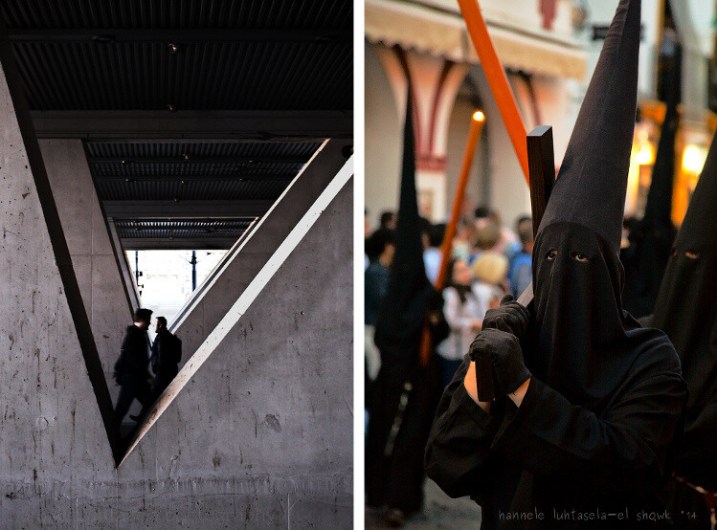
 
Comments Off on How to Find Opportunities for Abstract Photography Anywhere

Posted in Photography


5 Crucial Mistakes You Need to Avoid When Photographing Clients

12 Jul

Don’t make these 5 crucial mistakes when photographing clients!

Over the years I have read dozens of articles explaining tips, tricks, and things to keep in mind for successful photo sessions. As I was wrapping up a family shoot recently I started to think about the situation from the opposite end of the spectrum. Kind of as a way of giving some advice to my younger self or other photographers who might still be honing their craft.

So instead of five tips to try here, are five things you should never do if you want your photo sessions with clients to run smoothly.

5 Crucial Mistakes You Need to Avoid When Photographing Clients - family photo

Mistake #1 – Not showing up on time

This one is a bit of a carryover from my childhood and is based on a lesson my dad taught me at a very young age. Whether my siblings and I were going to church, to school, or even just to a friend’s house he would repeatedly stress that we ought to arrive at our destination at least 10 minutes early. If we show up on time, he reminded us over and over again, we’re already late.

That might have been a bit of an oversimplification but the lesson still sticks with me to this day. It’s also one that is especially true when it comes to photographing clients.

If you are to meet at a certain location at a certain time, do not arrive when you have agreed to. Instead, make sure to get there at least 10 minutes early, and that’s the bare minimum. The earlier you arrive the more you can prepare, especially if the session is outdoors or in another type of uncontrolled environment.

fossil watch - 5 Crucial Mistakes You Need to Avoid When Photographing Clients

As my dad would say – if you get there on time you’re already late.

Arriving early allows you to assess the situation, get your cameras and lenses in order, double-check your settings (did you remember to turn on Image Stabilization? Are you still shooting at ISO 3200 from last night’s star-trail experiment?) and mentally prepare yourself for the photo session.

It also sends a message to your clients that you’re responsible and you care about the job. If you show up on time you might end up arriving after your clients. If they’re like my father and got there early they may be wondering where their photographer is. It doesn’t take much effort to arrive well in advance but it can pay huge dividends and set a positive tone for the rest of the photo session.

Mistake #2 – Don’t dress casually

portrait of a couple in a garden - 5 Crucial Mistakes You Need to Avoid When Photographing Clients

Your clients go out of their way to dress for the session. You should too.

This one is a big deal for me because I’m perpetually wearing the same clothes I wore in college: jeans and a t-shirt. It’s my go-to outfit for just about any situation and there were a few times early in my photography work with clients that I treated sessions as just another day out when I could dress casually. However, doing that sends an unfortunate message to your clients that you can easily avoid with very little effort.

Jeans and a t-shirt might seem fine to you but your clients might take this as a sign that you are a bit of a slacker or that you don’t care enough about your work (or them) to look the part. Clients are more likely to see your work as high-quality if you take the time to dress up a bit.

Wear nice clothes as a way of projecting a professional image. It will help clients have a more positive view of you, your work, and the session as a whole.

family sitting on the grass - 5 Crucial Mistakes You Need to Avoid When Photographing Clients

Some clients prefer a more casual style for themselves, and that’s fine. But it never hurts for you to wear nicer clothes as a way of projecting an image of professionalism.

Mistake #3 – Don’t make fun of your clients to get a laugh

Tell me if this sounds familiar. You’re doing a photo session and it’s going reasonably well but your clients aren’t responding quite how you would like. You’re trying to get them to loosen up, relax, and smile but they still seem a bit reserved and hesitant. As a result, your pictures just aren’t quite as good as you know they could be.

So you decide to crack a joke at the expense of one of your clients who is balding, wearing mismatched socks, doesn’t realize his shirt is un-tucked, or maybe just not quite paying attention.

Oh no, the glare from Bob’s head is messing up my camera! Hang on a second, I’m being blinded over here!

Does that scenario ring a bell? I have almost done this on a couple of occasions but stopped each time, and I’m so glad I did. You might think your comments are benign and all in good fun, but the person might be sensitive about the very thing you are pointing out. You could easily cause some hurt feelings or even downright anger.

Your clients might respond to these quips with laughter but on the inside, they may feel something entirely different that could cost you referrals, repeat business, or in-person sales.

family walking on a pathway - 5 Crucial Mistakes You Need to Avoid When Photographing Clients

This family was an absolute joy to work with. I would never want to sacrifice meaningful professional relationships with them or anyone else just for a quick laugh.

The damage that is done by what seems like benign comments could linger for a long time and have consequences well beyond the session itself. Instead of aiming for a cheap laugh, strive to maintain a level of professionalism when interacting with and photographing clients on a shoot.

If you get to know them a bit (another benefit to showing up early!) they will be more likely to loosen up, cooperate, and give you the type of pictures you are really striving for.

Mistake #4 – Don’t use your phone during the session

I know how tempting it can be to reach for your phone during a photo session, and there might even be a thousand good reasons to do so. What if it’s a text from your landlord? Maybe your cousin sent you a Snapchat message about his new job? What if your spouse is going to be home late and needs you to pick up the kids? Certainly, your clients would understand if you peeked at your phone for just a bit…right?

They might understand, but they might also wonder why you are getting distracted while they are paying you to do a job. One little peek at your phone often turns into two, then three, and pretty soon you find yourself missing shots or watching your clients roll their eyes in exasperation because you’re looking at your phone more than your camera.

portrait of teenagers - 5 Crucial Mistakes You Need to Avoid When Photographing Clients

My advice is simple, just ignore your phone. Better yet, leave it in your car or put it on silent and stick it in your gear bag. If you think you might need to check it during a session, tell your clients in advance (yet another reason to arrive early) and ask their permission to take a minute at a certain pre-planned time to do so.

This might seem overly restrictive, but it’s so easy to get caught up in the alerts and messages on your phone that you might not even realize how much you are actually using it. Your clients will probably not notice if you are NOT using your phone, but they will certainly notice if you ARE using your phone and they might not want to hire you back as a result.

Mistake #5 – Don’t over-extend the session

Many photographers charge clients a certain amount based on the length of time that they offer for sessions. One-hour portraits, two-hour engagements, 15-minute minis, or 3 hours of wedding plus 2 hours of reception coverage, for example.

This usually works well and gives both the photographer and the clients a set of shared expectations, but it can backfire in some unexpected ways depending on the type of clients you are working with.

little girl in a blue dress - 5 Crucial Mistakes You Need to Avoid When Photographing Clients

15 minutes in and this precious little girl was ready to be done. Extending the session would have made her fussy and stressed out her parents too.

Know when to fold

There’s a line in an old Kenny Rogers song that’s quite à propos for photographers, “You got to know when to hold ’em and know when to fold ’em”. As a photographer, you need to learn how to read the situation, watch your client’s body language, and get their input on how to proceed when you feel like the session needs to draw to a close.

Your clients might be paying you for a one-hour session but if the kids are fussy, the grandparents are tired, and the shirts are getting sweat marks after only 40 minutes then you really need to find a way to shut it down tactfully and gracefully.

The best way I have found to do this is to keep an open dialog with clients throughout the session. Talk with them as you take their pictures and let them know that you are willing to adjust as needed especially if kids are involved. Your clients expect you to be in charge and they often won’t speak up for fear of being rude or confrontational.

So read the situation closely and take the initiative if you think it’s time to put the camera away. Your clients will probably be glad you did.

couple portrait - 5 Crucial Mistakes You Need to Avoid When Photographing Clients

Talk to your clients and make the call

I have had parents thank me profusely for ending sessions early because their children were wilting after only 30 minutes. I once did an entire one-hour family session in 20 minutes on a single spot in a grove of trees because three generations were involved and the elders were exhausted and tired.

In both situations, I got input from the clients constantly and let them know that I was aware that people were ready to be done even though there was still time left on the clock.

The time might not be up, but if the session needs to be over then you have to bring it to a close. Extending it needlessly just to fill the time allotted could cause more headaches than it’s worth. Alternately, don’t go over your time unless you get permission from your clients. If they are expecting one hour and that time is up, don’t keep shooting unless you’re sure it’s fine with them. Doing otherwise could come across as rude or insensitive, no matter how good the pictures turn out.

Conclusion

I hope this gives you a few ideas to try or, more accurately, to avoid the next time you are photographing clients. If you have any tips on what to avoid I’d be glad to have your input in the comments below, and I’m sure other dPS readers would as well!

The post 5 Crucial Mistakes You Need to Avoid When Photographing Clients appeared first on Digital Photography School.


Digital Photography School

 
Comments Off on 5 Crucial Mistakes You Need to Avoid When Photographing Clients

Posted in Photography