RSS
 

Archive for the ‘Photography’ Category

Weekly Photography Challenge – Out of the Blue

08 Sep

Here is another easy one for you.

Get out there and find some blue things to photograph this week for the photography challenge!

You can look for blue things, shoot during Blue Hour, or use some split-toning on a black and white image to make your something blue for this challenge.

blueberries

Blueberry image by dPS writer Stacey Hill.

In post-processing, removed most of the color tones in the image except for blues, and a little bit of green/teal. 

Oil and water and a bit of color make for a fun afternoon photography project.

Weekly Photography Challenge – The Color Blue

Simply upload your shot into the comment field (look for the little camera icon in the Disqus comments section) and they’ll get embedded for us all to see or if you’d prefer, upload them to your favorite photo-sharing site and leave the link to them. Show me your best images in this week’s challenge. Sometimes it takes a while for an image to appear so be patient and try not to post the same image twice.

Share in the dPS Facebook Group

You can also share your images in the dPS Facebook group as the challenge is posted there each week as well.

The post Weekly Photography Challenge – Out of the Blue appeared first on Digital Photography School.


Digital Photography School

 
Comments Off on Weekly Photography Challenge – Out of the Blue

Posted in Photography


How to Photograph a Wedding – A Guide to Equipment, Shooting, Editing and More

07 Sep
  • Have you ever entertained the thought of being a wedding photographer?
  • Or have you ever been asked by a friend to photograph their wedding?
  • Or have you already taken the leap into wedding photography and it’s not quite going the way you hoped?

If you you answer yes to any of these questions – our brand new Wedding Photography ebook is for you!

Best of all – if you grab it this week it’s 50% off the normal retail price – so it’s your for just $ 9USD!

This beautifully designed eBook was written by Lily Sawyer who many of you will know as a regular writer for dPS.

Lily is also a professional photographer and draws on her experience of photographing more than 500 weddings, events and portrait sessions to share some practical advice for anyone hoping to embark on a similar journey into wedding photography.

7 Chapters of Practical Wedding Photography Advice

Included in this eBook are 7 chapters covering:

  • How to be a good wedding photographer
  • Equipment for wedding photography
  • A step-by-step guide to photographing a wedding day
  • Editing and batch processing
  • Products you can offer your clients
  • Pricing and how to find your happy place
  • Marketing your business

Click through for more details and to preview sample pages and to grab your copy of the eBook.

We think this is one of the best risk-free instantly downloadable resource you can buy to help you on your journey as a wedding photographer – no hype, no over-promising or relentless hustle speak – just realistic advice and practical tips.


Download it Now $ 9USD

P.S. As with all our books and courses, we offer a 60-day money back guarantee, so you can buy it confidently today, risk-free.

The post How to Photograph a Wedding – A Guide to Equipment, Shooting, Editing and More appeared first on Digital Photography School.


Digital Photography School

 
Comments Off on How to Photograph a Wedding – A Guide to Equipment, Shooting, Editing and More

Posted in Photography


How to Use Backlight to Create Incredible Images

07 Sep

How to Use Backlight to Create Incredible Images - dandelion bright

With hundreds of thousands of photographers out shooting, how do you distinguish yourself from the pack? How do you repeatedly come home with images that make audiences everywhere gasp? One way is to use a more unique, dramatic style – backlight.

But how do you do this? In fact, it’s rather simple.

In this tutorial, you’ll find a sequence of steps for working with backlight. When you’re finished reading, you’ll have the know-how necessary to take incredible backlit photographs that everyone will love.

backlit flower - How to Use Backlight to Create Incredible Images

Step 1: Shoot early or late in the day

Backlight refers to a lighting situation when the light comes from directly behind the subject.

How to Use Backlight to Create Incredible Images - yellow flower and bokeh

A backlit Black-Eyed Susan.

Because backlit photography requires such a specific lighting angle, it can only be done when the sun is low in the sky. This means photographing early or late in the day.

Too early in the afternoon and the sun won’t offer much directional light. For dramatic backlighting, the sun needs to point across (and into the eyes of the photographer). But during midday, the sun points down.

Also, the golden quality of the light during morning and evening makes for a much more pleasing backlit images.

snow close up - How to Use Backlight to Create Incredible Images

I photographed this backlit snow late in the evening.

Step 2: Find a distinct subject

The subject is the focal point of your image. It is what you want to stand out, what you want to emphasize in your photograph.

interesting flower shape - How to Use Backlight to Create Incredible Images

The best subjects have distinct outlines. That is, they don’t overlap with other elements in the photograph.

A mishmash of trees? Not the greatest subject for a backlight photograph. The trees will all blend together, creating a load of messy shadows.

A single tree against the sky? Now you’re off to a great start.

Step 3: Get low

Once you’ve found your subject, it’s time to begin actually composing your image.

As mentioned above, the best backlight compositions have a distinct subject. But even if you have a relatively distinct subject, it’s important to work to further isolate your subject so that you get the strongest backlit photograph possible.

One way to isolate your subject is by getting down low.

dandelion seedhead - How to Use Backlight to Create Incredible Images

I took this photograph of a dandelion seedhead while lying on the ground. Getting down so low allowed me to isolate the individual seeds.

When you crouch, kneel or even lie on the ground, you change your perspective. Your subject seems to rise into the sky, framed against the bright sky.

This is exactly what you want. A darker subject against a brighter sky is a perfect start to a stunning backlight photograph that you can be proud of.

Step 4: Choose where to put the sun

I have a straightforward recommendation when it comes to backlit photography. That is not to include the sun in the frame.

If you do include the sun, nine times out of ten you’ll find yourself with a bright white blob in your image. That is not very photogenic at all.

Instead, try to place the sun just outside the frame. This way, you’ll still have a brilliant brightness in the sky—which I love to have in my backlight photography—without it being overpowering.

close up of tree bark - How to Use Backlight to Create Incredible Images

The sun is just outside the frame of this tree photograph.

You can also place the sun behind your main subject. This is another effective technique for hiding the sun while getting the full force of a brilliant sky.

Step 5: Expose with the main subject in mind

Exposure refers to the level of brightness in the image. In backlight photography, I recommend exposing the image in one of two ways.

First, you can create a silhouette.

flower silhouette - How to Use Backlight to Create Incredible Images

I captured this near silhouette in the late evening.

In order to do this, start by exposing for the bright sky. That is, dial back the brightness of the image so that the sky itself has some nice detail in it. If there are clouds in the sky, you should be able to see them in your image.

silhouette and bokeh of a flower - How to Use Backlight to Create Incredible Images

Because the sky is naturally so bright, dialing back the exposure will make your main subject dark, which is exactly what you want. After this, it’s a matter of tweaking the exposure to get the exact effect you’re looking for.

Second, you can expose for the main subject.

Personally, I prefer this form of backlight photography. I like to keep some detail in the main subject, while also getting that beautiful backlit glow.

white flower - How to Use Backlight to Create Incredible Images

Here, I was careful to make sure this flower photograph was light enough.

For this type of photography, I start by making sure the exposure is light enough that I can see the main subject. I don’t let it get too bright, because then the sky becomes overpowering.

Of course, feel free to take a few images and experiment with the exposure. Slightly different levels of brightness will give your photographs subtly different moods, so make sure to shoot the scene in several different ways!

In Conclusion

Creating unique images can be difficult. But by using backlight in your photographs, you’ll be able to take incredible images that will impress even the best photographers. Just be sure to shoot when the sun is low in the sky. Make sure you find a distinct subject. Place the sun out of the frame. Finally, be sure to carefully choose the brightness of your image.

Have any other tips for shooting in backlight? Let me know in the comments below.

purple flower close up - How to Use Backlight to Create Incredible Images

The post How to Use Backlight to Create Incredible Images appeared first on Digital Photography School.


Digital Photography School

 
Comments Off on How to Use Backlight to Create Incredible Images

Posted in Photography


Tips for Ensuring You Get Sharp Photos Every Time

07 Sep

How many times have you captured an image that looks great as a thumbnail only to lose that sharpness when it is enlarged? If you’re like me, TOO MANY times. It happens to all of us all too often, but it doesn’t have to. You probably know the reasons why and how to avoid the problem, but let’s review them all in one setting to you can get sharp photos every time.

Tack Sharp photos - Leaves

There are several known contributors to soft photos and specific ways to prevent them.

First and foremost – clean the lens

Clean Lens - Tips for Ensuring You Get Sharp Photos Every Time

Fingerprints and dust on the lens are the most obvious hinderances to sharp pictures and are one of the most commonly overlooked causes. Carry a small clean microfiber cloth (or packets of lens cleaning wipes) in your camera bag at all times, and keep the lens cap on the lens when it’s not in use.

Become a clean freak with your lenses.

Aperture Settings

While shooting with the aperture wide open does allow you to use higher shutter speeds, it can also have an adverse effect on image sharpness because of an issue called a spherical aberration.

Simply put, light rays travel in straight lines. When they pass through a lens, the curve of the lens actually bends the light rays and diffuses their focus. The more the rays are curved, the softer the focus. When the entire rounded surface of the lens is utilized (as in when using a wide open aperture), the light-bending is increased and the sharpness on the outer edges of the picture is somewhat softened.

This aberration issue is most evident in less expensive lenses.

Tack Sharp photos - Aperture

It is widely known that an aperture 2-3 stops down from wide open produces the sharpest results. If your shot doesn’t require an extremely shallow depth of field to blur the background, close the lens down a stop or two and compensate the exposure with a slower shutter speed or higher ISO.

But be aware that extremely small aperture openings (f/22 and higher) present their own problem called diffraction. When light is forced through a very small opening, the outer rays bend to get past the small opening, which can soften the image and require a longer exposure time.

Lessons learned: Either aperture extreme will cause a slight softening of the image. Except for special applications, so stay in the middle of the road!

Lens Quality

It’s always good advice to buy the best glass you can afford. It is a known factor that THE most critical equipment in your camera bag is not your fancy camera body, but the quality of the glass in front of your camera.

Tack Sharp photos - Lens

Save your money and invest in quality lenses (f/2.8 or faster). Most of us carry at least one zoom lens, but these lenses, because of the complex grouping of internal glass, are seldom faster than f/2.8, and many are as slow as f/4.5 – f/5.6. The lower the number, the more light that passes through the lens. An f/1.4 prime (fixed length) lens always produces sharper images, though it costs more money.

Weather

Believe it or not, the cleanliness or dirtiness of the air can have a significant impact on your photography, especially long-range shots like landscapes. Both heatwaves rising from the hot ground and floating particles of dust and pollutants (what we lovingly call atmosphere) bend the lightwaves, dull the saturation, and blur the focus of your pictures.

Tack Sharp photos - Rust

Living on the “beach coast” of Florida, steady breezes come in off the ocean that are refreshing on a hot summer day but they contain serious amounts of salt. This air salt can be seen for miles in the distance while driving down the coastline. The saltwater mist hangs in the air and has an adverse effect on both metallic surfaces and photographic subjects.

The most ideal weather for shooting razor-sharp pictures is those delightful hours right after it rains. That happens in Florida like clockwork almost every afternoon and at least once every day, Florida gets a nature-shower that lasts for less than an hour and leaves the air sparkling clear for all kinds of outdoor activities. Thankfully, these daily showers scour the air and rinse the salt from both nature and automobiles.

Depth of Field

Choose an f-stop that will keep your entire subject in sharp focus. If you want to keep your subject in full focus while blurring the background, do the math to figure out the depth of field that will remain in full focus at a particular distance.

Each focal length lens has its own “pocket of precision” or focal zone for each subject-lens distance. Take the time to explore your lens’s capabilities so that you will be prepared.

Tack Sharp photos DOF

The depth of field is particularly critical in macro photography. The very nature of the process limits the actual focus on subjects to a very shallow distance. Sometimes this works out well and sometimes it just doesn’t.

Learn the limits of each macro lens’s “pocket” before you make your shot. If your camera allows you to preview the depth of field, use it religiously. Very small changes in the lens-to-subject distance have a very big effect on the focal distance.

Use the One-Third, Two-Thirds Rule

All photographers know that higher number f-stops mean greater depth of field, but maybe some don’t realize that there is an important ratio involved in the field of focus. This ratio must be considered when choosing the f-stop for a particular shot.

While the length of the lens affects how much of the subject will be in total focus, where you set your focus point is also critically important.

This is true whether you are using Automatic, Spot or Manual focusing. Learn to divide the desired focus area into thirds and set the focus one-third into that distance. When you focus on a particular spot, two-thirds of the focal range behind that spot will remain in focus while only one-third of the area in front of that spot will remain sharp.

This is why portrait photographers set their focus on the subject’s eyes. This way the distance from the nose to the ears remain in focus.

Autofocus Versus Manual Focus

Tack Sharp photos - Lumix Manual Focus

Unless your subject has a high level of contrasting edges and is located in the middle of your field of view, you might want to consider using manual focus. Autofocus is a life-saver most of the time, but any higher contrast item in the scene could very well steal the camera’s attention.

Camera autofocus is designed to zero-in on high contrast and those areas in the scene will always set the camera focus. If your subject is located in subdued lighting, try switching to manual focus instead.

Shutter Speed

Slow shutter speeds in hand-held conditions always present problems. No matter how still you hold, your body is always in motion.

The simple fact that your breathe and have a heartbeat means that slight motion will most likely become an issue with slow shutter speeds. Even the slight motion of pushing the shutter button is a contributing factor in this process. I personally make it a point to not go below 125/th of a second when shooting hand-held. Bracing yourself against a stable surface or using a tripod is always advisable.

Tack Sharp photos - Remote Trigger

Use a tripod and a remote trigger. The ultimate preparation for capturing detailed and sharp photos is to take human motion out of the equation altogether.

Once you mount your camera on a tripod, frame the scene, set the focus, set the appropriate f-stop for the depth of field, switch to the electronic shutter (if available on your camera). Set up a remote trigger using either a cable release or a smartphone app. Then sit back and be ready to pull the trigger when the scene is right.

Compensate ISO for Shutter Speed

If your shot requires a shallow depth of field or lower f-stops, try dialing up more light sensitivity (increased ISO). Most ideal lighting situations accommodate 200-400 ISO, but low lighting scenarios may require you to set the camera to significantly higher ISO.

But keep in mind that ISO determines how sensitive the image sensor is to light and darkness. Very high ISO will yield higher levels of electronic noise in your picture. Noise is the polar opposite of “signal.” Make your choice of ISO carefully if the image is to be enlarged at all.

About Image Sharpening

Tack Sharp photos - Smart Sharpen

Nominal sharpening takes place (usually) at the time the photo is taken. However, sometimes additional sharpening may be necessary. Beware, image sharpening should always be the last step in image preparation.

Most photos are intended to be sharp and detailed. But refrain from sharpening your images in the editing process in a ditch effort to bring out more detail. Image sharpening artificially simulates image sharpness and can actually degrade the digital image. Unless you use a sharpen brush, every time you sharpen an image in post-production you also enhance the non-subject elements in the scene.

So make sharpening for detail a last resort.

Conclusion

Make it a habit to capture the highest level of detail in the original shot. Take the time to learn each of these precautions and then consider them briefly before you take your shot. If you discipline yourself to go through this checklist the next half-dozen times you shoot, this will become a mental-muscle memory that you check subconsciously.

Exercise your good habits and you’ll come home with more sharp photos and become a sharpshooter.

The post Tips for Ensuring You Get Sharp Photos Every Time appeared first on Digital Photography School.


Digital Photography School

 
Comments Off on Tips for Ensuring You Get Sharp Photos Every Time

Posted in Photography


Tips for Better Bridal Portraits

06 Sep

If you think that bridal portraits are a thing of the past, you are greatly mistaken. Bridal portraits have taken on new life in the wedding photography industry and are every bit as important as they were before.

bride in three poses - Tips for Better Bridal Portraits

What are Bridal Portraits?

Bridal portraits were once taken in a studio, and subsequently when faster and lighter cameras were made available, on location. This is where the bride dresses up in her day-of wedding dress and poses alone. Sometimes the groom would join her.

The photographer would then take several poses of her with her bouquet and veil. So basically, it’s a chance for the photographer to take their time and photograph the bride in many different poses.

Tips for Better Bridal Portraits - two photos of brides in a pink room

This bride was in her home next to a big sliding glass door that let in light even though it was raining.

Now, bridal portraits are taken during the wedding day, thanks to digital photography. Usually right after the bride is done getting ready or during the bride and groom portraits.

It’s a good idea to take portraits during both times to get a more diverse set of bridal portraits, especially if each location is different than the other.

bride on location - Tips for Better Bridal Portraits

Same bride as the one above, this time at the location we photographed the bride and groom photos. It provides a different feeling and look than the ones taken in her home.

Ask the bride to have a little more time during the getting ready and bride and groom portraits so that you can focus on her. She will appreciate the gesture, knowing that you are going to capture her as a beautiful bride on one of the happiest days of her life.

Why are they important?

Bridal portraits are such an important part of the photographic timeline because each bride takes a lot of time to find the right dress, the right look, and choose just the right bouquet for her wedding day. As the photographer, it’s your job to photograph these details with a lot of attention if they hold a particular meaning to the bride.

bride near a window - Tips for Better Bridal Portraits

I used window light through sheer curtains in a hotel room to create a soft light on the bride’s face.

For example, her something blue might be a ring that her mother wore and gave to her on her wedding day. There might be something special on the bottom of her shoes or tied to her bouquet. All of these details are important during bridal portraits and you need to get detail photos of each.

bride by a window, her shoes and bouquet - Tips for Better Bridal Portraits

Bridal portraits are also a great time to get the bride completely alone so that she can have some breathing room before the big day starts.

It’s a great way to quiet the nerves and focus on her and how happy she looks.

bride reading a letter b/w - Tips for Better Bridal Portraits

A special moment in between posed portraits. The bride reads a letter the groom wrote for her.

Bridal portraits aren’t just for the bride alone, though, sometimes the groom will join in as well. This gives you the opportunity to create really solid portraits of the couple together on their wedding day without anyone else present.

bride details - Tips for Better Bridal Portraits

bride holding her veil - Tips for Better Bridal Portraits

When you take bridal portraits on the day of the wedding, be sure to ask your clients for extra time so that you can make sure that you get enough of the bride alone, the bride and groom together, and all of the important details the bride and groom will be wearing.

Bridal portraits inside

Brides usually get ready inside a hotel or in their home. If this is the case, carve out some time before she has to leave to get the bride alone.

Take her to another room where there is sufficient window light. Window light is the best, in my opinion, because it gives you enough light but also casts off into the room allowing for shadows to define silhouettes.

Sit the bride down on the edge of a chair and have her face the window. Change it up and have her stand full frontal toward the window. The poses and variations are endless and you’ll have beautiful soft light to give her a glow.

bride 3 photos - Tips for Better Bridal Portraits

Use window light and if need be, fill flash bounced off the ceiling to create a soft light on the bride’s face.

In some cases, especially in the home, you can take the bride to other rooms or locations within the home that offer more options. Like the photo above, where I took photos of the bride in her living room in her house. I did use flash to bounce light since it was raining that day, however, she is calm and relaxed.

getting ready - Tips for Better Bridal Portraits

Here we see a detail photo of her dress as well as the bride sitting below her grandparent’s wedding photo.

Don’t be afraid to move furniture if you have too. It’s best to move furniture than working around it and missing the opportunity for a great photo. Just make sure that you put it back as you found it.

On location

When you’re out photographing the couple’s portraits, don’t forget to get individual portraits of each, especially the bride. On location may offer better opportunities to get the full dress from both front and behind.

Tips for Better Bridal Portraits

Take individual portraits of the bride and groom if they opt to have the bridal portrait session together.

If the bride has a long veil, you can play with lifting it into the air and dropping it to get some really interesting photos. Having her hold her bouquet and getting up close makes for a great photo.  Capture her shoes in action as well, especially if she has put something special on the soles.

outdoor bride - Tips for Better Bridal Portraits

Being on location gives you more room as well to have the bride walk, turn, spin, and have fun. Photograph her in different types of lighting and backgrounds. Experiment with close up photos as well as full-length photos.

Try lifting and having the veil blowing in the wind. Letting the bride move around a bit can loosen nerves and get the bride comfortable in front of the camera.

Tips for Better Bridal Portraits

Bridal portraits before or after the event

As important as bridal portraits are on the day of the wedding, sometimes you’ll have the opportunity to photograph the bride before or after the wedding. Many photographers call this a “day after session” or “trash the dress”.

Tips for Better Bridal Portraits - hawaii

These two photos were taken during the wedding day.

couple on the beach - Tips for Better Bridal Portraits

The same couple as the previous photo but the day after their wedding. The photos are more relaxed at a different location, and with different styling.

Bridal portraits are important on the day-of because of all that day’s details, however, portraits taken either before or after the day of the event can offer clients a chance to have a more relaxed look.

The bride may wear her hair differently and use perhaps a different dress altogether. Giving you more opportunities to pose her differently and add to the photos taken on the wedding day.

Tips for Better Bridal Portraits

Photos were taken the day before the event.

Taking the bridal portraits before or after the wedding can also give you the opportunity to photograph in an entirely different setting than that of the wedding day. Giving you more creative freedom while the couple is more relaxed.

sunset beach photos - Tips for Better Bridal Portraits

Two photos were taken the day after the event.

It’s not just about the bride

More often than not, the groom may join the session as it gives you more time to create more portraits of the couple as well as individually. Focus on taking details of both the groom and the bride.

couple kissing - Tips for Better Bridal Portraits

When the couple poses together, you have more time to allow them to just be themselves, especially if you are doing a before or a day after session.

couple with antique classic car - Tips for Better Bridal Portraits

Try offering the couple something more of a stylized photo session so that you can use props to tell more of the story. This will give them an entirely contrasted look compared to the one that they are going to have on their actual wedding day.

couple near lily pond - Tips for Better Bridal Portraits

In conclusion

Bridal portraits are growing in popularity both on the actual wedding day and before or after the event. Having this extra time to photograph the bride alone can add to the collection of photos that you will deliver to her allowing her to remember how she felt that day.

couple by Hard Rock cafe - Tips for Better Bridal Portraits

In addition, bridal portraits offer the opportunity to capture all of the important details that the bride took so much time to choose. Bridal portraits let you capture the bride in a more intimate way both individually or with her groom.

couple on the beach - Tips for Better Bridal Portraits

Take advantage of this time and allow your creativity to flow so that get some really amazing photos of the bride either before, on, or after her wedding day.

The post Tips for Better Bridal Portraits appeared first on Digital Photography School.


Digital Photography School

 
Comments Off on Tips for Better Bridal Portraits

Posted in Photography


How Marketing And Finance Could Derail Your Photography Business

06 Sep

It’s is not often that we find people going into businesses that have been widely regarded as sole entrepreneurship. Recently in the photography business, firms can take up to fifty employees in a single office with each photographer doing their thing. However, the journey to be like the top photography companies who have fifty or more employees as an example, Continue Reading

The post How Marketing And Finance Could Derail Your Photography Business appeared first on Photodoto.


Photodoto

 
Comments Off on How Marketing And Finance Could Derail Your Photography Business

Posted in Photography


The Importance of Getting the Image Right In-Camera

06 Sep

When you strive to get your images right in-camera at the moment you take them you’re going to reap many benefits that you might not even realize.

“Just Photoshop it” has become a recurring theme in photography when it comes to fixing image errors. Depending on who you talk to it can seem like Photoshop is a magic pill that will solve all manner of photographic problems. While it’s true that image-editing applications can help deal with a variety of issues, from correcting exposure to removing objects to swapping a cloudy sky for a sunny one, there’s a lot to be said for the philosophy of using as little editing as possible.

The Importance of Getting the Image Right In-Camera - butterfly on a red flower

I didn’t need Photoshop to get this image. Instead, I needed to get up early, know where the light was coming from, and understand how to use my camera equipment.

This is a tricky subject to tackle because there is so much wiggle room when it comes to defining what the term in-camera really means. To some, it means allowing for no post-production at all, even simple cropping. Others define it as getting things mostly correct at the time you press the shutter button, even though some basic adjustments such as straightening or exposure correction might be needed later.

There are photographers for whom getting it right in-camera means looking out for background obstacles, stray hairs, or wayward arms and legs that might otherwise ruin a good picture.

I don’t like to get caught up in the minutia of what in-camera means. But I will say that if you can strive to have more aspects of a picture correct at the time you make the image, the end result will be that much better.

This holds true for most types of photography save for the outlier examples like extreme focus stacking in macro photography or the types of artistic creations and collages that require post-processing.

two kids with arms around each other - The Importance of Getting the Image Right In-Camera

An ounce of prevention

There’s an old bit of wisdom you might have heard that goes like this:

“An ounce of prevention is worth a pound of cure.”

It applies to many areas of life and the same holds true for photography as well. If you can take a few seconds to fix problematic areas at the time you take a picture it will save you untold minutes or even hours back at your computer. This took me a while to learn when I first got started with portrait photography. But the more I operate by this philosophy the more efficient my workflow becomes.

portrait of 3 ladies - The Importance of Getting the Image Right In-Camera

Do you see the green recycle bin on the left side of the photo? It might not look like much, but if this is printed on a large canvas it would stick out like a sore thumb. Background distractions like that are much easier to fix by adjusting things during the session instead of spending time Photoshopping each image later.

Years ago the only things I knew to look for when taking pictures of clients were things like smiling faces and good posing. As such, I often found myself banging my head against my keyboard while going through my Lightroom catalog afterwards because of unwanted distractions in my photos.

Automobiles, pedestrians, trash cans, litter, animals, street lights, and a host of other imperfections can all be fixed in Photoshop but it’s so much easier to just make sure they don’t even show up in your photos in the first place.

portrait 3 ladies in trees - The Importance of Getting the Image Right In-Camera

Eventually, I did see the recycle bin so I altered my point of view just slightly, which took a few seconds but saved me a lot of post-processing time.

This works for other things too like stray hairs, bits of dirt and debris that can get blown around and land on clients, or unwieldy shirts that like to get un-tucked. These problems can all be solved to some degree or another using computer software but it’s never going to be as fast or simple as just dealing with them when they occur.

The trick to doing this is to be looking out for such things at the time of the photo shoot. That is what took me so long to really learn, and to be honest I’m still learning even now! There are so many things to look out for when taking pictures. That background flotsam or bits of rubbish on the ground might be the last thing on your mind, but they can easily ruin a photo or at the very least cause you to spend much more time eliminating them afterwards than you would like.

My best advice to you in this regard is to simply train yourself to be aware. Look at your surroundings in addition to your subjects, and work on seeing background elements and other distractions that might normally escape your eye.

When you see things, take corrective action and even let your clients in on what’s going on. I have paused many photo sessions to say things like, “Oh no, there’s a street sign in the way behind you. Let’s all take a few steps this way…” and every time it has been appreciated by the people who are paying me to do a good job. It sends a message that you know what you are doing and care enough to get the shots right.

portrait of tweens - The Importance of Getting the Image Right In-Camera

A more extreme version of this, but one that’s just as important, is to take note of problematic points that cannot be altered in Photoshop and deal with them at the time of the photo session.

Issues like sign posts sticking out of heads, heads turned in the wrong direction, hands in awkward places, or having people with complementary outfits in close proximity to one another can easily ruin an otherwise outstanding photo session and are all but impossible to fix in post-production. The more you look for these problems and fix them on the spot, the better your photography will be.

Lighting and exposure

Years ago with early digital cameras, it was crucial to get the exposure just right at the time you took a photo. But today’s digital cameras have such incredible dynamic range that you can clean up a great deal of exposure issues in post-production. However, this should be used as a last resort and not relied on as a general rule, almost like a safety net below a trapeze artist.

When shooting in RAW you can lower highlights, raise shadows, and adjust color all day long to get just the right look you are aiming for. This is a huge benefit if you are doing work for clients. It’s even useful if you just want to squeeze the most out of your shots as a casual photographer. This type of exposure correction has saved my bacon more times than I can count when doing work for clients.

expecting couple in silhouette - The Importance of Getting the Image Right In-Camera

This couple was severely backlit which made for a very challenging photo situation.

Despite the flexibility of the RAW format and the editing possibilities offered by many photography applications such as Lightroom, Photoshop, and Luminar – you will find that it’s best to mitigate potential exposure and lighting issues at the time you take the photo instead of on your computer.

It’s not that you can’t fix exposure issues in post-production later, but that if simple exposure adjustments can make them disappear before you even take a picture then why would you want to spend time fixing it later?

The Importance of Getting the Image Right In-Camera

It took a lot of editing to wrangle a good result from the RAW file, but I could have just adjusted my exposure settings on the spot and saved myself a lot of time afterwards.

Your time is valuable

The more time I spend as a photographer the more valuable I realize my time really is. Even if you are a working professional who makes 100% of your income from photography, the less time you have to spend editing your images to fix exposure issues means more time doing other things that would help you hone your craft or grow your business. Or time you can spend with your family!

Even though you can fix a host of photographic issues ex post facto there’s no substitute for doing what you can to get it right in-camera and make sure those issues never even happen in the first place. Aside from saving yourself untold hours of time fiddling with sliders and layers on your computer, you will also be growing your skills as a photographer.

It will take some practice as you learn to reduce unwanted distractions and get accurate exposure settings when you press the shutter button. But you will reap rewards in terms of knowledge, confidence, and sheer experience. In the end, the result will be better photos taken by a better photographer, and that’s the kind of benefit you just can’t get by moving sliders around in Lightroom.

The post The Importance of Getting the Image Right In-Camera appeared first on Digital Photography School.


Digital Photography School

 
Comments Off on The Importance of Getting the Image Right In-Camera

Posted in Photography


Why I’ve Become a Light Meter Convert

05 Sep

Light meters

sekonic light meter - Why I've Become a Light Meter Convert

Light meters can be an invaluable tool for photographers; especially those who use off-camera flash.

Mention a light meter in photography circles and you’re certain to get some fierce responses. Sure, some photographers will be indifferent and fewer will be in favor, but most will be adamant that you don’t need one. I used to be somewhere in the middle.

I could definitely see their utility, but I just never thought I needed one. Before a few months ago, I had picked up a light meter once in 14 years. It turns out that I was just making excuses to not spend the money on something that may be one of the most powerful tools you can buy if you use off-camera flash lighting.

Excuses

There are a lot of motives and reasons that you might avoid using a light meter in the digital era. For example:

  • You can just chimp the LCD screen.
  • It’s easy to fix it in raw processing.
  • They’re too expensive for what they do.
  • The histogram is enough for testing exposure.

I get it. All of these sentiments came out of my mouth over and over again.

Chimping and the Histogram

photographer checking settings - Why I've Become a Light Meter Convert

While you can chimp your exposures to get them right, this can take both time and guesswork. A light meter takes away both of those things.

Sure, you can look at the back of your camera after each test shot (chimping) while you’re setting up your lights. This works fine for one or two lights, but what happens when you need to create a precise lighting ratio?

How do you ensure that your fill light is exactly three stops below your key light? How do you ensure the rim lights are an even exposure with your fill? It’s possible, but all of that takes time and guesswork.

I remember doing a basic four light setup a few years back and it took the better part of an hour to get the ratios exactly how I had planned them.

Since starting to use a light meter, I set up an even more complicated five light setups, mixing really hard light with very soft light. It took me only 10 minutes to get right. I don’t know about you, but I could do with a lot more instances of saving nearly an hour of shooting time.

b/w portraits of a man in a suit - Why I've Become a Light Meter Convert

These images use five lights at a very precise contrast ratio. Using a light meter meant that the setup time was only 10 minutes.

Fix it in Raw Processing

raw processing in Lightroom - Why I've Become a Light Meter Convert

Fixing your exposures at the raw stage is a viable option, but it can take some time that might be better spent elsewhere.

Yes, you can fix the image later in raw processing. As long as your highlights and shadows aren’t clipped, raw processing is a viable tool here. However, wouldn’t it be much nicer to get it right in camera?

Think about it this way: with a light meter, you press the test button on your strobe, check the reading and dial it into your camera. The whole process takes about 20 seconds. Unless you move the light or your subject moves, every subsequent photo is now properly exposed.

Presume it takes about two minutes of fiddling to adjust the exposure of an image in Lightroom or ACR. If you’re working on 20 photos from a set, you’ve just lost 40 minutes of time to a task that could have been negated in twenty seconds.

Too Expensive

I get it, I really do. This was the main reason I avoided getting a light meter for so long. A couple hundred dollars for a decent light meter is a hard pill to swallow when there are so many things that you can buy for your photography at a much lower price. Why spend that kind of money on something you use so briefly when you can spend that money on lights, modifiers, trips, studio time, props, etc, etc.

It’s all a matter of how much you value your time and convenience. A light meter will save you time and it will make a good chunk of the set-up process easier. In the end, I’ve found that the price tag has been worth it.

Changing My Mind

model using a light meter - Why I've Become a Light Meter Convert

I had a shoot where I only had 10 minutes to set up. I borrowed a light meter from another photographer just to make my life easier. That one time completely changed how I felt about using light meters. In minutes, all of the potential benefits and values of having a light meter in my bag became apparent.

Time

As you may have guessed from my previous points, it comes down mostly to time. Faster set-ups mean you get more time actually shooting, which makes it more likely that you’ll get the shot that you’re after. Less time processing means you have more time to work on other things, like planning and arranging your next shoot.

Also, in terms of portraits, a light meter will help you minimize the time that your subjects are waiting on you between sets. Nobody, absolutely nobody (especially paying clients), wants to wait around for huge chunks of time while their photographer is messing with the lights.

Complexity

model with long hair - Why I've Become a Light Meter Convert

In this image, I wanted to experiment with a gridded stripbox as the key light and a giant octabox as fill. Using a light meter made getting the exact ratio between the key and fill lights that I wanted a breeze.

On top of time, the multiple light techniques that a light meter opens up makes it more than worth the value. With a light meter, you can dream up any number of lighting configurations, plan them down to the exact contrast ratio and set it up with no fuss.

You want a hard light source as a key at f/8, with two giant modifiers providing exactly two stops of fill at f/4 and two background lights at f/22? That’s a set-up that popped into my head one night shortly after buying my light meter. I went into the studio the next day and set it up.

I wouldn’t have bothered before, as trying to get the ratios right between those light sources would have been a major headache.

metering the light - Why I've Become a Light Meter Convert

Metering for each light individually and adjusting their exposure took about a minute or two. This only has to be done once.

behind the scenes lighting setup - Why I've Become a Light Meter Convert

If the exposure from the octabox was off, it would have destroyed the effect of the lighting from the much smaller striplight.


lighting diagram - Why I've Become a Light Meter Convert

Imagine that you’ve just had a week where you’ve saved several hours at both setting up and post-processing. If you used just a bit of that time to start drawing out and planning new light set-ups, how many do you think you could come up with?

Getting it right in-camera

Why I've Become a Light Meter Convert

When dealing with difficult subjects, like white shirts on dark backgrounds, a light meter can be an absolute blessing in terms of getting it right in the camera.

As I already mentioned, the ability to get your exposure perfect every single time is a huge benefit. In fact, when working with flash, I would posit that using a light meter might be the single most valuable step you can take to ensure perfect exposures and making your workload that much easier.

I’m a Total Convert

sekonic light meter - Why I've Become a Light Meter Convert

Over the time I’ve had it, my light meter has become indispensable. As it fits in my pocket, it now comes everywhere with me.

In the end, I regret that I put off and continually excused myself from buying a light meter for as long as I did. In the few months since I bought it, I have saved a ton of time in the studio not messing about with lights while people were waiting on me. My post-processing workload has lightened quite a bit as fixing contrast ratios in post-production is all too time to consume.

Both of these factors together mean that I now have more time for planning shoots and lighting set-ups than I had before. Those set-ups are also getting more and more complex as time goes on and most of them would have been next to impossible for me to put into use without a light meter to ensure the precise exposure ratios.

If you’re like me, and you’ve convinced yourself that a light meter is a superfluous bit of kit, I can only encourage you to challenge your own assertions. Could a light meter save you time as it has for me? Could it open new possibilities?

It’s possible that the answer is no. I can’t presume to know or understand your situation. All I can suggest is to at least ask yourself the question. It may very well be that light meter could be as valuable a tool to your photography as it is becoming to mine.

The post Why I’ve Become a Light Meter Convert appeared first on Digital Photography School.


Digital Photography School

 
Comments Off on Why I’ve Become a Light Meter Convert

Posted in Photography


10 Lightroom Tricks That Will Make Your Life Easier

04 Sep

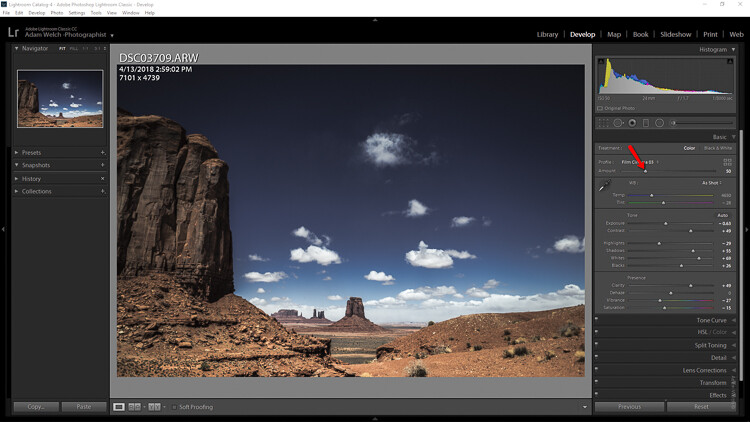
When it comes to Lightroom, there is a lot to learn, and we tend to pay the most attention to the big things like understanding how to organize images and which sliders to use to improve our photos. But there are also lots of little Lightroom tricks that will improve your workflow and just make your life easier when it comes to working with your photos.

In this video, I’ll show you 10 of my favorite tricks that will make your life easier in Lightroom. There is also a summary of these items below the video for your reference. Enjoy!

1. Build Previews

Have you ever noticed that when you view images full size in the Library Module and you move from one to the next, sometimes Lightroom shows a message that says “Loading…” and it takes a minute for the photo to display properly? You can get around that by building previews before you start working on a group of images.

To do this, choose Library > Previews > Build Standard-Sized Previews.

I generally build standard-sized previews which are just big enough to fit in the Lightroom window. You can also build the 1:1 Previews which means you can view each image zoomed-in at 100% without having to wait, but that takes longer.

Building the previews first does take a bit of time, but you can do something else while Lightroom is busy with this task. Then when you are ready to work on your images, Lightroom will be really fast.

2. Auto Advance

When selecting your Picks or adding a star rating to images in the Library Module, you can have Lightroom automatically move to the next image, making it very quick to go through a selection of photos. To turn this setting on choose Photo > Auto Advance.

3. Solo Mode

In the Develop Module, there are a number of panels which, when expanded, can make it necessary to do a lot of scrolling to move between them. But with “solo mode”, only one panel can be opened at a time which means no more scrolling.

To turn this on, right-click to the left of one of the develop module panel titles (such as “basic”) and choose Solo Mode.

4. Quickly Reset a Slider

When you make a change to a slider in the Develop Module, and you simply want to reset it back to zero, you don’t have to actually move the slider back. Simply double-click on the name of the slider and it will reset.

5. Letter O Key

Did you know there are quite a few different crop overlays you can use to help you crop your photos just right? Click the crop tool in the Develop Module, and then try repeatedly pressing the letter O on your keyboard to rotate through the various crop overlays.

6. Letter F Key

When you think you are done and you want to view a larger size of your image to make sure everything is just right, press the letter F on your keyboard to view the image full screen. Press F again to go back.

7. Letter L Key

Another way to view your image without distractions is to use the L key on your keyboard. Press it once and all the sidebars and your desktop will turn grey. Press it again and everything goes black except your actual photos (this is called Lights Out). Press it a third time to return to normal.

8. Backslash Key

As a final check when you think you are done with your processing, press the backslash key on your keyboard to see the “before” version of your image before you made any changes in Lightroom. Press it again to see the “after” version.

9. Virtual Copies

If you want to make another version of an image without changing the original, you don’t have to actually make a copy of it on your hard drive. You can simply create a “virtual copy” and apply different settings to it. This virtual copy takes up no space on your hard drive and allows you to play with different looks.

10. Sync Settings

After you have finished processing one photo in a group, you can apply those exact settings to all the other photos in the group. This makes it very fast to process a whole group of images.

Go to the Library Module, select all the photos you want to apply the settings to, including the one you have processed, and click the “Sync Settings” button in the lower right corner of your screen. You can then choose whether to sync all or just some of the settings to the selected photos.


Lightroom can be overwhelming! If you want to learn the essentials of Lightroom so you can get started quickly and easily, check out my video course Launch Into Lightroom. In 22 short videos that total a little over 2 hours, you’ll be off and running.

The post 10 Lightroom Tricks That Will Make Your Life Easier appeared first on Digital Photography School.


Digital Photography School

 
Comments Off on 10 Lightroom Tricks That Will Make Your Life Easier

Posted in Photography


4 Reasons Why You Aren’t Getting Sharp Images

04 Sep

Capturing sharp images is something most photographers aim to do, regardless of what genre you do. While it sounds easy on paper, it’s not quite as easy to come home with sharp images; especially when you are photographing in challenging conditions.

There are several reasons why you’re images aren’t as sharp as you’d like them to be but the good news is that most of them are both quick and easy to fix. In this article, we’ll look at the most common reasons and what you can do to avoid making these mistakes again.

#1 The Shutter Speed is Too Slow

The shutter speed is to blame for a lack of sharp images in 99% of the cases. A shutter speed that is too slow results in the image becoming blurry.

moody mountain scene - 4 Reasons Why You Aren’t Getting Sharp Images

A shutter speed of 1/320th of a second captured with a 24mm lens was quick enough to get this image sharp.

This is a common mistake and it’s easy to forget to change the shutter speed when you’re in the field. There’s so much to remember, right? The ISO, the aperture, composition, light… and then the shutter speed. Don’t worry though; spending time using and learning the camera will make this much easier within no time at all.

The exact shutter speed you need depends on the situation. However, a rule of thumb is to never use a shutter speed slower than 1 over the focal length for handheld photography. That means that you shouldn’t use a shutter speed slower than 1/70th of a second with a 70mm lens, or slower than 1/16th of a second for a 16mm lens.

This isn’t an exact science though and while the tip above can serve as a guideline, you still should make it a habit to zoom in on the image preview to double check if the image is sharp.

natural scene at sunset - 4 Reasons Why You Aren’t Getting Sharp Images

I used a tripod to capture this 91-second exposure

If you need to use a slower shutter speed to achieve a certain look or due to the dim conditions, it’s essential that you use a tripod. This makes it possible to increase the exposure time without worrying about the image being blurry.

#2 Your Lens is Not Good Enough

Unfortunately, an unsharp image can’t always be blamed on human error. Sometimes the camera equipment is to blame. While I often preach that camera gear won’t make you a better photographer, it is true that it does make a difference to the image quality.

A budget lens isn’t as sharp as a professional lens and sometimes this becomes quite visible. For this reason, it’s advisable to do some research about the lens before purchasing it and make sure to read what people are saying about the image sharpness.

#3 The Camera is Vibrating

So what about the times when you’re using a slow shutter with the camera placed on a tripod, and you know for a fact that the lens is good enough? The cause might be camera vibration.

road with big trees arching over - 4 Reasons Why You Aren’t Getting Sharp Images

When capturing the image above I could not for the life of me figure out why almost every image was slightly blurry when I zoomed in on the LCD screen. I used a 70-200mm with a semi-slow shutter speed, the camera was mounted on a solid carbon fiber tripod and I used a remote shutter release.

After several attempts and trying to understand what was happening I realized it was due to me not standing still when taking the image. This caused small vibrations in the unstable ground I was standing on and resulted in the camera vibrating slightly.

Camera vibration becomes more visible and is easier to cause the longer the focal length you are using. Had I used a 14mm I would most likely not have noticed it at all.

There are many reasons why you might be having some camera vibration. The example above is perhaps not the most common. It could be caused by wind, waves, the tripod is placed in a river or on a bridge, or perhaps it is from you pressing the shutter button (so get a remote trigger).

#4 The Weather is to Blame

Other times you can’t blame either yourself or the camera gear. Sometimes the weather is to blame and it makes it impossible to capture a sharp image.

The most common reason is lots of particles in the air and high temperatures. Now, I’m not going to pretend I’m smart enough to explain how this works (I’m sure someone wants to take on this task in the comments) but it’s a common issue when photographing distant subjects.

mountains in the mist - 4 Reasons Why You Aren’t Getting Sharp Images

Make sure to zoom in 100% when using a telephoto zoom to see if you’re getting sharp images.

A good practice is to use Live View and zoom into 100% magnification to check for sharpness. This should give you a good idea of whether or whether not it’s possible to capture a sharp image.

Conclusion

So I hope these tips have you to get sharp images next time you’re out shooting. Use this as a checklist of things to look out for and go over them one by one to ensure you have everything sharp.

If you have any other tips of reasons why others might be experiencing unsharp images, please share them in the comment area below.


Be sure to read my eBook The Ultimate Guide to Long Exposure Photography if you’re curious about working with slower shutter speeds. 

The post 4 Reasons Why You Aren’t Getting Sharp Images appeared first on Digital Photography School.


Digital Photography School

 
Comments Off on 4 Reasons Why You Aren’t Getting Sharp Images

Posted in Photography