RSS
 

Posts Tagged ‘Wedding’

Ask the staff: wedding season weirdness

02 Jul
Weddings: They’re a cornucopia of creative possibilities, I find them incredibly rewarding and I’ve never had a ‘bad’ wedding as a photographer. That doesn’t mean everything always goes according to plan, though.

It was June of 2012, and I had been blackmailed into photographing my first wedding.

‘If you don’t want to take photos,’ I was told, ‘then we just won’t have any photos.’

One of my best friends from high school was getting married in his backyard with around a dozen of their closest family members, and they were adamant about having a photographer they knew personally, rather than a stranger. So it was really quite a friendly blackmailing.

What the heck, I thought. I quoted them the princely sum of $ 250, and everything was set. Then, just a day or two before the wedding, my car sprung a substantial coolant leak. No worries, my 30-year-old motorcycle would get me there. Probably.

Thankfully, the universe had decided enough was enough, and the day proceeded without incident after I toweled off a bit.

And then it rained on the big day, and though my Yamaha got me there just fine, I arrived slightly behind schedule and absolutely soaking wet. Thankfully, the universe had decided enough was enough, and the day proceeded without incident after I toweled off a bit.

I don’t shoot weddings full time, but I do at least a few every year. I find them creatively challenging as well as rewarding, and so far, there’s not been a ‘bad’ wedding for me as a photographer. That doesn’t mean there aren’t always a few hiccups along the way.

And so, now that wedding season is upon us, we polled ourselves as a staff to find out what sorts of ‘challenges’ we’ve all faced over our years of photographing weddings, and some themes began to emerge.

‘Uncle Bob’

A common tool of choice for an Uncle Bob – an older, preferably double-grip DSLR.

Without fail, most photographers that have shot even a handful of weddings have a story of the affable yet oblivious Uncle Bob. You will know him from the prominence of the large camera dangling from his neck, possibly with his own speedlight attached.

Uncle Bob will good-naturedly ask you what camera you’re shooting with (‘and why is it covered in black tape?’), what aperture you’re using, pronounce ISO like ‘eye-soh,’ and occasionally suggest that you are just doing it wrong.

But while some of us have encountered Uncle Bobs that are more tenacious or hover-y than others, many are friendly, genuinely curious, and if you gently suggest that you need to concentrate and will catch up with them later, you should find yourself in the clear.

Unfortunate urgings of the bridal party, audacious acts of the guests

Many couples will have some idea of the sorts of photos and moments they would like the photographer to capture throughout the day. One of our staff, however, was instructed by the bride to ‘not take any photos showing the front of my face.’ Challenge accepted.

The majority of weddings these days seem to involve a good deal of drinking, and indeed, some guests will refuse to attend without an open bar. An open bar is just common decency (in the U.S., anyway). This is not something that is generally taken advantage of by the photographer for obvious reasons, unless of course the bride and groom confront you and insist that you ‘get wasted.’ One of our staff encountered this from a very stubborn couple, and we surmise that the inevitable crooked horizons were corrected in post.

I was instructed by the bride to “not take any photos showing the front of [her] face.”

A common complaint: friends and family holding up phones, tablets and phablets at just the right spot to ruin a photo. The most egregious example of this was a guest getting up and blocking the aisle just after the bride passed him. The photographer missed the father giving his daughter away, but that’s alright, average attendee, you have it in Apple Photos forever.

And finally, there’s the group shots, where inevitably a family member will stand behind the hired photographer with a phone or compact camera, and snap away. This ordinarily wouldn’t be too much of an issue, except it’s the cause of many an eye-or-face swap in Photoshop, just to make sure everyone’s looking into the right lens.

How does this get worse? Occasionally, that family member’s camera will be in Auto mode and fire the flash with every shot, which will trigger any pre-set optically slaved flashes the photographer has set up. This will ruin the hovering family member’s image, drains flash batteries unnecessarily, and confuses the family being photographed; an upgrade to radio triggers helps prevent these sorts of situations, but flashes from a competing photographer are still awfully distracting.

The unpredictable, or just plain weird

This is a pig at a wedding I attended as a guest, photographed (poorly) with my phone. Any guest was welcome to go and say hello, the pig was very friendly.

And sometimes, there’s just the crazy, random happenstances that don’t really fit into any sort of reliable pattern or theme. As above, sometimes the wedding venue is adjacent to a restaurant that grows its own food, and there is a pig. This obviously isn’t a grievance per se, that pig was adorable in his own way.

Thankfully, gear failures weren’t all that common for us, but one of our staff had an autofocus motor die just as the bride and groom began their walk back down the aisle.

Another time, a group of groomsmen grew demonstrably angry when the photographer would not sit with them at the reception and drink heavily instead of taking photographs.

A guest videographer at one destination wedding set up an enormous ladder to film video from at the back of the group, which would have been less of a problem were he not wearing a kilt. Underwear status remained carefully unconfirmed.

Everyone’s got stories

In a follow-up post, we’ll be polling some full-time freelance and wedding photogs on some of their more…interesting experiences, so stay tuned for that. In the meantime, do you shoot weddings full-time or on the side, or have attended a wedding and borne witness to an unusual event? Let us know in the comments, and maybe we’ll feature your story in a follow up as well!

Articles: Digital Photography Review (dpreview.com)

 
Comments Off on Ask the staff: wedding season weirdness

Posted in Uncategorized


How to Design a Wedding Album Simply and Painlessly

25 May

I’ve been photographing weddings for about nine years now, and I’ve found this to be the most effective and efficient way of designing and delivering a client’s dream wedding album. The method that I am going to describe keeps you in control of the process and still gives the client what they want and need. You might be surprised to know that it only takes me about 30 minutes to design an album from beginning to end.

In fact, just to test, I created an album right now for this article to see exactly how long it might take. I had 150 images to choose from; I used 118 images, created 31 spreads, and it took me 26 minutes. Let’s talk about how to achieve this, and how to work with your clients so you don’t find yourself dealing with wedding album orders months or years after the wedding.

How to Design a Wedding Album Simply and Painlessly

One spread of images created in Pixellu SmartAlbums2.

1. Who is in Control of the Process?

If a client has indicated at some point in the process that they want a wedding album, then the very first draft of the wedding album is 100% created by me. That includes the selection of images, design, the number of spreads created, etc. I have one friend, Tim Halberg, who creates a preview wedding album on the night of the wedding and has it ready for the clients the next day. He chooses the images and design all on his own.

To a bride or groom, every photo is important to them. So telling them to choose their favorite photos for the album is a recipe for disaster. I don’t consult with my couples about which images I am going to use, how many images to use, or the number of page spreads they might want. How would a person ever know how many spreads he/she wants? 10? 100? It’s an abstract idea to anyone who has never made a wedding album before.

In the same way, you probably don’t give your client all the raw files from their wedding day and let them choose the photos they want you to edit. The same philosophy applies to album design.

How to Design a Wedding Album Simply and Painlessly

The opening image for my sample album.

The first time I made the mistake of giving my clients the option to pick their own images, they came back to me with about 300+ photos, many of which were almost duplicates of each other. I ended up just choosing the best images of those 300, which is what I should have done from the beginning. I also would have saved myself a month or so of waiting for the client to come up with their selections and saved them the hassle and stress of narrowing it down.

My Process

An average wedding album should have around 80 images that will fill about 20-30 spreads. Some album companies don’t even support albums beyond 30 spreads.

Essentially, I do this:

  • Create a first draft of the album.
  • Tell the clients they get two rounds of edits where they can add, subtract or replace any photos.
  • Create a second draft of the album based on the first round of suggestions.
  • Let the client see their changes and decide on any final edits.
  • Make final edits to the album, and begin the ordering process.

After a wedding, I tell my clients I will have a rough draft of the wedding album for them within a week or two. This puts me in control of the situation from the first moment.

Now, let’s talk about how to create a wedding album in a quick and painless way.

How to Design a Wedding Album Simply and Painlessly

Some spreads have open space between the images. These are some of the getting ready images on one double-page spread.

2. Before You Begin

You’ll need three things to create your wedding album.

  1. Good software.
  2. A highlights gallery of about 100 images from the wedding.
  3. A family gallery of images (just the formal family photos).

There are three software companies that I am aware of that most of my professional wedding photographer friends use to create their wedding albums:

  • Pixellu SmartAlbums 2 (this is the one I use)
  • Fundy Designer
  • KISS

You can research online to see what might suit your needs best for software. You’ll have to pay to play the wedding album game, but you should earn back your investment in good software from your very first album sale. Don’t be cheap! Pixellu SmartAlbums costs about $ 300 and it was the best software purchase I have made (besides Lightroom) for my wedding business.

If you had read my article on How to Edit and Deliver Wedding Photographs in One Day you would know my philosophy on creating a highlights gallery. Everyone should have one. Your highlights gallery will also be the foundation of your wedding album. The top 100 photos from the wedding will tell the best story of the day, and that is exactly what a wedding album is supposed to do.

Export all of your images in Lightroom with these settings:

How to Design a Wedding Album Simply and Painlessly

Lightroom export settings.

This will guarantee that every image will print properly on any spread of a 10×10 inch or 12×12 inch album. I personally like creating square albums (8×8 inches, 10×10 inches, 12×12 inches).

3. Designing the Album

When designing your album, go with your gut, and keep it simple. With my software, I can select a number of images, throw them into a spread and then quickly scroll through a number of arrangement options by simply pressing the up/down arrow on my keyboard. Here are some examples that show up when I use the same three images from the ceremony:

How to Design a Wedding Album Simply and Painlessly

Six random sample page designs that my album software created for me in under a minute.

It’s really fun to scroll through the designs that the software creates for you. Simply press the up or down arrow to scroll through them. I like full bleed spreads so I chose the second option on the left. You can also grab any image and drag it to another position to swap the two images. You can see in the examples above that the software will also sometimes do square designs even if your image is horizontal or vertical. Sometimes it works perfectly and other times it doesn’t.

Things to keep in mind when designing your wedding album:

Keep a good visual balance and flow for each spread and throughout the album as a whole. Notice in the example above that I have two black and white images and two color images. In some spreads, I will do all color, or all black and white. Also, if I have a few spreads in a row with a multiple of four or more images, I like to break it up with one strong double-page-spread single image, like this:

How to Design a Wedding Album Simply and Painlessly

Try and create a balance of pages with many pictures and some with only a few pictures in your spreads.

Side note: I didn’t export my images at 20 inches long for this sample album so you are seeing that exclamation warning in the bottom-right corner of the image because the software knows that the image is not large enough to print at the designated 12×12 inch size. If you see this warning on your images, check the sizes carefully.

This part of the design process should only take about 20-30 minutes once you get the hang of your software. All the photos are imported into your album project and usually sorted by time, so you can start grabbing photos from each scene and putting them into your book.

Don’t feel like you need to use every single image. Sometimes cutting something out makes the whole spread work better. In fact, like most things in life, less is almost always better. After you have finished your album design you should have the option to export and upload your album to the cloud for review.

4. Feedback and Edits

How to Design a Wedding Album Simply and Painlessly

One spread of images made in Pixellu SmartAlbums 2

These are the exact words I have used to explain to my clients about how the process will go when creating a wedding album:

Okay, I have sent out draft number one! You should have an email with a link to be able to view the album and leave comments. If you haven’t seen that in your inbox please check your spam folder. Or, hey, I’ll just give you the link right now:

View draft #1 of your wedding album layout here

I do two rounds of edits, so if you see anything you want to replace, add, or delete from there let me know! I’ll make your first round of suggestions and then show you the updated version of the album online, and you can have one more go at it before I hit purchase.”

Guiding your clients in this way gives them some options, but not too many. You are dictating the terms of the album making process and they get to participate in a healthy and helpful way. This is also an effecting parenting technique with a small child. Saying things like, “You can sleep with stuffed animal A or stuffed animal B when you go to bed right now” is nice because it embeds the idea that they are already going to bed (no question about it), but they have some power and free will in the matter (what animal they are going to sleep next to). This psychology can be used everywhere, including in a classroom, in your business, etc.

Getting feedback and doing the edits

With my software (and I’m assuming the others out there) your client can view the album and submit comments online for each individual spread. Each photo will have a number attached to it, so your client can easily say something like, “Love spread number 9! But let’s get rid of photo number 1 and replace it with one more of the two of us.”

How to Design a Wedding Album Simply and Painlessly

What your client sees after you’ve uploaded your album to the cloud.

Once your client has written comments on each spread, they can submit that and you will receive an email that will take you to the album and their comments. At this point, the changes should be pretty straightforward. You will add, subtract, or swap out any images necessary.

Then you can upload the next draft and let your client see the changes that they made. I would include language like this:

“Okay, I’ve made all the edits you requested. I think the album looks awesome! If there are any last changes you think should happen let me know, otherwise I’ll submit an order for the album tonight and you’ll have it in your hands by next week.”

Notice how my language is encouraging them to approve and finish the project. This makes the next round of changes feel like they should be made only if necessary, not like the first round.

How to Design a Wedding Album Simply and Painlessly

I don’t always have a lot of family photos in the highlights gallery, so I make sure to add family photos into the mix when creating the album. This is very important for your couples!

5. Ordering the album

The next step is to order the album. This is a very different process than the album design. There are many many companies out there that can do this. All of them have different benefits and drawbacks. I happen to use Miller’s Lab. They deliver albums extremely fast (within a week) and have great customer service.

You need to use a special uploading software (usually free) to order your album. You can’t just order from the design software (unless you are building an album with KISS). For Miller’s Lab, there is a supplemental program to use called Miller’s Designer Plus. You tell it what project you want to create (12×12 inch leather bound album or book), drag all the exported photos into the program, and fill in each page.

How to Design a Wedding Album Simply and Painlessly

The final spreads are shown on the left. You need to create a new “fullpage” spread and drag each photo onto it to purchase your album

After you have manually input each spread you can order your album. At this point, you will have to communicate with your client about what color leather they want on the album, and any other options they can choose. Again, keep the options limited. I usually offer black, tan, gray, or white, even though there are many other options available like blue, red, etc.

Once they respond with a color and their address, your job is done! Order the album and have it delivered straight to their doorstep with some boutique packaging ($ 6 extra with Miller’s). If you want to deliver it yourself and make it pretty with some personalized packaging, then ship it to your own address.

Sample albums for display

The last thing to note is that you can also order discounted sample albums (check with your supplier) for yourself and your studio if you want to show potential clients how their album could look. I would highly recommend creating your first album for yourself and your studio so you can feel what this process is like from beginning to end. The sample albums are exactly the same as a normal album you would sell to a client, but they have a big stamp or sticker on the back page that says “Sample Album.” (Note: may vary from supplier to supplier).

The final spread

Summary – everyone wins

So let’s get back to how this method will help you avoid dealing with wedding album orders much later. By following these steps and controlling the process you will not only help your clients to be less stressed and get their albums faster, but you will be less stressed as well.

In order to have a smooth and happy album designing process it’s important to guide expectations from the very beginning of your conversation/process. It’s important that you take control of the conversation and let your clients know how the design process will go, according to what works best for you. You limit options but you still GIVE options. You make it easier for them to make decisions about the album and you can do this all from the comfort of your home using just your computer and the internet.

Everyone wins in this process – the couple get their album super fast, they don’t have to spend hours pouring over their photos, and you don’t get 20 wedding album orders right before Christmas every year.

That’s it! Happy designing ?

The post How to Design a Wedding Album Simply and Painlessly by Phillip Van Nostrand appeared first on Digital Photography School.


Digital Photography School

 
Comments Off on How to Design a Wedding Album Simply and Painlessly

Posted in Photography


Pros And Cons Of Working As A Wedding Photographer

12 Apr

If you love taking pictures of people in extraordinary social situations, wedding photography might be for you. Being part of such an important event in your clients’ lives is both an honor and a huge responsibility. But before you jump in with both feet, there are some things you should know to make sure that you’re choosing the right profession. Continue Reading

The post Pros And Cons Of Working As A Wedding Photographer appeared first on Photodoto.


Photodoto

 
Comments Off on Pros And Cons Of Working As A Wedding Photographer

Posted in Photography


Complete Step By Step Wedding Photography Workflow

01 Apr

You may have spent months planning a wedding with your client. After countless emails, meetings, and the actual wedding day itself; it’s time for the lengthiest part of your work to begin, the post-processing. Your wedding photography workflow is the part of the job that clients never see (and most never think about) after the event is over. Post-processing for digital photography starts from the moment you return to your home or office up until the clients receive their final images.

Wedding photography workflow

Every photographer has their own speed and style to post-processing and most will have their own aesthetic or editing programs they prefer to use. However, after owning a busy wedding photography studio for the past five years, I have created an efficient workflow that works well, while giving images a personal aesthetic. In this article you’ll find what to do after the wedding day is over, to delivering the final product to your clients using an efficient workflow.

Complete Step By Step Wedding Photography Workflow

Step 1: Back Up

You may have been shooting for eight or more hours, but when you get home, don’t crawl in that sweet, comfy bed just yet – your night isn’t over. It’s imperative that you back your client’s images up in several places as soon as possible. Not only did your client pay a lot of money for your time and expertise, but for the safety of their images as well. Until their images are backed up safely in several locations, no naps allowed! Don’t learn the hard way, back those things up.

Part one – download

On your computer, create a folder with the client’s name, and a sub-folder called “RAWS” (assuming you shoot in RAW, which you should. More on that later). You will need to copy the images from all of your memory cards into the new “RAWS” folder on your computer.

Note: RAW files are huge, s,o you will probably need to upgrade the amount of storage space on your computer, and get some more RAM while you’re at it to run your computer programs efficiently. If you’re using a Mac, make sure your computer is scheduled to back up using Time Machine as well.

Step1 BackingUp

Part two – make a copy

After all the files are on your computer, back them up again to a client folder on an external hard drive. When not in use, the external hard drive should be kept securely in a place like a fireproof safe. Some photographers back up on more than one external hard drive.

Part three – backup online

Lastly, when you don’t think you can stay awake another second, you need to start your RAW file back up to an online or cloud location. I use Zenfolio for my RAW storage, although there are other storage sites available. The good news? You can go to sleep while the files upload overnight (and maybe the next few days if you have a slower internet connection).

Step1 BackingUp1

Step 2: Importing and Culling

The most exciting part of your job – not!

I’m going to be honest here, culling, or going through every image you took of a wedding, rating them, and deciding which to keep and which to trash, is the most tedious, eye-bleeding part of your job. This is why it’s not a good idea to “spray and pray” throughout a wedding day with your cameras. The more selective you are with the photos you take, the faster your post-wedding workflow will be. Alternatively, there are companies you can use to cull your images for you if that is within your budget.

In Lightroom, create a new Lightroom catalog for your client in their client folder: File>New Catalog. Then import your RAW files from the client folder you created while in the Library module.

Step1 5 Importing

Once all the images are imported, make sure all cameras are set to the correct time, and do a “sort by capture time” so everything from the wedding day on all cameras is in chronological order.

Culling

Next, start to cull your photos by lens. I have found this is the quickest way to make a decision on which images to keep. You can do this in the Library Module, going to Metadata (or hitting the / key), and selecting the lens you want to cull (see below). Rate your images on what to keep (hit P for picks or keepers) and what to toss (hit X for rejects). Repeat your rating process with each lens, and after they are finished filter by “all lenses” in the Library module to see the images all together. From there, do a second (or third) round of culling in the Library module until you have your final number.

Step2 Culling

For the step above, you’ll need to choose a rating system that works well for you. My rating system is 1 stars are rejects, 2 stars are keepers, and 3 stars are keepers that need Photoshop retouching. I often find that if I took a series of photos at once (like I do for the family formals to ensure no eye blinks) the last ones in the set are usually the best, so I will look at those images first for my 2-star keepers.

For more on rating and flags in Lightroom read: How to Organize Your Photos in Lightroom OR Organizing Images in Lightroom.

Step 3: Basic Edits

This is where the magic happens!

You have your final number of culled images, and can now begin your basic Lightroom edits. This is where your cropping, straightening, and adjustments for exposure, contrast, shadow, highlights, etc., come into play. This part is very personal to each photographer and this is where your style begins to emerge. This is also why shooting in RAW is so important, as you will have greater flexibility in editing as compared to a JPG. Many photographers may stop after this step, and that’s A-Okay if you’re happy with your result! However, if you want to push your images further – there are a few more steps involved.

Quick tip! If you have a series of photos in the same lighting situation taken with the same camera, edit the first photo in the set, select the rest of the photos that match, then hit the “Sync” button to apply your edit to all of the photos in that set at once.

Step3 Basicedits

Step 4: Polishing

Making your images sparkle using Alien Skin or Presets.

Many photographers may polish their images (a.k.a. color tone) with a chosen preset after the basic edits are done. You can buy Lightroom presets from a plethora of sources online or create your own. I found the Alien Skin program years ago and fell in love. For me, Alien Skin gives me the pop, sharpness, and great skin tones that I absolutely adore. It also has beautiful lens flares and light leaks that I use for enhancing natural sunlight. If you choose to try Alien Skin, see the steps below, otherwise skip to Step 5.

  1. Choose your favorite images (or all of them) to put through Alien Skin by selecting them in Lightroom, right-clicking and choosing “Edit in Alien Skin” (once the program is installed, this will be an option).
    Step4 Polishing
  2. You can create your own presets in Alien Skin for a faster workflow and a likely favorite will emerge. Select your most used preset and apply to all. Then deselect all.
  3. Go through each photo individually, and make sure that’s the Alien Skin preset you want to use and see what tweaks are needed for each image.
    Step4 3 Polishing
  4. When you’re finished, click save and your images will automatically import back into Lightroom (as copies) with the filters applied. Hit the 1 key, to discard the originals that you’re not going to use. (Occasionally, I end up liking my Lightroom edit better than my Alien Skin edit, so it’s nice to compare them side-by-side).

Step4 5 Polishing

Step 5: Photoshop – Retouching Your Images

Now that your images have all your basic edits and color toning, select the images that need to be retouched with Photoshop by filtering for the 3-star rated images. Retouching can include editing out acne, stray hairs, doing head swaps or editing out any distracting objects in the image. On a Mac, you can hit command+E (Window is Control+E) in Lightroom to open your image in Photoshop. After retouching is complete, you can select CMD/CTRL+S (or File>Save) to return your retouched image to Lightroom.

Step5 Retouching

Step5 5 Retouching

Step 6: Black and White Images

This is the quickest part of my post-production and one my favorites, as well, because I love black and white images so much. Many wedding photographers provide a mix of color and black and white photos, with the color versions of each black and white as well. This where Alien Skin comes into play again. Not only are the black and white filters so dreamy, but they automatically make a copy for you, making your job really easy.

  1. In Lightroom, select the images you want to be in black and white by using CMD/CTRL+click to individually select them.
  2. Right-click and select “Edit in Alien Skin”. From there, all the selected images are uploaded to Alien Skin.
  3. It’s easiest if you already have a black and white preset that you love saved, and apply that to all images, then deselect all. Go through each image individually using the color sliders (especially the reds and yellows) to edit and ensure each black and white image is perfect.
  4. Save all black and white images back to Lightroom where the edited color version and the edited black and white version will be side by side.

Step6 BlackandWhite

Step6 5 BlackandWhite

Black and white images can also be made in Lightroom by creating a virtual copy, Photo>Create Virtual Copy (or CMD/CTRL+’). Then select “Black and White’ in your Basic Edits box, and adjust the color sliders until they’re perfect.

Step 7: Exporting. The Home Stretch!

Hooray! All of your images have been backed-up, culled, edited, polished, retouched, and you have your black and white copies. Now you just need to export the final versions to your client’s folder on your computer (I create a folder called “Edited:).

Step7 Exporting

Select all of your completed images in Lightroom, go to File>Export. Choose your file location, file name (I have mine set to custom name and sequence), file settings (Mine is set to jpeg, sRGB, quality 100), and then select export when you are finished.

Step 8: Importing to an Online Client Gallery

Once all of your high-resolution JPGs are exported to the Edited client folder on your computer, you can then upload to the online gallery of your choice. Some online galleries allow you to upload your high-res JPGs directly from Lightroom using a plug-in, letting you skip a step in the process. I use Pixieset for my galleries, as I like the modern look, ease of use, and their customer service.

Step8 Uploading

Step 9: At Long Last…

After you upload your images to an online gallery, copy your final edits to your external hard drive in their client folder. Once your edited files are safely online and on an external hard drive, you can delete the RAW files from your computer, because they take up a lot of space and you already have them safely backed up online and to an external hard drive (or two). If you ever want to use that Lightroom catalog again, it’s easy to sync the RAW files on your external hard drive with the Lightroom catalog that’s stored on your computer. I like to leave the edited JPGs on my computer for easy access.

Conclusion

This entire workflow process time will vary for every photographer. For me, I need 4-5 full days of nearly uninterrupted work. As you know, photographers are humans too. With life and other weddings/shoots in between – delivery time can take weeks or months after the event, depending on how busy your season is, how many photos you have, and how much retouching is required. You may need to mail prints, albums, USB drives, etc., as well, so keep that in mind for your total post-production time.

With a lot of practice and knowing your style, you’ll see your post-processing time get shorter and shorter. If you’re lucky enough to find a post-processing company that fits your style and budget, you’ll have extra time in life for the things you love, like photography. Until then, get to work!

The post Complete Step By Step Wedding Photography Workflow by Misti Marquette appeared first on Digital Photography School.


Digital Photography School

 
Comments Off on Complete Step By Step Wedding Photography Workflow

Posted in Photography


Fundy Suite offers wedding photographers tiered pricing for album design and sales tools

18 Mar

Fundy Software, maker of album-building and sales tools for wedding photographers, is updating its software set with additional features and a new tiered pricing structure.

The Fundy Suite of software is now available in Lite, Pro and Studio configurations. For $ 199, Fundy Suite Lite includes basic album and wall art design tools. The $ 349 Pro Suite includes more features like larger albums, and the Studio version can be used by up to five computers for $ 499.

A set of Pro Enhancement features are available for a $ 179 yearly subscription, adding skin retouching via Athentech’s Perfectly Clear, and access to Design Proofer tool for client communication. The Pro Enhancement subscription also allows for free updates to Fundy’s software.

Fundy Designer takes a template-free approach to album creation, with an emphasis on easy and quick operation with its automatic populating feature. It’s integrated with popular printing services like Miller’s.

Do you use Fundy Designer? What do you think about this update? Let us know in the comments.

Press release

Fundy Designer Launches All-In-One Suite for Professional Wedding and Portrait Photographers

Also announces fully integrated Pro Enhancements that includes acclaimed Design Proofer, one-click retouching, and free upgrades for existing users 

Portland, OR—March 20, 2017—Fundy Software, creator of Fundy Designer,
the award-winning professional photography software company known for its design software, Album Builder and Gallery Designer, and it’s workflow and in-person sales tools, today announced its newly revamped product line offering Lite, Pro and Studio all-in-one suite licensing options starting at $ 199. For a limited time all licensing options offer a 3 month FREE subscription of Pro Enhancements.

People are rediscovering and gravitating back toward prints as a preferred way to save and share memories and tell the stories and backdrops about their lives. Fundy Designer, revered for its ease-of-use and powerful tools, is used by professional photographers worldwide to design, sell, and proof from one application. Photographers worldwide attest to reducing design time by 4x while increasing studio revenues by 3x utilizing Fundy Designer. 

“Our newly revamped product line and attractive price points reflect the rapid growth and popularity the Fundy Suite has achieved since its launch in 2008. Our new tiered pricing gives a pathway for professional photographers to add significant revenue to their business and expand their product offerings as their business grows,” said Andrew “Fundy” Funderburg, founder of Fundy Software. “Additionally, our new Pro Enhancements perfectly fits our company mission to help professional photographers design better and do more so they can get back to the moments that matter to them most to their clients,” continued Funderburg.

Using the Fundy Suite, professional photographers can easily and quickly create customized albums and beautiful wall art. Fundy is also a sales tool that enables professional photographers to conduct sales sessions with their clients either in-person or virtually from anywhere in the world.

With Pro Enhancements such as one-click skin retouching from Perfectly Clear, and the Fundy Design Proofer, professional photographers can save countless hours, drive design approvals and impress clients.

“Fundy is an invaluable sales tool because helps photographers upsell without ‘selling’. Presenting to clients within Fundy makes it easy for clients to visualize what their album or wall art will look like in their home. How can they say no when they’re seeing the photos they love most curated exactly to their home,” says Rich and Christine Yodsukar, who own The Yodsukars, a luxe LA-based wedding photography and cinematography studio.

The Fundy Suite Lite is the perfect starting point, priced at $ 199, for the emerging pro. Allowing them to design and sell the most popular album and wall art in the industry. The Fundy Suite Pro, priced at $ 349, add more professional options such as previewing custom framed prints and designing larger albums that are coveted by high-end brides. The top-tier Fundy Suite Studio, priced at $ 499, is created for the large studio, allowing up to five computers to run the Suite simultaneously.

“As a sales tool Fundy makes it easy work with clients in-person or online which is a game-changer and a huge advantage for my business. Fundy has helped me double my business since we started using the new sales tools in 2016, says Mike Allebach, named “2016 100 Best Wedding Photographer/United States and Canada” by SLR Lounge.

Fundy Designer v7, released in 2016 set a new standard for photography design software, with top wedding and portrait photographers who use it earning as much from album sales as they do from actual wedding shoots every year.

Articles: Digital Photography Review (dpreview.com)

 
Comments Off on Fundy Suite offers wedding photographers tiered pricing for album design and sales tools

Posted in Uncategorized


Wedding Portraits – 5 Tips for Getting Out of a Creative Rut

16 Mar

As a professional photographer, it is normal to take a fair amount of pride in your work. In an ideal world, everyone would take pride in their work; but photographers in particular are usually people who own their business, who are doing something they love and who are creative by nature.

It can be particularly frustrating when you feel that you aren’t doing your very best work. Even if the customer is happy, you want to keep doing your best and you want to keep growing and learning in your craft. Getting compliments or rave reviews are great, but that feeling when you take your latest and best image is unforgettable.

Wedding portraits creative rut 03

Wedding portraits is something that is particularly challenging in this regard. Your job is to capture the newlywed couple on the happiest day of their lives, which usually means photographing them face-on while they grin into the camera. Maybe you’ll ask them to embrace, to hold hands, or to stand in front of one another. But ultimately, you’re essentially doing the same thing in every photo. There is less freedom to be creative and to have a vision; which makes it easy to get into a creative rut.

How can you grow and expand when all these photos are essentially the same thing? As they say, the devil is in the details. Actually, it is precisely the limitations that this type of photography places on you that will allow you to challenge yourself to become even more creative.

Wedding portraits creative rut 08

Here are five pointers that will help you get out of that creative rut and take some truly memorable wedding portraits.

#1 – Look for Inspiration

Wedding portraits creative rut 09

Tip number one is to look for inspiration on the web. Social media like Instagram and Pinterest are excellent for this. Just take a look at the ways in which other photographers have handled their wedding portraits and see if there is anything you can learn or borrow from them.

As Steve Jobs famously said, “Good artists copy, great artists steal.” Don’t be afraid to try and improve on what has come before you. Save some screenshots on your phone, or print out a list or shots you’d like to go for. Trying something brand new usually means failing a few times, but that’s what makes it an adventure!

#2 – Get a Second Shooter

Our second tip is to find a second shooter. If you feel that your creative juices are running a little dry, then how about inviting another cameraman along for the day? Get them to have a go at the same shots and you might find that they give you some fresh ideas that you can try. Even if you don’t end up taking their advice directly, this will help you to step out of your comfort zone and that’s when new ideas start flowing!

Wedding portraits creative rut 04

Ask your second shooter for some advice on locations. Try and find someone familiar with the venue, or maybe a photographer that has some ideas about great locations to shoot. Let him take the lead, and if you see him start something, see if you have a finishing flourish to take your portraits to the next level.

#3 – Remember the Basics

When you’ve been doing this gig for a long time, it’s easy to forget the most basic aspects; things like composition, framing, and lighting. Our third tip encourages you to bring it back to basics and remember some of the tips you learned when you were first starting out. You’ll often find you can inject fresh inspiration into your shoots.

Wedding portraits creative rut 01

Try going for a classic or timeless look. Forget the props, crazy locations, special effects, and confetti canons. Try and see what you can do with your best lens, and most basic posing. You may find yourself asking why you’re trying to take the same photo that’s been taken by every wedding photographer before you. And the answer may just astound you!

#4 – Work With Your Resources

For our fourth tip, let’s talk about your environment. Every wedding is different, whether that is because of the weather, the dress code, color scheme, or the crowd around you. Don’t fight it – work with it! Rain or clouds can be a dramatic backdrop for a photoshoot for example. A big crowd of onlookers can make for an interesting new perspective.

Wedding portraits creative rut 11

But the biggest resource you have at your disposal during your wedding sessions is the couple! No doubt they have a lot of ideas and suggestions for their photos – after all, they’re the ones paying the bills. Don’t be the snobbish professional who knows best. Listen to your customers and you may just find they can teach you something. At the very least, it may bring some fresh new ideas to the table.

#5 – Leave Your Ego at the Door

This final tip is really the point you need to focus on here; your job is to make the subjects of your photos happy. You might be tired of taking the same old shots over and over again but if that’s what the couple wants, then it doesn’t really matter.

Wedding portraits creative rut 05

It’s an easy mistake to think that you need to be more creative and dramatic with your photography, while forgetting that the customer actually just wants a nice picture that will look good on their bedside table.

Your creativity here should serve a purpose, and that purpose is to make your customers happy. Forget about showing off what an original and inventive photographer you are – at least for the portraits. If you want to be creative, then you can always get in a few artsy shots of the bride’s shoes and the wedding rings. Letting go, and giving the client what they want should always come first.

Wedding portraits creative rut 02

Wedding portraits creative rut 07

Closing Comments

So there you have it – five tips that can help you rediscover the fun and creativity for your wedding portraits; look for inspiration, get a second shooter, get back to basics, use what you have, and focus on the customer. Let us know in the comments below what you do when you find your creative juices are running dry.

The post Wedding Portraits – 5 Tips for Getting Out of a Creative Rut by Michael David Reichmann appeared first on Digital Photography School.


Digital Photography School

 
Comments Off on Wedding Portraits – 5 Tips for Getting Out of a Creative Rut

Posted in Photography


How to Use a Speedlight at Wedding Receptions and Events

18 Feb

Using a speedlight at weddings and events take me back down memory lane to my very first paid wedding. I had the most basic digital camera, my trusty Nikon D40, the 18-55mm kit lens, a telephoto I bought separately 55-200mm f/4-5.6, and a 50mm 1.8D. What did I know about weddings? Hardly anything technical for sure but I had bags of creativity which got me hired. We have to start somewhere. But before anyone judges me at touting my wedding photography as a professional, well I wasn’t. I was recommended to someone looking for a wedding photographer. I didn’t have a portfolio, so the person who recommended me took some of my family photos to show her friend.

What did I know about weddings? Hardly anything technical for sure, but I had bags of creativity which got me hired. We have to start somewhere. But before anyone judges me at touting my wedding photography as a professional, well I wasn’t. I was recommended to someone looking for a wedding photographer. I didn’t have a portfolio, so the person who recommended me took some of my family photos to show her friend.

How to Use a Speedlight at Wedding Receptions and Events

My first speedlight

Up until then, I had only photographed friends’ weddings because I enjoyed them and they gave me some practice other than photographing my own kids as well as other families. So this was my first paid venture outside family photography. But, even as a super wedding novice, I knew I needed a speedlight (flash gun) and dared not go without one. I also borrowed a backup camera just in case.

I bought the super affordable Nikon SB-400, a nifty little speedlight that fits in your pocket with a head that can be tilted overhead (and only that) for bouncing light. It was better than not having a speedlight at all. I was ready to roll, or so I thought.

How to Use a Speedlight at Wedding Receptions and Events

Research the venue ahead of time

On realizing that the venue had a very high ceiling, totally unreachable for light to be bounced back, and with beams spanning the walls, I was stumped. There was no way I could bounce the light as my little SB-400 didn’t swivel sideways to be bounced off the walls. Fortunately, I found this out when researching the venue, not during the wedding day. I McGyvered my speedlight by strapping a white foam card behind it so it bounced the light somewhat in a forward direction. DIY yes, but it did the job, plus I have always hated direct flash anyway so for me, bouncing was the only way ahead at that time.

I McGyvered my speedlight by strapping a white foam card behind it so that it bounced the light in a somewhat forward direction. DIY yes, but it did the job. I have always hated direct flash anyway, so for me, bouncing was the only way ahead at that time.

How to Use a Speedlight at Wedding Receptions and Events

Please the clients

To cut the long story short, I shot the wedding and the newlyweds were happy with the results. There were times when the flash was not strong enough in the dark venue but I was able to improve the photos somewhat through Photoshop. Thankfully, that was many years ago. Looking back at those photos now makes me realize how much I didn’t know and how much I’ve learned. The pictures were creative definitely, but technically they were cringe-worthy! Too heavy Photoshop actions were used, too much styling like desaturation or oversaturation, missed focus, overexposure, underexposure, I could go on and on. I tried to leverage my creativity to hide the fact that I was technically weak.

The newlyweds loved them and even ordered albums and a canvas! Luckily for them, I had no idea how to price my wedding services so I sold the products to them at cost, not even charging for the time it took me to make the albums! I mean, what sane professional would do that?

So I started on a journey that would make me realize just how much technical knowledge and physical work a wedding requires and how we have to learn to price accordingly or live in a perpetual grudge against the business and face an abyss that is the loss of any self-worth.

How to Use a Speedlight at Wedding Receptions and Events

Here are three ways you can use a speedlight at events or wedding receptions

Moving on, this article is all about how I use speedlights at wedding receptions and events now, and some tips for you to do so as well. Thankfully, I now have an arsenal of professional gear that I am confident enough in using and know what to expect from. I have also stopped relying on Photoshop and instead try to get my exposures correct in camera, even with the use of external lighting, the ratio calculations of which I still find super confusing, if I’m being honest!

How to Use a Speedlight at Wedding Receptions and Events

How to Use a Speedlight at Wedding Receptions and Events

#1 – On-camera speedlight

On a wedding day, I prefer not to use a speedlight during the ceremony but at all other times, I pretty much have it sitting on my camera just in case I need a bit of fill light. I now have the Nikon SB-900 / SB-910 speedlights as well, which can be swiveled at all angles, not just upwards, therefore I can bounce the light anywhere needed.

I always use an on-camera speedlight for all my group portraits as they usually happen while there is still natural light outside and I only need a fill light. After the wedding ceremony and portraits, the reception typically starts with welcome drinks and canapes awaiting the newlyweds’ arrival. It’s at this time that I photograph guests as well as details like flowers, the cake, and room decorations.

How to Use a Speedlight at Wedding Receptions and Events

Shooting candids

I always have my speedlight on for this bit as I go around the room photographing guests mingling and chatting. My flash head is always angled slightly sideways at 45 degrees to get a directional bounce. If the area is pretty dark with no light coming from windows, I may bounce the light upwards to create a more even spread of light. There is a caveat to this one, however, in that there is a greater chance of deep shadows under the eyes and chins.

If there is ample light everywhere but I still feel I need a bit of a fill for the face, I would point my flash head backward. The only time I would point my flash head straight at the face/subject is when the scene is completely backlit unless I am after a silhouette. So yes, there’s a lot of swiveling and adjusting to the flash head but it is worth the effort.

How to Use a Speedlight at Wedding Receptions and Events

using-speedlight-wedding-events-photography-flash-tutorial_0000

The only thing you really need to remember is to NOT have the flash pointing downwards. This can be done so easily and unintentionally when you change the orientation of your camera from landscape (shooting horizontal) where the flash is currently pointed at a sideways angle to portrait (vertical) where the flash head would then be pointing to the floor. That is an absolute no-no as you would get “horror lighting” in that case. You know, the suspense-thriller lighting where flashlights are pointed from under peoples’ noses and you get dark heavy shadows pointing upwards (growing by the minute waiting to devour the photographer). We don’t want that kind of lighting in wedding photography!

#2 – Off-camera speedlight

At weddings, I typically carry 3-4 speedlights with me, and 4-6 transceivers. Tranceivers or transmitters/receivers are devices that allow you to remotely trigger your flash without it being attached to your camera. It works using radio waves so that you (and your camera) can be quite far from the flash. You can even have people or a wall directly between your camera and the flash and you can still trigger it. You usually need to have two devices; a transmitter that is attached to your camera, and a receiver that is attached to the flash. Nowadays, transceivers are more popular because they can do both, transmit and receive, so it doesn’t matter which one you put on the flash or camera as these devices will do the job.

How to Use a Speedlight at Wedding Receptions and Events

There are two fantastic things about these transceivers in my opinion. First, you can trigger as many speedlights as you want as long as they each have a transceiver attached to them. The second thing, which has been a game changer for me, is the fact that I can put a transceiver on the hotshoe of my camera and then put a flashgun on top of it. That allows me to shoot with an off-camera flash to the right of my subject and if I need a fill light from the front, the speedlight sitting on my camera on top of the transceiver does the job. It’s totally awesome!

How to Use a Speedlight at Wedding Receptions and Events

Great for detail shots

I do this a lot for details, rings shots, room shots, cakes, flowers, etc. It’s like having an assistant attached to me without having to tell them where to go and what to do. Before these transceivers, what was available was a bracket arm attached to the hot shoe of the camera and your flash sat on the end of the bracket arm. The advantage of this is that you didn’t have direct light hitting your subject, but one that was just slightly off on the side. However, with the amazing bounce capability of the flashes now, you can maneuver the light in more ways than in the past.

How to Use a Speedlight at Wedding Receptions and Events

using-speedlight-wedding-events-photography-flash-tutorial_0000

With an assistant

I lean towards more dramatic photos, so if I have an assistant or a second shooter, I personally prefer that they hold the second off-camera flash at an arm’s length away from me (much like the bracket arm but slightly further away) especially when I’m shooting the first dance.

I always have at least two lights, a kicker light which is bare bulb (no diffusion) pointing at a 90-degree angle at the newlyweds creating a backlight, and another light held by my assistant to the side for some directional fill. Sometimes I do away with this side light though when shooting a silhouette or if I want a dramatic rim light. I like having light and shadows in my reception pictures especially when the shadows fall in the right places.

How to Use a Speedlight at Wedding Receptions and Events

How to Use a Speedlight at Wedding Receptions and Events

How to Use a Speedlight at Wedding Receptions and Events

How to Use a Speedlight at Wedding Receptions and Events

How to Use a Speedlight at Wedding Receptions and Events

How to Use a Speedlight at Wedding Receptions and Events

Speeches

During speeches, I tend to have one off-camera light positioned on a stand somewhere at a distance, either with an umbrella or bounced, to provide directional light. I also have a speedlight on my camera for fill but only use it when I feel it’s needed, and not for all shots. However, if I have three or four speedlights at various parts of the room for off-camera lighting, I don’t usually bother with any fill light from my camera. I would just position myself in relation to the off-camera lights to get the best directional light for my subject.

The examples directly below show where I placed two speedlights on opposite sides of the room. This was because the venue had decided to put the couple at the back next to the cake where there was no light at all. You can see on the photo of the beams where the lights have been placed, one to camera-left directly in line with where the couple was sitting, and one on camera-right angled slightly at about 45 degrees towards me to light the cake and provide fill light for the couple.

How to Use a Speedlight at Wedding Receptions and Events

How to Use a Speedlight at Wedding Receptions and Events

Sparklers

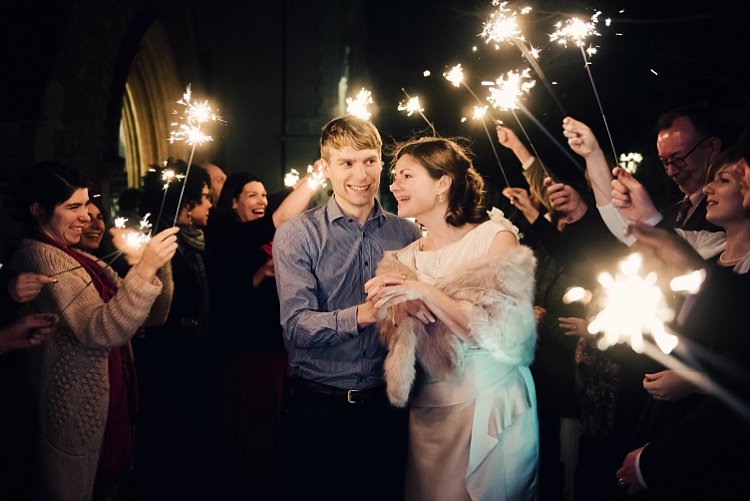
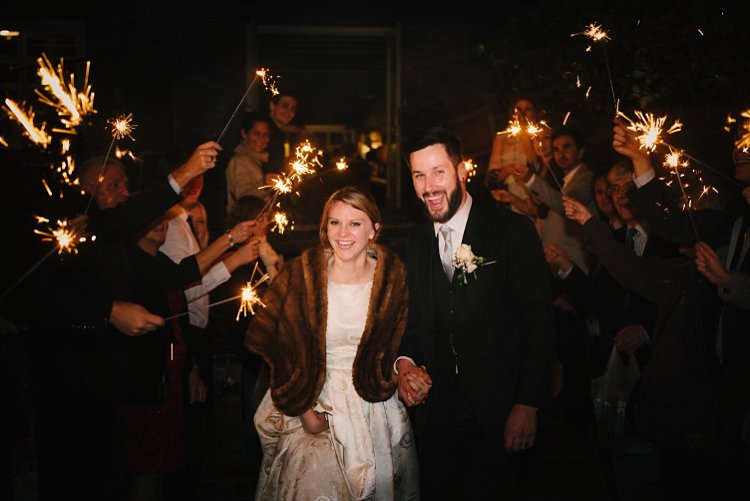
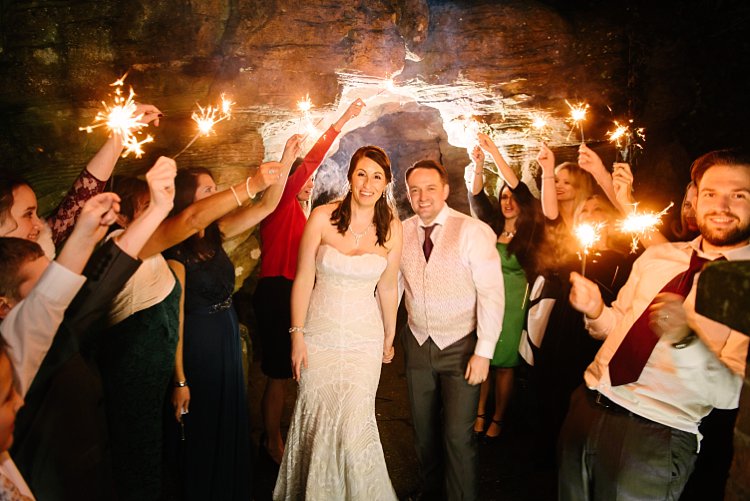
Sparkler shots are tricky as it depends on the location, space, season, and so on. I have done sparkler shots in all manners; with just a speedlight on-camera both bounced up and angled forwards, an assistant holding a light from the side, a diffused speedlight positioned at 90-degrees, a kicker light behind with a speedlight on my camera for fill, and a shot with no light at all because the flash didn’t recycle in time but it was the best photo of the couple where both looked lovely (no blinkers or funny expressions).

No matter how prepared you are, in wedding photography, you have to be ready for the unexpected. The main thing to remember, which in the speed and flurry of events I admit that I sometimes forget myself, is to keep the shutter speed at a fairly low setting to let in more ambient light. The sparks and smokey ambiance from the sparklers bring in that subtle and dreamy lighting look.

How to Use a Speedlight at Wedding Receptions and Events

How to Use a Speedlight at Wedding Receptions and Events

How to Use a Speedlight at Wedding Receptions and Events

#3  – Dragging the shutter

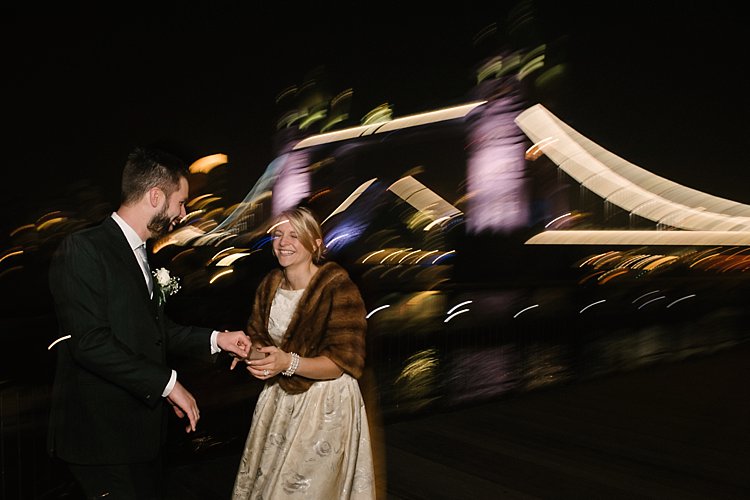
Dragging the shutter is a technique where you shoot at a very low shutter speed, say 1/10th of a second, to capture the ambient light but have your flash pointing directly at the subject to freeze their motion. While the shutter is open, you also must make exaggerated movements with the camera to get the funky motion of the lights in the background. This is especially necessary if the lights in the background aren’t moving so you have to compensate by making the motion yourself as opposed to shooting car light trails in the background where the cars are traveling at high speed and therefore the head lights trails are captured in motion.

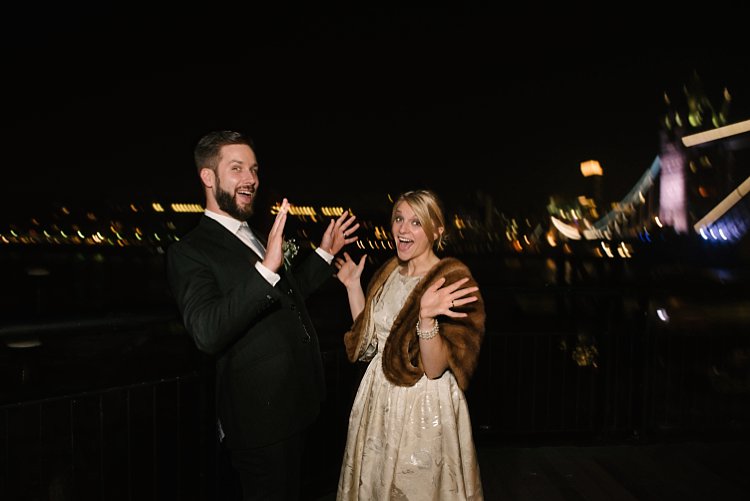
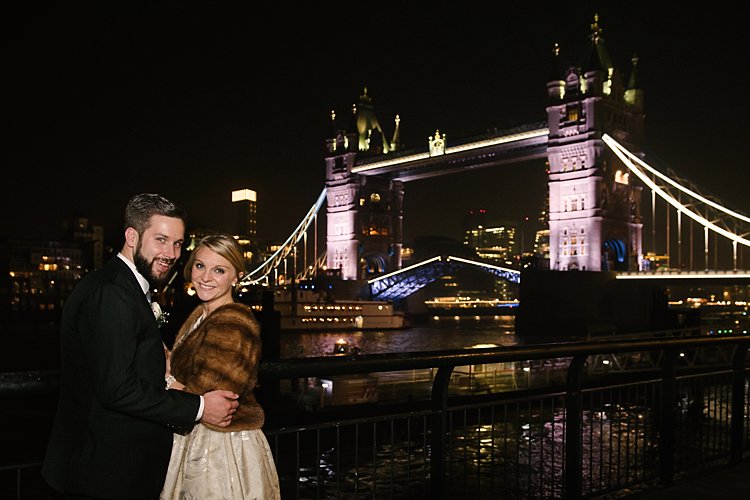
The flash firing at a single point will keep the subject sharp so you don’t need to worry about blurry faces. This works well in a very dark room or space with dramatic background lighting like fairy lights, illuminated architecture such as the Tower Bridge in London, funky DJ lighting, or disco ball reflections and suchlike.

How to Use a Speedlight at Wedding Receptions and Events

How to Use a Speedlight at Wedding Receptions and Events

Conclusion

I have shown quite a few examples above of various instances I have used on and off-camera lighting using speedlights. If you look closely, I think you would be able to tell easily what type of lighting combination I have used on each of the photos, whether that included off-camera lighting or a combination of everything, as well as the number of speedlights used.

I have also referred to my learning journey as a photographer and I know there is still so much to learn; I am only touching the tip of the iceberg. If you have more tips and examples, do share them in the comments below.

How to Use a Speedlight at Wedding Receptions and Events

googletag.cmd.push(function() {
tablet_slots.push( googletag.defineSlot( “/1005424/_dPSv4_tab-all-article-bottom_(300×250)”, [300, 250], “pb-ad-78623” ).addService( googletag.pubads() ) ); } );

googletag.cmd.push(function() {
mobile_slots.push( googletag.defineSlot( “/1005424/_dPSv4_mob-all-article-bottom_(300×250)”, [300, 250], “pb-ad-78158” ).addService( googletag.pubads() ) ); } );

The post How to Use a Speedlight at Wedding Receptions and Events by Lily Sawyer appeared first on Digital Photography School.


Digital Photography School

 
Comments Off on How to Use a Speedlight at Wedding Receptions and Events

Posted in Photography


Rangefinder magazine announces 30 rising stars of wedding photography for 2016

20 Dec

30 Rising Stars of Wedding Photography

Rangefinder magazine has announced selections for its fifth annual 30 Rising Stars of Wedding Photography for 2016, based on submissions by photographers from over 200 countries. Rangefinder is the official publication of the annual Wedding and Portrait Photographers International (WPPI) conference, and honorees will be featured in the December issue of Rangefinder, as well as on display at the WPPI Conference+Expo from Feb. 5-9 in Las Vegas, Nevada. 

We’ve highlighted a few of our favorite photos from this year’s selections, and you can find a complete online gallery here.

Above: Lato Photography/Laura&Tommy (Italy) “One of our favorite weddings of the last season. We were dealing with very difficult and shiny light, and we had to get the best from that situation so we captured this moment using a 45mm tilt-shift lens to create a softer background. The strength of this image comes from their hand positions creating a harmonious line, the delicate colors of their clothing matching with the background and, of course, the bride’s look.”

Lukas Piatek (Germany)

During a wedding day, I often try to take photos of small children. They are not disturbed by the camera at all and just do whatever they would do if I was not around. This little boy was basically running around the dance floor the entire evening, and at one point, I literally waited for him to do something special. I did not expect, however, that he would jump so perfectly, raising his arms in the air, looking into the light and being perfectly centered and framed on the dance floor. The shot was made two years ago and it was my favorite photo from that year.”

Jacob Loafman (USA)

“So, this couple’s ceremony and reception were held at their church. However, their church had recently built a brand new building, but they informed me they still had access to the old church. They wanted to know if I would like to do the main wedding party and bride/groom portraits there. I excitedly agreed and we headed that way. As soon as we walked in, I almost fell over from how amazing the building was inside. It was vacant. Completely vacant. This vacant space still featured the remnants of where the previously used cross hung on the wall. It was just beautiful.”

“I noticed there was still access to the balcony and wanted to do a full wedding party portrait from up there. My idea was to just have them arrange themselves randomly. I provided very little direction, as that’s what I wanted. My desire was to create a group portrait that felt more like an album cover, where the entire group was the focal point, but the vacancy and tattered old floors added an element of interest to the shot. After I released the shutter button a few times, I knew I had accomplished what I was going for.”

People Truelove Tellers (Spain)

“This was a very lucky one. We didn’t actually want to shoot it because we were running out of time and were on our way to another spot for portrait pictures. We were driving in a tiny, narrow and lonely road in the middle of nowhere outside of Madrid, and suddenly a full flock of sheep crossed the road. That was perfect because they ran away to the hill in the perfect direction of the sunset. I asked for the couple to follow them and the photo came!”

Tim and Laura Sullivan (USA)

“Chip and Karyn had a lot they wanted to do for their wedding (ranging from Prince impersonators to multiple live bands), but in the end, they chose an in-town elopement with just their two kiddos and us. Tim officiated, Laura took the ceremony photos, and we spent the day gallivanting around some of the most gorgeous spots in Seattle (we even organized a private chef in an industrial loft for them, because going above and beyond for our clients is our favorite thing). This shot is from the deck of their unfinished condo during their ceremony. Our florist came in and covered the construction dust with the most gorgeous arrangements, almost like their own little Wonderland. Their daughters were crying, we were crying—oh man, was it all memorable.”

Marko Marinkovic (Croatia)

“My editing process aims to resemble the colors of the visual artists from the 16th and 17th century as they, among others, struck a foundation for all of us. Each of the paintings I visit for inspiration gives me insight on the thought process a painter must go through in order to recreate 3D light on a two-dimensional surface. From framing the scene on the square canvas to choosing the color palette, it stays pretty much the same in photography today. Spoiled by the digital era we often overshoot and undermine the thought process behind the images we create.”

The Hendrys (Scotland)

“This was one of the most heartfelt weddings we’ve captured to date. The sun was out—when it was forecasted to rain heavily—emotions were running high and the couple and their guests exuded happiness throughout the whole day. At that moment, we thought to ourselves, is this really our job?! And from then on, we knew it was what we wanted to continue doing for as long as we possibly could.”

Lucy Spartalis (Australia)

“Working with Paul and his groomsmen was like spending a day on the set of Monty Python. LOOK at those mustaches; socks; sexual poses. My partner Alastair and I were wiping tears away between every shot. At one point, someone did a handstand and someone else started posing provocatively on the floor. I could’ve just shot them as they already were, but with a little zhuzhing (I checked that spelling, by the way—what a word)—positioning Paul between the spread legs of the groomsman behind him, asking another gent to kneel on one knee to create a mid-level point of interest, etc—we created a more balanced and dynamic composition. I don’t like to pose people too heavily in most cases, but when you’re onto a good thing, a little directorial tweaking can really take things to the next level.”

Heather Liddell (New Zealand)

“Spring weddings are something special. Julia was greeted by an ecstatic Graham and a sun shower when she reached the top of the aisle. The beads of water caught the light and created the most amazing effect. I crouched low so I could create an angle to get in a little sun flare and to make sure that the rain drops would be highlighted against the dark hedge.”

Pablo Beglez (Spain)

“A few minutes after Paula got out of her room to go directly to the altar, she had a problem with the dress. The designer was there with us and had to take a needle and thread and sew the dress right there. Those were some minutes of stress, but it finally was great.”

Jacob Murphy (USA)

“It was toward the end of the night and the dance party was reaching a crescendo, but I couldn’t help but notice this perfect vignette of everyone’s shoes. I love when details can tell a strong story too. I used an indirect tunnel flash technique to make this photo more interesting.”

Articles: Digital Photography Review (dpreview.com)

 
Comments Off on Rangefinder magazine announces 30 rising stars of wedding photography for 2016

Posted in Uncategorized


Field Test: Wedding Photography with the Fujifilm X-T2

09 Nov

When it comes to special occasions, weddings are about as special as it gets. Special for the couple getting married, of course, but also for their families and guests. And from candid portraits to group shots, to simple details and private moments, weddings provide endless opportunities for creative photography.

For this field test, we’ve brought the Fujifilm X-T2 to Guemes Island to shoot the wedding of our friends Tim and Erin, with DPReview’s Editorial Manager and professional portrait and wedding photographer Wenmei Hill.


This is sponsored content, created in partnership with Fujifilm. What does this mean?

Articles: Digital Photography Review (dpreview.com)

 
Comments Off on Field Test: Wedding Photography with the Fujifilm X-T2

Posted in Uncategorized


Tips for Stress-Free Wedding Photography

08 Sep

As wedding photographers, we love to think photography is the most important element of a bride and groom’s wedding day. Surely they want fabulous wedding photography, so certainly they will give us all the time in the world to create beautiful images.

But it doesn’t really work that way. Weddings are busy. Often you are scrambling to get all the images you need really quickly, leaving no time for the fun, romantic images you really want to create for the couple. Worse yet, someone springs a pose list on you that you weren’t expecting, or changes the location everyone is meeting for family portraits.

Bride groom romantic location photograpy

The easiest way to make sure you have enough time for all the photographs you want to create on the wedding day, is to know how much time you need and to be prepared.

Know how much time you really need

Depending on their style and process, every photographer needs a different amount of time to take photographs at a wedding. As well every wedding is different, with unique locations, bridal parties, and families.

If you are not certain how long it takes you to create the images you need, time yourself. When you know your own process, you will be better able to help the bride and groom accurately schedule enough time for all the photographs.

wedding-flower-bouquets-dresses

Can you travel to the beautiful park the couple wants to use for photographs between the ceremony and reception? Or did they forget to allow for the time it actually takes to drive there? Do you need 20 minutes to photograph the family, or is it really more like 45 minutes when you include the set up of lighting equipment?

Look for open pockets of time in their schedule during the day. You may not get all the photography time together in one block, but when you know how long you need for each session, you can schedule it to work within the couple’s timeline.

Tips for finding enough photography time on the wedding day

outdoor-location-ceremony-barn-wedding

Pre-Wedding planning consultation

Have a pre-wedding consultation. A final consultation one to two weeks before the wedding is a perfect time to go over details. Discussing the timeline with the bride and groom before the wedding will let you see where photography will best fit into the day. It will also help them see how much time you need to do your job well. This is close enough to the big day that they should know all the details, yet far enough out that they can tweak schedules, if need be.

Bride bridesmaids posed wedding

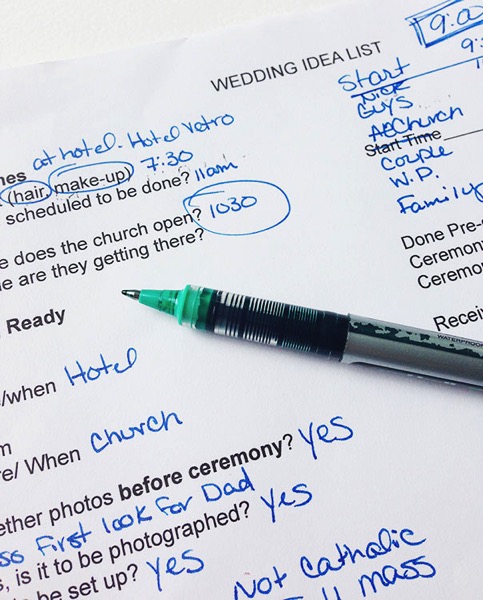
Ask about other wedding vendors. Find out how everyone from the florist to the caterer will also fit into the couple’s day. The follow questions may help you:

  • Ask when hair and make-up appointments are scheduled to be done and where.
  • Find out where the flowers are being delivered and at what time.
  • Ask how long the ceremony will last and how they plan to personalize it.
  • Know if the couple will do a receiving line, or somehow greet guests formally right after the ceremony.
  • Confirm what time they want to arrive at the reception.
  • What time will dinner be served,
  • When would the DJ or band like to start the dance.

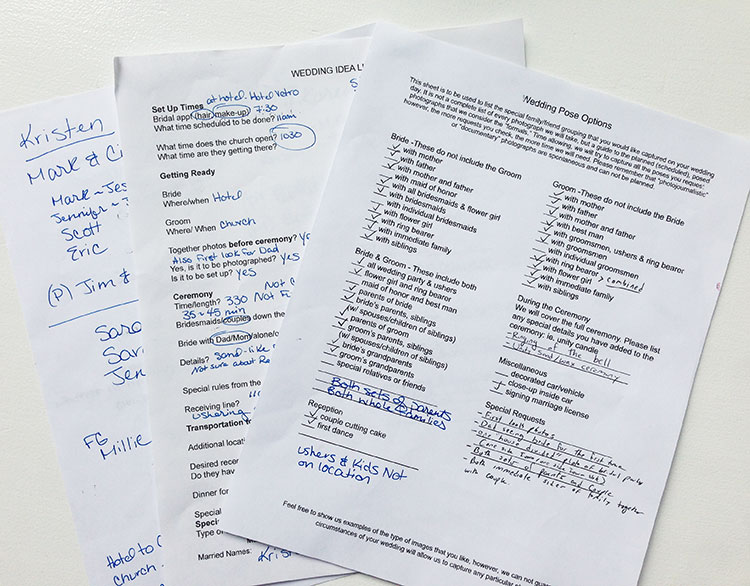
Wedding idea list for photographers

Knowing when the other professionals need the attention of the bride and groom will help you know when it’s your turn.

Plan for family portraits. Many photographers balk at the “dreaded pose list,” but capturing family photographs is an important part of wedding photography. To make the process of organizing family portraits easier, find out who’s in the their families, and what groupings are important to the couple. When you set the time for the wedding photographs, have the bride and groom inform everyone of the timeline, so they will be ready when it’s time to start.

Remember to add in travel time. Often the ceremony and reception are in different locations, and sometimes the couple likes to stop off at a third spot just for photographs. Make sure to add in the time that it will take to drive to these places into the schedule.

Wedding planning worksheets photogfaphers examples

Know the sunset time. Whether you want to make sure you have enough light for evening portraits or for sunset images, knowing beforehand when sunset is that day, let’s you plan accordingly.

bride-groom-sunset-romantic-wedding-location

Before the wedding day

Pre-scout your locations. Go to the wedding venues a day or two beforehand, to look over the locations for possible photography backdrops. If you can’t scout before the wedding day, plan to arrive early at the venues to find the spots you will use for photography.

Have the bridal details lined up beforehand. Let the bride and groom know if you’ll want to photograph cufflinks, rings, shoes, jewelry and such details before they get dressed. Having these together and ready saves time.

outdoor-wedding-ceremony-vintage-sign-theme

Consider a “first look.” If your time between ceremony and reception is tight, it can be hard to get all the photographs done. Allowing a special moment for the bride and groom to see each other for the first time at the beginning of the day, can open the couple up to the idea of doing photographs before the ceremony.

On the wedding day

Know how to pose people. Brides and grooms are usually not experienced at posing themselves for photographs. If they aren’t sure how they look, it can take longer for them to get comfortable in front of the camera. When you already have a variety of flattering poses in mind, you are able to quickly move through the session.

Bride groom wedding location photography

Avoid backtracking. Whether you need to set up lighting equipment, gather family for portraits, or go to a cool location with the couple and the whole wedding party, do it only once. When you consolidate, you save time and hassle for everyone.

For example, it’s much easier to ask grandparents, or small nieces and nephews, to attend just one photography session on the wedding day. Pick a time when both the bride and groom will be ready for photographs, and plan to do all the different combinations you need to do at once. There’s no need to ask Grandma to arrive two hours before the ceremony for one photograph, if she needs to stick around after the ceremony for one more.

When the couple does a “first look,” before the ceremony, it can work well to take all the family portraits at that time a as well. Otherwise, immediately after the ceremony is a good time to do them, before people wander off to the reception and start mingling.

Wedding party posed garden

Work down from the biggest groups to the smallest groups. When you have large, extended family photographs to organize, get those done first. It allows people that only need to be present for one or two photographs to leave, letting you focus on the smaller groups with less chaos.

Summary

When you look at all the elements that go into the schedule on the wedding day, you can be prepared. When the bride and groom see how the photography fits into their schedule, they can make sure they have allowed enough time for you to do your job.

wedding-party-bride-groom-kissing

Do you have other tips to add? How do you carve out enough time for photographs on the wedding day?

googletag.cmd.push(function() {
tablet_slots.push( googletag.defineSlot( “/1005424/_dPSv4_tab-all-article-bottom_(300×250)”, [300, 250], “pb-ad-78623” ).addService( googletag.pubads() ) ); } );

googletag.cmd.push(function() {
mobile_slots.push( googletag.defineSlot( “/1005424/_dPSv4_mob-all-article-bottom_(300×250)”, [300, 250], “pb-ad-78158” ).addService( googletag.pubads() ) ); } );

The post Tips for Stress-Free Wedding Photography by Becky Appleby appeared first on Digital Photography School.


Digital Photography School

 
Comments Off on Tips for Stress-Free Wedding Photography

Posted in Photography