RSS
 

Posts Tagged ‘Water’

World’s Biggest Indoor Vertical Farm Near NYC to Use 95% Less Water

06 Jun

[ By WebUrbanist in Architecture & Offices & Commercial. ]

aerfarms rows

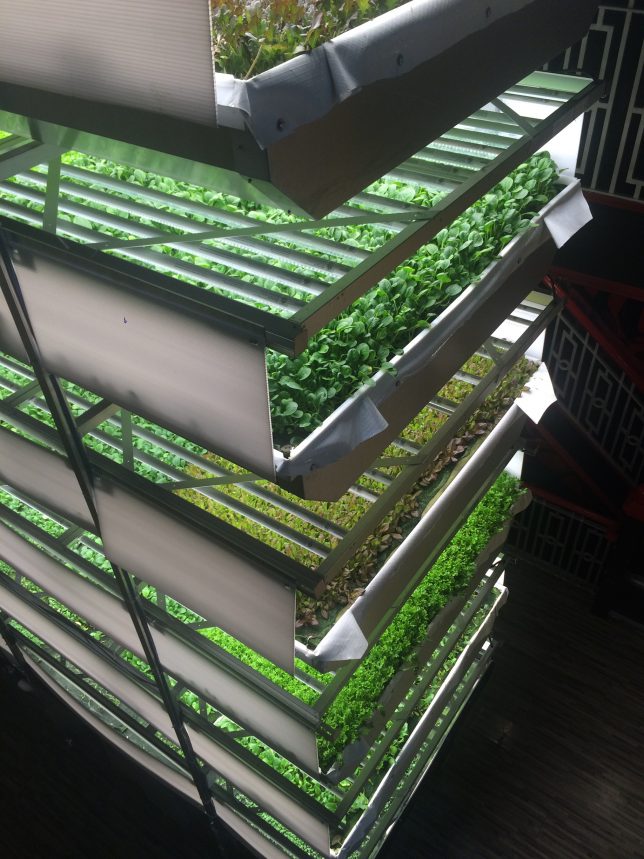
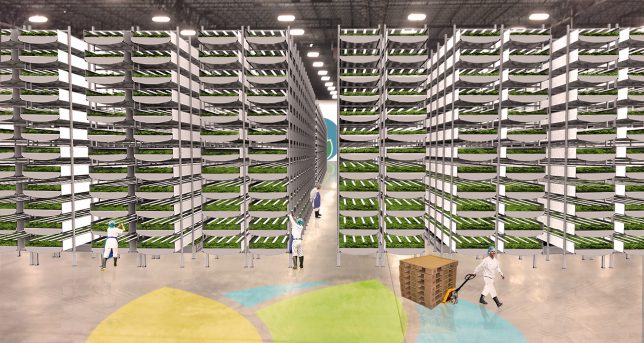
AeroFarms is on track to produce 2 million pounds of food per year in its 70,000-square-foot facility in Newark, under construction about an hour outside Manhattan. Their efficient operation, based on previous experience at similar but smaller facilities, can accomplish this astonishing output “while using 95% less water than field farmed-food and with yields 75 times higher per square foot annually.”

aerofarms facade

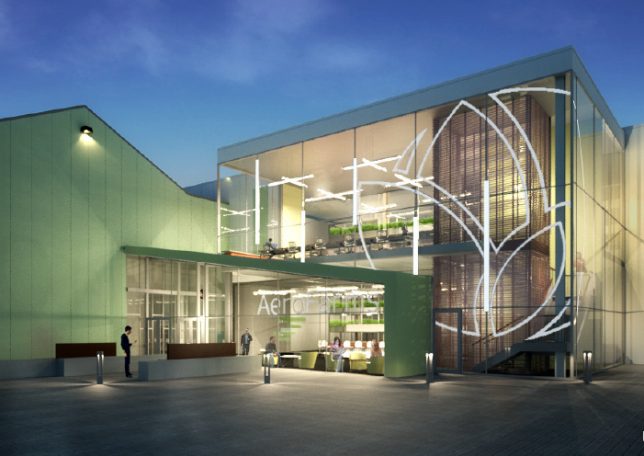
This new facility is comparable in efficiency to what is currently the world’s largest vertical farm in Japan, but nearly three times the size. Staggering its crops is part of the success behind AeroFarm’s strategy at their new and existing locations – at a given facility they are able to switch between 22 crops per year. Their all-season growth works with specialized LED lights and climate controls all without the need for sunlight or soil.

aerofarms diagram

“We use aeroponics to mist the roots of our greens with nutrients, water, and oxygen.,” explains AeroFarms. “Our aeroponic system is a closed loop system, using 95% less water than field farming, 40% less than hydroponics, and zero pesticides.” Smart pest management and highly-detailed data feedback loops help keep the system operating at peak efficiency and provide opportunities for iterative improvement, respectively.

aerofarms shelves

“Our passion is great tasting food and sharing our harvest with the world. In Newark, New Jersey, we are growing and selling into the New York Metro area. There has been tremendous demand for our locally grown, delicious, produce, and we have farms in development in multiple US states and on four continents. There has never been a greater need for safe, dependable, nutritious food, and we are scaling quickly to transform agriculture around the world.”

aerofarms students

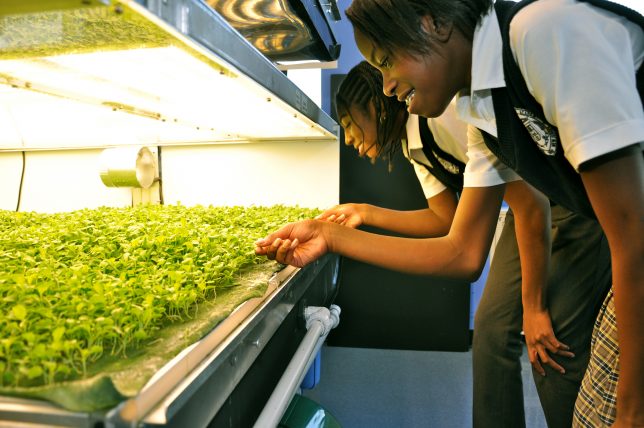
First Lady Michelle Obama recently visited the Garden State and toured a nearby school, planting seeds in a rooftop garden and sharing healthy snacks with students involved in a youth program as young AeroFarmers.

Share on Facebook


[ By WebUrbanist in Architecture & Offices & Commercial. ]

[ WebUrbanist | Archives | Galleries | Privacy | TOS ]


WebUrbanist

 
Comments Off on World’s Biggest Indoor Vertical Farm Near NYC to Use 95% Less Water

Posted in Creativity


23 Moving Images of Flowing Water

28 May

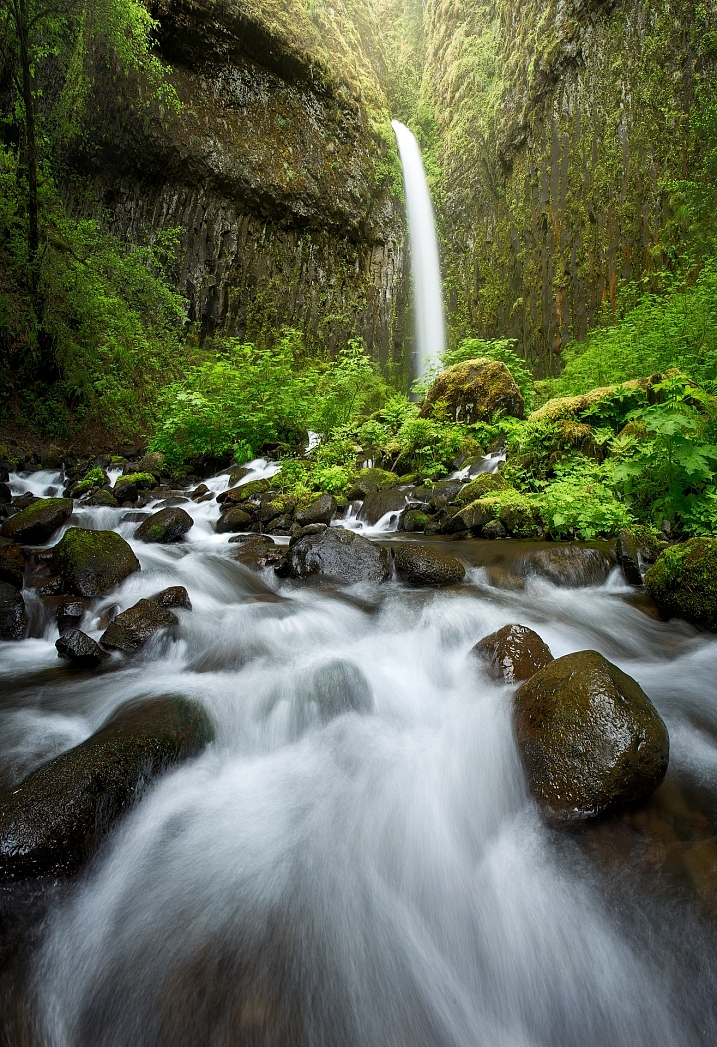
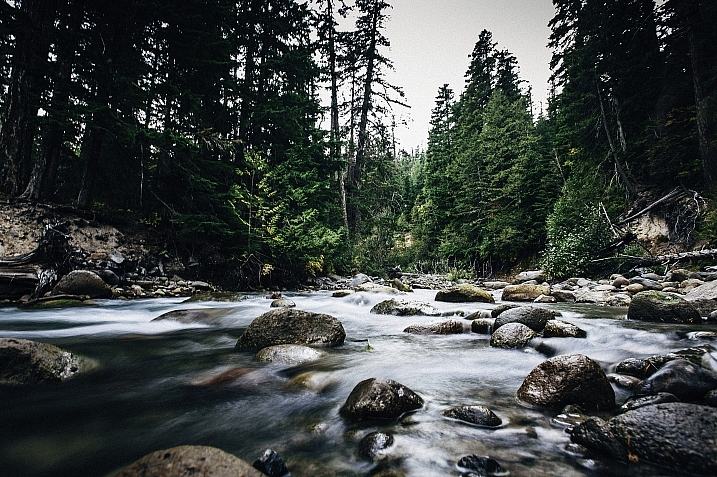
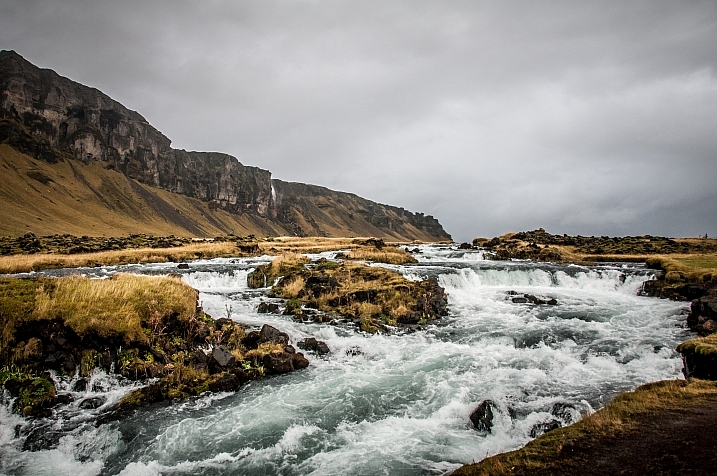
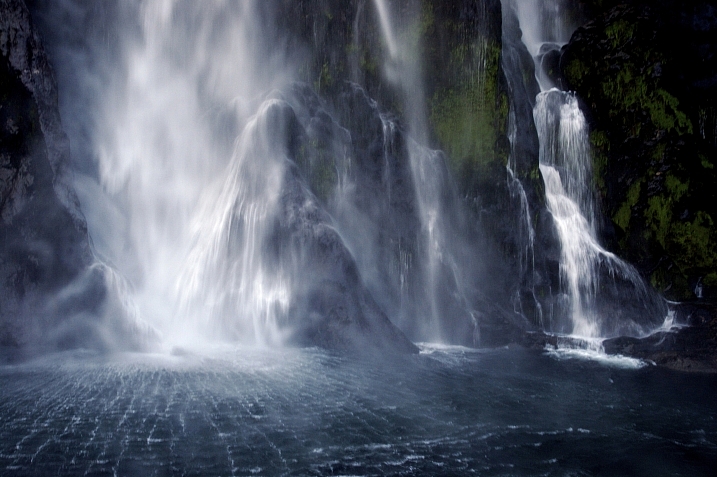
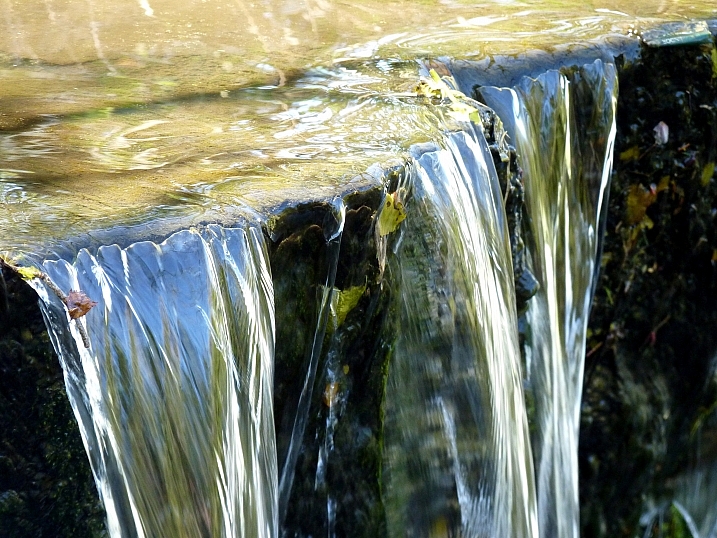
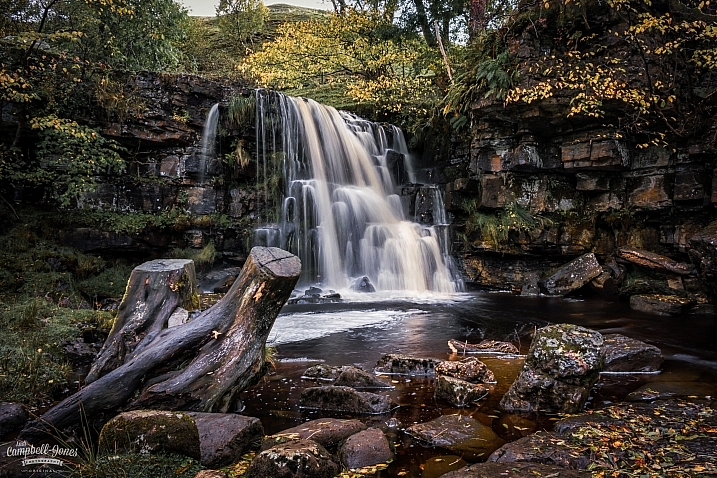
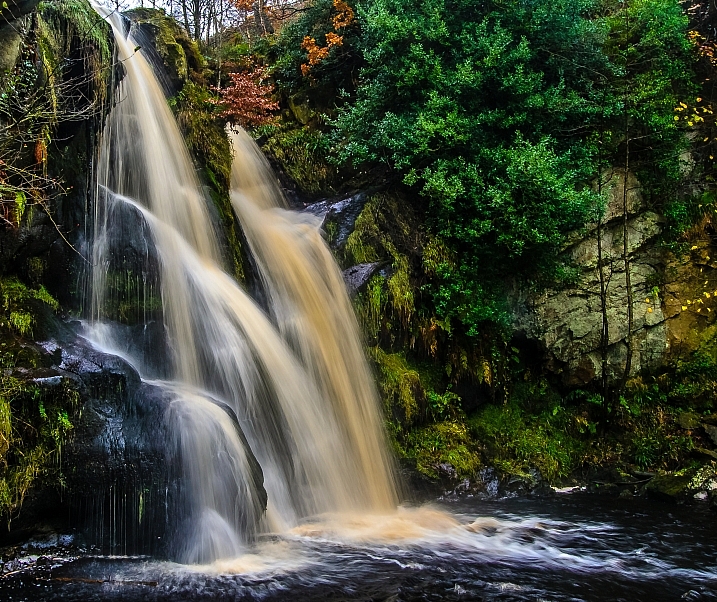
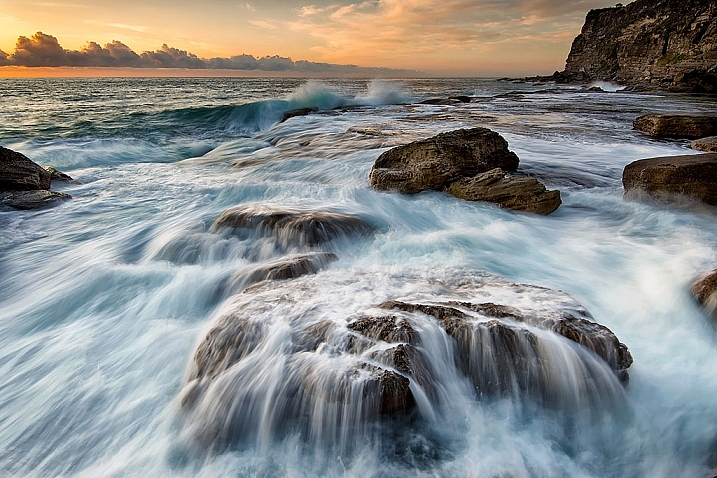
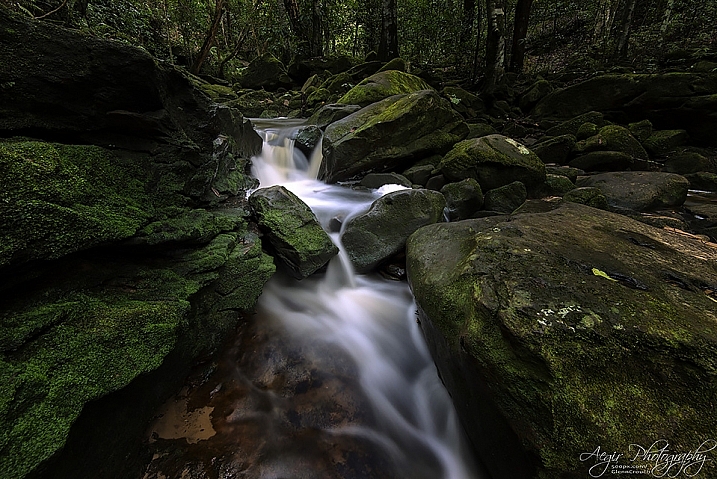
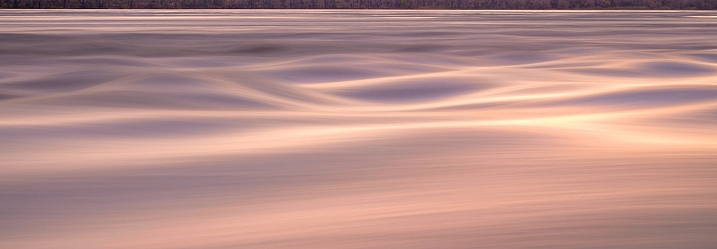
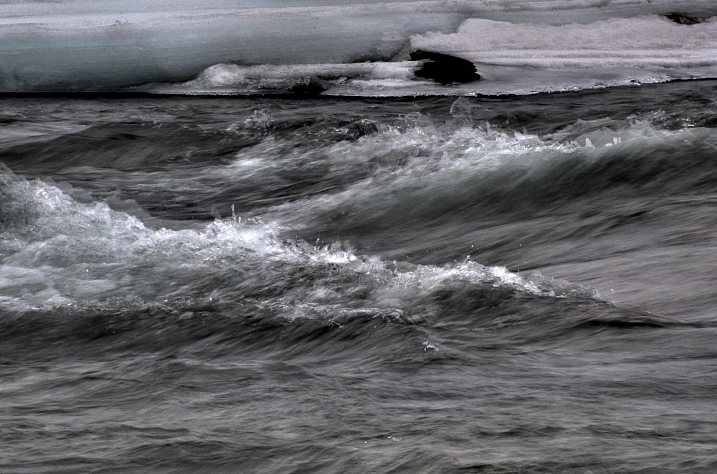
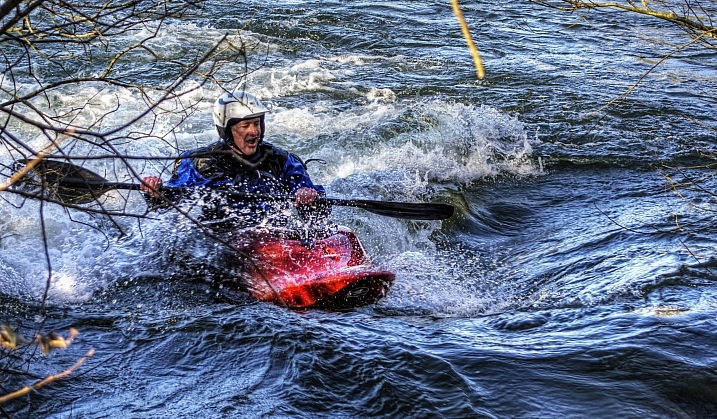
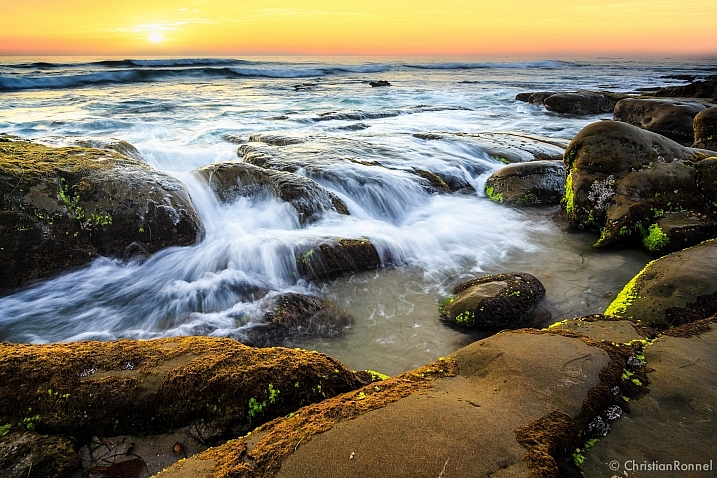
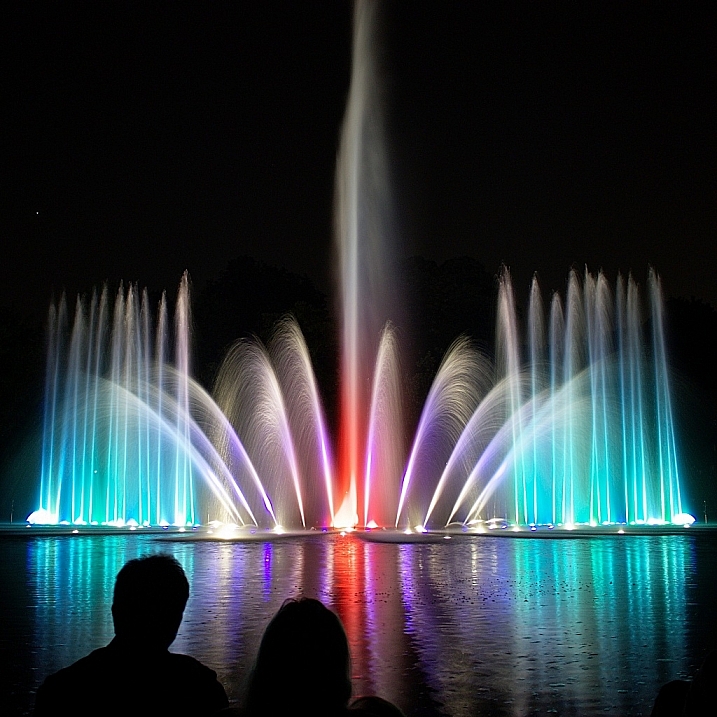
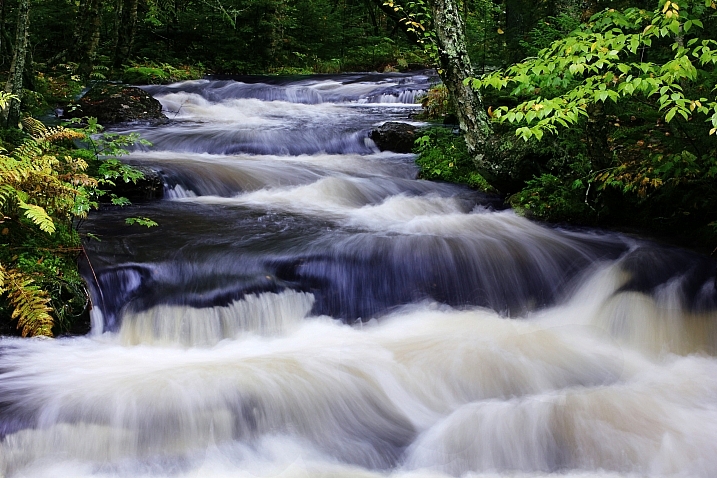
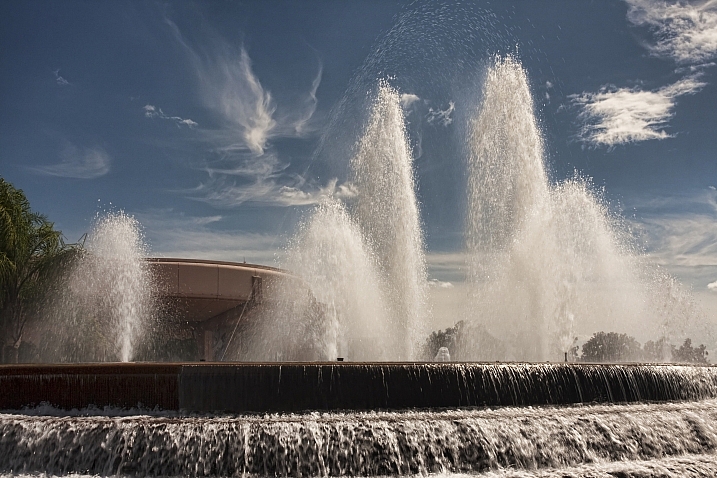
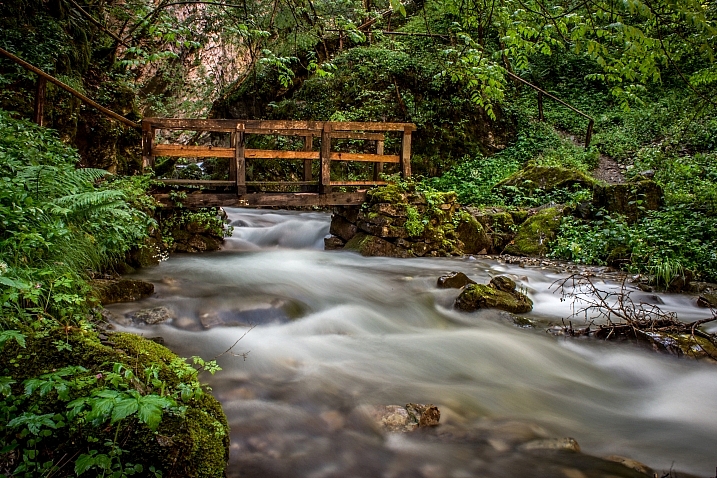
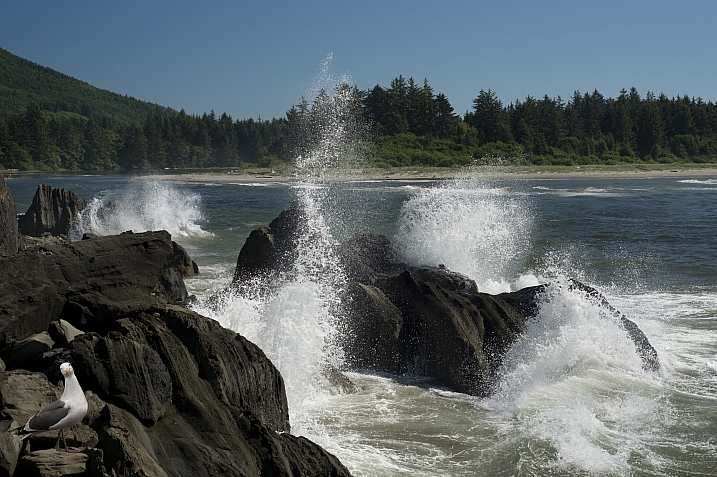
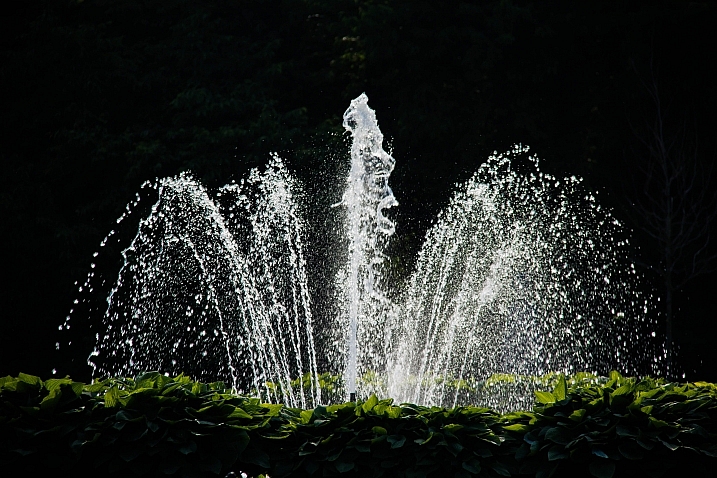
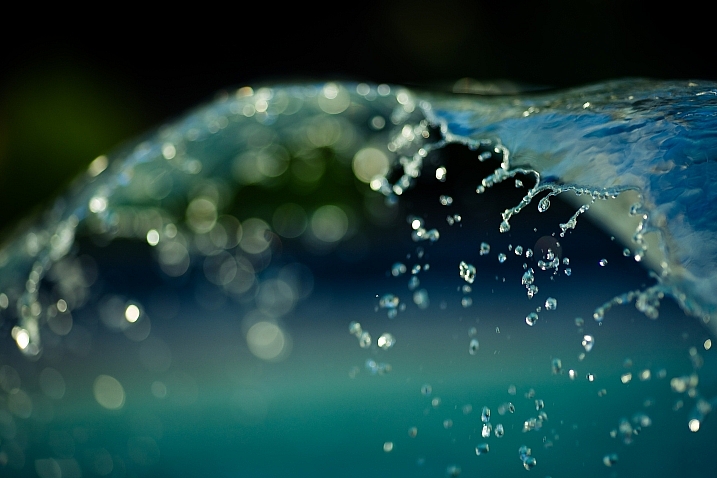
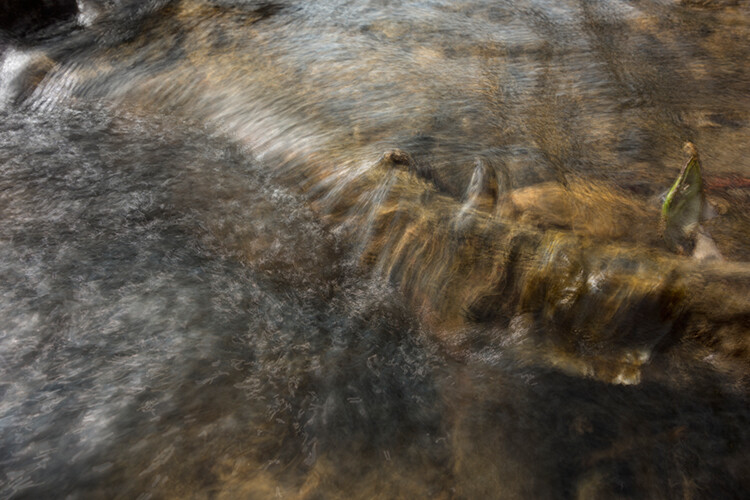
Water, especially that which is flowing, is a popular subject for photographers. You get to make artistic choices about whether to freeze or blur the water, and to what degree. That will affect how the final image looks.

Take a look at these images of flowing water and see how the photographers chose to capture the scene.

David Kingham

By David Kingham

Darlene Hildebrandt

By Darlene Hildebrandt

Little Shiva

By little shiva

Christopher

By Christopher

Kamil Porembi?ski

By Kamil Porembi?ski

~ Lzee. . . Mostly Out

By ~ lzee. . . mostly out

James Bremner

By James Bremner

Nick Kenrick

By Nick Kenrick

Andi Campbell-Jones

By Andi Campbell-Jones

Andy Rothwell

By Andy Rothwell

Crouchy69

By Crouchy69

Crouchy69

By Crouchy69

Christian Barrette

By Christian Barrette

Billy Wilson

By Billy Wilson

Neil Howard

By Neil Howard

Christian Ronnel

By Christian Ronnel

Dirk Dittmar

By Dirk Dittmar

Nicole Quevillon

By Nicole Quevillon

Jonathan

By Jonathan

Marjan Lazarevski

By Marjan Lazarevski

John Fowler

By John Fowler

Susanne Nilsson

By Susanne Nilsson

Louis Du Mont

By Louis du Mont

googletag.cmd.push(function() {
tablet_slots.push( googletag.defineSlot( “/1005424/_dPSv4_tab-all-article-bottom_(300×250)”, [300, 250], “pb-ad-78623” ).addService( googletag.pubads() ) ); } );

googletag.cmd.push(function() {
mobile_slots.push( googletag.defineSlot( “/1005424/_dPSv4_mob-all-article-bottom_(300×250)”, [300, 250], “pb-ad-78158” ).addService( googletag.pubads() ) ); } );

The post 23 Moving Images of Flowing Water by Darlene Hildebrandt appeared first on Digital Photography School.


Digital Photography School

 
Comments Off on 23 Moving Images of Flowing Water

Posted in Photography


Weekly Photography Challenge – Flowing Water

28 May
Franck Michel

By Franck Michel

Start by viewing these 23 images of flowing water to get some inspiration.

Then read some articles on the subject:

  • 3 Tips for Waterfall Photography Beyond Just Using a Long Exposure
  • Simple Tips for Photographing Waterfalls
  • 7 Tips to Help Improve Your Seascape Photos by Controlling the Waves
  • How to Create a Silky Water Effect in Post-Processing without Using Filters or a Tripod
  • 9 Top Tips for Shooting Waterfalls, Creeks and Streams
Jacob Surland

By Jacob Surland

Jon Rawlinson

By Jon Rawlinson

Andy Rothwell

By Andy Rothwell

Weekly Photography Challenge – Flowing Water

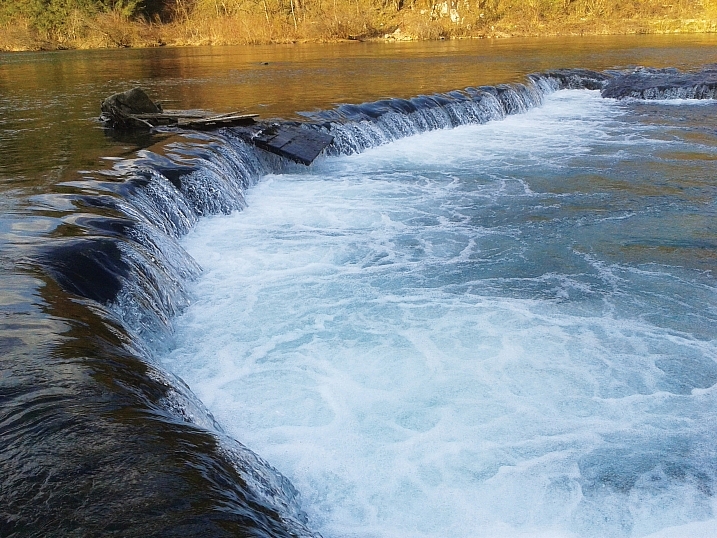
This week your challenge is to find some running water and photograph it. Here are a few ideas, you don’t have to be near a waterfall:

  • River
  • Stream
  • Waterfall
  • Ocean waves
  • Fountain
  • Shower in your bathroom
  • Kitchen tap
James Niland

By James Niland

Tarek

By Tarek

Riccardo Cuppini

By Riccardo Cuppini

Share your images below:

Simply upload your shot into the comment field (look for the little camera icon in the Disqus comments section) and they’ll get embedded for us all to see or if you’d prefer upload them to your favourite photo sharing site and leave the link to them. Show me your best images in this week’s challenge. Sometimes it takes a while for an image to appear so be patient and try not to post the same image twice.

googletag.cmd.push(function() {
tablet_slots.push( googletag.defineSlot( “/1005424/_dPSv4_tab-all-article-bottom_(300×250)”, [300, 250], “pb-ad-78623” ).addService( googletag.pubads() ) ); } );

googletag.cmd.push(function() {
mobile_slots.push( googletag.defineSlot( “/1005424/_dPSv4_mob-all-article-bottom_(300×250)”, [300, 250], “pb-ad-78158” ).addService( googletag.pubads() ) ); } );

The post Weekly Photography Challenge – Flowing Water by Darlene Hildebrandt appeared first on Digital Photography School.


Digital Photography School

 
Comments Off on Weekly Photography Challenge – Flowing Water

Posted in Photography


How to Create a Silky Water Effect in Post-Processing without Using Filters or a Tripod

17 Apr
Affiniy-photo-mean-stack-mode

Smooth water effect edited in Affinity Photo using the Live Stacks feature.

Even if you don’t shoot landscape photography, photos of waterfalls with the smooth water and glassy appearance are awesome. The gist to achieving this, and I do stand corrected if I have this wrong, is as follows:

  • Slow shutter speeds – the need for a tripod
  • A remote shutter release or your camera’s timer
  • Wide angle lens and the camera settings using a small aperture of f/22, ISO 100
  • Neutral Density and/or polarizer filters, as you’ll be shooting long exposures during the day
  • Of course the scene and by all accounts patience too

However, I personally don’t own ND or polarizer filters. These type of filters are required for long exposures during the day, so that your shutter speeds are slow enough, possibly one minute or more to get that misty look. On top of which, you have to get the exposure right, which requires a bit of math and experimentation. ND filters block out the light in terms of stops.

So taking long exposures during the day is an involved process, especially if you want to create that smooth, silky water effect in-camera. But, is there a way to simulate this effect in Photoshop or other post-processing software? Yes there is! It does require that you take multiple shots. I’m not advocating that this technique in post editing is a replacement to going out and achieving long exposures out in the field, far from it. But, I hope this technique may serve as a stepping stone or inspiration to go out and capture silky waters, clouds etc., in-camera.

This article will demonstrate how you can achieve a similar result by taking a bunch of photos in continuous mode without using any filters or a tripod. Although, I would recommend you use a tripod.

First, I’ll demonstrate this effect using a manual method in Photoshop CS6 (standard version). There is an automated way to do this with the Stack Mode feature, which I believe is in Photoshop CC. If you have previous versions of Photoshop, the Stack Mode feature is only available in extended versions, not standard, unfortunately. However, Gimp has this Stack Mode feature and it’s free. Then, I will compare the manual method in Photoshop with Affinity Photo, using Live Stacks. I was really impressed with this feature.

Photoshop manual method

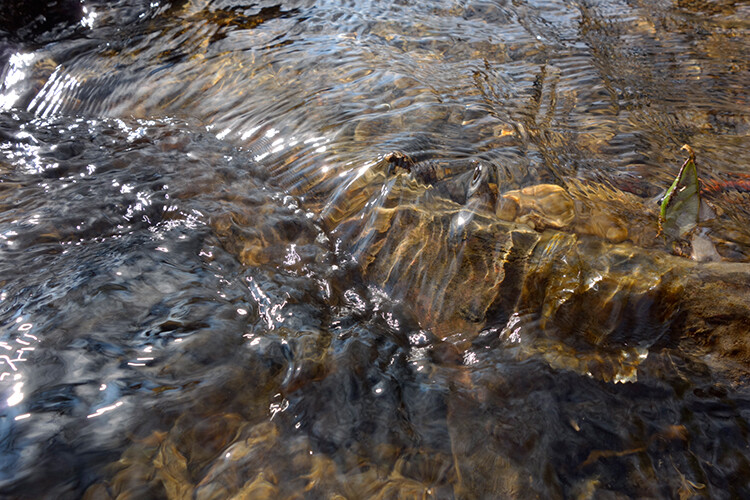
Let’s begin. On the day I took these images, I was pressed for time. So I took a series of shots in continuous mode, and handheld the camera while I focused on this part of a small river. I would recommend that you use a tripod and give yourself some time. It will be easier to align the images later.
small-river-handheld

I took a bunch of images in continuous mode of this small river, close-up deliberately for this article.

You will need to load your images as layers into one document in Photoshop, as follows:

file-scripts-load-files-into-stack

Loading multiple images into one document in Photoshop. File>Scripts>Load Files into Stack

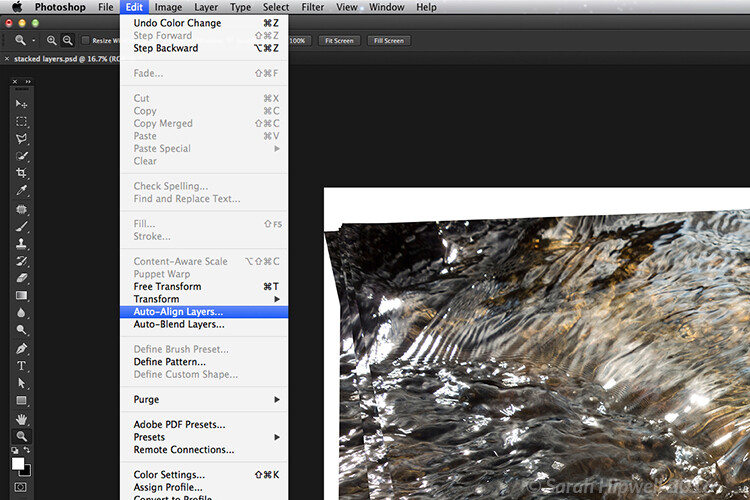
Go up to the Menu Bar > File > Scripts > Load Files into Stack. As I didn’t use a tripod, I selected all the layers to align them. Go to Auto-Align under Edit. As you can see, Photoshop had its work cut out trying to align the images.
images-after-auto-align-photoshop

I handheld my camera when I took a bunch of shots in continuous mode. As you can see from this screenshot, I needed to use Auto-Align Layers in Photoshop. If you use a tripod the alignment will be much easier.

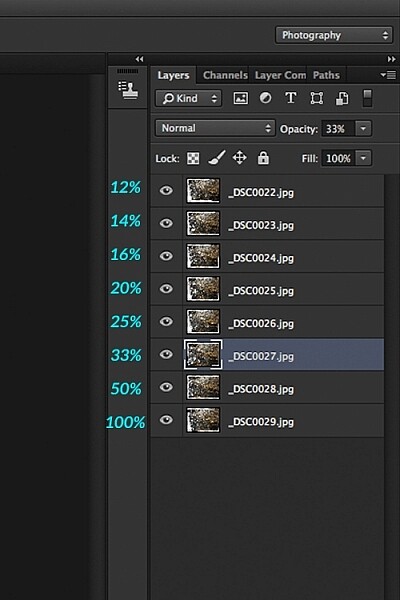
Now that the layers are stacked on top of each other. Start at the bottom and leave this layer at 100%, go to second layer above and reduce the opacity by 50%(100÷2=50). Continue with the next layer and reduce the opacity by 33%(100÷3=33).
percentages-opacity-reduced

Reducing the opacity of each layer by dividing the number of the layer into 100%. The bottom layer remains at 100%. The second layer is 50% and so on.

Therefore, depending on the amount of layers you have, and where they come in the stack, divide this number into 100. So if you had 30 images, the opacity for the top layer in the stack will be 3% (100÷30=3). Remember the bottom layer is always 1=100%. What this is doing is averaging out the layers. This may sound complicated, but in practice, it’s more straightforward. Although it is a bit more tedious than the automated way.
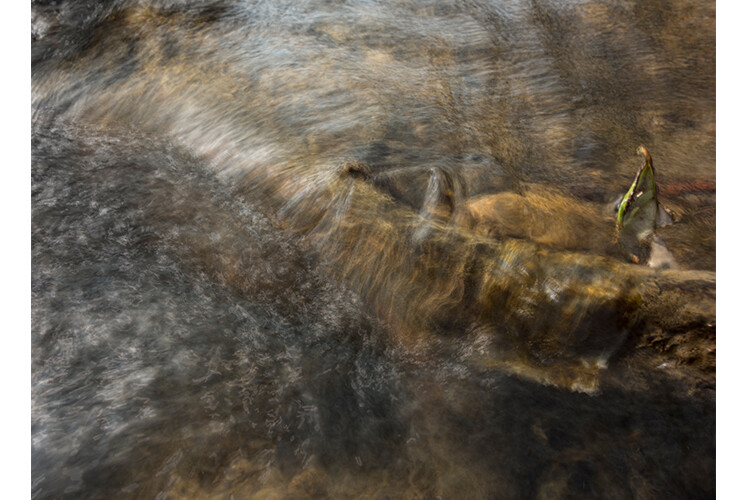
This is the effect of averaging out the layers in Photoshop - reducing the stacked layer's opacity by X amount. I also had to crop this image, whereas the same image when edited in Affinity Photo kept more of the image. See below.

This is the effect of averaging out the layers in Photoshop – reducing the stacked layer’s opacity by X amount. I also had to crop this image, whereas the same image when edited in Affinity Photo kept more of the image. See below.

I have been keeping a close eye on Serif’s Affinity Photo. So I took the plunge and purchased it for (€39) $ 44 USD. That was a discounted offer. At such an affordable price, I was curious to see how this software performs and what it can do.

In Affinity Photo, there is a Live Stacks feature which is similar to Stack Mode in Photoshop. It was easy and simple to use, and the process was fast.

Affiniy-photo-mean-stack-mode

Affinity-photo-new-stack

The equivalent Stack Mode feature in Photoshop is called Live Stacks in Affinity Photo.

Go to File > New Stack. The pop up dialog box appears where you select your images. Make sure Automatically Align Images box is ticked. Click Ok. This takes a couple of seconds. It defaults to Median in the Live Stack Group, but scroll up to the next one and this is Mean. That’s the one you want.
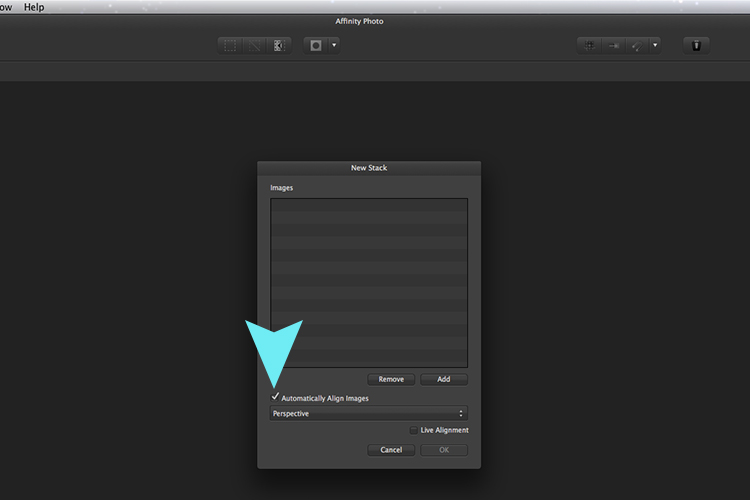

Affinity-photo-auto-align-images

images-selected-after-new-stack

When you create a New Stack, the pop up dialog box appears. Select your images on your computer and click Open.
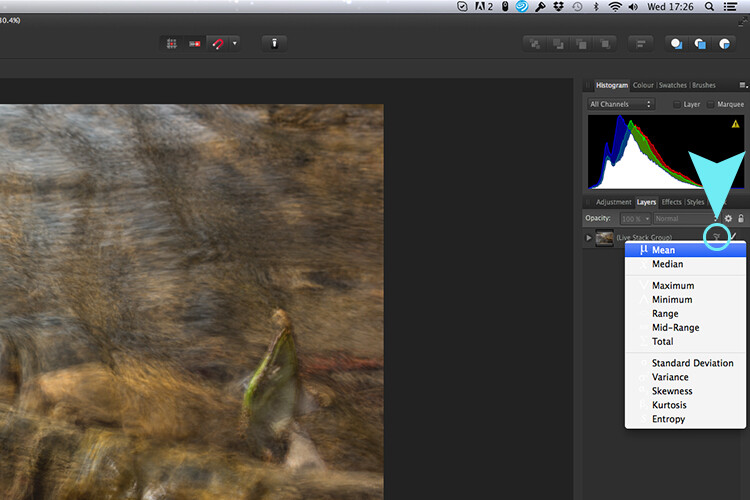
Affinity-photo-live-stacks-mean

The stacked images are grouped into a folder called Live Stack Group. The different stack options are located by clicking on the small icon, circled in blue. It defaults to Median but I changed it to Mean.

The cool thing about this feature is when you scroll through each of the different stack modes, it shows the different results live.
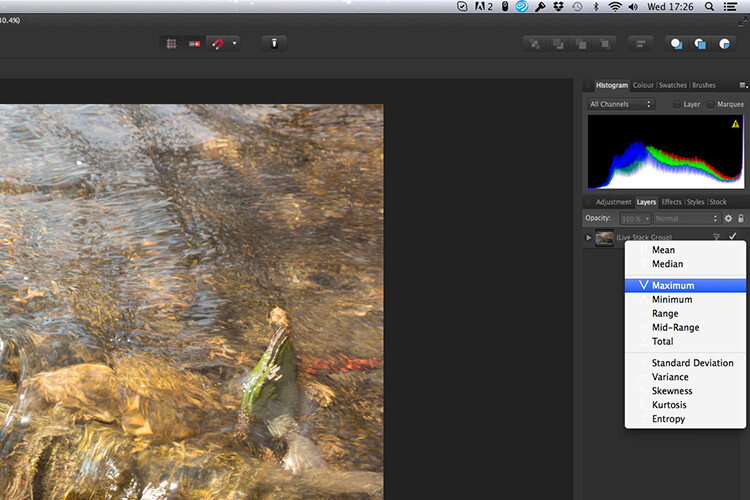
Affinity-photo-live-stacks-maximum

Different stack options can be scrolled through one by one, and the results can be seen live, which is impressive.

When I compared the two results from Photoshop and Affinity Photo, I could see no obvious difference, with the exception that I had to crop the image of the river more in Photoshop, whereas the auto alignment in Affinity Photo meant I didn’t lose much of the image at all.
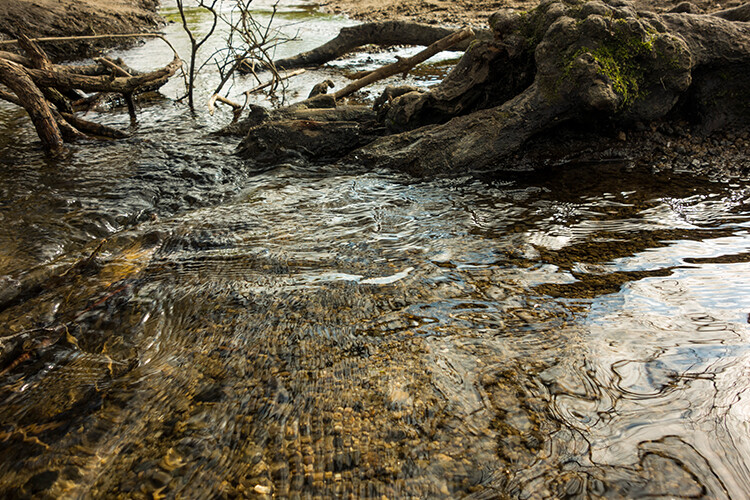
second-river-original

Here is another example of moving water.
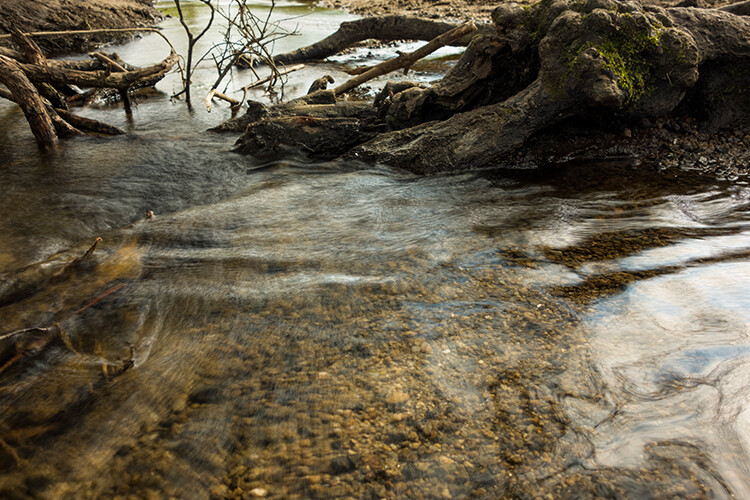
The same image as above edited in Affinity Photo using Mean in Live Stacks. I got the same result using the manual method in Photoshop.

The same image as above edited in Affinity Photo using Mean in Live Stacks. I got the same result using the manual method in Photoshop.

Take away tip:

In my examples, I didn’t use a tripod. I would recommend using one. I also took only a series of 8-10 shots. I would recommend taking at least 15 or more.

I found this technique interesting and fun, and I am now inspired to go out and take images of waterfalls. The good thing about this technique is if you don’t have ND or polarizing filters, it doesn’t prevent you from going out and taking shots of waterfalls. Then when you get back to your computer, you can create your own silky, smooth effect.

Let’s see some of your examples below.

googletag.cmd.push(function() {
tablet_slots.push( googletag.defineSlot( “/1005424/_dPSv4_tab-all-article-bottom_(300×250)”, [300, 250], “pb-ad-78623” ).addService( googletag.pubads() ) ); } );

googletag.cmd.push(function() {
mobile_slots.push( googletag.defineSlot( “/1005424/_dPSv4_mob-all-article-bottom_(300×250)”, [300, 250], “pb-ad-78158” ).addService( googletag.pubads() ) ); } );

The post How to Create a Silky Water Effect in Post-Processing without Using Filters or a Tripod by Sarah Hipwell appeared first on Digital Photography School.


Digital Photography School
 
Comments Off on How to Create a Silky Water Effect in Post-Processing without Using Filters or a Tripod

Posted in Photography


Searching for Paddling Water in Southern Colorado – Part 2

12 Apr

I started my February trip to southern Colorado with visiting Paint Mine Interpretive Park at Calhan east of Colorado Springs. I spent there evening and next morning photographing fantastic clay and sandstone erosion formations. I added some pictures to my […]
paddling with a camera

 
Comments Off on Searching for Paddling Water in Southern Colorado – Part 2

Posted in Photography


Marine Miracle: Walk on Water at This Sunken Seaside Pavilion

29 Mar

[ By Steph in Architecture & Public & Institutional. ]

walk on water pavilion 3

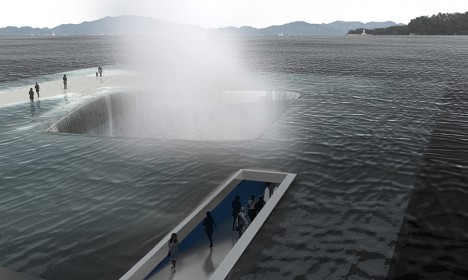
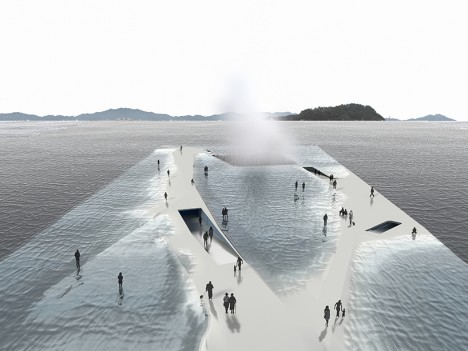
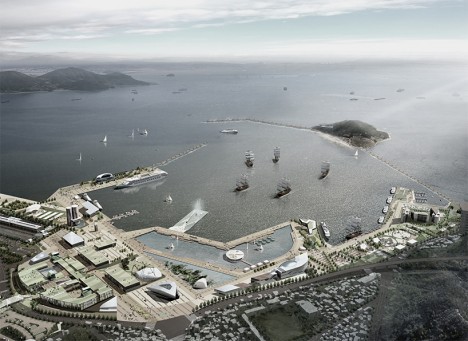
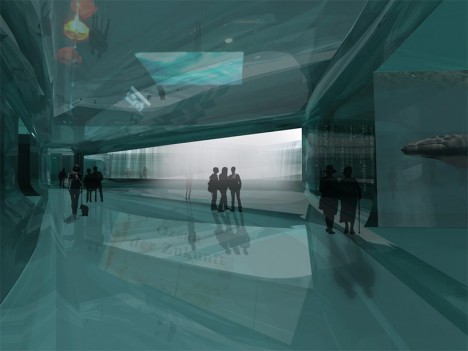
Walk right out onto the surface of the sea or follow a path that takes you into a tranquil space beneath the waves at the ‘Thematic Pavilion,’ a mostly-submerged nautical exhibition space envisioned for South Korea. Daniel Valle Architects intentionally give the structure an uneasy, delicate sense of equilibrium with the water, drawing parallels to the realities many coastal communities could face in the not-so-distant future as sea levels rise. A visitor’s experience changes depending on the state of the water, with paths appearing and disappearing.

walk on water pavilion

walk on water pavilion 2

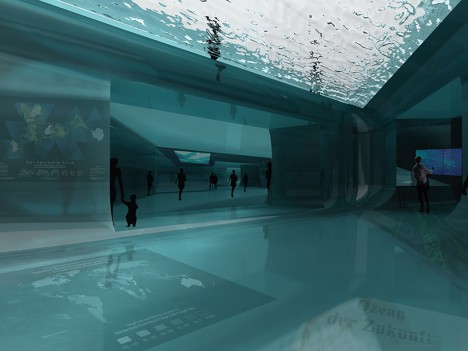
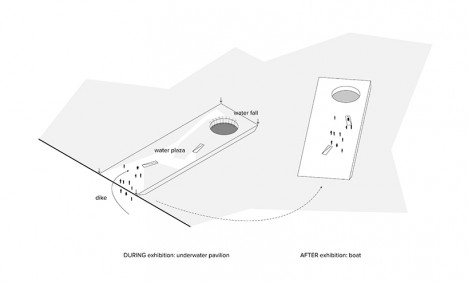
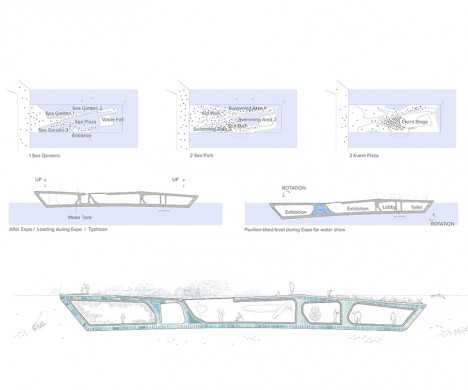
The pavilion features subtle raised areas offering clear paths that remain above the surface even when water levels are high and, presumably, when rocked by the wake of a nearby ship. In much the same fashion as a submarine, a water tank keeps the ship-like structure submerged for exhibitions featuring water-based technologies, and raises it above the surface afterward so it can be used like an ordinary boat.

walk on water pavilion 4

walk on water pavilion 5

The exhibitions themselves range from the dazzlingly visual, like water shows, to the technical, like hydraulics and cooling systems. “The design aims to raise people’s attention on the ocean and coastal environmental crisis,” say the architects. “The design hopes to provoke the deepest impression to the visitors and prepare them for information and critique on all issues related to the oceans and coastlines. The beauty of scene after visiting the exhibition space and returning to the top plaza will contribute to develop an optimistic conclusion.”

walk on water pavilion 7

walk on water pavilion 8

walk on water pavilion 6

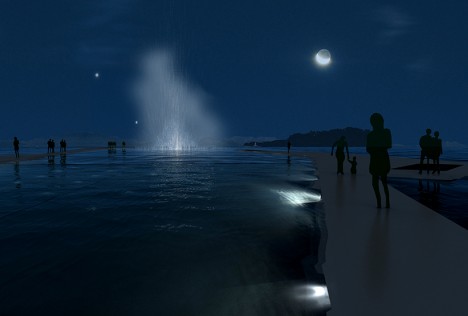
While it seems like a lack of railings could lead some people to walk right off the edge, people in other areas of the world don’t seem to require the same kind of safety hand-holding as Americans, so maybe they’d be fine. The renderings look especially cool after dark, with illuminated water spouts shooting up into the sky. Though the proposal wasn’t chosen for the Expo 2012 in Yeosu, it’s an interesting idea that could provide inspiration to other structures blurring the lines between architecture and ship building.

Share on Facebook


[ By Steph in Architecture & Public & Institutional. ]

[ WebUrbanist | Archives | Galleries | Privacy | TOS ]


WebUrbanist

 
Comments Off on Marine Miracle: Walk on Water at This Sunken Seaside Pavilion

Posted in Creativity


Beginner’s Guide to Water Droplet Photography

22 Mar

Have you ever looked at those great water droplet or splash images and found yourself scratching your head wondering how did they do that?

10

Well, those great images are usually done in studios, with electronically programmable eyedroppers, and motion triggers that fire the camera at an exact split second, allowing the photographer to freeze motion on that exact perfect moment. All that specialized gear makes all this process controllable, but if you own a camera and an external flash, you can also give this type of photography a try.

Water drops are an interesting subject to photograph, as it gives you the opportunity to explore techniques you wouldn’t normally do, and will probably give you some great images to add to your portfolio.

In this article, I will give you some interesting tips on how to get started with water droplet photography, with just some basic equipment.

Gear

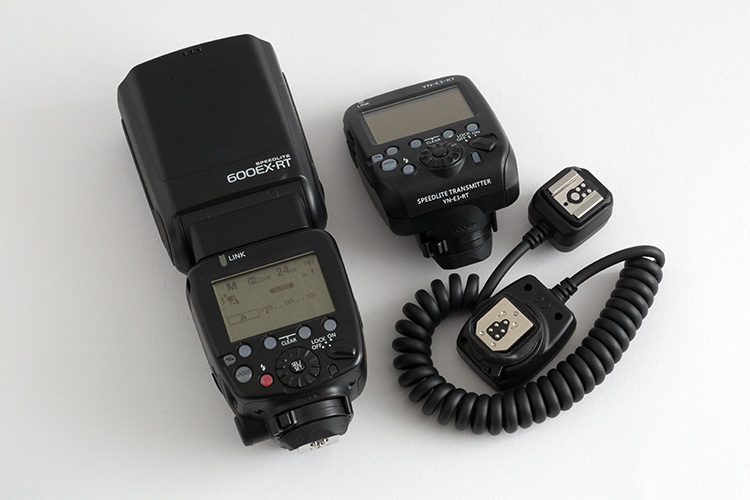
Besides your camera and lenses of choice, you will need an off-camera flash, and a wireless trigger or dedicated extension cable.

01

Even though you can get great images without it, flashes with the high-speed sync (HSS) function will allow you to use shutter speeds above 1/250th, and freeze the motion much better.

02

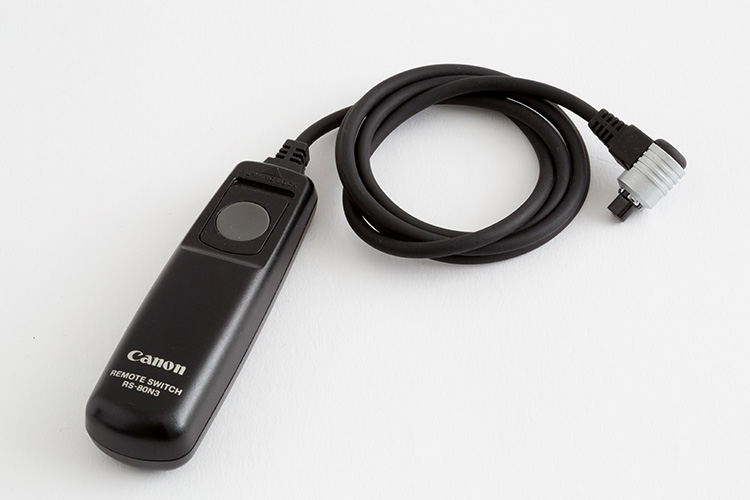
A shutter cable release is also a good accessory to use, as it will allows you to fire your camera without touching it.

03

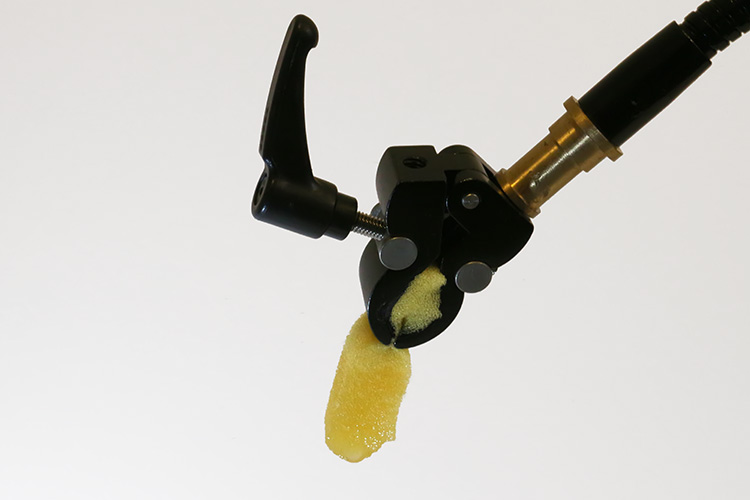
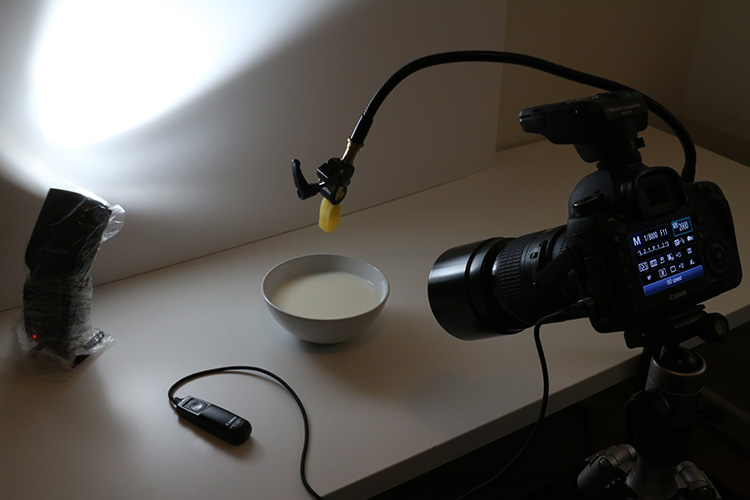
Finally you will need an eyedropper, or a wet sponge, with a system to hold it in place above a container with water. Usually I prefer to use a sponge, as it can produce bigger drop. I use a nano clamp and a gooseneck, attached to a tripod, to hold things in place.

Here is the complete setup:

04

Safety

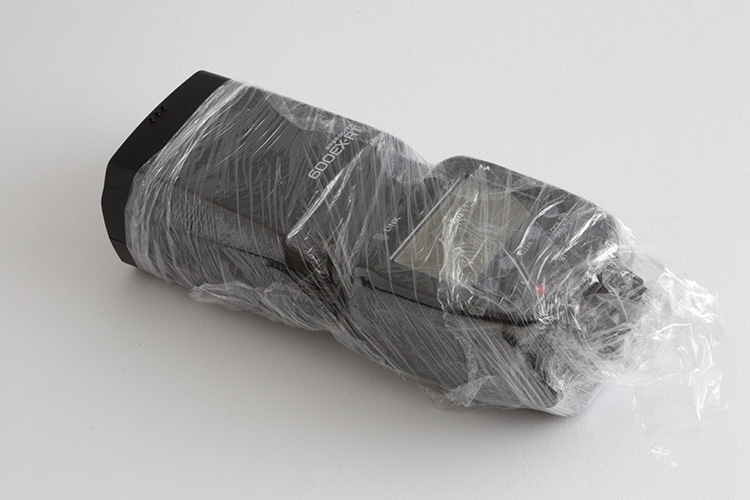
Electronics and water don’t get along very well, so will need to be extra careful when doing this type of photography. Safety first, so a good piece of advice, is to protect your equipment with cellophane wrap, so any accidental water spillage won’t damage it.

05

Lighting

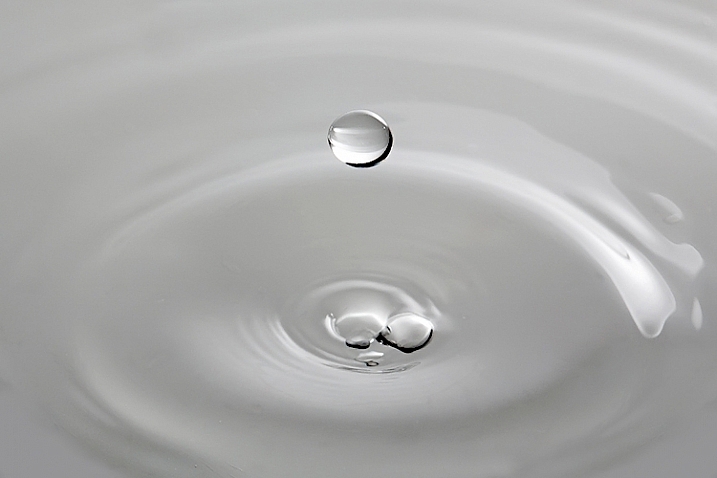
The first step is to keep in mind, that water is a specular surface, so you should not light the water but rather what the water reflects. Here I’m using white cardboard to bounce the light that reflects on the water surface.

06

Exposure: ISO 2000, 1/8000, f/11

The f/11 aperture allows me to have some depth of field, and the 1/8000 shutter speed, together with the flash at full power on HSS mode, allows me to freeze the action.

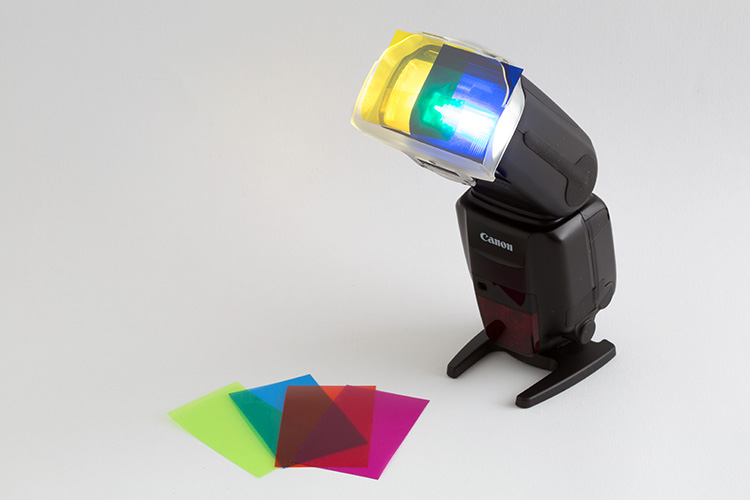
You can get a lot of different effects with slower shutter speeds and different apertures. This is a plain simple image, but you can get creative in a lot of ways here. One thing I use a lot is colored gels in front of the flash, to create some dynamics in the image.

07

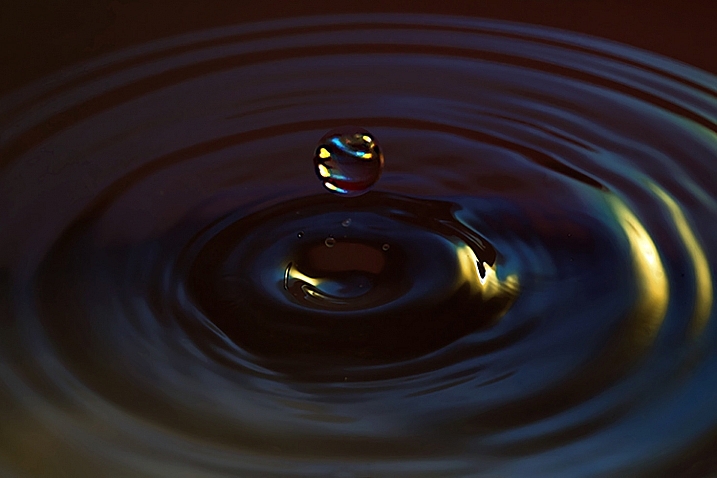
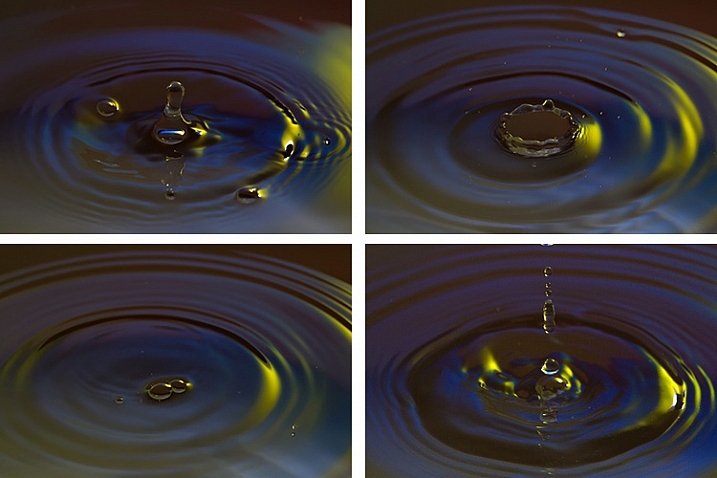
Here I am mixing yellow and blue gels to create this colorful image.

08

Timing

The perfect timing to press the shutter release is something really hard to accomplish, as it’s humanly impossible to be that accurate. But, with some practice, and a little bit of luck, you will end up some great shots. To be honest, the random nature of the results is something that I really enjoy.

Here is a sequence of images that didn’t work as good as the last one.

09

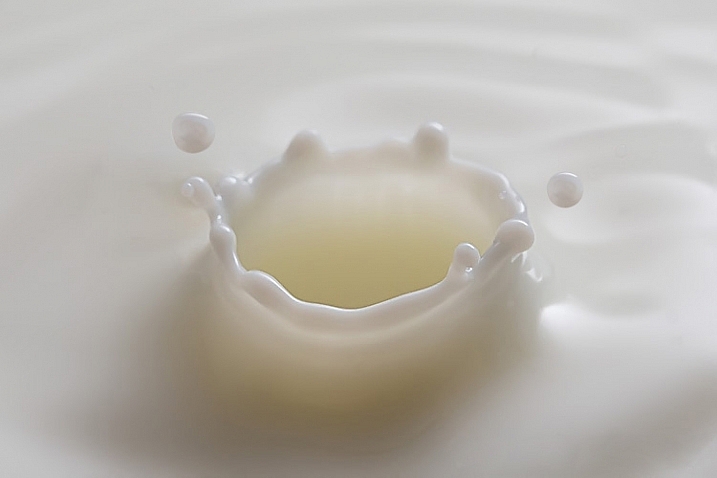
Once you get the hang of it, you can experiment with food colorants and different liquids. Milk is a good choice, as it gives you drops with more consistency, and therefore best splashes.

10

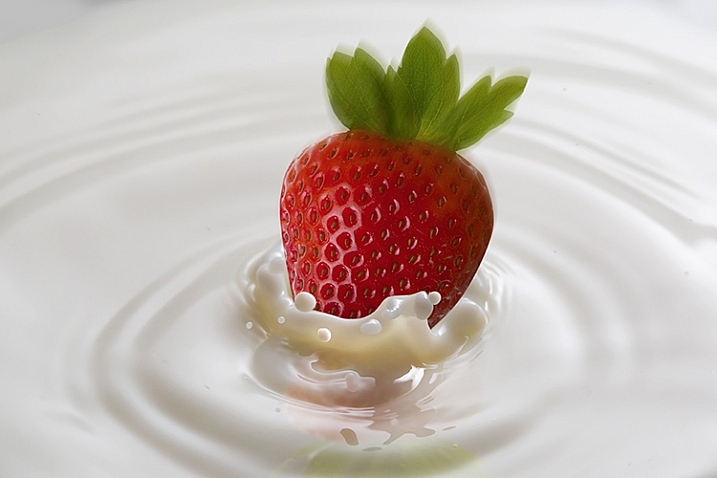
You are only limited by your imagination here. With some basic Photoshop skills, you can take your images to the next level with some photo composites, like this image I created for a strawberry yogurt advertisement campaign.

11

So, there are some basic techniques to produce great water droplet images, without specialized equipment or motion triggers. Give it a try, I’m sure you’ll get great results!

This week on dPS we are featuring articles on special effects. Check out the others that have already been published here:

  • How to Photograph the Full Band of the Milky Way
  • Fire Spinning with Steel Wool – A Special Effects Tutorial
  • Special Effect – How to Create Multiple Flash Exposures in a Single Frame
  • Stacking Light Trails for Night Photography Special Effects
  • 26 Unique Special Effects Photos to Spark Your Creativity
  • Weekly Photography Challenge – Special Effects
  • Tips for Shooting Through Objects to Create a Special Effect
  • How to Add Vintage Frame Overlays Using Alien Skin Exposure X
  • 8 Steps to Great Long Exposure Landscape Photography
  • How to Create In-Camera Double Exposures

googletag.cmd.push(function() {
tablet_slots.push( googletag.defineSlot( “/1005424/_dPSv4_tab-all-article-bottom_(300×250)”, [300, 250], “pb-ad-78623” ).addService( googletag.pubads() ) ); } );

googletag.cmd.push(function() {
mobile_slots.push( googletag.defineSlot( “/1005424/_dPSv4_mob-all-article-bottom_(300×250)”, [300, 250], “pb-ad-78158” ).addService( googletag.pubads() ) ); } );

The post Beginner’s Guide to Water Droplet Photography by Ivo Guimaraes appeared first on Digital Photography School.


Digital Photography School
 
Comments Off on Beginner’s Guide to Water Droplet Photography

Posted in Photography


Radical Aquatic Recreation: 10 Extreme Water Sports

14 Mar

[ By Steph in Gadgets & Geekery & Technology. ]

water sports jet pack 5

Whether powered by jet packs or taking the capabilities of the human body to whole new depths (literally,) these water gadgets and activities multiply the fun and danger of more conventional water sports like surfing and wake boarding. A shockingly realistic shark-shaped personal watercraft jumps out of the water, an Iron Man suit propels you high up into the air and a water ‘wing’ lets you fly beneath the surface.

Seabreacher
water sports seabreacher 6

water sports seabreacher

water sports seabreacher 2

waters ports seabreachers 3

water sports seabrachers 4

Designed to look like sailfish, killer whales, sharks and other large sea creatures, the Seabreacher is actually a two-person underwater vehicle dubbing itself “the ultimate diving machine.” It looks pretty insane when it bursts up out of the water in a dramatic leap, and has likely terrified more than a few nearby boaters when spotted doing so in the wild. An acrylic canopy and underwater view ports give the pilot and passenger a nearly 360-degree view as they ‘fly’ through the water. The dorsal fin acts like a snorkel during the 5-10 second periods in which you dive below the surface to a depth of 5-6 feet.

Water Wing for Flying Underwater
water sports wing

water sports subwing 2

water sports subwing 3

Have you ever gone wakeboarding and wished that you could dive below the surface of the water temporarily while being pulled behind the boat? A device called the Subwing makes that possible with a twistable joint in the center of a fiberglass or carbon fiber board towed behind a boat. Just angle the board so you dip under the water and stay under for as long as you like, using the bend in the board to steer, before popping back up.

JetSurf
water sports jetsurf

water sports jetsurf 2

water sports jetsurf 3

water sports jetsurf 4

Add a jet ski engine to a surfboard and what you get is a JetSurf, an ultralight carbon and kevlar board that can reach a top speed of 35mph and carry a 3-liter fuel tank that’ll take you on a 45-mile trip. It weighs about 30 pounds, it’s fairly compact and it floats. The experience is intended to be a sort of super-powered version of surfing. The prices start at $ 12K.

Deep Freediving
water sports freediving

water sports freediving 2

water sports freediving 3

Free diving is incredibly dangerous and strikingly beautiful to watch, as evidenced by this video of fearless diver Guillame Néry reaching the bottom of the world’s deepest salt water blue hole attests. Dean’s Blue Hole is an amazing 603 feet deep. Free divers are able to hold their breath for far longer than most people, relying on the capacity of their own lungs rather than breathing apparatus like scuba gear. It’s undoubtedly exhilarating, and there are dozens of things that can go terribly wrong. The world’s greatest free diver, Natalia Molchanova, disappeared in the Balearic Sea in 2015 after failing to surface from a recreational dive. It’s likely that she was swept away by a strong underwater current.

Next Page – Click Below to Read More:
Radical Aquatic Recreation 10 Extreme Water Sports

Share on Facebook


[ By Steph in Gadgets & Geekery & Technology. ]

[ WebUrbanist | Archives | Galleries | Privacy | TOS ]


WebUrbanist

 
Comments Off on Radical Aquatic Recreation: 10 Extreme Water Sports

Posted in Creativity


H2O Yeah! The Water Tank Project Makes NYC Cooler

13 Mar

[ By Steve in Art & Installation & Sound. ]

water-tank-project-0
Like rainwater flowing from rooftops to roads, The Water Tank Project seeks to artistically enhance New York City‘s gritty skyline from the top down.

water-tank-project-1a

Spearheaded by artist/activist Mary Jordan, The Water Tank Project does double duty as both a cool art installation and an innovative awareness campaign spotlighting the global water crisis.

water-tank-project-1b

water-tank-project-1c

Compared by one of the participating artists to “a museum waiting to happen,” NYC’s rooftop water tanks expand the 2D format of advertising billboards into the next dimension!

water-tank-project-3a

water-tank-project-3e

Over 30 artists including Jay-Z and Jeff Koons signed on to transform dozens of otherwise nondescript rooftop water tanks into colorful examples of activist art. The tanks themselves won’t be painted – preparing the exterior surfaces alone would be expensive, time-consuming and environmentally unfriendly.

water-tank-project-10a

water-tank-project-10b

Instead, the artists will work on vinyl “canvases” customized to fit each individual water tank. Once imprinted with the artwork, the rectangular pieces will be wrapped around the tanks and secured against wind and weather. As The Water Tank Project is neither a permanent nor a fixed exhibit, works can be removed and/or replaced quickly and easily as required.

water-tank-project-4a

water-tank-project-4b

The Water Tank Project was organized by Word Above The Street, headed by Mary Jordan, who was inspired to shine a spotlight on wasteful water use after visiting Ethiopia in 2007. “Water is our most challenged but taken-for-granted resource. It’s all around us but virtually invisible,” explains Neville Wakefield, a member of the project’s curatorial team. “By drawing attention to the water tanks, we hope to alert the world to the wastage of our most precious commodity.”

Next Page – Click Below to Read More:
H2o Yeah The Water Tank Project Makes Nyc Cooler

Share on Facebook


[ By Steve in Art & Installation & Sound. ]

[ WebUrbanist | Archives | Galleries | Privacy | TOS ]


WebUrbanist

 
Comments Off on H2O Yeah! The Water Tank Project Makes NYC Cooler

Posted in Creativity


Searching for Paddling Water in Southern Colorado – Part 1

06 Mar

I paddled all winter in Fort Collins and northern Colorado: Horsetooth Reservoir, South Platte River, St Vrain Creek. One day in late February I decided to check some paddling waters in southern Colorado for a change. Paint Mine Interpretive Park […]
paddling with a camera

 
Comments Off on Searching for Paddling Water in Southern Colorado – Part 1

Posted in Photography