RSS
 

Posts Tagged ‘Version’

Ona introduces black version of the Leica M edition Berlin ll bag

21 May

US luxury camera bag brand Ona has announced a new black version of its Berlin ll messenger-style bag. Designed especially for the Leica M system, the Berlin was originally a limited edition model created to celebrate the 100th anniversary of Leica, but the Berlin ll went on general release beyond Leica stores. Previously only available in the Vintage Bourbon tan finish, the black version of the Berlin has been created, according to Ona, because so many people asked for it. Read more

Articles: Digital Photography Review (dpreview.com)

 
Comments Off on Ona introduces black version of the Leica M edition Berlin ll bag

Posted in Uncategorized


Today’s New Version of Flickr Implements Bulk Downloading of Your Photos — Your Photos Really Do Belong to You

08 May

Flickr Rolls Out New Search, Camera Roll and Batch Download Improvements

Today Flickr is launching a number of new improvements to their service. I’ll review what they are in this post, but in my mind the most significant change coming today is that Flickr is introducing the ability for you to bulk download your photos from their site.

I’ve been critical of Flickr in the past over the inability to easily get your photos back out of the service. While not a silo, Flickr’s never made it exactly easy to get your photos back after you upload them.

You’ve always been able to download your photos on a photo by photo basis, but for someone with a ton of photos, downloading each and every one individually isn’t very practical or user friendly. For a while Flickr had partnered up with a company called Qoop (now out of business) that would bulk load your photos to CDs or DVDs and sell them back to you, but that never sat right with me either — why should you have to pay to get your own photos back? Also for someone like me with over 100,000 photos on the site, how many CDs would that take and how much would *that* cost?

Several third party developers had developed apps that claimed to be able to use the Flickr API to bulk download your photos for you. I tried many of these apps with names like bulkr and migratr and flickrsync over the years and never found any of them very reliable or easy to use.

All that changes today though as Flickr rolls out official support for batch downloading your photos from Flickr.

Now you can fill up that free 1 terabyte (or unlimited terabytes if you’ve got a grandfathered Pro account) with confidence knowing that if you ever want/need those photos back from Flickr you’ll be able to get them back much more easily. As I understand it, there still may be photo limits for how many individual photos you can select in camera roll for a single download for performance reasons, but you can select large batches of photos from the new camera roll and Flickr will convert those photos into a zip file for you and send them right back to you on your computer. The number of photos you can download is unlimited. You can download multiple zip files effectively accessing 100% of your photostream.

Today’s new support for downloading is a very consumer friendly thing for Flickr to do. It is already very generous for Flickr to give people 1 terabyte of free cloud storage for your high res original photos, but now allowing you to get them back as easily as you upload them there makes this even more generous. Kudos to Flickr.

This new download support is part of a new section on Flickr called “Camera Roll.” Camera Roll has been in beta testing for several months now, but this downloading feature is newly available today.

In addition to download support, Flickr also now allows you to easily grab a batch of photos from your camera roll and share them as sort of an album on the fly via url. This can be helpful if you have a batch of recent or specific photos that you want to email to one person, or share on Facebook or Twitter or elsewhere — with this new feature you just select them in camera roll and create a shareable url. Even if you have photos marked private you can share them with others with these special url links — sort of like a shareable guest pass but much easier to generate on the go.

Flickr is also going deeper now with deep machine learning with Camera Roll. In addition to viewing your photos by date taken or posted, Flickr is now adding in a New Magic View, where Flickr will auto tag many of your photos and build them into commonly grouped albums. You can see all of your sunset photos in one place, or all of your group photo shots in one place, or all of your photos of automobiles, etc.

Some of you who go wayyy back with Flickr, might remember the old Tag Cow company which would do similar tagging for you of your photos. In Tag Cow’s case though they were actually using Amazon’s Mechanical Turk and hiring people in places like India and China to manually review and tag your photos for pennies.

Magic View is no Tag Cow though. Instead Flickr is actually using image recognition technology (remember this acquisition?) and algorithms to determine what your photos are of and then auto-tagging them based on this technology. If Flickr gets a tag wrong you will always be able to manually remove the automated tag. The tags that you add will be in a different shade than the auto-tags making it easy to see which ones you added and which ones Flickr added based on this technology.

One of the benefits of having more/better tagged photos on Flickr is that it will allow more public photos to be findable and searchable. This public/private distinction is important because private photos on Flickr are never searchable, except to you.

Which brings me to search.

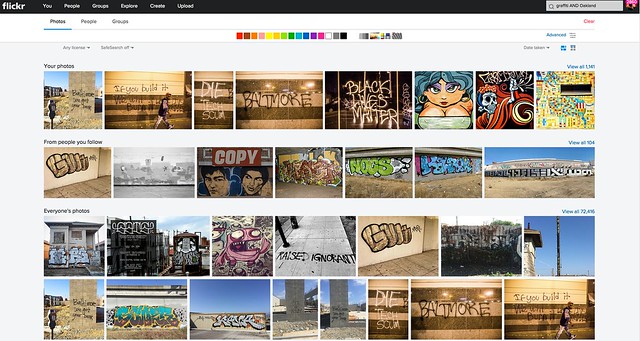
I am a HUGE fan of the new Flickr search experience. I’ve spent hundreds if not thousands of hours using the search functionality of Flickr. I routinely use Flickr search to scout photo locations, find people shooting in a particular area, stay on top of events happening around the San Francisco Bay Area, and tons of other ways. The new search page is clean and fast. In addition to date posted, interestingness and relevancy you can also now search Flickr photos by date taken.

Flickr’s done an entire rebuild of the back end of the search page to make it super fast and responsive — they will also be porting this new rebuilt page technology to other pages in the weeks and months ahead to improve performance on many other popular Flickr pages.

Although I consider myself a fairly advanced search technician when it comes to Flickr, for many who are not as sophisticated, basic text searches will be smarter. In the past if you wanted to search for the London Eye you’d have to search for “London Eye” with quotes, or merge the two words together as londoneye. With the new search if you type London Eye just as plain text, Flickr is smarter and will realize that you want to see photos of the London Eye not random photos of London mixed in with random photos of eyeballs.

Flickr has also introduced some slick filters which will allow you to filter by colors (or black and white), photo styles such as depth of field photos or minimalistic photos or heavily patterned photos. Unfortunately there still is no filter to only show me photos without those pesky and ugly signatures and watermarks though. ;)

In addition to Camera Roll and improved search, Flickr is also updating their mobile apps for iOS and Android, to provide a more consistent experience. My iOS experience on Flickr has not been good the past few months. Recent activity for me has become completely jumbled and unusable, which is more of a power user problem I think than anything. I’m hoping that the refresh fixes this bug for me — maybe not though. I do like to use the mobile version when I have a few minutes for looking at and favoriting photos of my contacts and it will be interesting to see what this is like once I upgrade.

The changes Flickr is rolling out today continue to make Flickr better and better — a trend that’s continued over the past several years as Flickr has ramped up staff and built a better and stronger team.

No other company today will give you a free terabyte of photo storage for your high res photos.

It always boggles my mind that people actually pay for storage of their photos on things like iCloud, when they could just send everything to Flickr for free. Especially now that you can get your photos back so easily, there really is no reason why everyone in the world should not use Flickr as a free cloud backup storage for all of their photos. Even if you don’t want to mix up every photo on your hard drive or phone with your current carefully curated Flickr presentation, you can just set up a second account and call it backup to Flickr and have a free backup site for your photos.

Are you one of those people who are constantly running out of space on your phone because of all of your photos? Then why aren’t you using Flickr?

More from The Verge, Wired, TechCrunch.


Thomas Hawk Digital Connection

 
Comments Off on Today’s New Version of Flickr Implements Bulk Downloading of Your Photos — Your Photos Really Do Belong to You

Posted in Photography


Tiffen adds more filters, looks and faster processing with version 4 of its Dfx software

14 Apr

Tiffen has announced an updated version of its Dfx photo and video editing software that adds new filters, historic process simulations and extra tools, as well as wider compatibility with movie editing programs. Tiffen Dfx produces effects like those created by the company’s optical glass filters, with the latest version 4 adding 12 extra ‘filters’ to the menu system, including the company’s new Pearlescent and Satin diffusers. Read more

Articles: Digital Photography Review (dpreview.com)

 
Comments Off on Tiffen adds more filters, looks and faster processing with version 4 of its Dfx software

Posted in Uncategorized


Olympus announces OM-D E-M1 firmware version 3.0

08 Feb

The Olympus OM-D E-M1 is about to get an update with the release of firmware version 3.0 later this month. The update’s primary function is to boost maximum framerate from 6.5 fps to 9 when shooting in continuous AF mode, thanks to enhancements for the camera’s 37-point phase-detect algorithm. Read more

Articles: Digital Photography Review (dpreview.com)

 
Comments Off on Olympus announces OM-D E-M1 firmware version 3.0

Posted in Uncategorized


Perfectly Clear App for Android updated to version 4, iOS update to follow

31 Jan

Athentech has released the latest version of its auto-enhancement photo editor Perfectly Clear App for Android, bringing it up to version 4. With the latest update users are given several new features for further improving their photographs, as well as new detection algorithms for the Next Generation Beautify feature specifically. Click through for more details

Articles: Digital Photography Review (dpreview.com)

 
Comments Off on Perfectly Clear App for Android updated to version 4, iOS update to follow

Posted in Uncategorized


How to Choose Which Version of Lightroom to Buy

27 Jan

Lightroom creative cloud

Buying Lightroom used to be simple. All you had to do was buy the full version of the program, and upgrade (if you wished) every time a new version came out. But ever since Adobe announced the Creative Cloud subscription service, photographers have been faced with two choices. You can still go for the standalone version, or you can buy Lightroom as part of a Creative Cloud monthly membership. But how do you know which is the best option for you? Read on to find out.

Creative Cloud is announced

Adobe’s initial announcement of the Creative Cloud licensing concept was somewhat controversial as the price for a subscription to Photoshop ran at $ 20 a month (all prices in this article are in US dollars). For photographers who had already purchased the full version of Photoshop this represented a significant price increase. Not only was subscribing more expensive in the long run, compared to upgrading Photoshop regularly, but the license to use the software expired once monthly payments stopped.

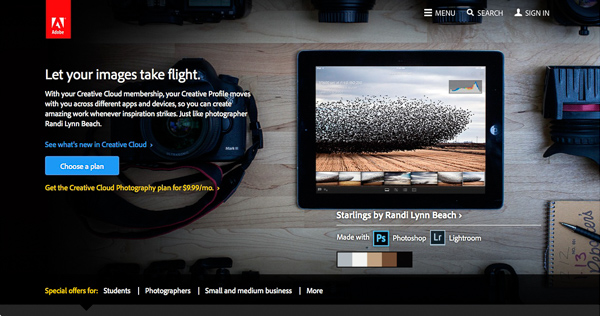
There’s little doubt this was a raw deal, but Adobe listened and introduced a new package for photographers – a subscription to both Lightroom and Photoshop CC for $ 9.99 a month (or $ 119.88 per year).
Lightroom creative cloud

Read about this on forums and photography websites and you will still come across a lot of negativity towards the Creative Cloud subscription model, especially from Photoshop users upset at the loss of a perpetual licence. But today, I aim to cut through this negativity and take an objective look at the differences between the two options.

Two types of Lightroom users

To start, we have to acknowledge that there are two types of Lightroom users.

The first uses Lightroom in conjunction with Photoshop and wants access to both programs. For this user, the Creative Cloud option is the only choice if you want the latest version of Photoshop CC. Alternatively, if you own a version of Photoshop CS and are not bothered about upgrading to Photoshop CC, you can buy the standalone version of Lightroom and use them together.

The second type of user carries out the bulk of their image processing in Lightroom. For tasks Lightroom can’t handle, they may use an older version of Photoshop, a less powerful program like Photoshop Elements, or a plug-in such as the Nik Collection or Perfect Photo Suite 9. These users may be wondering whether to continue using the standalone version of the software or to subscribe.

Financial considerations

If you are on a budget, and don’t need Photoshop CC, then it is definitely less expensive to buy the standalone version of Lightroom. At the moment a new version of Lightroom comes out approximately every 18 months. At $ 9.99 a month, the subscription service would cost you $ 179.82 over that period. If you are new to Lightroom, the full version (priced at $ 149 from the Adobe website) saves you money, and if you already own Lightroom, then the upgrade (priced at $ 79) is even less, saving you a little over $ 100 over the same time period.

As a standalone version user you get free upgrades until a full new version comes out. So, if you upgraded to Lightroom 5.0 when it first came out, you can upgrade to the latest version (5.7) for free, taking advantage of new features introduced since then. But when Lightroom 6 comes out, you will need to pay the upgrade fee to use it. Upgrading isn’t compulsory, and you can continue to use your earlier version of Lightroom as long as you want.

Adobe have stressed their commitment to continuing the standalone version of Lightroom for the foreseeable future.

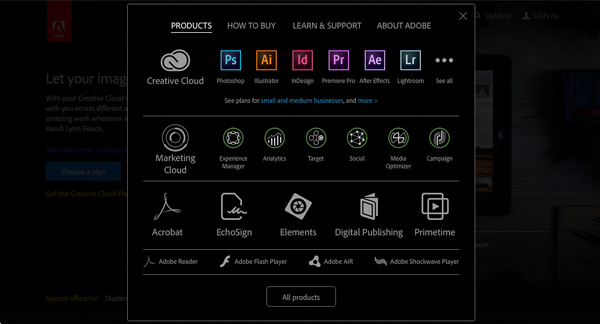
Note: The standalone version of Lightroom is a little hard to find on Adobe’s website. You can get there by going to Adobe’s home page and clicking the Menu option at the top. Click the All Products button at the bottom, scroll down to Lightroom and click Buy. Or you can also find it here on Amazon. 
Lightroom creative cloud

What the Creative Cloud subscription gives you

The Creative Cloud subscription is more expensive, so what do you get for that extra money? The two headline features are Photoshop CC, a powerful image editing program that you are likely familiar with, plus access to Lightroom Mobile, a mobile version of Lightroom that works with iPads and iPhones (but not currently with devices using the Android or Windows operating systems).

There are several additional features that may interest some people, such as 2GB of online storage space, access to Lightroom Web and the ability to use Photoshop CC and Lightroom on multiple machines (although not at the same time).

What happens when the Creative Cloud license ends?

If you stop paying your subscription fee you no longer have the right to use the full versions of Photoshop CC and Lightroom. Photoshop will stop working completely (or at least until you renew the subscription).

But Lightroom is different. Bear in mind that with Lightroom your Raw files are untouched. The edits you make are stored in the Catalog. If you lose access to the Catalog, you lose access to all the edits you have made to your images, including all post-processing.

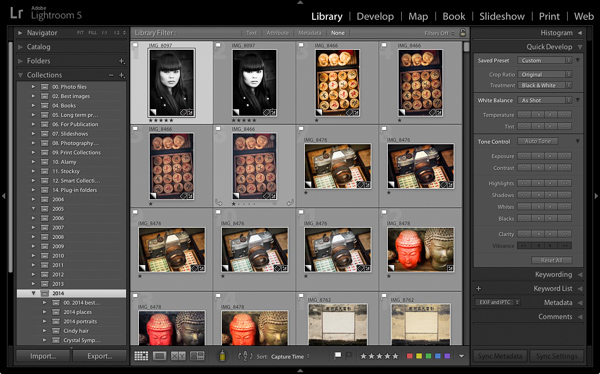
Adobe doesn’t want that to happen, so it gives you partial access to Lightroom even if you cancel your Creative Cloud subscription. You have full access to the Library, Book, Print, Slideshow and Web modules. The Develop module is severely restricted (you can’t make any adjustments using the right-hand panels) and there is no access to the Map module.
Lightroom creative cloud

Your Catalog remains intact, including any Collections you’re created and any changes to metadata, including ratings and keywords. So does your post-processing, and the ability to make basic edits to photo files using the Quick Develop panel. You can also export your photos any time you want.

You need to have Lightroom Version 5.5 or later installed for this to work.

Conclusion

Hopefully you are now clearer about how the two ways of buying Lightroom differ, and which is best for you. If you want to use the most up to date version of Photoshop CC, or Lightroom Mobile, then the Creative Cloud subscription service is the choice for you.

However, if you don’t require the latest version of Photoshop CC, or Lightroom Mobile, then buying the standalone version is the least expensive way to go.

What do you think? Have Adobe got it right with the price and services offered for the Creative Cloud Photography plan? Do you use the Creative Cloud version of Lightroom or the standalone version? Please let us know in the comments.
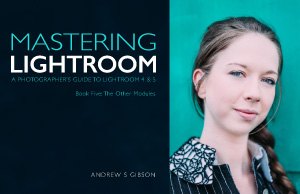

Mastering Lightroom: Book Five – The Other Modules ebook coverMastering Lightroom: Book Five – The Other Modules

My new ebook Mastering Lightroom: Book Five – The Other Modules shows you how to use Lightroom’s powerful features to create fun and interesting projects using the Map, Book, Slide show, Print and Web modules. Whether it’s geotagging, putting together a photo book, printing your best photos or creating web galleries all the information (and inspiration) you require is right here.

googletag.cmd.push(function() {
tablet_slots.push( googletag.defineSlot( “/1005424/_dPSv4_tab-all-article-bottom_(300×250)”, [300, 250], “pb-ad-78623” ).addService( googletag.pubads() ) ); } );

googletag.cmd.push(function() {
mobile_slots.push( googletag.defineSlot( “/1005424/_dPSv4_mob-all-article-bottom_(300×250)”, [300, 250], “pb-ad-78158” ).addService( googletag.pubads() ) ); } );

The post How to Choose Which Version of Lightroom to Buy by Andrew S. Gibson appeared first on Digital Photography School.


Digital Photography School
 
Comments Off on How to Choose Which Version of Lightroom to Buy

Posted in Photography


Adobe details OS support for next version of Lightroom

23 Jan

In a new blog post, Adobe has said Lightroom 6 will require a 64-bit operating system, meaning it will only run in 64-bit versions of Windows 7, or OS X 10.8 or newer. The announcement suggests Lightroom 6 will continue as a stand-alone application, rather than being swallowed into the company’s subscription-only Creative Cloud program. Read more

Articles: Digital Photography Review (dpreview.com)

 
Comments Off on Adobe details OS support for next version of Lightroom

Posted in Uncategorized


Canon updates Digital Photo Professional to version 4.1.50

18 Dec

Canon has updated its Digital Photo Professional 4 (DPP) software to version 4.1.50. The update brings support for a couple of new lenses and several camera models, improvements to multiple functions, and compatibility with 64-bit native environments, among other things. The newest version, says Canon, incorporates feedback from both APS-C and older full-frame owners eager for ‘the very latest Raw workflow solution’. Read more

Articles: Digital Photography Review (dpreview.com)

 
Comments Off on Canon updates Digital Photo Professional to version 4.1.50

Posted in Uncategorized


The New Photographer’s Ephemeris Desktop Beta Version Announce

07 Aug

The Photographer’s Ephemeris for Desktop: All Change!

Some important news for users of The Photographer’s Ephemeris (TPE) for Desktop: on 2 September 2014, Google will switch off the Google Maps for Flash API. On that date TPE for Desktop will stop working.

When TPE for Desktop was first launched in 2009, we still lived in a pre-iPad world and Steve Jobs had yet to write his thoughts on Flash. Building on Adobe AIR provided a convenient cross-platform technology that allowed users on Windows, Mac and Linux to run the same application.

Since then, the popularity of Flash has declined significantly and Adobe AIR was repurposed towards mobile development. It has served TPE for Desktop well, but it’s time for a change.

A New Photographer’s Ephemeris Web App

01-new-tpewa-screenshot

The new web app is already live

Happily, this hasn’t come as a total surprise! We have a new TPE for Desktop ready to step into the breach. The new TPE web app is already live and available at app.photoephemeris.com. You can start using it right now. We’re keeping it in Beta until September 2nd, and will continue to refine it over the coming weeks as you send us your feedback.

The web app runs in a variety of modern browsers. It has been tested in the current versions of Safari, Chrome, Firefox, Internet Explorer (11) and Opera. As with the old TPE, it is designed for use on desktop computers or laptops equipped with a mouse or track pad.

One advantage of the web app: you no longer need to install additional software or to continually update to a new version of Adobe AIR. You get the latest version automatically each time you visit the site.

New Features

TPE has a loyal following and this is going to be a big change for some. The user interface may look different, but the new web app includes the same functionality as the old desktop version and comes with a number of enhancements.

Celestial events for the day are displayed in the events timeline below the map. At a glance, you can see the day’s information chronologically.

A chart of the sun, and moon’s, journey throughout the day is displayed at the bottom of the screen. Scrolling the time slider changes sun and moon information relative to your selected pin position and date.

02-600x373-tpewa-graphic

Same features as the old desktop version, but with some great additions.

New features include:

  • Sharing: look up locations; set date and time, then share the URL of the web page
  • Saved locations can be used to set the grey pin position as well as the red – great for planning both camera and subject placement
  • Six degree shadow circle: this new feature shows sun and moon shadows, and highlights, when the sun or moon sit between +0° and +6° above the horizon – times when there’s often good light (so-called “golden hour”) or when the moon can be photographed against features in the landscape
  • Use Google Street View directly from the map
  • Timeline and chart toggle on and off to increase map “real estate” – great for users with small screens
  • Support: you can submit feedback or a support request directly from the app

Look after your locations!

Locations stored in the old desktop version can be exported and saved as a KML file, and then imported into the new web app. We’d encourage you to do this now ahead of the September 2nd deadline.

Once imported, the web app saves locations in your browser’s local storage. In order to ensure you don’t inadvertently lose your locations, we advise exporting and saving the KML files as backups. Look after your saved locations the way you look after your photos.

It’s time to switch

03 old tpe desktop screenshot

Say goodbye to the old TPE desktop app, it’s time to switch (caption)

Just like the original TPE for Desktop, the new desktop web app remains free to use.

You can send feedback to TPE at any time using the support tab in the web app. TPE is used by so many professional and amateur photographers around the world, and this is a great opportunity for you to help shape this useful tool.

We’re adding updated tutorials to the TPE website in the weeks leading up to September 2nd. There is also a Quick Start Guide you can download directly from the web app page. It outlines the major functionality along with a list of useful keyboard shortcuts.

Go ahead and try it out today!

Get The Photographer’s Ephemeris available free of charge. Tutorials are available.

Here’s a few dPS articles that mention TPE so you can try it out:

  • It’s all about the light: The Photographer’s Ephemeris
  • Finding New Photography Locations Just Got Easier With ShotHotspot
  • 8 Simple Guidelines for Capturing Spectacular Sunrise and Sunset Images
  • 5 Hot Tips For Improving Your Summer Photography

The post The New Photographer’s Ephemeris Desktop Beta Version Announce by Stephen Trainor appeared first on Digital Photography School.


Digital Photography School

 
Comments Off on The New Photographer’s Ephemeris Desktop Beta Version Announce

Posted in Photography


Leica T (Typ 701) gains updated firmware version 1.1

27 May

shared:download-button.png

Leica has updated the firmware for its T (Typ 701) mirrorless camera to Version 1.1. In one of the stranger descriptions we’ve seen, Leica hasn’t given any specific details of what’s changed, saying instead that “you will get the complete scope of functions and performance as described in the manual of your camera”. The firmware is available to download now – click through for the link.

News: Digital Photography Review (dpreview.com)

 
Comments Off on Leica T (Typ 701) gains updated firmware version 1.1

Posted in Uncategorized