RSS
 

Posts Tagged ‘These’

Are You Guilty of these 5 Over-Processing Sins?

29 May
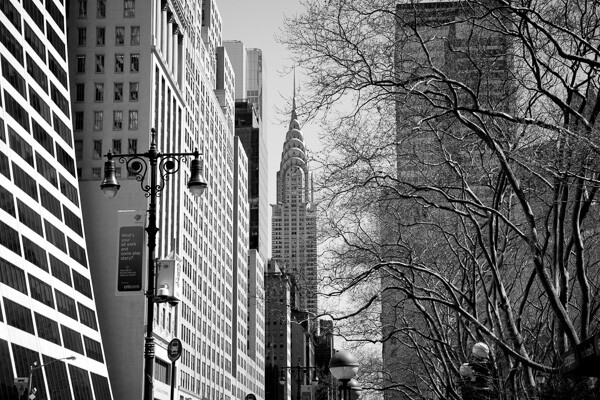
Chrysler Building

Chrysler Building

My most common critique when looking at digital images is that they look over-processed. It is so easy to do this and such a common mistake, that it is important to understand the main mistakes that photographers make when retouching their images.

Keep in mind that I am not referring to images that purposely are made to look like fairy tales or use creative color for a specific purpose, but I am referring to heavy handed post-processing when it is not necessary.

Good photographs do not make you notice the post-processing first. Good post-processing is subtle, aims to stay out of the way and not become the focal point of the image. But you need to be careful not to overdo it. With a program like Adobe Lightroom, it becomes so easy to move the sliders and increase the contrast and saturation significantly, and before you know it the image does not resemble a photograph anymore.

So here are the most common mistakes that I see when people over-process their images.

**This article is assuming that you shoot in RAW. If you don’t, I highly suggest that you do. Yes, it makes the files larger, but to get the highest quality image and have the most latitude to process your images well, it is necessary to shoot in RAW.

1. Over sharpening
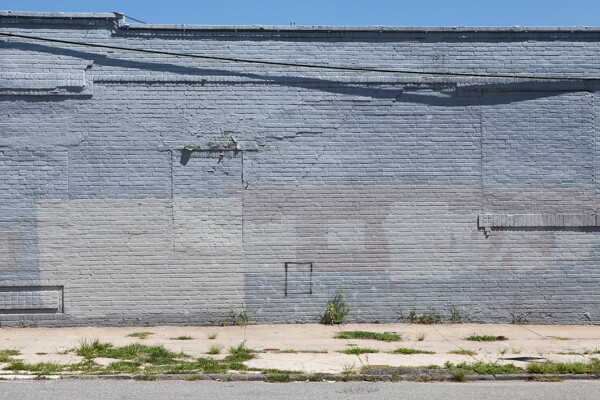
Wall, Gowanus

Wall, Gowanus.

Over sharpening is one of the most rampant problems for digital photographers. The reality is that most digital photographs need very little sharpening, if any. If the image is sharp when it is captured, meaning there is no handheld camera shake, the correct aperture is used, and the most important element is perfectly in focus, then you are a majority of the way there for sharpness.

You do not want the sharp areas to look like they are jumping off the print. You want them to be sharp, but more importantly you want them to look realistic. The second that your sharpening makes the photo even slightly unrealistic, then you’ve gone overboard. When in doubt, always keep in mind that it is much better to be slightly under sharpened than over sharpened.  I have many images that were taken with a good digital camera and sharp lens with the perfect settings, and they don’t need any sharpening at all. None. This is not every image, but some.

Also, always make sure to sharpen your image after you have sized it to the final print size. It is a bad practice to sharpen your image and then convert it to a different size.

2. Over colorized images and heavy-handed White Balance changes
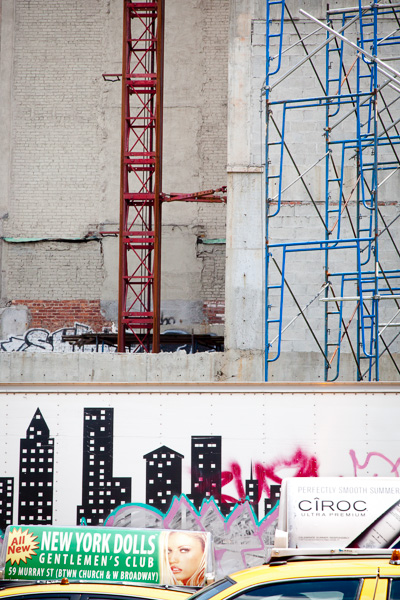
Layers of a City.

Layers of a City. Strong colors but not too strong or unrealistic.

In my opinion, color is the toughest aspect to get correct in digital photography. It takes a lot of experience to become skilled at working with color.

To be able to do good color work, it is vital to have a solid monitor and a color calibrator. You should calibrate your monitor every few weeks. If your monitor’s colors are off, then what looks good to you is not how the image will look to others when you share it on the web or when you create a print.  While there are a lot of great options for monitors in every budget, I prefer the NEC SpectraView line and an X-Rite i1 Display calibrator.

Color is subjective. I might prefer realistic and subtle colors, while another person might prefer dreamlike and surreal colors. That is fine, but always be careful about overdoing it with color. Over saturating an image might make it more noticeable at first, but it can easily look heavy-handed and fake.  Always use caution when pushing the saturation slider to the plus side. Sometimes this can work when done a slight amount, especially in hazy light, but too often it will make the colors in the image look unrealistic.

In addition, some people also frequently go overboard with tinting images. It’s the Instagram effect. For instance, if all of your images have a warm or red tint, then there’s a good chance you are being too heavy-handed.  This is not true for all cases, of course, but it is important to keep this in mind. Tinting, especially slightly, can be very important, but not every image should look red. Always pay attention to the White Balance of an image and fiddle with it. See how the image will look both without a tint and with one, and print out test images. This will train your eye to see  color.

Also, when you do a lot of editing to an image, such as when increasing the contrast, that can make the colors look too strong. It often helps to pull back the saturation slightly in these cases.

3. Too much contrast
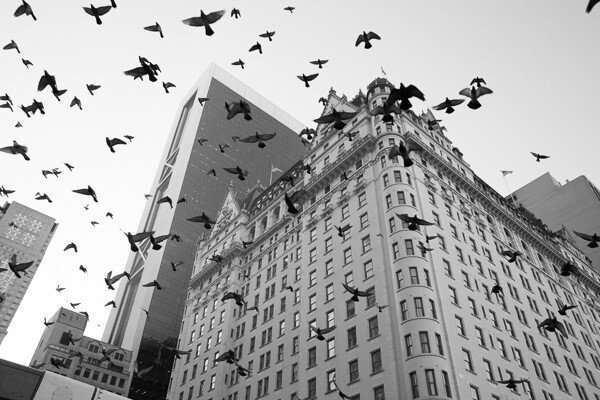
Plaza Hotel

Plaza Hotel.

Most cameras will purposely capture images with flat contrast in RAW settings, so often some contrast increase is needed. However, it can be easy to overdo it and add too much contrast to your images. This is a problem that I have frequently, and I often have to catch myself and pull back the contrast.

This is another issue where balance is important. There is a very small range where the contrast is perfect. Too little and your image will look flat; too much and it will look fake. Creating images with too much contrast is a very frequent problem, especially with black and white images.

Sometimes, instead of increasing the contrast, you really just want to turn the darkest grays into black by lowering the blacks slider. You will find that this will give you the effect that you want without overdoing the general contrast of an image.

Finally, pay attention to the light sources in your image, because they will determine how much contrast is needed. If the sun is shining directly on your scene, then much less contrast will be needed, because the natural light will be providing the contrast. If the sun is behind your image, then you will often need to darken the blacks or increase the contrast, unless you want to emphasize the haziness of the scene. Shooting into the sun, then not increasing the contrast much is how many of those gorgeous, hazy engagement and wedding photographs are done.

4. Too much vignette
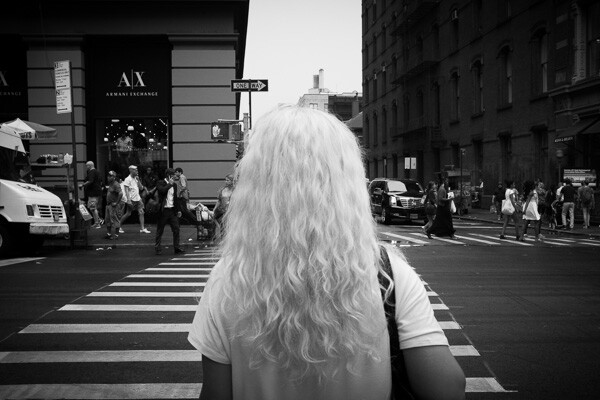
White Hair, SoHo

White Hair, SoHo.

I love vignettes. They can look great and be very important to keep the eyes within the scene. However, be careful about overdoing it, because it can easily look fake and over-processed. That being said, some photographers use harsh vignettes as a style and it looks fantastic, so take this tip with a grain of salt. Use it when needed, but be aware of overdoing it.

5. Not getting the photo right in the camera
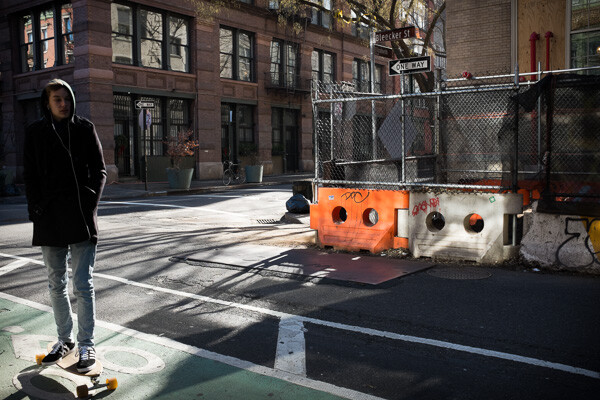
Skater, Bleecker Street

Skater, Bleecker Street

I find that the most common situations where over-processing occurs is when the image was not taken correctly in the camera. Perhaps the lighting at the time of the capture wasn’t ideal or the exposure was off. It’s easy to think you can just fix this in post-processing, and sometimes you can, but it’s hard and it’s not the same as getting it right in the camera. The image will look different if it is captured perfectly versus captured with the wrong settings and then fixed. I find that in their quest to fix poorly captured images,  this is when photographers will most often get heavy handed with post-processing.

If you go out to capture the image at the right time of day, in the right lighting, and get the exposure and sharpness correct, then you will only need to do a very subtle amount of processing to get the image perfect. This is the recipe to create a gorgeous print, and while it’s not always possible, it is what you should be aiming for. It is so much easier to create a good image this way.  If you are spending an hour to fix an image then most likely something was wrong with the image to start with.

True photography starts with the camera and post-processing is meant to improve the image, not fix it.

How do you feel about this topic? Are you or have you been guilty of any of these? Do you have others you’d add to this list? Please share in the comments below.

The post Are You Guilty of these 5 Over-Processing Sins? by James Maher appeared first on Digital Photography School.


Digital Photography School

 
Comments Off on Are You Guilty of these 5 Over-Processing Sins?

Posted in Photography


Don’t Miss Out: Soon These 12 Photography Training Deals Will Be Gone Forever

30 Dec

With the countdown to the end of 2013 we’re also closing in on the time that our 12 Photography Deals of 2013 will be ending.

NewImage

In just a few hours (as the calendar ticks over into 2014 US Eastern Time) these fantastic deals will close forever. Among them are some great savings to be had – up to 77% off resources that will help you make 2014 the year of great photos!

The Most Popular Deals of 2013

A number of people have messaged me for my personal recommendations on which deals I think are best. Of course it will depend upon your needs but here are the deals in order of ‘best sellers’ so you can see what others bought this year:

  1. Day 12: $ 10 Day – where we offered 10 dPS (including our portrait lighting, travel photography and kids photography eBooks) for $ 10 each as well as a couple of great $ 10 bundles of eBooks from Ed Verosky and Andrew Gibson.
  2. Day 7: 77% off Living Landscapes – this $ 7 Landscape Photography eBook deal almost took our servers down it was so popular! There’s also an option to bundle it with 4 Jay Patel eBooks.
  3. Day 9: 77% off Photo Nuts and Post – another $ 7 deal, this one on Post Production Techniques is perfect for those of you looking to learn some great Post Processing Techniques (there’s also an option to get all 5 Neil Creek eBooks for $ 90 off!)
  4. Day 11: $ 40 off Kelby Training – this deal gets you hundreds of hours of photography training from some of the world’s best photographers for just cents a day.
  5. Day 5: 65% off Portraits, Making the Shot – our 2nd most popular eBook ever and yours for just $ 7.
  6. Day 6: 75% off The Art of Black and White Photography – for just $ 24 you can get Udemy’s most popular course.
  7. Day 3: 60% off Going Pro – thinking of making money from your photography? This one is for you.
  8. Day 2: 60% off James Brandon’s ’10 Most Common Photography Mistakes and How to Fix Them’ – just $ 12 for this great course.
  9. Day 8: Save 30% on Fro Knows Photo Beginners Guide – if you’re new to photography then this is a great introduction to get you hands on.
  10. Day 1: 65% off our Natural Light eBook – another $ 7 dPS eBook on one of our most popular eBooks. It’ll help you take great natural light images (there’s also an option to get your hands on all 3 Mitchell Kanashkevich eBooks and save $ 35.
  11. Day 10: Save 37% on Mastering Photography eBook By Andrew Gibson – a great beginners guide to using your digital camera.
  12. Day 4: Save 50% on the Amazing Fundamentals of Digital Photography course – 5 massive days of training for just $ 74. The perfect way to set up 2014.

See all these deals on our 12 Days of Christmas page but don’t delay, these deals end as the clock strikes midnight and we see in 2014 (US Eastern time).

The post Don’t Miss Out: Soon These 12 Photography Training Deals Will Be Gone Forever by Darren Rowse appeared first on Digital Photography School.


Digital Photography School

 
Comments Off on Don’t Miss Out: Soon These 12 Photography Training Deals Will Be Gone Forever

Posted in Photography


Check out These 3 Great Photography Deals from SnapnDeals [Limited Time]

17 Oct

This week over at our sister site – SnapnDeals – we have some great photography related deals all live for a limited time right now.

Here’s what you can get your hands on:

50% off ‘How to Photograph Kids – Naturally’ Course

NewImageThis online course by Brent Mail (recent contributor to dPS with this popular post) is all about helping you to take great photos of children.
It will help you on many levels in photographing kids – all the way from how to connect with kids, the right equipment and settings to use, best props, how to edit these images as well as how to share online and display at home, or present the finished products to clients as part of a profitable photography business.

Save 50% on Brent’s course here for the next week only.

NewImage

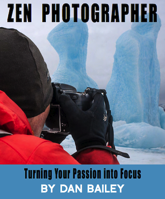
13% off Dan Bailey’s Zen Photographer eBook

This brand new eBook by explorer, adventurer and photographer Dan Bailey is all about turning your passion for photography into focus.

It is an 81-page collection of essays and photographs that are designed to ignite your imagination, inspire creativity and generally fill your brain with rock solid tips, insight and advice – advice that can save you time and prevent you from making many common mistakes as you travel along on your own photography path.

Grab Dan’s eBook via SnapnDeals here.

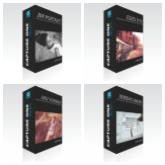
55% Off a range of C1Styles CaptureOne Presets

PresetsFor the next 6 days you can pick up their Spring Drops, Italy 1970, Hot Summer and B&W Portraits preset packs to be used in CaptureOne at under half price.

Subscribe to Get More Great Deals from SnapnDeals

Every week SnapnDeals features great photography related deals from around the web. Make sure you subscribe by adding your email address to the form below:

Post originally from: Digital Photography Tips.

Check out our more Photography Tips at Photography Tips for Beginners, Portrait Photography Tips and Wedding Photography Tips.

Check out These 3 Great Photography Deals from SnapnDeals [Limited Time]

The post Check out These 3 Great Photography Deals from SnapnDeals [Limited Time] by Darren Rowse appeared first on Digital Photography School.


Digital Photography School

 
Comments Off on Check out These 3 Great Photography Deals from SnapnDeals [Limited Time]

Posted in Photography


These impressive photos will trick you into thinking they’re paintings

16 Sep

painting30.jpg

Photography, as an art form, can be quite elastic. It can be used to capture the ‘decisive moment’ or a once-in-a-lifetime split-second shot. Or, the form expands into more studied, careful, fine art approaches. These photos fall into the second category. Their use of color and lines, artificial lighting and repetition give them a lot in common with paintings – so much so that they might just trick you at first glance. 

News: Digital Photography Review (dpreview.com)

 
Comments Off on These impressive photos will trick you into thinking they’re paintings

Posted in Uncategorized


Soak in the season with these vivid summer photos

25 Aug

isac_goulartinvincible_2.jpeg

Summer’s fast on its way out, something we’re acutely aware of in the Pacific Northwest. We’re trying to make the most of our sunny days before the clouds and drizzle set in. For a healthy dose of Vitamin D any time of year, take a look at photographer Isac Goulart’s sun-soaked images. The Brazilian photographer’s colorful beach photos aim to capture the very essence of long summer days. Check them out – and maybe take a few of your own before the weather’s gone.

News: Digital Photography Review (dpreview.com)

 
Comments Off on Soak in the season with these vivid summer photos

Posted in Uncategorized


Explore the Funnier Side of Mobile Photography with these Photo Apps for iPhone

11 Jul

The huge strength of the Apple iTunes store is that it features a vast array of apps in virtually any category. Photography is one of the most popular iTunes categories, and with good reason. We’ve already done a very comprehensive post about some of the hottest photography apps on iTunes, but they were all mostly of a serious nature. That Continue Reading

The post Explore the Funnier Side of Mobile Photography with these Photo Apps for iPhone appeared first on Photodoto.


Photodoto

 
Comments Off on Explore the Funnier Side of Mobile Photography with these Photo Apps for iPhone

Posted in Photography


Discover These Stunning Creative Lighting Techniques That Will Electrify Your Photos

03 Jul

Light is photography.. Without it, photographs would make for some of the dullest looking objects; as pointless an activity, as that of watching a documentary on the beauty of rainbows on a black and white television set! Many first time photographers struggle with the fundamentals of lighting, I certainly did, as there are so many options and choices available to Continue Reading

The post Discover These Stunning Creative Lighting Techniques That Will Electrify Your Photos appeared first on Photodoto.


Photodoto

 
Comments Off on Discover These Stunning Creative Lighting Techniques That Will Electrify Your Photos

Posted in Photography


Do You Know these 15 Key Features of your DSLR? [VIDEO]

28 Jun

Got a new DSLR? Still trying to work out where to start? Check out this free video by Jeff Cable that runs you through 15 features of that DSLR that you should know about and be able to use.

Jeff covers a heap of ground – some is quite introductory but he does get a little more advanced too with lots of great examples.

The video is around an hour long so grab yourself a cup of your favourite beverage and settle in for some good learning.

Post originally from: Digital Photography Tips.

Check out our more Photography Tips at Photography Tips for Beginners, Portrait Photography Tips and Wedding Photography Tips.

Do You Know these 15 Key Features of your DSLR? [VIDEO]


Digital Photography School

 
Comments Off on Do You Know these 15 Key Features of your DSLR? [VIDEO]

Posted in Photography


Master These Five Lightroom Sliders and Your Photos Will Pop

19 Jun

a Guest Contribution by John Davenport from Phogropathy

Have you ever opened up Lightroom (or any other professional level editing program) and said, “Oh my – where do I start?” If so then this post is probably right up your alley.

Today I’m going to show you how to take the process out of processing photos and how you can get some great results simply by learning how a handful of sliders work. After you learn these basics you can start to dig deeper into the program and learn how to bring out even more of the hidden details in your photographs.

before&after1.jpg

The Seven Lightroom Sliders to Master First

Lightroom is filled with all sorts of options from drop down menus to sliders and all this can make get started for the first time overwhelming, especially if you’ve had no editing experience in the past, so today we are going to look at the very basics of Lightroom.

When you break it down there are five key parts of almost every photo that you’re going to want to adjust and those are as follows: mid-tones, shadows, highlights, sharpness and white balance. We will tackle all of these areas by using just a handful of sliders in the basic tab of Lightroom. To get here simply click on “Develop” and then if it isn’t opened already click on the “Basic” tab.

Now let’s get started!

Exposure

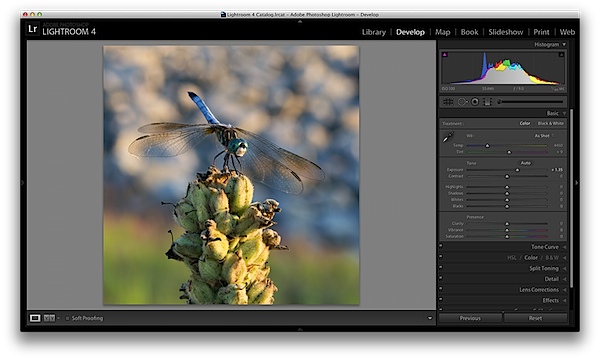
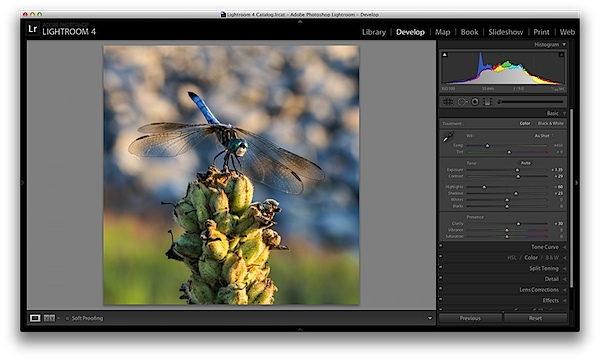
When I process photos I like to start with the exposure slider, as it’s a good overall adjustment to get started. It is designed to adjust the mid-tones of the photo and therefore will help to add or reduce to the overall brightness of the scene. To lighten an underexposed photo simply slide the exposure slider to the right – if you’d like to reduce the brightness then slide it to the left.

Watch your histogram and you’ll start to see the data shift from side to side as you make the changes. In the photo below I added just a small bit to the exposure to brighten it up slightly.

exposure.png

Contrast

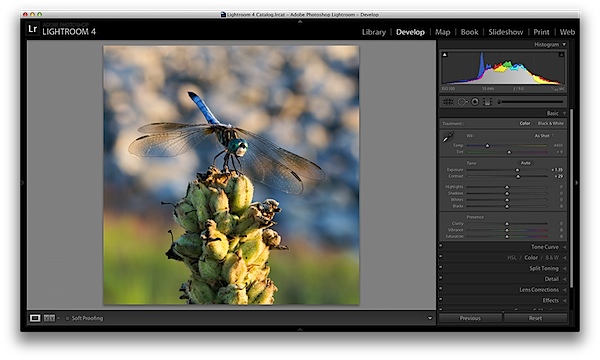
Next up is the contrast slider, which will help to define the areas of lightness and darkness. In the vast majority of my photographs I’ll end up increasing the contrast slightly as it tends to help bring out details and make the photo “pop” a bit more.

As you watch the histogram you’ll notice that the data will either get stretched out or be pushed together depending on which way you go. The more contrast you apply the more defined the difference between lights and darks will get which can be observed in the stretching of the histogram.

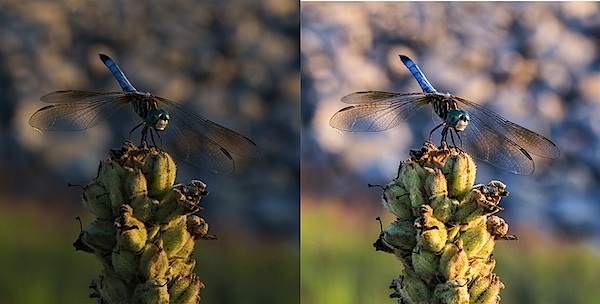
In my dragonfly photo I pushed the contrast up slightly which helps to get the subject separated from the background a bit more and adds a bit more crispness to the photo.

contrast.png

Shadows/Highlights

One of the best features in Lightroom 4 are the Shadows and Highlights sliders. (Note: if you’re using an older version of Lightroom you’ll do something similar with the Fill Light and Recovery sliders, but they’re not nearly as powerful).

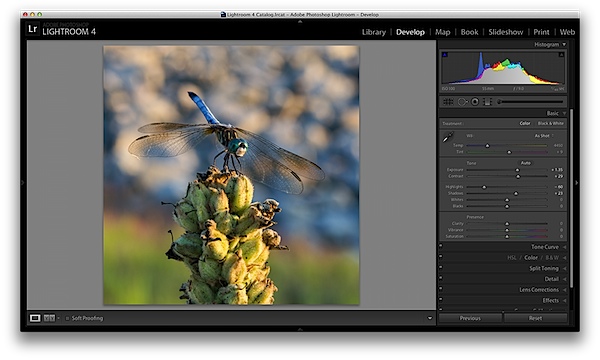
These two sliders work in opposite directions. The more detail you want in your highlights the lower you’ll drop the slider, for more detail in the shadows you’ll increase the slider. Make sure you’re aware that these do come at costs and you’re not going to be able to get detail out of blown out or completely black areas of your photo – there must be data there to recover for these to work.

Again as you watch the histogram when you make the changes you’ll notice that the shadows slider has an effect on the data towards the left side of the mid-tones and the highlights slider will work on an area to the right. The black and white sliders (which we aren’t talking about today) will have an effect on the very edges of the histogram in much the same manor.

HighlightsShadows.png

Clarity

There is an entire area of Lightroom dedicated to sharpening your images, but the clarity slider is a good place to start with if you’re trying to keep things simple. You won’t have as fine of control over the process, but you will be able to help crisp up your images a bit by using one simple slider.

As you’ll notice when you start moving this slider around it works in much the same way as the contrast slider, just on a finer detailed level. Again, in the vast majority of my photos I’ll be adding a bit of clarity to give the photo the punch it needs, but often times in portraits you might end up toning down the clarity to give that soft look to your subject’s face.

clarity.png

White Balance

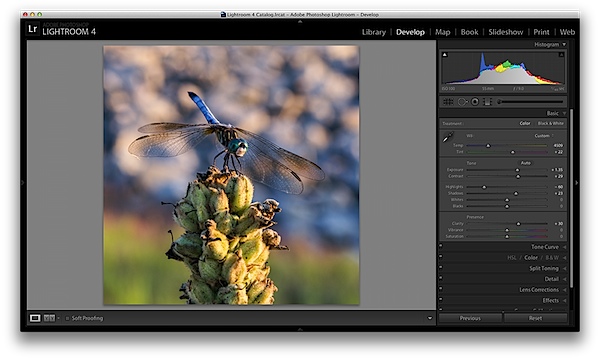
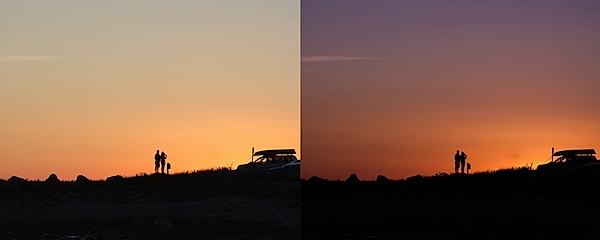
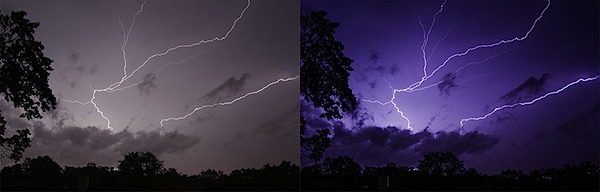
Finally the temperature and tint sliders control the white balance of your photo. For the time being I’d suggest just using the Lightroom presets as they do a decent job of getting into the ballpark and make it a lot easier to deal with than trying to figure out the right amount of warmth and tint to add or subtract.

However, if you want that little extra control in your hand then use the “Temp” slider to adjust the color temperature of your photo. Moves to the right will produce a warmer scene and to left will cool your scene off.

The “Tint” slider is used more for minor adjustments to remove or add unwanted green or magenta colors from the scene and will often be used to get skin tones correct. However, there are people who use this slider for more artistic purposes (play with it and you’ll see what I mean).

whitebalance.png

One Small Note

If you’re photographing in RAW you’ll see more options available to you and have more control over the final outcome of your image, if you’re a JPEG shooter some options I talked about today will be limited as a result of the smaller file sizes and the compression that has already taken place in your camera. You can read more about RAW photography here.

A Few More Before and Afters

Here are a few more before and after images that I processed in a similar manner using only the techniques talked about in this post. It’s truly amazing how much just a few minor tweaks can change your photo and just imagine what can be done once you dig a bit deeper. If you’d like more tips on Lightroom editing feel free to subscribe to my YouTube channel.

before&after2.jpg

before&after3.jpg

before&after4.jpg

John Davenport is an avid photographer and blogger who shares his photography on his Facebook page and runs a weekly video series on how to edit photos in Lightroom.

Post originally from: Digital Photography Tips.

Check out our more Photography Tips at Photography Tips for Beginners, Portrait Photography Tips and Wedding Photography Tips.

Master These Five Lightroom Sliders and Your Photos Will Pop


Digital Photography School

 
Comments Off on Master These Five Lightroom Sliders and Your Photos Will Pop

Posted in Photography


Discover the Secrets to These 11 Special Effects Photography Projects: New dPS eBook

23 May

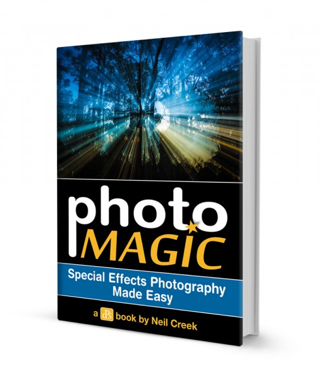
NewImageToday we’re launching a new dPS eBook that I suspect is going to give a lot of our readers hours of fun while playing with their digital cameras.
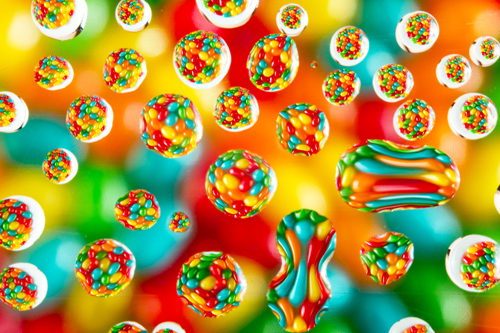
It’s called Photo Magic: Special Effects Photography Made Easy – an eBook by Neil Creek.

As an Early Bird special you can grab it today at 25% off (just $ 15 USD).

Over the years we’ve published thousands of tutorials here on dPS – many of which are on topics like Portraiture, Landscapes, Macro and Street Photography.

However some of our most popular tutorials over the last few years have been when our authors have submitted teaching on how to do ‘trick’ or ‘special effects’ shots.

As a result, I’ve long wanted to publish an eBook on Special Effects Photography and recently asked one of our regular authors – Neil Creek – if he’d like to write it.

Neil was an obvious choice to author this eBook, he’s a Professional Photographer, experienced photography educator and he’s one of those guys who always seems to be working on a new technique for taking photos with that WOW factor.

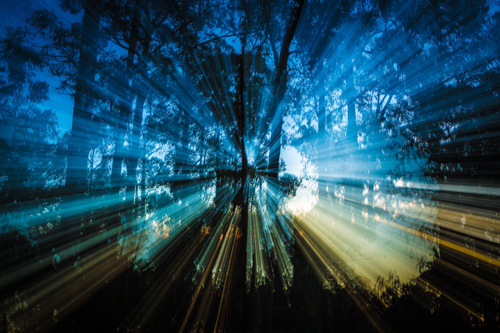
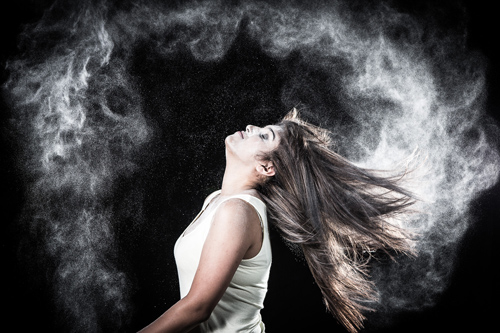
11 Fun Special Effects Photography Projects to Master

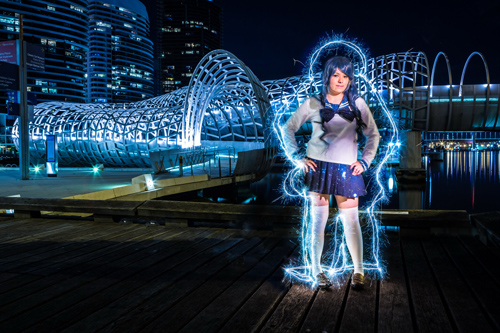
In Photo Magic Neil walks you through 11 photography special effects. In each case he shows you a photo he’s taken and then will walk you through the steps he went through to take the shot.

This is the perfect eBook for those weekends when you’re looking for something fun to do. Tackle each technique in turn and over the coming months you’ll have some spectacular images in your portfolio and will also have learned some new skills that you can then build upon to create your own special effects.

Here’s just some of the shots Neil will walk you through taking.

Zoomeffect

NewImage

NewImage

NewImage

NewImage

NewImage

Get full details on what’s included in this eBook here or order your copy at 25% off by clicking the download button below.

download_it_now_photomagic

// < ![CDATA[ // < ![CDATA[ // < ![CDATA[ // < ![CDATA[ // < ![CDATA[ // < ![CDATA[ // < ![CDATA[ // < ![CDATA[ // < ![CDATA[ // < ![CDATA[ // < ![CDATA[ // < ![CDATA[ // < ![CDATA[ // < ![CDATA[ // < ![CDATA[ // < ![CDATA[ // < ![CDATA[ // < ![CDATA[ // < ![CDATA[ // < ![CDATA[ function EJEJC_lc(th) { return false; } // ]]>

Post originally from: Digital Photography Tips.

Check out our more Photography Tips at Photography Tips for Beginners, Portrait Photography Tips and Wedding Photography Tips.

Discover the Secrets to These 11 Special Effects Photography Projects: New dPS eBook


Digital Photography School

 
Comments Off on Discover the Secrets to These 11 Special Effects Photography Projects: New dPS eBook

Posted in Photography