RSS
 

Posts Tagged ‘Sunset’

Weekly Photography Challenge Sunset Photography

22 Mar

Earlier today I shared some stunning, and colorful sunset images, including one of my own from my recent photo tour to Nicaragua. Even if you can’t get to exotic locations like that, I have a few tips for you to help you take better sunset photos. Then off you go as sunset photography is this week’s photography challenge.

Group from my photo tour to Nicaragua getting ready to shoot some fire spinning on the beach. I turned around and shot them against the last bit of light in the sky.

Group from my photo tour to Nicaragua getting ready to shoot some fire spinning on the beach. I turned around and shot them against the last bit of light in the sky.

Sunset photography tips:

I give these in my travel class, they are easy to do and make such a dramatic difference in coming back with a boring sunset versus one that has your friends drooling.

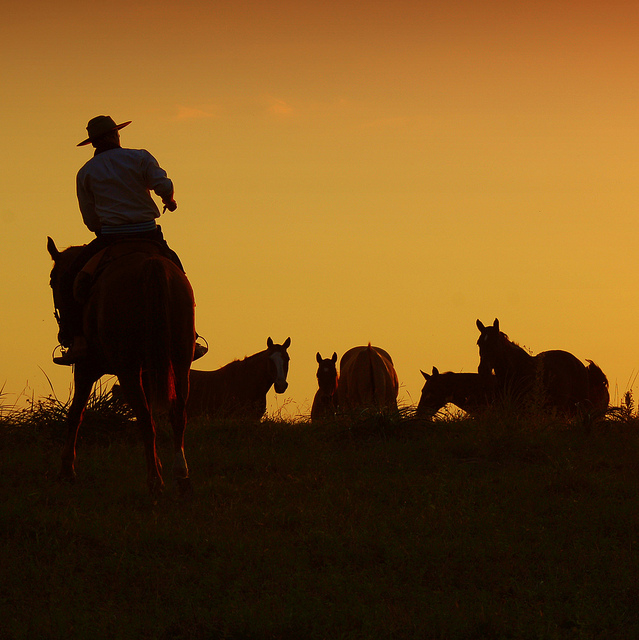
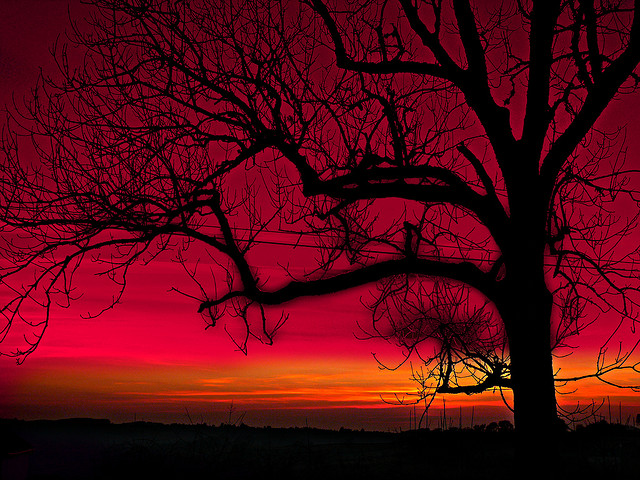
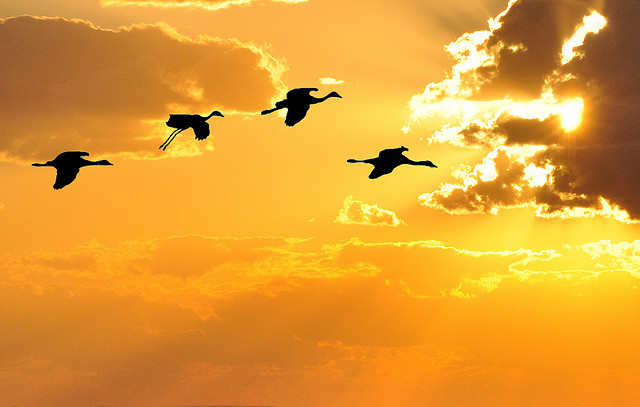
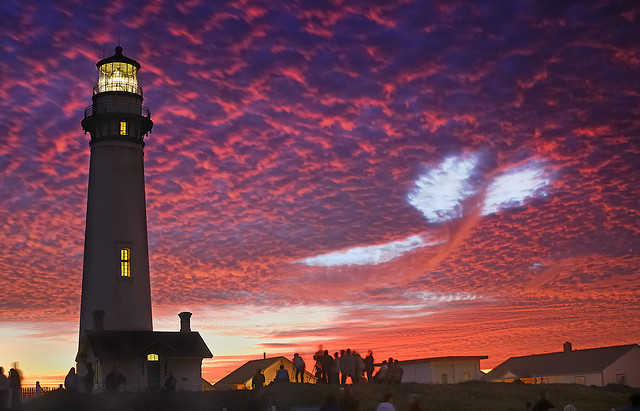
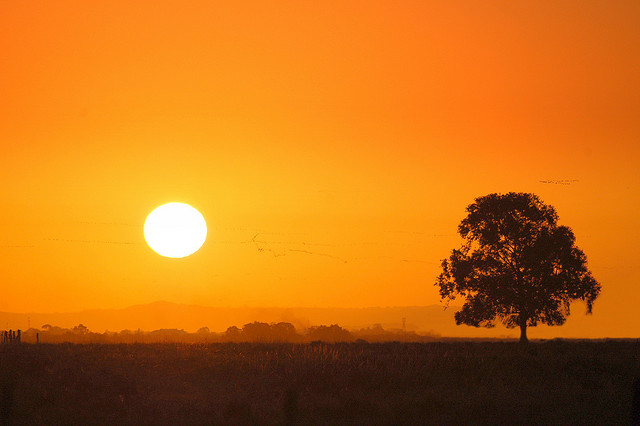
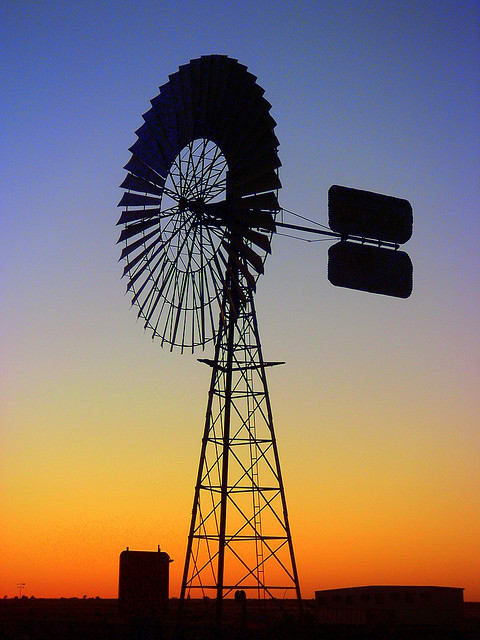
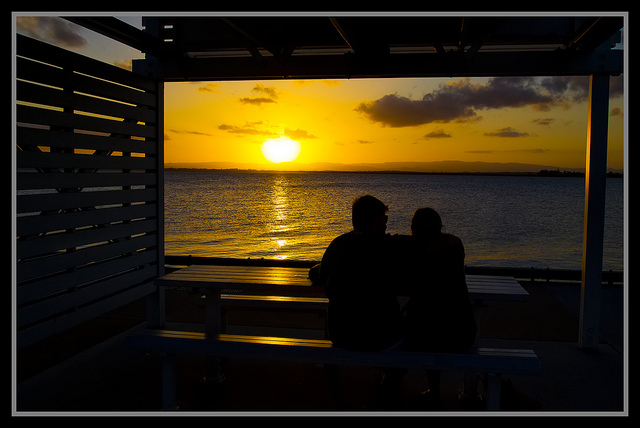
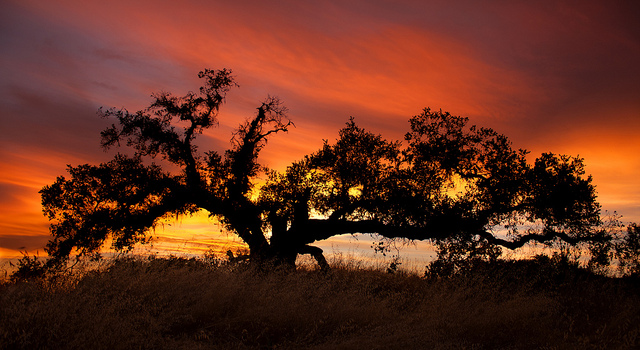
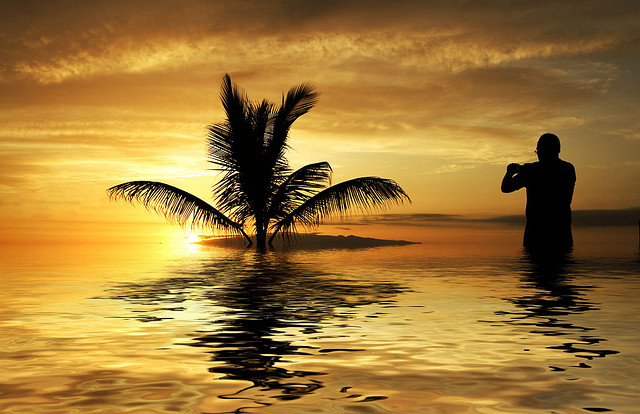
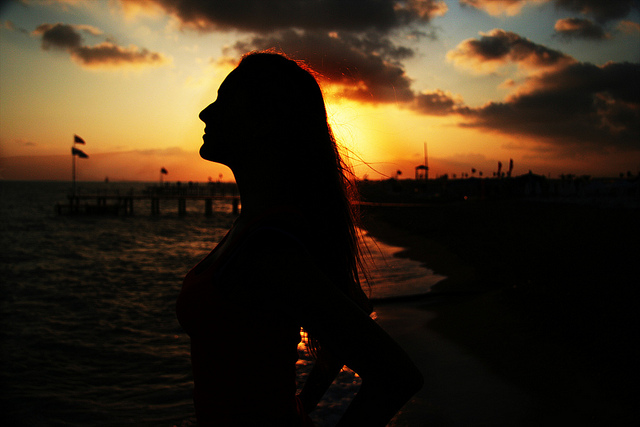
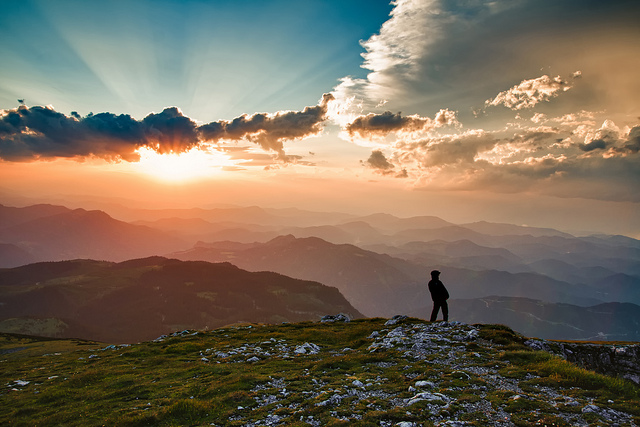
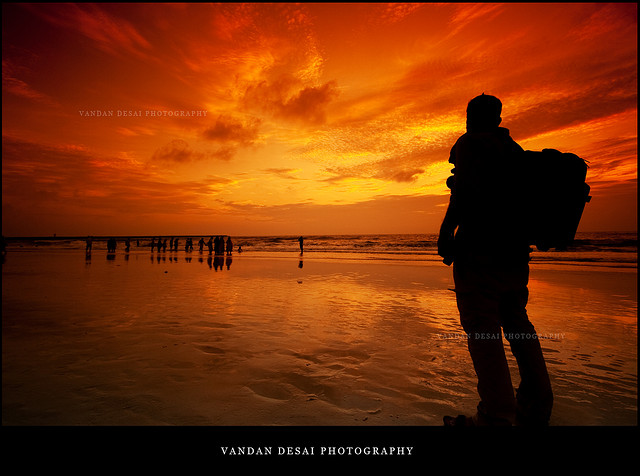
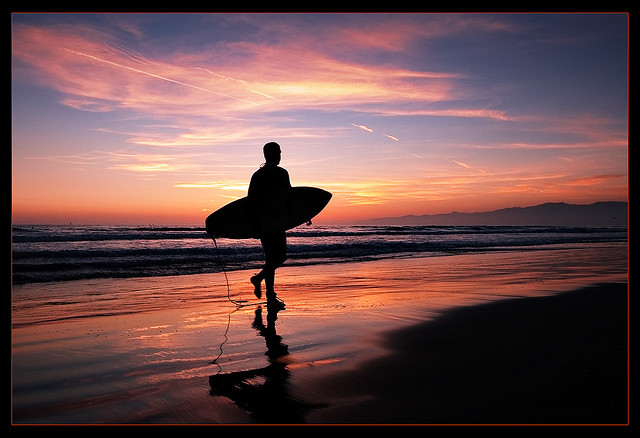
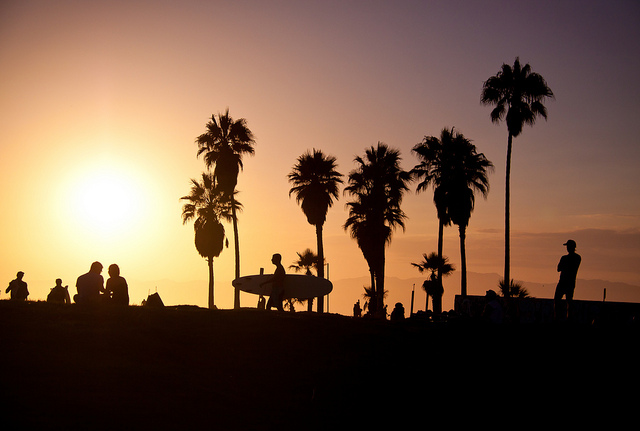
  1. Put something in front of the sunset – just a gorgeous sky at sunset is not enough to make a great photo. It needs something of interest, a focal point. So basically the sunset becomes a stunning background for something. Ideally pick something with a recognizable shape such as: a tree, a person, birds, animals, a city skyline, etc. Just make sure the outline is clean and doesn’t overlap something else, watch for people standing together that look like one person with three legs, horizon going right through a person’s head, and so on – in a silhouette they will all blend together and be a messy blob. Lastly, focus on the item, NOT the sky!
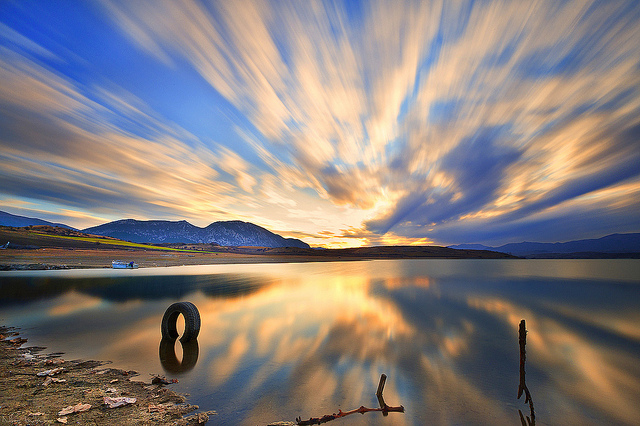
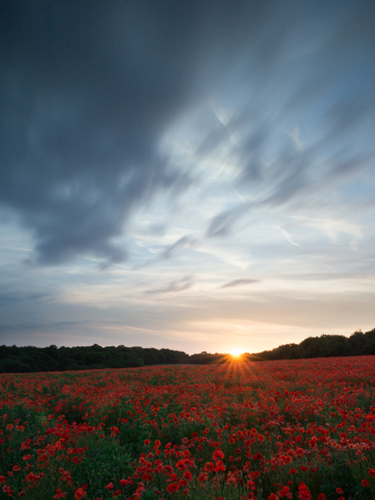
  2. Wait (or hope) for some clouds – sunsets with clouds can be even more incredible as the colors move and shift across the sky, almost as if they are alive. Keep shooting until it’s dark, use every bit of light there is and see how the colors change over the whole time period.
  3. Expose for the sky, meaning underexpose according to your camera’s meter – often when you shoot a sunset your camera’s meter will read the light and try to make it brighter. But if you want more vibrant and saturated colors, and to create a silhouette of the lovely subject you’ve placed in front of the sky – you will need to override the camera and tell it to under expose, or make it darker. This is subjective so you might want to bracket your exposures when shooting and choose the best ones later.
  4. Adjust your White Balance – using Auto White Balance most of the time will give you a decent result. For sunsets if you really want to bring out the color though, try switching to one of the presets that adds warmth such as Shade or Cloudy. If you have K as an option play with the entire scale – shoot one image at 2500K and another at 10,000K and see which works best for that scene.

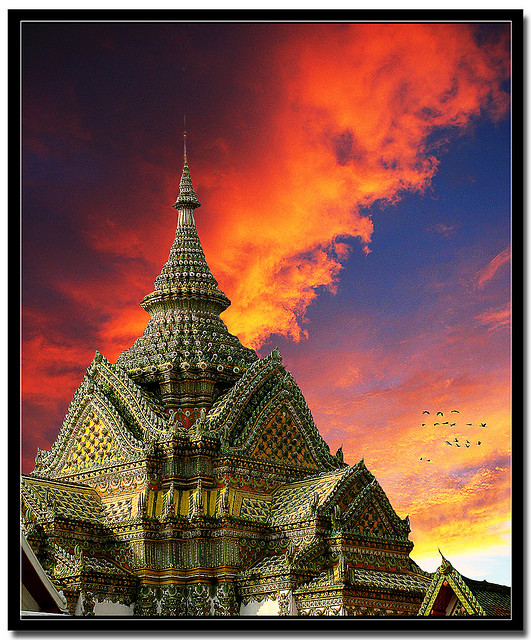
By Theophilos Papadopoulos

By RayMorris1

By Jeff S. PhotoArt

By Bo Nielsen

By Milivoj Sherrington

By esther**

By Angela Sevin

For some articles that might help with this challenge, see these:

  • 12 Tips for Photographing Stunning Sunsets
  • Using Sun Flares and Starbursts to Create Stunning Images
  • Do you pack up and leave after sunset and miss the fun of night photography?
  • Getting Great Portraits At Sunset
  • How to Use a 10-stop ND Filter to Take Long Exposure Sunset Images

Share your sunset images!

Simply upload your shot into the comment field (look for the little camera icon in the Disqus comments section as pictured below) and they’ll get embedded for us all to see or if you’d prefer upload them to your favourite photo sharing site and leave the link to them.


The post Weekly Photography Challenge Sunset Photography by Darlene Hildebrandt appeared first on Digital Photography School.
Digital Photography School

 
Comments Off on Weekly Photography Challenge Sunset Photography

Posted in Photography


39 Colorful Sunset Photos to Start off Your Weekend

21 Mar

Well I’ve just returned from spending two and a half weeks in sunny Nicaragua including nine days living right on the beach, in a little fishing village.

Teaser alert: I will share some of my images from the trip with you in article very soon I promise, be patient! Here’s one for you!

Nicaragua-flickr-046

Darlene’s image of the beach in Nicaragua

Who doesn’t love a good sunset right?

ENJOY and hope you feel refreshed just looking at these sunset photos!

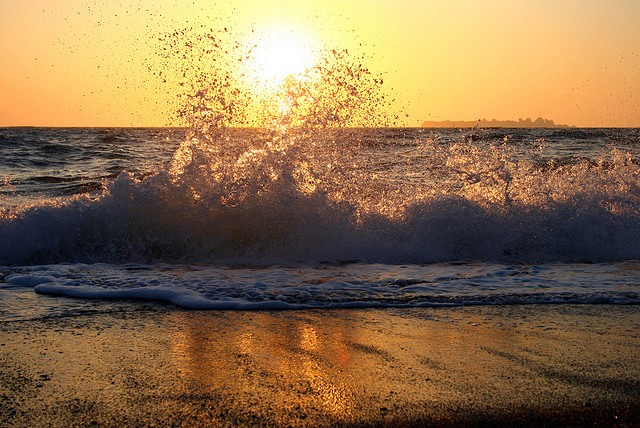
By Philipp Rümmele

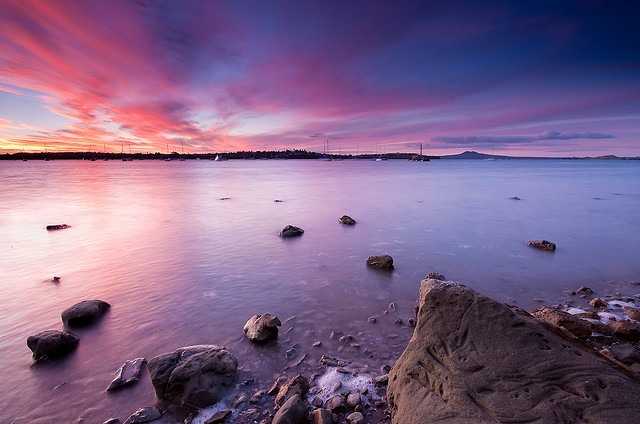
By esther**

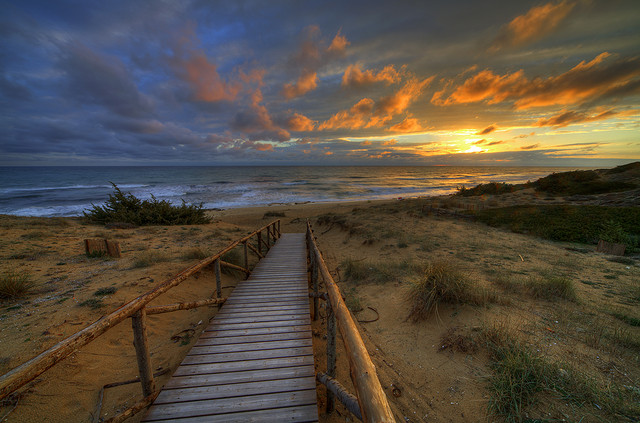
By Chris Gin

By Giovanni Orlando

By Vandan Desai

By Chris Gin

By Eduardo Amorim

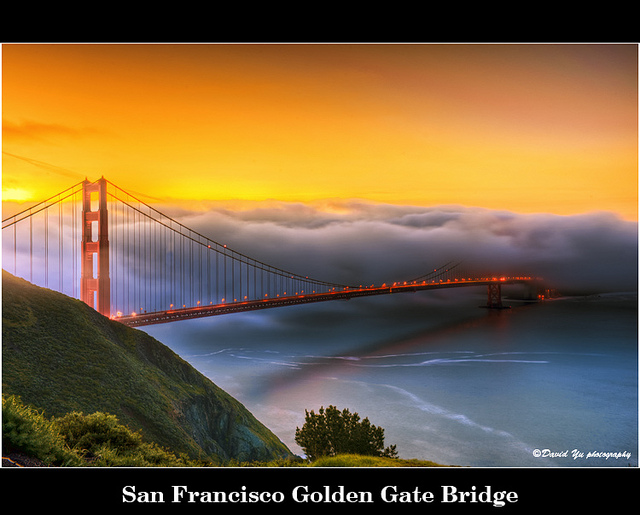
By David Yu

By nebojsa mladjenovic

By seyed mostafa zamani

By paul bica

By Len Radin

By Evan Leeson

By Dave

By Eduardo Amorim

By TumblingRun

By Evan Leeson

By Nick Kenrick

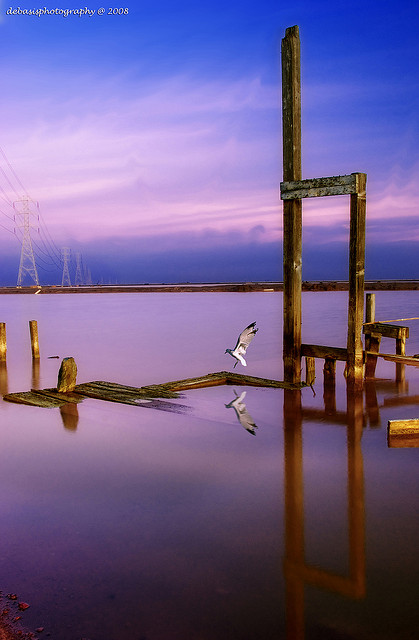
By Debasisphotography

By NeilsPhotography

By Trey Ratcliff

By Nikos Koutoulas

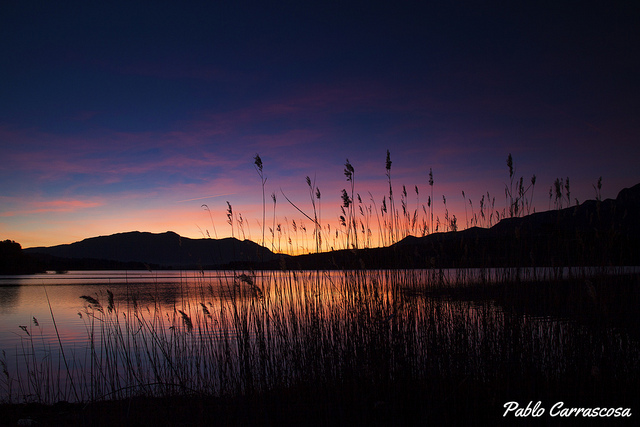
By Pablo Carrascosa

By John

By John

By Don McCullough

By cortto

By Nhi Tran

By a_migo

By Simon Stamm

By Kamil Porembi?ski

By Arlo MagicMan

By mr clearview

By Mike Baird

By Steve Corey

By philip hay

By Pedro Szekely

By Chris Goldberg

By Minoru Nitta

To get some tips on shooting sunsets and using sunset light try these articles:

  • How to Photograph Dramatic Clouds at Sunset
  • How to Shoot Landscapes at Sunset
  • Create a Warm, Sunset Mood Image in Lightroom 4
  • Tips for Great HDR Sunsets

The post 39 Colorful Sunset Photos to Start off Your Weekend by Darlene Hildebrandt appeared first on Digital Photography School.

Digital Photography School

 
Comments Off on 39 Colorful Sunset Photos to Start off Your Weekend

Posted in Photography


Do you pack up and leave after sunset and miss the fun of night photography?

11 Feb

There’s no question that the best light occurs during the golden hours, but does that mean that you should pack up your cameras after sunset and miss all the fun of night photography?

city-skyline-example

Absolutely not!

Fun of Night Photography

Night photography offers so many great opportunities for photographers that it’s something that shouldn’t be overlooked. In fact – I think it should be experienced by everyone.

Of course photographing at night means that you’re going to be pushing your gear to its limits. High ISOs, long shutter speeds, fast lenses, tripods, remote shutters, and patience are a must when it comes to photographing after the sun has set, but the results will be worth it.

So what is there to capture at night, and more importantly how do you go about capturing each of these subjects?

City Lights

Walking-the-city

Cities are great places to take photos any time of the day, but at night, cities come to life. Just think of Times Square in NYC or the Vegas Strip for example. Of course, not everyone’s going to have access to such iconic locations, but that doesn’t mean that your local city won’t offer you the goods.

When photographing a city you have so many options open to you; from skylines, to the simple every day things that make cities run. Things like the traffic, the people, and the objects they use to get around are a great start. This photograph of a bike, chained to a parking meter, in front of a church lit up for the night, is a great example of what can be found walking the city streets.

For more tips and examples on photographing cities at night check out these great posts:

  • Nightscapes: Photographing the City at Night
  • 41 City Skylines to Inspire You

The Night Sky

When it comes to capturing the night sky there are two basic ways that you can go about doing this. You can either show the vastness of space and showcase the number of stars in the sky, or you can capture the motion of the Earth’s rotation by creating star trails.

night-sky-photography

Night photography showing vast open sky and stars

The basic concepts for capturing both types of night sky photos are the same. You’ll need a tripod, a wide angle lens, and you’re going to be working with a large aperture in most cases.

When it comes to the shutter speed and ISO that is where things start to differ between the two types of shots. As the Earth’s rotation is what causes star trails to form, you have to limit your shutter speed in order to capture a single frame shot before this rotation creates the trailing effect.

Startrails-OneWS

Night photography capturing star trails over a long period of time

A general guideline for this is known as the 600 rule which basically states that the longest shutter speed you can use is determined by dividing 600 by your focal length corrected for 35mm. So if you’re using an 18mm lens on a 1.5x crop sensor DSLR you’d take 600 divided by 27 (18mm x 1.5 crop factor) which would mean that the longest shutter speed you can use would be about 22 seconds. To control this you’re going to need to set a rather high ISO. However, with modern DSLR cameras being as good as they are with noise these days, this is becoming less and less of an issue.

However, if you DO want to capture the star trail effect, then the object is to capture the motion that you were trying to avoid before. Often times star trail photographs are created by stacking multiple long exposures of the same scene over a long period of time. Since shutter speed is not going to be an issue here it’s much easier to use longer speeds which will result in less frames in the end. You’ll also be able to use lower ISO and smaller apertures here if you prefer.

Here are some more great posts to send you in the right direction for taking better photos of the night sky

  • Tips for Photographing Star Trails
  • How To Take Better Photos of The Stars

Light Trails

light-trails-example

Light trails are a lot of fun to photograph and can be done just about anywhere you can find a busy road.

In general any shutter speed from one second, to a few seconds, should be enough to give you the look you’re after. But it doesn’t just come down to finding a road with traffic and photographing it – make sure you’re aware of your composition as well.

light-trails-example-2

As roads make for great leading lines, try to use those to your advantage. You can either shoot from above the traffic on a bridge or a building, or your can try and get down low and shoot from a median or side walk. No matter where you’re shooting from you’re going to want to be super aware of your surroundings and never do anything that would put your life in danger – no photograph is worth getting hit by a bus over.

For more tips and examples on light trails check out these posts:

  • How to Shoot Light Trails
  • 9 Tips for Capturing the City in Motion

What else?

What else can you think of for night photography? I know I left at least one big one off this list and I did that on purpose as I have no experience in light painting – oops did I just give one away?

The post Do you pack up and leave after sunset and miss the fun of night photography? by John Davenport appeared first on Digital Photography School.

Digital Photography School

 
Comments Off on Do you pack up and leave after sunset and miss the fun of night photography?

Posted in Photography


8 January, 2014 – Death Valley Sunset

09 Jan


Have you ever come home from a landscape shoot, especially a sunrise or sunset and found the images on your computer after importing don’t look exactly like you remember seeing them?  Today Kevin Raber shows how he worked Death Valley Sunset.

Check out the NEW July 2014 Svalbard workshop to visit The Land Of The Polar Bear.  Hope you can join us on this one.


The Luminous Landscape – What’s New

 
Comments Off on 8 January, 2014 – Death Valley Sunset

Posted in News


How to Photograph Dramatic Clouds at Sunset

10 Oct

The difference between a nice sunset and a dramatic sunset is all about the clouds.

Of course, the difference between a dramatic sunset and no sunset is all about the clouds too!

A clear sky at sunset might turn a shade of pale blue or pink, which is beautiful and calming, but with just the right amount of clouds the sky becomes alive with fire and drama as the day’s last rays reflect off the clouds making them red, orange, purple and pink.

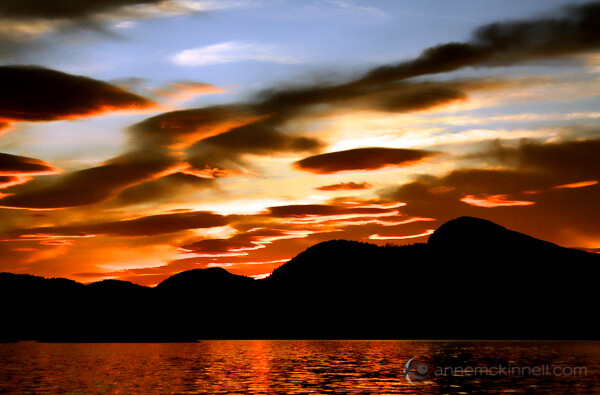
Desolation Sound Marine Park, British Columbia, by Anne McKinnell

Not all clouds are created equal though. They come in many shapes, sizes, densities, and altitudes, and they all refract or absorb the light in different ways that can drastically change the quality of your photographs.

Types of Clouds

Clouds that hang low in the sky and form a band on the horizon or appear like a thick blanket covering the sky will block the sun’s high-flying rays and make the sunset pretty anti-climactic, if you can see it at all.

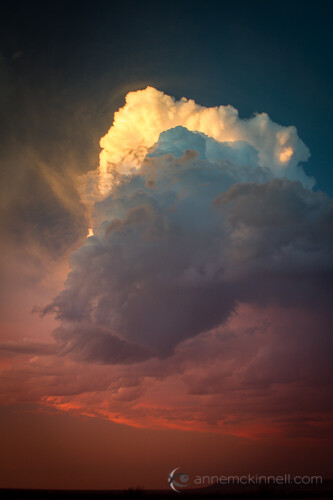
Sometimes large and lumpy clouds that are brighter on the top and dark on the bottom can create a lot of contrast, making for a very moody atmosphere. Rain, snow, and hail clouds fall under this category, as the weight of the excess moisture weighs them down.

Storm Cloud by Anne McKinnell

The most radiant displays of colour emerge when the clouds are very high in the sky. They are usually smaller, whiter, and thinner than the low-lying clouds, and they are able to catch the sunlight from beneath, allowing us to view those fiery colours from the ground.

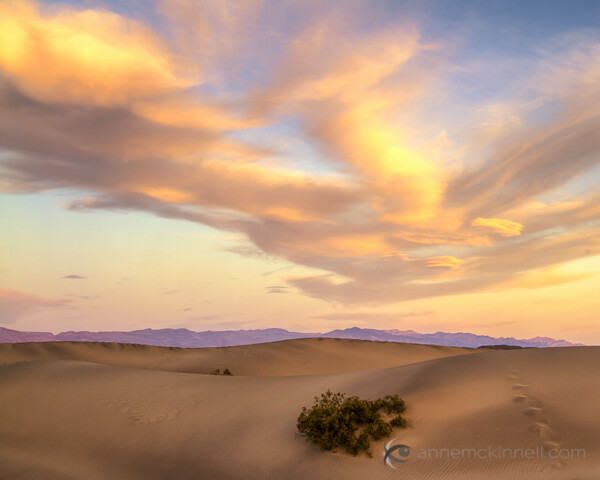
These are more likely to occur when the weather is hot and dry, which is why desert landscapes are famous for their magnificent sunsets. When you want to create a dazzling sunset photo, these are the clouds you want to look out for.

Mesquite Sand Dunes, Death Valley National Park, California, by Anne McKinnell

Predicting the Weather

Sunsets don’t last very long, so it takes a little planning and a lot of luck to have nature set up the perfect sky for you. You never know when the ideal conditions are going to present themselves, but if you tune your senses to the weather and its patterns, you will start to get an idea of when you can expect to see the right amount of clouds in a sunset sky.

Watch the sky over the course of the day to see what kinds of clouds are forming and how fast they’re drifting overhead. Check your local weather forecast to find out when the sun will go down, and try to judge if they’ll be sticking around based on the time of day and the speed of their movement. Keep informed about any storms coming in that will bring low-hanging clouds along with them.

If you have a great view from your back yard, all you have to do is keep your camera at hand so you can dart out when you see a great sky. On the other hand, if your aim is to travel to a more distant location to get your shot, you’ll have to be a little more precise in your calculations to avoid hauling all your gear up a mountain only to have the clouds dissipate. Your best bet is to choose a location that will be beautiful with or without clouds – that way, if nature doesn’t cooperate, you haven’t wasted the trip.

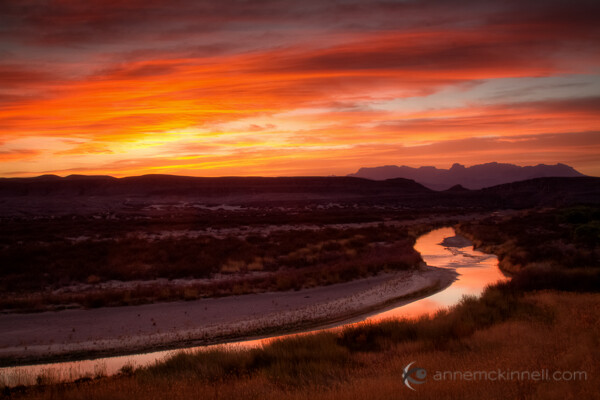
Rio Grande, Big Bend National Park, Texas, by Anne McKinnell

The Perfect Exposure

The most effective way of bringing out the natural saturation of coloured light is to underexpose very slightly – between a half-stop and a full stop. This darkens the rest of the image, making the colour pop in comparison. Use your exposure compensation to adjust this.

To make sure you get the best possible exposure, bracket your shots. This means taking several images at different exposures, so you can analyze them on your computer at home in order to determine which is the most successful. This can be done manually using your exposure compensation setting – take one image using the camera’s default settings, then take one that is underexposed by half a stop and one that is overexposed by half a stop. Some cameras will have an automatic bracketing option that you can utilize to change these settings for you.

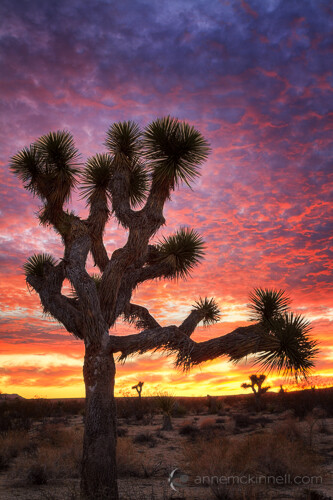
Another option is to create a high-dynamic range (HDR) image by combining multiple exposures as I did in this photo of a Joshua Tree. I made one exposure for the sky, another for the mid-tones, and another for the shadows and combined them in post-processing.

Joshua Tree National Park, California, by Anne McKinnell

If you want to soften the appearance of moving clouds, use a long shutter speed to blur them slightly. If they are drifting slowly you’ll need a longer exposure to achieve this than if they’re gliding swiftly across the sky.

Foreground

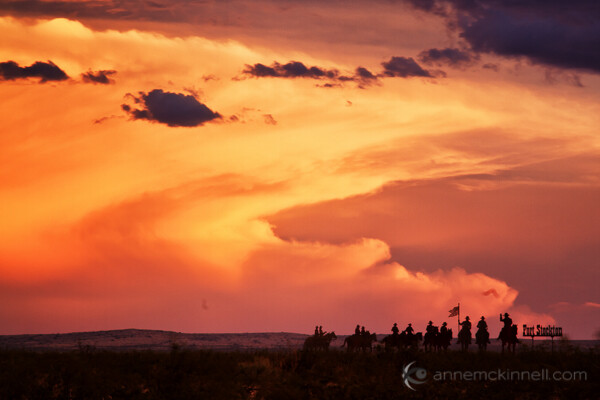
When you’re going after sunset-specific shots, there’s a good chance that your foreground is going to be silhouetted against the sky. When this happens, it’s easy to forget about the foreground all together. This is a mistake. Remember that every part of your frame is important. The darkened foreground is simply negative space, and should be composed just like the rest of the image. Look for interesting shapes or objects to place in the frame to create a focal point that enhances the picture. If you want your foreground to be more visible, use fill flash (flash with the brightness turned down) to lighten the subject slightly without overexposing.

Fort Stockton, Texas, by Anne McKinnell

Post-Processing

When you bring your photos into an image editing program, you might have the urge to crank up the saturation and make the colours really bold. Resist the urge to go overboard on this feature; a 5% increase is all right, but much more than that can cause your image to take on a cartoonish look that could make it appear inauthentic. If your software allows you to, change the “vibrance” instead. This option is similar to saturation, but it focuses its effects on the pixels with lower colour intensity, preventing over saturation. Be ginger with your adjustments, and when in doubt dial them back a little bit to ensure the alterations are subtle and the final image looks natural.

Post originally from: Digital Photography Tips.

Check out our more Photography Tips at Photography Tips for Beginners, Portrait Photography Tips and Wedding Photography Tips.

How to Photograph Dramatic Clouds at Sunset

The post How to Photograph Dramatic Clouds at Sunset by Anne McKinnell appeared first on Digital Photography School.

Digital Photography School

 
Comments Off on How to Photograph Dramatic Clouds at Sunset

Posted in Photography


Getting Great Portraits At Sunset

14 Sep
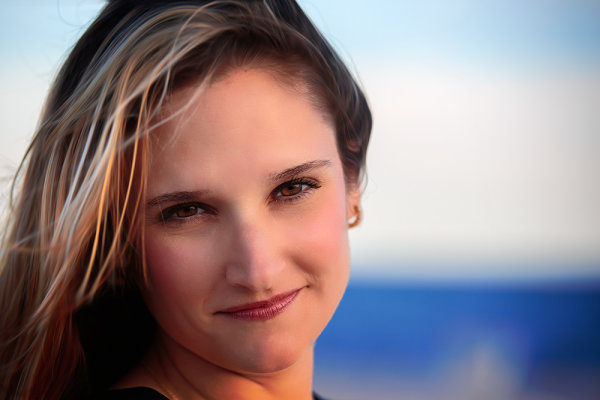
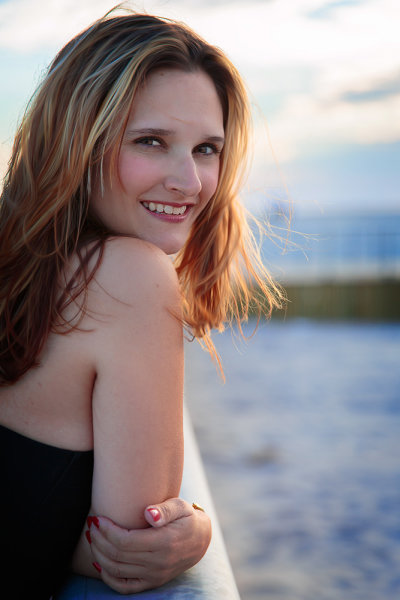
As the sun dipped down I was able to completely remove the flash and use the sun as my main light source, with no fill. I simply moved around my subject, asking her to turn her head a little so I could see the changes in the light on her face, and position her so that the light was the most pleasing.  EOS 5D Mark III, EF 70-200 f/2.8L IS II. ISO 100, f/2.8, 1/250.
As the sun dipped down I was able to completely remove the flash and use the sun as my main light source, with no fill. I simply moved around my subject, asking her to turn her head a little so I could see the changes in the light on her face, and position her so that the light was the most pleasing. EOS 5D Mark III, EF 70-200 f/2.8L IS II. ISO 100, f/2.8, 1/250.

I try to take advantage of natural light for shooting portraits whenever I can.  It’s important to recognize the ways different types of natural light affect your images.  A few months ago I wrote about shooting portraits in midday sun.  This past week I was approached by a close friend who wanted a portrait taken.  After discussing ideas, we decided the beach at sunset would be our setting. Sunset can be as problematic as midday sun for a variety of reasons.   As sun dips lower in the sky, the light gets softer as atmospheric haze diffuses it. In addition, the color temperature warms up, giving a nice warm glow to your scene. However, even an hour before sunset, the light can still be harsher than preferred, casting odd shadows, or creating a harsh backlight. Using flash as fill can help, but as the sunlight takes on a warmer tone, the flash will appear to be too blue. So how do we solve these issues?

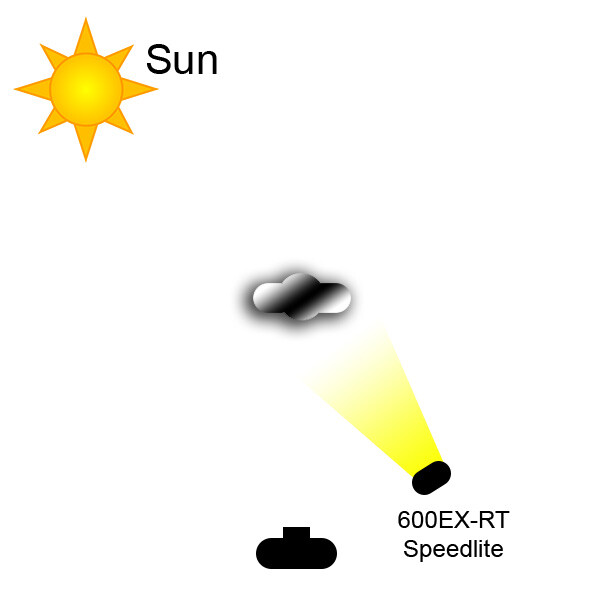
This was one of the first shots taken, on the boardwalk at the beach.  The sun was harsher than I wanted so opted to use wireless flash.  I positioned my friend with the sun at her back and over her right shoulder, and the flash to her front left.  I also had the flash set to high speed sync. I then set the flash to E-TTL, with flash exposure compensation set to even.  I set the camera's exposure compensation to -1, in Aperture Priority.  Doing this lessens the sun's impact on the image, helps darken the sky, and the background overall. Exposure was ISO 100, f/4, 1/4000.

This was one of the first shots taken, on the boardwalk at the beach. The sun was harsher than I wanted so opted to use wireless flash. I positioned my friend with the sun at her back and over her right shoulder, and the flash to her front left. I also had the flash set to high speed sync. I then set the flash to E-TTL, with flash exposure compensation set to even. I set the camera’s exposure compensation to -1, in Aperture Priority. Doing this lessens the sun’s impact on the image, helps darken the sky, and the background overall. Exposure was ISO 100, f/4, 1/4000.

Let’s deal with the harsh light, an hour or so before sunset first.  First, as I mentioned in my earlier post, you can use a scrim or reflector and modify the sunlight that way.  However, this time it was just me and my friend, so I had no one to hold the scrim or reflector and the wind on the beach was too gusty to risk putting the reflector on a stand. I had to use flash.  I was able to use off-camera flash, wirelessly.  I was shooting a Canon EOS 5D Mark III with an ST-E3 wireless flash transmitter mounted to the camera’s hot shoe. I used a 600EX-RT speedlite off camera, mounted on a lightstand.  Again, due to the wind, a softbox or umbrella was out of the question, so I left the flash bare.  There are several ways to compensate for the cooler color temperature of the flash.  You can use what’s known as a warming gel, or CTO (color to orange) gel, on the flash to match the temperature of the sunset.  This is fairly simple solution.  The other solution is simply to set your white balance for the flash, which will have two effects.  One, it will warm the illumination from the flash.  Second, it will warm the sunset light even more, which can be quite pleasing if not overdone.

As the sun dipped down I wanted to turn the flash off and go for a more natural look. The light was still a bit harsher than I wanted so I started shooting backlit. I tried some fill flash, but the light was casting unflattering shadows and not meshing well with the available lighting. Turning the flash off, I positioned my subject so she was facing away from the sun, but had some sand in front of her that reflected enough light back into her face to create some soft catchlights in the eyes.

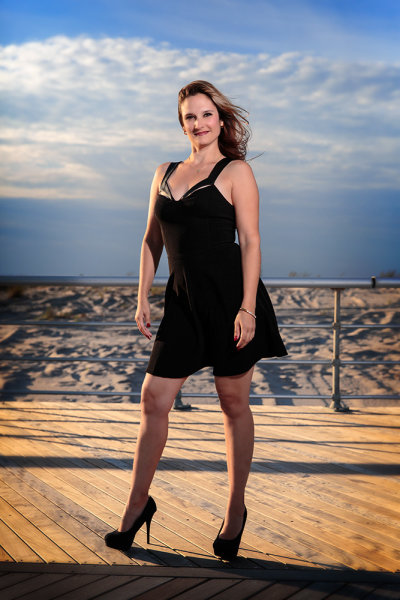
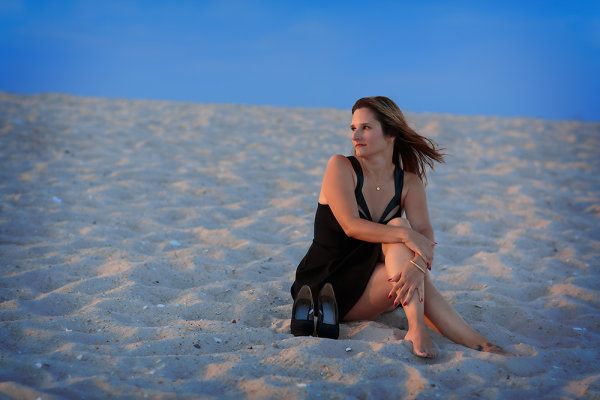
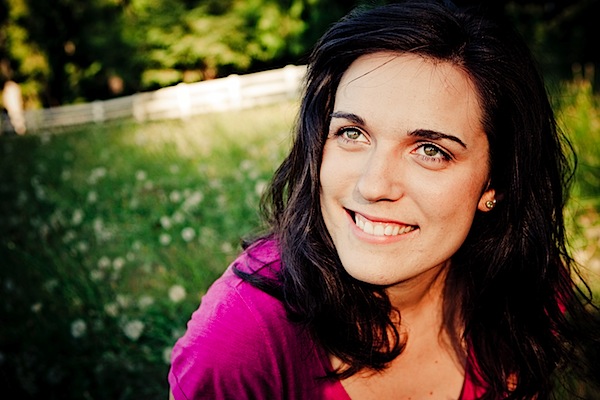
Finally, the sun dipped down and softened enough that I could ask my subject to look directly into it. This creates a soft, warm look on the face with nice shadows.  Pay attention to how the light falls on your subject when doing this. Ask your subject to slowly turn her head so you can see how the light on her face changes as she does so.  This will give you an idea of how you want her to pose, using the sun as a point of reference for her positioning. The shot in question is the first image in the article.  I also used this technique in the last image, for a wider shot.

Another way to deal with the harsh sun is to shoot backlit. I had tried some fill flash on this shot but it just didn't look the way I wanted it to. The flash caused the noise to cast an unnatural shadow that I found unflattering. I turned the flash off and positioned her so the sand created some fill in her face.  EOS 5D Mark III with EF 24-70 f/2.8L II. ISO 100, f/2.8, 1/400.

Another way to deal with the harsh sun is to shoot backlit. I had tried some fill flash on this shot but it just didn’t look the way I wanted it to. The flash caused the noise to cast an unnatural shadow that I found unflattering. I turned the flash off and positioned her so the sand created some fill in her face. EOS 5D Mark III with EF 24-70 f/2.8L II. ISO 100, f/2.8, 1/400.

This was one of the last shots of the day.  The beach was nearly empty and I wanted to use the texture of the sand, the deep blue of the sky, and the red glow of the sun to create a graphically strong image. I positioned her so that if she turned her head her face would be lit by the sun and the sun would create a rim of light on her side. EOS 5D Mark III with EF 85mm f/1.2L II. 1/320, f/2.8, ISO 100.

This was one of the last shots of the day. The beach was nearly empty and I wanted to use the texture of the sand, the deep blue of the sky, and the red glow of the sun to create a graphically strong image. I positioned her so that if she turned her head her face would be lit by the sun and the sun would create a rim of light on her side. EOS 5D Mark III with EF 85mm f/1.2L II. 1/320, f/2.8, ISO 100.


Quick lighting diagram for the shot using off camera flash.

Quick lighting diagram for the shot using off camera flash.

Post originally from: Digital Photography Tips.

Check out our more Photography Tips at Photography Tips for Beginners, Portrait Photography Tips and Wedding Photography Tips.

Getting Great Portraits At Sunset


Digital Photography School

 
Comments Off on Getting Great Portraits At Sunset

Posted in Photography


How to Shoot Landscapes at Sunset

26 Jul

Sunsets are a huge draw for landscape photographers due to the unique light at the end of the day. Not only is the colour of the light attractive but also its low angle as the sun goes down gives greater texture to the landscape.

Whilst the conditions at sunset have the potential to yield great images, they also provide challenges that need to be overcome to maximise that potential.  Here I want to share some tips and approaches for shooting landscapes at sunset.

Camera Settings

One thing I am often asked is “what settings should I use to photograph a sunset?”.  Photographing at sunset is no different to shooting any other landscape; therefore the following make a good starting point:

Shooting mode: Manual
ISO: 100
Aperture: f/11 (maximising depth of field, without compromising image quality)
Shutter speed: Adjust so that detail is retained in the sky highlights (if too bright, make it faster, if too dark, make it slower)
White balance: Daylight/Sunny (if shooting in JPEG)

However camera settings alone do not guarantee success, there are a few other things to consider.

Sunset with star burst

Shot into the sun as the sun crossed the tree line (ISO 200, f/11, 30s, using 3-stop graduated ND filter, 10-stop ND filter)

Exposure

Often, the draw of a sunset is a brightly coloured sky containing reds, pinks and oranges and the temptation can be to make the sky the focal point of the image, expose for it, and throw everything else into silhouette.  If there is an interesting skyline, this can work compositionally however if not, you will be left with an image that can lose the viewers interest quickly – after the sky, there is nowhere left for the eye to go.

Also, one of the joys of sunset is capturing the golden light illuminating the world in front of you and casting long shadows.  Therefore, capturing both the land and sky correctly exposed can produce images with a much higher impact that will hold the viewers attention for longer.  However, therein lies one of the challenges.

When the sun is low, the sky will appear very bright in comparison to the land.  Due to the limited dynamic range of digital sensors, the difference in brightness between the sky and the land can cause problems for the resulting image – if the difference is too great, you will either lose detail in the highlights (sky) or shadows (land).

There are two ways to overcome this:

  1. Use graduated neutral density filters (as covered in this post) to reign in the bright sky, and ensure that you can record the full range of highlights and shadows in one image
  2. Take multiple images (one exposed for the sky, one exposed for the land as a minimum) and blend the two together using photo editing software.

Both approaches come with complications (the potential for unwanted flare or colour casts from filters, or unwanted movement between exposures for the blending).  My preference is to use graduated neutral density filters, with the aim of getting as much right in-camera in one image, to save having to spend time blending exposures when back at my computer.

Sunset, shot away from the sun

Shot with the sun at 90 degrees to my right highlighting the foreground rock detail (ISO 100, f/11, 1.6s, using 3-stop graduated ND filter)

Don’t pack up when the sun goes down

Too many people pack up and head home when the sun goes down, but it’s only 10 or so minutes after the sun has set that the real colour display in the sky begins.  A small amount of time after the sun drops below the horizon, you often see any clouds in the sky take on a red/pink hue.  As there is no bright light source at this time, shutter speeds soon increase to a few seconds, so a tripod is a must, but you will be able to capture images with incredible saturation in the sky, without any post processing.

Sunset taken after the sun went down

Taken approx. 30 minutes after the first image above, showing the clouds taking on the pink/purple tones (ISO 200, f/11, 4s, using 2-stop graduated ND filter)

Don’t forget sunrise

Everything I’ve written here discusses shooting at sunset, but it all applies to sunrise too.  It is a much more difficult to motivate yourself to go out at sunrise, but it is my favourite time of day to take landscape images as the light is just as magical and, depending on the overnight temperatures, you can often be greeted with early morning mists that can add a whole new dimension to your landscape images.

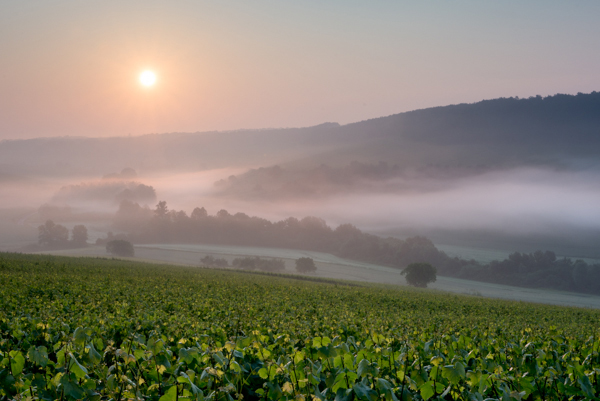
Sunrise with mist rolling over landscape

Taken just after sunrise with mist rolling in the valley below (ISO 100, f/11, 1/40s, using 3-stop graduated ND filter)

So whilst sunrise or sunset are challenging times of day to shoot effectively, hopefully the above tips will help you go out and capture the full potential of the landscape in front of your lens.

Post originally from: Digital Photography Tips.

Check out our more Photography Tips at Photography Tips for Beginners, Portrait Photography Tips and Wedding Photography Tips.

How to Shoot Landscapes at Sunset


Digital Photography School

 
Comments Off on How to Shoot Landscapes at Sunset

Posted in Photography


Transformation: Sunset Rainbow over Yosemite National Park

14 Jun
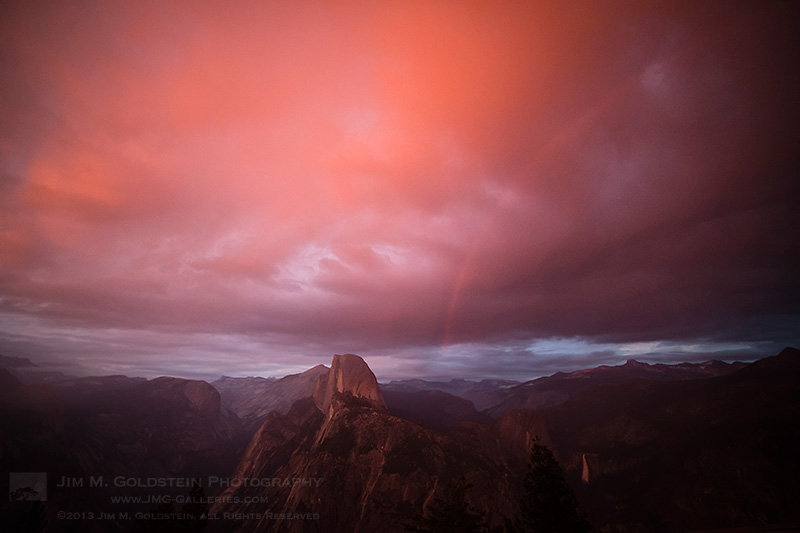
Sunset Transformation and Rainbow - Yosemite National Park, California

Transformation: Sunset Rainbow over Yosemite National Park

30 minutes of amazing transformation is all it took to change a drab gray stormy view of  Yosemite’s Half Dome and Nevada Falls into a dynamic fiery rainbow filled  scene. Literally in the 11th hour after a full day of foggy and overcast weather I witnessed a sunset like I’ve never seen anywhere in all my travels.

As if scripted, storm clouds rose above Yosemite Valley and were illuminated by a thin pipe of sunset light. Just as the intensity of the red light was about to peak the clouds exploded into downpour. This cloudburst in combination with the suns last gasp of light created the largest rainbow I’ve ever seen. Even with a Zeiss 15mm ultra-wide lens I was only able to photograph a third of it. This sunset was easily the most stunning I’ve yet to witness.

Photo Details:
Canon 5D Mark III, Zeiss Distagon T* f/2.8 15mm ZE lens, 1/250 sec at ISO 1600
Equipment courtesy of BorrowLenses.com

Copyright Jim M. Goldstein, All Rights Reserved

Transformation: Sunset Rainbow over Yosemite National Park

The post Transformation: Sunset Rainbow over Yosemite National Park appeared first on JMG-Galleries – Landscape, Nature & Travel Photography.


JMG-Galleries – Landscape, Nature & Travel Photography

 
Comments Off on Transformation: Sunset Rainbow over Yosemite National Park

Posted in Equipment


Sunset on Coachella, Coachella 2013 — Indio, CA

16 Apr

Sunset on Coachella, Coachella 2013 -- Indio, CA

Check out all my Coachella 2013 Photos here.

Just finished up a fantastic weekend shooting the first weekend down here at the Coachella music festival. I got to photograph so many new and interesting bands. Mostly I spent the entire time shooting with my good pal Robert Scoble. Check out Scoble’s photos on his Google+ stream. Ron Sheridan has a Pixt wall up on Coachella as well here.

Thanks so much to Sam Levin and JBL Audio for getting us down here and for getting us media credentialed. Thanks to BorrowLenses for equipping us with some heavy duty gear. Scoble brought down a 600mm and a 400mm that we used to shoot the bands. Mostly I shot with a Canon 70-200 f/2.8, but those big guns came in handy a lot of time too. They were *tough* to lug around all weekend long, but worth it!

Thanks also to Seagate for the great storage for holding thousands of photo files for us. I’m testing out one of their new wireless hard drives (more on that later!).

I’ll write more about what shooting the weekend was like soon, but am going to work on getting a lot of photos processed first. I made some great new friends and got to hang out with some pretty cool people. Sam Levin, Chris Voss, Jen Friel, Daniel Brusilovsky, Ron Sheridan, you guys rock! Getting to hear Greg Kihn play Beatles and Stones songs for us in the RV on the way down was a definite highlight — man that guy can sing. Greg’s also got some of the best stories you’ve ever heard about rock and roll. Great getting to know you on the trip down Greg!

Check out all my Coachella 2013 Photos here.


Thomas Hawk Digital Connection

 
Comments Off on Sunset on Coachella, Coachella 2013 — Indio, CA

Posted in Photography


How to Use Sunset Light to Light Portraits

24 Mar

Sunset is arguably the most beautiful time of day for portrait light. But you don’t want to simply take your subject outside and start shooting. Take a few moments to identify “how” to use your light and your portraits will be dreamy.

Here are three ways you can use the light by setting your subject in relationship to the setting sun.

1. Front Light:

Place your subject facing the light. Shoot facing your subject with your back to the light. The light will brightly illuminate your subject, bringing out stunning catchlights. Take note: if the light is too bright for your subjects eyes, simply have them close thier eyes until you are ready to snap the shot – and make that moment count.

sunset 1 - Front Light.jpg

2. Side Light:

Turn your subject so that only one shoulder is facing the light. Then turn thier face 3/4 degrees into the light. This side angle will give you soft transfer edges between the highlights and shadows. This lighting will also add depth to your portrait. Shoot facing your subjects lit shoulder.

sunset 2 - Side Light.jpg

3. Back Light:

For a most unique and artistic shot, place your subject with thier back to the setting sun. On Manual mode, overexpose the portrait so your subject is evenly lit. Remember this will cause your background to be overexposed and your highlights will be blown out.

sunset 3 - Back Light.jpg

Experiment with the angle at which you place your subject to the sun and you will be more than pleased with the creative results.

Post originally from: Digital Photography Tips.

Check out our more Photography Tips at Photography Tips for Beginners, Portrait Photography Tips and Wedding Photography Tips.

How to Use Sunset Light to Light Portraits


Digital Photography School

 
Comments Off on How to Use Sunset Light to Light Portraits

Posted in Photography