RSS
 

Posts Tagged ‘Star’

Beginners Tips for Night Sky and Star Photography

21 May

Star Photography

My favorite type of personal photography is taking night shots of the stars (long exposure pictures). I am often busy shooting pictures of people at weddings, or apartments, or models, and it’s important for me to make sure I take pictures for fun regularly. Taking pictures for no one other than myself is highly rewarding, soul filling, and fun! I also love taking travel photos and HDR photos, in this article we will take a close look at exactly how you can take your own epic star photographs.
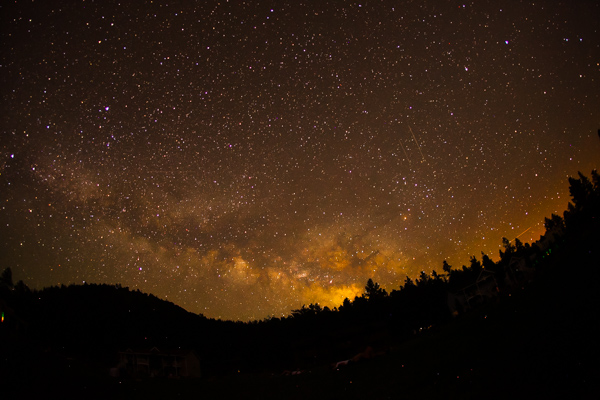
star photography

30 seconds at f/2.8, ISO 1250

What you need to take jaw-dropping pictures of stars

To take your star pictures, you only need three things:

  1. a full-frame camera (for better ISO capabilities)
  2. a fisheye lens (for the widest view of the sky)
  3. a tripod (for stability during 15 second photos)

(Note: You can do this with a cropped sensor camera, without a tripod, and without a fisheye lens. It will just be a little harder and slightly less jaw-dropping)

star photography

25 seconds at f/2.8, ISO 1600

Camera settings

You can nail this shot almost every time with these settings:  25 second exposure, f/2.8, ISO 1600

If your lens doesn’t open up to f/2.8 you can try 30 seconds at f/4 with ISO 1600.

Note: this kind of photography won’t work if there is a full moon out (or even a half moon). Don’t compete with large light sources, the stars will be over powered. The best location for star photography is way out in nature, away from city lights that cause “light pollution.”
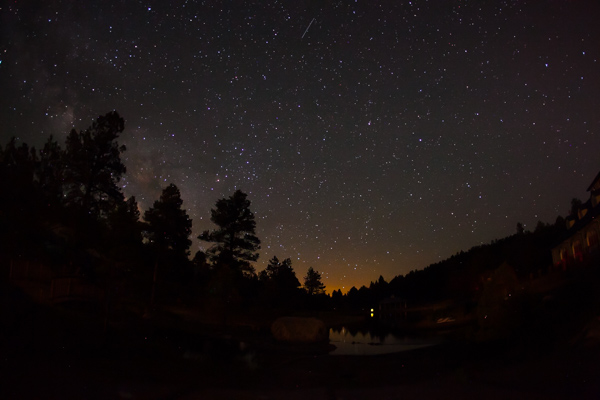
star photography

13.0 seconds at f/2.8, ISO 1600

Why to use these settings

The most important component of these settings is the 25 second exposure. An exposure longer than about 25 seconds will start to show star trails. Photographing star trails is a legitimate type of photographyon its own, but not the type of photography you are trying to do here. Since you are limited to about 15-25 seconds max shutter speed, you still need to let in more light. The largest aperture you can find on a fisheye lens is f/2.8, and still your picture might not be quite bright enough to look stunning. So this is where the ISO comes into play. On a full-frame camera like the 5D Mark III or the Nikon D800 you can bump the ISO up to around 2000 without seeing much noise. You’ll learn how to reduce noise in Lightroom in the next section for a super clean photo.

star photography

Editing in Lightroom

I do extensive retouching in Lightroom after I take my photos. I’ll usually boost the exposure up by a stop or more and I’ll use Noise Reduction under the Detail section to reduce any unwanted “noise” (those pesky extra white, red or blue pixels that show up when you push the ISO too high). Here is a standard star photo of mine and the Lightroom settings I used to create it:

star photography

25 seconds at f/2.8, ISO 1600

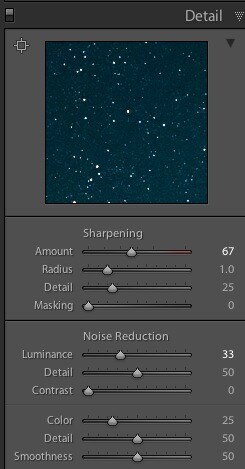
Here are the Lightroom settings I used to edit the above photo:

star photographystar photography

1) You can see in the first panel that I bumped the whites up to +46 and brought the blacks down to -52. I really wanted to emphasize the stars against the dark sky and this is a good way to do that. Pushing the clarity up to +55 also helps define the stars against the sky, making them nice and crispy. I boosted the saturation to bring out any colors that are in the sky.

2) In the second panel you can see that I sharpened up the image a bit, also to emphasize the stars. At the same time, I brought up the noise reduction to 33 to smooth out some of the noise that might show up, and I brought up the color to 25 for the same reasons.

Pro tips

star photography

Here is where you can have fun with the editing. Play around with the split toning sliders to make the colors in your sky appear magical. In the photo above you can see a little bit of turquoise in the lower part of the sky, and that comes from boosting that color in the Shadows of the Split Toning slider here:

star photography

You can also affect the color of the sky by playing around with the temperature and hue sliders to get some pretty magnificent looking star photos. Take a look at this one photo rendered three different ways:

Another pro tip that you may have noticed in all of the photo examples I gave here is this – shoot your stars in context. It really tells a great story to see a silhouette of a pine tree or a house in the background, and it shows the magnitude of the scene when you have an object in the foreground to compare to the stars.

Lastly, make sure you know which direction the Milky Way is. You can use an app like Sky Map to see exactly what stars are in the sky above you.

Have fun shooting, and please share your pictures below!

star photography

The post Beginners Tips for Night Sky and Star Photography by Phillip VanNostrand appeared first on Digital Photography School.
Digital Photography School

 
Comments Off on Beginners Tips for Night Sky and Star Photography

Posted in Photography


Sci-Fi Staple: Star Wars Mosaic Made of Surprising Material

06 May

[ By Steph in Art & Drawing & Digital. ]

Star Wars Staple Mosaics 1

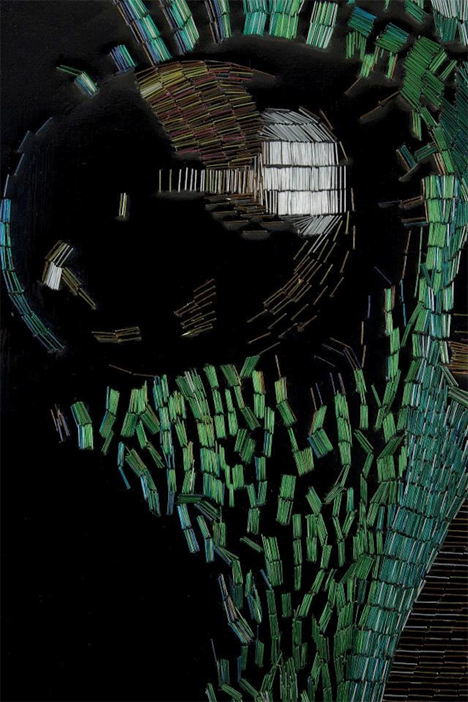
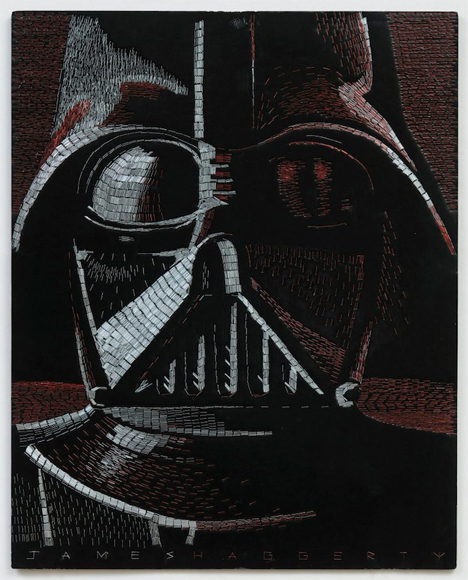
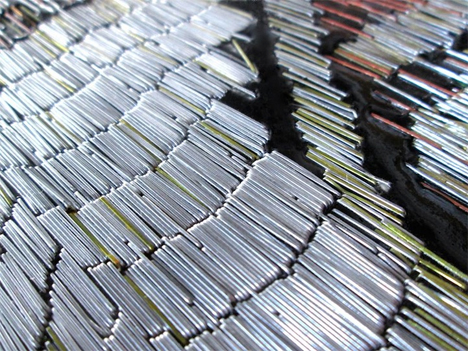
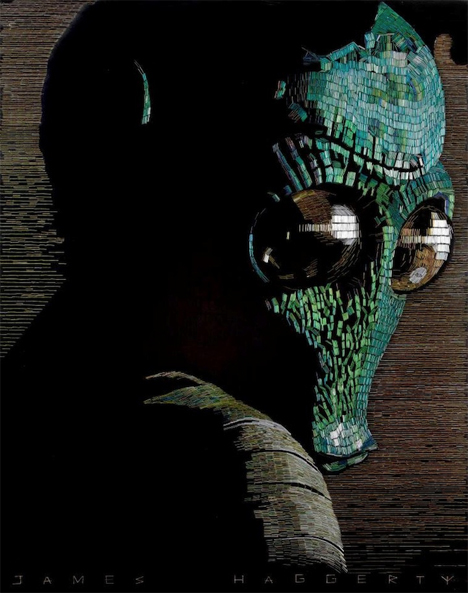
Virtually no artistic medium has gone unexplored in the quest to celebrate the continuing legacy of the Star Wars series. There have been life-sized X-wing fighters made of Lego blocks, edible versions of every character, creatively decorated Stormtrooper helmets, tons of Star Wars-themed graffiti and even Star Wars Yoga. And now, artist Jim Haggerty offers up amazingly detailed mosaics made of thousands upon thousands of staples.

Star Wars Staple Mosaic 2

Star Wars Staple Mosaic 3

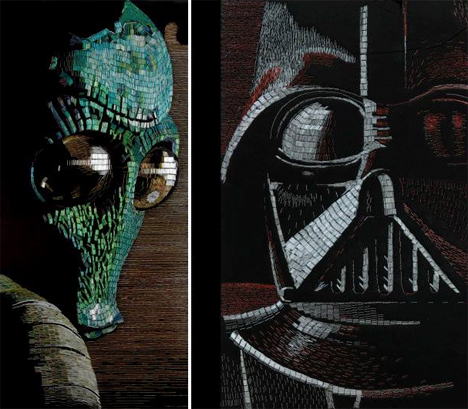
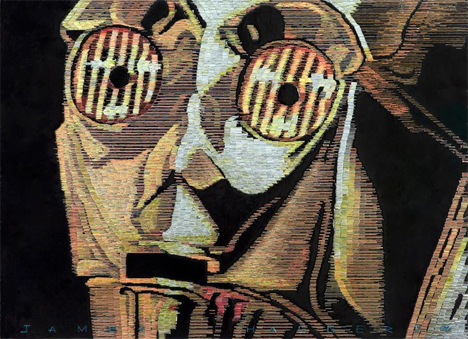
The New York City-based artist has created a series of Star Wars-themed staple mosaics including Darth Vader, C3PO and Greedo, the latter of which required an incredible 33,580 multi-colored staples.

Star Wars Staple Mosaic 4

Star Wars Staple Mosaic 5

Haggerty first paints a board, using dark colors to fill in the negative space, and then meticulously punches in individual staples for the highlights and mid-tones. The metallic gleam of the staples adds extra contrast against the black.

Star Wars Staple Mosaic 6

See more on Haggerty’s Facebook.

Share on Facebook


[ By Steph in Art & Drawing & Digital. ]

[ WebUrbanist | Archives | Galleries | Privacy | TOS ]


WebUrbanist

 
Comments Off on Sci-Fi Staple: Star Wars Mosaic Made of Surprising Material

Posted in Creativity


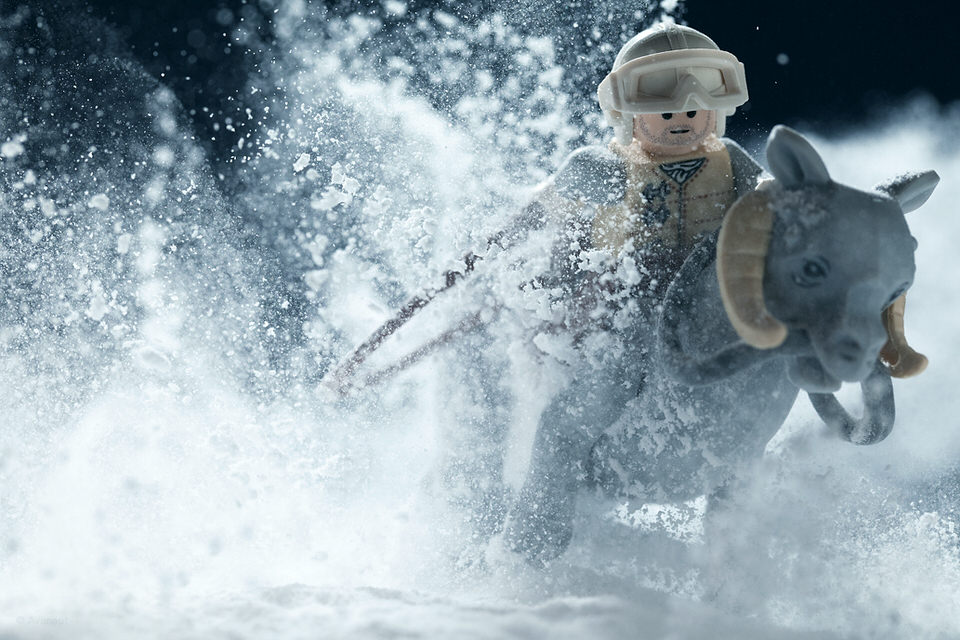
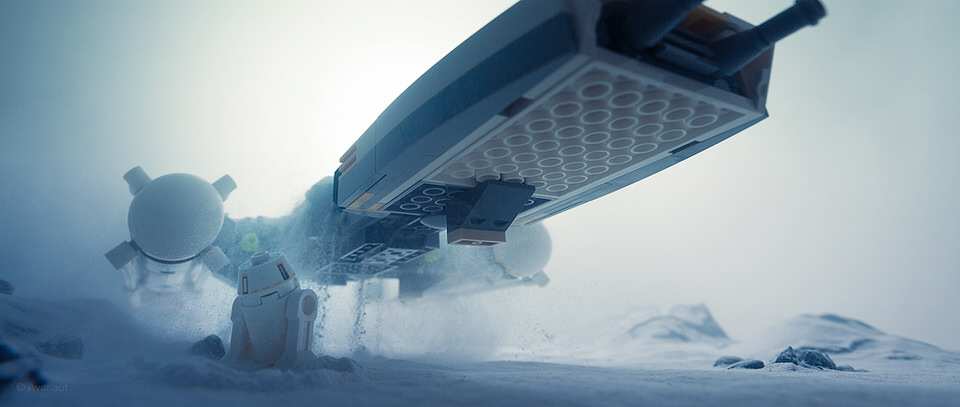
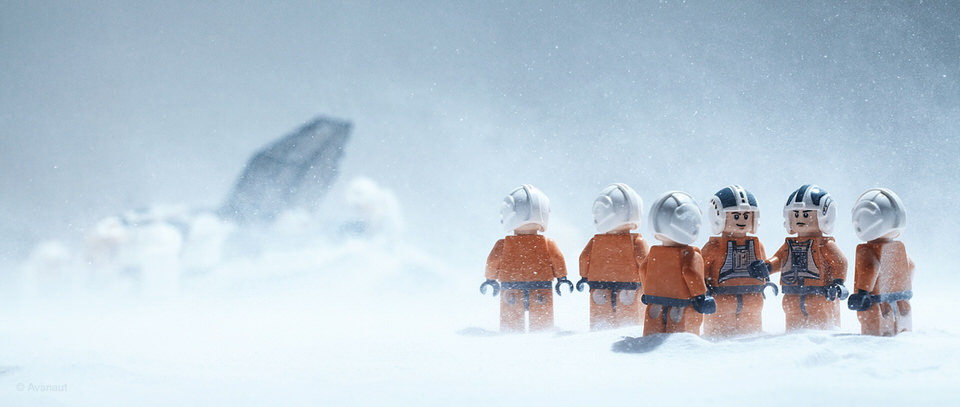
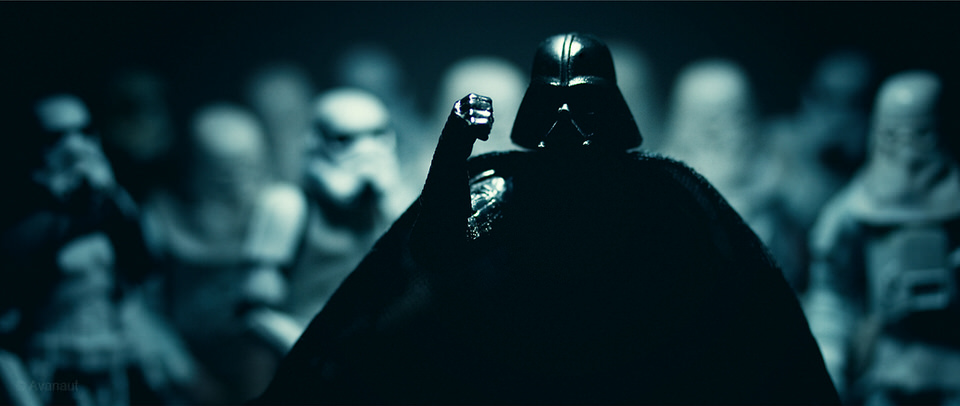
Star Wars Miniaturfotografie mit Lego

02 Apr

Star Wars? Hat mich nie interessiert. Vielleicht hatte ich auch den falschen Freundeskreis dafür. Möglich. Heute werde ich mit hochgezogenen Augenbrauen bestaunt, wenn ich mit verschränkten Armen gestehe, keinen einzigen Teil der Triologie gesehen zu haben.

„Ach was. Echt nicht? Kann nicht sein. Das gehört doch dazu!“ – „Krieg der Sterne? Mir doch schnuppe.“

Alle darauf folgenden Überzeugungsversuche, mich für das unsägliche Filmerlebnis zu gewinnen, scheitern meist kläglich an meiner Leidenschaftslosigkeit für das Genre.

Doch: Seit zwei Wochen interessiert mich das Thema. Warum das? Weil ich wissen will, was den Fotografen Vesa Lehtimäki an Star Wars fasziniert hat.

Auf mein neugieriges Nachfragen hin kommt er ins Plaudern:

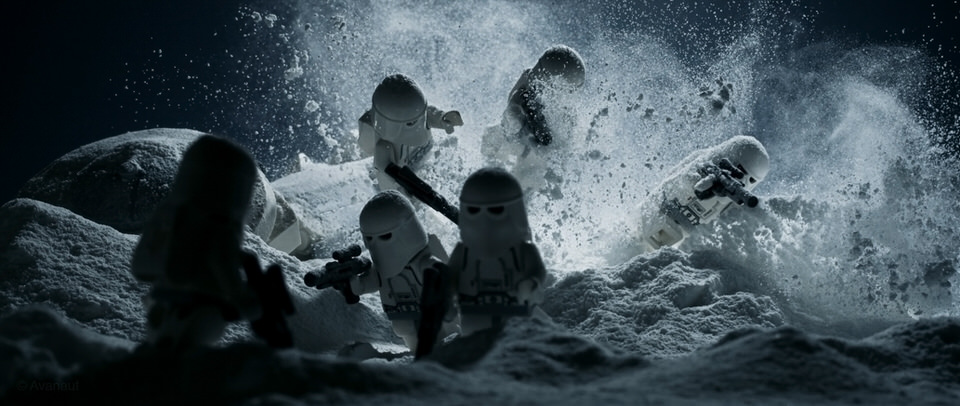
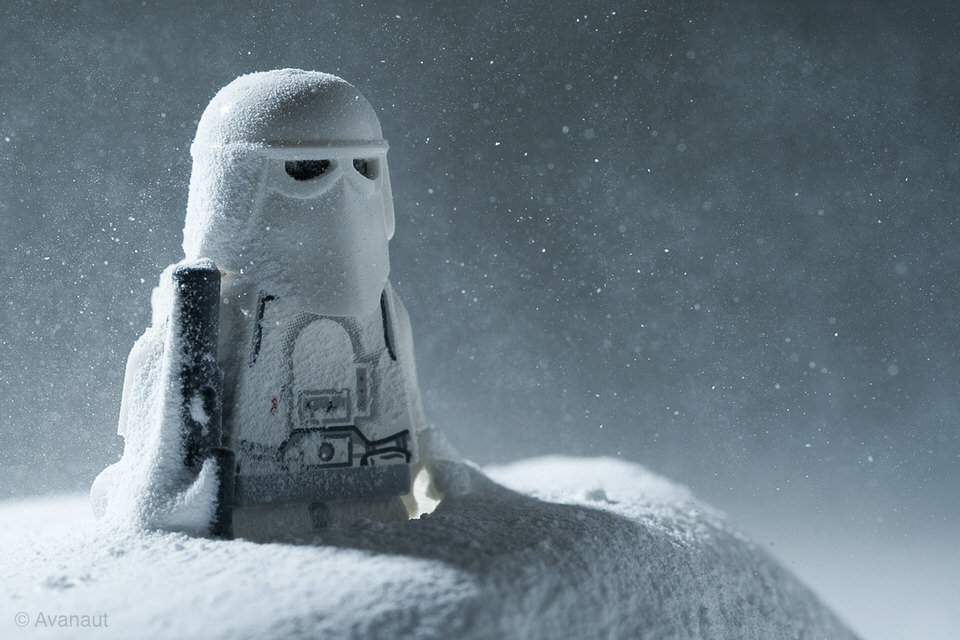
2009 fing ich an, Spielsachen zu fotografieren. Die eigentliche Idee war, alles, was wir hatten zu dokumentieren, bevor die Sachen kaputtgehen, verschwinden oder weggegeben würden. Und mit den Star-Wars-Figuren kam meine Begeisterung für die Original-Triologie wieder hoch und das Projekt geriet außer Hand.

Schon interessant, was passiert, wenn ein Projekt außer Hand gerät, nicht war?

Star Wars Lego © Vesa Lehtimäki

Star Wars Lego © Vesa Lehtimäki

Star Wars Lego © Vesa Lehtimäki

Star Wars Lego © Vesa Lehtimäki

Star Wars Lego © Vesa Lehtimäki

Star Wars Lego © Vesa Lehtimäki

Star Wars Lego © Vesa Lehtimäki

Star Wars Lego © Vesa Lehtimäki

Star Wars Lego © Vesa Lehtimäki

Star Wars Lego © Vesa Lehtimäki

Star Wars Lego © Vesa Lehtimäki

Vesa selbst schreibt weiter, er habe „es sehr genossen, die Spielzeuge abzulichten und die Möglichkeiten der Miniatur-Fotografie auszuschöpfen“. Übrigens ist Vesa sowohl auf Facebook als auch auf Twitter zu finden.

Ja, so ist das eben, wenn die Dinge zusammenkommen: Für mich ist das Star-Wars-Projekt ein weiteres Beispiel dafür, wie wichtig es ist, das zu fotografieren, womit man sich identifiziert, was einen begeistert, kurz und ein wenig kitschig: Was man liebt.

Und jetzt? Richtig. Jetzt kaufe ich mir die Star-Wars-Trilogie*.

* Das ist ein Affiliate-Link zu Amazon. Wenn Ihr darüber etwas bestellt, erhält kwerfeldein eine kleine Provision, Ihr zahlt aber keinen Cent mehr.


kwerfeldein – Fotografie Magazin | Fotocommunity

 
Comments Off on Star Wars Miniaturfotografie mit Lego

Posted in Equipment


Celestial Influences: Petroglyphs and Star Trails

18 Mar

Celestial Influences: Petroglyphs and Star Trails

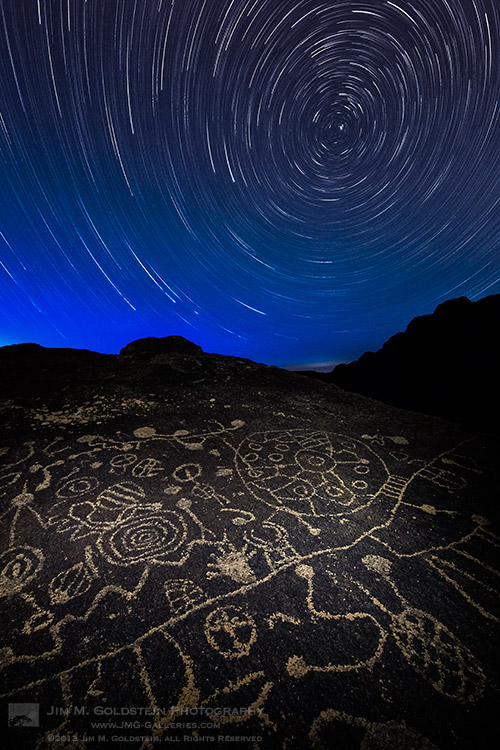
Standing out in the middle of no where at night in the presence of ancient petroglyphs unleashes ones imagination in more than one way. When not thinking about what wild life could be sneaking up on me (cougars, coyotes, mice… as it turns out mostly mice) my mind wandered to the source of inspiration for these ancient drawings. Was the person(s) that made these drawing bored, doodling, documenting, ancient life or gathering inspiration from the night sky? I personally made the connection between the circles & spirals on this rock with the movement of the stars.  Looking back at my photos from this night my curiosity again is piqued. I suppose the fact no one has a firm answer is what makes these petroglyphs so attractive & intriguing. What do you think?

Copyright Jim M. Goldstein, All Rights Reserved

Celestial Influences: Petroglyphs and Star Trails

The post Celestial Influences: Petroglyphs and Star Trails appeared first on JMG-Galleries – Landscape, Nature & Travel Photography.


Related Stories

  • Celestial Influences: Petroglyphs and Star Trails – Enclosure
  • In Defense of Pretty Pictures – Enclosure
  • In Defense of Pretty Pictures
Feed Ads by FeedBlitz
powered by ad choices


JMG-Galleries

 
Comments Off on Celestial Influences: Petroglyphs and Star Trails

Posted in Equipment


Save 25% on my eBook and Star Trail Webinar Now Through January 2nd, 2014

01 Jan

New Years Sale

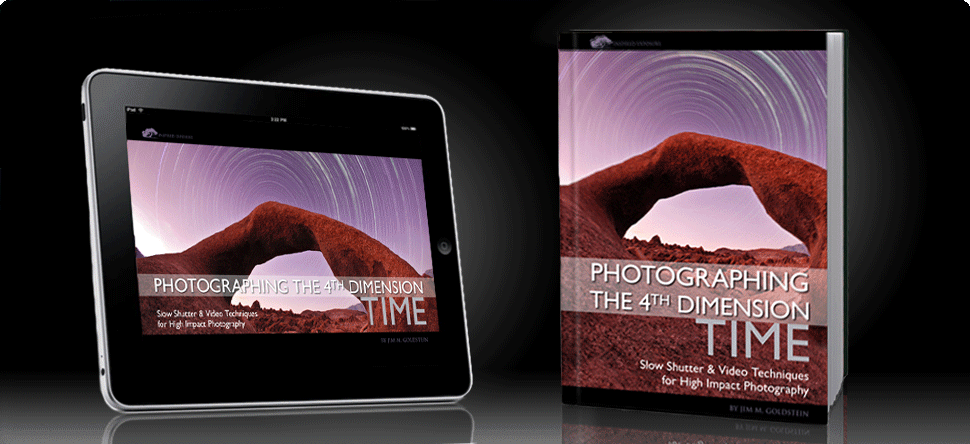
Now through January 2nd at midnight PST you can save 25% on my eBook Photographing the 4th Dimension – Time and my Star Trail Photography webinar. To save 25% instantly use the code SAVE25NY14 when you check out.

———

BEST DEAL: Mastering Star Trail Photography – Video Course – BUY THE VIDEO

This video course is for photographers of all skill levels interested in expanding their photography and post-production knowledge to make great astronomy landscapes. The course includes 6 hours of instruction and professional tips covering every aspect of star trail photography including gear selection, camera technique, post-processing and more.

Bonus: Receive a FREE copy of the eBookPhotographing the 4th Dimension — Time with your webinar recording purchase.

Learn More

———

GREAT SAVINGS: Photographing the 4th Dimension – Time eBook – BUY THE PDF

No matter your skill level Photographing the 4th Dimension – Time will help you improve your photography and heighten the impact of your photographs by introducing you to numerous slow shutter and video techniques.

  • Learn to create amazing photos using Light Painting & Star Trails techniques
  • Discover how to easily make Time-lapse Videos
  • Transform your photography with motion as Cinemagraphs
  • Avoid time-wasting mistakes and learn insider tips
  • Keep it all with you in the included Field Checklist

Learn More  and Read the Reviews

Copyright Jim M. Goldstein, All Rights Reserved

Save 25% on my eBook and Star Trail Webinar Now Through January 2nd, 2014

The post Save 25% on my eBook and Star Trail Webinar Now Through January 2nd, 2014 appeared first on JMG-Galleries – Landscape, Nature & Travel Photography.


Related Stories

  • Save 25% on my eBook and Star Trail Webinar Now Through January 2nd, 2014 – Enclosure
  • 7 Years of Data: How Social Media Has Impacted JMG-Galleries Web Traffic
  • 7 Years of Data: How Social Media Has Impacted JMG-Galleries Web Traffic – Enclosure


JMG-Galleries

 
Comments Off on Save 25% on my eBook and Star Trail Webinar Now Through January 2nd, 2014

Posted in Equipment


Tips for Photographing Star Trails

03 Dec

Photography is a fantastic tool to explore the world around you, especially in ways normally invisible to our eyes. Landscapes at night often reveal untold treasures in the sky, and the stars can be made to swirl around like a dream. The process for photographing the movement of the stars isn’t nearly as difficult as it once was; star trails can be easily captured by any camera with a wired shutter release cable!

Enjoy these tips for photographing star trails at night! 

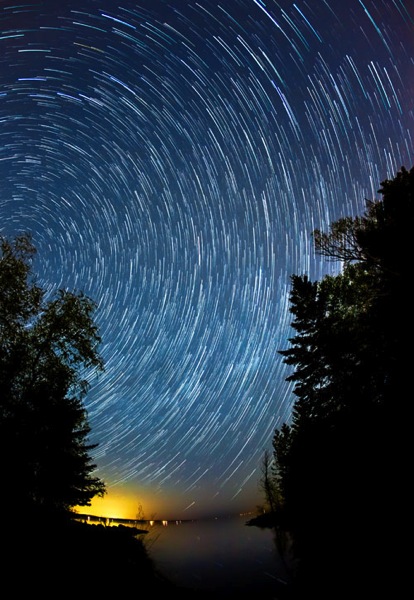
Star trail open

Composition comes first

There are a few things to consider when making a star trail image; the first is composition. As with any good landscape photograph, you should be able to visually navigate through the image. A foreground element is very helpful, and having water in the scene is a bonus – the stars can reflect off the surface of the water. The image shouldn’t only be about the stars, but how they interact with the landscape.

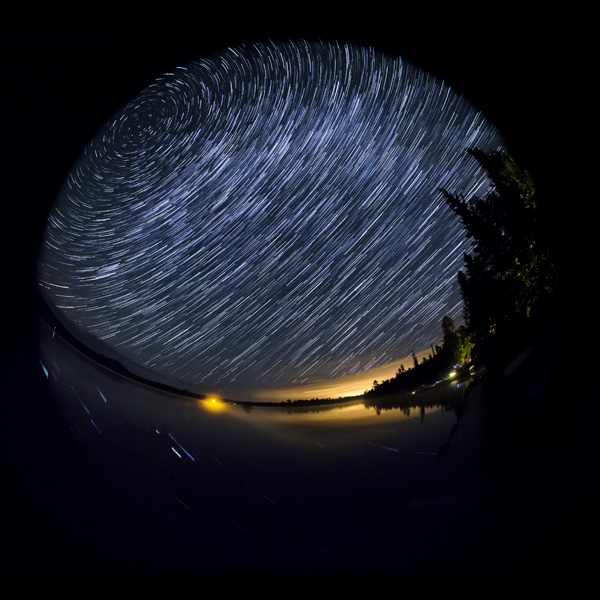
You should try to shoot with the widest lens you have. This offers more stars to fill the night sky, and also a greater potential to have the North Star somewhere in the frame. Most of my star trail images are photographed with a fisheye lens, because of the 180 degree field of view. The wider the field of view, the more star trails your image can contain.

As the Earth spins around its axis, the North Star is the only star that doesn’t move (much). All of the other stars appear to spinning around this central location, which can add a visual anchor point in your composition. If you’re not familiar with the exact position of the North Star, simply set your camera to bulb mode and take an extra-long exposure in the neighbourhood of 4-5 minutes. This should give enough of a “spin” so the stars to help you pinpoint the center of the celestial circle.

Camera settings

The goal for your final image however, requires a different exposure. Start with the following, set on manual mode:

  • Shutter speed: 30 seconds
  • Aperture: F/3.5
  • ISO: 3200

Take a test shot and see what you get. If the exposure is too bright, decrease the ISO or choose a smaller aperture (higher F-number). If the image is too dark, try increasing the ISO to compensate. Always leave the shutter speed at 30 seconds. When you get an exposure that looks good on the back of your camera, you’re set. Just make sure the camera is set to continuous shooting mode with long-exposure noise reduction turned OFF.

Also be sure to set the camera or lens to manual focus. The focus can’t shift from one image to the next, so dial it in manually. I find that focusing on distant light sources using Live View allows for the best depth of field while still keeping the stars sharp. Foreground objects may appear blurry, so going the “extra mile” would be to focus on the foreground and focus-stack the landscape.

With a wired remote shutter release, press and lock the shutter control. When one exposure ends, the next one will automatically begin. Let the camera continue this way for roughly an hour, and stop it whenever you’re ready to leave. If you left the camera for one hour, it should have recorded 120 separate 30-second exposures. These images can then be combined very easily in Photoshop.

Forgot your remote shutter release, or haven’t purchased one yet? I’ve found myself ready to make a star trail image and digging around in my camera bag offered me no cable release – it was somewhere at home, far far away. In a rare moment of creativity, I grabbed some tape (always keep some Gaffer’s tape in your camera bag!) and a small pebble from the ground. Simply taping the pebble over the camera’s shutter button with enough force to fully depress the shutter, the camera happily clicked away until the tape was removed. The below image was created this this “rock and tape” trick.

Rock tape trick

Post-processing workflow

Combining 120 images may seem like a daunting task, but the process is fairly straightforward – start by editing one image. In Adobe Lightroom, edit your image to your liking. Common adjustments would usually include shadows and whites, white balance, clarity, and noise reduction.

Single frame

Make this one frame as perfect as you can make it, and copy the development settings. Right-click on the image in Lightroom and choose “Settings > Copy Settings” and make sure all of the settings you’ve adjusted are selected.

You’ll need to paste these settings across the entire range of images. To do this, select all of the images you want to use in the filmstrip, and right-click on any of the selected thumbnails in the filmstrip. Now, choose “Develop Settings > Paste Settings” and your adjustments will appear on all of your images.

Alternate method to paste settings

There are a few ways inside Lightroom to copy and paste develop settings. Another way, which is particularly helpful when sharing settings over many images, is to use the “sync” feature. To do a Sync make sure the image you’ve worked on it selected in the filmstrip and visible on screen. Do a “select all” by holding “command+a” on a Mac or control+a on PC. That will select all the images in the folder. Next click the “sync” button in the lower right of the develop side panel. Choose all the settings you adjusted (as above) and click “synchronize”.

Putting them all together in Photoshop

You now need to send all of the images over to Photoshop in a single layer. With all of the frames still selected, right-click on any image and choose “Edit In > Open as Layers in Photoshop” and wait. This will take some time as Photoshop loads each frame into the same workspace as layers.

When all of the layers are finished loading, the next step is simple for users of Photoshop CS6 and beyond. Simply select all of the layers in the layers panel, and switch the blending mode from “normal” to “lighten”. Voila! The path of the stars through the sky will be revealed. This blending mode works by comparing pixels of all layers and displaying the brightest pixel. If the landscape remains static, there won’t be any change there, avoiding the additive effects of light pollution. The stars are moving, and as their position in the image changes the new location will contain brighter pixels.

Stacked frames

For users of Photoshop CS5 or previous, this can still be done but it will take some time. You cannot select multiple layers and change the blending mode on them all at once, it must be done one at a time.

When you’re done, flatten the image and save it. Continue to edit as you see fit, but the star trail is complete!

An alternative to Photoshop

Another option if you do not use Lightroom or Photoshop is to use a free program call StarStaX. It’s easy to use, just drop your images in and it does all the magic for you, AND even fills in the tiny gaps between each of the exposures.

Post originally from: Digital Photography Tips.

Check out our more Photography Tips at Photography Tips for Beginners, Portrait Photography Tips and Wedding Photography Tips.

Tips for Photographing Star Trails

The post Tips for Photographing Star Trails by Don Komarechka appeared first on Digital Photography School.

Digital Photography School

 
Comments Off on Tips for Photographing Star Trails

Posted in Photography


Save 25% on my eBook and Star Trail Webinar Now Through Dec. 2nd

27 Nov
Photographing the 4th Dimension - Time

Photographing the 4th Dimension – Time & Webinar

Black Friday – Cyber Monday Sale

Now through December 2nd at midnight PST you can save 25% on my eBook Photographing the 4th Dimension – Time and my Star Trail Photography webinar. To save 25% instantly use the code SAVE25 when you check out.

———

BEST DEAL: Mastering Star Trail Photography – Video Course – BUY THE VIDEO

This video course is for photographers of all skill levels interested in expanding their photography and post-production knowledge to make great astronomy landscapes. The course includes 6 hours of instruction and professional tips covering every aspect of star trail photography including gear selection, camera technique, post-processing and more. 

Bonus: Receive a FREE copy of the eBookPhotographing the 4th Dimension — Time with your webinar recording purchase.

Learn More

———

GREAT SAVINGS: Photographing the 4th Dimension – Time eBook – BUY THE PDF

No matter your skill level Photographing the 4th Dimension – Time will help you improve your photography and heighten the impact of your photographs by introducing you to numerous slow shutter and video techniques.

  • Learn to create amazing photos using Light Painting & Star Trails techniques
  • Discover how to easily make Time-lapse Videos
  • Transform your photography with motion as Cinemagraphs
  • Avoid time-wasting mistakes and learn insider tips
  • Keep it all with you in the included Field Checklist

Learn More  and Read the Reviews

Copyright Jim M. Goldstein, All Rights Reserved

Save 25% on my eBook and Star Trail Webinar Now Through Dec. 2nd

The post Save 25% on my eBook and Star Trail Webinar Now Through Dec. 2nd appeared first on JMG-Galleries – Landscape, Nature & Travel Photography.


Related Stories

  • Save 25% on my eBook and Star Trail Webinar Now Through Dec. 2nd – Enclosure
  • The Ancients – Bristlecone Pine Forest, California
  • News Flash Fellow Photographers You’ve Already Sold Your Soul To Facebook – Enclosure
Feed Ads by FeedBlitz
powered by ad choices


JMG-Galleries

 
Comments Off on Save 25% on my eBook and Star Trail Webinar Now Through Dec. 2nd

Posted in Equipment


Yosemite Falls Moonbow and Star Trails

26 Aug

Yosemite Falls Moonbow & Star Trails

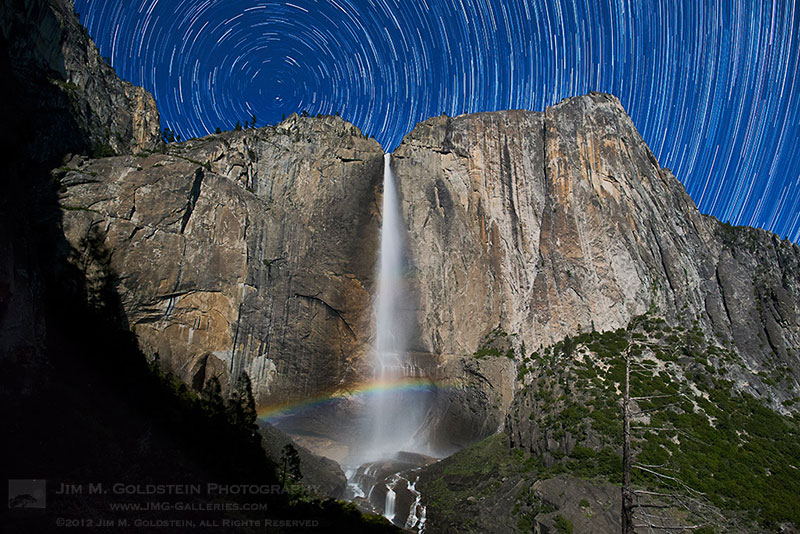
Last Spring I decided to hike up Yosemite Falls Trail to spend the better part of an evening photographing Upper Yosemite Falls to capture a moonbow, star trails and a time-lapse. As you might imagine I was the only person nutty enough to try this and the only living creature I saw for much of the evening was a couple of raccoons.  Hiking up to this spot with 2 sets of cameras and tripods seemed like it made good sense at the time, but it was no fun hiking down in the darkness with all this gear when I realized I left my headlamp back at camp.

If you happen to enjoy my star trail photography and you’re in the San Francisco bay area be sure to attend the San Francisco Lightroom User Group meeting this Thursday at 6:30 PM. I’ll be the guest speaker discussing my post-processing techniques in Photoshop & Lightroom.

Copyright Jim M. Goldstein, All Rights Reserved

Yosemite Falls Moonbow and Star Trails

The post Yosemite Falls Moonbow and Star Trails appeared first on JMG-Galleries – Landscape, Nature & Travel Photography.


Related Stories

  • Yosemite Falls Moonbow and Star Trails – Enclosure
  • Dogwoods, Yosemite National Park
  • Dogwoods, Yosemite National Park – Enclosure
Feed Ads by FeedBlitz
powered by ad choices


JMG-Galleries

 
Comments Off on Yosemite Falls Moonbow and Star Trails

Posted in Equipment


World’s Largest LEGO Model: Star Wars X-Wing Starfighter

24 May

[ By Steph in Art & Sculpture & Craft. ]

LEGO Star Wars X-Wing 1

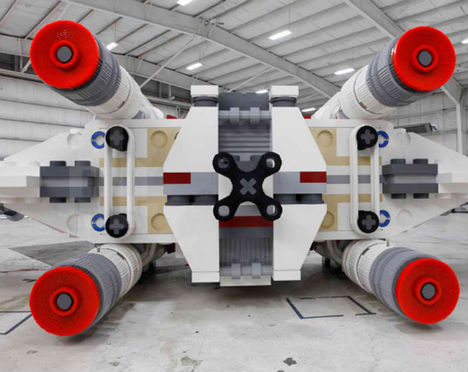
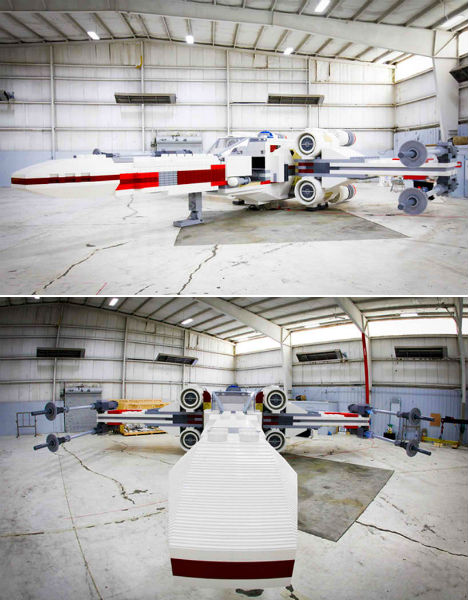
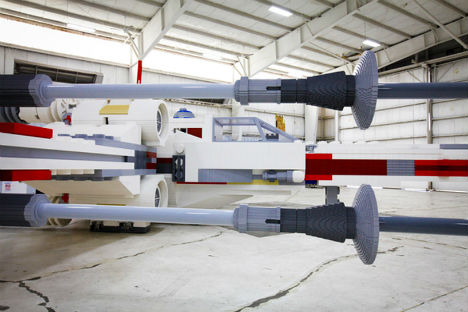
Forty-two times larger than the toy set currently available in stores, this Star Wars X-Wing Starfighter is made of over five million LEGO bricks weighing a whopping 45,000 pounds. Assembled in the LEGO model shop in Kladno, Czech Republic, the model is 43 feet long and 11 feet high with a wing span of 44 feet. It was unveiled in New York City’s Times Square on May 23rd, and will be on display for Memorial Day weekend before reaching its final destination at Legoland in California.

LEGO Star Wars X-Wing 2

The model had to be carefully engineered with a steel framework system in order to withstand all of the travel, breakdown and re-assembly required to transport it across the Atlantic Ocean and from one side of America to the next.

LEGO Star Wars X-Wing 3

It took an international team of designers, builders, engineers, mechanics and logistics experts over a year to devise the plan that brought the massive model from concept sketches to reality. The time it took to construct the model, which is made using the same LEGO bricks sold at retail, was 17,336 hours, or about four months.

LEGO Star Wars X-Wing 4

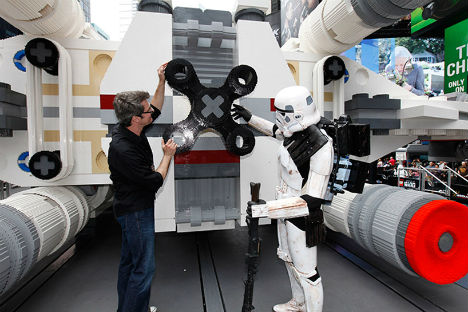
The model can seat multiple fans in the cockpit for photo opportunities, and its four rear engines light up to a glowing neon red. “We thought it would be a great idea to say ‘What if you took this, scaled it up to the size of what a real X-wing looks like, and here’s the end result,’” LEGO Master Builder Erik Varszegi told MTV Geek.

Share on Facebook


[ By Steph in Art & Sculpture & Craft. ]

[ WebUrbanist | Archives | Galleries | Privacy | TOS ]


WebUrbanist

 
Comments Off on World’s Largest LEGO Model: Star Wars X-Wing Starfighter

Posted in Creativity


How To Photograph Star Trails

24 Apr

Photographing star trails can be challenging but also rewarding. If you’ve never tried it, these tips will help you get started.

Choosing the Place and Time

To make a striking photograph of the stars, there are a few requirements when it comes to choosing the right place and time.

  • You must be far away from any city lights since any ambient light will make the stars less visible. If you live in a big city, this could mean traveling some distance. Recently I was in Nevada, about an hour’s drive away from Las Vegas, and I couldn’t believe the amount of light in the sky from the city.
  • For the photograph to have a sense of place, you will need something interesting in the foreground. It must be something that doesn’t move like a mountain or a building.
  • Plan your star photography adventure for a moonless night. Or at least the moon cannot be above the horizon while you are photographing. Similar to what happens with city lights, the stars are not as visible when the moon brightens the sky.
  • It should also be a clear night with no clouds.
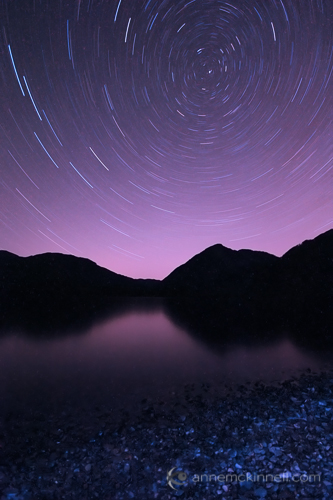
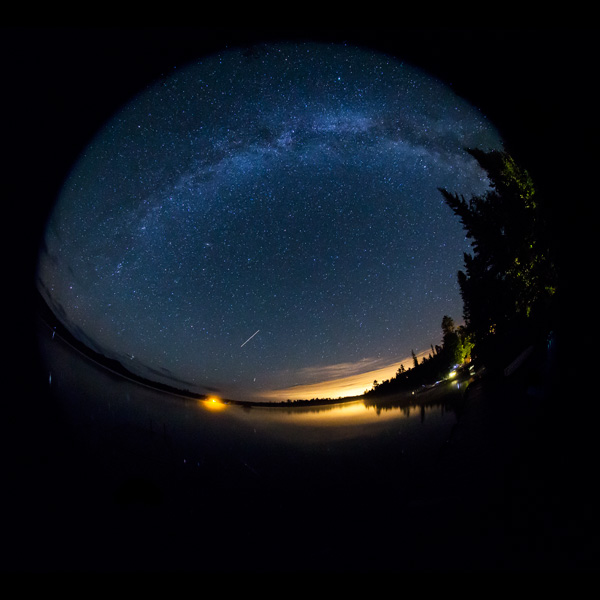
Cowichan Lake Star Trails by Anne McKinnell.
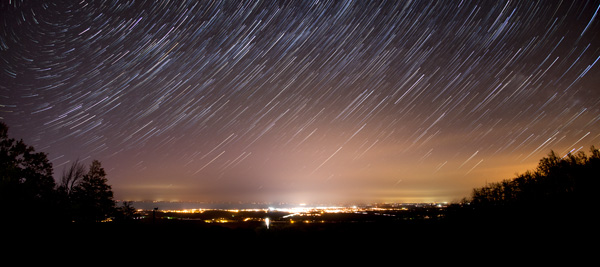
Star trails at Cowichan Lake, British Columbia.
Method

The best way to go about making an image of star trails is to take multiple exposures and combine them in post processing.

While it is possible to take one very long exposure, often the heat coming from the sensor will cause hot spots in your final image.

I usually use a 30 second shutter speed and make 60 images.

Gear You Will Need

The most important thing you will need is a tripod to stabilize your camera during the long exposures.

A cable release or intervalometer is extremely handy but not essential.

You can use the 2 second timer on your camera and manually click the shutter continuously for half an hour. It can be done. But, with a cable release you can set your camera to continuous shooting and lock the cable release and your camera will continue to make images until you unlock it.

If you have an intervalometer, you can program it to take a specific number of images of a particular shutter speed. This is the easiest but most expensive way to go about it.

Finally, make sure you have a fully charged battery since the cold night may cause your battery life to be shorter than usual.

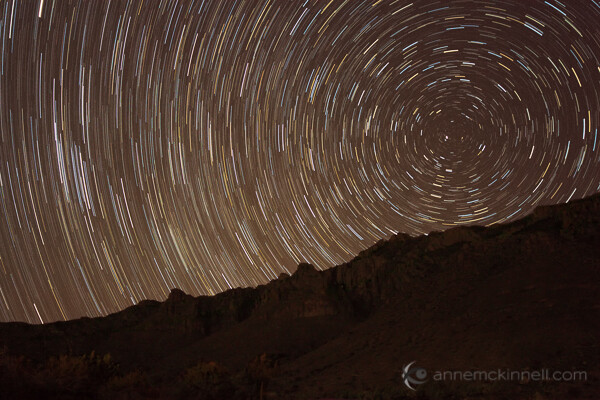
Star trails at Guadalupe National Park, Texas, by Anne McKinnell.

Star trails in Guadalupe National Park, Texas.

Taking the shots

Once you are on location and the gear is ready to go, you can set up your composition.

If possible, go one night ahead of time and locate polaris, the north star, in the sky.  If you can manage to get polaris in the frame, all the stars will circle around it.  If polaris is not in the frame, the stars will appear to travel in a semi-circle.  If you can’t go a day ahead of time, use your compass and try to get as much sky in the frame as possible.

I like to set up my composition during the day so I get just the right amount of foreground in the frame and set the focus so that the foreground is sharp. This is much easier to do during the day than it is once it is dark outside.

Remember once you have set the correct focus to turn your auto-focus off so your camera does not attempt to re-focus at night. Also, your image stabilization should be off anytime your camera is on a tripod.

When it’s dark and you are ready to begin, which will probably be a couple of hours after sunset at least, you can do some tests to make sure you are getting good exposures. You will want to use a large aperture (small F stop number) to ensure you have the greatest amount of light entering the camera as possible. If you try to use a smaller aperture, the star trails we be very dim. So, since you need a 30 second shutter speed and a small aperture, such as f/4, proper exposure will be determined by the ISO. Try taking a test shot at ISO1600 and see if you can see the stars in the image. If not, increase the ISO to 3200.

Also, make sure you turn your in-camera noise reduction off because it will require an additional 30 seconds after you make your exposure to do the noise reduction and you will end up with little gaps in your trails.

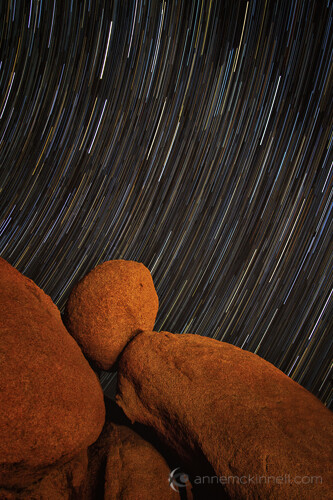
Star Trails at Joshua Tree National Park by Anne McKinnell.

Star trails at Joshua Tree National Park, California.

Processing the Image

To combine your images, I recommend a free program I have been using called StarStaX which is easy to use and it does a great job. Just point StarStaX to the folder that contains all the exposures, selected “lighten” as the blend mode, and let it go to work.

This can be the most exciting part of the whole experience since you finally get to see what you have created!

Once you have the stacked image, you might find you have some UFO’s in it that look like straight lines crossing your curved star trails. Those can be caused by comets or airplanes. I usually use the healing brush in Photoshop to remove them.

You might have to invest a bit of time in planning, making the exposures, and processing the images, but the final result will be well worth the investment. All you really need is a bit of patience.

Post originally from: Digital Photography Tips.

Check out our more Photography Tips at Photography Tips for Beginners, Portrait Photography Tips and Wedding Photography Tips.

How To Photograph Star Trails


Digital Photography School

 
Comments Off on How To Photograph Star Trails

Posted in Photography