RSS
 

Posts Tagged ‘Shooting’

Shooting wet plate collodion double exposures… handheld

16 Feb

Wet plate photographer Markus Hofstaetter is always experimenting with his art in different ways—whether it’s capturing creepy halloween portraits, or this failed attempt to capture a fire and water wedding portrait on both digital and wet plate. His latest experiment, however, was a success.

He managed to do something he’s dreamed of for years: he was able to capture wet plate portraits handheld. In fact, he went one better; he shot handheld wet plate collodion double exposures.

One of the hand-held double exposures Markus captured with his newest setup.

The entire ‘journey’—from finding a hand-holdable wet plate camera, to fixing it up and making it ready to shoot, to the actual double exposure shots—is documented in the video above and on Hofstaetter’s blog, in which his tone seems to be “I’m glad I did this, but lord was it a pain in the butt.”

One of the biggest challenges facing Hofstaetter was getting enough light to capture the plates handheld. “Even though these are small plates, I had to use 6000-7000 Watts of Hensel strobe power to get enough light thru the grided softbox,” he writes. But in the end, it worked. And since he was mixing new tech and old technique, he decided that steampunk portraits would be appropriate.

Here’s some of what he captured:

$ (document).ready(function() { SampleGalleryV2({“containerId”:”embeddedSampleGallery_5814074292″,”galleryId”:”5814074292″,”isEmbeddedWidget”:true,”selectedImageIndex”:0,”isMobile”:false}) });

Whether or not you like the final images, you have to admire Hofstaetter’s determination and creativity. He found a camera that would work, 3D printed plate holders because they were missing, and then managed to do something we haven’t ever hear of before. Kudos are definitely in order.

Check out the video up top to see the full journey from purchase to plates, and the head over to Hofstaetter’s blog for more behind the scenes images and other crazy experiments.


All photos, videos, and GIFs by Markus Hofstaetter and used with permission.

Articles: Digital Photography Review (dpreview.com)

 
Comments Off on Shooting wet plate collodion double exposures… handheld

Posted in Uncategorized


Shooting portraits with the $12,800 Leica Noctilux-M 75mm F1.25 lens

13 Feb

Photographer and YouTuber Matt Granger recently got a chance to shoot with two unreleased Leica lenses that many a portrait photographer dreams of owning. On a freezing cold day in Brooklyn, he went out with friend and model Stephanie Pham to test out the APO Summicron-SL 90mm F2 ASPH and—the pièce de résistance—the $ 12,800 Noctilux-M 75mm F1.25 ASPH.

You can’t even buy the Noctilux yet, but Granger was able to get his hands on one for testing purposes ahead of his trip to Ethiopia, and before he hopped on a plane, he just had to try this lens out in a quick 10-minute portrait shoot by the water in Brooklyn. All of the photos were taken with the Leica SL, and since the Noctilux-M is an M-Mount lens (duh), Matt attached it using Leica’s own M to L mount converter.

Matt was kind enough to share a few full-res JPEG samples with us, which you can scroll through in the gallery below.

$ (document).ready(function() { SampleGalleryV2({“containerId”:”embeddedSampleGallery_8413502153″,”galleryId”:”8413502153″,”isEmbeddedWidget”:true,”selectedImageIndex”:0,”isMobile”:false}) });

In the video, he mentions several times how difficult it can be to grab focus with a lens this fast, but the Leica SL’s focus peaking seemed to help him nail the shot more often than not. In fact, he complains that it’s harder to nail focus stopped down, because the peaking was far less helpful when more of the frame was in focus.

Check out the full video up top to hear Matt’s thoughts and watch him work with this ultra-fast (and ultra expensive…) lens, and then head over to his website to download a few more samples for pixel peeping purposes. Finally, don’t forget to let us (and him) know what you think of the images and these two lenses in the comments down below.

Articles: Digital Photography Review (dpreview.com)

 
Comments Off on Shooting portraits with the $12,800 Leica Noctilux-M 75mm F1.25 lens

Posted in Uncategorized


Aperture Versus Shutter Priority – Which Shooting Mode to Use and When

01 Feb

I too was once a beginner and I completely understand that how difficult it is to move into using Manual Mode directly from shooting Automatic. Thankfully camera manufacturers have also thoughtfully provided us with Aperture and Shutter Priority modes. These two camera shooting modes are possibly the best ways you can understand the nature and role of aperture and shutter speed.

Aperture and Shutter Priority are semi-automatic, or we can call them semi-manual camera modes. These two modes can help you get away from the fully automatic modes (P, Auto) and at the same time get you a step closer to using Manual Mode.

What is Aperture Priority Mode?

The Aperture Priority shooting mode allows you to take control of the aperture, whereas the shutter speed and ISO (if you are set on Auto-ISO) are still controlled by your camera. This means that you can adjust the amount of light entering into the camera through the lens. So using Aperture Priority you can set the aperture value as per your need and control the depth of field.

Aperture Versus Shutter Priority - Which Shooting Mode to Use and When

Unlike the automatic modes, this mode gives you the freedom to adjust the aperture value and set the amount of blur effect that you want in your photo.

When should you use the Aperture Priority Mode?

As we discussed, Aperture Priority mode allows you to control the aperture value, which ultimately affects the depth of field. This shooting mode is ideal if you wish to adjust the depth of field as per your desire, whereas leaving the shutter speed and ISO value selection up to the camera.

Situation 1: Portraits

While taking portrait or close-up shots, I am sure you would want to keep the subject in focus and blur out the background by choosing a large aperture (small aperture value). Using Aperture Priority Mode you can manually choose the required aperture value such as f/1.8 or f/2.8 to achieve a shallow depth of field.

Aperture Versus Shutter Priority - Which Shooting Mode to Use and When

Situation 2: Landscapes

While shooting landscapes or cityscapes, you might want to have both the foreground and the background very much in focus. This is only possible if you manually choose a small aperture (high aperture value). Aperture Priority Mode gives you the freedom to select desired aperture value such as f/16 or f/22 to get deep depth of field, while your camera takes care of the shutter speed and ISO value.

Situation 3: Low lighting

Suppose you are in a dim lighting condition and your photos are coming out underexposed. By increasing the size of the aperture opening (selecting a smaller aperture value like f/1.8), you can allow more light into the camera and capture a better-exposed photo. Read: 6 Tips for Getting Consistent Results Shooting in Low Light

Situation 4: Midday bright sunlight

If you are shooting in broad daylight and are getting overexposed photos while shooting in automatic mode, you can close the aperture opening. This means that by using a higher aperture number (like f/16), you can minimize the amount of light entering the camera through the lens.

Aperture Versus Shutter Priority - Which Shooting Mode to Use and When

What is Shutter Priority Mode?

As the name suggests, Shutter Priority mode allows you to take charge of the shutter speed. Just to brainstorm, shutter speed is the duration for which the camera shutter remains open for the light to enter the camera and ht the sensor. The slower the shutter speed is set on the camera, the more the light is received by the image sensor. Similarly, the faster the shutter speed the less light would hit the image sensor.

Aperture Versus Shutter Priority - Which shooting Mode to Use and When

While you are shooting in Shutter Priority mode, you have the freedom to adjust the shutter speed as per your requirement while the camera chooses the aperture and ISO value on its own.

When should you use Shutter Priority Mode?

As we just discussed, if you want to take full control of the shutter speed and experiment with your camera then this is the ideal camera mode. Let’s look at two situations when you are most likely to shoot in Shutter Priority mode.

Situation 1: Freeze a moving subject

If you want to freeze a fast moving bird, animal, or car in your photo, using Shutter Priority mode will allow you to do so by setting a fast shutter speed. A shutter speed of anything faster than 1/500th of a second is considered ideal for freezing an object, but this may vary depending on the speed of the subject. Your camera will judge the required aperture and ISO values as per the available light.

Situation 2: Showing movement

If you are out and planning to capture star trails, light trails, or blue hour photos, you would have to select a slow shutter speed so that the subject’s movement is well captured in the single photo. To capture long exposure photos, you must carry a tripod along to avoid any kind of shake.

Aperture Versus Shutter Priority - Which shooting Mode to Use and When

Situation 3: Dim lighting

If you are in dim lighting conditions you might get underexposed photos while shooting in automatic mode. By simply reducing the shutter speed (e.g. from 1/200th to 1/50th), you can allow more light into the camera and capture a well-exposed photo.

Note: Watch out for the shutter speed going too slow as to introduce camera shake into your image;

Situation 4: Broad daylight

Let’s suppose you are shooting in broad daylight and your camera is capturing overexposed photos while shooting in automatic mode. Here you can increase the shutter speed. This means that by using a faster shutter speed (e.g. from 1/200thh 1/1000th), you can minimize the amount of light entering the camera sensor.

Aperture Versus Shutter Priority - Which shooting Mode to Use and When

Conclusion

Using Aperture and Shutter Priority camera modes enables you to get familiar with how the lens’s aperture and the camera shutter works. These modes ensure that you get well-exposed photos with your desired selection of aperture value or shutter speed, unlike automatic mode (where the camera makes all the choices for you).

So if your utmost priority is to manually choose the desired aperture value in order to get a particular depth of field, then you must shoot in Aperture Priority Mode. Otherwise, if your priority is to choose a specific shutter speed to capture something creative with the available light (freeze or blur motion), then you must go with Shutter Priority camera mode.

The post Aperture Versus Shutter Priority – Which Shooting Mode to Use and When by Kunal Malhotra appeared first on Digital Photography School.


Digital Photography School

 
Comments Off on Aperture Versus Shutter Priority – Which Shooting Mode to Use and When

Posted in Photography


Shooting K?lauea Volcano, Part 4: From a helicopter

21 Jan

In the first part of this series, I talked about shooting Kilauea’s lava surface-flows using a drone. In the second part, I talked about shooting the lava with a DSLR from the ground. In the third, I talked about shooting from a dedicated lava-viewing boat. I’d like to finish this series with a short article about shooting the lava from a helicopter.

I will also try to sum up the lava shooting part of my Hawaii trip, and survey how it ended up being published.

I was very excited for my lava helicopter flight. After my amazing hike to the surface flows, where I also used (and melted) my drone, and after the sail a few days before, I had already gotten many epic shots and had much less pressure to produce something exceptional. My friend and I decided to only take a (relatively) short 1-hour flight, to experience another way of shooting the lava.

There are several helicopter providers available in Big Island, and they can easily be found online. Remember to schedule your flight several days (a week is recommended) in advance to make sure you get the time slot you want. We chose a sunrise shoot.

Upon reaching the hangar, the helicopter was already stripped of its doors (nothing will come between me and the lava!) and our pilot was making his preparations. We took off quickly and were on our way to the Pu?u ???? Crater.

If you intend to take an open-door helicopter flight in Hawaii, remember to dress well. Hawaii is generally not as hot as one would think (it even snowed on the Big Island recently!), and it can get very cold up in the air on the way to the lava. I’d suggest a serious warm jacket and thick pants to be comfortable. I was a bit under-dressed, so it was a bit chilly on the way there.

Upon reaching the crater itself, I started shooting with a medium telephoto (24-70mm). This would prove the last time I used this lens in the shoot, as I quickly switched to my 70-300mm to get better details.

A lava ‘bird’ in Pu?u ???? Crater.
The wonderful details inside the crater.

The crater was nice but I quickly got bored of it. I knew the real deal was the surface flows with all their beautiful diversity. I was adamant on getting some nice abstracts and natural patterns, so I asked the pilot to leave the crater and find the flows.

Once you start shooting the surface flows, it’s endless. There is so much to choose from and you need to manage the time wisely, since the really good light is extremely short-lived. Try to get the shot and already think on what you want to get next. It’s not my ideal method of producing good shots, but in these conditions, time is a serious bottleneck and there’s just no choice.

The lava surface flows look like painted brush-strokes on the dark earth.

Technically, just like the boat shooting, remember that you’re on a moving, vibrating, flying vehicle: exposure speed should be on the high side.

I was aiming for between 1/500 and 1/1000 of a second (with the 70-300mm) and managed to expose in that range most of the time. ISO settings depend on light, but since this was early morning, I had to use ISO 3200 or 6400 most of the time, unless I was shooting into the crater (where lava was brighter) or when the sun went up a bit. In these cases I went down to ISO 1600.

Contrary to my usual shooting style, I tried to put a large emphasis on abstracts. The lava creates such wonderful patterns and colors, it made sense to concentrate on those alone.

The hardening lava seemed like fabric.

Another cool thing about shooting from the air is the visibility of skylights – underground lava flows that have been partly exposed and are visible from the air.

To sum up, the helicopter shoot was a lot of fun. It’s all so easy: you don’t have to hike 8km, there are lots of opportunities, and you have total control and an infinite choice of subject matter (if the lava cooperates, of course).

We paid about $ 1,700 plus a well-deserved tip to the excellent pilot, whose hovering abilities were off the charts. Not a particularly cheap experience, but worth it to me. Remember, Hawaii is extremely far for me to reach and I wanted to make sure I made every effort to go back home with a good portfolio.

If you enjoy aerial photography and lava, I can highly recommend the heli flight in Big Island.

Series Epilogue

I was incredibly lucky in Hawaii. The surface flows outside the National Park, where I was allowed me to use the drone; the crazy eruptions before my eyes; the action and sunrise in the boat sail; every experience was fantastic. While the Big Island was just part of the trip and I took many more images in Kauai, the lava, and particularly the very first day of my trip, was definitely the main event, and for that I’m thankful.

The trip was very expensive. I knew it would be so in advance, but in the end I spent even more than I thought I would. That’s OK, but bare in mind that a visit isn’t going to come cheap, especially if you want to do all the lava shooting from a boat and a heli. That said, it was more than worth it—it was one of the best trips I’ve ever taken, a truly exhilarating experience that I will cherish forever.

The lava shots, and perhaps mainly the fact that I’d melted my drone, meant big publicity in all of the main photographic websites, which was very nice. In addition to lots of licensing deals, my images were on the front page of NatGeo.com (which more than paid for the drone repair) and also the Nat Geo international websites of about 10 countries. Stories about my shoot have been published in over 20 countries and surveyed in countless websites. I’ve been interviewed by Nat Geo and by several international photography and travel sites, as well as by Israeli news sites.

The point is, I had no idea what would come of the Hawaii trip before taking it. It could just as well be bad, with no visible surface flows or (as it is now) no lava in the Ocean Entry. It was a stroke of luck, and happily I was ready to take advantage. I’d like to encourage you to take the risks and, hopefully, you’ll get similar rewards.


Erez Marom is a professional nature photographer, photography guide and traveler based in Israel. You can follow Erez’s work on Instagram and Facebook, and subscribe to his mailing list for updates.

Erez offers video tutorials discussing his images, and explaining how he achieved them.

If you’d like to experience and shoot some of the most fascinating landscapes on earth with Erez as your guide, take a look at his unique photography workshops in locations such as southern Iceland, Northern Iceland, The Lofoten Islands, Patagonia, Greenland, Namibia and the Faroe Islands.

More in The K?lauea Series:

  • Part 1: How to Melt a Drone
  • Part 2: Grounded
  • Part 3: At Sea

Selected Articles by Erez Marom:

  • Parallelism in Landscape Photography
  • Winds of Change: Shooting changing landscapes
  • Behind the Shot: Dark Matter
  • On the Importance of Naming Images
  • On Causality in Landscape Photography
  • Behind the Shot: Lost in Space
  • The Art of the Unforeground
  • Whatever it Doesn’t Take

Articles: Digital Photography Review (dpreview.com)

 
Comments Off on Shooting K?lauea Volcano, Part 4: From a helicopter

Posted in Uncategorized


Shooting K?lauea Volcano, Part 3: At Sea

06 Jan

In the first part of this series, I talked about shooting Kilauea’s lava surface-flows using a drone. In the second part I talked about shooting the lava with a DSLR from the ground. This time, I’d like to take you on the mini-adventure of sailing on the Pacific’s rough waters and shooting the lava entering the water at the Kamokuna Ocean Entry from a dedicated lava-viewing boat.

Please note that lava flow is never guaranteed. As I’m writing this, the ocean entry is inactive, so it’s always good to check the situation before traveling.

I was a bit anxious before heading out to the ocean. I suffer from severe motion sickness, and while pills help, they won’t keep my food in my belly if the water is rough. I was overwhelmingly relieved to hear that the ocean was supposed to be quiet the morning of our sail. I still gulped down 4 pills just in case!

Several providers offer dedicated lava-viewing trips, and they can easily be found online. Most offer the excursion at several fixed times each day. It was an easy choice to go at morning twilight, since I’d get nighttime, twilight and sunrise images in one sail. I chose a large boat with room for 50 people, give or take. When we were allowed on, I did my best to find a spot at the front of the seating area, since this would give me a larger field of view and more time doing actual shooting. The sail wasn’t cheap—I paid $ 250—but it was very much worth it.

What a hectic, delightful sight!

Arrival at the ocean entry takes about 30 minutes of fast sailing in open ocean. Bear in mind that this can be a problem if you suffer from motion sickness like I do, so please take precautions or you’ll be very sorry.

Upon arrival at the actual location, I was astounded to see the hectic clash of 1100-degree molten rock and ocean water. The temperature difference creates constant steam, and this, together with the ever-changing lava formations, creates an infinite variety of possible shots. A true delight for someone who thrives on shooting changing landscapes.

There are shapes created not only in the lava. The waves, crashing on the black rock and pushed by the steam, also create interesting shapes that are worth capturing.

Can you spot the tiny dancer?

Technically, there are many challenges one faces when shooting lava from a boat. Upon arrival, when it’s still nighttime, the global contrast in the scene is almost impossible to deal with. The lava is more than a few stops brighter than the solid rock and the water. Add the constant change in brightness and the result is often blown out. The photographer needs to continuously check the histogram and make sure the best compromise is made.

On my Canon 5D4, I tried not to have the brights overly exposed, since shadows are a bit easier to recover.

Since long exposures are out of the question (you’re on a rocking boat), and longer focal lengths are often used, high exposure speeds and thus very high ISO are required when shooting at nighttime. I normally used ISO 6400, just to get some detail in the water and the rocks.

I aimed to expose between 1/500 and 1/1000 sec with my 70-300mm to overcome the constant motion. Since frequent and immediate focal length changes were necessary, I had to have the exposure speed on the high end.

Luckily, when dawn strikes and ambient light begins to appear, global contrast and brightness levels improve a great deal. This was my favorite time to shoot, as the blend of colors (red from the lava, blue from the ocean at twilight) was wonderful, and shooting conditions were easier—lower ISO required and less concern about contrast management.

Wonderful colors and action upon morning twilight at the ocean entry. If you look very carefully, you’ll be able to spot another boat in this image! As light was a bit stronger, I could lower the ISO to 3200 and gain a bit more image quality.

As the light increases and sunrise approaches, the contrast goes down, and the extreme look with it. They give way to a more silky, matted look and a more balanced, easier to swallow histogram. Shooting at this stage is much easier and more fun. The lack of concern allowed me to concentrate on finding interesting patterns and creating compelling compositions.

These conditions were also great for putting more emphasis on the meeting of lava and water. At some points, the waves crash on the lava and flow on top of it, which looks a bit surreal.

Lastly came the sunrise. Luck struck again and this too was beautiful. I hope this last image gives you a feel of what it was like to be there, in the middle of the Pacific, watching Earth’s molten interior flowing to meet the water.

In the next and final article in this series, I’ll write about shooting the lava from a helicopter.


Erez Marom is a professional nature photographer, photography guide and traveler based in Israel. You can follow Erez’s work on Instagram and Facebook, and subscribe to his mailing list for updates.

Erez offers video tutorials discussing his images, and explaining how he achieved them.

If you’d like to experience and shoot some of the most fascinating landscapes on earth with Erez as your guide, take a look at his unique photography workshops in locations such as southern Iceland, Northern Iceland, The Lofoten Islands, Patagonia, Greenland, Namibia and the Faroe Islands.

More in The K?lauea Series:

  • Part 1: How to Melt a Drone
  • Part 2: Grounded

Selected Articles by Erez Marom:

  • Parallelism in Landscape Photography
  • Winds of Change: Shooting changing landscapes
  • Behind the Shot: Dark Matter
  • On the Importance of Naming Images
  • On Causality in Landscape Photography
  • Behind the Shot: Lost in Space
  • The Art of the Unforeground
  • Whatever it Doesn’t Take

Articles: Digital Photography Review (dpreview.com)

 
Comments Off on Shooting K?lauea Volcano, Part 3: At Sea

Posted in Uncategorized


Panasonic Lumix DC-G9 Shooting Experience

04 Jan

The Panasonic Lumix DC-G9 is the brand’s highest-end stills-oriented camera, sitting beside the video-oriented Lumix DC-GH5 at the top of the product lineup. The GH-series has long held a positive reputation with pro-video shooters but Panasonic hasn’t seen the likes of the GH5 resonate as well with the stills crowd. With the G9 Panasonic hopes to mimic the success the GH series has had in the video realm, and gain a greater foothold in the stills world.

There’s a good bit of crossover between the two cameras, but the G9 has some juicy offerings to whet the appetite of still photographers – specifically advanced amateurs and professionals – as well as those seeking a stills/video hybrid.

For starters, its faster than its video-centric sibling, capable of an impressive 20 fps with continuous autofocus for about 50 frames using the electronic shutter. It can also shoot at 9 fps with AF-C for 600+ frames using the mechanical shutter, which is equally as impressive.

Panasonic’s taken a page out of Olympus’ book – as other manufacturers with stabilized sensors recently have – and added a High-Resolution mode that shifts the sensor to build an 80MP file – this should be hugely appealing to still life and landscape shooters occasionally requiring resolution greater than that of a Micro Four Thirds camera.

Key Features

  • 20.3MP Live MOS sensor with no AA filter (same as GH5)
  • 3.68M-dot electronic viewfinder w/ 0.83x equivalent magnification
  • 1.04M-dot 3″ articulating touchscreen display
  • 5-axis in-body image stabilization with Dual I.S. 2 (CIPA rated 6.5 stops)
  • 20 fps burst w/continuous AF using the e-shutter (for ~50 frames)
  • 9 fps burst w/continuous AF using mechanical shutter (for 600+ frames)
  • 80MP Raw and/or JPEG files using High-Resolution mode
  • 4K/60p UHD video capture
  • Magnesium body designed to be dust/weather-sealed
  • Dual UHS-II card slots supporting new high-speed ‘V’-rated cards
  • Assortment of 4K and 6K Photo modes and in-camera focus stacking
  • USB charge and power capability
  • Top plate LCD
  • AF joystick
  • Wi-Fi + Bluetooth

Physical standouts include a top plate LCD – a true rarity in mirrorless-land – and one of the largest electronic viewfinders on a Micro Four Thirds cameras. It has an equivalent magnification of 0.83x and an eyepoint of 21mm. The G9 also features dual UHS-II card slots and can support V-rated SD cards – the industry’s fastest to date.

Don’t take these mostly-stills oriented improvements to mean the G9 is not a capable video camera, because it surely is. Like the GH5 it can shoot 4K/60p video and offers both headphone and microphone jacks, but it lacks the high bitrate options and extensive video tool set of its sibling. Dual I.S. 2 has also been improved and when using compatible lenses, the G9 offers the highest CIPA-rated level of stabilization – 6.5-stops – of any camera currently on the market. This is great news for both stills and video shooters.

Specs Compared

The Panasonic G9 has some stiff competition from similarly-priced high-end models from both Nikon and Olympus. Have a look at our comparison table below for a detailed breakdown:

MSRP $ 1700 $ 2000 $ 2000 $ 2000
Panasonic DC-G9 Panasonic DC-GH5 Olympus
OM-D E-M1 II
Nikon D500
Sensor size Micro Four Thirds Micro Four Thirds Micro Four Thirds APS-C
Sensor Resolution 20.3MP 20.3MP 20MP 21MP
ISO sensitivity
(expanded)
100-25600 100-25600 64 – 25600 50 – 1640000
AF system 225-point Contrast Detect AF system with DFD 225-point Contrast Detect AF system with DFD 121-point hybrid AF system 153-point Phase Detect AF system
Max frame rate w/C-AF 20 fps 9 fps 18 fps 10 fps
In-body stabilization Yes Yes Yes No
Viewfinder 3.68M-dot EVF (0.83X equiv. mag) 3.68M-dot EVF (0.76X equiv. mag)

2.36M-dot EVF (0.74x equiv. mag)

Optical (0.67x equiv. mag)
Top plate LCD Yes No No Yes
Rear screen 1.04M-dot 3″ articulating touch-sensitive 1.62M-dot 3.2″ articulating touch-sensitive 1.04M- dot 3″ articulating touch-sensitive

2.36M-dot 3.2″, tilting touch-sensitive

Video Resolution
  • UHD/60p
  • 1080/60p
  • UHD/60p
  • 1080/60p
  • UHD/30p
  • 1080/60p
  • UHD/30p
  • 1080/60p
Mic/Headphone Yes/Yes Yes/Yes Yes/Yes Yes/Yes
Battery Life (CIPA) 400 shots 410 shots 440 shots 1240 shots
Dimensions 137 x 97 x 92mm 139 x 98 x 87mm 134 x 91 x 69mm 147 x 115 x 81mm
Weight 658g 725 g 574g 760g

The Nikon D500, Panasonic Lumix DC-GH5 and Olympus OM-D E-M1 II are all DPReview Gold award winning cameras that, at the time of testing, we felt revolutionized their respective class of camera, upping the ante for what we’ve come to expect from a flagship Micro Four Thirds or APS-C body. That’s some big competition to go up against, but the G9 seems to hold its own. In spec terms, at least.

Note: 15mm F1.7 is not included in any kit, but we wish it were.

Availability

The Panasonic Lumix DC-G9 will be available, body-only, from mid-January with an MSRP of around $ 1700.

Articles: Digital Photography Review (dpreview.com)

 
Comments Off on Panasonic Lumix DC-G9 Shooting Experience

Posted in Uncategorized


Interview with an astronaut: What it’s like shooting photos from space

28 Dec

Jared Polin (aka. Fro Knows Photo) recently scored an interview that has us all extremely jealous here at DPReview. A phone call to NASA to find out if astronauts shoot Raw in space led to an interview with Marine fighter pilot and NASA astronaut Randy Bresnik, who had arrived back to Earth from the International Space Station just three days before Jared spoke with him!

The entire interview is fascinating from first question to last, but first things first: yes, astronauts do shoot Raw in space. Bresnik himself says he shot RAW+JPEG so he could download the JPEGs onto his laptop and see the shots ASAP, but the Raw files are beamed down to Earth where the folks at NASA process them to their full potential.

This is far from the only only topic Polin and Bresnik cover, though. They hit everything from radiation damage, to stabilizing your shots in space, to the glass available, to what it was like switching from Nikon D4 cameras to the brand new D5s that arrived on the ISS in mid-November, and much more.

And all the while, gorgeous photos Bresnik captured while up there scroll across your screen. Photos like the ones below—some of our favorites from Bresnik’s last 2 months on the ISS:

$ (document).ready(function() { SampleGalleryV2({“containerId”:”embeddedSampleGallery_3868241639″,”galleryId”:”3868241639″,”isEmbeddedWidget”:true,”selectedImageIndex”:0,”isMobile”:false}) });

Editor’s Note: Bresnik also contributed the #oneworldmanyviews hashtag, which paired shots of beautiful locations captured in space with photos of the same spot taken from Earth.

For Polin, the conversation seemed surreal. He tells DPReview that:

For me I was in awe for a lot of the interview. It’s not easy to wrap your head around SPACE and the sheer fact you can transfer the data back to earth. Sure that’s been going on for decades but think about it. 250 miles up in space there’s a station with six astronauts on it, with an entire Nikon setup of D5’s and glass up to an 800 5.6 for god sake. The direct downlinks to NASA transfer data all night long.

Check out the full interview up top, scroll through the gallery above for a bit of awe, and if you want even more, head over to Bresnik’s Twitter account where you can find enough photos, videos, and timelapses to keep you busy until New Years and beyond.

And, since Polin says he may actually get to interview an astronaut who is on the space station when he talks to them, we’re curious: what would you ask an astronaut about photography in space? Drop your suggestions in the comments.

Articles: Digital Photography Review (dpreview.com)

 
Comments Off on Interview with an astronaut: What it’s like shooting photos from space

Posted in Uncategorized


The Myth and Reality of Shooting in Manual Mode

21 Dec

I’ve heard it. You’ve heard it. And it’s a great big steaming pile of…baloney.

Myth – Professionals Only Shoot in Manual Mode

I recently read an account of a new photographer who heard that “expert” photographers only shoot in manual mode, so he headed out to shoot. Camera firmly set to M, he shot away, happy as could be. However, the results from that first exploration were, needless to say, disappointing; overexposures, under-exposures, and a lot of crappy, blurred photos.

Professionals Shoot in Manual Mode

I had about 10 seconds to make this image of a grove of Baobabs in Botswana. Had I been fiddling with finding the right manual settings, I likely would have missed the shot.

Here is the reality: Professionals and other experienced photographers use just about every shooting mode on their camera.

Those modes are there for a reason. Settings provide simplicity, speed, flexibility, or full control. Depending on the conditions in which you are shooting, any one of these may be appropriate. While other articles here at dPS discuss how to use each of the settings on your camera, I want to talk about the myth of Manual Mode, but also why it’s important to use it

Professionals Shoot in Manual Mode

Moving subjects and quickly shifting scenes are not conducive to manual mode.

The Professional Reality

Try shooting on full manual control while making images of birds in flight. Go on, try it. I’ll wait.

Professionals Shoot in Manual Mode

On the off chance that you actually went out and tried that exercise, I suspect you ended up with a lot of really bad photos. As birds passed quickly in front of different backdrops, as the sun darted in and out from behind clouds, the lighting conditions were undoubtedly in constant change. To adapt to those changes on the fly would be a nearly impossible task.

Professionals Shoot in Manual Mode

Rather, any professional would use one of the other settings. I, for example, would probably choose Shutter Priority mode under those conditions. That would assure I could maintain sharp (or artfully blurred) images as I shot, and leave the decision on aperture up to the camera. If I wanted a brighter or darker exposure I’d adjust the exposure compensation.

Now, if I was carefully shooting a landscape and had a particular vision for the final image, that’s when I’d make the switch to Manual Mode. In manual, I can take full control of the scene. I can adjust the depth of field, the exposure, incorporate blurs, or selective focus. In Manual Mode, I own all aspects of the final image, for better or worse.

Professionals Shoot in Manual Mode

My point here is simply this – professionals use all the tools at their disposal. If it were true that pros only use Manual Mode, then pro-level cameras would only have one setting. Quite obviously, that is not the case.

You Still Need to Shoot in Manual

Shoot in Manual Mode, but not all the time. But understanding exposure, focus, shutter speed, and aperture and their effect on the final image is the heart of photography. To master the technical aspects of image-creation, you need to be able to put all these together without the help of your camera.

Professionals Shoot in Manual Mode

Manual Mode is perfect for landscape photography because you have the time to dedicate to creating the image you envision.

Manual means full control

I regularly practice the art of manual settings. When a scene is in front of me, I’ll imagine a particular way to portray it. I’ll envision how bright I want the image to appear. I select the focal point, whether motion blur is incorporated or eliminated, and how deep the depth of field should be.

Once I’ve got the image in my mind. I’ll select the ISO, shutter speed, and aperture without using the camera’s light meter to help me. Then I click the shutter and have a look.

Professionals Shoot in Manual ModeThis exercise reminds me of light and settings and how the camera works, sure. But more so, it turns every aspect of the image into a purposeful decision. There is no “spray and pray” photography when you are shooting in Manual Mode. Setting your camera to that scary “M” means you grant yourself full control and full responsibility for whatever emerges.

Professionals Shoot in Manual Mode

Aurora borealis and most other night photography require the use of Manual Mode.

There is no better way to learn about your camera, light, and about thoughtful photography than to set your camera to Manual Mode, turn off the autofocus, and go make images.

Summary

It’s absolute nonsense that pros only shoot in manual. Utter garbage. Your camera has a bunch of settings for a reason. Shooting in just one would be like only eating one type of food. Each has a purpose, and each has their place in the art of photography.

Professionals Shoot in Manual Mode

Purposefully underexposed images are also well-suited to Manual Mode, particularly when you want to retain a shallow depth of field, as I did with this flower image.

However, and this is a big HOWEVER, shooting in Manual Mode may be the best tool at our disposal for turning our photography into a purposeful exercise. Using manual will force you to understand depth, light, exposure, blur, and focus.

So yes, you should shoot in manual mode. Just not all the time.

The post The Myth and Reality of Shooting in Manual Mode by David Shaw appeared first on Digital Photography School.


Digital Photography School

 
Comments Off on The Myth and Reality of Shooting in Manual Mode

Posted in Photography


Shooting K?lauea Volcano, Part 2: Grounded

17 Dec

In the first part of this series, I talked about shooting Kilauea’s lava surface-flows using a drone. Now, I’d like to take a step back and talk about shooting the lava in a more traditional method: using a DSLR on the ground.

If you’re inside the Hawaii Volcanoes National Park and can’t fly a drone, this is the only affordable way of shooting the surface flows. But even if a drone is an option, shooting from the ground is different and will give you unique opportunities and some challenges.

Shooting with a DSLR might be the least technically challenging way of shooting the lava in Kilauea, but it’s not as easy as you might think.

First of all, there’s the challenge of traversing the lava on foot. You’re basically walking on very hard, sometimes jagged terrain, and moving from point to point searching for compositions can be strenuous. As I’ve mentioned before, it’s a 7-8 km hike to get to the surface flow area, but there’s much more hiking on location to get the actual shots.

When shooting, you often want to get as close as possible to the lava, in order to get more detail and/or a desired perspective. This might be a problem in some cases, as the lava is about 1100 degrees Centigrade, and this temperature can be felt very well even from several meters away.

In some of the shots, I felt like I was inside an oven. I had to find my composition quickly, take a few images, and run away, since staying there would become unbearable after several seconds.

This particular shot has a slightly narrower depth of field than I’d like it to have. The reason is that lava was flowing underground very close to where I was standing, and because of the intense heat, I didn’t have the time to set the tripod. I had to shoot hand held and run for my life!

Protective gear is very important. The bare minimum would be a long-sleeve shirt, sturdy, ankle-high hiking boots, long pants and, of course, gloves. The latter are needed both because the skin on your hands is struck by radiating heat from the lava, and because the tripod can get very hot after staying near the lava for some time. I would also recommend a beanie to protect your forehead and ears from the heat.

Don’t neglect listening to your body—if you ignore the heat and the pain, you might find yourself with second-degree burns. I’ve mentioned it before, but a good guide is very important when hiking to dangerous surroundings, and can keep you in the safe zone (if you so wish).

Last but not least, there’s the heat-haze problem. The heat creates this well-known blur, which means some shots cannot turn out sharp, no matter how well-focused they are.

A decent solution can be waiting for the wind to blow the hot air and supply a short relief from the haze, but the wind doesn’t always cooperate. You’re left with the option of talking multiple shots in hope that some turn out relatively sharp. Another approach is using the haze to your benefit in an artistic way. It surely conveys the feeling of heat to the viewer.

The Hawaiian sunset is brief, which means the really good light is short-lived, and after that’s gone you’re going to need a tripod to keep stable. This naturally makes shooting much more cumbersome, and prevents the shoot-and-run-away technique mentioned above. The upside is that there’s beautiful contrasty details to be shot, which makes for good abstracts.

Regarding photographic equipment, I mostly used the telephoto end of my focal-length range. One lens I didn’t use was my 11-24mm, since it was way too wide, and the 16-35 was also left in the bag most of the time. The lenses I used the most were my 24-70mm and especially my 70-300mm.

The latter enabled me to get the intimate details of the lava from a safe (or rather possible) distance.

Next time I’ll talk about shooting the lava from a boat.


Erez Marom is a professional nature photographer, photography guide and traveler based in Israel. You can follow Erez’s work on Instagram and Facebook, and subscribe to his mailing list for updates.

If you’d like to experience and shoot some of the most fascinating landscapes on earth with Erez as your guide, take a look at his unique photography workshops in locations such as southern Iceland, Northern Iceland, The Lofoten Islands, Patagonia, Greenland, Namibia and the Faroe Islands.

More in The K?lauea Series:

Part 1: How to Melt a Drone

Selected Articles by Erez Marom:

  • Parallelism in Landscape Photography
  • Winds of Change: Shooting changing landscapes
  • Behind the Shot: Dark Matter
  • On the Importance of Naming Images
  • On Causality in Landscape Photography
  • Behind the Shot: Lost in Space
  • Behind the Shot: Spot the Shark
  • The Art of the Unforeground
  • Whatever it Doesn’t Take

Articles: Digital Photography Review (dpreview.com)

 
Comments Off on Shooting K?lauea Volcano, Part 2: Grounded

Posted in Uncategorized


What to do When it Starts to Rain – Are you Prepared to Keep Shooting?

17 Dec

I live in a country where the climate is described as temperate. This is just another euphemism for not so great weather! Typically, the seasons sort of merge together and the annual rainfall can dampen anyone’s spirits, pun intended.

It was when living in Paris, France for a couple of years that I truly understood the real meaning of the four seasons. Spring in Paris is actually spring – chilly but with clear blue skies and sunshine. And in summer, my favorite season, it is gloriously hot.

Rain and water, in general, are not a good mix when it comes to camera equipment, especially when it comes to your camera bodies and lenses. But there are times when you can get caught literally out in the rain. So what do you do? Panicking is an option, albeit not a practical solution.

What to do When it Starts to Rain - Are you Prepared to Keep Shooting?

In this article, I aim to provide some useful tips to keep you and your gear protected from the elements. The following tips are for when you find yourself caught out in a light rain shower that doesn’t last long, but want to stay on location to continue shooting.

The first thing to do before stepping outside your door is to check the weather forecast. If you have to travel to your chosen destination, the weather may change when you arrive, so be prepared for that. Most smartphones have a weather app built-in. I recently downloaded the rain radar app. It’s free too (for Android here – for iOS as well, just search for the right one for your area).

5 Useful items to have in case it rains

  1. Rain pack and a towel
  2. Lens hood
  3. Camera rainsleeve or a Ziplock bag
  4. Silica gel packs
  5. Umbrella
What to do When it Starts to Rain - Are you Prepared to Keep Shooting?

Hiking boots plus my stuff bag which has my waterproofs and a towel.

Preparation is key here. Inevitably, when shooting outdoors, you are at the mercy of the weather. I have a designated rain pack that I can throw into the boot (trunk) of my car along with my hiking boots. I use this type of bag so as I can stuff my waterproofs and towel inside at short notice. Plus, the bag itself takes up so little space for storing away afterward.

What to do When it Starts to Rain - Are you Prepared to Keep Shooting?

My waterproofs & hiking boots ready to go in the boot of my car

What to do When it Starts to Rain - Are you Prepared to Keep Shooting?

My handy stuff bag, otherwise known as a dry bag for storing scuba fins!

The towel is for wiping surface water off your gear, especially your tripod legs, before collapsing the legs down. Or indeed yourself!

What to do When it Starts to Rain - Are you Prepared to Keep Shooting?

Handy anti-rain items for cameras

The humble lens hood can sometimes get overlooked for its usefulness. This small lightweight bit of plastic is key in not only preventing unwanted strong light hitting the lens at an angle, which produces lens flaring and ghosting. It can also help stop the rain from hitting the front of the lens element. Another bonus for the lens hood is protecting your expensive glass against a fall or knock.

Another permanent fixture in my camera bag is the camera rainsleeve by OP/TECH USA. However, I haven’t yet had to use it but knowing that it’s there is reassuring. It is probably the cheapest camera gear item you will ever buy. I think it’s worth paying $ 6.95 USD. It is inexpensive and takes up so little room in your camera bag. Of course, you can always improvise and use a ziplock bag instead.

What to do When it Starts to Rain - Are you Prepared to Keep Shooting?

Camera Rainsleeve by OP/TECH USA – a great inexpensive solution to protect your camera in the rain.

Moisture absorbent silica gel packets, the little 5g packets that are used for storage or dispatch of electronic products. I tend to keep them when I get a parcel delivered, so I have a couple in my camera bag at all times. You can also buy these silica gel packs online quite cheaply too.

What to do When it Starts to Rain - Are you Prepared to Keep Shooting?

Silica Gel Sachets – a handy item in your camera bag for keeping moisture away from your camera. Just make sure to check them from time to time for wear and tear. Inside the sachets are very small hard translucent gel balls, which can get lodged in unusual places.

Tip: Do check these little sachets from time to time for wear and tear. Recently, I had one split open not in my camera bag but in my laptop case. I tried to insert a flash drive into the USB Port. The USB key wouldn’t insert completely. Thankfully, I didn’t try to force it. I couldn’t see anything obvious when I checked the USB Port. However, when I got a flashlight to have a better look. I could see this very small translucent ball stuck in the corner. Luckily, I was able to get it out without damaging the USB Port.

Cover yourself too

Last but not least on my list is the ubiquitous umbrella. If you are by yourself, you might be able to hold a small umbrella to protect your camera while shooting. A little awkward at best but it could work in a pinch. On the other hand, if you are with someone else. It’s ideal, as he/she can hold the umbrella over you and your camera.

Umbrellas also act to protect your subjects from getting wet. On one occasion, I used my shoot-through-white umbrella to protect my model from getting wet. It also acted as a great backdrop for the shot.

What to do When it Starts to Rain - Are you Prepared to Keep Shooting?

Girl holding a white see thru umbrella that I used to keep my model dry and it provided a great backdrop too.

Tip: An umbrella can be used as a great prop for an image. For example, a red umbrella or a differently shaped umbrella can really add an interesting dimension to your image.

Summary

Shooting outdoors does indeed bring its own challenges but with a bit of planning and having a few essential items to hand, all may not be lost. We can’t control the weather, so at best all we can do is prepare for it.

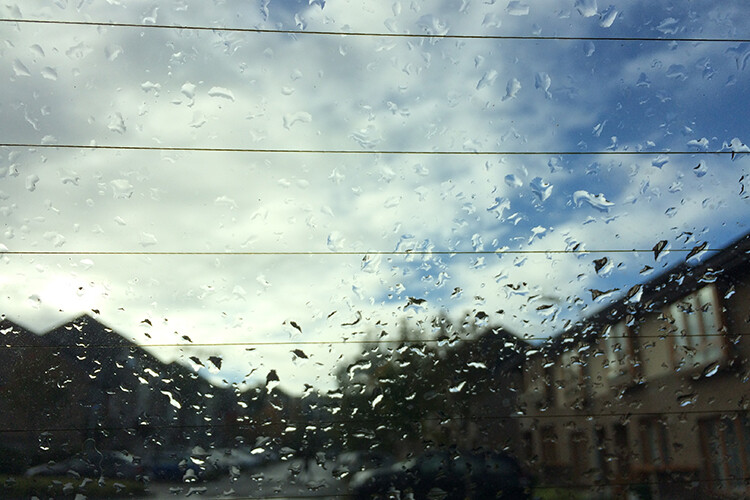
For example, for the shot of the Sony camera inside the waterproof case (see top photo). The camera is sitting on the bonnet (hood) of my car and I was nice and dry underneath the front porch of my house four feet away. If the rain persists or is simply too heavy to venture out, use this time to take actual shots of the rain against the window of your house or car.

Before

After

Before

After

What makes these shots more interesting is the type of background and the light reflecting off the rain droplets. For example, in the following image. I was in my own car and shot the car in front of me with my iPhone. I switched the wipers off to let the rain build up on the windscreen. The lights from the oncoming traffic gave it this Blade Runner abstract type shot.

Before

After

Disclaimer: I wasn’t driving the car when I took these shots. The traffic was at a standstill.

I hope you found this article useful. I’d love to hear your tips and advice on how you battle the elements when out shooting in the rain or other inclement weather. Please leave your comments below.

The post What to do When it Starts to Rain – Are you Prepared to Keep Shooting? by Sarah Hipwell appeared first on Digital Photography School.


Digital Photography School

 
Comments Off on What to do When it Starts to Rain – Are you Prepared to Keep Shooting?

Posted in Photography