RSS
 

Posts Tagged ‘Setting’

5 Tips for Goal Setting for You and Your Photography Business

06 Jan

Last December, no doubt thanks to data driven marketing, a little red ad with festive fireworks graphics kept popping up in my Facebook feed asking me: “WILL YOUR PHOTOGRAPHY BUSINESS SUCCEED OR FAIL IN 2014?” Over and over it found its way to my eyeballs and dared me to click, and apparently peek into my very own crystal ball, yet I couldn’t bring myself to do it. In all caps screaming at me, it seemed to suggest more seriousness than I can handle this time of year.

And the fireworks secretly conveyed what it really was saying: “WILL YOU BE CELEBRATING OR GOING DOWN IN A BURNING VORTEX OF SHAME AND REGRET?”. For all I know, it was a dead link. Or when I click on it, I end up on that site for an indoor cycling class that Facebook seems to think I will enjoy even though taking an indoor cycling class sounds slightly less interesting than performing my own root canal with pliers and whiskey on my kitchen floor.

lynseymattingly7

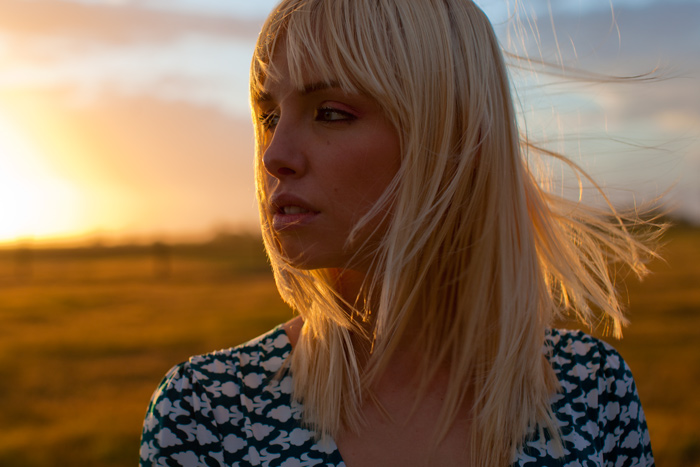
I’m not one for New Year resolutions, and not just because they often involve exercise. I have found that they easily end up being nothing more than petty promises you make to yourself that turn into guilt once it becomes evident they were unrealistic and therefore, unachievable. What I do love though, is goal setting and fresh starts; a new year is perfect for both. Specific goal setting is a very personal thing – one that no one, or any “How To” article, can help you write. I can however offer you some tips for what the most successful goal setting includes.

Tips for goal setting for your business

lynseymattingly2

1) Be realistic

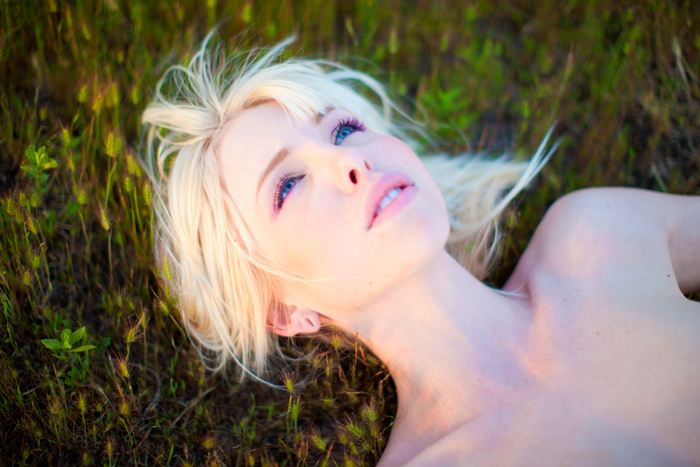
I know – realistic is boring. Realistic lacks that exotic appeal, that wild and crazy offer. But setting yourself up for disappointment and ending up in that burning vortex of shame and regret scenario, isn’t appealing either. I’m not likely to photograph a cover for Time Magazine this year. I’m not even likely to have a photograph on the front page of my local newspaper. Partly because I don’t work for either publication. Last year I had photographs published in one international magazine, two US-based publications, and a few images featured in a large gallery show. Every single one of those was a surprise – random opportunities that fell in my lap which I couldn’t have set as a goal because I didn’t know they were possibilities.

Practical goal setting should be flexible enough to accommodate opportunities you couldn’t have imagined and able to adapt and change as your business and your style does. Goals do not need to be small to be realistic. Shoot for the moon, but keep in mind that the idea of building a space shuttle sounds like a lot more fun on January 1st than it will in mid-July.

lynseymattingly5

2) Treat it like a business

This is a goal I have every year; to not let it get so personal. I want to be able to hear constructive feedback about my images without feeling personally attacked, to not allow negative energy to kill my buzz, to not give away the farm, to keep office hours, to not edit with one hand and make dinner for my kids with the other. It’s a struggle. Possibly my biggest. Partly because it is personal.

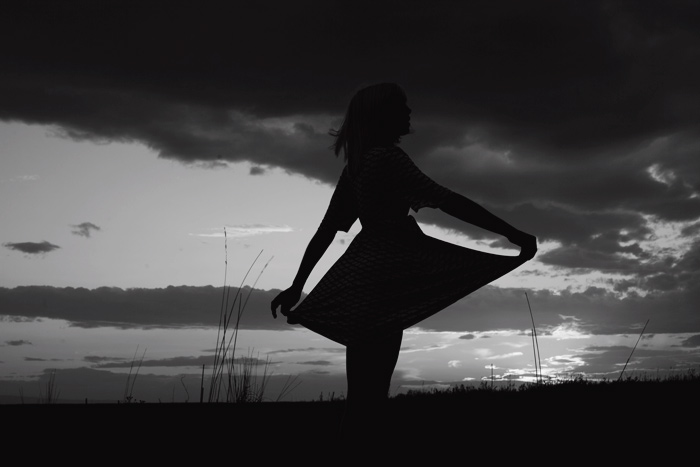
I don’t know a single professional photographer who became one because they needed a job and photography was there and was easy. We get into this business because we love taking pictures. What a dreamy situation – to take an art, a hobby, and turn it into your career. It’s easy to keep dodging and burning the midnight Photoshop oil when you are having success doing something you love. To avoid burn-out and keep your basic love of photography intact, work at maintaining a life/work balance. If taking pictures is how you make a living, do the tasks that aren’t as fun creating images, during actual normal working hours. Commit to not taking on too much, or doing jobs for free or cheap just to be nice. Build your portfolio with intention so you are not just shooting everything that comes your way for no personal purpose. Hire out the tasks that keep you from being able to focus on the parts of your business only you can do.

lynseymattingly6

3) Clean up your work space

Several years ago I was in a terrible funk and I couldn’t figure out exactly why. I was telling a close friend that every time I came home, I felt defeated and just wanted to crawl into my bed and ignore the world. She walked into my laundry room – the room I usually use to enter my house connecting my garage to my kitchen and said, “Of course you do. I imagine this being the first thing you see when you get home is very, very depressing.” My laundry room was a sad beige disaster of papers and junk, not to mention laundry for days. If you managed to shove the door all the way open, you were rewarded by something falling on you or having to do a complicated dance routine to step over whatever was on the floor. It took a candid friend to see that being welcomed home by that was enough to make me want to run away. It was the push I needed to organized the junk, paint the walls a cheery yellow, put in happy lighting, and install a shiny new floor. This was life changing and made coming home something I looked forward to, instead of dreading.

lynseymattingly1If I could, I would visit each of your work spaces and clean off your desk, dust your computer screen and throw away all of those scraps of paper you are saving in your top drawer that you just don’t need. I would make sure your chair was adjusted for optimal comfort and productivity, then place your favorite picture in a beautiful frame right next to you to make you smile and give you a little extra motivation when you need it most. I would untangle your electric cords and label your business folders and toss all of the nagging Post-It notes that remind you of what you haven’t done. I would go through your computer where I would first check out your music collection and judge you completely based on it and then send unneeded files, shortcuts, and applications to the trash bin. I would reformat all of your memory cards, charge all of your batteries, and carefully wipe down all of your lenses. I would send in the little elves to magically clean your camera sensor and careful wipe all of the grime and grunge off the viewfinder and buttons with the most gentle precision. I would even get you a big glass of ice water with a crazy straw and place it next to you so you could work productively for hours on end and never have to be thirsty.

Obviously, I can’t do any of these things for you – but you can. Give yourself the gift of working in a space that works for you. Whether it’s an office, a studio or tiny corner of a closet – take the time to make it a place where you actually want to spend time.

4) Focus on one topic at a time
lynseymattingly3

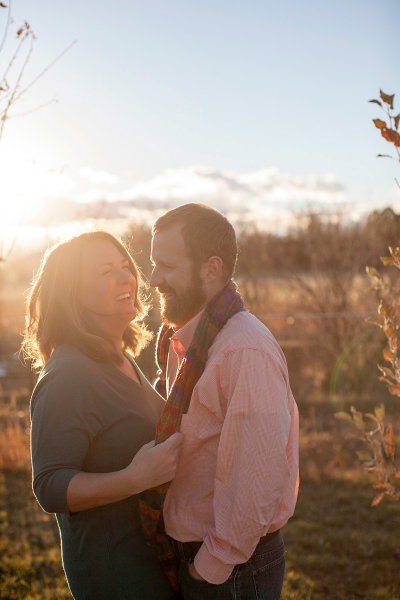
There is so much information out there for photographers. Some of it good, some of it opinion, some of it completely unnecessary. As a person who gets overwhelmed easily, I have to remember to not overindulge in the information I allow my brain to soak up. I like to pick one topic or area that I want to learn more about or focus on at a time. This way I read anything I find interesting, but if it’s not something I need to look into and not about my dedicated topic, I can let it go. Last year I learned as much as I could about copyright. If an article popped up about copyright, I would read it immediately. I spent time researching and finding ways to change and better my photography practices based on copyright laws. This year, I want to work on indoor natural light photography. This keeps me from overindulging in tips and ideas that will only drown me with information I’m not likely to need or use right now.

lynseymattingly4

5) Invest in your business, your brand, and yourself

Starting any business takes time and money. The first couple of years are often about keeping afloat, and it’s easy to see basic needs as expenses that can be saved for later. Looking back, I wish I would have built a few things stronger the first time.

I wish I would have purchased a better camera body right from the get-go instead of trying to skimp where I thought I could save some money, only to end up needing a new one much sooner. I wish I would have taken the time to have my computer professionally fixed to accommodate running a large program like Photoshop all of the time. Then my editing would have been faster and I would have wasted less time waiting for large images to load. I wish I would have done my portfolio building based on the pictures I wanted to take, not the ones that people seemed to demand.

The little things I could have invested in would have saved me a lot of trouble, time, and often cash, down the line. Having the tools you need, the resources to use, and the abilities and desire to put it all together and work hard, is the difference between flirting with photography and making it a business.

lynseymattingly9

Every January I have no idea what the year will bring, and every December I find myself in a place I couldn’t have even predicted, but often in a place I had hoped for. Goal setting is the closest you can come to actually (please forgive the corniness) writing your own destiny. This year I want to work on my personal photography project, write more, update my websites and blogs, and never, ever find myself in an indoor cycling class.

What do you hope to achieve this year in your photography?

googletag.cmd.push(function() {
tablet_slots.push( googletag.defineSlot( “/1005424/_dPSv4_tab-all-article-bottom_(300×250)”, [300, 250], “pb-ad-78623” ).addService( googletag.pubads() ) ); } );

googletag.cmd.push(function() {
mobile_slots.push( googletag.defineSlot( “/1005424/_dPSv4_mob-all-article-bottom_(300×250)”, [300, 250], “pb-ad-78158” ).addService( googletag.pubads() ) ); } );

The post 5 Tips for Goal Setting for You and Your Photography Business by Lynsey Mattingly appeared first on Digital Photography School.


Digital Photography School

 
Comments Off on 5 Tips for Goal Setting for You and Your Photography Business

Posted in Photography


Setting Your White Balance with a Gray Card – a Tip from Phil Steele

15 Dec

Setting your white balance can be done two ways: in camera when you’re shooting or later in post-processing. In this short video tutorial Phil Steele shows you how to do both methods.

Part one is using a gray card to set a custom white balance. Read more about that topic with: Get your White Balance Right in Seconds Using Grey Card.

Part two is how to adjust the white balance using a gray card in Lightroom. Read more here: Adjusting White Balance in Lightroom.

Phil also mentioned where to buy gray cards, you can find several options on Amazon:

If you liked this tip, you can find out more about Phil’s Lightroom course or his brand new Event Photography course here.

googletag.cmd.push(function() {
tablet_slots.push( googletag.defineSlot( “/1005424/_dPSv4_tab-all-article-bottom_(300×250)”, [300, 250], “pb-ad-78623” ).addService( googletag.pubads() ) ); } );

googletag.cmd.push(function() {
mobile_slots.push( googletag.defineSlot( “/1005424/_dPSv4_mob-all-article-bottom_(300×250)”, [300, 250], “pb-ad-78158” ).addService( googletag.pubads() ) ); } );

The post Setting Your White Balance with a Gray Card – a Tip from Phil Steele by Darlene Hildebrandt appeared first on Digital Photography School.

Digital Photography School

 
Comments Off on Setting Your White Balance with a Gray Card – a Tip from Phil Steele

Posted in Photography


Setting The Mood By Adjusting Your White Balance

04 Sep
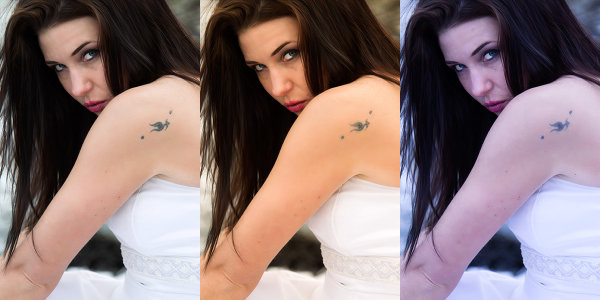
This set of images was taken from a RAW file, with the white balance adjusted using Kelvin white balance in Adobe Camera Raw. The first image was set to Auto in camera. The middle shot was warmed up by setting the white balance to 7500°K, and the third shot was cooled off by setting the white balance to 4000°K. EOS-1D Mark IV with EF 24-105 f/4L IS. 1/200, ISO 100, f/4.

This set of images was taken from a RAW file, with the white balance adjusted using Kelvin white balance in Adobe Camera Raw. The first image was set to Auto in camera. The middle shot was warmed up by setting the white balance to 7500°K, and the third shot was cooled off by setting the white balance to 4000°K. EOS-1D Mark IV with EF 24-105 f/4L IS. 1/200, ISO 100, f/4.

Photographers often deal with a variety of light sources, each of which has it’s own color cast.  When compared to daylight in the middle of the day, tungsten lighting, like that which comes from traditional incandescent bulbs, looks yellow.  Standard fluorescent lighting looks green.  Light in shade, or on a cloudy day will have a bluish cast compared to midday sun.  These color casts are referred to as the color temperature of the light.  Color temperature is measured in degrees Kelvin.  To beginners, color temperature will appear to be a bit backwards.  From 2000°K to about 3000°K are warm tones, and above 5000°K are cooler tones, getting progressively more bluish as the color temperature goes higher.  Midday sun tends to be at around 5500°K – 6000°K, while the sun at the horizon is warmer, at about 5000°K. Overcast daylight will be around 6500°K, and shaded daylight will be around 7000°K.

In this landscape shot, The first shot was processed using the Auto white balance setting, which chose 7500°K.  The second shot was processed to a much cooler tone at 4500°K, and the last shot was processed setting the Kelvin white balance at 11250°K.  EOS-1D X, EF 14mm f/2.8L II. Exposure: 0.5", f/16, ISO 200.

In this landscape shot, The first shot was processed using the Auto white balance setting, which chose 7500°K. The second shot was processed to a much cooler tone at 4500°K, and the last shot was processed setting the Kelvin white balance at 11250°K. EOS-1D X, EF 14mm f/2.8L II. Exposure: 0.5″, f/16, ISO 200.

Thankfully, today’s digital cameras have a tool to correct for the different color casts created by the various light sources we encounter.  For beginners, using the Auto White Balance setting is an excellent start. The camera will try to neutralize the color cast caused by different light sources and give the image a pleasing balance. However, while a neutral color balance is often desirable, there are times when as artists, we may want to use the white balance tool to creative effect.

You can choose what kind of mood you want to set before shooting if you like, by choosing a preset white balance. Most cameras offer Auto, Daylight, Cloudy, Shade, Fluorescent, Tungsten, Flash, Custom, and Kelvin temperature white balance settings.  These settings will neutralize the color cast from the light source they are designed for. For instance, Fluorescent neutralizes the greenish cast given off by fluorescent light.  Custom white balance is a user defined setting where you tell the camera what in the scene should be white, and the camera corrects to make it so. Finally, the Kelvin white balance setting allows you to choose the color temperature of the light source you are shooting in.  If you choose to use the presets in lighting other than what they are designed for, your image will be warmer or cooler, depending on your setting and the available light.

For all of those settings, the camera is simply looking to make white look white.  While that may be what you want, by intentionally setting a different white balance, you can add to the mood.  Choosing  Shady or Cloudy white balance will warm up your image, and choosing tungsten will cool your image. This type of thing is done constantly in movies and television shows to help set the mood.  Photographers as well choose their white balance to set the mood.  A cooler color cast gives the image a colder, harsher feel, while a warm color cast is generally seen as inviting.

If you shoot only JPEG, you’ll be stuck with whatever white balance you had selected at the time of shooting, so if you want to change the mood by adjusting your white balance, you’ll have to choose to do this beforehand.  However, if you shoot RAW, the white balance can be adjusted after the fact, using whichever RAW converter you choose.  You’ll be able to choose from the presets that are loaded in the camera, click in the image to determine what color should actually be white, or you can simply select Kelvin white balance, and using a slider, adjust the white balance in degrees Kelvin and see what the different color temperatures look like.

By taking control of the white balance, you give yourself another tool that can alter the mood of your images and allow you to better communicate what you want to say with your image.  Not every image will benefit by shifting the white balance setting, and there will be some photographers who will be adamant that you should always shoot to the “correct” white balance.  As the artist, this is your time to exercise your creative license and do what feels right to you.

Post originally from: Digital Photography Tips.

Check out our more Photography Tips at Photography Tips for Beginners, Portrait Photography Tips and Wedding Photography Tips.

Setting The Mood By Adjusting Your White Balance


Digital Photography School

 
Comments Off on Setting The Mood By Adjusting Your White Balance

Posted in Photography


Setting The Mood With Low Key Lighting

29 Jul
This image was made using a flash on camera, bounced into an uncoated muslin reflector.  The uncoated muslin warms the light up about 400 degrees Kelvin.  The reflector was positioned above and to the left of the camera, with the flash aimed into it.  EOS-1D Mark IV, EF 100mm f/2.8L Macro. ISO 100, 1/250, f/4.

This image was made using a flash on camera, bounced into an uncoated muslin reflector. The uncoated muslin warms the light up about 400 degrees Kelvin. The reflector was positioned above and to the left of the camera, with the flash aimed into it. EOS-1D Mark IV, EF 100mm f/2.8L Macro. ISO 100, 1/250, f/4.

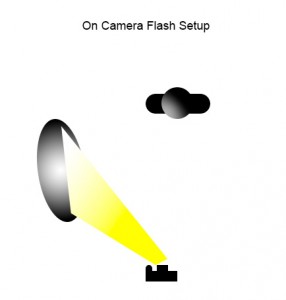
This diagram shows the lighting for the image above.  The uncoated muslin reflector is positioned above and to the left of the camera, with the flash bounced into it. Play with the angle of the reflector to get the lighting just right.

This diagram shows the lighting for the image above. The uncoated muslin reflector is positioned above and to the left of the camera, with the flash bounced into it. Play with the angle of the reflector to get the lighting just right.

Last week I wrote about high key portrait lighting and how it creates a very upbeat feel in images lit that way.  The opposite end of the spectrum is low key lighting, which creates a more moody feeling in images.  Low key lighting tends to be lit with one light on the subject, using reflectors or fill light if necessary to fill in shadows. Because only one light is required, it can be a bit easier to light a subject in the low key style, and certainly less costly indoors.

Light reveals your subject, and shadows define your subject.  The shadows you create are equally as important as the light you use to expose your subject.  Low key lighting will have a high lighting ration from main to fill, typically as high as 8:1.  High key, by comparison, will approach 1:1.

Indoors, the simplest way to achieve low key lighting is to use a speedlite on camera, bounced off a wall, or into a reflector angled to catch your subject in the face. Adjusting the flash output will help you get the softness in light, as well as using a larger reflector. Another reflector on the opposite side of your subject can be used to throw reflected light back where it came from for fill if desired.  Using a silver or gold reflector will create a harsher light, while using uncoated muslin or soft white will create a softer light.

If you’re able, and want to get the flash off camera, using a wireless trigger on your speedlite, while placing it in a softbox gives you another option to light your subject.  A softbox gives you soft, directional light, without spilling the light into the background.  Softboxes work by enlarging your light source.  The larger the light source, the softer the light will be.   I use several softboxes depending on what I need.  The first is a Westcott Bruce Dorn 18×42 assymetrical strip box.  This is great for

lighting a full length figure, with a natural falloff at the feet.  The rest I use are Westcott Apollo softboxes. I have the 16″,  28″ and 50″ softboxes, depending on what the situation calls for.  The 50″ creates light very similar to window light, with a nice soft wraparound effect.  The 28″ is a bit harsher, and the 16″ harsher still.

For this image, I used a Westcott 28" Apollo softbox, with a speedlite off camera. I turned down the flash output slightly to give a more moody feel. EOS 5D Mark II, EF 24-70 f/2.8L. ISO 100, 1/200, f/8.

For this image, I used a Westcott 28″ Apollo softbox, with a speedlite off camera. I turned down the flash output slightly to give a more moody feel. EOS 5D Mark II, EF 24-70 f/2.8L. ISO 100, 1/200, f/8.

The softbox is positioned to the left of the camera and aimed at the subject as the subject is turned toward the light. The camera shoots from the shadow side of the subject, allowing the light to just kiss the contour of the subject from the side.

The softbox is positioned to the left of the camera and aimed at the subject as the subject is turned toward the light. The camera shoots from the shadow side of the subject, allowing the light to just kiss the contour of the subject from the side.

Outdoors, to get a low key lighting effect, you’ll need to catch the sun when it’s low in the sky, just as it’s setting, or in the morning as the sun rises. Alternatively, standing at the edge of deep shade can help create a low key effect as well.  If needed, a scrim can help soften the light hitting your subject, but generally a sun low in the sky creates a soft warm lighting on your subject.

Low key lighting is great for setting a mood. Add it as another option in your lighting toolbox and see what happens.  Share your favorite low key images in the comments too!


This shot was taken using only late afternoon sun, just before sunset. When the sun sets it becomes directional, and all I had to do was instruct my model to face the light, watching the soft shadows it created. EOS-1D X with EF 85mm f/1.2L II. 1/320, f/4, ISO 320.

This shot was taken using only late afternoon sun, just before sunset. When the sun sets it becomes directional, and all I had to do was instruct my model to face the light, watching the soft shadows it created. EOS-1D X with EF 85mm f/1.2L II. 1/320, f/4, ISO 320.

Post originally from: Digital Photography Tips.

Check out our more Photography Tips at Photography Tips for Beginners, Portrait Photography Tips and Wedding Photography Tips.

Setting The Mood With Low Key Lighting


Digital Photography School

 
Comments Off on Setting The Mood With Low Key Lighting

Posted in Photography


Nikon Autofocus Setting for Action

14 Nov

Questions? Go here: www.youtube.com Instructions on how to use the best AF settings for action shots that will result in sharp images.
Video Rating: 0 / 5

 
Comments Off on Nikon Autofocus Setting for Action

Posted in Nikon Videos


Setting up a studio space and lighting | lynda.com tutorial

30 Oct

This photography tutorial discusses the importance of setting up the proper studio to maximize creative space, and achieve optimal lighting. Watch more at www.lynda.com This specific tutorial is just a single movie from chapter four of the Photoshop CS5 for Photographers course presented by lynda.com author Chris Orwig. The complete Photoshop for Photographers course has a total duration of 12 hours and 24 minutes, and demonstrates the fundamental skills used to enhance digital photos, manage and correct color, make selections and adjustments, retouch, and print from Photoshop. Photoshop CS5 for Photographers table of contents: Introduction 1. Strategies and Resources for Learning 2. Getting Started with Bridge and Mini Bridge 3. Color Settings and Preferences 4. The Foundations of Color Management 5. Getting Started with Photoshop 6. Understanding Digital Images 7. Camera Raw 8. Layers 9. Making Selections 10. The Masking Panel 11. Custom Borders 12. The Adjustments Panel 13. Levels 14. Curves 15. Blending Modes 16. Color Correction 17. Enhancing Colors 18. Burning and Dodging 19. Black-and-White Conversion 20. Filters 21. Removing Noise 22. Image Cleanup 23. Retouching Essentials 24. Correcting Distortion and Perspective 25. Sharpening 26. Getting Images Online 27. Printing Conclusion

 
Comments Off on Setting up a studio space and lighting | lynda.com tutorial

Posted in Retouching in Photoshop


Setting Photography Goals for 2012 – Thank You

17 Oct

froknowsphoto.com Before I get into talking about goals I want to thank each and every one of your for your continued support of this community. Over the last year it has grown so much and helped so many people become better photographers. It means so much to me that you guys come back day in and day out to learn, help and even teach me new things. I look forward to bigger and better things to come in 2012. As we 2011 ends and 2012 begins I wanted to share with you my photographic goals for 2012. One of my major goals is to further my photographic education, continue to learn and expand my knowledge. This could be from books, videos or other photographers I work with. If you could take a min to leave a comment about what some of your goals are for 2012 along with your fav video from 2011 that would be great.
Video Rating: 4 / 5

 
Comments Off on Setting Photography Goals for 2012 – Thank You

Posted in Photography Videos


Setting custom White Balance – Digital Camera

04 Aug

#1 – Tell camera what to consider “white” #2 Set the camera to Custom WB. Most cameras will be exactly the same. Some may be slightly different. Most newer ones are combining this into one step like the Canon S95. On my 7D I have to take 2 steps but it’s very easily done and helps a lot.


Nikon CLS with D80 – Setting Up

04 Nov

This video is a gift to one of the YouTubers, Michael (joey75220). This video demonstrates shows you the steps to set your D80’s pop-up flash as the commander for Nikon Creative Lighting System (CLS) with both flashes of Nikon SB-600 and SB-800. This video also apply to D70 / D70s / D80 / D200 / D300 / D300s / D700 because these D-SLR’s are compatible with Nikon Creative Lighting System feature using built-in popup flash. D1 / D2 / D3-Series / F-Series do not have pop-up flash and does not have internal Nikon Creative Lighting System feature but you can do one of these: use a flash unit as a master flash (SB-800 or SB-900 only), use a SU-800 Commander, or use a Pocketwizard unit to trigger the remote flashes. D3000 / D5000 / D40 / D40X / D50 / D100 does not have internal Nikon Creative Lighting System feature but you can use the popup flash in manual mode and set the SB-800 / SB-900 for SU-4 mode then set the SB-800 / SB-900 for manual OR you can pair it up with Pocketwizards and it will fire, no problem. Enjoy! Music: My Favorite Things by John Coltrane


A Setting Sun

21 Jun

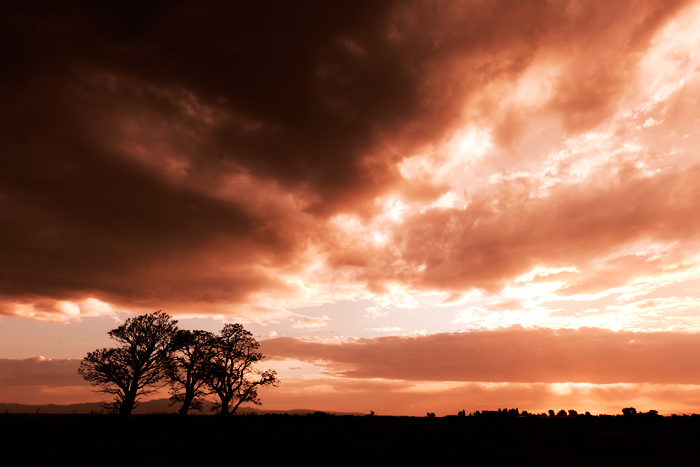
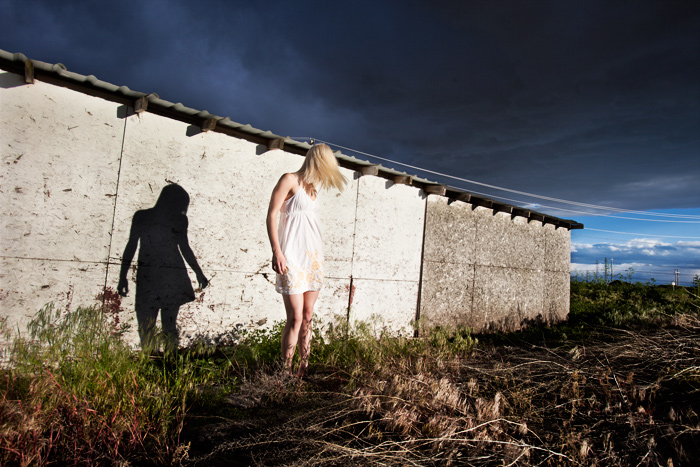
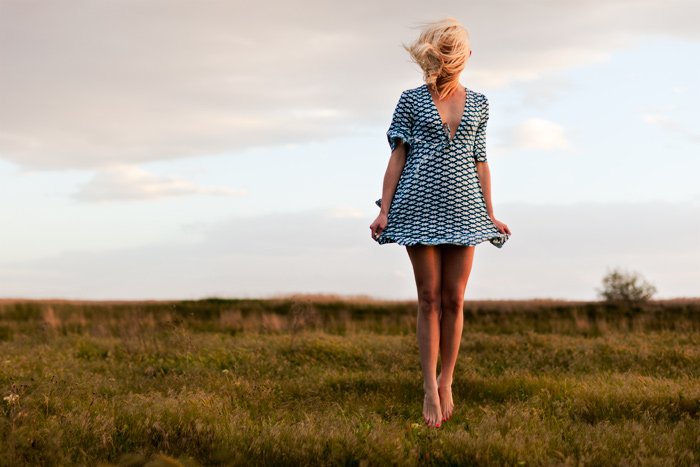
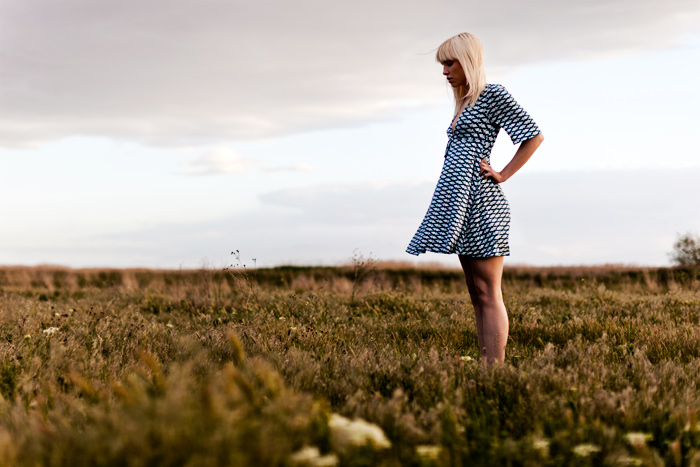
Spring storms just have a certain allure to them. Last night the rain was starting and stopping as the clouds rolled across the sky and I kept trying to focus on finishing my to do list.  Finally it was just too tempting, so I sent out a couple messages to models that lived close and Lindsi responded.

I’m so glad she did! All these images were shot as the sun made it’s final dash into the horizon, the clouds seemed to change by the minute.  All natural light.  The beautiful bokeh is from the Canon 50mm 1.2L lens, attached to the Canon 5D Mark II.


Jake Garn Photography

 
Comments Off on A Setting Sun

Posted in Uncategorized