RSS
 

Posts Tagged ‘REVIEW’

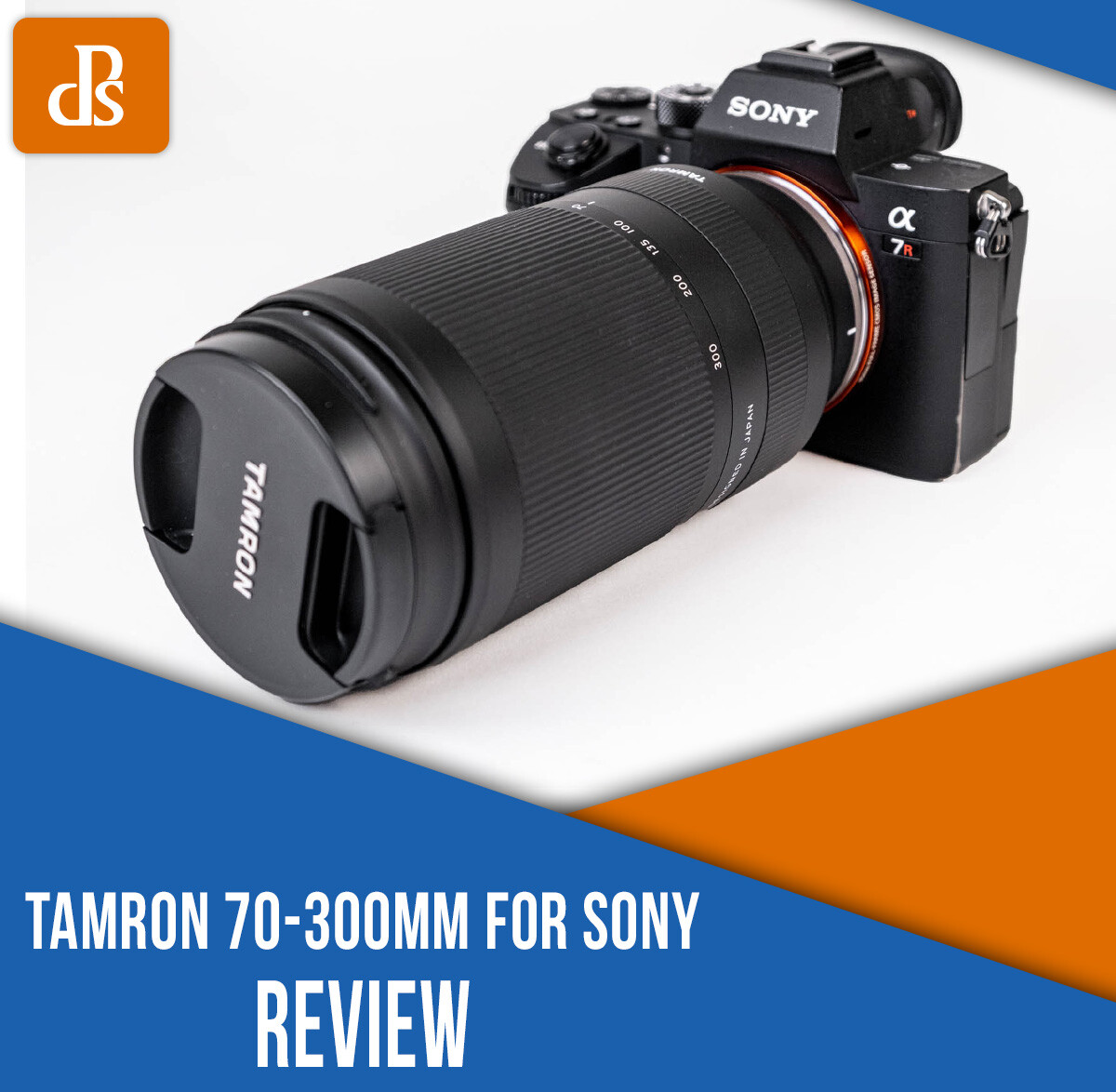
Tamron 70-300mm for Sony Review: A Compact, Well-Priced Telephoto Lens

02 Jan

The post Tamron 70-300mm for Sony Review: A Compact, Well-Priced Telephoto Lens appeared first on Digital Photography School. It was authored by Suzi Pratt.

Tamron 70-300mm for Sony review

The new Tamron 70-300mm f/4.5-6.3 lens is the “world’s smallest telephoto zoom lens for Sony E-mount full-frame mirrorless cameras.”

But does this lens live up to the hype?

Let’s find out in this Tamron 70-300mm for Sony review!

Tamron 70-300mm for Sony review

Tamron 70-300mm for Sony: Overview

The Tamron 70-300mm is made to be used on a full-frame camera, but you can also mount it on an APS-C camera; the equivalent focal length just gets cropped to 105-450mm. This can be an advantage if you prefer getting more zoom out of your lens.

Besides its compact and lightweight build (more on that below!), the biggest appeal of this lens is the price. At just $ 550 USD, the Tamron 70-300mm is more than half the price of the Sony alternative.

For comparison’s sake, the Sony FE 70-300mm f/4.5-5.6 has a slightly faster f-stop and also comes with image stabilization. But it is larger, heavier, and more expensive than the Tamron model. So if budget, size, and weight are a concern, the Tamron 70-300mm is the way to go!

  • Released: September 2020
  • Focal Length: 70 to 300mm
  • Maximum Aperture: f/4.5 to f/6.3
  • Minimum Aperture: f/22 to f/32
  • Lens Mount: Sony E (full-frame)
  • Minimum Focus Distance – 31.5″/0.8 m
  • Focusing: Autofocus
  • Image Stabilization: No
  • Filter Size: 67 mm
  • Dimensions: 5.8” x 3″/148 mm x 77 mm
  • Weight: 19.2 oz/545 g
Tamron 70-300mm for Sony review

Lens design

The Tamron lens follows on the coattails of some impressive Tamron releases, such as the 28-200mm f/2.8-5.6. And if you’ve used any recent Tamron lenses, the 70-300mm will feel very familiar in your hands. It has a similar look and feel to other Tamron lenses, and it takes a 67 mm front filter, just like many other Tamron lenses.

While the build is mostly plastic, the lens is weather-sealed with a dust- and moisture-resistant construction. This makes the 70-300mm ideal for shooting in a variety of outdoor conditions. I wouldn’t take the lens out in pouring rain, but a light drizzle is totally fine.

Aside from its low price point, the biggest advantage of the Tamron 70-300mm is its compact size. With a weight of just 545 g (1.2 lb) and a length of 5.8 in, it’s easy to forget that you’re hauling a rather long-range telephoto lens. The small size also makes it easier to hold the lens for long periods of time, especially compared to bigger lenses like the Sony 100-400mm. 

Tamron 70-300mm for Sony review

Ease of use and performance

The Tamron 70-300mm is a very straightforward lens. There’s a zoom ring and a manual focus ring with no additional buttons or switches on the lens.

It would be nice to have a lock switch to prevent the zoom barrel from sliding out when you use the lens – and while it’s not a dealbreaker, the lack of a lock is something to be aware of.

All Sony autofocus modes (including Eye AF) are as snappy as they’d be if using a native Sony lens. If you have any concerns about using a third-party lens, rest assured that all modern Tamron lenses work flawlessly with Sony E-mount cameras.

Image quality

Snowy owl
300mm | 1/1600s | f/6.3 | ISO 400

Photos on the 70-300mm Tamron are razor sharp. Color rendition is also accurate, with absolutely no chromatic aberration or distortion.

While this lens doesn’t have a fast f/2.8 or f/1.8 aperture, beautiful bokeh can still be achieved with sufficient distance between the subject and the background. The bokeh is pleasing and smooth. The lens’s sweet spot seemed to be between f/4.5 and f/11.

The lens also has a nice minimum focusing distance of 31.5 in (0.8 meters) when shooting at 70mm. This allows you to get pretty close to your subject and still get crisp shots. 

autumn leaves
186mm | 1/800s | f/5.6 | ISO 1600

Best uses

Given its focal range and features, the 70-300mm is best used as a complementary lens to a wide-angle or mid-range zoom, such as the 24-70mm.

Shooting purely at 70-300mm may suit some photography styles, but most photographers will want to occasionally get a shot wider than 70mm, which is when a wider second lens will come in handy.

snowy landscape
70mm | 1/320s | f/6.3 | ISO 640

However, you can use the Tamron 70-300mm as your sole lens and get some great wildlife, landscape, and portrait shots. Just make sure you have enough light or a camera that can shoot at high ISOs because of the narrower maximum lens aperture. If you plan to shoot indoors or in low light, the Tamron 70-180mm f/2.8 will better suit your needs.

The Tamron 70-300mm can also work as a great video lens. Just note that it lacks image stabilization (IS), so it is best used on a tripod or a gimbal stabilizer if shooting video.

Tamron 70-300mm for Sony review: Conclusion

For the budget-conscious photographer, or for those wishing to have the smallest and lightest camera kit, the Tamron 70-300mm is a bargain of a lens.

One of the only reasons why you may not opt for this lens is if you prefer the all-in-one Tamron 28-200mm lens. The 28-200mm is smaller and slightly more expensive, and it gives you a much wider focal range at the expense of not being able to zoom as far as 300mm. 

If you are interested in purchasing the Tamron 70-300mm for Sony, you can grab it here.

So what do you think? Would you buy the Tamron 70-300mm, or would you opt for a different lens? Let me know in the comments below!

The post Tamron 70-300mm for Sony Review: A Compact, Well-Priced Telephoto Lens appeared first on Digital Photography School. It was authored by Suzi Pratt.


Digital Photography School

 
Comments Off on Tamron 70-300mm for Sony Review: A Compact, Well-Priced Telephoto Lens

Posted in Photography


DPReview TV: Sony FX6 Review

19 Dec

What would the Sony a7S III look like if it were a cinema camera? Spoiler: it would look like the Sony FX6. This week, Jordan reviews the FX6 to see how it compares with the a7S III. Which one would he pick? You might be surprised.

Subscribe to our YouTube channel to get new episodes of DPReview TV every week.

  • Introduction
  • Jordan's background
  • A Sony FS5 body with a7S III internals?
  • Design changes
  • Audio inputs
  • Interface and menus
  • Electronic variable ND filter
  • Recording modes
  • Raw video recording
  • Autofocus
  • Picture profiles
  • Who's it for?

Articles: Digital Photography Review (dpreview.com)

 
Comments Off on DPReview TV: Sony FX6 Review

Posted in Uncategorized


GoPro Hero 9 Review: Is It the Perfect Action Camera for You?

19 Dec

The post GoPro Hero 9 Review: Is It the Perfect Action Camera for You? appeared first on Digital Photography School. It was authored by Suzi Pratt.

GoPro Hero 9 review

Every fall, GoPro releases a brand new version of its popular and classic action camera, the GoPro Hero. Some years, it’s a significant release with big changes, and other years, it’s an incremental step forward.

Where does the brand new GoPro Hero 9 fall into place, and should you buy this camera?

Read our GoPro Hero 9 review to find out.

GoPro Hero 9: Overview

Since GoPro is practically the inventor of action cameras, you’re probably at least partially familiar with the GoPro Hero.

It’s always been a compact, rectangular camera that’s rugged – waterproof, crushproof, and made primarily for the outdoors. Listed below are a few significant GoPro Hero camera releases:

GoPro Hero 5

In terms of GoPro history, the GoPro Hero 5 was a significant camera for a couple of reasons.

It was the first GoPro that was waterproof, so you didn’t need to stick it in a waterproof housing for underwater shooting.

Plus, the Hero 5 was the first GoPro with a built-in LCD display screen on the back of the camera.

Every GoPro since the Hero 5 comes with both of these features.

GoPro Hero 9 Review

GoPro Hero 7

The next major GoPro release was the Hero 7.

This was the first GoPro camera with built-in HyperSmooth, which promised “gimbal-like stabilization.” Every GoPro with HyperSmooth has amazing video stabilization, even in the roughest conditions. In fact, depending on your personal video quality preferences, you may not even need to use a gimbal or external stabilizer with newer GoPro models.

The Hero 7 was also the first GoPro Hero to include custom shooting presets via the back-facing LCD touchscreen for easy camera operation.

GoPro Hero 9

The latest GoPro release is the first to include a built-in front-facing screen (more on this below). It’s great for vlogging, taking selfies, and composing your shots while standing in front of the camera.

Additionally, the Hero 9 boasts the highest resolution of any GoPro camera. At 23.6 megapixels, the resolution is roughly double that of its predecessors. This allows for shooting higher-resolution photos (20 megapixels) and videos (up to 5K).

From here on out, I’ll be talking solely about the GoPro Hero 9.

GoPro Hero 9 Review
Left to right: The GoPro Hero 7, Hero 8, and Hero 9.

Design and ergonomics

Aside from the inclusion of the front-facing screen and the relatively large size, the Hero 9 looks like many other modern GoPros. It has two physical buttons – one on top and one on the side – and a rear touchscreen LCD.

Accessing the camera’s many features is quite simple, thanks to the inclusion of shortcuts and presets that can be accessed via the rear LCD.

The Hero 9 is powered by a rechargeable battery. It can also be charged via the USB-C port, the only built-in port on the camera. If you desire additional ports such as a 3.5mm microphone jack and a micro HDMI port, you need to buy the GoPro Hero 9 Media Mod (more on this below). The Hero 9 uses a single micro SD card to record.

The Hero 9 is waterproof up to 33 feet (10 meters) without a waterproof housing, though dive housing can be used to further waterproof the camera.

Finally, the Hero 9 can be used without a cage, thanks to the built-in folding fingers on the bottom of the camera. That way, you have the mount directly on the camera base.

GoPro Hero 9 Review
The GoPro Hero 9 (left) can be mounted without a cage. The Hero 7 and all cameras prior require a cage to be mounted.

GoPro Hero 9 Pros

Now let’s take a look at some of the GoPro Hero 9’s best features, starting with:

Best photo and video quality ever

Thanks to the Hero 9’s impressive resolution, image quality is at an all-time high. You can now shoot 20-megapixel photos in both JPEG and RAW format, and videos can be shot at 5K/30p or 4K/60p.

Even if you don’t intend to export a 5K video, shooting at this resolution can be beneficial for post-production. When you shoot at 5K, you can crop your video later without sacrificing resolution. You can also take high-quality still shots from your 5K video footage.

Front-facing screen

While some may scoff and say that front-facing screens are only important for vloggers, don’t knock it until you try it. Being able to see your composition from the front of the camera will change the way you shoot. It’s especially helpful when you stick the camera in a tight corner.

But if you’re still not sold on the front-facing screen, there’s an option to disable it and simply display camera settings instead.

front-facing screen on the GoPro Hero 9
The GoPro Hero 9 with the front-facing screen.

HyperSmooth stabilization

Shaky video footage has been long gone since the Hero 7 first debuted with HyperSmooth. Somehow, GoPro keeps finding ways to improve HyperSmooth, and it’s in its third version with the Hero 9.

Besides eliminating video shake from sports footage, HyperSmooth helps with another GoPro feature: TimeWarp.

Essentially a moving time-lapse, TimeWarp is great for conveying the passage of time while on the move (think walking, hiking, or driving), and HyperSmooth keeps that footage stable.

Horizon Leveling and Scheduled Capture

A new feature on the Hero 9 is Horizon Leveling. When enabled, this automatically keeps your video’s horizon straight.

Since the camera tends to be mounted on a moving subject, keeping the horizon straight is something that many GoPro users often struggle with.

Scheduled Capture is another new feature that allows you to schedule ahead of time when the GoPro should start shooting. It’s especially helpful for creating time-lapses.

Improved internal microphones

Ever since the GoPro was designed to work without a cage, the sound quality has gradually improved. The Hero 9 has three built-in internal microphones, and they do a great job of picking up audio. The only time the audio seems muddled is after the camera has been submerged in water.

If you want to get the best possible audio out of the GoPro, you can do so by adding an external microphone. However, for that you’ll need to buy the Media Mod (discussed below).

GoPro Hero 9 in the Media Mod
The GoPro Hero 9 inside of the Media Mod.

Mods

Starting with the Hero 8, GoPro began releasing Mods to add features to its cameras.

The main Mod is the Media Mod, which is aimed at vloggers. This Mod includes cold shoe mounts for adding accessories, a micro HDMI port, a 3.5mm mic jack, and built-in microphones.

Despite the added cost, the Media Mod delivers on its promises and turns the GoPro into a viable vlogging camera.

Other available Mods include the GoPro Light Mod (a glorified flashlight), a front-facing Display Mod, and the ultra-wide Max Lens Mod.

(Most of these Mods are intended for newer GoPros, so if you own an older GoPro, be sure to check its compatibility before purchasing Mods.)

the Media Mod
The Media Mod (available for Hero 8 and Hero 9 only) includes cold shoe mounts, built-in mics, a micro HDMI port, a USB-C port, and a 3.5mm microphone jack.

Lots of third-party accessory options

Since GoPro has been around for so long, there are tons of third-party accessory makers selling all kinds of things to expand the functionality of GoPro cameras.

Some accessories are specific to GoPro models (i.e., form-fitting cages), but many accessories, such as mounts, lights, and microphones, can be used with every GoPro out there.

Cons

No camera is perfect, and the GoPro Hero 9 is no exception. Let’s take a look at the drawbacks of this action camera:

Larger size

To accommodate a larger battery and the front-facing LCD, the Hero 9 is the biggest GoPro ever. It’s still a small camera, but its slightly larger size means that any previous form-fitting cages you might own will no longer fit.

You’ll also have to buy Hero 9 batteries and a battery charger.

Poor low-light shooting

While the GoPro Hero 9 has a larger megapixel count than previous GoPro Heros, it performs miserably in low-light conditions. If you want to shoot photos or videos after the sun goes down or indoors, use the Light Mod or consider a different camera.

Buggy software

In my experience, most modern GoPros are prone to freezing bugs, and the Hero 9 is no exception.

The good news is that there’s a fast way to reset the camera should it freeze:

Simply hold down the Record and Power buttons for a few seconds, and the camera will reboot.

GoPro Hero 9  with the Max Lens Mod
An HDR SuperPhoto taken with the GoPro Hero 9 and the Max Lens Mod.

Firmware updates

Almost immediately after the Hero 9 came out, GoPro released a statement saying that two firmware updates would be on the way before the end of 2020.

These firmware updates promised fixes such as:

  • Increased touchscreen sensitivity
  • Image quality improvements for 4K shooting
  • GPS accuracy
  • Scheduled Capture bug improvements
  • External microphone compatibility with the GoPro mic adapter
  • More possible fixes on the way

One firmware update was released in October 2020, and the second was delayed from November to December 2020. In GoPro’s own words, “The more we test HERO9 Black in the field and the more feedback we receive from users, the more we identify little upgrades that will have huge impacts on the user experience.”

Not everyone will find the issues listed above to be a problem, but if you’re suffering from any, just know that a fix is on the way.

Should you buy the GoPro Hero 9?

Now that I’ve gone through the bulk of this GoPro Hero 9 review, it’s time to ask:

Who should think about purchasing the Hero 9?

If you have an older GoPro…

If you have a model older than the GoPro Hero 7, the Hero 9 will seem like a huge upgrade.

Not only is the image quality better, but you’ll also have a touchscreen with presets for easier control, buttery-smooth video, and better sound quality.

If you have the Hero 7 or 8, there’s no need to upgrade unless any of the key features, such as the front-facing screen or 5K video, have appeal.

If this is your first action camera…

For those new to the action camera market, you’re in luck – because there are a lot of good options. There’s the cheaper DJI Osmo Action or the modular Insta360 One R, both of which are excellent picks. It’s worth researching both of those cameras to see if they better fit your needs.

However, if you want a tried and true action camera that has the best image quality, stability, and sound on the market, then the GoPro Hero 9 is the best that money can buy. You can grab it here.

What do you think? Are you interested in purchasing the GoPro Hero 9? Let me know in the comments below!

The post GoPro Hero 9 Review: Is It the Perfect Action Camera for You? appeared first on Digital Photography School. It was authored by Suzi Pratt.


Digital Photography School

 
Comments Off on GoPro Hero 9 Review: Is It the Perfect Action Camera for You?

Posted in Photography


Nikon Z6 II review

15 Dec

Introduction

$ (document).ready(function() { SampleGalleryStripV2({“galleryId”:”6763511768″,”isMobile”:false}) })

Sample photoSample photoSample photoSample photoSample photo

Product shots: Dan Bracaglia

The Nikon Z6 II is an updated version of the company’s 24MP multimedia full-frame mirrorless camera. It gains more processing power to add improved autofocus and a few other tweaks to an already well-rounded feature set.

Key specifications

  • 24MP full-frame BSI-CMOS sensor
  • Continuous shooting at up to 14 fps (in 12-bit Raw with single AF point)
  • Full-sensor UHD 4K video at up to 30p
  • UHD 60p from an APS-C crop promised in future firmware update
  • Two card slots (1x CFexpress/XQD, 1x UHS-II SD)
  • 3.69M-dot EVF with improved blackout times
  • Tilting 2.1M-dot read touchscreen
  • USB-C socket for recharging or powering the camera
  • Battery rating of 410 (LCD) and 340 (EVF) shots per charge
  • Connectors to allow battery grip with portrait orientation controls

The Z6 II launched at the same price as its predecessor, with a recommended selling price of $ 1999 body-only or $ 2599 with the Z 24-70mm F4 S lens. It is available now.


What’s new and how it compares

The addition of a second card slot will be welcomed by some photographers.

The Z6 II is a subtle refresh of the existing Z6, extending the capabilities a little, but offering a mostly similar, well-rounded stills and video feature set. In terms of hardware, the main difference is that the Mark II gains a second Expeed 6 processor, with most of the performance and feature improvements stemming from this additional processing power.

Autofocus

Nikon says the autofocus performance has been incrementally improved over the original Z6, but the most notable feature change is the addition of face and eye detection (both human and animal) to the wide area AF mode. Previously these features were only available in ‘Auto’ area AF, meaning the camera decided where to focus. By adding them to wide area, you are able to narrow-down the region in which that camera hunts for faces, giving you a way of pre-selecting the face you wish to focus on.

Nikon says autofocus now works in light
as low as -4.5EV

The variants of Wide Area AF with human and animal face/eye AF have been added to the list of AF modes accessible from the ‘i‘ quick menu, meaning you don’t have to separately engage those functions.

Nikon says the focusing system now works in light as low as -4.5EV (a one stop improvement, and the equivalent of moonlight somewhere between gibbous and quarter), when using an F2.0 or faster lens. And that’s without using the low light AF mode, which extends AF to light levels a further two stops lower, at the expense of longer acquisition speed.

Shooting rate

The Z6 II’s maximum burst speed tops out at an impressive 14 frames per second, but only if you use a single AF point and you’re willing to shoot JPEGs or take the slight dynamic range hit of shooting 12-bit Raws. If you want the camera to choose an AF point or track a subject, it shoots at a still very respectable 12 frames per second.

Video

The (paid) Raw upgrade will allow an output that an Atomos recorder can encode as ProRes RAW or, after February 2021, a Blackmagic Video Assist to encode as Blackmagic Raw.

The Z6 II builds on the Z6’s already pretty strong video feature set, with the promise of UHD 4K 60p support in a free firmware update due in February 2021. This higher rate footage will come from an APS-C crop of the sensor, and will only be available for internal capture.

In addition, the camera’s video output options have been expanded, with the Mark II able to output 10-bit HLG HDR footage, in addition to N-Log, to an external recorder. An optional paid upgrade enables a 12-bit line-skipped 4K Raw stream can be sent to an external recorder to be encoded as ProRes Raw or, after a February 2021 firmware update, as Blackmagic Raw.

Line-skipping means less detail, more noise at higher ISOs and greater risk of moiré. You gain more flexibility in the footage but ProRes Raw from the camera doesn’t have the required metadata to let you use the White Balance or ‘ISO’ adjustment tools in Final Cut Pro.

Viewfinder

The viewfinder in the Z6 II is the same 3.68M-dot OLED as in the original model (and the Z7/II). Nikon points out that the optics and coatings are of its own design and says it’s decreased both the refresh lag and the blackout time between shots. However, the company hasn’t put a number on either improvement.

Compared to…

Despite being a relatively subtle update, the Z6 II remains broadly competitive with other cameras with launch prices around $ 2000. The Canon EOS R6 is the outlier: priced at a higher level but offering better specifications (though it can’t always deliver the full promise of its video capabilities).

We haven’t included the Sony a7C here, since it seems more focused on compactness than being an enthusiast’s main camera, but its specs are similar to the Sony a7 III’s, just without the AF joystick.

Nikon Z6 II Canon EOS R6 Panasonic S5 Sony a7 III
MSRP (body) $ 1999 $ 2499 $ 1999 $ 1999
Pixel count 24MP 20MP 24MP 24MP
Sensor tech BSI-CMOS CMOS CMOS BSI-CMOS
AF system On-sensor PDAF

Dual Pixel
(On-sensor PDAF)

Depth from Defocus
(Contrast Detection-based)
On-sensor PDAF
Image stabilization 5-axis 5-axis + sync with lens IS 5-axis + sync with lens IS 5-axis
CIPA rating Up to 5EV Up to 8EV Up to 6.5EV Up to 5EV
Maximum frame rate 12 fps
(14 fps*)
12 fps mech shutter
20 fps electronic

7 fps (AF-S)
5 fps (AF-C)

10 fps
Flash Sync speed 1/200 sec 1/250 sec** 1/250 sec 1/250 sec
High Res mode No No Yes No
Viewfinder
res / mag
3.68M dots
/ 0.80x
3.68M dots
/ 0.76x
2.36M dots / 0.74x 2.36M dots / 0.78x
Rear screen 2.1M-dot tilting touchscreen 1.62M-dot fully articulated touchscreen 1.84M-dot fully articulated touchscreen 921k-dot tilting touchscreen
AF joystick Yes Yes Yes Yes
Top-plate settings display Yes No No No
Video capture UHD 4K 30p
(full sensor)
UHD 4K 60p
(1.5x Crop)***
UHD 4K 60p
(1.05x crop)

UHD 4K 30p
(full sensor)
UHD 4K 60p
(1.5x Crop)
UHD 4K 24p
(full sensor)
UHD 4K 30p
(1.2x Crop)
Log/HDR modes

N-Log
HLG
10-bit (HDMI)

C-Log
HDR PQ
10-bit Internal

V-Log/V-Gamut
HLG
10-bit Internal
S-Log2 / 3 / HLG
8-bit Internal
Memory cards 1x CFexpress B
1x SD (UHS-II)
Dual UHS-II SD 1x UHS-II SD
1x UHS-I SD
1x UHS-II SD
1x UHS-I SD
Battery life (CIPA) LCD/EVF 410 / 340 510 / 380 440 / 470 710 / 610
USB-charging Yes Yes Yes Yes
Dimensions 134 x 101 x 68 mm 138 x 98 x 88 mm 133 x 97 x 82 mm 127 x 96 x 74 mm
Weight (CIPA) 675 g 680 g 714 g 650 g

* When shooting 12-bit Raw using a single AF point
** In electronic first-curtain mode: 1/200th with mechanical shutter
*** Promised in Feb 2021 f/w update

Back to top


Body and handling

The camera’s ergonomics are essentially the same as the original Z6, which is a good thing.

The body and handling of the Z6 II is basically the same as its predecessor, which means it remains a solidly built camera with a comfortable grip. The weather-sealed body is primarily constructed from magnesium alloy, providing a good balance of weight and solidity.

The grip itself is comfortable and the front and rear dials very well positioned so that they are readily accessible when you’re holding the camera. There are two customizable Fn buttons next to the lens mount, which can be configured independently or set to perform paired functions (such as aperture open and close during video capture).

Viewfinder and screens

Although the spec of the Z6 II’s viewfinder isn’t particularly stellar by 2020 standards, the camera does at least use its resolution to its full potential (there are rival cameras with high dot-count finders that then drive the screen at lower resolutions). We haven’t been able to shoot much sports to test the EVF refresh rate, though Nikon says that compared to the original Z6 there’s less blackout when you take a shot.

The rear screen is also unchanged, meaning it has a decent resolution but only a tilt up/down design. We find we prefer the two-axis screens used by the likes of the Fujifilm X-T3 for stills or a fully articulated screen for video.

Menus and interface

The camera’s menus are consistent with most Nikon cameras made over the last decade or so. This means the menus are quite dense with options but the key ‘Customs Settings’ section is well arranged and color-coded, which makes it easy to navigate. A My Menu tab can be configured with either your preferred options or a list of your most recently used options.

In terms of the user interface, the main change is the addition of Wide Area + face detect and Wide Area + animal detect to the ‘i‘ quick menu, meaning that you can more quickly engage human face or animal face detection as part of your AF mode selection.

Battery

The Z6 Mark II comes with the latest EN-EL15c battery. It’s a 20% higher-capacity version of the 15b that came with the previous model. The camera is compatible with earlier EN-EL15 batteries but will perform much better with the more recent versions. USB-charging is only available with the type b and c units.

The camera is rated as delivering 410 shots per charge if you use the rear LCD and 340 shots per charge if you use the viewfinder. As always, these ratings are based on very challenging usage, and it’s not uncommon to get at least twice as many shots per charge in practice, depending on how you use the camera. We tend to find a rating of around 400 is sufficient for a day’s committed shooting or a weekend of fairly active photography, but not enough for something as photographically intense as a wedding without charging and carrying spares.

If you need more than this, you can power the camera over its USB-C socket or add the MB-N11 battery grip, which provides space for a second, hot-swappable, battery.

Back to top


Image quality

Our test scene is designed to simulate a variety of textures, colors and detail types you’ll encounter in the real world. It also has two illumination modes to see the effect of different lighting conditions.

$ (document).ready(function() { ImageComparisonWidget({“containerId”:”reviewImageComparisonWidget-47576980″,”widgetId”:788,”initialStateId”:5254}) })

The Z6 II’s image quality is indistinguishable from that of its predecessor, including at in low light, at high ISO settings$ (document).ready(function() { $ (“#icl-5255-103829304”).click(function() { ImageComparisonWidgetLink(5255); }); }). This is to say the Raw files have plenty of detail$ (document).ready(function() { $ (“#icl-5253-30029708”).click(function() { ImageComparisonWidgetLink(5253); }); }) (with the Z 85mm F1.8 appearing a touch sharper than the Z 50mm F1.8 used on the older camera), and noise levels$ (document).ready(function() { $ (“#icl-5256-1587979363”).click(function() { ImageComparisonWidgetLink(5256); }); }) are comparable to its peers.

JPEG color$ (document).ready(function() { $ (“#icl-5257-620068565”).click(function() { ImageComparisonWidgetLink(5257); }); }) appears good, with warm, rich yellows and greens. Pinks lean a fraction towards magenta, rather than the orange that produces such pleasing skin-tones in Canon’s rendering, but it’s less noticeable than with Sony and Panasonic. The camera’s sharpening$ (document).ready(function() { $ (“#icl-5258–813117957”).click(function() { ImageComparisonWidgetLink(5258); }); }) is a touch more crude than its rivals: the Canon R6 is showing finer detail despite its lower pixel count, and the Sony a7 III$ (document).ready(function() { $ (“#icl-5259-1939670”).click(function() { ImageComparisonWidgetLink(5259); }); }) pulls out more subtle detail from its very similar sensor. Noise reduction is pretty good but blurs edges$ (document).ready(function() { $ (“#icl-5260-106209426”).click(function() { ImageComparisonWidgetLink(5260); }); }) a little more than the competition, which means lower apparent detail.

The camera has an ‘Auto’ shutter mode that uses electronic first curtain at shutter speeds where shutter shake could appear, then uses the mechanical shutter to both start and end the exposure for very short exposures. The prevents the glitch that electronic first curtain shutters exhibit with bright lenses at fast shutter speeds, that causes part of the bokeh circle to get chopped-off.

Dynamic range

Like its predecessor, the Z6 II uses a dual gain sensor, meaning that high ISO settings have lower noise. As such the low ISO settings (where the higher gain step would cut into dynamic range) are inherently a little noisier. The difference isn’t huge, though: even in the low-gain mode the sensor is adding very little noise to the image. It also means that, instead of using a very high ISO setting, if you want to protect highlights, you can use the high ISO exposure but keep the camera at ISO 800, where the higher gain is used: there’s little-to-no noise benefit to increasing it above that point.

There’s no sign of the AF banding that could appear in the deep shadows of its predecessor

Our Exposure Latitude test emphasizes how little noise the camera’s sensor and electronics are adding. Even if you reduce exposure significantly, to capture additional highlight information, the Z6’s images are at least as clean as any of its peers. And there’s no sign of the AF banding that could appear in the very (very) deep shadows of its predecessor.

Back to top


Autofocus

Autofocus performance and usability has become one of the key areas of difference between the latest mirrorless cameras, and the Z6 II is strong in both respects, but still a little behind the best in its class.

Autofocus interface

The Z6 II offers a series of AF area modes, from the tiny contrast-detection ‘Pinpoint AF’ region (AF-S only) up to the ‘Auto Area’ mode that selects a subject from anywhere in the frame.

People or Animal detection are available as variants of Wide-L and Auto Area modes. You can limit which AF area modes are accessible if you want to make mode selection quicker.

Instead of the human and animal detection modes being a separate setting, they’re now accessed as variants of the Auto Area and Wide-Area AF (L) area modes. This means you can use the ‘Wide Area AF (Large – People)’ mode to select where in the frame the camera should focus and look for a face, so it’s possible tell the camera to focus on a specific person or focus on a non-human subject, without risk of it getting distracted by other faces in the scene. You’ll need to keep the box over your subject if they move too far, though.

It’s important to change your AF mode to suit your subject, rather than the camera automatically doing so, as rivals do.

Subject tracking mode is activated with a button-press from the Auto Area modes. It gives you a focus box that then tracks a subject when you half-press the shutter button. This is distinct from face detection: you can either use face detection or the subject tracking mode to follow your subject but, unlike some of its rivals, the camera won’t utilize face and eye detection if the subject you ask it to track is human.

This makes it more important to change your AF mode to suit your subject: rather than the camera automatically using its full capabilities on whatever you point it at, as Sony and Canon’s latest systems will.

AF Perfomance

We conducted our standard AF tests, first checking the camera’s ability to refocus on an approaching subject, then asking the camera to identify a weaving subject and choose an appropriate AF point, too. These tests were shot using the Nikkor Z 70-200mm F2.8 VR S.

6 7 8

Shot 12 is one of the most significantly mis-focused images of the ~500 shots we took in subject tracking mode. In addition, while this tracking performance appears similar to that of the original Z6, we’ve found the Mark II seems better at fixing on a subject if you set the focus subject and recompose, where the older camera would sometimes drift off your intended subject.

In terms of tracking people, the Z6 II does a good job of using eye detection, face detection or just staying focused in roughly the same region, if your subject looks away. But, perhaps because human detection and subject tracking can’t work together, the Auto Area mode will sometimes find a more compelling subject if your intended target isn’t recognizable for a while.

Eye detection seems improved over the original Z6, with the camera focusing closer to the pupil rather than eyelashes in most instances.
Nikkor 85mm F1.8 | ISO 100 | 1/640 sec | F1.8

In terms of Eye AF, we still find the camera will occasionally focus on the eyelashes instead of the eye itself and, like most systems, doesn’t judge focus quite as well when the subject is wearing glasses. Overall, though, we found Eye AF to be the most reliable way of getting perfect results (rather than pinpoint AF or manual focus).

Video AF

AF in video works very similarly to that in stills, both in terms of operation and performance, which is something not all its peers manage. We’ve found the tracking to be very dependable, with a decent amount of control over AF speed and willingness to re-focus. The stepper motors used in most Z lenses can contribute a little bit of ‘chatter’ to the internally captured audio, and there can be occasional overshoot as the camera refocuses, but for all but the most demanding work, it’s one of the most reliable video AF systems.

Ultimately, you can expect the Z6 II to perform well in a wide variety of situations. If you’re used to the behavior of an older camera, the AF is likely to seem excellent. But there are rivals that are that bit more dependable and that make the whole process simpler.

Back to top


Video

The Z6 II is a pretty adept video camera. Nikon says it will add a Super 35 (APS-C) 4K/60p video mode that will bring it broadly into line with the specs of its 24MP peers. However, unlike the Canon EOS R6 and Panasonic Lumix S5, the Z6 II is unable to record 10-bit footage internally and instead requires an external recorder for Log, HDR or Raw capture.

In its favor, though is an intelligent separation of stills and video settings. Out of the box the camera will use different exposure settings for both modes, but in almost every other regard, you get to choose whether video mode should take its settings from stills mode or use its own, distinct values. This means you can just jump across and use the same white balance, if you wish, or use a preset value for video that won’t then mess up your stills.

Add to this a pretty capable video AF mode, that works more similarly to stills mode than many of its peers, and you have a camera that makes it easy to shoot casual clips or shoot high quality stills and video back-to-back.

$ (document).ready(function() { ImageComparisonWidget({“containerId”:”reviewImageComparisonWidget-16514630″,”widgetId”:791,”initialStateId”:null}) })

In terms of video quality, the Z6 II is a match for its predecessor, with highly detailed 4K footage but rather less impressive, rather moiré-prone 1080$ (document).ready(function() { $ (“#icl-5264–536311894”).click(function() { ImageComparisonWidgetLink(5264); }); }), at up to 120p. We’ll have to wait until a firmware update promised in 2021 to see how its APS-C 4K/60p will compare with the R6’s full-frame version.

In terms of rolling shutter, we measured a rate of 22ms for both 4K/24 and 30p, which is much better than the Canon EOS R6 and comparable to the similarly sensored Panasonic S5 (and S1H, for that matter). That’s a long way short of the 10-15ms figures we get with more video focused cameras such as Panasonic’s GH cameras or the Sony a7S III.

The camera’s Raw video stream is sub-sampled: skipping pixels to deliver 4K output from its 6K sensor, but we’ll look at that in more detail in a separate article.

Back to top


Conclusion

What we like What we don’t
  • Excellent image quality
  • Compact body with well-designed ergonomics and plenty of control points
  • Strong video features
  • Solid AF performance in a range of situations
  • Consistent experience and performance in video AF
  • Good build quality
  • Auto shutter mode avoids shutter shock or bokeh truncation
  • USB charging and operation
  • External battery charger is provided
  • AF features not as well integrated into user interface as the best of its peers
  • AF can hunt when making big shifts in focus distance
  • Battery life is middling
  • 10-bit Log or HLG video requires external recorder
  • Raw video output is sub-sampled, lowering quality
  • Some menu sections becoming long with insufficient navigation cues

The Z6 II is an extremely capable camera that will support the photographer in almost any situation you throw it into. It’s comfortable to use, takes great photos, has a highly effective AF system and can be used to capture very good video footage.

It’s not a huge step forward from the original Z6 but the ability to add a battery grip with vertical controls, and the addition of a second card slot only help to expand its already broad-ranging ability. With these changes and the various small improvements we’ve seen, we can recommend the Z6 II for everything from family photography to weddings and sports shooting.

The Z6 II is an extremely capable camera that will support the photographer in almost any situation

However, while it does very well in most regards, it’s noticeable that there are cameras that offer comparable AF performance with less need to switch modes, and others that offer more flexible 10-bit video footage without the need of an external recorder. The quiet chattering of the Z-series lens motors and the split-second hunting that precedes a big change in focus distance serve as reminders that ‘very good’ is the minimum required just to remain competitive in 2020.

The Z6 II’s ergonomics are superb, the menus are generally well organized and, AF foibles aside, it’s a very enjoyable camera to shoot with. Battery life might impinge on your experience on long shoots or during extended periods of video capture, but generally it’s an easy camera to live with. Even the Bluetooth/Wi-Fi system works pretty smoothly once you’ve set it up.

It’s a camera very much worth considering, but one that doesn’t stand out from its rivals in any particular respect. This breadth of capability takes the Z6 II beyond the likes of the D750 and D780 (two of the best DSLRs ever made, when they were launched), but against competition that’s just as good, it doesn’t dazzle to the degree necessary to gain our Gold award.

Compared to its peers:

Canon EOS R6: it’s hardly a surprise to find that Nikon’s most pressing competition comes from Canon. The R6 is more expensive and offers fewer direct control points than the Z6 II, but offers a simpler AF experience, impressive image stabilization, 10-bit internal video, larger area 4K/60 capture and the choice of some fast, quiet-focusing Nano USM lenses. But the Nikon’s video is still very good and exhibits less rolling shutter, the AF performance is broadly comparable, and the range of F1.8 primes may be more appealing than Canon’s rather exotic initial offerings. Your individual needs or ergonomic preferences are likely to swing this decision more than either camera being decisively better.

Sony a7 III: the Sony offers a wider range of lenses and significantly better battery life, but doesn’t have the latest AF refinements that would help it stand out from the Z6 II. The Nikon has a nicer viewfinder, better video autofocus and ergonomics that we overall prefer. The very similar Sony a7C offers a size advantage over the Nikon but we prefer the Z6 II unless you really need that extra portability.

Panasonic S5: there are a lot of similarities between the Z6 II and the Panasonic S5, in terms of price, feature set and sensor performance. The big distinction is AF performance, with the S5 falling behind, particularly in terms of video autofocus. Which is unfortunate, since the S5’s video feature set is the stronger of the two, especially when used with Panasonic’s co-operative lens+body IS system. But as an all-rounder, the Nikon would be our pick.


Sample images

Please do not reproduce any of these images on a website or any newsletter / magazine without prior permission (see our copyright page). We make the originals available for private users to download to their own machines for personal examination or printing (in conjunction with this review), we do so in good faith, please don’t abuse it.

$ (document).ready(function() { SampleGalleryV2({“containerId”:”embeddedSampleGallery_0329383169″,”galleryId”:”0329383169″,”isEmbeddedWidget”:true,”selectedImageIndex”:0,”isMobile”:false}) });

Back to top


Nikon Z6 II scoring

Scoring is relative only to the other cameras in the same category. Click here to learn about the changes to our scoring system and what these numbers mean.

Nikon Z6 II
Category: Mid Range Interchangeable Lens Camera / DSLR
Build quality
Ergonomics & handling
Features
Metering & focus accuracy
Image quality (raw)
Image quality (jpeg)
Low light / high ISO performance
Viewfinder / screen rating
Performance
Movie / video mode
Connectivity
Value
PoorExcellent
Conclusion
The Z6 II is a camera that does well at just about everything. It's comfortable to shoot with and its performance is reliably good. Its AF system is effective, though not at simple to use as its rivals', and battery life isn't particularly impressive, but if you're looking for an enthusiast camera that will do a bit of everything, it's well worth considering.

Good for
Stills and video capture in a variety of situations

Not so good for
Carefree shooting in fast-changing conditions
89%
Overall score

RegularScoreCompareWidget({“mainElementId”:”scoringWidget”,”mainProduct”:”nikon_z6ii”,”scoringSchema”:{“id”:”SLRs”,”variables”:[{“id”:”BuildQuality”},{“id”:”ErgonomicsAndHandling”},{“id”:”Features”},{“id”:”MeteringAndFocusAccuracy”},{“id”:”QualityRaw”},{“id”:”QualityJpeg”},{“id”:”LowLightHighISO”},{“id”:”ViewfinderScreenRating”},{“id”:”Optics”},{“id”:”Performance”},{“id”:”Movie”},{“id”:”Connectivity”},{“id”:”Value”}],”categories”:[{“id”:”EntryLevel”,”label”:”Entry Level Interchangeable Lens Camera / DSLR”,”shortLabel”:”Entry Level”},{“id”:”MidRange”,”label”:”Mid Range Interchangeable Lens Camera / DSLR”,”shortLabel”:”Mid Level”},{“id”:”EntryLevelFullFrame”,”label”:”Entry Level Full Frame Camera”,”shortLabel”:”Entry Level Full Frame”},{“id”:”MidRangeFullFrame”,”label”:”Mid Range Full Frame Camera”,”shortLabel”:”Mid Range Full Frame”},{“id”:”SemiProfessional”,”label”:”Semi-professional Interchangeable Lens Camera / DSLR”,”shortLabel”:”Semi-professional”},{“id”:”SemiProfessionalFullFrame”,”label”:”Semi-professional Full Frame Camera”,”shortLabel”:”Semi-professional Full Frame”},{“id”:”Professional”,”label”:” Professional Interchangeable Lens Camera / DSLR”,”shortLabel”:”Professional”},{“id”:”LargeSensorCompactEntry”,”label”:”Entry Level Large Sensor Compact Camera”,”shortLabel”:”Entry Level Large Sensor Compact”},{“id”:”LargeSensorCompactEnthusiast”,”label”:”Enthusiast Large Sensor Compact Camera”,”shortLabel”:”Enthusiast Large Sensor Compact”},{“id”:”VideoCamera”,”label”:”Video Camera”,”shortLabel”:”Video Camera”}]},”helpText”:”Choose one or more cameras from the drop-down menu, then roll your mouse over the names to see how their scores compare to the camera on review.”})

Back to top

Articles: Digital Photography Review (dpreview.com)
 
Comments Off on Nikon Z6 II review

Posted in Uncategorized


DPReview TV: Nikon Z6 II review

12 Dec

The Nikon Z6 II looks a lot like its predecessor, but Nikon has made some significant updates to its current midrange full-frame interchangeable lens camera. These include more processing power, a bigger buffer, faster shooting and better low-light autofocus performance.

Oh, yeah – and dual card slots!

Chris and Jordan have been shooting with the Z6 II for a little while up in the frozen wastes of Alberta. Watch their video review to find out how they got on.

Subscribe to our YouTube channel to get new episodes of DPReview TV every week.

  • Introduction
  • Sample Photos
  • Dual Card Slots
  • Image Quality
  • Screen Articulation
  • Interface
  • Displays
  • Autofocus
  • Battery Performance
  • Video Performance
  • Who is it for?

Nikon Z6 II sample gallery (DPRTV)

$ (document).ready(function() { SampleGalleryV2({“containerId”:”embeddedSampleGallery_6664732276″,”galleryId”:”6664732276″,”isEmbeddedWidget”:true,”selectedImageIndex”:0,”isMobile”:false}) });
Articles: Digital Photography Review (dpreview.com)

 
Comments Off on DPReview TV: Nikon Z6 II review

Posted in Uncategorized


Stellar Photo Recovery Software Review: An Easy Way to Reclaim Your Precious Photos

07 Dec

The post Stellar Photo Recovery Software Review: An Easy Way to Reclaim Your Precious Photos appeared first on Digital Photography School. It was authored by Jaymes Dempsey.

Stellar photo recovery software review

Have you ever accidentally deleted photos or videos from your memory cards? Or, even worse, have you ever formatted your card, and only then realize it contained valuable photos or videos? 

It happens to the best of us. 

In fact, if you’ve never experienced either of the above situations, consider yourself lucky. Because while digital files are convenient, they’re all too easy to lose – and if you don’t have the right recovery software, those files will be gone forever. 

That’s where Stellar Photo Recovery comes in.

Stellar Photo Recovery software review

You see, Stellar Photo Recovery offers an impressive set of DIY recovery tools for photographers and videographers; according to the website, you can recover almost any file on almost any device. And you can purchase a package that lets you repair corrupted files, which is tremendously useful for situations where your photos or videos have been damaged. 

But how does Stellar Photo Recovery perform? Does it work as well as advertised? And how do you use it for file recovery? 

That’s what this article is all about. 

In it, I put Stellar Photo Recovery to the test, using some formatted memory cards of my own. 

And I share all my findings with you. 

So to find out whether Stellar Photo Recovery is a worthy purchase…

(Spoiler alert: The software works incredibly well!)

…keep reading.

Stellar Photo Recovery: Why might you need it?

Stellar Photo Recovery is a DIY recovery package, designed to help you find and recover lost photos, videos, and audio files.

But why, specifically, might you need Stellar Photo Recovery? 

Imagine you’re out taking pictures and fill up several cards. You go home, download all the photos to your storage drives, and then – as many photographers do – format every card in-camera. 

Moments later, you feel a dawning sense of horror, as you realize that you failed to transfer the photos from one of the now formatted cards.

At this point, your hard-earned photos are deleted, the card has been wiped, and your only real option is recovery software. 

That’s just one of the many ways you could accidentally delete photos and videos. You could also format a hard drive and realize it had photos you needed. Or you could stick a full memory card into your camera while out shooting, format it, then suddenly realize that you hadn’t transferred the previous photos over to your storage drives. Or you could clear a flash drive, then realize it had valuable media that you needed for a client. 

You could also end up with corrupted files thanks to faulty memory cards or old drives or viruses.

If you’ve been doing photography for a while, then you’re probably aware: 

This sort of thing happens all the time. If it hasn’t happened to you yet, then it will, because it’s just the nature of having lots of easy-to-wipe memory cards. You’ll make a mistake. 

And when you do, you’ll want to have software like Stellar Photo Recovery. 

Right off the bat, you’ll be impressed by the sheer volume of scenarios Stellar Photo Recovery can handle. You’ve got the option to recover: 

  • A whole host of image file formats, including Canon RAW files, Fujifilm RAW files, Sony RAW files, Nikon RAW files, Olympus RAW files, Pentax RAW files, Panasonic RAW files, JPEGs, TIFFs, GIFs, PNGs, and PSDs, plus quite a few others
  • Lots of video formats, including MP4, AVI, MPEG, AVI, 3GP, and so much more
  • Audio file formats, including MP3, WAV, MIDI, M4P, and AU

And you can do your recovery on a bevy of storage devices, including CF cards, SD cards of every kind, XQD cards, flash drives, HDD drives, and more (even if the drives are encrypted). 

Plus, it doesn’t matter whether you’ve deleted individual files or simply formatted the storage device, because Stellar Photo Recovery can deal with both.

Honestly, if you’ve lost any type of photo, video, or audio to deletion or corruption, Stellar Photo Recovery Software probably has you covered.

Using Stellar Photo Recovery: A simple, three-step process

Using Stellar Photo Recovery is incredibly easy. 

Once you have the software downloaded on your computer (you can grab your copy here), you’ll simply need to follow a three-step process:

Step 1: Select the drive in need of recovery, and hit “Scan”

When you first open Stellar Photo Recovery, you’ll see a list of all accessible drives:

Stellar Photo Recovery software review folders

By placing a checkmark next to the location you need to recover files from, you’re telling the software where to look. To save time on the scan, I’d recommend checking only the precise drive/memory card on which your files originally existed. 

Then hit Scan:

click on "Scan"

As soon as you’ve done this, the software will start checking your drive for any and all media. This might take a while, depending on the size of your drive; I used a 32 GB SD card for my test, and the scan lasted around 30 minutes. 

Waiting while the computer scans

You can minimize the window while you wait and leave it scanning in the background. 

By the way, if you’re in a hurry, you can always shorten the scan time by heading into the Advanced Settings menu:

click on the "Advanced Settings" icon

And clicking on File List:

Check the file type you're after

You’ll then see a list of all file types you can recover. By checking the files you’re after, you’re telling Stellar Photo Recovery where to focus its search.

Select the file types you'd like to see

 Neat, right?

Step 2: Go through your recoverable files and select the ones you’d like to restore

Once the scan is complete, the software will report the number and size of the files it found:

Stellar will show you what it found when scanning

Then you can go through the folders and preview files for recovery (not all file types will offer previews, but my Olympus RAW files showed up nice and clear). 

Stellar Photo Recovery software review RAW files

By putting a checkmark next to a file, you indicate that you’d like to recover it:

check off photos to recover

So make sure you do this with all relevant files.

Step 3: Hit “Recover” and watch as your images appear!

Once you’ve checked off all the files you want to recover, hit the Recover button:

Select "Recover" to get your photos

Then select the folder where you’d like to save the recovered files:

Choose where to save your recovered photos

Finally, click Start Saving

Click "Start Saving"

You can then watch (in the Saving Data window) as your files are recovered and saved. This isn’t a long process; each RAW image I recovered took about one second to save, which means that you can recover quite a few images in a minute or two.

Recovering images

Then, if you go to the folder where you’ve saved the files, you’ll see them completely intact and unharmed. 

Images I recovered

One nice additional feature here is the ability to go back and recover different photos, even once you’ve done one recovery sweep. So if you accidentally recovered the wrong files, you can just go back into the list of recoverable media and check off a different set of files – without having to scan the drive again.

What’s even nicer is that you can save your scan data when you exit Stellar Photo Recovery. So if you’re tired of recovering images and want to continue later, you can work from a previously-scanned drive without needing to go through the whole process again. 

Stellar Photo Recovery: Performance

Speaking as a longtime photographer, I’m always worried about losing my photos. 

Yet I’ve never managed to find any recovery software that I really, truly trust, especially because there’s all sorts of dodgy options out there that aren’t worth the money. 

But I am genuinely so impressed by Stellar Photo Recovery. It’s easy to set up, easy to use, and it works amazingly well. I tested it out on a 32 GB SD card that was full of Olympus RAW files. The card had been formatted twice in recent days – but Stellar Photo Recovery managed to bring back every photo from before the second wipe, and what appeared to be all 400+ photos from before the first wipe, all in perfect condition.

The most difficult thing about Stellar Photo Recovery is the waiting – as I explained above, the scan takes some time. But you don’t have to babysit the software, so you can easily get the scan started, go do something else, and come back in 30 minutes or so. 

Now, I do think it’s important to be up front, here:

I didn’t try to restore any corrupted files, and my sense is that Stellar Photo Recovery works here but won’t always do a perfect job. So it’s certainly worth using for that sort of thing, but while recognizing that repairing corrupt files is inherently difficult and might not happen.

Also recognize that the more you overwrite files, the more Stellar Photo Recovery will struggle to recover the originals. 

In other words:

Don’t take pictures, format the card, take more pictures, and only then try to recover the originals; instead, make sure any accidentally-formatted cards are immediately put aside for recovery. 

If you don’t do this, your results will vary, depending on the amount of new photos you took.

Make sense?

Ultimately, I’m now a huge fan of Stellar Photo Recovery. And I guarantee it’ll be the software I turn to the next time I lose images. 

Stellar Photo Recovery: Pricing

There are three Stellar Photo Recovery packages (all are available for both Mac and Windows): 

The Standard package, which costs $ 39.99 for a one-year subscription, and offers complete recovery capabilities, but cannot repair corrupted files. 

The Professional package, which costs $ 49.99 for a one-year subscription, and offers complete recovery capabilities plus the ability to repair corrupted photo files. 

And the Premium package, which costs $ 69.99 for a one-year subscription, and offers complete recovery capabilities, the ability to repair corrupted photo files, plus the ability to repair corrupted video files.

Stellar Photo Recovery software review pricing

Which should you get?

If you’re just looking to recover deleted files, the Standard package will work just fine. 

But if you have corrupted image files, then the Professional package is a must. 

And if you have corrupted video files, you’ll want to go for the Premium option. 

So make sure to grab your version of Stellar Photo Recovery software here.

Who should get Stellar Photo Recovery?

Stellar Photo Recovery is a fantastic option for photographers and videographers looking to recover files. 

It’s simple to use, its performance is impeccable, and I can’t recommend it enough. 

So the next time you find yourself needing to perform file recovery or repair…

…turn to Stellar Photo Recovery.

Stellar is a paid partner of dPS.

The post Stellar Photo Recovery Software Review: An Easy Way to Reclaim Your Precious Photos appeared first on Digital Photography School. It was authored by Jaymes Dempsey.


Digital Photography School

 
Comments Off on Stellar Photo Recovery Software Review: An Easy Way to Reclaim Your Precious Photos

Posted in Photography


DPReview TV: Sigma 35mm F2 DG DN and 65mm F2 DG DN review

02 Dec

Chris and Jordan take a look at the new Sigma 35mm F2 and 65mm F2 Contemporary lenses for E- and L-mount. Depending on which system you’re in and what your needs are, they might just be the compact, well-priced and impressively sharp little primes you’ve been looking for.

Subscribe to our YouTube channel to get new episodes of DPReview TV every week.

  • Introduction
  • Samples
  • Build and design
  • Autofocus
  • 65mm image issues
  • 65mm sharpness
  • 35mm image issues
  • Focus breathing
  • 35mm sharpness
  • Who is the 35mm for?
  • Who is the 65mm for?
  • And remember…

Sigma 35mm F2 DG DN sample images

$ (document).ready(function() { SampleGalleryV2({“containerId”:”embeddedSampleGallery_5770032666″,”galleryId”:”5770032666″,”isEmbeddedWidget”:true,”selectedImageIndex”:0,”isMobile”:false}) });

Sigma 65mm F2 DG DN sample images

$ (document).ready(function() { SampleGalleryV2({“containerId”:”embeddedSampleGallery_6264038873″,”galleryId”:”6264038873″,”isEmbeddedWidget”:true,”selectedImageIndex”:0,”isMobile”:false}) });
Articles: Digital Photography Review (dpreview.com)

 
Comments Off on DPReview TV: Sigma 35mm F2 DG DN and 65mm F2 DG DN review

Posted in Uncategorized


Nikon Z6 II initial review updated

01 Dec

As we continue to test Nikon’s update of its multimedia full-framer, we’ve added more of our findings so far on image quality, dynamic range and video quality. Take a look.

Articles: Digital Photography Review (dpreview.com)

 
Comments Off on Nikon Z6 II initial review updated

Posted in Uncategorized


DPReview TV lens review: Shift your perspective with the Laowa 15mm F4.5 shift lens

27 Nov

Subscribe to our YouTube channel to get new episodes of DPReview TV every week.

  • Intro
  • The shift lens effect
  • Subtle shifts
  • Shifting and perspective
  • Sample images
  • Build and functionality
  • Bokeh
  • Sunstars
  • Sharpness vs. Canon TS-E 17mm F4
  • Who's it for?

Sample gallery for this episode

$ (document).ready(function() { SampleGalleryV2({“containerId”:”embeddedSampleGallery_5992681361″,”galleryId”:”5992681361″,”isEmbeddedWidget”:true,”selectedImageIndex”:0,”isMobile”:false}) });
Articles: Digital Photography Review (dpreview.com)

 
Comments Off on DPReview TV lens review: Shift your perspective with the Laowa 15mm F4.5 shift lens

Posted in Uncategorized


Review: Does the Canon Rebel T8i DSLR make sense in an increasingly mirrorless world?

25 Nov

Introduction

$ (document).ready(function() { SampleGalleryV2({“containerId”:”embeddedSampleGallery_2419057207″,”galleryId”:”2419057207″,”isEmbeddedWidget”:true,”selectedImageIndex”:0,”isMobile”:false}) });

The Canon EOS Rebel T8i (also known as the EOS 850D or Kiss X10i in some markets) is a 24MP DSLR camera that is compatible with the company’s EF and EF-S mount lenses. It has an optical viewfinder, but it also has a usable and responsive touchscreen interface and live view experience that’s a match for the company’s mirrorless camera options.


For much of the world, shifting consumer preferences towards mirrorless cameras have left DSLRs looking like relics of history, though Europe and the Americas remain holdouts. Last year, Europeans still bought about 1.4 DSLRs for every mirrorless camera sold, while in the Americas the ratio was even higher at 1.7:1.

So why might you consider a DSLR in our increasingly mirrorless world? Some photographers still prefer DSLRs for their crisp, lag-free through-the-lens viewfinders, and there’s a much wider array of lenses available to DSLR shooters without the need for adapters.

ISO 2500 | 1/100 sec | F5 | Canon EF-S 18-55mm @ 44mm

Yet relatively few manufacturers are left in the consumer DSLR market. Only Canon, Nikon and Ricoh (which makes Pentax-branded DSLRs) remain, making new models few and far between. Among these, Canon’s EOS Rebel series are the biggest sellers. The Rebel T8i now sits at the top of that line, replacing 2017’s T7i.

Priced at $ 749.99 body-only or $ 900 with an EF-S 18-55mm IS STM kit lens, the Canon T8i is available immediately.

Key specifications

  • 24-megapixel APS-C image sensor
  • EF or EF-S lens compatibility
  • ISO 100 to 25,600, extends to 51,200
  • 7 fps continuous shooting, or 7.5 fps in live view
  • 45 point, all cross-type phase-detect AF
  • 0.51x pentamirror viewfinder with 95% coverage
  • 3.0″ vari-angle touch-screen LCD
  • 24p 4K video with 1.6x crop, or full-sensor 1080p60
  • 800 shot battery life, or 310 shots with live view
Out-of-camera JPEG.
ISO 250 | 1/100 sec | F5.6 | Canon EF-S 18-55mm @ 55mm

Back to top


What’s new and how it compares

The AF-ON button and rear dial make the T8i a more flexible camera for users to learn and grow with than lesser Rebels.

Externally, the 24-megapixel Canon T8i looks very similar to its predecessor from most angles, although there are some control tweaks to be found on its rear panel including a new rear control dial and AF-On button. While Wi-Fi and Bluetooth connectivity remain, NFC has been dropped as the constant Bluetooth connection speeds up the connection process the way NFC used to. Lastly, the flash must now be raised manually when needed, as it can no longer pop up by itself. As we’ll see later on, this is a good thing.

On the inside, while the sensor resolution and sensitivity range are unchanged, a faster image processor allows a modest increase in burst performance. It’s now rated at 7 frames per second through the viewfinder, or 7.5 fps in live view mode, up from 6 fps in the T7i. There’s also a somewhat finer-grained 384-zone metering sensor in place of the earlier 315-zone sensor.

The Rebel T8i uses a familiar 24MP sensor with Dual Pixel AF that offers solid noise performance and resolution.

Canon has also added support for 4K movie capture, although this comes with several limitations including a significant focal length crop, contrast-detection autofocus (rather than the more reliable Dual Pixel AF you get in lesser Full HD modes) and a fixed 24 fps frame rate. And autofocus algorithms have been refined to add eye detection in live view mode, and face detection when shooting through the viewfinder.

How it compares…

Compared with two of its mirrorless rivals, the Nikon Z50 and Sony a6100, the Canon T8i offers much better battery life, so long as you stick to its optical viewfinder. The T8i is quite a bit bulkier though, despite not offering weather-sealing.

Canon T8i Nikon Z50 Sony a6100
MSRP (body) $ 749.99 $ 859.95 $ 750
Sensor 24.1MP APS-C 20.9MP APS-C 24MP APS-C
Type DSLR Mirrorless Mirrorless
Sensitivity (native) 100-25600 100-51200 100-32000
Lens mount Canon EF / EF-S Nikon Z Sony E
Viewfinder type Optical pentamirror SLR 2.36M-dot OLED EVF 1.44M-dot EVF
Viewfinder magnif. / coverage 0.51x, 95% 0.68x, 100% 0.71x, 100%
LCD 3” fully articulating 3.2” tilting 3” tilting
Touch-screen Yes Yes Yes
Included flash Pop-up Pop-up Pop-up
Weather-sealing No Yes No
Max. burst 7.0 fps (viewfinder) / 7.5 fps (live view) 5 fps (mechanical) / 11 fps (electronic) 11 fps (mechanical)
Max. shutter 1/4000 1/4000 1/4000
Video 4K/24p, 1080/24-60p 4K/24-30p, 1080/ 24-120p 4K/24-30p, 1080/ 24-120p
4K crop 1.6x None 1.2x (4K/30p)
Battery life (CIPA) 800 shots (OVF); 310 shots (Live View) 320 shots 420 shots
Dimensions 131 x 103 x 76mm 127 x 94 x 60mm 120 x 67 x 59mm
Weight 515 g 450 g 396 g

One thing that’s hard to capture in a table are the differences between the camera’s AF systems. In its optical viewfinder, the T8i’s 45 autofocus points are centrally clustered, which can get in the way of creative compositions. Switch into live view and you have autofocus points spread across the frame, the same as the other options give you on their rear screens and their electronic viewfinders.

Out-of-camera JPEG.
ISO 500 | 1/60 sec | F4 | Canon EF-S 18-55mm @ 18mm

Compared to the smaller and more affordable Canon Rebel SL3, the T8i offers more sophisticated autofocus through its slightly smaller finder, though the SL3 offers you a third more shots per charge. On the mirrorless side of the equation, the T8i bests the Canon EOS M50 Mark II’s 235-shot battery life whether you’re using the optical viewfinder or live view, but the mirrorless model is lower-priced, significantly more compact / lightweight and offers faster 10 fps burst capture.

Back to top


Body, handling and controls

Although its body is plastic, the Canon T8i is very solid in-hand, with no creaks or flexing. It’s also pretty light and compact for a DSLR. The main controls are well-placed and easy to locate by touch.

The new AF-On button is ideally situated for quick autofocus adjustments with a slight thumb motion. (And via a custom setting, can be set to AF-Off instead.) The Wi-Fi button and indicator lamp are gone but won’t be missed, as you won’t need them often. We recommend connecting via Bluetooth, which maintains a constant connection that draws little power, and also makes connecting via Wi-Fi to send images a snap.

Out-of-camera JPEG.
ISO 100 | 1/125 sec | F5.6 | Canon EF-S 18-55mm @ 55mm

The new rear control dial is also a nice addition, though since it’s integrated with the four-way controller, it can’t be reached without adjusting your grip. On the plus side, it’s only active when the exposure metering system is brought to life by a half-press of the shutter button or you’re in a menu, preventing accidental settings changes.

There will always be some photographers that prefer an optical viewfinder; the T8i’s is serviceable, but it’s on the small and dim end of the spectrum.

Sadly, the pentamirror viewfinder is dim and tunnel-like compared with the electronic finders of mirrorless rivals and even some rival SLRs, such as the less-expensive Pentax K-70 (which has a larger pentaprism design which is brighter than pentamirror designs).

The rear LCD is crisp and easy to see even under sunlight if you turn up the brightness. Its fully-articulated mechanism allows framing from most angles, even for selfies.

The vari-angle LCD allows selfie-shooting too, but the ergonomics aren’t ideal when holding the camera backwards. Out-of-camera JPEG.
ISO 2000 | 1/60 sec | F4 | Canon EF-S 18-55mm @ 18mm

The on-screen UI is standard Canon. It’s fairly clear and logically laid-out, and can be navigated with buttons, dials or the very precise touchscreen. Your most-used options can be saved in the My Menu section for quick recall.

Battery life is excellent when shooting stills through the viewfinder, and I never needed a second battery even during lengthy day trips. (I passed 500 frames captured without the charge level indicator dropping even a single bar, which impressed me.) If you shoot a lot of video or use live view frequently, the LCD can burn through power fairly quickly, though. For that reason, the T8i goes to sleep by default after ten seconds unless in menus or live view / playback modes.

Top plate controls are fairly typical Canon, and the quick switch over to video mode is a nice touch.

A standalone charger is included in the bundle, so you can leave a second battery charging while using the camera. Unfortunately in-camera charging via USB isn’t supported, so you can’t share a charger and cable with another device when you want to pack light. As well as USB, there are HDMI, microphone and remote control ports.

Back to top


Image quality

With the same sensor resolution and sensitivity range as its predecessor, you might expect similar image quality from the Canon T8i: and you’d be right. As an affordable camera aimed at entry-level photographers, it’s good enough but won’t win any awards. That’s not to say there are no differences, however.

Out-of-camera JPEG.
ISO 800 | 1/80 sec | F4.5 | Canon EF-S 18-55mm @ 24mm

Out of camera JPEGs mostly showed pleasing color both outdoors and under artificial light, although I found the latter a little more variable, with some images a tad warm and others a little on the cool side. In both the green fully-automatic mode and program autoexposure, the T8i’s metering proved pretty accurate, and at lower sensitivities there was a fair amount of fine detail as well, although I felt the default sharpening was a touch aggressive.

Comparison of ISO 100 and 25,600. See the sample gallery for a full ISO sensitivity series.

ISO sensitivity in auto mode is limited to a maximum ISO of 6400 by default, and that seems like a good cutoff point. Some noise and loss of saturation starts to become noticeable by ISO 3200, but it’s not until you reach ISO 6400 that it really begins to intrude. You’re best off avoiding ISO 12800 and above as there’s a significant loss of fine detail to noise, and colors can look decidedly washed out.

Out-of-camera JPEG.
ISO 3200 | 1/80 sec | F4.5 | Canon EF-S 18-55mm @ 18mm

Of course, shooting in Raw format helps somewhat as you can rely on the greater processing power of your computer to help tame noise while still holding onto color and detail. And there’s a fair bit of scope to correct exposure within a couple of stops, as well. Raws can also be processed in-camera, which is a nice touch for making quick adjustments on the go.

We’re honestly pleased to find that the T8i’s flash must be manually raised; previous Canon Rebels would often raise their automatically in situations where it actually has a negative impact on your images.

One notable change is that the Rebel T8i no longer tends to overexpose nearby subjects by raising and firing the flash when it’s not really needed, since it can no longer pop up automatically. You need to pay attention to your shutter speeds, though, and either raise the ISO, or lift the flash yourself. Sadly, there’s no warning in the viewfinder when shutter speeds stray below the point where exposures can safely be shot hand-held.

Back to top


Autofocus

The Canon T8i’s autofocus system has two distinct operating modes, depending upon whether you’re using the optical viewfinder or live view modes. Both systems are capable of locking focus quickly and accurately in good light. In darker conditions, both take a bit longer to achieve a lock, but if I was capable of seeing the subject through the viewfinder, the camera could usually manage to focus on it within a couple of seconds.

A simplified look at the T8i’s optical viewfinder AF system.

When shooting through the viewfinder there are a total of 45 autofocus points, all of which are cross-type. As you can see in the above illustration, they only cover about two thirds of the frame width and a little over a third of the frame height. For live view mode, almost the entire frame is covered vertically, and significantly more of its width as well.

Out-of-camera JPEG.
ISO 500 | 1/60 sec | F4 | Canon EF-S 18-55mm @ 18mm

Live view also offers both face and eye detection and lets you select which face or eye to focus on using the four-way controller or touch-screen. Viewfinder shooting only has face detection, and you can’t directly control which face to focus on, although if you aim directly at a particular face before half-pressing the shutter button, the camera will then try to follow that face.

Both systems detect faces pretty well, and the tracking implementation is fairly robust. In testing with my son running and riding a bike directly towards me, the T8i was able to accurately track his location and keep the focus locked on his face most of the time until he was very close to the camera. This isn’t by any means a sports shooter, but I think it’s more than capable of keeping up with amateur photographers’ needs in this respect.

Out-of-camera JPEG.
ISO 100 | 1/60 sec | F7.1 | Canon EF-S 18-55mm @ 27mm

Really, my only complaint with autofocus is that it can be confusing if you’re frequently switching between live view and viewfinder shooting. Each mode is configured separately, so for example switching one mode to continuous servo AF won’t affect the other mode’s setup. On the other hand, this separation of settings could be useful if you’re switching from shooting stills in the viewfinder and video in live view. Which brings us to…

Back to top


Video

The addition of 4K video is one of the bigger changes in the Canon T8i, but it’s really rather a shame that it comes hobbled by several significant limitations.

First and most importantly, there’s that significant 1.6x focal length crop on top of the crop imposed by its APS-C sensor size. In other words, a 2.6x effective crop even before you enable digital IS, which crops in still further. In 4K mode without digital IS, the optional 18-55mm kit lens yields an effective 47-143mm range, so your wide-angle options are seriously limited.


4K video has a significant focal length crop. Both videos above were shot at the same location and focal length. Note also the false-color artifacts in the water ripples in the Full HD clip.

The longer effective focal length also means that even with both optical and digital IS active, the stabilization system can struggle to smooth camera shake in 4K, especially if you’re walking.

4K mode comes with a fixed 24 frames per second capture rate, too, and uses contrast-detection autofocus which, compared to phase detection, is slower and has slight but noticeable hunting.

Dual Pixel AF, seen in this demo, is only available in Full HD. In 4K, you can expect more distracting hunting before the Rebel locks on to its targets.

The good news is that if you can put up with those limitations, 4K image quality is fairly good, with lots of crisp detail and pleasing color. And while there’s definitely some rolling shutter effect present, causing verticals to lean during subject motion or quick pans, it’s far from the worst I’ve seen.

Enabling Movie Digital IS causes a significant focal length crop, too. Both of these Full HD clips have optical stabilization active, but the second clip with Enhanced IS still can’t entirely steady the motion of walking, even at a wide 18mm (29mm equiv.) focal length.

But I think it’s better to look at this as a Full HD camera which can also shoot 4K with more distant subjects and relatively sedate motion in a pinch. In Full HD, where you get phase detection AF and access to frame rates as high as 60 fps, there’s less fine detail but focusing is quicker and more confident, and motion is rendered more smoothly. The biggest downside is that Full HD seems more prone to moiré and false color artifacts.

The T8i lacks significant scope for slow-motion video, but does offer a time-lapse movie mode, as well as supporting manual exposure, focus peaking and external audio recording.

Back to top


Conclusion

At the end of the day, the Canon Rebel T8i leaves me with rather mixed emotions. On the one hand, for fans of DSLRs like myself, there are fewer and fewer choices on offer, and it does pack quite a lot into a fairly compact, lightweight package by DSLR standards.

But on the other hand, it trails its mirrorless camera rivals in terms of both autofocus and burst capture performance. And the feature which differentiates it most clearly from those rivals – that mirror-based optical viewfinder – gives a disappointingly small and dim view of your subject.

Out-of-camera JPEG.
ISO 12800 | 1/60 sec | F4 | Canon EF-S 18-55mm @ 18mm

While 4K video capture is finally available in the Rebel T8i, it also comes with some major limitations that make it feel more as if it was added to fill out the spec sheet than for real-world use.

But with all of that said, the T8i does give you pretty good still image quality and usable high-definition video capture. And it does so at a pretty affordable pricetag, as well, and with battery life that’s in a totally different ballpark to mirrorless rivals if you tend to rely on the viewfinder.

The Rebel T8i isn’t the future for Canon, but it offers plenty of features and good ergonomics at an affordable pricetag.

There’s definitely something to be said for the vast range of Canon EF and EF-S mount lenses on offer, too; though keep in mind there isn’t a ton of variety in the more affordable EF-S range, and the EF lenses, designed for larger full-frame sensors, are bigger and pricier. And with Canon focusing on its new RF mount, we wouldn’t expect a glut of new EF and EF-S lenses to suddenly appear down the line.

Out-of-camera JPEG.
ISO 25600 | 1/25 sec | F5.6 | Canon EF-S 18-55mm @ 55mm

So, does the Canon T8i represent the future for Canon? Probably not. But does it offer plenty of camera for the money, particularly for the less experienced photographers at which it’s aimed? I’d say so, despite my reservations about its viewfinder and 4K video capabilities.

And I think that makes it a worthwhile buy, especially if you happen to spot it for sale below its list price.

What we like What we don’t
  • Through-the-lens optical viewfinder is crisp and lag-free
  • Good ergonomics and solid build
  • Compatible with a vast range of Canon EF and EF-S lenses and accessories
  • Excellent battery life (if you stick to the optical viewfinder)
  • Good still image quality, albeit not as good as some newer models
  • Fully articulating touchscreen display is very versatile
  • Relatively small, dim viewfinder, even by APS-C DSLR standards
  • Wide-angle possibilities are very limited for 4K capture
  • No PDAF and only 24fps for 4K, too
  • Full HD video is prone to moiré and false color
  • Less point-dense AF than mirrorless rivals
  • No in-body stabilizer
  • AF points for viewfinder shooting clustered near the center of the frame
  • No ability to charge battery over USB

Sample gallery

$ (document).ready(function() { SampleGalleryV2({“containerId”:”embeddedSampleGallery_4631840432″,”galleryId”:”4631840432″,”isEmbeddedWidget”:true,”selectedImageIndex”:0,”isMobile”:false}) });


Scoring

Canon EOS Rebel T8i (EOS 850D / EOS Kiss X10i)
Category: Entry Level Interchangeable Lens Camera / DSLR
Build quality
Ergonomics & handling
Features
Metering & focus accuracy
Image quality (raw)
Image quality (jpeg)
Low light / high ISO performance
Viewfinder / screen rating
Performance
Movie / video mode
Connectivity
Value
PoorExcellent
Conclusion
The Canon EOS Rebel T8i is well-built with comfortable ergonomics and provides solid image quality for users that prefer an optical viewfinder. Unfortunately, its video capabilities aren't that impressive, and the viewfinder autofocus system is a little basic compared to what you get on mirrorless cameras through their electronic finders. Still, if you're in the market for a reasonably affordable DSLR, the EOS Rebel T8i is worth a look.

Good for
Amateur photographers looking for a solid camera to learn and grow with, users looking for a fairly compact camera with an optical viewfinder.

Not so good for
Photographers that want the best autofocus and exposure performance through the viewfinder, users that are looking for good 4K video and those looking for even more compact options.
80%
Overall score

RegularScoreCompareWidget({“mainElementId”:”scoringWidget”,”mainProduct”:”canon_eos850d”,”scoringSchema”:{“id”:”SLRs”,”variables”:[{“id”:”BuildQuality”},{“id”:”ErgonomicsAndHandling”},{“id”:”Features”},{“id”:”MeteringAndFocusAccuracy”},{“id”:”QualityRaw”},{“id”:”QualityJpeg”},{“id”:”LowLightHighISO”},{“id”:”ViewfinderScreenRating”},{“id”:”Optics”},{“id”:”Performance”},{“id”:”Movie”},{“id”:”Connectivity”},{“id”:”Value”}],”categories”:[{“id”:”EntryLevel”,”label”:”Entry Level Interchangeable Lens Camera / DSLR”,”shortLabel”:”Entry Level”},{“id”:”MidRange”,”label”:”Mid Range Interchangeable Lens Camera / DSLR”,”shortLabel”:”Mid Level”},{“id”:”EntryLevelFullFrame”,”label”:”Entry Level Full Frame Camera”,”shortLabel”:”Entry Level Full Frame”},{“id”:”MidRangeFullFrame”,”label”:”Mid Range Full Frame Camera”,”shortLabel”:”Mid Range Full Frame”},{“id”:”SemiProfessional”,”label”:”Semi-professional Interchangeable Lens Camera / DSLR”,”shortLabel”:”Semi-professional”},{“id”:”SemiProfessionalFullFrame”,”label”:”Semi-professional Full Frame Camera”,”shortLabel”:”Semi-professional Full Frame”},{“id”:”Professional”,”label”:” Professional Interchangeable Lens Camera / DSLR”,”shortLabel”:”Professional”},{“id”:”LargeSensorCompactEntry”,”label”:”Entry Level Large Sensor Compact Camera”,”shortLabel”:”Entry Level Large Sensor Compact”},{“id”:”LargeSensorCompactEnthusiast”,”label”:”Enthusiast Large Sensor Compact Camera”,”shortLabel”:”Enthusiast Large Sensor Compact”},{“id”:”VideoCamera”,”label”:”Video Camera”,”shortLabel”:”Video Camera”}]},”helpText”:”Choose one or more cameras from the drop-down menu, then roll your mouse over the names to see how their scores compare to the camera on review.”})
Articles: Digital Photography Review (dpreview.com)

 
Comments Off on Review: Does the Canon Rebel T8i DSLR make sense in an increasingly mirrorless world?

Posted in Uncategorized