We get hands on with the world’s first 3D digital camera. But is it impressive enough to make you trade in those 2D snaps and upgrade to 3D ones?
Video Rating: 4 / 5
We get hands on with the world’s first 3D digital camera. But is it impressive enough to make you trade in those 2D snaps and upgrade to 3D ones?
Video Rating: 4 / 5
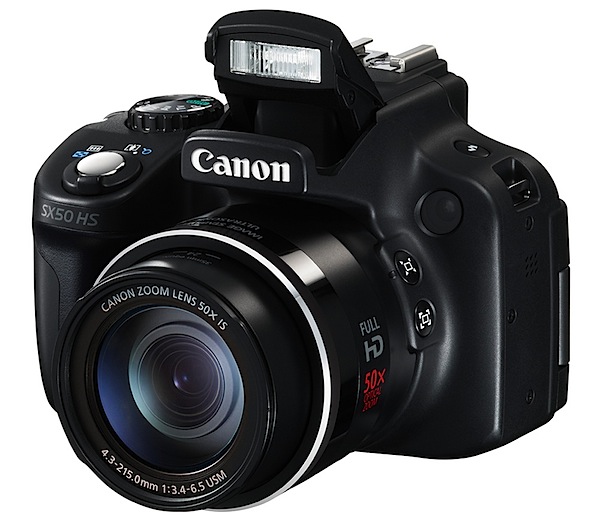
Camera companies love ‘world’s best’ labels, no matter whether they truly are ‘world’s best’ or merely biggest, smallest, longest, widest, quickest, smartest … or whackiest!
However, it’s hard to ignore Canon and its description of the PowerShot SX50 HS as possessing the ‘world’s largest optical zoom range in a compact camera.’ Simply because, at time of writing, it is!
Think of it this way: if you owned a 35mm SLR film camera, wouldn’t you simply love to clip on a zoom lens that ranged from an enjoyably wide 24mm to a fearfully long 1200mm? I know I would!
But, get real, and theorise about the physical practicality of such a 35mm film lens! It would weigh a ton, stick far out from the camera and probably constitute a wind hazard! And forget handholding it.
In reality, the new Canon Powershot SX50 HS compact weighs just a little over half a kilo and is no larger than most compacts. Not pocketable but easy to carry, this new maxi zoom camera looks no larger than Canon’s first long zoom compact, the SX30 of two years ago.
How do they do it? Don’t ask me!
Aside from the 12.1 megapixels packed into the CMOS the maximum image size is 4000×3000 pixels, or 34x25cm as a print. True, the 12.1 figure is lower than many other digicams out there but you stand a better chance of avoiding noise in the Canon’s slightly larger pixels.
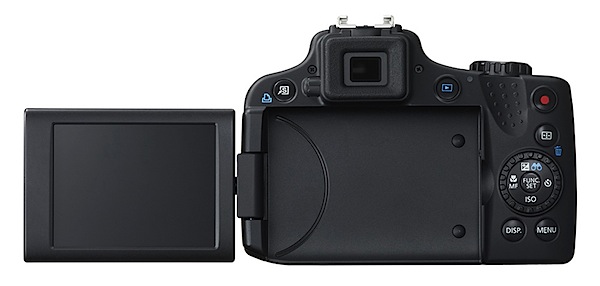
First up, you notice that the tiltable LCD screen is a little larger than many recent cameras, at 7.1cm and has lower resolution. However, there is the turret viewfinder which is ideal for bright light shooting. I found it useful, to a certain degree, quite low in resolution but helpful in pointing the camera!
Many will be grateful that the array of external controls is limited.

The camera feels good in the hand and is well-balanced; you could operate it solely with the right hand with the lens at full wide …if you had to!
Top deck: at left is the button to release the flash; to the right are the shutter button and zoom lever sited on top of the prominent speed grip; back a bit is the on/off button and mode dial where can be found positions for auto, Program AE, aperture and shutter priority, scene modes, custom settings etc.
At rear: a shortcut button is at far left … this gives two avenues to assign a function; to the right is replay, the four way rocker to access macro, timer, ISO setting and exposure compensation; lower is a button for the display options, including access to the turret finder and then the menu button.
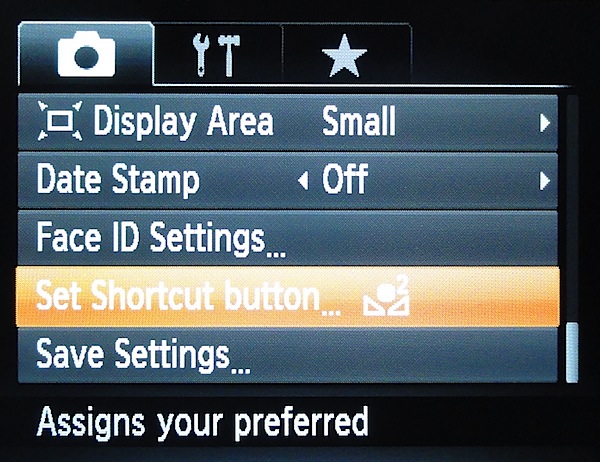
The viewfinder menu layout is less complex than many seen in recent months, a factor I suspect will be appreciated by many.
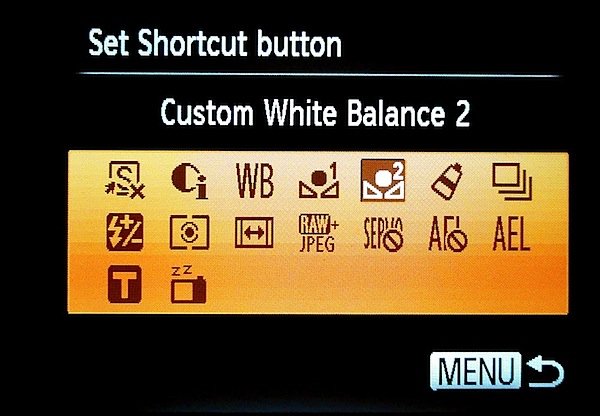
There are two front mounted framing assist buttons which will considerably assist the use of the long zoom: if you’re zoomed in at any distance, the button temporarily whizzes the zoom back to full wide to let you know where you are, with a white outline indicating where you were (in tele)!
Slight barrel distortion was evident at the wide end of the zoom, along with slight pincushion distortion at the tele end.
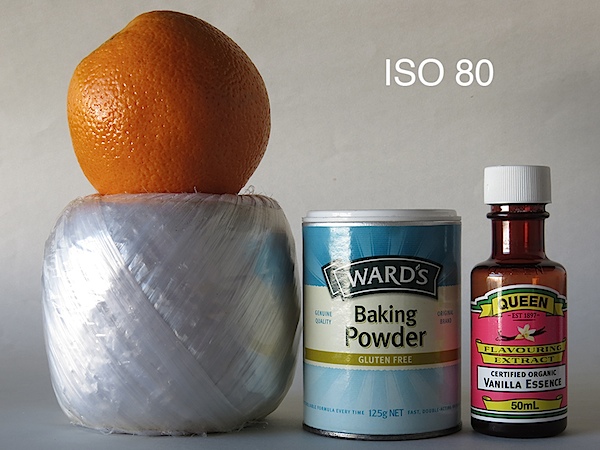

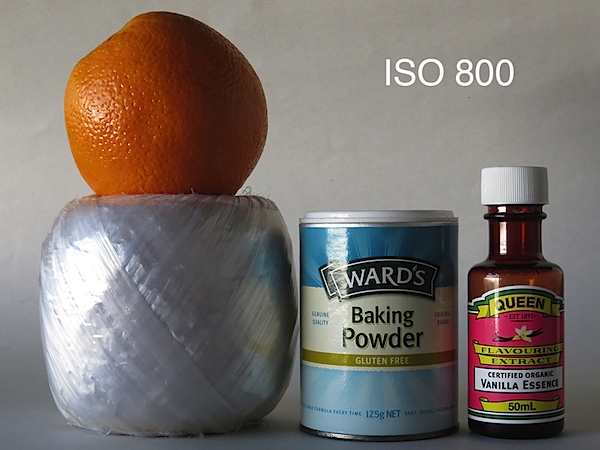


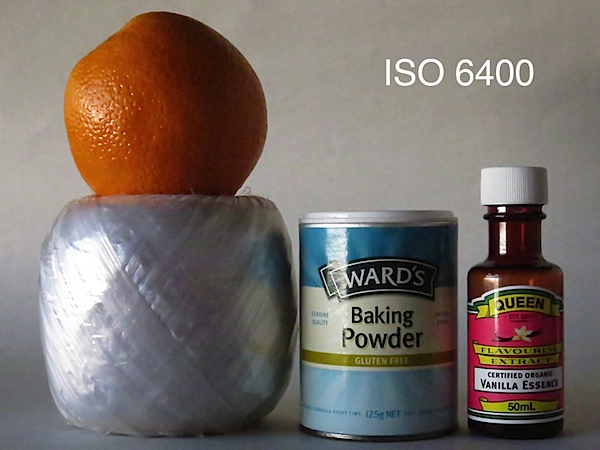
A good performance right up to ISO 1600; at ISO 3200 sharpness began to drop off; by ISO 6400 sharpness was well gone but surprisingly noise was not objectionable.
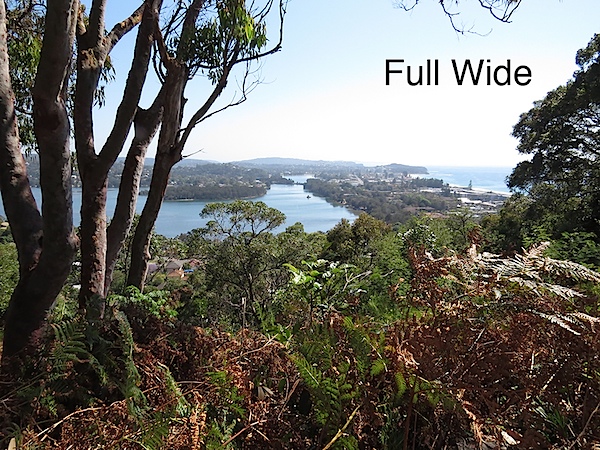

Quality: above average. Bear in mind, using the tele end of the zoom will see you face off atmospheric haze. In this shot the bridge capture by the tele end was actually 1.8km or just over a mile away.
Why you’d buy the Canon Powershot SX50: the 50x zoom!
Why you wouldn’t buy the Canon Powershot SX50: the 50x zoom! Too hard to deal with, you need some patience, a decent tripod and suitable subject matter to use it satisfactorily.
Take note: if you plan to do any amount of long lens shooting, go get yourself a decent tripod; try out the camera in the store before you buy and avoid wobbly legs!
Image Sensor: 12.1 million effective pixels.
Sensor: 11mm CMOS.
Metering: Evaluative, centre-weighted, spot.
Lens: f3.4-6.5/4.3-215mm (24-1200mm as 35 SLR equivalent)
Exposure Modes: Auto, Program AE, shutter and aperture priority, manual.
Shutter Speed: 15-1/2000 second.
Memory: SD/SDHC/SDXC.
Image Sizes (pixels): Stills: 4000×3000 to 640×480.
Movies: 1920×1080, 1280×720, 640×480.
Viewfinder: Turret and 7.1cm LCD screen (461,000).
File Formats: JPEG, MPEG4.
Colour Space: sRGB.
ISO Sensitivity: Auto, 80 to 6400.
Interface: USB 2.0, HDMI mini, DC input.
Power: Rechargeable lithium ion battery.
Dimensions: 112.5×87.5×105.5 WHDmm.
Weight: 551 g (body only).
Price: get a price on the Canon PowerShot SX50 HS at Amazon.
Post originally from: Digital Photography Tips.
Check out our more Photography Tips at Photography Tips for Beginners, Portrait Photography Tips and Wedding Photography Tips.
Canon Powershot SX50 HS Review
I take a look at the Nikon AF-S 24-85 VR, this is a variable aperture (F/3.5-F/4.5) lens designed for the FX (full-frame) format. It has a USD price of 9.99 which places it beyond most kit lenses but not quite as high as pro level lenses. It is compact and features a 72mm filter thread, internal focus, Super Integrated Coating, and 3 ED glass elements. Sample Images: www.flickr.com Follow me on Twitter @photogjthegreat or find me on Facebook: www.facebook.com www.flickr.com
Video Rating: 5 / 5

We just published a review of Panasonic’s flagship super-zoom camera, the Lumix DMC-FZ200. The FZ200 goes back to its roots, offering a constant-aperture zoom range, like the FZs of old, but in most other respects it’s similar to its well-regarded predecessor the FZ150. Features include a 12MP MOS sensor with a maximum ISO sensitivity of 6400, Raw shooting, and automatic panorama and HDR modes. We collaborated with Jeff Keller of the Digital Camera Resource Page to bring you this review of the FZ200 – click through to find out what we thought.
External video recorders are about more than improved image quality. Find out more in my review of the least expensive model that includes a monitor, the Atomos Ninja 2.
Sean Reid, at ReidReviews, does some of the most in-depth camera reviews of anyone online or in print. He has just published his look at the remarkable Sigma DP2 Merrill, which I raved about here a couple of months ago. If you’re considering one of these Sean’s review is compulsary reading. ReidReviews is a subscription site.

"Every time I go back to a module I had already seen, I learn additional things. I have never seen tutorials that have the excellent mix of what the features are,
how to use them, enough of the under-the-hood information
and concepts so that I can utilize the features creatively and efficiently,
and just enough humor to keep the motivation level high. Wow!"
I take a look at the Nikon AF-S DX 18-300 lens, this lens is an all-in-one zoom designed for the DX format (APS-C). This lens features an optical designed comprised of 19 elements in 14 groups. It is priced at 9.99 USD; while this lens is not as sharp as pro level zooms or primes it does serve as a great all around lens. Take a look at a few of the samples below. www.flickr.com www.flickr.com www.flickr.com Follow me on Twitter @photogjthegreat or find me on Facebook: www.facebook.com

We’ve reviewed the multi-platform mobile app Photo Editor by Aviary. Even if you’re not familiar with this app, you’ve likely seen Aviary in effect in other mobile applications as the photo editor is available to other app developers as a software development kit (SDK) for Android, iOS and Windows Phone 7, and there’s a Web Widget too. We take a look at Aviary’s version, optimized for both phone and tablet screens, on Connect.
The Tokina 11-16mm f/2.8 lens if often recommended for crop sensor cameras. But I’ve had a hard time finding video footage of the lens in use. So Along with a short review I’ve taken the time to demonstrate the Tokina 11-16 in video mode on my canon 7d. Equipment used: Canon 7d, Sigma 24 1.8, tokina 11-16, and zoom h4n