RSS
 

Posts Tagged ‘REVIEW’

Book Review: Shooting in Sh*tty Light

21 May

cover.jpg

Lindsay Adler and Erik Valind, both working professionals and educators, have written a beginner’s guide to photographic lighting with an unusual conceit at its core. By structuring a book around a list of common challenges – what they call the ‘top ten worst situations’ – they’ve created a digestible, useful ‘lighting 101’ guide. In this short review, Adam Koplan takes a look at their book ‘Shooting in Sh**ty Light: The Top Ten Worst Photography Lighting Situations and How to Conquer Them’.

News: Digital Photography Review (dpreview.com)

 
Comments Off on Book Review: Shooting in Sh*tty Light

Posted in Uncategorized


Just posted: Tamron SP 24-70mm F/2.8 Di VC USD lens review

20 May

tamron2470news.png

Just posted: Our review of the Tamron SP 24-70mm F/2.8 Di VC USD. In our latest lens review produced in collaboration with DxOMark, we look at Tamron’s fast standard zoom for full frame cameras – the first in its class to include optical stabilisation. With its Ultrasonic Drive focus motor and drip-proof construction, it looks like a very tempting option for full frame shooters, especially as it costs rather less than its counterparts from Canon, Nikon or Sony. But is this all too good to be true? Click through to read our review and find out.

News: Digital Photography Review (dpreview.com)

 
Comments Off on Just posted: Tamron SP 24-70mm F/2.8 Di VC USD lens review

Posted in Uncategorized


Just posted: Nikon D5200 in-depth review

17 May

IMG_7648v2.png

We’ve just posted our 20-page review of the Nikon D5200. Nikon’s ‘advanced beginner’ APS-C DSLR offers several features that should also appeal to enthusiasts, such as a 24MP CMOS sensor, a 39-point AF system inherited from the D7000 and an Auto ISO system linked to the focal length of the lens. Add an articulated rear LCD and the ability to output uncompressed video and you’ve got the makings of a very  promising camera. Does the D5200 live up to its potential in real-world use? Click through to read our in-depth review.

News: Digital Photography Review (dpreview.com)

 
Comments Off on Just posted: Nikon D5200 in-depth review

Posted in Uncategorized


Samsung WB250F Review

16 May

Samsung WB250F Review.jpg

You may question why I selected the Samsung WB250F for review after my less than positive review of the Galaxy, a camera replete with all sorts of problems like dust on the sensor, poor ISO performance and an inordinately long startup time!

My reasons: Samsung is now a major player in electronics, especially smart phones and the like, so a reasonably priced device such as this is worthy of attention.

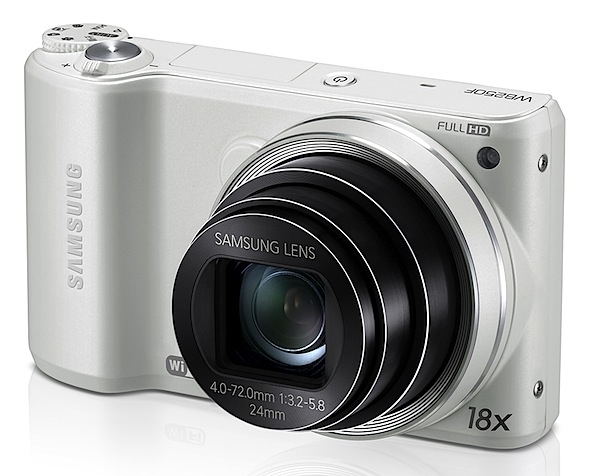
The Samsung WB250F has an 18x zoom which begins on a usefully wide 24mm 35 SLR equivalent focal length and reaches out to a 35 SLR equivalent of 432mm.

Samsung WB250F Review rear.jpg

Samsung WB250F Review top.jpg

Samsung has evolved its innovative Wi-Fi technology by creating SMART CAMERA 2.0: with it images and video can be sent simultaneously to a smartphone or tablet (using the Android OS) via a Wi-Fi connection.

Samsung WB250F Features

The maximum image size is 4320×3240 pixels, enabling the output of a 37x27cm print.

Full HD video at 1920×1080 pixel resolution can be shot in MPEG4 format. The quality is about as good as you get from a still camera, although with a little focus hunting mid zoom.

You can shoot stills mid video recording: a tiny icon of each still shot pops up on the LCD each time it is shot.
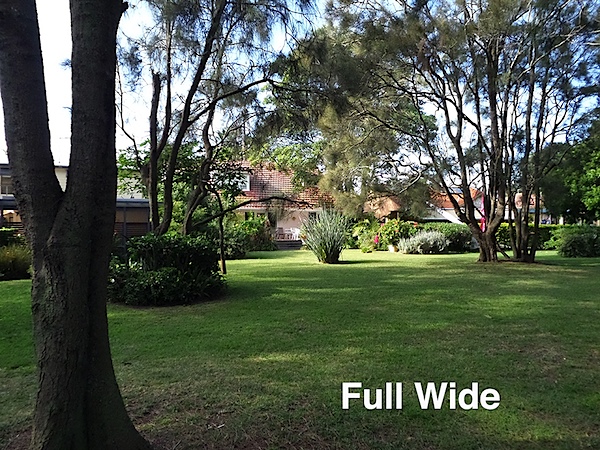
House full wide.JPG

House full tele.JPG

The external controls are sufficient to get the camera going:

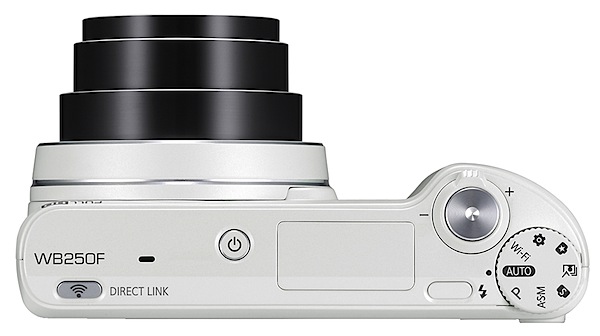
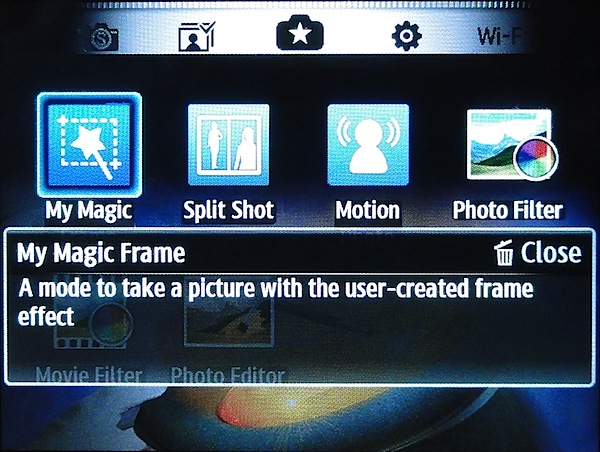
Top: on/off button; shutter button and zoom lever; Wi-Fi button; raise the flash button; mode dial with positions for auto, PASM, smart capture, best face exposures, W-Fi setup, a ‘magic’ button which allows you to do some extreme fiddling with saved shots … like arrange or edit several shots, create a GIF animation, apply a filter to video, etc.
Canoes.JPG

Wall painting.JPG

Rear: menu; replay; trash; traverse through saved images; video record button; the control dial has positions for flash, macro, single/continuous shooting; display options.

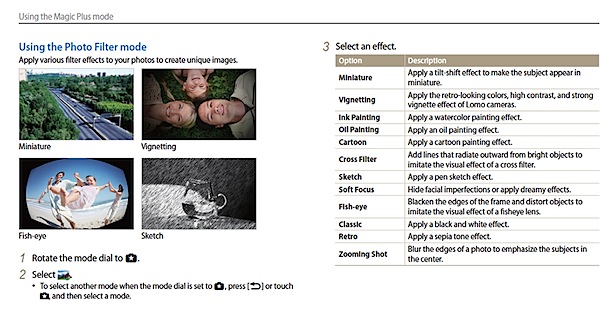
There is a collection of 12 photo filters you can apply to saved image: from ink and oil painting to cartoon effect, sketch to retro (sepia) and more.

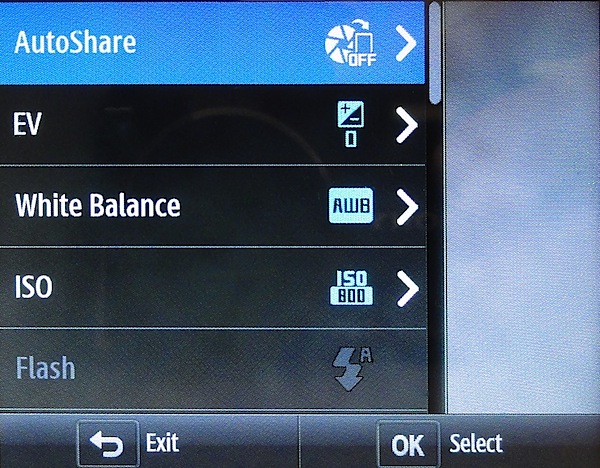
Menu.jpg

My Magic Frame.jpg

Photo filters.jpg

The screen menu is reasonably comprehensive but not daunting. The touch screen makes life with the WB250F extremely easy.

Startup Time

About two seconds from start up I could shoot the first shot; each shot came in about a second apart.

Distortion

No distortion evident at the wide or tele ends of the zoom.

ISO Speeds

Samsung WB250F ISO 100.JPG

Samsung WB250F ISO 400.JPG

Samsung WB250F ISO 800.JPG

Samsung WB250F ISO 1600.JPG

Samsung WB250F ISO 3200.JPG

By ISO 1600 it appeared that definition had lowered. By ISO 3200 definition was even lower but surprisingly noise had not risen substantially.

Samsung WB250F Review Verdict

Quality: average snapshot.

Why you would buy the Samsung WB250F

: looks good in white; budget-priced, compact, easy-to-use stills and video camera.

Why you wouldn’t: your ambitions run higher; no HDMI output.

Overall, this is an impressive little camera. It could easily replace my family snapper bought two years ago at twice the price!

Excellent value!

Available in two colours; white and cobalt black.

Samsung WB250F Specifications

Image Sensor: 14.2 million effective pixels.
Sensor Size: 7.67mm CMOS.
Lens: f23.2-5.8/4.0-72mm (24-432mm as 35 SLR equivalent).
Stabilisation: Optical image.
Exposure Modes: Auto, Program AE, shutter and aperture priority, manual.
Metering: Multi, centre-weighted, face detection.
Shutter Speed: (Auto) 1/8 to 1/2000; (Manual) 16 to 1/2000 second.
Continuous Shooting: 6 shots at 8 fps.
Memory: micro SD, SDHC, SDXC.
Image Sizes (pixels): 4320×3240 to 1024×768.
Movies: 1920×1080 and 1280×720 (both 30fps); 640×480 (60fps) and 320×240 (30fps), 240 web.
Viewfinder: 7.6cm LCD (460,000 pixels) touch screen.
File Formats: JPEG, MPEG4.
ISO Sensitivity: Auto, 100 to 3200.
Interface: USB 2.0, AV, Wi-Fi, DC input.
Power: Rechargeable lithium ion.
Dimensions:107x62x22 WHDmm.
Weight: Approx. 226 g (ex battery).
Price: Get a price on the Samsung WB250F at Amazon.

Post originally from: Digital Photography Tips.

Check out our more Photography Tips at Photography Tips for Beginners, Portrait Photography Tips and Wedding Photography Tips.

Samsung WB250F Review


Digital Photography School

 
Comments Off on Samsung WB250F Review

Posted in Photography


Canon EOS 700D Review

10 May

Canon EOS 700D Review.jpg

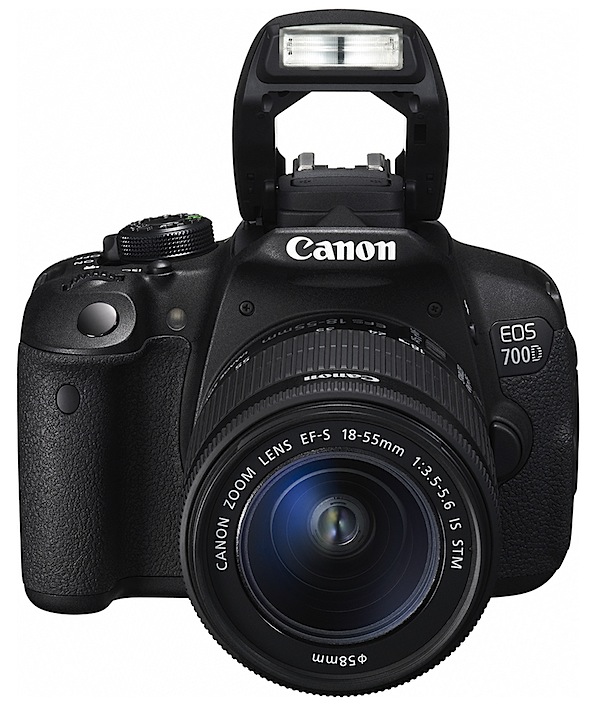
Canon describes this camera as the flagship of its entry-level consumer DSLR camera line-up and, while each is ‘designed to suit specific user requirements, both cameras are packed with high-quality and creative features that are ideal for creative-minded consumers looking to take their photography to the next level.’

So don’t expect to pay top dollar for a top quality camera but Canon still considers it to be ‘the most advanced entry-level EOS model to date …’

The Canon EOS 700D (also known as the Canon EOS Rebel T5i is a successor to the EOS 650D model, displaying identical specs and only differing in weight by being only five grams heavier. In model ranking, it currently sits above the EOS 600D.

The body is made from stainless steel and polycarbonate resin with glass fibre. Light and reasonably strong, the EOS 700D is three quarters the size and two thirds the weight of the top-ranking EOS 5D Mark III.

Canon EOS 700D/Rebel T5i Handling

The review camera was supplied with the new, stabilised EF-S 18-55mm f/3.5-5.6 IS STM lens. This has switchable AF/manual on/off and internal stabiliser on/off.

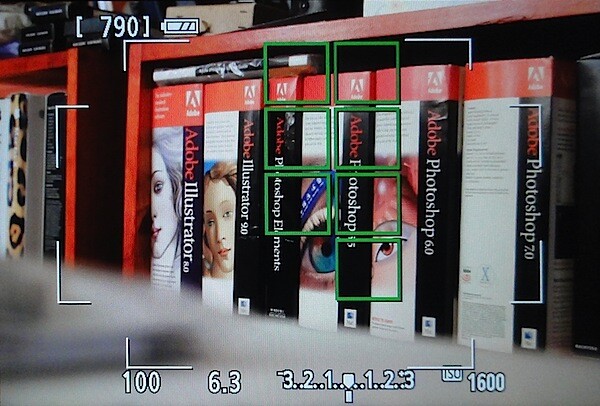
Head down and belting straight into using the camera I found most of the external controls easy to suss out and, outside in full sunlight, immediately appreciated the switchable optical/LCD screen viewing options.
LCD focus points.jpg

Those who grew up on film SLRs will be in seventh heaven with the optical finder! You will however lose the assurance of the LCD screen’s focus pointers.
Startup LCD.jpg

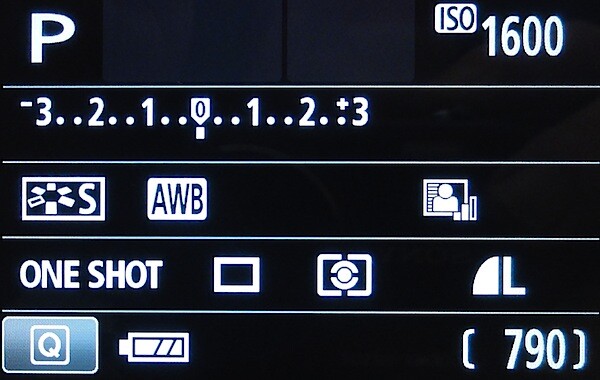
Fired up, you’re faced with a status screen that shows ISO, AWB, AF, metering, single/continuous settings etc. Place your eye next to the turret finder and you view through the optical eyepiece.

Tap a button immediately next to the viewfinder and you fire up the touchable LCD screen. This doubles as the video record button.
Canon EOS 700D Review top.jpg

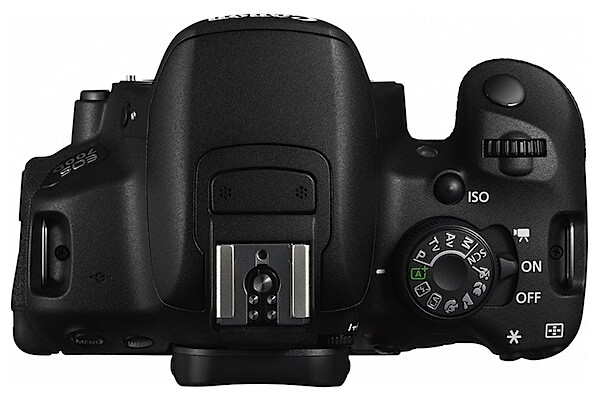
Top deck controls: at left the menu and info buttons.

At right, the mode dial which has positions for PASM; intelligent and creative auto; flash options; portrait, landscape, macro and sports options; scene modes: night portrait, handheld night scene and HDR backlight control.

The latter two are interesting for those who want to push the boundaries without possessing the expertise. In handheld night scene you can shoot handheld, with the camera firing off four shots, then auto selecting the least camera shake.

HDR backlight control is similar in that the camera shoots three exposures at differing exposures, finally combining them in to one exposure-balanced image.

Next to the mode dial is the three position power switch: off/on/movies.

Forward of the mode dial is a dedicated ISO button, a godsend for those who play with variable sensitivities.

Further forward is the shutter button and main selector dial.
Grainy B&W.JPG

Fish eye.JPG

Water painting.JPG

Water painting corrected.jpg

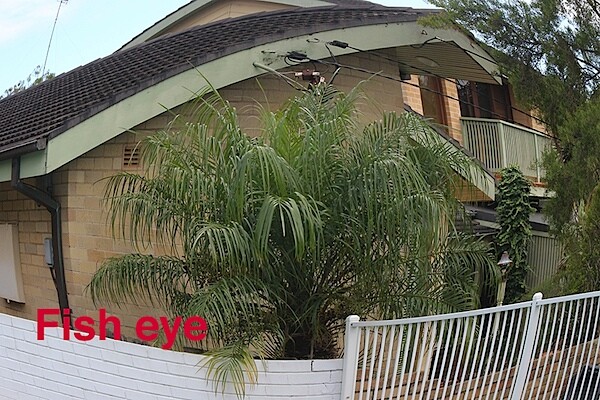
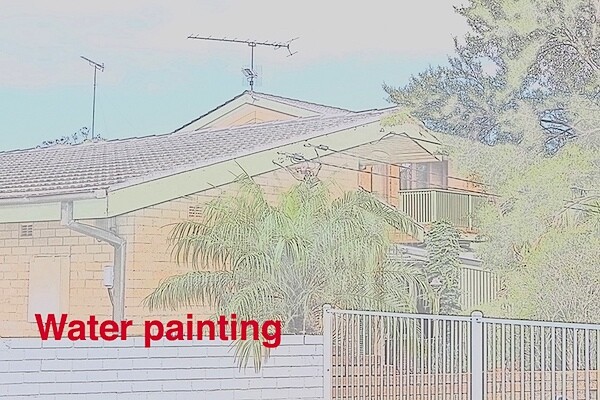
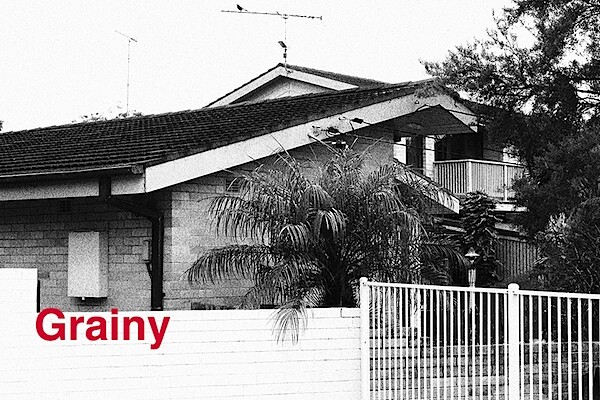
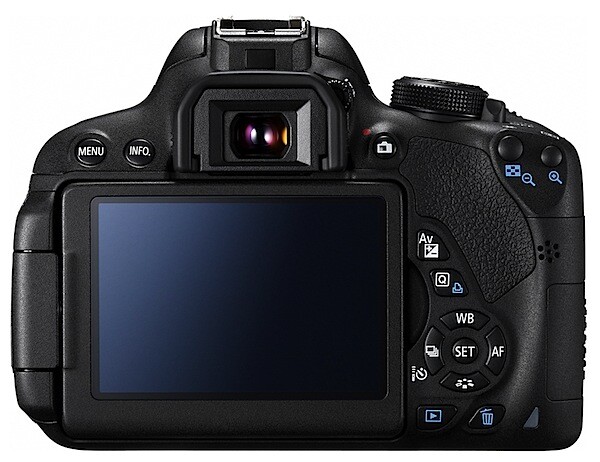
Rear: four way rocker which gives access to AWB, single/continuous options, AF and a picture style button (auto, standard, portrait for enhanced skin tones, landscape for saturated blues and greens, neutral, ‘faithful’ and mono. The Q button gives access to a range of creative filters: grainy, soft focus, fish eye effect, art bold, water painting, toy camera (like a LOMO!) and miniature effect (which I hate!).
Canon EOS 700D Review Back.jpg

Also found at the rear are buttons for AE lock, AF point selection, exposure compensation, quick control, replay and trash.

The card slot is at the right side of the camera, which means you can switch cards with the camera remaining tripod-mounted.

The screen is vari-angle, swinging sideways by 175 degrees and vertically by 180 degrees.

All in all, an unchallenging layout and one, I figure, the newcomer can quickly become familiar with.
Menu.jpg

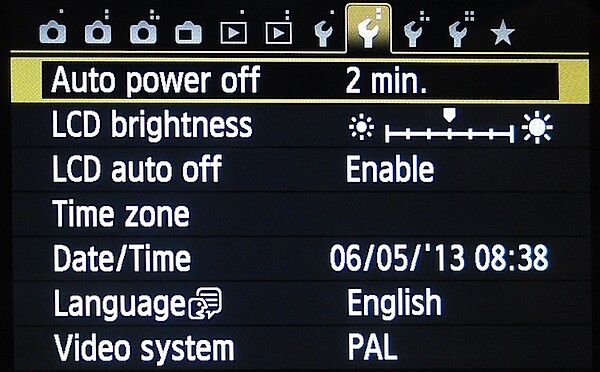
The menu layout is comprehensive and, while displaying many settings, is easily navigable. But do read the manual before you engage with the menu!

For a DSLR, the Canon EOS 700D/Rebel T5i is a relative minnow when compared to high end digital reflexes. But do compare it with the mirrorless models before you finally decide. Having said that, the camera is well balanced and easily hand-holdable.


Yacht.JPG

Yachts 2.jpg

Yachts 6.JPG

Yachts 8.JPG

Canon EOS 700D/Rebel T5i Features

My eye was caught by the five frames/second continuous shooting speed. At this rate you can pull in a total of 22 JPEGs, six RAW shots or three JPEG+RAW images. Note: this rate is not available if the ISO setting is at 25,600. Also needed for this shooting rate is a minimum shutter speed of 1/500 second.

The AF has nine cross-type points spread across the frame. You can manually select and adjust focus points, or simply use full automatic mode.

The APS-C sized CMOS captures a maximum image size of 5184×3456 pixels, leading to a printed image of 44x29cm print.

Video can be shot in MPEG4 up to Full HD 1920×1080 pixel dimensions. In my test at the skateboard park I used the ‘tracking’ AF setting which worked well once it ‘locked on’ to a section of the subject but took a second or two to do so.

Because you must use the main switch to select video you cannot shoot stills mid video recording.

Canon EOS 700D/Rebel T5i ISO Tests

Canon EOS 700D ISO 100.JPG

Canon EOS 700D ISO 400.JPG

Canon EOS 700D ISO 800.JPG

Canon EOS 700D ISO 1600.JPG

Canon EOS 700D ISO 3200.JPG

Canon EOS 700D ISO 6400.JPG

Canon EOS 700D ISO 12800.JPG

Canon EOS 700D ISO 25600.JPG
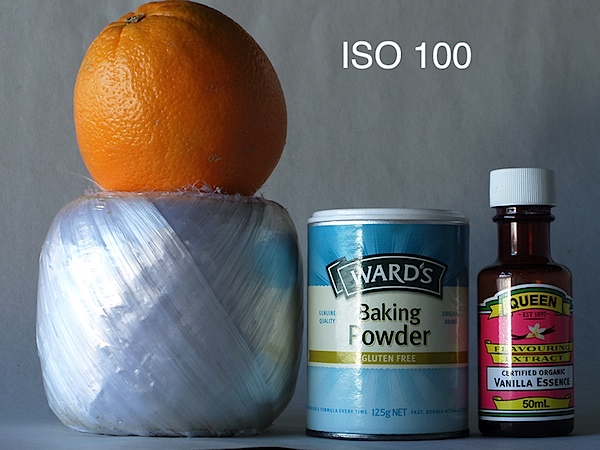
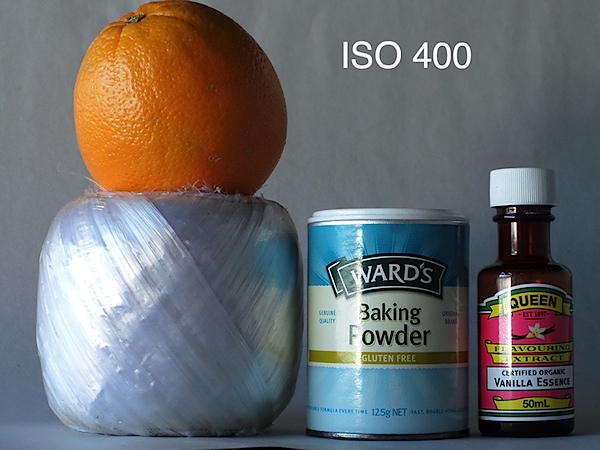
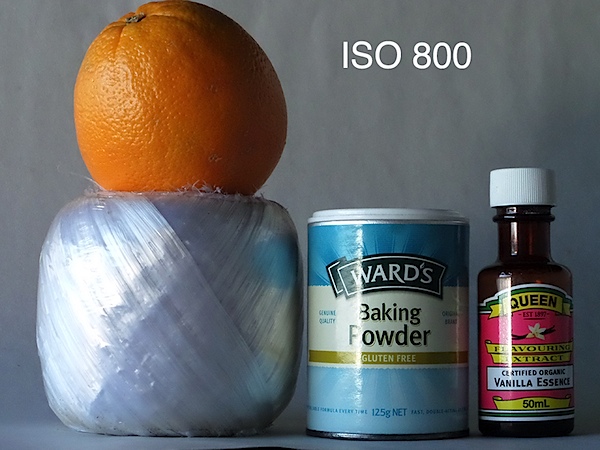
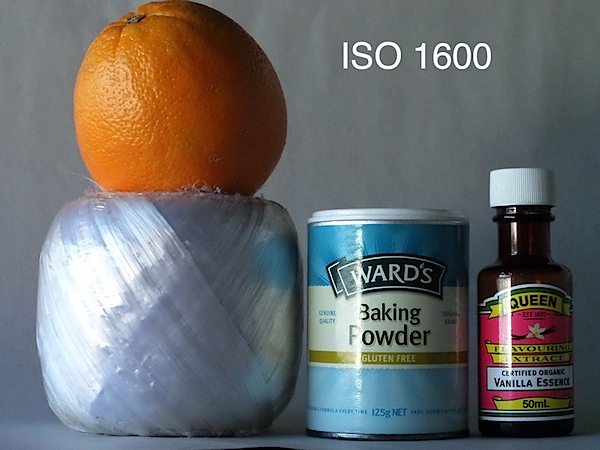
By ISO 6400 noise became noticeable. By ISO 12800 still travelling quite well and useable. By ISO 25600 noise up high and definition down — not useable IMHO.

Canon EOS 700D/Rebel T5i Verdict

Quality: top level, sharp, well saturated. Notice the shot above of the mangrove trees and backlit yachts: cropped to one seventh of original image!

Why you’d buy the Canon EOS 700D/Rebel T5i: enjoyable AF action; creative filters for the playful (!); gets you into DSLR shooting at an affordable cost … but don’t forget, budget for expensive, high quality lenses!

Why you wouldn’t: you need a bigger image; you need more pro image control.
An ideal starter model for the DSLR wish-alots!

Canon EOS 700D Specifications

Image Sensor: 18 million effective pixels.
Metering: multi zone, centre-weighted, spot, partial.
Lens Mount: Canon EF/EF-S.
Exposure Modes: Program AE, shutter and aperture priority, manual.
Effective Sensor Size: 22.3×14.9mm CMOS.
35 SLR Lens Factor: 1.6x.
Shutter Speed (stills): 30 to 1/4000 second and Bulb; X-sync at 1/200 sec.
Continuous Shooting: 5 fps.
Memory: SD/SDHC/SDXC cards.
Image Sizes (pixels): Stills: 5184×3456 to 480×480.
Movies: 1920×1080 (30p/25p/24p), 1280×720 (60p/50p), 640×480 (30p/25p).
Viewfinder: Optical plus 7.6cm LCD screen (1,040,000 pixels).
File Formats: JPEG, 14-bit RAW, JPEG+RAW, MPEG4.
Colour Space: sRGB, Adobe RGB.
ISO Sensitivity: Auto, 100 to 25,600.
Interface: USB 2.0, HDMI mini, EyeFi, mic, remote.
Power: Rechargeable lithium ion battery, DC input.
Dimensions: 133x100x79 WHDmm.
Weight: 580 g (inc battery).
Price: Get a price on the Canon EOS 700D (Rebel T5i) with 18-55mm EF-S IS STM Lens or the Canon EOS 700D (Rebel T5i) with 18-135mm EF-S IS STM Lens at Amazon.

Post originally from: Digital Photography Tips.

Check out our more Photography Tips at Photography Tips for Beginners, Portrait Photography Tips and Wedding Photography Tips.

Canon EOS 700D Review


Digital Photography School

 
Comments Off on Canon EOS 700D Review

Posted in Photography


6 May, 2013 – Fuji X100s Review

06 May

One of the most innovative new cameras of the past few years was the Fuji X100. Fujifilm has now updated the line with the new X100s, and Nick Devlin falls in love once again.


"Yes I downloaded the videos. THEY ARE AWESOME!!! I learned so much I think my brain is going to explode.


The Luminous Landscape – What’s New

 
Comments Off on 6 May, 2013 – Fuji X100s Review

Posted in News


Accessory review: Joby Grip Tight Micro Stand

02 May

IMG_9997.JPG

A smartphone is typically the one camera you always carry with you but its tiny sensors often struggle in low light which makes a tripod a useful accessory. The Joby Grip Tight Micro Stand is a combined mini-tripod and phone holder that is foldable and so small that it fits in any pocket or can even be used as a key fob which makes it an ideal companion for your smartphone. We’ve tried it out for you.

News: Digital Photography Review (dpreview.com)

 
Comments Off on Accessory review: Joby Grip Tight Micro Stand

Posted in Uncategorized


Just Posted: Fujifilm X20 review

01 May

front-layered-black.jpg

We’ve just posted our 15-page review of Fujifilm’s X20 premium compact camera. This follow-up to the X10 adds a new X-Trans CMOS sensor, Hybrid AF system, and enhanced optical viewfinder, while retaining the fast lens, rangefinder-inspired body, and numerous manual controls of its predecessor. Is this the enthusiast compact camera you’ve been waiting for?  Follow the link to find out.

News: Digital Photography Review (dpreview.com)

 
Comments Off on Just Posted: Fujifilm X20 review

Posted in Uncategorized


Just Posted: Fujifilm X20 review

30 Apr

front-layered-black.jpg

We’ve posted our 15-page review of Fujifilm’s X20 premium compact camera. This follow-up to the X10 adds a new X-Trans CMOS sensor, Hybrid AF system, and enhanced optical viewfinder, while retaining the fast lens, rangefinder-inspired body, and numerous manual controls of its predecessor. Is this the enthusiast compact camera you’ve been waiting for?  Follow the link to find out.

News: Digital Photography Review (dpreview.com)

 
Comments Off on Just Posted: Fujifilm X20 review

Posted in Uncategorized


Nikon Coolpix P330 Review

28 Apr

Nikon Coolpix P330 Review.jpg

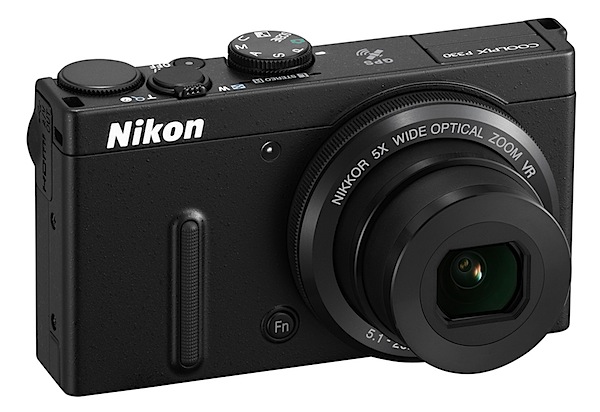
Nikon has again upped the ante in its compact digicam lineup and the Nikon Coolpix p330 is an excellent example of the movement.

A biggish 15mm CMOS sensor, moderate pixel count plus a fast f1.8 lens leads to a surprisingly high performance in such a moderately-priced camera.

Coupled with this is the camera’s small size, easy pocketability and light weight.

Nikon Coolpix P330 Review-back.jpg

Nikon Coolpix P330 Review top.jpg

Nikon Coolpix P330 Features

After months of wading through high end DSLRs, MILCs and other complex babies it was a relief to handle this easy to use camera from the well known house of Nikon!

It was indeed a surprise and confirmation in one sense that, in the pursuit of taking images, flashier is not always finer! And, as I’ve often said, it’s the driver not the car!

In many respects this camera is a top buy.
Backlit sea 2.JPG

Beach full wide.JPG

Beach full tele.JPG

For one thing its maximum still image size is 4000×3000 pixels or 34x25cm as a print is notable.

Video can be shot in MPEG4 as Full HD 1920×1080 pixels. And yes, you can stills during a video shoot without interrupting the latter.

Rarely seen on a camera at this price level, you can capture in JPEG and RAW formats.

The camera has lens-shift VR (Vibration Reduction) which worked well in my time with the camera.

Menu.jpg

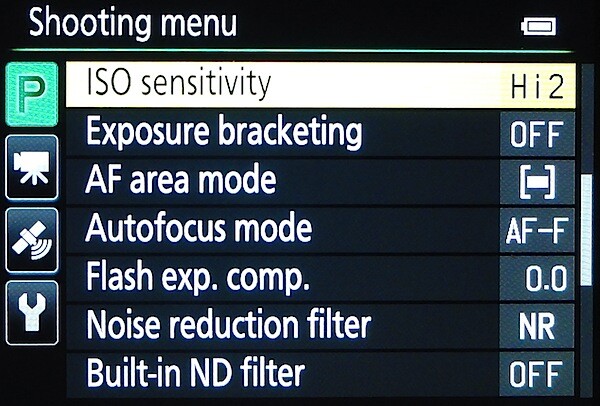
There is built in GPS which logs where shots are taken and this data can be stored for later reference. An onboard database of approximately 1.86 million POI (Points of Interest) lets you confirm and record the name of the location.

Controls

At the front is a Function button which gives quick access to such matters as ISO, single/continuous shooting, AWB etc.

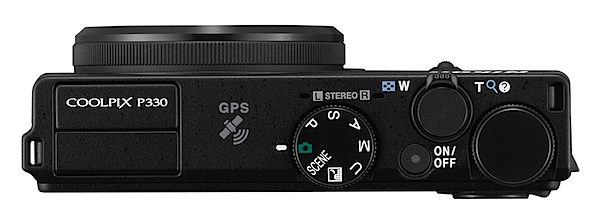
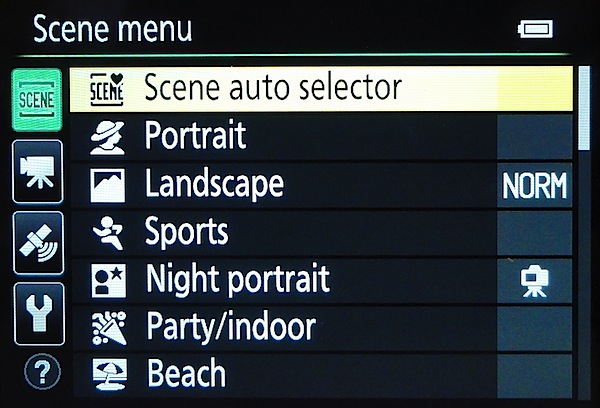
Top deck: at left is the pop up flash cell; at mid position is the mode dial to access PASM settings plus auto, as well as 20 scene modes (sports, fireworks, panorama etc) and a custom user setting; power button; zoom and shutter button; command dial.

Scene menu.jpg

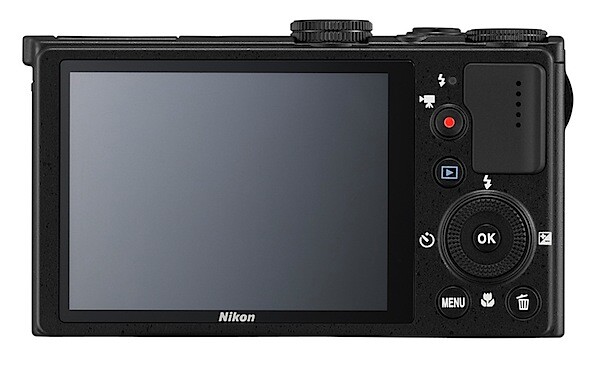
Rear: replay; rotary selector to select flash options, exposure compensation, single/continuous shooting and macro; menu; trash.

And tass all. To my mind the external control layout is exemplary. And the menu selections are sufficient.

Nikon Coolpix P330 ISO Tests

Nikon P330 ISO 80.JPG

Nikon P330 ISO 400.JPG

Nikon P330 ISO 800.JPG

Nikon P330 ISO 1600.JPG

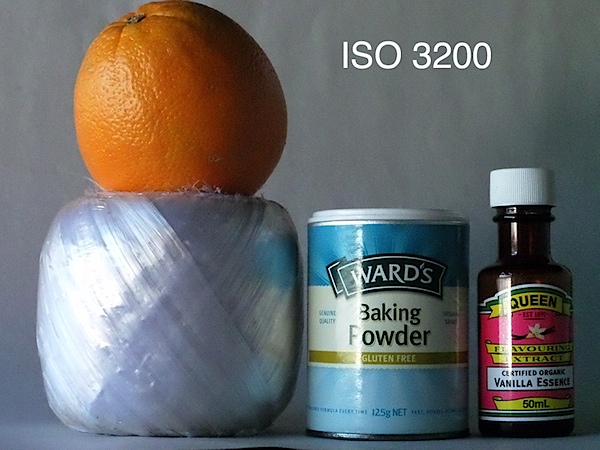
Nikon P330 ISO 3200.JPG

In my tests, the camera handled all ISO settings up to 3200 very well …a good performance for such a low priced camera.

Startup Time

Two seconds from startup to first shot; follow on shots about two seconds apart. Not the fastest kid on the block!

Distortion

No problems at the wide or tele ends of the zoom.

Pool.JPG

Nikon Coolpix P330 Review Verdict

Quality: above average image quality.

Why you would buy it: pocketable; zoom range for average shooting; easy to use.

Why you wouldn’t: you may want a longer zoom.

Impressive camera. If you’re on a tight budget and still want above average quality, go for it!

Available in black or white.

Nikon Coolpix P330 Specifications

Image Sensor: 12.2 million effective pixels.
Metering: Multi, centre-weighted and spot.
Sensor: 15mm CMOS.
Lens: Nikkor f1.8-5.6/5.1-25.5mm (24-120mm as 35 SLR equivalent).
Exposure Modes: Program AE, shutter and aperture priority, manual.
Shutter Speed: 60 to 1/4000 second.
Continuous Speed: 10fps.
Memory: SD/SDHC/SDXC cards plus 15MB internal memory.
Image Sizes (pixels): 4000×3000 to 640×480. Movies: 1920×1080, 1280×720, 960×540, 640×480 at 25 or 30fps.
Viewfinder: 7.5cm LCD (921,000 pixels).
File Formats: JPEG, NRW (RAW), MPO (3D), WAV, MPEG4
ISO Sensitivity: Auto, 100 to 12800.
Interface: USB 2.0, AV, HDMI mini, WiFi, DC input.
Power: Rechargeable lithium ion battery, AC adaptor.
Dimensions: 103x58x32 WHDmm.
Weight: 200 g (inc battery and SD card).
Price: Get a price on the Nikon COOLPIX P330 at Amazon.

Post originally from: Digital Photography Tips.

Check out our more Photography Tips at Photography Tips for Beginners, Portrait Photography Tips and Wedding Photography Tips.

Nikon Coolpix P330 Review


Digital Photography School
 
Comments Off on Nikon Coolpix P330 Review

Posted in Photography