RSS
 

Posts Tagged ‘Resolution’

The 4MP Phantom v2640 can shoot 6,600fps at full resolution, 11,750fps at 1920×1080

02 Feb

If you thought you had a pretty good high-speed photography set-up, the new Phantom v2640 from Vision Research might make you think again. Using a 4-million-pixel sensor and a shortest ‘shutter speed’ of 142 nanoseconds, this new model from the scientific and industrial manufacturer can reach speeds of up to 6,600fps at full resolution, and can go even faster when the pixel-count is reduced.

The latest in a line of high-speed cameras aimed at researchers and engineers, the v2640 comes in color and monochrome versions, and with internal memory of up to 288GB to store the data collected. Vision Research claims the camera has a dynamic range of 64dB (over 10 stops) and that the monochrome model has ISO settings of 16,000, so it can work in very low light.

The black and white model can be switched to 1-million-pixel mode and will then record at up to 25,030fps, while the color model can ‘only’ manage a best of 11,750fps when dropped to 1920×1080 2MP quality. We’ve reached out to the company for a price, and are waiting for a reply, but don’t expect this puppy to come cheap.

In the meantime, if you fancy one yourself you’ll find more information and instructions for ordering on the Vision Research website.

Press Release

New Phantom v2640 Ultrahigh-Speed Camera Achieves Unmatched 4-Mpx Resolution

Vision Research, a leading manufacturer of digital high-speed imaging systems, has introduced the Phantom® v2640, the fastest 4-Megapixel (MPx) camera available. It features a new proprietary 4-Megapixel (Mpx) CMOS image sensor (2048 x 1952) that delivers unprecedented image quality at up to 26 Gpx/sec, while reaching 6,600 frames per second (fps) at full 2048 x 1952 resolution, and 11,750 fps at 1920 x 1080.

The v2640 features very high dynamic range (64 dB) and the lowest noise floor of any Phantom camera (7.2 e-)—making it an excellent tool for researchers, scientists and engineers who need to capture clean, high-resolution images at ultra-high speeds. The high dynamic range shows significant detail, especially in high-contrast environments, while the low noise is particularly beneficial when analyzing the dark regions of an image. It also has exceptional light sensitivity, with an ISO measurement of 16,000D for monochrome cameras and 3,200D for color cameras.

“We’re excited to bring this extremely high image quality to the high-speed camera market,” says Jay Stepleton, Vice President and General Manager of Vision Research. “In designing this new, cutting-edge sensor, we focused on capturing the best image in addition to meeting the speed and sensitivity requirements of the market. The 4-Mpx design significantly increases the information contained in an image allowing researchers to better understand and quantify the phenomena they are observing.”

The v2640 has multiple operating modes for increased flexibility. Standard mode uses correlated double sampling for the clearest image, while high-speed (HS) mode provides 34% higher throughput to achieve 6,600 fps. Monochrome cameras can incorporate “binning,” which converts the v2640 into a 1-Mpx camera that can reach 25,030 fps at full resolution, with very high sensitivity. “The various operating modes also allow users to have just one camera to cover multiple applications,” adds Doreen Clark, Product Manager for the Phantom Ultrahigh-Speed family.

To help users manage the amount of data inherent in high-speed imaging, the v2640 is available with up to 288GB of memory, and is compatible with Phantom 1TB and 2TB CineMags® for fast data saves. Alternatively, 10Gb Ethernet is standard, saving significant download time.

Key Specifications of the Phantom v2640

  • 4-Mpx sensor (2048 x 1952), 26Gpx/sec throughput
  • Dynamic range: 64 dB
  • Noise level: 7.2 e-
  • ISO measurement: 16,000D (Mono), 3,200D (Color)
  • 1 µs minimum exposure standard, 499ns / 142ns minimum exposure with export-controlled FAST option
  • 4 available modes: Standard, HS and Binning (in Standard and HS)
  • Standard modes feature Correlated Double Sampling (CDS) performed directly on the sensor to provide the lowest noise possible
  • Up to 288 GB of memory
  • 10-Gb Ethernet standard
  • Compatible with CineMag® IV (up to 2 TB)

Articles: Digital Photography Review (dpreview.com)

 
Comments Off on The 4MP Phantom v2640 can shoot 6,600fps at full resolution, 11,750fps at 1920×1080

Posted in Uncategorized


Facebook just doubled the resolution of photos in Facebook Messenger

21 Nov

Photo messaging has been around for a long time, but as smartphone cameras get better and better, this form of ‘visual communication’ is only becoming more common. That’s why, earlier today, Facebook announced a major update to Facebook Messenger that doubles the resolution of the photos you send from 2K to 4K—or, more specifically, to a max of 4096 x 4096 pixels.

“We heard that people want to send and receive high resolution photos in Messenger,” reads the release from Facebook, “and considering people send more than 17 billion photos through Messenger every month, we’re making your conversations richer, sharper, and better than ever.”

And just in case you’re wondering: this resolution bump should not affect speed. According to Facebook, “your photos will also be sent just as quickly before, even at this new, higher resolution.”

Here are a few before and after samples that show what doubling the resolution from the previous 2K looks like IRL.

*The images on the left were reproduced to reflect the previous default resolution at 2K. The images on the right reflect the new default resolution at 4K

$ (document).ready(function() { SampleGalleryV2({“containerId”:”embeddedSampleGallery_8182396623″,”galleryId”:”8182396623″,”isEmbeddedWidget”:true,”standalone”:false,”selectedImageIndex”:0,”startInCommentsView”:false,”isMobile”:false}) });

To take advantage of the new feature yourself, update your FB Messenger app to the latest version and every photo you send should automatically go out at up to 4096 x 4096 pixels.

For now, the feature is limited to iPhone and Android users in the US, Canada, France, Australia, the UK, Singapore, Hong Kong, Japan, and South Korea. Additional countries will be added ‘in the coming weeks.’

Press Release

Making Visual Messaging Even Better – Introducing High Resolution Photos in Messenger

By Sean Kelly & Hagen Green, Product Managers, Messenger

The way people message today is no longer limited by just text; visual messaging as our new universal language is much more emotional and expressive. Whether you’re catching up over moments big and small — like a recent vacation, an amazing meal at a new restaurant, a new member of the family, or the first snow day of the year — sharing photos of our experiences brings our conversations to life.

We’re making significant investments in how people communicate visually on Messenger. That’s why today, we’re excited to share that people can send and receive photos in Messenger at 4K resolution — or up to 4,096 x 4,096 pixels per image — the highest quality many smartphones support. We heard that people want to send and receive high resolution photos in Messenger — and considering people send more than 17 billion photos through Messenger every month — we’re making your conversations richer, sharper, and better than ever.

Your photos will also be sent just as quickly before, even at this new, higher resolution.

You may be curious how much of a difference 4K resolution makes. Take a look at the before and after examples in the gallery above. On the right at 4K resolution, once you zoom in, the photo is much sharper and clearer so you can see every detail. That’s what we mean by bringing your conversations to life.

To send and share photos at 4K resolution, first update your Messenger app to make sure you have the latest version. Then open a conversation and tap the camera roll icon. Select the photo, tap send, and the person you’re messaging with will receive the high resolution photo.

Starting today, we are rolling out 4K resolution on both iPhone and Android to people in the US, Canada, France, Australia, the UK, Singapore, Hong Kong, Japan, and South Korea. In the coming weeks, we’re planning to roll out 4k resolution to additional countries.

We know that every message matters to you, no matter how or what you’re sharing. We appreciate that you continue to use Messenger to connect with the people you care about most.

Articles: Digital Photography Review (dpreview.com)

 
Comments Off on Facebook just doubled the resolution of photos in Facebook Messenger

Posted in Uncategorized


How to Understand Pixels, Resolution, and Resize Your in Photoshop Correctly

19 Nov

Size, resolution, and formats… What do pixels have to do with it?

Do you buy your camera based on its number of megapixels? Are you having problems sharing your photos online? Does your print look low quality even if it looks great on the screen? There seems to be a lot of confusion between pixels and bytes (image size and file size), quality and quantity, size, and resolution.

So let’s review some basics to make your life easier, your workflow more efficient, and your images the correct size for the intended usage.

How to Understand Pixels, Resolution, and Resize Your in Photoshop Correctly

This image is sized to 750×500 pixels at 72 dpi, saved as a compressed JPG which is 174kb. Let’s look at what all that means.

Is resolution the same as size?

One of the biggest misunderstandings comes from the concept of resolution. If this is your case, believe me you’re not alone.

The problem is that resolution can refer to many things, two of them relate to the problem at hand. Further on I’ll explain these two resolution concepts, however, they have one thing in common that I need to clarify first. They both have to do with pixels.

You’ve probably heard a lot about pixels, at least when you bought your camera. This is one of the most available and “valued” specs on the market so I’ll start there.

What is a pixel?

A digital photo is not one non-dividable thing. If you zoom in far enough you’ll see that your image is like a mosaic formed by small tiles, which in photography are called pixels.

Pixel grid - How to Understand Pixels, Resolution, and Resize Your in Photoshop Correctly

The amount of these pixels and the way they are distributed are the two factors that you need to consider to understand resolution.

Pixel count

The first kind of resolution refers to the pixel count which is the number of pixels that form your photo. In order to calculate this resolution you just use the same formula you would use for the area of any rectangle; multiply the length by the height. For example, if you have a photo that has 4,500 pixels on the horizontal side, and 3,000 on the vertical size it gives you a total of 13,500,000. Because this number is very unpractical to use, you can just divide it by a million to convert it into megapixels. So 13,500,000 / 1,000000 = 13.5 Megapixels.

Pixel density

The other kind of resolution is about how you distribute the total amount of pixels that you have, which is commonly referred as pixel density.

Now, the resolution is expressed in dpi (or ppi), which is the acronym for dots (or pixels) per inch. So, if you see 72 dpi it means that the image will have 72 pixels per inch; if you see 300 dpi means 300 pixels per inch, and so on.

The final size of your image depends on the resolution that you choose. If an image is 4500 x 3000 pixels it means that it will print at 15 x 10 inches if you set the resolution to 300 dpi, but it will be 62.5 x 41.6 inches at 72 dpi. While the size of your print does change, you are not resizing your photo (image file), you are just reorganizing the existing pixels.

Imagine a rubber band, you can stretch it or shrink it but you’re not changing the composition of the band, you’re not adding or cutting any of the rubber.

Pixel Density 72dpi - How to Understand Pixels, Resolution, and Resize Your in Photoshop Correctly

Pixel Density 300dpi - How to Understand Pixels, Resolution, and Resize Your in Photoshop Correctly

In summary, no resolution is not the same as size, but they are related.

So quantity equals quality?

Because of the aforementioned correlation between size and resolution, a lot of people think that megapixels equal quality. And in a sense it does because the more pixels you have to spread out, the higher the pixel density will be.

However, on top of the quantity you should also consider the depth of the pixels, this is what determines the amount of tonal values that your image will have. In other words it is the number of colors per pixel. For example, a 2-bit depth can store only black, white and two shades of grey, but the more common value is 8-bit. The values grows exponentially so for example with an 8-bit photo (2 to the power of 8 = 256) you’ll have 256 tones of green, 256 tones of blue, and 256 tones of red, which means about 16 million colors.

This is already more that the eye can distinguish which means that 16-bit or 32-bit will look relatively similar to us. Of course, this means that your image will be heavier even of the size is the same, because there is more information contained in each pixel. This is also why quality and quantity are not necessarily the same.

Therefore quantity helps, but also the size and depth of each pixel determine the quality. This is why you should look all the specs of the camera and its sensor and not just the amount of Megapixels. After all, there’s a limit to the size you can print or view your image, more than that it will only result in extra file size (megabytes) and no impact in the image size (megapixels) or the quality.

How to choose and control image size and file size?

First of all, you need to choose the outlet for your photo, there is a maximum density that you need. If you are going to post your image online you can do great with only 72 dpi, but that is too little for printing a photo. If you are going to print it you need between 300 and 350 dpi.

Of course, we are talking about generalizations because each monitor and each printer will have slightly different resolutions as well. For example, if you want to print your photo to 8×10 inches you need your image to have 300dpi x 8″ = 2400 pixels by 300dpi x 10″ = 3000 pixels (so 2400×3000 to print an 8×10 at 300dpi). Anything bigger than that will only be taking up space on your hard drive.

How to resize in Photoshop

Open the menu for the image size and in the popup window, you need to tick the Resample Image box. If you don’t activate “resample” you will only be redistributing the pixels like I explained at the beginning of the article.

You can also choose to tick the Constrain Proportion if you want the measure to adjust according to the changes you make. So the width adjusts when you change the height and vice versa.

How to Understand Pixels, Resolution, and Resize Your in Photoshop Correctly

8×10 inches at 300 ppi, this is the size needed for printing an 8×10. Notice the pixel size is 3000 x 2400.

750×500 pixels at 72 ppi. This is web resolution and is the exact size of all the images in this article. The size in inches is irrelevant when posting online – only the pixel size matters.

On the top of the window, you’ll also see how the file size changes. This is an uncompressed version of your image, it’s the direct relationship I explained in the first part of the article: fewer pixels means less information.

How to Understand Pixels, Resolution, and Resize Your in Photoshop Correctly

Now, if you still want to change the file size without resizing anymore, you have to do it when you save the image. Before saving your photo you can choose the format you want:

Formats - How to Understand Pixels, Resolution, and Resize Your in Photoshop Correctly

If you don’t want to loose any information you need to save an uncompressed format. The most common, and therefore easier to share is TIFF.

Tiff - How to Understand Pixels, Resolution, and Resize Your in Photoshop Correctly

If you don’t mind losing a little information as long as you have a lighter file, then go for a JPEG and choose how small you want it. Obviously the smaller you set it, the more information you will lose. Fortunately, it has a preview button so you can see the impact of your compression.

JPG high quality.

JPG low quality. Notice how it’s pixelated and breaking down? If you crunch it too much or go too low quality you risk degrading the image too far.

Conclusion

So there you have it. So quality, quantity, size and resolution explained and they all have to do with pixels, as they are the basic units that constitute your image. Now that you know you can make the best choices to print, share and save your photos.

The post How to Understand Pixels, Resolution, and Resize Your in Photoshop Correctly by Ana Mireles appeared first on Digital Photography School.


Digital Photography School

 
Comments Off on How to Understand Pixels, Resolution, and Resize Your in Photoshop Correctly

Posted in Photography


Expect twice the resolution and speed from the next Fuji GFX and Hasselblad X1D

17 Nov

It’s hard to say much about the next generation mirrorless medium format cameras at this point—even the rumor mill has been quiet—but if you look at Sony’s recently updated sensor roadmap, you can confidently assert one thing: the next-gen Fujifilm GFX and Hasselblad X1D models will contain a 100MP backside illuminated sensor with twice the readout speed of the current models.

This is a BIG deal.

It seems like just yesterday (it wasn’t) Sony released the a7R II, the first camera with a full-frame BSI sensor. But they’re already planning to scale that tech up to medium format in 2018. In fact, their 2018 sensor lineup includes two new MF sensors: a 100MP BSI 44×33 sensor and a 150MP BSI 55x41mm sensor.

These sensors first appeared on the roadmap back in April, but they only received their official announcement on Sony’s Semiconductor website on November 9th. That’s when Sony revealed the readout speeds of the new sensors, which is what really caught our eye.

The IMX161 is the chip (with some modifications…) that you find inside the current stock of 44x33mm medium format cameras—the X1D-50c, the GFX 50S, and the Pentax 645Z. That sensor’s max readout is 3.3 fps, and it offers 50MP of resolution. The upcoming IMX461 that you’ll very likely find in the next-generation models of these same cameras not only doubles the resolution to 100MP, it also nearly doubles the max readout speed to 6fps at 14-bit.

For the next Pentax model, that might not make a huge difference, since it’s a DSLR. But for the next Hasselblad X1D and Fujifilm GFX models, which are mirrorless and require on-sensor AF, that will make a huge difference in performance. Plus, the new sensor can record video at both 4K/30fps and 8K/18fps at 12-bit, which means it should comfortably capture the 8-bit and 10-bit flavors we’re more accustomed to seeing.

For fans of ‘real’ medium format digital (55x41mm sensor), keep an eye out for the IMX411 to show up in a PhaseOne camera of the future. That sensor is also backside illuminated, ups the resolution to 150MP, and can shoot 12-bit 4K/30fps and 8K/16fps.

Articles: Digital Photography Review (dpreview.com)

 
Comments Off on Expect twice the resolution and speed from the next Fuji GFX and Hasselblad X1D

Posted in Uncategorized


Insta360 One camera comes with 4K resolution and ‘bullet-time’ effect

28 Aug

Insta360—makers of the Insta 360 Air 360-degree camera for smartphones—today launched the Insta360 ONE: a new 360-degree camera that can record 4K video (3840 x 1920) at 30 frames per second and capture 24MP spherical still images. And if you need faster frame rates, the ONE is also capable of shooting video at 60 frames per second at 2560 x 1280 resolution.

The camera can be operated in three ways: standalone, remote control via Bluetooth, or control via a direct connection to a smartphone charging port. Insta360’s new FreeCapture feature lets you translate the original 360 footage into a standard 1080p fixed-frame video, simply by peering into the 360 scene using the phone display as a viewfinder. What you see on you display is what’s being recorded into the 1080p clip.

It’s a little bit like creating a 1080p standard video by filming a spherical video that has been captured previously. Additionally, the SmartTrack feature lets you automatically create 1080p fixed-frame video by defining a subject in the video that the frame should be centered on.

Six-axis image stabilization with an onboard gyroscope allows you to record smooth footage and makes possible what Insta360 calls the ‘bullet time’ mode. Using a selfie stick or a string attachment, users can swing the camera around themselves, capturing 360-degree views from an overhead angle.

The ONE comes with a socket for standard 1/4“-20 screws so you can mount it on everything from helmets, to drones, to cars, tripods and a wide range of camera supports. Accessory options include an IP68-certified waterproof housing, a purpose-built selfie stick and a Bluetooth remote control. Advanced users will appreciate a time-lapse mode and manual control.

The Insta360 ONE for iPhone is available now on the Insta360 website and via a range of authorized retailers. In the US the Insta360 ONE will set you back $ 300. In addition to the camera, the package includes a two-in-one case and camera stand, a MicroSD card, a Micro-USB cable, a lens cloth, and a string attachment to achieve the bullet-time effect.

More information is available on the Insta360 website.

Press Release:

Insta360 Launches ONE, 4K 360 Camera with Groundbreaking ‘Shoot First, Point Later’ Technology

Los Angeles, August 28 – Insta360 today launched the ONE, a versatile 4K 360 camera that represents a breakthrough for both immersive storytelling and for the way that we capture and share traditional framed video.

“We set out to make the easiest-to-use, most versatile 360 camera in the world, and the ONE is the result of those efforts,” said JK Liu, CEO and founder of Insta360. “The ONE isn’t just a step forward for 360 videography. With its unique FreeCapture technology, it stands to change the way we think about cameras in general.”

The Insta360 ONE shoots 360 video and photos at resolutions of 4K (3840*1920@30fps, 2560*1280@60fps) and 24 MP (6912 x 3456), respectively. It significantly advances Insta360’s signature adaptability and convenience, offering three modes of operation: standalone use, remote control via Bluetooth, and control via a direct connection to a smartphone’s charging port.

The iPhone-compatible version is available now, with an Android version on the way.

Shoot First, Point Later with FreeCapture

The Insta360 ONE introduces groundbreaking FreeCapture technology. Using FreeCapture, users can effortlessly hone in on the key moments of a spherical video, translating the original 360 footage into a standard 1080p fixed-frame video that’s ready to share anywhere – all from their smartphone.

The process to create a FreeCapture video on the ONE is as innovative as it is intuitive. First, users hit record and effortlessly lock in every detail of an experience, as though they had a multi-cam setup covering every angle of the scene.

Then, when they’re done filming, they simply connect the ONE to their phone and offload the experience. This is where FreeCapture works its magic.

Leveraging a phone’s onboard gyroscope, FreeCapture lets users simply peer into the original 360 scene using their phone display as a viewfinder. Whatever they see as they point their phone into the original experience is what they’ll capture in a fixed-frame video. In other words, users can stand in the present moment while they film a past experience – using exactly the same hand motions they would always use to capture a video on their phone.

Never before has this editing technique been achievable on a phone, and it opens the door on a new era in videography, allowing anybody – from a journalist to an outdoor adventurer – to effectively act as their own camera crew.

FreeCapture also allows users to seamlessly shift from standard perspectives to the unique shots that are only possible with 360 cameras, such as “tiny planet” and “rabbit hole” effects.

Everything Epic in ONE

While maintaining the mobile-friendliness of all of Insta360’s products, the ONE adds a range of new features that makes it the premiere standalone 360 camera for consumers.

The ONE achieves six-axis image stabilization with an onboard gyroscope, ensuring that it records smooth video without sacrificing quality – even in rough-and-tumble situations.

Advanced stabilization is also what makes possible the all-new bullet time mode, which has to be seen to be fully appreciated. Using only a selfie stick or a string attachment, creators can capture up to 240 FPS slow-motion shots where the ONE circles them dramatically, always keeping them center-frame—while the accessory used to spin the camera is flawlessly concealed. (The ONE shoots at a maximum of 120 FPS, while 240 FPS video is achieved algorithmically with the companion app.) Epic shots such as those innovated by the Wachowskis and Swiss skier Nicolas Vuignier can for the first time be captured by anyone, with no hassle.

The new SmartTrack feature lets users automatically capture a 1080p fixed-frame video where the subject of their choice is always centered. It means users can first capture everything, and then let the ONE give them a ready-to-share, classic-sized video that keeps the spotlight on their key subject.

Meet the Invisible Selfie Stick

After attaching the ONE to a selfie stick, the stick will be automatically erased from the footage. Once the stick’s out of the picture, the ONE works like a flying camera – capturing stunning 360 views from an overhead angle.

With its compact form and a built-in socket for standard 1/4“-20 screws, the ONE is Insta360’s most versatile camera ever. It can be instantly mounted on helmets, drones, cars, tripods and a wide range of other tools and accessories.

The ONE’s IP68 waterproof housing (sold separately) is effective at up to 30-meter (98.4 feet) depths and makes it ideal for filming watersports and underwater scenes.

A purpose-built selfie stick and Bluetooth remote control will also be available for purchase to let users easily achieve the bullet-time effect and other “flying camera” shots, while an included string attachment will make the effect achievable straight out of the box.

Total Creative Control

The ONE offers an HDR (high dynamic range) shooting mode and supports taking pictures in RAW format and videos in Log format, allowing for convenient, precise post production.

It also shoots time-lapse 360 video, and its full-featured camera settings offer manual control of exposure value, ISO, shutter speed, white balance and more.

To find out more, please visit: https://www.insta360.com/product/insta360-one/.

Availability

The Insta360 ONE is available now at https://mall.insta360.com/ and via authorized dealers such as Amazon and B&H. Shipments will start September 5.

The US retail price of an Insta360 ONE – including a camera, a two-in-one case and camera stand, a MicroSD card, a Micro-USB cable, a lens cloth, and a string attachment to achieve the bullet-time effect – is USD $ 299.90.

Articles: Digital Photography Review (dpreview.com)

 
Comments Off on Insta360 One camera comes with 4K resolution and ‘bullet-time’ effect

Posted in Uncategorized


VAST photography collective creates ‘highest resolution fine art photographs ever made’

02 Aug

A group of photographers are working together to take gigapixel photography to the next level, and they’re doing it under a collective called VAST. Founded by photographer and software engineer Dan Piech, the VAST collective combines artistic skills with technical skills to produce high-quality, Fine Art gigapixel photographs.

Unlike typical gigapixel photography, these images feature scenes that are difficult to produce in massively high resolutions, such as photos taken around sunrise and sunset.

Talking about the collective and the work they do, founder Piech said, “We’ve developed a number of new techniques for doing some pretty amazing things that allow us to have the best of both worlds: resolution + aesthetics.”

Whereas common panoramas may involve only a few photos stitched together, these gigapixel photos require creators to assemble hundreds of images, the end result being an incredibly detailed, sharp photo for large printed pieces.

Huge amounts of time and work go into creating gigapixel shots, but the process doesn’t necessarily require expensive rigs.

As explained in a blog post by Ben Pitt, this 7 gigapixel photo of San Francisco was taken using “a normal tripod and an inexpensive ultra-zoom camera [the Panasonic FZ200].” That particular gigapixel photo is composed from 1,229 images captured across 16 rows, each with about 75 images. The shooting alone took more than an hour.

Stitching the images was, in the case of the San Francisco photograph, performed over the course of many hours using the automated and free Windows application ICE, though alternatives are available like GigaPan Stitch and PTgui. Photoshop was tapped for post-processing, used to patch in content from the original images when necessary, among other things. The resulting Photoshop files can be many gigabytes in size.

You can find out more about VAST’s own technique here.

VAST offers prints of these photographs, as well as others spanning categories like Abstract, Cityscapes and B&W. Price depends on the image and size—one example, the ‘Requiem for 2016’ image of New York City shown above, starts at $ 2,745 for a 60 x 21″ print of the 6,410 megapixel image. The full gallery of available prints can be viewed here.

Note: A previous version of this post mistakenly identified Ben Pitt as a VAST photographer. That is not the case.


All photographs courtesy of VAST, and used with permission.

Articles: Digital Photography Review (dpreview.com)

 
Comments Off on VAST photography collective creates ‘highest resolution fine art photographs ever made’

Posted in Uncategorized


Varjo ’20/20′ VR headset to offer ‘human eye resolution’ bionic display

20 Jun
Comparison image (shot with a Sony RX100 IV) viewed through Varjo’s ‘bionic’ display (above) and an Oculus headset. Image courtesy Varjo

Poor display resolution is one of the hurdles VR needs to overcome if it’s going to gain traction with a larger audience. That’s why Finnish company Varjo is actively developing a virtual reality/augmented reality headset codenamed ’20/20,’ a moniker that refers to its ‘human eye resolution’ display. While the Oculus Rift offers approximately 1.2MP for each eye, Varjo aims to far exceed that resolution at 70MP, though with a twist: the ’20/20′ headset tracks which objects the wearer is looking at, rendering those objects at a very high resolution while objects in the wearer’s peripheral vision are lower resolution.

Varjo hasn’t gone into great detail about the technology behind its headset, though Engadget reports that it is using what the company calls a ‘bionic display’ alongside ‘foveated eye tracking,’ the combination of which makes its VR ’10 years ahead of the current state-of-the-art.’ The company claims to employ scientists who previously worked at Intel, Microsoft, and NVIDIA, among others.

The company goes on to claim that its ’20/20′ headset can also be used for augmented reality and mixed reality applications, though details on both are slight at this time. Likewise, information on Varjo’s launch plans are unclear, though the company states that pro-tier ‘Varjo-branded products’ will start shipping in the fourth quarter of this year. Varjo offers several photos comparing its display technology with that of existing VR headsets here.

Via: Engadget, Varjo

Articles: Digital Photography Review (dpreview.com)

 
Comments Off on Varjo ’20/20′ VR headset to offer ‘human eye resolution’ bionic display

Posted in Uncategorized


Lensrentals: Tamron 70-200 F2.8 G2’s resolution is excellent

08 Apr

Roger Cicala over at LensRentals has put Tamron’s new SP 70-200mm F2.8 Di VC USD G2 lens to the test. 

Cicala notes that on its own, the Tamron is impressively sharp all the way to the edges at its wide end, and even better in the middle of its focal range. Sharpness drops a bit at full telephoto, but Cicala still says the 70-200 ‘puts in a very good performance.’

The Tamron SP 70-200 F2.8 G2 impresses at its wide end of 70mm.

The Tamron’s performance is comparable to Canon’s 70-200 F2.8L II, though a bit softer at the wide end. When put up against what Cicala calls ‘the best 70-200 zoom on the planet’ – the Nikon F2.8 FL ED VR – the Tamron struggles to keep up, though the gap narrows at 200mm.

Sample variation from ten Tamron SP 70-200 G2 lenses at 70mm.

In addition to lots of MTF charts, Cicala provides some helpful information about copy variation using ten of the new Tamron 70-200mms.

Read the full story on the
LensRentals blog

See our Tamron 70-200mm F2.8 Di VC USD G2 sample gallery

Articles: Digital Photography Review (dpreview.com)

 
Comments Off on Lensrentals: Tamron 70-200 F2.8 G2’s resolution is excellent

Posted in Uncategorized


Resolution, aliasing and light loss – why we love Bryce Bayer’s baby anyway

29 Mar

It’s unlikely Kodak’s Bryce Bayer had any idea that, 40 years after patenting a ‘Color Imaging Array’ that his design would underpin nearly all contemporary photography and live in the pockets of countless millions of people around the world.

It seems so obvious, once someone else has thought of it, but capturing red, green and blue information as an interspersed, mosaic-style array was breakthrough.
Image: based on original by Colin M.L Burnett

The Bayer Color Filter Array is a genuinely brilliant piece of design: it’s a highly effective way of capturing color information from silicon sensors that can’t inherently distinguish color. Most importantly, it does a good job of achieving this color capture while still capturing a good level of spatial resolution.

However, it isn’t entirely without its drawbacks: It doesn’t capture nearly as much color resolution as a camera’s pixel count seems to imply, it’s especially prone to sampling artifacts and it throws away a lot of light. So how bad are these problems and why don’t they stop us using it?

Resolution

There’s a limit to how much resolution you can capture with any pixel-based sensor. Sampling theory dictates that a system can only perfectly reproduce signals at half the sampling frequency (a limit known as the Nyquist Frequency). If you think about trying to represent a single pixel-width black line, you need at least two pixels to be sure of representing it properly: one to capture the line and another to capture the not-line.

Just to make things more tricky, this assumes your pixels are aligned perfectly with the line. If they’re slightly misaligned, you may get two grey pixels instead. This is taking into consideration by the Kell factor, which says that you’ll actually only reliably capture resolution around 0.7x your Nyquist frequency.

A sensor capturing detail at every pixel can perfectly represent data at up to 1/2 of its sampling frequency, so 4000 vertical pixels can represent 2000 cycles (or 2000 line pairs as we’d tend to think of it). This is a fundamental rule of sampling theory.

But, of course, a Bayer sensor doesn’t sample all the way to its maximum frequency because you’re only sampling single colors at each pixel, then deriving the other color values from neighboring pixels. This lowers resolution (effectively slightly blurring the image).

So, with these two factors (the limitations of sampling and Bayer’s lower sampling rate) in mind, how much resolution should you expect from a Bayer sensor? Since human vision is most sensitive to green information, it’s the green part of a Bayer sensor that’s used to provide most of the spatial resolution. Let’s have a look at how it compares to sampling luminance information at every pixel.

Counter-intuitive though it may sound, the green channel captures just as much horizontal and vertical detail as the sensor capturing data at every pixel. Where it loses out is on the diagonals, which sample at 1/2 the frequency.

Looking at just the green component, you should see that a Bayer sensor can still capture the same horizontal and vertical green (and luminance) information as a sensor sampling every pixel. You lose something on the diagonals, but you still get a good level of detail capture. This is a key aspect of what makes Bayer so effective.*

Red and blue information is captured at much lower resolutions than green. However, human vision is more sensitive to luminance (brightness) information than chroma (color) information, which makes this trade-off visually acceptable in most circumstances.

It’s a less good story when we look at the red and blue channels. Their sampling resolution is much lower than the luminance detail captured by the green channel. It’s worth bearing in mind that human vision is much more sensitive to luminance resolution than it is to color information, so viewers are likely to be more tolerant of this shortcoming.

Aliasing

So what happens to everything above the Nyquist frequency? Well, unless you do something to stop it, your camera will try to capture this information, then present it in a way it can represent. A process called aliasing.

Think about photographing a diagonal black stripe with a low resolution camera. Even with a black and white camera, you risk the diagonal being represented as a series of stair steps: a low-frequency pattern that acts as an ‘alias’ for the real pattern.

The same thing happens with fine repeating patterns that are a higher frequency than your sensor can cope with: they appear as spurious aliases of the real pattern. These spurious patterns are known as moiré. This isn’t unique to Bayer, though, it’s a side-effect of trying to capture higher frequencies than your sampling can cope with. It will occur on all sensors that use a repeating pattern of pixels to capture a scene.
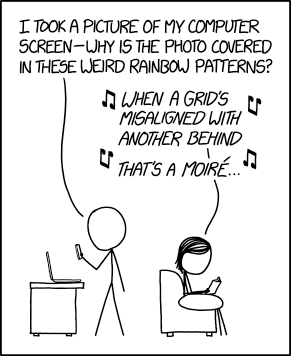
Source: XKCD

Sensors that use the Bayer pattern are especially prone to aliasing though, because the red and blue channels are being sampled at much lower frequencies than the full pixel count. This means there are two Nyquist frequencies (a green/luminance limit and a red/blue limit) and two types of aliasing you’ll tend to encounter: errors in detail too fine for the sensor to correctly capture the pattern of and errors in (much less fine) detail that the camera can’t correctly assess the color of.

‘the Bayer pattern is especially prone to aliasing’

To reduce this first kind of error most cameras have, historically, included Optical Low Pass Filters, also known as Anti-Aliasing filters. These are filters mounted in front of the sensor that intentionally blur light across nearby pixels, so that the sensor doesn’t ever ‘see’ the very high frequencies that it can’t correctly render, and doesn’t then misrepresent them as aliasing.**

The point at the center of the Siemens star is too fine for this monochrome camera to represent, so it’s produced a spurious diamond-shaped ‘alias’  at the center instead. This image second was shot with a very high resolution camera, blurred to remove high frequencies, then downsized to the same resolution as the first shot. It still can’t accurately represent the star, but doesn’t alias when failing.

These aren’t so strong as to completely prevent all types of aliasing (very few people would be happy with a filter that blurred the resolution down to 1/4 of the pixel height: the Nyquist frequency of red and blue capture), instead they blur the light just enough to avoid harsh stair-stepping and reduce the severity of the false color on high-contrast edges.

With a Bayer filter, you get a fun color component to this aliasing. Not only has the camera tried to capture finer detail than its sensor can manage, you get to see the side-effect of the different resolutions the camera captures each color with. Again, if you compare this with a significantly over-sampled image, blurred then downsized, you don’t see this problem. However, look closely you can still see traces of the false color that occurred at the much higher frequency this camera was shooting at.

This means that, a camera with an anti-aliasing filter, you shouldn’t see as much false color in the high-contrast mono targets within our test scene, but it’ll do nothing to prevent spurious (aliased) patterns in the color resolution targets.

Even with an anti-aliasing filter, you’ll still get aliasing of color detail, because the maximum frequency of red or blue that can be captured is much lower. This image was shot at the same nominal resolution but with red, green and blue information captured for each output pixel: showing how the target could appear, with this many pixels.

Light loss

At the silicon level, modern sensors are pretty amazing. Most of them operate at an efficiency (the proportion of light energy converted into electrons) around 50-80%. This means there’s less than 1EV of performance improvement to be had in that respect, because you can’t double the performance of something that’s already over 50% effective. However, before the light can get to the sensor, the Bayer design throws away around 1EV of light, because each pixel has a filter in front of it, blocking out the colors it’s not meant to be measuring.

‘The Bayer design throws away
around 1EV of light’

This is why Leica’s ‘Monochrom’ models, which don’t include a color filter array, are around one stop more sensitive than their color-aware sister models. (And, since they can’t produce false color at high-contrast edges, they don’t include anti aliasing filters, either).

It’s this light loss component that may eventually spell the end of the Bayer pattern as we know it. For all its advantages, Bayer’s long term dominance is probably most at risk if it gets in the way of improved low-light performance. This is why several manufacturers are looking for alternatives to the Bayer pattern that allow more light through to the sensor. It’s telling, though, that most of these attempts are essentially variations on the Bayer theme, rather than total reinventions.

The alternatives

These variations aren’t the only alternatives to the Bayer design, of course.

Sigma’s Foveon technology attempts to measure multiple colors at the same location, so promises higher color resolution, no light loss to a color filter array and less aliasing. But, while these sensors are capable of producing very high pixel-level sharpness, this currently comes at an even greater noise cost (which limits both dynamic range and low light performance), as well as struggling to compete with the color reproduction accuracy that can be achieved using well-tuned colored filters. More recent versions reduce the color resolution of two of their channels, sacrificing some of their color resolution advantage for improved noise performance.

‘The worst form… except all those others that have been tried’

Meanwhile, Fujifilm has struck out on its own, with the X-Trans color filter pattern. This still uses red, green and blue filters but features a larger repeat unit: a pattern that repeats less frequently, to reduce the risk of it clashing with the frequency it’s trying to capture. However, while the demosaicing of X-Trans by third-party software is improving, and the processing power needed to produce good-looking video looks like it’s being resolved, there are still drawbacks to the design.

Ironically, devoting so much of the sensor to green/luminance capture appears to have the side-effect of reducing its ability to capture and represent foliage (perhaps because it lacks the red and blue information required to render the subtle tint of different greens).

Which leaves Bayer in a situation akin to Winston Churchill’s take on Democracy as: ‘the worst form of Government except all those other forms that have been tried from time to time.’

40 not out

As we’ve seen before, the sheer amount of effort being put into development and improvement of Bayer sensors and their demosaicing is helping them overcome the inherent disadvantages. Higher pixel counts keep pushing the level of color detail that can be resolved, despite the 1/2 green, 1/4 red, 1/4 blue capture ratio.

And, because the frequencies that risk aliasing relate to the sampling frequency, higher pixel count sensors are showing increasingly little aliasing. The likelihood of you encountering frequencies high enough to cause aliasing falls as your pixel count helps you resolve more and more detail.

Add to this the fact that lenses can’t perfectly transmit all the detail that hits them, and you start to reach the point that the lens will effectively filter-out the very high frequencies that would otherwise induce aliasing. At present, we’ve seen filter-less full frame sensors of 36MP, APS-C sensors of 24MP and Four Thirds sensors of 16MP, all of which are sampling their lenses at over 200 pixels per mm, and these only produce significant moiré when paired with very sharp lenses shot wide-enough open that diffraction doesn’t end up playing the anti-aliasing role.

So, despite the cost of light and of color resolution, and the risk of error, Bryce Bayer’s design remains firmly at the heart of digital photography, more than 40 years after it was first patented.


Thanks are extended to DSPographer for sanity-checking an early draft and to Doug Kerr, whose posts helped inform the article, who inspired the diagrams and who was hugely supportive in getting the article to a publishable state.

* Unsurprisingly, some manufacturers have tried to take advantage of this increased diagonal resolution by effectively rotating the pattern by 45°: this isn’t commonplace enough to derail this article with such trickery, so we’ll label them ‘witchcraft’ and carry on as we were.

** The more precocious among you may be wondering ‘but wouldn’t your AA filter need to attenuate different frequencies for the horizontal, vertical and diagonal axes?’ Well, ideally, yes, but it’s easier said than done and far beyond the scope of this article.

Articles: Digital Photography Review (dpreview.com)

 
Comments Off on Resolution, aliasing and light loss – why we love Bryce Bayer’s baby anyway

Posted in Uncategorized


Catch them all: high resolution poster shows every Pentax SLR ever produced

23 Feb

Ricoh has released two posters charting the history of Pentax cameras, both in downloadable high-resolution PDF formats. These posters join the company’s existing online Pentax History website, serving as large visual aids to complement the site’s extensive product-by-product details.

The first of the two posters is dubbed the ‘Pentax Archives,’ and it shows camera models over the years starting with the Asahiflex I from 1952. Many of the cameras are accompanied by descriptions detailing the notable aspects of the model. The other poster shows every Pentax SLR from 1952 to 2017.

You can download them here:

  • Pentax Archives
  • Every Pentax SLR from 1952 to 2017

Those interested in additional information can view the brand’s history archives sorted by year, film and digital categories here.

Via: PentaxRumors

Articles: Digital Photography Review (dpreview.com)

 
Comments Off on Catch them all: high resolution poster shows every Pentax SLR ever produced

Posted in Uncategorized