RSS
 

Posts Tagged ‘Reasons’

Luminar vs Lightroom: Three Reasons Luminar is Better (and Two Reasons It’s Not)

24 Feb

The post Luminar vs Lightroom: Three Reasons Luminar is Better (and Two Reasons It’s Not) appeared first on Digital Photography School. It was authored by Jaymes Dempsey.

luminar-vs-lightroom

Are you struggling to decide whether you should be working in Luminar vs Lightroom? Do you want to know how these two post-processing powerhouses match up?

You’ve come to the right place.

Luminar vs Lightroom

Because this article will give you three ways Luminar excels over Lightroom, followed by two areas where Lightroom dominates.

And it’ll help you decide which option is best for your needs.

Let’s dive right in, starting with the biggest reason to choose Luminar:

1. Luminar offers one-click features for quick edits

When dealing with the question of Luminar vs Lightroom, I always recommend you take a look at the biggest feature Luminar offers:

One-click editing.

You see, Luminar offers a modern approach to editing, where you tap a few buttons and the software does most of the editing for you. This is ideal for photographers who don’t feel comfortable doing advanced edits in a program like Lightroom, or who simply don’t have time to carefully edit every photo.

These one-click options include the Orton Effect (which gives your photos a soft glow), to the Sunrays tool (which adds surprisingly realistic sun rays to your photos), to the Fog tool (which adds, well, fog).

Luminar vs Lightroom: Three Reasons Luminar is Better (and Two Reasons It's Not)

Even more impressive, some of Luminar’s best editing features are powered by artificial intelligence.

For instance, Luminar’s AI Enhance tool offers an AI Accent slider that often looks quite good; it makes your photo pop with some carefully applied color and tonal adjustments, among others.

And the Luminar AI Sky Replacement is nothing short of amazing. With a couple of clicks, you can take a boring sky and turn it into something eye-catching (an edit that could previously only be pulled off by a Photoshop expert).

Luminar vs Lightroom AI sky replacement tool

So if quick editing is your thing, then Luminar is a great choice.

2. Luminar offers useful layer-based editing

If you’ve ever used Photoshop, then you’ll know that one of its most powerful features is layer-based edits.

Because with layers, you can stack edits on top of one another, selectively delete edits, mask out certain edits, and more.

And while Lightroom doesn’t offer layer-based editing…

…Luminar does.

In Luminar, you can make adjustments on different layers. Then you can selectively apply these adjustments by masking out different areas of the layer, ensuring that only part of the photo is enhanced by a slider or corrected by a tool.

Luminar vs Lightroom layer editing

You can also use Luminar’s Luminosity Mask tool to selectively adjust areas of your photos based on their underlying brightness.

Now, Lightroom does offer some similar features, though they don’t technically use layers. Features such as the Adjustment Brush.

But these aren’t quite as useful as true layer-based editing, not least because you can only apply some edits via the Adjustment Brush, whereas Luminar allows for almost every slider to be separated into a different layer and masked out (if you so choose).

Personally, I’m a huge fan of layer-based editing, and I love that Skylum included it in their software.

On the other hand, layer-based editing can be a bit complex for newcomers. Fortunately, as discussed in the section above, Luminar also has a handle on basic editing tools.

So you have a choice:

Do more complex, layer-based editing.

Or work with the one-click edits.

(Or both!)

Very cool.

3. The Luminar editing interface is incredibly easy to work with

Here’s the third big area where Luminar dominates Lightroom in the Luminar vs Lightroom question:

The Luminar interface is streamlined, simple, and ridiculously easy to use.

Open up Luminar, and you can immediately tell that it’s great for beginners. There’s a toolbar at the top that lets you access basic options, no matter the module you’re in, and the tool panels on the right are simple and uncluttered.

To do some quick editing, all you have to do is tap the Looks icon at the top, and a handy image carousel pops up:

Luminar vs Lightroom interface

Lightroom, on the other hand, is far less sleek, and a little bit messy.

Take a look at the Lightroom interface:

Luminar vs Lightroom: Three Reasons Luminar is Better (and Two Reasons It's Not)

Sure, it’s workable, but it’s not exactly simple, and it can feel overwhelming at times. There’s a huge number of editing panels, quite a few modules, and many sliders.

So while a professional probably wouldn’t balk at the Lightroom display, a beginner may feel far too out of their depth.

Which is why Luminar is worth a look.

4. Lightroom offers far superior image organization options

Now it’s time to look at areas where Lightroom excels over Luminar, starting with Lightroom’s digital asset management capabilities.

You see, Lightroom is carefully designed to catalog, group, and label your photos. It has ultra-useful collection options and a huge number of ways to filter your images (in case you’re after an elusive image buried somewhere deep in your catalog).

image organization Luminar vs Lightroom

I love Lightroom’s organization features, and I still use my Lightroom catalogs to keep track of all my images, even when I’m doing editing in Luminar.

You see, Luminar’s photo organization options are far less powerful compared to Lightroom’s. Luminar does offer a Library feature, which gives you the option to group your photos into Albums.

But Albums don’t offer much in the way of functionality; for instance, you can’t group one album under another, nor can you sort them into a meaningful hierarchy.

Hence, when it comes to Luminar vs Lightroom in photo organization capabilities, Lightroom is the winner. Hands down.

Lightroom features a set of powerful, complex tools for precise editing

One other gripe that I have with Luminar compared to Lightroom:

It’s just not as precise.

Even though Lightroom has a complex interface, there’s a lot of options within that interface. Whereas Luminar’s editing tools are often a bit too simple.

For instance, look at Lightroom’s Split Toning panel:

Luminar vs Lightroom: Three Reasons Luminar is Better (and Two Reasons It's Not)

You can drag around a point on the color display, and your photo will respond.

Then compare this to Luminar’s Split Toning tool, where you’re stuck dragging sliders in a far less helpful way:

Luminar vs Lightroom luminar split toning

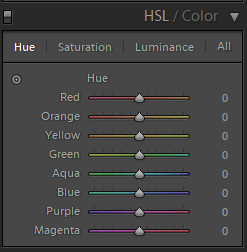
The same is true of Lightroom’s HSL/Color editing panel. You have basic HSL options, which allow you to modify colors according to hue:

Luminar vs Lightroom: Three Reasons Luminar is Better (and Two Reasons It's Not)

But then you also have a more targeted color adjustment tool, where you can click and drag to edit particular colors of your photos.

This is in contrast to Luminar’s Color tool, where you have the basic HSL options, and that’s all:

Luminar vs Lightroom Luminar color tool

Now, for a beginner, this may not be a big deal. You may not be interested in more complex editing tools.

But more experienced editors want this sort of thing, and so you should be aware that you can’t find it in Luminar.

Luminar vs Lightroom: Conclusion

Lightroom and Luminar are both excellent for post-processing, just in different ways.

Luminar offers fantastic one-click editing, along with powerful AI options.

Whereas Lightroom features superior image organizational features and complex editing tools.

So which is better, Luminar vs Lightroom?

In the end, the choice is yours!

The post Luminar vs Lightroom: Three Reasons Luminar is Better (and Two Reasons It’s Not) appeared first on Digital Photography School. It was authored by Jaymes Dempsey.


Digital Photography School

 
Comments Off on Luminar vs Lightroom: Three Reasons Luminar is Better (and Two Reasons It’s Not)

Posted in Photography


Nikon’s Nikkor Z 70-200mm F2.8 VR S lens is being delayed ‘due to production reasons’

01 Feb

Nikon Japan has announced [translated] that the much-anticipated Nikkor Z 70–200mm F2.8 VR S lens and three of its accessories will be postponed.

Originally set to be released on February 14, 2020, Nikon Japan says the lens has been ‘postponed due to production reasons.’ No specific details have been given regarding production issue at hand and no timeframe is given for the new release date. Nikon Japan says it ‘apologize[s] for any inconvenience this may cause to customers waiting for this product.’

DPReview has contacted Nikon for a comment and will update this article accordingly when we receive a response.

We will provide further updates regarding the situation as they become available.

Articles: Digital Photography Review (dpreview.com)

 
Comments Off on Nikon’s Nikkor Z 70-200mm F2.8 VR S lens is being delayed ‘due to production reasons’

Posted in Uncategorized


Video: Five reasons you still need vintage lenses in 2020

27 Jan

Photographer and filmmaker Mark Holtze has shared a video explaining ‘5 Reasons Why You Need Vintage Lenses in 2020.’

Throughout the eight-minute video, Holtze highlights five particular reasons vintage, manual lenses still make sense despite increasingly-impressive lenses manufacturers are making nowadays. Holtze says in a comment beneath the video ‘I could have made a list of top 100, but honestly…nobody is sitting through 90 mins of this,’ so eight minutes it is.

Not all of the reasons will make sense for all photographers or filmmakers, but each is valid in their own way. You can find more videos from Holtze on his YouTube channel and keep up with his work on Instagram and Twitter.

Articles: Digital Photography Review (dpreview.com)

 
Comments Off on Video: Five reasons you still need vintage lenses in 2020

Posted in Uncategorized


5 Reasons Why the Canon 10-18mm is a Must-Have Wide-Angle Lens

18 Sep

The post 5 Reasons Why the Canon 10-18mm is a Must-Have Wide-Angle Lens appeared first on Digital Photography School. It was authored by Kunal Malhotra.

After buying a new camera we all start planning for our next lens, which can replace or complement the kit lens. This is when the real confusion starts, you have to choose one out of the so many options available in the market. If you are a Canon APS-C camera user and looking for a wide-angle lens, the Canon EF-S 10-18MM f/4.5-5.6 IS STM could be an ideal choice. I have been using this lens for almost a year now, so I thought of sharing my experience and views with you all. Let me share 5 reasons why I believe that Canon 10-18mm lens is a must-have wide-angle lens.

Canon-10-18mm-lens

1. Ultra-wide angle of view

If you are or have used the 18-55mm kit lens on your Canon APS-C body, there might have been situations when you wanted to go wider than 18mm. This is when having the Canon 10-18mm lens in your camera bag can help you click frames as wide as 10mm (P.S. do apply the crop factor).

Canon-10-18mm-lens

Imagine you are at a rock concert or an event and you wish to capture the entire stage in a frame. Or imagine yourself looking at a beautiful landscape with beautiful clouds and the sun is setting. This is when using the 10-18mm lens can help you capture ultra-wide angle shots even from a short distance.

2. Ideal for Vlogging

With companies such as Canon also focusing on video features, more and more people are adapting to the vlogging culture. Isn’t it fun to capture moments and experiences when you are traveling and at the same time show your surroundings in a single frame?

5 Reasons Why the Canon 10-18mm is a Must-Have Wide-Angle Lens

I have been personally using the Canon 10-18mm lens on my Canon M50 to record almost all my vlogs for the past year, and have never had a second thought about it. The only situation where this lens can struggle is in low light conditions as f/4.5 is the widest it can go, which might introduce noise. But then, at $ 300, you can hardly find such a wide focal length that matches your requirements.

3. Features Image Stabilization

There are very few lenses (as far as I am aware) that feature Image Stabilization, and are priced under $ 300. This lens is equipped with a 4-stop optical image stabilizer which comes in handy while clicking photos in low light conditions. In practical scenarios, I have managed to get a sharp and stable shot handheld at 1/2th sec using 10mm focal length. So even if it is an f/4.5-5.6 lens, you can let in more light using a slower shutter speed in low light situations.

5 Reasons Why the Canon 10-18mm is a Must-Have Wide-Angle Lens

But you must be careful while clicking images at such a slow shutter speed, especially when there are elements in motion in your frame. I usually use it while clicking photos of monuments/buildings or creative images like light trails.

4. Use it for close-up shots

You may be thinking, “why would I want to click macro shots using a 10-18mm focal length?”

Well, this is not the ideal focal length range for macro photography, but that is where the fun starts. If you wish to capture something different and with a unique perspective, you can get some amazing close-up shots.

Canon-10-18mm-lens

In the sample macro shot shared above, you can see that I was able to get close to the insect and at the same time capture wide frame with shallow depth of field. Isn’t that a unique perspective in itself?

5. Ideal for Street Photography

I believe there is no particular focal length that can be termed as perfect for street photography. Every photographer has their own way of capturing photos while traveling. Some may like ultra-wide, some may prefer a standard focal length, and some may go for a 50mm or 85mm lens.

Canon-10-18mm-lens

I tried clicking candid street photos while roaming in my city and to my interest, the 10-18mm focal length range impressed me for the sole reason that I could capture more elements in my frame. If I had shot this photo shared above at 24mm or 35mm focal length, I would either had to move a few steps back or capture only a part of this beautiful moment.

What are your views about the Canon EF-S 10-18MM f/4.5-5.6 IS STM lens? Feel free to comment below.


canon-10-18mm-lens

The post 5 Reasons Why the Canon 10-18mm is a Must-Have Wide-Angle Lens appeared first on Digital Photography School. It was authored by Kunal Malhotra.


Digital Photography School

 
Comments Off on 5 Reasons Why the Canon 10-18mm is a Must-Have Wide-Angle Lens

Posted in Photography


Great Reasons to put a Carabiner in your Photo Kit

09 Sep

The post Great Reasons to put a Carabiner in your Photo Kit appeared first on Digital Photography School. It was authored by Rick Ohnsman.

The carabiner is a device most closely associated with mountain climbing, but now it finds application in so many other things.  In this article, we’ll explore a few ways you can make good use of a carabiner as a photographer.

Interestingly, the carabiner was not initially invented for climbers.  The history of the device is interesting with an inventor nicknamed “Rambo.” It’s not a story I’ll detail here, but worth a read.  The carabiner is essentially a loop with an easily opened “gate.” It allows quick clipping onto objects and then which closes by means of a spring.  Some carabiners also have a locking mechanism which prevents the gate from inadvertently opening.

Great-Reasons-to-put-a-Carabiner-in-your-Photo-Kit

Inexpensive carabiners are great for many of the applications we’ll discuss here. However, note, they are clearly marked “NOT FOR CLIMBING.”

Not for climbing

Carabiners come in a multitude of sizes and designs.  Those specifically made for climbers are carefully designed, tested, rated for strength, and marked with their load-bearing capabilities.  At the other end of the spectrum are the lightweight versions often sold for just a few dollars in hardware stores and the like.  These are often marked “Not for Climbing” as they are not built with the same care or performance capabilities of the climbing-specific types.

Image: The huge almost 8-inch carabiner on the left might have some good photo applications like car...

The huge almost 8-inch carabiner on the left might have some good photo applications like carrying multiple items or hanging an extension cord, but it’s not for climbing. The other three are climbing-rated carabiners. The one at the far right is a locking type.

For the purposes described in this article, we will cover possible uses by photographers. For those applications, the lighter weight, non-climbing versions may work fine.

As a disclaimer, I know very little about climbing. I am not a climber and certainly would not begin to suggest you take anything in this article as instruction on how to use carabiners for climbing. If that’s is your intention, go find an expert – someone you trust with your life.

In the climbing world, that really is the purpose a carabiner may serve.

Security and convenience

Carabiners serve two main purposes for climbers:

Safety – Carabiners are used as quick attachment devices to clip into climbing ropes. Those ropes act as safety devices so should the climber fall, the rope and the carabiner restrain the climber and save them from disaster.

Convenience – On the side of a mountain, it’s just you. Fumble and drop something, and it’s gone. Unable to carry a heavy load, you need a strong, lightweight device that provides security as well as easy access to your equipment (sometimes with just one hand). That’s just the job for which the carabiner is well-suited.

Safety and convenient use of carabiners by photographers is what we’ll address.

Security

When fragile things fall onto hard surfaces, bad things happen.  That is why climbers use ropes and carabiners – as safety devices.  If you’ve ever dropped a camera, lens, or other valuable photo gear, you learned this lesson the hard way.  So, what if we could come up with a few tricks using carabiners to provide some safety for your photo equipment so you aren’t punished by the law of gravity?

Image: A simple DIY camera-to-tripod safety tether as outlined here. The top knot is a clove hitch,...

A simple DIY camera-to-tripod safety tether as outlined here. The top knot is a clove hitch, the bottom one a cats-paw knot.

Camera-to-tripod tether

I do a lot of landscape photography and like to mount my camera to my tripod with a Swiss-Arca compatible L-bracket. The bracket clips into the lever lock mount at the top of my tripod. I prefer the lever clamp to twist knobs. It’s quicker to work, easier to see if it’s locked, and unlike a twist knob, doesn’t require periodic checking. After taking a few shots, when moving to a new location, I put the tripod over my shoulder and walk to the new spot with the camera and lens still mounted to the end of the tripod.

Now, I know I’m not the only one to do this – I remember watching Art Wolfe’s “Travels to the Edge,” where he’d routinely carry his camera like this. I like to be cool like Art – silhouetted against the sun with my tripod and camera over my shoulder. Never did I see his camera fall off the tripod and I’ve never had mine fall off…yet.

I’m afraid that one day I’ll be walking, carrying the camera this way, and suddenly feel the tripod get lighter and hear a crash behind me. I know my blood would run cold. A clamp failure or unplanned release could spell disaster and certainly, make a grown man cry. Rather than have that happen, I came up with this idea.

Get two carabiners and tie each to opposite ends of a short length of rope. Paracord works well for this as it’s light and strong. Don’t over-engineer this. You want to pick carabiners and cord with a load strength of maybe 50-lbs or greater to be on the safe side, but not so large as to be cumbersome. What is important is to tie the cord to the carabiners with the proper knot. If the rope comes loose from the carabiner when the need arises…yup…that would be bad.

Go online and find a good video showing how to tie a rope to a carabiner. I like the catspaw knot for this purpose. The clove hitch is good too.

Great-Reasons-to-put-a-Carabiner-in-your-Photo-Kit

Walking with your camera on the tripod over your shoulder like in the inset image, if the clamp released your camera would be saved like in the large shot IF tethered. Otherwise…     = :-O

The length of the cord shouldn’t be much longer than the distance to reach from your tripod head to the camera. Usually, 6-8″ (15-20cm) will be about right. Get a split ring, the kind often used for keyrings, and mount that to the lug on the side of the camera made for a regular camera strap.

Now, clip one carabiner through the ring and the other one just under the mount on your ball head. (See the photo). Most ball heads will accommodate this. However, if yours doesn’t, you’ll need to find an alternate place on the tripod to clip the lower carabiner. Now head down the trail confident that if the clamp releases your camera, the tether will save it.

Yes, it might occasionally get in the way or prevent your ball head from completely free motion while photographing, but if so, unclip the carabiners while you work. The peace of mind I get as I walk the trail with my camera on my tripod over my shoulder is well worth a slight inconvenience.

Other uses for a safety tether

A similar DIY device, two carabiners connected by a length of cord, may find other applications in your photo work as a safety tether. The size and weight of the device you need to protect will dictate the strength of your carabiners and connecting cord, rope, or cable. People in lighting or theatrical work are likely familiar with such safety tethers. Having a heavy light fall onto the talent below would be bad, very bad.

Even if your photography doesn’t involve talent under lighting or other equipment, having expensive photo gear fall off a mount and crash to the ground is also bad. Consider devising ways you can create safety tethers for some of your other equipment with a little creative DIY engineering.

Image: A sling-style camera strap attached to the bottom tripod hole of a camera with a locking cara...

A sling-style camera strap attached to the bottom tripod hole of a camera with a locking carabiner-style clip.

Camera Straps

I get it, no one likes a strap around their neck, and most camera straps are a bothersome hassle. But like wearing your seat belt in the car, perhaps you need to consider the risk versus the inconvenience. I wish I had a dollar for every time I’ve seen photographers – even pros – holding their camera and taking a shot with the strap dangling down in front of them rather than around their neck. I see them shooting out the tour bus window, over the side of the boat, over a cliff edge or at the zoo with crocodiles below.

Also, I wish I had all the money wasted when cameras and lenses which could have saved with a strap instead were fumbled, dropped, and destroyed. I use an Op/Tech sling strap (Black Rapid is a similar well-known sling-strap designer). It is more comfortable, keeps the camera on my hip rather than my chest, an is still ready for quick action.

My work camera uses a different connection method. It uses a mount into the tripod screw hole and a snap-clip which is much like a carabiner. Before that, I modified my OEM strap and used a similar hardware store snap-clip.

I guess there are people who “free-climb” mountains with no safety devices, people who drive without their seat belts and, yes, people who don’t like camera straps. I’ll leave it up to you to decide.

Me? Camera straps, carabiners, and safety tethers are my friends.

Photographing near the edge

On a trip to Canyonlands National Park in Utah, we had a photo buddy in our group with less acrophobia than I. (We nicknamed him “Spiderman”). While photographing the canyon at Deadhorse State Park, he was uncomfortably close to the edge. I tried not to look and concentrated on my photography. Then I did look around…and he had disappeared! His tripod and camera were still there, but not him.

Panic!

I feared the worst and cautiously peered over the edge…

Looking…looking…

A few minutes later, with a big grin, he stepped out from behind some bushes.

For our next trip, I’m considering rigging him with a safety tether.

Image: That next step is a doozy! My photo buddy “Spiderman” on a trip to Deadhorse Stat...

That next step is a doozy! My photo buddy “Spiderman” on a trip to Deadhorse State Park in Utah.

I tell that story to suggest this, using a carabiner and length of rope to allow you to make those “edgy shots” safely. The shots where you extend your camera and tripod over the edge, out the window, over the side of the boat, cliff, above the crocodile pit (Crikey!). All of those places where if you fumble or your clamp releases you won’t be getting your gear back. At least not in one piece. There’s also the potential danger to those below to consider.

I’m suggesting attaching your camera/tripod to a tether.  A good device if you do a lot of hand-holding of your camera with a wrist strap.  There are various commercial designs, or you can fashion a strap with a velcro fastening to go around your wrist and a carabiner to clip to a ring on your camera.  Fumble the camera and the safety tether to your wrist saves it.

While working near precipitous edges, it may also be a good idea to have a tether on yourself. However, if you decide to do so, you enter the realm of “climbing.” As I said, don’t look to me or this article for guidance on that subject.

If you do tether your equipment, secure the other end of the rope to something secure, perhaps not yourself. You don’t want a falling camera and tripod dragging you over the edge too. Got all that Spiderman?

Image: Often the hook at the bottom of a tripod column just isn’t large enough to accommodate...

Often the hook at the bottom of a tripod column just isn’t large enough to accommodate a camera bag handle. A carabiner makes it work. Use this arrangement when you want extra weight and stability for your tripod or to keep your camera bag off the dirty or wet ground.

Convenience – What, where, and when you need it

Having what you need, where you need it, when you need it, and available for quick access and return to its storage location is essential to a mountain climber hanging on the side of a cliff. It’s also handy for a photographer who has hands busy operating the camera. Or doesn’t have the time to root through a backpack looking for something while the light is fleeting. Carabiner to the rescue! Putting easy access to equipment within reach is a hallmark of this little wonder.

Great-Reasons-to-put-a-Carabiner-in-your-Photo-Kit

Zip-tie and gaff tape a carabiner to a tripod leg and you have a “third-hand” hook. Keep a filter or other accessory bag right at hand while you work.

Creative photographers will come up with many uses for a carabiner, whether in the field or the studio. Others marketing all manner of other goodies and gizmos have also incorporated carabiners into their equipment designs to make them more useful.

Let’s look at some photos that show both some DIY uses as well as product designs that leverage the wonders of a carabiner.

Great-Reasons-to-put-a-Carabiner-in-your-Photo-Kit

Many products incorporate carabiners int their design. Here are just a few of possible interest to photographers. Urban Gear knife, TempaBright light/thermometer, Coghlan’s waterproof capsule container, Coghlan’s large carabiner carry handle, small carabiner keychains, Nite Ize S-biner, Nite Ize DoohicKey, LuxPro focusable flashlight, LifeLine weather-resistant First Aid Kit, and don’t forget the zip-ties.

Team these with a carabiner

You’ve seen some great uses for carabiners for a photographer, and hopefully, I’ve introduced you to something you can use. But I’d be remiss if I didn’t suggest some other devices to throw into your pack to increase the versatility of carabiners even more.

Great-Reasons-to-put-a-Carabiner-in-your-Photo-Kit

My LowePro ProTactic 450AW backpack has MOLLE webbing on the outside giving many places to clip in carabiners and goodies.

Paracord

Originally developed as the suspension lines used on parachutes, this strong and lightweight nylon cord is a great accessory to have in your pack.  It’s available in many thicknesses and strengths, a rainbow of colors, is easily cut when you need a shorter length and you can seal the ends with a match.  It’s great stuff and a perfect partner to a carabiner.

Image: Need to tighten a loose line? Clip on a carabiner, twist the carabiner until the line is tigh...

Need to tighten a loose line? Clip on a carabiner, twist the carabiner until the line is tight, then clip the carabiner back onto the now tightened line.

Binder clips

Yes, the kind used in the office.  They come in a variety of sizes so you can suit the size to the need.  A perfect photographic application is hanging a backdrop.  Put a few binder clips along the top edge of the backdrop, clip carabiners through the loops of each clip and you can hang the backdrop from a paracord line or rod.

Great-Reasons-to-put-a-Carabiner-in-your-Photo-Kit

Hang a backdrop with some carabiners used like curtain hooks on a line or rod. Binder clips work well for this, but these ProGrip TarpSharks were too cute not to buy a couple.

Zip ties –  (aka cable ties)

Zip ties are very lightweight, strong, and able to be pulled very tight and locked there. These are wonder devices.  When you can’t attach your carabiner directly to an object, try attaching a zip tie to it and before tightening, a carabiner as well.  The example above of attaching a water bottle to a carabiner is a good one.  You’ll think of dozens of other uses.  Zip ties can also save the day when straps or other things in your photo kit break and you need an emergency fix.

Gaffer tape

People in the film and theatrical professions know and love this stuff and no photographer ought to be without a small roll in their pack.  Don’t confuse this with duct tape, it will only make a sticky, hard-to-remove mess of your equipment.  Get real gaff tape and then go nuts with the many ways you’ll be able to use it.

Image: In the studio, an easy way to keep two joined extension cords from becoming unplugged.

In the studio, an easy way to keep two joined extension cords from becoming unplugged.

Great-Reasons-to-put-a-Carabiner-in-your-Photo-Kit

Not a lock, but at least a way to use a carabiner on your backpack zippers to discourage a potential thief from a quick grab of your gear.

The DIY photographer

If you haven’t figured it out by now, I’m a real DIY nut! If I can figure out a cheaper, better, innovative way to do something, including my photography work, I’m all over it.

Carabiners certainly fall into the list of useful parts in the “goodies” bag I keep in my photo backpack.  I hope you picked up a useful tip here. If there’s something I missed that you’d like to share with the worldwide photographic community here on DPS, please include it and maybe a photo too in the comments section below.

Now go forth and photograph!


Great-Reasons-to-put-a-Carabiner-in-your-Photo-Kit

The post Great Reasons to put a Carabiner in your Photo Kit appeared first on Digital Photography School. It was authored by Rick Ohnsman.


Digital Photography School

 
Comments Off on Great Reasons to put a Carabiner in your Photo Kit

Posted in Photography


6 Reasons Your Photos Might Be Lacking Sharpness

31 Aug

The post 6 Reasons Your Photos Might Be Lacking Sharpness appeared first on Digital Photography School. It was authored by Kav Dadfar.

Capturing sharp photos needn’t be difficult. Most amateur photographers who struggle to capture sharp photos make one of the common mistakes listed below. The good news is that with a little bit of practice and knowhow, you will be able to take sharp photos most of the time. At the very least, you should accept that you will make mistakes and have blurred photos from time to time when starting out. Instead of getting frustrated, try to analyze each blurred photo to understand why it might be lacking in sharpness. In the meantime here are 6 reasons your photos might be lacking sharpness.

Reasons-Your-Photos-Might-Be-Lacking-Sharpness

Reasons your photos might be lacking sharpness

1. Shutter speed too slow

Often this is the number one culprit for photos lacking sharpness. There are three potential mistakes when it comes to shutter speed. The first is simply the question of are you using a fast enough shutter speed for what you are photographing? For example, a cheetah running will need a much faster shutter speed to freeze the action. Whereas, a statue doesn’t. So the first thing you should do is understand what shutter speed you need for the subject you are shooting. As an example, you might be able to get away with something like 1/60th sec when taking a portrait. But for someone running, you will need a shutter speed of something like 1/200th sec.

The second issue is around the lens you are using. As a general rule, your shutter speed should at the least be the same as your lens focal length. So for example, if you are shooting with a 200mm lens, your shutter speed should be at least 1/200th sec. However, there is a slight caveat to this rule. Image stabilization in modern lenses is very good. It can allow you to shoot below the minimum required. But, to be safe, stick to this rule.

Lastly, how fast you need for your shutter speed also comes down to you. If you have steady hands, then you may be able to shoot sharp photos at a slower shutter speed than someone else. Test this out by photographing a scene at different shutter speeds to determine how slow you can go.

Image: Closer inspection of this photo reveals that there is a lack of sharpness.

Closer inspection of this photo reveals that there is a lack of sharpness.

2. Not using the correct aperture

Your aperture determines your depth of field. This also has a major impact on the sharpness of your photo. For example, if you are photographing a landscape scene with a shallow depth of field like f/2.8, then only a small part of your scene will be sharp. Depending on where you focused, only things along that distance will be sharp. So in this scenario, where you want more of your image to be sharp, you need to use a smaller aperture (i.e., higher f/number).

For something like landscape photography, you need to use an aperture of f/8 or smaller.

Reasons-Your-Photos-Might-Be-Lacking-Sharpness

3. ISO is too high

Even though modern-day DSLRs have hugely improved in the amount of noise that appears in photos at high ISOs, unfortunately, it still does affect sharpness. If you set your ISO too high, your image will begin to look soft and as a result lack sharpness. Always remember only to raise your ISO as high as you need to.

Better still, if you can, use a tripod and keep your ISO low.

Image: This photo was taken at 6400 ISO. When zoomed in, as you can see the noise is making it feel...

This photo was taken at 6400 ISO. When zoomed in, as you can see the noise is making it feel soft.

4. Haven’t locked up mirror

A lot of amateur photographers may not be aware of this potential issue when using a tripod. Every time that you click the shutter button, the mirror inside the camera flips over to allow light to hit the sensor.

When you are using a fast shutter speed, this process doesn’t cause any problems. But when you are photographing using a long exposure where your shutter speed is very slow, when the mirror flips over, the vibrations can cause a lack of sharpness in your image. You can either use the function in your DSLR menu to “lock mirror” or shoot in live view mode for the same effect.

Image: An example of the lack of sharpness even when using a tripod when the mirror hasn’t bee...

An example of the lack of sharpness even when using a tripod when the mirror hasn’t been locked.

5. Poor quality tripod

Just like anything else, there are good quality tripods and poor quality tripods. Of course, buying a better and more sturdy tripod might be expensive, but isn’t that a price worth paying for sharper photos?

A poor quality tripod will put your expensive equipment at risk because it may not be sturdy enough even to withstand a gust of wind. However, cheap material can also be prone to vibrations, which, in turn, can mean a lack of sharpness in your photos.

So don’t take the risk. Ideally, invest in a good quality carbon fiber tripod.

6 Reasons Your Photos Might Be Lacking Sharpness

6. Not using a remote or self-timer

Even the faintest of touches can cause camera shake when photographing at long exposures. This means that even when you press the shutter button to take a photo, you are causing movement. The only way to be sure that your photos will not suffer from camera shake is to use a remote release or the self-timer on the camera. This will ensure you will not have to touch the camera when you take the photo.

Reasons-Your-Photos-Might-Be-Lacking-Sharpness

By far the best way to ensure that your photos are sharp is to use a tripod. But whilst that is not always possible or convenient, by following the advice above you can still ensure that your photos will be sharp.

We hope these tips help you achieve sharper photos! Do you have any other tips to add to the reasons your photos might be lacking sharpness? Share with us in the comments!


Reasons-Your-Photos-Might-Be-Lacking-Sharpness

The post 6 Reasons Your Photos Might Be Lacking Sharpness appeared first on Digital Photography School. It was authored by Kav Dadfar.


Digital Photography School
 
Comments Off on 6 Reasons Your Photos Might Be Lacking Sharpness

Posted in Photography


4 Necessary Reasons to Look Through Your Old Photos

27 Aug

The post 4 Necessary Reasons to Look Through Your Old Photos appeared first on Digital Photography School. It was authored by Simon Ringsmuth.

As photographers, we mustn’t live with our heads stuck in the past. If we’re not trying new ideas, exploring new techniques, or finding ways to push ourselves to be better, we might quickly find ourselves drowning in a sea of irrelevance and mediocrity. However, there is a time and a place to look in the rear-view mirror. Looking back at some of your old photos can have incredible benefits, aside from just happy feelings of nostalgia. Sometimes the best way forward is to look at the path we have taken. Even though to look through your old photos can be embarrassing, there are some clear benefits to doing so.

Reasons-to-Look-Through-Your-Old-Photos

1. It helps you realize you weren’t that bad

I’m a pretty self-conscious guy, and as such, I don’t like looking at pictures of myself. I always find something to criticize, even if they are things that no one else would ever notice! Looking back at some of the earlier pictures in my photography portfolio is the same way. Sometimes seeing the pictures I shot is enough to make me cringe. So I want to throw my old albums out the window!

This is precisely why it’s good to dust off your old photo albums or look through the image folders on your computer you’ve been neglecting for years. Looking through the images you shot when you were new to photography, can more often than not, let you see how you really weren’t as bad and probably much more talented than you realize.

Reasons-to-Look-Through-Your-Old-Photos

I shot this in 2013. While I had a lot to learn about lighting and editing, it’s actually a pretty decent image.

If the thought of looking at your old pictures makes your skin crawl, there’s a good chance you might have been a lot better than you thought. While your early images were probably not perfect, they can be a source of encouragement. You see that you clearly did have some skills – even if they had a little way to go before maturing.

2. You can learn from your mistakes

Even though your older pictures might not be as bad as you think, you can learn a lot from going through your earlier work. Over the years, you have almost certainly improved your techniques in terms of lighting, composition, framing, or even just posing your clients.

Reasons-to-Look-Through-Your-Old-Photos

I shot this in 2014 when I didn’t know how to use a reflector but brought one with me to the session anyway. The colors on his face just don’t look right.

I know how it can be painful or embarrassing to scroll through your photos from five or ten years ago. It’s almost like looking through your high school yearbook and cringing at the silly hairstyles and weird fashion choices from days gone by. If you do this with your images, instead of turning away from your mistakes, learn from them. Realize what not to do now and in the future.

The image below is a good example of this. While my clients were happy, and so was I at the time, when I look at this picture now all I see are errors to fix. I shot it with a 50mm lens at f/2.8 and focused on the man in the back, which meant everyone else is out of focus. I didn’t have a sense of how to pose, nor was I really paying attention to lighting. The list goes on.

However, rather than pretend this session didn’t exist, I use it as a learning opportunity.

Image: One of my first portrait sessions, shot in early 2013.

One of my first portrait sessions, shot in early 2013.

Here’s another illustration of how much I have learned since my early days, especially when it comes to formal sessions. Why is there an orange shoe in the middle of the picture? Also, why is there a giant tree growing out of the head of the child on the left? Why did I use a 1/80th shutter speed?

The world may never know the answers, and I certainly don’t. However, when I see this old picture, it helps me also see what I can do differently today.

Image: Another family portrait session from 2013. Don’t judge me…I was new and didn...

Another family portrait session from 2013. Don’t judge me…I was new and didn’t know what I was doing. My clients liked it though!

3. It helps you refine your editing style

In addition to photography style and techniques, searching through your old pictures can give you a great deal of insight into your editing process.

It’s not easy to see slow, incremental changes over time. However, when you compare your current editing style to that of when you first started, you might be surprised. You may even be shocked at the difference. This can be a learning opportunity and help give you insight into how you might continue to refine and hone your edits.

I took the following picture in the summer of 2013, and I clearly remember spending a long time working with it in Photoshop. The result is what you see here: over-saturated sky, poor dynamic range, and a weird color balance that seems unnatural and icky.

4 Necessary Reasons to Look Through Your Old Photos

When I edited this RAW file, I was way, way over-thinking the process and ended up with kind of a mess. I can still see myself hunched over an old iMac, refining my selections, creating new layers, and fiddling with color edits ad nauseam. Now I’d just pull this into Lightroom, tweak a few sliders, and end up with a much cleaner and more pleasing image.

Here’s another picture that, upon first look, makes me want to chuck my computer out the window and never look at my cameras again.

Image: Shot in the fall of 2014, when I still had an awful lot to learn.

Shot in the fall of 2014, when I still had an awful lot to learn.

This picture is practically a textbook example of what not to do when shooting or editing a picture. Aside from all the issues in the image itself (soles of shoes, people sitting on an old canvas, awkward posing and hand placements, an disregard for background objects), the editing was atrocious.

My subjects are underexposed. The white balance is all wrong, and there’s no sense of contrast. Moreover, I didn’t bother using any noise reduction, so their faces are kind of patchy if you zoom in to 100%.

I’m a much better editor now than I was back when I shot this seven years ago. When I look at this picture and others like it, I can immediately see how I have changed my editing process over the years. It gives me a few ideas of what I should continue refining in the future.

Reasons-to-Look-Through-Your-Old-Photos

When I edited this picture in 2013, I didn’t know what I was doing. But looking back at it helps me remember what to do, what not to do, and what I can change in my current style.

4. Early photos can inspire you!

There’s a lot I wish I could take back about my early photography. However, I feel some of my work now lacks something: a spark of life and a sense of abandon. When I first picked up a camera, I would see photo opportunities everywhere; inside my home, walking around the neighborhood, even my office at work.

With clients, I had a much more carefree attitude, shooting whatever I wanted, whether I thought it would look good or not. It was a carefree time when I didn’t worry about (or even know about) proper technique, good lighting, high ISO values, rolling shutter, or any of that. Like a kid in a candy store, I remember latching on to anything and everything around me.

I even set my alarm early so I could take pictures of my kids’ toys in the living room before the sun came up.

Reasons-to-Look-Through-Your-Old-Photos

I took my camera to a sporting event back in 2014 and shot everything I could see, even if I didn’t know what I was doing. Including these bocce balls sitting on astroturf. I kind of miss that approach, and looking at photos like this helps rekindle it.

When I started taking pictures more seriously, I saw the world differently. Every tree, building, or animal was a fun and exciting photographic opportunity. I’ve lost that over the years. Now I think I over-analyze situations – trying to find the perfect moment, subject, or lighting condition.

Going back through old photos takes me back to a time when I didn’t care about any of that. I just took pictures of what I thought was fun and interesting. It has inspired me to be a little more creative and a little less analytical with my photography now.

Image: I spent half an hour trying to capture this image with my brother in the summer of 2014. We h...

I spent half an hour trying to capture this image with my brother in the summer of 2014. We had such a fun time doing it! I need to do more shots like this…

Looking at your old pictures can bring up some strange emotions, and it can certainly be awkward or feel silly. But buried in your images from days gone by is a treasure trove of education just waiting to be unlocked.

Reasons-to-Look-Through-Your-Old-Photos

This image of a tree borer I took in 2013 remains one of my favorite insect pictures I have ever taken.

Conclusion

The next time you pull up your photo library on your computer or scroll through images in your photo app, go back to your earliest pictures and see what you can learn from them. You might be surprised at how enjoyable and educational your trip down memory lane can be!

Do you ever look through your old photos? What have you learned from them? Share with us in the comments!


Reasons-to-Look-Through-Your-Old-Photos

The post 4 Necessary Reasons to Look Through Your Old Photos appeared first on Digital Photography School. It was authored by Simon Ringsmuth.


Digital Photography School

 
Comments Off on 4 Necessary Reasons to Look Through Your Old Photos

Posted in Photography


5 Reasons to Consider Aperture Priority Over Manual Mode

13 Jun

The post 5 Reasons to Consider Aperture Priority Over Manual Mode appeared first on Digital Photography School. It was authored by John McIntire.

Choosing aperture priority mode in difficult lighting situations can free your mind up to deal with the things that matter most to the photo, like timing, rather than messing around with the dials to get the same result.

There’s a lot to be said for the manual exposure mode on your camera. When you’re starting out, learning how to shoot in manual will help you to learn the relationship between shutter speed and aperture. This ensures that you learn what the camera is doing every time you make an exposure. It also builds the basis for you to take what you learn about exposure and correct for the camera’s inability to cope with extreme exposure situations as well as to make creative choices for your images.

After you’ve learned the ins and outs of manual mode, however, there are a few reasons why you might want to forego your hard-learned manual skills for Aperture Priority mode. This article outlines five of these reasons and details what Aperture Priority mode might offer you and your photography in some situations.

1. Aperture priority does the same job as manual mode

In manual mode, the meter in your camera is taking a reading based on your set ISO (provided you’re not using auto ISO). The chances are likely that you’ve picked a deliberate aperture setting before you even lifted the camera up. To get your exposure, you now have to alter the shutter speed so that the indicator on your camera lines up with what the meter dictates is a correct exposure.

Aperture priority does the exact same thing, except that the camera sets up the shutter speed for you.

In instances where you are trusting your camera’s light meter (let’s be honest, that’s most of the time), this will result in the same exposure every single time whether you are shooting in manual mode or aperture priority mode.

What aperture priority mode does is remove the need for you to set the shutter speed yourself. It frees you to concentrate on things like composition without having to constantly keep an eye on the meter.

Exposing for the meter in manual mode resulted in an exposure of f/11 at 1/50th of a second.

Exposing the scene in aperture priority mode just a second later resulted in the exact same exposure. f/11 at 1/50th of a second.

In situations where you need to compensate for dark or light subjects, aperture priority mode still gives you full manual control of the exposure through exposure compensation. Are you taking photos of a dark subject like a black dog? Dial in -1 stop of exposure compensation just one time and keep shooting without having to constantly adjust your settings to get to the same result. Are you taking photos of a fluffy white dog? Same again. This time, add +1 stop of exposure compensation and away you go.

Dark subjects will require you to underexpose them. In Aperture priority mode, this is easily done with exposure compensation. Once you dial in exposure compensation, you are set to go until it has to be changed again. With light-toned subjects, you will have to overexpose them to maintain the correct exposure.

High contrast subjects, like this sheep’s white face lit directly by the setting sun, will also have to be underexposed by at least a few stops.

The only difference between aperture priority mode and manual mode in these circumstances is that you will be spending more time focusing on the creation of the photos than you will be on the dials on your camera.

To be clear, I am not advocating for not learning how to use manual mode. For the best results, it is important for you to understand how your camera works in relation to exposure. Using manual mode is the best and fastest way to do that. So, please, don’t skip over manual altogether. However, once you have it down, using other modes alongside your knowledge of exposure and how it works will help you and your photos in the long run.

2. Speed

The backlighting in this image created an extremely high contrast situation. By dialing in -3 stops of exposure compensation, I was able to ensure that the issues were dealt with in a series of images with one turn of the dial.

As mentioned, using aperture priority reduces the amount of time you have to spend watching the camera’s meter. Because the camera is now setting the shutter speed for you, the only thing you have to worry about in most situations is exposure compensation. Once you set your camera to aperture priority mode, it takes only one finger (on all modern cameras that I’ve used) to adjust the exposure compensation settings.

Need to underexpose by a stop? Just turn the one (relevant) dial three clicks. Done.

The only other thing you might have to worry about is if you have the need, or want, to change your ISO. But that is going to be more uncommon.

3. Aperture priority still gives full manual control

At the risk of repeating myself, but I feel this point really needs to be driven home. Aperture priority mode gives you full manual control over your exposure. It is not automatic, or an auto mode, in any way more than it allows the camera to set the shutter speed based on the meter you are already using.  At any time while in aperture priority mode, you will still have full manual input on what exposure the camera is recording. You just have less physical steps to go through before you get there.

4. Helps to create a constant exposure in changing lighting conditions

One scenario in which aperture priority mode really shines is in changing lighting conditions. For example, if you’re out on a windy and cloudy day, the light levels can constantly shift. In aperture priority mode, your camera changes the shutter speed for correct exposure (already taking into account any exposure compensation that you might have set). Thus, helping you to achieve a consistent look for all of the images in a sequence. This is most useful in terms of shooting a sequence of images to later stitch into a panorama.

When creating a sequence of images for a panorama, aperture priority can help to ensure a consistent exposure throughout the frames.

If you were shooting this sequence in manual mode, it would require you to be constantly looking at the meter and changing your shutter speed settings as required. This isn’t a big deal, but using aperture priority mode allows you to get the same results without constant fetter over the settings.

At sunset, the light rapidly changes. Add a moving subject to that high contrast scene and you have an exposure nightmare. Aperture priority can help to maintain a fairly consistent exposure between frames.

This isn’t perfect, and extreme shifts in lighting can have drastic effects on your images and your exposure. You will still have to pay attention to the details to ensure nothing is going wrong. On normal days, however, it will work just fine.

5. TTL and HSS enabled flashes

Using aperture priority with TTL and HSS enabled flashes might just be the perfect match.

When you are using a flash with TTL (through the lens metering) and HSS (High-Speed Sync) enabled, the chances are that you are going to be working with a fixed aperture anyway.

Remember, shutter speed does not affect flash exposure, only ambient exposure. Aperture priority mode will give you the freedom to set your desired aperture and then let the camera do what it needs to match the meter.

Not only will you still have full control over the exposure compensation for the ambient, but you will also have full control over exposure compensation with the flash unit.

Again, this allows you to get the exposure where you want it one time, and then you are free to concentrate on the actual photos.

That’s it

Aperture priority can be a fantastic tool for any photographer. At the end of the day, it does the exact same thing that manual mode does. It just takes away some physical steps that you have to go through in manual mode to set the exposure.

That said, like just about everything else in photography, it is not perfect, and it won’t always be a solution.

If you take only one thing away from this article, let it be this: shooting only in manual mode does not make you a better photographer. Aperture priority and shutter priority modes do the exact same thing, just in a different way. Use whichever works for the situation you’re in.

Do you use Aperture or Shutter Priority? Share with us your thoughts in the comments below.


5 Reasons to Consider Aperture Priority Over Manual Mode

The post 5 Reasons to Consider Aperture Priority Over Manual Mode appeared first on Digital Photography School. It was authored by John McIntire.


Digital Photography School

 
Comments Off on 5 Reasons to Consider Aperture Priority Over Manual Mode

Posted in Photography


8 Great Reasons to Enter a Photo Contest

06 Feb

The post 8 Great Reasons to Enter a Photo Contest appeared first on Digital Photography School. It was authored by Simon Bond.

Do you want to take your photography to the next level? Are you look for a focus to your work? There are many ways to achieve those aims in photography. One of the best ways is to enter a photo contest. That competitive edge is a really good way of driving your photography on by that extra few percent. In this article, you’ll discover some great reasons to enter a contest. Then you’ll find out some great contests to enter, and some of the potential pitfalls that some contests present.

1. A photo contest gives you direction

A decent level of creativity and a well-executed photo are two things needed to win a contest.

There are times as a photographer that you’ll drift a little bit. Whether that means you photograph less, or when you do photograph there’s not too much cohesion to it depends on you as a photographer. Even those with clear ideas about their photography benefit from a clear direction to head in, and a photo contest is one great way to achieve this. Not all, but many photo contests have themes, and it’s this theme you concentrate your mind on as you look to compose the best photo.

2. Pushes you out of your comfort zone

In the same way that a themed contest can give you direction, it can also push you out of your comfort zone. Of course, if the contest is too far out of your comfort zone, you might choose not to enter for a variety of reasons. However, with enough time before the final entry date, contests provide the perfect opportunity to hone your skill in another area of photography. Contests also allow you to adapt the way you take photos to fit the theme of the contest. Do you enjoy landscape photography? A contest theme set to crystal ball photography could be the perfect chance to learn this new photographic technique while applying what you already know about landscape work.

This photo ranked number 1 for the daily interesting contest on flickr.

3. Focuses your mind on being perfect

Do you always photograph all your photos at the correct aperture? Was the ISO left too high, from the last time you photographed indoors? While you’ll almost certainly get those camera settings correct when you’re out photographing when it comes to a contest you definitely will. The smallest advantages you can gain by perfecting your technique can all stack up, and you’ll need every advantage you can get to win a contest.

4. Is a great way to gain exposure

There are several ways you can gain exposure through a photo contest. However, there is no doubt your photo needs to stand out because most contests gain thousands of entries. It’s in the interests of a contest to engage its audience though, so how can that benefit you? Those contests that run for a couple of months may well have a weekly top ten. Photos from this ten may not end up winning the prize, but it can put eyeballs on your photo if you make the ten. In addition to this, typically photo contests have a winner, as well as a raft of commended photos. Once again, this gives you a significant chance of more exposure, should your photo be commended.

This photo won a contest in South Korea a few years ago.

5. There’s the potential to win a great prize!

The bigger the contest, the bigger the prize! Of course, it is incredibly difficult to win the grand prize of any contest, and that’s certainly the case with photography. Those that win often gain a photographic opportunity that is a once in a lifetime chance. The national geographic contests often have prizes that involve traveling to exotic locations, and the chance to learn from established photographers.

6. See other peoples entries, and be inspired

There are plenty of places you can see other photographers work. More or less, any form of social media allows for this. Photo contests are the place people place their very best. Seeing how other people have interpreted a contest theme can lead to inspiration in your own work. Of course, plagiarism isn’t a good idea, but looking at style, technique and execution might lead to an adaption in the way you take photos yourself. Adapting other peoples ideas, and incorporating them into your work is a great way to improve.

Photo contest sites like Pixoto are a great way to see how well your photography level is progressing.

7. Doing well validates you

All that exposure and a potential prize is not the only benefit you get from a photo contest. Having a winning entry, be that the overall winner or a top ten photo gives your photography validation. There is nothing that beats this when it comes to things like growing your photography business. The ability to call yourself a prize-winning photographer can go a long way. Does the size of the contest matter? From the perspective of calling yourself a prize-winning photographer, entering a smaller contest where there is a greater chance to win might be the way to go.

8. Gain feedback

If you’re lucky, you might get direct feedback from the person judging the contest. Those contests that allow comments may also lead to fellow contestants commenting on your work. Getting feedback on what you do is a great way to grow as a photographer. Contests are one platform where you may be able to receive some of this vital information.

The really big contest to win is National Geographic’s. It’s of course incredibly difficult to do so.

Photo contests to be wary of

There are, as you may have read, a great many good reasons to enter a photo contest. That said, there are a few contest types to be wary of.

Large entry fee

The majority of photo contests are free or have a nominal entry fee. Some contests charge large entry fees though. It’s up to you, but sometimes these contests are best avoided. There is no justification for a large entry fee. A good contest has many contestants, so they should only need to charge a nominal entry per person to cover their costs.

Loss of photograph rights

It’s always worth reading the terms and conditions of a photography contest carefully. That’s because some contests claim rights to your photo when you enter it in the contest, even if your photo is not one of the winning entries. Contests like this are essentially looking to use your work for their commercial advertising. Instead of paying for a stock image, they’ll instead run a photo contest to get their advertising material that way. This is why you’ll lose rights to your photo by entering this type of contest.

The Photocrowd website offers two prizes: A Judges Award, and a Peoples Award.

Which photo contest is for you?

The rise in the number of photographers has also led to a rise in photo contests. There are now many choices. You could choose a local contest, contests that run weekly, or perhaps you’ll go for one of the big yearly ones. Those looking to try their luck with a weekly contest should look no further than digital photography school, which runs a great themed weekly challenge to get you out with your camera (though it is not a contest, just a challenge). Sony and National Geographic run two of the biggest yearly photo contests, though search the web and you’ll find more. Finally, there are now websites dedicated to photo contests throughout the year. You can look to Photocrowd or Gurushots for these types of website.

Improve your chance of winning

Of course, improving your photography, and going to the best locations to take photos, are great things that can improve your chances. An excellent tip is to find out who the judges are. Do your research on these people, and visit their websites. See what kind of photos they enjoy taking, and channel your own work through the prism of the judges work. It’s not certain you’ll win, but it’s likely to improve your chances.

Go out and win the prize!

Do you enjoy entering photo contests? Are you new to this, and keen to dip your toe in the water? Have you got prize-winning photos, which you’d like to share with the digital photography community in the comments section? We’d love to hear from you, and having read this article we hope you’ll want to join a photo contest yourself! So pick a contest you like the sound of, and start planning how you’re going to take the winning photo!

The post 8 Great Reasons to Enter a Photo Contest appeared first on Digital Photography School. It was authored by Simon Bond.


Digital Photography School

 
Comments Off on 8 Great Reasons to Enter a Photo Contest

Posted in Photography


5 Reasons to Use Prime Lenses For Better Photos

08 Nov

The difference between prime lenses and zoom lenses can often be a source of confusion for photographers who are picking up a camera for the first time.

I remember when I first started with photography, wondering why someone would choose a lens with a fixed focal length over one with a whole range of focal lengths built into one.

Surely that would mean creating more work for yourself?!

Fast forward a few years, and I’d stepped into the world of wedding photography with my chunky DSLR and equally chunky 24-70mm zoom lens. Shooting an entire wedding with just that one lens was a piece of cake – I could go from wide-angle shots of the church to a tight, flattering portrait shot with just a twist of the zoom ring.

I’d found the perfect tool for the job… but I had to admit – it wasn’t enjoyable.

Then I started reading more about prime lenses and their various advantages. The only compromise was that I’d have walk closer to my subject, rather than just zooming in with my lens. I looked down and remembered I had two good legs, so I decided to take up the challenge!

I’m not going to tell you that prime lenses are better than zoom lenses, as they aren’t. Neither one is better than the other – it just depends on your needs.

What I’d like to do with this article is to explain why I believe that using prime lenses has helped me to produce better photos. I hope that it gives you some perspective on why you may want to choose a prime lens over a zoom lens too.

1. Composition

5 Reasons to Use Prime Lenses For Better Photos 1

I’m not saying I couldn’t have composed this photo with a zoom lens, but using a lens with a fixed focal length helped me pre-visualise the shot before I took it, making the whole process much faster.

Some might think that being able to change your composition with a zoom lens without even moving your feet would be an advantage.

However, I found it confusing to have an entire range of focal lengths literally at my fingers, and wouldn’t know where to stand before I lifted the lens to my eye. After all, a quick swivel of the barrel would ‘correct’ any distance issues, so standing in just the right spot seemed less critical.

Prepare to spit out your coffee at your screen with my next statement: Zooms can make you a bit lazy with your compositions.

However, using a prime lens encourages you to envisage the composition by the constraints of your focal length. You get set in place to take the shot even before holding the camera to your eye.

The more you get used to using just one focal length, the quicker you’ll be able to visualize your final shot by looking at the scene (with your eyes, sans camera!). In my opinion, zoom lenses with their myriad focal length options don’t encourage you to develop this skill as much.

2. Light

5 Reasons to Use Prime Lenses For Better Photos 2

In the last light of the day, capturing this image without a fast prime lens (shot at f/1.4) could have proven difficult.

Prime lenses, in general, have wider maximum apertures than zooms. More light is let in when the shutter opens, meaning you’ll be able to get the exposure you need in a low light situation without having to increase your ISO or lower your shutter speed.

Being able to shoot with a lower ISO means clearer images. And being able to use a faster shutter speed will help to improve the sharpness of your shot.

If you’ve ever wondered why those indoor shots of your kids taken with your kit lens (I’m guessing it’s a f/3.5-5.6 zoom, or similar) are slightly blurry, there’s a good chance it’s because your lens isn’t letting in enough light. Your camera is slowing down the shutter speed a bit too much to compensate.

By investing in a f/1.8 prime lens, for example, you give your camera more of a fighting chance. You allow it to take advantage of higher shutter speeds to produce sharper images.

3. Depth of Field

5 Reasons to Use Prime Lenses For Better Photos 3

By shooting wide open (f/1.4), brings the viewer’s attention to the bride’s face, despite its unusual positioning in the frame.

Now, depth of field is the main reason most photographers love using prime lenses. Prime lenses have a wider maximum aperture than zooms, enabling you to take advantage of a shallower depth of field.

Depth of Field refers to the range of focus in your image. Shooting at a wide aperture of f/1.4 provides more out-of-focus blurring effect (‘bokeh’) than there would be if you were to shoot at f/2.8. Assuming that all other variables remain constant.

The ability to blur the area both in front and behind your subject using a wide aperture helps to separate your subject from other elements in the photo. The subject stands out more.

You can still produce nice bokeh with a telephoto zoom lens by shooting at the maximum aperture at a longer focal length. In turn, altering perspective and creating a different look to the image.

While shooting with a wide aperture won’t make you a better photographer, it does allow a higher degree of creative control over your image. Being able to fine tune what is and isn’t in focus in your picture using a wider aperture is just one other great way to take your photography to the next level.

4. Size/Weight

5 Reasons to Use Prime Lenses For Better Photos 4

You may require more than one prime lens to allow you to shoot subjects at various distances. The size/weight of each lens is usually much less than a zoom.

Size and weight of your lens is a subjective one. I think that in general, every photographer would prefer to have a lighter lens on their camera, given a choice!

When I switched from using a heavy 24-70mm zoom to a lightweight 35mm prime lens, it was as if I’d bought a whole new camera. The shooting experience just felt so much better.

Now I’m not suggesting that just by having a smaller, lighter camera in your hands, that you’ll be able to produce better photos. However, the shooting experience will undoubtedly be more pleasurable. Having fun with your photography is an excellent catalyst for taking more pictures, which will eventually mean you’ll improve. You see what I’m getting at here?!

One thing to note: a prime lens doesn’t necessarily mean it’ll be small and light. Indeed, many fast (i.e., wide aperture) prime lenses are rather large and heavy. Similarly, there are plenty of small, lightweight zooms.

For the most part, you’ll be able to find a small, lightweight prime lens that offers all the advantages listed in this article. I guarantee it’ll feel better on the end of your camera than a zoom.

5. Image Quality

5 Reasons to Use Prime Lenses For Better Photos 5

Ok, hold your horses for a second. I don’t want to wage a prime versus zoom war here! The difference in sharpness and general image quality between these two types of modern-day lenses is, for the most part, indiscernible.

However, the above statement is only valid for expensive, ‘pro-grade’ zoom lenses – usually the ones with a fixed aperture, i.e., a zoom lens which doesn’t automatically change its aperture when you twist the zoom ring. Or only ones that contain a large amount of high-quality glass.

Fixed aperture zooms are bigger, heavier, more expensive, and usually on par in image quality with even the best prime lenses.

Instead, I’m referring to the difference in image quality between a cheap prime lens and a cheap zoom lens. For around $ 100, you’ll be able to get a much sharper image from a cheap prime lens than you would an equivalent zoom.

All the major camera brands offer a cheap prime lens that ticks the above boxes. It’ll be able to knock the socks off the zoom lens that came with your camera.

Final Comment

I used zoom lenses for the first few months in my career as a wedding photographer, then switched to primes. I’ve never looked back.

I currently shoot with a 35mm lens for 99% of the wedding day. When I can’t get close enough to the action, I use an 85mm lens. Having only two focal lengths to think about is incredibly liberating. Through consistently limiting my focal length options, I’m able to ‘see’ in 35mm or 85mm terms, whether the camera is to my eye or not.

I appreciate zoom lenses have their place and are an excellent choice for many photographers. That said, I encourage you to have a play around with a prime lens to see how it can improve your photography too.

The post 5 Reasons to Use Prime Lenses For Better Photos appeared first on Digital Photography School.


Digital Photography School

 
Comments Off on 5 Reasons to Use Prime Lenses For Better Photos

Posted in Photography