RSS
 

Posts Tagged ‘QUALITY.’

Say “Hello” to these Pro Quality Phone Mics

04 Aug

Extra photos for bloggers: 1, 2, 3

Whether you’re working on your next documentary film, recording a music video or creating your own audio-autobiography you need top quality sound.

The Mighty Mic and the Loud and Clear Lapel Mic are here to save the day and your audio woes.

The shotgun design of the Mighty Mic picks up high quality sound just where you point it. Background noise be gone! Plug it right into your audio jack to upgrade your sound catching capabilities.

When your subject is too far off to hear, clip the Loud and Clear Lapel Mic on ‘em to pick up the sound you need. Add its fuzzy fur cover to reduce wind noise. You can record even the breathiest of speakers on a gusty beach.

Learn More About the Might Mic
$ 70 at the Photojojo Shop

Learn More About the Loud and Clear Lapel Mic
$ 37 at the Photojojo Shop


© Britta for Photojojo, 2014. |
Permalink |
No comment |
Add to
del.icio.us

Post tags:


Photojojo

 
Comments Off on Say “Hello” to these Pro Quality Phone Mics

Posted in Equipment


The Secret to Capturing the Best Image Quality with Your Digital Camera

16 Jul

Many modern digital cameras boast incredible ISO speeds. Where ISO 400 or 800 was the top speed in the film era, usually accompanied by grain the size of golf balls, today’s digital cameras can give you top ISOs of 6400, 12,800, 25,600 or even higher. Camera makers boast of these high speeds and use this information to increase camera sales.
Photodune 2896107 digital camera xs

Inexperienced photographers will be tempted to jack up the ISO on their new cameras, and keep it there. However, just because the feature is there doesn’t mean you should use it all the time. In fact, the best practice is to keep your camera set at its lowest ISO setting by default so you will capture the best possible image.

With experience you will learn that higher ISO settings are more appropriate when shooting sports, street photography, photojournalism, and low-light situations where you need to stop action. Low ISO images will be cleaner (no digital noise), have a wider dynamic range (more shadow and highlight details), and produce better color depth (smoother color transitions). This is a better choice for travel, landscape and portrait photography, where good detail and accurate skin tone are important.

Let’s geek out

There are two ways you can understand the effect of low versus high ISO on digital images: by reading lab test results, and by looking at sample images. DxOMark Labs is a great resource for sensor tests. It’s an independent lab that tests most current digital camera sensors and publishes the results on their web site. For sample images, you can make your own. Continue reading to learn more.

Digital noise

Run any number of digital cameras through a battery of image quality tests and you’ll see a clear pattern emerge. At the lowest ISO setting, the signal to noise ratio, expressed in decibels (dB), is highest. That’s good, it indicates the lowest digital noise. As you increase ISO, the dB level decreases. The lower the dB level, the higher the digital noise, which degrades the image.

By lmvphoto

Example: If a Canon EOS 70D has a 41dB result at ISO 100, 30dB at ISO 1600 and around 17dB at its top ISO of 25,600, the image with the higher dB will have less noise than an image with a 17dB measurement.

Note: keep in mind that most images when viewed at the recommended distance will appear clean as low down as 30dB.

Dynamic range

Similarly, the dynamic range of a digital camera is widest at its lowest ISO. Depending on the camera, that range can be anywhere from 9 stops to around 14. Typically, with DSLRs, it is around 11-12 stops. In carefully exposed high-contrast scenes, both highlights and shadows will have more detail at low ISOs than at high speeds. In test result charts, dynamic range starts to decrease in more of a curve than a straight line; typically the first few ISO settings are acceptable, but once you pass ISO 800 or 1600 (depending on the camera) the range becomes more limited.

Dynamic range is acceptable at 10 stops or higher. Below that number shadows and/or highlights will become blocked up, especially in contrasty scenes.

Tip: RAW image capture is best for dynamic range. You can use the shadow and highlight sliders in your RAW image editor to reveal even more details in both the shadows and highlights, effectively stretching your camera’s dynamic range. The better your image’s dynamic range is, the more information you can reveal this way.

Tone and color

You may have noticed that some images that show the sky or other areas that should have smooth, subtle transitions, instead show subtle strips of color as the shading changes. This is called banding, and that’s what happens when the tonal range is limited. This is usually an artifact from compressing an image too much when preparing it for web use, but it happens in a more subtle form in photos that come straight out of the camera and, as above, this phenomenon is more apparent in high ISO images, but is imperceptible in low ISO photos.

A camera’s ability to capture subtle changes in tone and color (both expressed in bits) is best at its lowest ISO, and decreases steadily throughout the ISO range. Most DSLRs have a 21-24-bit maximum for color sensitivity, and it can degrade to half of that. Tonal range usually peaks at around 8-10 bit.

Testing your camera in the real world

Enough of the geeky stuff, let’s look at some pictures to see how this plays out in the real world. While the images here were shot with a Canon 7D, you can run your own tests:

  • With the camera on Program mode, take a sequence of photos
  • Start with your lowest ISO and work your way up to the highest
  • Mount the camera on a tripod to avoid shake, which is an unwanted additional variable, and turn off the anti-shake feature (Image Stabilization IS on Canon or VR on Nikon)
  • Shoot both landscapes and people pictures so you can see the effects ISO has on each
  • Make prints at your largest print size and see if you notice the distance at a typical viewing distance

Here are two image comparisons at a range of ISO settings.

Portraits show the difference

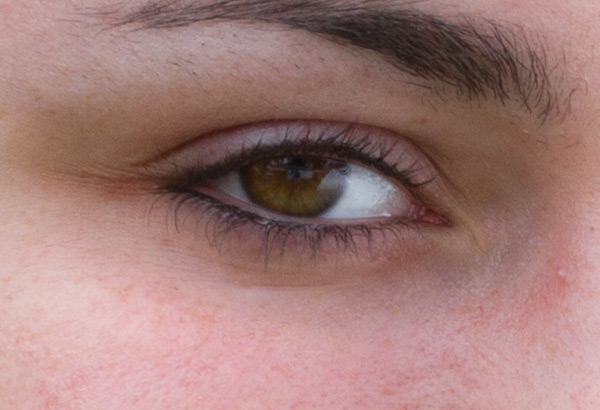
The effect of changing ISO is most obvious when you photograph people. In this example, the model was photographed on a sunny day while holding a reflector, against a low-key (darker) background. As the ISO setting is raised, the effect on her skin becomes obvious. Camera: Canon 7D with Canon 85mm f/1.8 lens.

ISO100 portrait full 600

ISO 100

ISO100 portrait detail 600

ISO 100

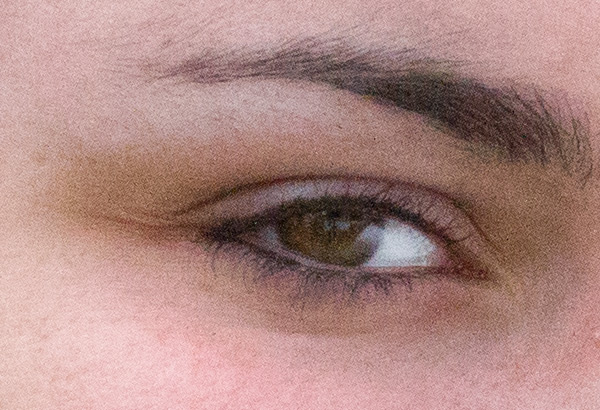
At ISO 100 (above), skin tone is accurate, with good contrast. In the 100% detail shot, there’s good, natural falloff of light, showing a wide range of tonality and good detail in the darker areas. You can especially see this in the eyes.

ISO800 portrait full 600

ISO 800

ISO800 portrait detail 600

ISO 800

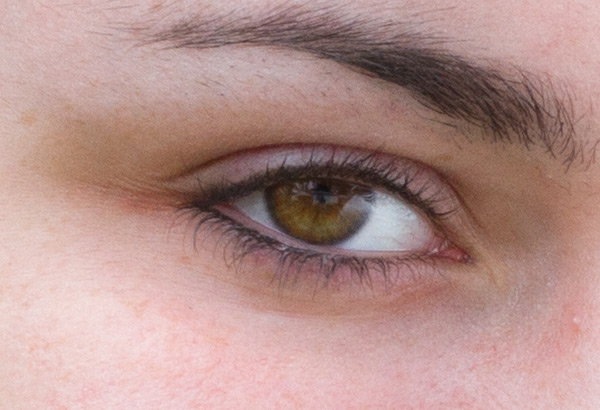
At ISO 800 there is a subtle increase in contrast, an indicator that dynamic range has decreased slightly. Noise has not yet become apparent in the detail photo.

ISO1600 portrait full 600

ISO 1600

ISO1600 portrait detail 600

ISO 1600

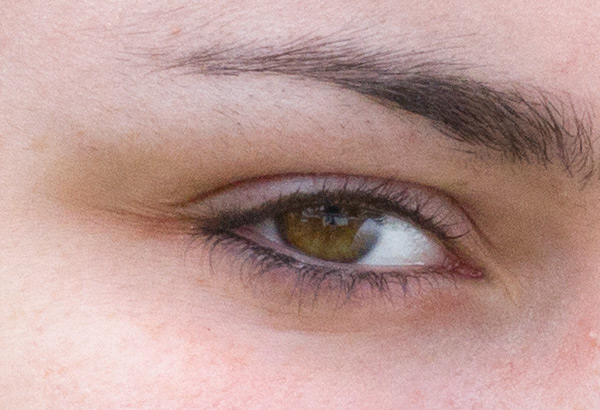
By ISO 1600 there is a little more contrast, but again, it is a subtle change. However, you can see the noise in the blow-up, and the smooth gradation from light to shadow is starting to become a bit rougher, indicating that the tone has degraded.

ISO3200 portrait full 600

ISO 3200

ISO3200 portrait detail 600

ISO 3200

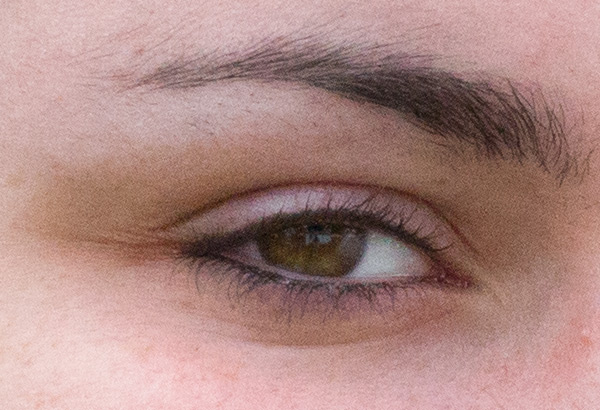
ISO 3200, at screen resolution it may still be hard to see the change when you compare this image to the one shot at ISO 100, but by ISO 3200 there is a pronounced decrease in highlight and shadow detail, and rougher color and light transitions.

ISO6400 portrait full 600

ISO 6400

ISO6400 portrait detail 600

ISO 6400

By ISO 6400, the Canon 7D’s highest resolution setting, even at screen resolution a difference is visible. If you look in the details of the shirt and hair, you can see that shadows are more blocked up. A quick glance at the 100% detail is all you need to see the graininess and reduced range of color and tone.

Bonus pointer: The advantage of shooting RAW

ISO100 portrait optimized 600b

Optimized

You can increase an image’s dynamic range by using your RAW image editor’s shadow and highlights sliders, which reveals more information in the highlights, and especially in the shadows. Compare this version of the ISO image with the ones above and notice how much more detail is visible in the shadows, thanks to tweaks done in the RAW image editor.

Landscape subtleties

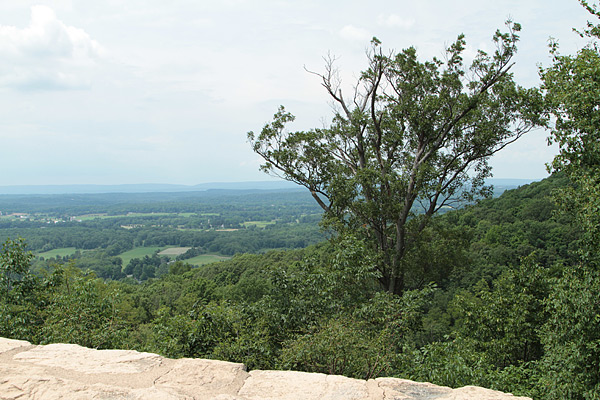
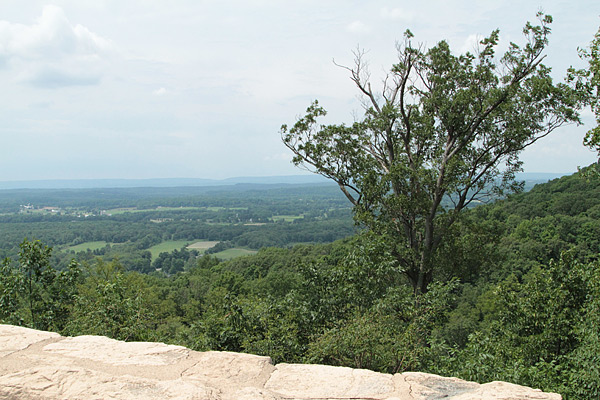
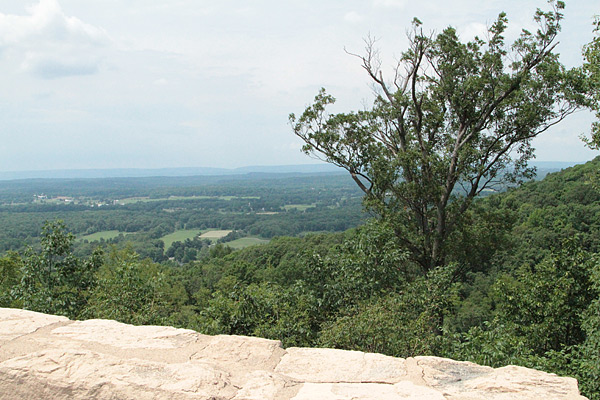
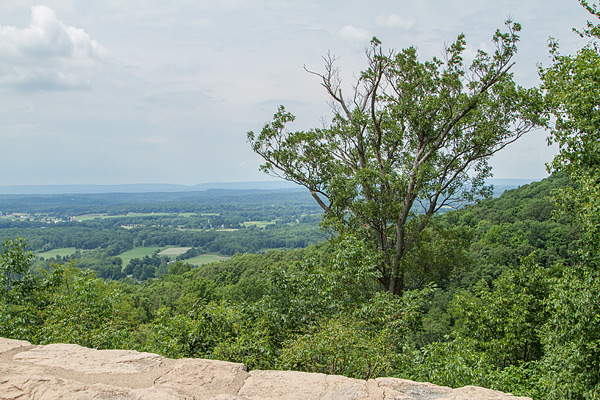
A scenic lookout in western New Jersey, shot in the middle of the day, at ISO 100, 800, and 3200 with a Canon 7D and Canon 24-70mm f/2.8L II USM zoom lens. While the dynamic range, tone and color only show minor differences here, the level of noise deteriorates at the faster speeds. After looking at these examples, you may wonder why anyone in their right mind would want to shoot above ISO 100 on a bright, sunny day. All samples are straight out of the camera.
ISO100 landscape sooc 600

ISO 100

At ISO 100, this is the full scene.
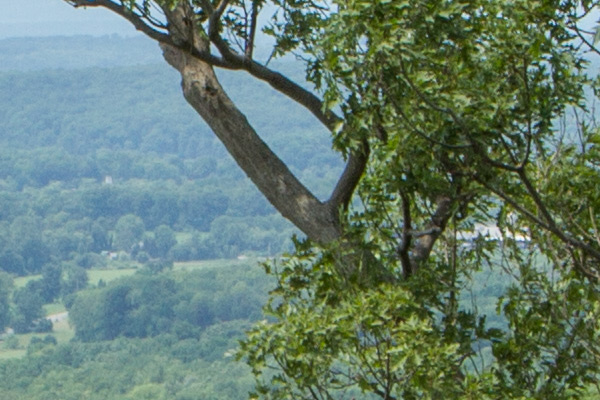
ISO100 landscape detail 600

ISO 100

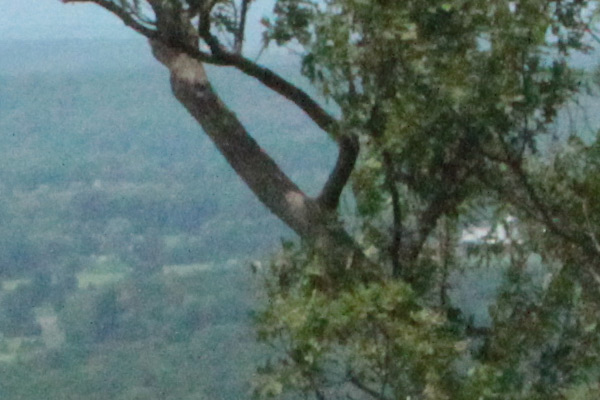
In this detail of a 100% blow-up of the ISO 100 image, there is no apparent digital noise, as expected.
ISO800 landscape sooc 600

ISO 800

ISO800 landscape detail 600

ISO 800

At ISO 800, digital noise has started to become apparent in this 100% blow-up detail.
ISO3200 landscape sooc 600

ISO 3200

ISO3200 landscape detail 600

ISO 3200

By ISO 3200, digital noise is obvious, and the overall image quality has deteriorated. The graininess covers up the loss of color quality and tonality somewhat.
ISO100 landscape raw 600

While the samples above are unadulterated JPEGs, what happens if you try to coax more detail out of a shot in RAW? You get more detail in the shadows and highlights. Compare this shot to the original and you’ll see more detail in the sky (highlights) and in the bark and branches of the tree (shadows) on the right.

Bottom line

The bottom line? There may be times when you must pump up your ISO settings, and it’s nice to know that you have that option. But when you are shooting in daylight under normal shooting conditions, you will bring back higher quality images when you shoot at, or near, your camera’s lowest ISO settings.

The post The Secret to Capturing the Best Image Quality with Your Digital Camera by Mason Resnick appeared first on Digital Photography School.


Digital Photography School

 
Comments Off on The Secret to Capturing the Best Image Quality with Your Digital Camera

Posted in Photography


Avoid These 10 Mistakes That Can Ruin Your Image Quality

08 Jul
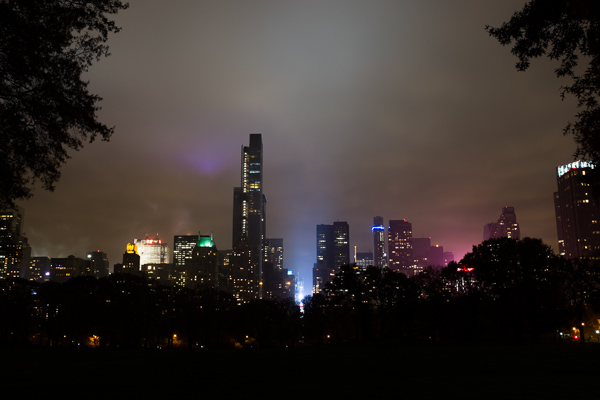
Central Park South.

Central Park South.

How many times have you captured an amazing image only to view it on your computer, or as a print, and realize that you screwed something up along the way.

Unfortunately, the only way to stop doing a lot of these easy-to-make mistakes is to have an image ruined by them.  Once you screw up an image you’ll quickly learn not to make the same mistake again.

Here are the most frequent ways I see photographers ruining their images. Avoid these 10 mistakes that can ruin your images

1. Leaving Image Stabilization on when using a tripod

Everyone learns this tip too late. Image stabilizers (in your lens) usually make your images sharper by reducing camera shake. However, when your camera is on a tripod and perfectly still, the motor can actually cause shake! I know a few of you are shaking your head right now as I did when I learned this. If you couldn’t figure out why your tripod images weren’t perfectly sharp, this is usually the reason, although a strong wind or touching the tripod or camera while shooting can do this as well.

2. Not using a fast enough shutter speed

Lego Girl, SoHo.

Lego Girl, SoHo.

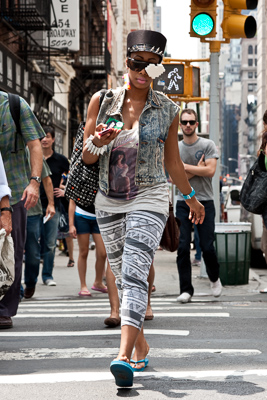
Unless you are on a tripod, to achieve a sharp shot your shutter speed needs to be at least 1 over your focal length.  So if you are shooting at 50mm your shutter speed needs to be at least 1/50th of a second (and I like to add a little leeway to that to be safe).  If you are on a cropped sensor, remember that a 50mm lens might be the equivalent of an 80mm or 100mm view, so make sure to adjust for that.

For moving subjects, 1/320th of a second is my ideal speed to freeze motion.  For fast moving objects such as cars or sports, I prefer an even faster shutter speed.

Be especially careful when shooting on Aperture Priority mode or in the auto settings, because it is easy for the camera to set the shutter speed to a setting that will introduce blur into your image without you noticing.  For this reason I frequently like to shoot in Shutter Priority mode.

3.  Not focusing exactly on the most important object, especially when shooting with a large aperture

If you are shooting with a small aperture, such as f/8 and above, you will often have leeway, but especially when shooting with a large aperture (like f/2), you need to make sure that the most important element in the image is the sharpest.  If this is not the case, it might not always be noticeable on the monitor, but it will show up when you make a print.

This is especially important when doing portraiture. Missing the sharpness on the eyes often means ruining the image.

Be especially careful when the element you are focusing on is small, because it will be very easy for the camera to focus on the area behind it instead. This is a mistake that is frequently made by newer photographers. In these tricky situations you need to pay attention to whether the autofocus is picking up the small element.

4. Not raising your ISO up higher when needed

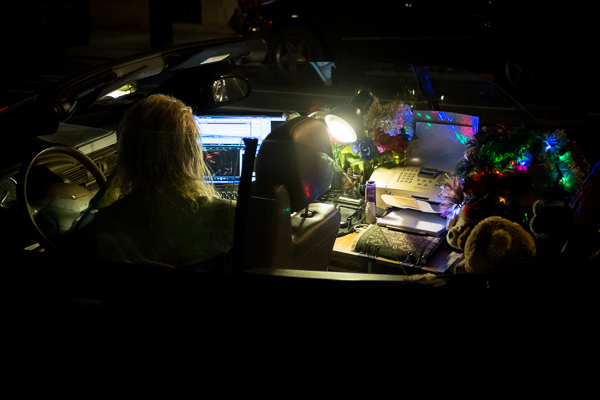
In situations where the light is not strong and you need a fast shutter speed and a large aperture, don’t be afraid to raise your ISO. I see too many people afraid to go above ISO 200.  I use ISOs of 800, 1600 and even 3200 a significant amount. Many digital cameras, especially ones made within the last four years, can handle these ISOs.  Yes it will add noise to your photos, but in many cases you will notice that despite the noise, the technical quality of your images will be better. Noise can look very pleasing, especially on the newer digital cameras.

Mobile Office, Midtown.

Mobile Office, Midtown. ISO 3200

5. Moving while you shoot

This is my biggest pet peeve, by far.  I am normally a very calm person, but when I see this it makes me want to grab the photographer and shake them silly.  I see so many people that take photos without breaking their stride.  Stop your motion every time you take a shot, if even for a second!  Keep your hands still!  It’s not difficult.  Respect every image that you take enough to stop and think about it for a second, and your images will ultimately respect you when they turn out well in print.  Sorry, that is the end of my rant for the day.

6. Over-sharpening

Be careful of over-sharpening your photos. I see this happen all too often. Particularly with high resolution cameras with the right settings, your images often will only need a minimal amount of sharpness. If you overdo the sharpness it will actually have the reverse effect, making your image look fake or as if it was blown up to a larger size.

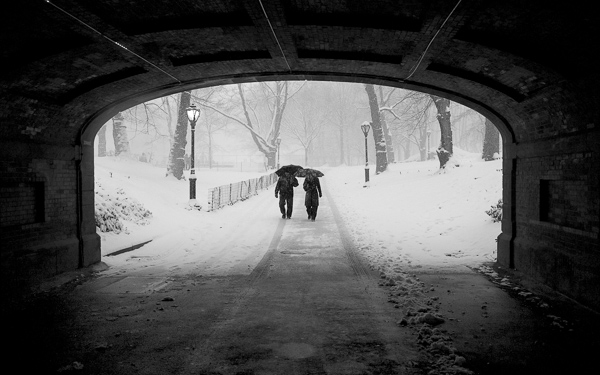
Couple in Snowstorm, Central Park

Couple in Snowstorm, Central Park

7. Resizing your images after you sharpen them

Sharpening should be the last step after you have sized the image to your final print size. If you sharpen your image and then resize them it will negatively affect the quality of your photo.

8. Not using the correct color space: ProPhoto RGB > Adobe RGB > sRGB

You should always keep your digital photo in the largest colorspace possible. While digital printers cannot yet print all of the colors in ProPhoto RGB, and many printing services prefer you to send them your files in Adobe RGB. When processing my RAW images to Tiff files I always convert them to the ProPhoto colorspace because it is the largest. Why not save your files with the most amount of color information possible?  Many cameras will allow you to set this in the settings.

However, did you know the sRGB is the best colorspace to show your images on the web? Yes, when printing your images it is best to keep them in ProPhoto or Adobe RGB, but when rendering them for viewing over the web, convert them to sRGB.

When you convert an image to a different colorspace, always make sure to do it as a copy of the original image. If you convert a ProPhoto image to sRGB and save it, you will not be able to retrieve that color information if you then convert it back to ProPhoto.

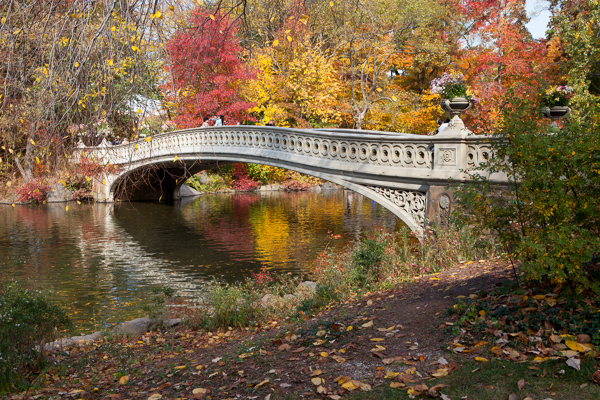
Bow Bridge in Fall, sRGB

Bow Bridge in Fall, sRGB.

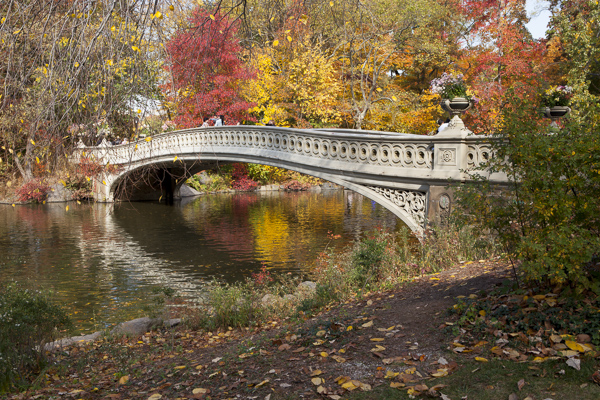
Bow Bridge in Fall, Adobe RGB

Bow Bridge in Fall, Adobe RGB. A subtle but noticeable difference.

9. Not using exposure compensation (+/-)

When shooting in overly light or dark situations in Aperture Priority or Shutter Priority mode, the light will fool the camera’s sensor.  For instance, if you photograph in a dark alleyway, your camera’s sensor will try to overly brighten the scene, while if you capture an image with a lot of bright sky or white snow, the camera will try to overly darken the scene.

This is where your exposure compensation comes in.  It is a vital tool for any photographer, especially in tricky lighting situations.

10. Not resetting your camera

Take a look at your camera settings at the beginning of the day and frequently throughout a day of shooting. Some of the most common settings to forget to reset are a high ISO from the night before, your exposure compensation, your white balance setting, and checking your autofocus switch.

Final thoughts

A few final notes that must be mentioned.  With digital images, you can always fix many problems later in post-production. However, there is still no substitute for getting the image perfect in camera.  Processing is necessary in some way for every digital image, but the more extreme, the more you can damage the quality of your images.

It is tough to notice the effects of many of these mistakes when viewing the images on the web or on a monitor, but when you zoom in close to the details or make a print, especially a print of a decent size, these effects with be very noticeable.

The post Avoid These 10 Mistakes That Can Ruin Your Image Quality by James Maher appeared first on Digital Photography School.


Digital Photography School
 
Comments Off on Avoid These 10 Mistakes That Can Ruin Your Image Quality

Posted in Photography


Shoot Pro Quality Videos (Without a Hollywood Budget)

10 Mar

Extra photos for bloggers: 1, 2, 3

Whether the Oscars inspired you to shoot like the greats, or displeased you to the point of “I could do better,” NOW is the time to step up your video shootin’ game!

Take up your trusty DSLR, a Focus Shifter, the Oh! Wow. Ring Light and start writing that acceptance speech.

The Oh! Wow. Ring Light surrounds your lens in LEDs that provide even light at three brightness settings. It has a constant mode (perfect for videos) and also flash mode for stills.

The Focus Shifter fits snug on any lens, giving you a handle for max control of your focus ring and a marker board to set your focus points before you shoot.

Just don’t forget to thank the Academy, your mom and Photojojo. 🙂

See more example pix from our Ring Light
$ 99 at the Photojojo Shop

Learn More about the Focus Shifter
$ 49 at the Photojojo Shop


© laurel for Photojojo, 2014. |
Permalink |
No comment |
Add to
del.icio.us

Post tags:


Photojojo

 
Comments Off on Shoot Pro Quality Videos (Without a Hollywood Budget)

Posted in Equipment


DxOMark tests Nokia Lumia 1020’s Raw image quality

25 Jan

Lumia1020.jpg

When the Nokia Lumia 1520 was launched in October 2013 it was the first smartphone to offer Raw image capture. Now the same feature was recently added to the older model Lumia 1020. Our partners at DxOMark have put the Lumia 1020 through its Raw-based sensor testing. The results are worth checking out. Learn more on connect.dpreview.com. 

News: Digital Photography Review (dpreview.com)

 
Comments Off on DxOMark tests Nokia Lumia 1020’s Raw image quality

Posted in Uncategorized


Is the Apple iPhone 5s’ photo quality rotten or ripe?

03 Oct

TS1600x1200~sample_galleries-6257125045-8226324209.jpg

The camera on Apple’s iPhones are well-known for their excellent photo quality. The new iPhone 5s features a larger sensor, faster lens, and new ‘True Tone’ flash. Head on over to connect.dpreview.com to see if the improvements have made the iPhone 5s a top choice for mobile photographers.

News: Digital Photography Review (dpreview.com)

 
Comments Off on Is the Apple iPhone 5s’ photo quality rotten or ripe?

Posted in Uncategorized


Our Fujifilm X-M1 review: big photo quality in a small package?

17 Sep

X-M1_Black_Front_16-50mm.png

We’ve completed our review of the Fujifilm X-M1, which is the company’s lowest-priced X-Trans-based mirrorless camera. It takes the sensor from the X-E1 and X-Pro1 and puts it in a simpler, more portable body. Fujifilm also added a tilting 3-inch LCD and Wi-Fi, which puts the X-M1 on much the same level as mirrorless cameras like the Panasonic Lumix GF6 and Sony NEX-5T. For a detailed look at the X-M1, follow the link.

News: Digital Photography Review (dpreview.com)

 
Comments Off on Our Fujifilm X-M1 review: big photo quality in a small package?

Posted in Uncategorized


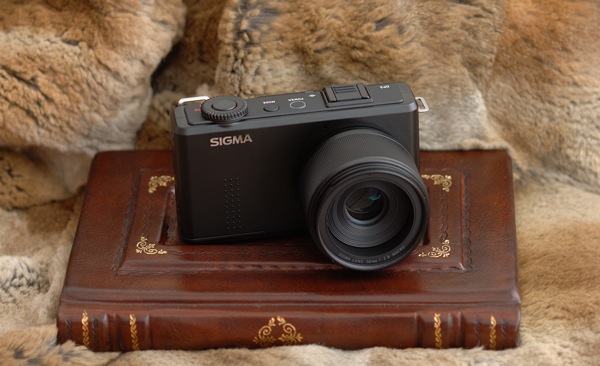
Sigma’s DP Merrill Cameras Compared – World-Beating Image Quality In Compact Bodies

07 Apr

Sigma, known mainly to photographers for their affordable lenses, recently caused quite a stir among discerning photographers. How? By building three compact cameras around the incredible sensor taken from the SD1, which initially cost $ 10,000. The image quality is simply incredible, and the cameras themselves are small, light and unobtrusive. For photographers seeking the best possible image quality on a budget, they’re unmatched.

Photo1

But there are lots of compromises. Foremost among them is battery life. The small batteries don’t last long so you’ll need to buy spares. Fortunately, they’re cheap. Second compromise; usability. It’s pretty good for a compact camera, and the controls are well laid out for photographers, but there’s some shutter lag, the auto-focus can’t match dSLRs and the huge RAW files take a while to write to the card.

The main compromise we’ll deal with is focal length. Each DP Merrill camera is essentially identical except for the length of the fixed prime lens.

  • The Sigma DP1m has a 19mm lens; equivalent to a 28mm wide-angle on full frame.
  • The Sigma DP2m has a 30mm lens; equivalent to a 45mm standard lens.
  • The Sigma DP3m has a 50mm lens; equivalent to a 75mm short telephoto.

All three lenses have a maximum aperture of f2.8 and a minimum aperture of f16. In my opinion (and not just mine), they are some of the best lenses ever made, including Leica and Zeiss.

In use, being restricted to a single focal length changes the camera entirely. This comparison therefore focusses on which of the Sigma DP series will be right for you. For the cameras themselves, I highly recommend Michael Reichmann’s review at Luminous Landscape.

I’ve used all three cameras for a variety of genres. Now comes time to choose.

Photo2

The Sigma DP1m is very convenient if you want amazing image quality in a tiny package. I was able to take photographs that I otherwise couldn’t have made. This is because it doesn’t look like a serious camera and it’s effectively silent in use. Professional photographers, especially those working where cameras are unwelcome, will appreciate this. Compared to carrying a Nikon pro-body with a wide-angle lens, it’s very much smaller. However, I missed photographs due to the shutter lag and the corners a bit softer than the other two DP cameras.

Photo3

The Sigma DP3m is specialised. I found a 75mm equivalent lens a bit long in use as an everyday camera. However, it is a pocket portrait monster, delivering incredibly sharp files with beautiful bokeh. It’s also got an amazing macro capability which, while not a true 1:1 reproduction, gets close enough for most applications. And there’s no noticeable distortion. The Sigma DP3m really excels when you fuss about and stitch images. 14.85 megapixels is enough for most applications, but if you want to print enormous files, you can increase the image resolution by making mosaics from multiple pictures using software that can stitch panoramas. Because the image quality is so amazing at a 100% level (because it’s not interpolated like a Bayer sensor), the files can be that much better, rivalling medium format cameras worth tens of thousands. For me, this is the niche use the DP Merrill series excels for. I can carry a tiny compact camera, a few cheap batteries and a lightweight CF tripod when I’m doing fine art photography and create the most amazing results.

Photo4

The Sigma DP2m is a bit of a compromise. I’d recommend getting both the Sigma DP1m and the Sigma DP3m; they work very well together as a pair. But if this isn’t an option, the DP2m is your camera. It’s neither too wide-angle nor too telephoto. You can stitch images if you choose as there’s no real distortion, but the standard-lens approach works well for a range of subjects. The important thing is that you get access to that incredible X3 Foveon sensor. Download some Sigma DP Merrill sample images here; they speak for themselves.

Ben Evans teaches Barcelona Photography. Learn the most important things about photography in one hour for (and for less than the price of a lunch) with the best-selling ‘Photography: The Few Things You Need To Know’ Audiobook – www.GreatBigBear.com/Audiobook

Post originally from: Digital Photography Tips.

Check out our more Photography Tips at Photography Tips for Beginners, Portrait Photography Tips and Wedding Photography Tips.

Sigma’s DP Merrill Cameras Compared – World-Beating Image Quality In Compact Bodies


Digital Photography School
 
Comments Off on Sigma’s DP Merrill Cameras Compared – World-Beating Image Quality In Compact Bodies

Posted in Photography


Panasonic DMC-G3 Quality Sample – 1080p HD

23 Dec

Just bought today the brand new Panasonic DMC-G3! First of all its a awesome Camera with many new well made features, enjoy the video to checkout the quality of the recording modus!
Video Rating: 4 / 5


500d video quality test with Magic Lantern

17 Dec

Shot using Canon 500d 720p with 18-55mm kit lens converted fps to 24p using Edius. shot with Magic Lantern Qscale -16.
Video Rating: 4 / 5

Music video for 21st CENTURY MAN, the first single from the album THE HIGHEST HEIGHTS (available from January 23 2009). Shot while recording the album at Baselcitystudios, Basel. Directed by Simon Ramseier.
Video Rating: 4 / 5