RSS
 

Posts Tagged ‘Pictures’

The Top Shared Professional Pictures On Social Media in 2013

24 Mar

It’s nice to get paid for an image but if you can’t get paid for an image, you can at least get praised for it. Through social media, that’s easy. Build a following, put up a great picture and watch those likes, shares, views and comments flood in.

Of course, for some photographers, accounts and timelines that’s easier than for others. These are some of the most popular images that were passed around on social media. Expect to see some quality, some surprises… and a few groans.

Facebook

fbgmc

Photography: Graham McGeorge

Like many social media platforms, Facebook doesn’t make it easy to track down the most shared or viewed images uploaded to the site. Although the company’s billion-plus users upload around 350 million photos every day, there’s no way to pull out the picture that did the best. And the site also uses a range of different stats to measure popularity: likes, comments and shares all indicate that people appreciated the shot.

This image of a camouflaged owl by Graham McGeorge wins in all categories. Placed on the National Geographic timeline in July, it’s since picked up more than 212,000 likes, around 60,000 shares and over 10,000 comments.

Those stats though were probably boosted by the post that came with it. National Geographic invited followers to help them to caption the photo, a bit of audience participation that is likely to have helped bring in comments and distribute the image around the site.

Graham McGeorge is a professional photographer, but you don’t have to be a professional to win those kinds of plaudits on Facebook, even on National Geographic.

gunjansinha

Photography: Gunjan Sinha

This image of a shelf cloud in the Canadian prairies was photographed by Gunjan Sinha. It generated more than 175,000 likes, over 51,000 shares and more than 6,200 comments. It was submitted as part of National Geographic’s Your Shot program.

Twitter

Move away from Facebook towards Twitter and the most popular images get a bit more celebrity. Not all of them though are poor quality. This shot of Lea Michele and Cory Monteith posted shortly after his death received nearly 400,000 retweets and favorites.


coreymontheith

Photo from Lea Michele

It could be a selfie but judging by the reflection in Lea Michele’s sunglasses, it appears to have been taken by someone else. And judging by the quality of the portrait, that someone knew what he was doing.

Instagram

That isn’t true of the most popular image on Instagram. The shot that won the popularity prize on Facebook’s billion-dollar picture property in 2013 was… a picture of Justin Bieber with “Uncle” Will Smith. More than 1.5 million people liked that picture. Fewer, surely, liked the hat.

smithandbieber

A long way behind but shot by a professional — a professional Instagram photographer no less — is this nature shot by Michael O’Neal. A former art director, O’Neal has more than half a million followers on Instagram and is a member of Tinker Mobile, a collective of Instagrammers used by brands to promote their products.

His shot of trees and mist picked up more than 17,000 likes. Not Justin Bieber, but not bad.

moneil

Photography: Michael O’Neal

Pinterest

According to research from Curulate, pictures that do best on Pinterest have multiple colors, particularly reds, little white space and if they include people, they shouldn’t show faces. Those are the kinds of images that are most likely to appeal to the women who use the site and share pictures of fashion, accessories and home décor.

But those aren’t the only photos to win popularity on Pinterest. This image of The Caves Resort in Jamaica outdid many of the most popular fashion images to win nearly 6,000 pins and 540 likes.

caves
Pinned from escapenormal.com.

500px

500px is thankfully free of celebrities and while few of its users are professionals, many of the images they produce are professional quality. This shot by Laszlo Folgerts of pedestrians crossing a damp road is reminiscent of Cartier-Bresson… or would be if Cartier-Bresson had picked up about 11,500 views on 500px.


500px


Flickr

Identifying the most popular images on Flickr isn’t easy either but this landscape photograph by Mark Littlejohn, a landscape photographer in Scotland, has to be one of the most successful. It’s picked up more than 6,600 views and over 300 likes.


flickr

Success on social media can be seen in the numbers but those figures are never just about the quality of the image. They also show the quality of the photographer’s networking. That may sound unfair but what’s true on social media is also true in business.
Photopreneur – Make Money Selling Your Photos

 
Comments Off on The Top Shared Professional Pictures On Social Media in 2013

Posted in Equipment


Why Taking Pictures of Your Pets Will Help Make You a Better Photographer

27 Jan

If you have a pet, it may stand to reason that you already point your camera at it a fair amount. Why not? Pets, whether they are cats, dogs, or even chinchillas, tend to be photogenic. Beyond that, as a photographer, your pet is a subject you already share a strong emotional bond with, so it’s only natural to take a few snapshots along the way.

pet-photography-to-improve-camera-skills-9914

As a photographic genre, pet photography can go well beyond that of the simple snapshot. If you start to dissect the various disciplines it requires, you may notice that it involves a broader spectrum of skill sets than many other kinds of photography. From lighting, to camera control, to managing a difficult subject, photographing your pets can help you learn, and reinforce a great deal of camera craft that can be transferred across many other genres.

The important factor here is that your subject, your pet, is generally far more accessible to practice with than other subjects, such as people.

Even if you think pet photography isn’t something you’re ultimately interested in, this article is intended to demonstrate the skills and disciplines you can hone on pets, and then transfer effortlessly to other genres.

Camera craft

pet-photography-to-improve-camera-skills-8431

If you’re new to photography, this is the most important point. Things like aperture, shutter speed, and ISO all need relentless practice and reinforcement when you’re learning your way around the camera. Sure, you could just use an apple on a table, but having a moving subject will force you to act quicker, and make decisions on the fly. This kind of mastery over your camera will allow you to react faster to any changes in your subject, and will allow you to catch many images you may otherwise have missed while fiddling with the dials.

Camera on hand

One of the most given pieces of advice to photographers is to always have your camera with you. It’s good advice, but it’s not easy to implement. By dedicating yourself to photographing your pets, you’ll already be taking a step in the right direction. This is especially true if you have a dog that you walk regularly. Just make sure the camera goes with you on your walks, and you’ll be ready for any opportunity that presents itself, including ones that don’t involve your pet.

As a bonus, dog walking is an excellent excuse to be out during golden hour every day.

Patience

pet-photography-to-improve-camera-skills-9944

Photographing pets is hard. This difficulty has nothing at all to do with any technical skills with the camera. Animals tend to be impatient, disinterested, distractible, and sometimes skittish. With the exception of reasonably well-trained dogs, you will probably have a hard time getting most other animals to do what you need. Just imagine trying to give an iguana commands.

The key here is patience. Often you will have to wait frustratingly long periods of time before a shot presents itself. By understanding this, you can focus your energy on the shot when it does appear, rather than the time leading up to it. It is also usually better to wait for something natural to happen, than to force something artificial.

This kind of patience can take a while to develop, but it is a high value skill that transfers well across the photographic disciplines. Your wildlife photography, portraits (especially child portraits), street photography, and sports photography would all benefit from this trait.

Unpredictability

pet-photography-to-improve-camera-skills-0113

Animals are unpredictable. This is great news if you’re trying to hone your skills. Leveraging that unpredictability as a learning tool will allow you to react to different situations much faster. This could be as simple as pumping up the ISO without thinking about it, or even swapping lenses in seconds without a thought.

The best part is that it’s this unpredictability that often leads to the most interesting photos, or at least the funniest.

Lighting

Whether it’s natural or artificial, lighting is probably the most complex and multifaceted of the photographic skill sets. While not difficult, there is a lot to it, and it takes a significant amount of time to learn, and then master.

With a pet, you have constant access to a test subject for any new lighting technique you want to try. If something isn’t right, you can take your time and alter things as you need, without having to worry about taking up someone else’s time.

pet-photography-to-improve-camera-skills-0795

Individual lighting techniques tend to work as well with animals as they do with people. Once you have a setup the way you want it, often all you will need to do to switch to a human subject, is raise the lights up. If you’re using natural light, you wouldn’t even need to do that.

In the end

There is a lot of contention out there about whether or not photographers should share photos of their pets. That’s up to you, nobody else. Share them or not, as long as you’re putting the hours in and getting the experience, that’s all that matters.

Hopefully you can see how dedicating time to photographing your pets can help you to improve a broad set of skills simultaneously. By removing accessibility issues and keeping costs minimal (a bag of treats is a cost, right?) you can ramp up the time you spend practicing, and reach the top of the learning curve in no time.

If nothing else, can spending some extra time with your pet be a bad thing?

googletag.cmd.push(function() {
tablet_slots.push( googletag.defineSlot( “/1005424/_dPSv4_tab-all-article-bottom_(300×250)”, [300, 250], “pb-ad-78623” ).addService( googletag.pubads() ) ); } );

googletag.cmd.push(function() {
mobile_slots.push( googletag.defineSlot( “/1005424/_dPSv4_mob-all-article-bottom_(300×250)”, [300, 250], “pb-ad-78158” ).addService( googletag.pubads() ) ); } );

The post Why Taking Pictures of Your Pets Will Help Make You a Better Photographer by John McIntire appeared first on Digital Photography School.


Digital Photography School

 
Comments Off on Why Taking Pictures of Your Pets Will Help Make You a Better Photographer

Posted in Photography


5 Steps to Creative Storytelling in Pictures with Your Kids

19 Jan

image

Creative storytelling in pictures need not be daunting nor time-consuming. You can easily set up something really simple at home to take pictures of and at the same time make new memories with your kids.

The actual shoot must be kept really short, so as not to exasperate your kids too much, especially if they are very young, and therefore have relatively short attention spans. The real work is in the planning and thinking ahead.

image

The first rule to telling a good short story in pictures, is to keep it simple. Think of a singular plot: beginning, middle, and end. You can then fill in the gaps with interesting takes and angles. The biggest, and best, tip I give to anyone before taking on any creative project, is to imagine the emotion and feeling you want to evoke at the end of the project. Then work your way backward.

Start planning and decide on a theme. Take for example a simple back to school theme.

image

Step 1. Plan ahead

Think through the story you want to tell; decide on the details, picture the sequences in your head, and feel the story. Think through the items and characters that play a major role in the shoot. Half the battle is won by good meticulous planning, even if it’s just in your head.

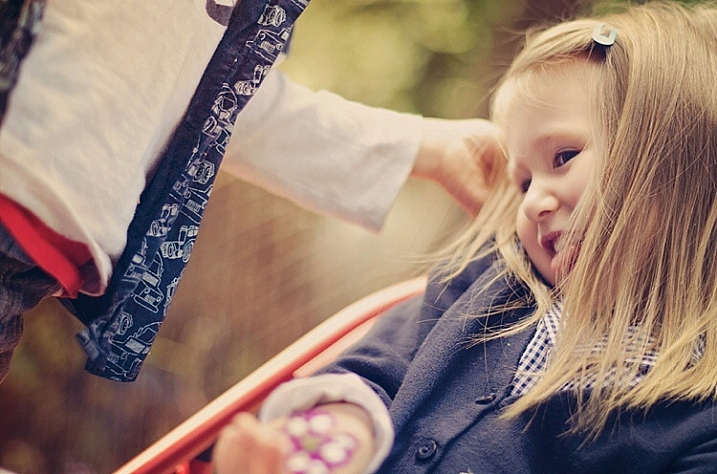
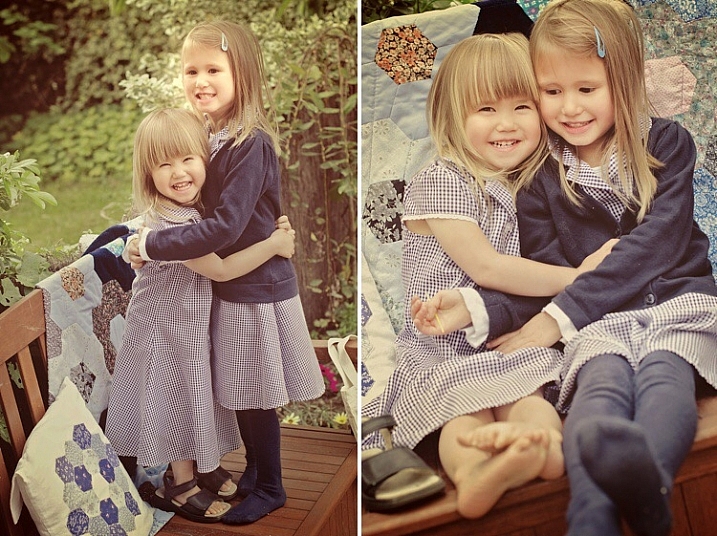
What is the overarching emotion, look, feel, and colour of the shoot that you want to achieve? Pare everything back that doesn’t fit in with that look and feel. This shoot below had three requirements: golden, sentimental, and rich in bokeh (background blur). So I planned everything to achieve those three specific requirements.

image

To get rich bokeh, you need to shoot with a wide aperture, between f/1.2 to f/3.2, if you have normal shorter focal length lenses. For longer lenses like 85mm upwards, you can stop down a bit more, as the longer the lens, the more compression there is in the background. Using a 200mm lens, for example, would still give you nice background bokeh even at f/5.6.

To get golden images, use a gold reflector, and wait for the golden hour when you can get soft diffused yellow light. Golden hour usually happens about 1-2 hours after sunrise and before sunset depending on where you are in the world.

image

Step 2. Coordinate colours and props

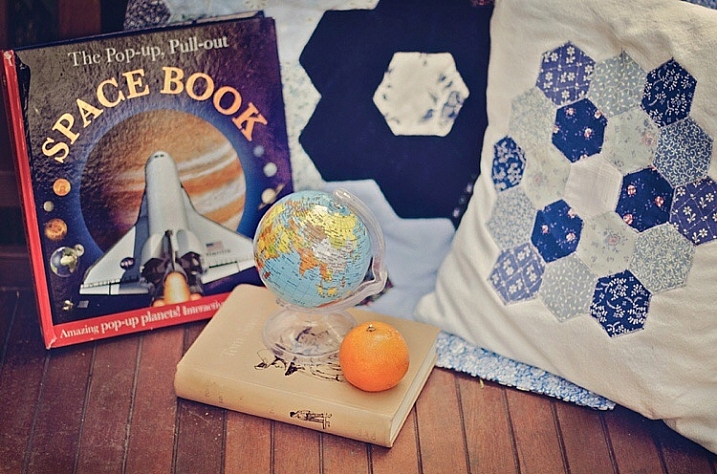
Reign in the colour palette, go for a family of colours like blues and greens, or reds and purples, or warm yellows and oranges. You can add a splash of contrasting colour for focus. But it is always good to reign in the colour palette keeping it to 3 or 4 colours maximum.

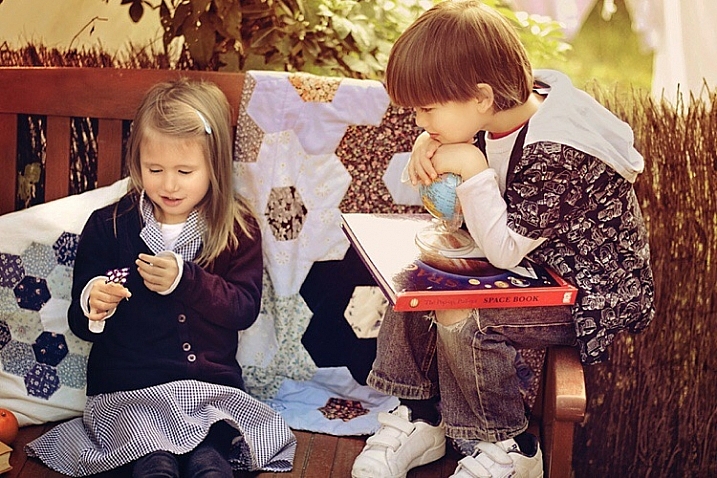
Props need not be bought, or expensive. Use what you have at home; fruit, books, toys, cushions, quilts, etc. Just make sure they are colours that complement your chosen theme.

image

Step 3. Don’t be over ambitious

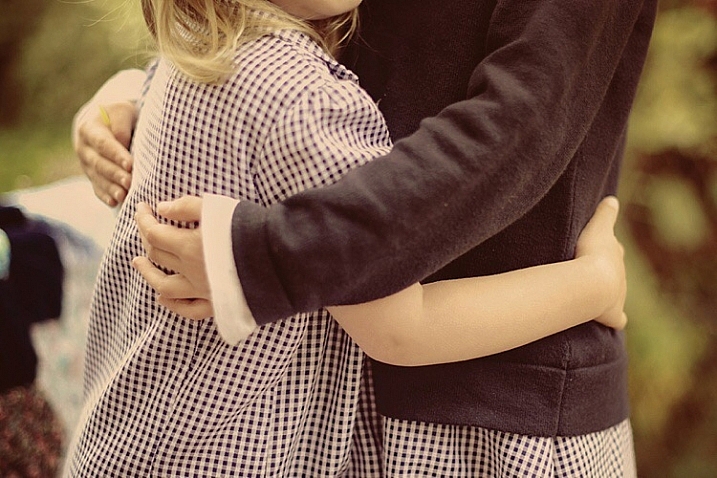
Keep goals simple when it comes to photographing kids, especially if they are your own. It’s one of the most difficult things to do. Keep it short and sweet by focusing on one or two actions or scenarios, and make them super easy like reading a book, hugging, or laughing at a silly joke.

A plot is not always necessary, you can even just aim for capturing some interactions between your kids. The props are to create some new context for them, hold their attention for a few short minutes, and keep them engaged during that time.

image

Step 4: Plan a beginning and end shot

The beginning and the end are crucial to a story because they bring the theme together. Make sure you have an establishing first shot, and a feel good last shot. Details are always a good idea for a contextual or establishing shot. They not only enrich emotion, and reinforce a story, but also strengthen memories. Interesting close-ups, and expressions or unusual crops are also good for closing shots, and stay in the viewer’s memory for a second longer.

image

image

Step 5: Edit your images with a plan

If you edit your photos, edit them according to your vision. there is no one else to please but yourself. The photoshoot you planned is for you and your family, so be true to your original vision and be brave, then sit back and enjoy your creative story in pictures.

image

Have you taken images that tell a creative story of your kids at home or more tips to add? Share them in the comments below.

googletag.cmd.push(function() {
tablet_slots.push( googletag.defineSlot( “/1005424/_dPSv4_tab-all-article-bottom_(300×250)”, [300, 250], “pb-ad-78623” ).addService( googletag.pubads() ) ); } );

googletag.cmd.push(function() {
mobile_slots.push( googletag.defineSlot( “/1005424/_dPSv4_mob-all-article-bottom_(300×250)”, [300, 250], “pb-ad-78158” ).addService( googletag.pubads() ) ); } );

The post 5 Steps to Creative Storytelling in Pictures with Your Kids by Lily Sawyer appeared first on Digital Photography School.


Digital Photography School

 
Comments Off on 5 Steps to Creative Storytelling in Pictures with Your Kids

Posted in Photography


In pictures: PhotoPlus Expo 2015

25 Oct

There’s really no event on the photo industry’s yearly calendar like PhotoPlus Expo. Occupying the Javits Center in Manhattan, it’s an opportunity for us to get our hands on new gear and talk with manufacturers about what’s coming next. There’s nothing like a show in the Big Apple – see for yourself. Read more

Articles: Digital Photography Review (dpreview.com)

 
Comments Off on In pictures: PhotoPlus Expo 2015

Posted in Uncategorized


Using the Histogram to Take Better Pictures

20 Sep

You might have seen some articles here on Digital Photography School about using the histogram when editing pictures in Lightroom and Photoshop, but it can also be a very handy tool when you are out shooting images as well. Most cameras have the ability to show you the histogram when you review your photos on the rear LCD screen, and some even allow you to see a real-time histogram in Live View. While this might seem a bit intimidating at first, learning to use the histogram when out shooting pictures can have a dramatic impact on your photography and help you understand how to get the right exposure for the photos you are taking.

histogram-sorority-bid-day

Sorority Bid Day brought to you by the magical properties of the histogram.

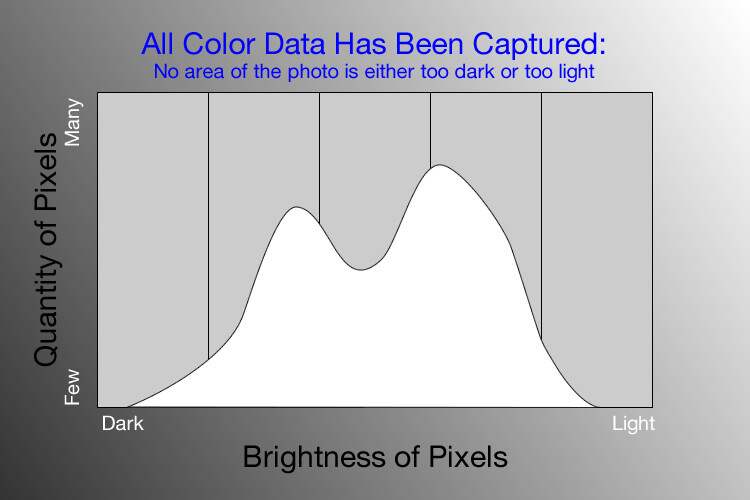
In a nutshell, the histogram shows how much data is recorded for various Red, Green, and Blue color values in a picture. While you can usually see data for all three colors separated into discrete graphs, the one I find most useful for general shooting is the histogram that combines all three RGB values into one visual representation. A histogram shows how much data has been recorded across the tonal range of a photograph from very dark to very light. A spike in the graph means a lot more data has been recorded for those particular values of darkness or lightness, and a dip means that not much data has been saved. In general, a properly-exposed picture should have a histogram that looks something like this:

histogram-example

An example of a hypothetical histogram for a properly exposed photo.

A histogram similar to this example would mean that most of the color data is concentrated in the middle: the greatest quantity of pixels is neither too dark nor too light. Most photos will have some darker pixels and some brighter pixels, but in general all the information captured by a camera’s image sensor should fall somewhere between the darkest of darks (i.e. very black) and the lightest of lights (i.e. very white). A histogram that is skewed to the right would indicate a picture that is a bit overexposed because most of the color data is on the lighter side, while a histogram with the curve on the left shows a picture that is underexposed. This is good information to have when using post-processing software because it shows you not only where the color data exists for a given picture, but also where any data has been clipped: that is, it does not exist and, therefore, cannot be edited. It’s also good information to have out in the field, such as in the following example:

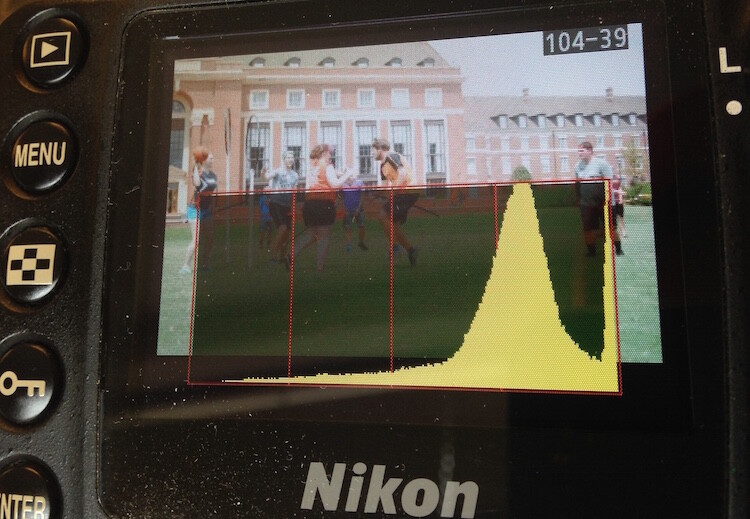
histogram-quidditch-overexposed

Most cameras allow you to overlay the histogram on top of a given photo during playback, or as you shoot the photo when using Live View.

I could tell right away that this picture of some college students playing Quidditch was a little overexposed, but looking at the histogram data right on my camera gave me additional information that helped me adjust my shooting on the spot. The large curve on the right-hand side tells me that most of the color information is concentrated on the lighter side, which is actually a good thing because more data is actually collected in the highlight portions of the image which can then be brought down later in a program like Lightroom. (This is a technique called expose to the right, which is a fantastic way to get a little more out of your photography if you are willing to put in a bit of time editing pictures on your computer.)

The problem with this image, as you can see in the above histogram, is that the graph literally goes off the chart on the right-hand side. This means that some of the highlights have been clipped: there is no longer any data that can be recovered, and no matter what I do in Photoshop or Lightroom there are some portions of my image that show up as pure white and can’t be edited. An example histogram from a photo that is clipped on both the darkest and lightest areas would look like this:

histogram-example

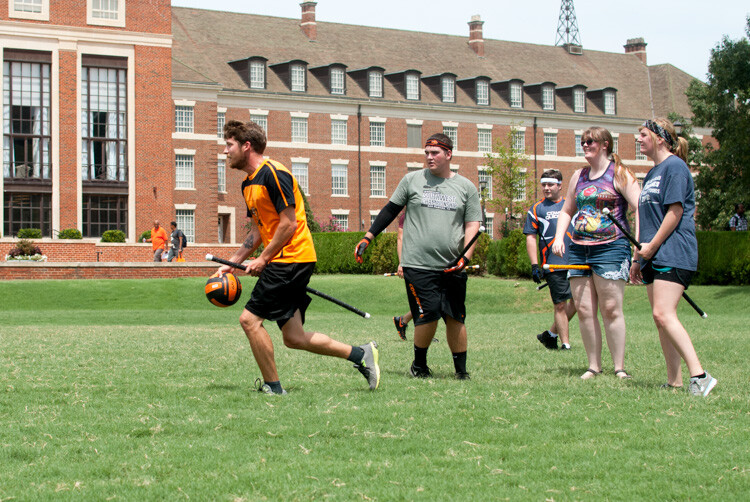
After taking the first photo and realizing that some of the data would be lost due to clipping, I was able to adjust my exposure settings and get a much better image:

histogram-quidditch-properly-exposed

Quidditch isn’t only played at Hogwarts.

The histogram for this picture was also concentrated a bit more to the right-hand side, but right after I shot it I was able to see that no data had been lost due to clipping. This didn’t help much in the immediate moment, but it meant that I had plenty of information to work with later when editing the picture in Lightroom. As another example, here’s a picture of a unique building on the Oklahoma State University campus:

histogram-example-building-exterior

The Noble Research Center on the campus of Oklahoma State University.

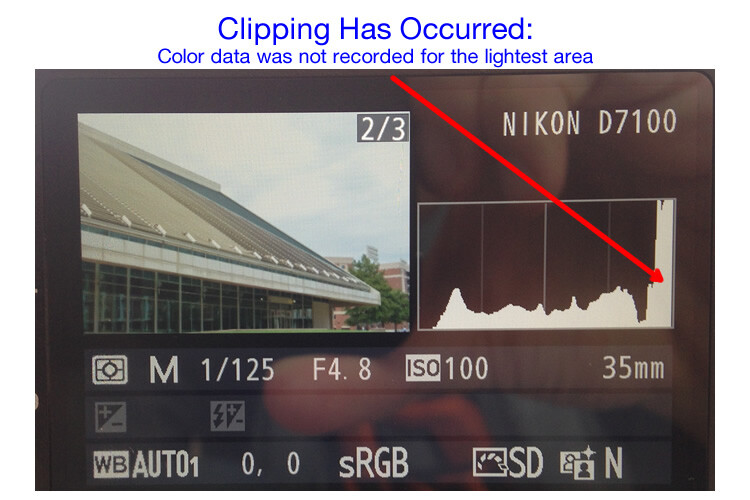
When I looked at the back of my camera it seemed as though the photo was pretty good. The sky was a bit bright, but I thought everything would be just fine overall. This is similar to many situations I have been in when I thought I could tell simply by looking at the photo on my camera’s LCD screen if it was exposed properly, but a quick check of the histogram can yield much more information. Even though the above image seemed decent at first, the camera histogram told another story:

histogram-example-noble-center-D7100

The histogram for the above photo indicated severe clipping on the highlights, meaning some parts of the photo were so bright that I wouldn’t be able to fix it in Lightroom.

Had I not looked at the histogram I would have never seen that a good chunk of the sky was clipped which meant there was no color data at all for the brightest portions of the photo. This would be a serious problem for my post-processing when I bring my pictures into Lightroom and adjust various parameters to get the image to look like I want. After looking at the histogram I re-adjusted my exposure settings and took another photo which had an improved balance of color data across the spectrum:

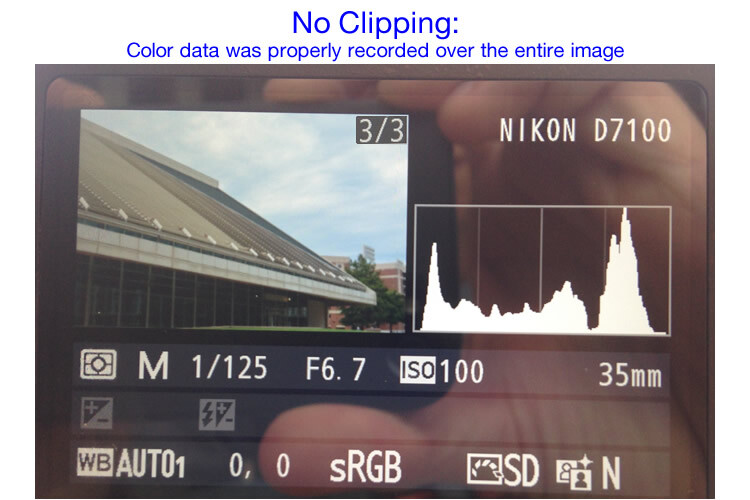
histogram-example-noble-center-D7100-proper

The same composition, but with different exposure settings that resulted in a better exposure with no clipped data.

One curious aspect of this image is that while the sky is now properly exposed, the glass panels on the building appear to be too dark. Looking at the histogram you can see that while there is certainly a lot of data on the darker portions of the image (hence the spike on the left-hand side of the graph), no data has been lost due to clipping. This means I had a lot of flexibility to improve the image in Lightroom, which resulted in the following finished photograph:

histogram-example-building-exterior-proper

One nice thing about most mirrorless cameras, as well as some DSLRs when shooting in Live View, is their ability to give you a real-time indication of any areas of the image that will be over – or under – exposed. This is normally referred to as a zebra pattern and it essentially overlays a series of stripes over any portion of your image where data is going to be clipped. And remember, as I stated earlier, many cameras today have the ability to show you a live histogram that updates in real-time so you can see not only where the color data on your image is concentrated across the light/dark spectrum, but also alert you to any clipping that will happen when you take the photo.

These are just a few examples of how the histogram can be useful when you’re out shooting photos, not just when you’re editing them on your computer. How do you use the histogram, and what other tips and tricks do you have to share about using it to enhance your photography? Leave your thoughts in the comments below.

googletag.cmd.push(function() {
tablet_slots.push( googletag.defineSlot( “/1005424/_dPSv4_tab-all-article-bottom_(300×250)”, [300, 250], “pb-ad-78623” ).addService( googletag.pubads() ) ); } );

googletag.cmd.push(function() {
mobile_slots.push( googletag.defineSlot( “/1005424/_dPSv4_mob-all-article-bottom_(300×250)”, [300, 250], “pb-ad-78158” ).addService( googletag.pubads() ) ); } );

The post Using the Histogram to Take Better Pictures by Simon Ringsmuth appeared first on Digital Photography School.


Digital Photography School

 
Comments Off on Using the Histogram to Take Better Pictures

Posted in Photography


Point & Shoot: 8-Bit Gameboy Gun Takes and Prints Pictures

02 Apr

[ By Steph in Gaming & Computing & Technology. ]

photo gun 1

This fun bit of retrofuturistic tech genius looks like an ‘80s designer’s idea of a high-tech camera smashed up with a toy gun, and it actually works, taking and printing photos. Russian artist Dmitry Morozov combined a GameBoy screen with an Arduino processor, a camera, optical relays and an original GameBoy thermal printer.

photo gun 2

The ‘gbg-8’ is attached to a plastic toy gun so you can literally ‘point and shoot.’ To take a photo, you pull the trigger (which might make selfies a bit… uncomfortable.)

photo gun 4

photo gun 3

As soon as the image is captured, the gadget prints out a streaky, blurry, pixelated image, just like we remember from the heyday of Nintendo. It may not be the greatest quality, but that’s hardly the point.

Share on Facebook


[ By Steph in Gaming & Computing & Technology. ]

[ WebUrbanist | Archives | Galleries | Privacy | TOS ]


WebUrbanist

 
Comments Off on Point & Shoot: 8-Bit Gameboy Gun Takes and Prints Pictures

Posted in Creativity


Flowerworks: Pictures Capture Plants Exploding Like Fireworks

07 Jan

[ By WebUrbanist in Art & Photography & Video. ]

flower red starburst white

A novel take on a New Year’s staple, crafty photography and flower power, these bright botanical arrangements (set against dark night-like) backgrounds seem to burst in midair.

flower plant art photos

flower tracer arc light

flower orange purple explode

This Flowerwork photo series from Berlin-based artist Sarah Illenberger stemmed from her combined interest in art, photography and graphic design as well as a fascination with other dimensions of everyday options.

flower purple green explosion

flower green white buds

flower like firework art

Working together with photographer Sabrina Rynas, buds and blossoms were set against a faux night sky, appearing to be much larger fireworks shot from off-screen at first glance. In some cases the stems trail like streamers or one plant seems nested in another like some kind of grand finale.

flower burst light dark

flower fire photography shoot

More about the artist: “Sarah Illenberger is a multi-disciplinary artist based in Berlin working at the intersection of art, graphic design, and photography. With a focus on analog craftwork using everyday items, Sarah is renowned for creating vivid, witty images that open up new perspectives on seemingly familiar subjects.”

flower exploding firework botanical

flower draping falling sequence

flower grand finale art

“Her ability to transform ordinary materials into complex and unexpected visual experiences has been utilized to develop concepts for clients from the fields of culture and business in several countries. In her aim to explore the fertile overlap between art and design, she’s collaborated with numerous photographers and artists, and filled exhibition spaces with self-initiated projects in Paris, Tokyo, and Berlin.”

Share on Facebook


[ By WebUrbanist in Art & Photography & Video. ]

[ WebUrbanist | Archives | Galleries | Privacy | TOS ]


WebUrbanist

 
Comments Off on Flowerworks: Pictures Capture Plants Exploding Like Fireworks

Posted in Creativity


Seattle PI.com showcases its ‘pictures of the year’

14 Dec

Seattle PI.com, formerly the Seattle Post Intelligencer, was the first major metropolitan newspaper in the USA to go online-only. Since then, the website has gained a reputation for high-quality photojournalism, covering events in Seattle and throughout Washington State. Remarkably, the PI only employs two full-time staff photographers, who between them in 2014 covered everything from the Superbowl to the tragic shooting at the Marysville-Pilchuck High School. Click through for a small selection of the PI’s ‘pictures of the year’

Articles: Digital Photography Review (dpreview.com)

 
Comments Off on Seattle PI.com showcases its ‘pictures of the year’

Posted in Uncategorized


Cyclonic Pictures: Long Exposures Spin Art from Light & Air

29 Aug

[ By WebUrbanist in Art & Photography & Video. ]

air light stick art

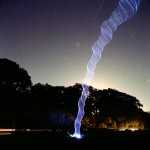
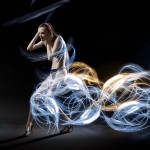
The shots seem impossibly composed, consisting of light that arcs and twists like a tornado in the night skies, but the process of creating them is much simpler than you might first imagine.

air art distance thrown

aerial cyclone light art

Martin Kimbell twirls, tosses and hurls LED sticks then uses long-exposure techniques to capture the twisting, turning and arcing patterns that result from each throw.

air timelapse spinning photos

air tornado light art

Some of the loops look like natural phenomena, swirling dust, stormy cyclones or campfire smoke, for instance, except spun from bright and colorful lights instead of organic materials. Others trajectories are simpler and captured in black-and-white instead.

art art black white

night light aerial art

air art up down

Inspired by Stu Jenks  and other light artists, Kimbell is a “freelance photographer based in Nottingham, England, specialising in light painting and action sports photography.” You can see more of his photography beyond this type on Flickr as well, and be sure to check out Diliz who crafts figures from sparklers in a much different style.

Share on Facebook


[ By WebUrbanist in Art & Photography & Video. ]

[ WebUrbanist | Archives | Galleries | Privacy | TOS ]


WebUrbanist

 
Comments Off on Cyclonic Pictures: Long Exposures Spin Art from Light & Air

Posted in Creativity


In pictures: Restoration of Boeing’s first 747 ‘jumbo jet’

28 Jul

The Boeing 747 – or the ‘jumbo jet’ as it is commonly known, changed the world. The 747 first flew in 1969, and transformed modern air travel with its ability to carry more people – and more cargo – across the globe than any previous airliner, shrinking it in the process. Seattle’s Museum of Flight houses RA001 – the very first 747, which flew as a test airframe from its inaugural liftoff in 1969 through until the early 1990s. The museum is currently restoring RA001 both inside and out. Click through for pictures. 

Articles: Digital Photography Review (dpreview.com)

 
Comments Off on In pictures: Restoration of Boeing’s first 747 ‘jumbo jet’

Posted in Uncategorized