Photo sharing site 500px has announced that it is now supporting images uploaded in Lytro’s unique ‘Living Pictures’ format, and is offering its customers a $ 250 discount on the purchase of Lytro’s Illum camera (MSRP $ 1599). The Illum is available now for pre-order and is expected to start shipping within the next couple of weeks. Click through for more information.
Tag: Pictures
-
Google Street Art: View Over 5,000 Past & Present Pictures
[ By WebUrbanist in Gaming & Computing & Technology. ]
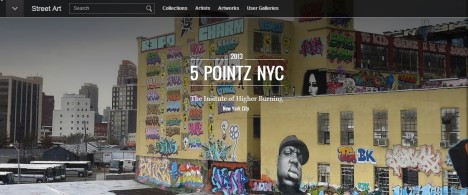
Using panoramic Street View technologies, Google is assembling an awesome collection of high-resolution images capturing over 100 works in 5,000 interactive photographs to date, including many famous pieces from all over the globe (include now-destroyed paintings and tags).
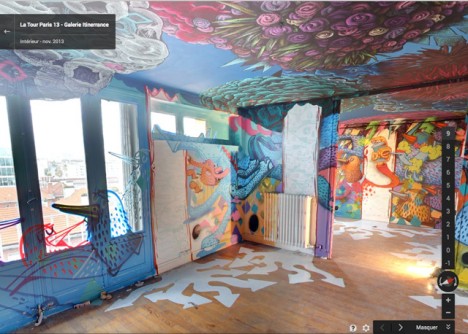
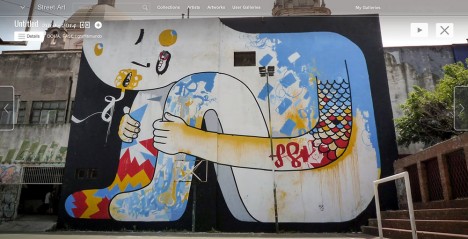
Street artwork is often ephemeral, sometimes disappearing within a day of its creation, making this endeavor an ambitious attempt to document an art form frequently subject to being painted over by unhappy building owners or paid city workers. Art captured and presented here ranges from whole-wall exterior murals to floor-to-ceiling interior works, complete with online critiques, commentary and supplemental imagery.
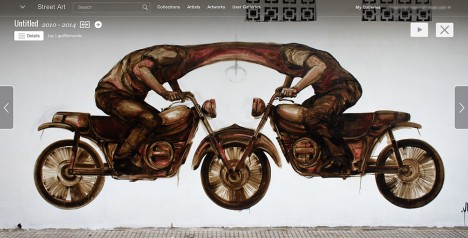
The 5Pointz murals, for instance, were lost despite community protests, first painted over (presumably to lesson the blow of what was to come next) before the building they were on was destroyed entirely.

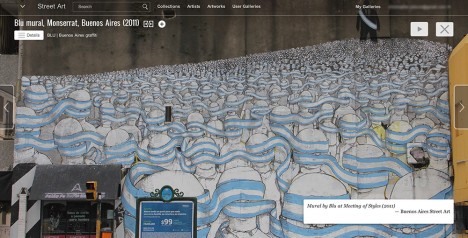
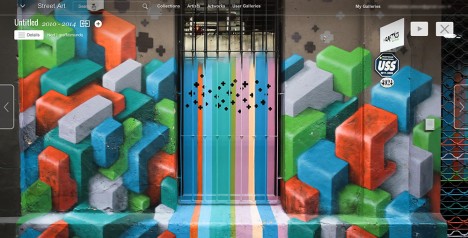
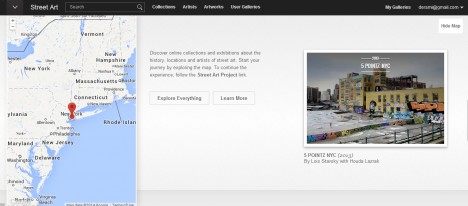
All of this is part of a larger endeavor, the Google Cultural Institute, which provides access to famous art and architectural interiors from around the world. The street artwork subsection lets you sort by artist or artwork, collection or location.
Want More? Click for Great Related Content on WebUrbanist:

10 Urban Snaphots: Google Street View Pictures Freeze Time
The now-infamous Google Street View van has captured embarrassing moments, created accidental celebrities and documented interesting urban changes over time.
Click Here to Read More »»
5 Google Street View Images: Errors, Glitches & Mistakes
With so much focus on Google Street View privacy issues, many people have missed a whole subset of non-controversial but much more strange Street View images.
Click Here to Read More »»

Google Street View: Accidental Art or Invasion of Privacy?
Already someone is asking Google to take down an image of her house cat – if Google complies, what could it mean but the end of this tool?
Click Here to Read More »»


[ By WebUrbanist in Gaming & Computing & Technology. ]
[ WebUrbanist | Archives | Galleries | Privacy | TOS ]
-
Lytro Launches Open-Source Web Viewer; 500px to Host First Living Pictures Gallery

As Lytro prepares for the launch of its second generation light field camera, the Lytro Illum, the company faces a challenge: how does one easily display and share the ‘living pictures’ their cameras produce? Today the company announced plans to open-source its Living Picture Player – a viewer for its light field images. The WebGL-based player can be integrated into any website or social media platform, thereby allowing for easy sharing of Lytro’s living pictures. 500px will be the first to host an image gallery based on this player.
-
8 Tips to Get You to Take Better Smartphone Pictures
Sometimes the best camera is the one you have with you, and most of the time, this will be your phone camera. This doesn’t mean your photos have to be terrible; it just means you must work on your picture-taking process a little more, as smartphones have limited capabilities. Besides accessibility, one of the main advantage smartphones have is that Continue Reading
The post 8 Tips to Get You to Take Better Smartphone Pictures appeared first on Photodoto.
-
Putting Personality Into Your Pictures: A How-to Guide
What makes a great photograph? There a hundreds of fundamentals – from lighting to image structure, depth, color, personality and composition. Mastering the art of photography is what evokes emotions and makes people’s jaws drop when they see that image. Art is not what you see, but what you can make others see – Edgar Degas. Adding, revealing and capturing Continue Reading
The post Putting Personality Into Your Pictures: A How-to Guide appeared first on Photodoto.
-
DIY Hyperlapse: Make Your Own Timelapse Motion Pictures
[ By WebUrbanist in Art & Photography & Video. ]
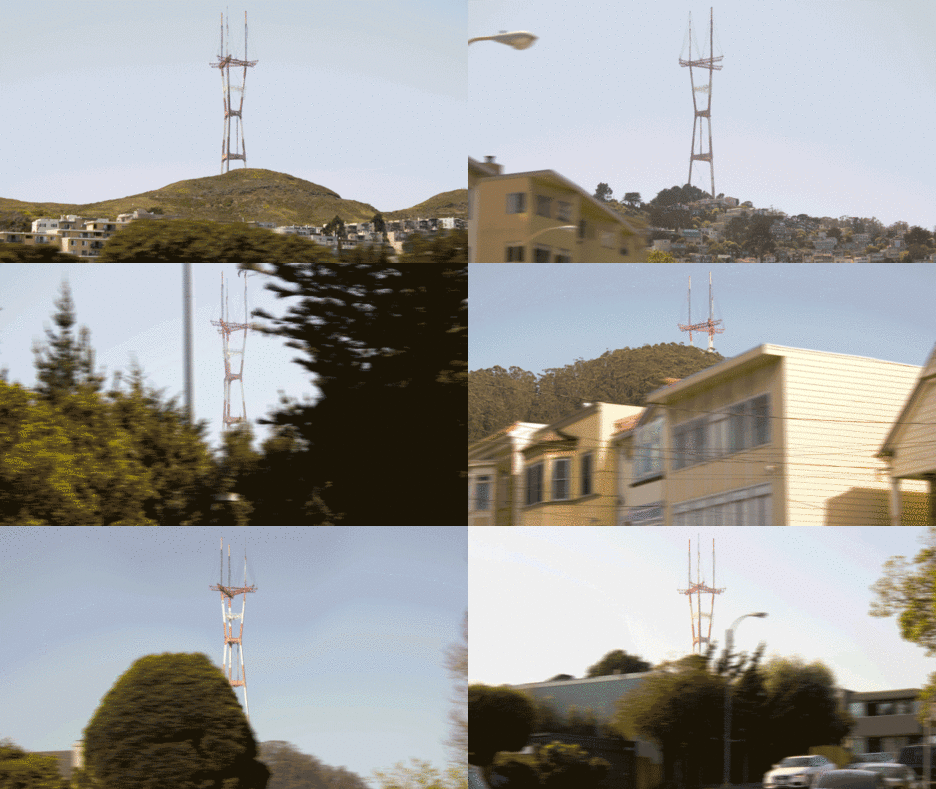
You may have seen this amazing animation and thought it took an impossible amount of work to create, but there are multiple sites tools, and do-it-yourself tutorials that greatly simplify the process. This particular piece, which has been circulating the web, is a GIF from the music video below (scroll a few minutes in to see various examples).
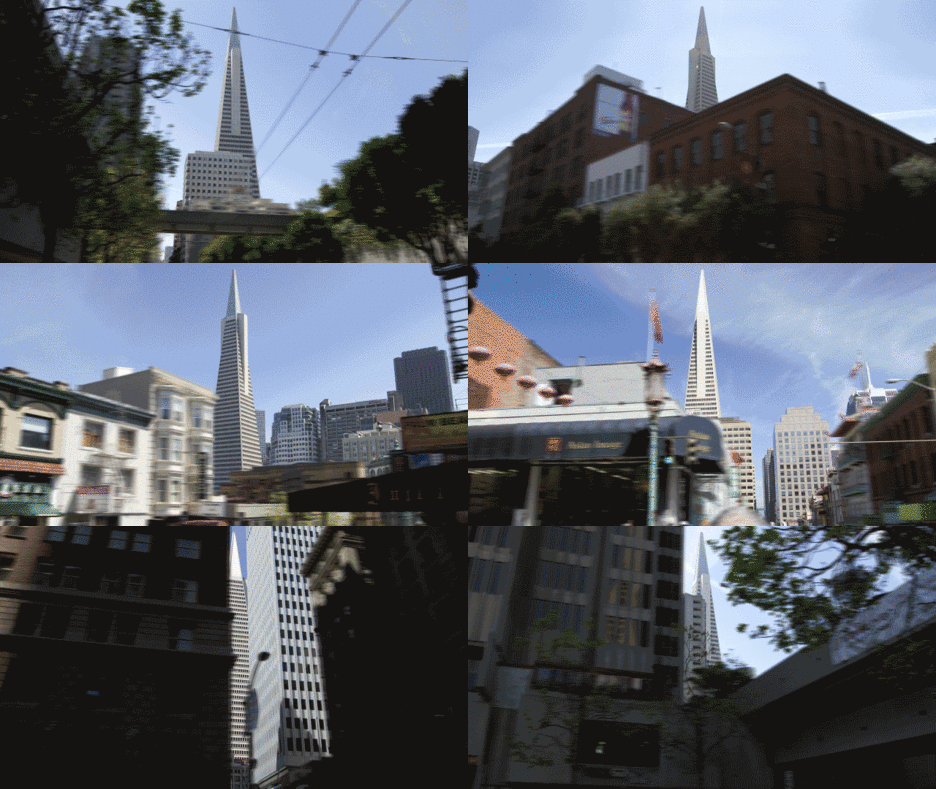
Popular enough now to warrant its own definition and description, here is a summary of the trending phenomena: “Hyper-lapse photography [is] a technique combining time-lapse and sweeping camera movements typically focused on a point-of-interest.” Other names for this include: Walklapse, Spacelapse, Stop-Motion Time-lapse, Motion Timelapse and Moving Timelapse.
As for those wishing to follow suit and create something similar: the Google Street View Hyperlapse creator is by far the easiest online generator for these kinds of panoramic captures – you simply set start and end points as well as a point of focus then click a button. Be warned: experimentation with this tool may be habit-forming.
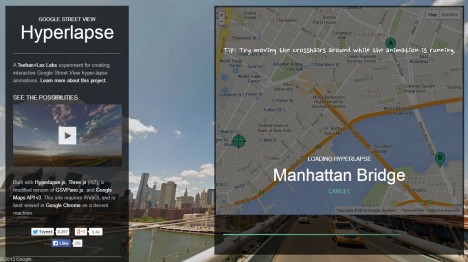
Per this tool’s creators, who have made their API-based work openly available on GitHub, “creating them [can] require precision and many hours stitching together photos taken from carefully mapped locations. We aimed at making the process simpler by using Google Street View as an aid, but quickly discovered that it could be used as the source material. It worked so well, we decided to design a very usable UI around our engine.”
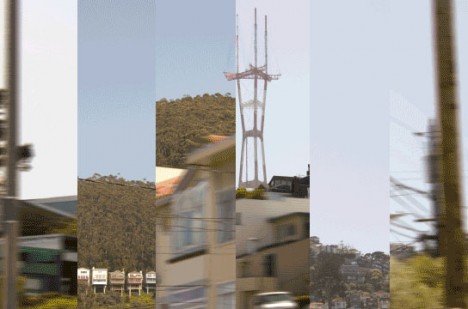
For those who want to customize their work and take it to the next level, the video above walks creators through a more direct use of Google Maps, screen captures and more nuanced edits. While their approach presumes you have and know how to use a video editor (higher barrier to entry), they also go into more detail about how to pick the perfect shots. For instance, their video explains how to line them up and utilize motion blur effects in the foreground to enhance the visual experience – all techniques that can be applied in Photoshop or a similar program to GIFs as well as videos.
Finally, lest you think this is a brand-new fad, consider Devil’s Circuit from Takashi Ito, which took the same wraparound approach to buildings in 1988 – the big difference now is simply the accessibility and ease of tools with which anyone can make something of this kind.
Want More? Click for Great Related Content on WebUrbanist:

Fast Photos: 12 Motion-Blur & Time-Lapse Photographers
Most photographs only freeze a moment in time. Long exposures can create an image that encompasses several moments; time lapse photography can even span years.
Click Here to Read More »»

Arts in Motion: Freeze-Frame Photos to Kinetic Sculpture
What could be stranger than a person twisted and frozen in time inches above a street? How about a wind-powered automaton bred to be the perfect perpetual …
Click Here to Read More »»

Time Stands Still: Sublime Slow-Motion Subway Panoramas
A subway speeds by the platform, leaving most passengers with a fleeting impression and fast-fading memories of people glimpsed only for a moment, but not this …
Click Here to Read More »»
[ By WebUrbanist in Art & Photography & Video. ]
[ WebUrbanist | Archives | Galleries | Privacy | TOS ]
-
[MODIFIED] Internet Explorer 11 – Hide Pictures to Speed up Web Browsing
On a low-speed Internet connection or paying for bandwidth? Configure IE11 to stop showing pictures.
Are you performing research on the Internet with Internet Explorer 11 on a slow Wi-Fi connection at a coffee shop? Or, perhaps you’re using a mobile broadband service that will throttle down your speed, or at worst stop working, if you consume too much bandwidth? If so, you can configure IE11 to stop showing images to cut down on data transfer.
1. If you are using Windows 8.1 and have Internet Explorer 11 open in “Metro” mode, close it. With the latest version of Windows 8.1 you can just move the mouse pointer to the top of the screen until an “X” appears at the top-right, then click it. Now open Internet Explorer 11 in the Desktop mode (WIN + D, then click Internet Explorer on the Taskbar)….
Read more at MalekTips.
New Computer and Technology Help and Tips – MalekTips.Com -
Understanding and Working With Natural Light to Get Stellar Pictures Every Time
Understanding the different forms of light is one of the keys to achieving good photographs, as photography is all about light. For most photographers, the most available light, the one that is free, is natural light. To learn how to get the most of natural light requires a lot of observing and practicing, but once you understand how to work Continue Reading
The post Understanding and Working With Natural Light to Get Stellar Pictures Every Time appeared first on Photodoto.
-
Infamous Examples of Really Bad Edits You Could Do to Your Pictures
Post-processing can be a great tool to improve your photography, whether you do it step-by-step, use Photoshop actions, Lightroom presets or any other product (or app!) for enhancing your images. Retouching a photo is the last step in creating a good photo, and it adds that last touch of the artist. But when is retouching too much? The type and amount Continue Reading
The post Infamous Examples of Really Bad Edits You Could Do to Your Pictures appeared first on Photodoto.
-
Don’t leave pictures stranded: Eye-Fi Mobi SD card review

If you’re looking for a Wi-Fi card that’s simple to setup and blasts images off into cyberspace in a matter of seconds while you take advantage of your camera’s far superior image quality (compared to a phone), you can’t go wrong with the Eye-Fi Mobi. How does the Mobi stack up against the pricier Eye-Fi Pro X2 card? Find out in our review