RSS
 

Posts Tagged ‘Photos’

How to Use Split Toning to Make Your Photos Stand Out

10 Aug

Have you ever taken a picture and then been disappointed, because it didn’t capture the moment? Maybe it looked exactly like what you saw, but when you viewed the image afterwards it was lacking something.

This is one of the greatest challenges photographers face, to express a feeling or vision in a two-dimensional medium. One of the most overlooked tools in the photographer’s processing kit is color.

Osaka Sunset

Example of a warm split tone.

I’m not talking about the color of the things in your photograph, like a red car or yellow dress. I mean the overall color cast, the tone of your image, is important too.

Colors affect the way people feel, so much so that there is a whole body of science around it. Even some basic knowledge of color theory can help improve your photography.

Beyond White Balance

The first place to head when you want to change the tone is white balance. For instance, if it’s a gray cloudy day you might want to move the temperature slider towards the warmer side, making your image appear more yellow-orange, or sunny. Move it in the opposite direction, and your image will get cooler or more blue.

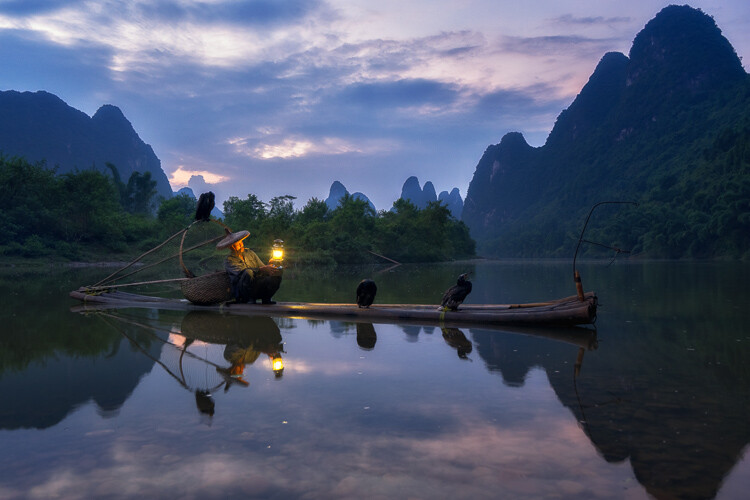
Fisherman in Xingping China

Example of a cool split tone.

Although changing the white balance of an image is helpful, it is still a global adjustment – it affects the entire image. In other words, editing the tone of your image with just the white balance is like a mechanic trying to fix an engine with a sledgehammer. It may not be the right tool for the job.

To make more fine-tuned adjustments, and thus have greater control on the overall mood of your images, you may want to have a look at Split Toning.

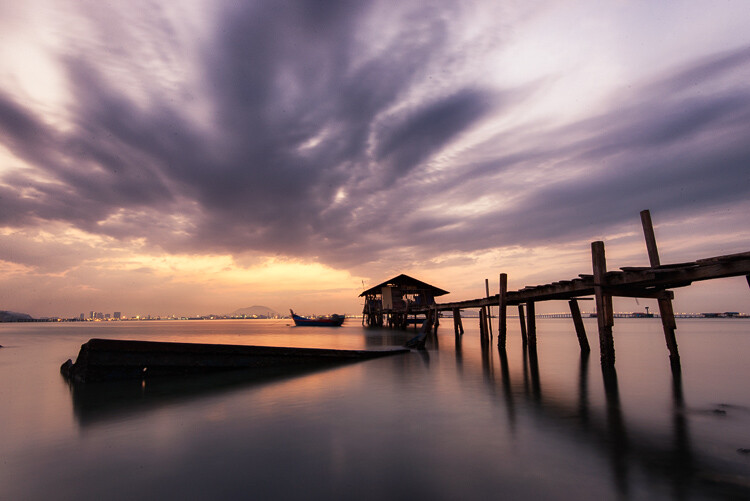
Penang Sunrise at Fisherman Jetty

Magenta and warm tones.

A Bit of History of Toning

Toning first started as a way to change the color of black and white photographs. For instance, in the past, chemicals were added to the development process to give prints a sepia tone. Later on, other chemicals toners were used to give images two different tones like red and blue.

It may sound complicated, but in today’s digital darkroom, all split toning really means is that you add color to the shadows, highlights, or both. There are a number of ways you can split tone an image. One of the most common is to make the highlights yellow and shadows blue or vice versa. However, let’s take a look at how you can also adjust a single color, to create a particular mood in Adobe Lightroom (also possible in Photoshop and Bridge).

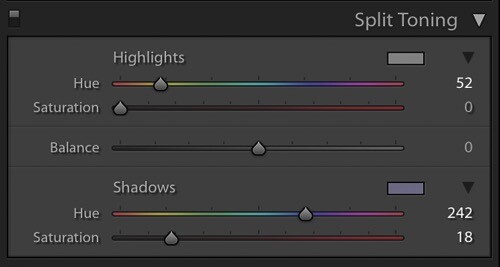
Split Tone Window in Adobe Lightroom

This is what the Split Toning slider looks like in Adobe Lightroom.

Magenta Zen

My favorite color cast to add to my images is magenta. Like a yin and yang varnish, this color (a purplish-red) represents harmony, balance, love, and personal growth. It has a calming effect that stimulates creativity and happiness.

When split toning for magenta, I usually make my adjustments to either the shadows or highlights. I rarely make changes to both, as it tends to be overkill. More often than not, I adjust the shadows, as it’s usually the underexposed darker parts of the image I am trying to bring out. If the image is very bright then I edit for the highlights.

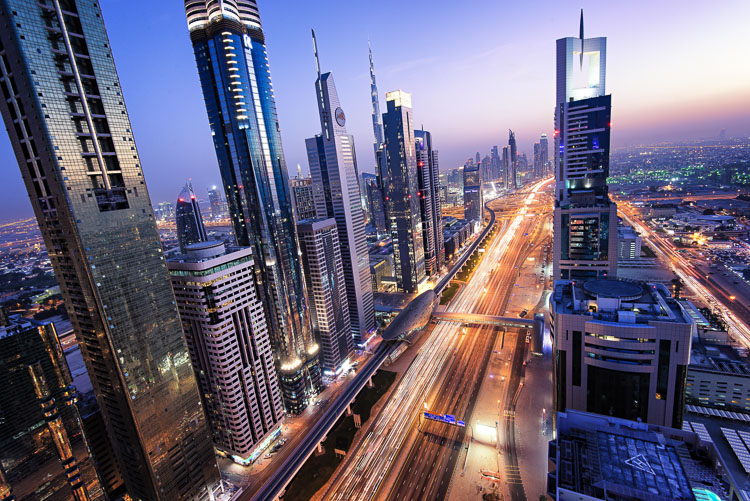
Dubai Cityscape

There is no rule as to how far you should move the sliders. However, I tend to move the hue slider somewhere between 230-250 and the saturation slider between 10-20. It all depends on the image and the intensity of the colors, shadows, and highlights. You can also use the eyedropper to choose the color.

Another added bonus to adding some magenta is that it tends to take off the rough color edges. Browns, greens, and yellows are smoothed out, giving your photos a softer tone.

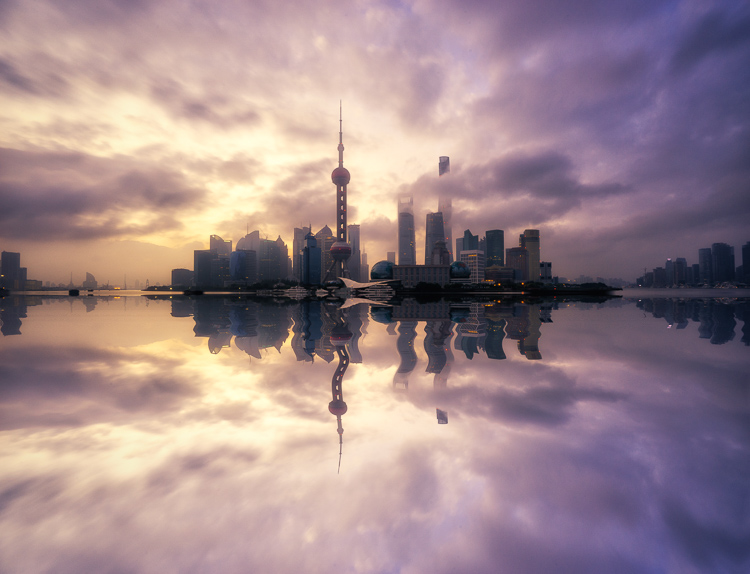
Pudong Shanghai Cityscape

Split Toning Keyboard Shortcuts for Lightroom

There are a couple of shortcuts in the Lightroom Split Toning panel you’ll want to know about.

First, it can be difficult to to choose the right color when the saturation strength is low. To briefly boost the hue up to %100 saturation, just press and hold Option on Mac (or Alt on Windows), then move the hue slider to either side. This will show the color at full strength so you can select it more easily.

Second, to more easily view the colors split in the image, hold down Option/Alt and then drag the Balance slider in the Split Toning panel.

Experiment

Split Toning is much more than just magenta. Try adjusting the warmth or coolness in your photographs in the split toning panel, instead of using white balance for something different. You can also give your photos a cinematic feel, old film look, and more by split toning. Have fun, get creative, and find what works for you.

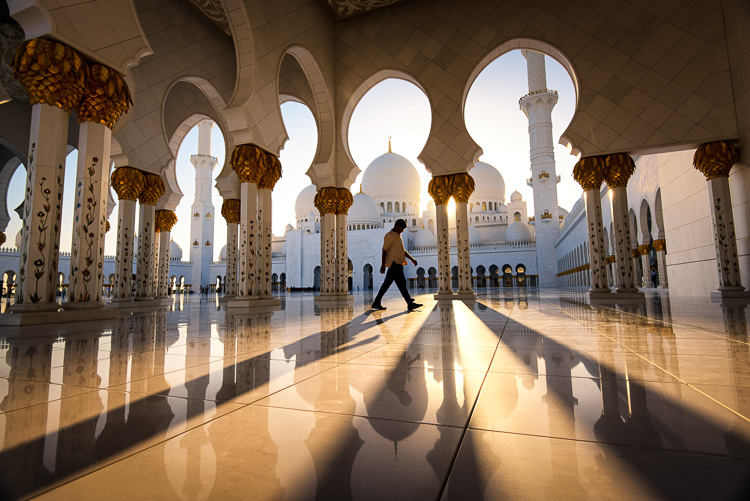
Sunset at Sheikh Zayed Mosque in Abu Dhabi

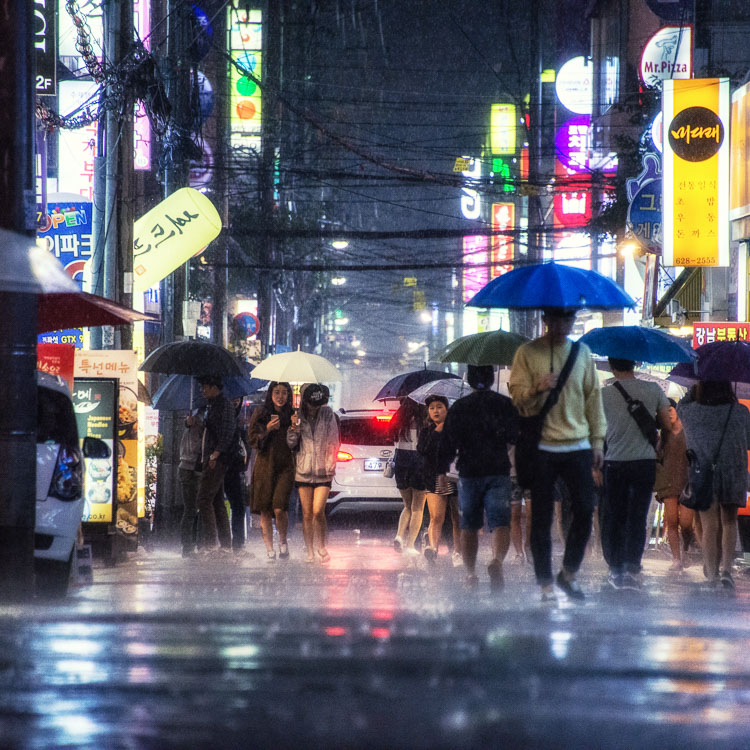
Umbrellas in Busan Rain

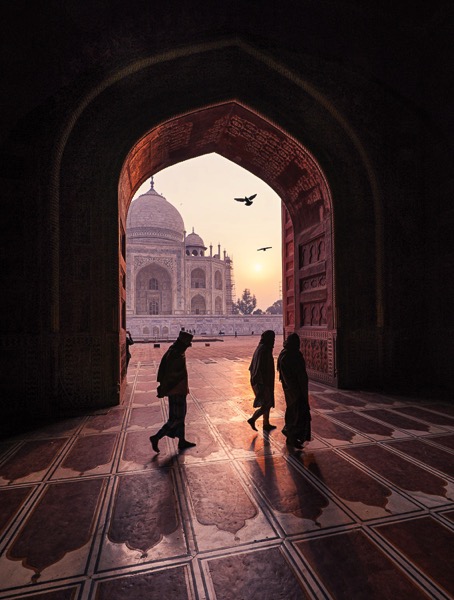
Sunrise at Taj Majal

googletag.cmd.push(function() {
tablet_slots.push( googletag.defineSlot( “/1005424/_dPSv4_tab-all-article-bottom_(300×250)”, [300, 250], “pb-ad-78623” ).addService( googletag.pubads() ) ); } );

googletag.cmd.push(function() {
mobile_slots.push( googletag.defineSlot( “/1005424/_dPSv4_mob-all-article-bottom_(300×250)”, [300, 250], “pb-ad-78158” ).addService( googletag.pubads() ) ); } );

The post How to Use Split Toning to Make Your Photos Stand Out by Pete DeMarco appeared first on Digital Photography School.


Digital Photography School

 
Comments Off on How to Use Split Toning to Make Your Photos Stand Out

Posted in Photography


Tips and Tricks to Help You Take Better Youth Sports Photos

07 Aug

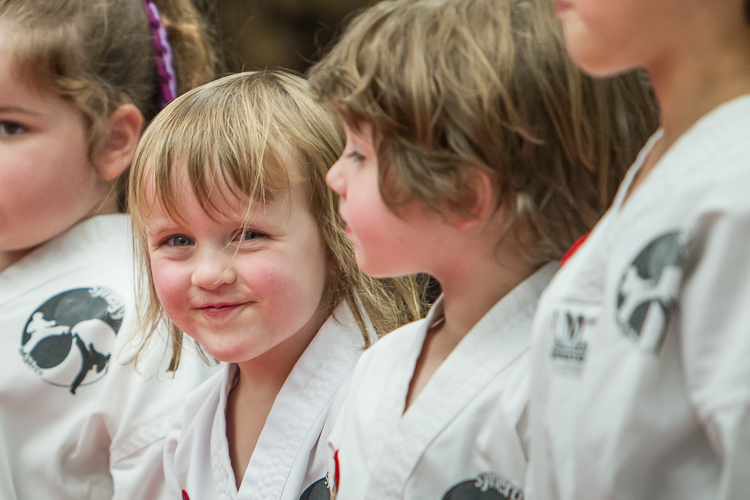
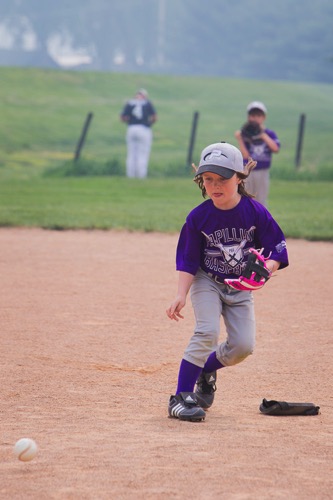
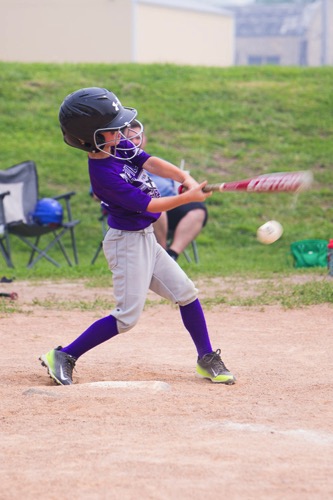
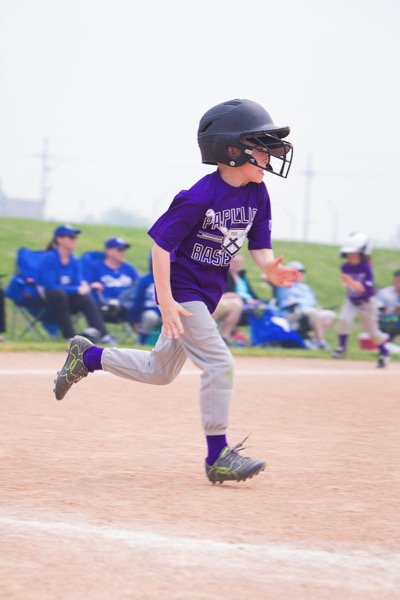
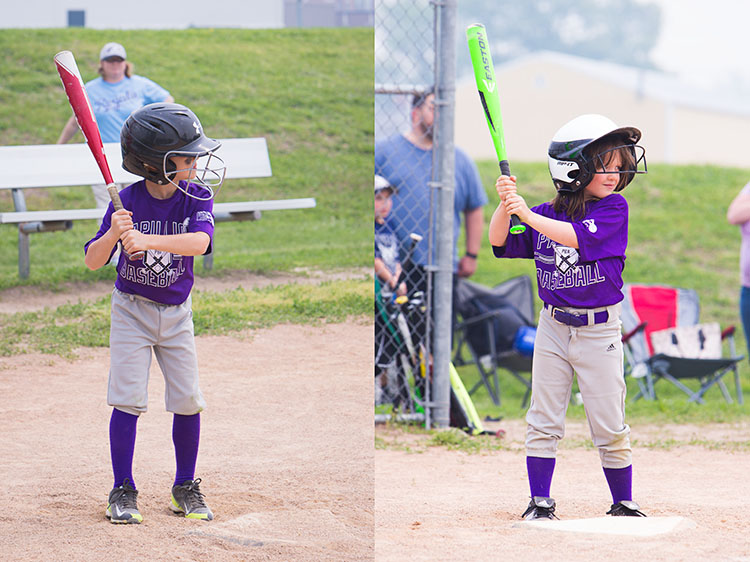
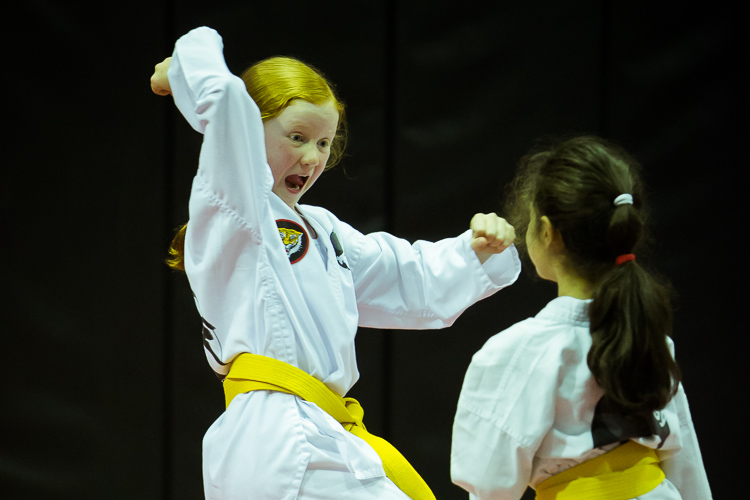
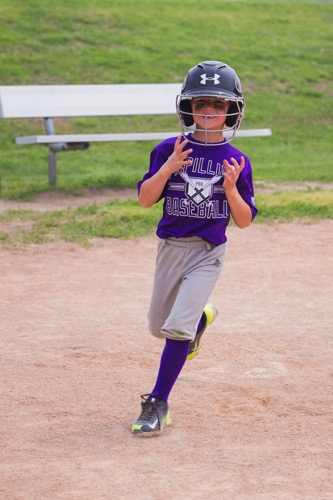
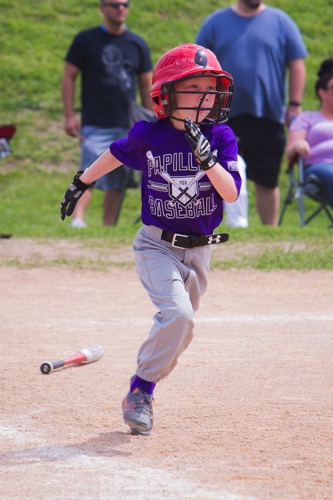
A favorite photography subject of any parent is their child’s sporting activities. But, sports photography can be challenging for the beginning photographer. It requires a robust understanding of camera settings and how they relate to one another. It can also be hugely rewarding to capture exhilarating moments that will be cherished for years to come.

Here are a few tips and Tricks I’ve learned for getting awesome sports photos.

_88J6306

1 – Know the Sport

Every sport has the picture perfect moment. You know the one – the horse with its leg tucked just so, or the peak of the handstand. The moments captured on trading cards, or those that appear on the front covers of sporting magazines are good examples.

Chances are that because you’ve sat on the same bleachers week after week, that you know your child’s sport inside-out. A good sports photographer can anticipate the play, and is ready to capture the shot. For sports that are routine based – gymnastics, figure skating, equestrian, and the like – be sure to watch the practice so you’ll know when and where the picture perfect moments will occur, and where you need to position yourself to capture them.

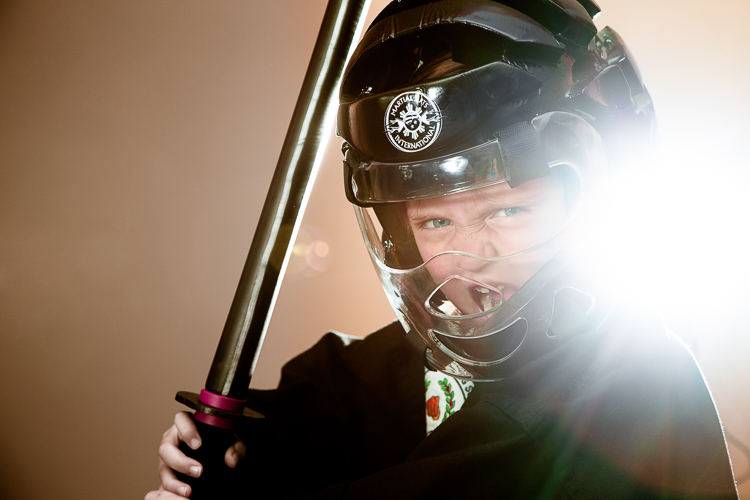
Sports 2

Capturing the passion of the athlete. The flare from the flash in the background was a happy accident. Exposure info: 85mm, f/6.3, 1/160th, ISO 500.

2 – Be Courteous

Before the game, have a chat with your child’s coach and make sure it’s okay for you to photograph the game – some sporting organizations have special rules for photographers which you’ll need to be aware of beforehand. During the game, be courteous to the other parents who are watching their own children. Please don’t be “that guy”, taking up half the bleachers with mountains of gear, or the one standing at the front, blocking the view of others.

3 – Choose your Lens

Generally speaking, longer lenses are better for sports photography, as the action is occurring some distance from you (and it’s uncool for a parent photographer to be on the field during play). A lens around 200mm is a good place to start. If you’ve just won the lotto, I’m well informed that professional 400mm and 600mm lenses are awesome (they can also be rented if you really want to try them out, and don’t have a winning lotto ticket in your back pocket).

Sports 6 Sports 7

Exposure info on above images: 200mm lens, ISO 200, f/5.6, 1/320th of a second.

4 – Get the Camera off Auto

Yes, I know your camera has a sports/action mode. It might even have a cute little picture of someone running. But shooting sports in manual mode (or at least shutter priority) is a perfect way for you to learn how the exposure triangle works. It will also be a lesson in compromise because I can pretty much guarantee that unless you’re shooting in bright sunlight, something will have to give. Do you accept high ISO noise but stop the action, or do you accept some motion blur for less noise?

Sports 1

Shooting the pause moments. Note the ridiculously high ISO needed for this dimly lit indoor venue. Exposure info: 105mm, f/4, 1/160th, ISO 10,000.

Shutter Speed – Sports shooting is one occasion where the age old adage of “minimum shutter speed = 1/focal length” doesn’t work. In reality, you’ll need to go much faster if you want blur-free images. To stop action at walking speed, try at least 1/250th of a second. For running, you’ll need 1/500th or faster. If these shutter speeds aren’t possible (most likely due to low light), try to anticipate and shoot the posed moments – those times when the athlete pauses for a microsecond (image above). It might be landing a trick, a look before throwing the ball, the moment before throwing a punch.

Sports 10 Sports 4

Exposure info on above images: 200mm lens, ISO 200, f/5.6, 1/320th of a second.

Aperture – Shoot with the largest aperture your lens allows. Professional lenses will generally open up to f/2.8. This will have two benefits – you’ll minimize depth of field (throwing the background out of focus and drawing more attention to your subject), plus you’ll be letting more light in (thus allowing a faster shutter speed).

Sports 9 Sports 8

Exposure info on above images: 200mm lens, ISO 200, f/5.6, 1/320th of a second.

ISO – You’ll often have to shoot at a high ISO to get enough light, especially if you’re shooting indoors. Trial and error will tell you how high your camera can go while still achieving an acceptable image. If you end up having to shoot at ISO 6400 and end up with a noisy image, just turn it black and white and tell people (in your best British accent), “It’s art, dah’ling!”

Focus mode – Check that your focusing mode is set to Continuous or Servo mode. This will ensure that the camera is constantly recalculating focus as you track a moving subject in your viewfinder. Every camera will handle this slightly differently, so it’s worth thumbing through your camera manual to understand how your particular model works.

5 – Get Down Low

Many beginner photographers make the mistake of shooting from a standing position. For youth sports, this means that they are generally shooting down on the athlete – not a very flattering angle. Instead, try kneeling on the ground for a better perspective.

These two images, taken from different camera angles, show how shooting from a lower angle can make all the difference.

These two images, taken from different camera angles, really show how shooting from a lower angle can make all the difference. Notice you can see more of her face in the image on the right, taken from a lower camera position.

Exposure info on above images: 200mm lens, ISO 200, f/5.6, 1/320th of a second.

6 – Practice

As with all genres of photography, practice makes perfect. Try different angles or shooting from different positions around the field to see what works best. I guarantee you’ll see improvement as you keep shooting.

7 – Beware the Light Cycle

If your sport is being played in a large indoor venue (or outdoors at night), more than likely it will be lit by cyclic lights (mercury vapor, sodium vapor, fluorescent, etc). These cheap and efficient lights are a sports photographer’s worst nightmare. Unlike natural sources, these lights emit certain frequencies, and completely miss others, resulting in a unique color temperature that is difficult, if not impossible, to properly white balance in camera.

In addition – and completely undetectable to the naked eye – these lights have distinctive cyclic patterns, varying in both light intensity, and color temperature, multiple times per second. Shooting under them can be very much a hit-and-miss affair. Sometimes you’ll catch the light in a blue phase of the cycle; a millisecond later you’ll get magenta. You might get slightly darker, or brighter. Sometimes neighboring lights will be on different cycles, so part of your photograph will be dark and part will be light, each with a different color temperature. (Don’t believe me? Try this test: under a fluorescent light, set your camera to manual with a fast shutter speed like 1/250th, take a series of identical images in rapid succession, then compare the frames. The faster the shutter speed you pick, the more the effect will be visible.)

The lights here cycled yellow.

This image was shot under sodium vapor lights and shows the intense yellow frequencies emitted by this type of light, even with the camera color balanced for the white uniforms. Exposure info: 150mm, f/3.2, 1/320, ISO 5000.

Commercial architecture photographers combat this problem by lowering the shutter speed to allow more than one full cycle of light to be read by the sensor. However as we’ve already discussed, slow speed doesn’t usually work for action sports photography. Worse, many sports in these type of venues (equestrian, figure skating, gymnastics) don’t allow flash for player safety reasons, so you’re stuck using available light.

There is nothing you can really do about cyclic lights, other than to simply take more photos, and pray that you hit the cycle right. For odd colors, you could play with the individual channels in Photoshop, or convert the entire thing to black and white (this will be the only time you’ll ever hear me say “fix it in post-production”).  Regardless, it is something that you should be aware of so you don’t make yourself crazy trying to figure out why you got the results you did.

8 – Have Fun

Sports 5 Sports 3

Exposure info on above images: 200mm lens, ISO 200, f/5.6, 1/320th of a second.

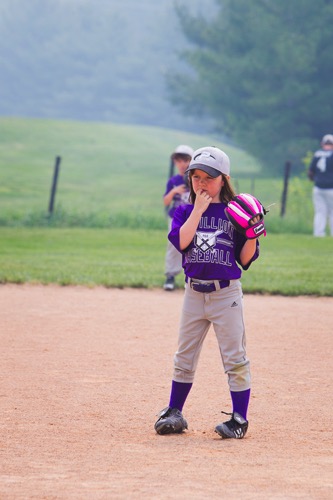
Youth sports are all about participating and having fun. Photographing them is no different. If your cherub is playing in the sand or picking her nose instead of chasing the ball, capture it! These are the memories you’ll treasure one day (or so they tell me). And remember that it’s okay to put the camera down sometimes and just enjoy the game too.

googletag.cmd.push(function() {
tablet_slots.push( googletag.defineSlot( “/1005424/_dPSv4_tab-all-article-bottom_(300×250)”, [300, 250], “pb-ad-78623” ).addService( googletag.pubads() ) ); } );

googletag.cmd.push(function() {
mobile_slots.push( googletag.defineSlot( “/1005424/_dPSv4_mob-all-article-bottom_(300×250)”, [300, 250], “pb-ad-78158” ).addService( googletag.pubads() ) ); } );

The post Tips and Tricks to Help You Take Better Youth Sports Photos by Rebecca Olsen appeared first on Digital Photography School.


Digital Photography School

 
Comments Off on Tips and Tricks to Help You Take Better Youth Sports Photos

Posted in Photography


Aerial Views of Apartheid: Drone Photos Show Rich vs Poor Divides

04 Aug

[ By WebUrbanist in Architecture & Cities & Urbanism. ]

aerial apartheid

Though the apartheid ended decades ago, many physical barriers remain in South Africa, highly visible in the built environment … especially from above.

dividing line

Roads, rivers and strips of open land captured by Cape Town-based photographer Johnny Miller illustrate the divide in a photo series dubbed Unequal Scenes.

rich versus poor

Details give way to patterns in these birds-eye views, highlighting a landscape-scarring history of institutionalized segregation and inequality. Haphazard and densely packed shacks may fall on one side of a line while organized and expansive homes can be seen on the other, often separated by nearly-invisible lines.

wrapping shacks

south africa

“During apartheid, segregation of urban spaces was instituted as policy,” explains Miller, with “buffer zones of empty land, and other barriers were constructed and modified to keep people separate.” Even today, “communities of extreme wealth and privilege will exist just meters from squalid conditions and shack dwellings.”

housing patterns

housing divide

rich and poor

“My desire with this project is to portray the most Unequal Scenes in South Africa as objectively as possible. By providing a new perspective on an old problem, I hope to provoke a dialogue which can begin to address the issues of inequality and disenfranchisement in a constructive and peaceful way.” Miller has an upcoming show this fall in Johannesburg for those who want to see his work large and up close, to be announced on his social feeds (via Colossal).

Share on Facebook


[ By WebUrbanist in Architecture & Cities & Urbanism. ]

[ WebUrbanist | Archives | Galleries | Privacy | TOS ]


WebUrbanist

 
Comments Off on Aerial Views of Apartheid: Drone Photos Show Rich vs Poor Divides

Posted in Creativity


How to Use Photoshop to Enhance Details in Your Photos

24 Jul

Do you think that your images lack details? Here is the way to extract the extra details that are already present in your photos, but are not visible, using Photoshop. Some methods like high pass sharpening will either give you a way too crunchy look or create halos around the edges of the different elements in your image. However, this Continue Reading

The post How to Use Photoshop to Enhance Details in Your Photos appeared first on Photodoto.


Photodoto

 
Comments Off on How to Use Photoshop to Enhance Details in Your Photos

Posted in Photography


5 Life-Saving Tips on How to Back Up Photos

24 Jul

Everyone’s heard the horror stories about people who’ve lost their photos, and everyone knows that – no matter what they’re of or what they’re for – losing your pictures can be devastating. Whether it’s a folder of precious family photos, a portfolio, or a project for a client, replacing what was lost can be time consuming, expensive, and even impossible Continue Reading

The post 5 Life-Saving Tips on How to Back Up Photos appeared first on Photodoto.


Photodoto

 
Comments Off on 5 Life-Saving Tips on How to Back Up Photos

Posted in Photography


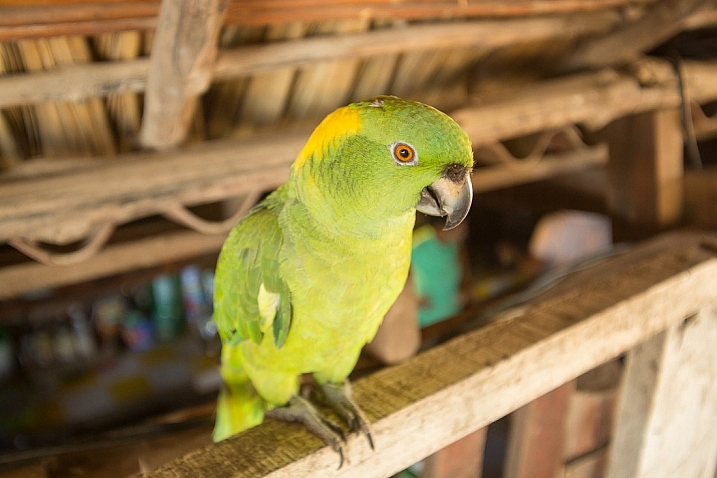
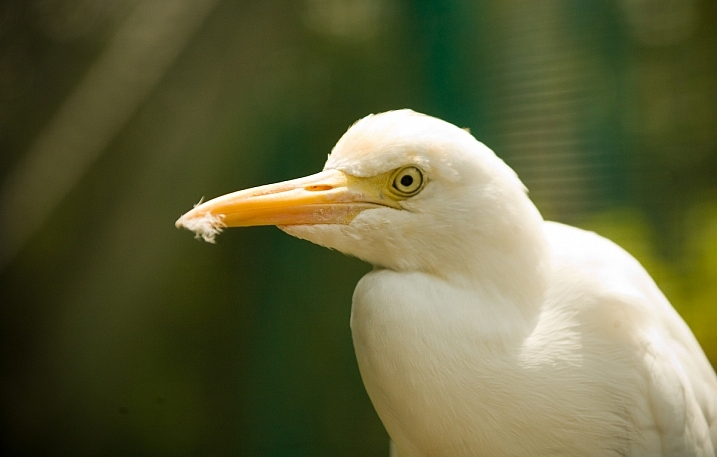
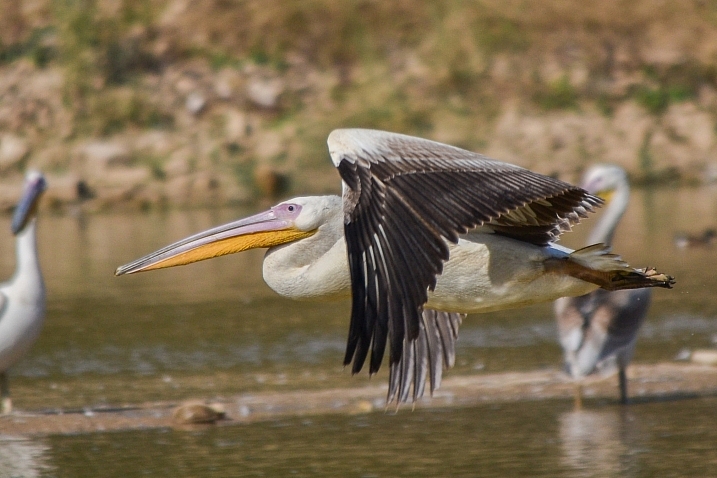
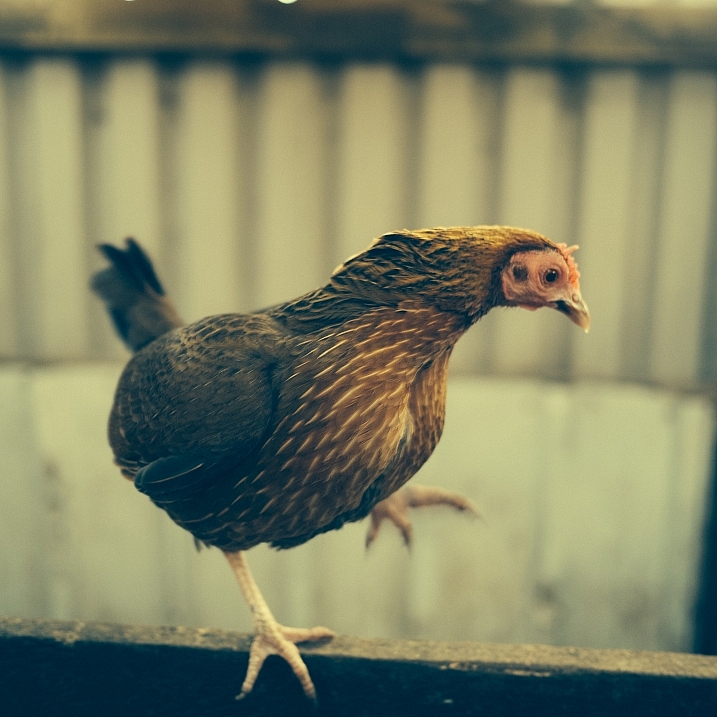
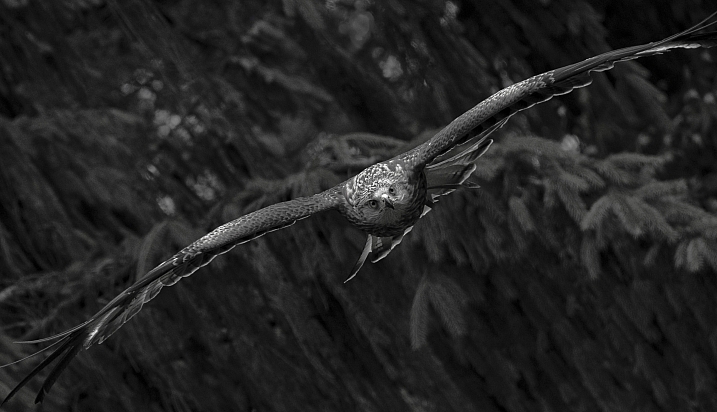
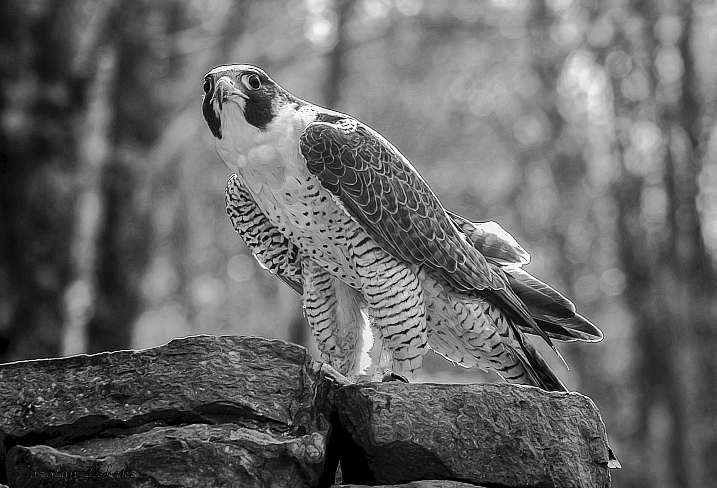
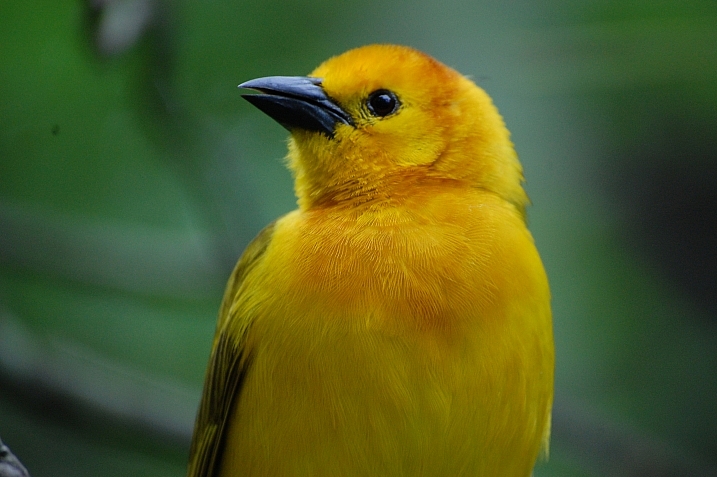
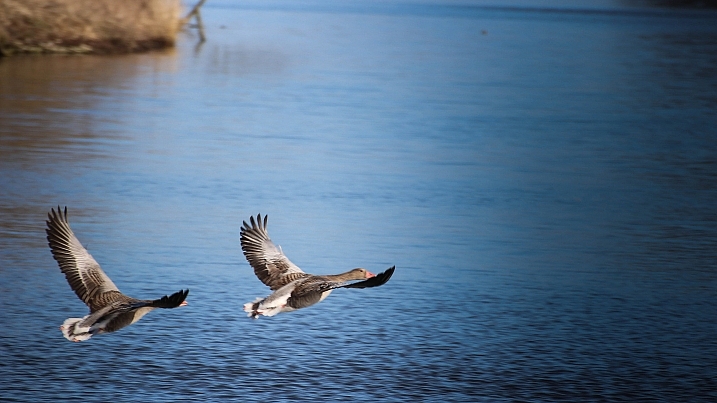
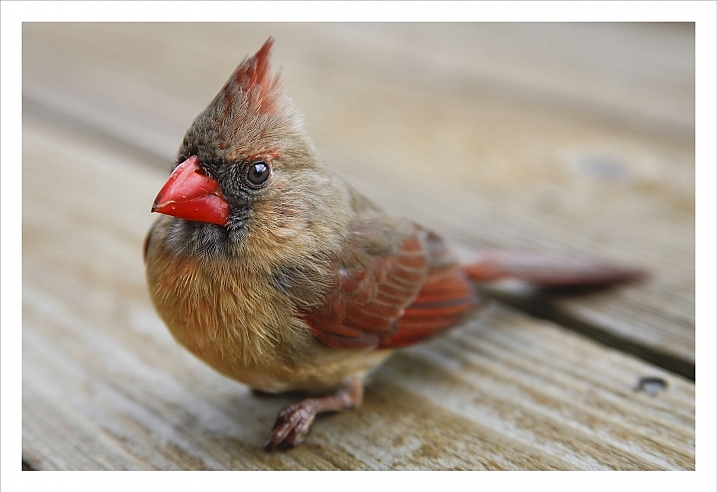
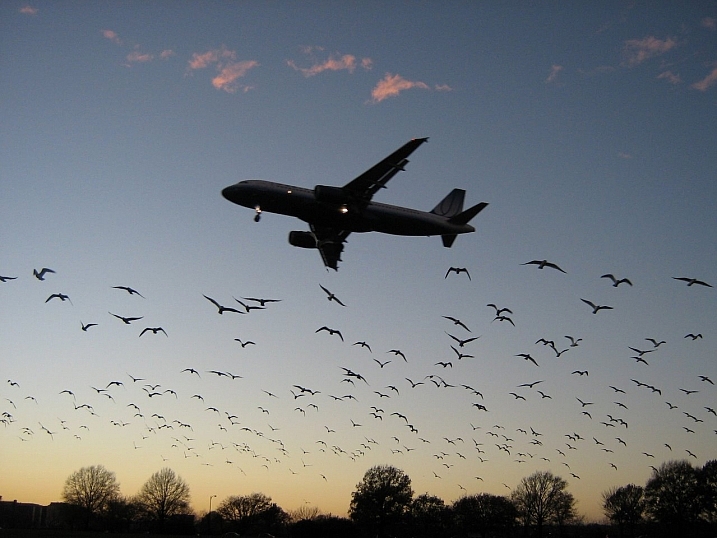
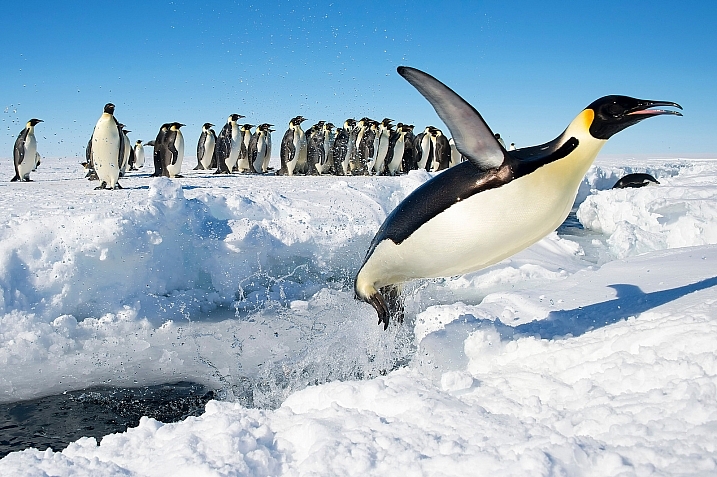
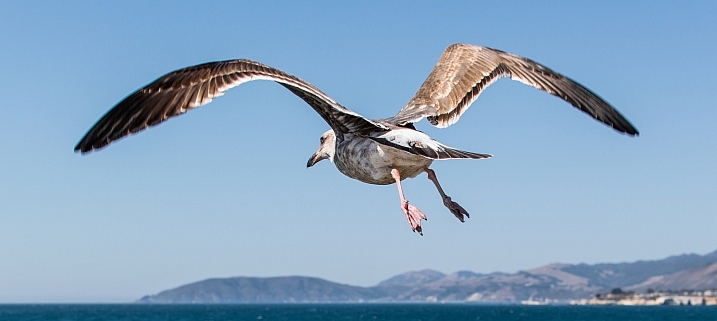
24 Fantastic Photos of our Fine Feathered Friends – Birds

23 Jul

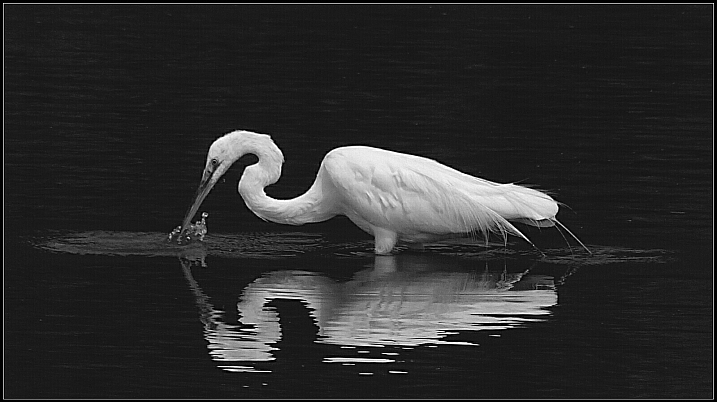
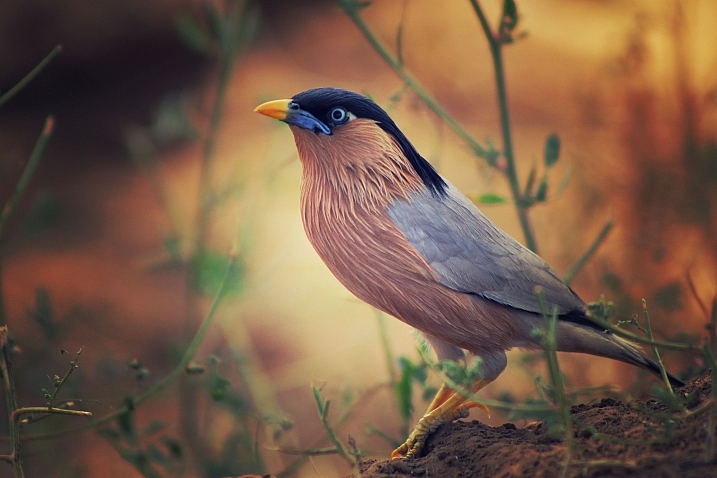
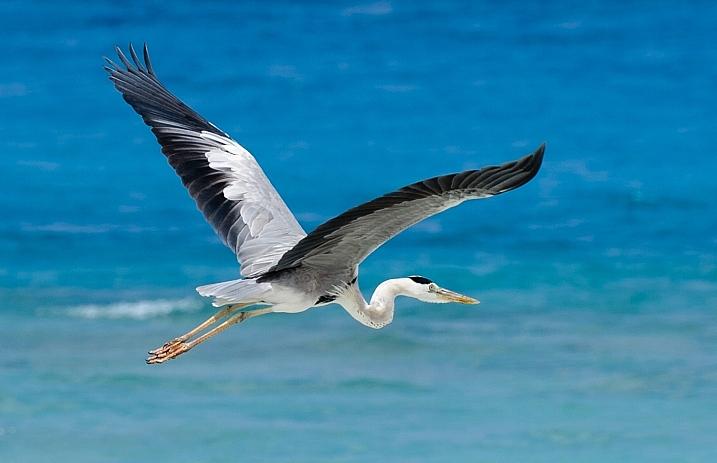
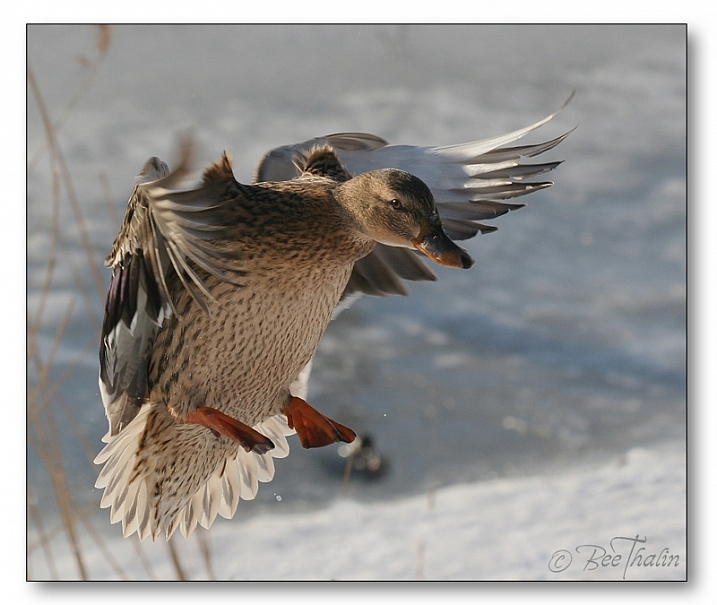
As we just wrapped up a week of nature photography related articles I wanted to round it out with a few images of our feathered friends, the birds.

Birds are incredibly hard to photograph when in motion, luckily some stick to the ground or are slower than others. Let’s see some fantastic examples of bird photography (I’ll even throw in a few of my images) – enjoy!

Irene Mei

By Irene Mei

Darlene Hildebrandt

By Darlene Hildebrandt

Darlene Hildebrandt

By Darlene Hildebrandt

Deven Dadbhawala

By Deven Dadbhawala

Amro

By Amro

Glasseyes View

By glasseyes view

Carolyn Lehrke

By Carolyn Lehrke

Sadie Hart

By Sadie Hart

Susanne Nilsson

By Susanne Nilsson

Ken Mattison

By Ken Mattison

Vikramdeep Sidhu

By Vikramdeep Sidhu

Alessandro Caproni

By Alessandro Caproni

Bee Thalin

By Bee Thalin

Rosanne Haaland

By Rosanne Haaland

Zach Stern

By Zach Stern

Christopher Michel

By Christopher Michel

Ian McMorran

By Ian McMorran

Teddy Llovet

By Teddy Llovet

Irene Mei

By Irene Mei

Smudge 9000

By Smudge 9000

Jon Dunne

By Jon Dunne

Matt Knoth

By matt knoth

RayMorris1

By RayMorris1

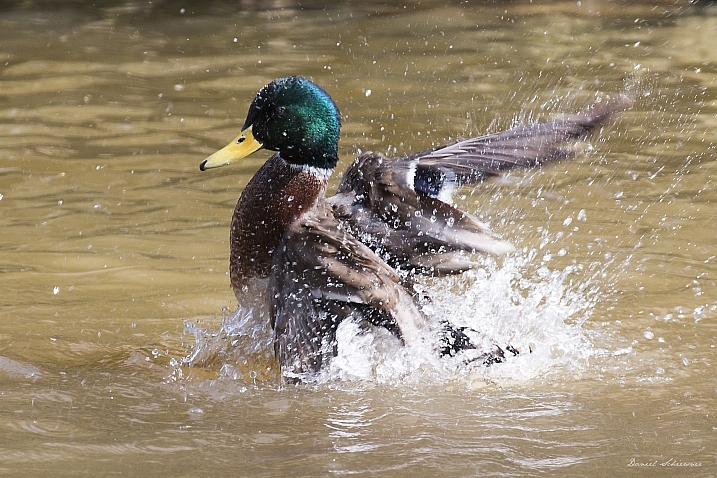
Daniel Schiersner

By Daniel Schiersner

googletag.cmd.push(function() {
tablet_slots.push( googletag.defineSlot( “/1005424/_dPSv4_tab-all-article-bottom_(300×250)”, [300, 250], “pb-ad-78623” ).addService( googletag.pubads() ) ); } );

googletag.cmd.push(function() {
mobile_slots.push( googletag.defineSlot( “/1005424/_dPSv4_mob-all-article-bottom_(300×250)”, [300, 250], “pb-ad-78158” ).addService( googletag.pubads() ) ); } );

The post 24 Fantastic Photos of our Fine Feathered Friends – Birds by Darlene Hildebrandt appeared first on Digital Photography School.


Digital Photography School

 
Comments Off on 24 Fantastic Photos of our Fine Feathered Friends – Birds

Posted in Photography


11 Amazing Photos Pokémon Go Characters Fit Perfectly In

23 Jul

While Pokémon Go is quickly becoming a new fitness, it’s no wonder that Pokémon characters are now among the most popular photography subjects. Well, most of such photos are just screenshots meant to show the Pokémon rather than carry any photographic appeal. However, the game is just a few days old (right, days!), so it’s probably won’t be too long Continue Reading

The post 11 Amazing Photos Pokémon Go Characters Fit Perfectly In appeared first on Photodoto.


Photodoto

 
Comments Off on 11 Amazing Photos Pokémon Go Characters Fit Perfectly In

Posted in Photography


5 Tips for Avoiding Boring Photos of Mountains

21 Jul

Jagged peaks, precipitous drops, deep and sweeping valleys: mountainous landscapes are unquestionably some of the most photogenic places on the planet. It shows too – take a look at any photo magazine or website, and you are likely to find not just one or two, but dozens of images of mountains.

Bhutan-Jhomolhari-02

Mountains are a landscape torn apart by the steady pressure of plate tectonics and erosion, and in that drama is the potential for spectacular photography. Why then are so many images of mountains boring? Because landscape drama does not always translate well into photographic drama, without the right combination of factors. Though there are really too many of these to name, I think five are particularly important: foreground, light, color (or lack of it), juxtaposition, and perspective.

Before we dive in, I want to make it very clear that there are as many different methods for making successful images of mountains as there are mountains themselves. Not every image has to have a compelling foreground, nor does of every image have to contain dramatic color or light. These five points are suggestions and starting places, not a formula. That noted, let’s get started:

1. Foreground

Foreground serves a number of purposes in a landscape; among these are depth and scale, setting details, and to provide a starting point for the path through the image. Foregrounds are tricky, done wrong they can make an image confusing, misleading, or unbalanced.

I’m a sucker for a good foreground. I love the way a well placed element can echo and balance features in the background, provide detail to a larger scene, and lead the viewer’s eye neatly into the photograph.

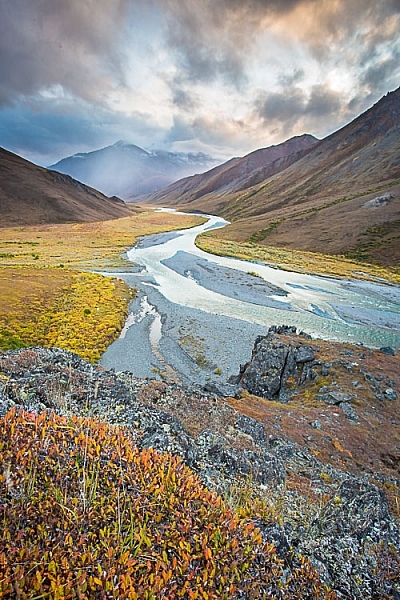
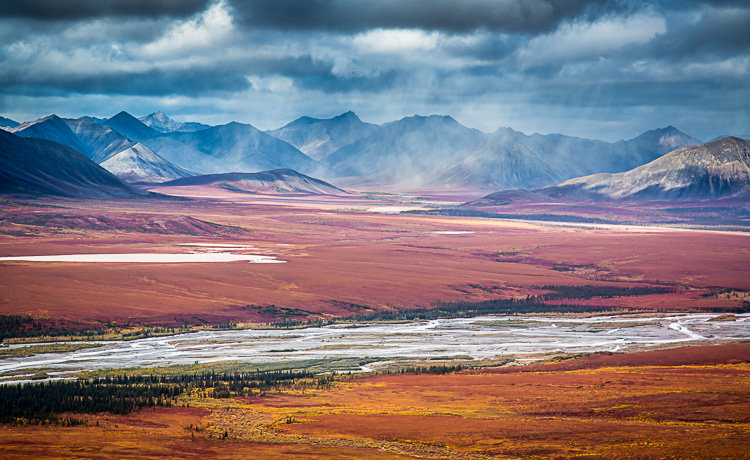
The autumn colors in the close foreground provide a good starting place for this image, guiding the eye to the winding river and then onto the stormy mountains beyond.

The autumn colors in the close foreground provide a good starting place for this image, guiding the eye to the winding river and then onto the stormy mountains beyond.

Yukon-Kluane-lake-123074-32

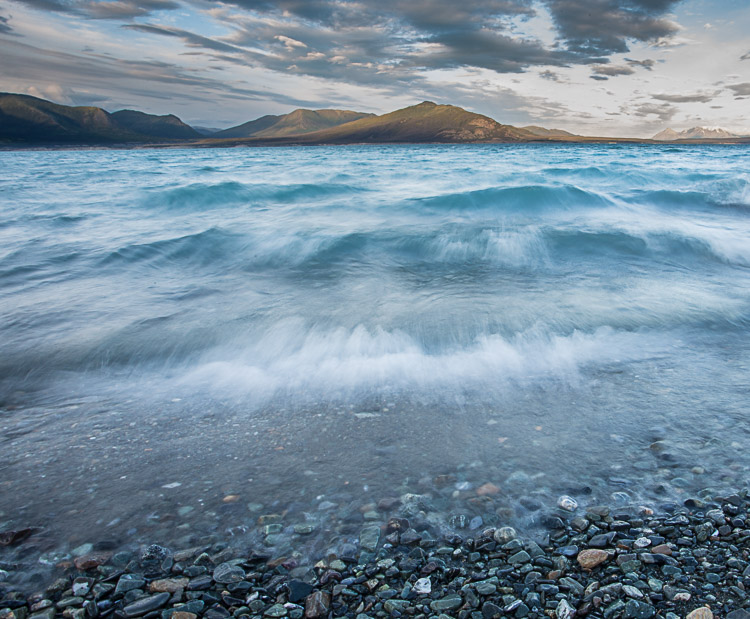
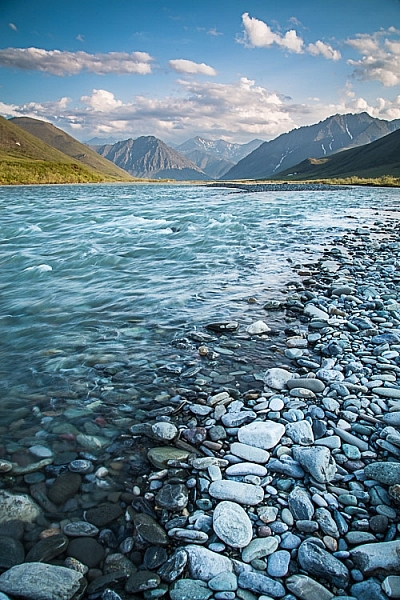
Water is a great foreground subject, and in this image of a wind-tossed lake, the water plays double duty, providing color and interest, while the texture is reminiscent of the mountains in the background.

AK-ANWR-Kongakut-WhaleMtn-1063-101

2. Light

Lighting may be the single most important aspect of a successful image. While backlight, and front light can work under some circumstances, mountains thrive in side-light. Light from the side brings out the shadows, and detail in the ridges, cliffs, and rolling slopes. It provides contrast and drama.

Images of big landscapes, like mountains, rely on natural light to for illumination, so you are really at the whim of the weather. Cloudy days can flatten the light, while midday sun will drown out shadows and turn pleasing contrast into an eye-squinting mass off whites and blacks. Successful images can arise from these challenging scenarios, but low-angle side-light makes our lives as photographers so much easier.

AK-ANWR-Jago-106274-35

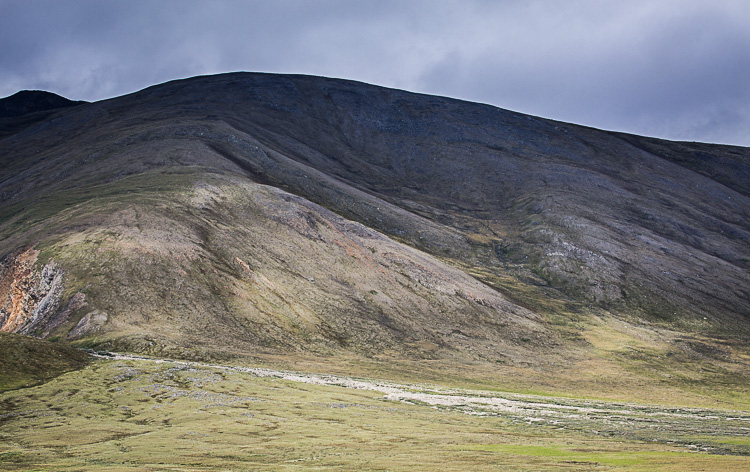
This detail shot of a mountainside in Alaska’s Brooks Range, despite being front-lit, retains some drama thanks to the patchy sunlight.

AK-ANWR-Kongakut-WhaleMtn-1063-274

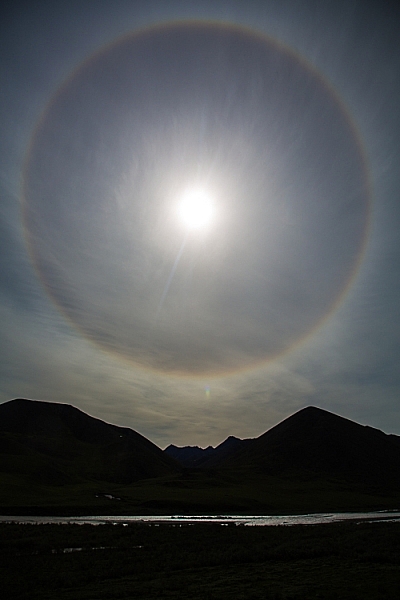
A case where backlight worked to my advantage was when the mountains, darkened to silhouette, appeared to cradle this ring around the sun (caused by high elevation clouds).

AK-DenaliNP-June2008-95

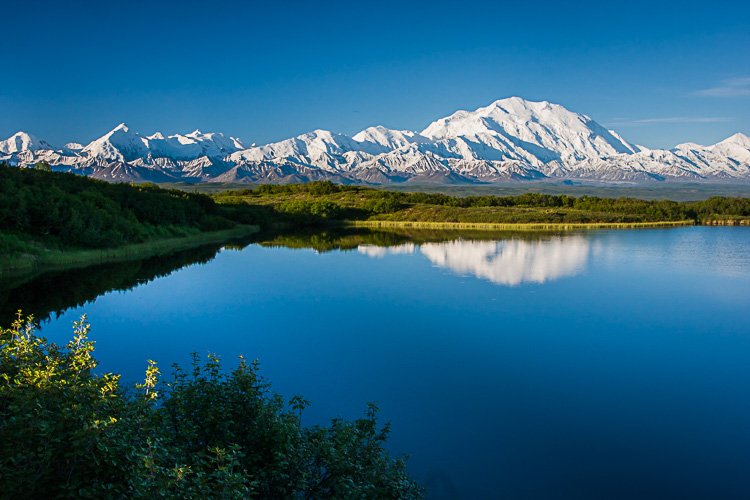
Classic side light on Denali peaks of the Alaska Range, from Reflection Pond in Denali National Park, Alaska.

3. Color (or lack of it)

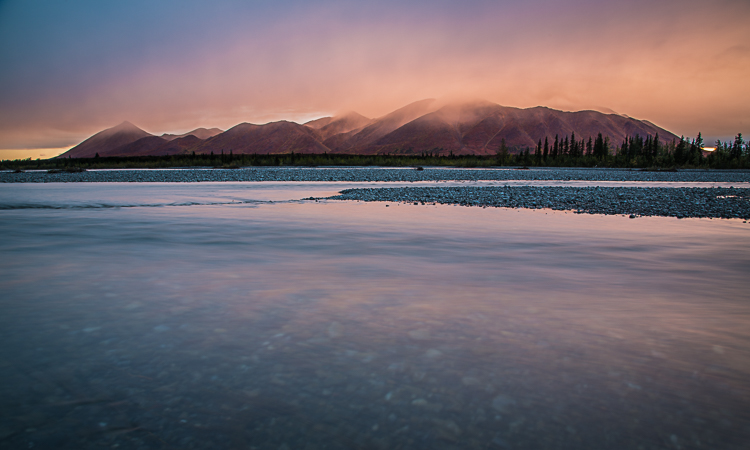
Bright colors (not artificially saturated) attract the eye. This is particularly true in images of mountains. Sunset and sunrise, colorful foregrounds, and bright blue alpine skies, will help catch and hold the gaze of a viewer.

AK-NoatakPreserve-KellyRiver-1083-320

As I think about it, this goes very tidily with #2 (Light). Good light very often equates to good color. The better the light quality, the more vivid the colors of the scene become. Get one, and you often get the other.

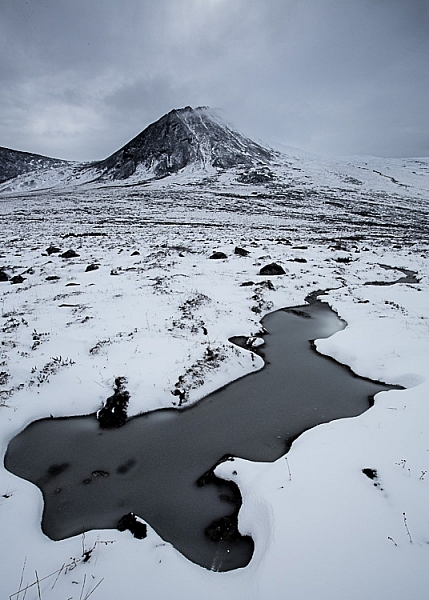
None of this is to say that an image has to have bright colors to be successful. Low-saturation images can be moody and brooding. Storms and winter images are two examples where colors may not be rich, but do not hurt the final image. These photos thrive on the drama of the scene, rather than their colors.

AK-ColleentoKongBP-1066-105

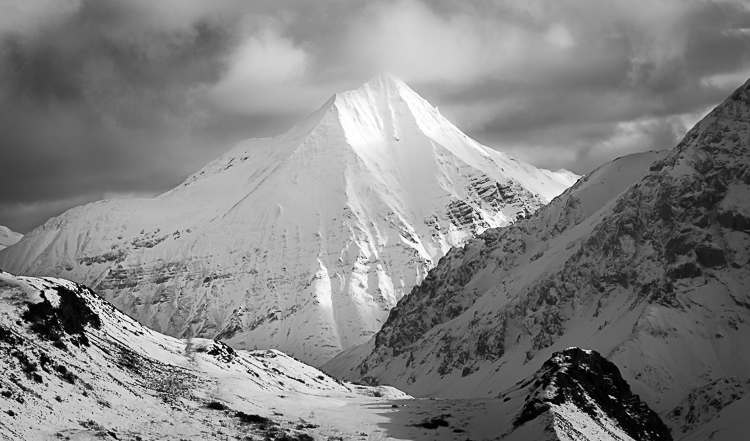
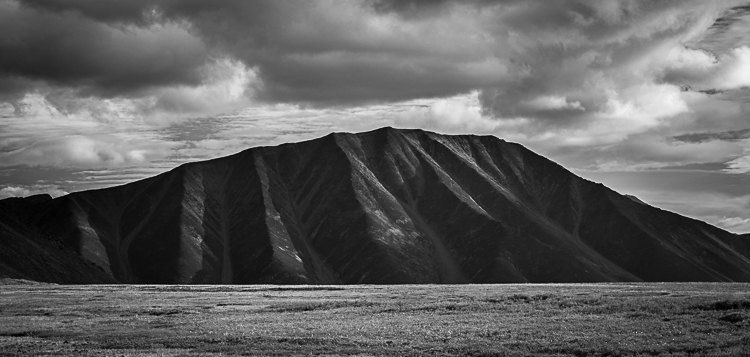
In black and white images, color is absent, and yet can result in a rich portrayal of the mountains. In such images, contrast and mood play an even more important role.

A note on Black and White: when factors like light and color are not in your favor, a black and white conversion can often be a great tool. I’ve made numerous images on flat-light days that converted well to black and white, when a true-color image would have been dull and muted.

AK-DNP-17Sep07-46

AK-GAAR-AIR-1073-1012

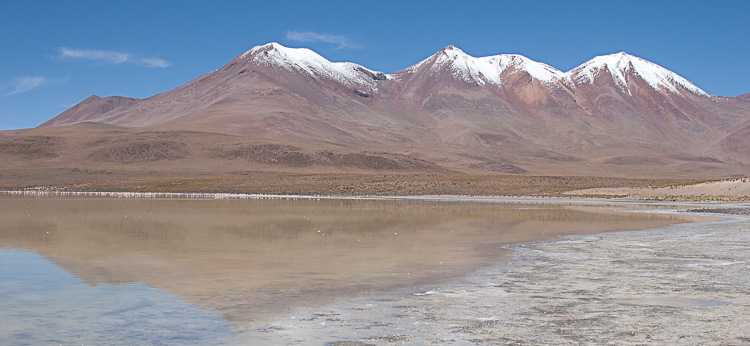
Bolivia-Altiplano-Feb2008-555

I made this image of peaks in the Bolivian Altiplano at mid-morning when the near-equitorial sunlight was hot and bright. It doesn’t look particularly good in color.

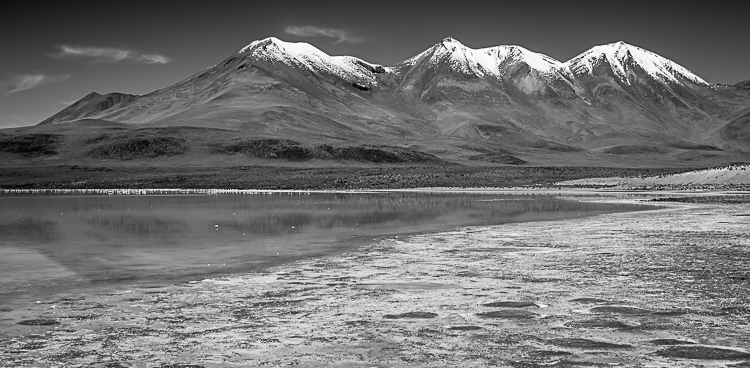
Bolivia-Altiplano-Feb2008-554

Convert the above image to black and white, however, and the photo comes alive in a way it wouldn’t otherwise be able.

4. Juxtaposition

Juxtaposition is defined as: “two things placed together with contrasting effect”. In photography, that contrast can be literal; light versus dark contrast, colors (bright versus subtle), tonality (hot or cool), or, perhaps most effectively, the subject matter.

All of these are important parts of mountain photography. Contrast, I noted earlier in this article, but tonality and subject matter both warrant some attention.

Juxtaposed color tones combine in interesting ways. Mountain scenes, particularly from places like the Rockies, Cascades, or Alaska, tend to be dominated by cool tones; blue skies, green tundra and forest, glacial streams, or clear blue lakes. These cool-colored scenes often benefit when warm tones, like yellow, red, or pink, are integrated into the scene. Often that warm tone is best presented as a flash of color, a setting sun, a wildflower, the bright jacket of a hiker, rather than as an equal to the cool tones. When the two are equivalent, your brain has a hard time sorting out which to pay attention to, and the pleasing juxtaposition becomes a tangle of clashing color.

AK-GAAR-AIR-1073-1028

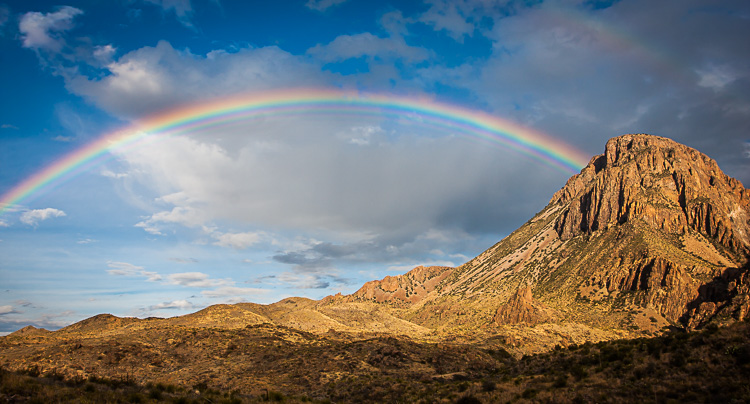
Subject juxtaposition is where a landscape images comes alive. When it comes to mountains, the potential for such contrasts are many. So many in fact, that it’s hard to mention just a few. Some, like the image below of the rainbow over the desert mountains of Big Bend National Park, have obvious subject juxtaposition (rain and dry desert rock). But the same image also has contrasts in shapes and texture (the jagged rocks and and smooth curve of the rainbow for example). All of these combine nicely to provide interest.

TX-BigBendNP-Jan2009-735

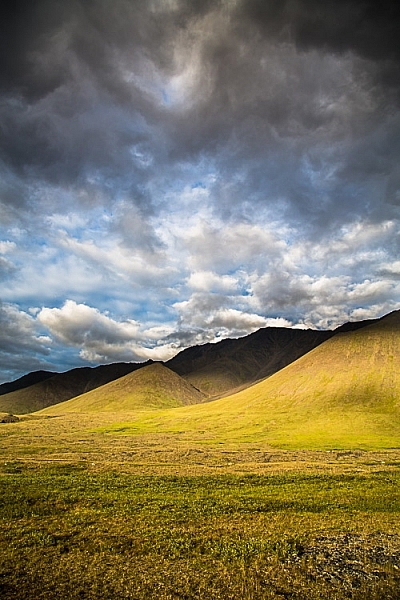
AK-CanningMarshFork-1066-49

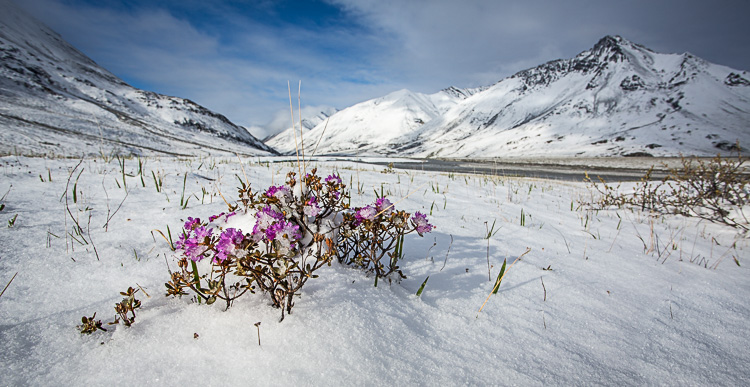
Snow and flowers is an obvious juxtaposition in this image of the aftermath of a June snowstorm in the Arctic National Wildlife Refuge, Alaska.

5. Perspective

The final aspect of mountain photography I want to discuss is perspective. Which is to say, the perspective from which you make the image. For simplicity sake, I’ll break this down into three divisions: bottom, middle, and top. Each of these greatly impacts not just the appearance of the final image, but also its mood and feel.

Photographs of mountains made from a valley bottom looking up, make the mountains appear large and imposing. These low shots provide space for an interesting foreground, and many classic landscapes have been made from this perspective. Though effective, there are drawbacks to shooting from the valley bottom. The low perspective means that the view is limited; there are no seas of mountain peaks spreading to the horizon. Light too is often difficult. The bottom of the valley is the last place to gain sunlight in the morning, and the first to lose it in the evening, so balancing light makes exposure tricky, and by the time the landscape is evenly lit, the sweet light of dawn or dusk is long past.

AZ-GCNP-FebMar12-160

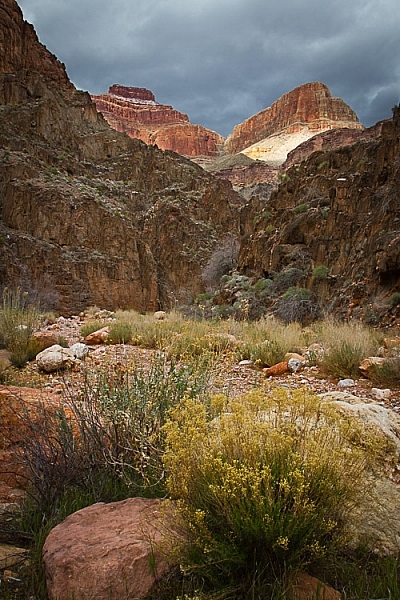
Exposure was tricky as I tried to capture the storm light on the Red Wall of the Grand Canyon high above my camp along the Colorado River.

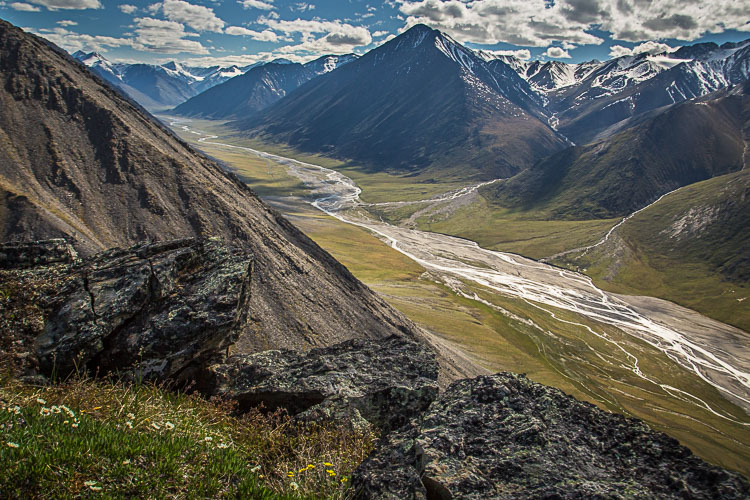
Mid-mountain shots can be spectacular, providing views both below and above. This perspective is one of my favorites, allowing for a lot of depth in the landscape, while maintaining the size and drama of the mountains.

AK-ANWR-Jago-106244-14

AK-NoatakPreserve-KellyRiver-1083-469

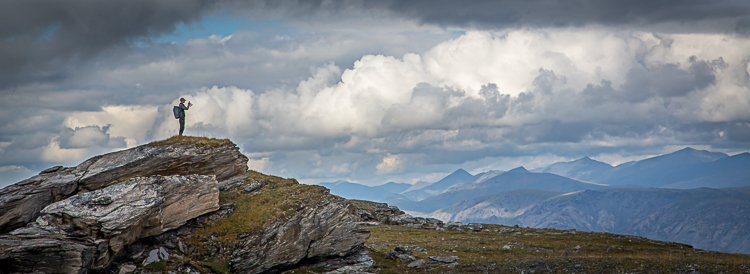
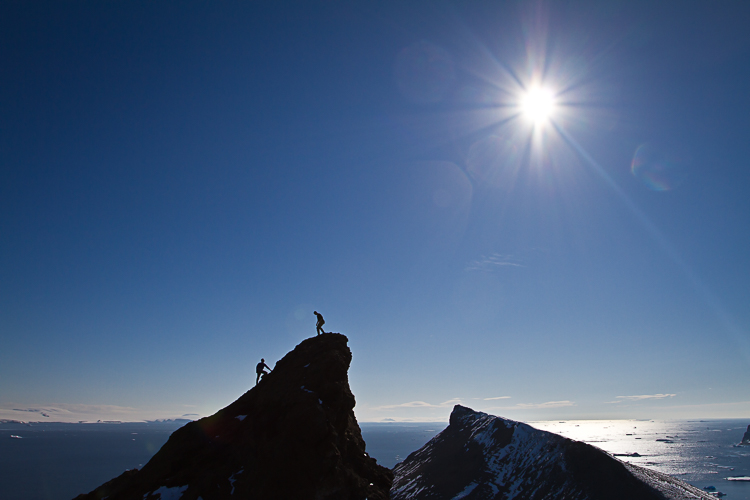
Mountaintops are tricky. Images made from the summit of peaks tend to make the surrounding landscape look small. I’ve taken photographs from peaks in which all the mountains look like rocky waves, rather than the towering summits they are. You can make up for this by adding a human to the shot, which provides scale. You remove the focus from the mountains, and place it on the human experience within them. It changes the image, making it less of a landscape, and more of a portrait or action shot, but the results can be effective.

AK-GAAR-Alatna-Noatak-1083-347

A hiker atop a mountaintop in Gates of the Arctic National Park, Alaska becomes the subject in this image.

ANT-16Jan10-DevilsIsl-11

Without the climbers nearing the top of this peak in Antarctica, there wouldn’t be much to look at in this image.

Conclusion

One of the great joys of photographing mountains, is simply being in the mountains. A camera is great excuse to go for a hike, or float a mountain river. But, the camera can also be a tool for experiencing the place more deeply. It can make you appreciate how the mountains look in various light and seasons, and from different angles. In turn that appreciation can lead to better images. Now go out and explore.

This week we are doing a series of articles to help you do better nature photography. See previous articles here:

  • 3 Habits Every Outdoor Photographer Should Develop to Avoid Missing Shots
  • 5 Tips for Better Nature Photography
  • 27 Serene Images of the Natural World
  • Weekly Photography Challenge – Nature
  • 10 Ideas for Photographing Nature in your Backyard
  • 6 Tips for Capturing Character and Personality in Wildlife Photography
  • 5 Tips for Setting the Focus in Your Landscape Photography
  • 7 Tips for Better Marine Wildlife Photography
  • Tips for Processing Landscape Photos – from Basic Edits to Artistic Interpretation

googletag.cmd.push(function() {
tablet_slots.push( googletag.defineSlot( “/1005424/_dPSv4_tab-all-article-bottom_(300×250)”, [300, 250], “pb-ad-78623” ).addService( googletag.pubads() ) ); } );

googletag.cmd.push(function() {
mobile_slots.push( googletag.defineSlot( “/1005424/_dPSv4_mob-all-article-bottom_(300×250)”, [300, 250], “pb-ad-78158” ).addService( googletag.pubads() ) ); } );

The post 5 Tips for Avoiding Boring Photos of Mountains by David Shaw appeared first on Digital Photography School.


Digital Photography School

 
Comments Off on 5 Tips for Avoiding Boring Photos of Mountains

Posted in Photography


Accusations fly over Fukushima photos

20 Jul

We recently featured the photography of Keow Wee Loong, who claimed he had entered Fukushima’s exclusion zone without a permit. His photos of the area have been widely shared on social media and by other publications. While controversial in their own right, a blog post by Polish photographer Arkadiusz Podniesinski accuses Keow of mis-representing the images, stating that the photos he released were actually taken in publicly accessible green and orange zone areas that don’t require special permits to enter.

Keow Wee Loong has posted a rebuttal on his own Facebook page, stating that he did in fact enter red zones without a permit, describing the towns he visited as ‘basically empty’ save for a few police patrols.

An image posted by Keow Wee Long on his Facebook page comparing the locations he claims to have recorded for his own photos to recent maps documenting evacuation status of towns in the region.

Singaporean website Mothership.sg flags a few of the locations photographed by Keow on Google Maps, stating that they are in fact in areas where residents are permitted limited access. But areas without red zone restrictions may still look very much abandoned. In an article published in March, the Japan Times reported that while many communities in Fukushima Prefecture had seen restrictions lifted, many residents were reluctant to return.

It’s difficult to say whether Keow is misrepresenting or sensationalizing his story as Podniesinski claims, or whether he may have believed he was in more dangerous territory than he really was. Does the controversy change how you view these photos? Let us know in the comments.

Articles: Digital Photography Review (dpreview.com)

 
Comments Off on Accusations fly over Fukushima photos

Posted in Uncategorized


Tips for Processing Landscape Photos – from Basic Edits to Artistic Interpretation

20 Jul

All professional, and many hobbyist photographers, post-process their photos. There are various reasons why you want to edit your photos, besides the fact RAW files need some level of processing, including:

  • To fix minor errors made when you took the image.
  • To make the image look more like you envisioned when you took it.
  • To add your artistic touch to the image.
  • Because image editing is fun, and is an important part of photography.
Sunrise 0

Landscape photography is often about being in the right spot at the right time. This is not always possible, so a little post-processing might help. “Why make it when you can fake it” seems to have become more and more common.

One question often raised, is how much editing you can do before you have over-processed your photo. Too much and your photo no longer represents the reality of the landscape.

It’s subjective how much editing is acceptable. Some argue the editing has gone way too far and is destroying photography. Others put their heart and soul into image editing. They try to get the most out of every detail in the photo, and to make their personal interpretation.

Landscape photographers are not photojournalists documenting reality. As such there should be plenty of room for an artistic interpretation of landscape photos. In the rest of this article, I’m going to discuss different levels of editing, using one of my own landscape photos as an example.

1. The leave as is approach – no editing

The easiest method is to save your files as JPG and do no editing at all. If you don’t want to buy an image editing software, or you simply don’t care to spend time on post-processing, that’s fine. It’s your decision. You can still enjoy the time you spend out in nature taking photos.

Obviously, with this approach, nobody can accuse your photos of not being real. But unless you learn some basic editing skills and post-process your images, you’re likely not to be regarded as a serious photographer.

Hardly any of the images with most likes on social media and photo sharing sites are unedited. In digital photography capturing the photo is just half the work, the rest is about post-processing techniques.
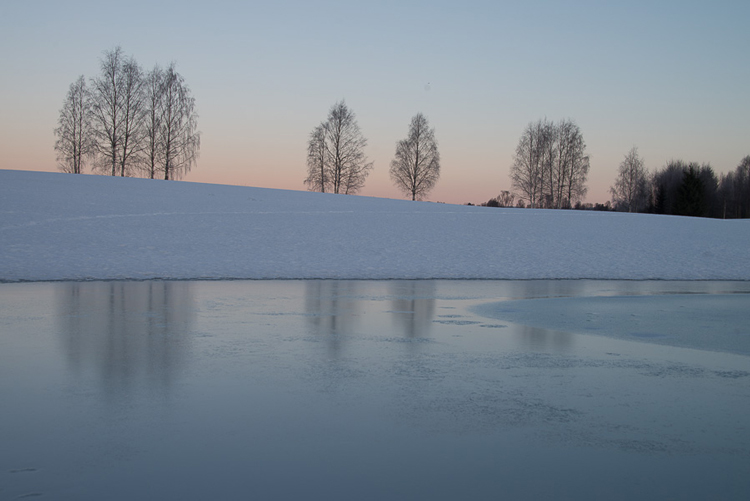
Sunrise 1

2. Basic editing

In my image (above), I realized I was sloppy with the composition when I took it. I had to fix this. Often one adjustment leads to another. Let’s go through the different steps I applied to this image.

The image above is the untouched RAW file straight out of the camera. Some photographers are happy with this result, and leave it there. After a closer look, I found there were several other things with the image I could improve. Because it’s a RAW file, I knew there was a lot of image data to work with.

Basic editing is supposed to enhance what’s already in the photo, not fix what is wrong. Ideally, you should get the shot as technically correct as possible in the camera. One nice thing about digital photography is how easy it is to make small adjustments after the shot. If you fail on the exposure or the horizon is not perfectly straight, no problem, you can fix it

Levelling a tilted horizon and verticals, cropping, and dust spot removal
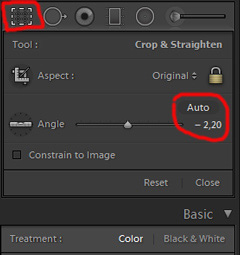
capture-2bWhile you edit, you can make simple adjustments to your composition, like levelling the horizon and cropping. By cropping, you can tighten the composition, and to some extent “move” elements, so they align according to the rule of thirds or golden mean.

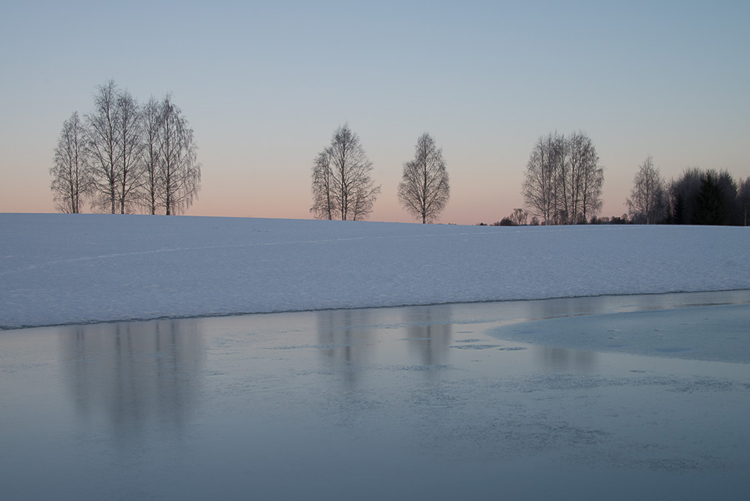
In the photo below I have levelled the trees, as they were leaning slightly to the right. I did not notice that when I took the photo. Most photographers will not question if levelling the horizon, cropping, and removing dust spots are acceptable image editing. It’s part of the workflow.
Sunrise 2

Adjusting the White Balance (WB)

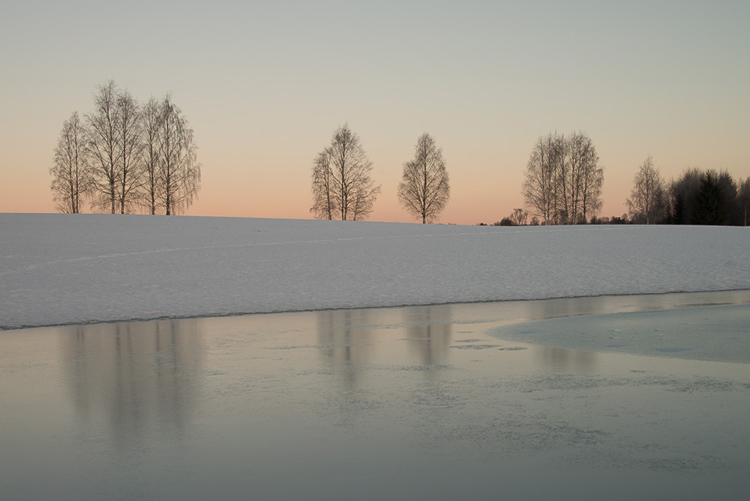
I took this image an early morning, at sunrise. The reflections from the clear blue sky gave the scene an overall blue color cast. At the computer, I remembered the scene as being warmer. Warmer is perceived as more pleasing. I could be wrong, because who remembers exactly what colors a scene had at the time they took the image?

Photographers often claim they edit their photos to represent how they saw the scene. It is probably more correct to say they edit their photos the way they wish they saw the scene.
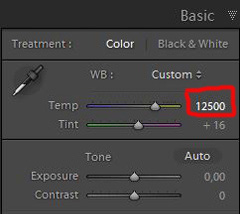
capture-3bSo I decided I wanted my image to have a warmer color tone. I adjusted the White Balance by adding more yellow.

I could have achieved something similar by setting the camera White Balance to the Cloudy preset, at the time I took the image. Changing the White Balance after the shot is another advantage when you shoot your files as RAW. Either way, the result is altered, and to some extent, the reality is changed.

Although the significant impact changing the White Balance can have on an image, it is usually accepted as part of the post-processing workflow.
Sunrise 3

Increasing Exposure and Contrast

Because no adjustments are made to the RAW files in camera, the images look unfinished when you open them up on your computer. The preview on the LCD is an embedded JPG version of the photo, which often looks much better.
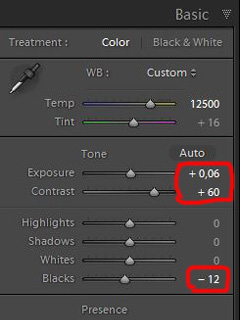
capture-4bEven with modern digital cameras you don’t always hit spot on with the exposure. If you don’t get it right in-camera, with RAW files you can easily correct the exposure one two stops when post-processing.

My image is no exception, it looks flat, and needs a few more adjustments. So I increased the contrast slightly. When you increase contrast, the image tends to get a little darker. To compensate for this, I had to increase the exposure a tiny bit. You can see the result so far below.
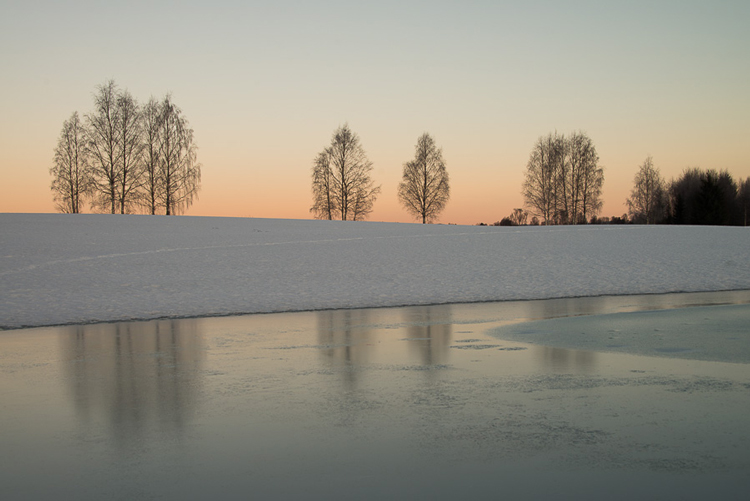
Sunrise 4

Decreasing Highlights and increasing Shadows
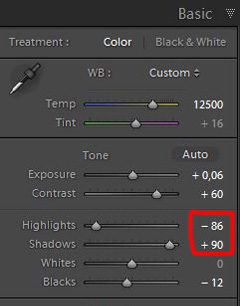
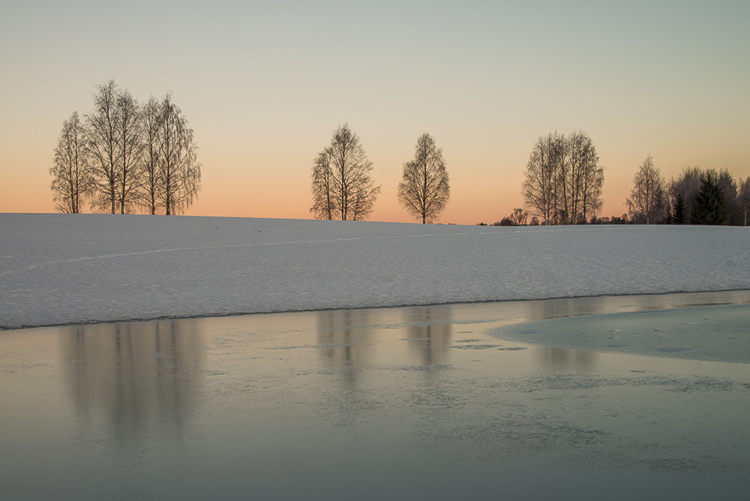
capture-5bOne more thing that bothered me was the black chunk of trees to the far right. The trees have now become too dark with no details in the shadows. I fixed this by increasing the shadows slightly. I also lowered the highlights a little to bring out more of the texture in the ice. In the version below the trees to the right are no longer completely black.

With these last adjustments, the image starts to look pretty decent. So far so good. All of the edits I have done until now are within what most photographers will find acceptable.
Sunrise 5

3. Beyond basic editing

Oversaturated colors

Photos with saturated and vibrant colors are eye catching. If you want attention when you post your images on social media sites, it’s a good idea to boost the colors first.capture-6
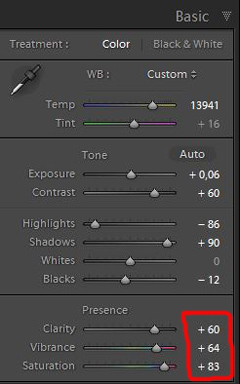
At this stage, it was attempting to make the sunrise more beautiful. To me, it was already an awesome winter morning sunrise. But I felt I could make it even better – with some over-processing.

I did this simply by increasing vibrance and saturation significantly. The image now has an entirely different feel. To me, it looks fake. But I bet this version would have received more attention on my social media sites if I posted both versions there. I have seen this happen with some of my other images before.

With this level of editing, the discussions start as to whether or not the image represents a realistic landscape. It can be your artistic interpretation of the scene, but to me it’s not authentic anymore.
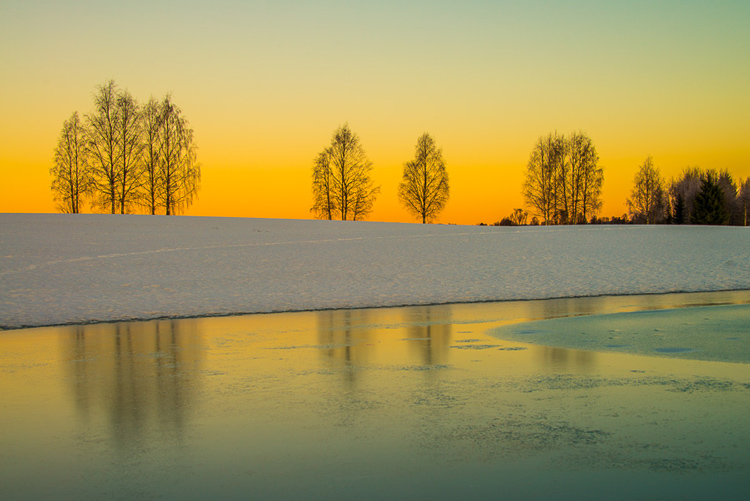
Sunrise 6

4. Photo editing artistically

Adding texture for a complete different look

In the next image I have used my artistic freedom as a photographer and artist. I blended in a couple of texture layers and photo filters with the original image. By using textures properly, you can create some interesting effects on your images.

If this is a realistic landscape photo or not, is no longer a relevant question. It’s not, nor is it supposed to be. But you can discuss whether or not you like this style. While all the previous edits were made in Lightroom, the last two versions were made in Photoshop, as Lightroom doesn’t have the layers function which is needed.
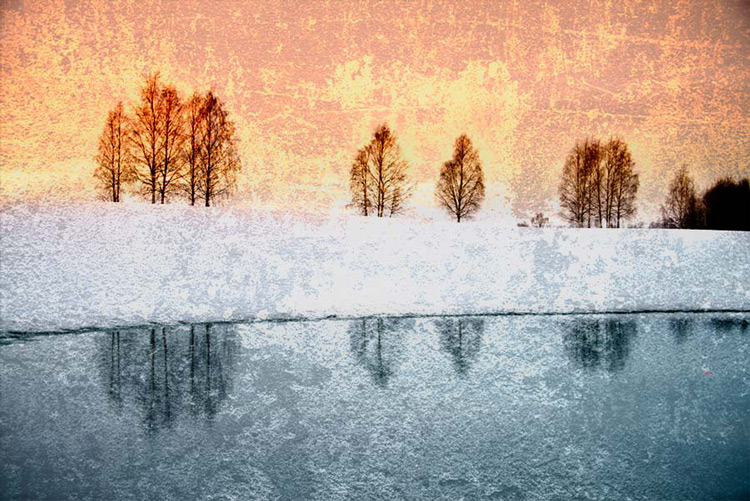
Sunrise 7

Composite of several images makes this surreal piece

The last version of my image is a composite. Only a few elements are left from the original, but you can tell it’s still there. The result is so extreme that nobody can blame you for faking a realistic landscape image. Everybody know this is a creative piece of art. Again it’s very subjective whether like the style or not. Compositing is a whole new level of photo editing, it’s not for everyone.

When you create composites, you need many of the same skills as when you photograph. For a balanced composite, you must know about composition techniques and how to deal with light and shadows, as well as colors.
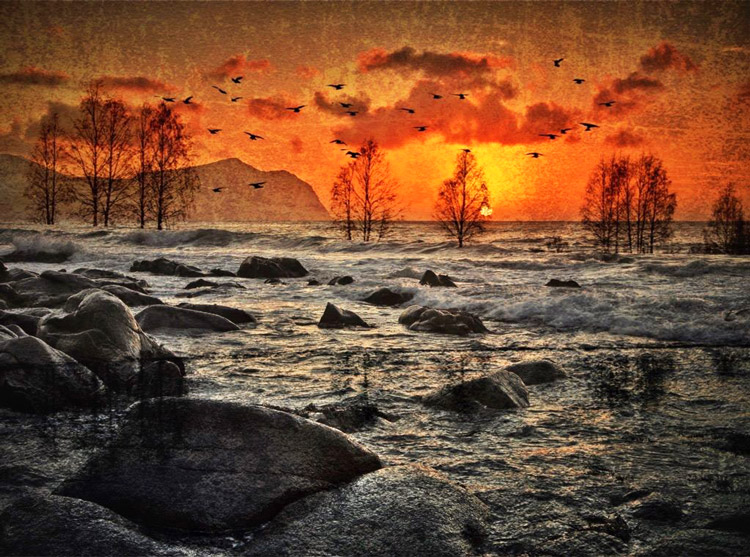
Sunrise 8

Conclusion

With digital photography it’s possible to create the image you want. Your imagination and skills are your only limitations. The general trend is bold and vivid colors get a lot of attention, at least among some photographers. Whether you want to follow this trend or not, is your decision. The fact is that more of the images you see online look similar, due to the same post-processing techniques. It’s getting harder to be recognized online unless you make something different.

As a landscape photographers you have a few challenge to tackle because the elements of nature are limiting. Light and weather conditions might not be as you wish when you’re at your dream scene. Maybe you never come back to the same spot again. In such a situation it’s tempting to fix the light (slightly) in post-production. In other words, to fake reality like I did with the oversaturated image.
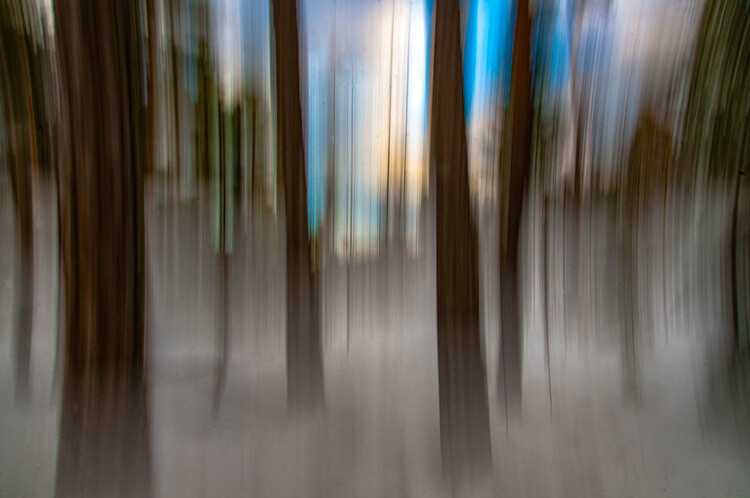
ICM_forest_original_edit

Original edit

ICM_forest_creative_edit

Creative edit

Photography is art, so it’s not wrong if you choose to do so, but be open with what you have done. Don’t pretend you experienced the sunrise of your life if you didn’t. In the end, it’s up to you what you’re comfortable with. Nobody can take away your creative vision.

You can do more advanced editing in Lightroom than I have shown in this tutorial. In Photoshop however the possibilities are endless. You can manipulate, remove, and add content to your images. With such drastic steps, you’re not only altering the reality, but you’re cheating. That’s if you claim your photo is real.

Now it’s your turn. What’s your opinion about how much you can edit landscape photos? Please share your thoughts in the comments below.
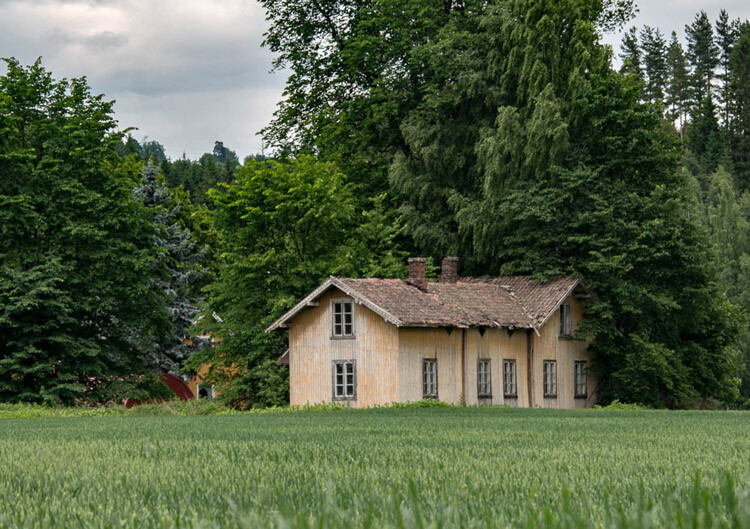
Original edit
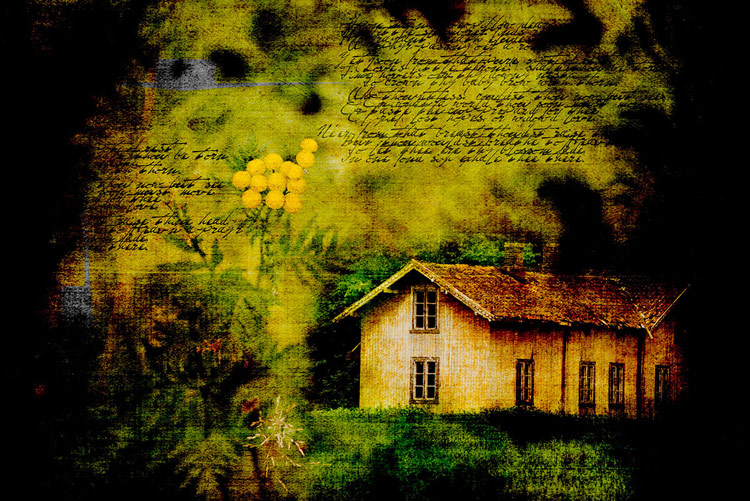
Original edit

Creative edit

Creative edit

This week we are doing a series of articles to help you do better nature photography. See previous articles here:

  • 3 Habits Every Outdoor Photographer Should Develop to Avoid Missing Shots
  • 5 Tips for Better Nature Photography
  • 27 Serene Images of the Natural World
  • Weekly Photography Challenge – Nature
  • 10 Ideas for Photographing Nature in your Backyard
  • 6 Tips for Capturing Character and Personality in Wildlife Photography
  • 5 Tips for Setting the Focus in Your Landscape Photography
  • 7 Tips for Better Marine Wildlife Photography

googletag.cmd.push(function() {
tablet_slots.push( googletag.defineSlot( “/1005424/_dPSv4_tab-all-article-bottom_(300×250)”, [300, 250], “pb-ad-78623” ).addService( googletag.pubads() ) ); } );

googletag.cmd.push(function() {
mobile_slots.push( googletag.defineSlot( “/1005424/_dPSv4_mob-all-article-bottom_(300×250)”, [300, 250], “pb-ad-78158” ).addService( googletag.pubads() ) ); } );

The post Tips for Processing Landscape Photos – from Basic Edits to Artistic Interpretation by Kim Rormark appeared first on Digital Photography School.


Digital Photography School
 
Comments Off on Tips for Processing Landscape Photos – from Basic Edits to Artistic Interpretation

Posted in Photography