RSS
 

Posts Tagged ‘Photography’

DPReview is hiring for an Editorial Writer (digital cameras & photography)

14 May

DPRlogo.png

DPReview is hiring! We’re looking for an editorial writer to join our growing editorial team based in Seattle, WA. Responsibilities will include testing and producing reviews of digital system cameras, compact cameras, smart phone cameras, lenses and other photographic equipment. Successful applicants will have have a store of solid practical knowledge about the theory and practice of photography, and a strong understanding of dpreview, our principles and our community. Click through for more details.

News: Digital Photography Review (dpreview.com)

 
Comments Off on DPReview is hiring for an Editorial Writer (digital cameras & photography)

Posted in Uncategorized


Ecosystems 101: Photography as a Catalyst

13 May
Let's revisit that hammer analogy. Say you spent some time time learning how to hammer nails. After a couple of smashed thumbs you got pretty good at it. You bought a decent hammer, then decided that was not good enough for your nail-hammering prowess and bought a better one.

You even built a collection of all kinds of nails, to be ready to hammer nails into damn-near anything. Now you can proudly call yourself a nail hammerer. So you sit back and wait for the opportunities and experiences to roll in. Which they might, or might not. But worrying about all of that other stuff is not your problem. You're a nail hammerer, dammit.

Read more »
Strobist

 
Comments Off on Ecosystems 101: Photography as a Catalyst

Posted in Photography


10 Portrait Tips to Take Your Photography to the Next Level

13 May

You have all the makings of a beautiful photograph: the perfect client, an overcast day for soft natural lighting and a gorgeous landscape as the backdrop. You’re taking photos but noticing that something’s not quite right. The photos look underwhelming. Believe me, I’ve been there. Here are 10 tips to take your portraits to the next level.

Cjust_tip1

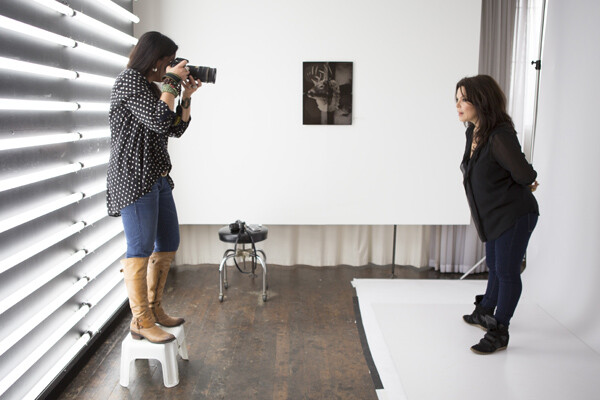
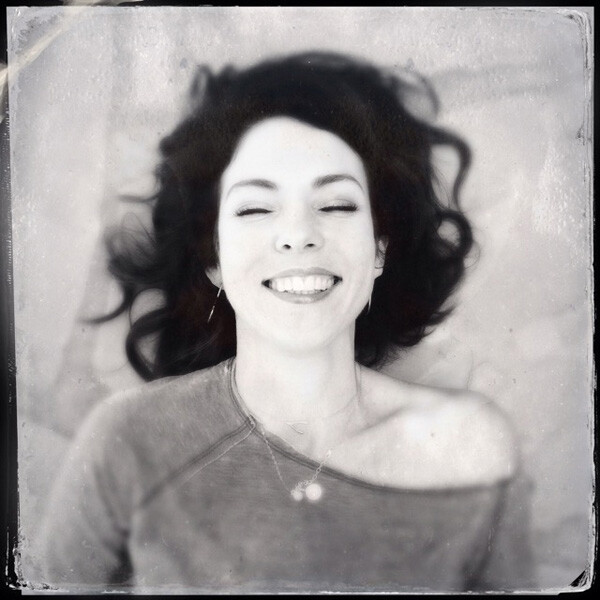
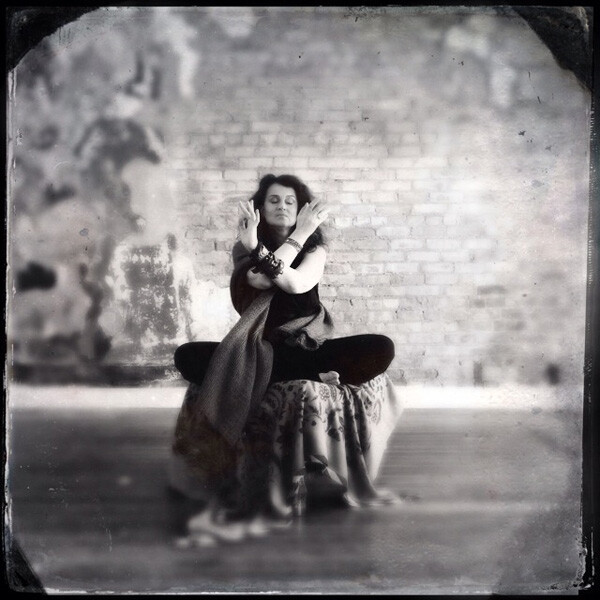
Photographing Danielle LaPorte – author

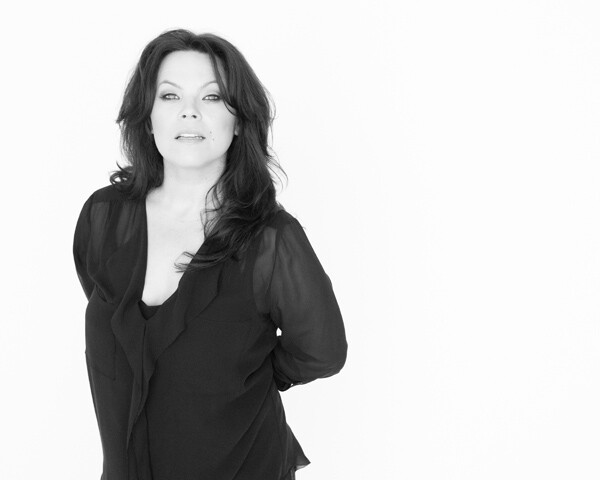
Portrait of Danielle LaPorte - author

Portrait of Danielle LaPorte – author

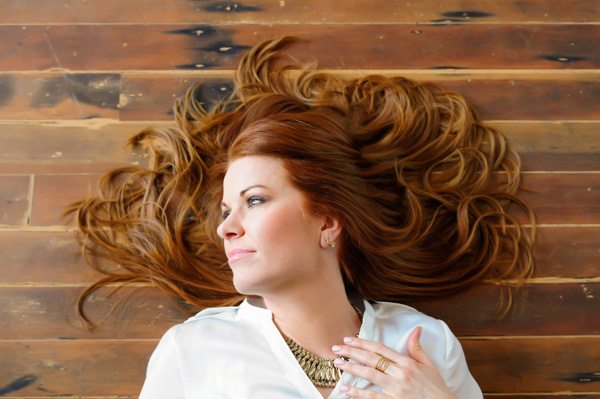
Tip #1 – have your subject look up at you

It’s slimming and flattering (see images above). Bring a small step stool to stand on and photograph your subjects from slightly above their eye line. Watch double chins disappear. Keep a step stool in the trunk of your car so you don’t even have to think about adding it to the list of gear to bring when you prep the night before. It’s there, ready to go.

Tip #2 – capture the moments in between poses

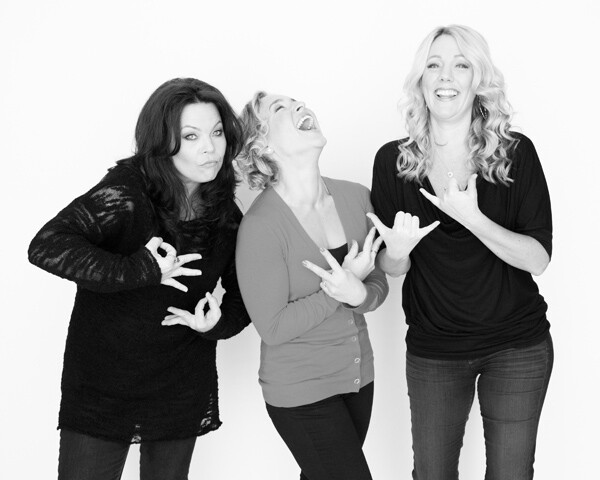
Cjust_tip2

Personally this is a favorite of mine. If you’re noticing the images look too posed, or your subject is uncomfortable in front of the camera, shake things up. Ask them to do the most ridiculous pose or ask them to pretend to laugh really hard. Take that photo, but keep the camera up and wait. The moment after that photo happens you’ll find their guard will come down, they will laugh authentically or give you a moment that feels much more real.

Tip #3 – turn the subject’s body slightly

Have them turn their body slightly away from the camera and their face still looking straight at you. This is not only slimming, it also gives the photograph more depth.

Tip #4 – flattery

Always tell them how beautiful they look. It’s unnerving to have someone pointing a camera at you and not know what the photos look like. Tell them. It will help calm their nerves and you will notice a difference in the photos because they will feel more confident and attractive.

cj_tip9

Tip #5 – connection

This is the key to everything really. If there’s a connection between you and the person you are photographing, there’s a magic that happens that’s unexplainable. Sure, you can have the right lens, the right camera, and the right lighting, but an authentic connection between the two of you takes it up a notch. You can see it in their eyes. They connect with you, and it shows with a different authenticity that can’t be faked. Ask questions, become curious about who they are. Get to know them on a more personal level. Keep that conversation going throughout the photo session. Laugh with them.

cjust_tip6

Tip #6 – tell your subject to flirt with the camera

Ok, that sounds weird but it can work. Ask them what celebrity crushes they have. That changes the look in their eyes and on their face. Have them pretend that the camera is that person. Seriously. It makes them laugh, which goes with tip #2, and helps them loosen up as well. If they are in a relationship, ask them when they met, how they met, or some other stories about their partner that lights them up. Watch the shift happen and take photos throughout the conversation. You’ll capture moments that are real and off guard.

Cjust_tip7

Tip #7 – have them bring a playlist of their favorite music

I bring a portable wireless speaker and play their music, which creates a mood they are comfortable with. You can also play your own music. It helps give them something else to pay attention to and can lighten the mood. Get playful with it and dance around with them. Let them express themself and just pay attention with your camera ready. You can take photos of those moments as well. You can try a longer shutter speed while they dance for some variety and movement. A little blur can add more of a story to the series of images.

Tip #8 – clothing selection is important

Have them pick out clothing from their wardrobe that makes them feel like a rock star. It must be clothing that they feel comfortable in and which allows them to move easily. No crazy patterns or bright colors. The emphasis is on their eyes and their expression not the bold neon stripes on their top.

cjust_tip10

Tip #9 – lighting

If you’re outside, open shade is extremely flattering. This is best early in the morning, late afternoon and close to sunset, when shadows are being created from trees and buildings. Have your subject stand in the shade. A great place to explore this is in doorways. Try just inside an open garage door. Stairways inside parking garages can also provide a shade that’s not too dark, with the brightness outside reflecting on them perfectly. If you’re inside, you can still use natural lighting by turning off all the overhead lights and lamps and having your subject move close to the window. When it’s overcast it’s best because again, it will be even soft light on their face without any shadows or harsh light making them squint.

Tip #10 – break the rules

cjust_tip10b

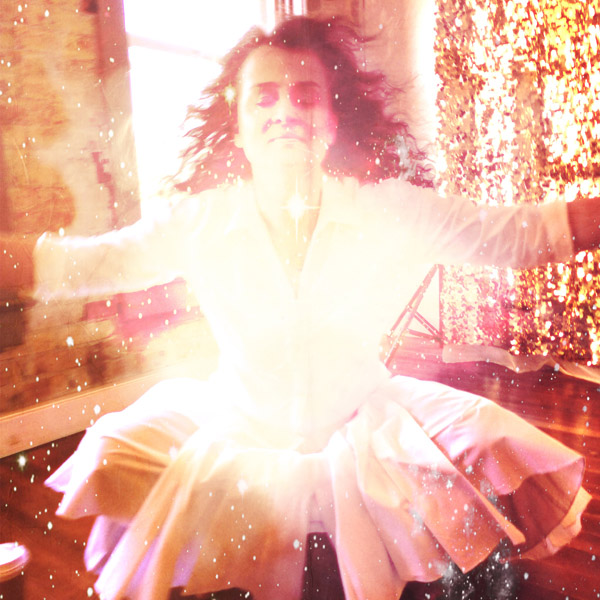
Allow the flare from the sun to fill the lens. Use alternative cameras like a Polaroid SX-70 or your iPhone. Try out the iPhone apps. It helps you expand as a photographer when you stretch yourself in new unchartered ways. Only bring one lens to the photo shoot. Bring the one you know is the most flattering. My favorite portrait lens is the Nikon 85mm 1.4 lens. ( yep, I’m a Nikon girl ). Think of this as more than a portrait shoot but as a fine art project. Have your subject create a Pinterest board of their favorite portraits before the photo session and play with those ideas. Try unconventional poses. They can lead you to unexpected moments of greatness with your portraits.

Next steps

Allow yourself to go on a journey of exploration during the photo session. There are so many ways to go from ordinary to extraordinary. Paying attention to the basics of composition, lighting, posing can help. Incorporating your own authentic personality into the session will help your client be more relaxed and open to try new things. This will bring you better results in the end.

So, what is one tip you’ve learned along the way that has helped you create better portraits? Share it with us in the comments below.

The post 10 Portrait Tips to Take Your Photography to the Next Level by Catherine Just appeared first on Digital Photography School.


Digital Photography School

 
Comments Off on 10 Portrait Tips to Take Your Photography to the Next Level

Posted in Photography


Ecosystems 101: Photography is a Currency

13 May
Whether you are a pro or an amateur, it is important to know that photography is more than just a language. It is also a currency. Which is to say that it has value, and it is fungible.

Read more »
Strobist

 
Comments Off on Ecosystems 101: Photography is a Currency

Posted in Photography


Unique Flower Photography Using Multiple Exposures

12 May

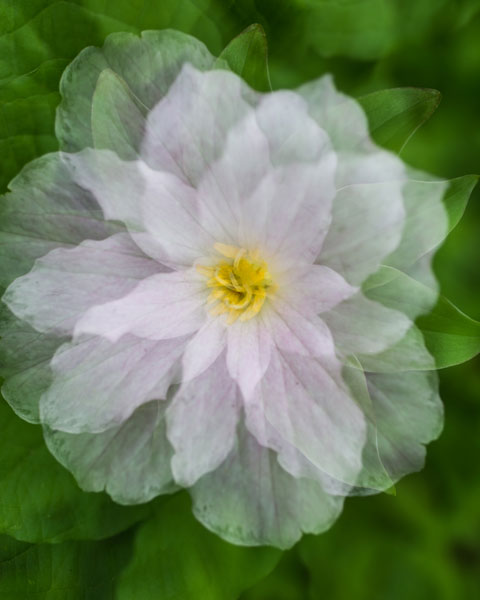
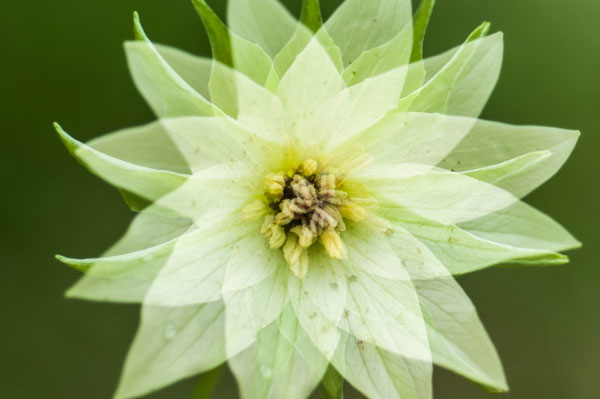
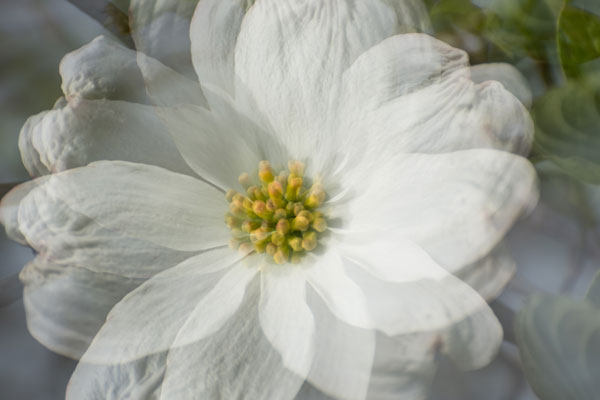
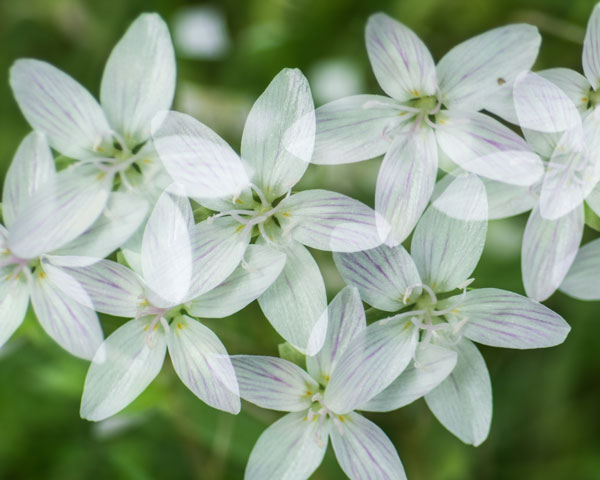
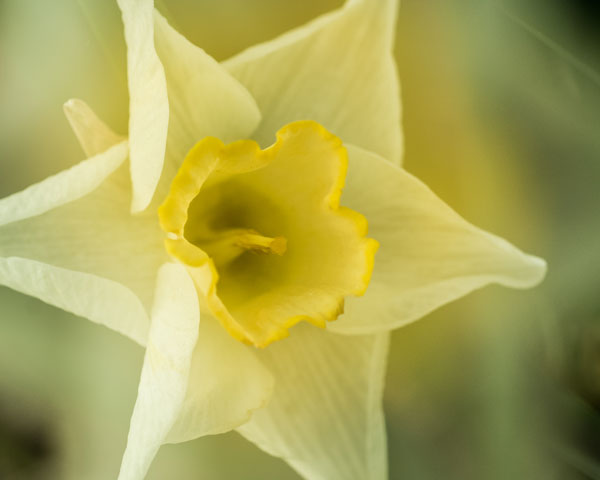
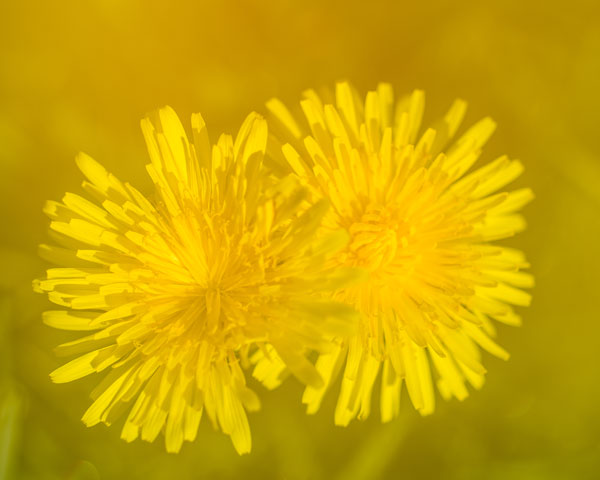
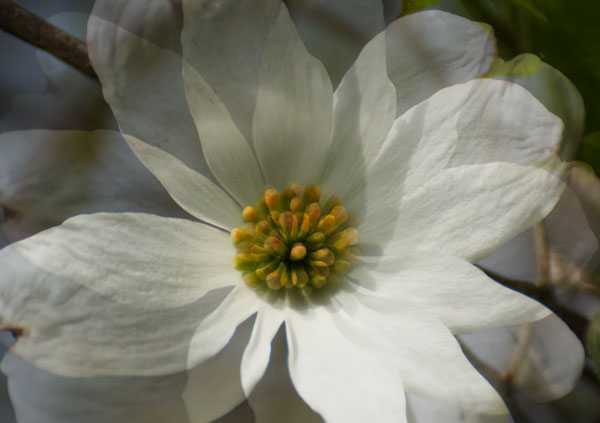
Most of the new cameras from both Nikon and Canon now have the capability to create multiple exposures. The technique is rather simple to set up, but the results can be both unlimited and unpredictable. So try using this feature to create some unique floral images.

DSC_3968

Set-up

  1. Select Multiple Exposure from your camera’s menu. The default option on this setting is, of course, OFF. Select the ON option. Some cameras will give you the option here for ON (series) which will keep the option on until you turn it off or ON (single photo) which will capture only one multiple exposure image.
  2. Scroll down to select the number of shots you desire, select either two or three. (Some cameras will allow you to select up to 10).
  3. The third setting is Auto Gain. When set to ON, your camera will automatically adjust exposure gain for the addition of each image. In the OFF position you must manually adjust for the exposure of each layered image. (All the sample images here were created with the Auto Gain ON.)
  4. Confirm that you have Multiple Exposure set to ON and hit OK.
  5. You’re now ready to shoot, so set up your exposure and focus like you would do with any floral image.
  menu1 menu2 menu3

Taking multiple exposure images does take some practice to perfect, and you will have a lot of throwaways. As you take each exposure, your camera will show you a preview of the image just exposed, and you have 30 seconds to shoot the next image or the camera will finish the process without any additional exposures. After the last exposure of the series, you will see the final image.

Type of Multiple Exposure Images to Try

The resulting photos you can accomplish with this technique are limited only by your own creativity. The following paragraphs describe how to shoot three types of images:

  • The Twist
  • The Fill
  • The Shoot Through

The Twist

In this method, set the number of shots to three. The key to this method is to keep the center of the flower in the same location on all three images. Using your spot focus point as a reference point to help keep the images aligned, take the first image. Keep the center of the flower in the same location of the view finder and turn the camera to the left or right and take a second exposure. Then, again keeping the center of the flower in the same location, turn the camera again and take the third image. The degree of your turn can vary depending on the size of the subject flower. Remember to refocus before each of the three exposures.

DSC_0009


DSC_0060

DSC_4035

The Fill

In this method you will fill the frame with flowers by shooting however many multiple exposures you choose and placing flowers in different locations within the frame with each exposure.

DSC_4059

The Shoot Through

Set your number of exposures to two. Your first exposure should be a normal exposure of the floral subject. Without changing the focus setting, move your camera closer to the flower to fill the frame with an out-of-focus image, which will give you a soft shoot-through effect.

DSC_3958

DSC_4045

Other Tips

  • Some Nikon models will automatically turn off Multiple Exposure after each image, so you will need to go back into the menu and turn it back on after each image is completed.
  • Simple backgrounds work best.
  • Most successful images are shot handheld. Using a tripod to create these images makes it difficult to move freely.
  • LiveView will be disabled on your camera during multiple exposures.
  • Remember, after your first exposure is taken, if no operations are performed within the next 30 seconds, the camera will automatically end the Multiple Exposure mode.

Creating Multiples in Photoshop

If your camera doesn’t have the Multiple Exposure options, you can still create these same effects in Photoshop.

  1. Take all your images as describe above as single frames. Open the first image in Photoshop.
  2. Open the second image and copy and paste it onto the first image as a second layer. Change the layer blending modes to multiply. You can experiment with different blending modes to get some wild effects. You can also change the opacity of each layer to get the effect to your liking.
  3. Repeat Step 2 for every image in the series.

photoshop

Shooting multiples is a lot of experimenting, but when you get a good image, you will know it! This method can also be used for many other kinds of images. For example, try shooting a silhouette and filling it with another image. . . the possibilities are endless!

The post Unique Flower Photography Using Multiple Exposures by Bruce Wunderlich appeared first on Digital Photography School.


Digital Photography School

 
Comments Off on Unique Flower Photography Using Multiple Exposures

Posted in Photography


How to Change your Photography by Simply Changing your Perspective

12 May

Perspective…it is a central component of photography, although it’s one that you probably don’t actively consider when composing a shot.  For our purposes, perspective can be described as the dimensions of objects within a scene and the measurements between them as they correspond to the viewpoint of the camera.  This simply means how things appear in a composition from the camera’s point of view. Continue Reading

The post How to Change your Photography by Simply Changing your Perspective appeared first on Photodoto.


Photodoto

 
Comments Off on How to Change your Photography by Simply Changing your Perspective

Posted in Photography


Equipment for Macro Photography – Video Tips

11 May

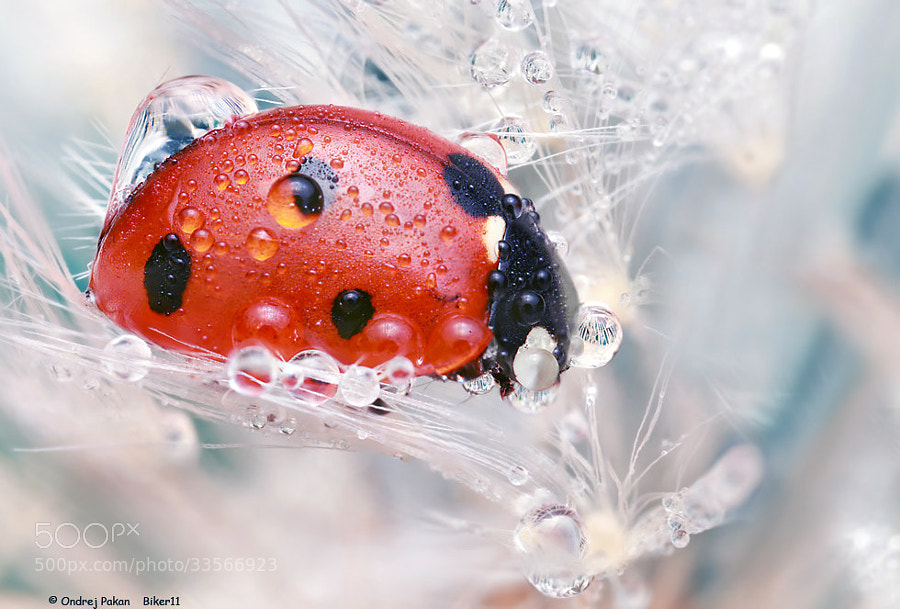
Photograph Dreaming by Ondrej Pakan on 500px

Dreaming by Ondrej Pakan on 500px

Macro photography has become really popular lately and there are many tutorials available on how to do it, including these on dPS:

  • How to Focus-Stack Macro Images using Photoshop
  • 6 Tips for Near-Macro Photography with a Telephoto Lens
  • The Wonderful World of Macro Lenses: Close-Up Photography Lesson #4

But let’s talk a little about the gear needed to do macro photography. Here’s a couple video that walk through some of the options to help you get started. In this video from Tamron see: How-To Macro Photography: Equipment, Lighting Tips and More

In this second video by Anthony Morganti you can learn: What You Need To Get Started In Macro Photography

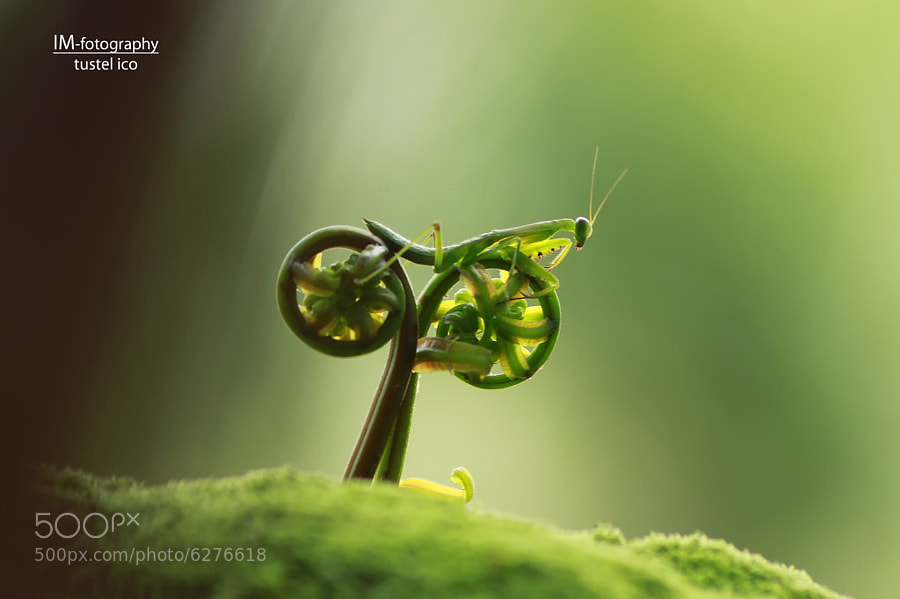
Photograph rate my bike by tustel  ico on 500px

rate my bike by tustel ico on 500px

By Jagadeesh SJ

By Alexey Kljatov

By Julien REBOULET

The post Equipment for Macro Photography – Video Tips by Darlene Hildebrandt appeared first on Digital Photography School.


Digital Photography School

 
Comments Off on Equipment for Macro Photography – Video Tips

Posted in Photography


Weekly Photography Challenge – Abstract Photography

10 May

Earlier I shared some inspiring abstract photos to help get you motivated and give you some ideas for this week’s photography challenge:

Abstract Photography

By Dagny Mol

Definition of abstract in relation to art

1ab·stract  adjective \ab-?strakt, ?ab-?\

  • expressing ideas and emotions by using elements such as colors and lines without attempting to create a realistic picture
  • A trend in painting and sculpture in the twentieth century. Abstract art seeks to break away from traditional representation of physical objects. It explores the relationships of forms and colors, whereas more traditional art represents the world in recognizable images.

Basically what that means if you’ve never done any abstract photography is shoot your subject in a way that it is either somewhat or totally unrecognizable. Concentrate on shapes, colors, and form and less on the thing in the photo. Shooting for abstract is a great exercise to help you train your eye to see “photographically” and get more creative.

So if you tend towards technically perfect images, it’s time to get outside your comfort zone and do something different. Make ones that are out of focus blobs of bokeh, under or overexposed, shadows, reflections, zoomed images, focused on patterns, macro photography or close-ups, and other crazy ideas. The whole idea here it to play around and see what you get. The key phrase for this challenge is:

What if I . . . ?

Need some more ideas? Here are a few images to get you started.

By Riccardo Cuppini

By @Doug88888

By Kevin Dooley

By @Doug88888

By @Doug88888

By Hector Lazo

By Tony Hall

By Geraint Rowland

By Claudio.Ar

Share your abstract photos!

Simply upload your shot into the comment field (look for the little camera icon in the Disqus comments section as pictured below) and they’ll get embedded for us all to see or if you’d prefer upload them to your favourite photo sharing site and leave the link to them.

The post Weekly Photography Challenge – Abstract Photography by Darlene Hildebrandt appeared first on Digital Photography School.


Digital Photography School

 
Comments Off on Weekly Photography Challenge – Abstract Photography

Posted in Photography


9 May, – Photography As Art, A Lifelong Passion

09 May


All of us are on a journey.  When it comes to our photography we are constantly evolving and growing with our craft and our images that we create grow and evolve with us.  I am in the fortunate  position that I see a lot of photographers work and have watched a number of these photographers evolve their art to incredible levels.  For years I have followed Eleanor Brown and watched her photography evolve. Today, Luminous-Landscape is proud to publish Eleanor’s essay  Photography As Art, A Lifelong Passion.  I hope you enjoy her work and article, make sure to click though to her website as she has a lot of other amazing images.  And, by the way this series of images and why she did them fits i very well with a previous article we recently published; Why Photography Projects Are Important by Alain Briot.


This July Luminous-Landscape hosts a workshop to the Northern Polar regions – Svalbard – Land Of The Polar Bear.  We have only 2 berths left on the first cruise.  The second cruise is Sold Out.  If you’d like a very special small boat experience to this region then register today.  You can find out more information HERE.


The Luminous Landscape – What’s New

 
Comments Off on 9 May, – Photography As Art, A Lifelong Passion

Posted in News


Bounce Flash Secrets – Bouncing Your Way to Better Photography

08 May

If you have ever seen a professional photographer using flashgun on top of their camera, and wondering why the flash is not pointing directly at the subject, that’s because they are bouncing the flash. In this article I will reveal to you the secrets of bounce flash, which I have learned over the years working as a professional wedding photographer. I will unveil my killer techniques that will allow you to bounce your way to better photography.

If you are new to photography you may be apprehensive about using flash. I understand. A lot of it has to do with when you first buy a point-and-shoot camera the flash on it just creates a horrible direct flash look and that is what you associate with flash photography. Once you master the art of bouncing however, I promise you will never look back.
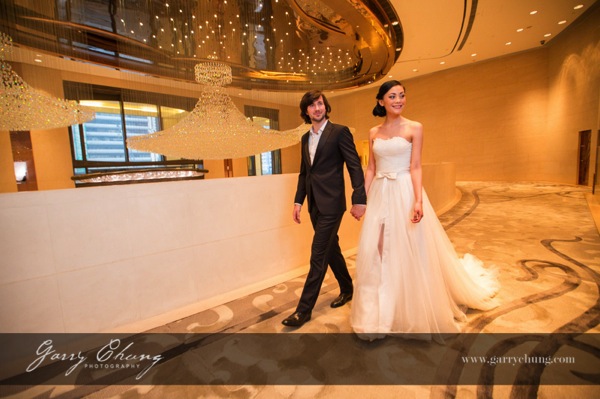
Garry Chung Photography 100

The image above is lit by bouncing flash off the wall on the right side, just out of frame. Notice how it doesn’t look obviously flashed.

What is bounce flash?

Bounce flash is when, rather than firing your flashgun pointing directly at your subject, you point it elsewhere typically up or at an angle, bouncing off a wall or ceiling. The objective is to “bounce” light to soften it before it hits your subject.

Why bounce it and not point directly at my subject?

Because generally speaking direct bare flash, pointing at your subject, is terrible for two reasons:

  1. The light is “hard” and can cash horrible shadows on your subject. It just generally is not very nice light for portraits. The definition of hard and soft light if you are confused is simply the transition the light makes between shadow and highlights. A gradual transition is called soft light and a sudden transition where you have a strong shadow edge is called hard light. Portrait photographers talk a lot about nice soft quality light and that is why they use light modifiers such as soft boxes and umbrellas.
  2. Direct flash produces “flat lighting” which gives that deer in the headlights look and also does not give a 3-dimensional quality to the photo

It is probably easier to show you in pictures so here are a few images of my friend Theresa, that I took just to illustrate the point. Just to set the scene, below is the area where I took these photos. This is a shopping center in Hong Kong and I have chosen the area because of the white walls.
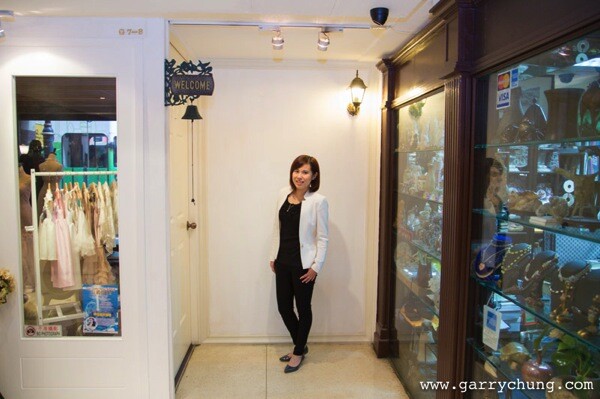
Bounce flash 100

This was shot with the flash pointed directly at the subject. Because there were a lot of white walls surrounding Theresa, there was a lot of wrapping light and it didn’t turn out too bad. But, there is a hard shadow in the neck area and the lighting is flat.

Bounce flash 101

Manual Mode, 50mm lens, f/4, 1/80th, ISO 800, flash in ETTL Mode

This was shot with the flash tilted upwards towards ceiling. The light is much softer and you can see that the shadow on her neck is softened. It’s OK but could be better.

Bounce flash 102

Manual Mode, 50mm lens, f/4, 1/80th, ISO 800, flash in ETTL Mode

This is the way I would light this portrait. The flash is tilted, in this case aimed to bounce off the wall to the left, and bounce back. The result is a nice soft light, and also notice the eyes have better catch lights.

Bounce flash 103

Manual Mode, 50mm lens, f/4, 1/80th, ISO 800, flash in ETTL Mode

But wait, I think I can do one better. I want a more dramatic and contrasty image so I cut out the ambient light by setting a faster shutter speed and stopping down to f/8. Still with the flash pointed to the left I now have my nice professional high key headshot, one flash on camera, no light modifier shot in a shopping mall.

Bounce flash 104

Manual Mode, 50mm lens, f/4, 1/200th, ISO 800, flash in ETTL Mode

When do I bounce my flash?

Indoors when there is ceiling or wall, preferably a white wall so there is no colour cast in the light, or outdoors if there is a surface nearby to bounce off. I see so many “professional photographers” have their flash pointing upwards when shooting outdoors when there is nothing to bounce off and I assure that does nothing other than sap power from you flash as it requires more power to light your subject.

How do I bounce my flash?

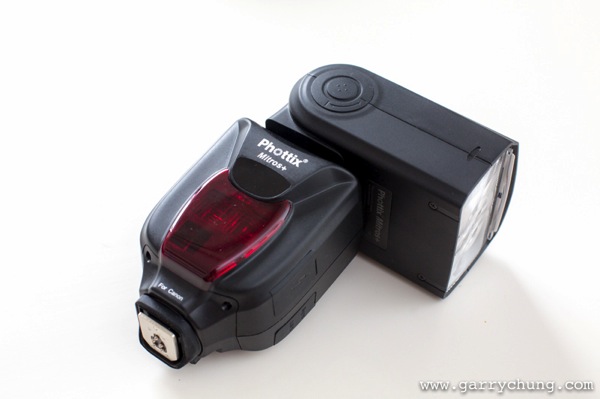
Firstly you will need a hotshoe flashgun (speedlight) that allows you to both tilt and swivel the head such as a Canon 600EX-RT, Phottix Mitros+ or if you are a Nikon user a SB900. Some flashes allow only tilt such as the Canon 430EX. This is not ideal as I like to bounce the flash in all directions.
Bounce flash 105

Phottix Mitros+ with swivel head

Which direction to bounce the flash?

Most people just point the flash upwards, which is fine, but I actually seldom do this because I always want to light a portrait using directional light if possible. So most of the time I am pointing the flash to the side, or tilted behind me to one side to give that nice slimming shadow on the face.

There is a simple formula to achieve this look that I learned from Jerry Ghionis – just point your flash head in the same direction as the nose of the subject so you are bouncing. So you are normally pointing the flash away from your subject, to one side. This is of course assuming that you have something to bounce off within a reasonable distance. The other way is to think of your walls as the light source itself, position your subject, frame your shot and then adjust your flash to target the walls.

Remember if you ware shooting events and weddings to readjust your flash direction when shooting from portrait to landscape. For me I am always looking at ways to bounce my flash. One final tip is to crop out the wall or ceiling that you are photographing, that way you don’t end up with a distracting bright wall in your photo.

Camera settings

In terms of camera settings I rely heavily on the Auto TTL system which works for me, so all I do is set the camera in manual mode so something like 1/60th of a second, ISO 1000 and let TTL do the rest. If you have a light subject and dark background, you can bring in more ambient light by:

  • Increasing ISO
  • Have wider aperture, lower F number
  • Slowing down the shutter speed

The more ambient light you drag in, the less “obvious” the flash effect. When it is a really dark scene, and most of the light is actually coming from your flash, I will drag the shutter down to 1/20th which sounds crazy because you could never handhold a shot at 1/20th in daylight. But, as you know the flash helps freeze the frame and hence helps get rid of camera shake. You want to be dragging in as much ambient light as possible if you don’t want your subject to be lit and the background very dark.

One method I use to see what Manual settings to dial into camera is to just take a picture with no flash and if it is totally black then I will increase ISO or switch to a faster lens. One I have the camera dialed-in with my Manual settings for the scene, I will use the flash exposure compensation to properly expose my subject.

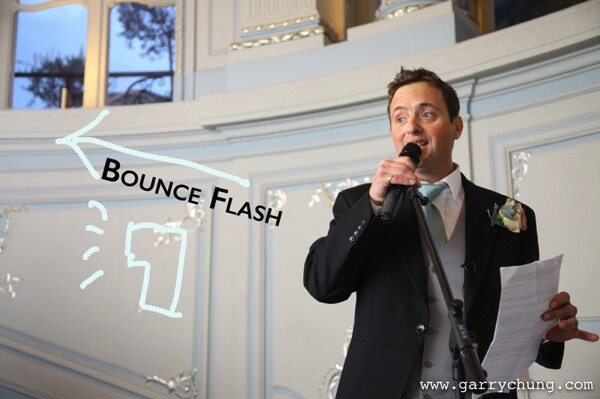
You can see from the below image taken of the best man at a wedding reception, there is no obvious harsh shadow behind him, there is nice light falloff and modelling on his face which adds to 3 dimensional quality of the picture, and the surrounding area is properly exposed. I was kneeling down at the time shooting at 1/30th, 1600 ISO, f/4, 50mm lens with the flash pointed camera left tilted upward behind me about 45 degrees.
Bounce flash 106

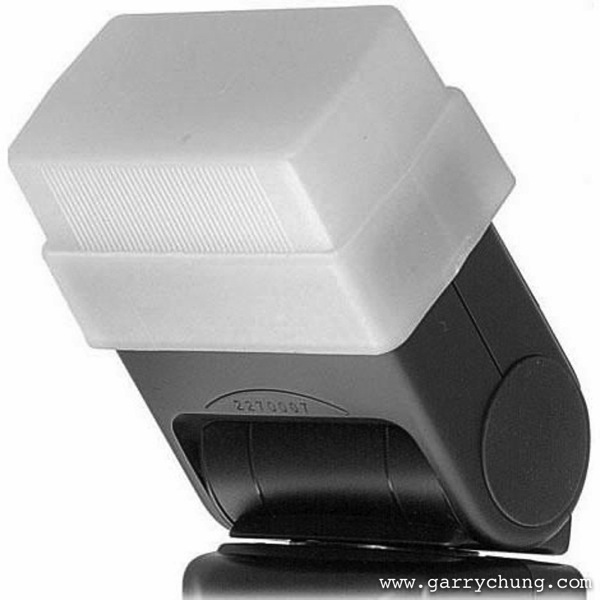
Some people put a plastic diffuser on top of their flash what is that for?

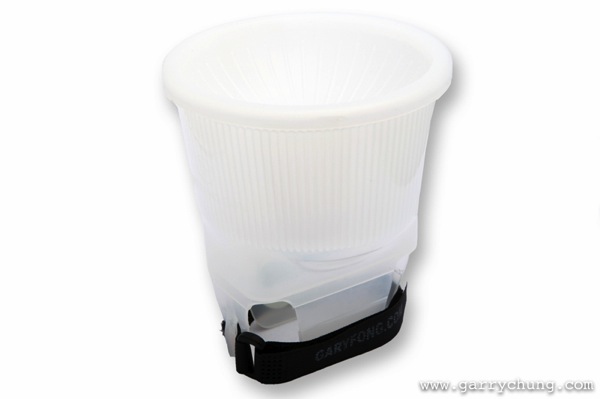
I should mention this, many photographers use diffusers on top of their flash to spread the light out in all directions, below are the two most popular products on the market, the Gary Fong Lightsphere and the Stofen Onmi Bounce. There are many more cheaper products, and copies, that essentially do the same thing.
Bounce flash 2

Gary Fong Lightsphere

Bounce flash 3

Stofen Onmi Bounce

I have actually owned, and tried, most of the diffuser products and I have nothing against them but I don’t use any of these any more. I prefer more bare bulb bouncing for more directional light and what the diffusers do is the opposite because they spread light in all directions.

Conclusion

Practice makes perfect and I have photographed many wedding receptions in the UK in the winter where it can be pitch black by 5 p.m. Mastering bounce flash technique really improved the quality of my work. Now when I know that there is not enough light and I have to use flash the first thing I do is look for surfaces to bounce off. Remember you have to be adjusting the direction of the bounce dependent on each frame if you are recomposing. So go ahead get a flashgun if you haven’t already and start experimenting with bouncing flash.

The post Bounce Flash Secrets – Bouncing Your Way to Better Photography by Garry Chung appeared first on Digital Photography School.


Digital Photography School

 
Comments Off on Bounce Flash Secrets – Bouncing Your Way to Better Photography

Posted in Photography