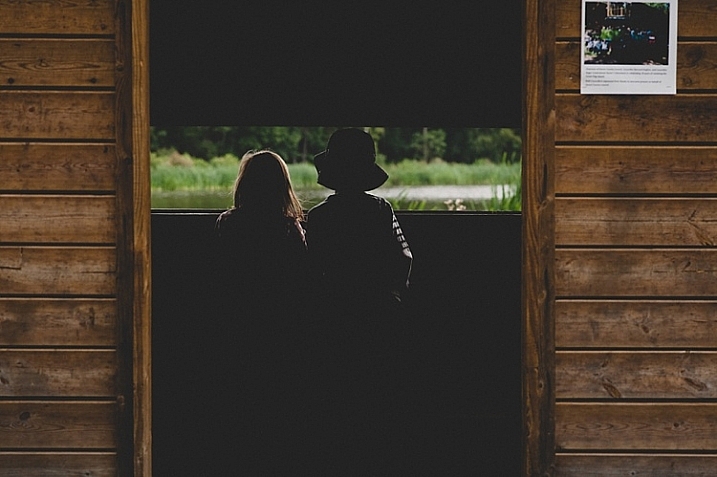
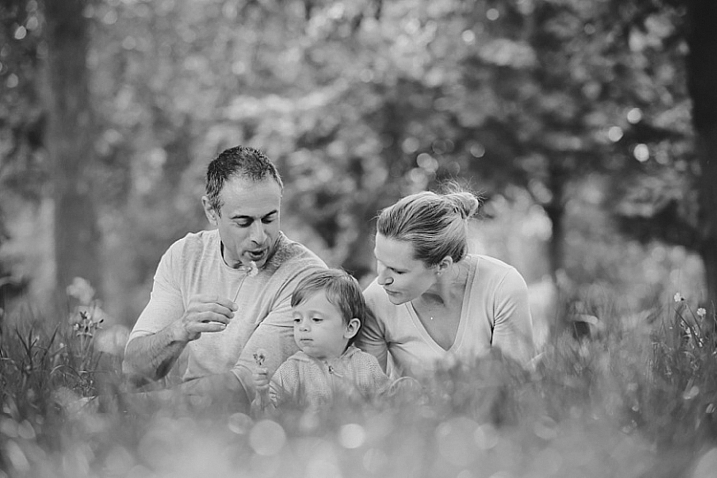
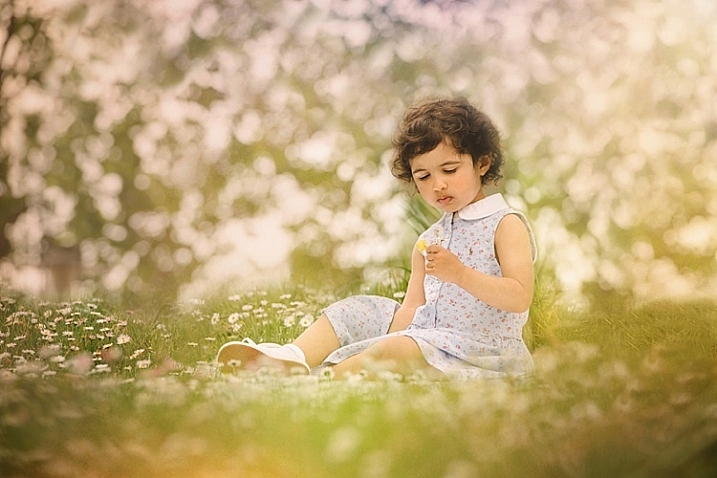
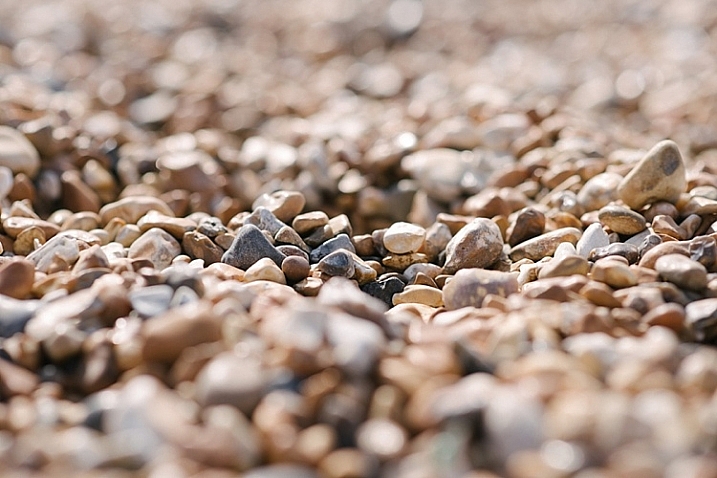
RSS
 

Posts Tagged ‘Photography’

8 Tips to Improve Your Photography by Creating Instead of Taking Photos

22 Feb

If you’re like most photographers you use your camera to capture a moment; you see an interesting subject, so you photograph it to the best of your ability. But a worthwhile experiment is to try staging a photo. Rather than waiting for all the elements to perfectly arrange themselves, take control and create the moment yourself.

It’s an important lesson in thinking about the story and composition, and it’ll improve your photography in no time. I spent three years photographing everything in sight, but it was only after taking control of my images that I was able to turn my hobby into a profession.
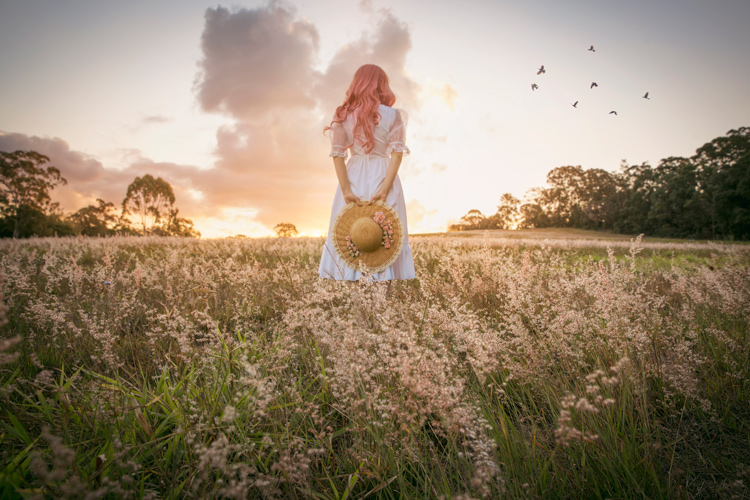
Field of Dreams

Creating a photo can be as simple, or elaborate, as you wish. If you’re interested in street photography, this could involve asking an interesting stranger to pose in a particular place or way. For macro photography, setting up a backdrop behind a pretty flower can make the subject more dynamic. For portraits it could be a photo of your child dressed in their favourite costume, acting out a scene in your backyard. As long as you have actively directed the subject in some way.

Elements to consider are:

  1. Story
  2. Subject
  3. Setting and location, era, time of day
  4. Props
  5. Wardrobe
  6. Pose
  7. Lighting
  8. Framing / Composition and angle, lens used

Let’s break these down one by one.

#1 – Story

What’s happening in your photo? What’s your subject or character doing? A story isn’t always necessary, but having answers to these questions certainly helps make it more engaging, and gives you an idea of what extra elements can help enrich the story.

In “Return of the Sword” (below) I was playing with the idea of King Arthur’s Excalibur, and I wanted my character’s reflection to look as if it were offering her the sword. To be able to tell this story I needed to have the right prop, costume, and location, to help the viewer understand what was happening, and associate it with the original story.
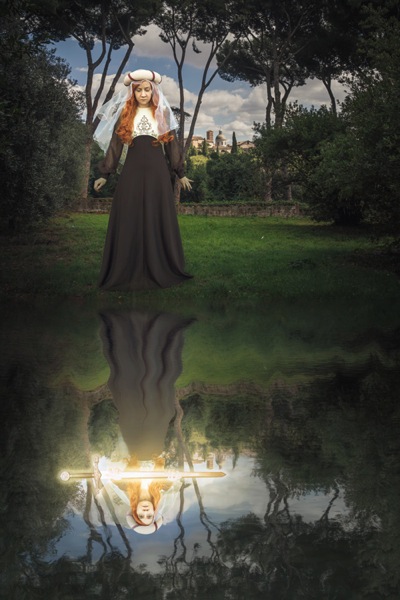
Return of the Sword

#2 – Subject

Who is your character? What physical attributes do they need to have? If you have a willing family member or friend on hand, that’s great! Otherwise you can recruit models through places like ModelMayhem. However, your subject needn’t be a person, an object or an animal are fine too.

I shoot self-portraits, primarily because it’s convenient, but I’m certainly no classic beauty, so I try to disguise my face as much as possible. In “Red Runs” below, I wanted to show Red Riding Hood running through a forest, followed by a wolf, so my character needed a red cape and blonde hair. This was easily achieved with the help of a blonde wig and my dog, Koda.
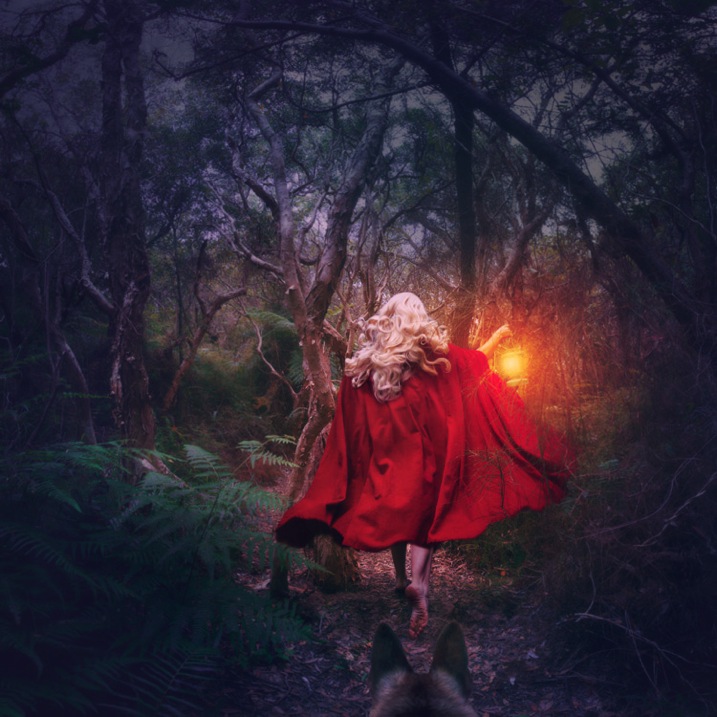
Red Runs

#3 – Setting

Where and when is your story taking place? To find interesting locations, assess your local area for unique landmarks. Use Google Maps to discover what’s nearby, then use your car and your feet to explore further. If your goal is to photograph an interesting insect, your where might be in front of some black cardboard to cut out the background clutter, and your when might be early morning when the light is soft and appealing.

In “Siren’s Sorrow” below, I used an impressive local relic, the Gayundah Shipwreck, to tell the story of a regretful mermaid. I shot at sunset to add interest to the sky, and I wanted the time period to be non-specific, so I was sure not to include any objects in the shot, that would anchor it in time. There were many walkers passing by, and an active construction site overlooking the area, but you’d be surprised how quickly you stop being self-conscious when you start doing self-portraits.
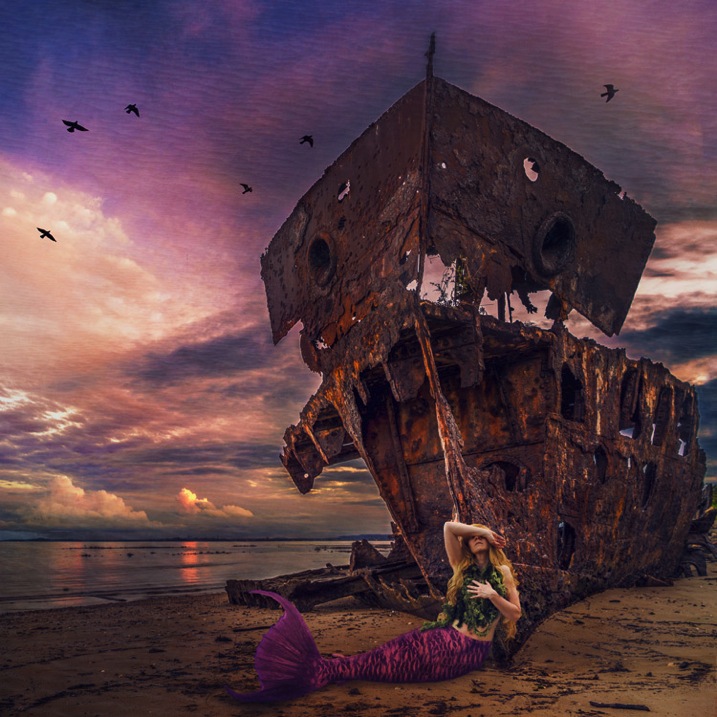
Siren s Sorrow

#4 – Props

Having your subject interact with something will make your shot more interesting and further your story. You can buy props from cheap used clothing shops, eBay, or just use things you have lying around the house. If you’re going for something simple, spraying water on a flower adds interest, as does adding people to a landscape.

In “The Blue Girl” I wanted to tell the story of a girl who had cried for so long, that she filled a room with tears, and turned it into an ocean. I placed polyfill behind her head for the clouds, and added birds and a friend’s model ship, to give interest to the scene.
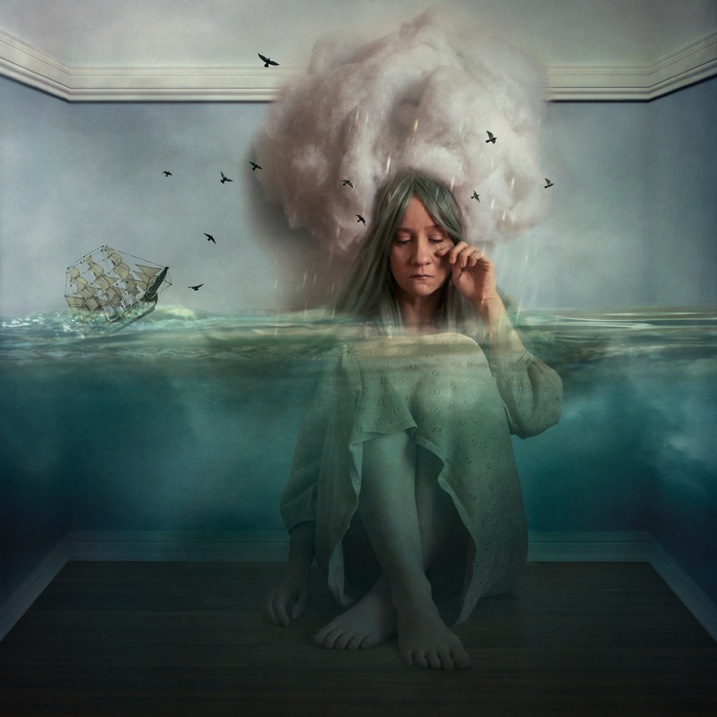
The Blue Girl

#5 – Wardrobe

What would your character be wearing? I have a rack full of costumes, specifically to be used in photoshoots, that I’ve bought from eBay and op shops, but you needn’t get this involved. My main considerations are usually whether the outfit suits the story, and if its colour will contrast with the surroundings, to make it stand out. If my face will be seen, I generally wear basic make-up I’ve applied myself.

In “Dance of the Jacarandas” I used a $ 30 wig from eBay, and a $ 5 dress I bought at a local theatre’s costume sale. The dress was the perfect colour and shape, to make my character look like a Jacaranda flower.
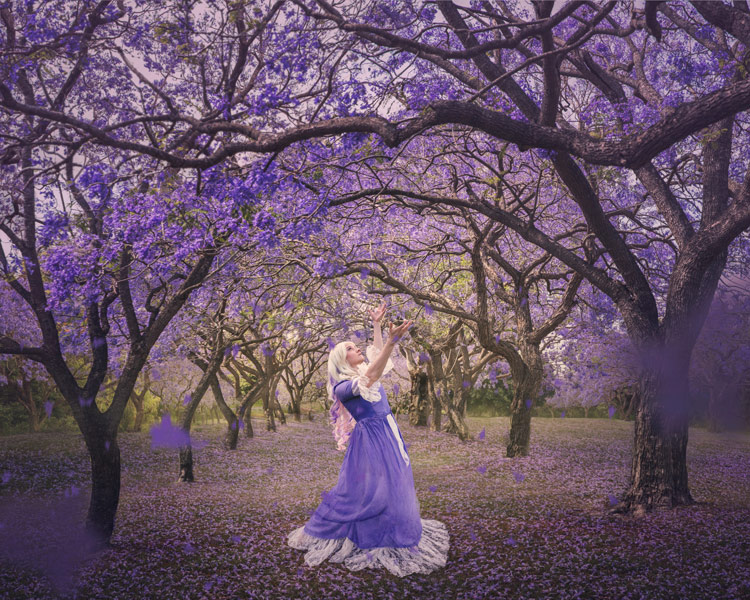
Dance of the Jacarandas

#6 – Pose

What would your character naturally be doing in their story? Are they powerful or submissive? I tend to shoot the main pose, and then do a few variations so I have options to work with.

In “I Tried to Drown My Sorrows”, I wanted to show a girl who looked like she’d fallen into a glass. The pose had to be compact to fit in the glass, yet rigid to show the shock of the fall. I did this by jumping around in my backyard, then flipping the image upside down so I was falling instead of jumping. The movement caused by jumping makes the pose more dynamic and my hair look like it’s floating.
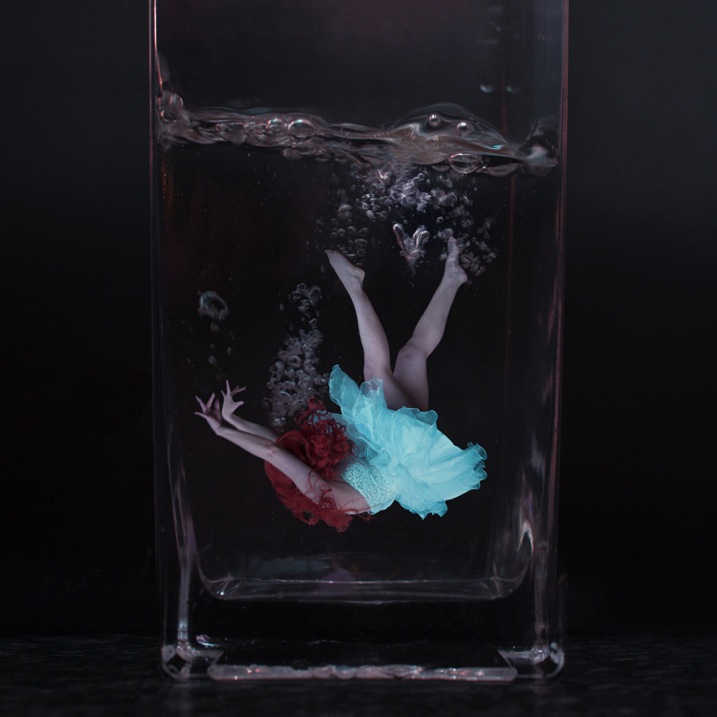
I Tried to Drown My Sorrows

#7 – Lighting

Lighting can be tricky, and expensive, so it’s always best to start out with natural light, positioning your subject so the light sculpts their features. Shoot early, or late in the day, and aim for overcast or cloudy days to avoid harsh shadows (unless that’s what you want). You can start experimenting cheaply with lamps and candles.

I usually like to work with natural, overcast lighting, because it makes compositing easier. But, in “Self-Destruct” I wanted the character to look as if she were burning the world down, so I shot as the sun was rising which would make the landscape a warm orange.
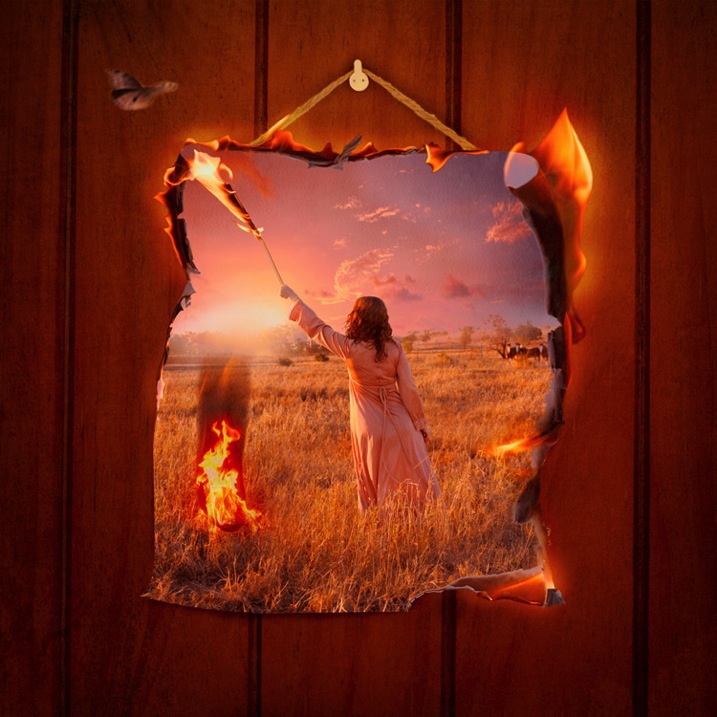
Self Destruct

#8 – Framing

Do you want a wide shot to see the location, or a tight shot to really focus on your subject? Do you want to shoot from low down to make them look powerful, high up to make them look submissive, or straight on to let the image alone tell the story? Do you want the whole scene in sharp focus, or do you want the background to be blurry?

I shot the three elements (sky, character, flowers) of “Time Flies” straight on, so they were easy to composite together. I cropped the image so the girl filled the frame, but removed her face to add mystery to the image. The loosely pointed hand directs the eye around the scene.
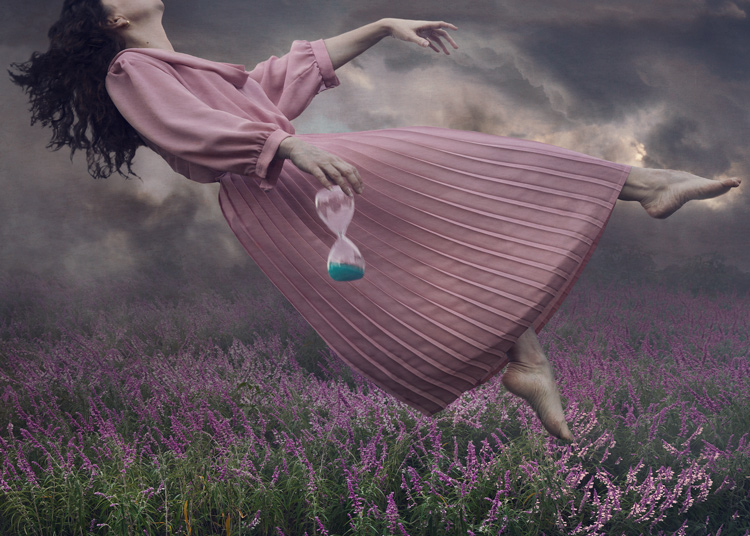
Time Flies

Summary

When planning your image, try sketching out your idea beforehand, as this helps you visualize what it will look like, and if any extra elements are needed to strengthen your story. My images often take on a life of their own, different from my original concept, so don’t get too disheartened if your shoot doesn’t work out. You’ll still have learned a ton of things from the experience that you can use next time.

Naturally your concepts don’t need to be as involved, or as heavily Photoshopped as mine, but I’m certain you’ll find the process of creating something from your imagination incredibly fun and rewarding. I’d love to see the results of your own staged shoots, please share in the comments below.
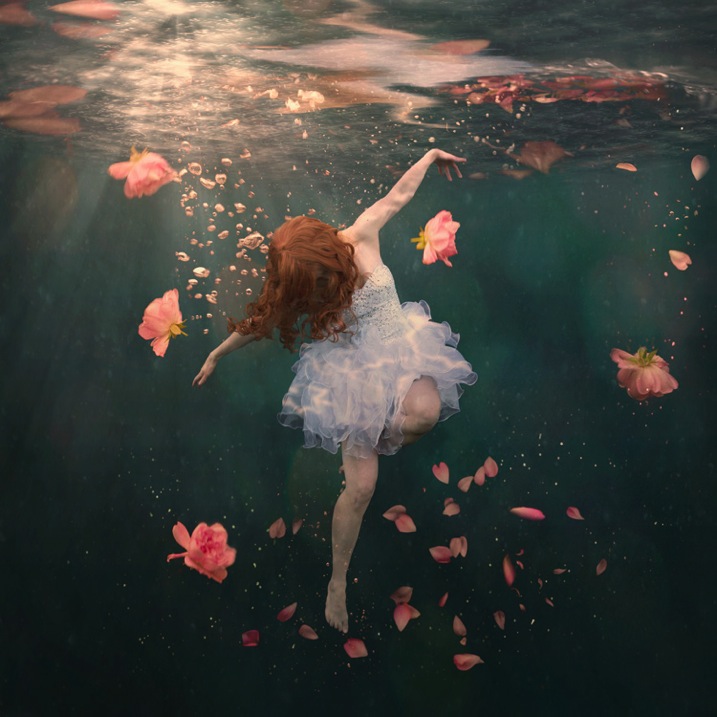
Rosewater

googletag.cmd.push(function() {
tablet_slots.push( googletag.defineSlot( “/1005424/_dPSv4_tab-all-article-bottom_(300×250)”, [300, 250], “pb-ad-78623” ).addService( googletag.pubads() ) ); } );

googletag.cmd.push(function() {
mobile_slots.push( googletag.defineSlot( “/1005424/_dPSv4_mob-all-article-bottom_(300×250)”, [300, 250], “pb-ad-78158” ).addService( googletag.pubads() ) ); } );

The post 8 Tips to Improve Your Photography by Creating Instead of Taking Photos by Hayley Roberts appeared first on Digital Photography School.



Digital Photography School

 
Comments Off on 8 Tips to Improve Your Photography by Creating Instead of Taking Photos

Posted in Photography


Weekly Photography Challenge – The Dinner Table

20 Feb

Photos of food, when done well, serve to make the viewer hungry or at the very least make the food in the photo look appetizing. Often food is photographed right at the table.

Stéphanie Kilgast

By Stéphanie Kilgast

Laura Thorne

By Laura Thorne

Weekly Photography Challenge – The Dinner Table

Your goal for the photography challenge this week is to photograph some food. It could be your meal, or like this image of mine I shared previously, someone else’s that looked appealing.

This is actually my photo taken of someone else's sandwich in Trinidad, Cuba. It just looked so amazing!

This is actually my photo taken of someone else’s sandwich in Trinidad, Cuba. It just looked so amazing!

Interpret the theme – the dinner table – however you want. It could be even just the table and place setting, maybe a candle or two, or an entire spread of food. Include people eating and enjoying the food, or for scale and perspective. Get close up on one item, or shoot the whole plate. The choice is yours.

Gwaar

By gwaar

Dan Foy

By Dan Foy

Robert S. Donovan

By Robert S. Donovan

Scott  Norris

By Scott Norris

Stacy Spensley

By Stacy Spensley

Ari Helminen

By Ari Helminen

Equipe Integrada

By Equipe Integrada

Share your images below:

Simply upload your shot into the comment field (look for the little camera icon in the Disqus comments section) and they’ll get embedded for us all to see or if you’d prefer upload them to your favourite photo sharing site and leave the link to them. Show me your best images in this week’s challenge. Sometimes it takes a while for an image to appear so be patient and try not to post the same image twice.

googletag.cmd.push(function() {
tablet_slots.push( googletag.defineSlot( “/1005424/_dPSv4_tab-all-article-bottom_(300×250)”, [300, 250], “pb-ad-78623” ).addService( googletag.pubads() ) ); } );

googletag.cmd.push(function() {
mobile_slots.push( googletag.defineSlot( “/1005424/_dPSv4_mob-all-article-bottom_(300×250)”, [300, 250], “pb-ad-78158” ).addService( googletag.pubads() ) ); } );

The post Weekly Photography Challenge – The Dinner Table by Darlene Hildebrandt appeared first on Digital Photography School.


Digital Photography School

 
Comments Off on Weekly Photography Challenge – The Dinner Table

Posted in Photography


Travel Photography Simplified: 4 Changes that Made me a Better Photographer

19 Feb

Get Viktor’s Lightroom Rapid Editing System for Travel Photography Course 50% off now at SnapnDeals for a limited time only – February 9th-23rd, 2016.

When I look back and analyze how my photography has changed over time, I see that the last couple of years were the most eventful in regards to the evolution of my photography. I see that rapid advances in technology, in combination with my attempts to simplify various aspects of my photography, gradually changed my entire workflow.

Images Travel Photography Simplified 01

If I had to identify the key moments that triggered the rest of the changes, my switch from DSLR to a mirrorless system would be at the very top of the list.

1. Mirrorless Setup

Depending on the type of photography, the switch to a mirrorless system affects photographers differently. As a travel photographer, the effect of the change was huge for me, and even though the learning curve was steep, it was liberating from the very beginning.

The compactness of mirrorless systems was the most obvious factor for the switch. Here is the breakdown of my camera, plus lenses setup:

  • Sony A6000 (344g, 12oz)
  • Sony 10-18mm (220g, 8oz)
  • Sony 16-70mm (308g, 11oz)
  • Total: 874g (31oz)

It’s hard to believe that a high-quality, wide angle zoom lens (10-18mm) can weigh only 220g (8oz). The full set, including the camera and two lenses that cover 90-95% of my needs, weighs less than 900g (32oz). I call it freedom.

Images Travel Photography Simplified 02

From a practical standpoint, it actually means that I can pack the entire setup into a carry-on when traveling by plane. It also means that I do not have to think about what equipment to bring when packing for a demanding hike. Instead, I bring everything with me.

The other two factors of my switch that impacted my photography were the amazing dynamic range of the Sony sensor and its EVF (Electronic Viewfinder). The extended dynamic range of the sensor allows me to reduce the number of brackets I have to take, to cover the entire dynamic range of the scene. Also, it saves me time editing, since I do not have to use HDR, and Image Blending techniques, as often as before.

The Electronic Viewfinder also allows me to more accurately assess the scene before taking the shot and, as a result, reduces the number of unsuccessful shots.

Images Travel Photography Simplified 03

2. Changing Travel Routine

I did not expect that one small change to my travel routine would impact my photography so much. So what was the change? I simply stopped editing photos while traveling. Instead, I began concentrating all my efforts on finding interesting locations and capturing them – nothing else. This new focus makes my trips more enjoyable, reduces stress, and improves my photography in general.

Before, I always loaded all of the new photos at the end of the day to Lightroom using my laptop. While checking the day’s results, I would often start culling and editing.

Now, when I want to check if a shot is successful, I can do it while shooting, simply by wirelessly connecting my camera with my tablet. And, if it is absolutely necessary to post a couple of new photos to social media, I can edit them in seconds using Snapseed on my tablet, then easily post them online.

Images Travel Photography Simplified 04

3. Simplified Backup System

Keeping photos safe while traveling is a big issue for any photographer. Up until recently, there was no reliable enough solution for a photographer, like myself, to go on an extended photography trip without bringing a laptop. For years, a laptop was the center of my backup strategy while traveling, which only added unnecessary bulk to my setup.

Finally, I think this is starting to change. For the last few months I’ve been testing a laptop-less travel approach, and I am confident that a new setup this year will completely replace my outdated backup system.

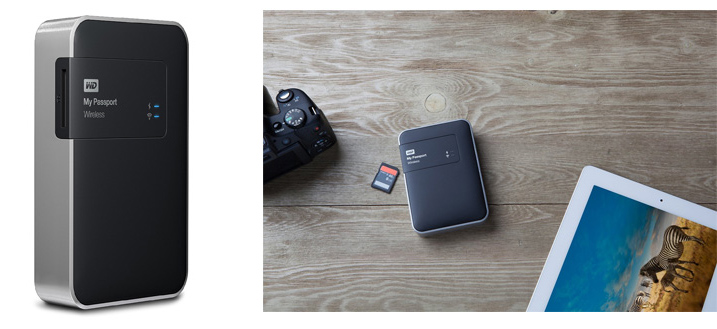
This new workflow is possible because of a device that was recently released: WD My Passport Wireless. The device has a variety of interesting features, but the most important one, from a photography standpoint, is the SD Memory Card Reader. When you insert a memory card into the reader, it automatically backs up all the contents of the card to the drive. Plus, it supports incremental backups, which means that it backs up only new files rather than those previously transferred.

Images Travel Photography Simplified 05

Photo courtesy Western Digital

This device makes it possible to travel without a computer. Also, it minimizes the risk of losing images due to memory card failure. Now, I incrementally backup my new images multiple times throughout the day, and by the end of the day back at the hotel, I already have all of my new images on two devices.

Another feature of the WD My Drive Wireless that excites me as a photographer, is its ability to connect to the drive with a mobile app and grab any photos (JPEGs only) for editing.

Images Travel Photography Simplified 06

4. Rapid Editing

Lightroom is my primary photography editing tool. At some point, I realized that 80% of my editing steps were identical for every photo. This meant that only 20% of my efforts were spent on what really mattered: making every photo unique. I also recognized that if I could automate the 80%, then I could drastically reduce the time I spend in front of the computer.

The obvious choice for editing automation was Lightroom’s preset functionality. The presets allow users to record their editing steps in Lightroom for later use.

The main obstacle in developing and implementing a new system was Lightroom’s presets limitations. You have probably already noticed that it is rare when you apply one of the presets to a photo that are happy with the final results. You still have to dive deeper into the Lightroom editing tools to compensate for the level of exposure, lighting conditions, shadows, and the dynamic range of the scene.

I solved this problem by introducing a two-level editing system which I call Lightroom Rapid Editing. I separated my Lightroom presets into two categories:

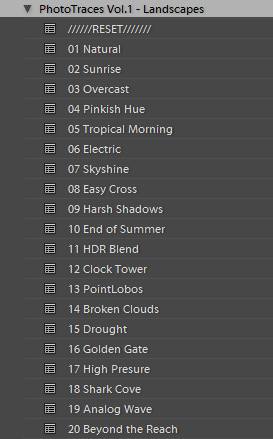
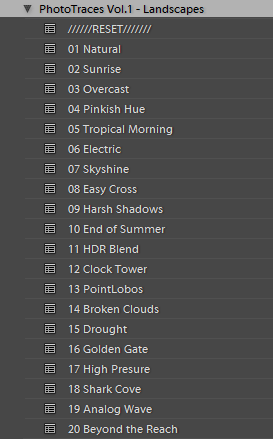
Style Presets: The presets that establish the artistic style and reflect our creative vision. For example, a dreamy, warm look or an aggressive and contrasted style, soft black & white or a vibrant cross processed treatment.

Images Travel Photography Simplified 07

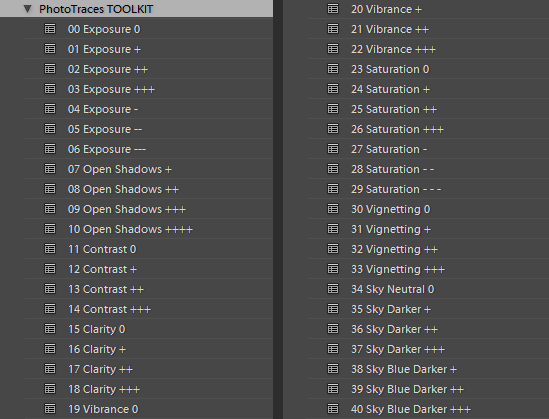
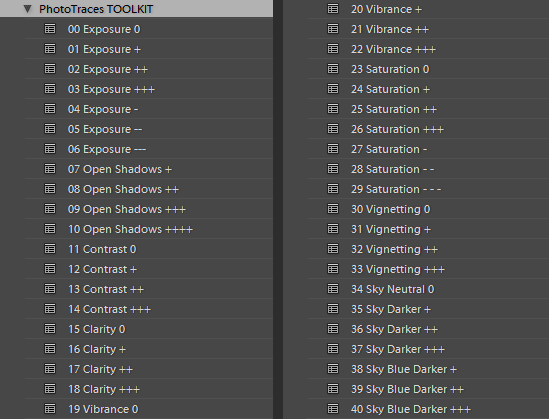
Adjustment Presets: The presets that do affect the style of the photograph but help us to fine-tune the following parameters: exposure, shadow recovery, contrast, clarity, vignetting. I called the collection of the adjustment presets the TOOLKIT.

Images Travel Photography Simplified 08

This is how my workflow looked after I implemented the two level preset system:

First, I applied one of the Style Presets. Then, I used the Adjustment Presets from the TOOLKIT to fine tune the image. Simple, effective, and automated. The Lightroom Rapid Editing System reduced my editing time by more than half and made my photography more consistent.

Here is a quick demonstration:

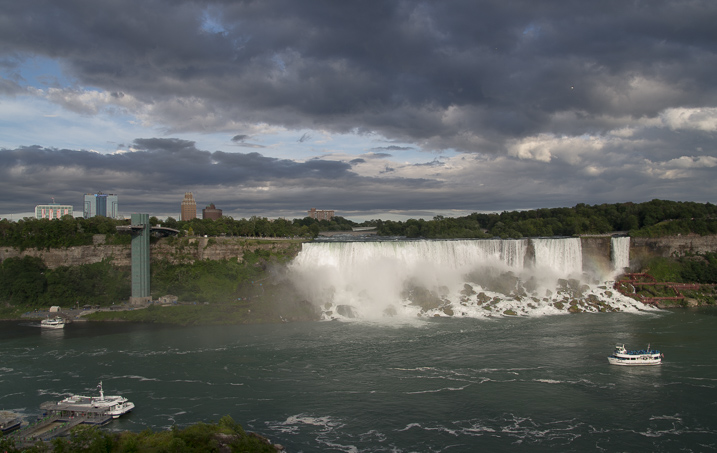
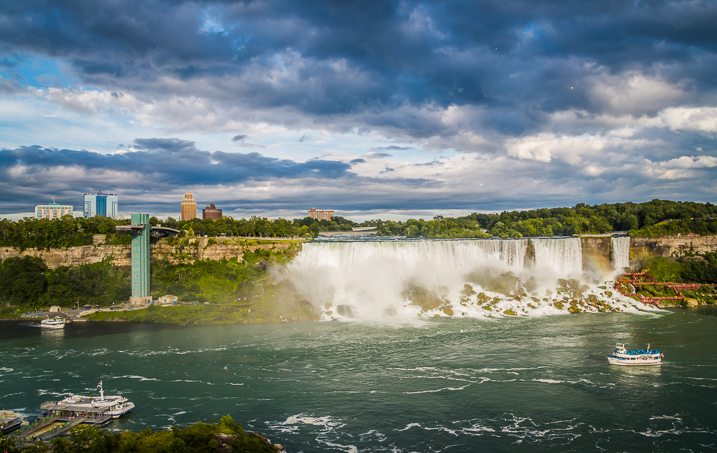
For the demonstration, I selected a photo of Niagara Falls (American and Bridal Veil Falls). The scene was somewhat challenging as the water of the falls, was much brighter than the rest of the scene. I intentionally set exposure for the brightest areas, making sure I preserved enough details in the water. It resulted in an underexposed capture, making it more challenging to edit.

Images Travel Photography Simplified 09

First, I applied one of my favorite presets from the Landscape Collection – Natural. Second, I used the following TOOLKIT adjustments (Adjustment Presets):

  • 01 Exposure +
  • 08 Open Shadows ++
  • 17 Clarity ++
  • 31 Vignetting +

Here is the result. It took me five clicks, and no more than two minutes to complete the editing. To record my editing steps for future reference and easy sharing, I used Lightroom Rapid Editing Formula: Natural (02, 08, 17, 31).

Images Travel Photography Simplified 10

Read a more detailed explanation of my travel photography workflow here: Photo Editing Workflow for Travel Photography

Conclusion

I believe that simplification is the key factor in mastering any complex process. If you reject unnecessary complexity by drastically simplifying it, you can invest more time and effort into what really matters. The changes I listed above did not happen overnight but they were always driven by the desire to simplify my photography.

How have you simplified your photography? Share with us in the comments below.


If you found this helpful, get Viktor’s Lightroom Rapid Editing System for Travel Photography Course 50% off now at SnapnDeals for a limited time only – February 9th-23rd, 2016.

googletag.cmd.push(function() {
tablet_slots.push( googletag.defineSlot( “/1005424/_dPSv4_tab-all-article-bottom_(300×250)”, [300, 250], “pb-ad-78623” ).addService( googletag.pubads() ) ); } );

googletag.cmd.push(function() {
mobile_slots.push( googletag.defineSlot( “/1005424/_dPSv4_mob-all-article-bottom_(300×250)”, [300, 250], “pb-ad-78158” ).addService( googletag.pubads() ) ); } );

The post Travel Photography Simplified: 4 Changes that Made me a Better Photographer by Viktor Elizarov appeared first on Digital Photography School.


Digital Photography School

 
Comments Off on Travel Photography Simplified: 4 Changes that Made me a Better Photographer

Posted in Photography


A closer look: Iconasys Product Photography Turntable

18 Feb

You may have noticed a new feature in our camera reviews lately – an interactive, 360-degree view. With selectable hot spots, the 360-view gives our readers a closer look at a camera’s notable body features. We’ve been excited to roll them out in reviews like the Sony Cyber-shot RX1R II, and now you can take a look at how we put them together using the Iconasys 360 Product Photography Turntable. Peek behind the scenes and see how it works, and give us your feedback on the new feature in the comments.

Articles: Digital Photography Review (dpreview.com)

 
Comments Off on A closer look: Iconasys Product Photography Turntable

Posted in Uncategorized


Weekly Photography Challenge – Time

14 Feb

Time – it just keeps on ticking and there’s nothing we can do about it.

Except maybe try and capture the concept of time in an image – like these images I shared earlier.

Niko Knigge

By Niko Knigge

The hands of time can be taken quite literally, as in the image above – or more figuratively such as the images below:

?? ?????

By ?? ?????

Jason Mrachina

By Jason Mrachina

Basheer Tome

By Basheer Tome

Weekly Photography Challenge – Time

As always we have a weekly challenge and this week it all about time. Finding time, time warp, hands of time – however you want to interpret it is up to you. Take it literally and photograph a time piece like an interesting watch or clock, or perhaps a sundial like above. Or get more out there and think about time as in long exposures, star trails, car light trails, a moment frozen in time, etc.

Corie Howell

By Corie Howell

Tom Roeleveld

By Tom Roeleveld

Luc Mercelis

By Luc Mercelis

?ethan

By ?ethan

KHAIRIL FAIZI

By KHAIRIL FAIZI

Share your images below:

Simply upload your shot into the comment field (look for the little camera icon in the Disqus comments section) and they’ll get embedded for us all to see or if you’d prefer upload them to your favourite photo sharing site and leave the link to them. Show me your best images in this week’s challenge. Sometimes it takes a while for an image to appear so be patient and try not to post the same image twice.

googletag.cmd.push(function() {
tablet_slots.push( googletag.defineSlot( “/1005424/_dPSv4_tab-all-article-bottom_(300×250)”, [300, 250], “pb-ad-78623” ).addService( googletag.pubads() ) ); } );

googletag.cmd.push(function() {
mobile_slots.push( googletag.defineSlot( “/1005424/_dPSv4_mob-all-article-bottom_(300×250)”, [300, 250], “pb-ad-78158” ).addService( googletag.pubads() ) ); } );

The post Weekly Photography Challenge – Time by Darlene Hildebrandt appeared first on Digital Photography School.


Digital Photography School

 
Comments Off on Weekly Photography Challenge – Time

Posted in Photography


Photo Editing Workflow for Travel Photography

09 Feb

Get Viktor’s Lightroom Rapid Editing System for Travel Photography Course 50% off now at SnapnDeals for a limited time only – February 9th-23rd, 2016.

A few years ago, just as I returned with 5,000 brand new photos from a driving trip to California, Utah and Nevada, I realized that I needed a completely new editing workflow. Two months later, I was not even close to being done with editing.

Photo Editing Workflow for Travel Photography Image 01

I spent the following year or so testing different approaches and systems, with the main goal to streamline, simplify, and speed up the entire process – from the moment the picture is taken, until it is published and safely backed up to the cloud.

After implementing my new workflow, using it for over a year and tweaking it along the way, I can now process and edit thousands of photos in a matter of hours. I would love to share my new workflow with you.

On the Road

The biggest change in my editing workflow happened when I practically stopped editing photos while traveling. Instead, I concentrated only on shooting, rather than wasting time on anything else.

Photo Editing Workflow for Travel Photography Image 02

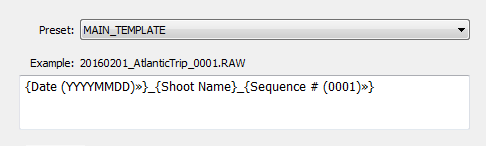
By the end of each day on the road, I import all new photos to a temporary Lightroom catalog, and during the import, I select the option to generate Smart Previews. This allows me to have access to all my photos through Lightroom Mobile on my tablet. I also rename all the images using my renaming template.

Photo Editing Workflow for Travel Photography Image 03

After renaming, my photos then have the following naming structure:

  • 20160201_AtlanticTrip_0001.RAW
  • 20160201_AtlanticTrip_0002.RAW
  • 20160201_AtlanticTrip_0003.RAW

During initial import, I also apply top level tagging based on the location, or type of photos. For example, I might apply very generic tags like “Canada” and “New Brunswick.”

But, even before I import the photos to Lightroom and generate the Smart Previews, I always have another option to access my images. Since switching to mirrorless, I can now connect to my camera using my tablet or smartphone at any time, grab a few images for a quick edit in Snapseed, and post them to social media. As I mentioned before, my editing workflow is minimal on the road.

At Home

The real processing work starts as soon I am home. Sometimes, however, it can start even sooner. If it is a long flight home, I might cull some photos on the plane using Lightroom Mobile, with the main purpose simply to refresh my memories of the trip and make notes.

Import

At home, I connect my master travel external hard drive to my desktop computer, and use the Lightroom option “Import from Another Catalog.” I then bring all the new photos to my main catalog and generate full-size previews for all of them. Because it typically takes a while to import thousands of RAW files and generate full-size previews, I often start the process before going to bed, so that when I wake up in the morning everything is ready.

Culling

Culling is the process of selecting the best photos for editing, and rejecting the bad ones. For a long time, I struggled with this step, as it was always time consuming, and quite often I would get distracted with an interesting image and start editing before finishing my selection.

Lightroom has multiple organizational features for culling that can, to be honest, be overwhelming at times. Features include: Flagging, Starring, Color Tagging, Collections, Smart Collections, Quick Collection. In the past, I tried to use all of them to design an elaborate system that was impossible to sustain for very long. Each time I failed with one system, I would come up with an even more complex scheme. Eventually, I recognized that it was time to simplify the process.

The inspiration for my new culling strategy was from the book, The ONE Thing, by Gary Keller. It states that in order to be 100% efficient you should concentrate on only one thing at a time. In other words, multitasking is evil. Inspired by the book, my process soon changed. My first goal, after importing new photos to Lightroom, is now to remove all the bad shots, the ones that can never be used (out of focus photos, for example). I quickly go through all my photos and use the keyboard shortcut “X” to flag all rejected shots. The process goes very fast even if I have thousands of photos because I concentrate on only one task.

After I finish marking the photos, I immediately delete the rejected files so they do not go to my backup system.
The next step is my favorite. I go through the photos again, and with the help of the keyboard shortcut “P” (P is for PICKED), I flag all the photos that have the potential to be processed and published (keepers). Once again, I only concentrate on a single task as I am not trying to grade picked photos or set star value. This approach allows me to identify the keepers at an incredible and efficient speed.

The next step is to make the keepers pretty.

Rapid Editing

The development of a new Lightroom editing approach was triggered by the realization that 80-90% of the edits I perform in Lightroom are identical for every edited image, and only 10-20% contributes to the uniqueness of any given photograph. The rationale was to automate the 80-90% of the editing process to save time on repetitive tasks.

In order to automate the editing, I created a two-level preset based system, one that I call Lightroom Rapid Editing. Lightroom Rapid Editing allows me to overcome the limitation of the presets, such as when any given preset produces a very different result depending on the level of exposure, lighting conditions, shadows and the dynamic range of the scene. With this two-level approach, I am able to compensate for various lighting conditions without touching the main Lightroom editing tool.

Level 1 – Style Presets. The presets that define the “LOOK” and style of the photograph. For example: cool or warm, cross processed or natural, contrasted or soft.

Photo Editing Workflow for Travel Photography Image 04

Level 2 – Adjustment Presets. The presets that allow fine-tuning of a photo without altering the style, and without the use of Lightroom editing tools. I named them the TOOLKIT.

Photo Editing Workflow for Travel Photography Image 05

Here is a real life scenario

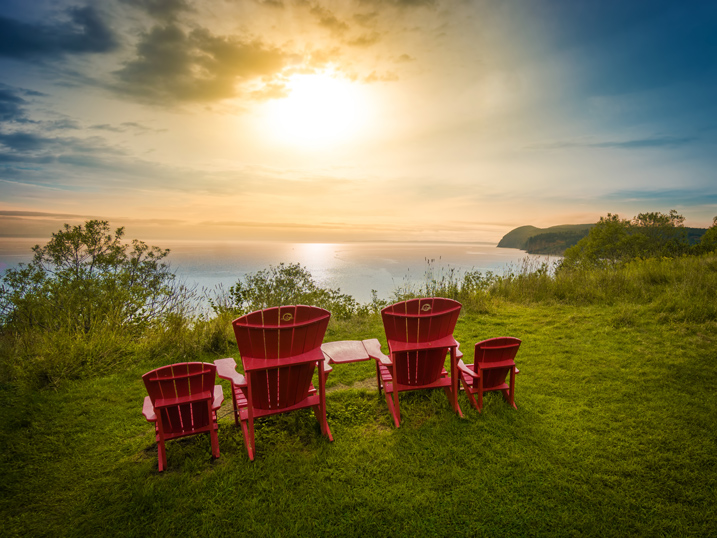
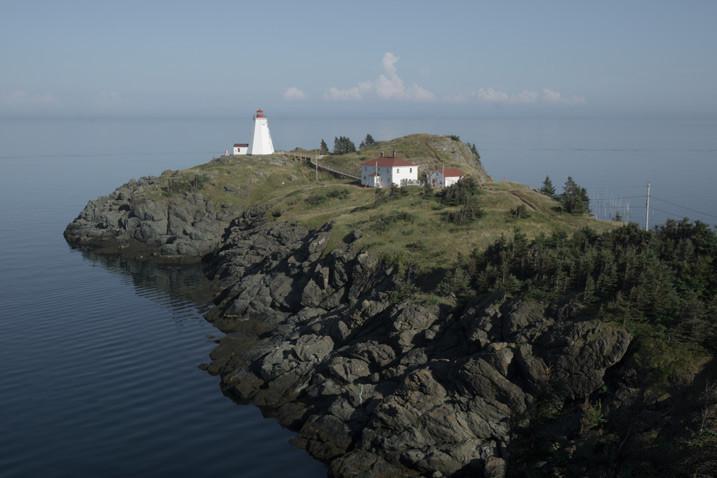
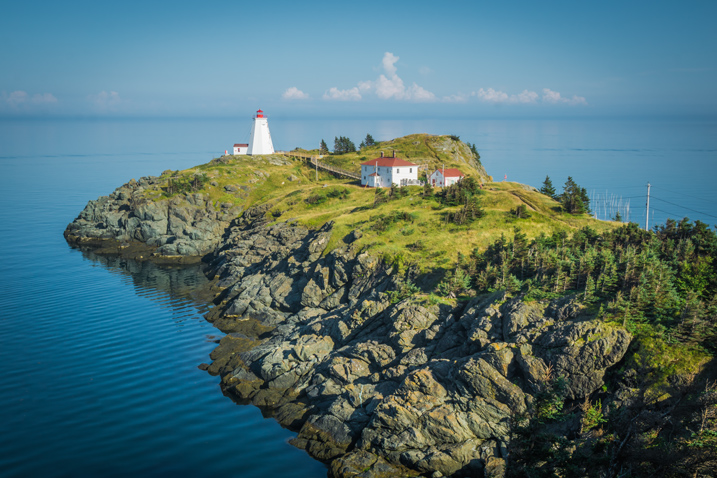
When I returned from a driving trip to Atlantic Canada, I brought back over a thousand new photos. After selecting around 10 keepers, I wanted to edit them using a similar style, and then publish them as the Atlantic Series on my travel photography blog. I started with my favorite photo from the selection.

Photo Editing Workflow for Travel Photography Image 06

I began with Level 1 of Rapid Editing by applying the NATURAL style preset to the selected image (above).

Photo Editing Workflow for Travel Photography Image 07
Natural style preset applied.

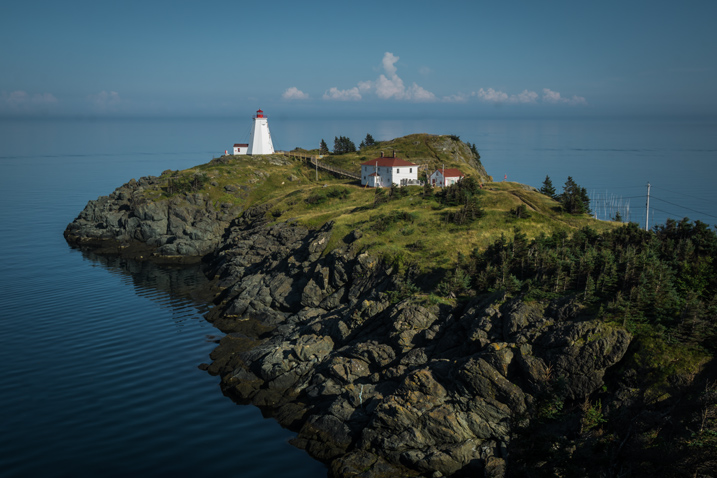
Even though I liked the style, the image did not look good at all, because it was too dark, with deep shadows in the background. This is when the second level of editing came into play.

From the TOOLKIT adjustment presets collection, I applied the following presets:

  • 01.Exposure +
  • 09.Open Shadow +++
  • 16.Clarity +
  • 20. Vibrance ++

Below is the final result. It took me five clicks to go from the original unprocessed RAW image to the final edit.

Photo Editing Workflow for Travel Photography Image 08

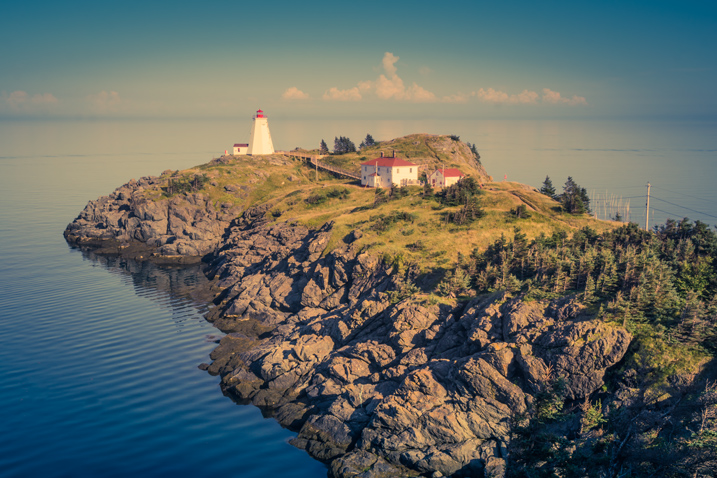
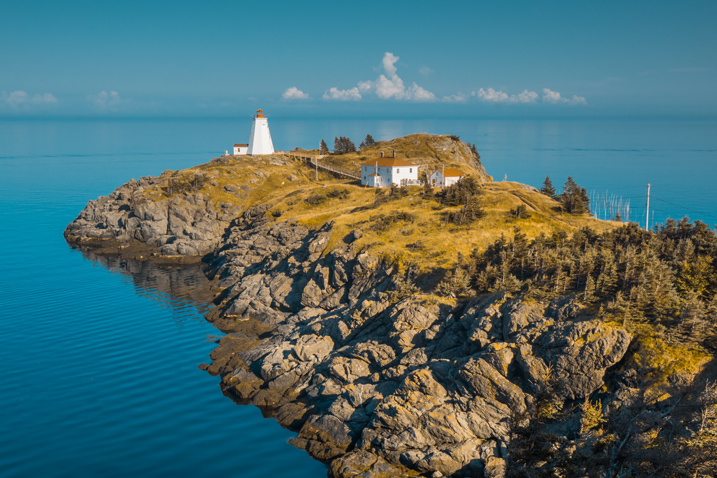
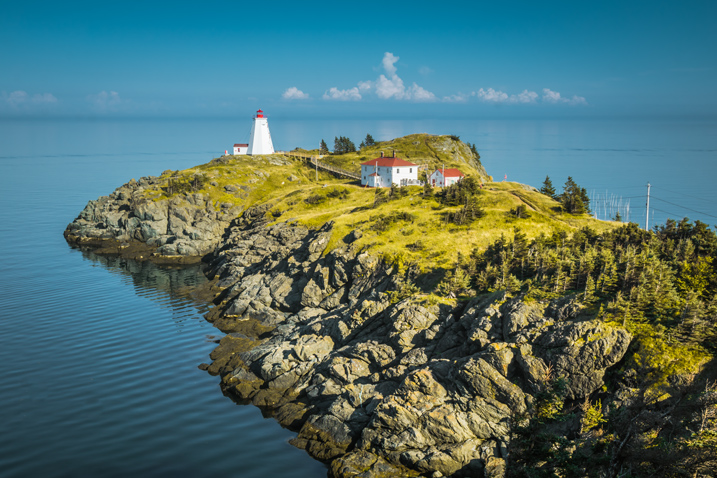
The next step was to come up with a more creative style for this particular photograph. I used the two-level Lightroom Rapid Editing process to produce three more creative versions.

Photo Editing Workflow for Travel Photography Image 09
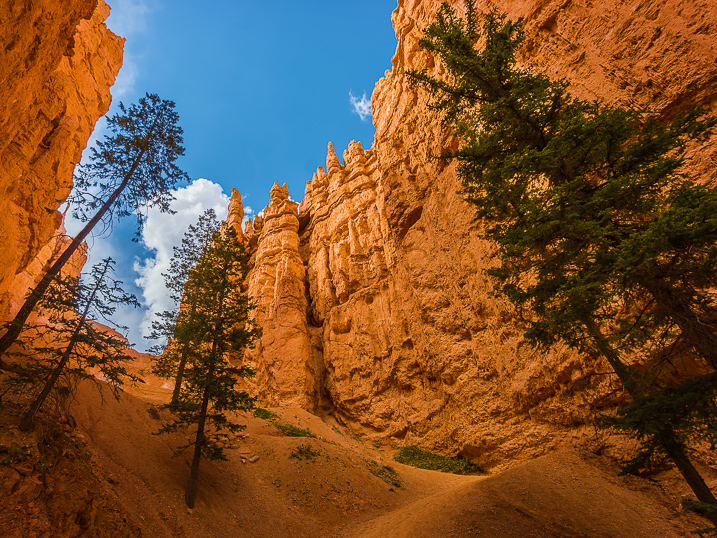
Preset: Broken Clouds

Photo Editing Workflow for Travel Photography Image 10
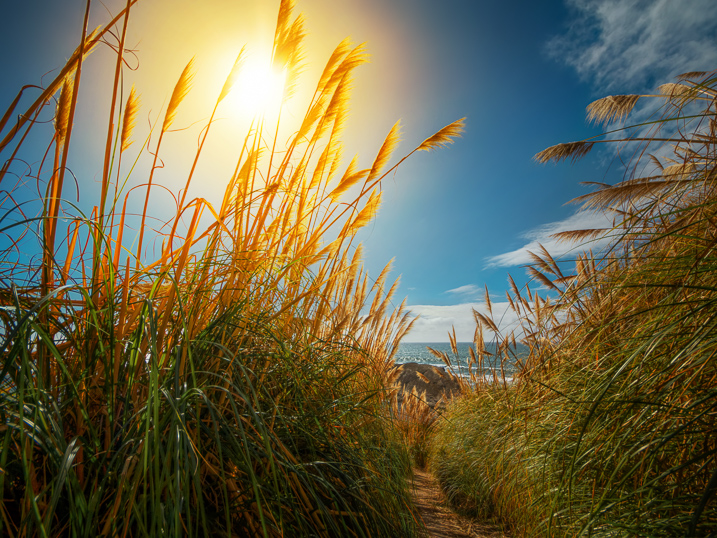
Preset: Drought

Photo Editing Workflow for Travel Photography Image 11
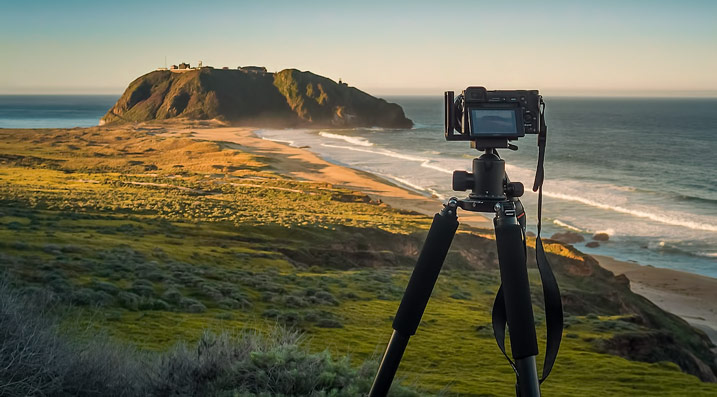
Preset: Point Lobos

During the next step, I selected the edited version I liked the best. In this particular case, I chose the image with the Point Lobos preset effect. I then used the SYNC SETTINGS functionality of Lightroom, to synchronize the editing settings with the rest of the flagged photos (the other nine keepers).

In the last step, I went through the photos one more time, using only the TOOLKIT, and focused on each photo individually. At this stage, I mostly adjusted the Exposure and Open Shadow to compensate for different lighting conditions and exposure imperfections (underexposure and overexposure). This process typically does not take long – an average of 10-15 seconds per photo.

Photo Editing Workflow for Travel Photography Image 12

Photo Editing Workflow for Travel Photography Image 13

Photo Editing Workflow for Travel Photography Image 14

Photo Editing Workflow for Travel Photography Image 15

Photo Editing Workflow for Travel Photography Image 16

Photo Editing Workflow for Travel Photography Image 17

Photo Editing Workflow for Travel Photography Image 18

Photo Editing Workflow for Travel Photography Image 19

Photo Editing Workflow for Travel Photography Image 20

At this point, I was finished with Rapid Editing. I managed to complete 80-90% of the editing process without touching any of the Lightroom editing tools. As you can see, Lightroom Rapid Editing allows me to process a high volume of photos in a relatively short amount of time, while also giving the photos a similar look and feel, that makes the set distinguished and unique.

After this two-level editing process, it was then time to perform the last 10-20% of editing that cannot be automated.
Depending on the image, I might open it in Photoshop for selective editing. In most cases, I clean the images by removing distracting elements from the composition (electric wires, debris). Another option I often use is Lightroom Adjustment Brushes for selective editing.

Publishing

The very last step of my workflow is publishing. I use the plugin functionality of Lightroom to synchronize my newly created photos with my cloud portfolio on SmugMug. With SmugMug cloud service, I have access to all my photos at full resolution, and 100% quality anytime and anywhere.

One of my favorite features of SmugMug is the ability to create custom sized images on the fly by manually changing an image URL, without using any editing tools.

Conclusion

What I learned after designing my photo editing workflow is that there is no perfect solution for travel photography that fits every photographer. Any system we put in place is in a constant state of fluctuation, and all we can do is keep adjusting it based on the type of photography and our individual habits and routines.

Do you have a workflow you’d like to share with us? Please do so in the comments section below.


If you found this helpful, get Viktor’s Lightroom Rapid Editing System for Travel Photography Course 50% off now at SnapnDeals for a limited time only – February 9th-23rd, 2016.

googletag.cmd.push(function() {
tablet_slots.push( googletag.defineSlot( “/1005424/_dPSv4_tab-all-article-bottom_(300×250)”, [300, 250], “pb-ad-78623” ).addService( googletag.pubads() ) ); } );

googletag.cmd.push(function() {
mobile_slots.push( googletag.defineSlot( “/1005424/_dPSv4_mob-all-article-bottom_(300×250)”, [300, 250], “pb-ad-78158” ).addService( googletag.pubads() ) ); } );

The post Photo Editing Workflow for Travel Photography by Viktor Elizarov appeared first on Digital Photography School.


Digital Photography School

 
Comments Off on Photo Editing Workflow for Travel Photography

Posted in Photography


Quick Overview of How to do Macro Photography

09 Feb

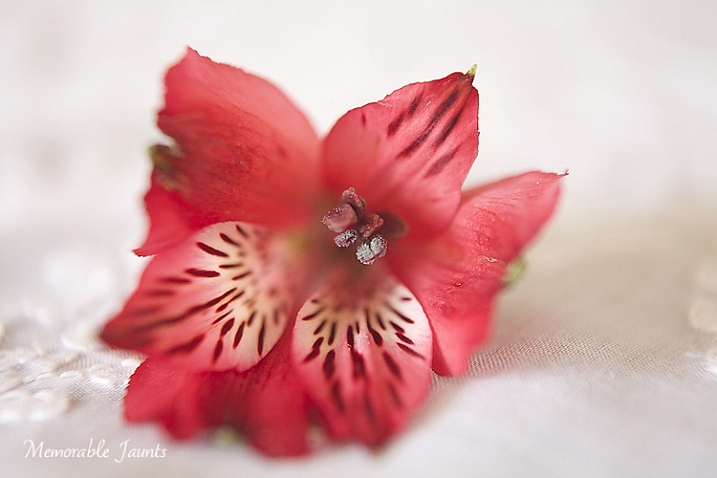
In the photography domain, macro photography is defined as the art of magnification of subjects. It is a very interesting form of photography, which seems to have an application in almost every genre.

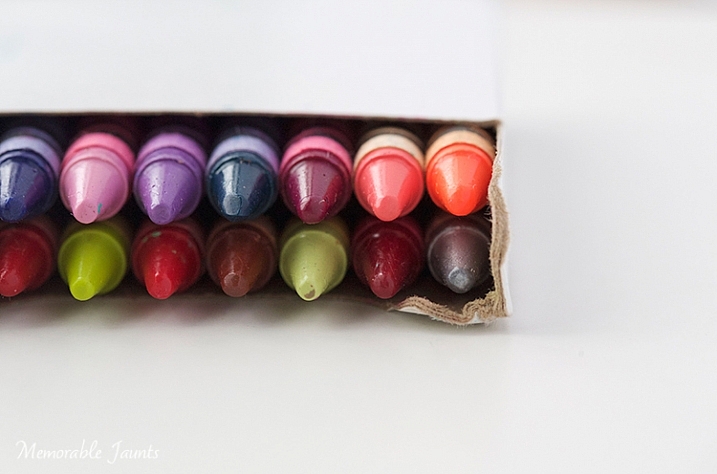
Memorable Jaunts Macro Photography Article for DPS 05

For wedding photographers, it’s a great way to highlight wedding details like rings, the invitation suite, certain aspects of the bridal bouquets, and boutonnières. For nature photographers, it is a great way to get up close and personal with many interesting subjects like bugs, insects, and small animals. For food photographers, a macro lens is one of the ultimate tools to highlight their craft because it’s such a great way to emphasize textures, patterns, and details. Even portrait photographers are known to favor the long focal length macro lens, as it gives them the flexibility of getting close details of their subjects, without invading a client’s personal space, especially when dealing with camera-shy children and adults.

Gear choice

There are several options in the marketplace in terms of gear choices for the macro photographer. Extension tubes, macro (or close-up) filters, as well as specific macro lenses are available for every budget. Based on the macro lens used, you can achieve magnification anywhere from around half to four or five times life-size, of the object being photographed.

Memorable Jaunts Macro Photography Article for DPS

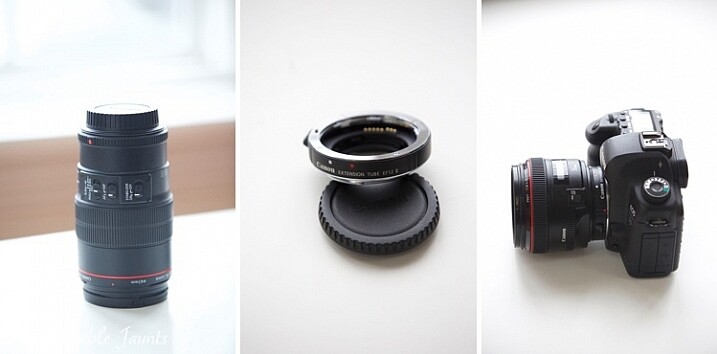
Left image: 100mm f/2.8L IS Macro Lens
Middle: Canon 12mm Extension Tube
Right: Canon 5D MkII with 50mm lens and extension tube attached

  1. Speciality Lens – Macro lenses come in various focal lengths. Short macros are typically lenses in the 30-50mm range. Standard macro lenses are in the 60-105mm focal length range, and tele-macro lenses are in the 150mm-200mm range. These macro lenses tend to perform better than extension tubes and macro filters, since they are build specifically for close-up photography. They work great at short focal lengths as well as longer ones. The main disadvantage with these lenses tends to be the price point. Most of the dedicated macro lenses are upwards of $ 500 (or more) and that can be a limiting factor for someone just getting into macro photography.
  2. Extension tubes are hollow tubes that fit between your lens and your camera mount. They don’t have any glass elements within them, they simply move the actual lens further from the camera, and the front element of the lens closer to the subject, thus offering a certain amount of magnification to the subject. Extension tubes tend to be less expensive than traditional macro lenses and can be mounted on any lens. But they tend to work best with shorter focal lengths. The main disadvantage with extension tubes is that your lens looses the ability to focus on distant objects, since it works only on close-up magnifications. There is also some light loss, which can be compensated by increasing the ISO or by using a slower shutter speed. The camera sensor is also exposed to dust, and the external elements, every time you remove or add the extension tube to the front of your lens.
  3. Macro filters are similar to other types of filters that attach to the front of your lens. They come in different sizes, and different magnification ratios, so if you want to use them on various lenses, then you will need to invest in a variety of filters. They tend to be relatively inexpensive, and can be stacked one on top of one another, in order to get a variety of magnification factors for your subjects. Macro filters also tend to lose light, especially when used as a multiple stack. Hence these cannot be used very effectively with wide apertures. They work best when apertures are stopped down (higher f-stop number).

My initial choice for macro photography was the Canon extension tube EF12 II. As a wedding photographer, I wanted something small and inexpensive for photographing details and ring shots. Since then I have migrated to the Canon 100mm f/2.8 L-series macro lens, and find myself reaching for this beautiful lens more often than not. I have used it for portraits, food photos, as well as still life details.

Technical tips

The key thing to note in macro photography, is that depth of field (DOF) depends primarily on two factors: aperture value and magnification. For any given aperture value, the higher the magnification ratio, the smaller the DOF will be, hence the DOF tends to be very shallow for macro photography (higher f-stop).

Memorable Jaunts Macro Photography Article for DPS 04

Both images were shot at f6.3 – the one on the left is using the 50mm with extension tube, right image is with 100mm macro lens

Memorable Jaunts Macro Photography Article for DPS 02

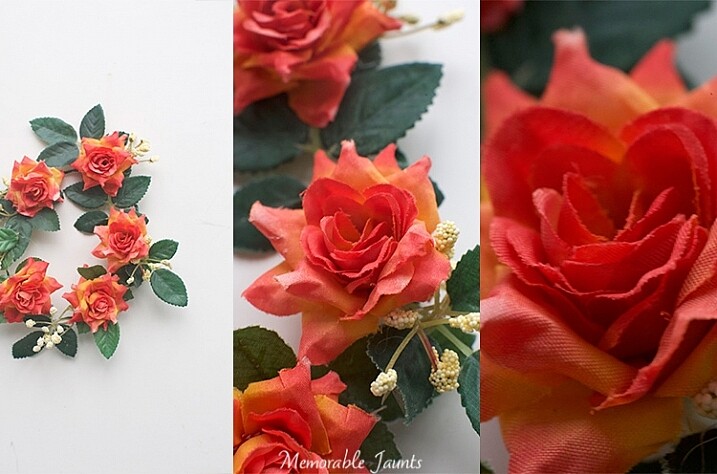
The left image is a pull back using a 50mm lens
Middle is using the 50mm + extension tube
Right is using the 100mm macro lens (all other settings are fairly standard across all three images)

From an application perspective, focus on the main point of the subject that you want to target. If your camera supports live view, use it to zoom-in and ensure that the image is sharp. Set the aperture around f/11 (feel free to experiment to find the optimal setting for your lens, filter, extension tube combination). If you want a greater depth of field (more of the subject is in focus) use a smaller aperture like f/16 or f/22.

Another thing to note is that when photographing objects that tend to move suddenly, like bugs and insects, a higher shutter speed is advantageous to stop motion and freeze the subject. As a rule of thumb try not to drop below 1/400th or 1/500th shutter speed.

Memorable Jaunts Macro Photography Article for DPS 07

One of the most popular uses of macro lenses is in food photography. Left image using 50mm with extension tube, right image using 100mm macro lens. Both have shallow depth of field because I wanted to blur out the food in the background.

Mirror lock-up

Most DSLR cameras have a mirror inside, which allows you see the image in the viewfinder. The mirror flips out of the way when you press the shutter button, and this action itself can introduce camera shake, and cause your image to be blurry. You can reduce the chances of blurry images by turning “ON” the mirror lockup function (look for it in your camera’s manual). On most cameras that means you will press the shutter button once and it will flip up the mirror, pressing it again takes the exposure. If you have a mirrorless camera then this does not apply to you.

Diffraction

In Photography, diffraction is the bending of light as it passes by the small sharp edged blades, which form the aperture opening. The light gets squeezed together, or blends together. Diffraction is worse with smaller aperture settings like f/16 to f/22. This causes the image to be less sharp, especially at the edges, even more so in macro photography when you are often shooting at smaller apertures. You can avoid diffraction by not dropping below f/16, or by using selective focus over multiple images, and stacking (focus stacking) them together in post-production to get an overall sharp image.

Practical Applications

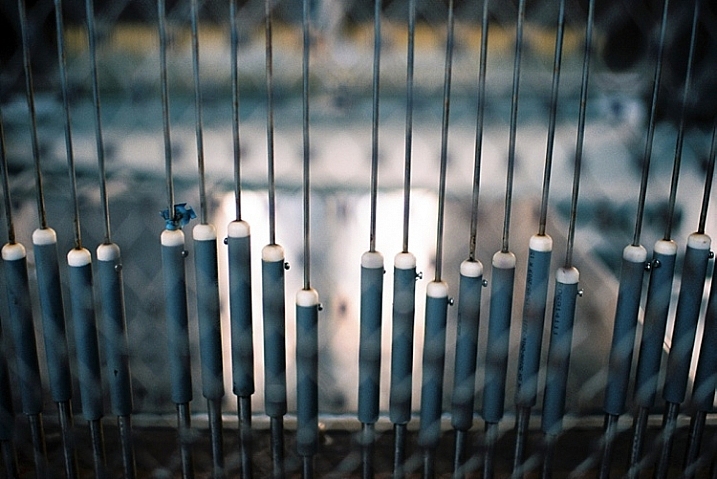
Contrary to popular belief, macro photography is not restrictive to images of bugs, leaves, flowers and food. They can be an effective tool to highlight any form of detail, texture and pattern. Specific macro lenses also double up as great portrait lenses, extending their use beyond just macro photography.

Memorable Jaunts Macro Photography Article for DPS 06

Memorable Jaunts Macro Photography Article for DPS 03

Left image is pull back of the ring
Middle is with 50mm + extension tube
Right is 100mm macro. F-stop was around f/9 and shutter speed was around 1/50 (I was loosing light very fast and had my ISO up to 2500).

So the next time you want a little boost of creativity, use macro photography to get a fresh, up close perspective on things!

googletag.cmd.push(function() {
tablet_slots.push( googletag.defineSlot( “/1005424/_dPSv4_tab-all-article-bottom_(300×250)”, [300, 250], “pb-ad-78623” ).addService( googletag.pubads() ) ); } );

googletag.cmd.push(function() {
mobile_slots.push( googletag.defineSlot( “/1005424/_dPSv4_mob-all-article-bottom_(300×250)”, [300, 250], “pb-ad-78158” ).addService( googletag.pubads() ) ); } );

The post Quick Overview of How to do Macro Photography by Karthika Gupta appeared first on Digital Photography School.


Digital Photography School

 
Comments Off on Quick Overview of How to do Macro Photography

Posted in Photography


5 Creative Ideas to Improve and Inspire Your Photography

08 Feb

If you are a photographer who takes pictures day in and day out, perhaps because it is your livelihood or you are a keen hobbyist, there are times when you may want to digress from the day to day, and do something new on your day off. You can do this purely for the fun of it, or to set yourself some new learning challenges. This is a good practice to implement regularly because it pushes you to think outside the box, hone your skills, enlarge your vision, and challenge your creativity.

Here are some creative ideas on what you can do to take a break or depart from the usual, even just for a day.

layering-creative-photography-tip-01

1 – Vertical only please

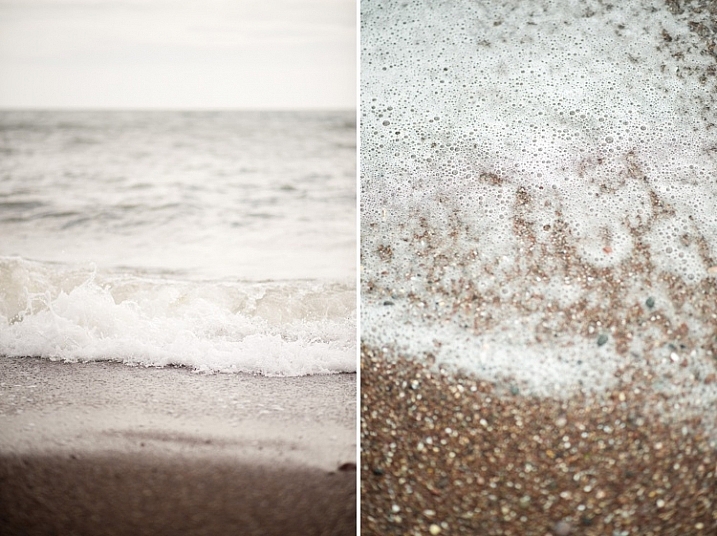
These vertical images below were taken from a beach summer holiday when I decided to do this particular photography challenge, purely as a fun visual exercise in composition. All I had was a D700, a 35mm f/1.4 lens, and a few meters of beach.

vertical-photography-tip-01

Photographing solely in the vertical orientation can be quite tricky. Your view and vision are more constrained. If you are photographing a landscape scene for instance, with the vertical orientation you are limited to pretty much the sky or the earth.

vertical-photography-tip-02

vertical-photography-tip-03

Things that you are always used to seeing in a landscape (horizontal) format will look different, and therefore you will begin to see with a fresh eye. This forces you to look for more intriguing views and items to photograph, as well as to compose in such a way that the photograph is still interesting, despite the limited width.  You could be confronted with some quite unnerving compositions which make the picture more striking, or at the very least elicit an unusual or unexpected reaction.

vertical-photography-tip-04

vertical-photography-tip-05

2 – No eyes allowed

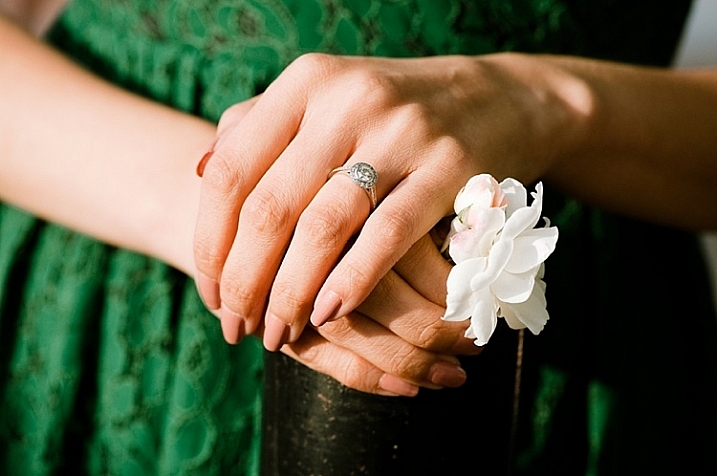
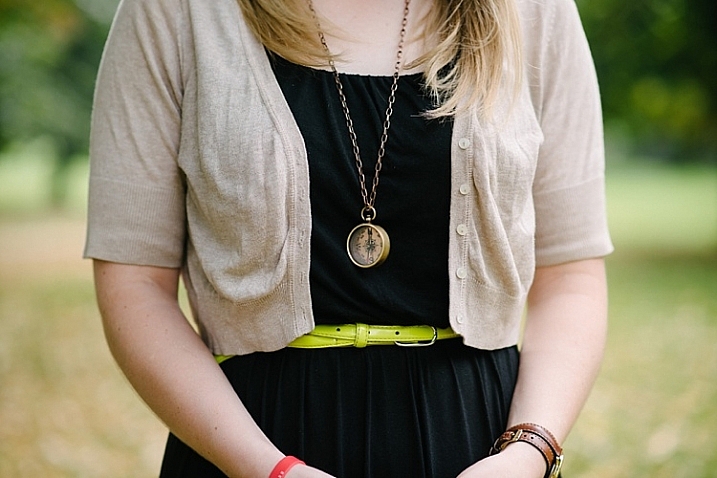
It is said that the eyes are the window to the soul. This challenge is to try and capture a someone’s personality, without photographing their entire face. There are many more things to a person than just a face. For this challenge focus on anything but the eyes, and see how much of the person’s personality you can capture.  You can focus on physical aspects, clothes, or objects that the person loves.

personality-photography-tip-01

personality-photography-tip-03

Some people have developed icons of themselves: things they are known and recognized for. For example, someone who always wears sunglasses on their head, or a person who only wears striped socks, or someone’s tattoo or jewellery style. Find something distinctive about the person. You can also focus on actions. Perhaps the person is adventurous or has a fun-loving, bigger-than-life personality.

persosnality-photography-tip-08

You may want to ask them to do something they love, or hold something that reflects their persona, and find a way of capturing that without photographing the face. Focus on the running motion of their feet, or waving hands, or a big smile cropped in an interesting composition. Color could be another thing. Ask the person to wear their favorite color and find a location that has the same tones.

persosnality-photography-tip-09

You can also set something up that reflects the quirkiness of the person, or choose a location that does the same. A country-loving person might be walking in muddy boots, on a long road that seemingly leads to nowhere. Give it some thought with a person in mind, and you may be surprised how many ideas you can come up with that will potentially truly capture their personality.

personality-photography-tip-07

3 – Through a glass, darkly…

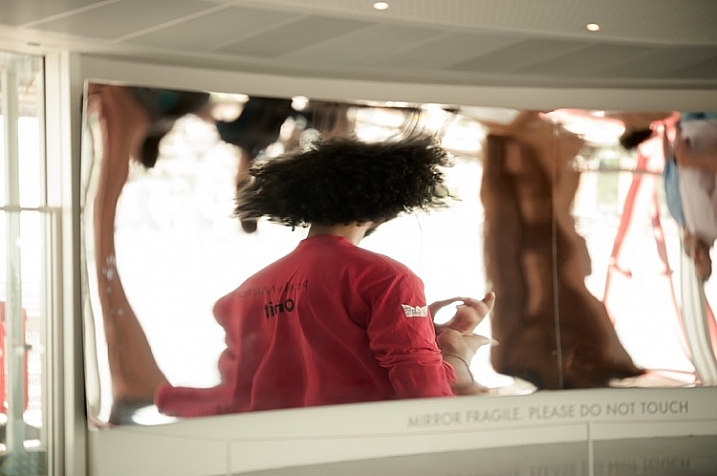
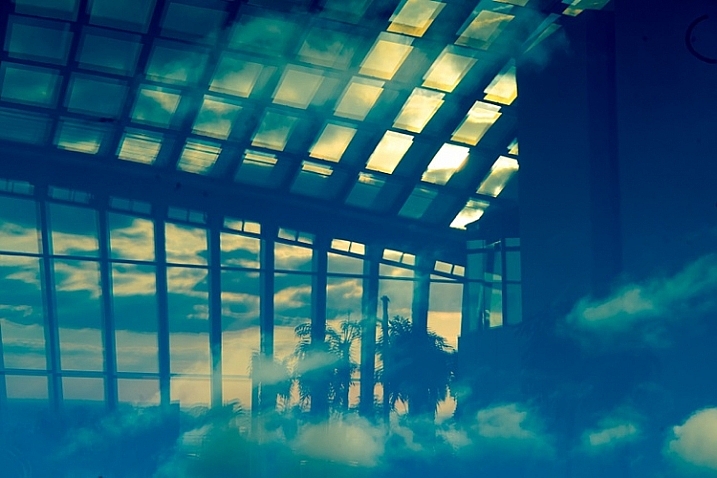
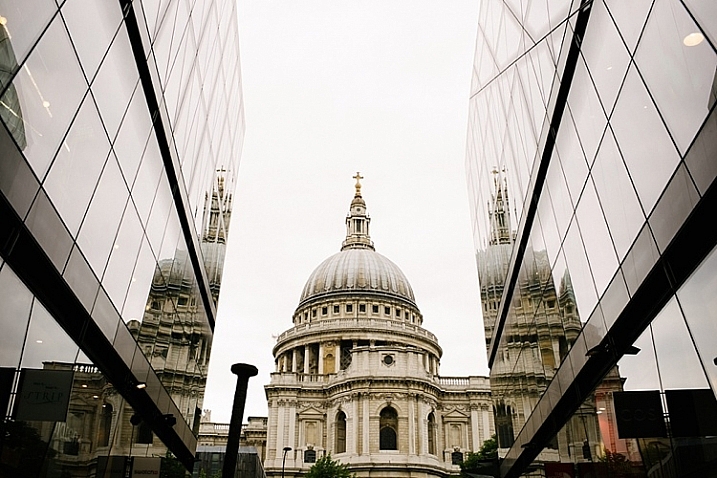
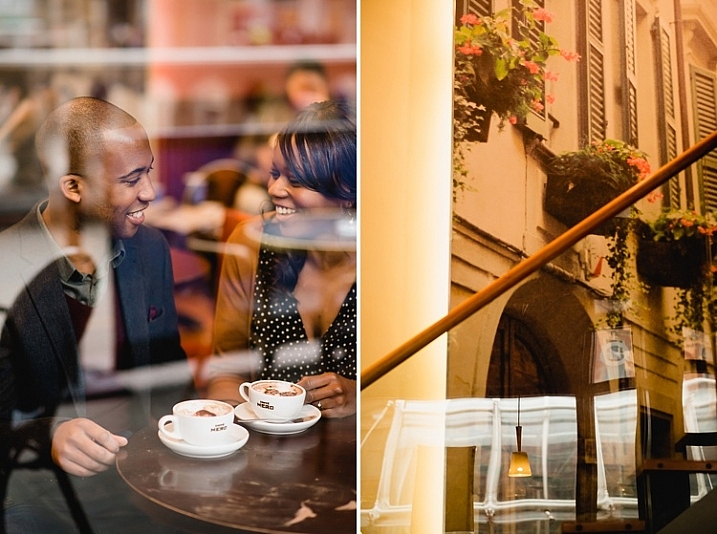
Consider utilizing reflection to make your images more enthralling and thought-provoking. You can impose a rule that you can only photograph a reflection and never the person or the object, or you can use both subject and reflection for a refreshing take on an image, making them more captivating.

reflection-photography-tip-01

reflection-photography-tip-01

reflection-photography-tip-02

Some reflector ideas include: mirrors and shiny reflective objects, water, reflective glass or plastics, windows – even clear windows can have reflections. Raindrops can be great reflectors although you may have to pull out your macro lens to capture the reflection. Photographing reflections can open up a whole new world, such as seeing and capturing surreal or abstract images with the blending of forms and colors, as well as igniting your imagination, and filling you with a new sense of wonder.

relfection-photography-tip-04

relfection-photography-tip-04

relfection-photography-tip-06

4 – Black is the new hue

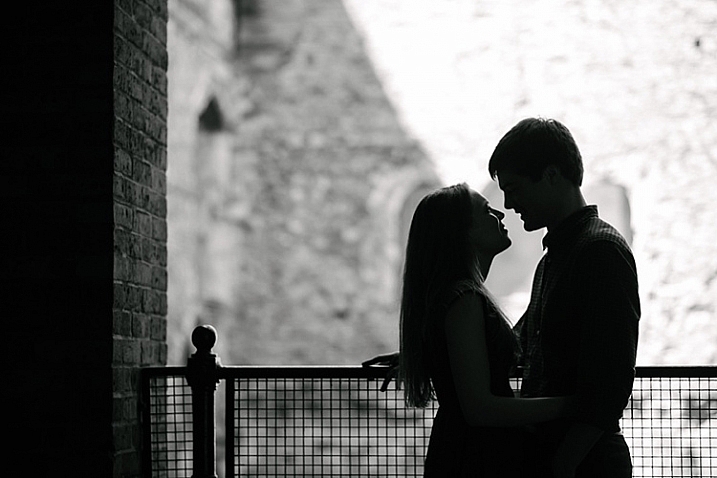
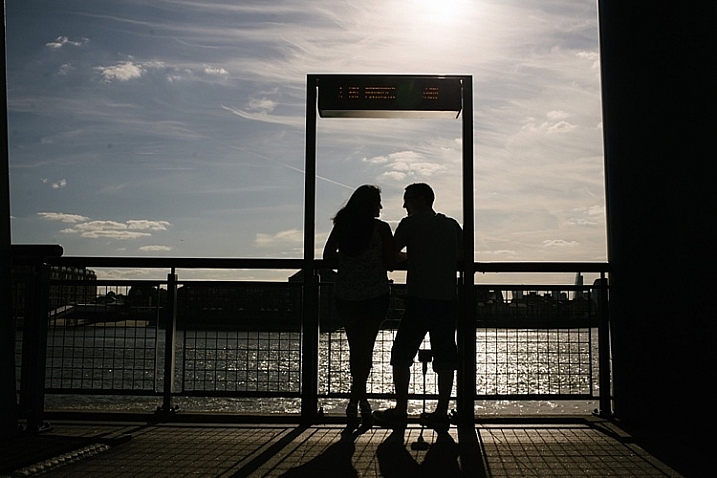
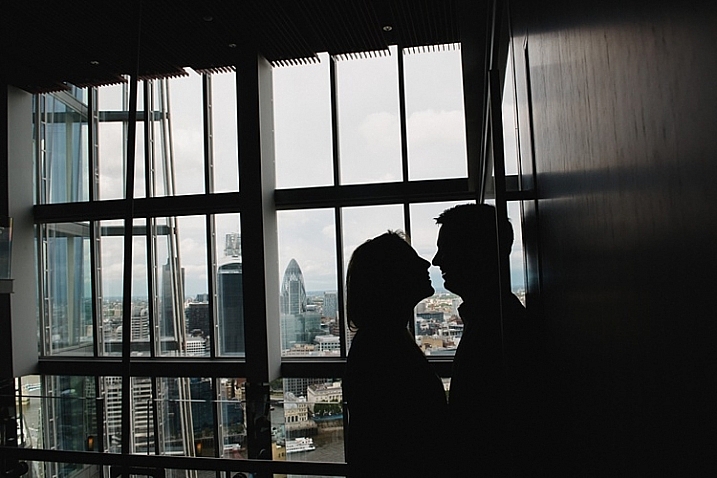
Silhouettes are fun to photograph, and not that difficult to execute. But the bigger challenge is to find a striking silhouette concept. The main thing to remember is to find good contrast – a very bright background, preferably bigger than the subject, and put the subject in front of the light area. Expose for the bright background so that your subject is so severely underexposed that they look very dark or black.  Here is a really good article with a simple step-by-step guide on how to take stunning silhouettes.

silhouette-photography-tip-01

silhouette-photography-tip-02

silhouette-photography-tip-03

5 – Layering

Layering is a really subtle, but extremely effective, photographer’s trick to convey depth, mystery, and mood in a photograph.  It is especially useful if you are a photojournalistic or documentary photographer, as it makes the viewer feel that they are looking through someone else’s lens, and are present in the moment but inconspicuous, much like a fly on the wall.

layering-photography-tip-01

layering-photography-tip-02

There are three basic things to remember when composing a photograph with layering in mind: foreground, middle ground and background.  Most of the photographs we see often have two layers – the subject and the background.  Incorporating a foreground in your composition not only adds three-dimensionality to your photograph but also makes it more visually compelling.

layering-photography-tip-03

Choosing the right foregrounds can be used to frame your subject – as a leading line to direct attention to your subject, therefore making your image more dynamic, or as a tool for emphasis and composition amongst many others. There are times when finding an obvious foreground is next to impossible. One solution is to physically hold an object, such as a leaf or paper, in front of your lens just enough to be in the frame, but not to obscure the subject.

layering-photography-tip-04

layering-photography-tip-04

You can also layer by simply using your lens and the effect of a very wide aperture such as f/1.4. By employing your lens’s ability to blur the foreground, while keeping the middle ground in sharp focus, and then blur the background again, can make an otherwise dull image enchanting. Even something as simple as a patch of stones or sand can look layered using this technique.

layering-photography-tip-06

I hope you will enjoy doing these creative challenges. Do you have other creative photography ideas to share? Please do so in the comments below.

googletag.cmd.push(function() {
tablet_slots.push( googletag.defineSlot( “/1005424/_dPSv4_tab-all-article-bottom_(300×250)”, [300, 250], “pb-ad-78623” ).addService( googletag.pubads() ) ); } );

googletag.cmd.push(function() {
mobile_slots.push( googletag.defineSlot( “/1005424/_dPSv4_mob-all-article-bottom_(300×250)”, [300, 250], “pb-ad-78158” ).addService( googletag.pubads() ) ); } );

The post 5 Creative Ideas to Improve and Inspire Your Photography by Lily Sawyer appeared first on Digital Photography School.


Digital Photography School

 
Comments Off on 5 Creative Ideas to Improve and Inspire Your Photography

Posted in Photography


List of Resources for Making a Photography Website

08 Feb

I’ve just made a new photography website for my fashion, portrait, and event photography. This meant researching the different options currently available (as of December 2015) for creating photography websites. So whether you’ve just gotten your first camera, or are a seasoned pro looking to update your photography website, here are some options to consider.

I’ll make some recommendations about specific companies that I’ve used. Most articles would make money on these through affiliate links; but there are no affiliate links here (I get no benefit recommending them), these are just companies that I’ve been happy with.

Editor’s note: none these companies have not been researched or checked by dPS, and are solely the recommendations of the author. As with any purchase please do your own due diligence, read online reviews, and do trial periods where possible, before choosing your web suppliers. dPS is not responsible for any issues that may arise if you follow these suggestions.

make-photography-website8727-2

Why make a photography website?

Now that the majority of photos aren’t printed, sometimes they can get lost in your hard drives and forgotten. Sharing the pictures you make with family and friends is much easier when your photos are online. Depending on the photography website you use, you can also get useful feedback on your pictures, or even sell them to buyers around the world. Now is also the best time to start getting followers, if you haven’t already done so.

As well as sharing, developing, and selling your photography online, having a photography website helps encourage you, and gives you a sense of accountability so you keep practicing. Old photos are also one of the most valuable things we own, professional or amateur, and photo albums are often what most people would choose to save in a fire. Keeping your memories online not only shows you how your photography has improved, but also keeps them safe in the cloud. When my Western Digital hard drive arbitrarily malfunctioned and lost all of my photos, I was thankful to have uploaded my favourite ones online.

Make a photography website for free

Alan O'Rourke

By Alan O’Rourke

There are several excellent free options to get your photography online.

  • Flickr – Like a resurrected giant, Flickr offers a huge 1 TB of complimentary storage and has a thriving community.
  • Facebook – A humble Facebook page (not your personal profile but a business page) for your pictures is an ideal way to start to gain a following.
  • Google Plus – Less popular lately, but better quality, and good if you want to be found online by the Google search engine.
  • Instagram– Even if this isn’t your main site, it’s very useful to have as a photographer.
  • Tumblr – A clean, free way to create a blog and feature your most recent photography.
  • 500px – A relative newcomer, the 500px design is clean and contemporary; their free option is fine.
  • Behance – A professional space for your best photos that looks more prestigious.

Make a photography website

As well as the free options, you might like to make a photography website that you have more control over. Personally after much research I opted for a self-hosted WordPress site using a pre-designed theme that I customized. To do so you will need;

A Domain name

The domain name is your address on the internet. For example: http://digital-photography-school.com is the domain name, or URL for dPS. I get my domain names from www.Internet.bs or www.NameCheap.com.

Hosting

This is your real estate on the internet. You need a place to park your site, that is called hosting. Your host online is where all the files for your site will be stored (hosted).

I use www.LiquiLayer.com (really excellent, personal support) and www.HostDeal.com. I’ve heard good things about www.HostGator.com, www.DreamHost.com and www.HostWinds.com, but haven’t used any of those personally.

make-photography-website_1413

Content Management System

This simplifies building your website tremendously. I use WordPress and highly recommend it. Most web hosts will give you options to install it very easily.

WordPress Theme

This provides a structure for your website. There are both free and paid options available, which allow you to make a great looking site faster. Here are my favourites:

SLR Lounge’s WordPress Theme – I recently discovered this free WordPress photography theme and used it to build my latest website. It has a clean, simple style and creating the site took a few days.

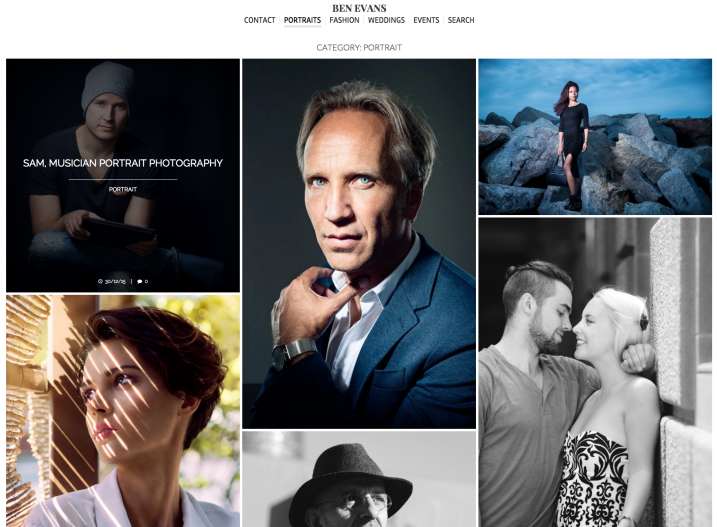
Screen Shot 2016-01-30 at 1.16.20 PM

Home page of my new site

Screen Shot 2016-01-30 at 1.17.21 PM

Portrait page

MySiteMyWay’s InFocus Theme – (Paid theme) I’ve used MySiteMyWay’s themes for several websites. As well as the design, I’ve been incredibly happy with the ongoing support, which has saved me a huge amount of time, and allowed me to do things I wouldn’t otherwise have been able to do.

Screen Shot 2016-01-30 at 1.22.01 PM

Home page

Screen Shot 2016-01-30 at 1.22.31 PM

Gallery page

The X Theme – (Paid option) It’s a silly name, but this Premium WordPress theme looks good, and they have done very well with updating it. There is a lot of features available here for more advanced internet users and web designers.

Screen Shot 2016-01-30 at 1.28.18 PM

Themeforest – (Free and paid options) Themeforest is the marketplace for WordPress themes online. Because they are constantly being released and updated, and because creating a website can be quite a personal choice, it is worth having a look here to see which themes are currently rated highly.

Designers

It can be helpful to hire a designer/ coder to help you with creating your photography website.

  • Fiverr – This is my go-to site for getting help with websites and so on. It’s cheap, fast, and so far I’ve been very happy with the results.
  • Elance – More professional than Fiverr; expect to pay more as well.

Pay monthly for a photography website

If designing a site isn’t for you, there are quite a few companies that can help. I don’t use these options personally because I like being able to move my website to another hosting provider if I want, or archive a site and bring it back later.

  • Smugmug – An established player that will allow you to show, share and sell your photos.
  • SquareSpace – The choice of many top professionals, although caveat emptor, several are sponsored. It’s quite pricey, but the designs it offers for photographers really look incredible, and it’s the easiest way to get a good looking photography website online quickly and easily.

Some bonus photography related companies

While we’re on the subject, here are a few companies that are very useful for photographers.

  • WeTransfer – Ideal for sending large files or even whole photoshoots. Their free option is excellent, and the paid version is great for photographers who want more options.
  • Dropbox – Very well integrated, and a great way to back up your photos online.
  • Google Drive – Again, an excellent option to save and send photos.
  • PicSurge.com – I use this a lot. It’s a well-designed site that allows you to show photos in good looking galleries that remain live for years. It lets you password-protect your images, and allows clients/family/friends to download files individually or collectively – and it’s free!

Conclusion

So those are some of the main options to consider if you want to make a photography website in 2016, and some reasons why you might want to consider doing so if you haven’t already. Hopefully this has been useful – please feel free to share your own websites in the comments below!


Editor’s note: please see this page for website resources, personally recommended by dPS founder and chief, Darren Rowse, over on his other site dedicated to blogging – ProBlogger. If you’re really interested in blogging you may wish to sign up there to get free weekly blogging tips.

googletag.cmd.push(function() {
tablet_slots.push( googletag.defineSlot( “/1005424/_dPSv4_tab-all-article-bottom_(300×250)”, [300, 250], “pb-ad-78623” ).addService( googletag.pubads() ) ); } );

googletag.cmd.push(function() {
mobile_slots.push( googletag.defineSlot( “/1005424/_dPSv4_mob-all-article-bottom_(300×250)”, [300, 250], “pb-ad-78158” ).addService( googletag.pubads() ) ); } );

The post List of Resources for Making a Photography Website by Ben Evans appeared first on Digital Photography School.


Digital Photography School

 
Comments Off on List of Resources for Making a Photography Website

Posted in Photography


Weekly Photography Challenge – Warm Fuzzies

06 Feb

Earlier today I shared a collection of images that represent cuddly.

A good hug, a snuggly puppy or kitten, a father with his newborn son – all things that give us warm fuzzies inside.

Wei-Hang Chua

By Wei-Hang Chua

Weekly photography challenge – warm fuzzies

So your challenge this week is, you guessed it, photograph something that either is warm and fuzzy, or gives you that feeling. So that could be many different things:

  • Your bedroom slippers
  • A favorite sweater
  • A pet
  • Parent and baby
  • Kids hugging
  • Someone doing a good deed

You get the idea.

Etolane

By Etolane

Gloson Teh

By Gloson Teh

Richard Walker

By Richard Walker

Thomas Hawk

By Thomas Hawk

Bunches And Bits {Karina}

By Bunches and Bits {Karina}

Phil Dolby

By Phil Dolby

Kate

By Kate

Flickpicpete (Thanks For 1 Million  Views)

By Flickpicpete (Thanks for 1 million+ views)

Share your images below:

Simply upload your shot into the comment field (look for the little camera icon in the Disqus comments section) and they’ll get embedded for us all to see or if you’d prefer upload them to your favourite photo sharing site and leave the link to them. Show me your best images in this week’s challenge. Sometimes it takes a while for an image to appear so be patient and try not to post the same image twice.

googletag.cmd.push(function() {
tablet_slots.push( googletag.defineSlot( “/1005424/_dPSv4_tab-all-article-bottom_(300×250)”, [300, 250], “pb-ad-78623” ).addService( googletag.pubads() ) ); } );

googletag.cmd.push(function() {
mobile_slots.push( googletag.defineSlot( “/1005424/_dPSv4_mob-all-article-bottom_(300×250)”, [300, 250], “pb-ad-78158” ).addService( googletag.pubads() ) ); } );

The post Weekly Photography Challenge – Warm Fuzzies by Darlene Hildebrandt appeared first on Digital Photography School.

Digital Photography School

 
Comments Off on Weekly Photography Challenge – Warm Fuzzies

Posted in Photography