Created specifically for photographers by leading Painter Master and artist Karen Sperling. Commissionned by Corel Tutorial 1: Getting started: Autopainting and QuickClone tools
Created specifically for photographers by leading Painter Master and artist Karen Sperling. Commissionned by Corel Tutorial 1: Getting started: Autopainting and QuickClone tools
www.snapchick.com SnapChick talks about the best DSLR setup for beginner photographers.
Earlier today Instagram announced that they are changing their Terms of Service effective January 13th 2013.
The most controversial part of the change is outlined below:
“To help us deliver interesting paid or sponsored content or promotions, you agree that a business or other entity may pay us to display your username, likeness, photos (along with any associated metadata), and/or actions you take, in connection with paid or sponsored content or promotions, without any compensation to you.”
Now I have no idea if Instagram actually plans on selling/licensing your photos or not — sometimes the lawyers get a hold of things like this and push the envelope too far with a TOS — but this change seems to go further to me than the typical giving up of rights to your photos for typical social media display purposes.
Facebook’s TOS by contrast reads:
“For content that is covered by intellectual property rights, like photos and videos (IP content), you specifically give us the following permission, subject to your privacy and application settings: you grant us a non-exclusive, transferable, sub-licensable, royalty-free, worldwide license to use any IP content that you post on or in connection with Facebook (IP License). This IP License ends when you delete your IP content or your account unless your content has been shared with others, and they have not deleted it.”
While this appears functionally similar to Instagram’s, Facebook doesn’t actually mention so specifically the idea of selling your content and you getting zero compensation.
Google+’s TOS tends to provide photographers greater protection with a provision that your content there can be used for the “limited purpose of operating, promoting and improving our services, and to develop new ones.” Nothing about selling off your photos to third parties there, folks.
“When you upload or otherwise submit content to our Services, you give Google (and those we work with) a worldwide license to use, host, store, reproduce, modify, create derivative works (such as those resulting from translations, adaptations or other changes we make so that your content works better with our Services), communicate, publish, publicly perform, publicly display and distribute such content. The rights you grant in this license are for the limited purpose of operating, promoting, and improving our Services, and to develop new ones.”
Flickr takes it even one step further actually dedicating a specific blog post to this issue last year titled “At Flickr Your Photos are Always Yours.”
This change today has upset a lot of photographers and content creators. The New York Times takes apart the new TOS here. Blogger Robert Wagner puts his view more succinctly in a blog post titled Goodbye Instagram and f*** you.
Personally speaking, I trust that Google will not sell my photos out from underneath me. I think their TOS is pretty clear about their limited scope of use. I applaud Flickr for taking it one step further with a blog post spelling out that you always own your photos on Flickr. Interestingly enough, even before this announcement I saw my first “I’m leaving you Instagram for Flickr” post this past weekend.
Wired has a post that shows you how to take your photos off of Instagram and delete your account.
Gizmodo seems to take a different view of this situation, calling folks concerned with today’s announcement whiny little babies.
What are your thoughts? Will you continue to use Instagram? Are photographers overreacting here?
My own view is that I think Instagram is pushing it a little too far with this one. I think I’d rather pay them a subscription fee like I pay Flickr than have them out there selling my photos.
Myth #1 “I’m not going out to shoot today because the light is bad.”
There is no such thing as bad light. As long as there is light, there is opportunity to make amazing images. There is also no reason to limit yourself to the golden hours on each end of the day. The most adverse weather conditions are perfect for making the most beautiful pictures. So get out there!
Myth #2 “I need to bring several lenses with me on my photo walk, just in case…”
Well, that’s fine if you don’t mind carrying around heavy equipment all day “just in case.” Depending on what you shoot, if you limit yourself to just one lens for the day you can improve your skills, especially if you decide on a fixed focal length lens such as a 50mm. This simple decision will slow you down which will help you see better and allow you to compose more carefully. Plus you won’t miss the shot while you’re busy switching lenses.
Myth #3 “I shoot 1,000 frames in a day so that I increase my chances of having a lot of keepers!”
The ‘spray and pray’ approach sounds like a good idea, but it is no guarantee that you’ll have more keepers at the end of the day. Instead, pretend you are shooting film and limit yourself to a 24 or 36 exposure that day. You will quickly discover the creative power of limitation. Shoot with intent, make every single frame count, and you will have plenty of keepers at the end of the day with the added benefit of not having so many images to process.

There is no bad light. Foggy days are my favorite days to shoot landscapes.
Myth #4 “I can’t shoot, I forgot my tripod.”
The tripod is a useful tool, but can also become a bit of a crutch. Unless you are on a paid job assignment that requires a tripod, liberate yourself and shoot hand held. There are other ways to stabilize your camera if necessary, you can use a wall or a boulder for example. Tripods are definitely useful, but the problem is that photographers tend to set them once and rely on them to shoot everything from the same level. Be creative and shoot your subject from different perspectives. Unless you are shooting long or multiple exposures or macro, liberate yourself from that tripod once in a while and try new perspectives.
Myth #5 “I‘m in a creative rut, I need to go to an exotic location to get out of it.”
Everyone gets into a rut. One solution is to learn to see the extraordinary in the ordinary, see the new in the familiar. Go out into your own backyard and see it with fresh eyes. Give yourself an assignment such as a photo-a-day project for a month or a year. Create a theme for your photo walk and it becomes a treasure hunt. Shoot with fellow photographers. Give a camera to a child and see the world “fresh” through their eyes. Once you get out there and use your imagination, you’ll be free from that rut!
Myth #6 “I would take better pictures if only I had a better camera.”
Okay, I’m not going to give you a lecture here. It’s true that more expensive equipment, when used skillfully, will yield better images than a point and shoot camera. The mistake, however, is upgrading before using your current gear to its full potential. Believe me, gear lust is easy to catch, yet most of us never outgrow our equipment. Invest into education, attend a photo workshop or go on a vacation instead of spending thousands on the latest and greatest gear. If you can do both, that’s terrific, but it’s not always necessary. Also, there is a lot of bad photography made with very expensive gear and some stunning images shot with iPhones… Food for thoughts!
Myth #7 “I’m too old to learn how to use a digital camera.”
If you have the strength to hold a camera and press the shutter, you can learn to use a digital camera. Photography is a life long passion. It’s never too early or too late to start!
Myth #8 “I’m making money with my photography. I learned everything there was to learn about the craft.”
Nothing could be further from the truth! Once you think you know it all, you will stop growing. The world of photography is so exciting and is changing at the fastest pace ever. All you have to do is to keep current with the latest technology and embrace it.
Myth #9 “I need hundreds of pictures in my portfolio before I can show my work to clients.”
This is just not true. What is true, and important, is to be discerning about your selection, show only your best work. Quality over quantity is your guideline here.
Myth #10 “Being a photographer is a glamorous job.”
Maybe in the movies, but not in real life. Most photographers don’t realize at first how much nitty gritty work is required once you turn your passion into a profession. For most of us, it’s 80% business and 20% shooting. This is true for just about any artist, so you need to be realistic.
Myth #11 “All you need to be successful as a pro is talent.”
Wouldn’t that be nice? Ever heard of the expression “starving artist?” Talent is definitely an important ingredient, but solid business skills are also important. Business and marketing are a vital part of being a successful working photographer, but if that’s not your forte, be sure to get help or hire someone for that.
Myth #12 “Pro photographers are better than amateurs.”
Just because some photographers make money with their pictures doesn’t make them better shooters. A successful pro will be able to offer quality and consistency. I see the work of so-called amateur photographers every day that far exceeds the work of many pros. Actually, pro photographers run the risk of losing the passion for their craft if the work becomes a routine and this can adversely affect the quality of their work. It is very important for pro photographers to make time for personal projects in order to keep their passion alive.
The list could go on! Feel free to add a myth or two in the comment section.
Post originally from: Digital Photography Tips.
Check out our more Photography Tips at Photography Tips for Beginners, Portrait Photography Tips and Wedding Photography Tips.
12 Myths About Photography And Photographers
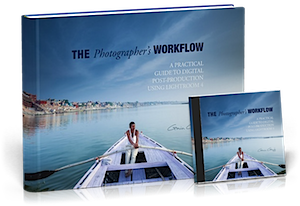 It’s time for Deal #3 in our 12 Days of Christmas and today is a great brand new product that we’re really excited about from renowned Freelance Travel Photographer Gavin Gough.
Gavin has recently released an eBook (with some other great bonuses) that is getting great reviews by the name of The Photographers Workflow. and for the next 24 hours you can get it with a 33% discount by using the coupon code of photowork33 when checking out.
This great resource is perfect for anyone looking for a system to manage the digital photos that they take and if you’re anything like me, that’s quite the task due to the number of images that I take on a given week!
What Gavin describes is based upon use of Lightroom (an amazing tool that I use and recommend) and once you set yourself up with the principles described in this eBook you’re going to save yourself a heap of time and will also put your mind at ease your images will be safe and backed up too!
This is more than just an eBook – here’s what you’ll receive:
The thing that I particularly love about Gavin’s approach is that he not only gives you the theory but he gives you tools and also scatters through his eBook practical exercises for you to DO that will help you set up your own workflow.
Not only that you get to see what he’s talking about with the videos and many diagrams and screenshots in this eBook.
The Photographers Workflow
The Photographers Workflow is normally priced at $ 30 but today you can pick it up with a 33% discount and get all of the above parts of this great resource for just $ 20 when you use the coupon code photowork33 during the checkout process.
The Photographer’s Workflow is Gavin’s professional workflow. It’s the system he use every day to manage his digital photographs. In it he shares the structure, principles, presets that he’s acquired over ten years as a professional photographer and it will literally save you hours of time and give you a lot of peace of mind!
Revolutionize the way you store, manage and backup your photo’s today with this great new resource at this special 12 Days of Christmas price.
Get full details of what is included and order your copy at this special price here (remember to use the coupon code photowork33 as you checkout to get the 33% discount).
As with all the deals this week – this one is available for just 24 hours!
Post originally from: Digital Photography Tips.
Check out our more Photography Tips at Photography Tips for Beginners, Portrait Photography Tips and Wedding Photography Tips.
Learn the Secrets of a Pro Photographer’s Workflow: 33% Off Today Only
In the final installment of this series, Adobe Worldwide Evangelist Jason Levine takes you through the process of exporting/rendering your DSLR video/stills creations using the 64-bit Adobe Media Encoder. He’ll talk about some of the most common formats for going to mobile devices, iPods, blu-ray discs as well as common formats for Web delivery. You’ll learn about background rendering and the ability to ‘queue’ multiple versions of your video edits. Also featured: using *presets* in the Media Encoder for your favorite destinations (like YouTube, Vimeo, HDTV, etc) This is Part 5, “Show Me The Money – Exporting to Web, Mobile & Blu-ray Discs” Download CS5: bit.ly
Video Rating: 5 / 5
Christmas is coming. This time of year everyone beats the brains out on what to give friends and relatives for the occasion. The art of photography as well as the art of giving needs some source of inspiration. Forget about hundred-dollar filters and thousand-dollar lenses, try your luck with these amazing gifts for photographers I’ve collected below. Even if the Continue Reading
The post 100 Amazing Gifts for Photographers Handpicked from All Over the Web appeared first on Photodoto.
Australia’s top Sports photographer, World Photography Academy member and official Nikon Ambassador – Delly Carr is a living legend in photography. With around 25 years professional experience, Delly has a wealth of knowledge he graciously shares with us today. Get his opinion on the D4 and D800, how digital has changed the industry, what it is like to shoot at the Olympics and life as a Nikon Ambassador. Welcome to a new series of 1 on 1 chats / interviews with the leading photographers from Australia and beyond. I have lined up interviews with some huge names in the industry – get ready for some ‘money can’t buy’ insights, opinions, stories and advice – from those that have done it all. Episode one goes live 9pm Saturday 11 February (AEST – GMT+11). Join the Flickr forum: www.flickr.com www.facebook.com www.mattgranger.com https

In this Part 3 of my multi-part training series, I’ll showcase some common methods for ‘telling your story’ with motion and sound. Drop music into your timeline, add markers and time images to specific audio events, as well as animation of position, scale, rotation, opacity and more. Here’s how you can begin to (easily) bring your stills to life, alongside your DSLR video. This is Part 3, “Make Your Images Come Alive” Try CS5: bit.ly
Video Rating: 5 / 5
This morning Google+ launched communities. It will be rolling out to users over the course of today. I don’t have it yet this morning but my Pal Trey Ratcliff does and has written a blog post about it here.
Over the past year, the photographic community has come together on Google+ probably more than any other site on the internet. Many of the most active of these social photographers early on migrated over from Flickr to Google. While there have been some great conversations that have gone on in many Google+ posts by individuals, what Google has lacked is a town square sort of feature where individuals could congregate around a shared idea. Today’s launch of communities addresses that and it also offers photographers a direct competing platform for Flickr groups for the first time.
I haven’t tried communities yet, so I don’t know how robust it is compared to Flickr groups, but one thing Google seems to do really well is quickly innovate and improve new features on G+ after they launch them. I’ll write a follow up post once I get a chance to try them out. I’m sure I’ll be joining Trey’s new community and probably creating one of my own. Stay tuned. 