RSS
 

Posts Tagged ‘Photographers’

Mom Photographer’s Best Helpers: Review of the Peak Design Everyday Bags

14 Jan

I bet at least one bag from the Peak Design Everyday series is on maaany wishlists this year. And if it’s still not, there are good chances you’ll want to add another item to yours after reading this review. Wondering what made me sound as if I’m earning commission from the bag producer? Watch the video below to get a Continue Reading

The post Mom Photographer’s Best Helpers: Review of the Peak Design Everyday Bags appeared first on Photodoto.


Photodoto

 
Comments Off on Mom Photographer’s Best Helpers: Review of the Peak Design Everyday Bags

Posted in Photography


Meet two nomadic photographers who travel full-time

10 Jan

Plenty of photographers have the words ‘travel more’ at the top of their list of New Year’s resolutions. In fact, when we asked our readers what their photo-related resolutions were, more than a quarter responded that travel was a priority. 

So Elia and Naomi Locardi’s desire to travel as much as possible is a familiar one for a lot of photographers, but they’ve taken an unusual approach: they sold most of their possessions and live on the road as full-time travelers. You can learn more about their ‘location independent’ lifestyle in the SmugMug Films feature above. See a sample of the Locardis’ photography below.

$ (document).ready(function() { SampleGalleryV2({“containerId”:”embeddedSampleGallery_7988223662″,”galleryId”:”7988223662″,”isEmbeddedWidget”:true,”standalone”:false,”selectedImageIndex”:0,”startInCommentsView”:false,”isMobile”:false}) });

What do you think – would you be able to embrace a permanent-address-free lifestyle? Let us know in the comments.

Articles: Digital Photography Review (dpreview.com)

 
Comments Off on Meet two nomadic photographers who travel full-time

Posted in Uncategorized


Brides Magazine suggests professional photographers use ‘Cannon or Nikon’ cameras

29 Dec

An article recently published in Brides magazine offered soon-to-be newlyweds some questionable advice on how to find a professional wedding photographer. Though it has since been edited, the original version of ‘Essential Questions You Need to Ask Your Wedding Photographer’ included a paragraph suggesting consumers should only hire a photographer who uses a ‘Cannon [sic] or Nikon’ camera.

The article aims to provide advice on choosing a professional wedding photographer, however, it previously contained the following paragraph regarding questions the client should ask a prospective photographer:

What kind of equipment do you use?

“They should say either Cannon [sic] or Nikon, which are the most readily available professional cameras available,” says Tiffani. “However, there are professional and amateur cameras in both brands. A professional camera should be a ‘full format’ camera. This will ensure that you can print large-scale prints easily.”

Brides has since updated the article without an editor’s note to simply read, “Ideally, your photographer would use a readily available professional camera, Matsuura advises.” 

Via: PetaPixel

Articles: Digital Photography Review (dpreview.com)

 
Comments Off on Brides Magazine suggests professional photographers use ‘Cannon or Nikon’ cameras

Posted in Uncategorized


This image is why the world needs professional photographers

21 Dec

A gunman assassinated Russia’s ambassador to Turkey yesterday at the opening of a photography exhibit in Ankara. Associated Press photographer, Burhan Ozbilici was covering the event and witnessed the assassination first hand, which occurred while the ambassador was addressing the room of attendees.

In the face of an active gunman meters away, Ozbilici kept on making pictures. And because of his bravery, the world can witness and better contextualize this horrific event. But before you go on calling Ozbilici a hero for being brave, consider for a moment that he did exactly what he is trained to do. He did what any good photojournalist should have done. 

In an interview with the Los Angeles Times today, Ozbilici had this to say about the incident:

“I was, of course, fearful and knew of the danger if the gunman turned toward me. But I advanced a little and photographed the man as he hectored his desperate, captive audience,” Ozbilici tells the LA newspaper. “I was thinking: ‘I’m here. Even if I get hit and injured, or killed, I’m a journalist. I have to do my work. I could run away without making any photos… But I wouldn’t have a proper answer if people later ask me: ‘Why didn’t you take pictures?’”

It’s a stark reminder that the world needs well-trained photojournalist now more than ever. Unfortunately the trend in the newsroom, both in the United States and World-wide has been a constant cycle of slashing staff photography positions. 

There are a lot of reasons why photojournalism jobs are disappearing, the decline of print/classified ads is surely one, but the increase in smartphone image quality is another. Smartphones have come a long way and for many media companies, a multi-talented journalist who can shoot some photos and video with their iPhone is often considered good enough.

So what if instead of a proper photojournalist, the Associated Press has sent just a reporter with a smartphone to cover the event? After all, it’s just a gallery opening right? A quick snap of the ambassador behind the podium and a few shots of the gallery walls to accompany the text should do the trick. 

The point is, there really is no substitute for a professional photojournalist with years of training and field time. In an era when news is increasingly catered toward one’s specific taste, the facts can be elusive. But a good photojournalist can get us closer to the truth. It’s their job.

Articles: Digital Photography Review (dpreview.com)

 
Comments Off on This image is why the world needs professional photographers

Posted in Uncategorized


Mobile Speed: Portable SSDs for photographers

02 Dec

Like many photographers, I spend a lot of time working in the field away from my office. By extension, that translates into a fair amount of time in front of my laptop computer backing up, organizing, and working with my images and videos before I get home.

For years my workflow depended on portable hard drives, but thanks to increased camera resolution and the need to shoot more video, particularly 4K video, I discovered that I was spending increasingly more time waiting around while bits moved across wires. And when I wanted to work with those files, the experience kept getting slower. I also worried a lot about spinning drives getting damaged in transit.

Mobile office? A perfect place for portable SSDs.

A couple years ago I switched to using external solid state drives, or SSDs, for all my mobile work. Back then there weren’t a lot of off-the-shelf products to solve my problem, so I took a DIY (do-it-yourself) approach and made my own. Times have changed, and there are now a proliferation of external SSDs to meet your needs.

Despite this, I still run into a lot of photographers who haven’t made the switch, and I’m continually surprised at how many of them have never even considered external portable SSDs, despite the fact that they often have one in their laptop.

Fortunately, we’ve reached a point where SSDs strike a reasonably good balance between price and performance. In this article I’ll take a look at some of my favorite portable SSDs that I’ve used over the past year, each of which appealed to me for a different reason, and let you know what I like about each one.

The portable SSD solutions featured in this article: (L to R) The do-it-yourself solution, Samsung T3, SanDisk Extreme 510, OWC Envoy Pro EX, Glyph Atom, Glyph Atom RAID

The DIY Solution

For those willing to get their hands dirty, the DIY (do-it-yourself) solution is a viable option. SSDs designed for laptops are plentiful online and there’s a huge selection of brands and sizes. At the time of publication, it’s possible to get a 1TB SSD for under $ 240, which is probably enough portable storage to meet the needs of most mobile photographers.

Turning a bare SSD into an external peripheral is surprisingly simple; all you need is an inexpensive hard drive case, like this one from Anker, and a USB cable. Snap the SSD inside, connect it to your computer, and format the drive.

The DIY (do-it-yourself) approach is the most economical method, and is also a great way to recycle an old SSD when you upgrade a laptop. Total assembly time: about 2 minutes.

There are plenty of cases available for around $ 10, and you can reuse them if you get a larger SSD later. I’ve been using the Anker case mentioned above for about two years and have upgraded the SSD inside three times. An external case is also a great option if you’ve upgraded the SSD in your laptop and want to recycle the old one as external storage.

Samsung T3

The Samsung T3 first caught my attention at CES in January, and I’ve been using one almost since then. The T3’s most compelling feature is that it’s small; a bit shorter than a credit card, and only 1cm thick. It also weighs close to nothing, making it great for travel. It uses a USB-C plug, but ships with a USB-C to USB-A cable so you can plug it into the existing ports on your computer right out of the box. 

The T3 has become one of my go-to SSDs when I’m traveling really light, as in 11-inch Macbook Air light. I barely notice it in my bag, and often carry it around in a shirt or pants pocket when I’m out working. In fact, this is the SSD that people ask me about most often when they see it, once they realize it’s not a card reader for my camera. This is the SSD to take with you if you want compact size, speedy performance, and a bit of style.

The Samsung T3 is a bit shorter than a credit card and 1cm thick. Put it in your pocket and you’ll barely know it’s there.

The T3 is also comes in a variety of capacities ranging all the way up to 2TB of storage, making it an incredibly compact way to store a lot of data. It’s available in several sizes including 250GB ($ 119), 500GB ($ 199), 1TB ($ 399), and 2TB ($ 799)

SanDisk Extreme 510

The SanDisk Extreme 510 gives the Samsung T3 a run for it’s money when it comes to portability, being just slightly larger due to it’s square shape. However, the difference in size is negligible when you consider how small they both are.

What sets the Extreme 510 apart from the T3 is that it’s designed for slightly more rugged use, with an IP55 rating for water and dust protection, including an integrated cap that fits over the USB port. It also has a rubber bumper around the edges to protect against drops, and it really works. Finally, there’s a small metal loop on one corner in case you want to attach a lanyard or clip the drive to your other gear.

This has turned into my favorite SSD when I need to travel light in potentially adverse conditions, such as during our Nikon D810 Field Test where dust seemed to get everywhere. I’ve even found myself using the metal loop to clip the drive to an attachment on the inside of my pack for security. My only complaints about the Extreme 510 are that the rubber cap over the USB port comes off a little too easily, and that it’s currently only available in one size (480GB).

The SanDisk Extreme 510 might look unconventional, but it’s a great choice for mobile use thanks to its water and dust resistance, and rubber bumper to protect against drops.

One interesting note about the Extreme 510 is that in my performance testing it had slightly slower than average write speeds, though I didn’t really notice this in practical use. The 480GB SanDisk Extreme 510 costs $ 249.

OWC Envoy Pro EX

Other World Computing (OWC) is known for high quality products with a focus on the Macintosh market, so it comes as no surprise that the OWC Envoy Pro EX’s case is a perfect match for a MacBook computer, right down to the anodized aluminum case. (Well, the silver variety at least.) That said, it should work with any computer as long as you format it correctly.

The Envoy Pro EX is in the middle of the pack when it comes to size, but leads the way when it comes to style, and its build quality is excellent, right down to the smallest details. I would almost call it Apple-esque, which I suppose is the point. I’ve received lots of comments about this drive, particularly from other Mac users.

The Envoy Pro EX is a great choice if presentation and appearance are of importance, particularly if you’re a Mac user. Whether you’re visiting clients or just trying to project a professional image, it does the job well. Or, if you just want a SSD that will match your MacBook’s style, and potentially outlast it as well, the Envoy Pro EX is a great choice. 

The OWC Envoy Pro EX is a well-built, stylish SSD that’s relatively compact. It’s also a perfect visual match for a silver MacBook or MacBook Pro. 

The Envoy Pro EX is available in a range of sizes including 240GB ($ 195), 480GB ($ 339), and 1TB ($ 559).

Glyph Atom and Atom RAID

The Atom and Atom RAID from Glyph Technologies are a bit heavier than the other SSDs in this article, but that simply reflects their build quality. These things are solid. Really solid. As in, I’m pretty sure I could run over them with my car and they would still work, solid. Both are enclosed in a very sturdy aluminum housing which is encased in a rubber sleeve to add some shock protection.

The Atoms are also the only SSDs in this article that feature support for USB 3.1, Gen 2. In a nutshell, this means they have twice the theoretical maximum data transfer rate of the other devices in this article (10 Gbps vs. 5 Gbps). The Atom comes in a candy bar shaped case similar in size to the OWC Envoy Pro EX.

The Glyph Atom is one of the most solid portable drives I’ve ever come across and is a great fit for serious production use where things get banged around a lot. 

The Atom RAID includes two SSDs in a RAID 0 configuration to provide even greater speed when transferring data, and it can deliver. Physically, it’s about 50% wider than the standard Atom and a bit heavier, but otherwise similar in design.

The Glyph Atom RAID is every bit as solid as the Atom, but includes two SSDs in a RAID 0 configuration for even more speed.

Both Atom devices use a USB-C connection and ship with native USB-C to USB-C cables as well as USB-C to USB-A cables. It’s a nice touch that Glyph provides cables for both types of connections out of the box. My only complaint about the design is that the LED status light on these drives is bright enough to illuminate the corner of a room in the dark.

The Atom and Atom RAID are hands-down the most durable SSDs I’ve tried, and the ones I would choose for a production environment where they get used, abused, and banged around every day. I’ve been using them non-stop for several weeks, shoving them in and out of bags with other gear, and am consistently impressed with how rugged they are. Whether the additional speed of the RAID model is justified depends on your requirements, but it’s there if you need it.

The Atom is available in capacities of 275GB ($ 129), 525GB ($ 229), and 1TB ($ 399). The Atom RAID is available in capacities of 1TB ($ 419) and 2TB ($ 819). You pay a bit of a premium for the RAID version, but if you need the speed it will probably cost you one way or another.

Performance

DPReview doesn’t do in-depth performance testing of products like hard drives. There are other sites that do a great job of things like that. However, in addition to using all these drives over the past several months, I put them all through some real world use tests on a 5K iMac using a Lightroom library with about 10,000 photos, as well as a 250GB Final Cut Pro X project. I also ran some common benchmarking software for a baseline comparison.

In real world use there was very little noticeable performance difference between any of the drives, with the exception of the DIY solution, which seemed just a bit slower when importing large amounts of data. Of course, this will depend on what SSD you use for a DIY build, so results may vary.

For slightly more objective results I ran speed tests on all the SSDs using Blackmagic Disk Speed Test and AJA System Test, both of which provided almost identical results. I also included a popular portable spinning hard drive, the WD My Passport, in the test for comparison.


Capacity Tested

 Write Speed Read Speed
DIY solution*  250GB  253 MB/s  266 MB/s
Samsung T3  1TB  383 MB/s

 406 MB/s

Sandisk Extreme 510  480GB  285 MB/s  420 MB/s
OWC Envoy Pro  960GB  378 MB/s  409 MB/s
Glyph Atom**  1TB  472 MB/s  431 MB/s
Glyph Atom RAID**  2TB  804 MB/s  572 MB/s

WD My Passport 5400 rpm portable hard disk

2TB  69 MB/s  104 MB/s

* Average results for two SSDs: a Samsung EVO 840 and SanDisk Extreme Pro. (Results for both drives were similar.) Actual performance for DIY solutions will depend on the SSD used.

** Tests for the Atom drives were performed using a new MacBook Pro with Touch Bar, which has Thunderbolt 3 ports capable of supporting the drives’ USB 3.1, Gen 2 interface.

When looking at these numbers, keep in mind that it’s possible to get slightly different results by adjusting the test parameters, though when I did so the overall trend stayed the same between drives. The take home message here is that all the drives are insanely fast compared to a portable spinning hard drive. That in itself shouldn’t be a surprise, but the table shows just how much faster the SSDs can be.

There are some interesting things to note from the data, however. I was surprised that my home-built DIY drive was consistently slower than the commercial offerings, especially since it’s basically just a bare SSD plugged directly into a USB 3.0 interface. It’s possible that different SSDs would have performed better in the same enclosure.

It’s also possible to see the advantages of the newer USB 3.1, Gen 2 transfer rates on the Atom drives, especially when you throw a RAID 0 configuration into the mix. Of course, to take advantage of these speeds you’ll need a computer that supports the new standard as well.

Conclusion

If you’re still using regular hard drives for your mobile photo work, there’s never been a better time to make the switch to portable SSDs. Of course, there are compelling reasons to stick with spinning hard drives; they deliver huge amounts of storage at low cost. Every photographer has their own price/performance threshold, but that ratio is getting better all the time.

From a performance perspective, almost any portable SSD will likely meet the needs of most photographers. The most economical solution is the DIY approach. It’s incredibly easy to assemble your own portable SSD, and prices for bare drives have come down a lot, especially if you’re willing to pick up a recently discontinued model.

When it comes to commercial SSD models, the best choice will likely come down to your specific needs. Do you need fast and light? Style? Rugged build? Each one has a sweet spot. Finally, don’t limit yourself to the SSDs included in this article. There are lots of options on the market today, and some may meet your needs better than these. If you haven’t made the switch, go online, see what’s available, and take the plunge!

Articles: Digital Photography Review (dpreview.com)

 
Comments Off on Mobile Speed: Portable SSDs for photographers

Posted in Uncategorized


10 of the Biggest Business and Marketing Mistakes Photographers Make

01 Dec

James ebook Creative Freelance Marketing is on sale now at 50% OFF over at Snapndeals (only until December 13th, 2016)

Photographers can be some of the best business people around or some of the worst. But realistically, if you’re building a photography business, you probably didn’t get into it because you enjoyed business and marketing. This is why some photographers struggle at being successful. They got into it for the passion, and then wake up one day to the reality that it is a business like any other.

The 10 Biggest Business and Marketing Mistakes That Photographers Make

Dancer Portrait

However, fear not. The business and marketing aspect of photography can actually be rewarding and interesting. It’s necessary to learn it to be able to succeed, but once you start to see it work, it becomes empowering. It’s a way to guarantee your success as a photographer so you can continue to do what you love.

But you can’t do that if you make too many mistakes. Here are the biggest mistakes that I see photographers make (and which I have also made myself).

Mistake #1 – Not charging enough

Business Portrait Photography - The 10 Biggest Business and Marketing Mistakes That Photographers Make

Business portrait photography

How much you charge is going to be the backbone of your entire business. You cannot let clients lowball you over and over again. By doing that you are lowering the perceived value of the work for the entire industry, and you are not even giving yourself a chance to succeed. By not charging enough, you will inevitably go out of business. Even if you feel desperate for a job, know that it will take up time that would be better spent on marketing yourself to get jobs that pay what you need to survive and thrive.

Many young photographers are afraid of losing jobs, but that’s a regular part of the business. You should not feel bad about it if the client cannot afford you. If they can’t afford you, then it was never a real job in the first place. How can you do good work or create a portfolio worthy piece if you’re not being paid enough to have your heart in it? In addition, these cheap jobs always end up to be the biggest headaches anyway. Every photographer has a story from when they were starting out about that client who just wouldn’t go away.

Commercial Photography

Commercial Photography

Even worse than a client lowballing you, are situations when you do not charge enough! Sometimes you will have no idea that a client has budgeted much more than you quoted them. A simple and fantastic question to ask to help you handle confusing pricing situations is, “What is your budget?” This question is sometimes not appropriate, but there are many ways to say it, such as telling them that you offer multiple levels of service based on the cost and asking what their budget is for the project. Or if they say they are tight on budget, you can offer to help them and simultaneously ask what they can pay. When introduced in the right way, this can get your client to lay all their cards on the table.

Mistake #2 – Not responding to inquiries quickly enough

Musician Photography - The 10 Biggest Business and Marketing Mistakes That Photographers Make

Musician photography

Every ounce of business development and every second of time spend on the tedious aspects of building a business serves the specific purpose of getting someone to contact you with a job. Well then answer them! I get nervous if it takes me 24 hours to respond to an inquiry, and the clients usually come back thanking me for responding so quickly. If you answer your emails and calls efficiently, then you immediately put yourself ahead of the majority of photographers. I can’t tell you how many times I’ve been told that we were able to have a whole back and forth and book a job before a competitor even replied.

In addition, responding regularly and efficiently will add to their comfort in working with you. Showing that you are responsible enough to do this also shows them that you are probably responsible in all aspects of your business. It is a great way to set the tone for what working with you will be like and can be excellent for gaining referrals in the future.

Mistake #3 – Not having a focused business plan

Business Photography - The 10 Biggest Business and Marketing Mistakes That Photographers Make

Business or corporate photography

You need to know how you are going to make money. Having a focused plan with an income target, price per job needed to reach that target, and a strategy to reach clients will become the basis for your entire business. The more focused that plan is, the more focused you will be. Figure out the strategy with the most potential to help you make a living and start with that. Focus on that before you waist your time on anything else. You do not want to fragment yourself too early in the building process.

Mistake #4 – Not setting aside enough time for personal work

Fine Art Photography - The 10 Biggest Business and Marketing Mistakes That Photographers Make

Fine art photography

Personal work is what you do to renew your passion for photography. Without that, it will be very difficult to succeed in the photography business. However, it is also the way that you get jobs and build your portfolio. It’s where you test out new strategies and ways of photographing, and it is a way to improve overall at your craft. If there is a type of job that you want to start booking, then build a portfolio of work that will help sell you as a photographer to those clients. They don’t have to know that this portfolio wasn’t made of paid jobs, and in many cases they will enjoy knowing how passionate you are in pursuing your personal work.

Mistake #5 – Not researching colleagues/competitors

As a business owner, you need to know what’s out there. Learning from your competition and even your friends is incredibly important. Go through their work and figure out what you like and what you dislike. Try to figure out the different ways that they market themselves and where their jobs come from. See how they use social media and where they get press from. Learn their pricing and test out their website.

All of this information is so important to helping you find your way. Take the best aspects of everyone you research, and put them together into your own plan. All of the information is out there for you to be successful, it’s just up to you to find it.

Family Photography - The 10 Biggest Business and Marketing Mistakes That Photographers Make

Family photography

Mistake #6 – Not having a plan for editing and delivering

One of the biggest problems that I see newer photographers have is that they take way too much time editing. They end up missing deadlines, wasting their time, and worrying too much. This is not a good situation for anybody and is one of the quickest ways to hold your entire business back. Learn to cull your images from a job quickly. Right away, knock 800 images into the top 200 or 150 as fast as possible and work from there. Organizing and attacking a job’s editing in an efficient matter will make your life so much better, and it will make your clients very happy.

Always tell a client that you will deliver a job to them a couple days after you plan to (under promise over deliver). That way you will look very good when you deliver the work early, and if you have some unfortunate setback or issue in your life, you will still have extra time to complete the job.

Mistake #7 –  Not doing enough local networking

Writer Portrait Photography - The 10 Biggest Business and Marketing Mistakes That Photographers Make

Writer environment portrait

Friends, family, and colleagues are your first line of people who can help you gain work. The second line is your local area. Figure out the businesses and people in your community that might need your services, and figure about the best way to reach them. Find business meet-up groups, local meet-ups, and trade shows that occur in your community and become a part of them. And this tip doesn’t mean that you should only show up once and never again. Become a regular part of them. Spend more time socializing within your community and that will come back to you business-wise.

Mistake #8 – Not using a mailing list

Business Portrait Photography- The 10 Biggest Business and Marketing Mistakes That Photographers Make

Business portrait photography

Social networks come and go. They all change constantly and hold you at their whim. While they are necessary to be a part of, social networks are in it for themselves, not for you. Diversify your marketing and build up a mailing list of all your contacts, clients, and friends. This way there is nothing between you and reaching them with important news. Mailing lists have a significantly higher open and click-through rate than social networks, and won’t charge you (per email) to reach your list.

Mistake #9 – Trying to do too much all at once

Event Photography - The 10 Biggest Business and Marketing Mistakes That Photographers Make

Event photography

There are so many strategies to market yourself in photography. Every situation is unique, and every marketing plan should be different. It is important to learn as much as you can about marketing, but at the same time you need to prioritize. Five strategies done with a small amount of your attention on each will be much less effective than one strategy with all of your attention focused on it. Spend some time to figure out which strategies will have the most potential for your situation and rank them. Then start with the first one and over time move down the list.

Mistake #10 – Not putting yourself out there

Artist / Writer Portrait Photography focused

Artist / Writer Portrait Photography

Nobody is going to give you an opportunity if you don’t ask. The biggest difference between the people who make it and the people who fail is that the ones who succeed will wake up tomorrow and take these steps. None of this is rocket science – it just takes dedication, organization, and follow-through.

Many people won’t give you an opportunity the first time you ask. Learn to take rejection because rejection isn’t that bad. It means you’re pushing yourself and it’s inevitable along the way. Keep a thick skin and pride yourself on trying. Marketing is a grind at first. The photographers who can dive right in despite every frightened feeling their brain gives them will be the most successful.

James ebook Creative Freelance Marketing is on sale now at 50% OFF over at Snapndeals (only until December 13th, 2016)

googletag.cmd.push(function() {
tablet_slots.push( googletag.defineSlot( “/1005424/_dPSv4_tab-all-article-bottom_(300×250)”, [300, 250], “pb-ad-78623” ).addService( googletag.pubads() ) ); } );

googletag.cmd.push(function() {
mobile_slots.push( googletag.defineSlot( “/1005424/_dPSv4_mob-all-article-bottom_(300×250)”, [300, 250], “pb-ad-78158” ).addService( googletag.pubads() ) ); } );

The post 10 of the Biggest Business and Marketing Mistakes Photographers Make by James Maher appeared first on Digital Photography School.


Digital Photography School

 
Comments Off on 10 of the Biggest Business and Marketing Mistakes Photographers Make

Posted in Photography


Photographer’s Dress Code – What to Wear to a Photo Shoot

10 Nov

As a budding photographer, one of the biggest questions that will eventually come to mind is, “What should I wear to a photo shoot? Is there a photographer’s dress code?” The answer varies widely depending on the type of photo shoot you’re conducting, the specific client you’re working with, your overall style and brand as a photographer, and the culture of the region where you’re shooting.

A portrait photographer, for example, may have more flexibility in how he or she dresses compared to a corporate event photographer. Similarly, a photographer shooting in the West Coast of America will likely be able to dress more casually than an East Coast photographer. All variations aside, here are some general photographer dress code guidelines to start off with.

Michael Broad

By Michael Broad

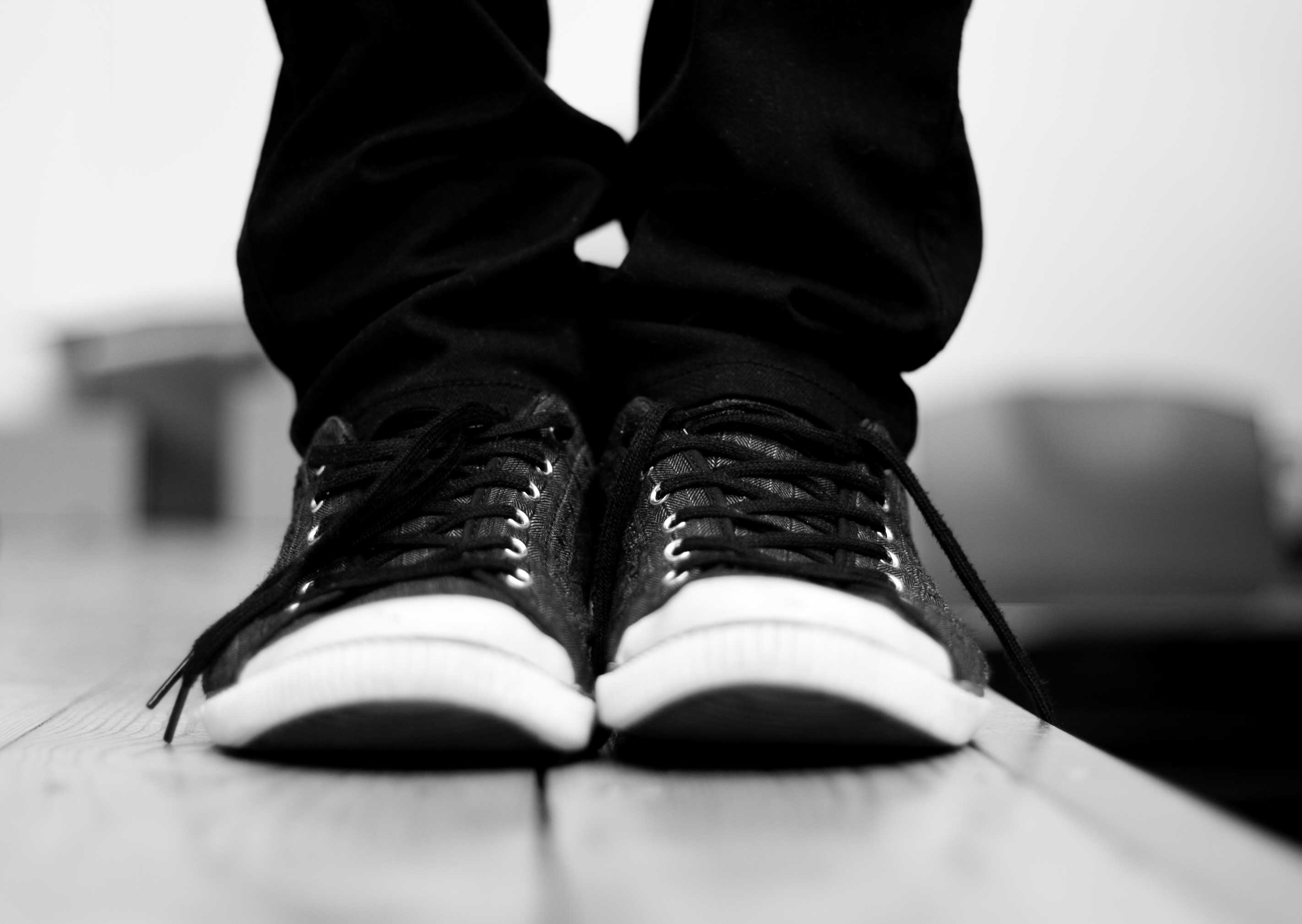
1. Invest in a solid, comfortable pair of shoes

Regardless of what kind of photo shoot you’ll be conducting, start with shoes. Consider that you’ll likely be standing for hours on end, so comfort and ergonomics are key. Also, think about the terrain you might encounter during your shoot, and the seasonal weather. Will there be grassy fields, sandy shores, or other outdoor elements you might be venturing into to get unique angles? If so, shoes that can take a light beating and still look good will be of utmost importance.

As a female photographer who shoots mainly for corporate clients, I generally opt for black leather flats during the warm season, black leather boots for colder weather, or dressy black leather sneakers for extra long shoots with outdoor elements. In any case, it’s generally a good idea to stay away from sandals, high heels, and flip flops.

Laura Thorne

By Laura Thorne

2. Cover up

As a creative photographer in constant search of creative angles, consider the possible physical maneuvers such as bending, stooping, and squatting that you might be pulling off during a shoot. Dress accordingly, making sure to wear an outfit that will allow you to be physically flexible without giving your clients an eyeful, or worse yet, causing a wardrobe malfunction. Ladies, this means avoiding low-cut tops, ultra short skirts and dresses, and skimpy outfits. At the very least, bring a blazer or sweater to cover up. Gentlemen, don’t forget a belt and a longer shirt that can be tucked in.

3. Dress in all black

This is a contestable point, as it can also be argued that dressing according to your brand is a better strategy. However, it’s a general rule of thumb that wearing all black is best for being as invisible as possible at a photo shoot. That way you won’t stand out and take attention away from the main photo subject. Not to mention, dressing in all black makes you look more official, like a staff member which can potentially be helpful in navigating around a venue.

Personally, I opt for the all-black rule for all of my photo shoots, simply because it’s one less thing to worry about when I have a pre-assembled uniform to fall back on. For me, this uniform consists of mixing and matching from the following selection; one pair of black skinny jeans, one pair of black slacks, a black leather belt, several button-down black blouses, several black polo shirts, and a black blazer. Whenever possible, I also try to buy my black clothing in lightweight, moisture resistant fabrics rather than cotton, to avoid sweat absorption.

what-to-wear-as-a-photographer-01

4. Add a personal touch

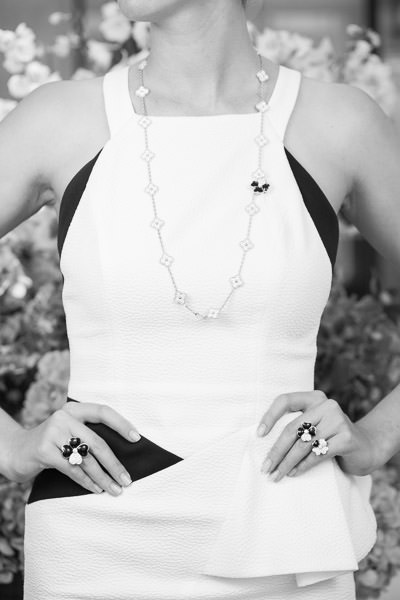
Some photographers might contest the above point of dressing in all black with the argument that it’s important to dress according to your brand. This is something I definitely believe in as well, but having brand elements infused in your style of dress can also be done while still wearing all black. As an example, I always make sure to wear a few pieces of statement jewelry to accent my outfit and also serve as a conversation starter. I have a couple pairs of unique earrings, necklaces, and watches that almost always attract comments or questions, but they are also subtle in size so they don’t stand out too much.

Another idea is to custom order black clothing that has your logo on it, such as a polo shirt with a subtle branding element. A photography colleague of mine has done this with huge success as it further reinforces his brand, while also making him look and appear more official at photo shoots.

what-to-wear-as-a-photographer-01

5. When in doubt, ask

If you’re truly stumped on what to wear to a photo shoot, ask your client if they have any preferences. This is likely less important if you’re doing an intimate portrait session, but for event photographers, in particular, it never hurts to ask the client. I once had a corporate photography client who forgot to send over their two-page document detailing their dress code for photographers, which I would never have received had I not asked. At the very least, it’s important to find out if the dress code for your shoot is formal, semi-formal, or casual, and what exactly those terms mean to the client.

Jpellgen

By jpellgen

Over to you

To some photographers, what you wear to a photo shoot may not seem like a big deal. But I firmly believe how you dress is a reflection of your brand, so considering every element of your outfit is crucial.

What do you wear when you’re conducting photo shoots? Let me know in the comments below!

googletag.cmd.push(function() {
tablet_slots.push( googletag.defineSlot( “/1005424/_dPSv4_tab-all-article-bottom_(300×250)”, [300, 250], “pb-ad-78623” ).addService( googletag.pubads() ) ); } );

googletag.cmd.push(function() {
mobile_slots.push( googletag.defineSlot( “/1005424/_dPSv4_mob-all-article-bottom_(300×250)”, [300, 250], “pb-ad-78158” ).addService( googletag.pubads() ) ); } );

The post Photographer’s Dress Code – What to Wear to a Photo Shoot by Suzi Pratt appeared first on Digital Photography School.


Digital Photography School

 
Comments Off on Photographer’s Dress Code – What to Wear to a Photo Shoot

Posted in Photography


NYC Dance Project: How two photographers capture the beauty in movement

06 Nov

NYC Dance Project: The Art of Movement

Charlotte Landreau, Soloist, Martha Graham Dance Company. © Ken Browar and Deborah Ory

New York City-based photographers Deborah Ory and Ken Browar have spent the past two and a half years creating images of today’s most influential dancers in their home studio. A project that began in a quest to make photographs to decorate their daughter’s bedroom quickly became a long-term endeavor to capture the beauty of movement. This self-funded project, fueled by their passion for photography and dance, resulted in the team’s first book: The Art of Movement—a beautiful, award-winning 300 page compilation featuring photographs of more than 70 dancers from the world’s leading companies including American Ballet Theatre, New York City Ballet, Alvin Ailey American Dance Theatre, Royal Danish Ballet, among many others.

Ory, who started dancing when she was 7, began her photography career photographing rehearsals when a dance injury prevented her from performing. She has shot editorial for magazines including Self, Martha Steward Living and Real Simple and served as photo editor for House and Garden and Mirabella.

Fashion and beauty photographer Browar began his career in Paris, with work published in some of the leading fashion magazines in Europe and the U.S. including Vogue, Elle and Marie Claire. Browar’s interest in dance began when he photographed dancers for the Paris Opera Ballet.

Together their NYC Dance Project has been featured in numerous magazines ranging from Harper’s Bazaar to Vogue Italia.

For behind the scenes insight into the project, you can read our Q&A with this talented team. Be sure to scroll through the gallery to see some of the images from the project.

The book can be purchased here. Follow NYC Dance Project on Facebook and Instagram And if you’re in New York City, check out these events celebrating the book:

November 7 – ABT Jr Council Book Launch – A cocktail party and book signing; many of the ABT dancers will be there. More info and tickets

November 10 – Barnes and Noble Book Signing – 7pm – 150 East 86th Street, New York City. A book signing and Q&A. Ory and Bowar will be joined by Martha Graham Principal dancers, Lloyd Knight and Masha Dashkina Maddux (the dancer on the cover). More info here

?November 30, 2016 – Martha Graham Dance Company Studio Series – 7pm. Ory and Browar will be having a discussion with Artistic Director, Janet Eilber. Members of the Martha Graham Company will be performing and there will be a chance to take photographs of the dancers. Reserve your tickets here

December 8, 2016 – Rizzoli Bookstore – 6-8pm. 1133 Broadway, New York City. There will be drinks and a launch party to celebrate the book as well as a panel discussion with Ory, Browar and the dancers.??? rizzolibookstore.com

NYC Dance Project: The Art of Movement

Xin Ying, Principal, Martha Graham Dance Company. © Ken Browar and Deborah Ory

How did the NYC Dance Project get started? What was your inspiration?

The inspiration for the project came when our daughter Sarah, an aspiring ballerina, wanted to decorate her room with dance photographs. To our disappointment, we were not able to find images of the current dancers that Sarah admired in any contemporary books or photographs. There were beautiful images of famous dancers from past generations – such as Baryshnikov or Markova, taken more than 40 years ago – but nothing of the current stars.

Ken decided we needed to photograph these dancers ourselves. We were great fans of Daniil Simkin, the American Ballet Theatre Principal Dancer, and sent him an email asking him to be our first subject. Daniil loves photography and agreed to be photographed and this was the beginning of NYC Dance Project. Daniil helped us in getting a lot of other dancers involved in the project. It was a time when dancers were starting to use social media to promote themselves and they were interested in having images taken.

We originally thought it was going to be a blog, but after we had 4-5 shoots, we realized this had a longer life than we thought it would.

NYC Dance Project: The Art of Movement

Gillian Murphy, Principal, American Ballet Theatre. © Ken Browar and Deborah Ory

You’re very active in social media. How has that benefited you and the project?

Social media is a really important part of our project and we started with it right away. Daniil Simkin was very involved in social media and helped us learn how to promote our project through Facebook and Instagram. Our audience has been really active and it’s been a great way for us to reach even more people. Through social media, we have been able to reach an international market – we have dancers from around the world contacting us and asking about doing shoots with us when they are touring to NYC. It’s been a great way for us to connect worldwide with the dancers.

Having a large social media following was also important to our publisher, as it’s a great way to promote the book.

NYC Dance Project: The Art of Movement

Michael Jackson Jr, Alvin Ailey American Dance Theater © Ken Browar and Deborah Ory

Your studio is set up in your living room. How do you manage that arrangement?

Ken and I mostly worked in rental studios or outdoors previous to this and the fact that we work from our home changes the mood for the shoot. There are usually no more than the two of us, the dancer and sometimes a hair and makeup artist. Because it’s a small crew, in our home, it’s a very warm and friendly environment. There is something about the casualness of being in our home that we really love. We also can do a shoot at the last minute. Often we leave our studio set up for a few days and shoot several dancers. We go in spurts where shoot a lot, then we put our home back together and spend a few days editing.

The space we have is very large. We were able to do a shoot with 9 dancers here, although it was very tight. Ideally we would have an even larger studio, but as this is a self-funded project, we never would have been able to do it if we rented a studio.

NYC Dance Project: The Art of Movement

Michael Jackson Jr, Daniel Harder, Sean Aaron Carmon, Alvin Ailey American Dance Theater. © Ken Browar and Deborah Ory

Tell us about how your studio space is set up, what gear you use and how you work together.

Our home is a loft space with 16 foot high ceilings. Usually our background is about 15 feet high. We work with a Hasselblad on a tripod, using a standard 80mm lens. We now have the H6D. We like working with medium format, because we love the way it looks. Also, we like printing the images very large and the medium format lends itself well to this. We work very slowly, as we are using strobes and never have used a motor drive. When a dancer does a jump, we have to get the timing right, there is no room for mistakes!

We tend to keep our lighting very simple, with just one or two lights – from the top and/or side, depending on where the subject is and how they are moving. We’ve been using Profoto’s D4’s. These are not as fast as other lights that would stop the action 100%, but we are not bothered by not having technically perfect images. It’s the emotion and movement that we are trying to capture.

Our light is just to enhance the movement. We’ll start with the movement and think about how the light can work the best to complement it. Since the dancer is always moving throughout these shoots, we are constantly adjusting the light, bringing reflectors in and out and refining things. It’s all very fluid.

NYC Dance Project: The Art of Movement

Artem Ovcharenko, Principal, Bolshoi Ballet. © Ken Browar and Deborah Ory

…(cont.) People write us all the time asking if we can send them a lighting diagram. We can’t do this as we are constantly adjusting the lights. It’s so helpful having two people making the images – one of us is watching the dancer and the other is moving a light or adjusting it.

We use hand painted backgrounds that we’ve had an artist make. She is constantly refining it over and over for us. At one point she told us that she can’t add any more paint to it, it was getting too thick to roll up!

We have wood floors but we put a Marley dance floor, which comes in rolls, on top of the floor and underneath the canvas. That helps dancers from slipping and helps keep the canvas in place as well.

In the beginning we each worked with our own camera and had our own idea of what the image should be. The dancer would have to repeat the movement for each of us and we would compare who captured it better. Now we have become a team and work with one camera.

NYC Dance Project: The Art of Movement

James Whiteside, Principal, American Ballet Theatre. © Ken Browar and Deborah Ory

When a dancer comes into the studio for a shoot, how much do you direct them? Where do you begin?

Most of these dancers are well known dancers that we have seen perform before. If we haven’t seen them live—such as dancers from another country—then we’ll watch videos of them so we kind of know their strengths. Ken and I have an idea about what we would like to capture about each dancer, but once the dancer comes in, it’s a collaboration with them as well. We have them start moving with very little direction from us. We’ll look at a few images together and start to refine them. Usually we pick one or two ideas to work on and fine tune those until we get an image we all feel works well.

NYC Dance Project: The Art of Movement

Miriam Miller, New York City Ballet. © Ken Browar and Deborah Ory

Who styles the dancers and where do you get the outfits for the shoots?

I [Ory] do most of the styling for our shoots. Once we worked with a stylist and we felt it was too much about fashion and often the clothes did not move well. The clothing needs to be simple and beautiful, but most importantly, it needs to move well.

Clothing is a really important element for us. We’ve gotten outfits from different designers, including Leanne Marshall, who has been a big contributor for us. Companies like ABT will sometimes give us old costumes. They’re tattered and hand stitched and I love that you can see little rips and tears.

We also sometimes paint their pointe shoes so they match the clothing. In fashion you would never wear the same colored shoes with every outfit, so why would you wear pink pointe shoes with every dress?

NYC Dance Project: The Art of Movement

Fana Tesfagiorgis, Alvin Ailey American Dance Theater. © Ken Browar and Deborah Ory

What software do you use and how much post-processing is involved?

On set we shoot tethered with Hasselblad’s Phocus software. The images are brought into Lightroom to edit and the post-processing is done in Photoshop, after we have made our selects. Post-processing is pretty minimal in terms of what we do to the pictures. Most of our time is spent cleaning up spots and dust in the background. There is very little manipulation of the images themselves.

Often we have to remove cats from the photos! Our cats are literally walking through the set and often they are in the photo or there is a tail in the picture. They will go lay down underneath the dancer, no matter what the dancer is doing!

NYC Dance Project: The Art of Movement

Misty Copeland, Principal, American Ballet Theatre, from our shoot for Harper’s Bazaar, Degas story. © Ken Browar and Deborah Ory

You were commissioned by Harper’s Bazaar to do an editorial with American Ballet Theatre’s Principal dancer, Misty Copeland in conjunction with the Degas exhibit at MOMA. How did that come about?

Harper’s Bazaar found us on Instagram and also through another principal dancer who recommended us for this job. Glenda Bailey, their Editor-in-Chief, wanted someone who was used to shooting dancers, rather than a fashion photographer. Also, we had worked with Misty before, so they had seen our images of her. While we were very fortunate that they picked us, we were not really looking for commercial assignments at that time. They asked us if we had a porfolio and we just suggested they look through our Instagram feed. It was interesting to us as we knew how difficult it can be to send your portfolio and try to get jobs with magazines like Harper’s Bazaar.

It was a really difficult shoot. Bazaar wanted to make the pictures look exactly like Degas’ painting of dancers. We were stressing about how to make these images keep the perspective and painterly look of the Degas paintings. Degas sometimes just painted things in the background and we could not figure out what these things were. What are those blue streaks? Is he painting a set or was that just for effect? It was really a challenge re-creating these paintings!

There were about 50 people on set, and it was the first time we had worked with a crew that large for a dance shoot. The space we used at Pier 59 photo studios in NYC was really large, but we had to create 5-6 sets and there was only room to put up 2 at a time. Luckily, there were a lot of people to help us create these sets and it all came together beautifully. There was a lot of press surrounding the story, so it really helped us to get better known.

NYC Dance Project: The Art of Movement

© Ken Browar and Deborah Ory

Your first book, The Art of Movement, was released this October. What was it like to publish your first book?

As photographers, both of us had always dreamed of making a book. We certainly did not just create the images for instagram! Meeting with publishers was a bit depressing, however; most said they only do a dance book every ten years or so. It took a lot of persistence, and also a great literary agent, to help us find the right publisher. Although it worked out in the end, we got our contract at the last minute. Our publisher, Black Dog & Leventhal, wanted to get the book out this year, so we had to work incredibly quickly to meet the deadline. We barely slept for a few months. Putting together a 300 page book in such a short amount of time was very ambitious and stressful, but looking back now, it definitley feels worth the struggle!

NYC Dance Project: The Art of Movement

Michael Jackson Jr and Sean Aaron Carmon, Alvin Ailey American Dance Theater. © Ken Browar and Deborah Ory

What’s next for you?

It’s likely that we will make another book. The next step is also working with galleries. We just started working with the Holden Luntz Gallery in Palm Beach and will be looking for a gallery in NYC as well.

Articles: Digital Photography Review (dpreview.com)

 
Comments Off on NYC Dance Project: How two photographers capture the beauty in movement

Posted in Uncategorized


REVIEW: Everyday Messenger Bag for Photographers… And Everyone Else!

01 Nov

Peak Design is familiar to any pro photographer and their latest Kickstarter project for their Everyday Bags that gathered over $ 6,000,000 of funding has made them famous far beyond the photography world. While their new backpack, tote, and sling from the Everyday series are conquering the world, I’ve got a chance to put my hands on Peak Design’s Every Messenger Continue Reading

The post REVIEW: Everyday Messenger Bag for Photographers… And Everyone Else! appeared first on Photodoto.


Photodoto

 
Comments Off on REVIEW: Everyday Messenger Bag for Photographers… And Everyone Else!

Posted in Photography


REVIEW: Everyday Messenger Bag for Photographers… And Everyone Else!

31 Oct

Peak Design is familiar to any pro photographer and their latest Kickstarter project for their Everyday Bags that gathered over $ 6,000,000 of funding has made them famous far beyond the photography world. While their new backpack, tote, and sling from the Everyday series are conquering the world, I’ve got a chance to put my hands on Peak Design’s Every Messenger Continue Reading

The post REVIEW: Everyday Messenger Bag for Photographers… And Everyone Else! appeared first on Photodoto.


Photodoto

 
Comments Off on REVIEW: Everyday Messenger Bag for Photographers… And Everyone Else!

Posted in Photography